Android  NFCアプリ  
   ハンズオン	
 
     BRILLIANTSERVICE
   山下 智樹 / tomorrowkey
自己紹介	
 

•  山下 智樹 / Tomoki YAMASHITA

•  @tomorrowkey

•  株式会社ブリリアントサービス
想定する対象者	
 

•  Eclipseを使ってAndroidアプリを作ったことがある

•  Intentの発行ができる

•  Intent-Filterを使ってIntentの受信ができる
もくじ	
 

•  NFCとは
  o  一般的なNFCの説明


•  AndroidのNFCの仕組み
  o  AndroidのNFCの実装


•  ハンズオン
  o  NFC-IDを取得・表示するアプリの作成
NFCとは	
 
  なんぞや
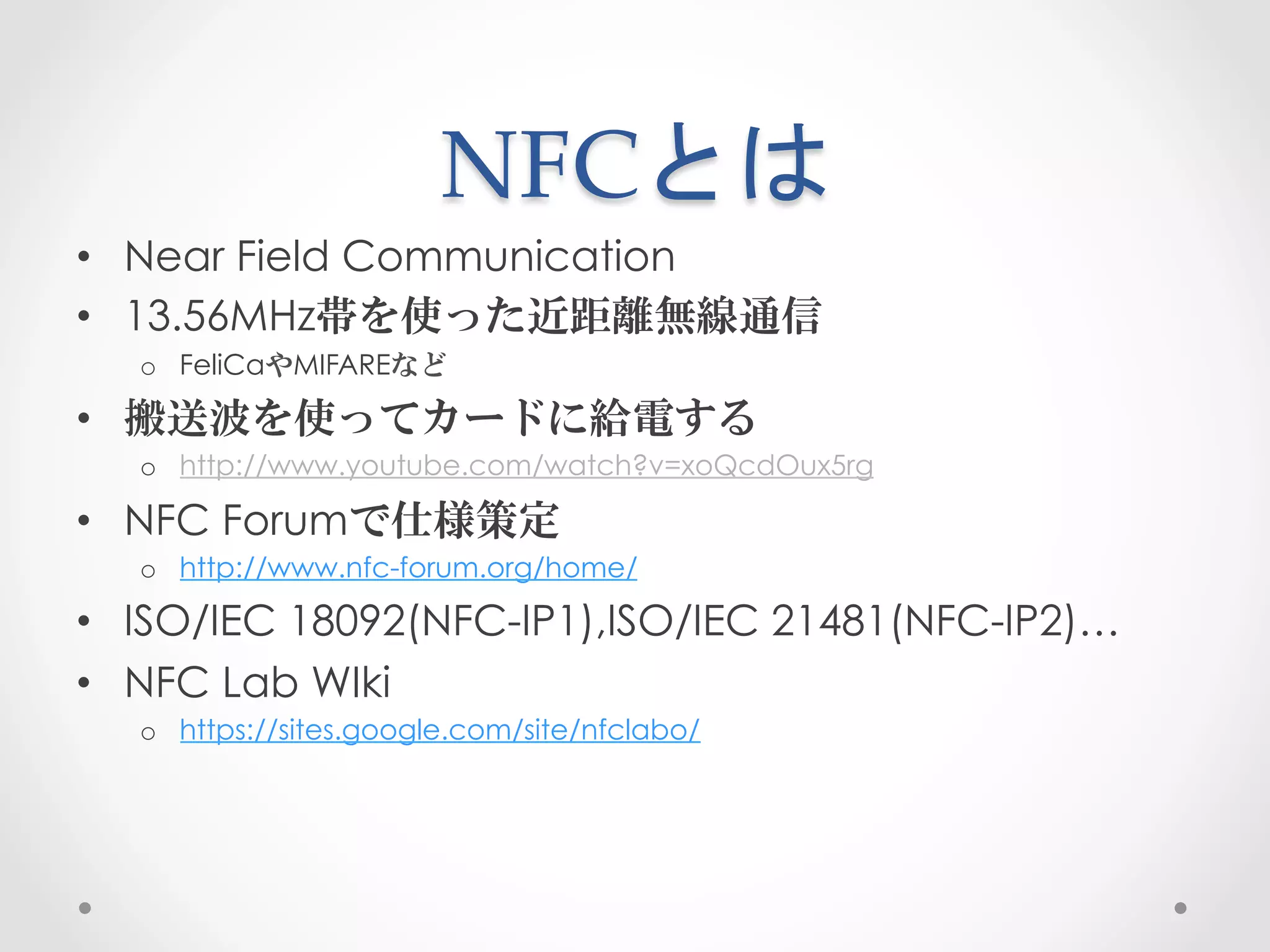
NFCとは	
 
•  Near Field Communication
•  13.56MHz帯を使った近距離無線通信
  o  FeliCaやMIFAREなど

•  搬送波を使ってカードに給電する
  o  http://www.youtube.com/watch?v=xoQcdOux5rg

•  NFC Forumで仕様策定
  o  http://www.nfc-forum.org/home/

•  ISO/IEC 18092(NFC-IP1),ISO/IEC 21481(NFC-IP2)…
•  NFC Lab WIki
  o  https://sites.google.com/site/nfclabo/
チップの種類	
 
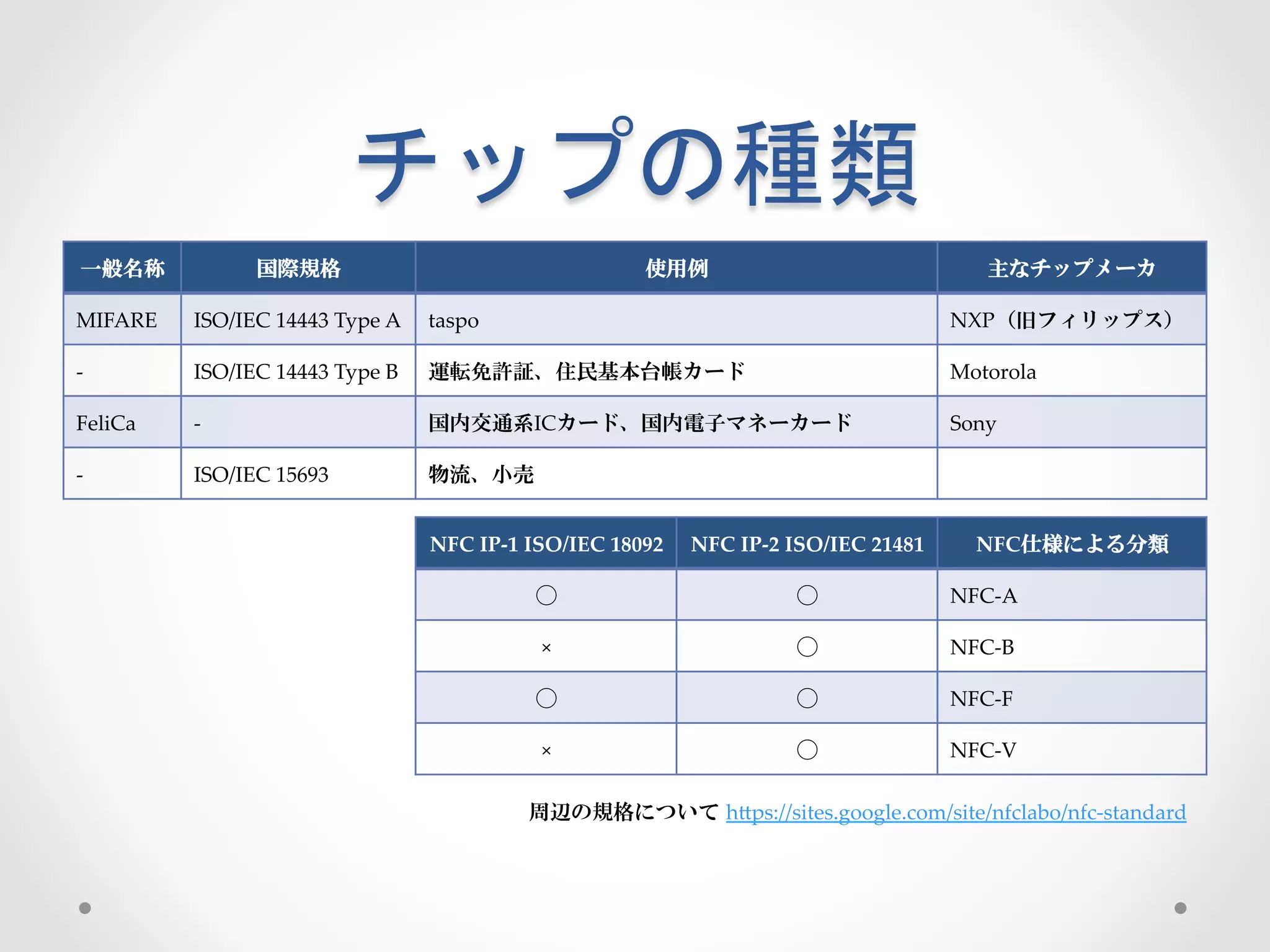
  一般名称          国際規格                                        使用例                                      主なチップメーカ

MIFARE   ISO/IEC  14443  Type  A   taspo                                                         NXP(旧フィリップス)

-­‐‑     ISO/IEC  14443  Type  B   運転免許証、住民基本台帳カード                                               Motorola

FeliCa   -­‐‑                      国内交通系ICカード、国内電子マネーカード                                         Sony

-­‐‑     ISO/IEC  15693            物流、小売


                                   NFC  IP-­‐‑1  ISO/IEC  18092   NFC  IP-­‐‑2  ISO/IEC  21481      NFC仕様による分類

                                               ⃝                              ⃝                  NFC-­‐‑A

                                                ×                             ⃝                  NFC-­‐‑B

                                               ⃝                              ⃝                  NFC-­‐‑F

                                                ×                             ⃝                  NFC-­‐‑V

                                              周辺の規格について hGps://sites.google.com/site/nfclabo/nfc-­‐‑standard
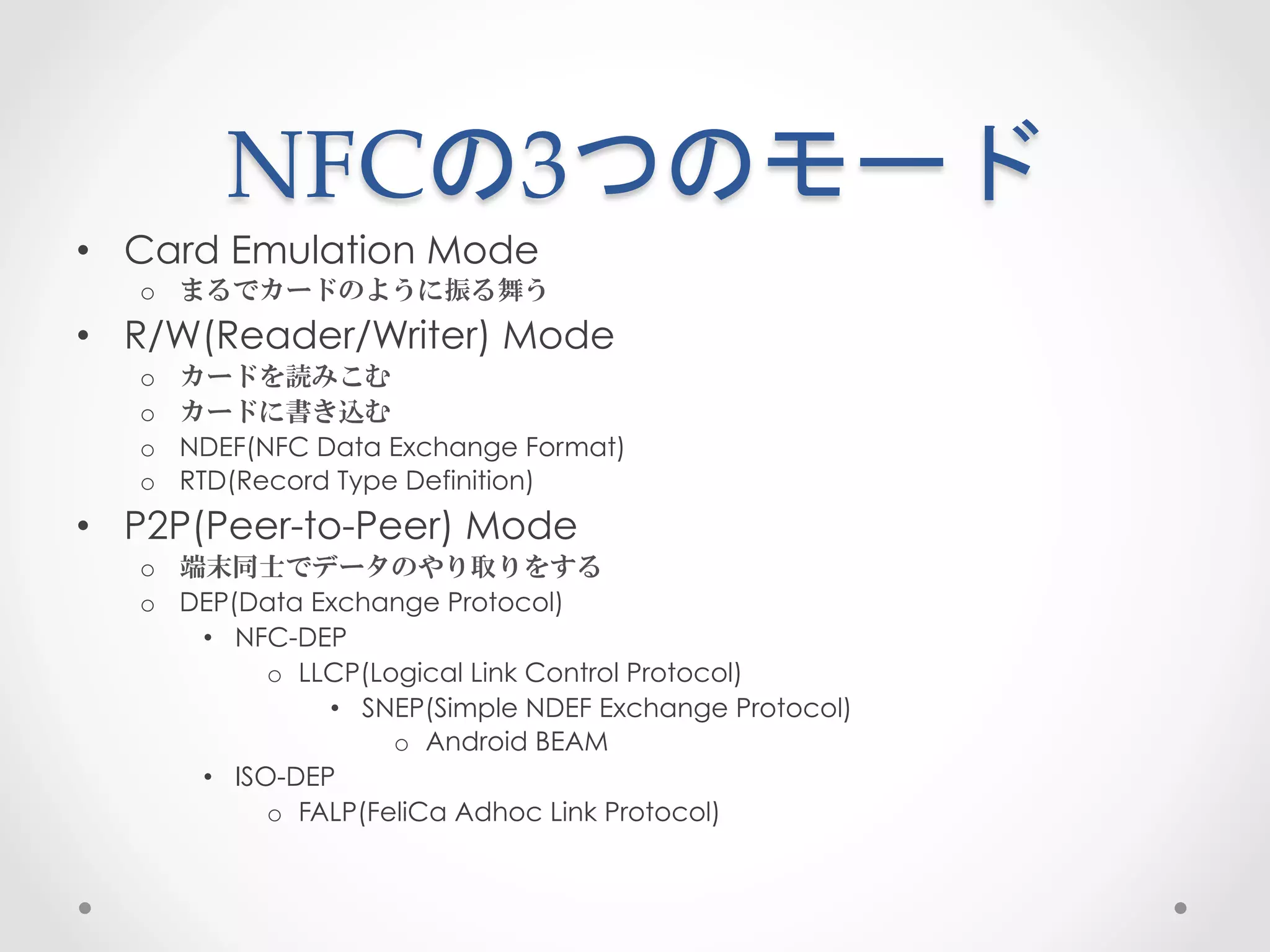
NFCの3つのモード	
 
•  Card Emulation Mode
   o  まるでカードのように振る舞う
•  R/W(Reader/Writer) Mode
   o    カードを読みこむ
   o    カードに書き込む
   o    NDEF(NFC Data Exchange Format)
   o    RTD(Record Type Definition)
•  P2P(Peer-to-Peer) Mode
   o  端末同士でデータのやり取りをする
   o  DEP(Data Exchange Protocol)
       •  NFC-DEP
             o  LLCP(Logical Link Control Protocol)
                  •  SNEP(Simple NDEF Exchange Protocol)
                       o  Android BEAM
       •  ISO-DEP
             o  FALP(FeliCa Adhoc Link Protocol)
AndroidのNFCの仕組み	
 
      どうなってるの
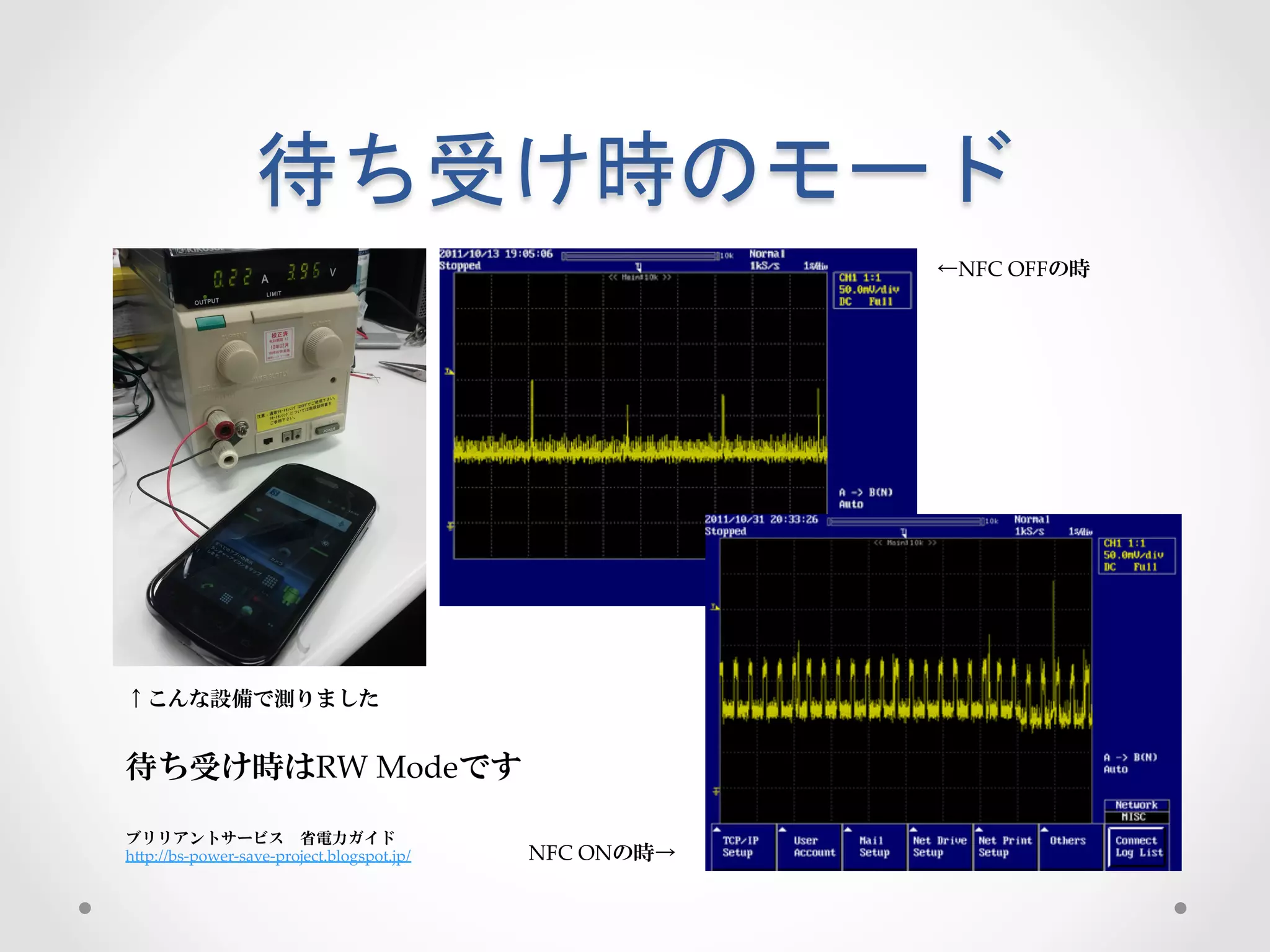
待ち受け時のモード	
 
                                                                 ←NFC  OFFの時


↑こんな設備で測りました


待ち受け時はRW  Modeです

ブリリアントサービス 省電力ガイド 	
hGp://bs-­‐‑power-­‐‑save-­‐‑project.blogspot.jp/   NFC  ONの時→
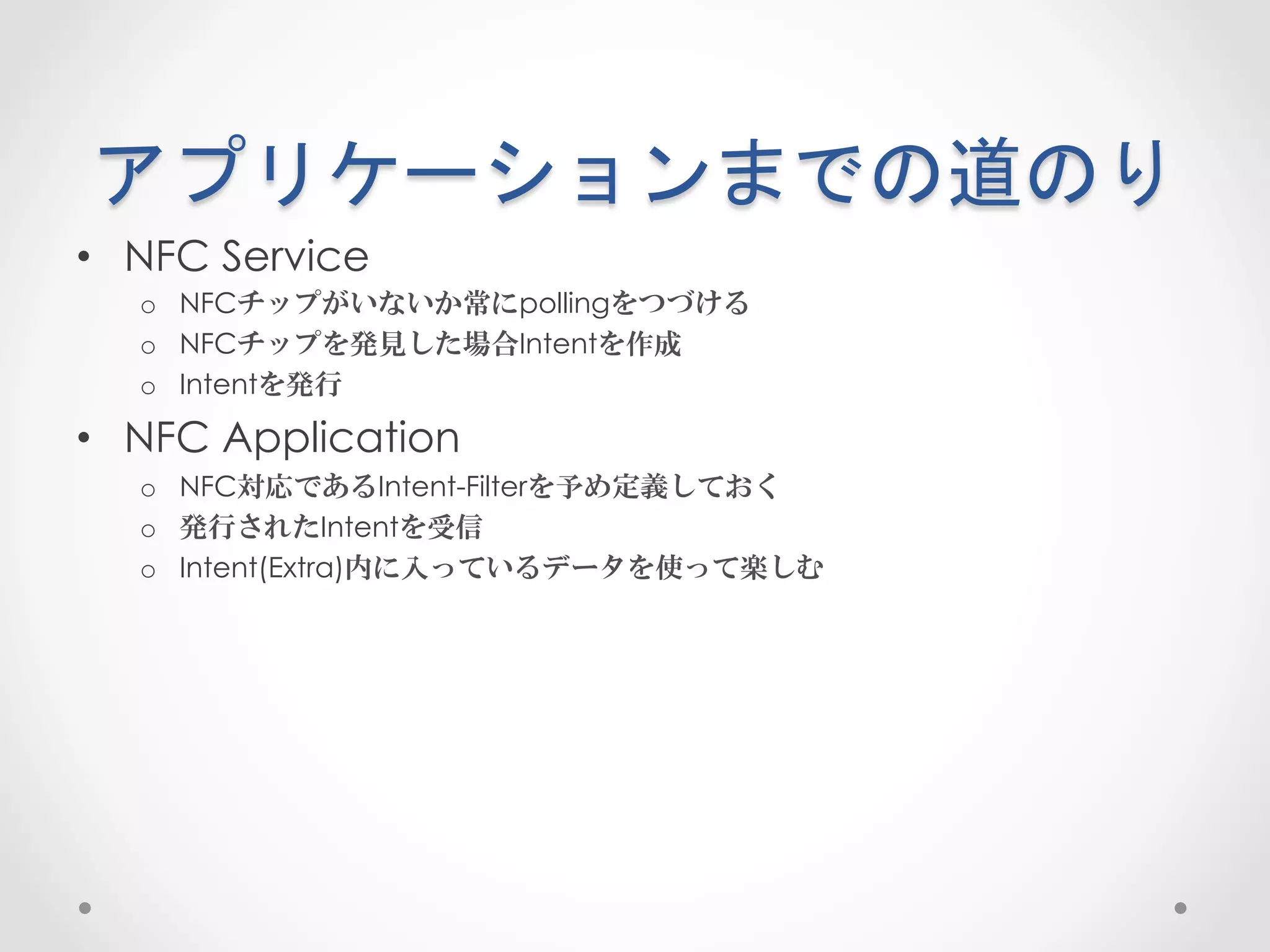
アプリケーションまでの道のり	
 
•  NFC Service
   o  NFCチップがいないか常にpollingをつづける
   o  NFCチップを発見した場合Intentを作成
   o  Intentを発行

•  NFC Application
   o  NFC対応であるIntent-Filterを予め定義しておく
   o  発行されたIntentを受信
   o  Intent(Extra)内に入っているデータを使って楽しむ
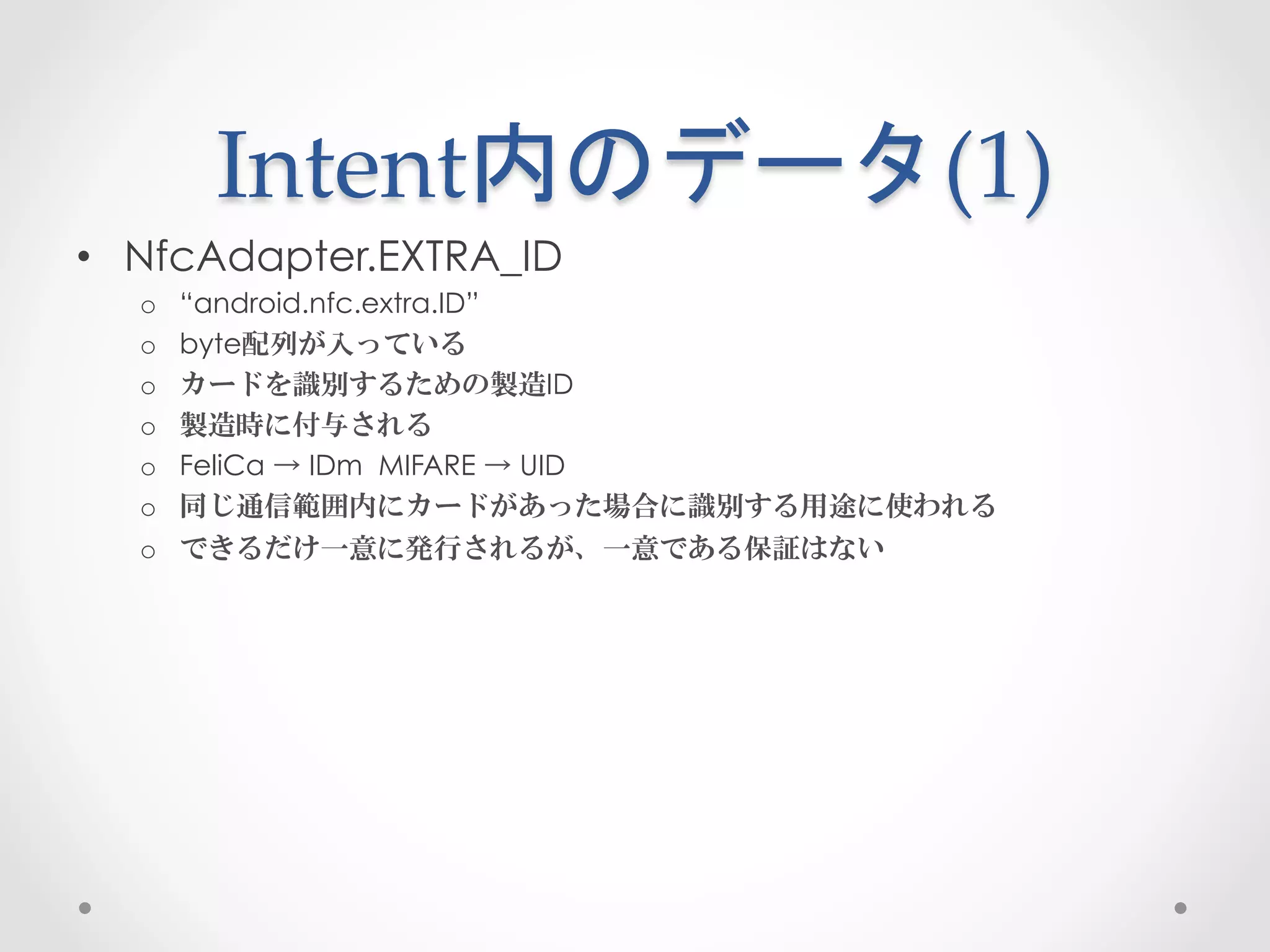
Intent内のデータ(1)	
 
•  NfcAdapter.EXTRA_ID
  o    “android.nfc.extra.ID”
  o    byte配列が入っている
  o    カードを識別するための製造ID
  o    製造時に付与される
  o    FeliCa → IDm MIFARE → UID
  o    同じ通信範囲内にカードがあった場合に識別する用途に使われる
  o    できるだけ一意に発行されるが、一意である保証はない
Intent内のデータ(2)	
 
•  NfcAdapter.EXTRA_NDEF_MESSAGES
  o  “android.nfc.extra.NDEF_MESSAGES”
  o  android.nfc.NdefMessage(Parcelable)が入っている
  o  カード内にNDEFデータが入っている場合のみ設定される
Intent内のデータ(3)	
 
•  NfcAdapter.EXTRA_TAG
  o  “android.nfc.extra.TAG”
  o  android.nfc.TAG(Parcelable)が入っている
  o  カードのメタ情報が入っている
       •  メモリサイズ
       •  カードの種類
  o  カードに直接コマンドを送るために使われる
       •  Tag → NfcF → transceive(byte[])
ハンズオン
こんなアプリを作ります	
 

•  待ち受け状態でカードを検出

•  アプリ起動

•  IDを表示する
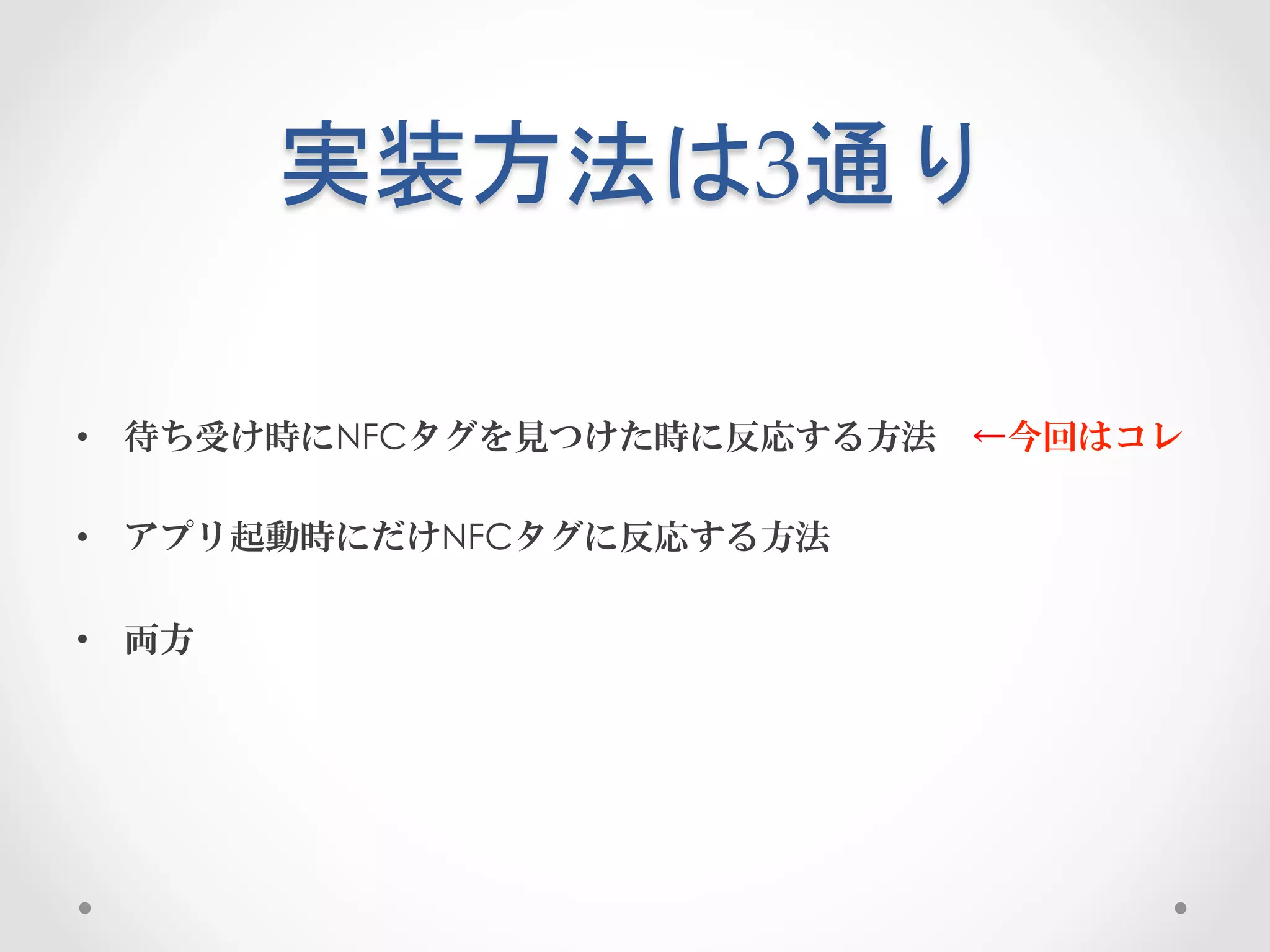
実装方法は3通り	
 

•  待ち受け時にNFCタグを見つけた時に反応する方法 ←今回はコレ

•  アプリ起動時にだけNFCタグに反応する方法

•  両方
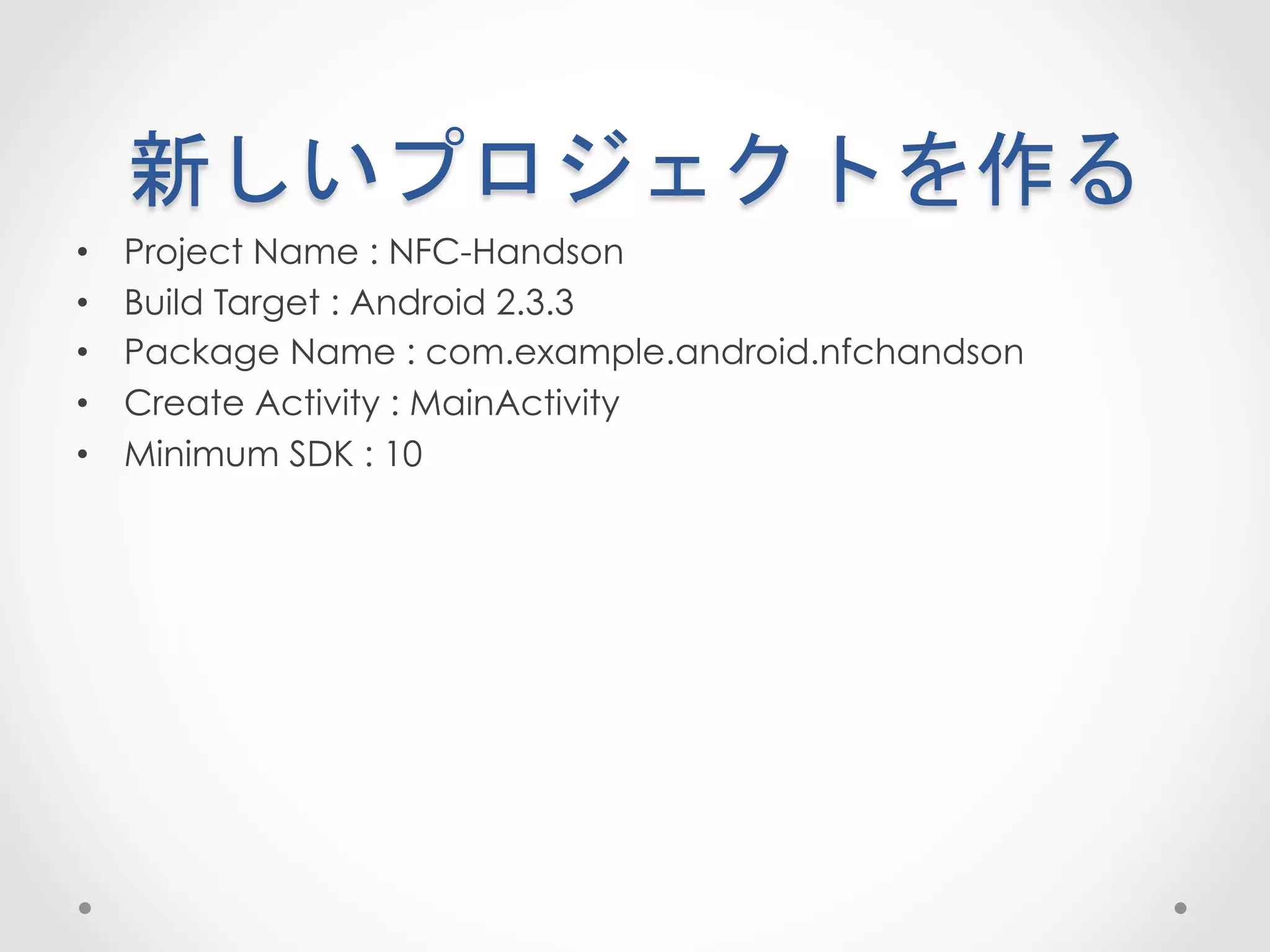
新しいプロジェクトを作る	
 
•    Project Name : NFC-Handson
•    Build Target : Android 2.3.3
•    Package Name : com.example.android.nfchandson
•    Create Activity : MainActivity
•    Minimum SDK : 10
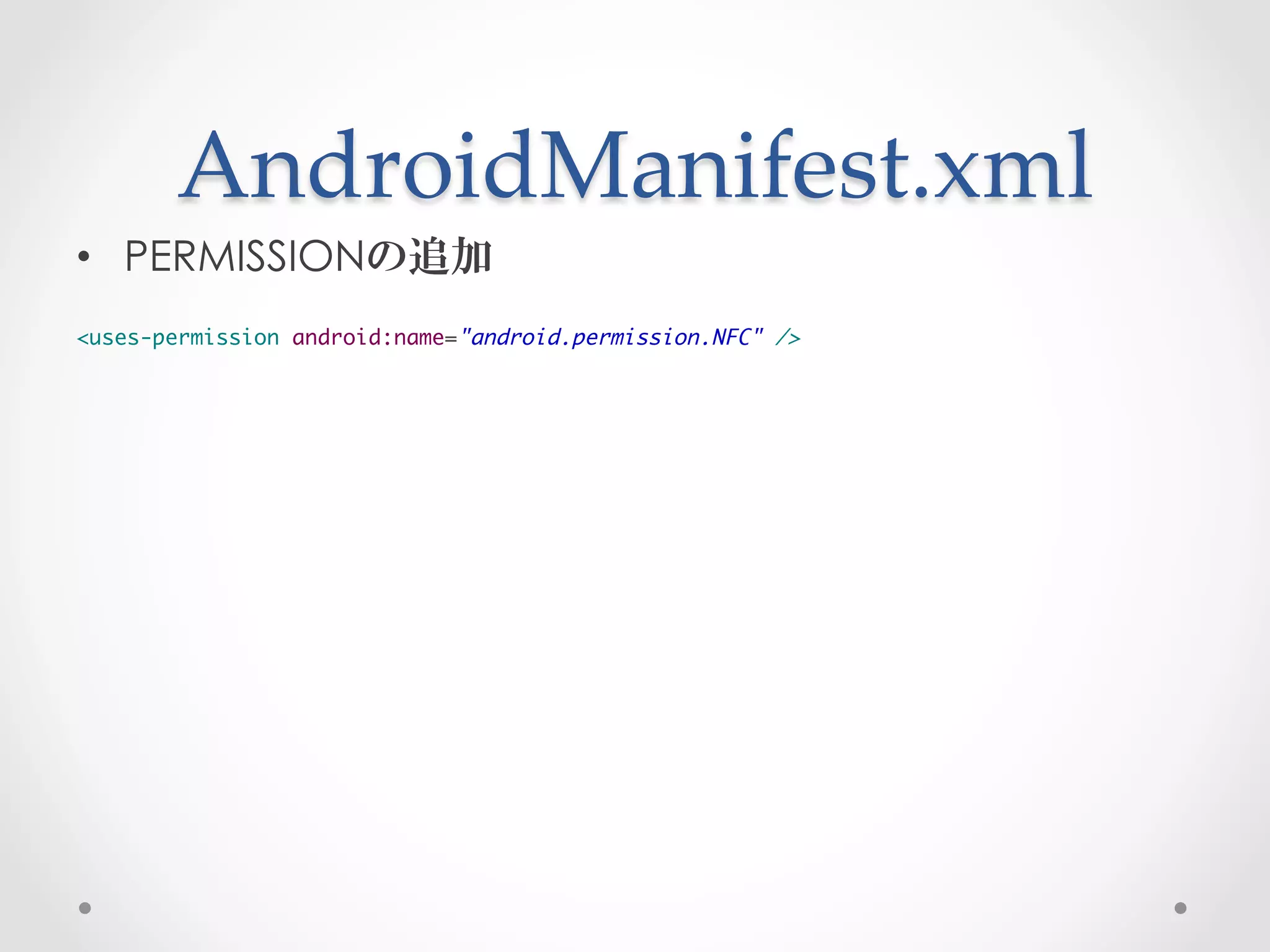
AndroidManifest.xml	
 
•  PERMISSIONの追加
	
<uses-permission android:name="android.permission.NFC" />
AndroidManifest.xml	
 
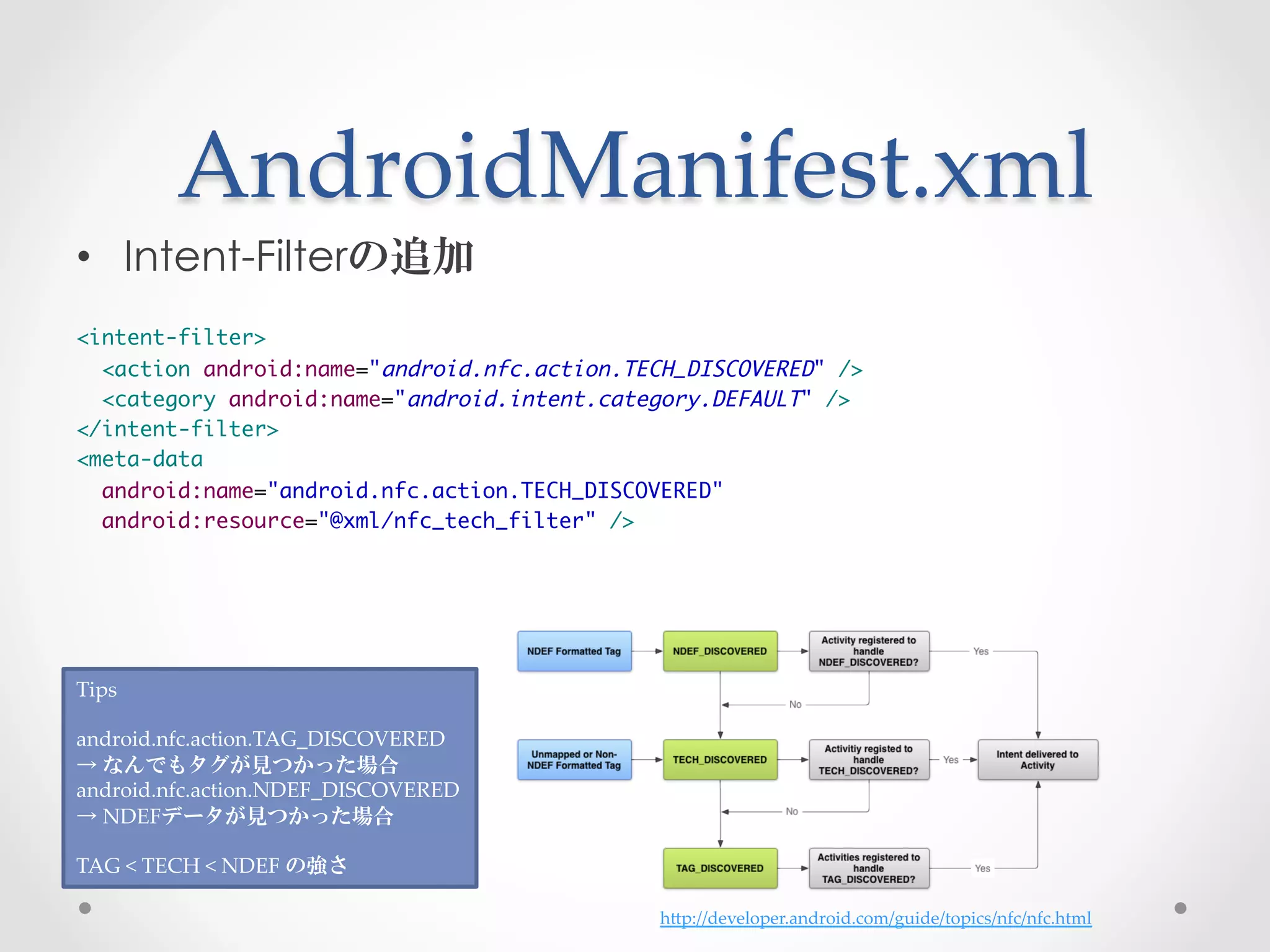
•  Intent-Filterの追加
	
<intent-filter>	
  <action android:name="android.nfc.action.TECH_DISCOVERED" />	
  <category android:name="android.intent.category.DEFAULT" />	
</intent-filter>	
<meta-data 	
  android:name="android.nfc.action.TECH_DISCOVERED"	
  android:resource="@xml/nfc_tech_filter" />	


Tips	
	
android.nfc.action.TAG_DISCOVERED	
→  なんでもタグが見つかった場合	
android.nfc.action.NDEF_DISCOVERED	
→  NDEFデータが見つかった場合	
	
TAG  <  TECH  <  NDEF  の強さ

                                             hGp://developer.android.com/guide/topics/nfc/nfc.html
nfc_tech_filter.xml	
 
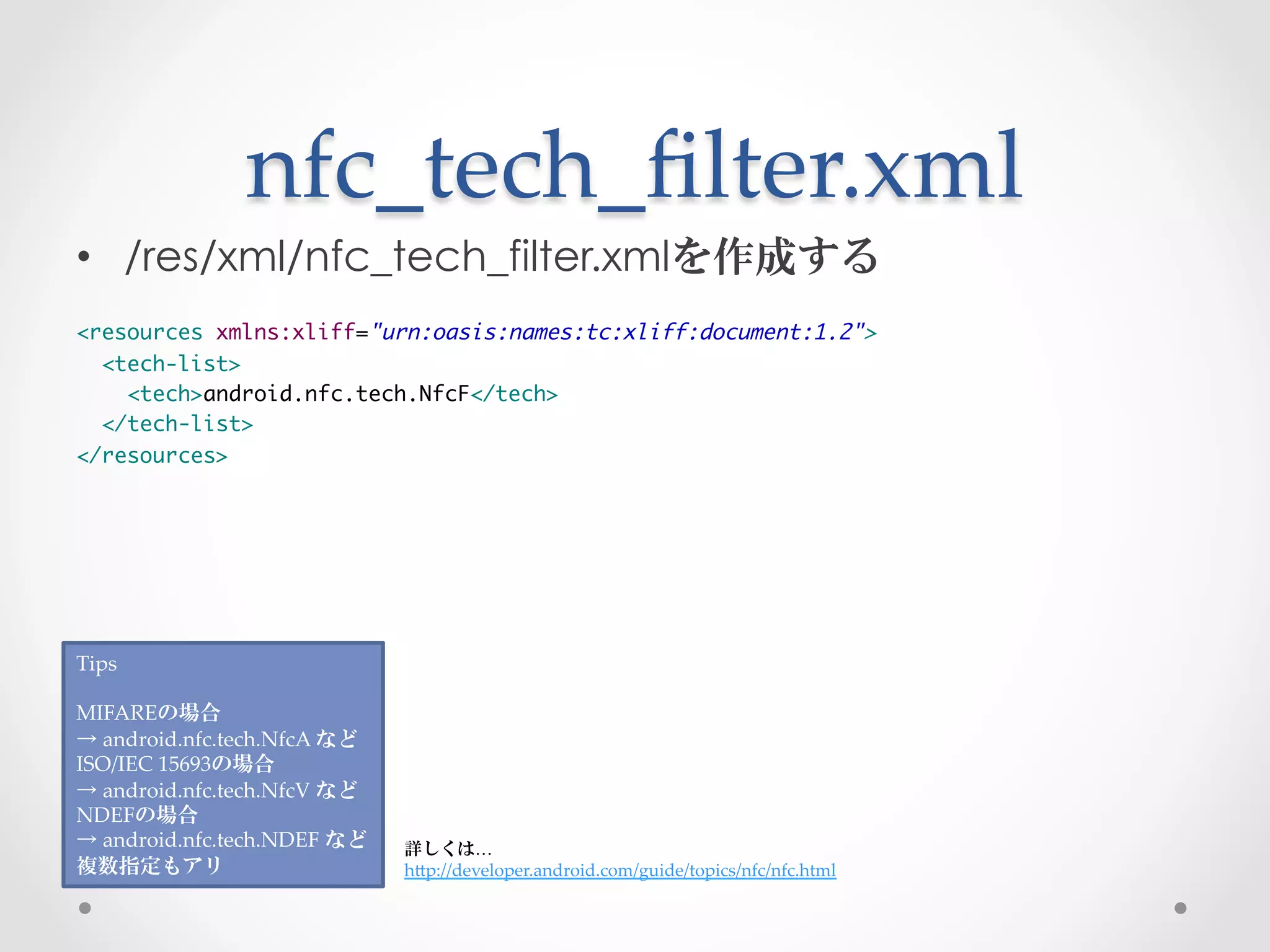
•  /res/xml/nfc_tech_filter.xmlを作成する
	
<resources xmlns:xliff="urn:oasis:names:tc:xliff:document:1.2">	
  <tech-list>	
    <tech>android.nfc.tech.NfcF</tech>	
  </tech-list>	
</resources>


Tips	
	
MIFAREの場合	
→  android.nfc.tech.NfcA  など	
ISO/IEC  15693の場合	
→  android.nfc.tech.NfcV  など	
NDEFの場合	
→  android.nfc.tech.NDEF  など	
   詳しくは…	
複数指定もアリ	
                        hGp://developer.android.com/guide/topics/nfc/nfc.html
とりあえず反応するアプリ完成	


•  実行してみよう
NFC-­‐‑IDの取得	
 
•  MainActivity#onCreate(:Bundle)でIDを取得する

Intent intent = getIntent();	
String action = intent.getAction();	
if (action.equals(NfcAdapter.ACTION_TECH_DISCOVERED)) {	
  byte[] rawId = intent.getByteArrayExtra(NfcAdapter.EXTRA_ID);	
}
見やすい形式に変換する	
 
•  byte配列から文字列に変換するメソッドの作成
•  MainActivityに作成

private String bytesToText(byte[] bytes) {	
  StringBuilder buffer = new StringBuilder();	
  for (byte b : bytes) {	
     String hex = String.format("%02X", b);	
     buffer.append(hex).append(" ");	
  }	
  String text = buffer.toString().trim();	
  return text;	
}
byte配列からの変換	
 
•  先程作ったメソッドを使います

Intent intent = getIntent();	
String action = intent.getAction();	
if (action.equals(NfcAdapter.ACTION_TECH_DISCOVERED)) {	
  byte[] rawId = intent.getByteArrayExtra(NfcAdapter.EXTRA_ID);	
  String text = bytesToText(rawId);	
}
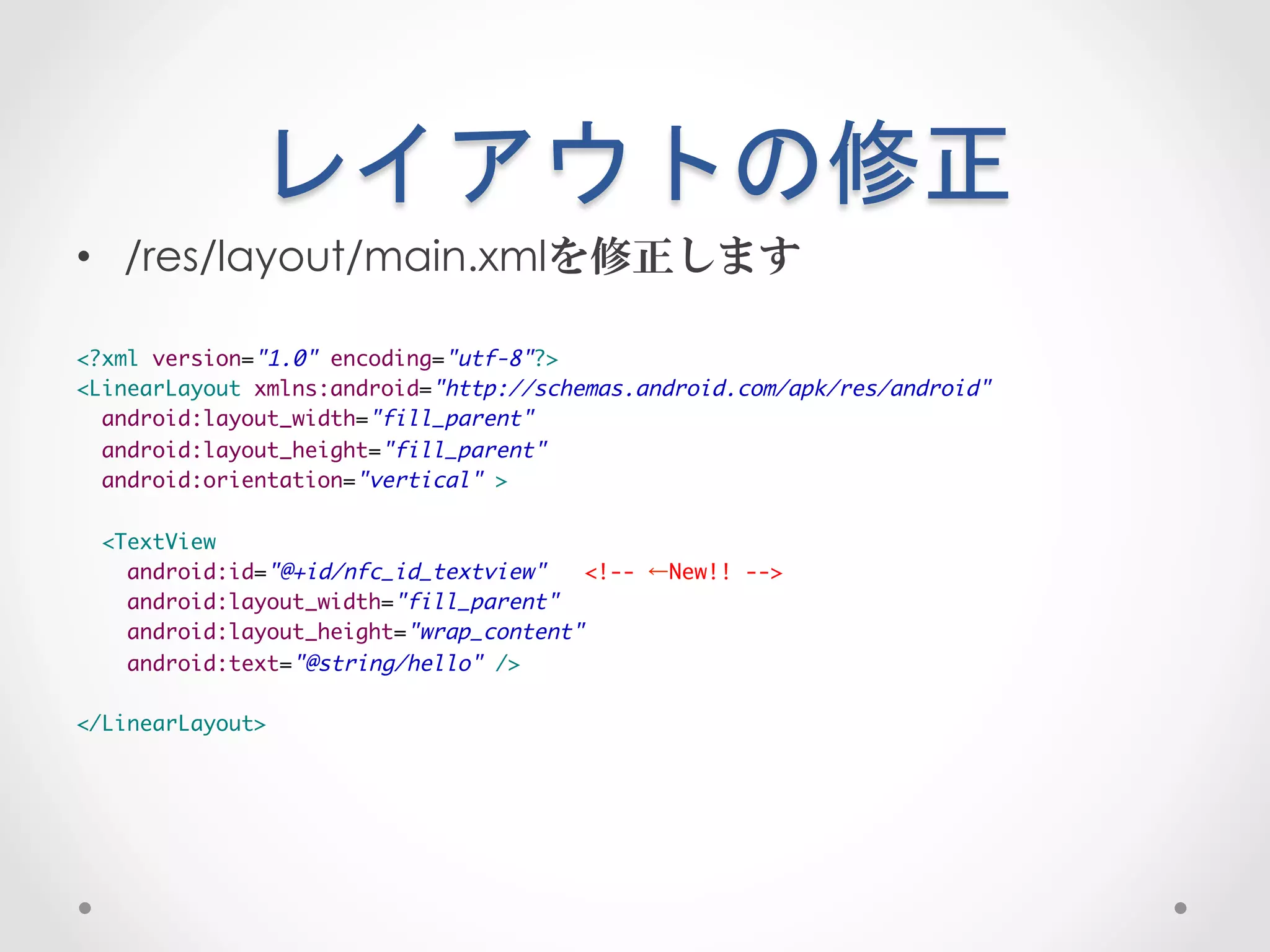
レイアウトの修正	
 
•  /res/layout/main.xmlを修正します

<?xml version="1.0" encoding="utf-8"?>	
<LinearLayout xmlns:android="http://schemas.android.com/apk/res/android"	
  android:layout_width="fill_parent"	
  android:layout_height="fill_parent"	
  android:orientation="vertical" >	
	
  <TextView	
    android:id="@+id/nfc_id_textview"   <!-- ←New!! -->	
    android:layout_width="fill_parent"	
    android:layout_height="wrap_content"	
    android:text="@string/hello" />	
	
</LinearLayout>
NFC-­‐‑IDの表示	
 
•  TextViewに表示します

Intent intent = getIntent();	
String action = intent.getAction();	
if (action.equals(NfcAdapter.ACTION_TECH_DISCOVERED)) {	
  byte[] rawId = intent.getByteArrayExtra(NfcAdapter.EXTRA_ID);	
  String text = bytesToText(rawId);	
  TextView nfcIdTextView = (TextView)findViewById(R.id.nfc_id_textview); // ← New!!	
  nfcIdTextView.setText(id); // ← New!!	
}
完成!	


•  実行してみよう
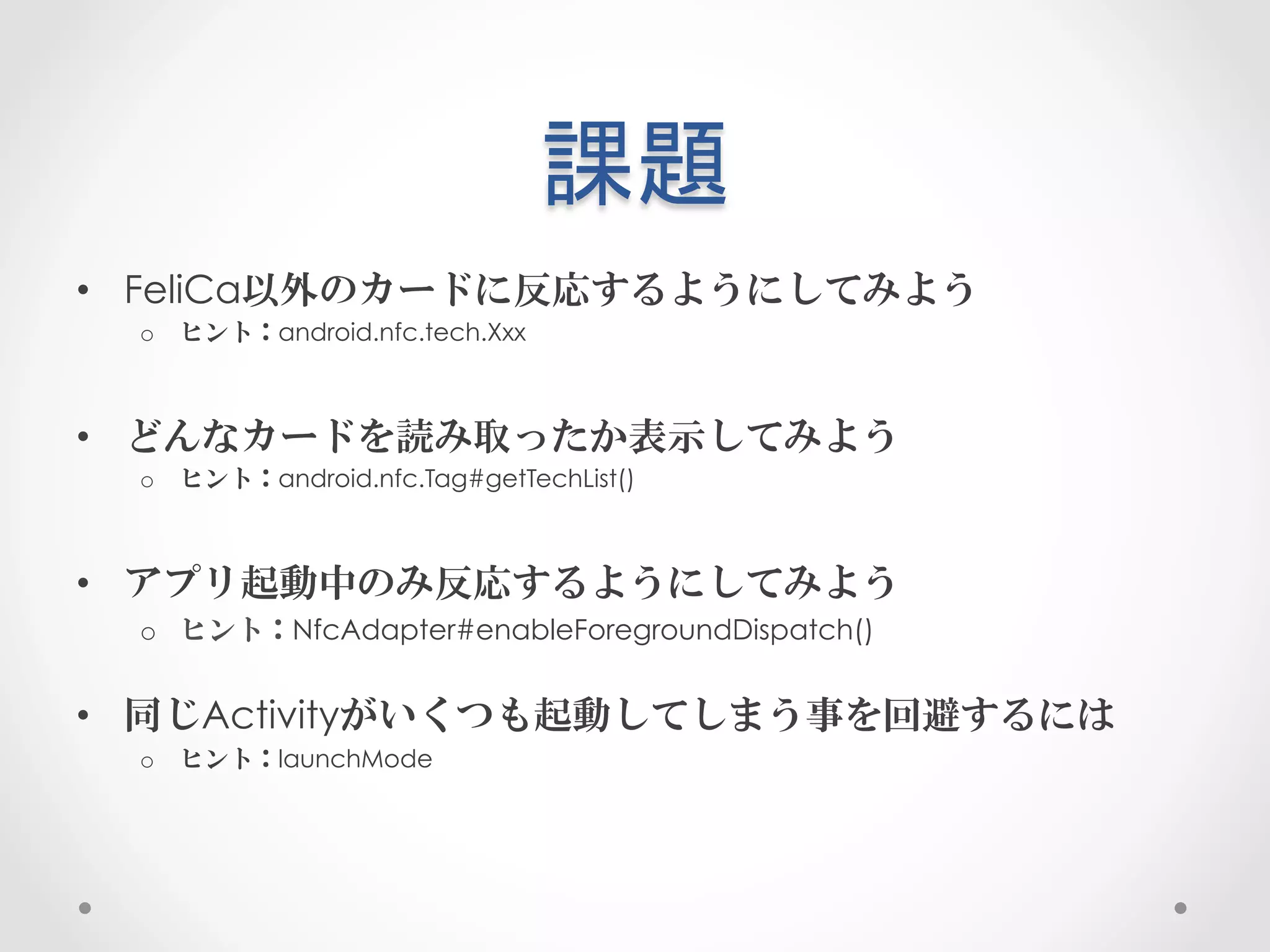
課題	
 
•  FeliCa以外のカードに反応するようにしてみよう
  o  ヒント:android.nfc.tech.Xxx


•  どんなカードを読み取ったか表示してみよう
  o  ヒント:android.nfc.Tag#getTechList()


•  アプリ起動中のみ反応するようにしてみよう
  o  ヒント:NfcAdapter#enableForegroundDispatch()


•  同じActivityがいくつも起動してしまう事を回避するには
  o  ヒント:launchMode
情報	
 
•  Android NFC Tutorial
   o  http://developer.android.com/guide/topics/nfc/nfc.html

•  NFC Lab
   o  ML http://groups.google.com/group/nfc-lab
   o  Wiki https://sites.google.com/site/nfclabo/

•  NFC Forum
   o  http://www.nfc-forum.org/home/

•  @hiro99ma
   o  http://hiro99ma.blogspot.jp/
   o  http://twitter.com/hiro99ma
おわり

Android NFCアプリハンズオン

  • 1.
    Android  NFCアプリ   ハンズオン BRILLIANTSERVICE 山下 智樹 / tomorrowkey
  • 2.
    自己紹介 •  山下智樹 / Tomoki YAMASHITA •  @tomorrowkey •  株式会社ブリリアントサービス
  • 3.
    想定する対象者 •  Eclipseを使ってAndroidアプリを作ったことがある • Intentの発行ができる •  Intent-Filterを使ってIntentの受信ができる
  • 4.
    もくじ •  NFCとは o  一般的なNFCの説明 •  AndroidのNFCの仕組み o  AndroidのNFCの実装 •  ハンズオン o  NFC-IDを取得・表示するアプリの作成
  • 5.
    NFCとは なんぞや
  • 6.
    NFCとは •  NearField Communication •  13.56MHz帯を使った近距離無線通信 o  FeliCaやMIFAREなど •  搬送波を使ってカードに給電する o  http://www.youtube.com/watch?v=xoQcdOux5rg •  NFC Forumで仕様策定 o  http://www.nfc-forum.org/home/ •  ISO/IEC 18092(NFC-IP1),ISO/IEC 21481(NFC-IP2)… •  NFC Lab WIki o  https://sites.google.com/site/nfclabo/
  • 7.
    チップの種類 一般名称 国際規格 使用例 主なチップメーカ MIFARE ISO/IEC  14443  Type  A taspo NXP(旧フィリップス) -­‐‑ ISO/IEC  14443  Type  B 運転免許証、住民基本台帳カード Motorola FeliCa -­‐‑ 国内交通系ICカード、国内電子マネーカード Sony -­‐‑ ISO/IEC  15693 物流、小売 NFC  IP-­‐‑1  ISO/IEC  18092 NFC  IP-­‐‑2  ISO/IEC  21481 NFC仕様による分類 ⃝ ⃝ NFC-­‐‑A × ⃝ NFC-­‐‑B ⃝ ⃝ NFC-­‐‑F × ⃝ NFC-­‐‑V 周辺の規格について hGps://sites.google.com/site/nfclabo/nfc-­‐‑standard
  • 8.
    NFCの3つのモード •  CardEmulation Mode o  まるでカードのように振る舞う •  R/W(Reader/Writer) Mode o  カードを読みこむ o  カードに書き込む o  NDEF(NFC Data Exchange Format) o  RTD(Record Type Definition) •  P2P(Peer-to-Peer) Mode o  端末同士でデータのやり取りをする o  DEP(Data Exchange Protocol) •  NFC-DEP o  LLCP(Logical Link Control Protocol) •  SNEP(Simple NDEF Exchange Protocol) o  Android BEAM •  ISO-DEP o  FALP(FeliCa Adhoc Link Protocol)
  • 9.
    AndroidのNFCの仕組み どうなってるの
  • 10.
    待ち受け時のモード ←NFC  OFFの時 ↑こんな設備で測りました 待ち受け時はRW  Modeです ブリリアントサービス 省電力ガイド hGp://bs-­‐‑power-­‐‑save-­‐‑project.blogspot.jp/ NFC  ONの時→
  • 11.
    アプリケーションまでの道のり •  NFCService o  NFCチップがいないか常にpollingをつづける o  NFCチップを発見した場合Intentを作成 o  Intentを発行 •  NFC Application o  NFC対応であるIntent-Filterを予め定義しておく o  発行されたIntentを受信 o  Intent(Extra)内に入っているデータを使って楽しむ
  • 12.
    Intent内のデータ(1) •  NfcAdapter.EXTRA_ID o  “android.nfc.extra.ID” o  byte配列が入っている o  カードを識別するための製造ID o  製造時に付与される o  FeliCa → IDm MIFARE → UID o  同じ通信範囲内にカードがあった場合に識別する用途に使われる o  できるだけ一意に発行されるが、一意である保証はない
  • 13.
    Intent内のデータ(2) •  NfcAdapter.EXTRA_NDEF_MESSAGES o  “android.nfc.extra.NDEF_MESSAGES” o  android.nfc.NdefMessage(Parcelable)が入っている o  カード内にNDEFデータが入っている場合のみ設定される
  • 14.
    Intent内のデータ(3) •  NfcAdapter.EXTRA_TAG o  “android.nfc.extra.TAG” o  android.nfc.TAG(Parcelable)が入っている o  カードのメタ情報が入っている •  メモリサイズ •  カードの種類 o  カードに直接コマンドを送るために使われる •  Tag → NfcF → transceive(byte[])
  • 15.
  • 16.
  • 17.
  • 18.
    新しいプロジェクトを作る •  Project Name : NFC-Handson •  Build Target : Android 2.3.3 •  Package Name : com.example.android.nfchandson •  Create Activity : MainActivity •  Minimum SDK : 10
  • 19.
  • 20.
    AndroidManifest.xml •  Intent-Filterの追加 <intent-filter> <action android:name="android.nfc.action.TECH_DISCOVERED" /> <category android:name="android.intent.category.DEFAULT" /> </intent-filter> <meta-data android:name="android.nfc.action.TECH_DISCOVERED" android:resource="@xml/nfc_tech_filter" /> Tips android.nfc.action.TAG_DISCOVERED →  なんでもタグが見つかった場合 android.nfc.action.NDEF_DISCOVERED →  NDEFデータが見つかった場合 TAG  <  TECH  <  NDEF  の強さ hGp://developer.android.com/guide/topics/nfc/nfc.html
  • 21.
    nfc_tech_filter.xml •  /res/xml/nfc_tech_filter.xmlを作成する <resourcesxmlns:xliff="urn:oasis:names:tc:xliff:document:1.2"> <tech-list> <tech>android.nfc.tech.NfcF</tech> </tech-list> </resources> Tips MIFAREの場合 →  android.nfc.tech.NfcA  など ISO/IEC  15693の場合 →  android.nfc.tech.NfcV  など NDEFの場合 →  android.nfc.tech.NDEF  など 詳しくは… 複数指定もアリ hGp://developer.android.com/guide/topics/nfc/nfc.html
  • 22.
  • 23.
    NFC-­‐‑IDの取得 •  MainActivity#onCreate(:Bundle)でIDを取得する Intentintent = getIntent(); String action = intent.getAction(); if (action.equals(NfcAdapter.ACTION_TECH_DISCOVERED)) { byte[] rawId = intent.getByteArrayExtra(NfcAdapter.EXTRA_ID); }
  • 24.
    見やすい形式に変換する •  byte配列から文字列に変換するメソッドの作成 • MainActivityに作成 private String bytesToText(byte[] bytes) { StringBuilder buffer = new StringBuilder(); for (byte b : bytes) { String hex = String.format("%02X", b); buffer.append(hex).append(" "); } String text = buffer.toString().trim(); return text; }
  • 25.
    byte配列からの変換 •  先程作ったメソッドを使います Intentintent = getIntent(); String action = intent.getAction(); if (action.equals(NfcAdapter.ACTION_TECH_DISCOVERED)) { byte[] rawId = intent.getByteArrayExtra(NfcAdapter.EXTRA_ID); String text = bytesToText(rawId); }
  • 26.
    レイアウトの修正 •  /res/layout/main.xmlを修正します <?xmlversion="1.0" encoding="utf-8"?> <LinearLayout xmlns:android="http://schemas.android.com/apk/res/android" android:layout_width="fill_parent" android:layout_height="fill_parent" android:orientation="vertical" > <TextView android:id="@+id/nfc_id_textview" <!-- ←New!! --> android:layout_width="fill_parent" android:layout_height="wrap_content" android:text="@string/hello" /> </LinearLayout>
  • 27.
    NFC-­‐‑IDの表示 •  TextViewに表示します Intentintent = getIntent(); String action = intent.getAction(); if (action.equals(NfcAdapter.ACTION_TECH_DISCOVERED)) { byte[] rawId = intent.getByteArrayExtra(NfcAdapter.EXTRA_ID); String text = bytesToText(rawId); TextView nfcIdTextView = (TextView)findViewById(R.id.nfc_id_textview); // ← New!! nfcIdTextView.setText(id); // ← New!! }
  • 28.
  • 29.
    課題 •  FeliCa以外のカードに反応するようにしてみよう o  ヒント:android.nfc.tech.Xxx •  どんなカードを読み取ったか表示してみよう o  ヒント:android.nfc.Tag#getTechList() •  アプリ起動中のみ反応するようにしてみよう o  ヒント:NfcAdapter#enableForegroundDispatch() •  同じActivityがいくつも起動してしまう事を回避するには o  ヒント:launchMode
  • 30.
    情報 •  AndroidNFC Tutorial o  http://developer.android.com/guide/topics/nfc/nfc.html •  NFC Lab o  ML http://groups.google.com/group/nfc-lab o  Wiki https://sites.google.com/site/nfclabo/ •  NFC Forum o  http://www.nfc-forum.org/home/ •  @hiro99ma o  http://hiro99ma.blogspot.jp/ o  http://twitter.com/hiro99ma
  • 31.