Native code in Android
applications
My projects using NDK
Yumm
Low memory overhead for image decoding
Hudriks Math
cocos2d-x; cross-platform: iOS and Android
Secure Video Player
Critical DRM code; cross-platform code (iOS/Android/Linux/OS X/Windows);
high-performance
Overview
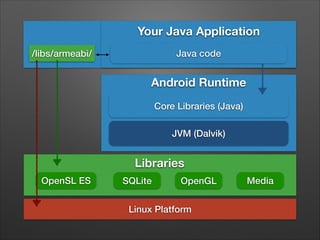
Your Java Application
Java code

/libs/armeabi/

Android Runtime
Core Libraries (Java)
JVM (Dalvik)

Libraries
OpenSL ES

SQLite

OpenGL

Linux Platform

Media
Android NDK

•

Documentation

•

Toolchain - ndk-build, gcc/clang, gdbserver, …

•

NDK framework headers

•

Build system
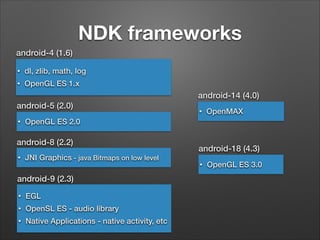
NDK frameworks
android-4 (1.6)
•

dl, zlib, math, log

•

OpenGL ES 1.x

android-14 (4.0)
android-5 (2.0)
•

OpenMAX

OpenGL ES 2.0

android-8 (2.2)
•

•

JNI Graphics - java Bitmaps on low level

android-9 (2.3)
•

EGL

•

OpenSL ES - audio library

•

Native Applications - native activity, etc

android-18 (4.3)
•

OpenGL ES 3.0
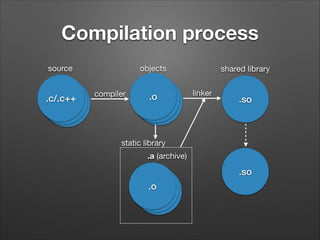
Compilation process
source

.c/.c++
.o
.o

objects
compiler

.o
.o
.o

shared library
linker

.so

static library
.a (archive)

.so
.o
.o
.o
Application structure
•

jni/ (source code)
•

Android.mk

•

[Application.mk]

•

module1/
•

•

Android.mk

libs/armeabi/libnative.so - compiled shared library
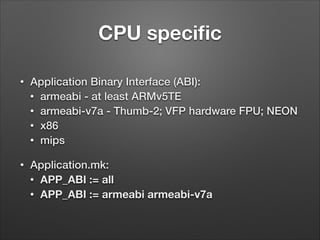
CPU specific
•

Application Binary Interface (ABI):
• armeabi - at least ARMv5TE
• armeabi-v7a - Thumb-2; VFP hardware FPU; NEON
• x86
• mips

•

Application.mk:
• APP_ABI := all
• APP_ABI := armeabi armeabi-v7a
Java Native Interface
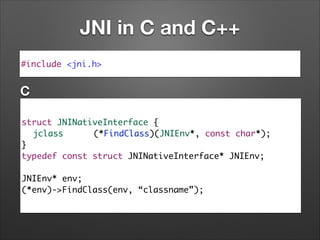
JNI in C and C++
#include <jni.h>

C
struct JNINativeInterface {	
	 jclass
(*FindClass)(JNIEnv*, const char*);	
}	
typedef const struct JNINativeInterface* JNIEnv;	
!

JNIEnv* env;	
(*env)->FindClass(env, “classname”);
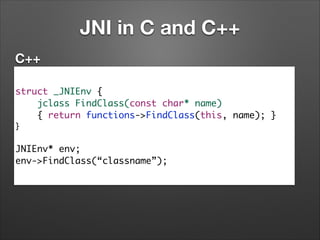
JNI in C and C++
C++
struct _JNIEnv {	
jclass FindClass(const char* name)	
{ return functions->FindClass(this, name); }	
}	

!

JNIEnv* env;	
env->FindClass(“classname”);
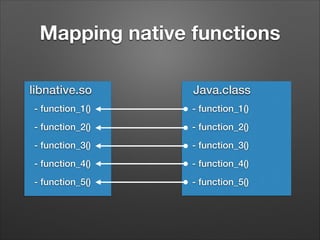
Mapping native functions
libnative.so

Java.class

- function_1()

- function_1()

- function_2()

- function_2()

- function_3()

- function_3()

- function_4()

- function_4()

- function_5()

- function_5()
Mapping native functions
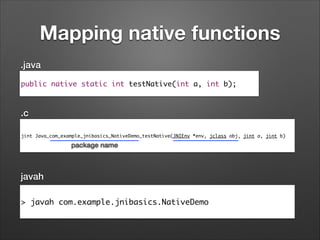
.java
public native static int testNative(int a, int b);

.c
jint Java_com_example_jnibasics_NativeDemo_testNative(JNIEnv *env, jclass obj, jint a, jint b)

package name

javah
> javah com.example.jnibasics.NativeDemo
Mapping native functions
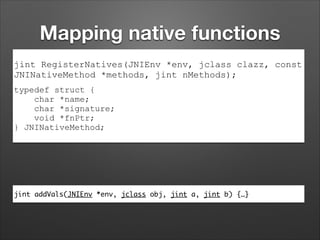
jint RegisterNatives(JNIEnv *env, jclass clazz, const
JNINativeMethod *methods, jint nMethods);
typedef struct {
char *name;
char *signature;
void *fnPtr;
} JNINativeMethod;

jint addVals(JNIEnv *env, jclass obj, jint a, jint b) {…}
Mapping native functions
static JNINativeMethod sMethods[] = {	
{"testNative", "(II)I", (void*)addVals}	
};

jint JNI_OnLoad(JavaVM* vm, void* reserved) {	
JNIEnv *env = NULL;	
jclass klass;	
	
if((*vm)->GetEnv(vm, (void**)&env, JNI_VERSION_1_6) != JNI_OK)	
return -1;	

!

klass = (*env)->FindClass(env, “com/example/jnibasics/NativeDemo”);	
 	
(*env)->RegisterNatives(env, klass, gMethods, 1);	


!


return JNI_VERSION_1_6;	
}
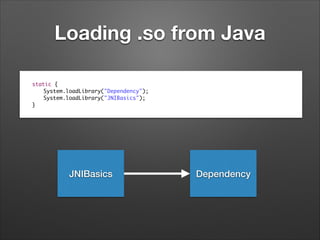
Loading .so from Java


static {	
static {	
	
System.loadLibrary("Dependency");	
	
System.loadLibrary("JNIBasics");	
	
System.loadLibrary("JNIBasics");	
}
}

JNIBasics

Dependency
Demo
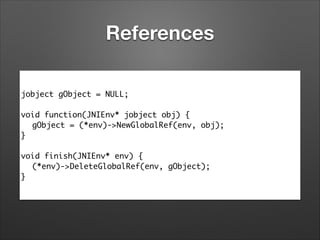
References
jobject gObject = NULL;	
!
void function(JNIEnv* jobject obj) {	
	 gObject = (*env)->NewGlobalRef(env, obj);	
}	
!
void finish(JNIEnv* env) {	
	 (*env)->DeleteGlobalRef(env, gObject);	
}
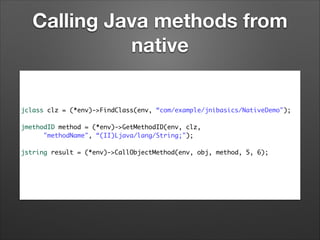
Calling Java methods from
native
jclass clz = (*env)->FindClass(env, “com/example/jnibasics/NativeDemo");	

!
jmethodID method = (*env)->GetMethodID(env, clz, 	
	 	 "methodName", “(II)Ljava/lang/String;");	

!
jstring result = (*env)->CallObjectMethod(env, obj, method, 5, 6);
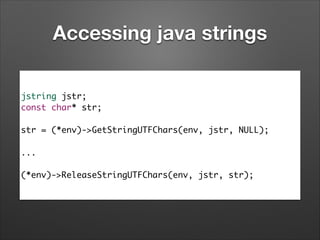
Accessing java strings
jstring jstr;	
const char* str;	
!

str = (*env)->GetStringUTFChars(env, jstr, NULL);	
!

...	
!

(*env)->ReleaseStringUTFChars(env, jstr, str);
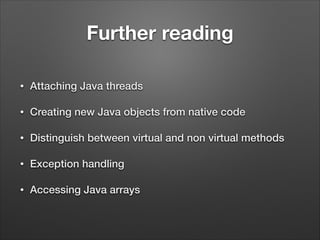
Further reading
•

Attaching Java threads

•

Creating new Java objects from native code

•

Distinguish between virtual and non virtual methods

•

Exception handling

•

Accessing Java arrays
Using native code
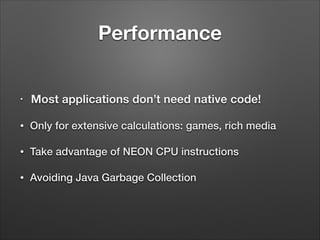
Performance
•

Most applications don’t need native code!

•

Only for extensive calculations: games, rich media

•

Take advantage of NEON CPU instructions

•

Avoiding Java Garbage Collection
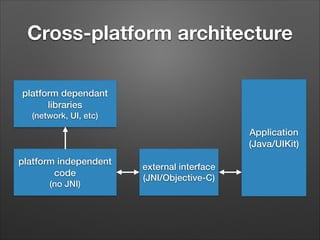
Cross-platform architecture
platform dependant
libraries
(network, UI, etc)

Application
(Java/UIKit)
platform independent
code
(no JNI)

external interface
(JNI/Objective-C)
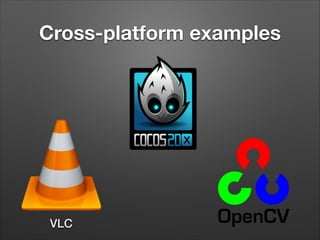
Cross-platform examples

VLC
Security
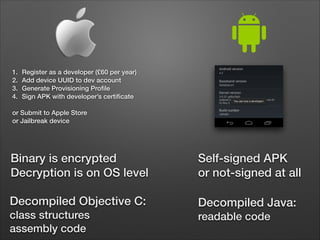
1.
2.
3.
4.

Register as a developer (£60 per year)
Add device UUID to dev account
Generate Provisioning Profile
Sign APK with developer’s certificate

!

or Submit to Apple Store
or Jailbreak device

Binary is encrypted
Decryption is on OS level

Self-signed APK
or not-signed at all

Decompiled Objective C:

Decompiled Java:

class structures
assembly code

readable code
Demo

DISCLAIMER: For educational purposes only;
I’m not encouraging to hack somebody else’s applications;
Summary
•

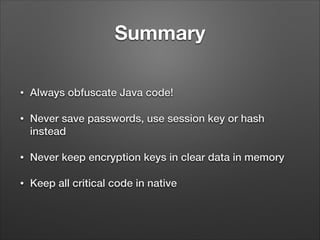
Always obfuscate Java code!

•

Never save passwords, use session key or hash
instead

•

Never keep encryption keys in clear data in memory

•

Keep all critical code in native
Further protection

•

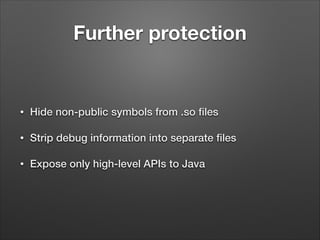
Hide non-public symbols from .so files

•

Strip debug information into separate files

•

Expose only high-level APIs to Java
Tips
•

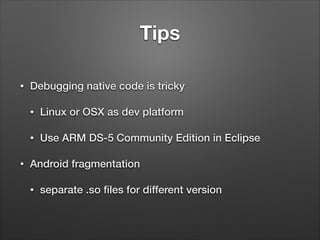
Debugging native code is tricky
•
•

•

Linux or OSX as dev platform
Use ARM DS-5 Community Edition in Eclipse

Android fragmentation
•

separate .so files for different version
Questions?

Dmitry Matyukhin
dmitry@fancygames.net

Native code in Android applications

  • 1.
    Native code inAndroid applications
  • 2.
  • 3.
    Yumm Low memory overheadfor image decoding
  • 4.
  • 5.
    Secure Video Player CriticalDRM code; cross-platform code (iOS/Android/Linux/OS X/Windows); high-performance
  • 6.
  • 7.
    Your Java Application Javacode /libs/armeabi/ Android Runtime Core Libraries (Java) JVM (Dalvik) Libraries OpenSL ES SQLite OpenGL Linux Platform Media
  • 8.
    Android NDK • Documentation • Toolchain -ndk-build, gcc/clang, gdbserver, … • NDK framework headers • Build system
  • 9.
    NDK frameworks android-4 (1.6) • dl,zlib, math, log • OpenGL ES 1.x android-14 (4.0) android-5 (2.0) • OpenMAX OpenGL ES 2.0 android-8 (2.2) • • JNI Graphics - java Bitmaps on low level android-9 (2.3) • EGL • OpenSL ES - audio library • Native Applications - native activity, etc android-18 (4.3) • OpenGL ES 3.0
  • 10.
  • 11.
    Application structure • jni/ (sourcecode) • Android.mk • [Application.mk] • module1/ • • Android.mk libs/armeabi/libnative.so - compiled shared library
  • 12.
    CPU specific • Application BinaryInterface (ABI): • armeabi - at least ARMv5TE • armeabi-v7a - Thumb-2; VFP hardware FPU; NEON • x86 • mips • Application.mk: • APP_ABI := all • APP_ABI := armeabi armeabi-v7a
  • 13.
  • 14.
    JNI in Cand C++ #include <jni.h> C struct JNINativeInterface { jclass (*FindClass)(JNIEnv*, const char*); } typedef const struct JNINativeInterface* JNIEnv; ! JNIEnv* env; (*env)->FindClass(env, “classname”);
  • 15.
    JNI in Cand C++ C++ struct _JNIEnv { jclass FindClass(const char* name) { return functions->FindClass(this, name); } } ! JNIEnv* env; env->FindClass(“classname”);
  • 16.
    Mapping native functions libnative.so Java.class -function_1() - function_1() - function_2() - function_2() - function_3() - function_3() - function_4() - function_4() - function_5() - function_5()
  • 17.
    Mapping native functions .java publicnative static int testNative(int a, int b); .c jint Java_com_example_jnibasics_NativeDemo_testNative(JNIEnv *env, jclass obj, jint a, jint b) package name javah > javah com.example.jnibasics.NativeDemo
  • 18.
    Mapping native functions jintRegisterNatives(JNIEnv *env, jclass clazz, const JNINativeMethod *methods, jint nMethods); typedef struct { char *name; char *signature; void *fnPtr; } JNINativeMethod; jint addVals(JNIEnv *env, jclass obj, jint a, jint b) {…}
  • 19.
    Mapping native functions staticJNINativeMethod sMethods[] = { {"testNative", "(II)I", (void*)addVals} }; jint JNI_OnLoad(JavaVM* vm, void* reserved) { JNIEnv *env = NULL; jclass klass; if((*vm)->GetEnv(vm, (void**)&env, JNI_VERSION_1_6) != JNI_OK) return -1; ! klass = (*env)->FindClass(env, “com/example/jnibasics/NativeDemo”);   (*env)->RegisterNatives(env, klass, gMethods, 1); ! return JNI_VERSION_1_6; }
  • 20.
    Loading .so fromJava static { static { System.loadLibrary("Dependency"); System.loadLibrary("JNIBasics"); System.loadLibrary("JNIBasics"); } } JNIBasics Dependency
  • 21.
  • 22.
    References jobject gObject =NULL; ! void function(JNIEnv* jobject obj) { gObject = (*env)->NewGlobalRef(env, obj); } ! void finish(JNIEnv* env) { (*env)->DeleteGlobalRef(env, gObject); }
  • 23.
    Calling Java methodsfrom native jclass clz = (*env)->FindClass(env, “com/example/jnibasics/NativeDemo"); ! jmethodID method = (*env)->GetMethodID(env, clz, "methodName", “(II)Ljava/lang/String;"); ! jstring result = (*env)->CallObjectMethod(env, obj, method, 5, 6);
  • 24.
    Accessing java strings jstringjstr; const char* str; ! str = (*env)->GetStringUTFChars(env, jstr, NULL); ! ... ! (*env)->ReleaseStringUTFChars(env, jstr, str);
  • 25.
    Further reading • Attaching Javathreads • Creating new Java objects from native code • Distinguish between virtual and non virtual methods • Exception handling • Accessing Java arrays
  • 26.
  • 27.
    Performance • Most applications don’tneed native code! • Only for extensive calculations: games, rich media • Take advantage of NEON CPU instructions • Avoiding Java Garbage Collection
  • 28.
    Cross-platform architecture platform dependant libraries (network,UI, etc) Application (Java/UIKit) platform independent code (no JNI) external interface (JNI/Objective-C)
  • 29.
  • 30.
  • 31.
    1. 2. 3. 4. Register as adeveloper (£60 per year) Add device UUID to dev account Generate Provisioning Profile Sign APK with developer’s certificate ! or Submit to Apple Store or Jailbreak device Binary is encrypted Decryption is on OS level Self-signed APK or not-signed at all Decompiled Objective C: Decompiled Java: class structures assembly code readable code
  • 32.
    Demo DISCLAIMER: For educationalpurposes only; I’m not encouraging to hack somebody else’s applications;
  • 33.
    Summary • Always obfuscate Javacode! • Never save passwords, use session key or hash instead • Never keep encryption keys in clear data in memory • Keep all critical code in native
  • 34.
    Further protection • Hide non-publicsymbols from .so files • Strip debug information into separate files • Expose only high-level APIs to Java
  • 35.
    Tips • Debugging native codeis tricky • • • Linux or OSX as dev platform Use ARM DS-5 Community Edition in Eclipse Android fragmentation • separate .so files for different version
  • 36.