

Battery Optimization:
Android Apps
With Best Practices for Zero Compromise on
Performance
JOB Scheduler API
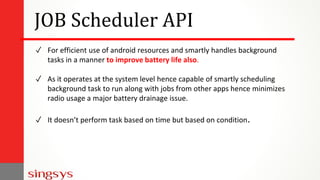
✓ For efficient use of android resources and smartly handles background
tasks in a manner to improve battery life also.
✓ As it operates at the system level hence capable of smartly scheduling
background task to run along with jobs from other apps hence minimizes
radio usage a major battery drainage issue.
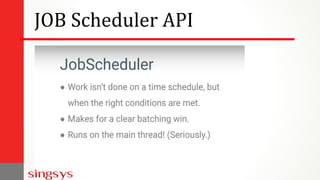
✓ It doesn’t perform task based on time but based on condition.
JOB Scheduler API
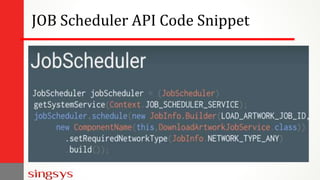
JOB Scheduler API Code Snippet
Android Doze
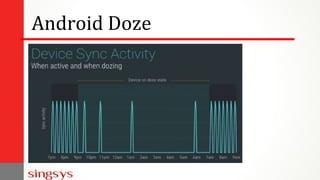
✓ When smartphone is kept idle for hours usually during night with screen
off and the device is stationary, this might drain some battery.
✓ Now android doze is triggered and it will defer the background tasks,
syncs, alarms and Wi-Fi scan until a maintenance window is scheduled.
✓ Doze will batch all background activities inside a single batch to extend
battery life by good margin.
Android Doze
Android Doze Extended
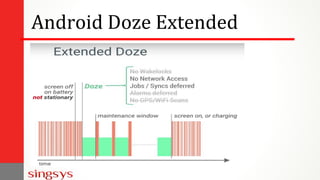
✓ When device is in pocket (not stationary) with screen off.
✓ the lighter doze version will be active and restrict lesser number of
background tasks.
✓ During this time there will be regular maintenance windows.
Android Doze Extended
Doze Modes Comparison
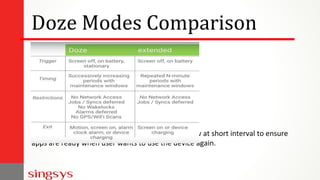
Extended doze mode produce maintenance window at short interval to ensure
apps are ready when user wants to use the device again.
Doze Optimization
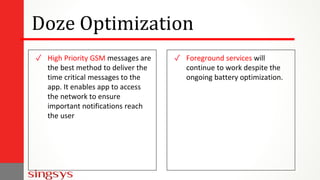
✓ High Priority GSM messages are
the best method to deliver the
time critical messages to the
app. It enables app to access
the network to ensure
important notifications reach
the user
✓ Foreground services will
continue to work despite the
ongoing battery optimization.
Doze Optimization
Whether the smartphone is stationary or not, when the screen is off for a while
means user isn’t engaged with the device and that is an opportunity to
conserve the battery power.
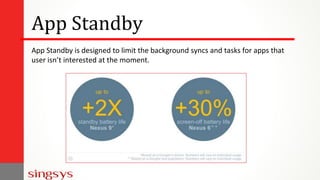
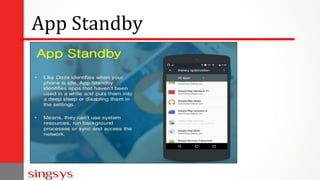
App Standby
App Standby is designed to limit the background syncs and tasks for apps that
user isn’t interested at the moment.
App Standby
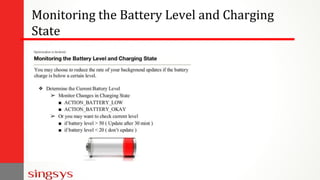
It is good practise to notice battery level and charging state before performing
application update. If the device is charging over AC(wall charger) refresh rate
can be maximised without affecting battery life. In case device is unplugged
limiting the update rate will help in maximising battery life.
Monitoring the Battery Level and Charging
State
Monitoring the Battery Level and Charging
State
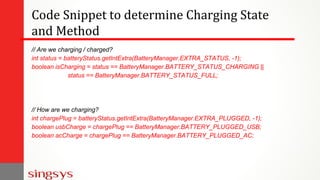
Code Snippet to determine Charging State
and Method
// Are we charging / charged?
int status = batteryStatus.getIntExtra(BatteryManager.EXTRA_STATUS, -1);
boolean isCharging = status == BatteryManager.BATTERY_STATUS_CHARGING ||
status == BatteryManager.BATTERY_STATUS_FULL;
// How are we charging?
int chargePlug = batteryStatus.getIntExtra(BatteryManager.EXTRA_PLUGGED, -1);
boolean usbCharge = chargePlug == BatteryManager.BATTERY_PLUGGED_USB;
boolean acCharge = chargePlug == BatteryManager.BATTERY_PLUGGED_AC;
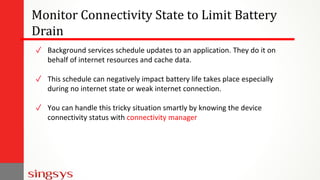
Monitor Connectivity State to Limit Battery
Drain
✓ Background services schedule updates to an application. They do it on
behalf of internet resources and cache data.
✓ This schedule can negatively impact battery life takes place especially
during no internet state or weak internet connection.
✓ You can handle this tricky situation smartly by knowing the device
connectivity status with connectivity manager
Monitor Connectivity State to Limit Battery
Drain
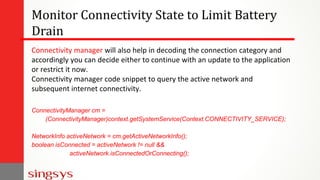
Connectivity manager will also help in decoding the connection category and
accordingly you can decide either to continue with an update to the application
or restrict it now.
Connectivity manager code snippet to query the active network and
subsequent internet connectivity.
ConnectivityManager cm =
(ConnectivityManager)context.getSystemService(Context.CONNECTIVITY_SERVICE);
NetworkInfo activeNetwork = cm.getActiveNetworkInfo();
boolean isConnected = activeNetwork != null &&
activeNetwork.isConnectedOrConnecting();
Key Steps required to Minimize Server
Updates and Optimize the Battery Drain
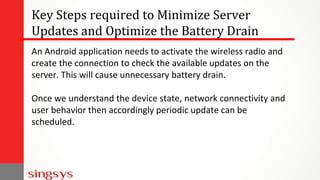
An Android application needs to activate the wireless radio and
create the connection to check the available updates on the
server. This will cause unnecessary battery drain.
Once we understand the device state, network connectivity and
user behavior then accordingly periodic update can be
scheduled.
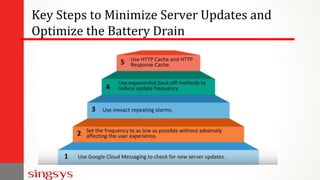
Key Steps to Minimize Server Updates and
Optimize the Battery Drain
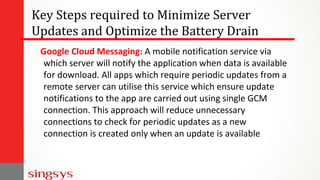
Key Steps required to Minimize Server
Updates and Optimize the Battery Drain
Google Cloud Messaging: A mobile notification service via
which server will notify the application when data is available
for download. All apps which require periodic updates from a
remote server can utilise this service which ensure update
notifications to the app are carried out using single GCM
connection. This approach will reduce unnecessary
connections to check for periodic updates as a new
connection is created only when an update is available
Key Steps to Minimize Server Updates and
Optimize the Battery Drain
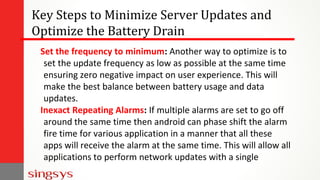
Set the frequency to minimum: Another way to optimize is to
set the update frequency as low as possible at the same time
ensuring zero negative impact on user experience. This will
make the best balance between battery usage and data
updates.
Inexact Repeating Alarms: If multiple alarms are set to go off
around the same time then android can phase shift the alarm
fire time for various application in a manner that all these
apps will receive the alarm at the same time. This will allow all
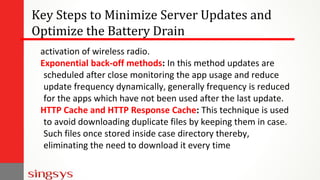
applications to perform network updates with a single
Key Steps to Minimize Server Updates and
Optimize the Battery Drain
activation of wireless radio.
Exponential back-off methods: In this method updates are
scheduled after close monitoring the app usage and reduce
update frequency dynamically, generally frequency is reduced
for the apps which have not been used after the last update.
HTTP Cache and HTTP Response Cache: This technique is used
to avoid downloading duplicate files by keeping them in case.
Such files once stored inside case directory thereby,
eliminating the need to download it every time
Android Battery optimization Android Apps

Android Battery optimization Android Apps

  • 1.
    Battery Optimization: Android Apps WithBest Practices for Zero Compromise on Performance
  • 2.
    JOB Scheduler API ✓For efficient use of android resources and smartly handles background tasks in a manner to improve battery life also. ✓ As it operates at the system level hence capable of smartly scheduling background task to run along with jobs from other apps hence minimizes radio usage a major battery drainage issue. ✓ It doesn’t perform task based on time but based on condition.
  • 3.
  • 4.
    JOB Scheduler APICode Snippet
  • 5.
    Android Doze ✓ Whensmartphone is kept idle for hours usually during night with screen off and the device is stationary, this might drain some battery. ✓ Now android doze is triggered and it will defer the background tasks, syncs, alarms and Wi-Fi scan until a maintenance window is scheduled. ✓ Doze will batch all background activities inside a single batch to extend battery life by good margin.
  • 6.
  • 7.
    Android Doze Extended ✓When device is in pocket (not stationary) with screen off. ✓ the lighter doze version will be active and restrict lesser number of background tasks. ✓ During this time there will be regular maintenance windows.
  • 8.
  • 9.
    Doze Modes Comparison Extendeddoze mode produce maintenance window at short interval to ensure apps are ready when user wants to use the device again.
  • 10.
    Doze Optimization ✓ HighPriority GSM messages are the best method to deliver the time critical messages to the app. It enables app to access the network to ensure important notifications reach the user ✓ Foreground services will continue to work despite the ongoing battery optimization.
  • 11.
    Doze Optimization Whether thesmartphone is stationary or not, when the screen is off for a while means user isn’t engaged with the device and that is an opportunity to conserve the battery power.
  • 12.
    App Standby App Standbyis designed to limit the background syncs and tasks for apps that user isn’t interested at the moment.
  • 13.
  • 14.
    It is goodpractise to notice battery level and charging state before performing application update. If the device is charging over AC(wall charger) refresh rate can be maximised without affecting battery life. In case device is unplugged limiting the update rate will help in maximising battery life. Monitoring the Battery Level and Charging State
  • 15.
    Monitoring the BatteryLevel and Charging State
  • 16.
    Code Snippet todetermine Charging State and Method // Are we charging / charged? int status = batteryStatus.getIntExtra(BatteryManager.EXTRA_STATUS, -1); boolean isCharging = status == BatteryManager.BATTERY_STATUS_CHARGING || status == BatteryManager.BATTERY_STATUS_FULL; // How are we charging? int chargePlug = batteryStatus.getIntExtra(BatteryManager.EXTRA_PLUGGED, -1); boolean usbCharge = chargePlug == BatteryManager.BATTERY_PLUGGED_USB; boolean acCharge = chargePlug == BatteryManager.BATTERY_PLUGGED_AC;
  • 17.
    Monitor Connectivity Stateto Limit Battery Drain ✓ Background services schedule updates to an application. They do it on behalf of internet resources and cache data. ✓ This schedule can negatively impact battery life takes place especially during no internet state or weak internet connection. ✓ You can handle this tricky situation smartly by knowing the device connectivity status with connectivity manager
  • 18.
    Monitor Connectivity Stateto Limit Battery Drain Connectivity manager will also help in decoding the connection category and accordingly you can decide either to continue with an update to the application or restrict it now. Connectivity manager code snippet to query the active network and subsequent internet connectivity. ConnectivityManager cm = (ConnectivityManager)context.getSystemService(Context.CONNECTIVITY_SERVICE); NetworkInfo activeNetwork = cm.getActiveNetworkInfo(); boolean isConnected = activeNetwork != null && activeNetwork.isConnectedOrConnecting();
  • 19.
    Key Steps requiredto Minimize Server Updates and Optimize the Battery Drain An Android application needs to activate the wireless radio and create the connection to check the available updates on the server. This will cause unnecessary battery drain. Once we understand the device state, network connectivity and user behavior then accordingly periodic update can be scheduled.
  • 20.
    Key Steps toMinimize Server Updates and Optimize the Battery Drain
  • 21.
    Key Steps requiredto Minimize Server Updates and Optimize the Battery Drain Google Cloud Messaging: A mobile notification service via which server will notify the application when data is available for download. All apps which require periodic updates from a remote server can utilise this service which ensure update notifications to the app are carried out using single GCM connection. This approach will reduce unnecessary connections to check for periodic updates as a new connection is created only when an update is available
  • 22.
    Key Steps toMinimize Server Updates and Optimize the Battery Drain Set the frequency to minimum: Another way to optimize is to set the update frequency as low as possible at the same time ensuring zero negative impact on user experience. This will make the best balance between battery usage and data updates. Inexact Repeating Alarms: If multiple alarms are set to go off around the same time then android can phase shift the alarm fire time for various application in a manner that all these apps will receive the alarm at the same time. This will allow all applications to perform network updates with a single
  • 23.
    Key Steps toMinimize Server Updates and Optimize the Battery Drain activation of wireless radio. Exponential back-off methods: In this method updates are scheduled after close monitoring the app usage and reduce update frequency dynamically, generally frequency is reduced for the apps which have not been used after the last update. HTTP Cache and HTTP Response Cache: This technique is used to avoid downloading duplicate files by keeping them in case. Such files once stored inside case directory thereby, eliminating the need to download it every time