Coding for Life--Battery
Life, That Is
Jeff Sharkey
May 27, 2009

Post your questions for this talk on Google Moderator:
code.google.com/events/io/questions
Why does this matter?
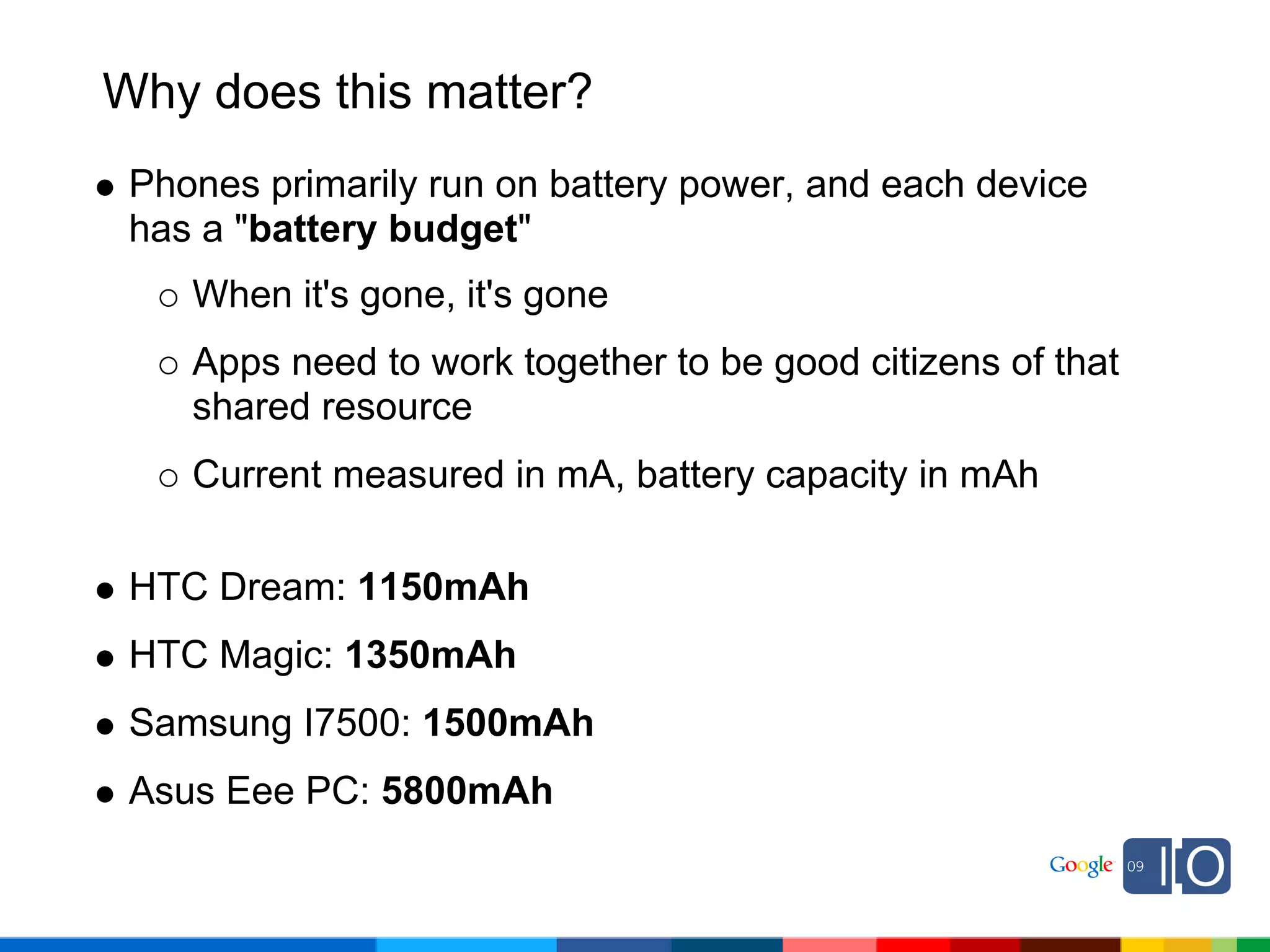
 Phones primarily run on battery power, and each device
 has a "battery budget"
    When it's gone, it's gone
    Apps need to work together to be good citizens of that
    shared resource
    Current measured in mA, battery capacity in mAh

 HTC Dream: 1150mAh
 HTC Magic: 1350mAh
 Samsung I7500: 1500mAh
 Asus Eee PC: 5800mAh
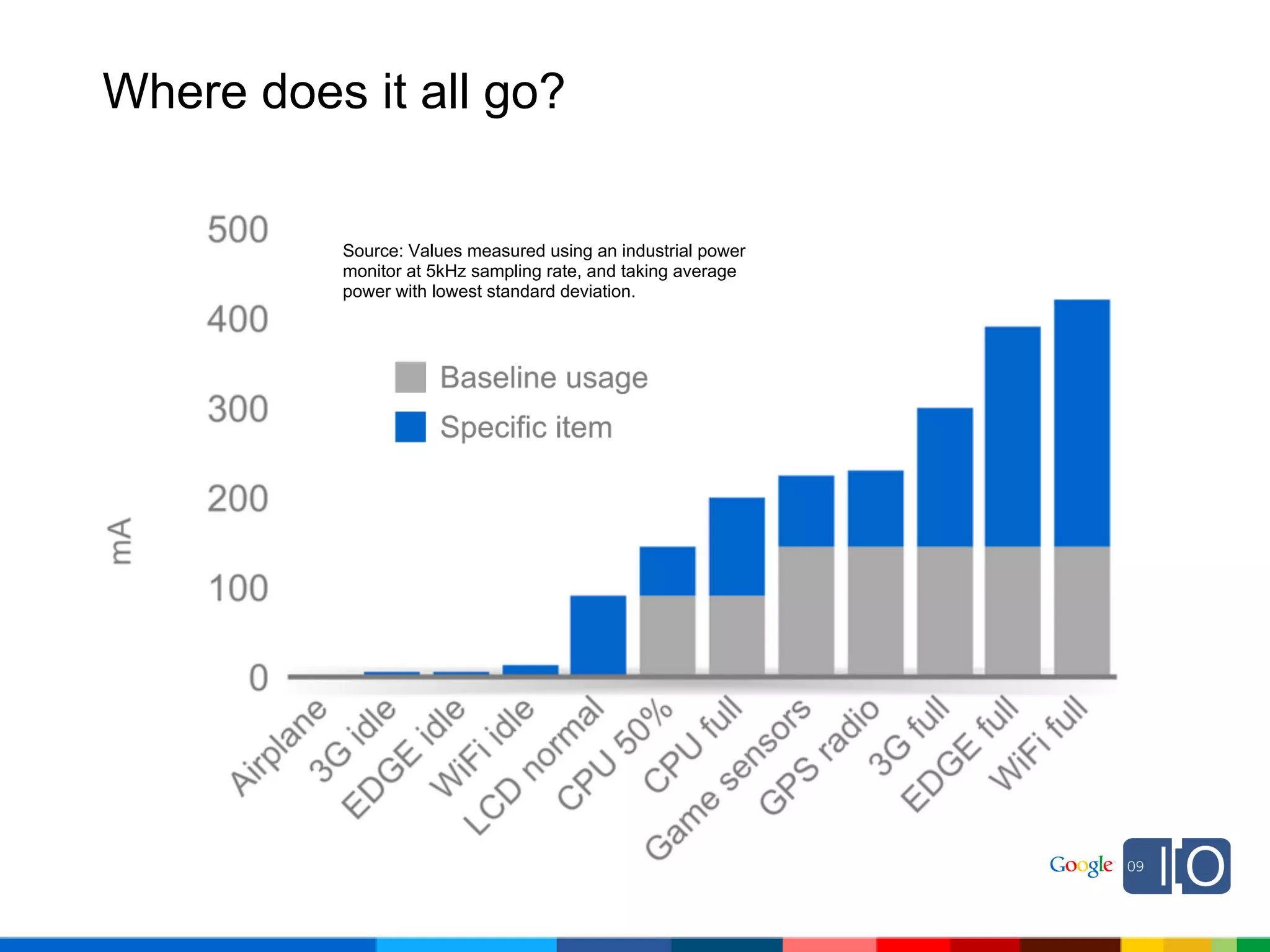
Where does it all go?


          Source: Values measured using an industrial power
          monitor at 5kHz sampling rate, and taking average
          power with lowest standard deviation.
Where does it all go?

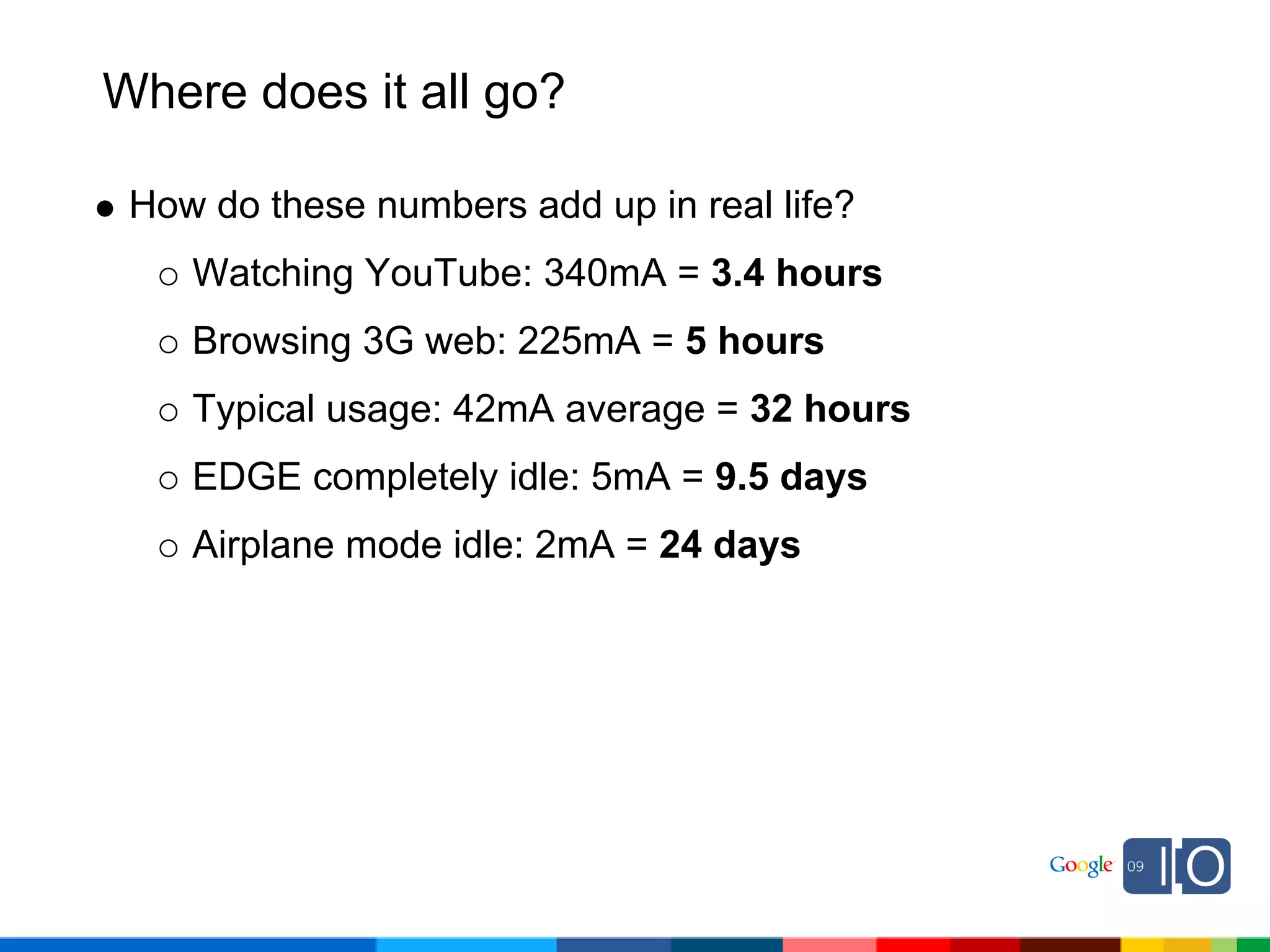
 How do these numbers add up in real life?
    Watching YouTube: 340mA = 3.4 hours
    Browsing 3G web: 225mA = 5 hours
    Typical usage: 42mA average = 32 hours
    EDGE completely idle: 5mA = 9.5 days
    Airplane mode idle: 2mA = 24 days
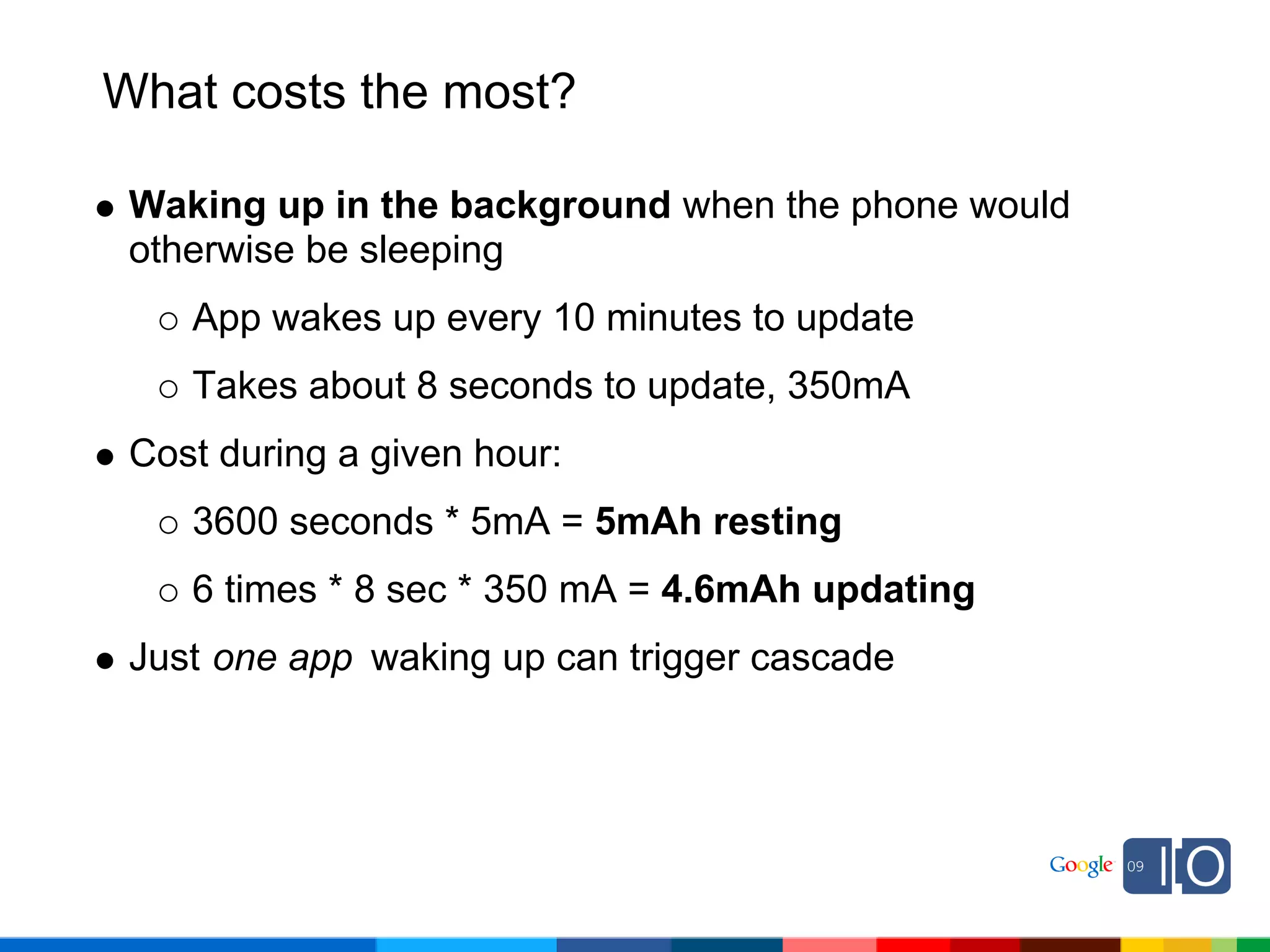
What costs the most?

 Waking up in the background when the phone would
 otherwise be sleeping
    App wakes up every 10 minutes to update
    Takes about 8 seconds to update, 350mA
 Cost during a given hour:
    3600 seconds * 5mA = 5mAh resting
    6 times * 8 sec * 350 mA = 4.6mAh updating
 Just one app waking up can trigger cascade
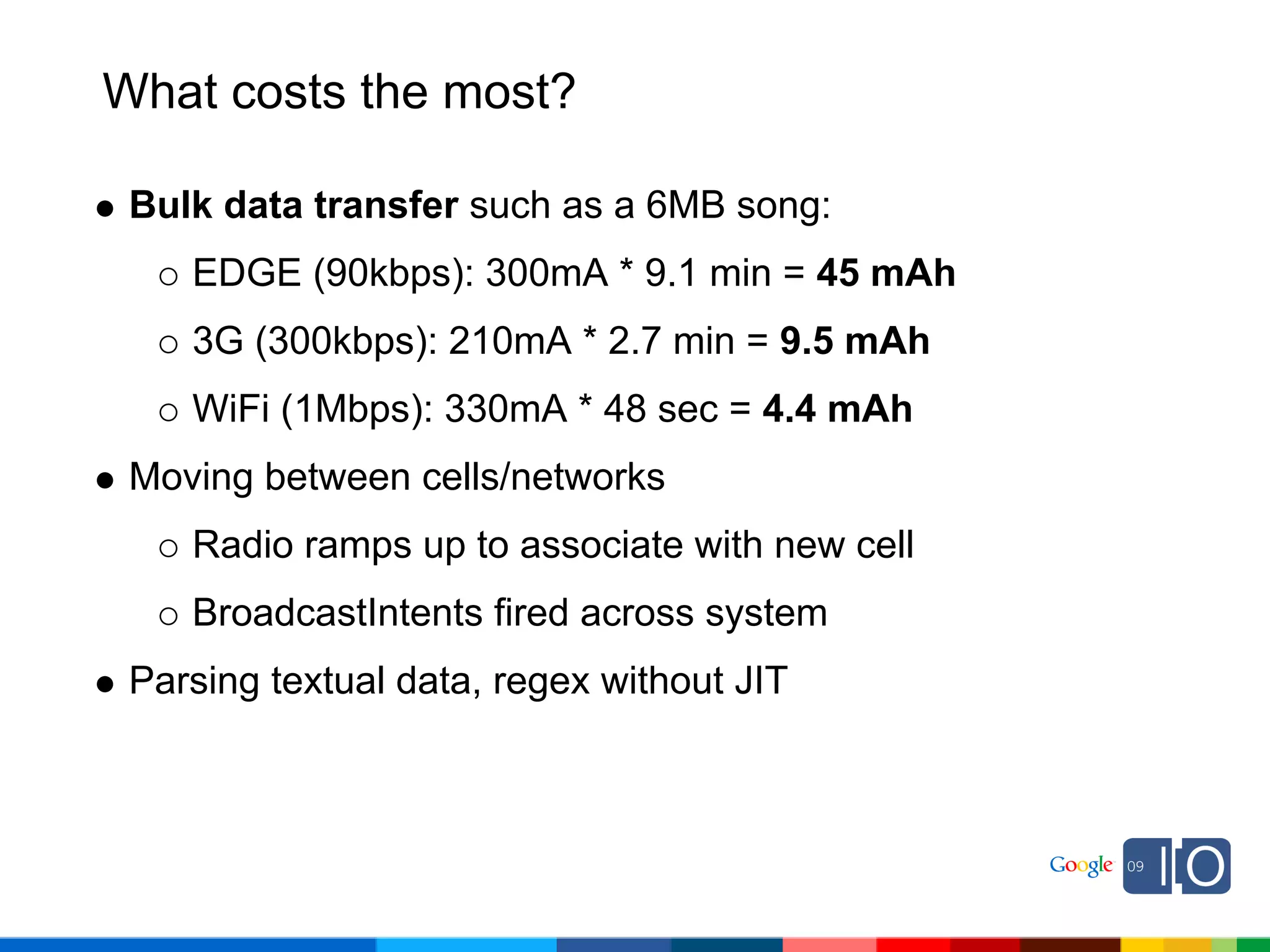
What costs the most?

 Bulk data transfer such as a 6MB song:
    EDGE (90kbps): 300mA * 9.1 min = 45 mAh
    3G (300kbps): 210mA * 2.7 min = 9.5 mAh
    WiFi (1Mbps): 330mA * 48 sec = 4.4 mAh
 Moving between cells/networks
    Radio ramps up to associate with new cell
    BroadcastIntents fired across system
 Parsing textual data, regex without JIT
How can we do better?
Networking
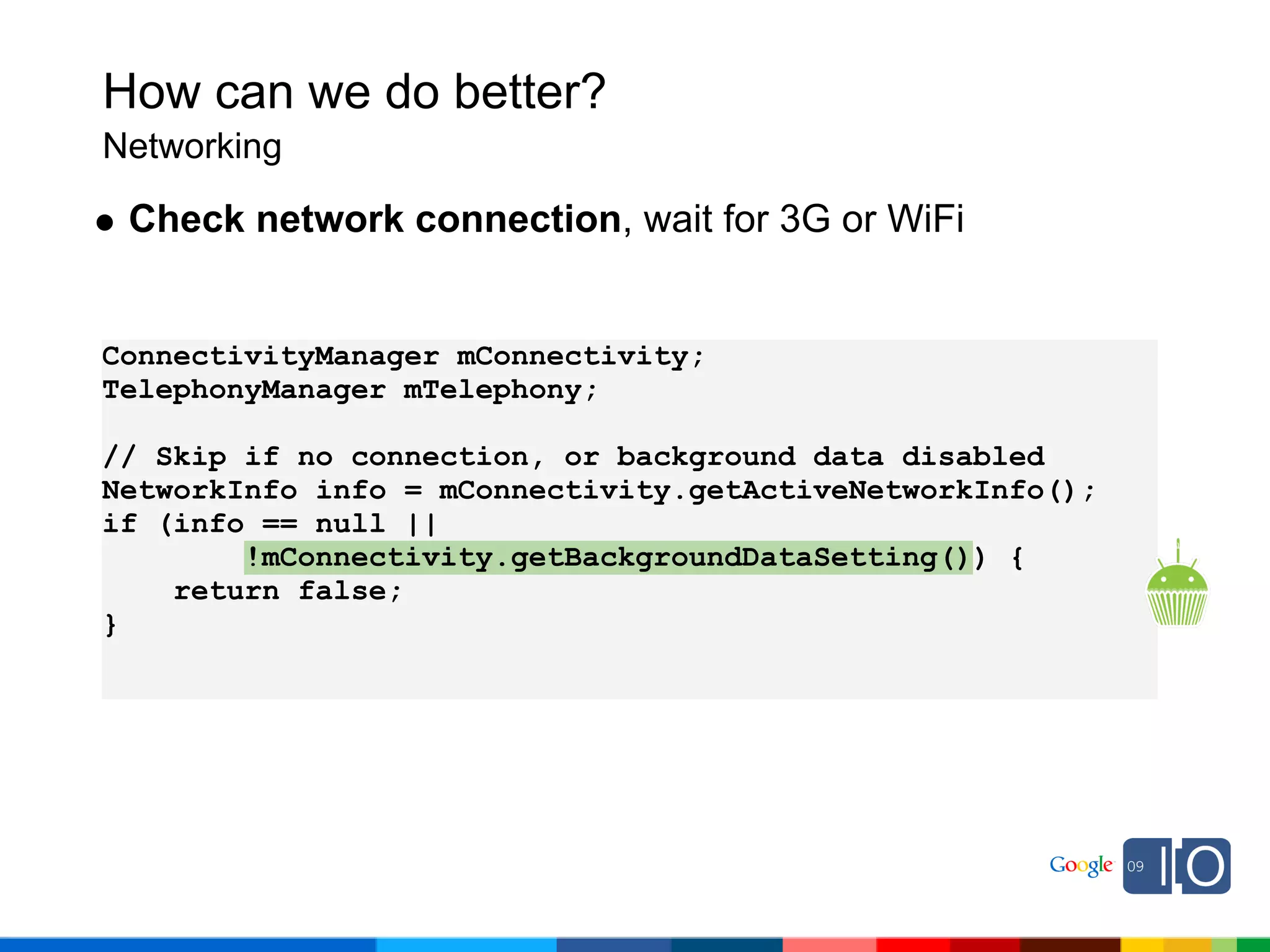
How can we do better?
Networking

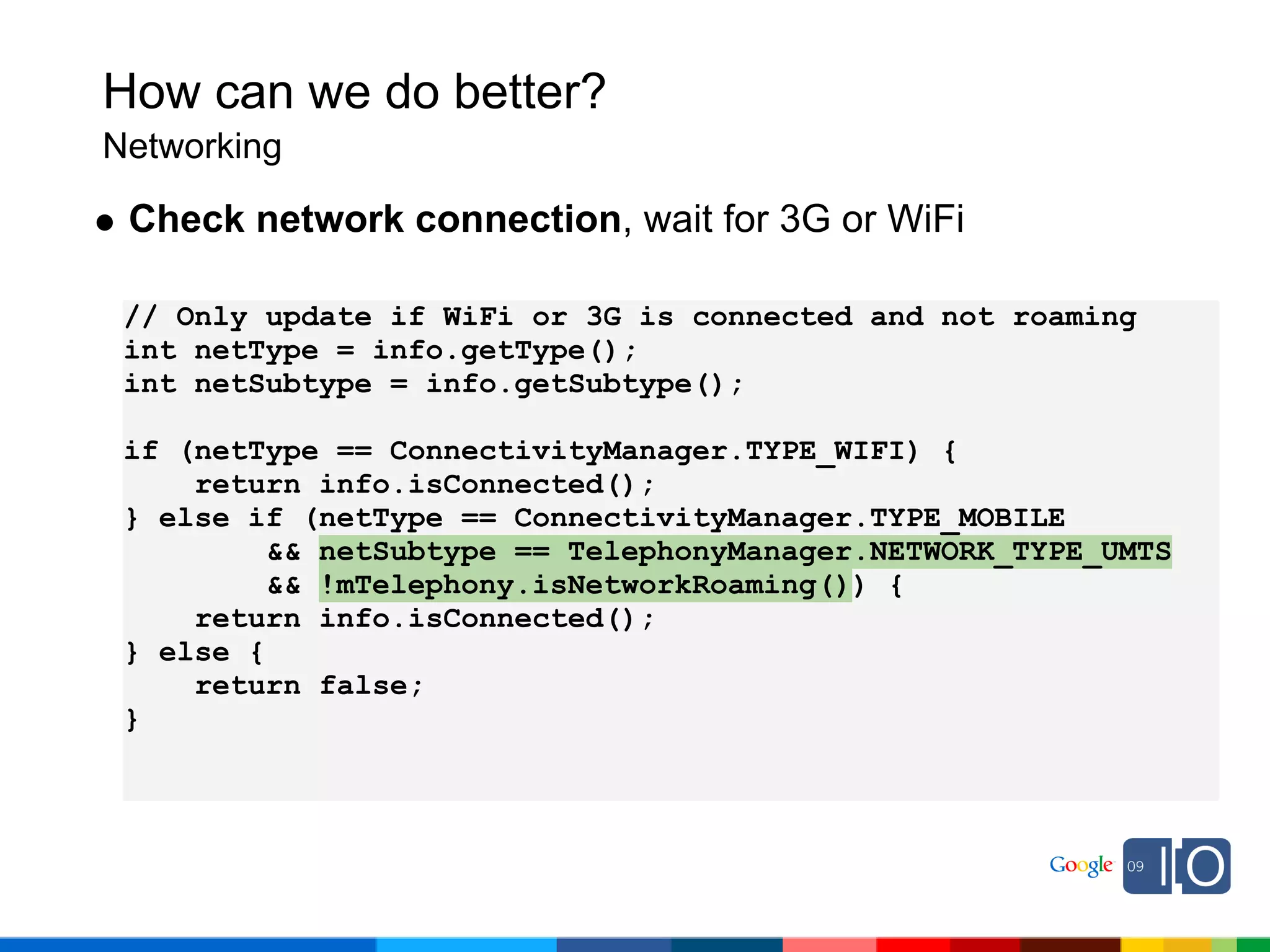
 Check network connection, wait for 3G or WiFi


ConnectivityManager mConnectivity;
TelephonyManager mTelephony;

// Skip if no connection, or background data disabled
NetworkInfo info = mConnectivity.getActiveNetworkInfo();
if (info == null ||
        !mConnectivity.getBackgroundDataSetting()) {
    return false;
}
How can we do better?
Networking

 Check network connection, wait for 3G or WiFi

 // Only update if WiFi or 3G is connected and not roaming
 int netType = info.getType();
 int netSubtype = info.getSubtype();

 if (netType == ConnectivityManager.TYPE_WIFI) {
     return info.isConnected();
 } else if (netType == ConnectivityManager.TYPE_MOBILE
          && netSubtype == TelephonyManager.NETWORK_TYPE_UMTS
          && !mTelephony.isNetworkRoaming()) {
     return info.isConnected();
 } else {
     return false;
 }
How can we do better?
Networking

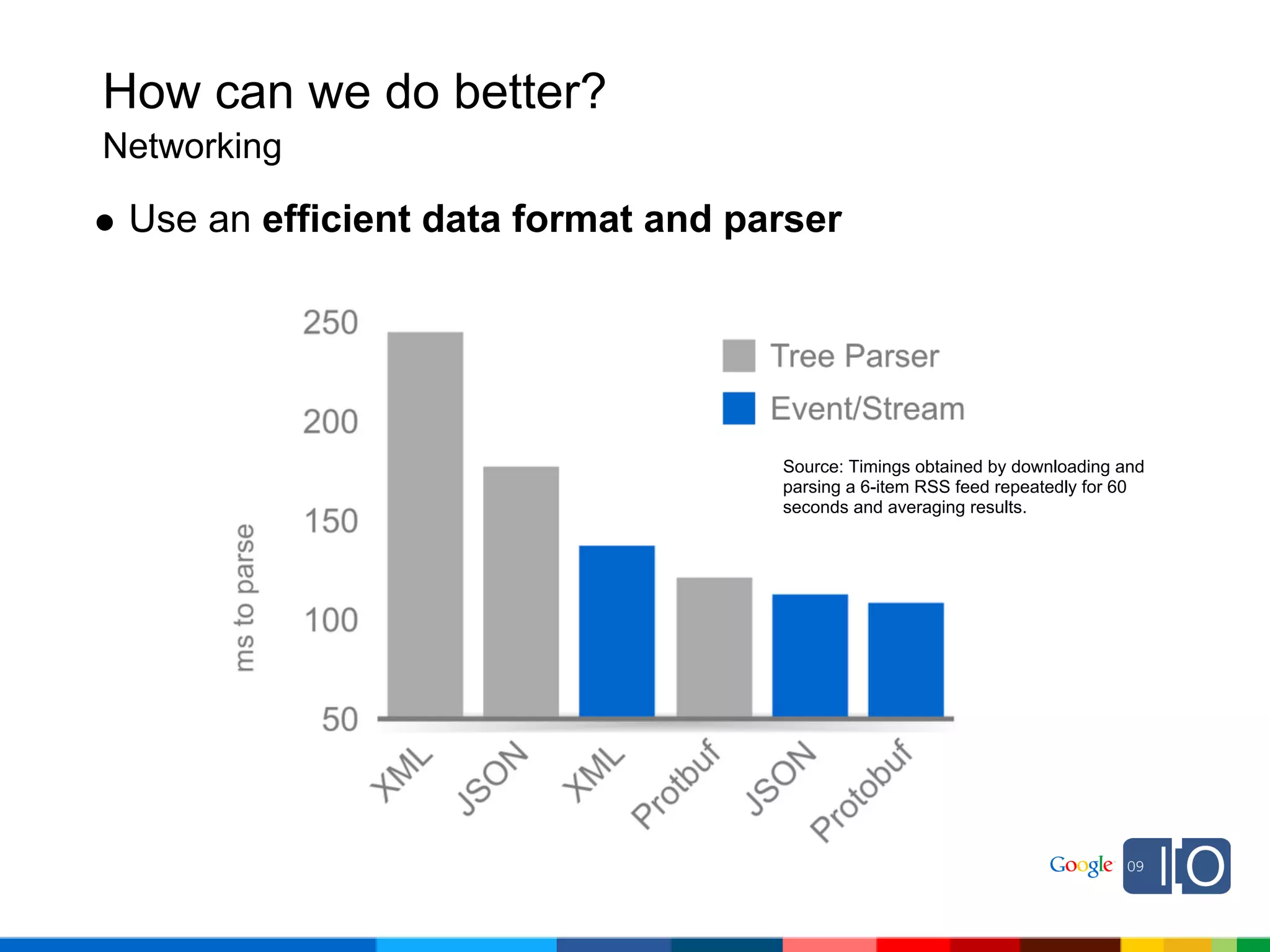
 Use an efficient data format and parser


                                    Source: Timings obtained by downloading and
                                    parsing a 6-item RSS feed repeatedly for 60
                                    seconds and averaging results.
How can we do better?
Networking

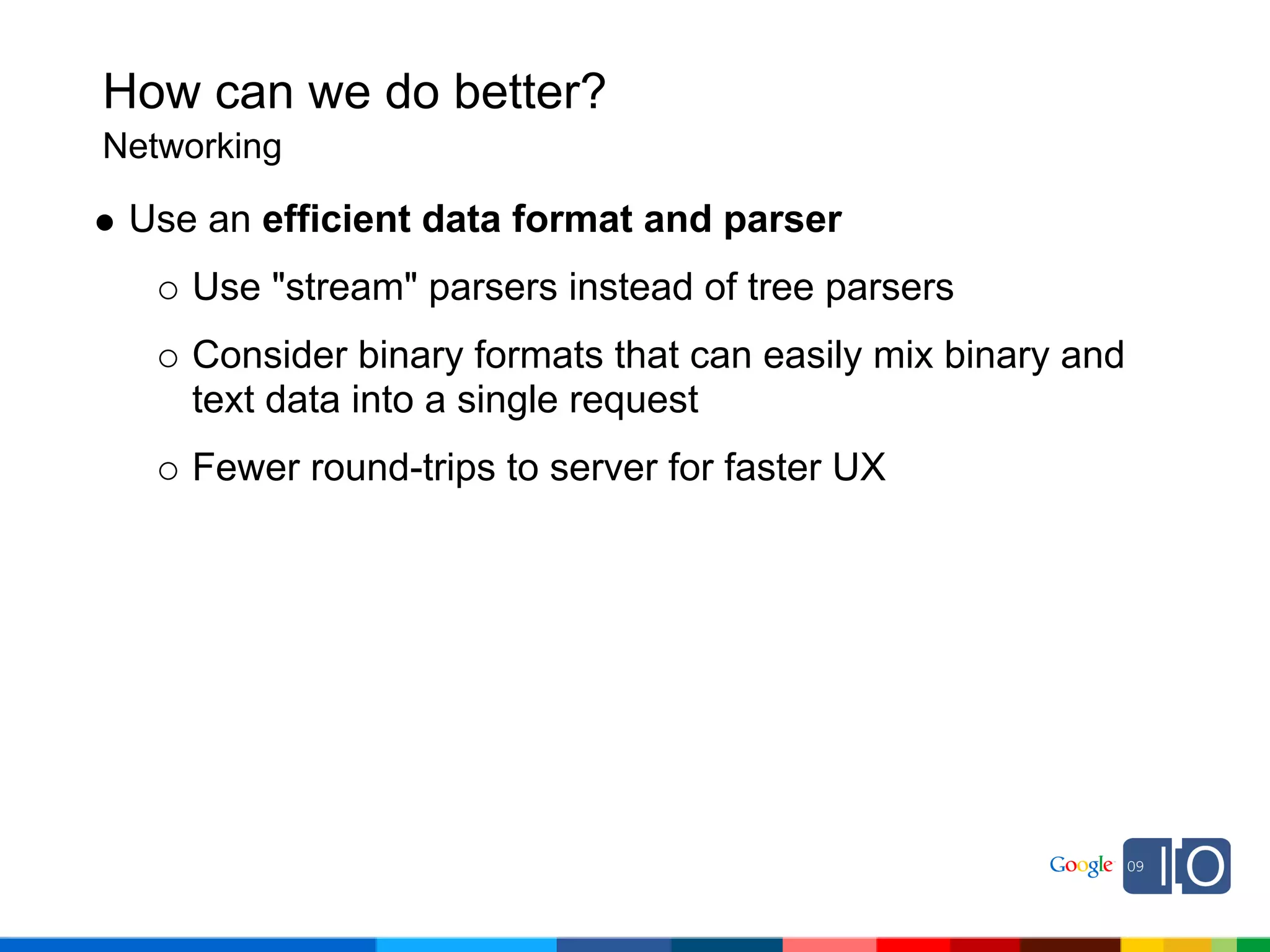
 Use an efficient data format and parser
    Use "stream" parsers instead of tree parsers
    Consider binary formats that can easily mix binary and
    text data into a single request
    Fewer round-trips to server for faster UX
How can we do better?
Networking

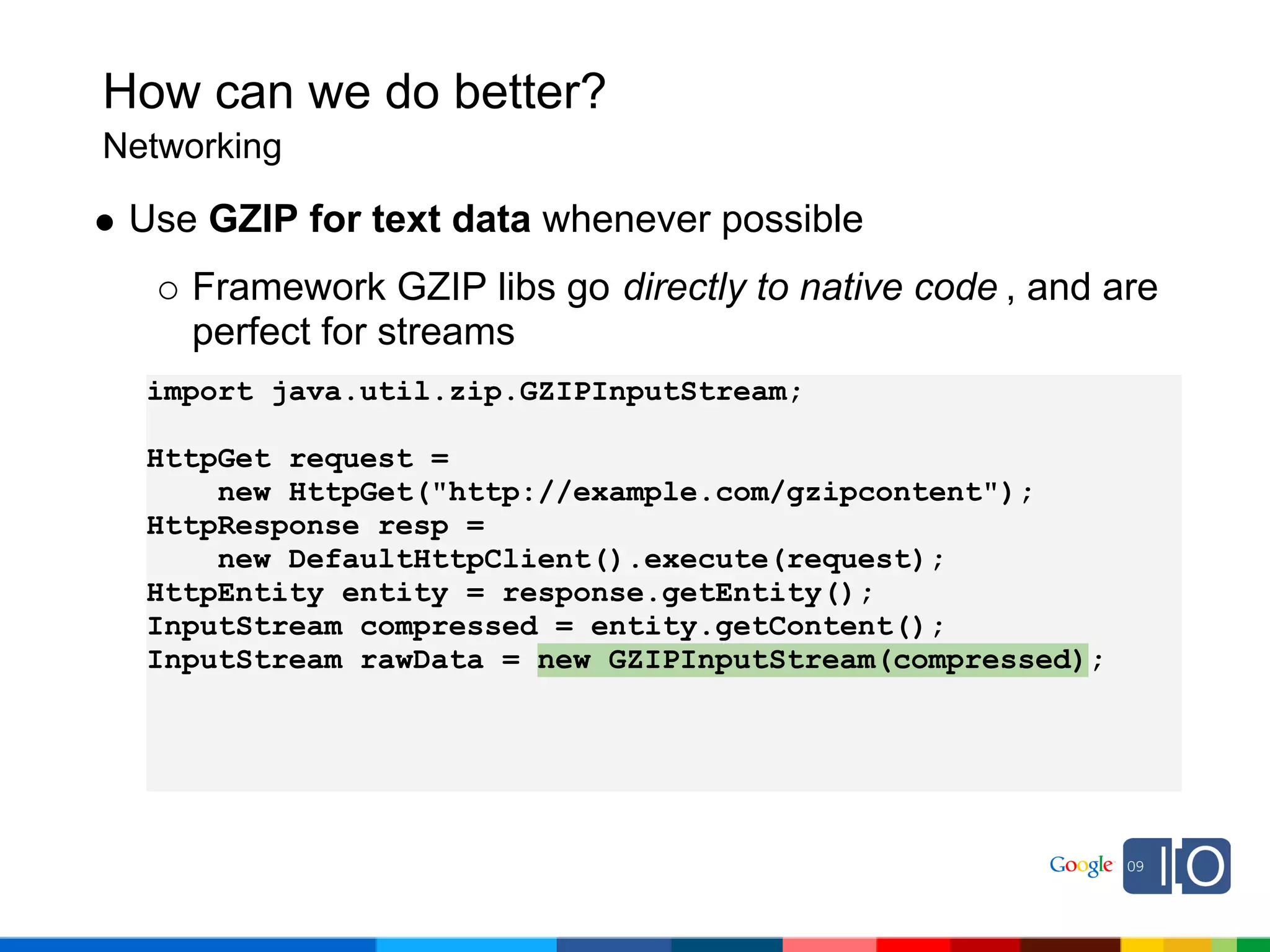
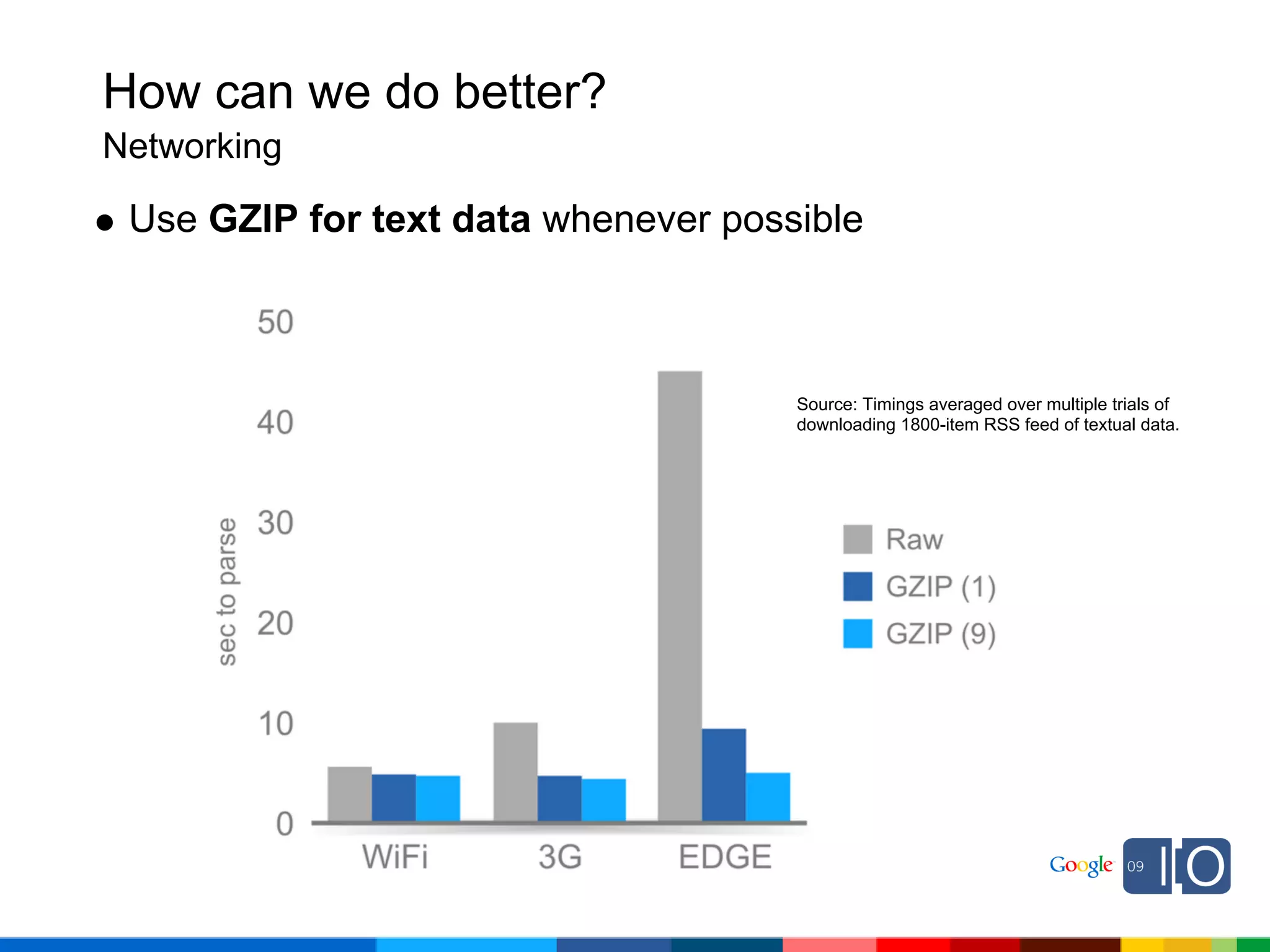
 Use GZIP for text data whenever possible
    Framework GZIP libs go directly to native code , and are
    perfect for streams
  import java.util.zip.GZIPInputStream;

  HttpGet request =
      new HttpGet("http://example.com/gzipcontent");
  HttpResponse resp =
      new DefaultHttpClient().execute(request);
  HttpEntity entity = response.getEntity();
  InputStream compressed = entity.getContent();
  InputStream rawData = new GZIPInputStream(compressed);
How can we do better?
Networking

 Use GZIP for text data whenever possible


                                     Source: Timings averaged over multiple trials of
                                     downloading 1800-item RSS feed of textual data.
How can we do better?
Foreground apps
How can we do better?
Foreground apps

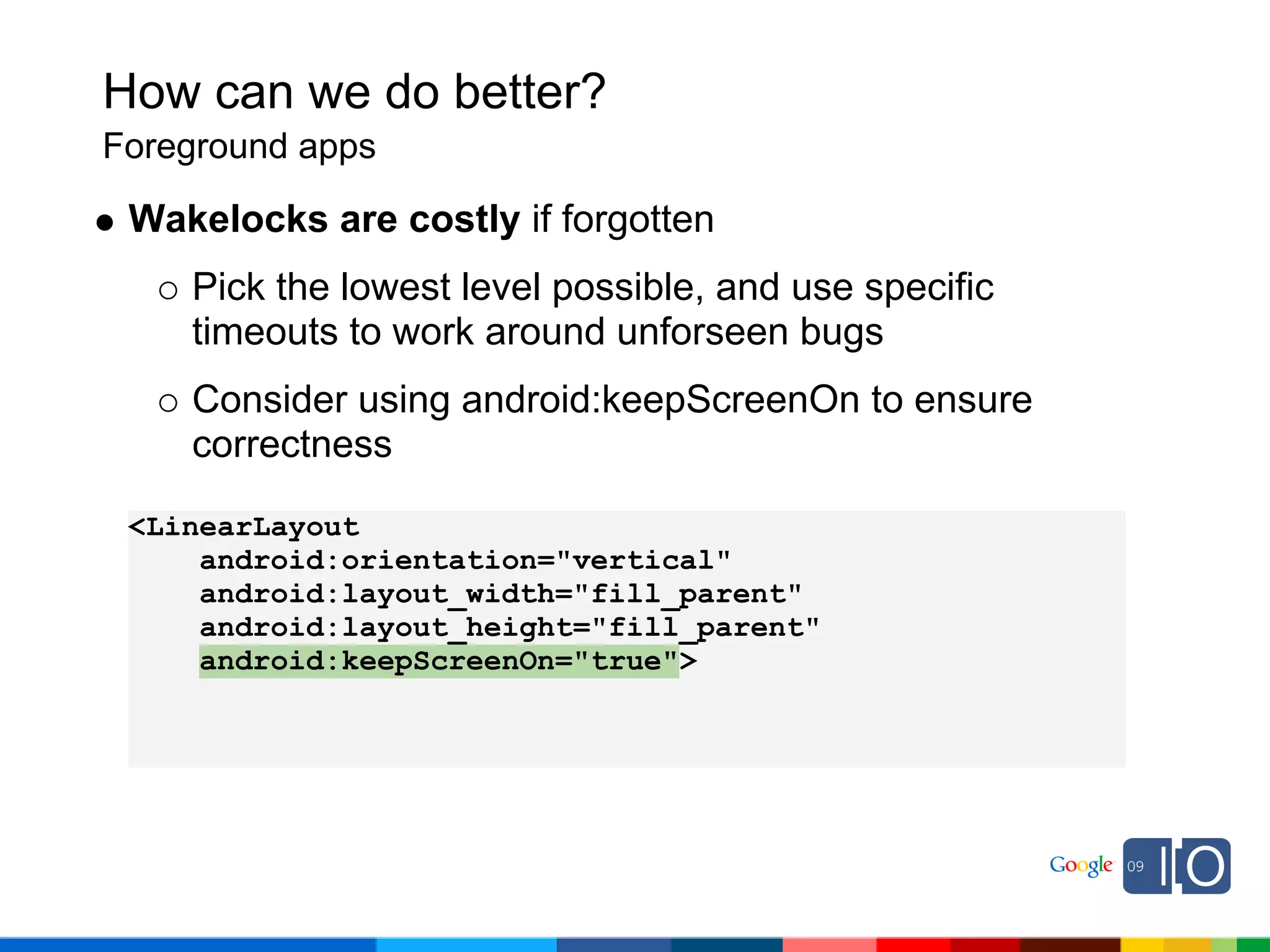
 Wakelocks are costly if forgotten
    Pick the lowest level possible, and use specific
    timeouts to work around unforseen bugs
    Consider using android:keepScreenOn to ensure
    correctness

 <LinearLayout
     android:orientation="vertical"
     android:layout_width="fill_parent"
     android:layout_height="fill_parent"
     android:keepScreenOn="true">
How can we do better?
Foreground apps

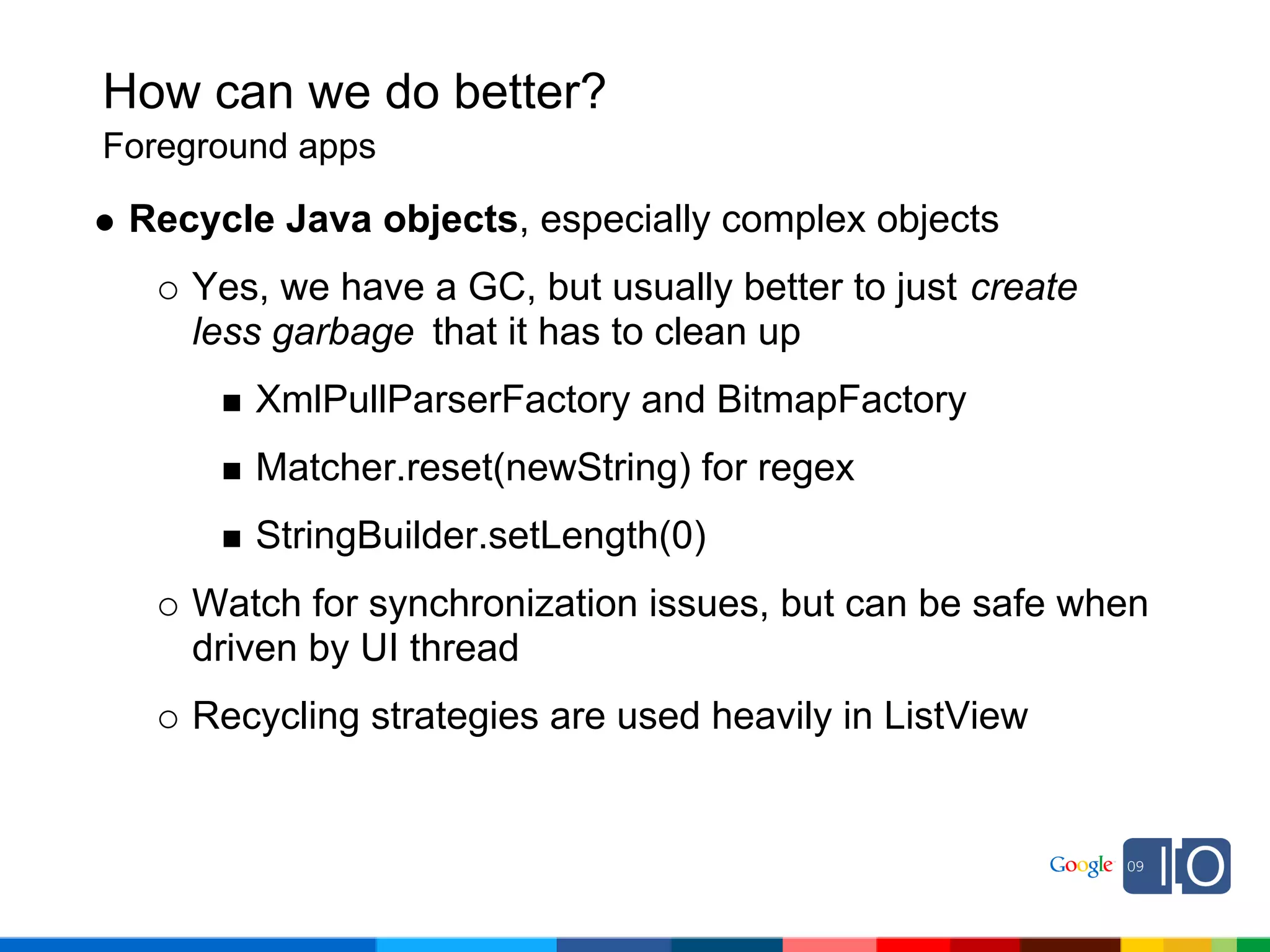
 Recycle Java objects, especially complex objects
    Yes, we have a GC, but usually better to just create
    less garbage that it has to clean up
        XmlPullParserFactory and BitmapFactory
        Matcher.reset(newString) for regex
        StringBuilder.setLength(0)
    Watch for synchronization issues, but can be safe when
    driven by UI thread
    Recycling strategies are used heavily in ListView
How can we do better?
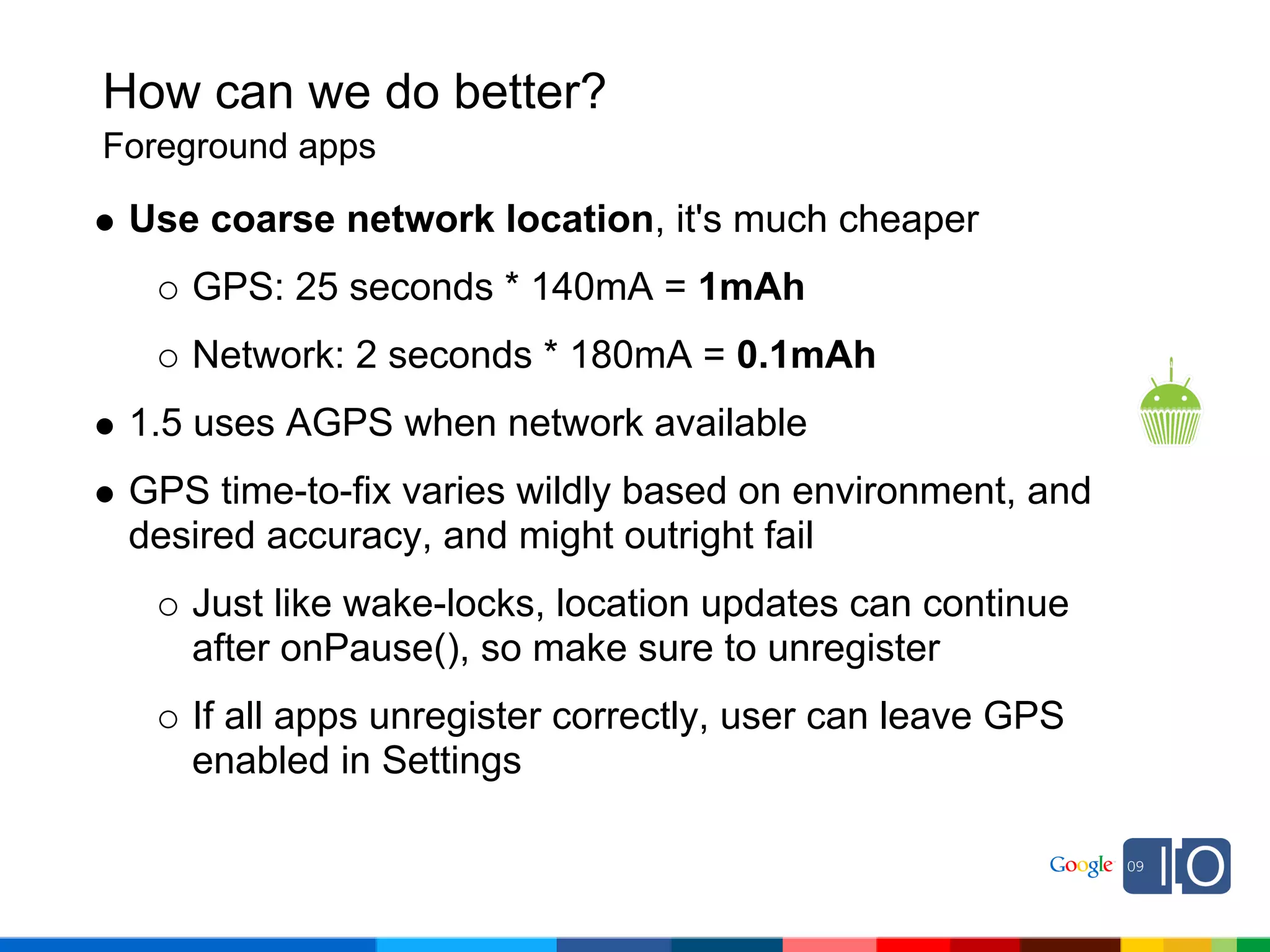
Foreground apps

 Use coarse network location, it's much cheaper
    GPS: 25 seconds * 140mA = 1mAh
    Network: 2 seconds * 180mA = 0.1mAh
 1.5 uses AGPS when network available
 GPS time-to-fix varies wildly based on environment, and
 desired accuracy, and might outright fail
    Just like wake-locks, location updates can continue
    after onPause(), so make sure to unregister
    If all apps unregister correctly, user can leave GPS
    enabled in Settings
How can we do better?
Foreground apps

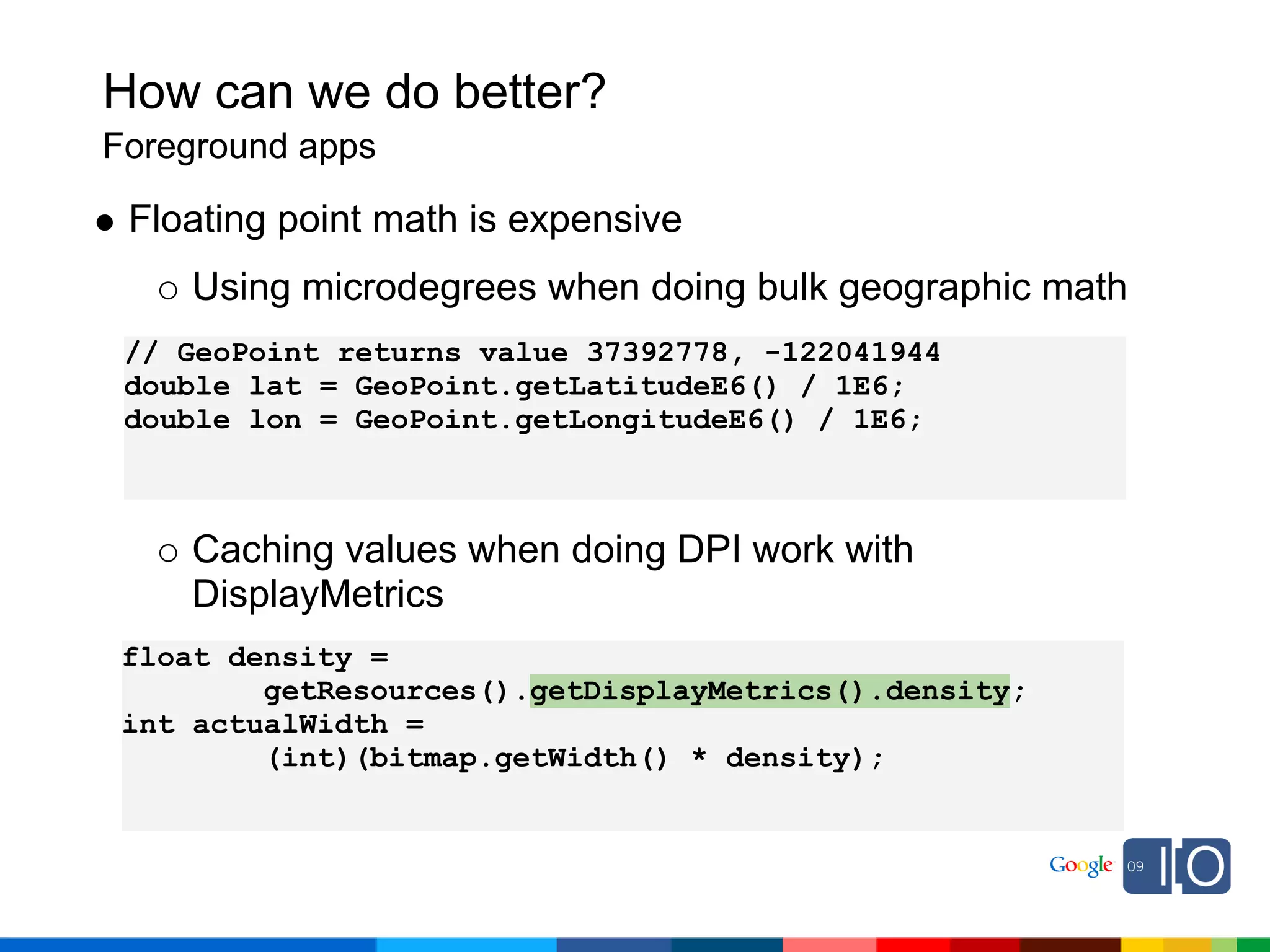
 Floating point math is expensive
    Using microdegrees when doing bulk geographic math
 // GeoPoint returns value 37392778, -122041944
 double lat = GeoPoint.getLatitudeE6() / 1E6;
 double lon = GeoPoint.getLongitudeE6() / 1E6;


    Caching values when doing DPI work with
    DisplayMetrics
 float density =
         getResources().getDisplayMetrics().density;
 int actualWidth =
         (int)(bitmap.getWidth() * density);
How can we do better?
Foreground apps

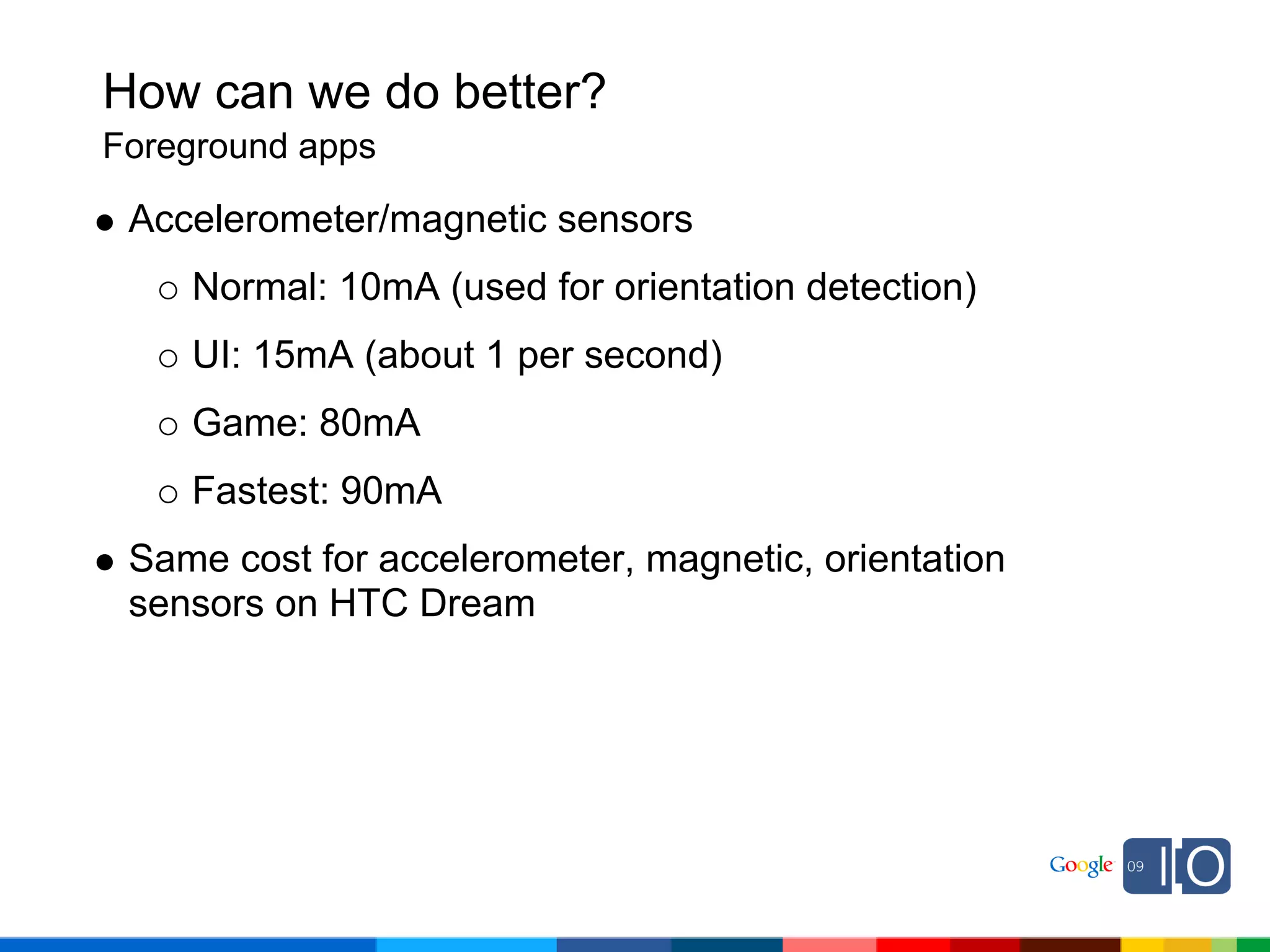
 Accelerometer/magnetic sensors
    Normal: 10mA (used for orientation detection)
    UI: 15mA (about 1 per second)
    Game: 80mA
    Fastest: 90mA
 Same cost for accelerometer, magnetic, orientation
 sensors on HTC Dream
How can we do better?
Background apps
How can we do better?
Background apps

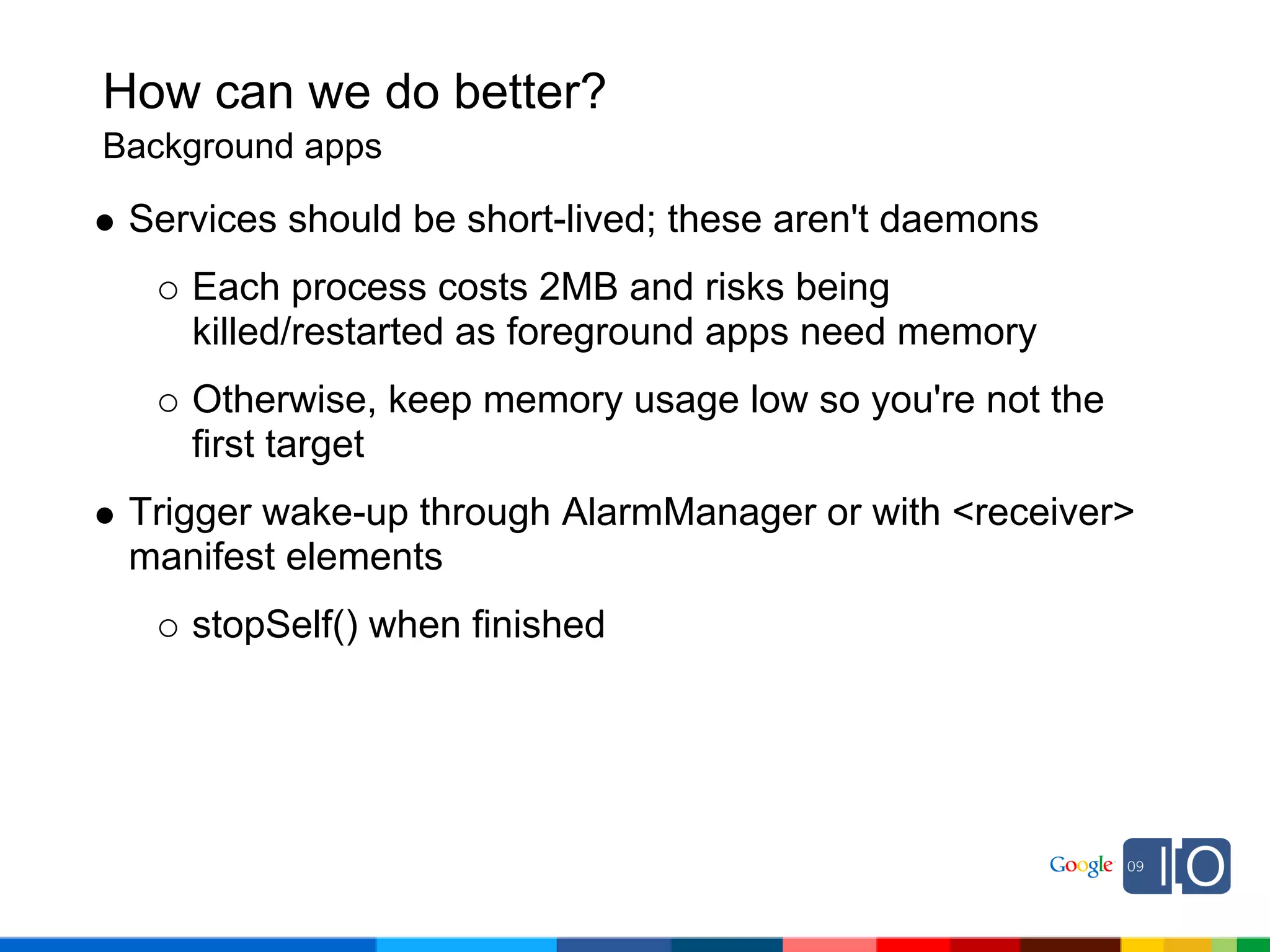
 Services should be short-lived; these aren't daemons
    Each process costs 2MB and risks being
    killed/restarted as foreground apps need memory
    Otherwise, keep memory usage low so you're not the
    first target
 Trigger wake-up through AlarmManager or with <receiver>
 manifest elements
    stopSelf() when finished
How can we do better?
Background apps

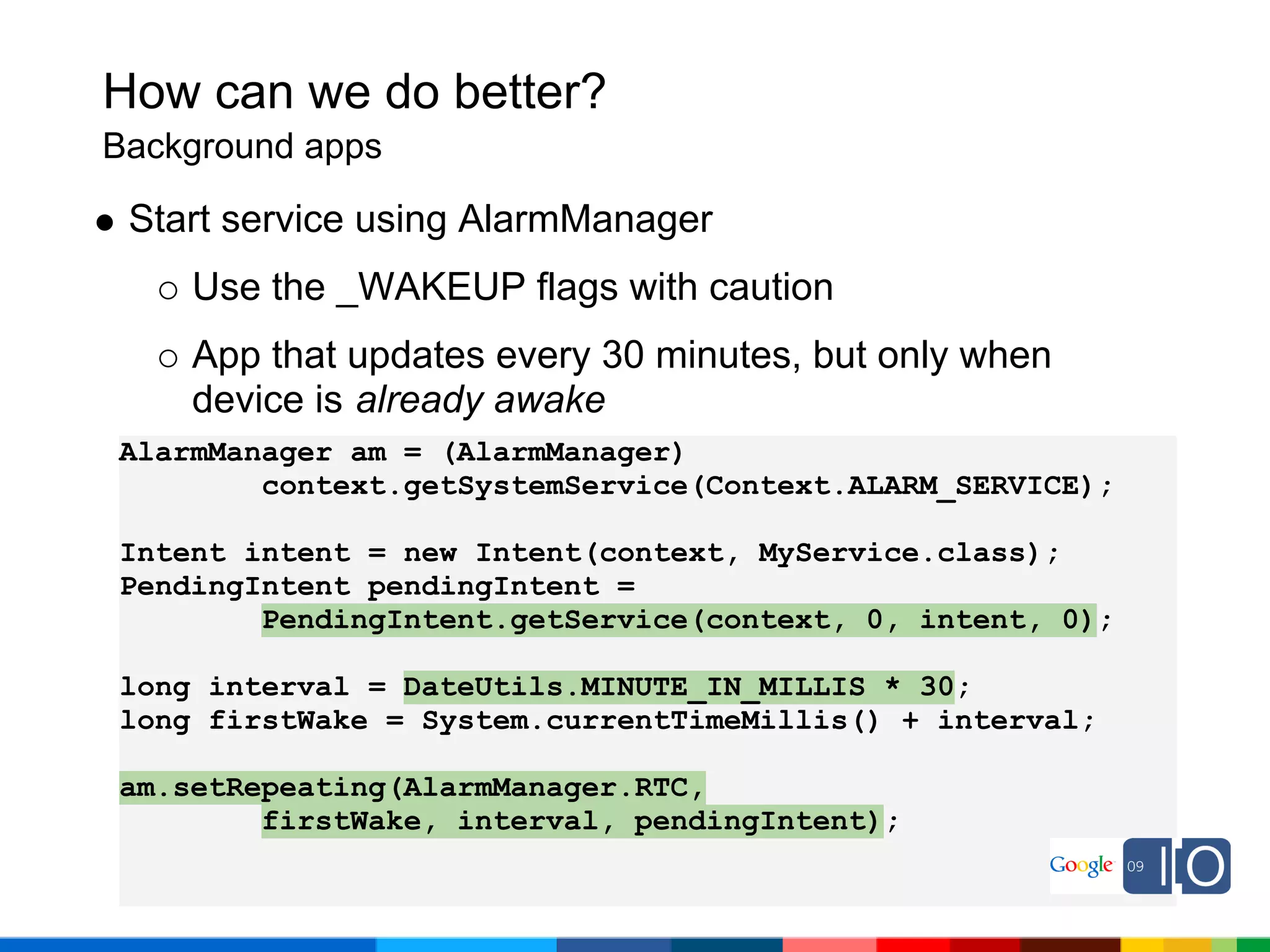
 Start service using AlarmManager
    Use the _WAKEUP flags with caution
    App that updates every 30 minutes, but only when
    device is already awake
AlarmManager am = (AlarmManager)
        context.getSystemService(Context.ALARM_SERVICE);

Intent intent = new Intent(context, MyService.class);
PendingIntent pendingIntent =
        PendingIntent.getService(context, 0, intent, 0);

long interval = DateUtils.MINUTE_IN_MILLIS * 30;
long firstWake = System.currentTimeMillis() + interval;

am.setRepeating(AlarmManager.RTC,
        firstWake, interval, pendingIntent);
How can we do better?
Background apps

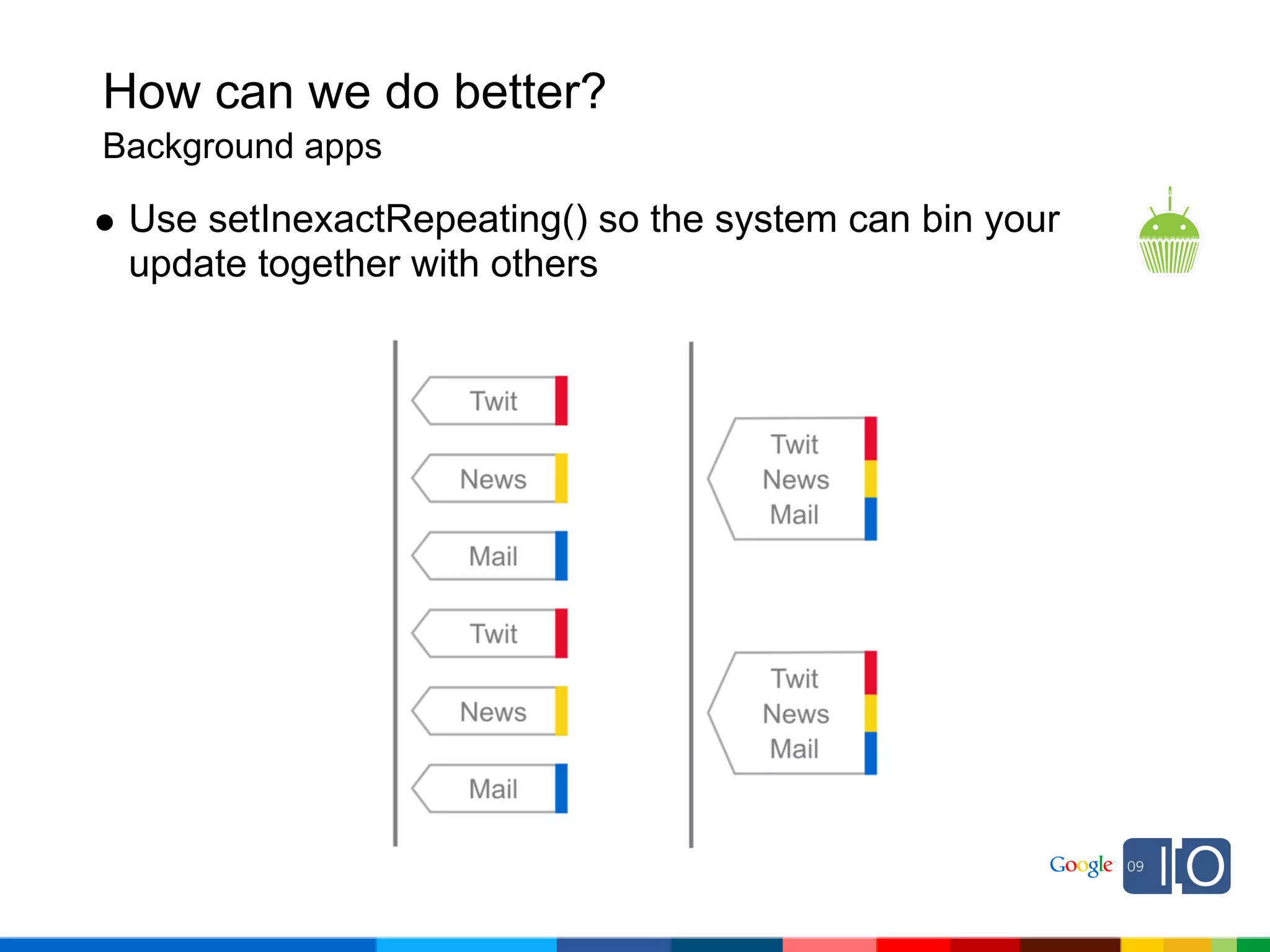
 Use setInexactRepeating() so the system can bin your
 update together with others
How can we do better?
Background apps

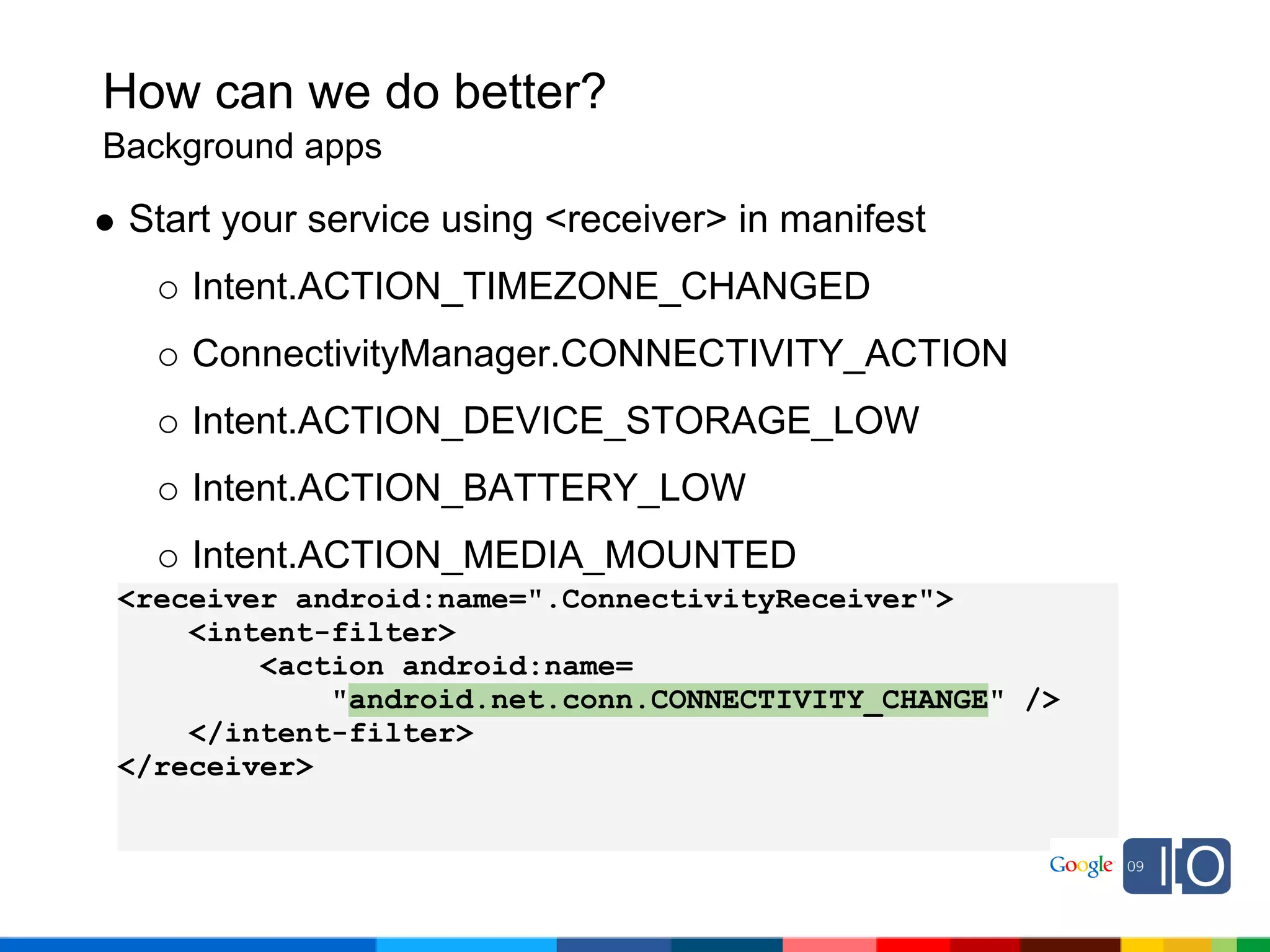
 Start your service using <receiver> in manifest
    Intent.ACTION_TIMEZONE_CHANGED
    ConnectivityManager.CONNECTIVITY_ACTION
    Intent.ACTION_DEVICE_STORAGE_LOW
    Intent.ACTION_BATTERY_LOW
    Intent.ACTION_MEDIA_MOUNTED
<receiver android:name=".ConnectivityReceiver">
    <intent-filter>
        <action android:name=
            "android.net.conn.CONNECTIVITY_CHANGE" />
    </intent-filter>
</receiver>
How can we do better?
Background apps

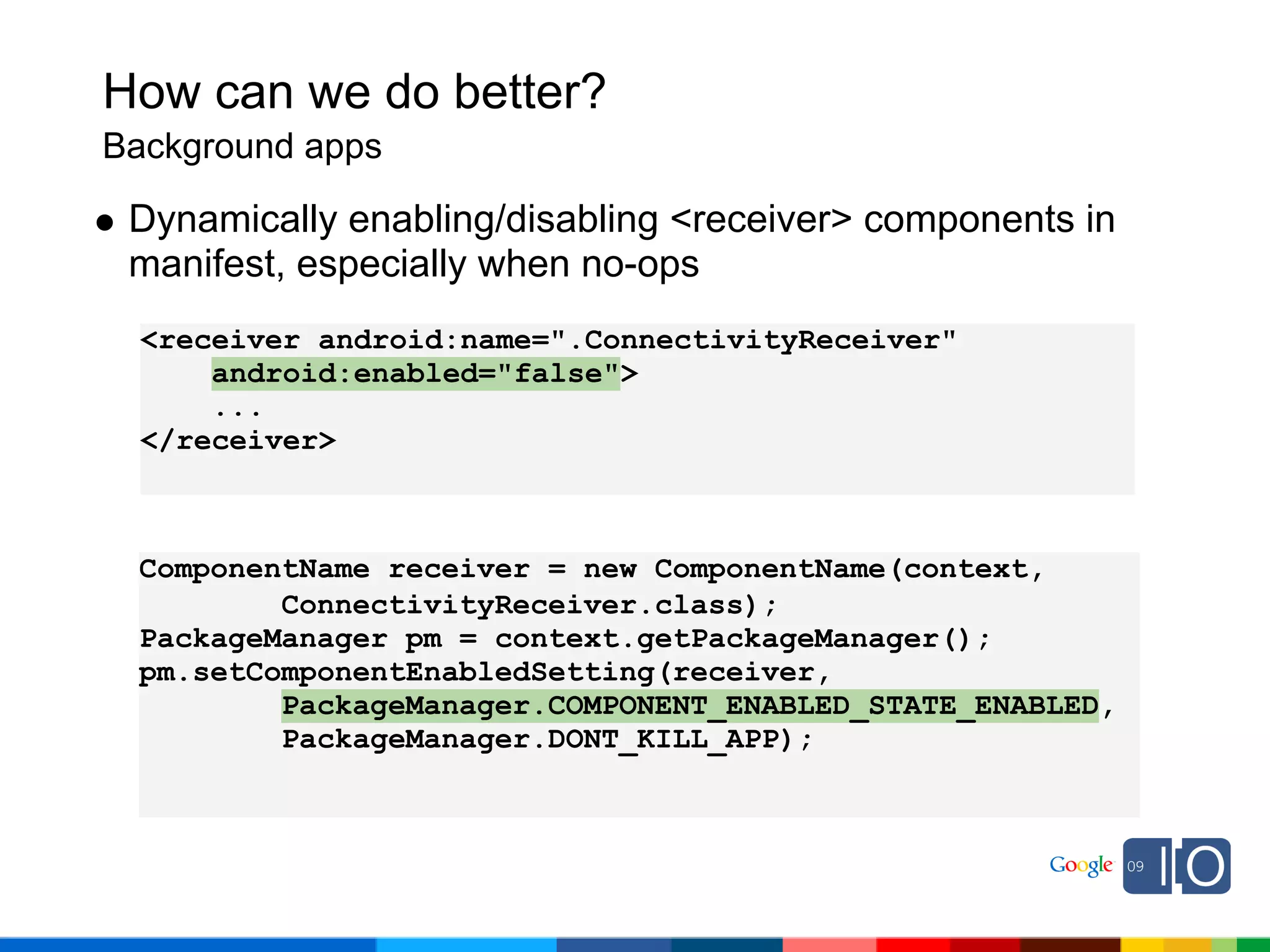
 Dynamically enabling/disabling <receiver> components in
 manifest, especially when no-ops
  <receiver android:name=".ConnectivityReceiver"
      android:enabled="false">
      ...
  </receiver>


 ComponentName receiver = new ComponentName(context,
         ConnectivityReceiver.class);
 PackageManager pm = context.getPackageManager();
 pm.setComponentEnabledSetting(receiver,
         PackageManager.COMPONENT_ENABLED_STATE_ENABLED,
         PackageManager.DONT_KILL_APP);
How can we do better?
Background apps

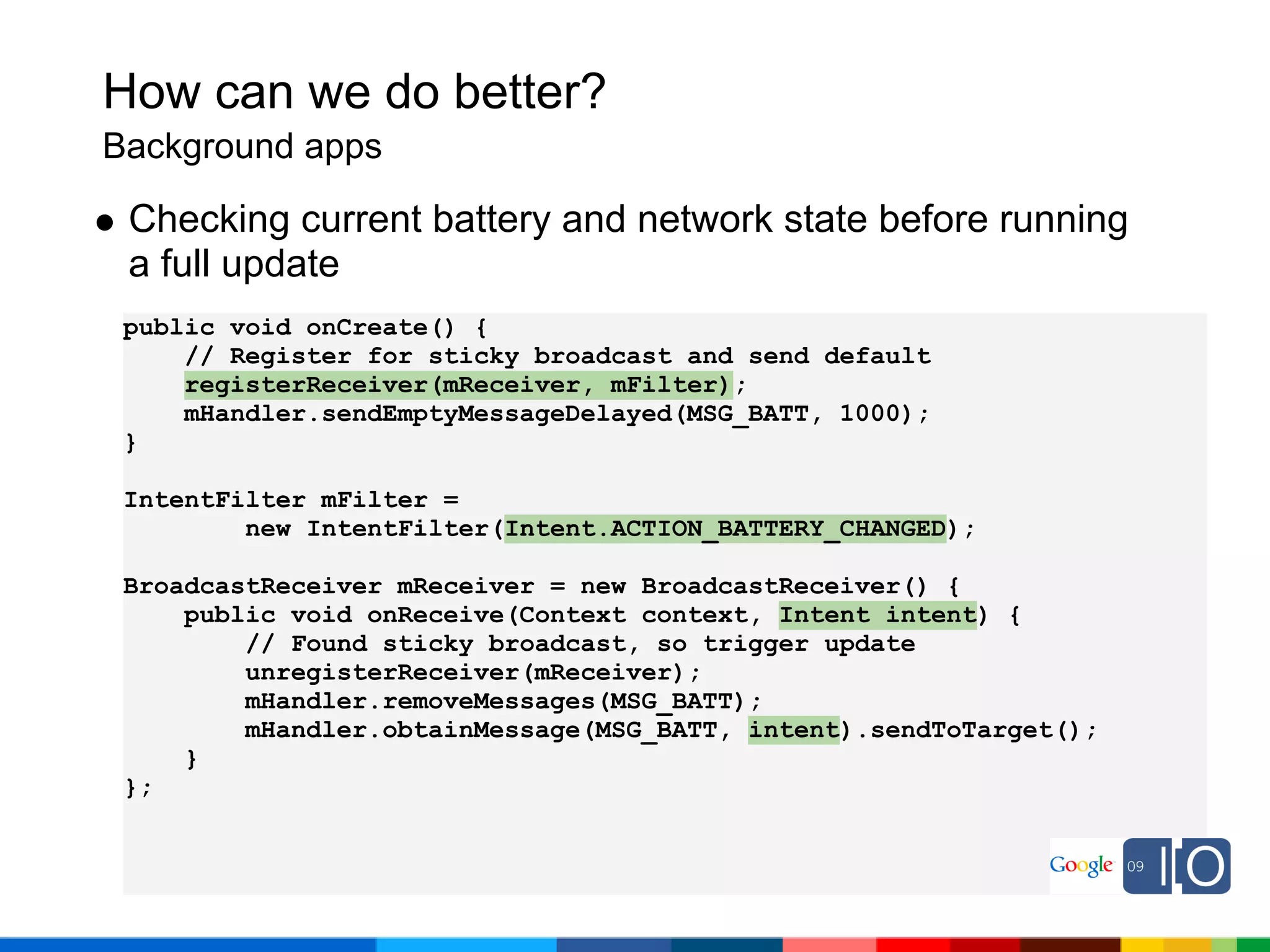
 Checking current battery and network state before running
 a full update
 public void onCreate() {
     // Register for sticky broadcast and send default
     registerReceiver(mReceiver, mFilter);
     mHandler.sendEmptyMessageDelayed(MSG_BATT, 1000);
 }

 IntentFilter mFilter =
         new IntentFilter(Intent.ACTION_BATTERY_CHANGED);

 BroadcastReceiver mReceiver = new BroadcastReceiver() {
     public void onReceive(Context context, Intent intent) {
         // Found sticky broadcast, so trigger update
         unregisterReceiver(mReceiver);
         mHandler.removeMessages(MSG_BATT);
         mHandler.obtainMessage(MSG_BATT, intent).sendToTarget();
     }
 };
Beyond 1.5
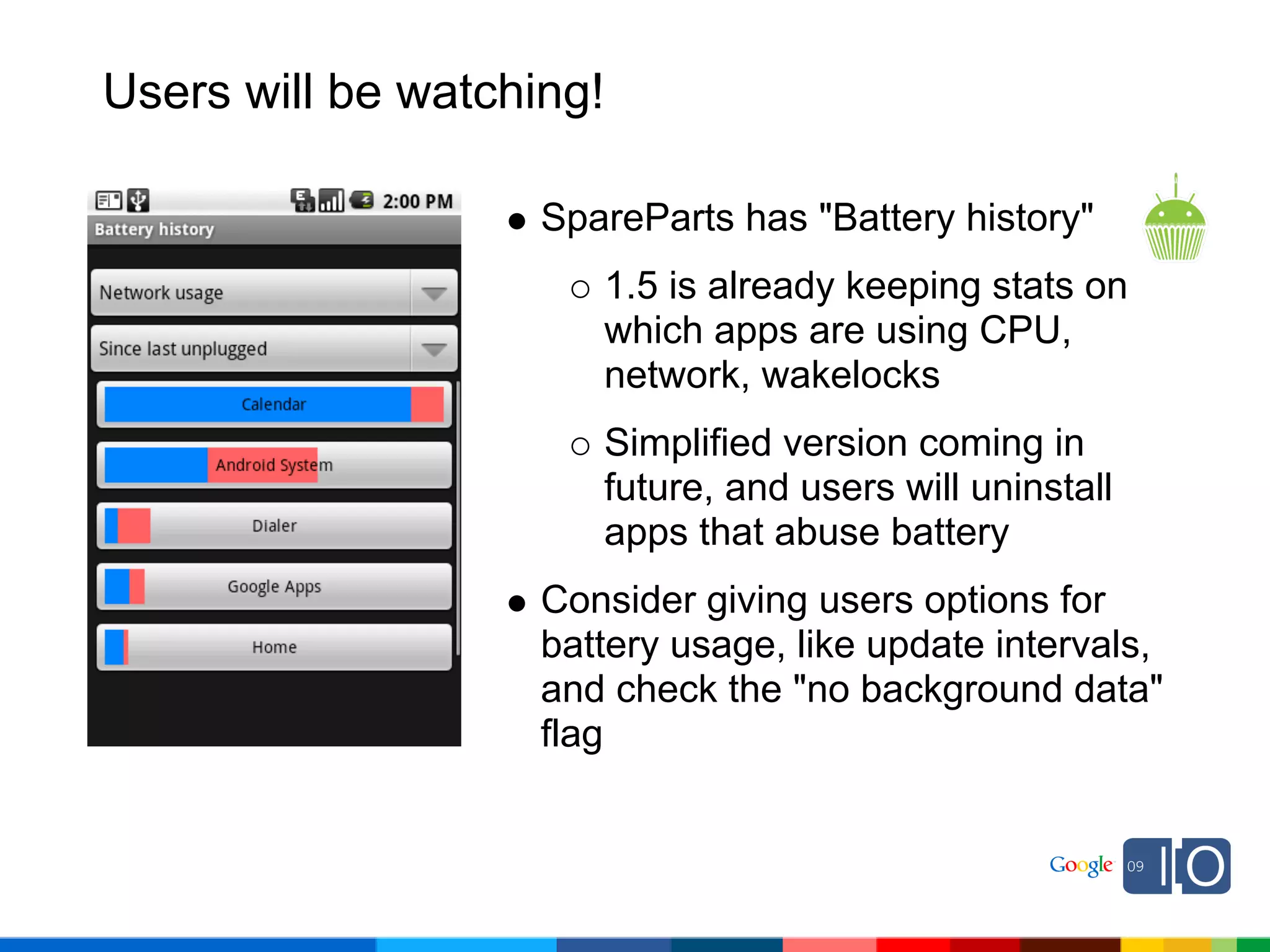
Users will be watching!

                    SpareParts has "Battery history"
                       1.5 is already keeping stats on
                       which apps are using CPU,
                       network, wakelocks
                       Simplified version coming in
                       future, and users will uninstall
                       apps that abuse battery
                    Consider giving users options for
                    battery usage, like update intervals,
                    and check the "no background data"
                    flag
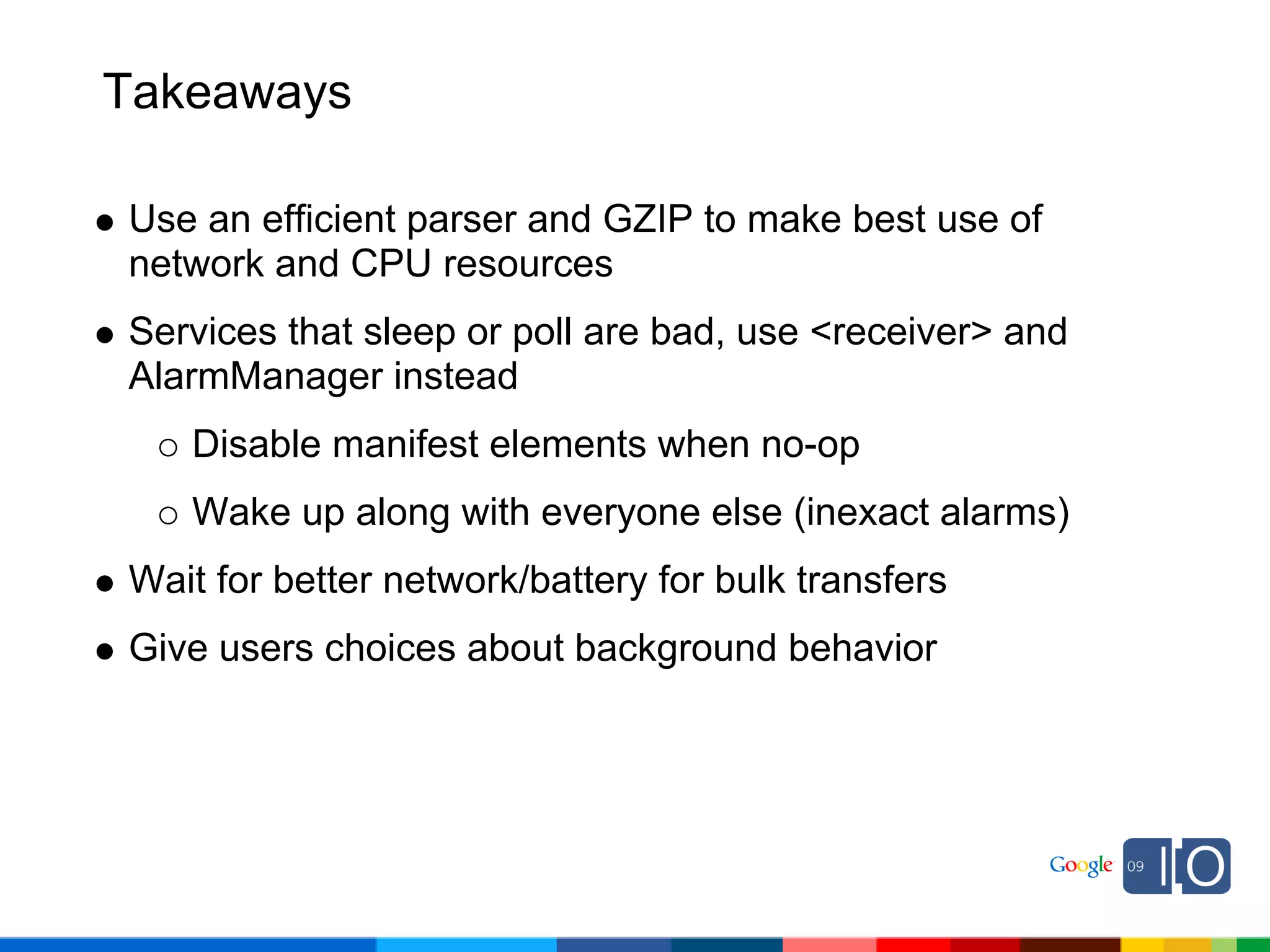
Takeaways

Use an efficient parser and GZIP to make best use of
network and CPU resources
Services that sleep or poll are bad, use <receiver> and
AlarmManager instead
   Disable manifest elements when no-op
   Wake up along with everyone else (inexact alarms)
Wait for better network/battery for bulk transfers
Give users choices about background behavior
Q&A
Post your questions for this talk on Google Moderator:
code.google.com/events/io/questions
W 0300 codingfor_life-batterylifethatis

W 0300 codingfor_life-batterylifethatis

  • 2.
    Coding for Life--Battery Life,That Is Jeff Sharkey May 27, 2009 Post your questions for this talk on Google Moderator: code.google.com/events/io/questions
  • 3.
    Why does thismatter? Phones primarily run on battery power, and each device has a "battery budget" When it's gone, it's gone Apps need to work together to be good citizens of that shared resource Current measured in mA, battery capacity in mAh HTC Dream: 1150mAh HTC Magic: 1350mAh Samsung I7500: 1500mAh Asus Eee PC: 5800mAh
  • 4.
    Where does itall go? Source: Values measured using an industrial power monitor at 5kHz sampling rate, and taking average power with lowest standard deviation.
  • 5.
    Where does itall go? How do these numbers add up in real life? Watching YouTube: 340mA = 3.4 hours Browsing 3G web: 225mA = 5 hours Typical usage: 42mA average = 32 hours EDGE completely idle: 5mA = 9.5 days Airplane mode idle: 2mA = 24 days
  • 6.
    What costs themost? Waking up in the background when the phone would otherwise be sleeping App wakes up every 10 minutes to update Takes about 8 seconds to update, 350mA Cost during a given hour: 3600 seconds * 5mA = 5mAh resting 6 times * 8 sec * 350 mA = 4.6mAh updating Just one app waking up can trigger cascade
  • 7.
    What costs themost? Bulk data transfer such as a 6MB song: EDGE (90kbps): 300mA * 9.1 min = 45 mAh 3G (300kbps): 210mA * 2.7 min = 9.5 mAh WiFi (1Mbps): 330mA * 48 sec = 4.4 mAh Moving between cells/networks Radio ramps up to associate with new cell BroadcastIntents fired across system Parsing textual data, regex without JIT
  • 8.
    How can wedo better? Networking
  • 9.
    How can wedo better? Networking Check network connection, wait for 3G or WiFi ConnectivityManager mConnectivity; TelephonyManager mTelephony; // Skip if no connection, or background data disabled NetworkInfo info = mConnectivity.getActiveNetworkInfo(); if (info == null || !mConnectivity.getBackgroundDataSetting()) { return false; }
  • 10.
    How can wedo better? Networking Check network connection, wait for 3G or WiFi // Only update if WiFi or 3G is connected and not roaming int netType = info.getType(); int netSubtype = info.getSubtype(); if (netType == ConnectivityManager.TYPE_WIFI) { return info.isConnected(); } else if (netType == ConnectivityManager.TYPE_MOBILE && netSubtype == TelephonyManager.NETWORK_TYPE_UMTS && !mTelephony.isNetworkRoaming()) { return info.isConnected(); } else { return false; }
  • 11.
    How can wedo better? Networking Use an efficient data format and parser Source: Timings obtained by downloading and parsing a 6-item RSS feed repeatedly for 60 seconds and averaging results.
  • 12.
    How can wedo better? Networking Use an efficient data format and parser Use "stream" parsers instead of tree parsers Consider binary formats that can easily mix binary and text data into a single request Fewer round-trips to server for faster UX
  • 13.
    How can wedo better? Networking Use GZIP for text data whenever possible Framework GZIP libs go directly to native code , and are perfect for streams import java.util.zip.GZIPInputStream; HttpGet request = new HttpGet("http://example.com/gzipcontent"); HttpResponse resp = new DefaultHttpClient().execute(request); HttpEntity entity = response.getEntity(); InputStream compressed = entity.getContent(); InputStream rawData = new GZIPInputStream(compressed);
  • 14.
    How can wedo better? Networking Use GZIP for text data whenever possible Source: Timings averaged over multiple trials of downloading 1800-item RSS feed of textual data.
  • 15.
    How can wedo better? Foreground apps
  • 16.
    How can wedo better? Foreground apps Wakelocks are costly if forgotten Pick the lowest level possible, and use specific timeouts to work around unforseen bugs Consider using android:keepScreenOn to ensure correctness <LinearLayout android:orientation="vertical" android:layout_width="fill_parent" android:layout_height="fill_parent" android:keepScreenOn="true">
  • 17.
    How can wedo better? Foreground apps Recycle Java objects, especially complex objects Yes, we have a GC, but usually better to just create less garbage that it has to clean up XmlPullParserFactory and BitmapFactory Matcher.reset(newString) for regex StringBuilder.setLength(0) Watch for synchronization issues, but can be safe when driven by UI thread Recycling strategies are used heavily in ListView
  • 18.
    How can wedo better? Foreground apps Use coarse network location, it's much cheaper GPS: 25 seconds * 140mA = 1mAh Network: 2 seconds * 180mA = 0.1mAh 1.5 uses AGPS when network available GPS time-to-fix varies wildly based on environment, and desired accuracy, and might outright fail Just like wake-locks, location updates can continue after onPause(), so make sure to unregister If all apps unregister correctly, user can leave GPS enabled in Settings
  • 19.
    How can wedo better? Foreground apps Floating point math is expensive Using microdegrees when doing bulk geographic math // GeoPoint returns value 37392778, -122041944 double lat = GeoPoint.getLatitudeE6() / 1E6; double lon = GeoPoint.getLongitudeE6() / 1E6; Caching values when doing DPI work with DisplayMetrics float density = getResources().getDisplayMetrics().density; int actualWidth = (int)(bitmap.getWidth() * density);
  • 20.
    How can wedo better? Foreground apps Accelerometer/magnetic sensors Normal: 10mA (used for orientation detection) UI: 15mA (about 1 per second) Game: 80mA Fastest: 90mA Same cost for accelerometer, magnetic, orientation sensors on HTC Dream
  • 21.
    How can wedo better? Background apps
  • 22.
    How can wedo better? Background apps Services should be short-lived; these aren't daemons Each process costs 2MB and risks being killed/restarted as foreground apps need memory Otherwise, keep memory usage low so you're not the first target Trigger wake-up through AlarmManager or with <receiver> manifest elements stopSelf() when finished
  • 23.
    How can wedo better? Background apps Start service using AlarmManager Use the _WAKEUP flags with caution App that updates every 30 minutes, but only when device is already awake AlarmManager am = (AlarmManager) context.getSystemService(Context.ALARM_SERVICE); Intent intent = new Intent(context, MyService.class); PendingIntent pendingIntent = PendingIntent.getService(context, 0, intent, 0); long interval = DateUtils.MINUTE_IN_MILLIS * 30; long firstWake = System.currentTimeMillis() + interval; am.setRepeating(AlarmManager.RTC, firstWake, interval, pendingIntent);
  • 24.
    How can wedo better? Background apps Use setInexactRepeating() so the system can bin your update together with others
  • 25.
    How can wedo better? Background apps Start your service using <receiver> in manifest Intent.ACTION_TIMEZONE_CHANGED ConnectivityManager.CONNECTIVITY_ACTION Intent.ACTION_DEVICE_STORAGE_LOW Intent.ACTION_BATTERY_LOW Intent.ACTION_MEDIA_MOUNTED <receiver android:name=".ConnectivityReceiver"> <intent-filter> <action android:name= "android.net.conn.CONNECTIVITY_CHANGE" /> </intent-filter> </receiver>
  • 26.
    How can wedo better? Background apps Dynamically enabling/disabling <receiver> components in manifest, especially when no-ops <receiver android:name=".ConnectivityReceiver" android:enabled="false"> ... </receiver> ComponentName receiver = new ComponentName(context, ConnectivityReceiver.class); PackageManager pm = context.getPackageManager(); pm.setComponentEnabledSetting(receiver, PackageManager.COMPONENT_ENABLED_STATE_ENABLED, PackageManager.DONT_KILL_APP);
  • 27.
    How can wedo better? Background apps Checking current battery and network state before running a full update public void onCreate() { // Register for sticky broadcast and send default registerReceiver(mReceiver, mFilter); mHandler.sendEmptyMessageDelayed(MSG_BATT, 1000); } IntentFilter mFilter = new IntentFilter(Intent.ACTION_BATTERY_CHANGED); BroadcastReceiver mReceiver = new BroadcastReceiver() { public void onReceive(Context context, Intent intent) { // Found sticky broadcast, so trigger update unregisterReceiver(mReceiver); mHandler.removeMessages(MSG_BATT); mHandler.obtainMessage(MSG_BATT, intent).sendToTarget(); } };
  • 28.
  • 29.
    Users will bewatching! SpareParts has "Battery history" 1.5 is already keeping stats on which apps are using CPU, network, wakelocks Simplified version coming in future, and users will uninstall apps that abuse battery Consider giving users options for battery usage, like update intervals, and check the "no background data" flag
  • 30.
    Takeaways Use an efficientparser and GZIP to make best use of network and CPU resources Services that sleep or poll are bad, use <receiver> and AlarmManager instead Disable manifest elements when no-op Wake up along with everyone else (inexact alarms) Wait for better network/battery for bulk transfers Give users choices about background behavior
  • 31.
    Q&A Post your questionsfor this talk on Google Moderator: code.google.com/events/io/questions