Standard - X
Information
Technology
Kerala Reader
Government of Kerala
Department of Education
2004
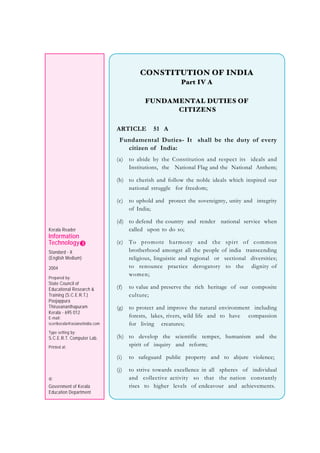
CONSTITUTION OF INDIA
Part IV A
FUNDAMENTAL DUTIES OF
CITIZENS
ARTICLE 51 A
Fundamental Duties- It shall be the duty of every
citizen of India:
(a) to abide by the Constitution and respect its ideals and
Institutions, the National Flag and the National Anthem;
(b) to cherish and follow the noble ideals which inspired our
national struggle for freedom;
(c) to uphold and protect the sovereignty, unity and integrity
of India;
(d) to defend the country and render national service when
called upon to do so;
(e) To promote harmony and the spirt of common
brotherhood amongst all the people of india transcending
religious, linguistic and regional or sectional diversities;
to renounce practice derogatory to the dignity of
women;
(f) to value and preserve the rich heritage of our composite
culture;
(g) to protect and improve the natural environment including
forests, lakes, rivers, wild life and to have compassion
for living creatures;
(h) to develop the scientific temper, humanism and the
spirit of inquiry and reform;
(i) to safeguard public property and to abjure violence;
(j) to strive towards excellence in all spheres of individual
and collective activity so that the nation constantly
rises to higher levels of endeavour and achievements.
Kerala Reader
Information
Technology
Standard - X
(English Medium)
2004
Prepared by:
State Council of
Educational Research &
Training (S.C.E.R.T.)
Poojappura
Thiruvananthapuram
Kerala - 695 012
E-mail:
scertkerala@asianetindia.com
Type setting by:
S.C.E.R.T. Computer Lab.
Printed at:
©
Government of Kerala
Education Department
Dear Students,
You become familiar with computers and Information
Technology in the eighth standard. In the ninth standard some
applications were included and you created some products. To
strengthen that knowledge, to expand the skills and to use IT for
learning other subjects also, this year you can complete a project
along with IT education. Through this book you get the opportunity
to know and handle several applications. This book will enable
you to get the basic knowledge and directions to do that. Besides
reading this book carefully and understanding the contents, you
should also make use of every opportunity to obtain practical
experience.
As in the textbooks of eighth and ninth standards, softwares
and the methods of using them in both Microsoft Windows and
the free software GNU/Linux are included in this book also.
Therefore, you can make use whichever is available in your school.
Information Technology is an area where constant
developments are happening. Since such changes are taking place
even in the operating system and the applications you are expected
to study, you should make it a habit to collect information that
appears in the different media on such changes and discuss them
with others. The IT corner will be helpful for such activities.
Learning Information Technology will be really helpful for
further studies after tenth standard and for training for employment.
Since the skill in operating a computer and creating products is
going to be tested through a general examination, each of you should
specially try to acquire practical experience.
We welcome your suggestions for improving this book.
Wishing you all success,
Dr. P.M. Jaleel
Director, State Council for
Educational Research and Training (SCERT)
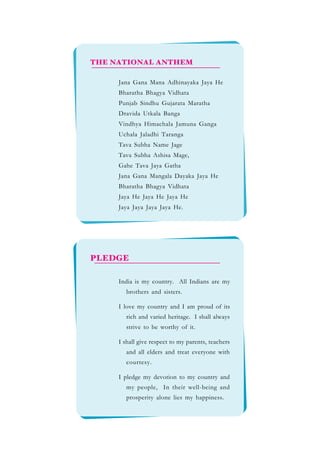
Jana Gana Mana Adhinayaka Jaya He
Bharatha Bhagya Vidhata
Punjab Sindhu Gujarata Maratha
Dravida Utkala Banga
Vindhya Himachala Jamuna Ganga
Uchala Jaladhi Taranga
Tava Subha Name Jage
Tava Subha Ashisa Mage,
Gahe Tava Jaya Gatha
Jana Gana Mangala Dayaka Jaya He
Bharatha Bhagya Vidhata
Jaya He Jaya He Jaya He
Jaya Jaya Jaya Jaya He.
THE NATIONAL ANTHEM
PLEDGE
India is my country. All Indians are my
brothers and sisters.
I love my country and I am proud of its
rich and varied heritage. I shall always
strive to be worthy of it.
I shall give respect to my parents, teachers
and all elders and treat everyone with
courtesy.
I pledge my devotion to my country and
my people, In their well-being and
prosperity alone lies my happiness.
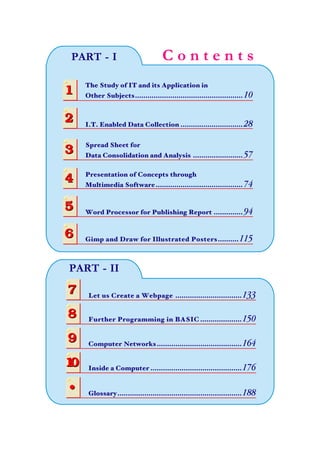
C o n t e n t sPART - I
The Study of IT and its Application in
Other Subjects.................................................... 1011
2
3
4
5
6
2
3
4
5
6
I.T. Enabled Data Collection .............................. 28
Presentation of Concepts through
Multimedia Software.......................................... 74
Spread Sheet for
Data Consolidation and Analysis ........................ 57
Word Processor for Publishing Report .............. 94
Gimp and Draw for Illustrated Posters..........115
7
8
7
8 Further Programming in BASIC ....................150
Let us Create a Webpage ................................133
9
10
9
10
Computer Networks.........................................164
Inside a Computer ............................................176
PART - II
• Glossary............................................................188•
Computer-controlled robots - they communicate with
humans in many ways, greets guests
Wearable computer - the desktop computer is changing into spectacles and clothes
that can be worn
Infinite Possibilities of
Information Technology
Infinite Possibilities of
Information Technology
Computer screens that can be rolled and put into a container as small as a pen.
Future newspapers built using organic light emitting diodes could be such screens
A computer system that identifies you
and delivers messages to you as you
enter the office.
An arrangement that simulates the
feeling of touch: A 3D scanner and a
specially built touch sensitive monitor
A microchip that can be inserted into
the human body and helps in delivering
medicine to the blood stream in
quantities depending upon the need. It
is just as big as the tip of a sharpened
pencil
A car that can control itself, without
help from a driver
For the Attention of The Computer Users
• When you sit in front of
the computer, your seat
should be arranged in such
a manner that the monitor
is at least a foot and a half
(45 cm) away from your eyes.
• Sit erect with your feet on the floor.
• Your eyes should be at least an inch
above the monitor.
• Follow the proper
procedure for starting and
shutting down. Before
shutting down, close all
programs. Remove CDs
and floppies from their drives.
• Do not disconnect cables and
peripherals when the computer is
working.
• Do not move the system unit when
the computer is working.
• Move the mouse only on its pad.
• Do not touch the mouse or the
keyboard with wet, dusty or dirty
hands.
• Do not handle the mouse or the key
board when another person is using
it. Wait for your turn.
• Response will not be faster if you hit
the keys hard or click the mouse many
times. These have to be handled
carefully.
Posture
Handling
• Do not insert or remove floppy disks
or CDs in their drives when the
indicator lamps on them are glowing.
• After placing a CD in the drive, do
not push the tray. Press the eject
button for the tray to go in. You can
press the eject button to take the CD
out also.
• Take care to ensure
that the computer and its
surroundings are kept
free of moisture and
dust.
• Do not use footwear inside the
computer room.
• Do not keep magenetic objects, water
bottle or instrument box near the
monitor
• The mouse
pointer may be seen
as an hour glass (in
Windows) or as a
watch dial (in GNU/
Linux). That is an indication that the
computer is busy. It means Wait. Wait
patiently till this changes into an
arrow.
• The computer requires a UPS for
electricity to be supplied to it at a
constant rate.
Surroundings
Working
For the attention of the readers
• The images and figures used in this textbook are purely for educational purposes.
• These may be used only for study purposes in the classroom. They may be used in
products, distributed or used in other ways only with permission from the owners.
• The information presented here about operating systems, other softwares, utilities,
and so on are limited to what is necessary for and related to the education of stu-
dents. Teachers should introduce these to the students with necessary changes in
tune with the changes taking place.
• Care should be taken to adhere to the Indian Copyright Act while using pictures
and information from the Internet and other sources
IT for Learning
Activities
This book is divided into two parts.
The first Part consists of the first six
chapters. Through this you can learn
how to do a study project with the
help of Information Technology. At
the same time, you can practice all IT
skills you have already learned and
those you are going to learn this year.
The topic for the project need not be
what is used here as an example. You
can decide a topic in consultation
with the teachers. You have to do that
project as a part of the activities of
the IT corner.
123456789012345678901234567890121234567890123456789012345678901212345678901234
123456789012345678901234567890121234567890123456789012345678901212345678901234
123456789012345678901234567890121234567890123456789012345678901212345678901234
123456789012345678901234567890121234567890123456789012345678901212345678901234
123456789012345678901234567890121234567890123456789012345678901212345678901234
123456789012345678901234567890121234567890123456789012345678901212345678901234
1234567890123456789012345678901212345678901234567890123456789012123
1234567890123456789012345678901212345678901234567890123456789012123
1234567890123456789012345678901212345678901234567890123456789012123
1234567890123456789012345678901212345678901234567890123456789012123
1234567890123456789012345678901212345678901234567890123456789012123
1234567890123456789012345678901212345678901234567890123456789012123Part-1

Amugham

  • 1.
    Standard - X Information Technology KeralaReader Government of Kerala Department of Education 2004
  • 2.
    CONSTITUTION OF INDIA PartIV A FUNDAMENTAL DUTIES OF CITIZENS ARTICLE 51 A Fundamental Duties- It shall be the duty of every citizen of India: (a) to abide by the Constitution and respect its ideals and Institutions, the National Flag and the National Anthem; (b) to cherish and follow the noble ideals which inspired our national struggle for freedom; (c) to uphold and protect the sovereignty, unity and integrity of India; (d) to defend the country and render national service when called upon to do so; (e) To promote harmony and the spirt of common brotherhood amongst all the people of india transcending religious, linguistic and regional or sectional diversities; to renounce practice derogatory to the dignity of women; (f) to value and preserve the rich heritage of our composite culture; (g) to protect and improve the natural environment including forests, lakes, rivers, wild life and to have compassion for living creatures; (h) to develop the scientific temper, humanism and the spirit of inquiry and reform; (i) to safeguard public property and to abjure violence; (j) to strive towards excellence in all spheres of individual and collective activity so that the nation constantly rises to higher levels of endeavour and achievements. Kerala Reader Information Technology Standard - X (English Medium) 2004 Prepared by: State Council of Educational Research & Training (S.C.E.R.T.) Poojappura Thiruvananthapuram Kerala - 695 012 E-mail: scertkerala@asianetindia.com Type setting by: S.C.E.R.T. Computer Lab. Printed at: © Government of Kerala Education Department
  • 3.
    Dear Students, You becomefamiliar with computers and Information Technology in the eighth standard. In the ninth standard some applications were included and you created some products. To strengthen that knowledge, to expand the skills and to use IT for learning other subjects also, this year you can complete a project along with IT education. Through this book you get the opportunity to know and handle several applications. This book will enable you to get the basic knowledge and directions to do that. Besides reading this book carefully and understanding the contents, you should also make use of every opportunity to obtain practical experience. As in the textbooks of eighth and ninth standards, softwares and the methods of using them in both Microsoft Windows and the free software GNU/Linux are included in this book also. Therefore, you can make use whichever is available in your school. Information Technology is an area where constant developments are happening. Since such changes are taking place even in the operating system and the applications you are expected to study, you should make it a habit to collect information that appears in the different media on such changes and discuss them with others. The IT corner will be helpful for such activities. Learning Information Technology will be really helpful for further studies after tenth standard and for training for employment. Since the skill in operating a computer and creating products is going to be tested through a general examination, each of you should specially try to acquire practical experience. We welcome your suggestions for improving this book. Wishing you all success, Dr. P.M. Jaleel Director, State Council for Educational Research and Training (SCERT)
  • 4.
    Jana Gana ManaAdhinayaka Jaya He Bharatha Bhagya Vidhata Punjab Sindhu Gujarata Maratha Dravida Utkala Banga Vindhya Himachala Jamuna Ganga Uchala Jaladhi Taranga Tava Subha Name Jage Tava Subha Ashisa Mage, Gahe Tava Jaya Gatha Jana Gana Mangala Dayaka Jaya He Bharatha Bhagya Vidhata Jaya He Jaya He Jaya He Jaya Jaya Jaya Jaya He. THE NATIONAL ANTHEM PLEDGE India is my country. All Indians are my brothers and sisters. I love my country and I am proud of its rich and varied heritage. I shall always strive to be worthy of it. I shall give respect to my parents, teachers and all elders and treat everyone with courtesy. I pledge my devotion to my country and my people, In their well-being and prosperity alone lies my happiness.
  • 5.
    C o nt e n t sPART - I The Study of IT and its Application in Other Subjects.................................................... 1011 2 3 4 5 6 2 3 4 5 6 I.T. Enabled Data Collection .............................. 28 Presentation of Concepts through Multimedia Software.......................................... 74 Spread Sheet for Data Consolidation and Analysis ........................ 57 Word Processor for Publishing Report .............. 94 Gimp and Draw for Illustrated Posters..........115 7 8 7 8 Further Programming in BASIC ....................150 Let us Create a Webpage ................................133 9 10 9 10 Computer Networks.........................................164 Inside a Computer ............................................176 PART - II • Glossary............................................................188•
  • 6.
    Computer-controlled robots -they communicate with humans in many ways, greets guests Wearable computer - the desktop computer is changing into spectacles and clothes that can be worn Infinite Possibilities of Information Technology Infinite Possibilities of Information Technology
  • 7.
    Computer screens thatcan be rolled and put into a container as small as a pen. Future newspapers built using organic light emitting diodes could be such screens A computer system that identifies you and delivers messages to you as you enter the office. An arrangement that simulates the feeling of touch: A 3D scanner and a specially built touch sensitive monitor A microchip that can be inserted into the human body and helps in delivering medicine to the blood stream in quantities depending upon the need. It is just as big as the tip of a sharpened pencil A car that can control itself, without help from a driver
  • 8.
    For the Attentionof The Computer Users • When you sit in front of the computer, your seat should be arranged in such a manner that the monitor is at least a foot and a half (45 cm) away from your eyes. • Sit erect with your feet on the floor. • Your eyes should be at least an inch above the monitor. • Follow the proper procedure for starting and shutting down. Before shutting down, close all programs. Remove CDs and floppies from their drives. • Do not disconnect cables and peripherals when the computer is working. • Do not move the system unit when the computer is working. • Move the mouse only on its pad. • Do not touch the mouse or the keyboard with wet, dusty or dirty hands. • Do not handle the mouse or the key board when another person is using it. Wait for your turn. • Response will not be faster if you hit the keys hard or click the mouse many times. These have to be handled carefully. Posture Handling • Do not insert or remove floppy disks or CDs in their drives when the indicator lamps on them are glowing. • After placing a CD in the drive, do not push the tray. Press the eject button for the tray to go in. You can press the eject button to take the CD out also. • Take care to ensure that the computer and its surroundings are kept free of moisture and dust. • Do not use footwear inside the computer room. • Do not keep magenetic objects, water bottle or instrument box near the monitor • The mouse pointer may be seen as an hour glass (in Windows) or as a watch dial (in GNU/ Linux). That is an indication that the computer is busy. It means Wait. Wait patiently till this changes into an arrow. • The computer requires a UPS for electricity to be supplied to it at a constant rate. Surroundings Working For the attention of the readers • The images and figures used in this textbook are purely for educational purposes. • These may be used only for study purposes in the classroom. They may be used in products, distributed or used in other ways only with permission from the owners. • The information presented here about operating systems, other softwares, utilities, and so on are limited to what is necessary for and related to the education of stu- dents. Teachers should introduce these to the students with necessary changes in tune with the changes taking place. • Care should be taken to adhere to the Indian Copyright Act while using pictures and information from the Internet and other sources
  • 9.
    IT for Learning Activities Thisbook is divided into two parts. The first Part consists of the first six chapters. Through this you can learn how to do a study project with the help of Information Technology. At the same time, you can practice all IT skills you have already learned and those you are going to learn this year. The topic for the project need not be what is used here as an example. You can decide a topic in consultation with the teachers. You have to do that project as a part of the activities of the IT corner. 123456789012345678901234567890121234567890123456789012345678901212345678901234 123456789012345678901234567890121234567890123456789012345678901212345678901234 123456789012345678901234567890121234567890123456789012345678901212345678901234 123456789012345678901234567890121234567890123456789012345678901212345678901234 123456789012345678901234567890121234567890123456789012345678901212345678901234 123456789012345678901234567890121234567890123456789012345678901212345678901234 1234567890123456789012345678901212345678901234567890123456789012123 1234567890123456789012345678901212345678901234567890123456789012123 1234567890123456789012345678901212345678901234567890123456789012123 1234567890123456789012345678901212345678901234567890123456789012123 1234567890123456789012345678901212345678901234567890123456789012123 1234567890123456789012345678901212345678901234567890123456789012123Part-1