COMPUTER 7
Presented by: Teacher Enzo
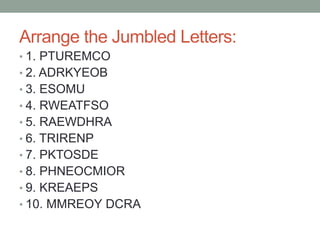
Arrange the Jumbled Letters:
• 1. PTUREMCO
• 2. ADRKYEOB
• 3. ESOMU
• 4. RWEATFSO
• 5. RAEWDHRA
• 6. TRIRENP
• 7. PKTOSDE
• 8. PHNEOCMIOR
• 9. KREAEPS
• 10. MMREOY DCRA
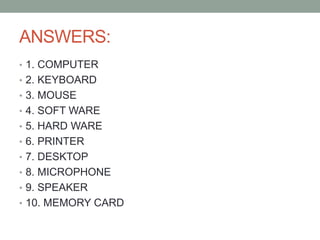
ANSWERS:
• 1. COMPUTER
• 2. KEYBOARD
• 3. MOUSE
• 4. SOFT WARE
• 5. HARD WARE
• 6. PRINTER
• 7. DESKTOP
• 8. MICROPHONE
• 9. SPEAKER
• 10. MEMORY CARD
Computers in a Changing World
• Many scientific and technological
advances mark the beginning of the
twentieth century. These advances
include inventions such as airplane,
television, and most especially the
computer. Computers are changing
our lives, they are sweeping away the
old ways of doing things with their
superb speed and reliability.
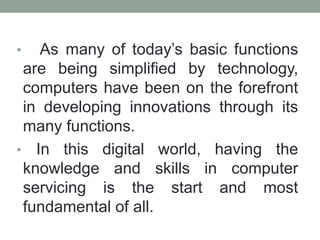
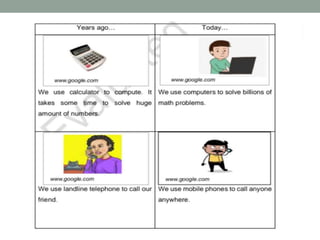
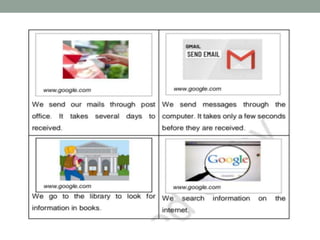
• As many of today’s basic functions
are being simplified by technology,
computers have been on the forefront
in developing innovations through its
many functions.
• In this digital world, having the
knowledge and skills in computer
servicing is the start and most
fundamental of all.
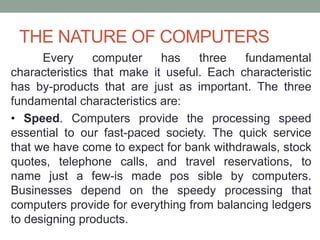
THE NATURE OF COMPUTERS
Every computer has three fundamental
characteristics that make it useful. Each characteristic
has by-products that are just as important. The three
fundamental characteristics are:
• Speed. Computers provide the processing speed
essential to our fast-paced society. The quick service
that we have come to expect for bank withdrawals, stock
quotes, telephone calls, and travel reservations, to
name just a few-is made pos sible by computers.
Businesses depend on the speedy processing that
computers provide for everything from balancing ledgers
to designing products.
• Reliability. Computers are extremely reliable. Of
course, you might not think this from some of the
stories you may have seen in the press about
"computer errors." However, most errors supposedly
made by computers are really human errors.
• • Storage Capability. Computer systems can store
tremendous amounts of data, which can be located
and retrieved efficiently. The capability to store
volumes of data is especially important in an
information age.
These three characteristics-speed, reliability, and
storage capability-have the following by-products:
• Productivity. When computers move into business
offices, managers expect increased productivity as
workers learn to use computers to do their jobs better
and faster. Furthermore, jobs such as punching holes
in metal or monitoring water levels can be more
efficiently controlled by computers.
• Decision making. To make decisions, managers need
to take into account finan cial, geographical, and
logistical factors. The computer helps decision makers
sort things out and make better choices.
• Cost reduction. Finally, because it improves
productivity and aids decision-making, the computer
helps us hold down the costs of labor, energy, and
paperwork. As a result, computers help reduce the
costs of goods and services in our economy.
Guess the Gibberish
•“Rubutocs”
-Robotics
•Heeduuukeeshan
-Education
WHERE COMPUTERS ARE USED
Computers can do just about anything imaginable, but
they really excel in certain areas. This section lists some of
the principal areas of computer use.
•Education. Most schools in the United States have
computers available for use in the classroom, and some
colleges require entering freshmen to bring their own. Many
educators prefer learning by doing-an approach uniquely
suited to the computer.
• Graphics. Business people make bar graphs and pie
charts to convey information with more impact than numbers
alone convey. Architects use computer-generated graphics
to experiment with possible exteriors and to give clients a
visual walk- through of proposed buildings. Finally, a new
kind of artist has emerged, one who uses computers to
• • Retailing. Products from meats to magazines are
packaged with bar codes that can be read by computer
scanners at supermarket checkout stands to determine
prices and help to manage inventory. Computers
operate behind the scenes too; for example, this book
was tracked from printer to warehouse to bookstore
with the help of computers and the bar code on the
back cover.
• Energy. Energy companies use computers to locate
oil, coal, natural gas, and uranium. Electric companies
use computers to monitor vast power networks. In
addition, meter readers use handheld computers to
record the amount of energy used each month in
homes and businesses.
• Law enforcement. Recent innovations in computerized
law enforcement include national fingerprint files, a
national file on the mode of operation of serial killers,
and the computer modeling of DNA, which can be used
to match traces of hair, blood, or other evidence found
at a crime scene to a suspect.
• Transportation. Computers are used in cars to monitor
fluid levels, tempera- tures, and electrical systems.
Computers also are used to help run rapid transit
systems, load container ships, and track railroad cars
across the country. The workers in an airport tower rely
on computers to help monitor air traffic.
• Money. Computers speed up record keeping and allow
banks to offer same-day services and even do-it-
yourself banking over the phone and Internet.
Computers have helped to fuel the cashless economy,
enabling the widespread use of credit cards and
instantaneous credit checks by banks and retailers.
• Agriculture. Farmers use small computers to help with
billing, crop information, cost per acre, feed
combinations, and market price checks. Cattle ranchers
can use computers for information about livestock
breeding and performance.
• Government. Among other tasks, the federal
government uses computers to forecast weather,
manage parks, process immigrants, produce Social
Security benefit checks, and collect taxes. State and
local governments also use computers routinely.
• Home. People have computers in their homes, often
justifying them as educational tools for their children. But
that is only the beginning. Personal computers are being
used at home to keep records, write letters, prepare
budgets, draw pictures, publish newsletters, and connect
with others.
• Health and medicine. Computers help to monitor the
seriously ill in intensive care units and provide cross-
sectional views of the body. Physicians can also use
computers to assist in diagnoses; in fact, computers have
been shown to correctly diagnose heart attacks more
frequently than physicians do. If you are one of the
thousands who suffer one miserable cold after another, you
will be happy to know that computers have been able to
map, in exquisite atomic detail, the structure of the human
cold virus-the first step toward a cure for the common cold.
• Robotics. Computers have paved the way for robots to
take over many of the jobs that are too unpleasant or too
dangerous for humans, such as opening packages that are
believed to contain bombs. Robots are best known for their
work in factories, but they can do many other things, not
the least of which is finding their way through the
bloodstream.
• The human connection. Are computers cold and
impersonal? The disabled do not think so; children, in
particular, consider the computer their main educational
tool. Can the disabled walk again? Some can, with the help
of computers. Can dancers and athletes improve their
performance? Maybe they can, by using computers to
monitor their movements. Can we learn more about our
ethnic backgrounds and our cultural history with the aid of
computers? Indeed we can.
• The sciences. Scientific researchers have long
benefited from the high-speed capabilities of
computers. Computers can simu- late environments,
emulate physical characteristics, and allow scientists
to provide proofs in a cost-effective manner. Also,
many mice and other animals-have been spared
since computer models have taken over their roles in
research.
• Connectivity. One of the most popular uses of
computers today is communicating with other people
who have computers. whether for business or
personal reasons. In addition, computers can give
people the option of working at their homes instead
of commuting to offices.
• Training. It is much cheaper to teach aspiring pilots to
fly in computerized training simulators than in real
airplanes. Novice railroad engineers can experience
running a train with the help of a computerized device.
Training simulations are relatively inexpensive and are
always available on a one-to-one basis, making for a
personal learning experience.
• Paperwork. In some ways the computer contributes to
paper use by adding to the amount of junk mail you
find in your mailbox. However, in many ways it cuts
down on paper handling. Using a computer, for
example, you might type several drafts of a term paper
before printing anything. Computerized record keeping
and ordering have also made paperwork more efficient.
•Computers are all around us. You have
been exposed to computer hype,
computer advertisements, and computer
headlines. You have interacted with
computers in your everyday life-at the
grocery store, your school, the library,
and more. You know more about
computers than you think you do. The
beginnings of computer literacy are
already apparent.
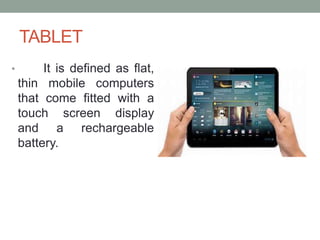
TABLET
• It is defined as flat,
thin mobile computers
that come fitted with a
touch screen display
and a rechargeable
battery.
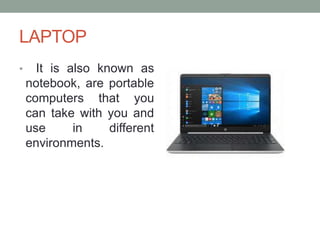
LAPTOP
• It is also known as
notebook, are portable
computers that you
can take with you and
use in different
environments.
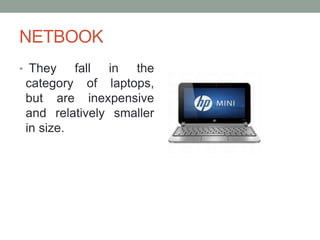
NETBOOK
• They fall in the
category of laptops,
but are inexpensive
and relatively smaller
in size.
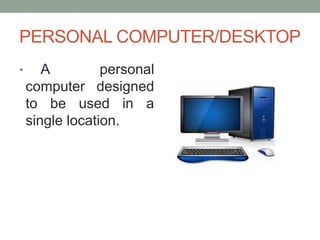
PERSONAL COMPUTER/DESKTOP
• A personal
computer designed
to be used in a
single location.
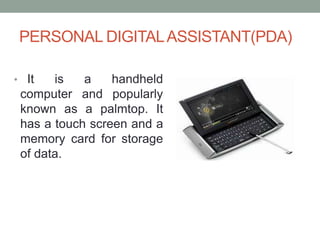
PERSONAL DIGITALASSISTANT(PDA)
• It is a handheld
computer and popularly
known as a palmtop. It
has a touch screen and a
memory card for storage
of data.
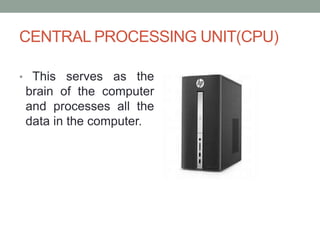
CENTRAL PROCESSING UNIT(CPU)
• This serves as the
brain of the computer
and processes all the
data in the computer.
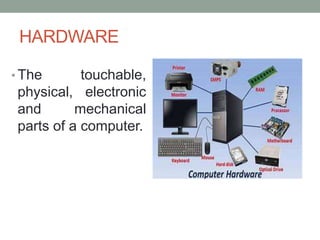
HARDWARE
• The touchable,
physical, electronic
and mechanical
parts of a computer.
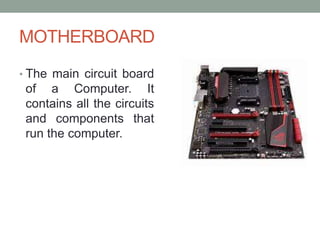
MOTHERBOARD
• The main circuit board
of a Computer. It
contains all the circuits
and components that
run the computer.
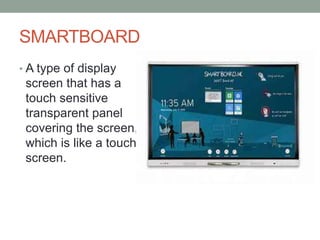
SMARTBOARD
• A type of display
screen that has a
touch sensitive
transparent panel
covering the screen,
which is like a touch
screen.
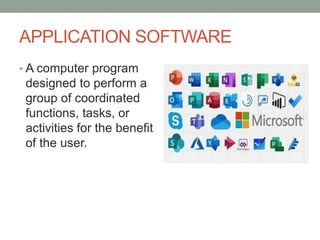
APPLICATION SOFTWARE
• A computer program
designed to perform a
group of coordinated
functions, tasks, or
activities for the benefit
of the user.
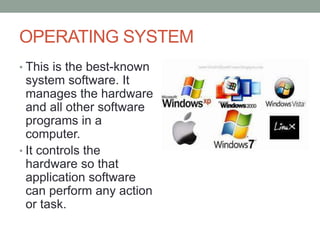
OPERATING SYSTEM
• This is the best-known
system software. It
manages the hardware
and all other software
programs in a
computer.
• It controls the
hardware so that
application software
can perform any action
or task.
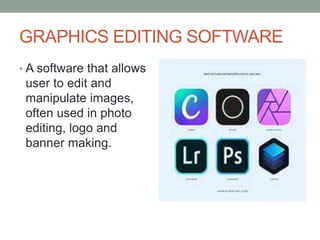
GRAPHICS EDITING SOFTWARE
• A software that allows
user to edit and
manipulate images,
often used in photo
editing, logo and
banner making.
Mac OS
•This operating
system is designed
only to run on
Apple Computers.
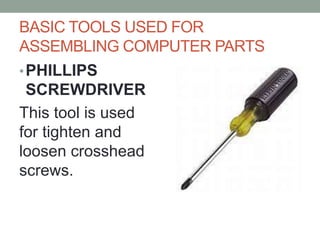
BASIC TOOLS USED FOR
ASSEMBLING COMPUTER PARTS
•PHILLIPS
SCREWDRIVER
This tool is used
for tighten and
loosen crosshead
screws.
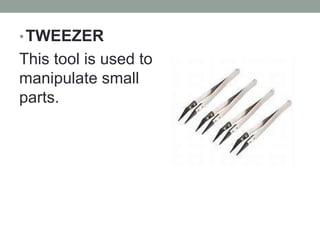
•TWEEZER
This tool is used to
manipulate small
parts.
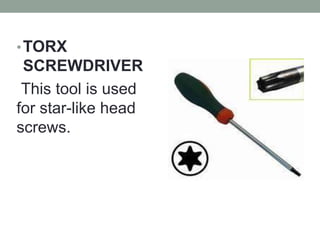
•TORX
SCREWDRIVER
This tool is used
for star-like head
screws.
THANK YOU FOR LISTENING! :)

COMPUTER-7 PRESENTATIONrgegegergergeg.pptx

  • 1.
  • 2.
    Arrange the JumbledLetters: • 1. PTUREMCO • 2. ADRKYEOB • 3. ESOMU • 4. RWEATFSO • 5. RAEWDHRA • 6. TRIRENP • 7. PKTOSDE • 8. PHNEOCMIOR • 9. KREAEPS • 10. MMREOY DCRA
  • 3.
    ANSWERS: • 1. COMPUTER •2. KEYBOARD • 3. MOUSE • 4. SOFT WARE • 5. HARD WARE • 6. PRINTER • 7. DESKTOP • 8. MICROPHONE • 9. SPEAKER • 10. MEMORY CARD
  • 4.
    Computers in aChanging World • Many scientific and technological advances mark the beginning of the twentieth century. These advances include inventions such as airplane, television, and most especially the computer. Computers are changing our lives, they are sweeping away the old ways of doing things with their superb speed and reliability.
  • 5.
    • As manyof today’s basic functions are being simplified by technology, computers have been on the forefront in developing innovations through its many functions. • In this digital world, having the knowledge and skills in computer servicing is the start and most fundamental of all.
  • 8.
    THE NATURE OFCOMPUTERS Every computer has three fundamental characteristics that make it useful. Each characteristic has by-products that are just as important. The three fundamental characteristics are: • Speed. Computers provide the processing speed essential to our fast-paced society. The quick service that we have come to expect for bank withdrawals, stock quotes, telephone calls, and travel reservations, to name just a few-is made pos sible by computers. Businesses depend on the speedy processing that computers provide for everything from balancing ledgers to designing products.
  • 9.
    • Reliability. Computersare extremely reliable. Of course, you might not think this from some of the stories you may have seen in the press about "computer errors." However, most errors supposedly made by computers are really human errors. • • Storage Capability. Computer systems can store tremendous amounts of data, which can be located and retrieved efficiently. The capability to store volumes of data is especially important in an information age. These three characteristics-speed, reliability, and storage capability-have the following by-products:
  • 10.
    • Productivity. Whencomputers move into business offices, managers expect increased productivity as workers learn to use computers to do their jobs better and faster. Furthermore, jobs such as punching holes in metal or monitoring water levels can be more efficiently controlled by computers. • Decision making. To make decisions, managers need to take into account finan cial, geographical, and logistical factors. The computer helps decision makers sort things out and make better choices. • Cost reduction. Finally, because it improves productivity and aids decision-making, the computer helps us hold down the costs of labor, energy, and paperwork. As a result, computers help reduce the costs of goods and services in our economy.

  • 11.
  • 12.
    WHERE COMPUTERS AREUSED Computers can do just about anything imaginable, but they really excel in certain areas. This section lists some of the principal areas of computer use. •Education. Most schools in the United States have computers available for use in the classroom, and some colleges require entering freshmen to bring their own. Many educators prefer learning by doing-an approach uniquely suited to the computer. • Graphics. Business people make bar graphs and pie charts to convey information with more impact than numbers alone convey. Architects use computer-generated graphics to experiment with possible exteriors and to give clients a visual walk- through of proposed buildings. Finally, a new kind of artist has emerged, one who uses computers to
  • 13.
    • • Retailing.Products from meats to magazines are packaged with bar codes that can be read by computer scanners at supermarket checkout stands to determine prices and help to manage inventory. Computers operate behind the scenes too; for example, this book was tracked from printer to warehouse to bookstore with the help of computers and the bar code on the back cover. • Energy. Energy companies use computers to locate oil, coal, natural gas, and uranium. Electric companies use computers to monitor vast power networks. In addition, meter readers use handheld computers to record the amount of energy used each month in homes and businesses.
  • 14.
    • Law enforcement.Recent innovations in computerized law enforcement include national fingerprint files, a national file on the mode of operation of serial killers, and the computer modeling of DNA, which can be used to match traces of hair, blood, or other evidence found at a crime scene to a suspect. • Transportation. Computers are used in cars to monitor fluid levels, tempera- tures, and electrical systems. Computers also are used to help run rapid transit systems, load container ships, and track railroad cars across the country. The workers in an airport tower rely on computers to help monitor air traffic.
  • 15.
    • Money. Computersspeed up record keeping and allow banks to offer same-day services and even do-it- yourself banking over the phone and Internet. Computers have helped to fuel the cashless economy, enabling the widespread use of credit cards and instantaneous credit checks by banks and retailers. • Agriculture. Farmers use small computers to help with billing, crop information, cost per acre, feed combinations, and market price checks. Cattle ranchers can use computers for information about livestock breeding and performance. • Government. Among other tasks, the federal government uses computers to forecast weather, manage parks, process immigrants, produce Social Security benefit checks, and collect taxes. State and local governments also use computers routinely.
  • 16.
    • Home. Peoplehave computers in their homes, often justifying them as educational tools for their children. But that is only the beginning. Personal computers are being used at home to keep records, write letters, prepare budgets, draw pictures, publish newsletters, and connect with others. • Health and medicine. Computers help to monitor the seriously ill in intensive care units and provide cross- sectional views of the body. Physicians can also use computers to assist in diagnoses; in fact, computers have been shown to correctly diagnose heart attacks more frequently than physicians do. If you are one of the thousands who suffer one miserable cold after another, you will be happy to know that computers have been able to map, in exquisite atomic detail, the structure of the human cold virus-the first step toward a cure for the common cold.
  • 17.
    • Robotics. Computershave paved the way for robots to take over many of the jobs that are too unpleasant or too dangerous for humans, such as opening packages that are believed to contain bombs. Robots are best known for their work in factories, but they can do many other things, not the least of which is finding their way through the bloodstream. • The human connection. Are computers cold and impersonal? The disabled do not think so; children, in particular, consider the computer their main educational tool. Can the disabled walk again? Some can, with the help of computers. Can dancers and athletes improve their performance? Maybe they can, by using computers to monitor their movements. Can we learn more about our ethnic backgrounds and our cultural history with the aid of computers? Indeed we can.
  • 18.
    • The sciences.Scientific researchers have long benefited from the high-speed capabilities of computers. Computers can simu- late environments, emulate physical characteristics, and allow scientists to provide proofs in a cost-effective manner. Also, many mice and other animals-have been spared since computer models have taken over their roles in research. • Connectivity. One of the most popular uses of computers today is communicating with other people who have computers. whether for business or personal reasons. In addition, computers can give people the option of working at their homes instead of commuting to offices.
  • 19.
    • Training. Itis much cheaper to teach aspiring pilots to fly in computerized training simulators than in real airplanes. Novice railroad engineers can experience running a train with the help of a computerized device. Training simulations are relatively inexpensive and are always available on a one-to-one basis, making for a personal learning experience. • Paperwork. In some ways the computer contributes to paper use by adding to the amount of junk mail you find in your mailbox. However, in many ways it cuts down on paper handling. Using a computer, for example, you might type several drafts of a term paper before printing anything. Computerized record keeping and ordering have also made paperwork more efficient.
  • 20.
    •Computers are allaround us. You have been exposed to computer hype, computer advertisements, and computer headlines. You have interacted with computers in your everyday life-at the grocery store, your school, the library, and more. You know more about computers than you think you do. The beginnings of computer literacy are already apparent.
  • 21.
    TABLET • It isdefined as flat, thin mobile computers that come fitted with a touch screen display and a rechargeable battery.
  • 22.
    LAPTOP • It isalso known as notebook, are portable computers that you can take with you and use in different environments.
  • 23.
    NETBOOK • They fallin the category of laptops, but are inexpensive and relatively smaller in size.
  • 24.
    PERSONAL COMPUTER/DESKTOP • Apersonal computer designed to be used in a single location.
  • 25.
    PERSONAL DIGITALASSISTANT(PDA) • Itis a handheld computer and popularly known as a palmtop. It has a touch screen and a memory card for storage of data.
  • 26.
    CENTRAL PROCESSING UNIT(CPU) •This serves as the brain of the computer and processes all the data in the computer.
  • 27.
    HARDWARE • The touchable, physical,electronic and mechanical parts of a computer.
  • 28.
    MOTHERBOARD • The maincircuit board of a Computer. It contains all the circuits and components that run the computer.
  • 29.
    SMARTBOARD • A typeof display screen that has a touch sensitive transparent panel covering the screen, which is like a touch screen.
  • 30.
    APPLICATION SOFTWARE • Acomputer program designed to perform a group of coordinated functions, tasks, or activities for the benefit of the user.
  • 31.
    OPERATING SYSTEM • Thisis the best-known system software. It manages the hardware and all other software programs in a computer. • It controls the hardware so that application software can perform any action or task.
  • 32.
    GRAPHICS EDITING SOFTWARE •A software that allows user to edit and manipulate images, often used in photo editing, logo and banner making.
  • 33.
    Mac OS •This operating systemis designed only to run on Apple Computers.
  • 34.
    BASIC TOOLS USEDFOR ASSEMBLING COMPUTER PARTS •PHILLIPS SCREWDRIVER This tool is used for tighten and loosen crosshead screws.
  • 35.
    •TWEEZER This tool isused to manipulate small parts.
  • 36.
    •TORX SCREWDRIVER This tool isused for star-like head screws.
  • 37.
    THANK YOU FORLISTENING! :)