AMAZON NETWORK
SECURITY
VPC ( VIRTUAL PRIVATE CLOUD )
What is Amazon VPC?
Amazon Virtual Private Cloud (Amazon VPC) enables you to define a virtual network
in your own logically isolated area within the AWS cloud, known as a virtual private
cloud (VPC).
 You can launch your AWS resources, such as instances, RDS, Route 53, S3, WorkDocs
etc., into your VPC.
 You can configure your VPC; you can select its IP address range, create subnets, and
configure route tables, network gateways, and security settings. You can connect
instances in your VPC to the Internet. You can connect your VPC to your own
corporate data center, making the AWS cloud an extension of your data center.
 To protect the resources in each subnet, you can use multiple layers of security,
including security groups and network access control lists
BENEFITS OF USING A VPC
 By launching your instances into a VPC instead of EC2-Classic, you gain the ability
to:
 Assign static private IP addresses to your instances that persist across starts and
stops
 Assign multiple IP addresses to your instances
 Define network interfaces, and attach one or more network interfaces to your
instances
 Change security group membership for your instances while they're running
 Control the outbound traffic from your instances (egress filtering) in addition to
controlling the inbound traffic to them (ingress filtering)
 Add an additional layer of access control to your instances in the form of network
access control lists (ACL)
 Run your instances on single-tenant hardware
What is EC2-VPC and EC2-Classic?
 If you created your account after 2013-12-04, it supports EC2-VPC only, they
created a default VPC for you. A default VPC is a VPC that is already configured
and ready for you to use. You can launch instances into your default VPC
immediately.
 If you created your AWS account before 2013-03-18, it supports both EC2-Classic
and EC2-VPC But by default launch the instance into EC2-Classic only, Because of
this they created a default VPC in each region.
 If you created your AWS account between 2013-03-18 and 2013-12-04, it may
support only EC2-VPC, or it may support both EC2-Classic and EC2-VPC in some of
the regions that you've used. For information about detecting the platform support
in each region for your AWS account
DIFFERENCES BETWEEN EC2-CLASSIC AND EC2-VPC
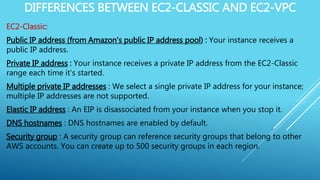
EC2-Classic:
Public IP address (from Amazon's public IP address pool) : Your instance receives a
public IP address.
Private IP address : Your instance receives a private IP address from the EC2-Classic
range each time it's started.
Multiple private IP addresses : We select a single private IP address for your instance;
multiple IP addresses are not supported.
Elastic IP address : An EIP is disassociated from your instance when you stop it.
DNS hostnames : DNS hostnames are enabled by default.
Security group : A security group can reference security groups that belong to other
AWS accounts. You can create up to 500 security groups in each region.
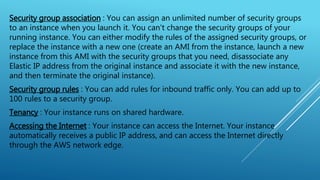
Security group association : You can assign an unlimited number of security groups
to an instance when you launch it. You can't change the security groups of your
running instance. You can either modify the rules of the assigned security groups, or
replace the instance with a new one (create an AMI from the instance, launch a new
instance from this AMI with the security groups that you need, disassociate any
Elastic IP address from the original instance and associate it with the new instance,
and then terminate the original instance).
Security group rules : You can add rules for inbound traffic only. You can add up to
100 rules to a security group.
Tenancy : Your instance runs on shared hardware.
Accessing the Internet : Your instance can access the Internet. Your instance
automatically receives a public IP address, and can access the Internet directly
through the AWS network edge.
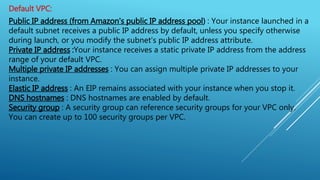
Default VPC:
Public IP address (from Amazon's public IP address pool) : Your instance launched in a
default subnet receives a public IP address by default, unless you specify otherwise
during launch, or you modify the subnet's public IP address attribute.
Private IP address :Your instance receives a static private IP address from the address
range of your default VPC.
Multiple private IP addresses : You can assign multiple private IP addresses to your
instance.
Elastic IP address : An EIP remains associated with your instance when you stop it.
DNS hostnames : DNS hostnames are enabled by default.
Security group : A security group can reference security groups for your VPC only.
You can create up to 100 security groups per VPC.
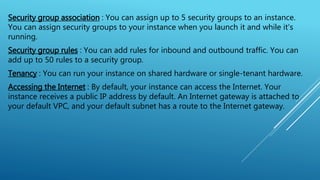
Security group association : You can assign up to 5 security groups to an instance.
You can assign security groups to your instance when you launch it and while it's
running.
Security group rules : You can add rules for inbound and outbound traffic. You can
add up to 50 rules to a security group.
Tenancy : You can run your instance on shared hardware or single-tenant hardware.
Accessing the Internet : By default, your instance can access the Internet. Your
instance receives a public IP address by default. An Internet gateway is attached to
your default VPC, and your default subnet has a route to the Internet gateway.
Non-Default VPC:
Public IP address (from Amazon's public IP address pool) : Your instance doesn't
receive a public IP address by default, unless you specify otherwise during launch, or
you modify the subnet's public IP address attribute.
Private IP address :Your instance receives a static private IP address from the address
range of your VPC.
Multiple private IP addresses : You can assign multiple private IP addresses to your
instance.
Elastic IP address : An EIP remains associated with your instance when you stop it.
DNS hostnames : DNS hostnames are disabled by default.
Security group : A security group can reference security groups for your VPC only.
You can create up to 100 security groups per VPC.
Security group association: You can assign up to 5 security groups to an instance. You
can assign security groups to your instance when you launch it and while it's running.
Security group rules: You can add rules for inbound and outbound traffic. You can add
up to 50 rules to a security group.
Tenancy: You can run your instance on shared hardware or single-tenant hardware.
Accessing the Internet: By default, your instance cannot access the Internet. Your
instance doesn't receive a public IP address by default. Your VPC may have an Internet
gateway, depending on how it was created.
NETWORK SECURITY (FIREWALL)
Amazon VPC provides three features that you can use to increase and monitor the security for your
VPC:
Security groups — Act as a firewall for associated Amazon EC2 instances, controlling both inbound
and outbound traffic at the instance level
Network access control lists (ACLs) — Act as a firewall for associated subnets, controlling both
inbound and outbound traffic at the subnet level
Flow logs — Capture information about the IP traffic going to and from network interfaces in your
VPC
When you launch an instance in a VPC, you can associate one or more security groups that you've
created. Each instance in your VPC could belong to a different set of security groups. If you don't
specify a security group when you launch an instance, the instance automatically belongs to the
default security group for the VPC.
SECURITY GROUP
What is Security Group?
A security group acts as a virtual firewall to control the traffic for its associated
instances. To use a security group, you add the inbound rules to control incoming
traffic to the instance, and outbound rules to control the outgoing traffic from your
instance. To associate a security group with an instance, you specify the security group
when you launch the instance. If you add and remove rules from the security group,
we apply those changes to the instances associated with the security group
automatically.
our VPC comes with a default security group. Any instance not associated with another
security group during launch is associated with the default security group. In this
exercise, you'll create a new security group, WebServerSG, and specify this security
group when you launch an instance into your VPC.
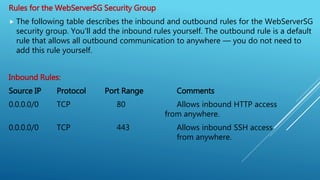
Rules for the WebServerSG Security Group
 The following table describes the inbound and outbound rules for the WebServerSG
security group. You'll add the inbound rules yourself. The outbound rule is a default
rule that allows all outbound communication to anywhere — you do not need to
add this rule yourself.
Inbound Rules:
Source IP Protocol Port Range Comments
0.0.0.0/0 TCP 80 Allows inbound HTTP access
from anywhere.
0.0.0.0/0 TCP 443 Allows inbound SSH access
from anywhere.
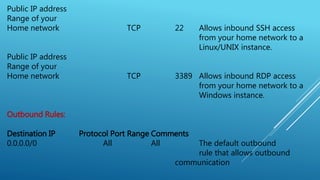
Public IP address
Range of your
Home network TCP 22 Allows inbound SSH access
from your home network to a
Linux/UNIX instance.
Public IP address
Range of your
Home network TCP 3389 Allows inbound RDP access
from your home network to a
Windows instance.
Outbound Rules:
Destination IP Protocol Port Range Comments
0.0.0.0/0 All All The default outbound
rule that allows outbound
communication
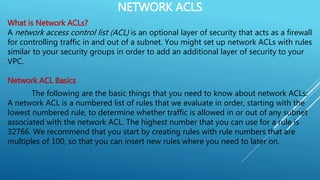
NETWORK ACLS
What is Network ACLs?
A network access control list (ACL) is an optional layer of security that acts as a firewall
for controlling traffic in and out of a subnet. You might set up network ACLs with rules
similar to your security groups in order to add an additional layer of security to your
VPC.
Network ACL Basics
The following are the basic things that you need to know about network ACLs:
A network ACL is a numbered list of rules that we evaluate in order, starting with the
lowest numbered rule, to determine whether traffic is allowed in or out of any subnet
associated with the network ACL. The highest number that you can use for a rule is
32766. We recommend that you start by creating rules with rule numbers that are
multiples of 100, so that you can insert new rules where you need to later on.
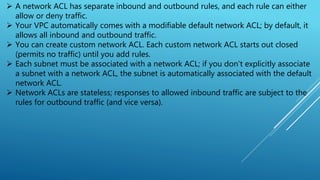
 A network ACL has separate inbound and outbound rules, and each rule can either
allow or deny traffic.
 Your VPC automatically comes with a modifiable default network ACL; by default, it
allows all inbound and outbound traffic.
 You can create custom network ACL. Each custom network ACL starts out closed
(permits no traffic) until you add rules.
 Each subnet must be associated with a network ACL; if you don't explicitly associate
a subnet with a network ACL, the subnet is automatically associated with the default
network ACL.
 Network ACLs are stateless; responses to allowed inbound traffic are subject to the
rules for outbound traffic (and vice versa).
Network ACL Rules:
You can add or remove rules from the default network ACL, or create additional
network ACLs for your VPC. When you add or remove rules from a network ACL, the
changes are automatically applied to the subnets it's associated with.
The following are the parts of a network ACL rule:
Rule number. Rules are evaluated starting with the lowest numbered rule. As soon as a
rule matches traffic, it's applied regardless of any higher-numbered rule that may
contradict it.
Protocol. You can specify any protocol that has a standard protocol number. If you
specify ICMP as the protocol, you can specify any or all of the ICMP types and codes.
[Inbound rules only] The source of the traffic (CIDR range) and the destination
(listening) port or port range.
[Outbound rules only] The destination for the traffic (CIDR range) and the destination
port or port range.
Choice of ALLOW or DENY for the specified traffic.
THANK YOU

Amazon Network Security

  • 1.
  • 2.
    VPC ( VIRTUALPRIVATE CLOUD ) What is Amazon VPC? Amazon Virtual Private Cloud (Amazon VPC) enables you to define a virtual network in your own logically isolated area within the AWS cloud, known as a virtual private cloud (VPC).  You can launch your AWS resources, such as instances, RDS, Route 53, S3, WorkDocs etc., into your VPC.  You can configure your VPC; you can select its IP address range, create subnets, and configure route tables, network gateways, and security settings. You can connect instances in your VPC to the Internet. You can connect your VPC to your own corporate data center, making the AWS cloud an extension of your data center.  To protect the resources in each subnet, you can use multiple layers of security, including security groups and network access control lists
  • 3.
    BENEFITS OF USINGA VPC  By launching your instances into a VPC instead of EC2-Classic, you gain the ability to:  Assign static private IP addresses to your instances that persist across starts and stops  Assign multiple IP addresses to your instances  Define network interfaces, and attach one or more network interfaces to your instances  Change security group membership for your instances while they're running  Control the outbound traffic from your instances (egress filtering) in addition to controlling the inbound traffic to them (ingress filtering)  Add an additional layer of access control to your instances in the form of network access control lists (ACL)  Run your instances on single-tenant hardware
  • 4.
    What is EC2-VPCand EC2-Classic?  If you created your account after 2013-12-04, it supports EC2-VPC only, they created a default VPC for you. A default VPC is a VPC that is already configured and ready for you to use. You can launch instances into your default VPC immediately.  If you created your AWS account before 2013-03-18, it supports both EC2-Classic and EC2-VPC But by default launch the instance into EC2-Classic only, Because of this they created a default VPC in each region.  If you created your AWS account between 2013-03-18 and 2013-12-04, it may support only EC2-VPC, or it may support both EC2-Classic and EC2-VPC in some of the regions that you've used. For information about detecting the platform support in each region for your AWS account
  • 5.
    DIFFERENCES BETWEEN EC2-CLASSICAND EC2-VPC EC2-Classic: Public IP address (from Amazon's public IP address pool) : Your instance receives a public IP address. Private IP address : Your instance receives a private IP address from the EC2-Classic range each time it's started. Multiple private IP addresses : We select a single private IP address for your instance; multiple IP addresses are not supported. Elastic IP address : An EIP is disassociated from your instance when you stop it. DNS hostnames : DNS hostnames are enabled by default. Security group : A security group can reference security groups that belong to other AWS accounts. You can create up to 500 security groups in each region.
  • 6.
    Security group association: You can assign an unlimited number of security groups to an instance when you launch it. You can't change the security groups of your running instance. You can either modify the rules of the assigned security groups, or replace the instance with a new one (create an AMI from the instance, launch a new instance from this AMI with the security groups that you need, disassociate any Elastic IP address from the original instance and associate it with the new instance, and then terminate the original instance). Security group rules : You can add rules for inbound traffic only. You can add up to 100 rules to a security group. Tenancy : Your instance runs on shared hardware. Accessing the Internet : Your instance can access the Internet. Your instance automatically receives a public IP address, and can access the Internet directly through the AWS network edge.
  • 7.
    Default VPC: Public IPaddress (from Amazon's public IP address pool) : Your instance launched in a default subnet receives a public IP address by default, unless you specify otherwise during launch, or you modify the subnet's public IP address attribute. Private IP address :Your instance receives a static private IP address from the address range of your default VPC. Multiple private IP addresses : You can assign multiple private IP addresses to your instance. Elastic IP address : An EIP remains associated with your instance when you stop it. DNS hostnames : DNS hostnames are enabled by default. Security group : A security group can reference security groups for your VPC only. You can create up to 100 security groups per VPC.
  • 8.
    Security group association: You can assign up to 5 security groups to an instance. You can assign security groups to your instance when you launch it and while it's running. Security group rules : You can add rules for inbound and outbound traffic. You can add up to 50 rules to a security group. Tenancy : You can run your instance on shared hardware or single-tenant hardware. Accessing the Internet : By default, your instance can access the Internet. Your instance receives a public IP address by default. An Internet gateway is attached to your default VPC, and your default subnet has a route to the Internet gateway.
  • 9.
    Non-Default VPC: Public IPaddress (from Amazon's public IP address pool) : Your instance doesn't receive a public IP address by default, unless you specify otherwise during launch, or you modify the subnet's public IP address attribute. Private IP address :Your instance receives a static private IP address from the address range of your VPC. Multiple private IP addresses : You can assign multiple private IP addresses to your instance. Elastic IP address : An EIP remains associated with your instance when you stop it. DNS hostnames : DNS hostnames are disabled by default. Security group : A security group can reference security groups for your VPC only. You can create up to 100 security groups per VPC.
  • 10.
    Security group association:You can assign up to 5 security groups to an instance. You can assign security groups to your instance when you launch it and while it's running. Security group rules: You can add rules for inbound and outbound traffic. You can add up to 50 rules to a security group. Tenancy: You can run your instance on shared hardware or single-tenant hardware. Accessing the Internet: By default, your instance cannot access the Internet. Your instance doesn't receive a public IP address by default. Your VPC may have an Internet gateway, depending on how it was created.
  • 11.
    NETWORK SECURITY (FIREWALL) AmazonVPC provides three features that you can use to increase and monitor the security for your VPC: Security groups — Act as a firewall for associated Amazon EC2 instances, controlling both inbound and outbound traffic at the instance level Network access control lists (ACLs) — Act as a firewall for associated subnets, controlling both inbound and outbound traffic at the subnet level Flow logs — Capture information about the IP traffic going to and from network interfaces in your VPC When you launch an instance in a VPC, you can associate one or more security groups that you've created. Each instance in your VPC could belong to a different set of security groups. If you don't specify a security group when you launch an instance, the instance automatically belongs to the default security group for the VPC.
  • 12.
    SECURITY GROUP What isSecurity Group? A security group acts as a virtual firewall to control the traffic for its associated instances. To use a security group, you add the inbound rules to control incoming traffic to the instance, and outbound rules to control the outgoing traffic from your instance. To associate a security group with an instance, you specify the security group when you launch the instance. If you add and remove rules from the security group, we apply those changes to the instances associated with the security group automatically. our VPC comes with a default security group. Any instance not associated with another security group during launch is associated with the default security group. In this exercise, you'll create a new security group, WebServerSG, and specify this security group when you launch an instance into your VPC.
  • 13.
    Rules for theWebServerSG Security Group  The following table describes the inbound and outbound rules for the WebServerSG security group. You'll add the inbound rules yourself. The outbound rule is a default rule that allows all outbound communication to anywhere — you do not need to add this rule yourself. Inbound Rules: Source IP Protocol Port Range Comments 0.0.0.0/0 TCP 80 Allows inbound HTTP access from anywhere. 0.0.0.0/0 TCP 443 Allows inbound SSH access from anywhere.
  • 14.
    Public IP address Rangeof your Home network TCP 22 Allows inbound SSH access from your home network to a Linux/UNIX instance. Public IP address Range of your Home network TCP 3389 Allows inbound RDP access from your home network to a Windows instance. Outbound Rules: Destination IP Protocol Port Range Comments 0.0.0.0/0 All All The default outbound rule that allows outbound communication
  • 15.
    NETWORK ACLS What isNetwork ACLs? A network access control list (ACL) is an optional layer of security that acts as a firewall for controlling traffic in and out of a subnet. You might set up network ACLs with rules similar to your security groups in order to add an additional layer of security to your VPC. Network ACL Basics The following are the basic things that you need to know about network ACLs: A network ACL is a numbered list of rules that we evaluate in order, starting with the lowest numbered rule, to determine whether traffic is allowed in or out of any subnet associated with the network ACL. The highest number that you can use for a rule is 32766. We recommend that you start by creating rules with rule numbers that are multiples of 100, so that you can insert new rules where you need to later on.
  • 16.
     A networkACL has separate inbound and outbound rules, and each rule can either allow or deny traffic.  Your VPC automatically comes with a modifiable default network ACL; by default, it allows all inbound and outbound traffic.  You can create custom network ACL. Each custom network ACL starts out closed (permits no traffic) until you add rules.  Each subnet must be associated with a network ACL; if you don't explicitly associate a subnet with a network ACL, the subnet is automatically associated with the default network ACL.  Network ACLs are stateless; responses to allowed inbound traffic are subject to the rules for outbound traffic (and vice versa).
  • 17.
    Network ACL Rules: Youcan add or remove rules from the default network ACL, or create additional network ACLs for your VPC. When you add or remove rules from a network ACL, the changes are automatically applied to the subnets it's associated with. The following are the parts of a network ACL rule: Rule number. Rules are evaluated starting with the lowest numbered rule. As soon as a rule matches traffic, it's applied regardless of any higher-numbered rule that may contradict it. Protocol. You can specify any protocol that has a standard protocol number. If you specify ICMP as the protocol, you can specify any or all of the ICMP types and codes. [Inbound rules only] The source of the traffic (CIDR range) and the destination (listening) port or port range. [Outbound rules only] The destination for the traffic (CIDR range) and the destination port or port range. Choice of ALLOW or DENY for the specified traffic.
  • 18.