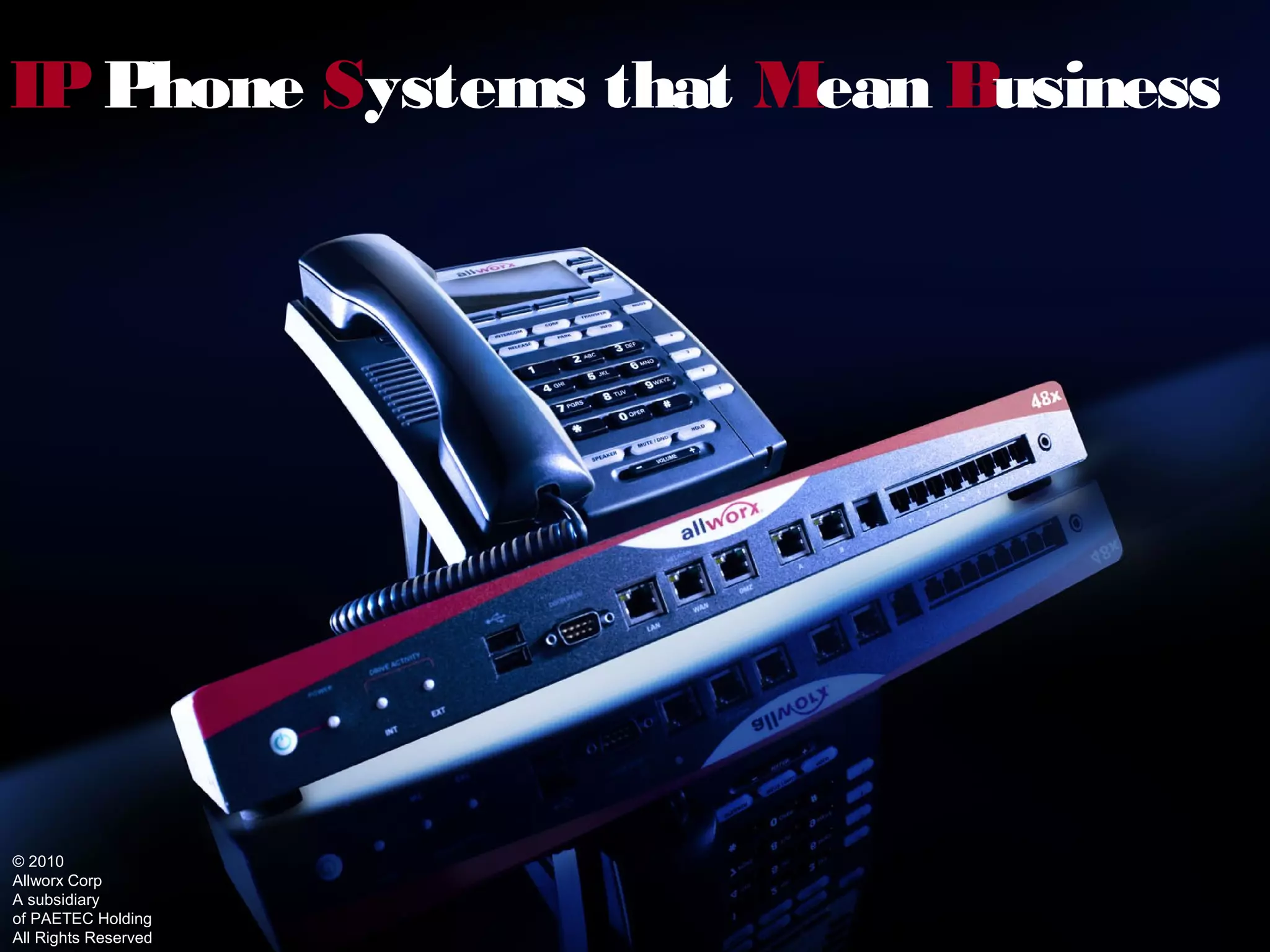
IP Phone Systems that Mean Business


© 2010
Allworx Corp
A subsidiary
of PAETEC Holding
All Rights Reserved
W Does Allworx Deliver?
 hat


Satisfy Customer Needs with Low Total Cost of
Ownership
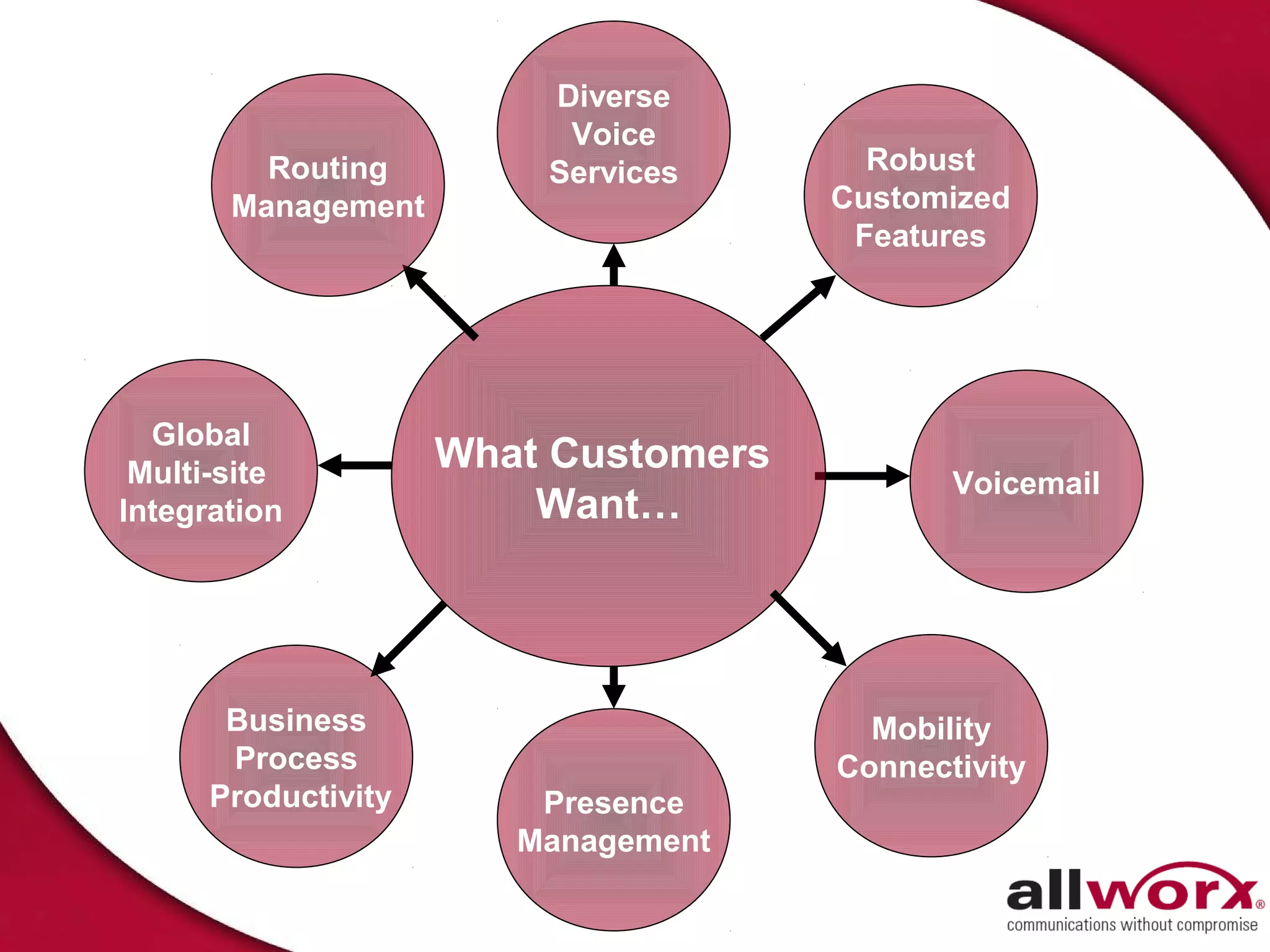
Diverse
                          Voice
         Routing         Services       Robust
       Management                     Customized
                                       Features


  Global
 Multi-site          What Customers
                                             Voicemail
Integration              Want…


       Business                         Mobility
       Process                        Connectivity
      Productivity       Presence
                        Management
Some of Our 12,000+ Customers
From Visionary
     Beginnings…To Today
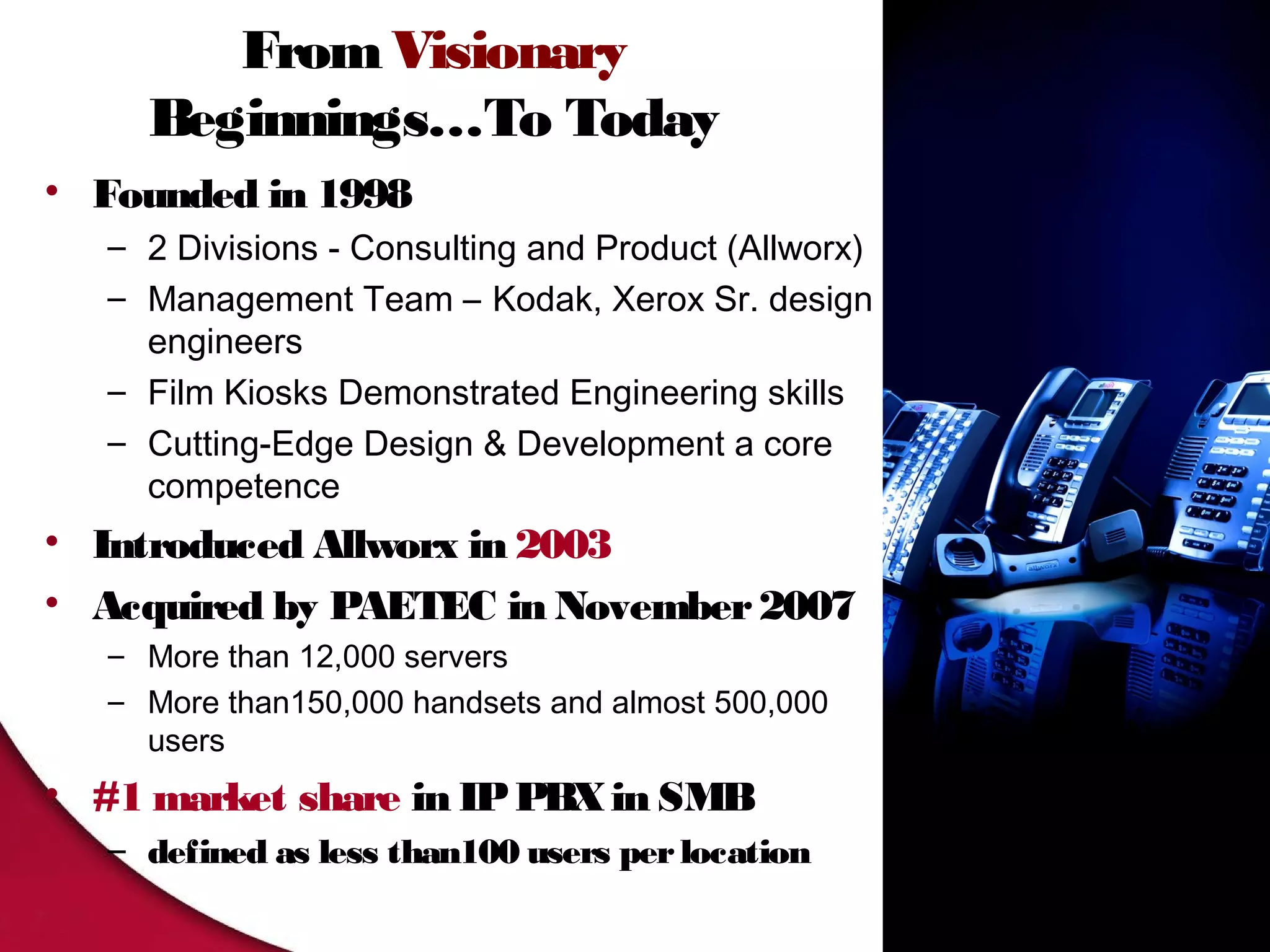
• Founded in 1998
   – 2 Divisions - Consulting and Product (Allworx)
   – Management Team – Kodak, Xerox Sr. design
     engineers
   – Film Kiosks Demonstrated Engineering skills
   – Cutting-Edge Design & Development a core
     competence
• Introduced Allworx in 2003
• Acquired by PAETEC in November 2007
   – More than 12,000 servers
   – More than150,000 handsets and almost 500,000
     users
• #1 market share in IP PBX in SMB
   – defined as less than100 users per location
Top Reasons To Believe
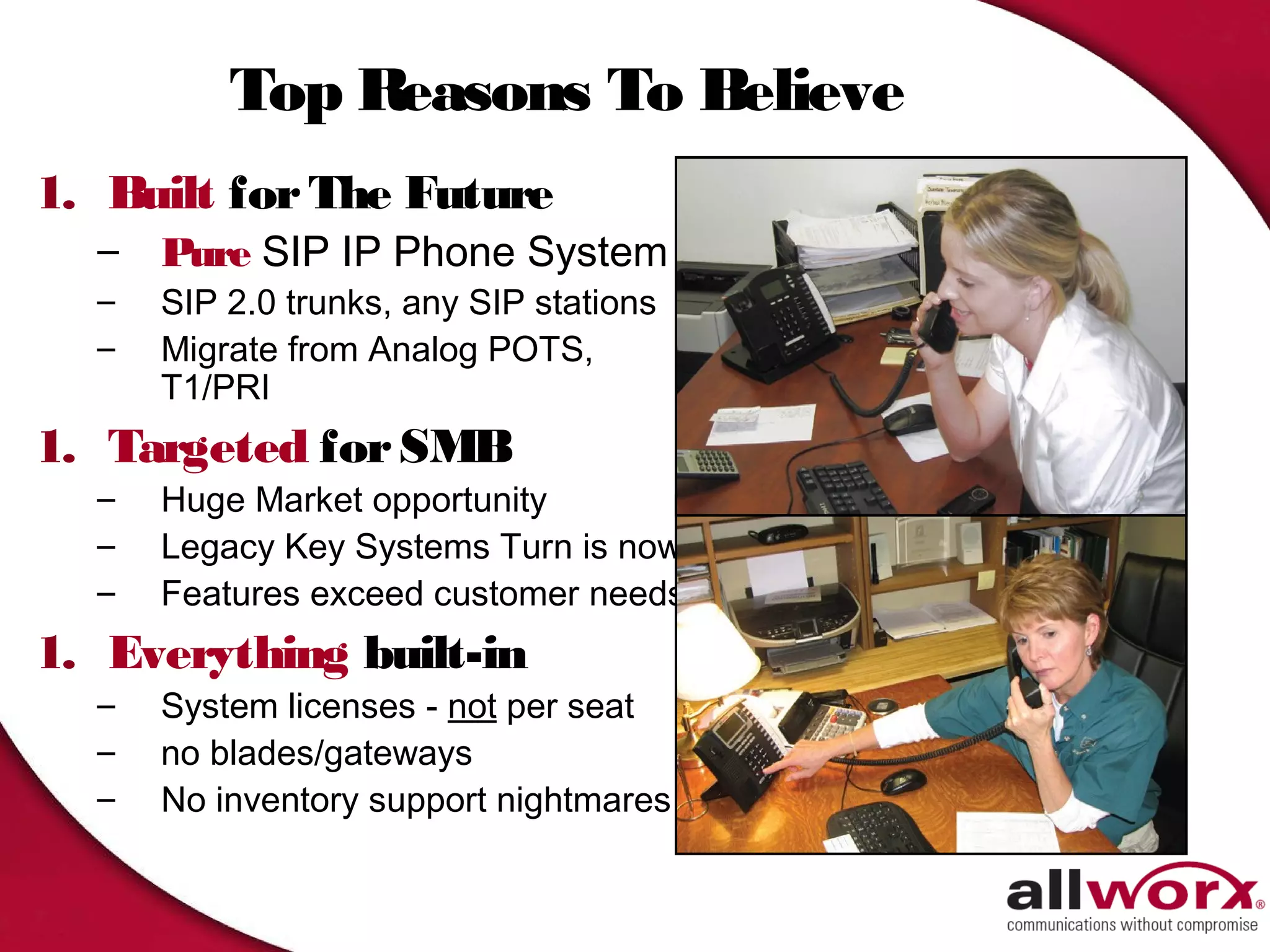
1. Built for The Future
  –   Pure SIP IP Phone System
  –   SIP 2.0 trunks, any SIP stations
  –   Migrate from Analog POTS,
      T1/PRI
1. Targeted for SMB
  –   Huge Market opportunity
  –   Legacy Key Systems Turn is now
  –   Features exceed customer needs
1. Everything built-in
  –   System licenses - not per seat
  –   no blades/gateways
  –   No inventory support nightmares
Key Differentiators
4.   Easy to install – Easier to maintain
5.   Compelling Software Evolution
6.   Lowest Total Cost of Ownership
7.   Foundation for Managed Services
8.   Solves Current Customers problems…and then
     some
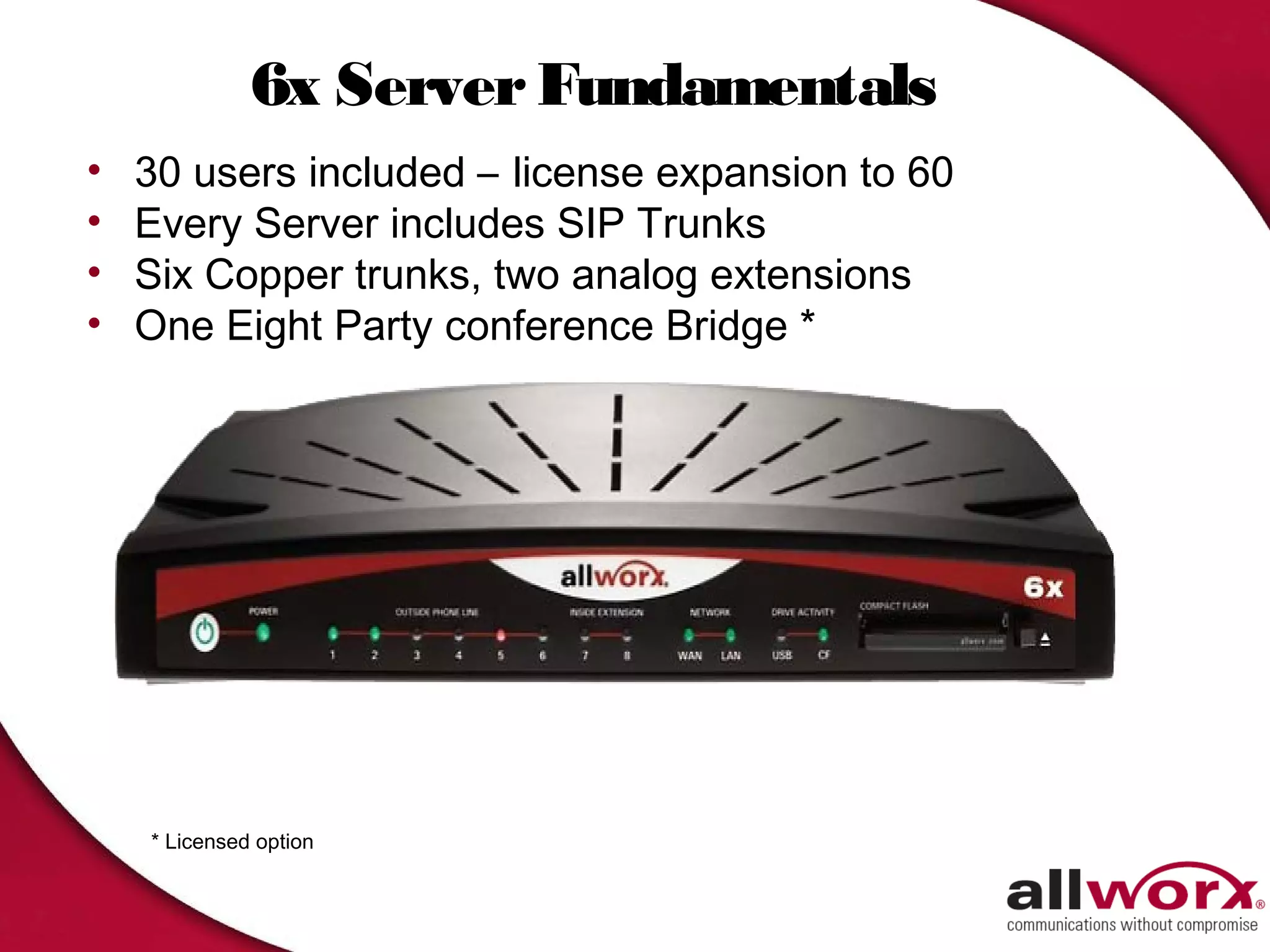
6x Server Fundamentals
•   30 users included – license expansion to 60
•   Every Server includes SIP Trunks
•   Six Copper trunks, two analog extensions
•   One Eight Party conference Bridge *


    * Licensed option
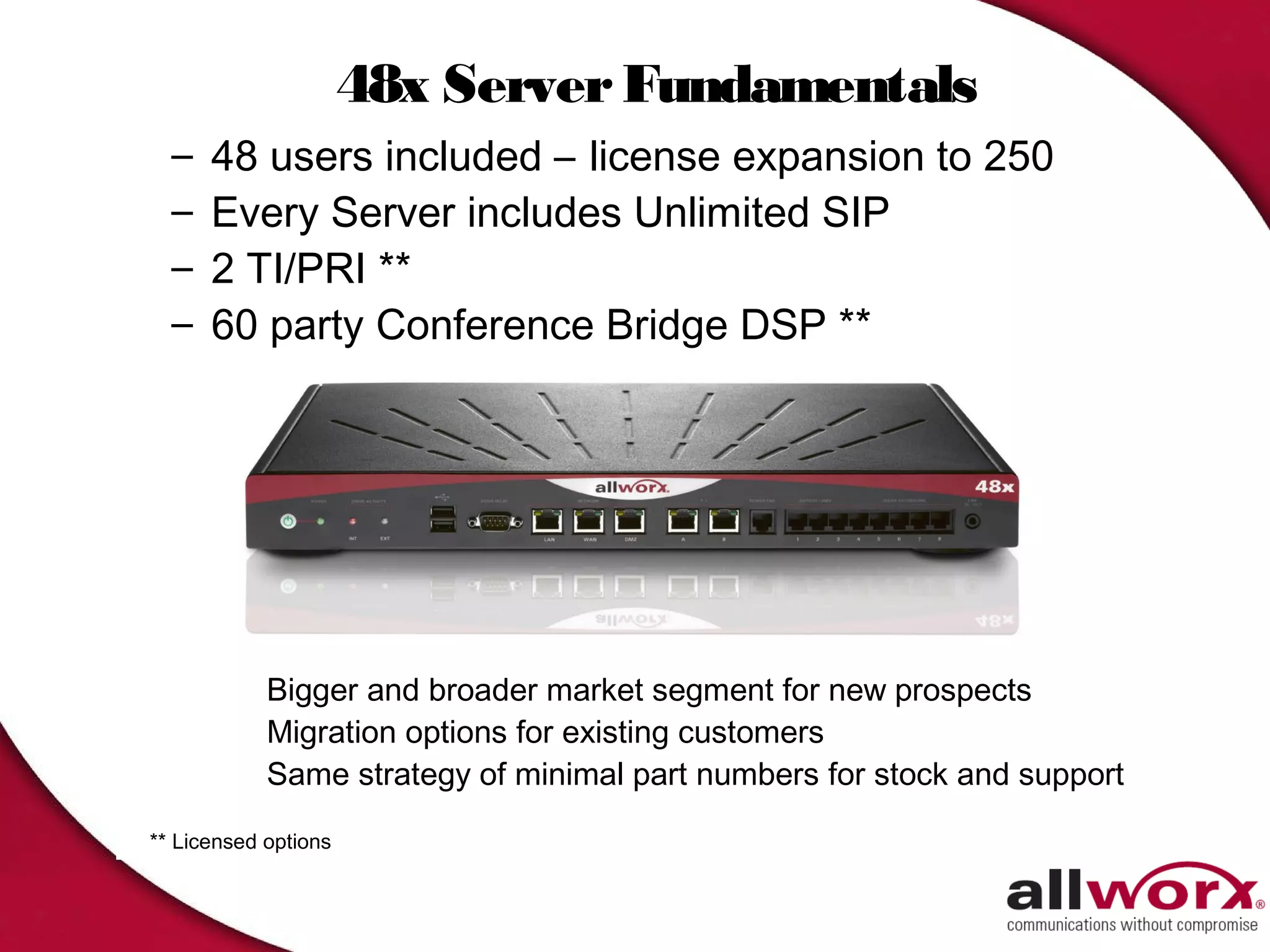
48x Server Fundamentals
  –   48 users included – license expansion to 250
  –   Every Server includes Unlimited SIP
  –   2 TI/PRI **
  –   60 party Conference Bridge DSP **


            Bigger and broader market segment for new prospects
            Migration options for existing customers
            Same strategy of minimal part numbers for stock and support

** Licensed options
48x Quick Facts
• 48x built on the solid foundation established by the
  24x
  – Over 2000 satisfied customers
  – System-wide optional feature keys
     • No per user licensing of features
     • License only those features you need
  – Logical user expansion licenses
     • (49 to100; 101 to 150; 151 to 200; 201 to 250)
  – Extended Warranty and Software maintenance options
• Benefits
  – Bigger and broader market coverage – more flexibility
  – Comprehensive migration options – existing customer
    benefit
  – Sane strategy of minimal part numbers for support
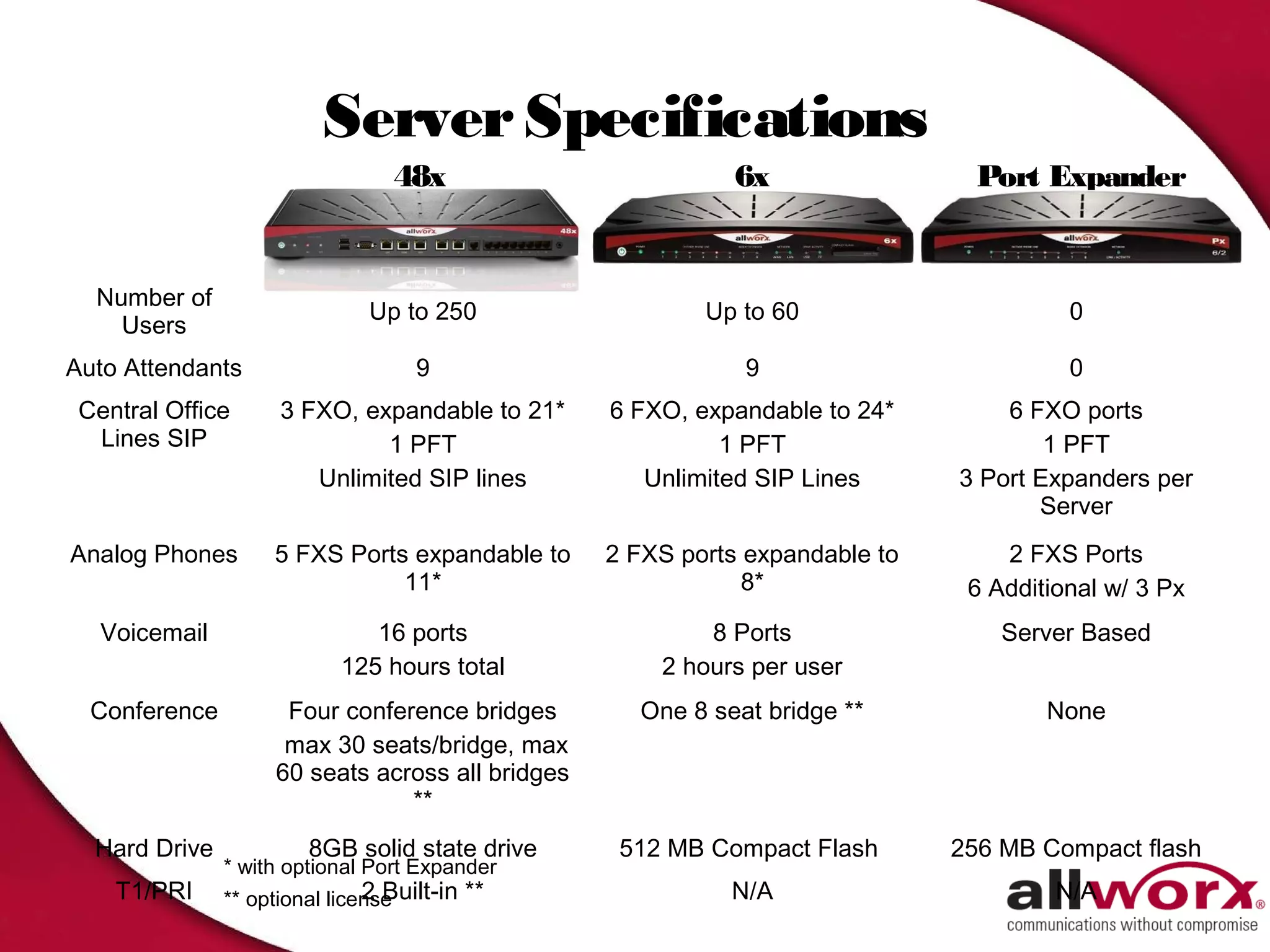
Server Specifications
                                 48x                         6x                 Port Expander


  Number of
                               Up to 250                  Up to 60                      0
    Users
Auto Attendants                     9                        9                          0
 Central Office      3 FXO, expandable to 21*     6 FXO, expandable to 24*        6 FXO ports
  Lines SIP                   1 PFT                         1 PFT                     1 PFT
                        Unlimited SIP lines          Unlimited SIP Lines      3 Port Expanders per
                                                                                     Server
Analog Phones       5 FXS Ports expandable to     2 FXS ports expandable to       2 FXS Ports
                               11*                            8*               6 Additional w/ 3 Px
   Voicemail                   16 ports                   8 Ports                 Server Based
                            125 hours total           2 hours per user
  Conference         Four conference bridges        One 8 seat bridge **              None
                     max 30 seats/bridge, max
                    60 seats across all bridges
                                **
  Hard Drive            8GB solid state drive      512 MB Compact Flash       256 MB Compact flash
               * with optional Port Expander
    T1/PRI                     2 Built-in **
               ** optional license                          N/A                        N/A
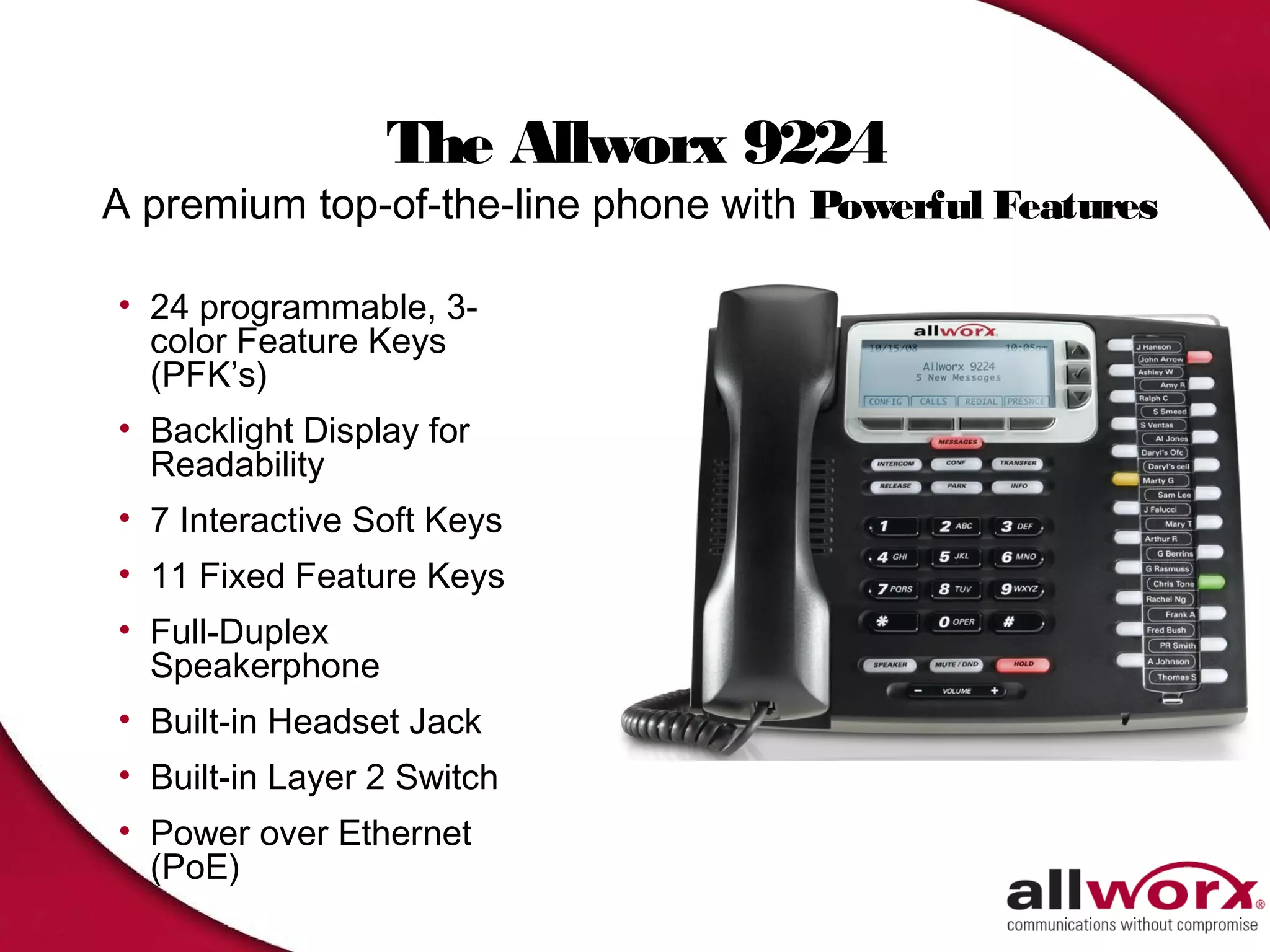
The Allworx 9224
A premium top-of-the-line phone with Powerful Features
• 24 programmable, 3-
  color Feature Keys
  (PFK’s)
• Backlight Display for
  Readability
• 7 Interactive Soft Keys
• 11 Fixed Feature Keys
• Full-Duplex
  Speakerphone
• Built-in Headset Jack
• Built-in Layer 2 Switch
• Power over Ethernet
  (PoE)
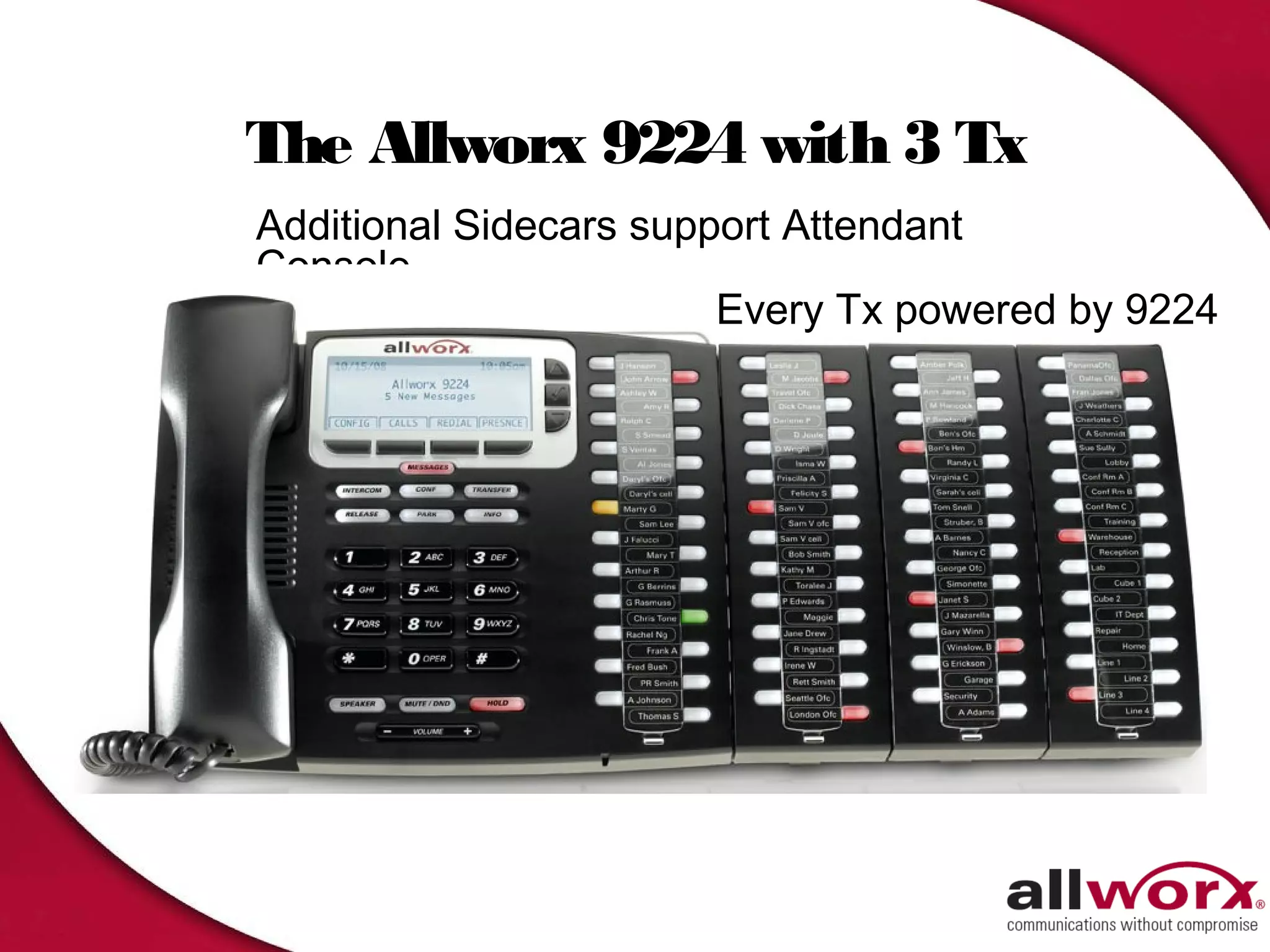
The Allworx 9224 with 3 Tx
Additional Sidecars support Attendant
Console
                        Every Tx powered by 9224
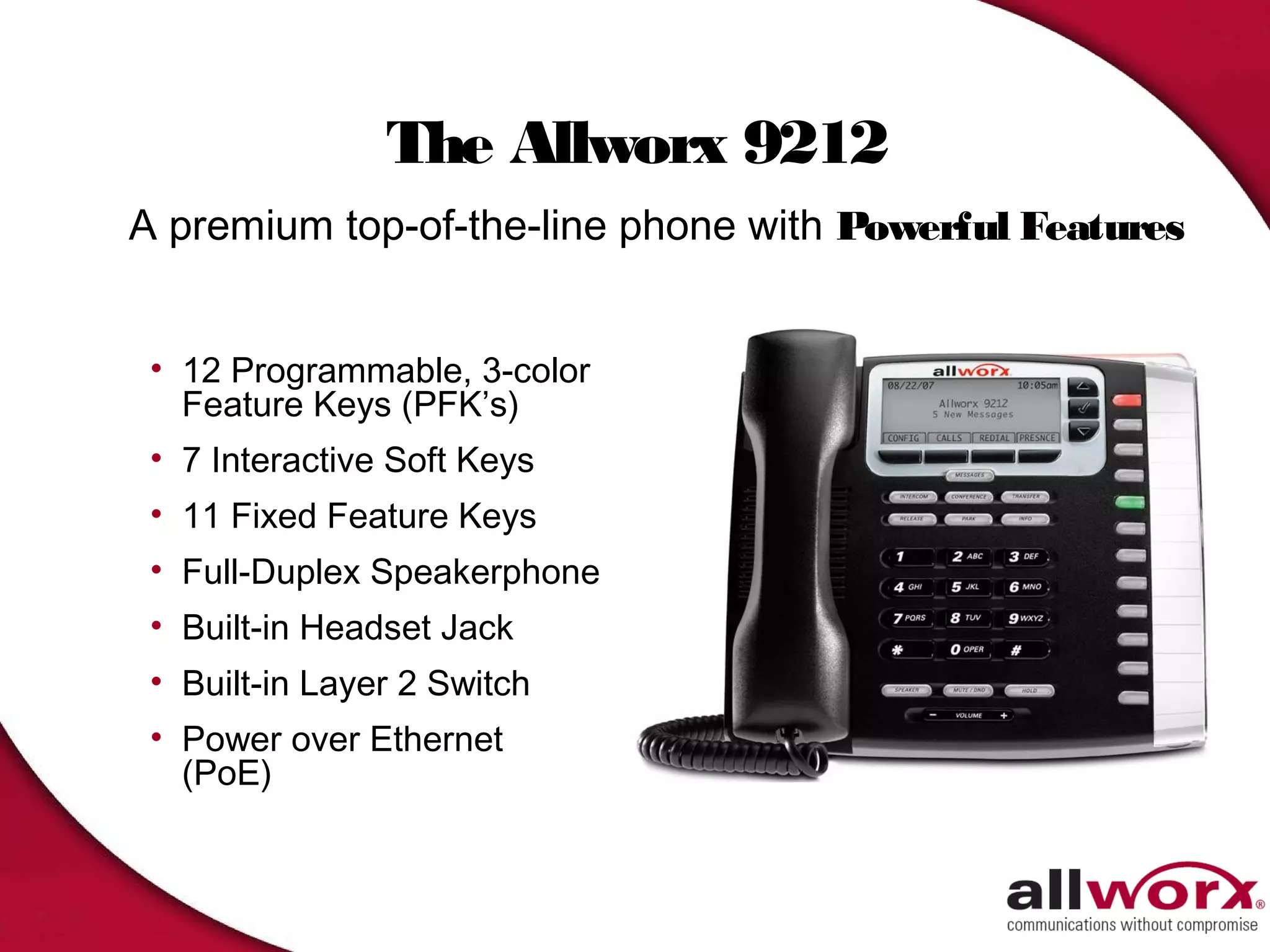
The Allworx 9212
A premium top-of-the-line phone with Powerful Features

 • 12 Programmable, 3-color
   Feature Keys (PFK’s)
 • 7 Interactive Soft Keys
 • 11 Fixed Feature Keys
 • Full-Duplex Speakerphone
 • Built-in Headset Jack
 • Built-in Layer 2 Switch
 • Power over Ethernet
   (PoE)
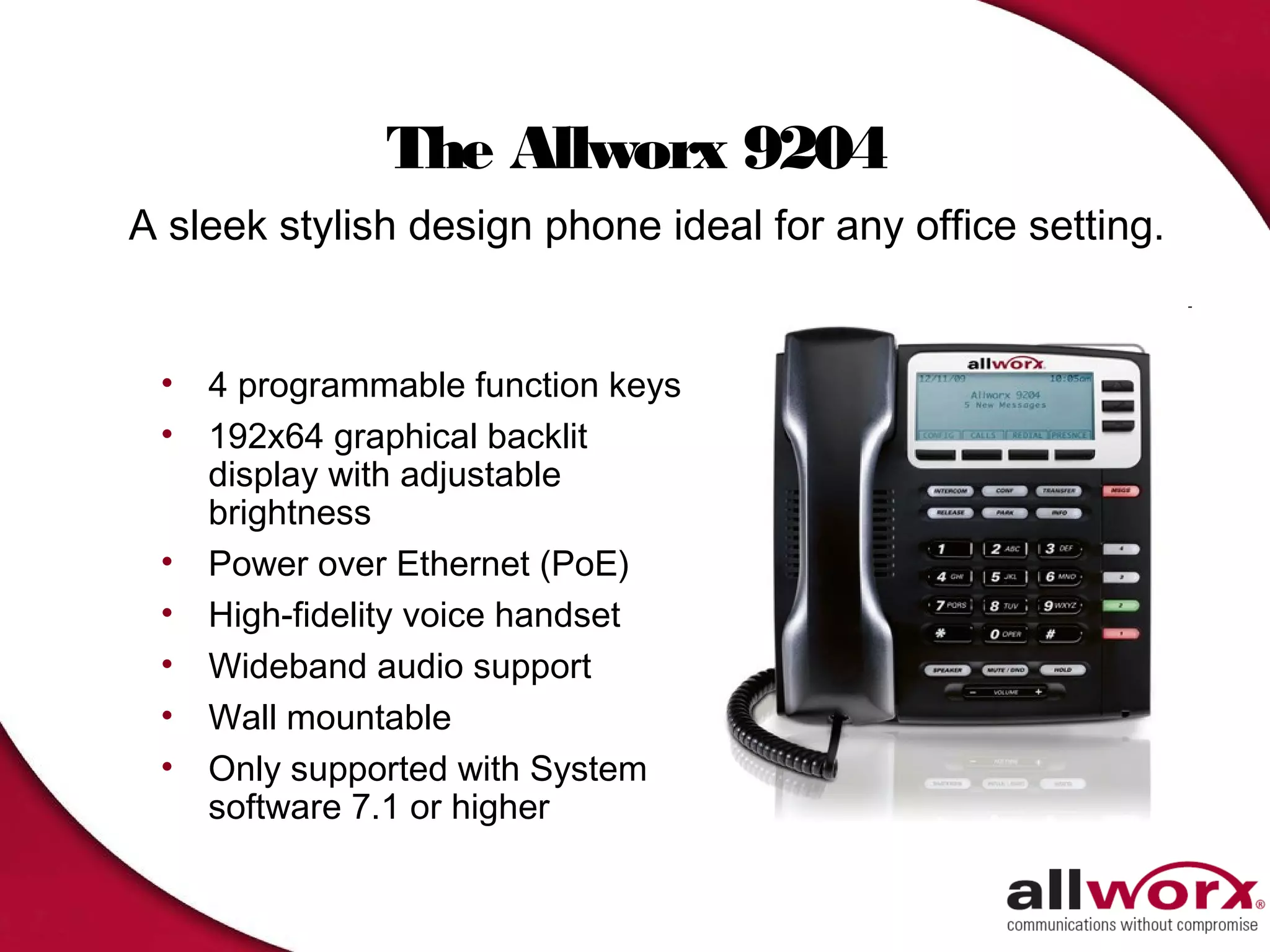
The Allworx 9204
A sleek stylish design phone ideal for any office setting.


 • 4 programmable function keys
 • 192x64 graphical backlit
   display with adjustable
   brightness
 • Power over Ethernet (PoE)
 • High-fidelity voice handset
 • Wideband audio support
 • Wall mountable
 • Only supported with System
   software 7.1 or higher
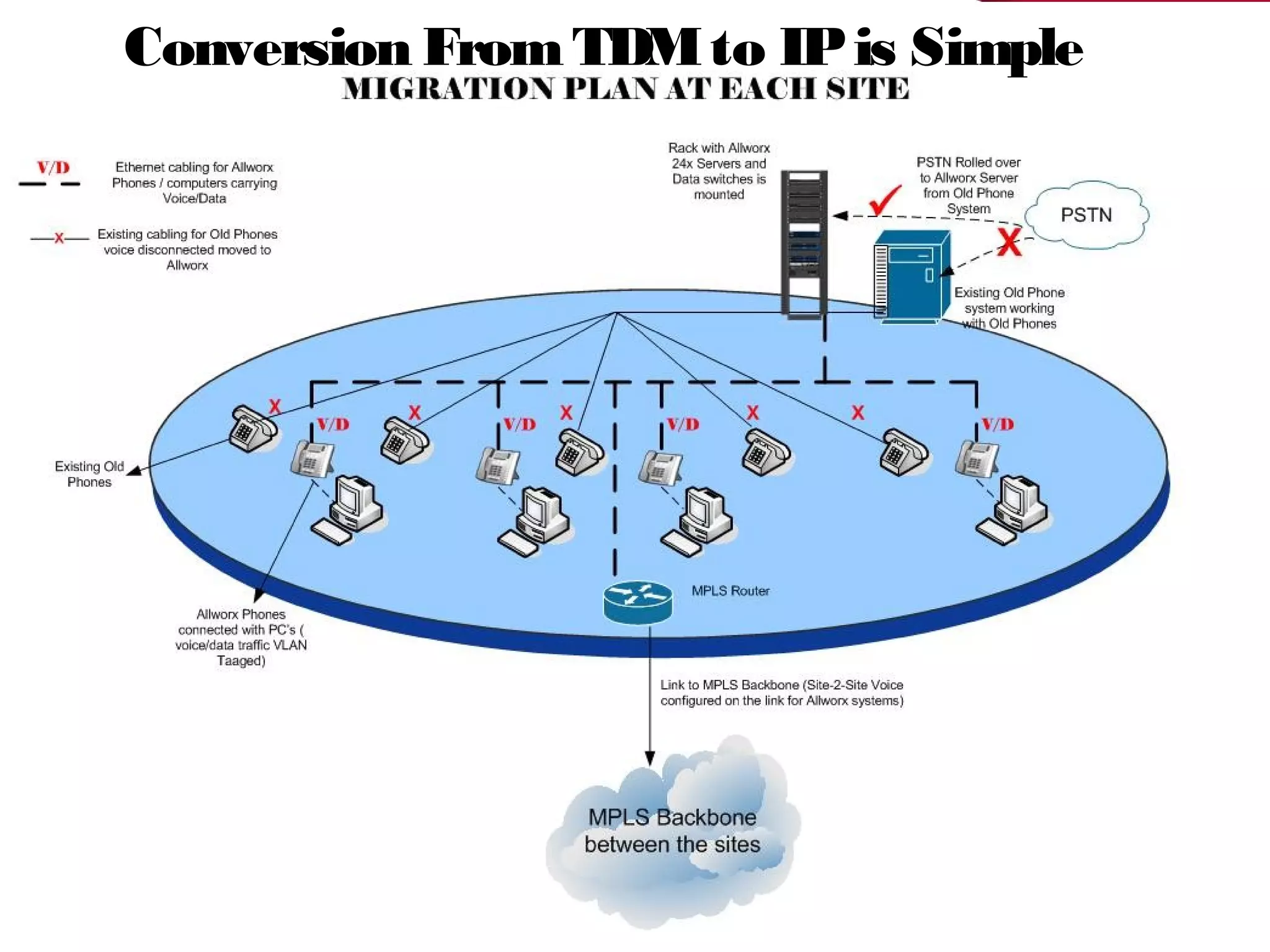
Conversion From TDM to IP is Simple
Master of the Universe Features
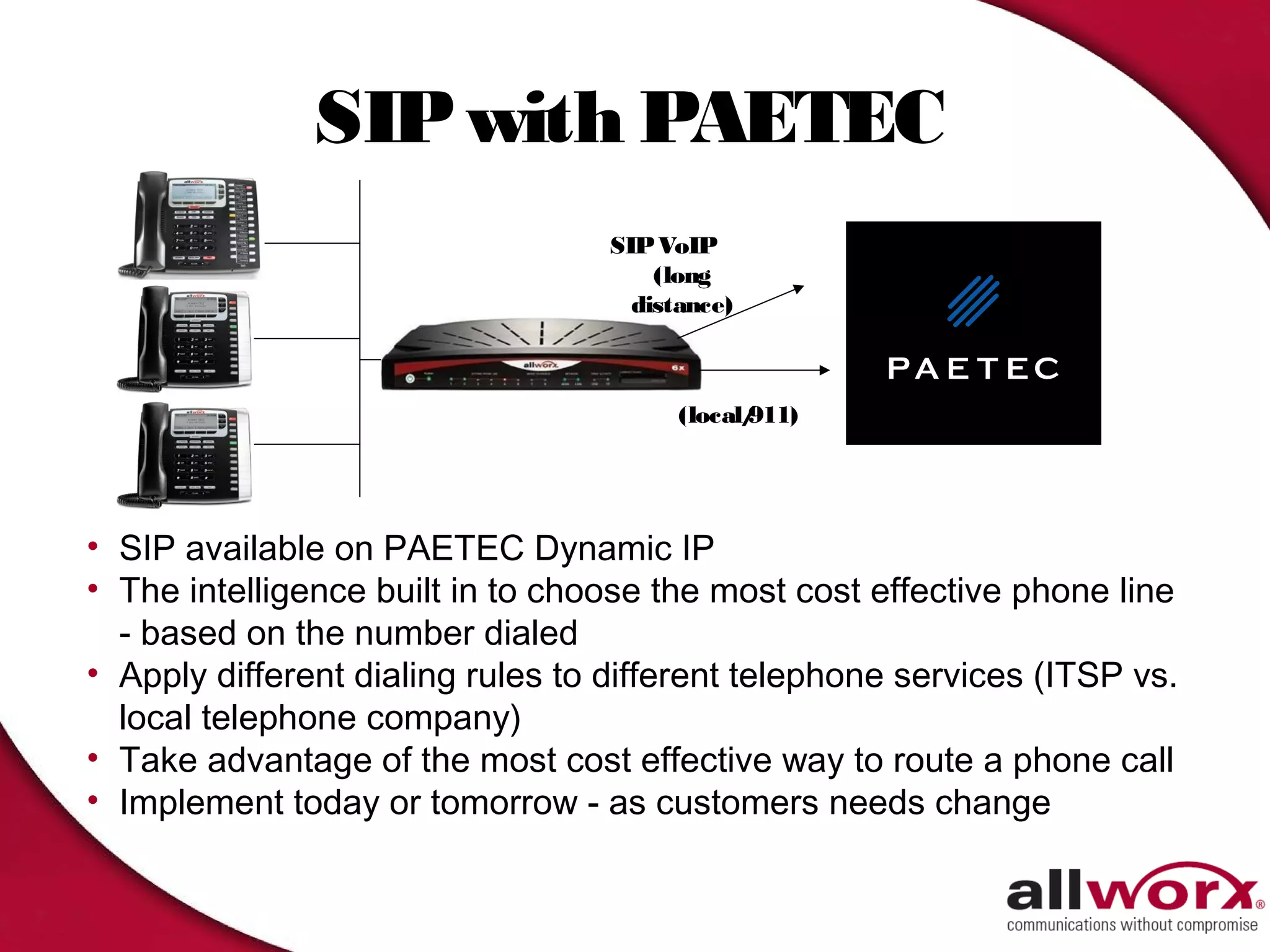
SIP with PAETEC
                                   SIP VoIP
                                       (long
                                     distance)


                                         (local/
                                               911)


• SIP available on PAETEC Dynamic IP
• The intelligence built in to choose the most cost effective phone line
  - based on the number dialed
• Apply different dialing rules to different telephone services (ITSP vs.
  local telephone company)
• Take advantage of the most cost effective way to route a phone call
• Implement today or tomorrow - as customers needs change
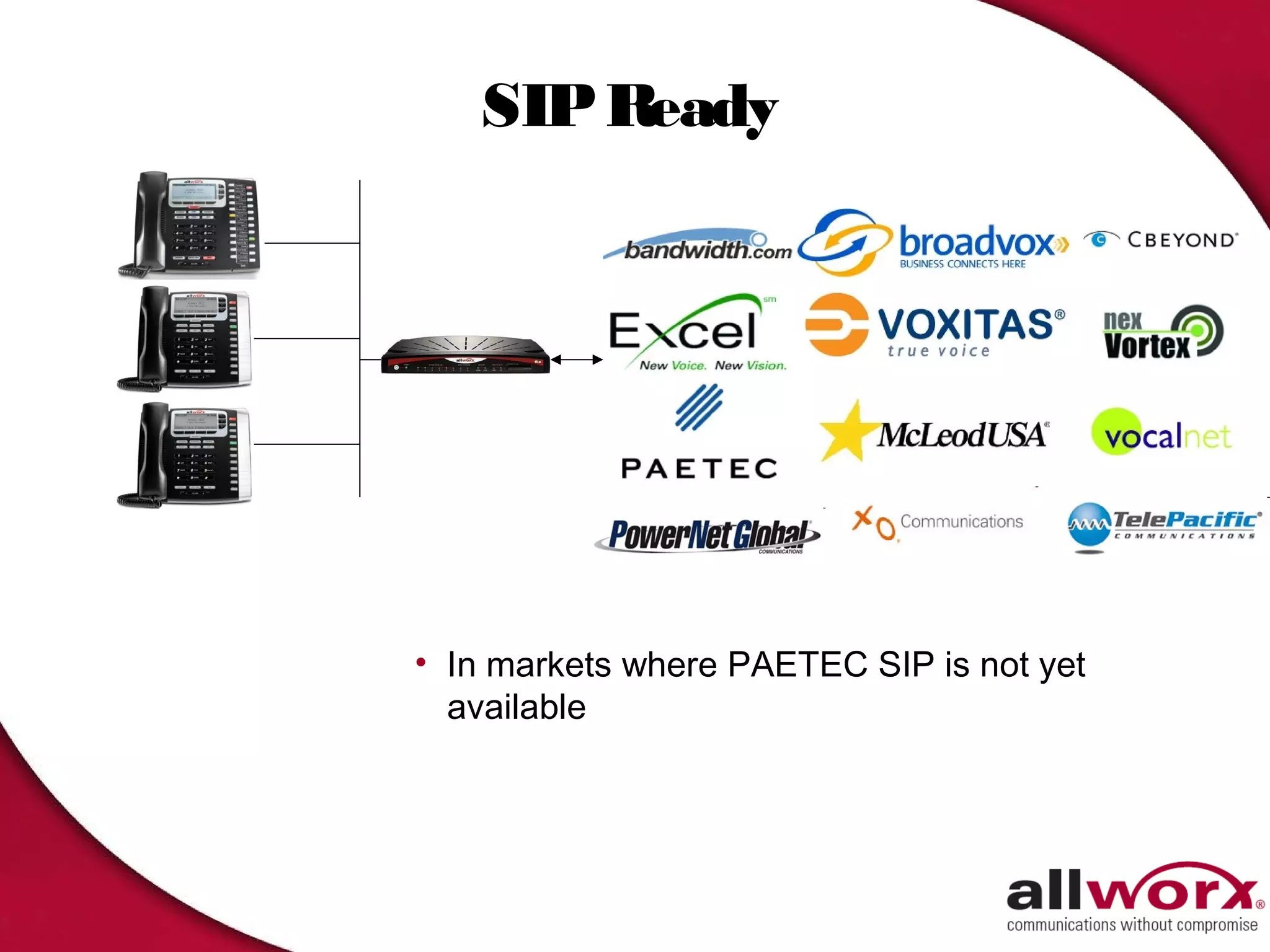
SIP Ready


               (local/
                     911)


• In markets where PAETEC SIP is not yet
  available
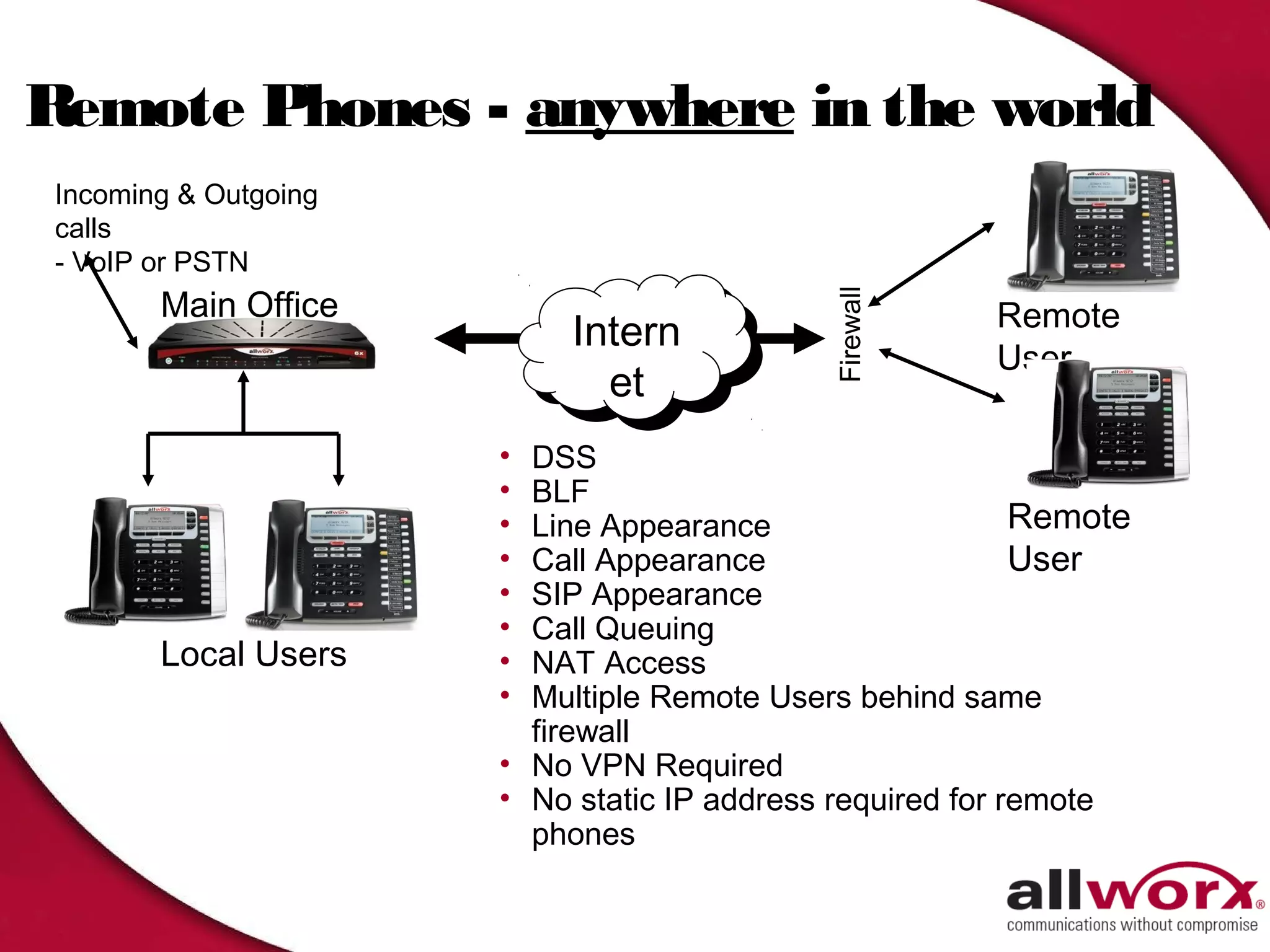
Remote Phones - anywhere in the world
Incoming & Outgoing
calls
- VoIP or PSTN
       Main Office


                                            Firewall
                                                       Remote
                          Intern
                           Intern                      User
                             et
                             et
                      • DSS
                      • BLF
                      • Line Appearance                    Remote
                      • Call Appearance                    User
                      • SIP Appearance
                      • Call Queuing
       Local Users    • NAT Access
                      • Multiple Remote Users behind same
                        firewall
                      • No VPN Required
                      • No static IP address required for remote
                        phones
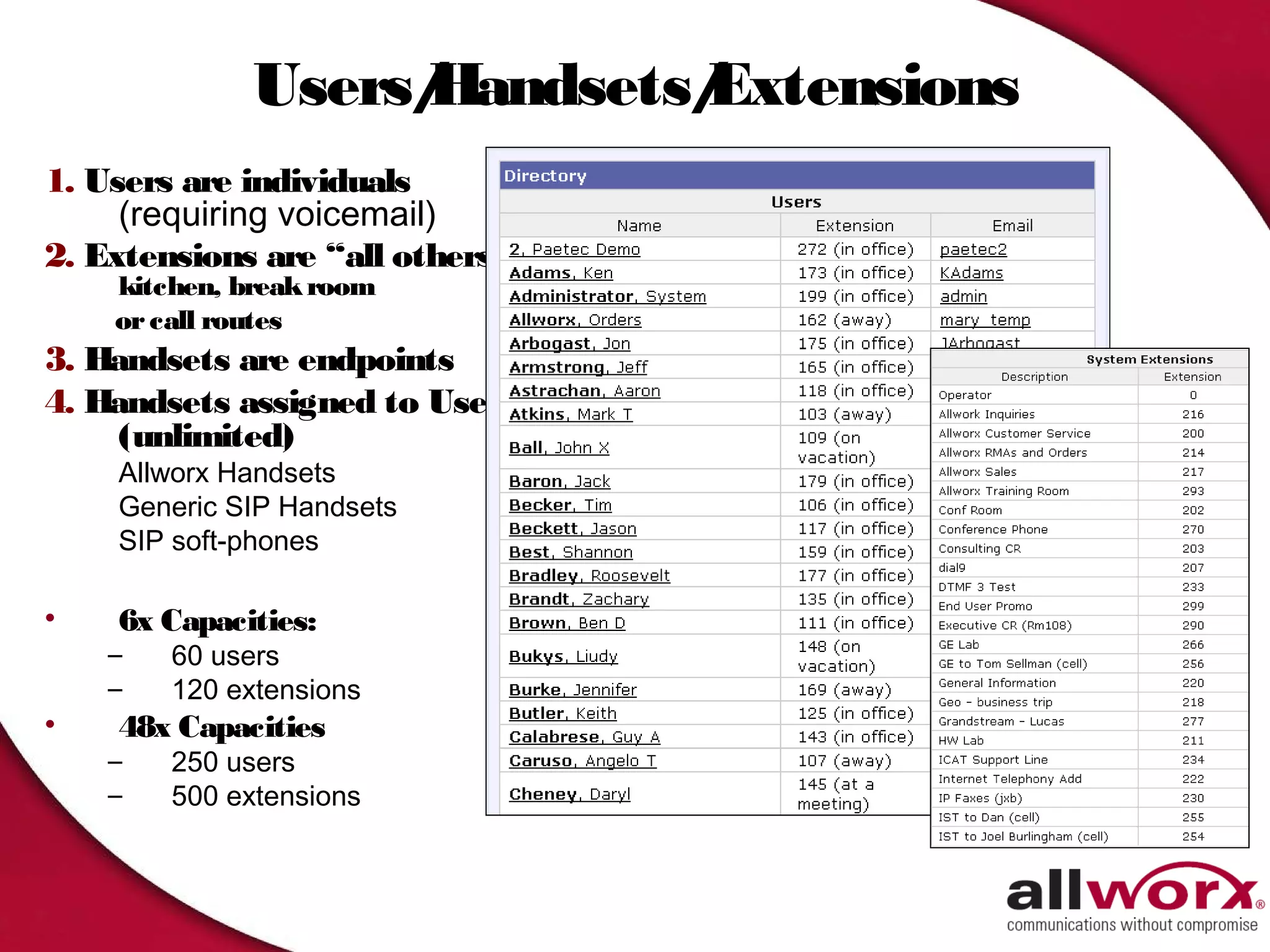
Users/
                  Handsets/
                          Extensions
1. Users are individuals
     (requiring voicemail)
2. Extensions are “all others”
    kitchen, break room
    or call routes
3. Handsets are endpoints
4. Handsets assigned to User
     (unlimited)
    Allworx Handsets
    Generic SIP Handsets
    SIP soft-phones

•   6x Capacities:
    –   60 users
    –   120 extensions
•   48x Capacities
    –   250 users
    –   500 extensions
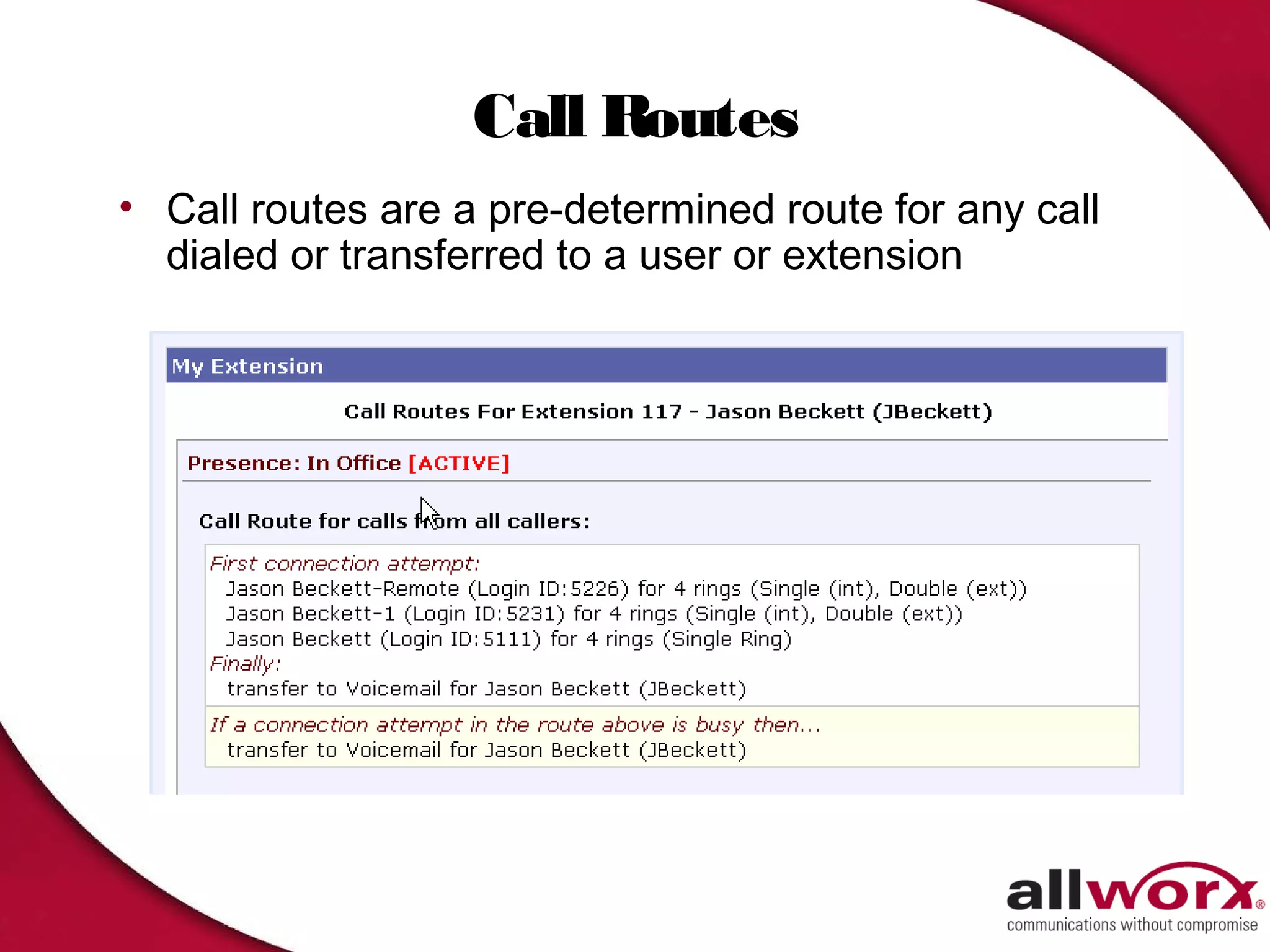
Call Routes
• Call routes are a pre-determined route for any call
  dialed or transferred to a user or extension
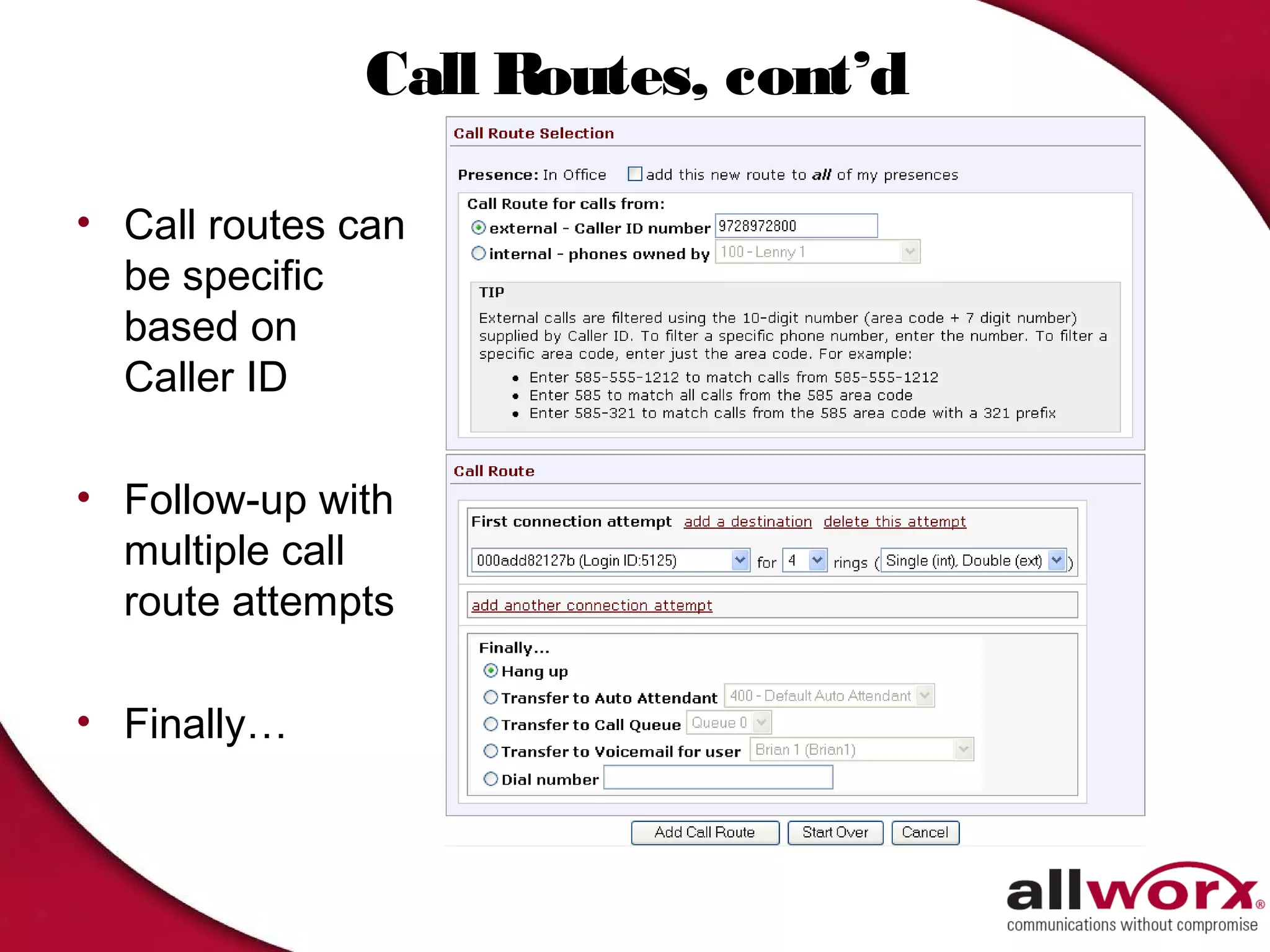
Call Routes, cont’d

• Call routes can
  be specific
  based on
  Caller ID

• Follow-up with
  multiple call
  route attempts

• Finally…
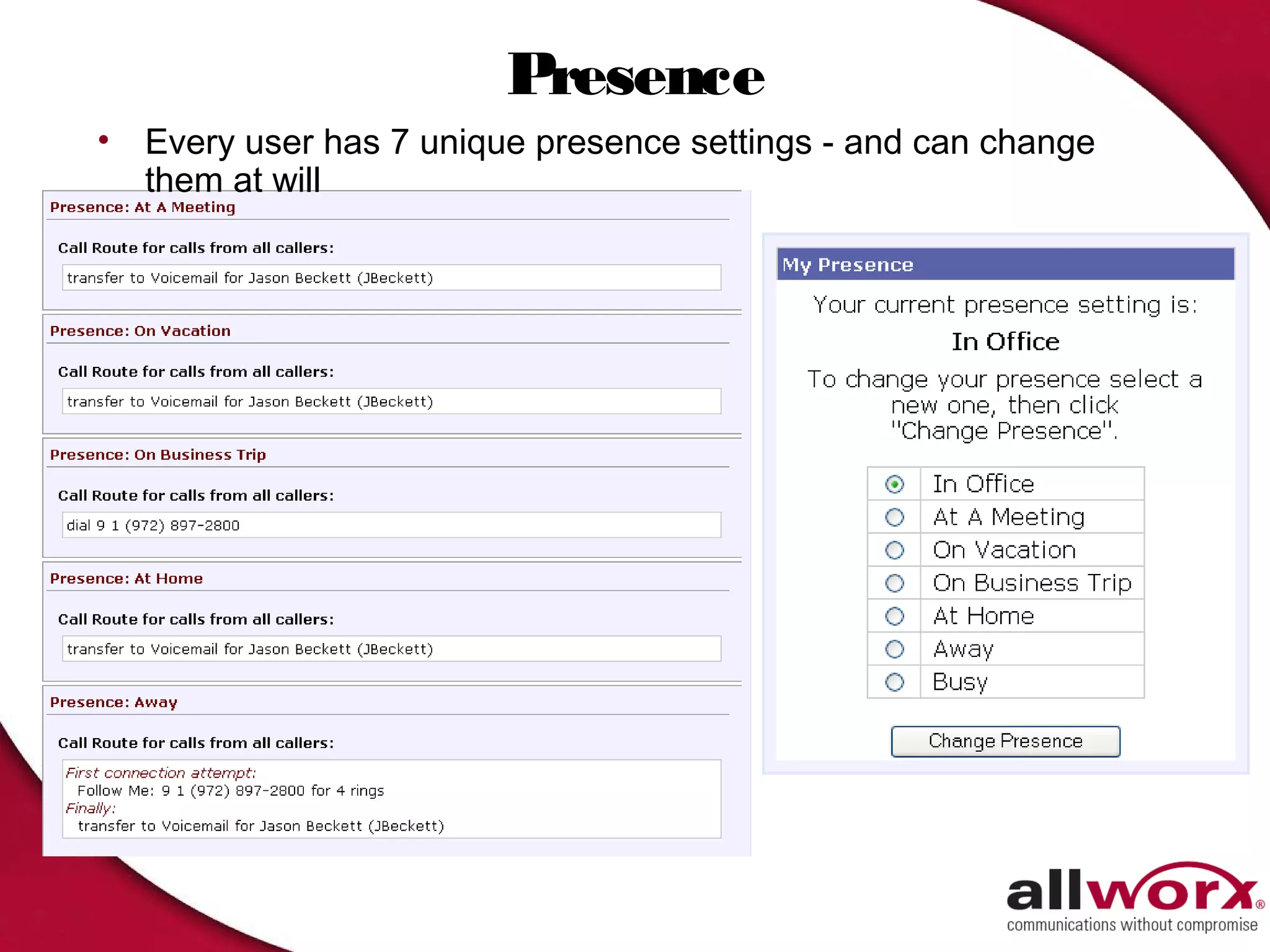
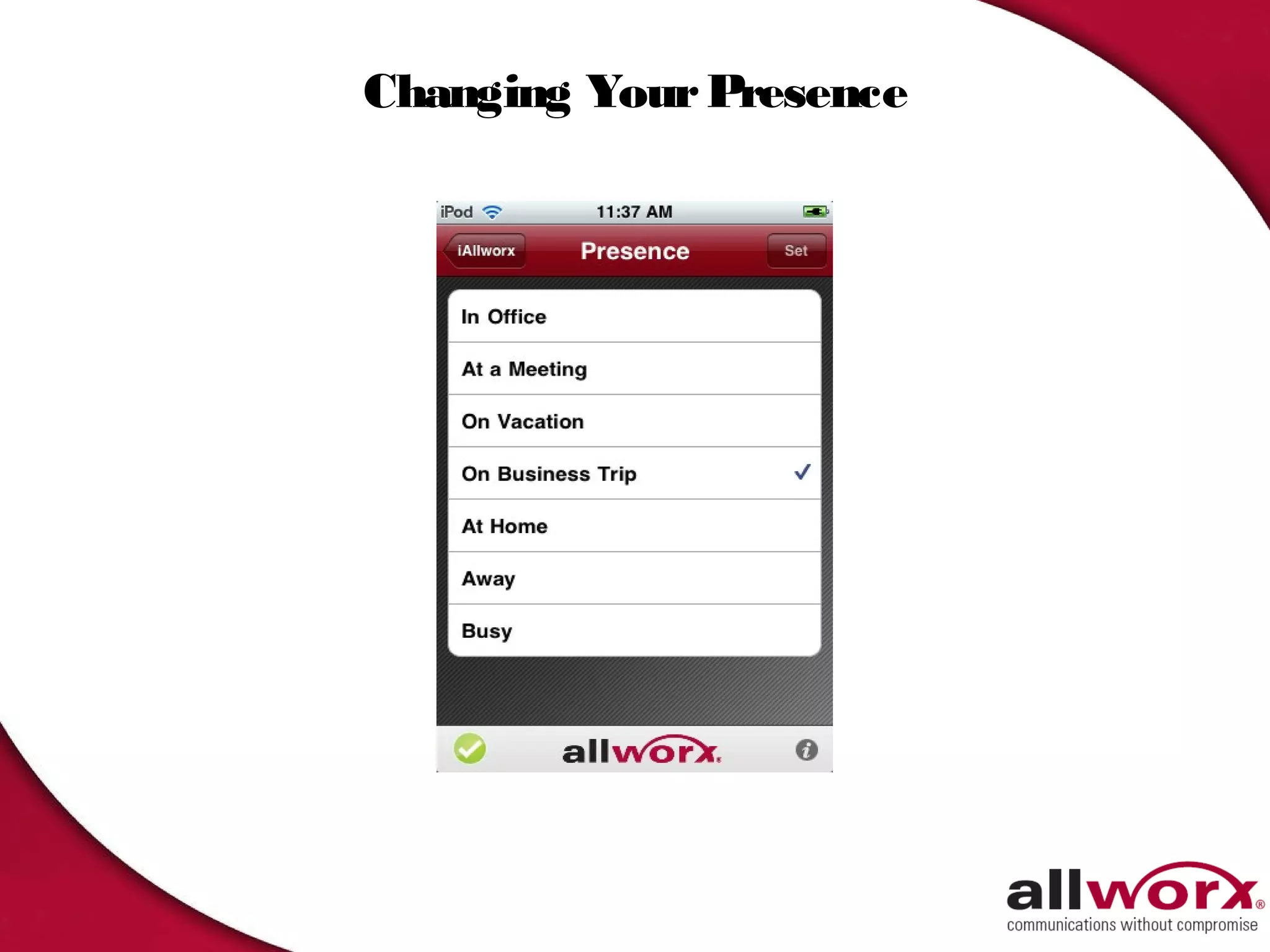
Presence
•   Every user has 7 unique presence settings - and can change
    them at will
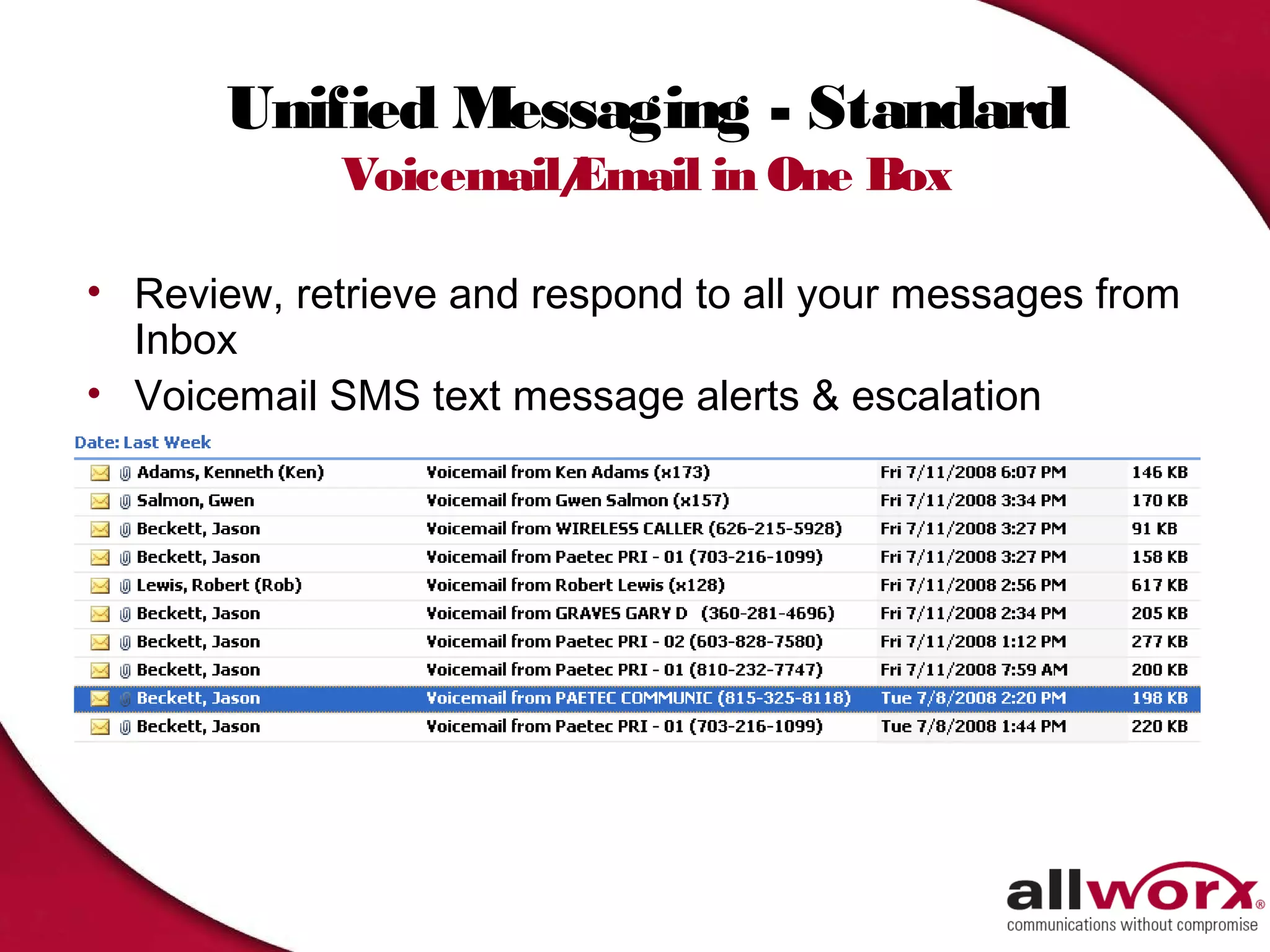
Unified Messaging - Standard
             Voicemail/
                      Email in One Box

• Review, retrieve and respond to all your messages from
  Inbox
• Voicemail SMS text message alerts & escalation
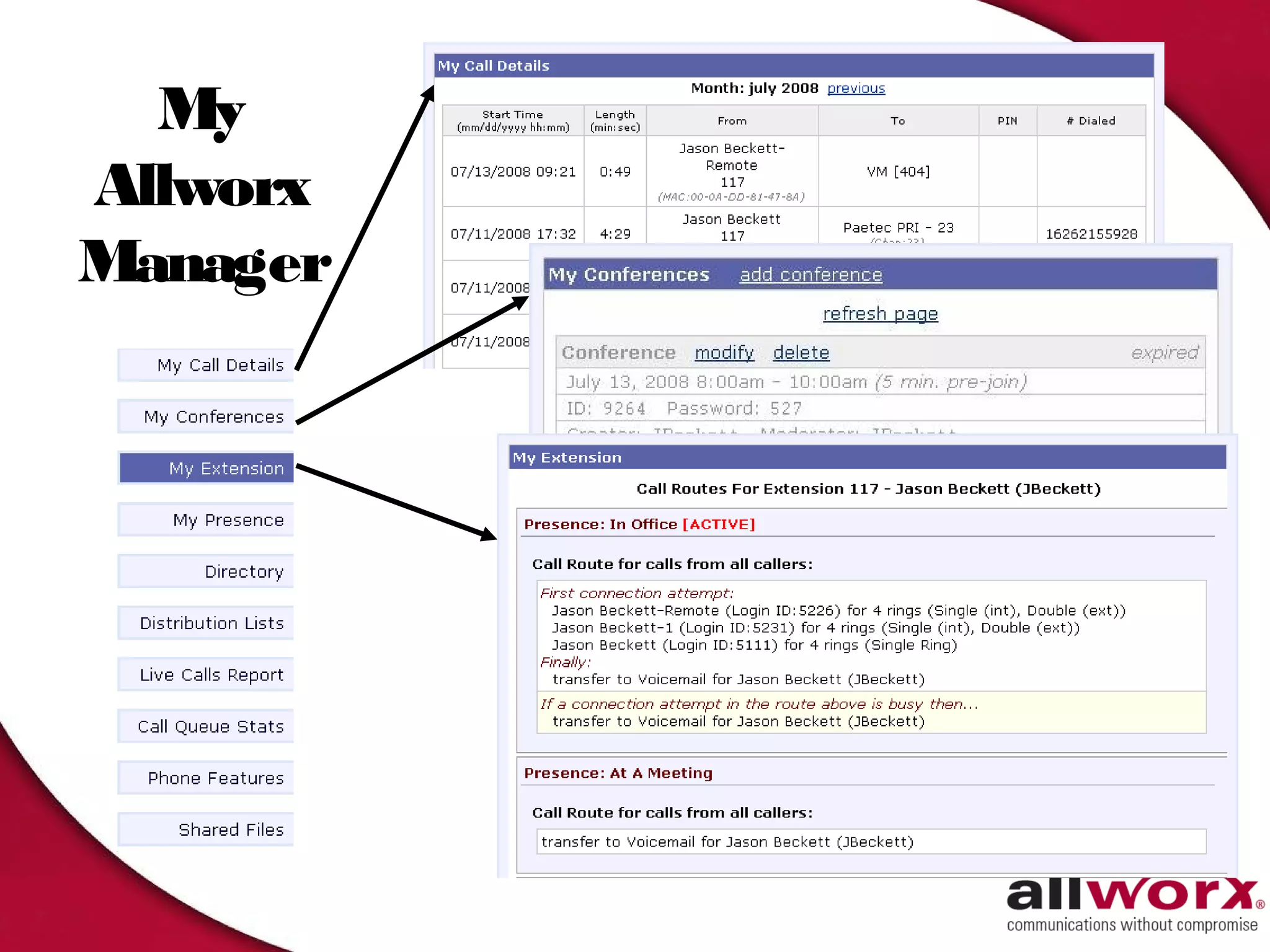
My
Allworx
Manager
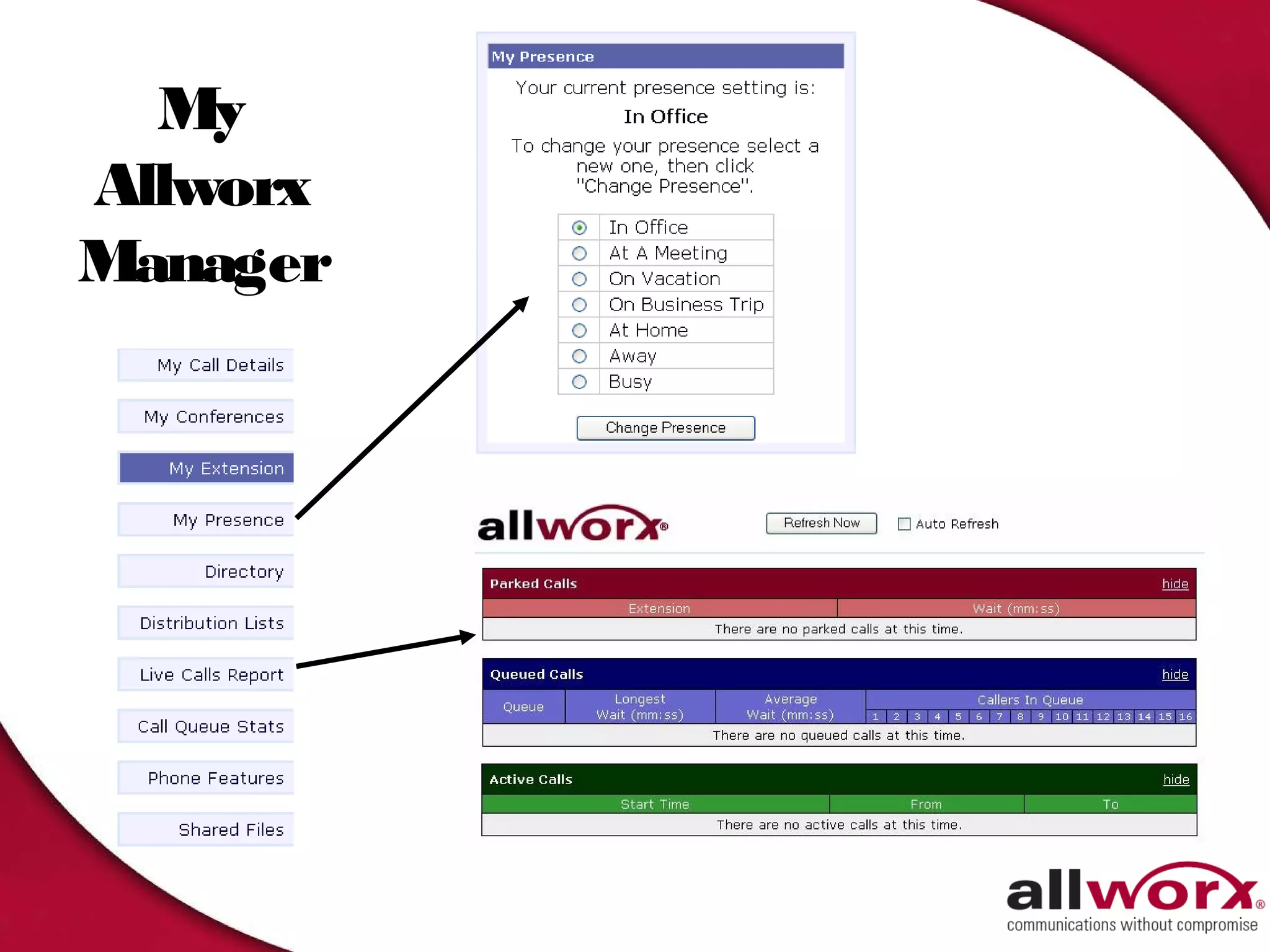
My
Allworx
Manager
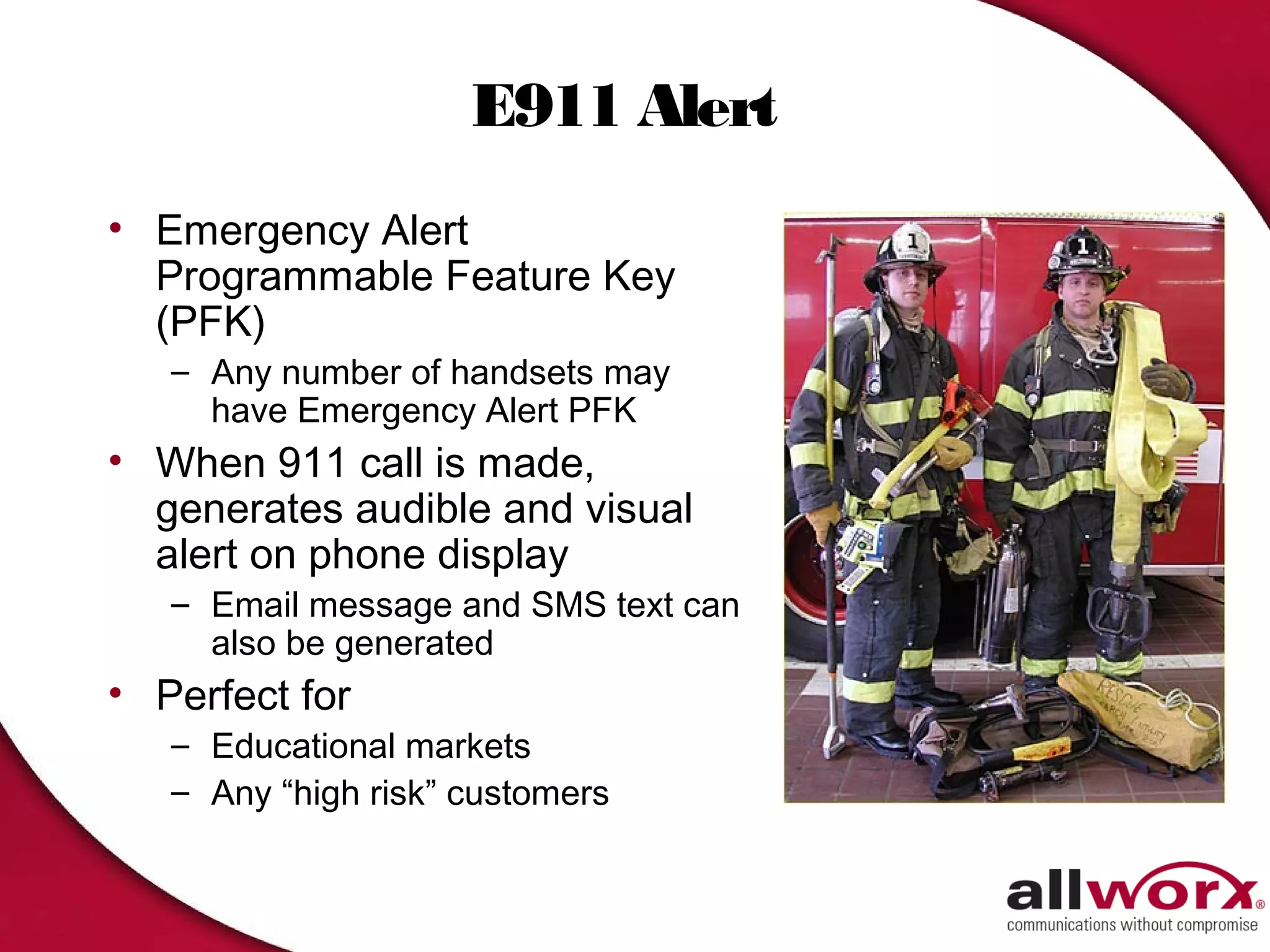
E911 Alert
• Emergency Alert
  Programmable Feature Key
  (PFK)
   – Any number of handsets may
     have Emergency Alert PFK
• When 911 call is made,
  generates audible and visual
  alert on phone display
   – Email message and SMS text can
     also be generated
• Perfect for
   – Educational markets
   – Any “high risk” customers
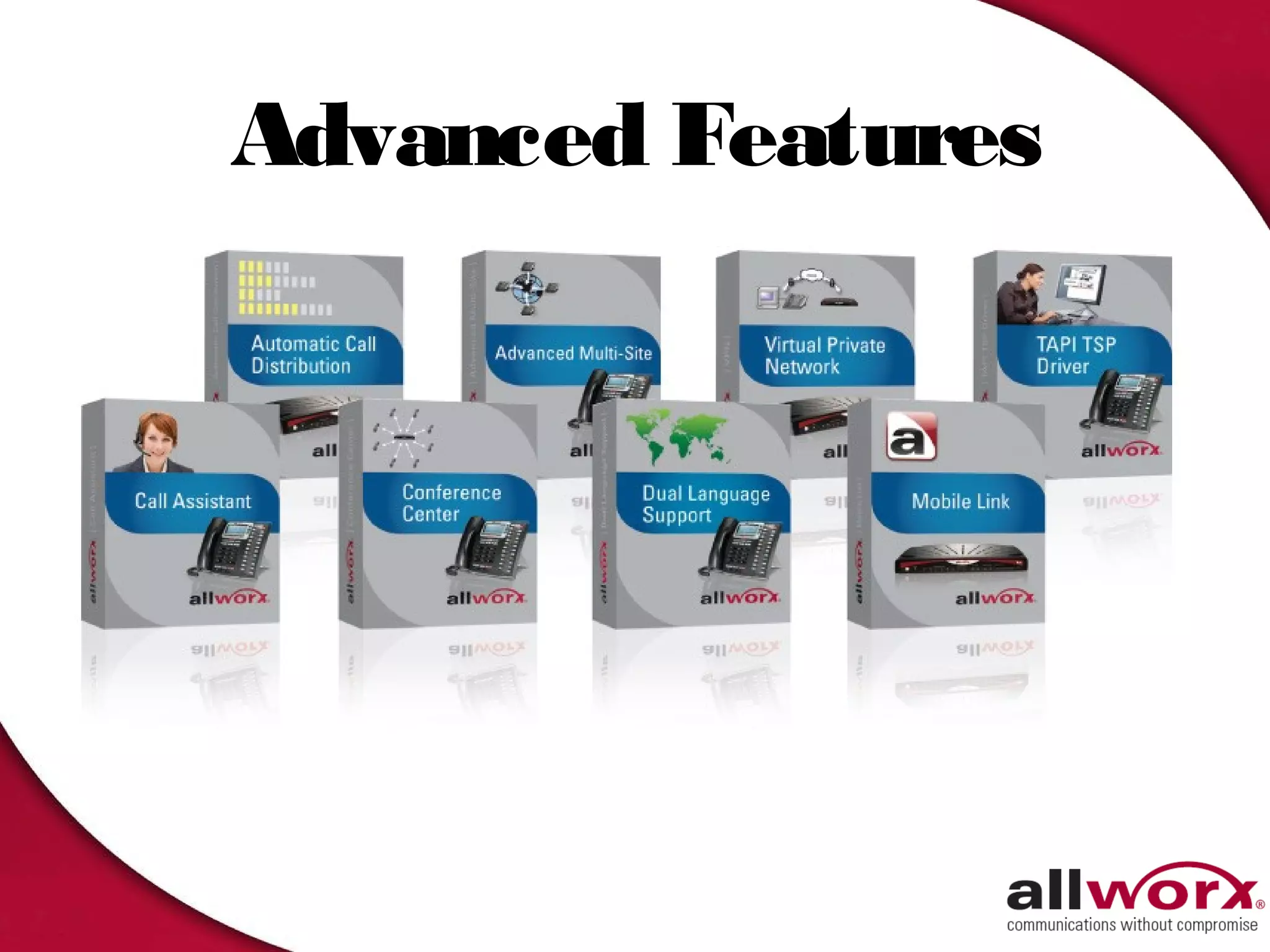
Advanced Features
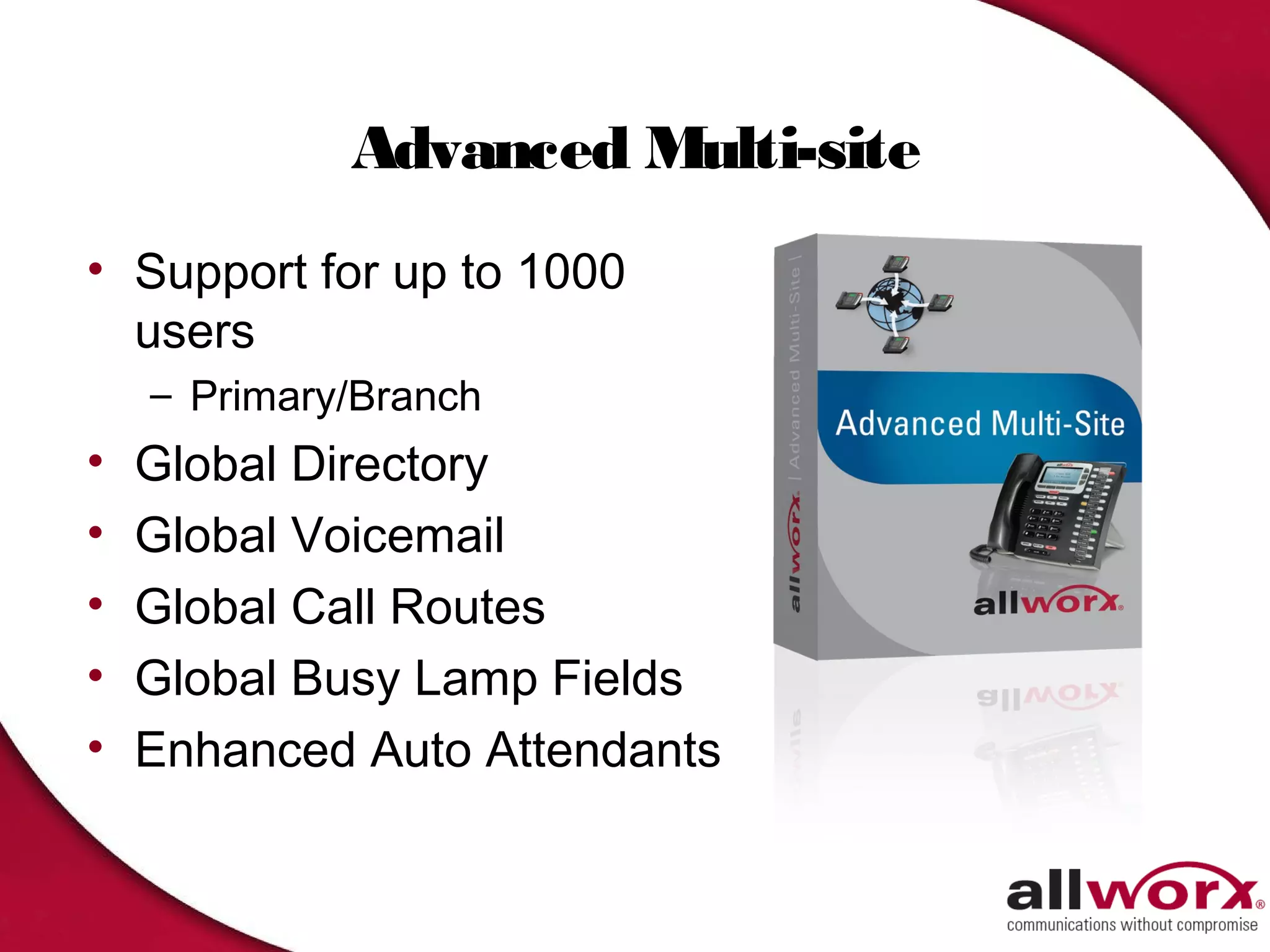
Advanced Multi-site
• Support for up to 1000
  users
    – Primary/Branch
•   Global Directory
•   Global Voicemail
•   Global Call Routes
•   Global Busy Lamp Fields
•   Enhanced Auto Attendants
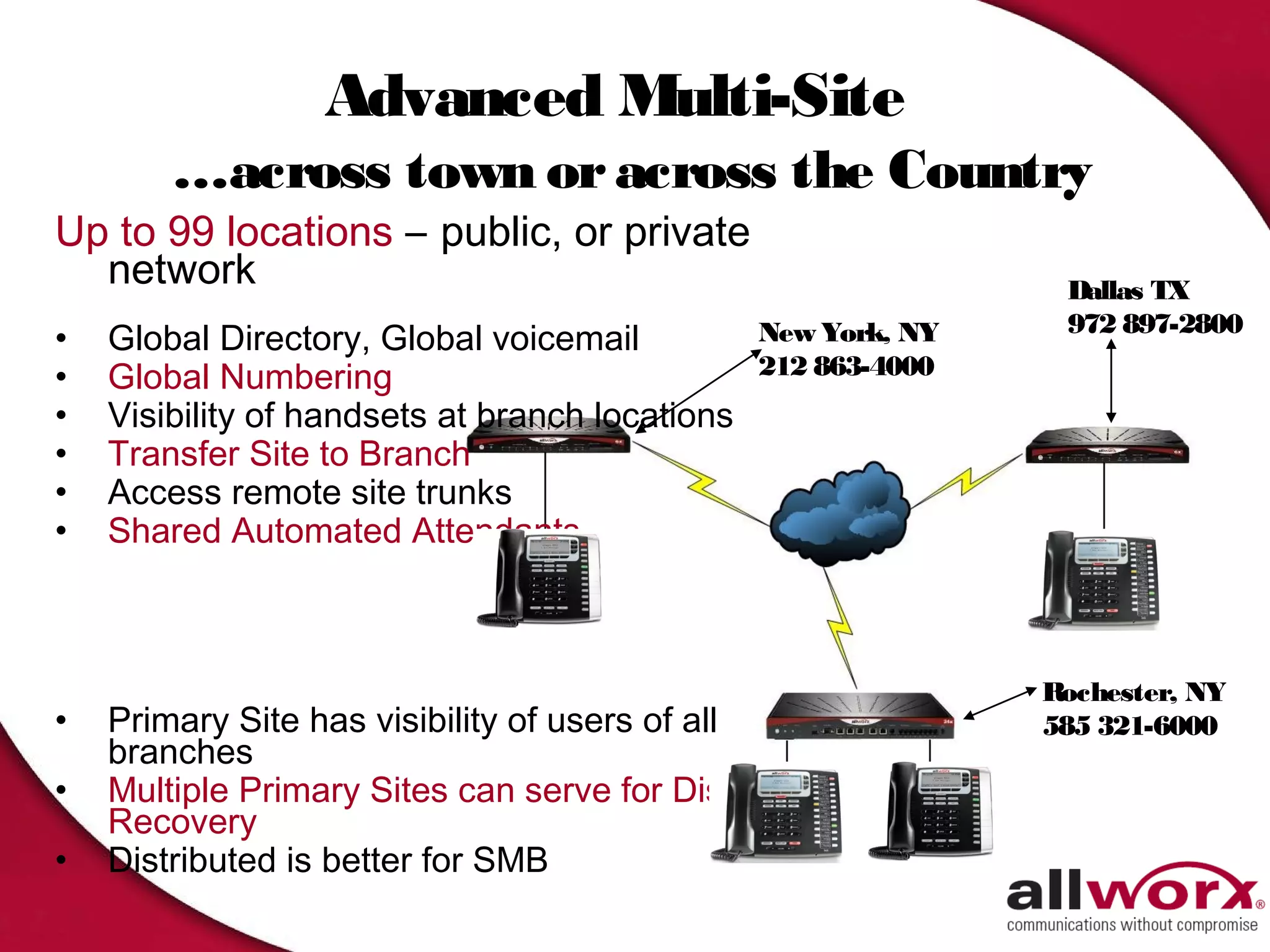
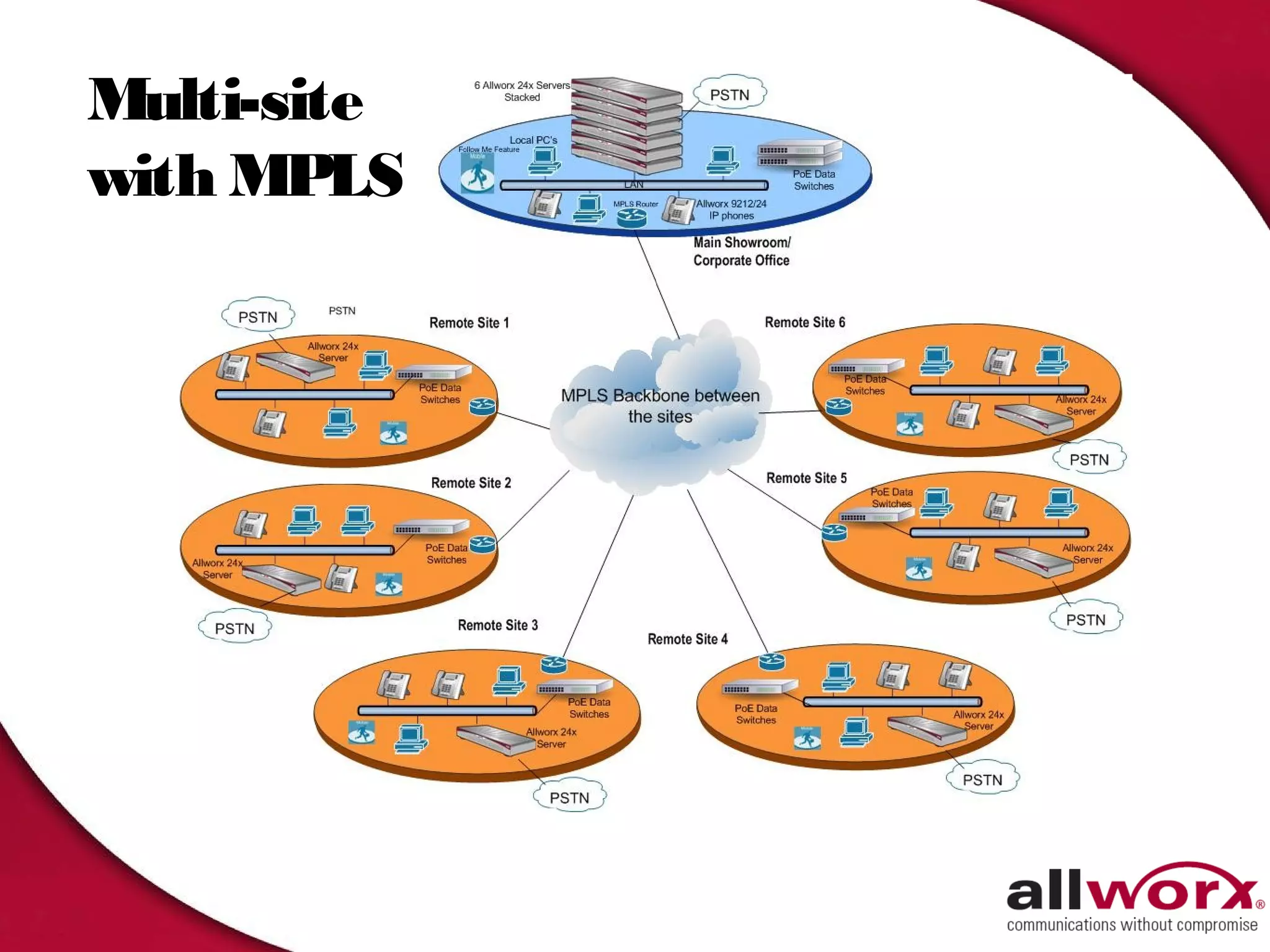
Advanced Multi-Site
        …across town or across the Country
Up to 99 locations – public, or private
  network                                                      Dallas TX
                                                               972 897-2800
•   Global Directory, Global voicemail         New York, NY
•   Global Numbering                           212 863-4000
•   Visibility of handsets at branch locations
•   Transfer Site to Branch
•   Access remote site trunks
•   Shared Automated Attendants


                                                              Rochester, NY
•   Primary Site has visibility of users of all               585 321-6000
    branches
•   Multiple Primary Sites can serve for Disaster
    Recovery
•   Distributed is better for SMB
Multi-site
with MPLS
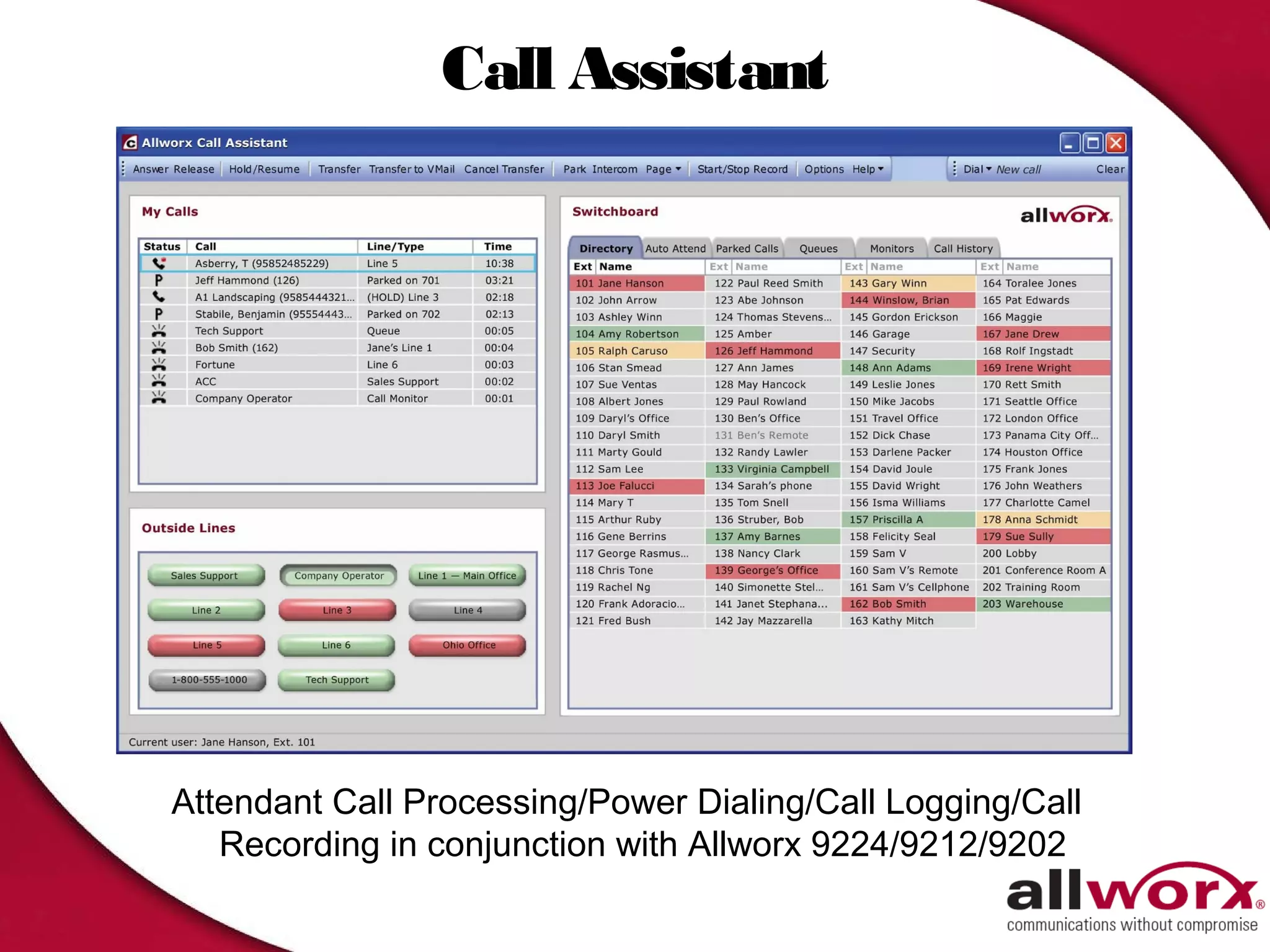
Call Assistant


Attendant Call Processing/Power Dialing/Call Logging/Call
   Recording in conjunction with Allworx 9224/9212/9202
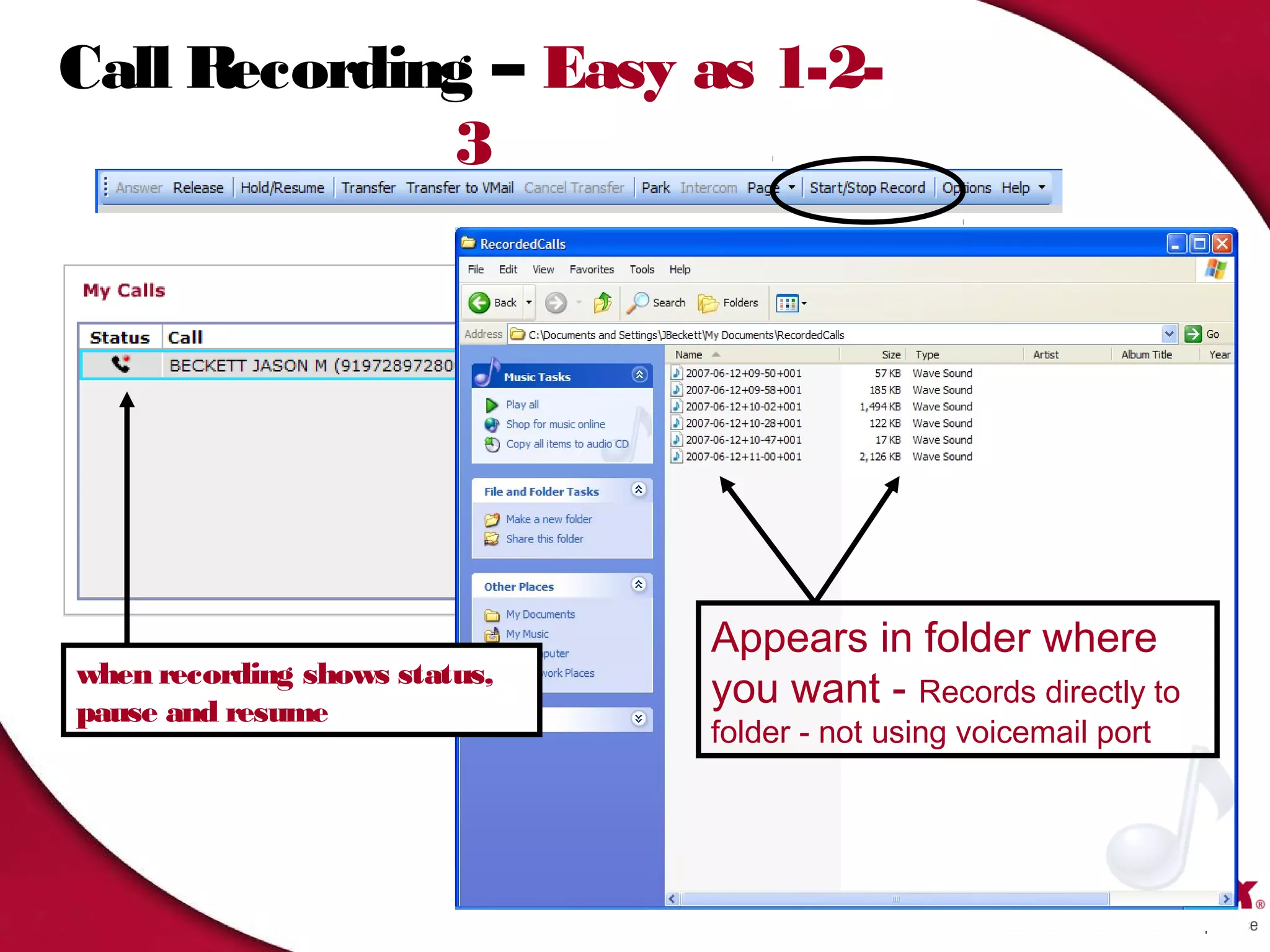
Call Recording – Easy as 1-2-
             3


                               Appears in folder where
when recording shows status,
pause and resume
                               you want - Records directly to
                               folder - not using voicemail port


                                                                   34
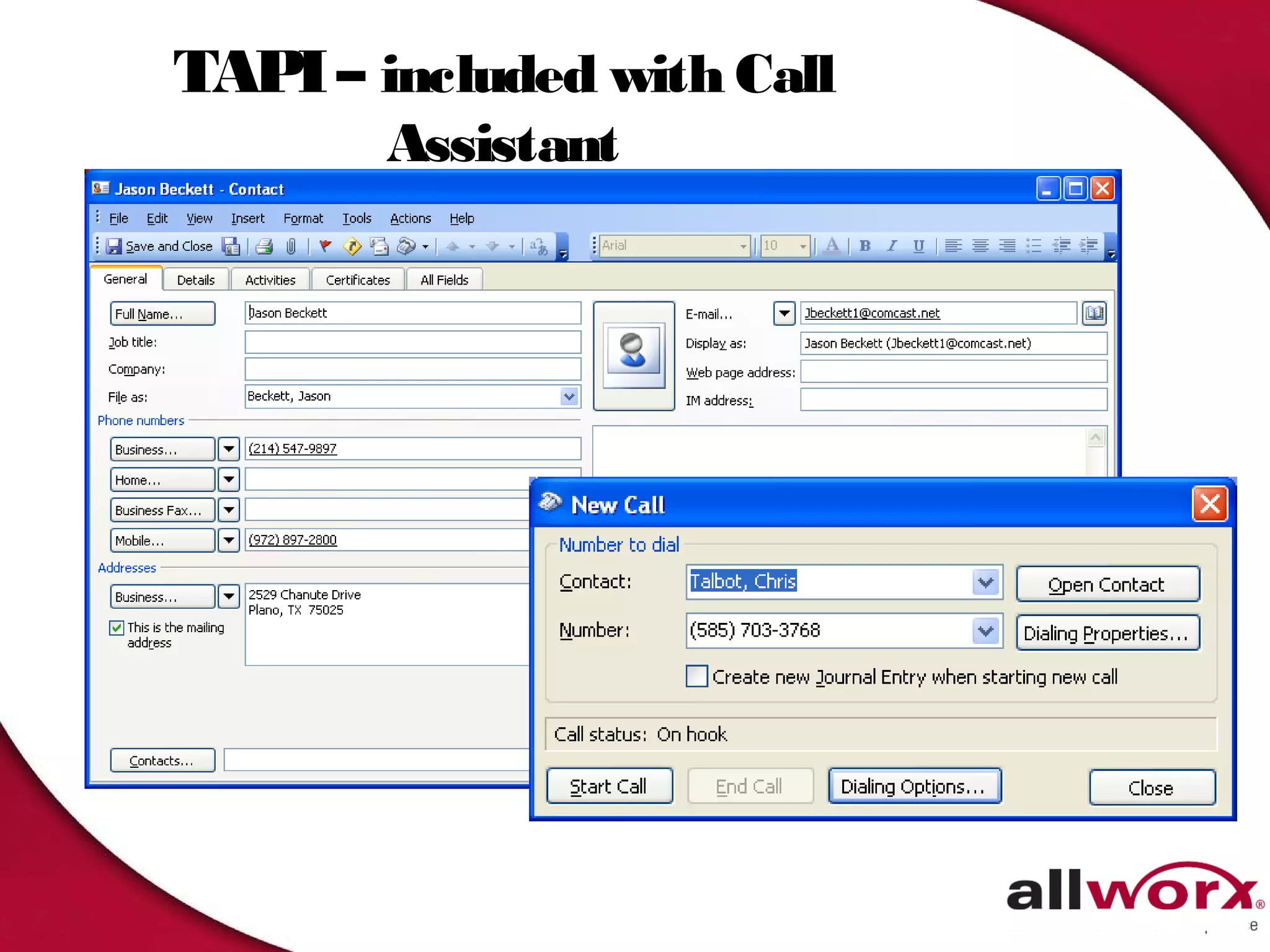
TAPI – included with Call
        Assistant
ACD - Intelligently manage Calls
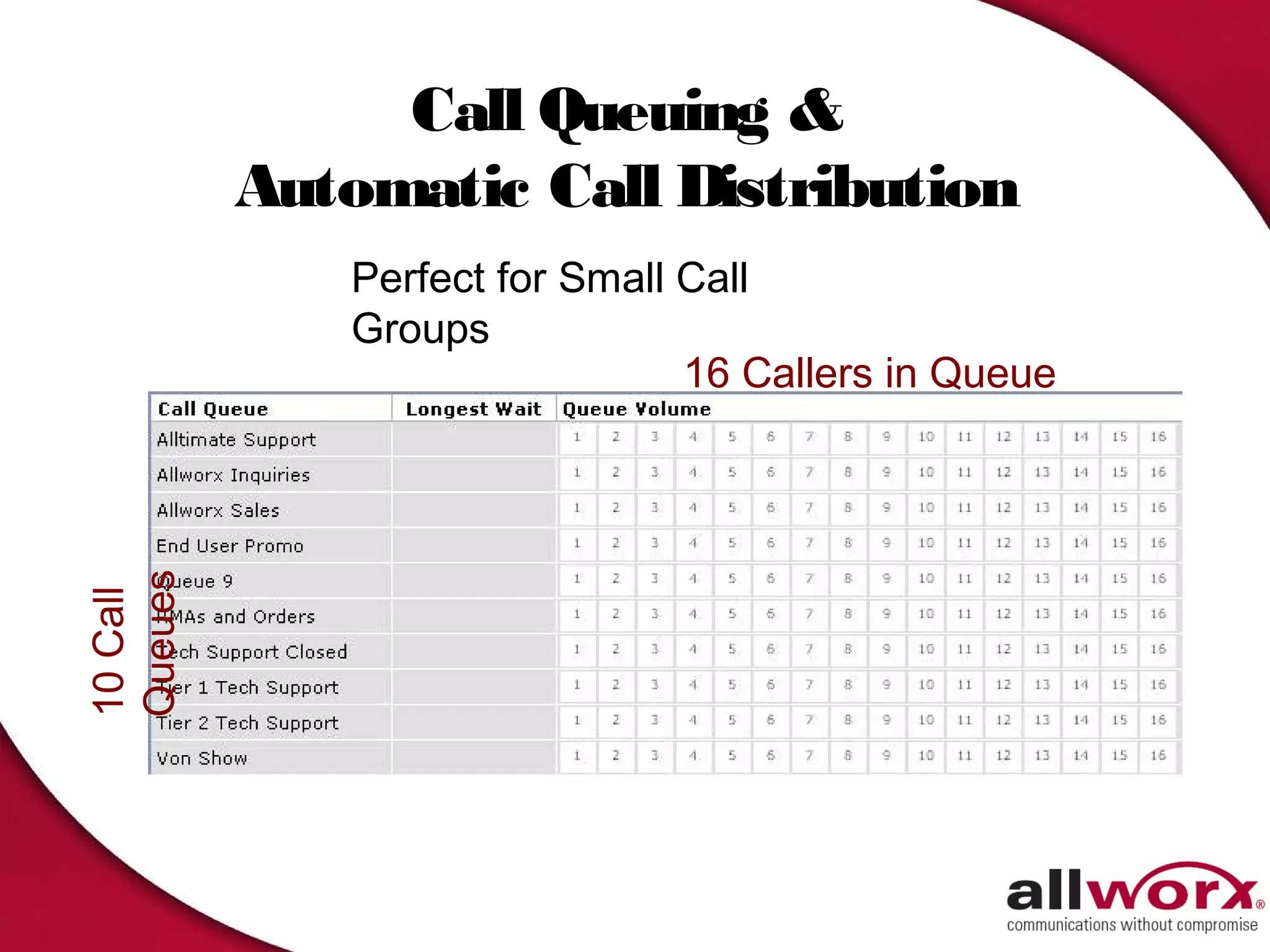
Call Queuing &
          Automatic Call Distribution
              Perfect for Small Call
              Groups
                                16 Callers in Queue
Queues
10 Call
Distribution Algorithms
1. Priority – Strict ordered list of Agents
    First agent available on list gets next call.
1. Round Robin – “Sales Person” Mode
    Evenly distribute same number of calls to each
     agent.
1. Longest Idle – “Support Team” Mode
    Evenly distribute by time to each logged in agent.
1. Ring All – Legacy Call Queuing Mode
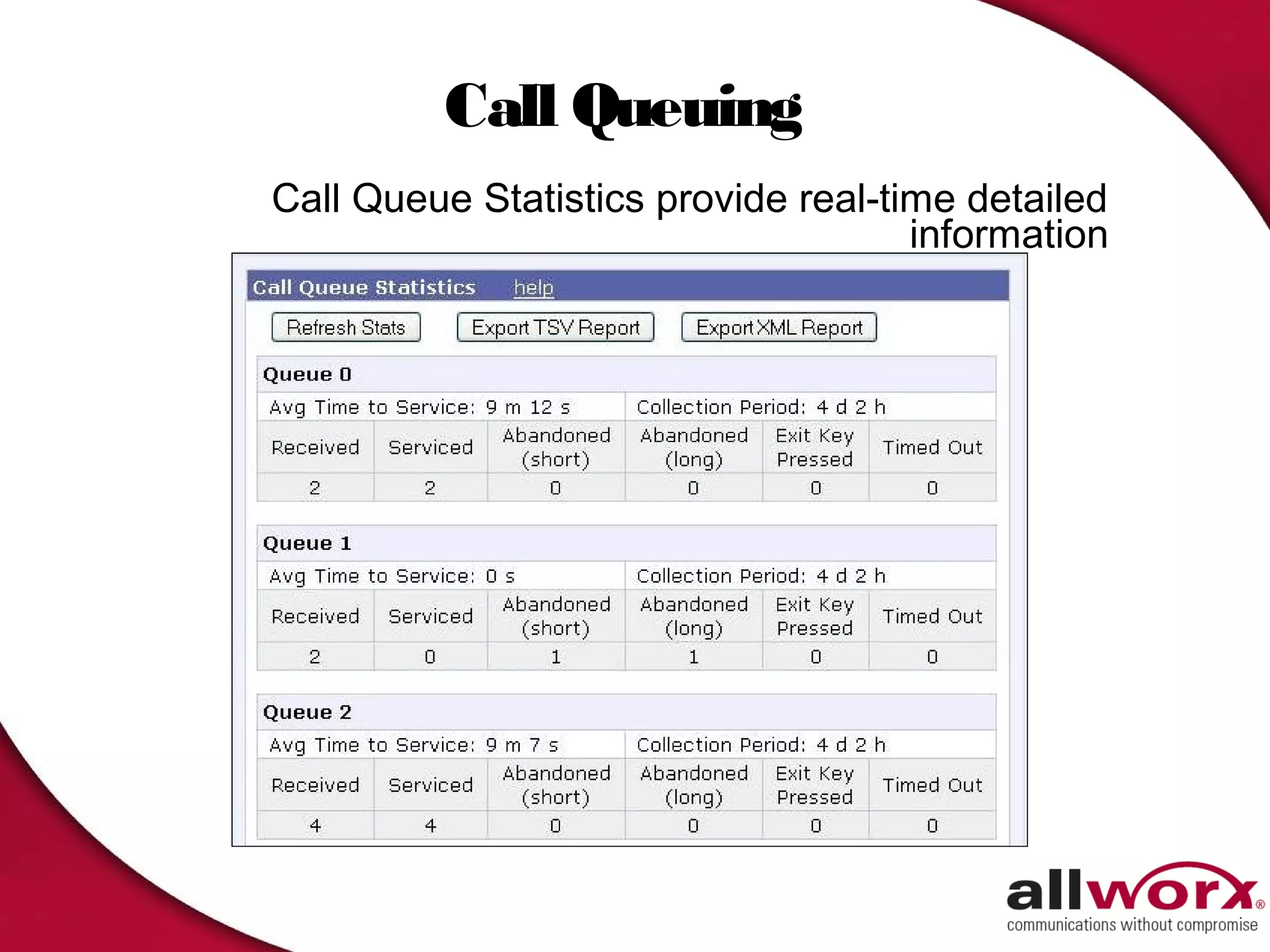
Call Queuing
Call Queue Statistics provide real-time detailed
                                     information
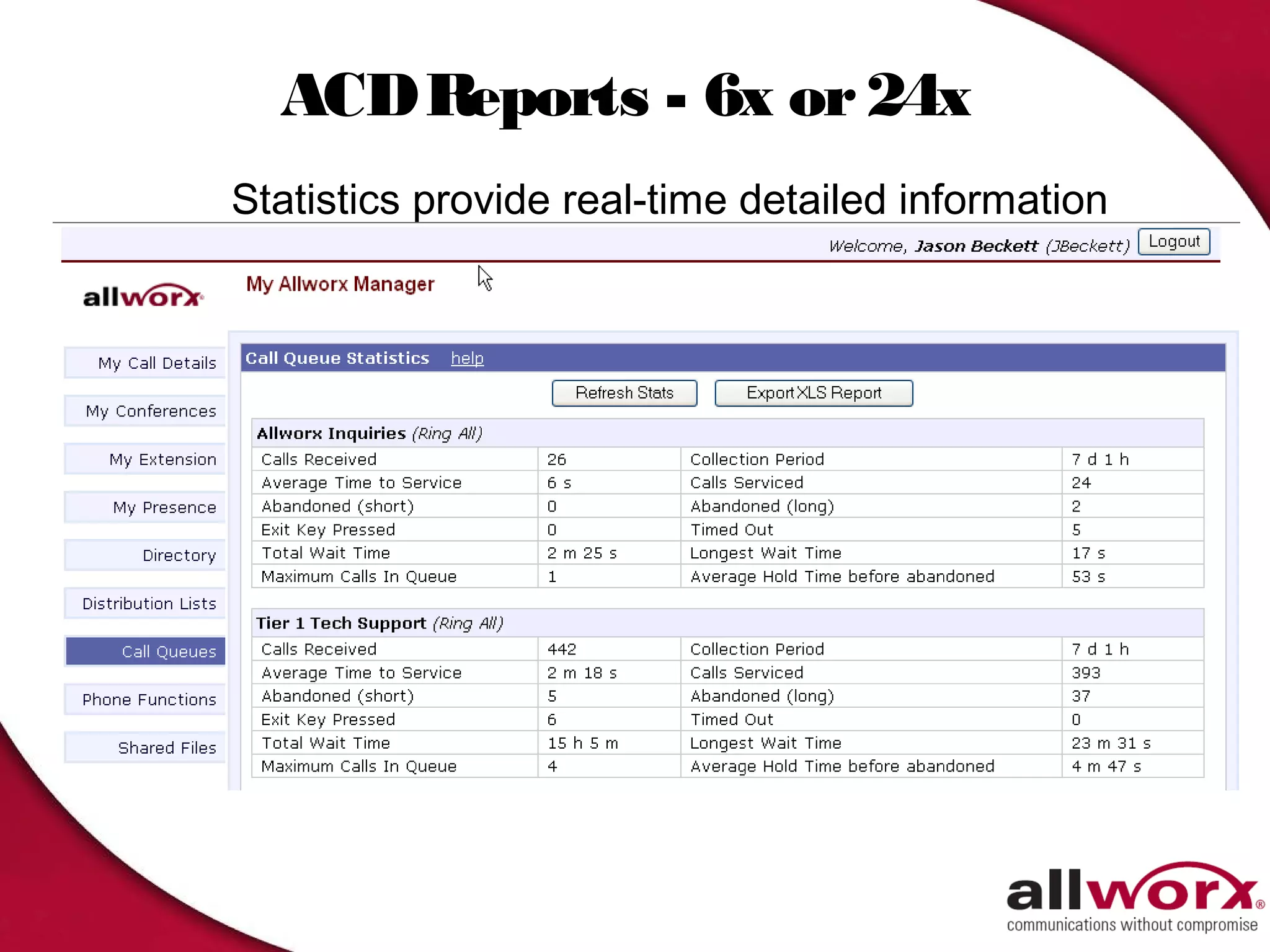
ACD Reports - 6x or 24x
Statistics provide real-time detailed information
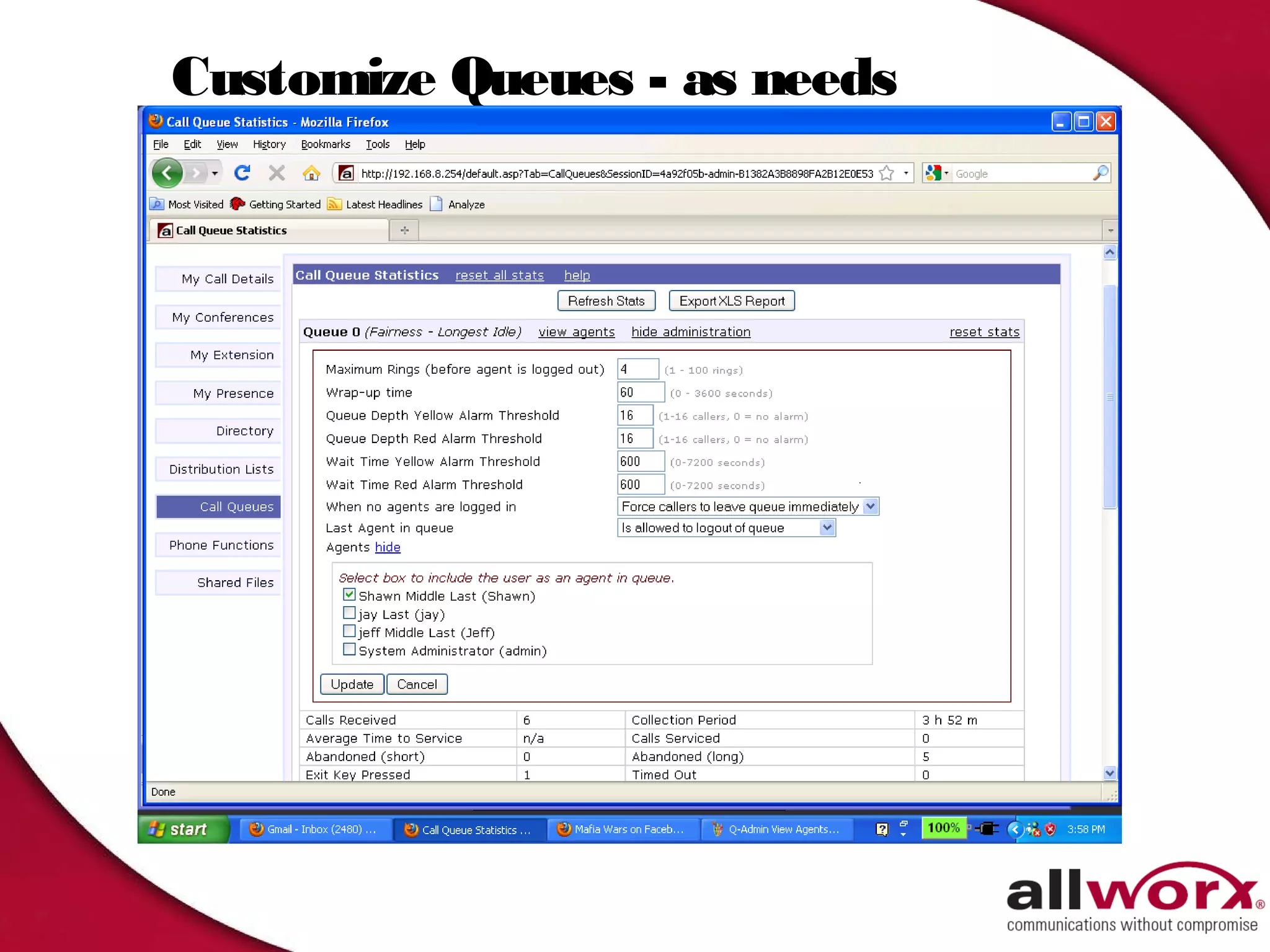
Customize Queues - as needs
change
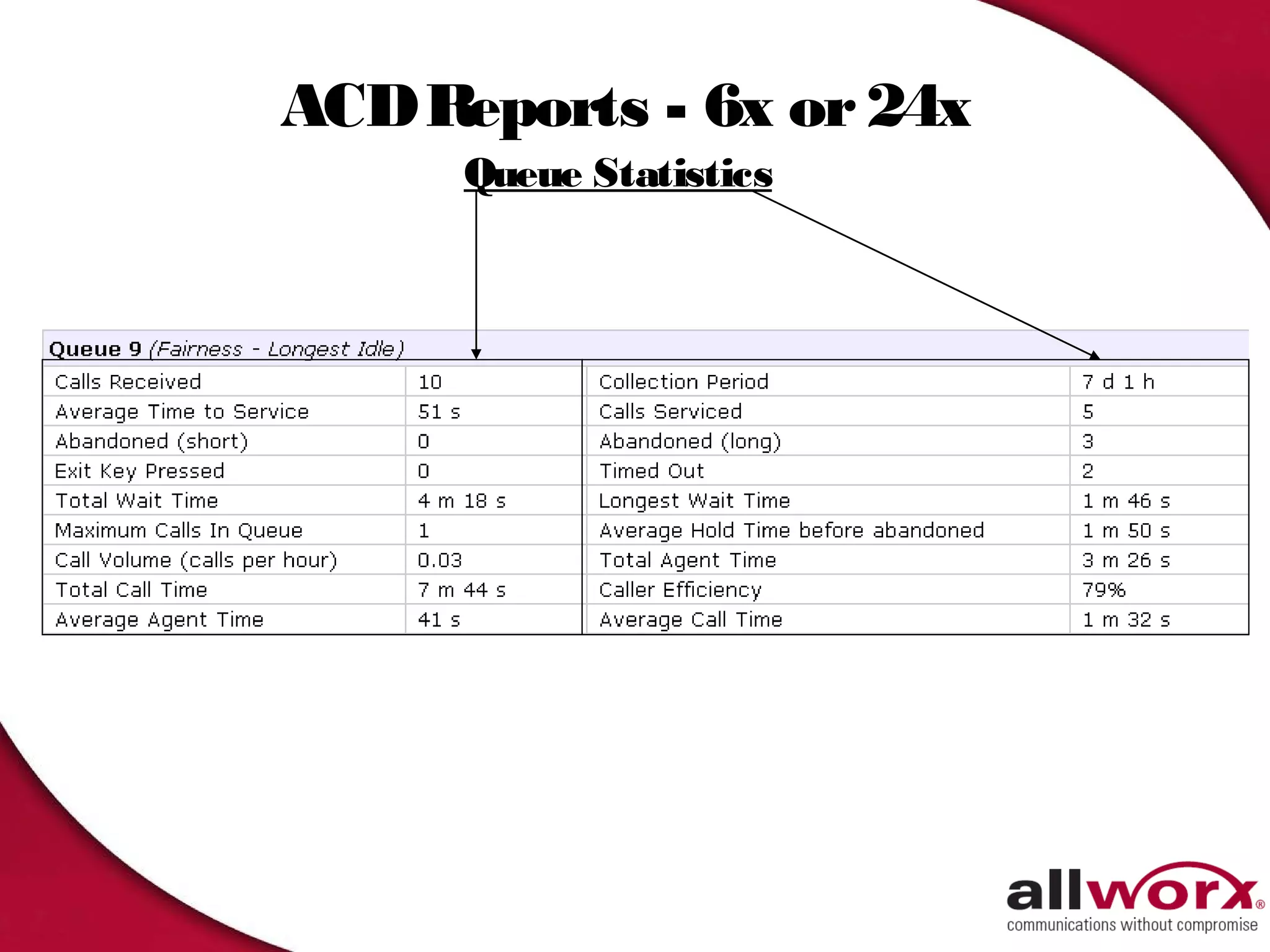
ACD Reports - 6x or 24x
      Queue Statistics
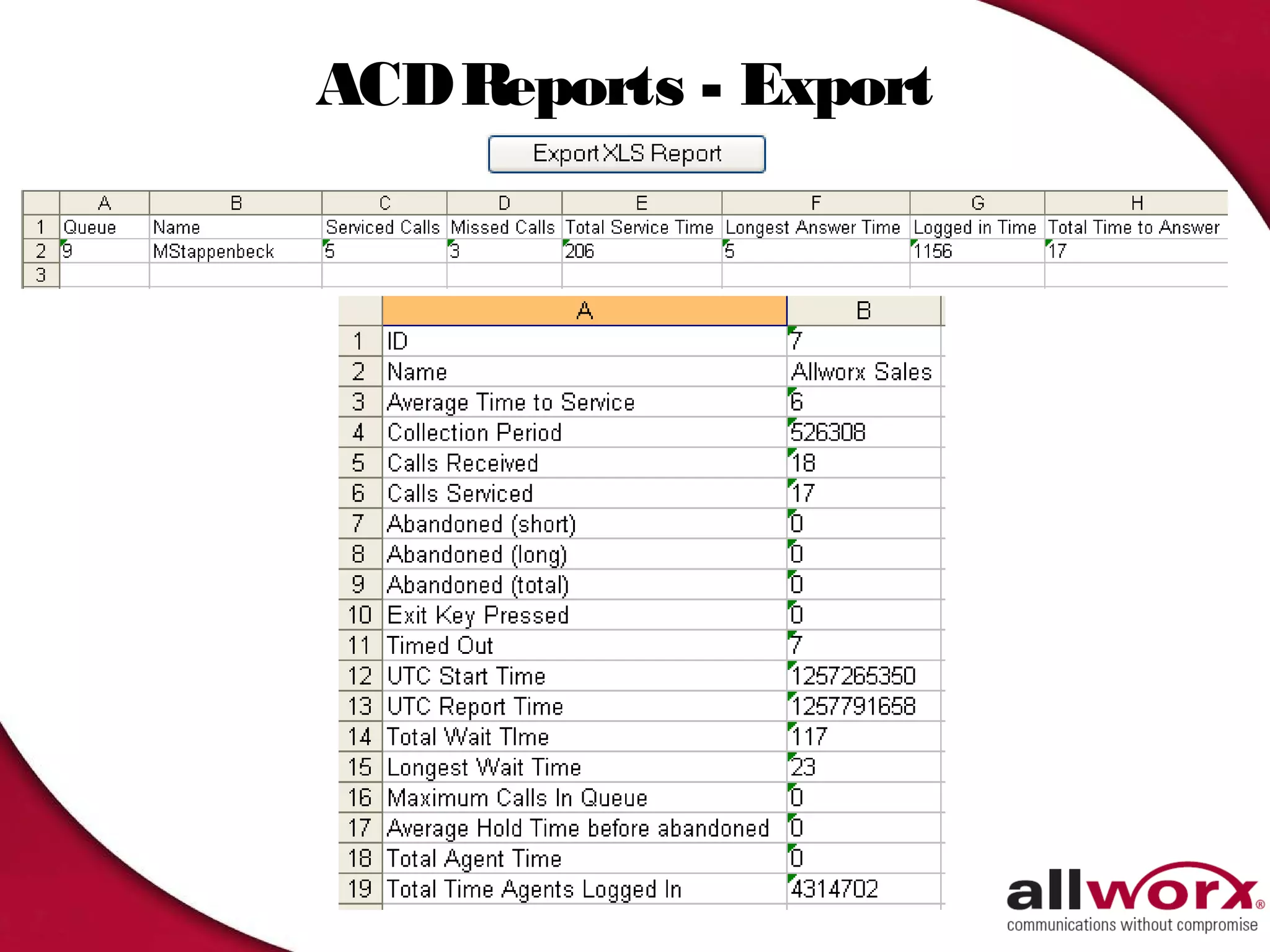
ACD Reports - Export
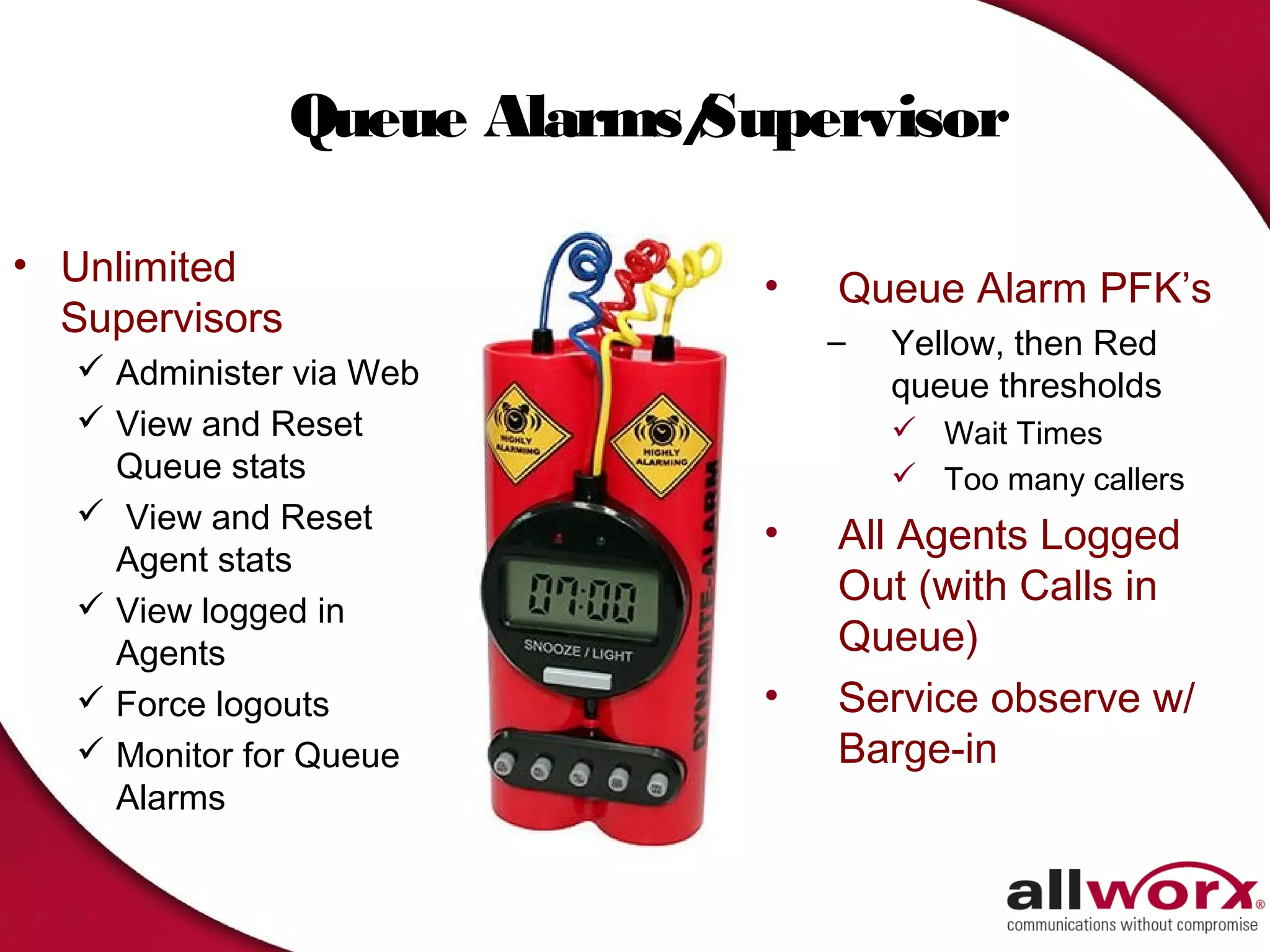
Queue Alarms/
                            Supervisor

• Unlimited                   •   Queue Alarm PFK’s
  Supervisors                     –   Yellow, then Red
    Administer via Web               queue thresholds
    View and Reset                    Wait Times
     Queue stats                       Too many callers
    View and Reset
                              •   All Agents Logged
     Agent stats
    View logged in
                                  Out (with Calls in
     Agents                       Queue)
    Force logouts            •   Service observe w/
    Monitor for Queue            Barge-in
     Alarms
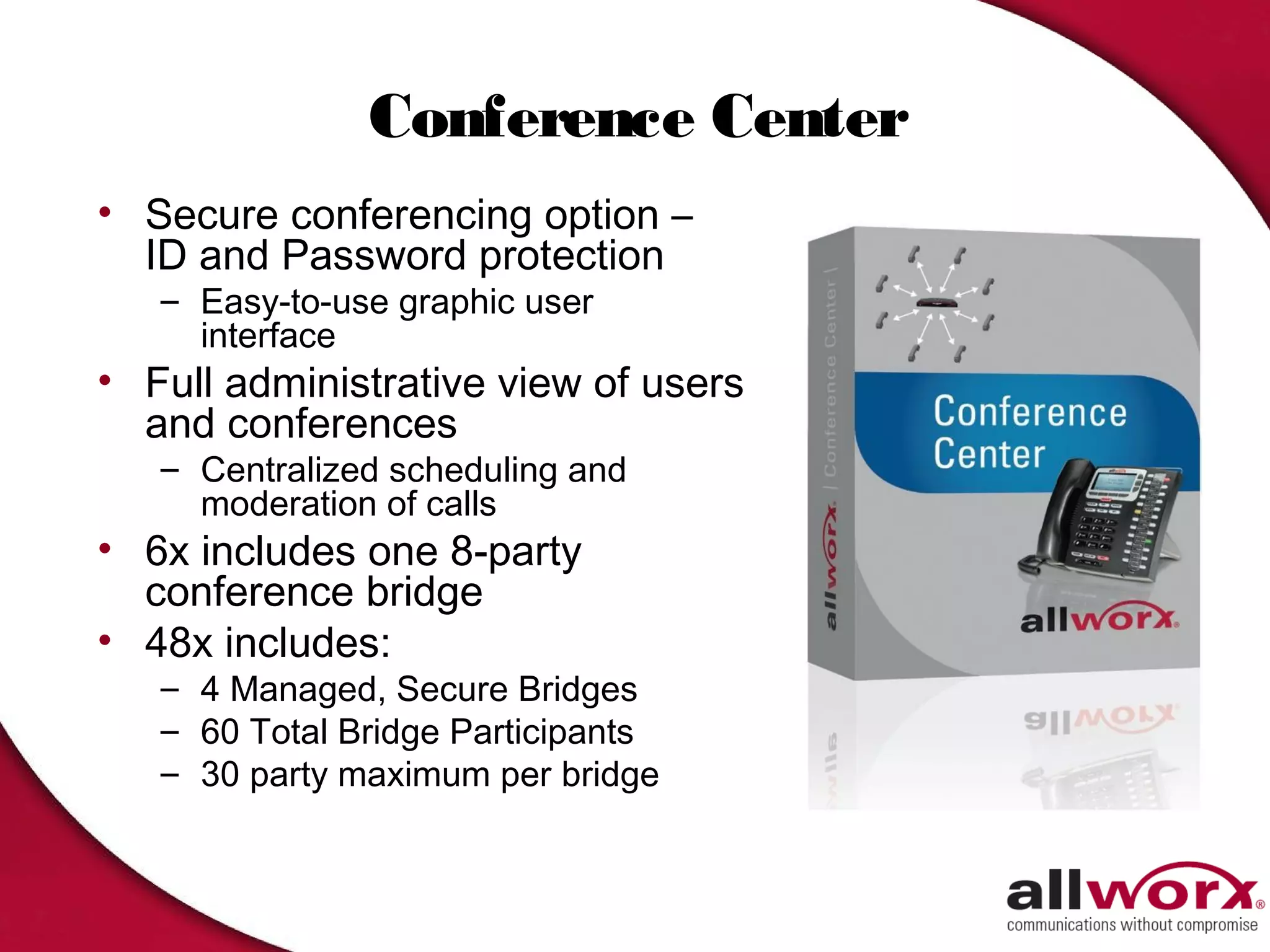
Conference Center
• Secure conferencing option –
  ID and Password protection
   – Easy-to-use graphic user
     interface
• Full administrative view of users
  and conferences
   – Centralized scheduling and
     moderation of calls
• 6x includes one 8-party
  conference bridge
• 48x includes:
   – 4 Managed, Secure Bridges
   – 60 Total Bridge Participants
   – 30 party maximum per bridge
Introducing Mobile Link
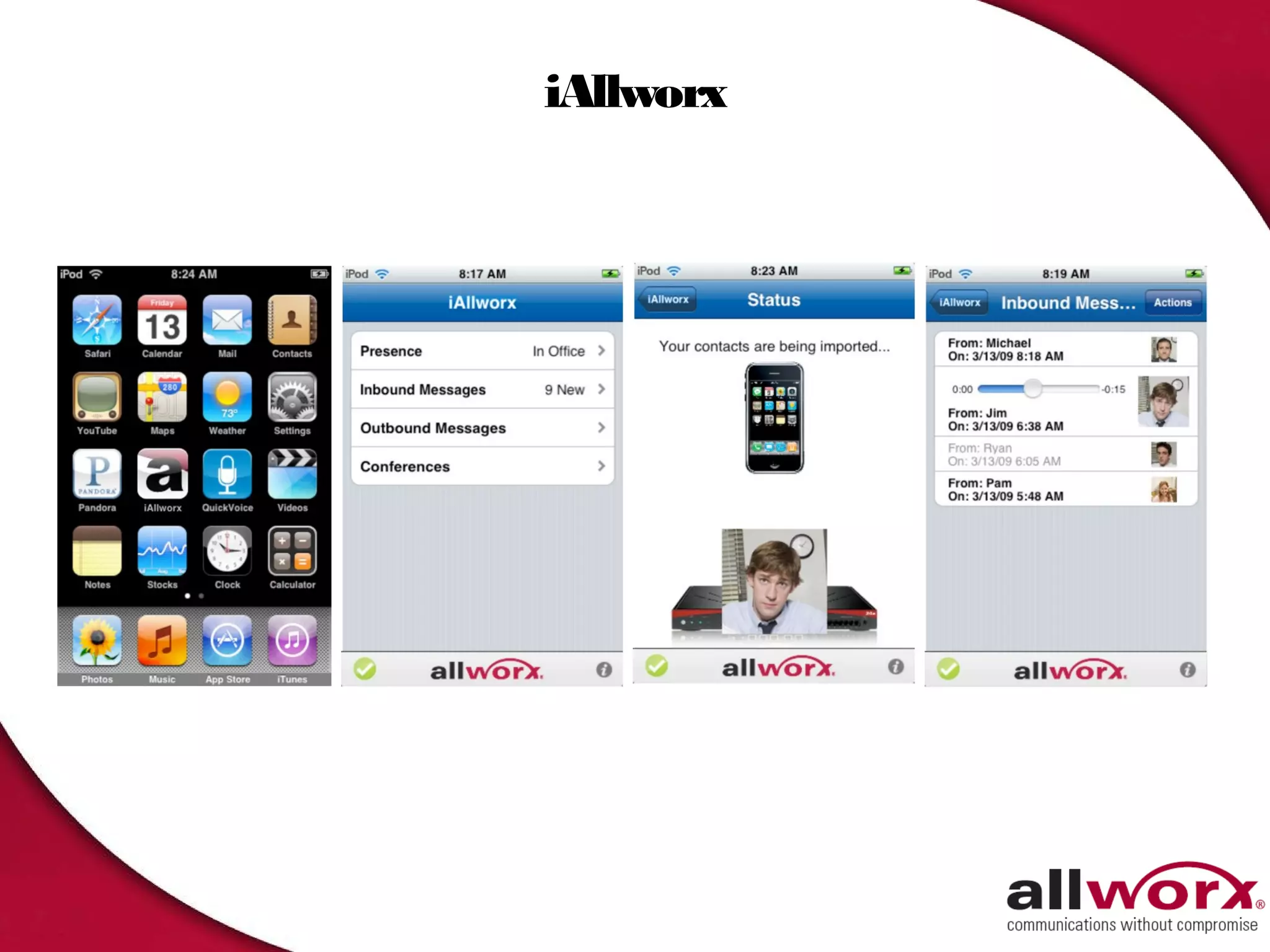
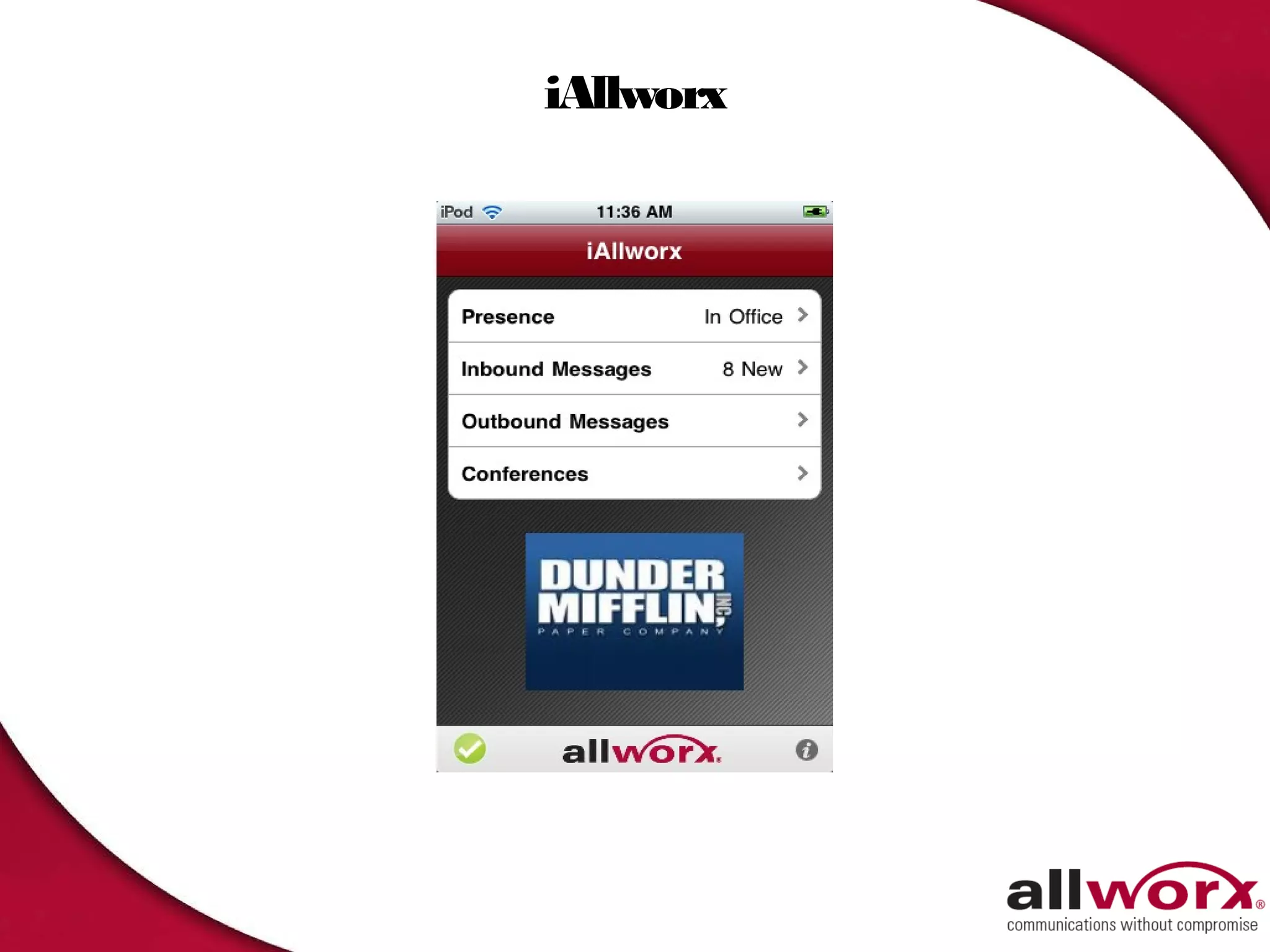
iAllworx
iAllworx
Changing Your Presence
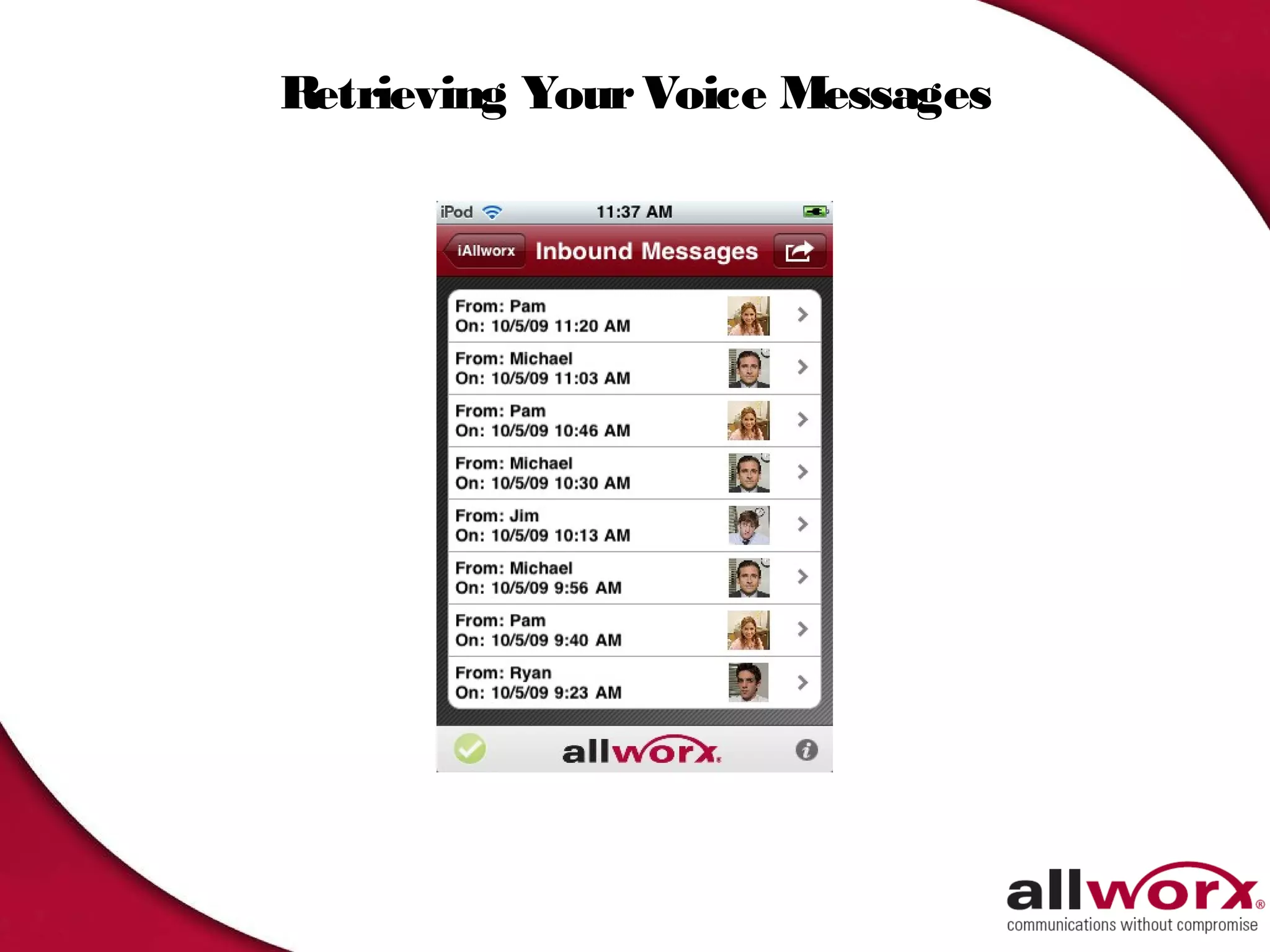
Retrieving Your Voice Messages
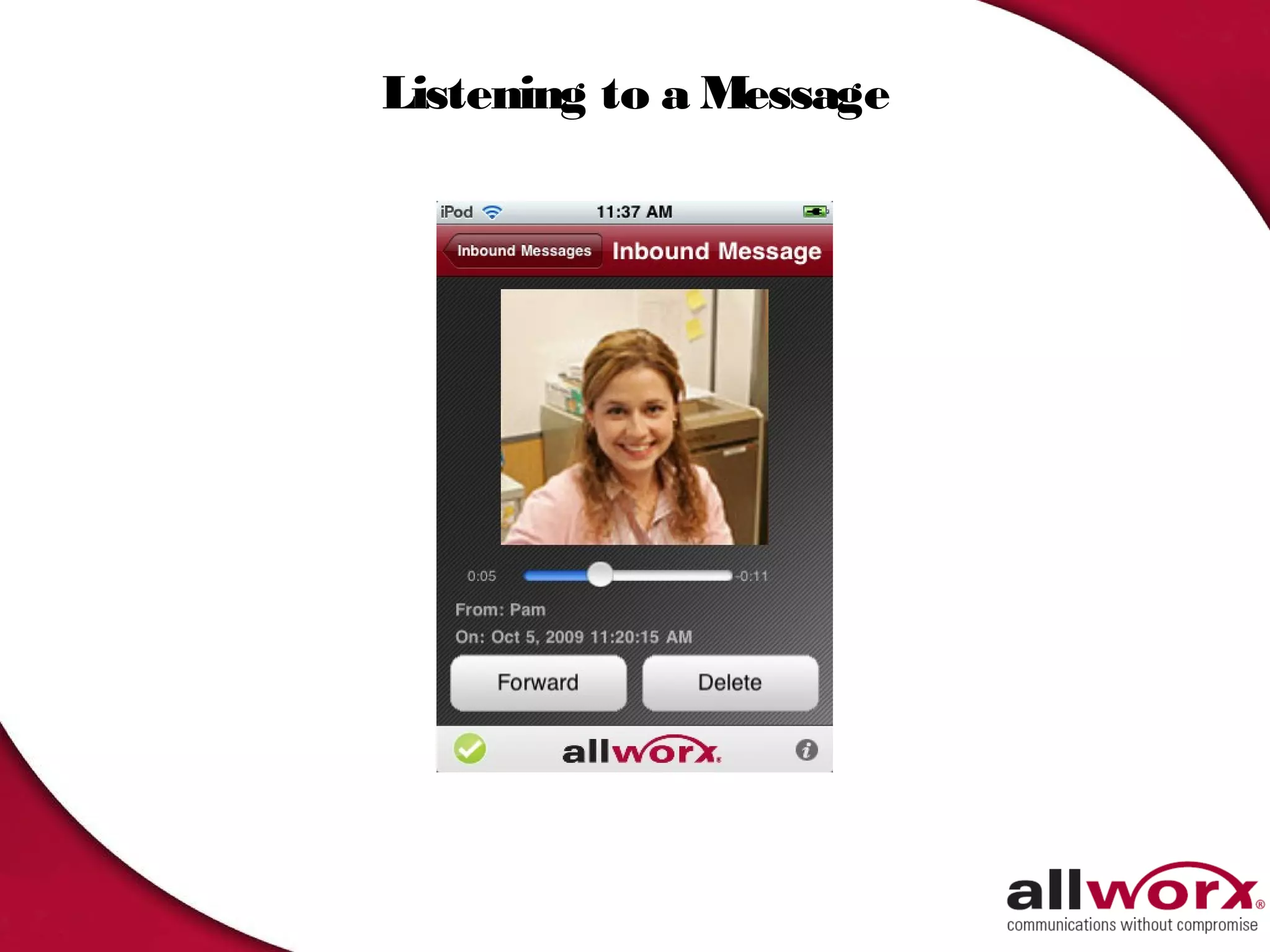
Listening to a Message
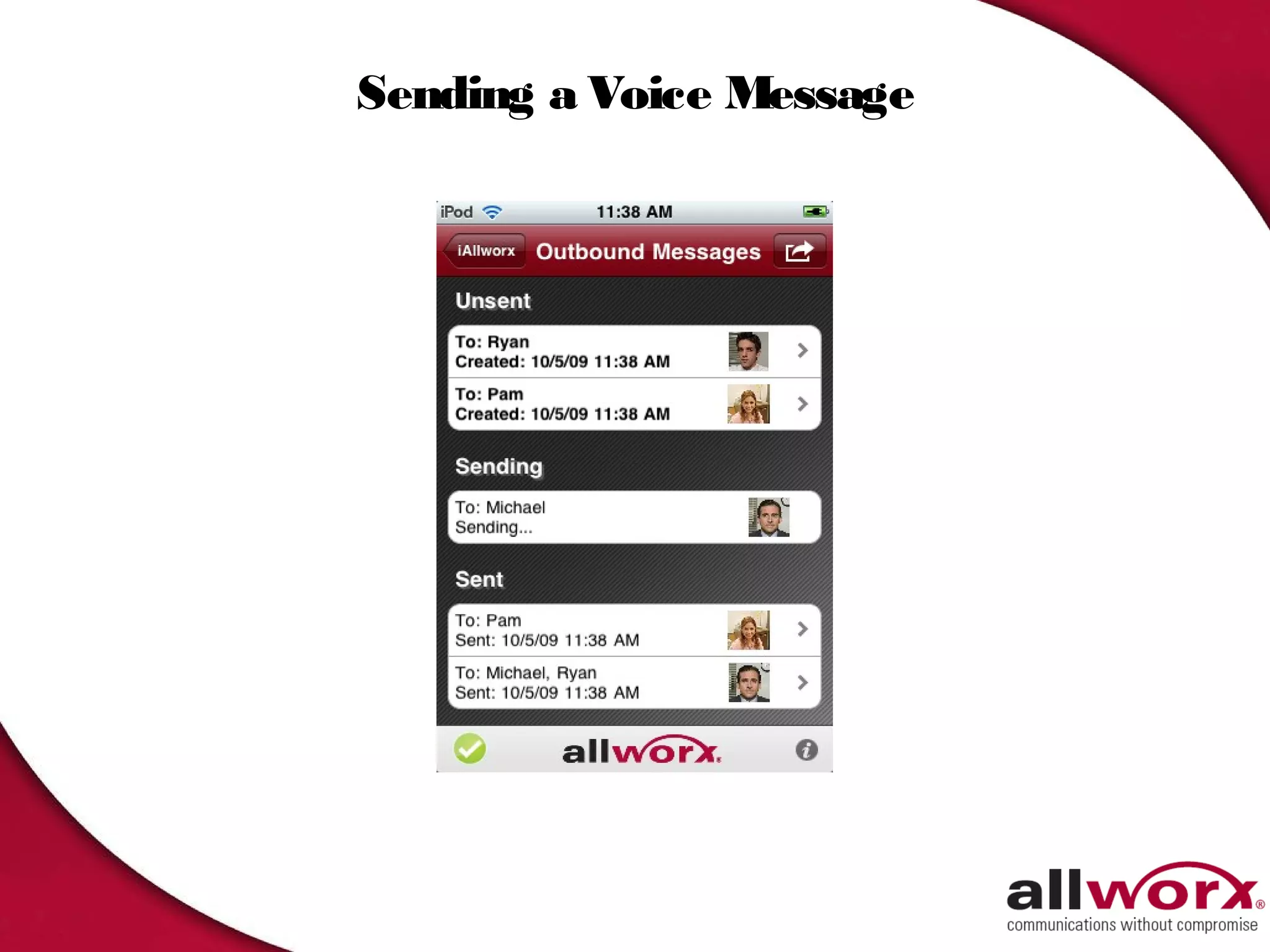
Sending a Voice Message
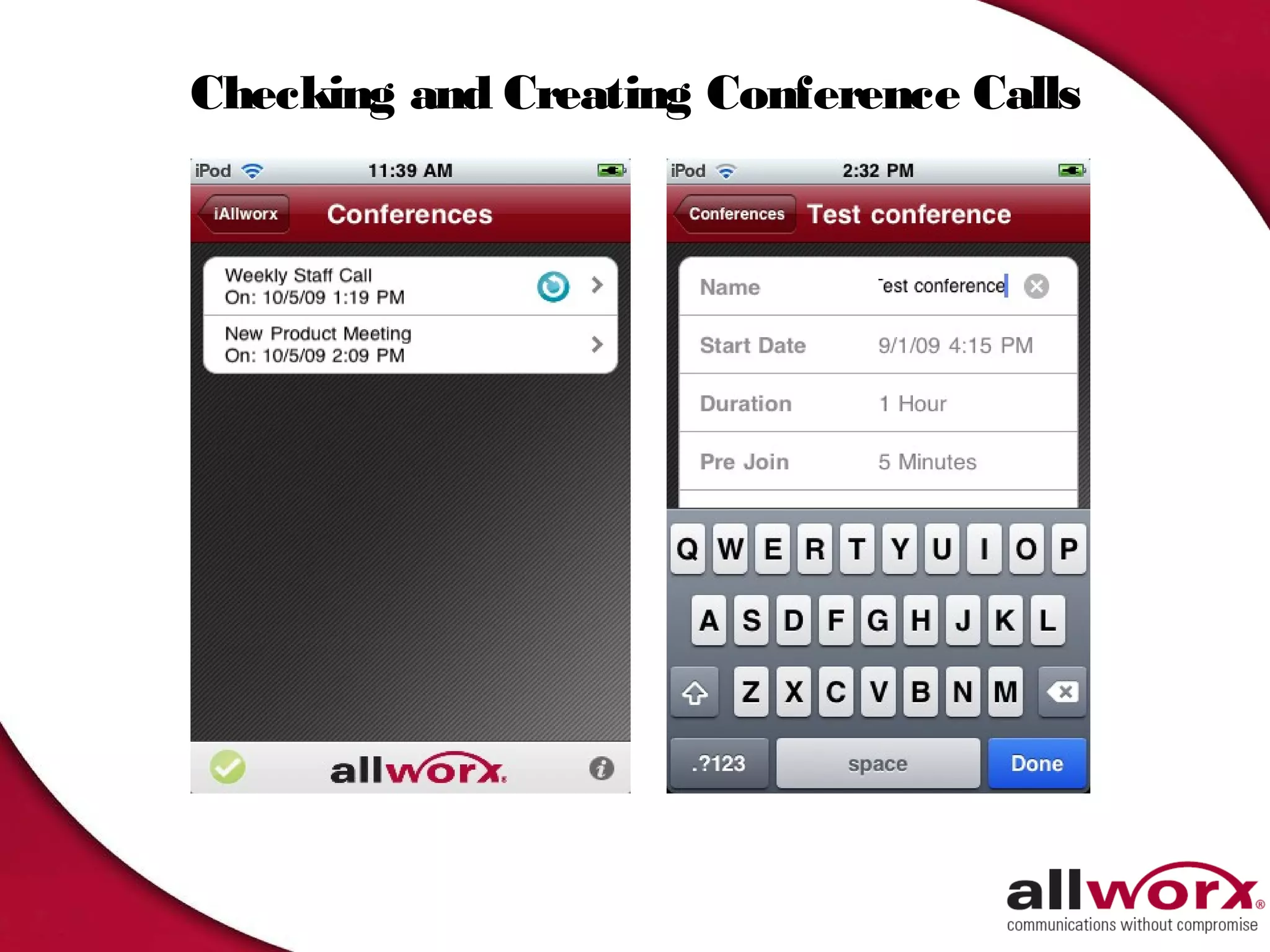
Checking and Creating Conference Calls
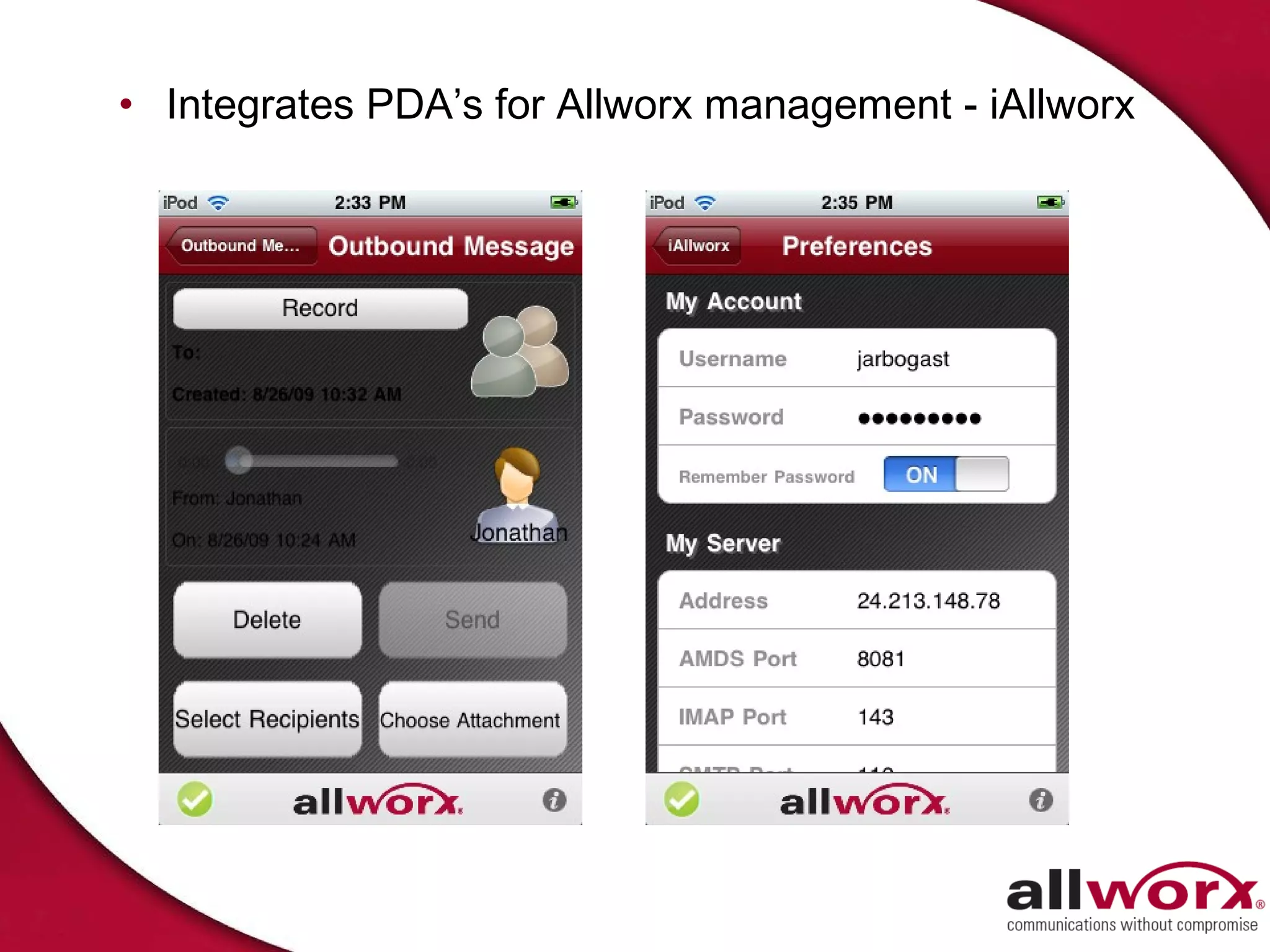
• Integrates PDA’s for Allworx management - iAllworx
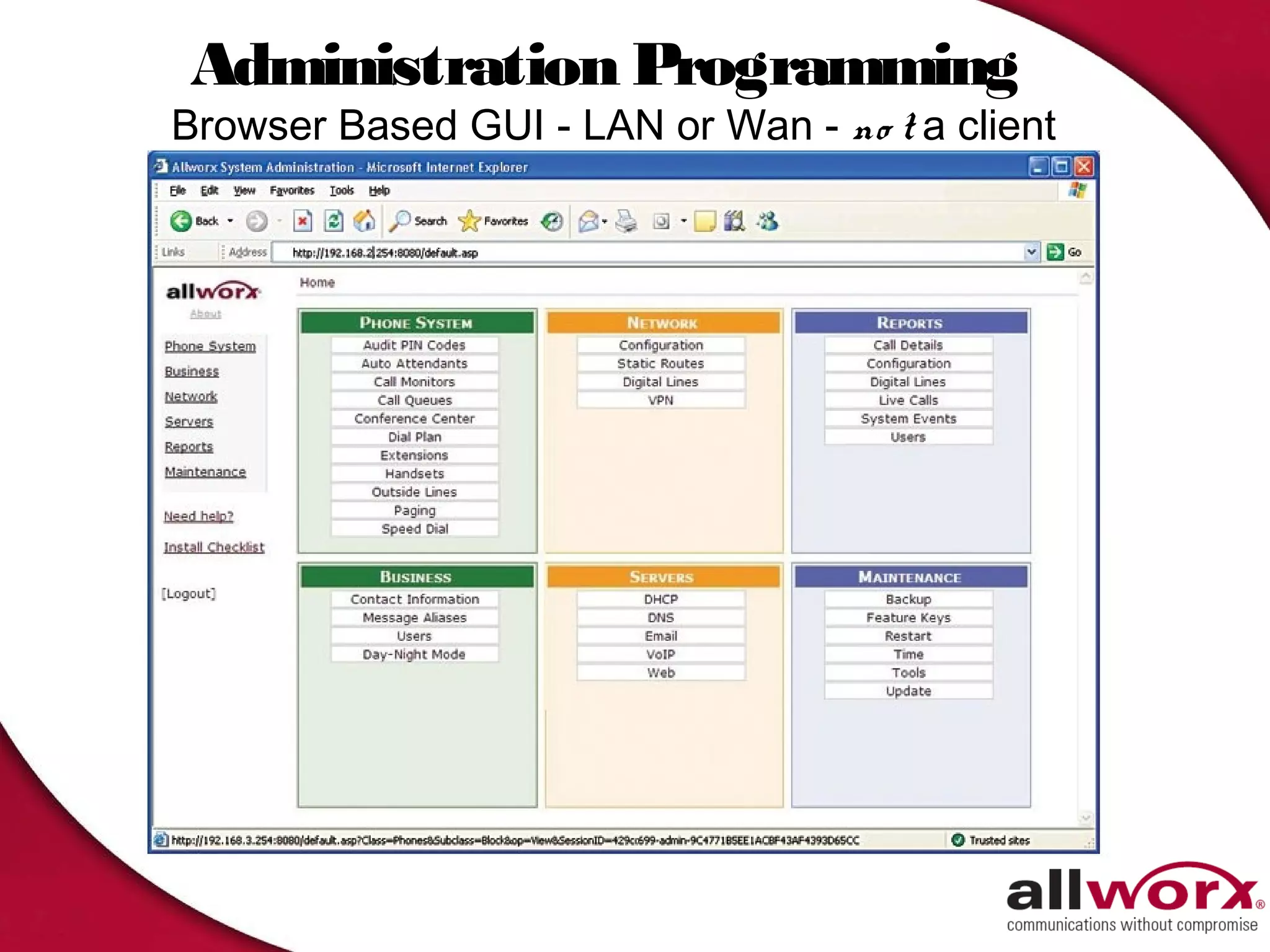
Administration Programming
Browser Based GUI - LAN or Wan - no t a client
The Compete Solution


 Question and Answer

Alllworx presentation 2

  • 1.
    IP Phone Systemsthat Mean Business © 2010 Allworx Corp A subsidiary of PAETEC Holding All Rights Reserved
  • 2.
    W Does AllworxDeliver? hat Satisfy Customer Needs with Low Total Cost of Ownership
  • 3.
    Diverse Voice Routing Services Robust Management Customized Features Global Multi-site What Customers Voicemail Integration Want… Business Mobility Process Connectivity Productivity Presence Management
  • 4.
    Some of Our12,000+ Customers
  • 5.
    From Visionary Beginnings…To Today • Founded in 1998 – 2 Divisions - Consulting and Product (Allworx) – Management Team – Kodak, Xerox Sr. design engineers – Film Kiosks Demonstrated Engineering skills – Cutting-Edge Design & Development a core competence • Introduced Allworx in 2003 • Acquired by PAETEC in November 2007 – More than 12,000 servers – More than150,000 handsets and almost 500,000 users • #1 market share in IP PBX in SMB – defined as less than100 users per location
  • 6.
    Top Reasons ToBelieve 1. Built for The Future – Pure SIP IP Phone System – SIP 2.0 trunks, any SIP stations – Migrate from Analog POTS, T1/PRI 1. Targeted for SMB – Huge Market opportunity – Legacy Key Systems Turn is now – Features exceed customer needs 1. Everything built-in – System licenses - not per seat – no blades/gateways – No inventory support nightmares
  • 7.
    Key Differentiators 4. Easy to install – Easier to maintain 5. Compelling Software Evolution 6. Lowest Total Cost of Ownership 7. Foundation for Managed Services 8. Solves Current Customers problems…and then some
  • 8.
    6x Server Fundamentals • 30 users included – license expansion to 60 • Every Server includes SIP Trunks • Six Copper trunks, two analog extensions • One Eight Party conference Bridge * * Licensed option
  • 9.
    48x Server Fundamentals – 48 users included – license expansion to 250 – Every Server includes Unlimited SIP – 2 TI/PRI ** – 60 party Conference Bridge DSP ** Bigger and broader market segment for new prospects Migration options for existing customers Same strategy of minimal part numbers for stock and support ** Licensed options
  • 10.
    48x Quick Facts •48x built on the solid foundation established by the 24x – Over 2000 satisfied customers – System-wide optional feature keys • No per user licensing of features • License only those features you need – Logical user expansion licenses • (49 to100; 101 to 150; 151 to 200; 201 to 250) – Extended Warranty and Software maintenance options • Benefits – Bigger and broader market coverage – more flexibility – Comprehensive migration options – existing customer benefit – Sane strategy of minimal part numbers for support
  • 11.
    Server Specifications 48x 6x Port Expander Number of Up to 250 Up to 60 0 Users Auto Attendants 9 9 0 Central Office 3 FXO, expandable to 21* 6 FXO, expandable to 24* 6 FXO ports Lines SIP 1 PFT 1 PFT 1 PFT Unlimited SIP lines Unlimited SIP Lines 3 Port Expanders per Server Analog Phones 5 FXS Ports expandable to 2 FXS ports expandable to 2 FXS Ports 11* 8* 6 Additional w/ 3 Px Voicemail 16 ports 8 Ports Server Based 125 hours total 2 hours per user Conference Four conference bridges One 8 seat bridge ** None max 30 seats/bridge, max 60 seats across all bridges ** Hard Drive 8GB solid state drive 512 MB Compact Flash 256 MB Compact flash * with optional Port Expander T1/PRI 2 Built-in ** ** optional license N/A N/A
  • 12.
    The Allworx 9224 Apremium top-of-the-line phone with Powerful Features • 24 programmable, 3- color Feature Keys (PFK’s) • Backlight Display for Readability • 7 Interactive Soft Keys • 11 Fixed Feature Keys • Full-Duplex Speakerphone • Built-in Headset Jack • Built-in Layer 2 Switch • Power over Ethernet (PoE)
  • 13.
    The Allworx 9224with 3 Tx Additional Sidecars support Attendant Console Every Tx powered by 9224
  • 14.
    The Allworx 9212 Apremium top-of-the-line phone with Powerful Features • 12 Programmable, 3-color Feature Keys (PFK’s) • 7 Interactive Soft Keys • 11 Fixed Feature Keys • Full-Duplex Speakerphone • Built-in Headset Jack • Built-in Layer 2 Switch • Power over Ethernet (PoE)
  • 15.
    The Allworx 9204 Asleek stylish design phone ideal for any office setting. • 4 programmable function keys • 192x64 graphical backlit display with adjustable brightness • Power over Ethernet (PoE) • High-fidelity voice handset • Wideband audio support • Wall mountable • Only supported with System software 7.1 or higher
  • 16.
    Conversion From TDMto IP is Simple
  • 17.
    Master of theUniverse Features
  • 18.
    SIP with PAETEC SIP VoIP (long distance) (local/ 911) • SIP available on PAETEC Dynamic IP • The intelligence built in to choose the most cost effective phone line - based on the number dialed • Apply different dialing rules to different telephone services (ITSP vs. local telephone company) • Take advantage of the most cost effective way to route a phone call • Implement today or tomorrow - as customers needs change
  • 19.
    SIP Ready (local/ 911) • In markets where PAETEC SIP is not yet available
  • 20.
    Remote Phones -anywhere in the world Incoming & Outgoing calls - VoIP or PSTN Main Office Firewall Remote Intern Intern User et et • DSS • BLF • Line Appearance Remote • Call Appearance User • SIP Appearance • Call Queuing Local Users • NAT Access • Multiple Remote Users behind same firewall • No VPN Required • No static IP address required for remote phones
  • 21.
    Users/ Handsets/ Extensions 1. Users are individuals (requiring voicemail) 2. Extensions are “all others” kitchen, break room or call routes 3. Handsets are endpoints 4. Handsets assigned to User (unlimited) Allworx Handsets Generic SIP Handsets SIP soft-phones • 6x Capacities: – 60 users – 120 extensions • 48x Capacities – 250 users – 500 extensions
  • 22.
    Call Routes • Callroutes are a pre-determined route for any call dialed or transferred to a user or extension
  • 23.
    Call Routes, cont’d •Call routes can be specific based on Caller ID • Follow-up with multiple call route attempts • Finally…
  • 24.
    Presence • Every user has 7 unique presence settings - and can change them at will
  • 25.
    Unified Messaging -Standard Voicemail/ Email in One Box • Review, retrieve and respond to all your messages from Inbox • Voicemail SMS text message alerts & escalation
  • 26.
  • 27.
  • 28.
    E911 Alert • EmergencyAlert Programmable Feature Key (PFK) – Any number of handsets may have Emergency Alert PFK • When 911 call is made, generates audible and visual alert on phone display – Email message and SMS text can also be generated • Perfect for – Educational markets – Any “high risk” customers
  • 29.
  • 30.
    Advanced Multi-site • Supportfor up to 1000 users – Primary/Branch • Global Directory • Global Voicemail • Global Call Routes • Global Busy Lamp Fields • Enhanced Auto Attendants
  • 31.
    Advanced Multi-Site …across town or across the Country Up to 99 locations – public, or private network Dallas TX 972 897-2800 • Global Directory, Global voicemail New York, NY • Global Numbering 212 863-4000 • Visibility of handsets at branch locations • Transfer Site to Branch • Access remote site trunks • Shared Automated Attendants Rochester, NY • Primary Site has visibility of users of all 585 321-6000 branches • Multiple Primary Sites can serve for Disaster Recovery • Distributed is better for SMB
  • 32.
  • 33.
    Call Assistant Attendant CallProcessing/Power Dialing/Call Logging/Call Recording in conjunction with Allworx 9224/9212/9202
  • 34.
    Call Recording –Easy as 1-2- 3 Appears in folder where when recording shows status, pause and resume you want - Records directly to folder - not using voicemail port 34
  • 35.
    TAPI – includedwith Call Assistant
  • 36.
    ACD - Intelligentlymanage Calls
  • 37.
    Call Queuing & Automatic Call Distribution Perfect for Small Call Groups 16 Callers in Queue Queues 10 Call
  • 38.
    Distribution Algorithms 1. Priority– Strict ordered list of Agents  First agent available on list gets next call. 1. Round Robin – “Sales Person” Mode  Evenly distribute same number of calls to each agent. 1. Longest Idle – “Support Team” Mode  Evenly distribute by time to each logged in agent. 1. Ring All – Legacy Call Queuing Mode
  • 39.
    Call Queuing Call QueueStatistics provide real-time detailed information
  • 40.
    ACD Reports -6x or 24x Statistics provide real-time detailed information
  • 41.
    Customize Queues -as needs change
  • 42.
    ACD Reports -6x or 24x Queue Statistics
  • 43.
  • 44.
    Queue Alarms/ Supervisor • Unlimited • Queue Alarm PFK’s Supervisors – Yellow, then Red  Administer via Web queue thresholds  View and Reset  Wait Times Queue stats  Too many callers  View and Reset • All Agents Logged Agent stats  View logged in Out (with Calls in Agents Queue)  Force logouts • Service observe w/  Monitor for Queue Barge-in Alarms
  • 45.
    Conference Center • Secureconferencing option – ID and Password protection – Easy-to-use graphic user interface • Full administrative view of users and conferences – Centralized scheduling and moderation of calls • 6x includes one 8-party conference bridge • 48x includes: – 4 Managed, Secure Bridges – 60 Total Bridge Participants – 30 party maximum per bridge
  • 46.
  • 47.
  • 48.
  • 49.
  • 50.
  • 51.
  • 52.
  • 53.
    Checking and CreatingConference Calls
  • 54.
    • Integrates PDA’sfor Allworx management - iAllworx
  • 55.
    Administration Programming Browser BasedGUI - LAN or Wan - no t a client
  • 56.
    The Compete Solution Question and Answer

Editor's Notes

  • #30 Allworx Advanced Features save you time and effort with group calendaring, Call Assistant Software, Call Queuing and much more. We’ve streamlined tasks like information sharing and group planning, essentially adding hours to your work week. Group Calendaring : Scheduling meetings has never been easier – with a few clicks, view everyone’s schedule. Then create and track meeting requests via email. Call Assistant : Live answering position that works in conjunction with any Allworx phone. All key calling functions available via software – answer, release, hold, transfer, park, etc. Call Queuing: View continuously updated queue status on your PC (number in queue, longest wait time, average wait time, etc.). Call details report is available and can be exported to MS Excel for further analysis. All phones ring when a caller is in queue, first one to answer gets the call. Phones can answer multiple queues. VPN: Use the VPN software to access Allworx remotely and get full functionality (email, calendaring, shared files, etc.) VPN is PPTP- based. There is a one time license fee for up to 16 simultaneous users.. VoIP via WAN: Is a software key that enables multi-site connectivity and remote phone capability via VoIP phones using SIP protocol. With VoIP via WAN multi-site calling does not require ITSP service. It is needed to connect the Allworx system to an ITSP.
  • #34 Allworx Call Assistant is a PC-based answering position which brings the power of enterprise attendant consoles direct to small businesses. It allows operators or receptionists to monitor the stat of every line in the system and to effectively dispatch calls by answering, transferring, parking or sending to voicemail. Key benefits: Centralized call management Easy-to-Use graphical interface Drag & drop capability for transferring calls Easy access to standard call functions Seamless integration with any Allworx phone Quick and easy installation Support for both VoIP and traditional CO phone lines My Calls: Every incoming or outgoing call associated with the operator’s extension appears here. It shows the status of the call, caller ID, Phone number and elapsed time. Outside Lines: All incoming lines which have been designated for this operator appear here. Switchboard: The Switchboard is a multifunctional interactive area designed to display Directory and other system information. Clicking on the tabs will lead to screens dedicated to Auto Attendants, Call Queues, Parked calls, Call monitors, active call and favorites. Directory: The directory displays all users currently configured in the Allworx system with extension number and color indicating current status. Task Bar: All key calling functions are conveniently placed at the top of the screen and can be accessed through either mouse or keyboard commands.