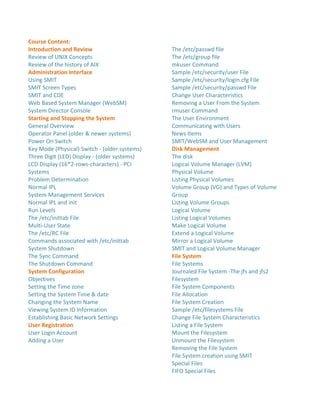
Course Content:
Introduction and Review
Review of UNIX Concepts
Review of the history of AIX
Administration Interface
Using SMIT
SMIT Screen Types
SMIT and CDE
Web Based System Manager (WebSM)
System Director Console
Starting and Stopping the System
General Overview
Operator Panel (older & newer systems)
Power On Switch
Key Mode (Physical) Switch - (older systems)
Three Digit (LED) Display - (older systems)
LCD Display (16*2-rows-characters) - PCI
Systems
Problem Determination
Normal IPL
System Management Services
Normal IPL and init
Run Levels
The /etc/inittab File
Multi-User State
The /etc/RC File
Commands associated with /etc/inittab
System Shutdown
The Sync Command
The Shutdown Command
System Configuration
Objectives
Setting the Time zone
Setting the System Time & date
Changing the System Name
Viewing System ID Information
Establishing Basic Network Settings
User Registration
User Login Account
Adding a User
The /etc/passwd file
The /etc/group file
mkuser Command
Sample /etc/security/user File
Sample /etc/security/login.cfg File
Sample /etc/security/passwd File
Change User Characteristics
Removing a User From the System
rmuser Command
The User Environment
Communicating with Users
News Items
SMIT/WebSM and User Management
Disk Management
The disk
Logical Volume Manager (LVM)
Physical Volume
Listing Physical Volumes
Volume Group (VG) and Types of Volume
Group
Listing Volume Groups
Logical Volume
Listing Logical Volumes
Make Logical Volume
Extend a Logical Volume
Mirror a Logical Volume
SMIT and Logical Volume Manager
File System
File Systems
Journaled File System -The jfs and jfs2
Filesystem
File System Components
File Allocation
File System Creation
Sample /etc/filesystems File
Change File System Characteristics
Listing a File System
Mount the Filesystem
Unmount the Filesystem
Removing the File System
File System creation using SMIT
Special Files
FIFO Special Files
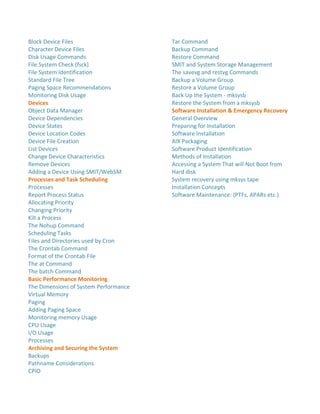
Block Device Files
Character Device Files
Disk Usage Commands
File System Check (fsck)
File System Identification
Standard File Tree
Paging Space Recommendations
Monitoring Disk Usage
Devices
Object Data Manager
Device Dependencies
Device States
Device Location Codes
Device File Creation
List Devices
Change Device Characteristics
Remove Devices
Adding a Device Using SMIT/WebSM
Processes and Task Scheduling
Processes
Report Process Status
Allocating Priority
Changing Priority
Kill a Process
The Nohup Command
Scheduling Tasks
Files and Directories used by Cron
The Crontab Command
Format of the Crontab File
The at Command
The batch Command
Basic Performance Monitoring
The Dimensions of System Performance
Virtual Memory
Paging
Adding Paging Space
Monitoring memory Usage
CPU Usage
I/O Usage
Processes
Archiving and Securing the System
Backups
Pathname Considerations
CPIO
Tar Command
Backup Command
Restore Command
SMIT and System Storage Management
The savevg and restvg Commands
Backup a Volume Group
Restore a Volume Group
Back Up the System - mksysb
Restore the System from a mksysb
Software Installation & Emergency Recovery
General Overview
Preparing for Installation
Software Installation
AIX Packaging
Software Product Identification
Methods of Installation
Accessing a System That will Not Boot from
Hard disk
System recovery using mksys tape
Installation Concepts
Software Maintenance: (PTFs, APARs etc.)

Aix administration

  • 1.
    Course Content: Introduction andReview Review of UNIX Concepts Review of the history of AIX Administration Interface Using SMIT SMIT Screen Types SMIT and CDE Web Based System Manager (WebSM) System Director Console Starting and Stopping the System General Overview Operator Panel (older & newer systems) Power On Switch Key Mode (Physical) Switch - (older systems) Three Digit (LED) Display - (older systems) LCD Display (16*2-rows-characters) - PCI Systems Problem Determination Normal IPL System Management Services Normal IPL and init Run Levels The /etc/inittab File Multi-User State The /etc/RC File Commands associated with /etc/inittab System Shutdown The Sync Command The Shutdown Command System Configuration Objectives Setting the Time zone Setting the System Time & date Changing the System Name Viewing System ID Information Establishing Basic Network Settings User Registration User Login Account Adding a User The /etc/passwd file The /etc/group file mkuser Command Sample /etc/security/user File Sample /etc/security/login.cfg File Sample /etc/security/passwd File Change User Characteristics Removing a User From the System rmuser Command The User Environment Communicating with Users News Items SMIT/WebSM and User Management Disk Management The disk Logical Volume Manager (LVM) Physical Volume Listing Physical Volumes Volume Group (VG) and Types of Volume Group Listing Volume Groups Logical Volume Listing Logical Volumes Make Logical Volume Extend a Logical Volume Mirror a Logical Volume SMIT and Logical Volume Manager File System File Systems Journaled File System -The jfs and jfs2 Filesystem File System Components File Allocation File System Creation Sample /etc/filesystems File Change File System Characteristics Listing a File System Mount the Filesystem Unmount the Filesystem Removing the File System File System creation using SMIT Special Files FIFO Special Files
  • 2.
    Block Device Files CharacterDevice Files Disk Usage Commands File System Check (fsck) File System Identification Standard File Tree Paging Space Recommendations Monitoring Disk Usage Devices Object Data Manager Device Dependencies Device States Device Location Codes Device File Creation List Devices Change Device Characteristics Remove Devices Adding a Device Using SMIT/WebSM Processes and Task Scheduling Processes Report Process Status Allocating Priority Changing Priority Kill a Process The Nohup Command Scheduling Tasks Files and Directories used by Cron The Crontab Command Format of the Crontab File The at Command The batch Command Basic Performance Monitoring The Dimensions of System Performance Virtual Memory Paging Adding Paging Space Monitoring memory Usage CPU Usage I/O Usage Processes Archiving and Securing the System Backups Pathname Considerations CPIO Tar Command Backup Command Restore Command SMIT and System Storage Management The savevg and restvg Commands Backup a Volume Group Restore a Volume Group Back Up the System - mksysb Restore the System from a mksysb Software Installation & Emergency Recovery General Overview Preparing for Installation Software Installation AIX Packaging Software Product Identification Methods of Installation Accessing a System That will Not Boot from Hard disk System recovery using mksys tape Installation Concepts Software Maintenance: (PTFs, APARs etc.)