Advanced
Monitoring and
Troubleshooting
System (AMTS)
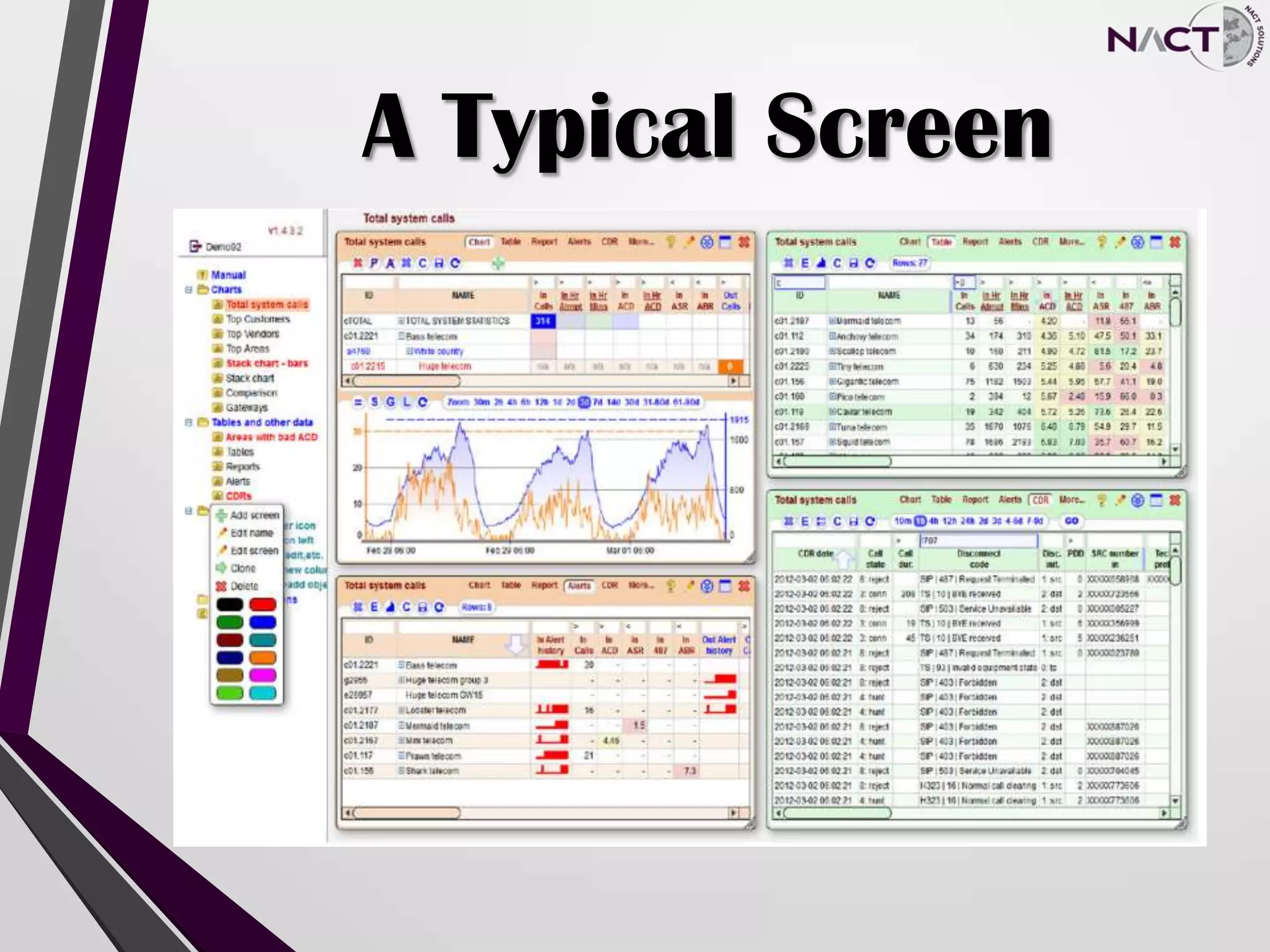
A Typical Screen
What is the AMTS
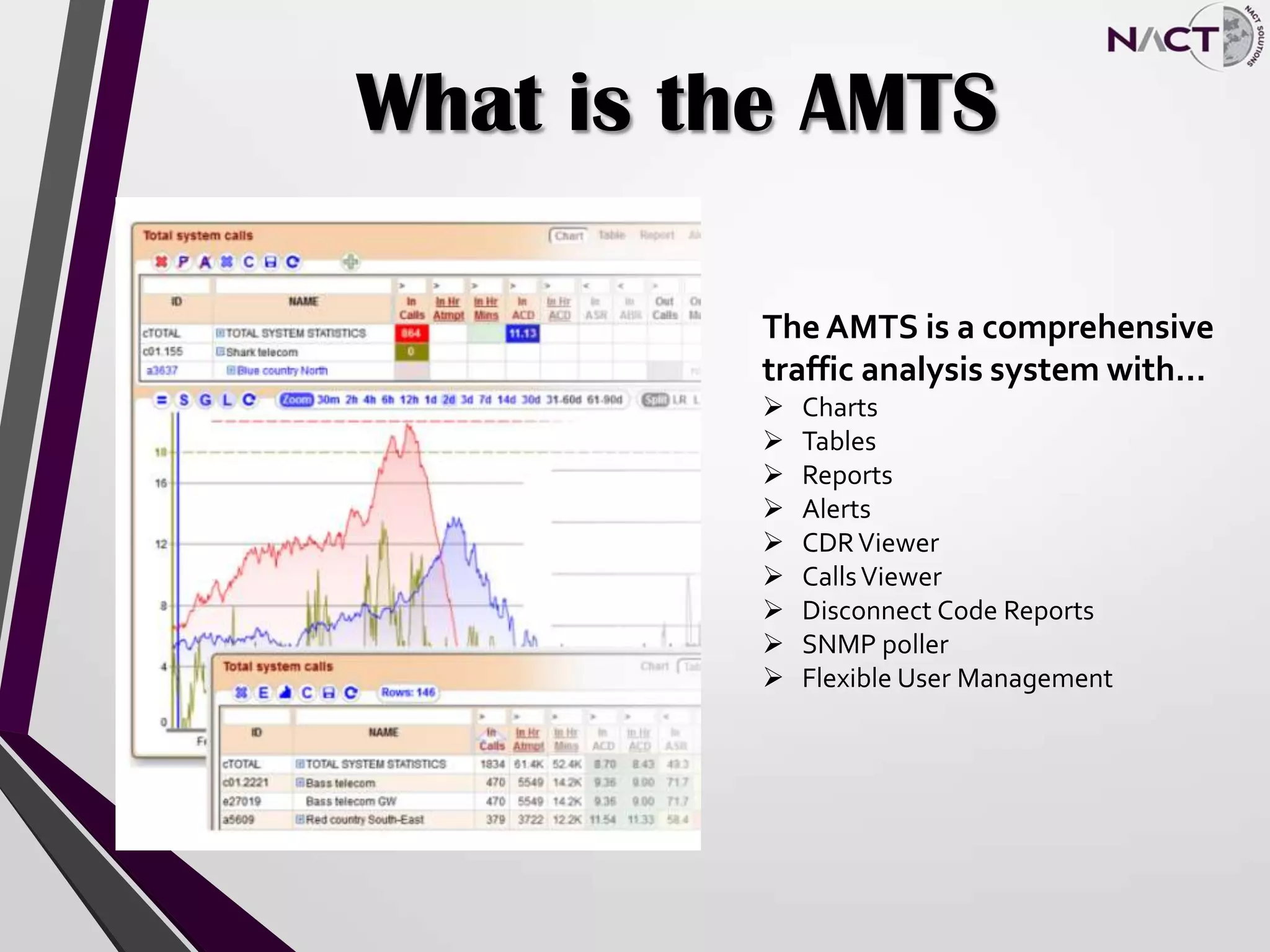
The AMTS is a comprehensive
traffic analysis system with…
 Charts
 Tables
 Reports
 Alerts
 CDRViewer
 CallsViewer
 Disconnect Code Reports
 SNMP poller
 Flexible User Management
All’s Well That’s Monitored
Well
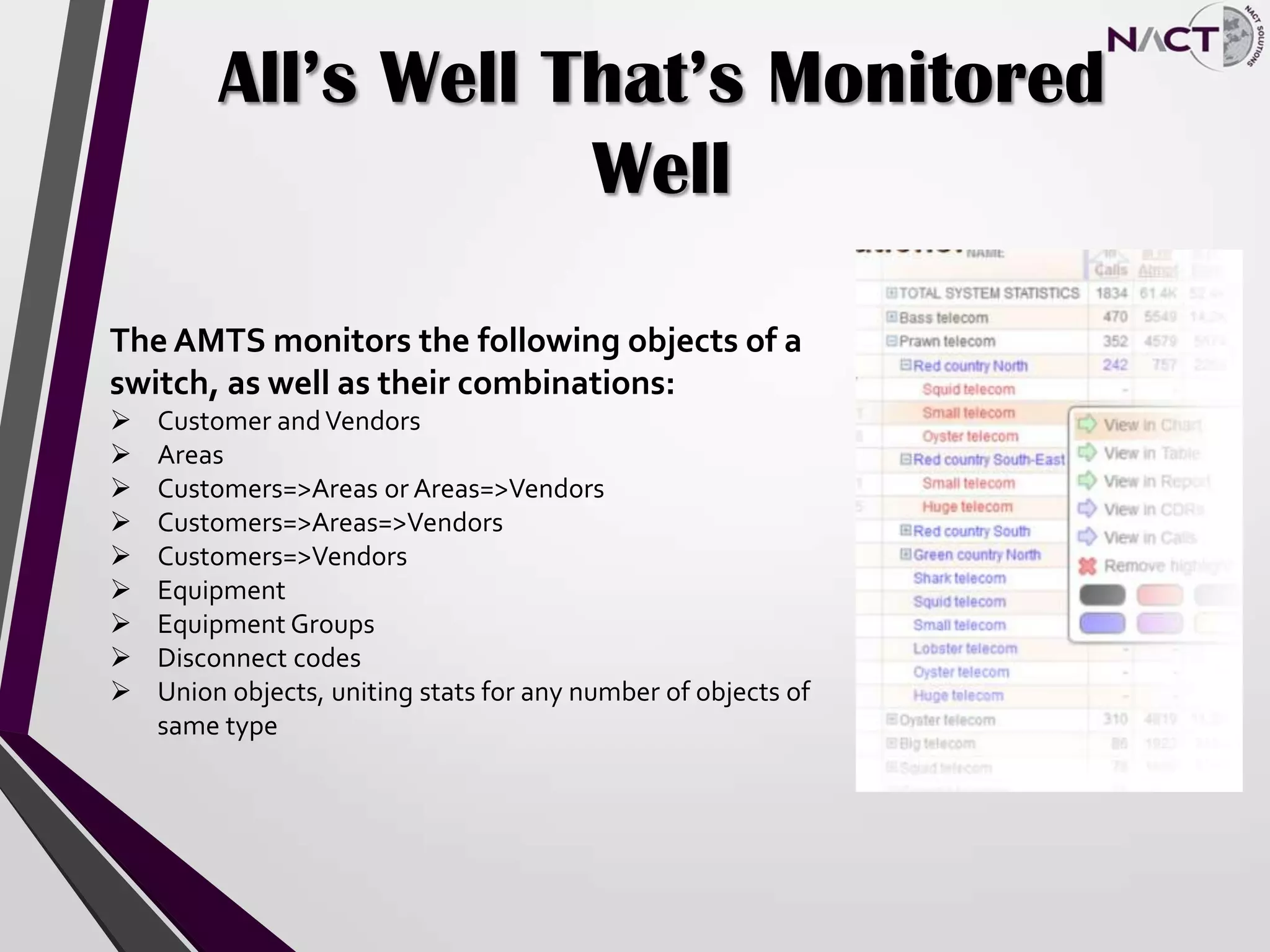
The AMTS monitors the following objects of a
switch, as well as their combinations:
 Customer andVendors
 Areas
 Customers=>Areas or Areas=>Vendors
 Customers=>Areas=>Vendors
 Customers=>Vendors
 Equipment
 Equipment Groups
 Disconnect codes
 Union objects, uniting stats for any number of objects of
same type
Calculations
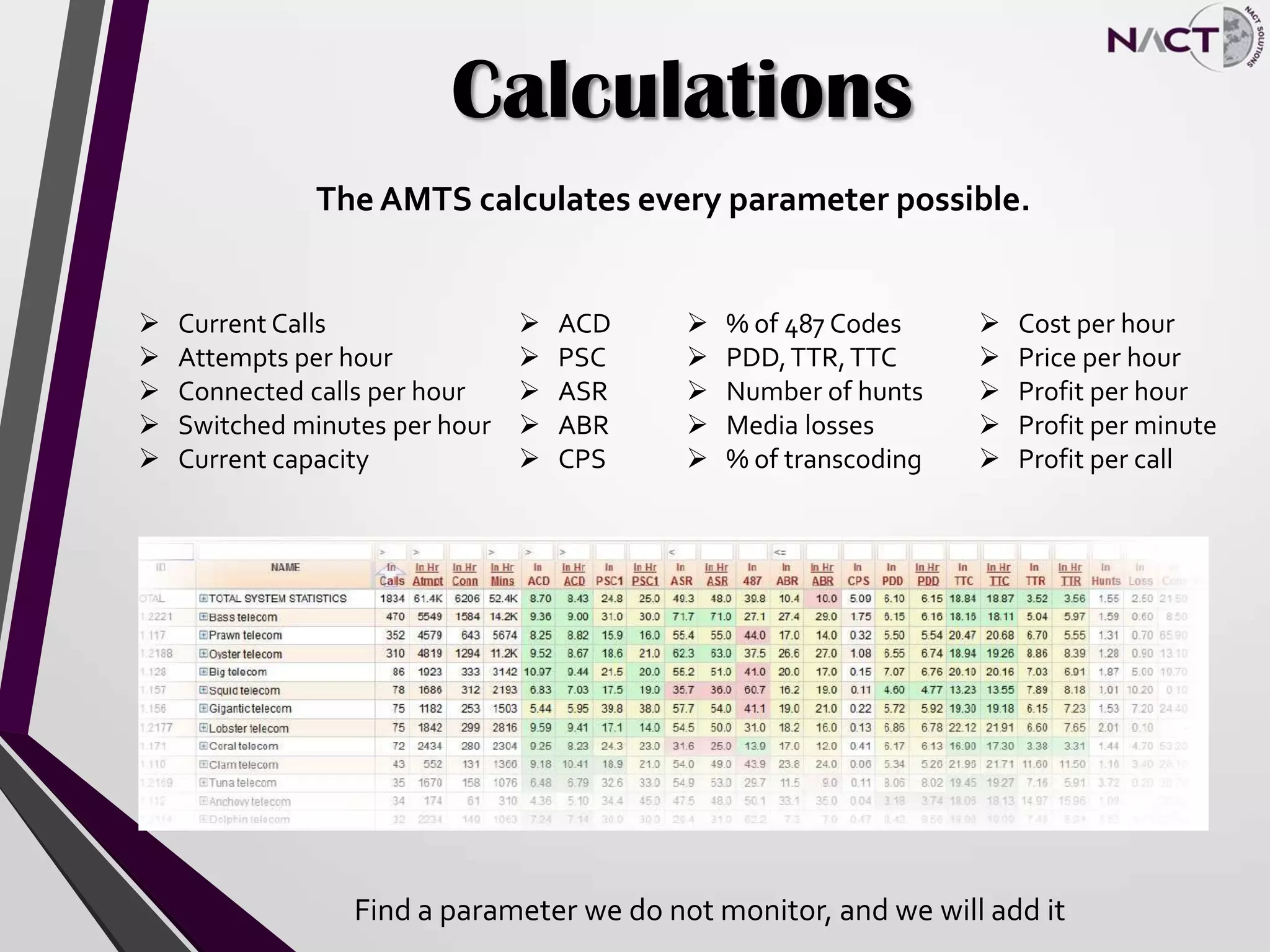
The AMTS calculates every parameter possible.
 Current Calls
 Attempts per hour
 Connected calls per hour
 Switched minutes per hour
 Current capacity
 ACD
 PSC
 ASR
 ABR
 CPS
 % of 487 Codes
 PDD,TTR,TTC
 Number of hunts
 Media losses
 % of transcoding
 Cost per hour
 Price per hour
 Profit per hour
 Profit per minute
 Profit per call
Find a parameter we do not monitor, and we will add it
SNMP Poller
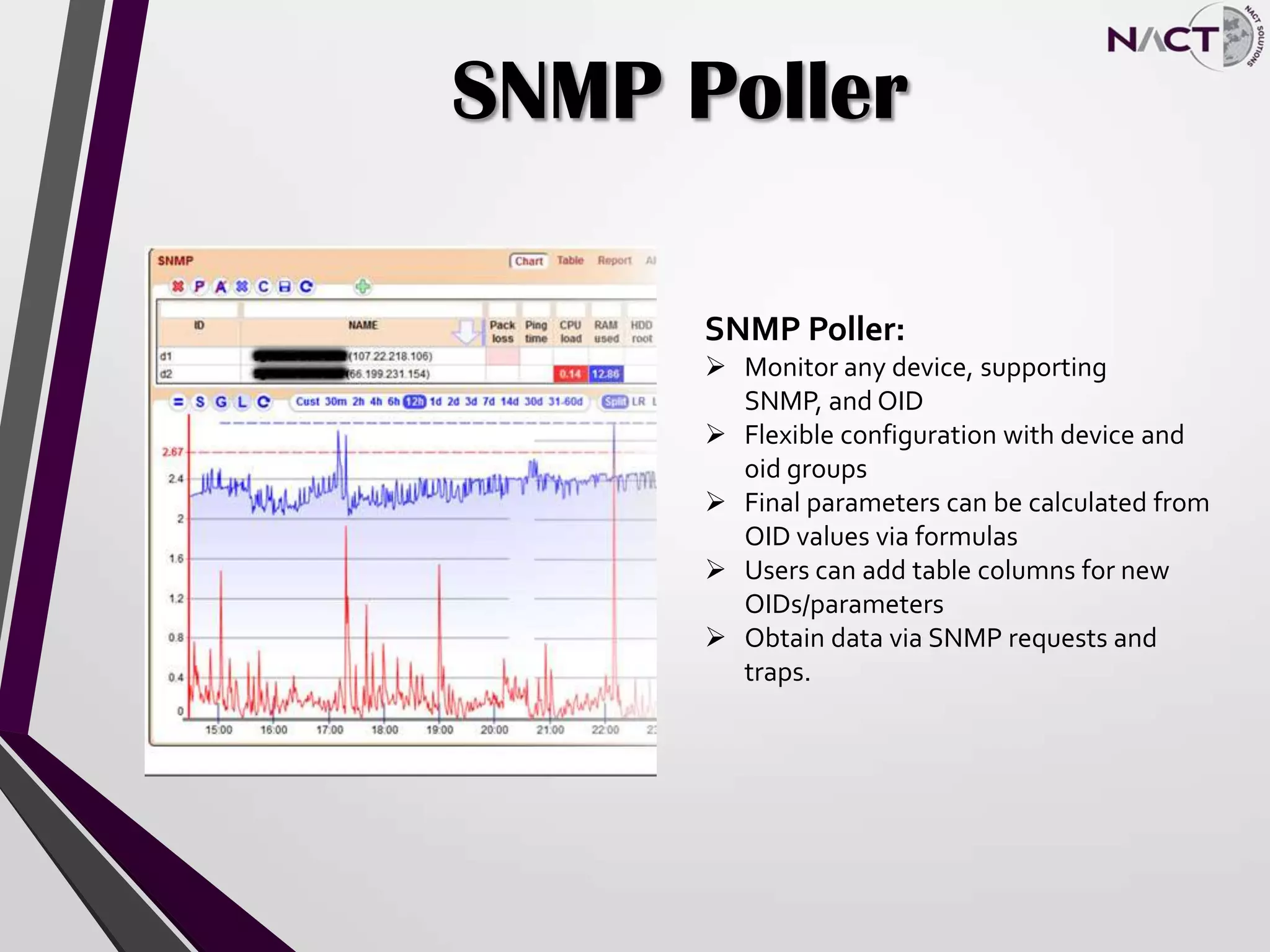
SNMP Poller:
 Monitor any device, supporting
SNMP, and OID
 Flexible configuration with device and
oid groups
 Final parameters can be calculated from
OID values via formulas
 Users can add table columns for new
OIDs/parameters
 Obtain data via SNMP requests and
traps.
Customizations
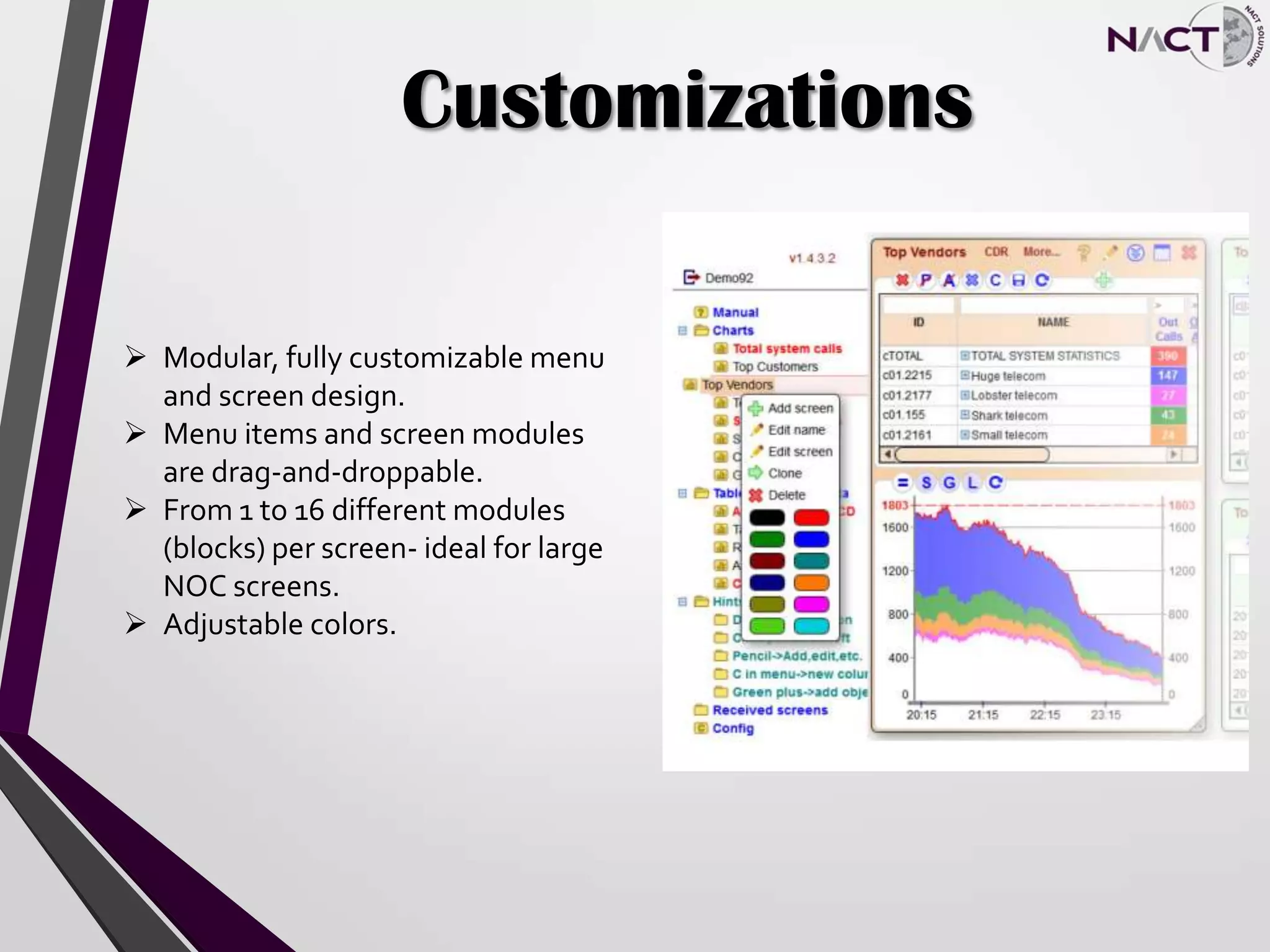
 Modular, fully customizable menu
and screen design.
 Menu items and screen modules
are drag-and-droppable.
 From 1 to 16 different modules
(blocks) per screen- ideal for large
NOC screens.
 Adjustable colors.
Charts
Charts:
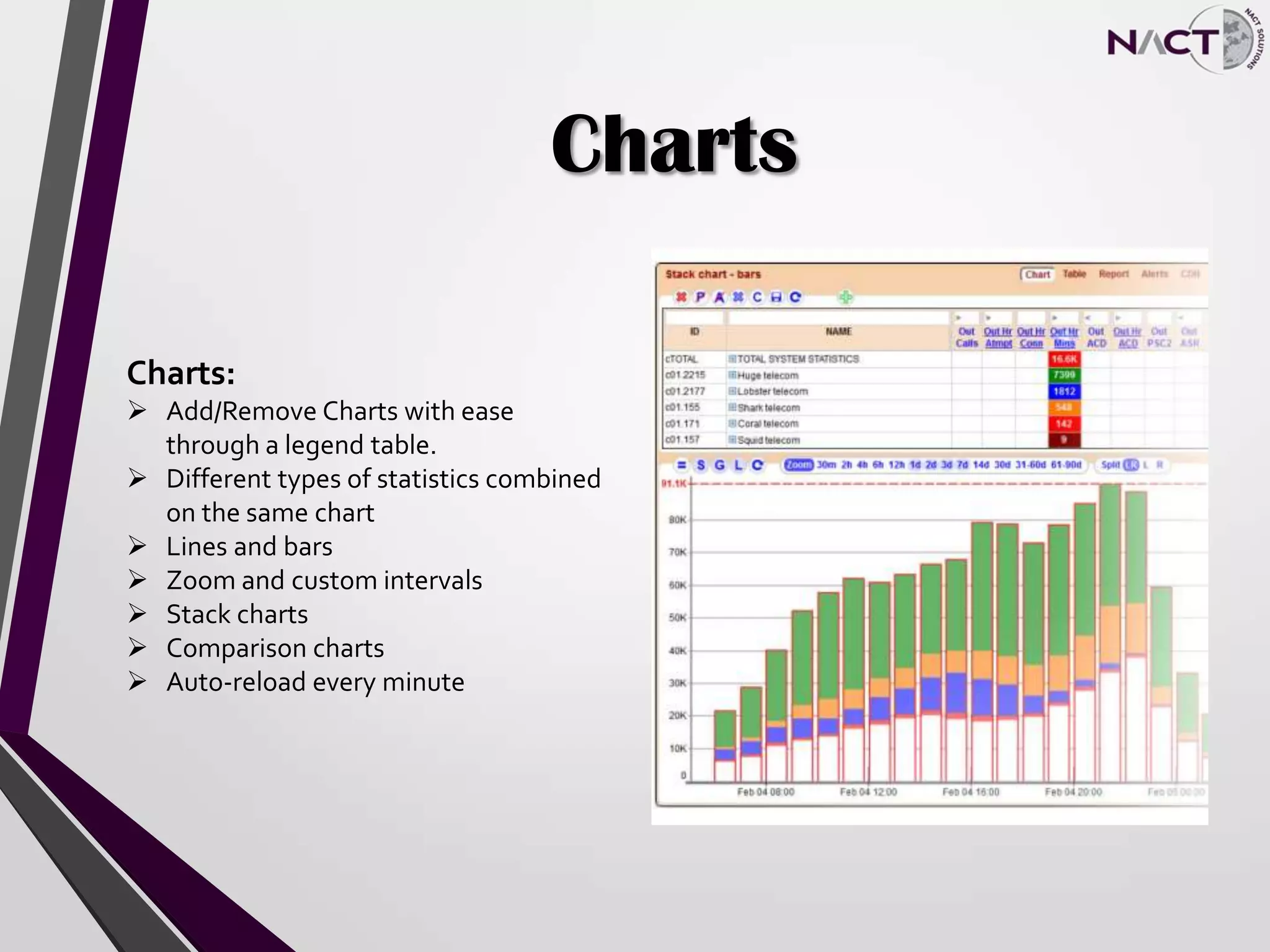
 Add/Remove Charts with ease
through a legend table.
 Different types of statistics combined
on the same chart
 Lines and bars
 Zoom and custom intervals
 Stack charts
 Comparison charts
 Auto-reload every minute
Statistical Information
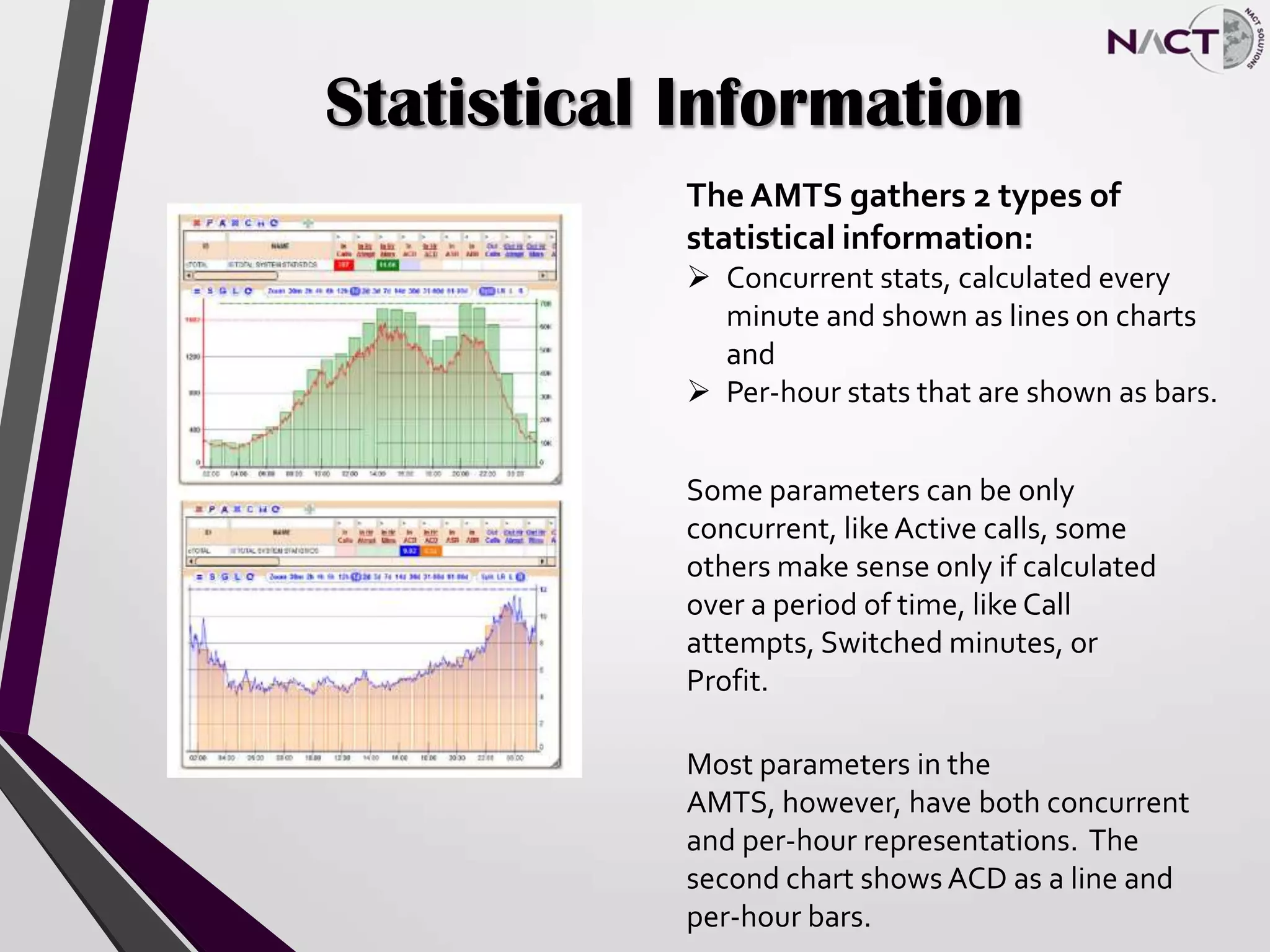
The AMTS gathers 2 types of
statistical information:
 Concurrent stats, calculated every
minute and shown as lines on charts
and
 Per-hour stats that are shown as bars.
Some parameters can be only
concurrent, likeActive calls, some
others make sense only if calculated
over a period of time, like Call
attempts, Switched minutes, or
Profit.
Most parameters in the
AMTS, however, have both concurrent
and per-hour representations. The
second chart shows ACD as a line and
per-hour bars.
Tables
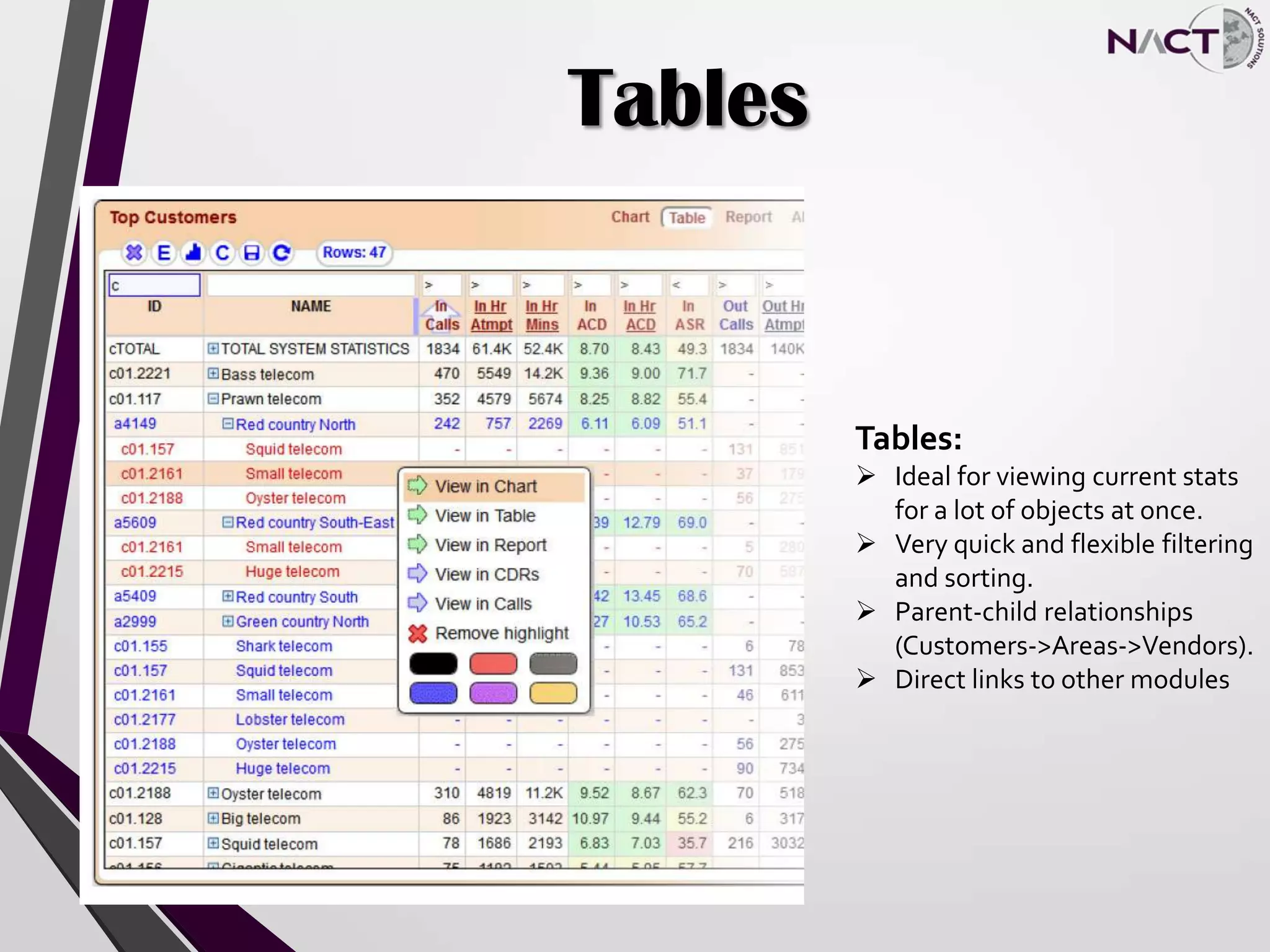
Tables:
 Ideal for viewing current stats
for a lot of objects at once.
 Very quick and flexible filtering
and sorting.
 Parent-child relationships
(Customers->Areas->Vendors).
 Direct links to other modules
Reports
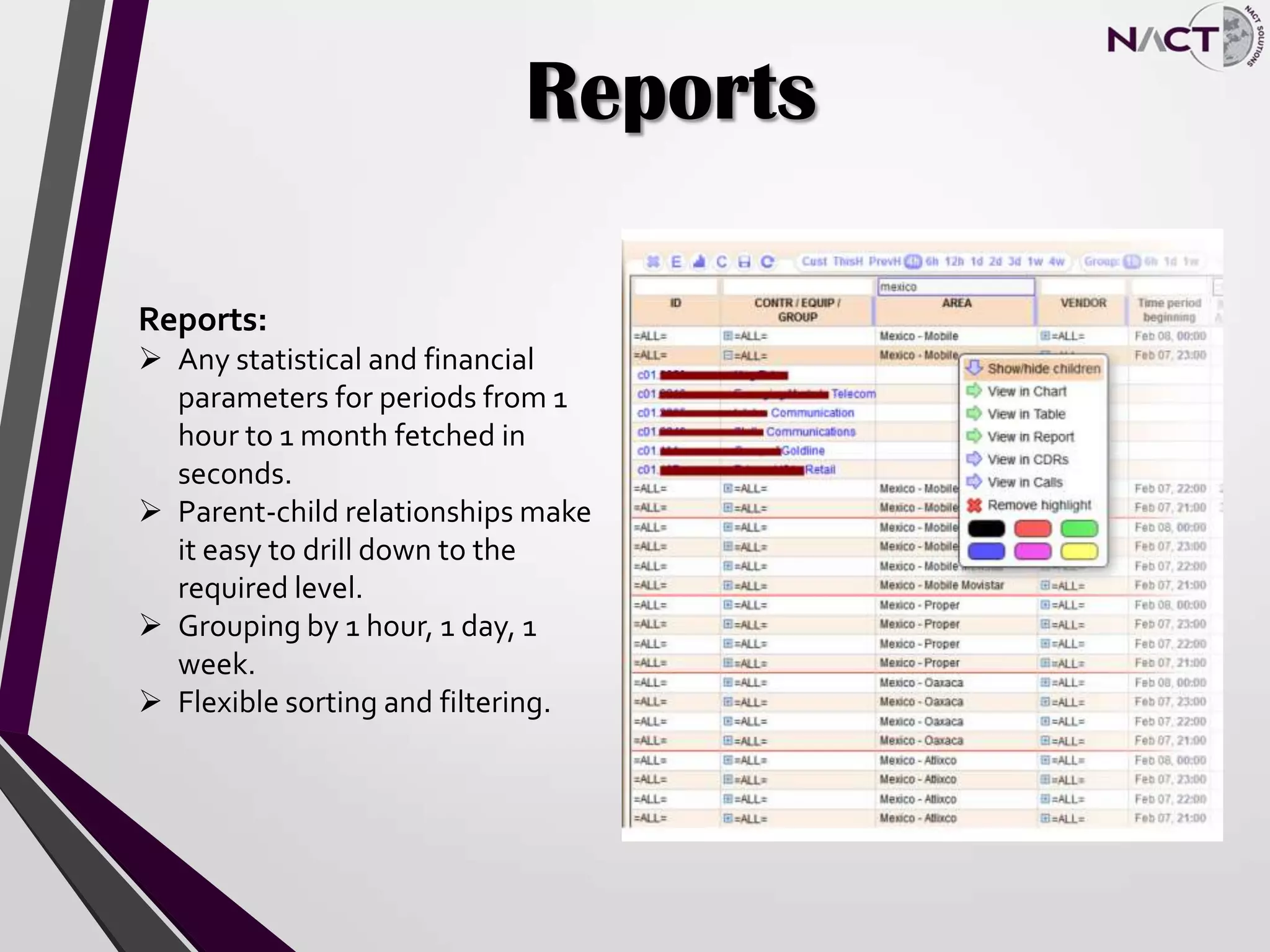
Reports:
 Any statistical and financial
parameters for periods from 1
hour to 1 month fetched in
seconds.
 Parent-child relationships make
it easy to drill down to the
required level.
 Grouping by 1 hour, 1 day, 1
week.
 Flexible sorting and filtering.
Thumbnails
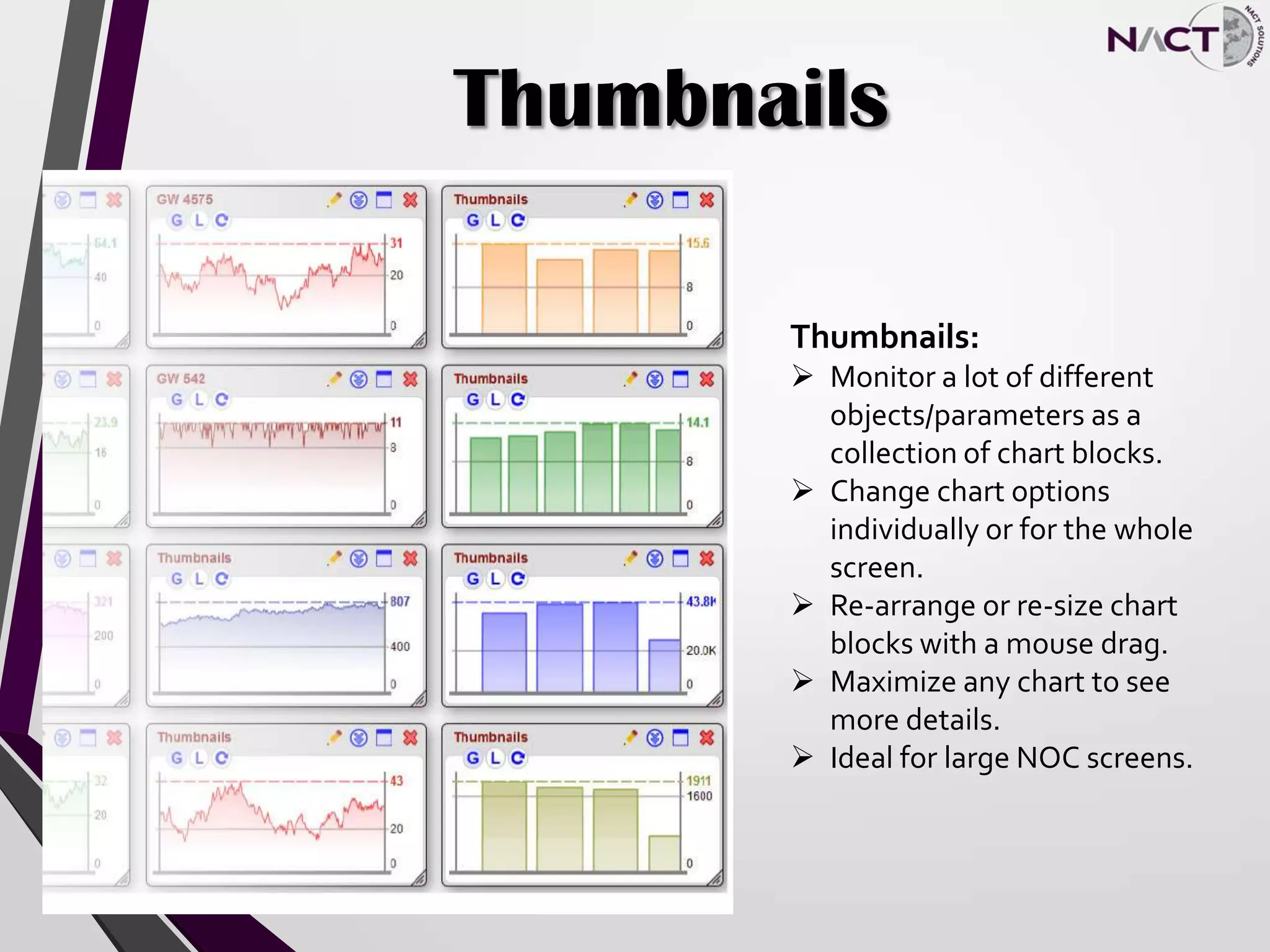
Thumbnails:
 Monitor a lot of different
objects/parameters as a
collection of chart blocks.
 Change chart options
individually or for the whole
screen.
 Re-arrange or re-size chart
blocks with a mouse drag.
 Maximize any chart to see
more details.
 Ideal for large NOC screens.
Alerts
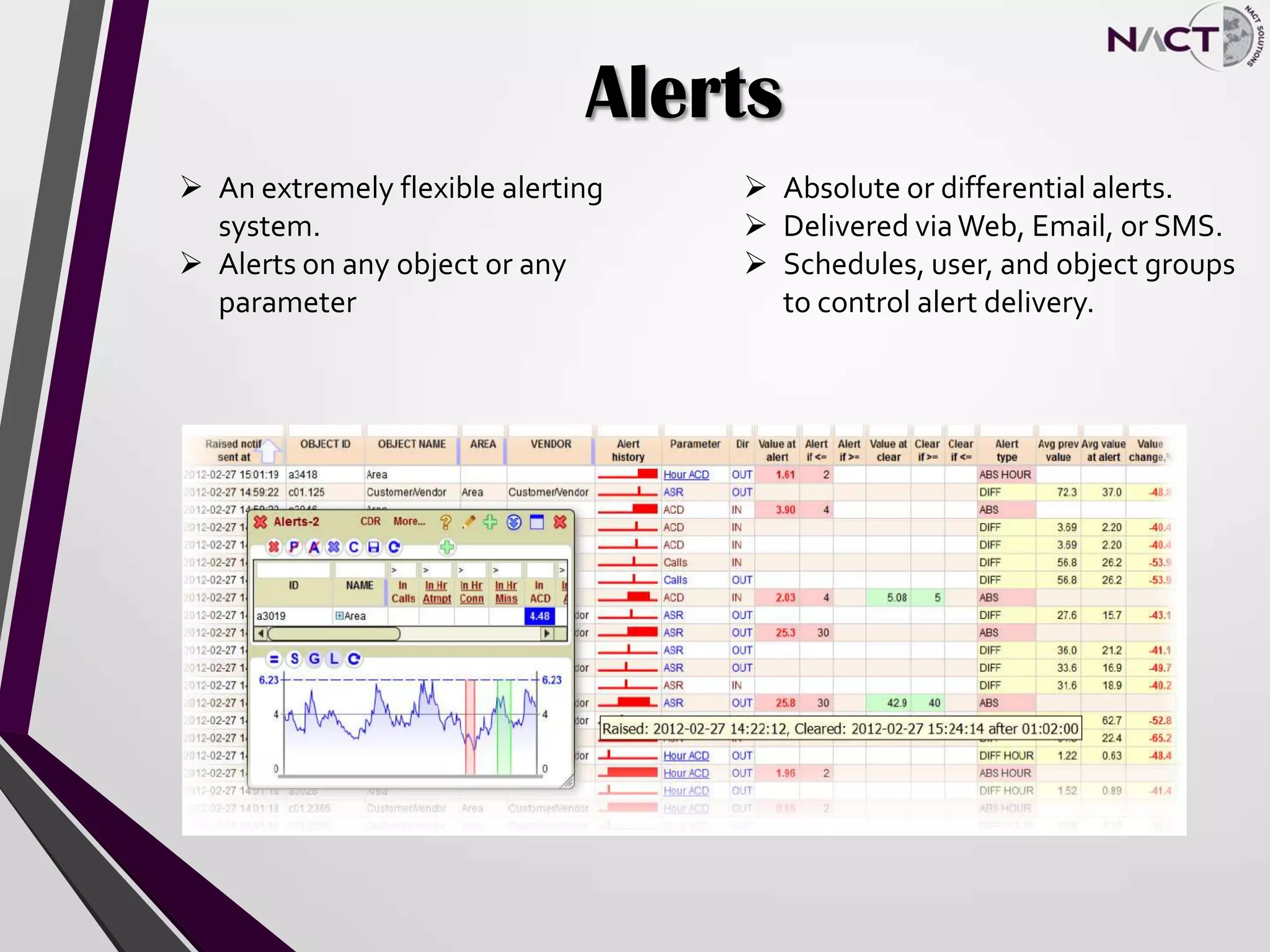
 An extremely flexible alerting
system.
 Alerts on any object or any
parameter
 Absolute or differential alerts.
 Delivered viaWeb, Email, or SMS.
 Schedules, user, and object groups
to control alert delivery.
Alerts
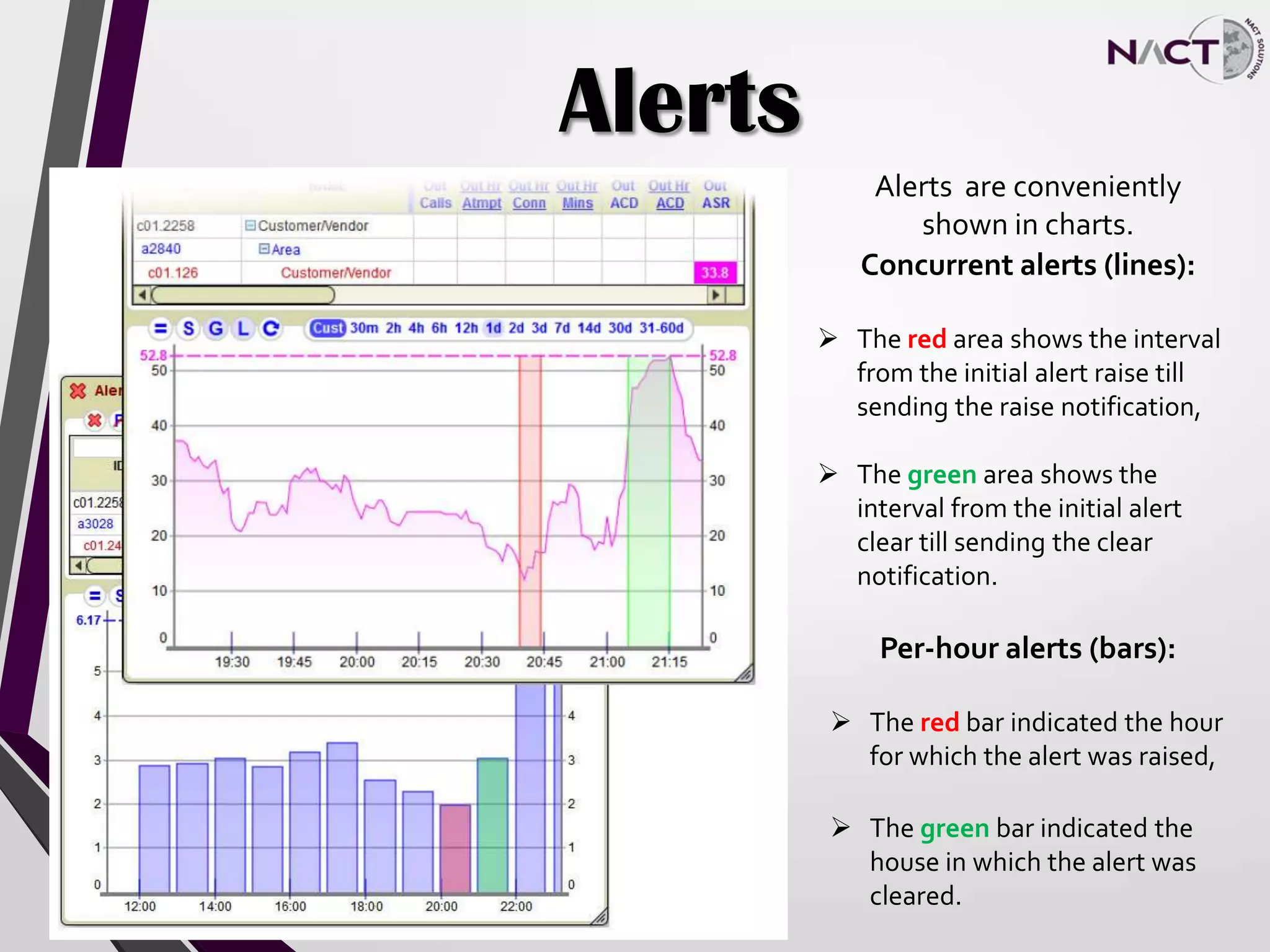
Alerts are conveniently
shown in charts.
Concurrent alerts (lines):
 The red area shows the interval
from the initial alert raise till
sending the raise notification,
 The green area shows the
interval from the initial alert
clear till sending the clear
notification.
Per-hour alerts (bars):
 The red bar indicated the hour
for which the alert was raised,
 The green bar indicated the
house in which the alert was
cleared.
Email/Phone/SMS Alerts
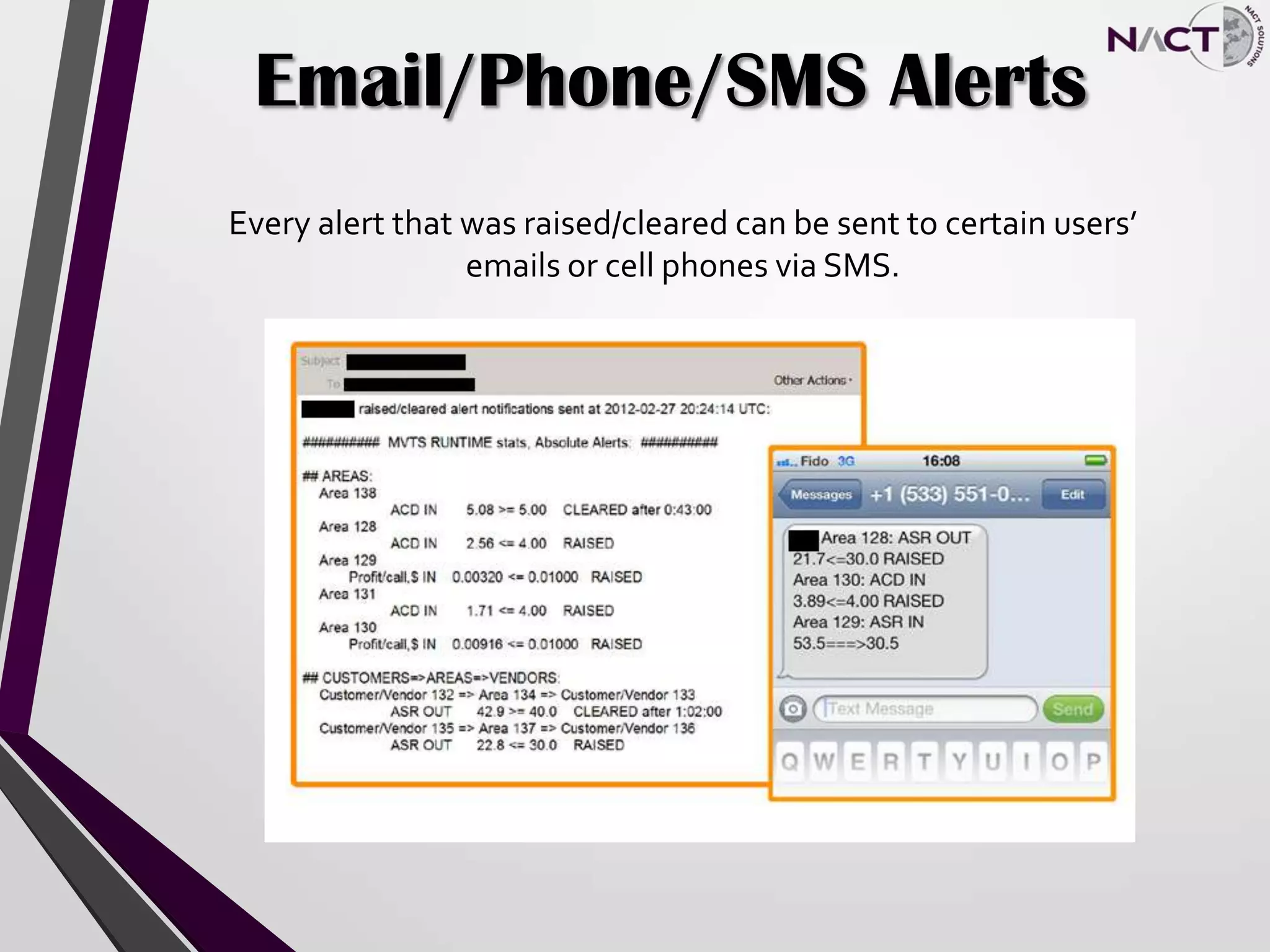
Every alert that was raised/cleared can be sent to certain users’
emails or cell phones via SMS.
CDRs
CDRs:
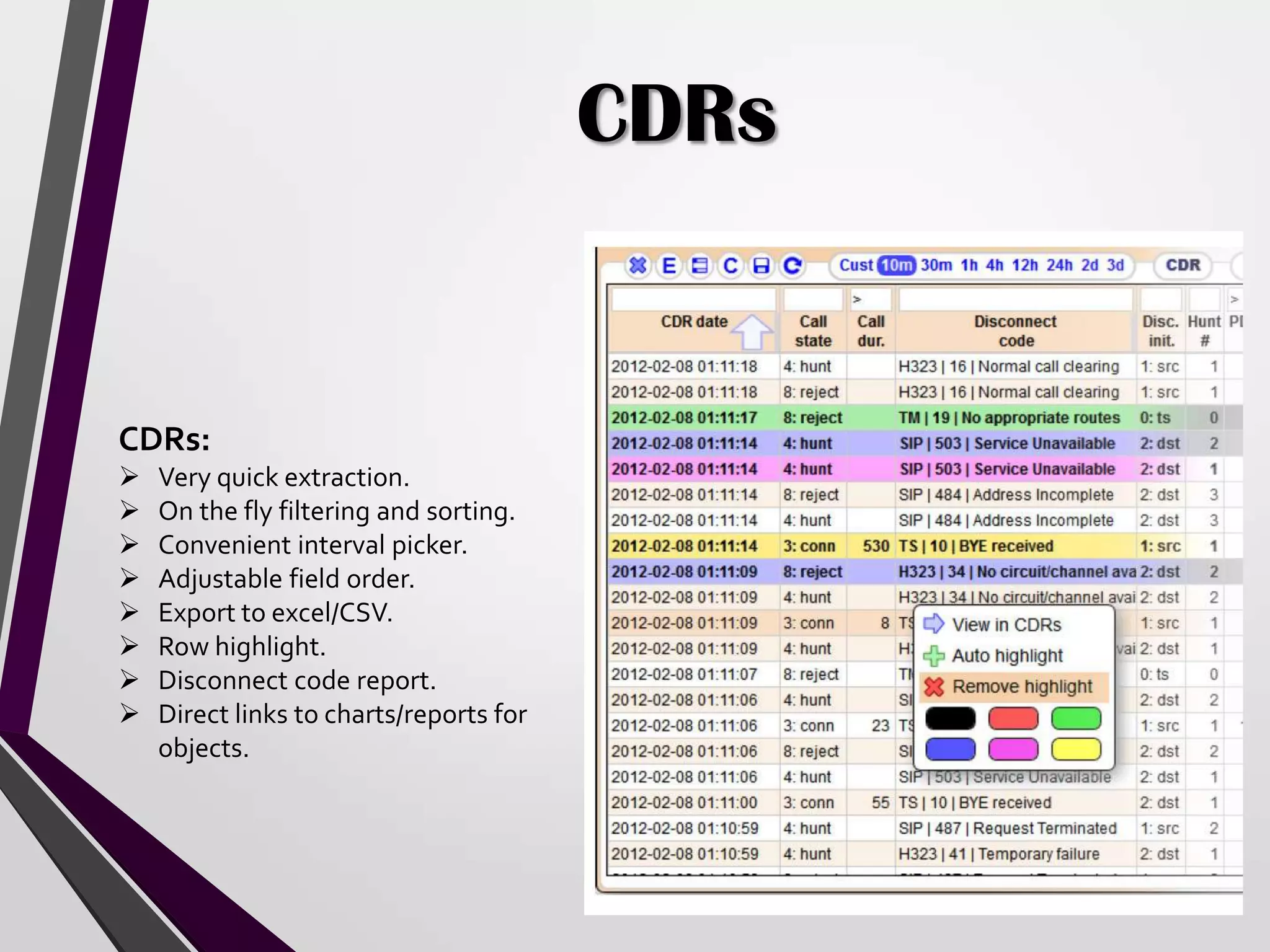
 Very quick extraction.
 On the fly filtering and sorting.
 Convenient interval picker.
 Adjustable field order.
 Export to excel/CSV.
 Row highlight.
 Disconnect code report.
 Direct links to charts/reports for
objects.
Thank You for viewing our brief overview of the AMTS. We invite you to contact our sales department to
view a full live demonstration of our system.
About NACT:
NACT is the world’s leading provider of prepaid application solutions, having sold and installed more than
650 switching platforms – in 26 countries – that control more than 12 billion minutes of traffic annually.
NACT’s prepaid solutions represent the industry standard for highly reliable and cost effective Class 4/5
hardware and software solutions. NACT’s Vinci, and Vinci Softswitch Solutions insure that service
providers can deliver the latest in VoIP and Next Generation network services, while maximizing profits
using real-time billing, routing and rating.
For more information please contact:
Eric Goodstein
Office: 801-802-1306
Mobile: 516-322-8936
Eric.Goodstein@nact.com

Advanced Monitoring & Troubleshooting System (AMTS)

  • 1.
  • 2.
  • 3.
    What is theAMTS The AMTS is a comprehensive traffic analysis system with…  Charts  Tables  Reports  Alerts  CDRViewer  CallsViewer  Disconnect Code Reports  SNMP poller  Flexible User Management
  • 4.
    All’s Well That’sMonitored Well The AMTS monitors the following objects of a switch, as well as their combinations:  Customer andVendors  Areas  Customers=>Areas or Areas=>Vendors  Customers=>Areas=>Vendors  Customers=>Vendors  Equipment  Equipment Groups  Disconnect codes  Union objects, uniting stats for any number of objects of same type
  • 5.
    Calculations The AMTS calculatesevery parameter possible.  Current Calls  Attempts per hour  Connected calls per hour  Switched minutes per hour  Current capacity  ACD  PSC  ASR  ABR  CPS  % of 487 Codes  PDD,TTR,TTC  Number of hunts  Media losses  % of transcoding  Cost per hour  Price per hour  Profit per hour  Profit per minute  Profit per call Find a parameter we do not monitor, and we will add it
  • 6.
    SNMP Poller SNMP Poller: Monitor any device, supporting SNMP, and OID  Flexible configuration with device and oid groups  Final parameters can be calculated from OID values via formulas  Users can add table columns for new OIDs/parameters  Obtain data via SNMP requests and traps.
  • 7.
    Customizations  Modular, fullycustomizable menu and screen design.  Menu items and screen modules are drag-and-droppable.  From 1 to 16 different modules (blocks) per screen- ideal for large NOC screens.  Adjustable colors.
  • 8.
    Charts Charts:  Add/Remove Chartswith ease through a legend table.  Different types of statistics combined on the same chart  Lines and bars  Zoom and custom intervals  Stack charts  Comparison charts  Auto-reload every minute
  • 9.
    Statistical Information The AMTSgathers 2 types of statistical information:  Concurrent stats, calculated every minute and shown as lines on charts and  Per-hour stats that are shown as bars. Some parameters can be only concurrent, likeActive calls, some others make sense only if calculated over a period of time, like Call attempts, Switched minutes, or Profit. Most parameters in the AMTS, however, have both concurrent and per-hour representations. The second chart shows ACD as a line and per-hour bars.
  • 10.
    Tables Tables:  Ideal forviewing current stats for a lot of objects at once.  Very quick and flexible filtering and sorting.  Parent-child relationships (Customers->Areas->Vendors).  Direct links to other modules
  • 11.
    Reports Reports:  Any statisticaland financial parameters for periods from 1 hour to 1 month fetched in seconds.  Parent-child relationships make it easy to drill down to the required level.  Grouping by 1 hour, 1 day, 1 week.  Flexible sorting and filtering.
  • 12.
    Thumbnails Thumbnails:  Monitor alot of different objects/parameters as a collection of chart blocks.  Change chart options individually or for the whole screen.  Re-arrange or re-size chart blocks with a mouse drag.  Maximize any chart to see more details.  Ideal for large NOC screens.
  • 13.
    Alerts  An extremelyflexible alerting system.  Alerts on any object or any parameter  Absolute or differential alerts.  Delivered viaWeb, Email, or SMS.  Schedules, user, and object groups to control alert delivery.
  • 14.
    Alerts Alerts are conveniently shownin charts. Concurrent alerts (lines):  The red area shows the interval from the initial alert raise till sending the raise notification,  The green area shows the interval from the initial alert clear till sending the clear notification. Per-hour alerts (bars):  The red bar indicated the hour for which the alert was raised,  The green bar indicated the house in which the alert was cleared.
  • 15.
    Email/Phone/SMS Alerts Every alertthat was raised/cleared can be sent to certain users’ emails or cell phones via SMS.
  • 16.
    CDRs CDRs:  Very quickextraction.  On the fly filtering and sorting.  Convenient interval picker.  Adjustable field order.  Export to excel/CSV.  Row highlight.  Disconnect code report.  Direct links to charts/reports for objects.
  • 17.
    Thank You forviewing our brief overview of the AMTS. We invite you to contact our sales department to view a full live demonstration of our system. About NACT: NACT is the world’s leading provider of prepaid application solutions, having sold and installed more than 650 switching platforms – in 26 countries – that control more than 12 billion minutes of traffic annually. NACT’s prepaid solutions represent the industry standard for highly reliable and cost effective Class 4/5 hardware and software solutions. NACT’s Vinci, and Vinci Softswitch Solutions insure that service providers can deliver the latest in VoIP and Next Generation network services, while maximizing profits using real-time billing, routing and rating. For more information please contact: Eric Goodstein Office: 801-802-1306 Mobile: 516-322-8936 Eric.Goodstein@nact.com