



















BrightonSEO
-
Advanced
Keyword
Research
for
SEO
Training
Advanced Keyword Research for SEO Training
BrightonSEO
Welcome & Thank You!
Today’s Agenda:
❖ Welcome & Intros
❖ Introduction to Keyword Research
❖ Keyword Research & Strategy
❖ User Intent & The Buyer’s Journey
❖ The Keyword Research Process
➢ Seed keywords
➢ Competitors
➢ ‘Quick Ranking’ opportunities
➢ The ‘Milkshake Method’
➢ Prioritising keywords
❖ Break
Today’s Agenda:
❖ Your Turn - *Exercise
❖ Implementing keyword research
❖ Questions
❖ End of Training
A little about me
@seodanbrooks
❖ Technical SEO Consultant at Aira
❖ Involved in SEO for 10+ years
❖ Speaker & Trainer
❖ Organiser of a local SEO meet-up
❖ Work with a small number of freelance clients
Introduction to Keyword
Research
@seodanbrooks
What is keyword research?
@seodanbrooks
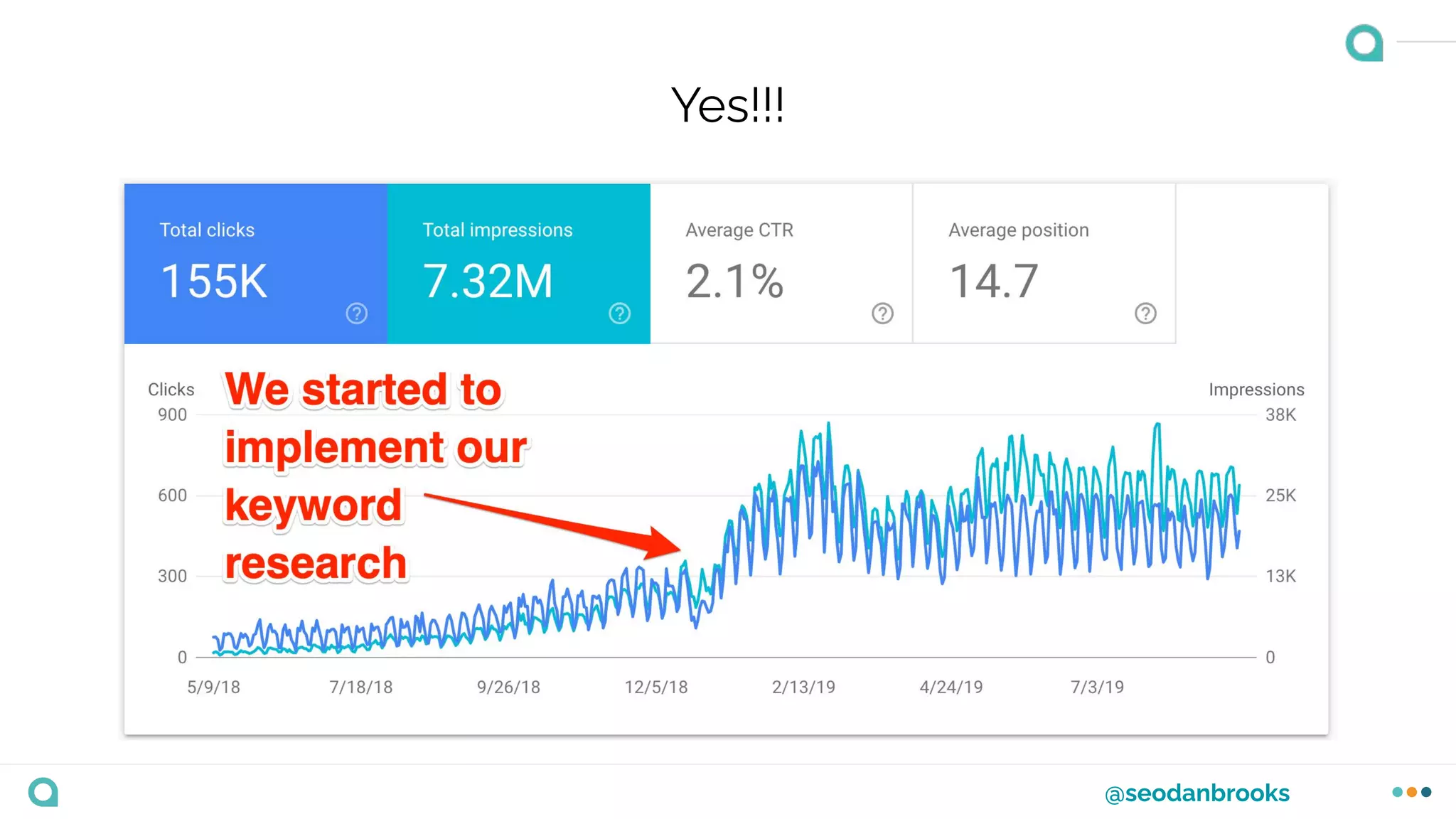
Is it worth it?
@seodanbrooks
Yes!!!
@seodanbrooks
Exact Match v Intent Based & Entity Research
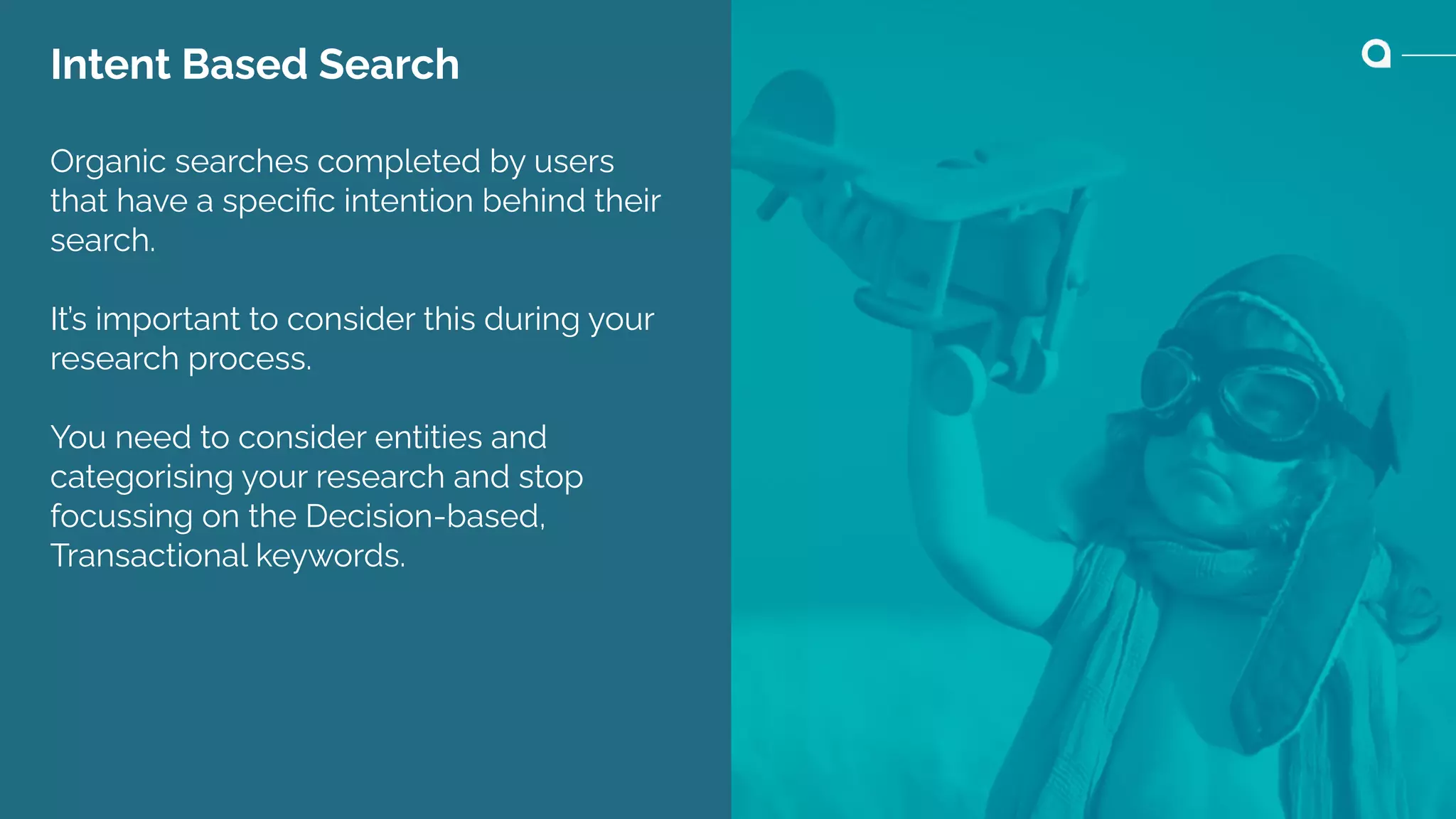
Intent Based Search
Organic searches completed by users
that have a specific intention behind their
search.
It’s important to consider this during your
research process.
You need to consider entities and
categorising your research and stop
focussing on the Decision-based,
Transactional keywords.
@seodanbrooks
How do we do keyword research?
@seodanbrooks
How do we do keyword research?
I’m going to share my process...
@seodanbrooks
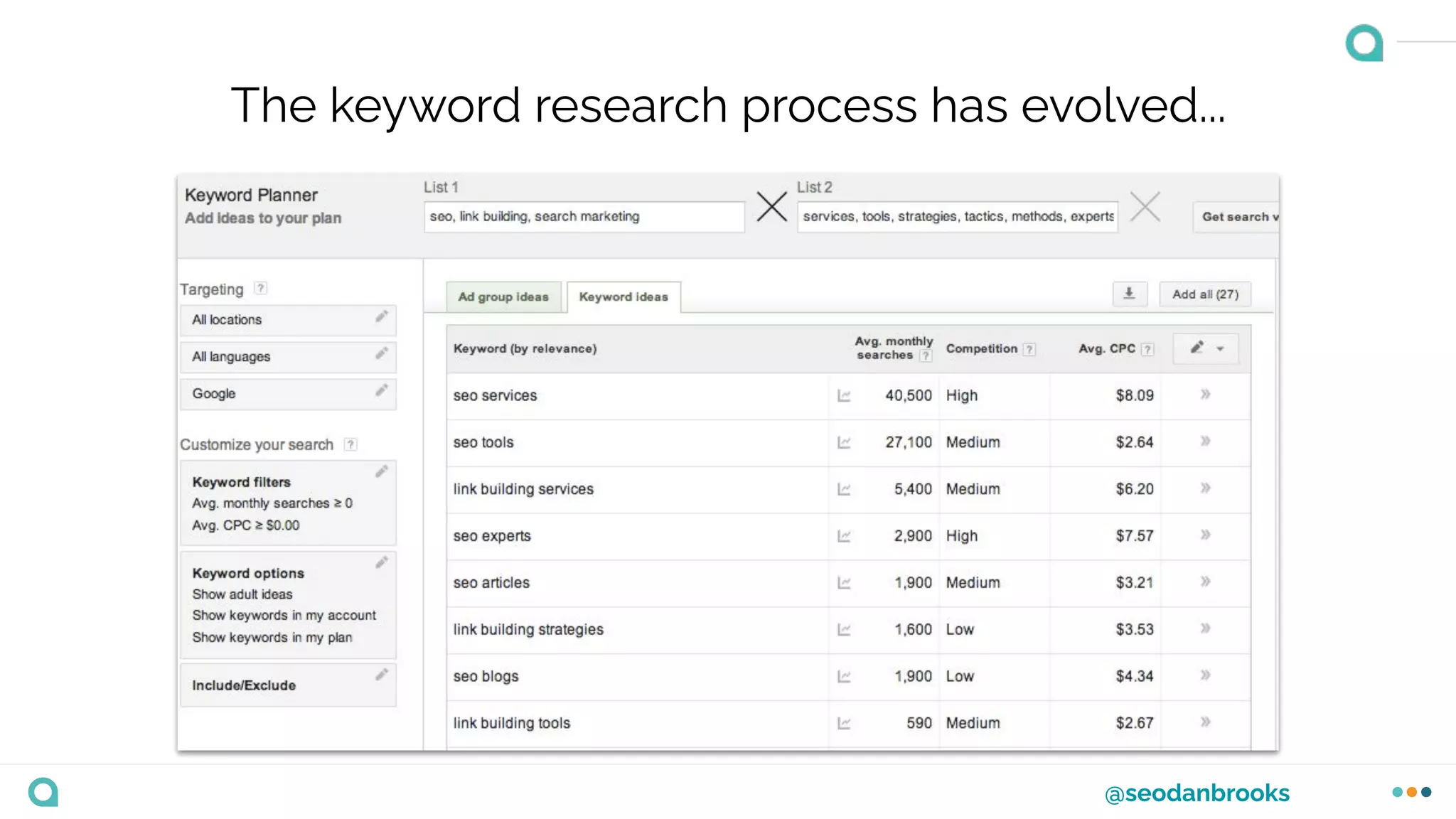
The keyword research process has evolved...
@seodanbrooks
The keyword research process has evolved...
@seodanbrooks
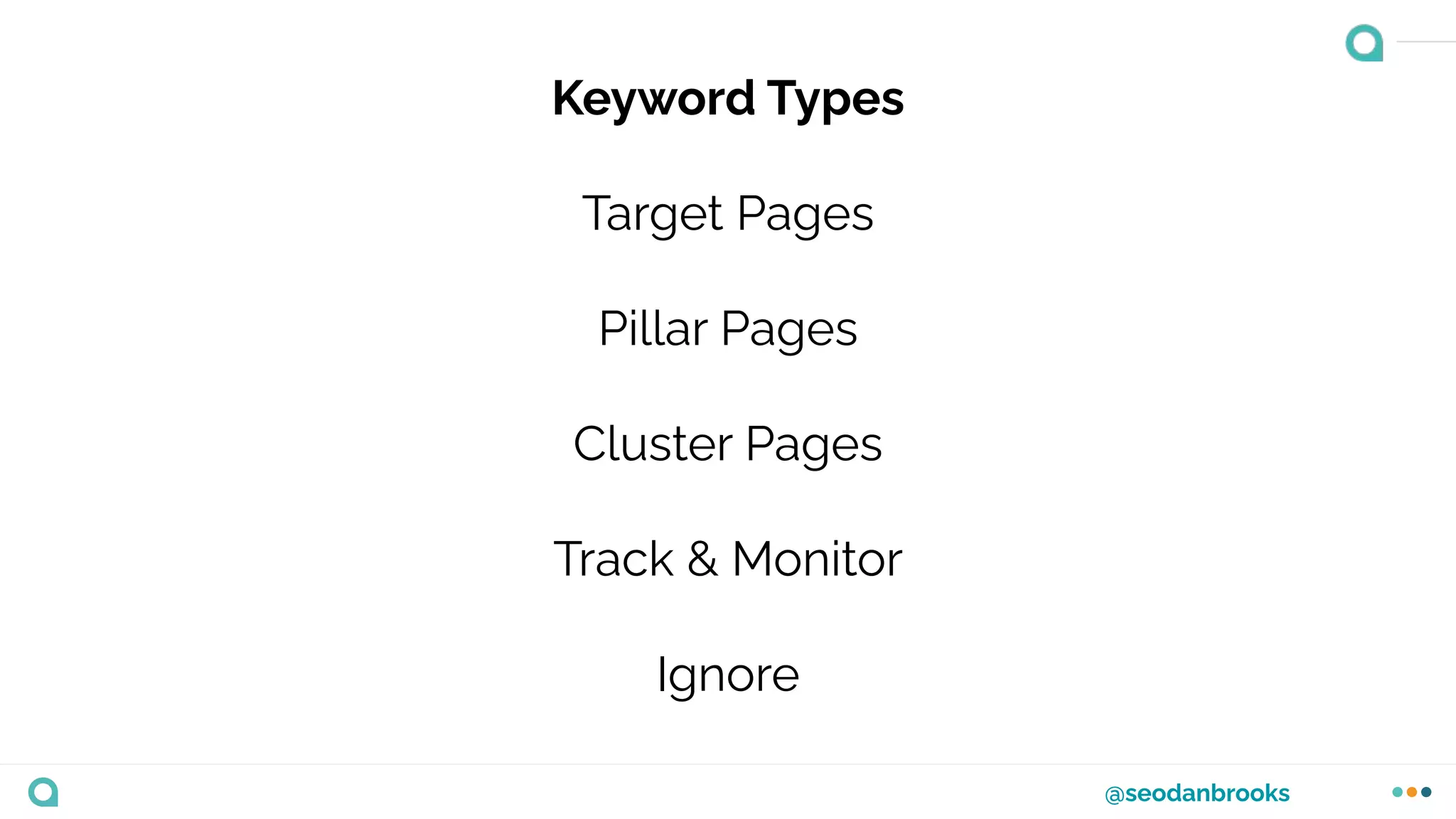
Keyword Types
Target Pages
Pillar Pages
Cluster Pages
Track & Monitor
Ignore
Keyword Research Strategy
@seodanbrooks
Understand the businesses goals.
This is going to make your life A LOT easier...
@seodanbrooks
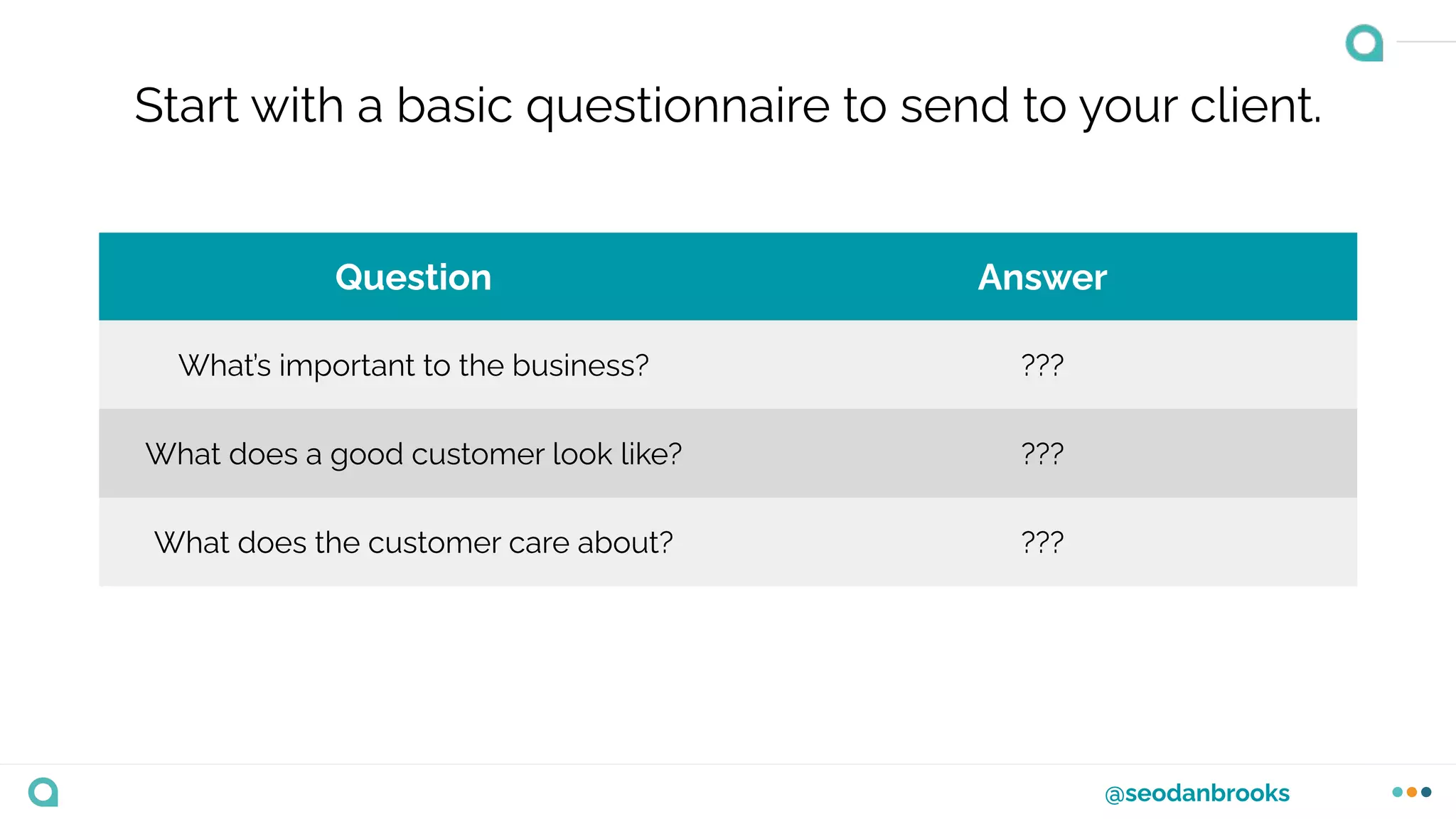
Start with a basic questionnaire to send to your client.
Question Answer
What’s important to the business? ???
What does a good customer look like? ???
What does the customer care about? ???
@seodanbrooks
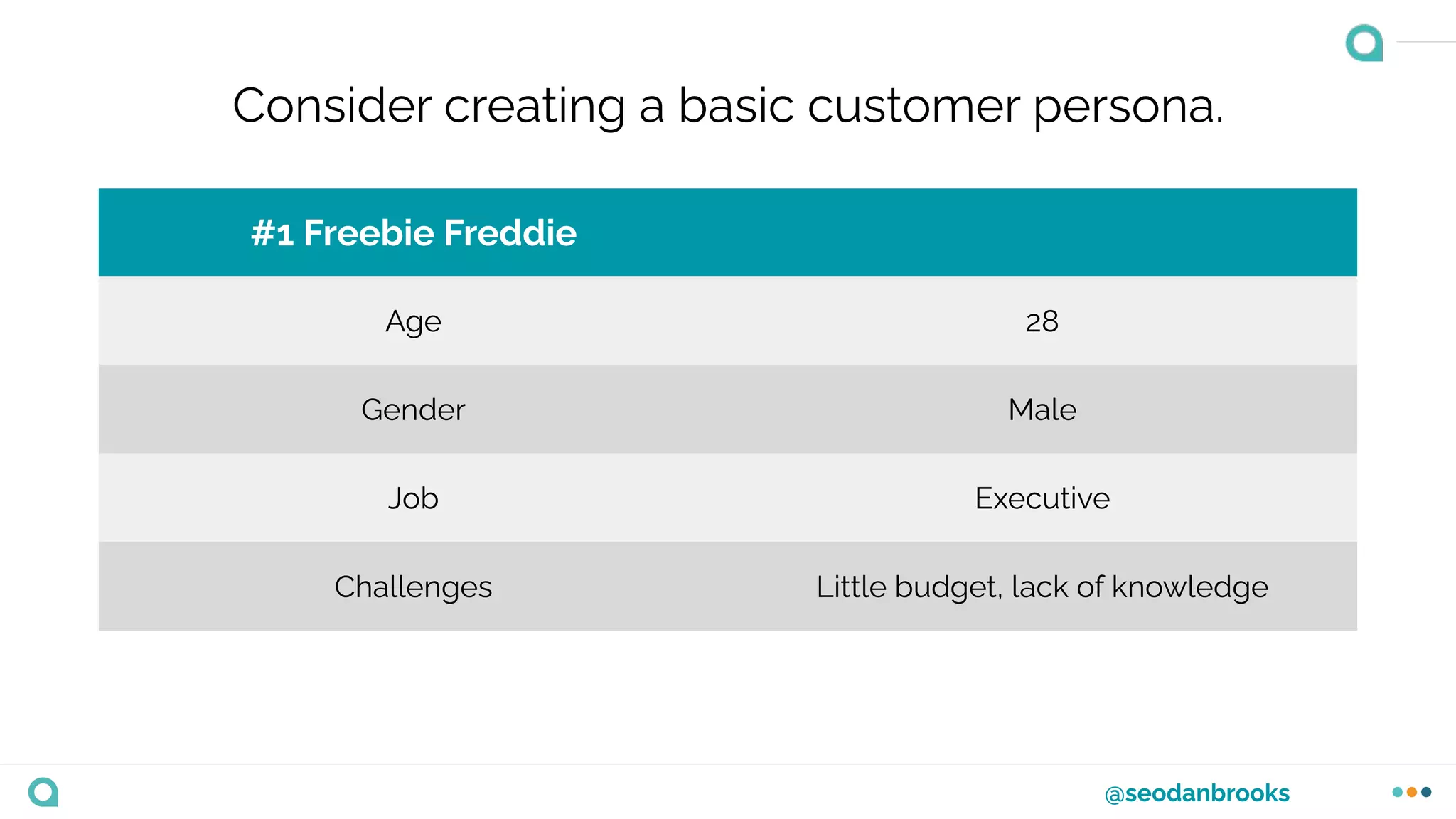
Consider creating a basic customer persona.
#1 Freebie Freddie
Age 28
Gender Male
Job Executive
Challenges Little budget, lack of knowledge
@seodanbrooks
Remember to ask the 3 key questions...
@seodanbrooks
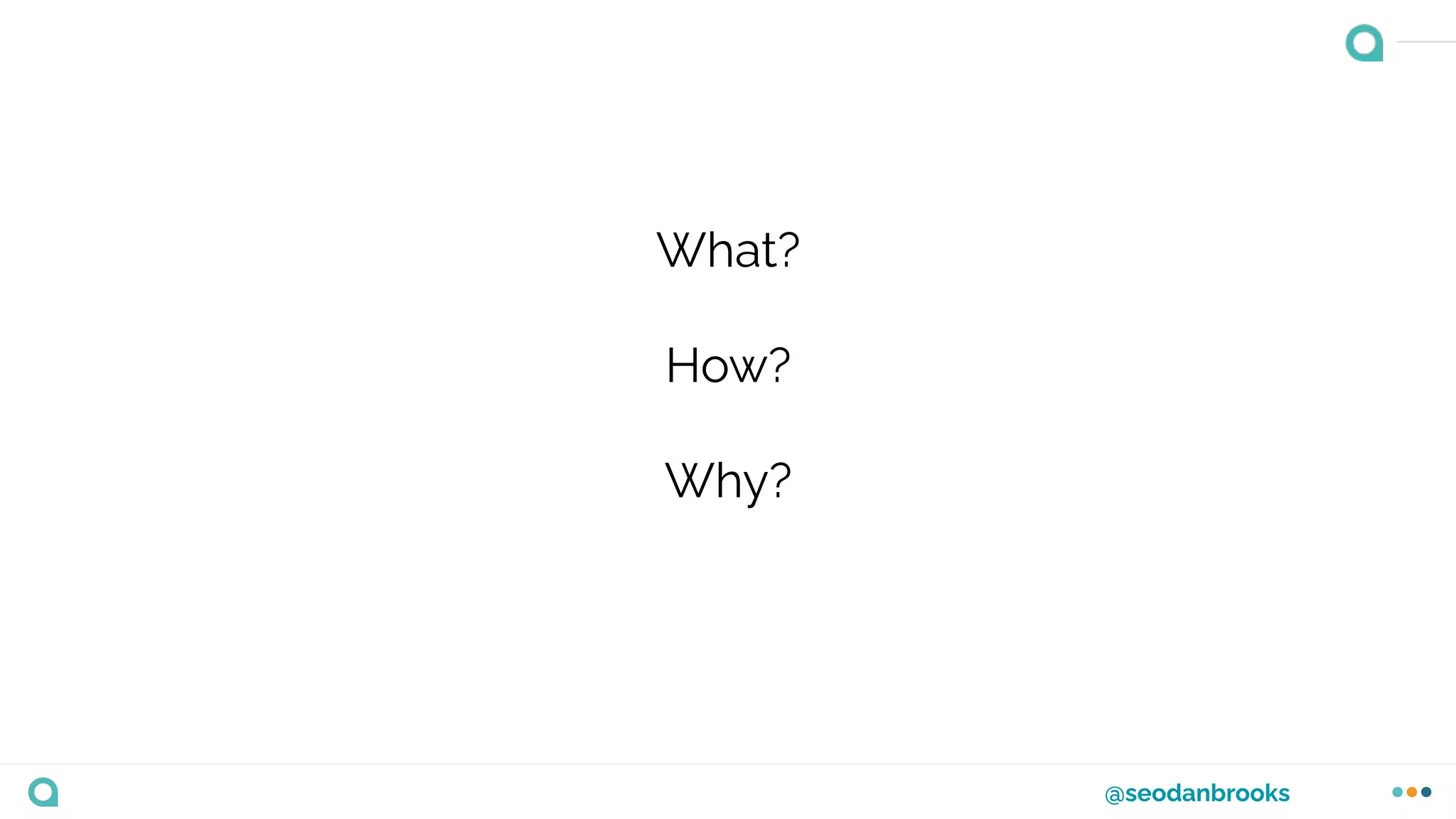
What?
How?
Why?
@seodanbrooks
What?
What is the businesses product?
What is the service available?
@seodanbrooks
How?
How does the product help the customer?
How does the service provide a solution?
@seodanbrooks
Why?
Why should the customer use the product/service?
What problems does it solve?
What makes it unique?
@seodanbrooks
Taking these actions will help you in the long run and
you’ll be able to understand the business better.
Exercise
Exercise
Considering the points we’ve just
discussed, I’d like you to answer the
questions that will help you better
understand you business and/or clients.
Remember…
❖ Consider short questionnaires
❖ Ideal customer personas
❖ What?
❖ How?
❖ Why?
❖ How might this change your
keyword research strategy?
User Intent & The Buyer’s
Journey
@seodanbrooks
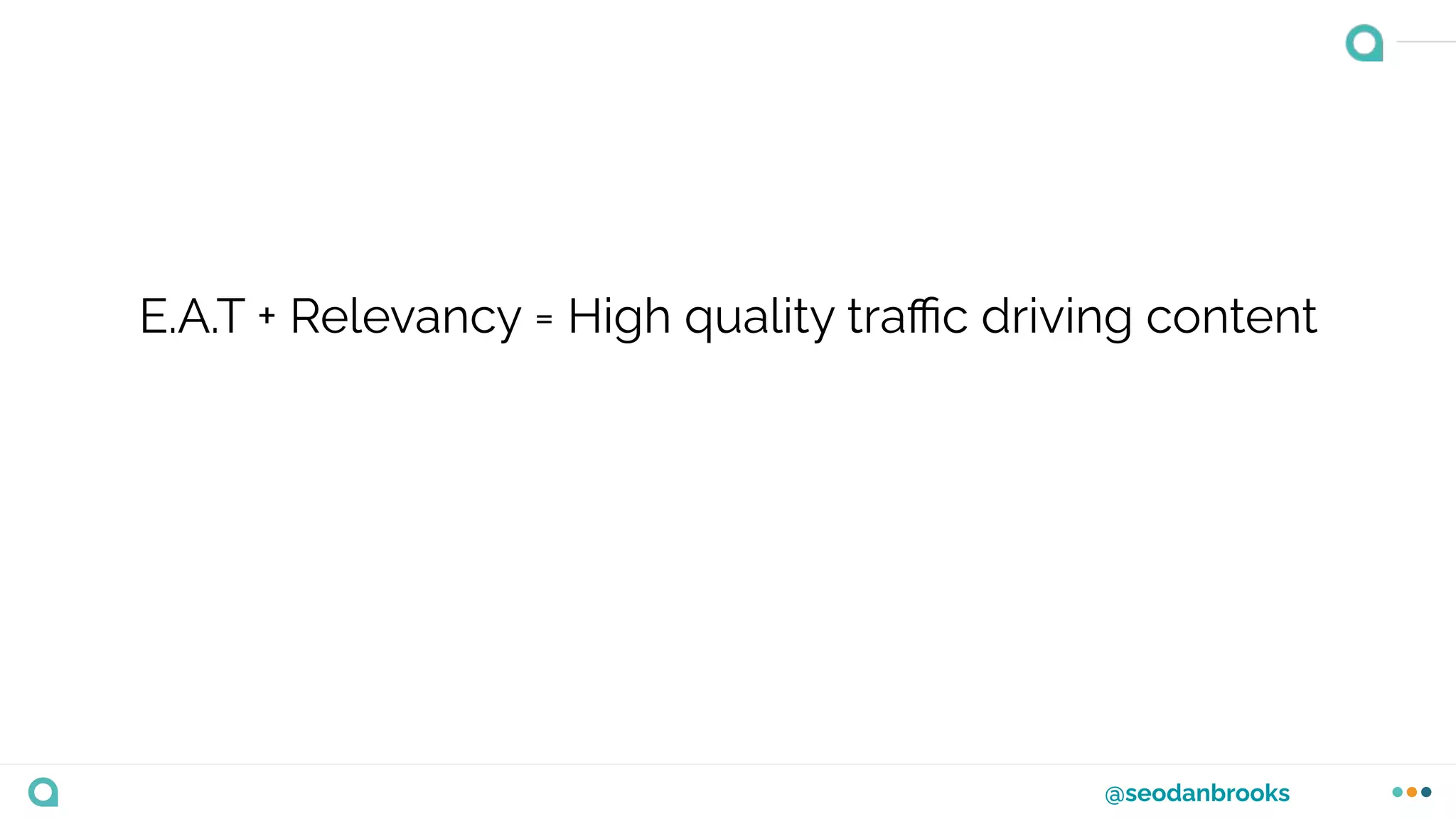
E.A.T + Relevancy = High quality traffic driving content
@seodanbrooks
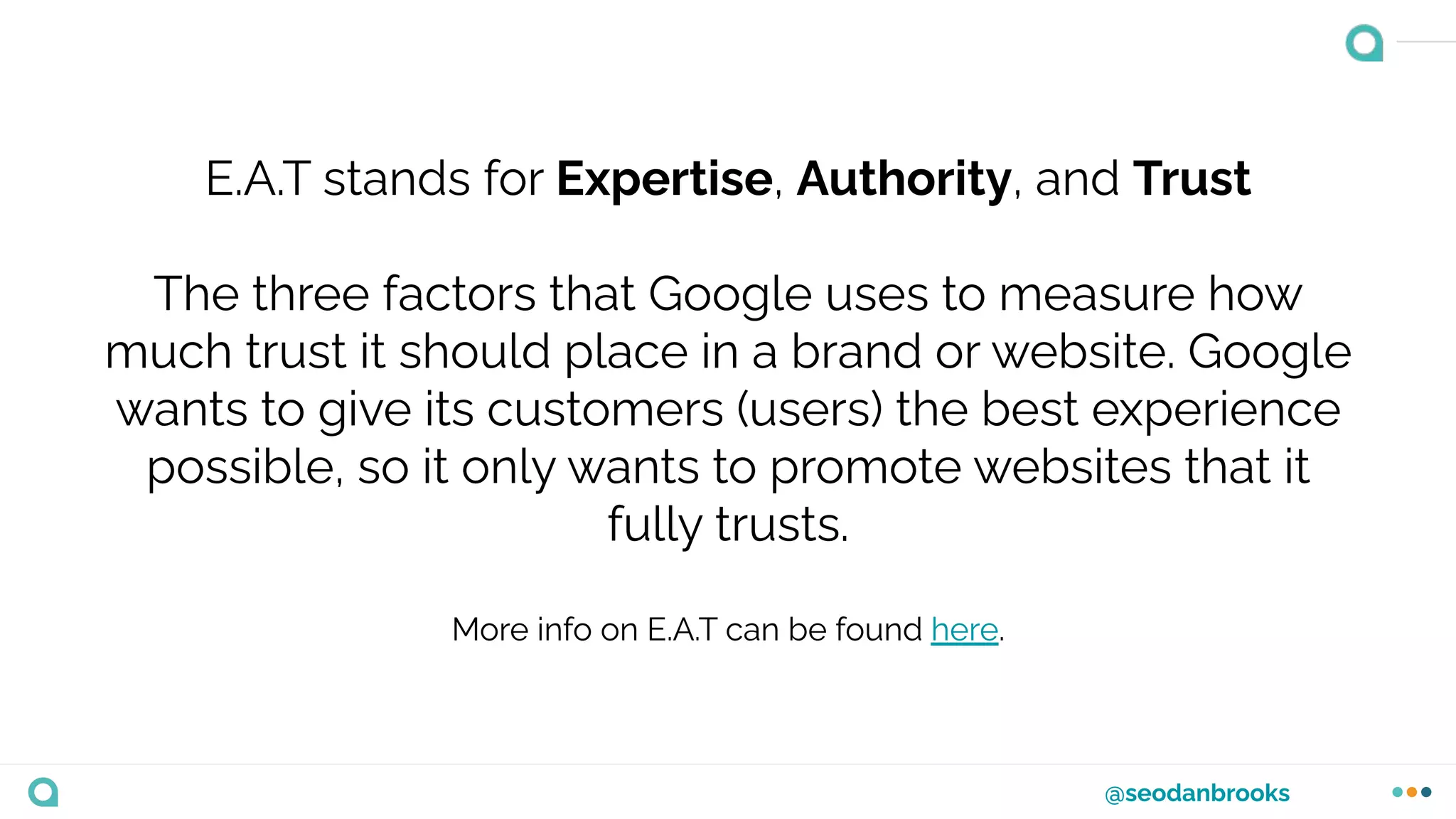
E.A.T stands for Expertise, Authority, and Trust
The three factors that Google uses to measure how
much trust it should place in a brand or website. Google
wants to give its customers (users) the best experience
possible, so it only wants to promote websites that it
fully trusts.
More info on E.A.T can be found here.
@seodanbrooks
Relevancy
“The relevance of a websites content in relation to a users
search query”
It’s no secret that Google see’s relevant content as a
ranking factor.
@seodanbrooks
Optimising content so that it meets Google’s E.A.T
guidelines and is relevant is half the battle, but will put
you in a good position when it comes to meeting a users
search intent too.
@seodanbrooks
“The buyer’s journey is the process buyers go through to
become aware of, consider, and decide to purchase a
new product or service.”
@seodanbrooks
@seodanbrooks
It’s important not to get the Buyer’s Journey and search
intent mixed up.
@seodanbrooks
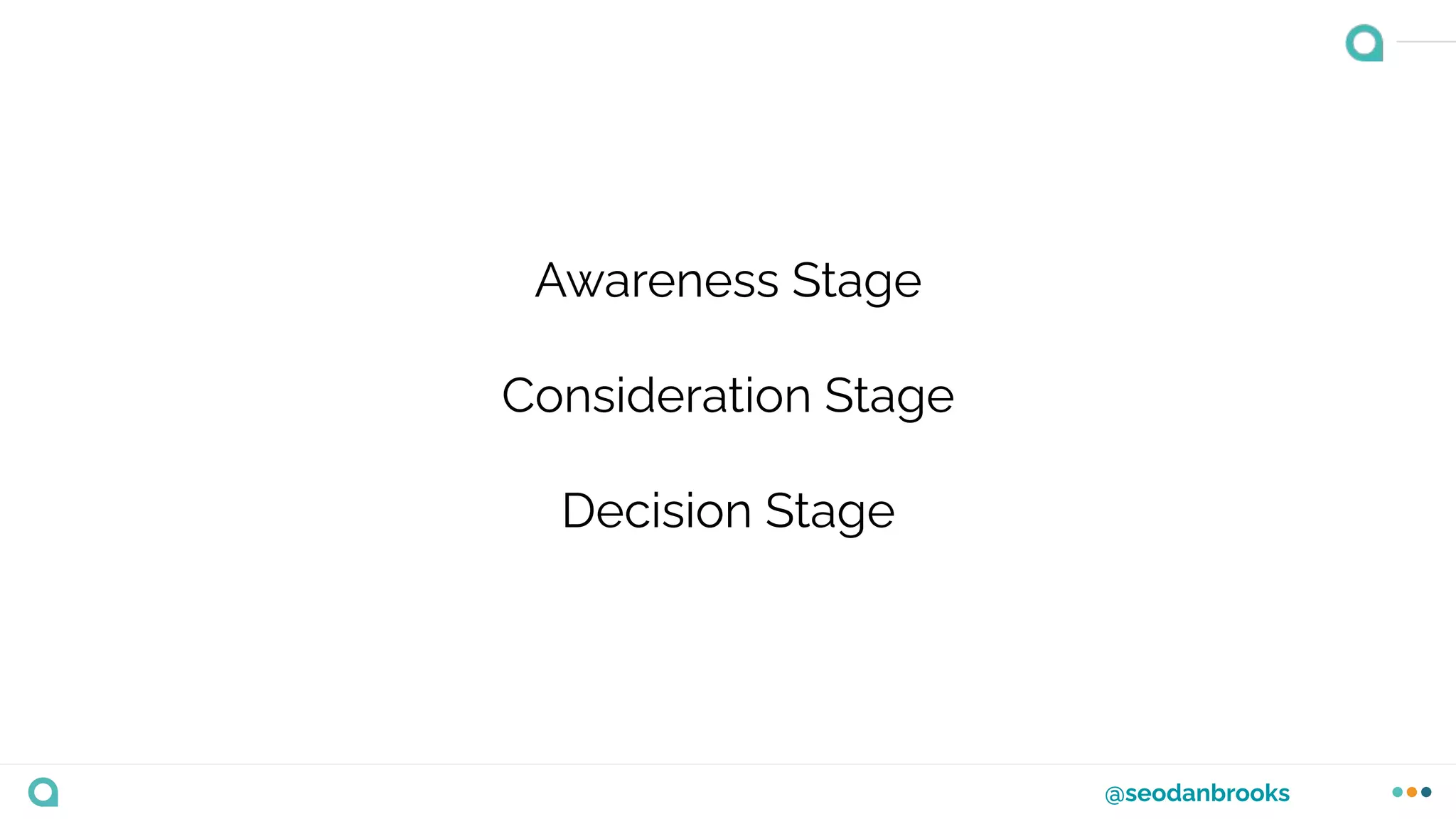
Each businesses buyers journey will differ. That’s why it’s
important to understand the various keywords at the
different stages of intent so that we can optimise our
content effectively.
@seodanbrooks
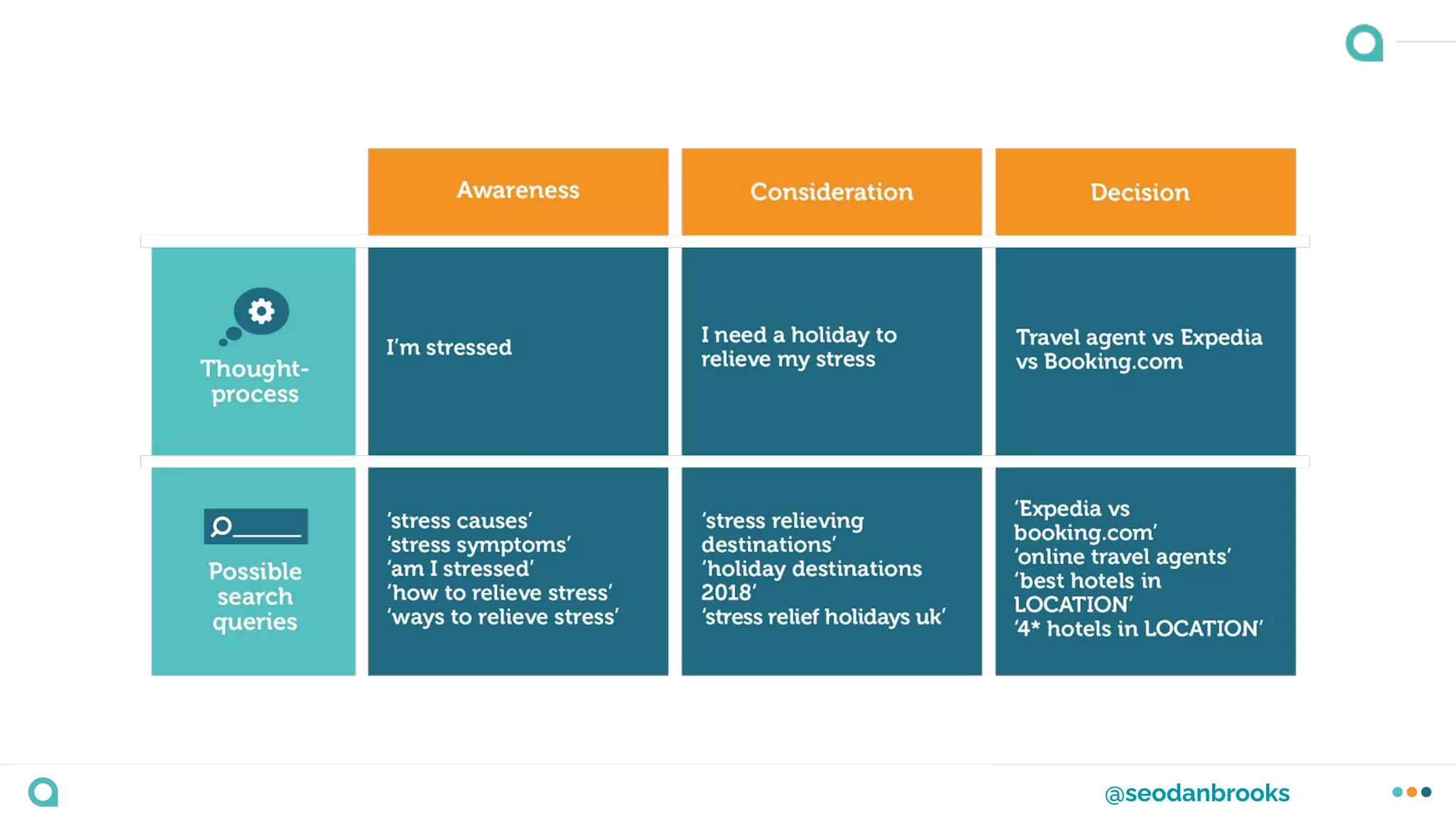
Awareness Stage
Consideration Stage
Decision Stage
@seodanbrooks
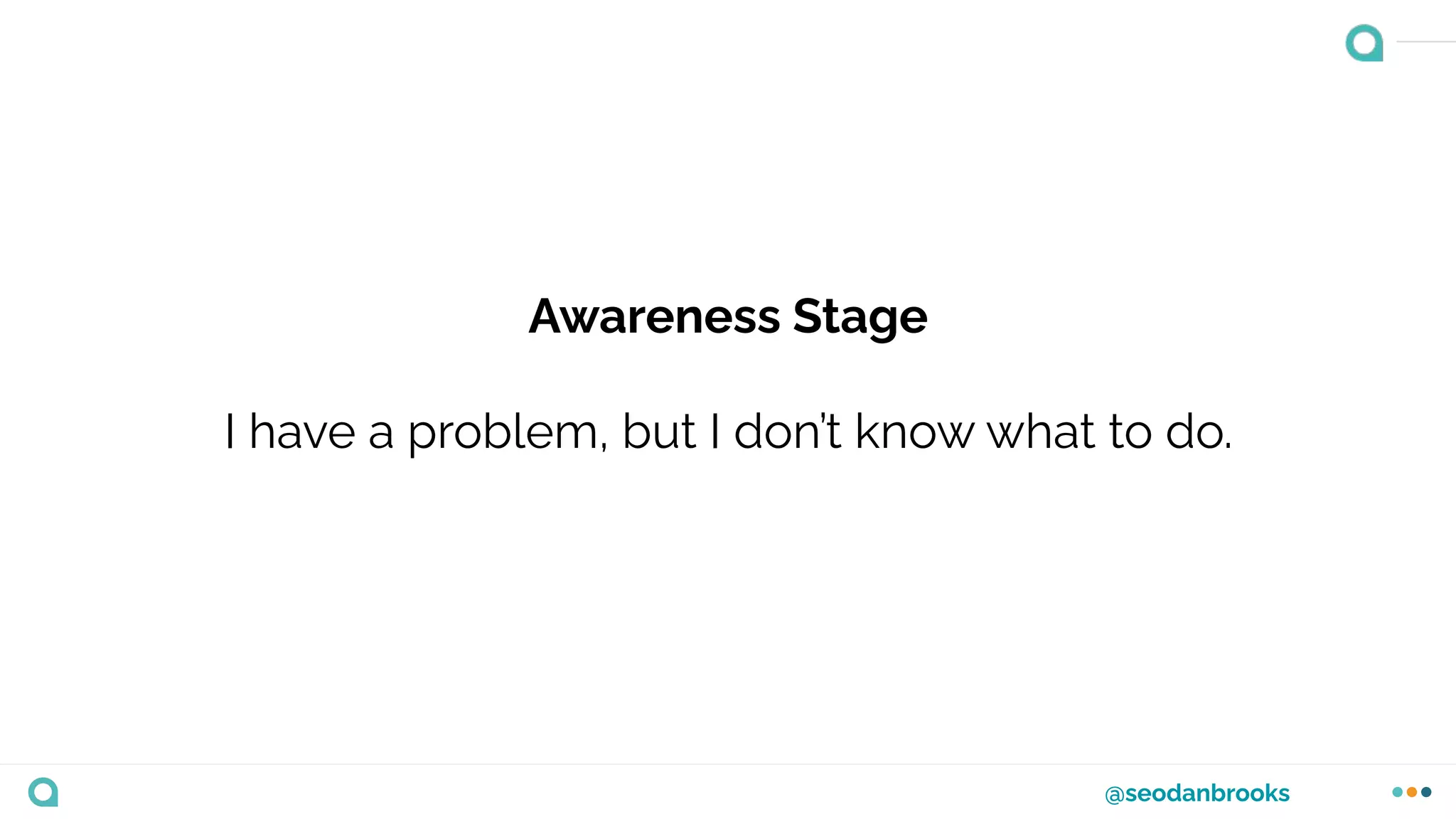
Awareness Stage
I have a problem, but I don’t know what to do.
@seodanbrooks
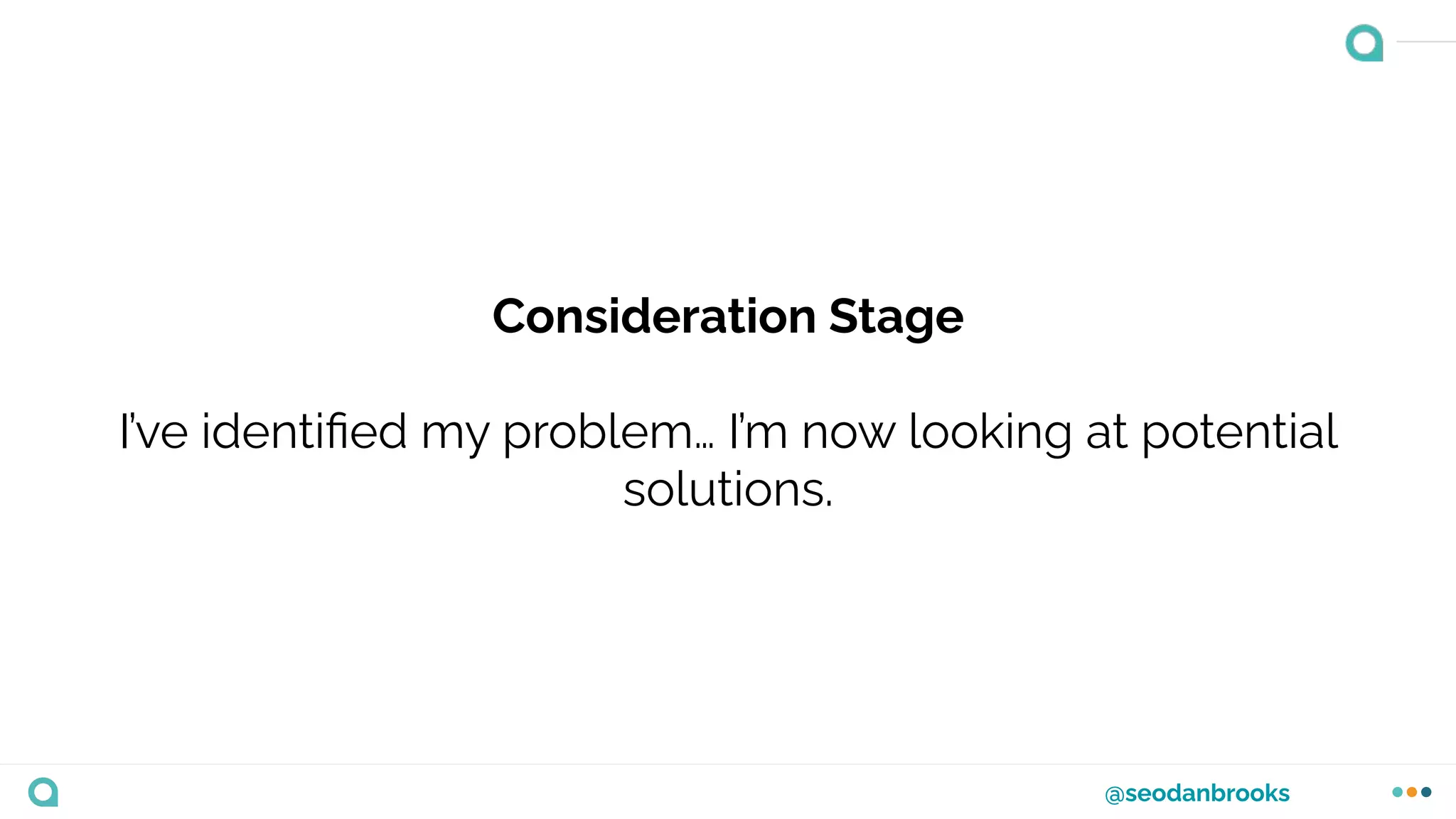
Consideration Stage
I’ve identified my problem… I’m now looking at potential
solutions.
@seodanbrooks
Decision Stage
I’m ready to take action.
@seodanbrooks
When we conduct keyword research we want to identify
keywords at each of these stages. This allows us to build
a better rounded content strategy, bringing in quality
traffic.
@seodanbrooks
@seodanbrooks
@seodanbrooks
To confuse things a little more…
User Intent and Search Intent are completely different.
@seodanbrooks
User Intent
This is the action that we anticipate that the user wants
to take.
@seodanbrooks
Search Intent
What Google perceives as the intention of the user and
what they expect to find.
@seodanbrooks
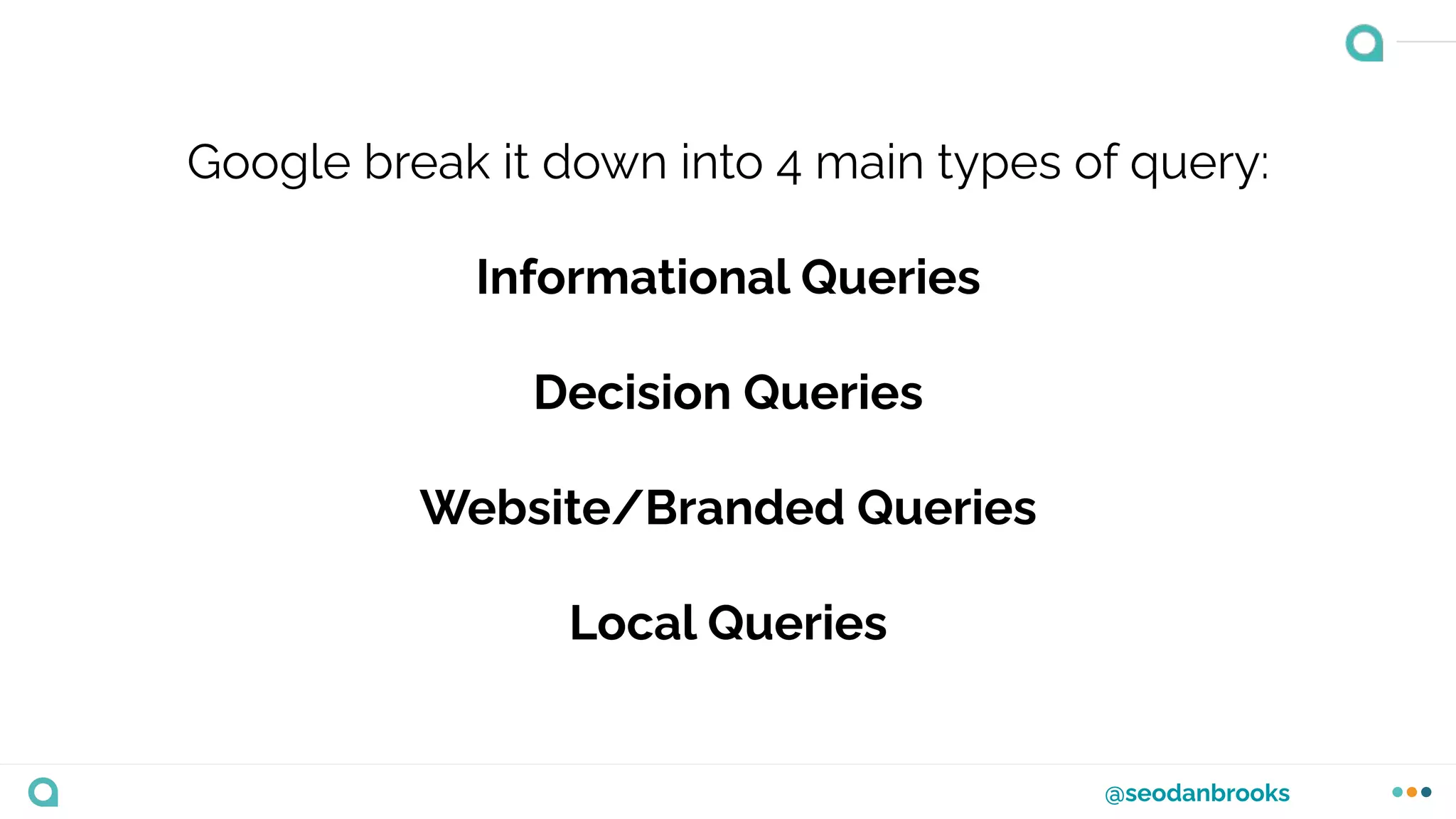
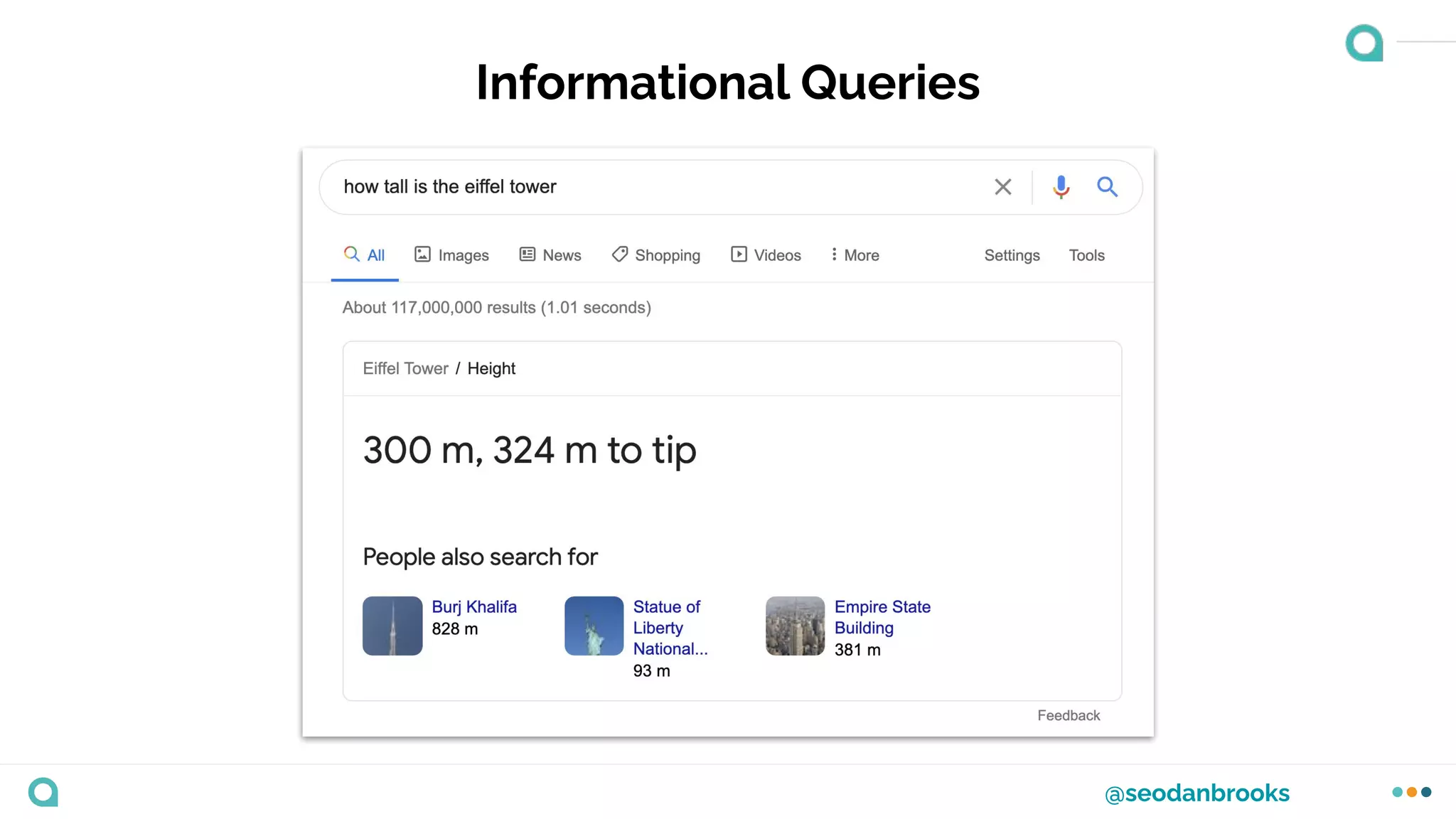
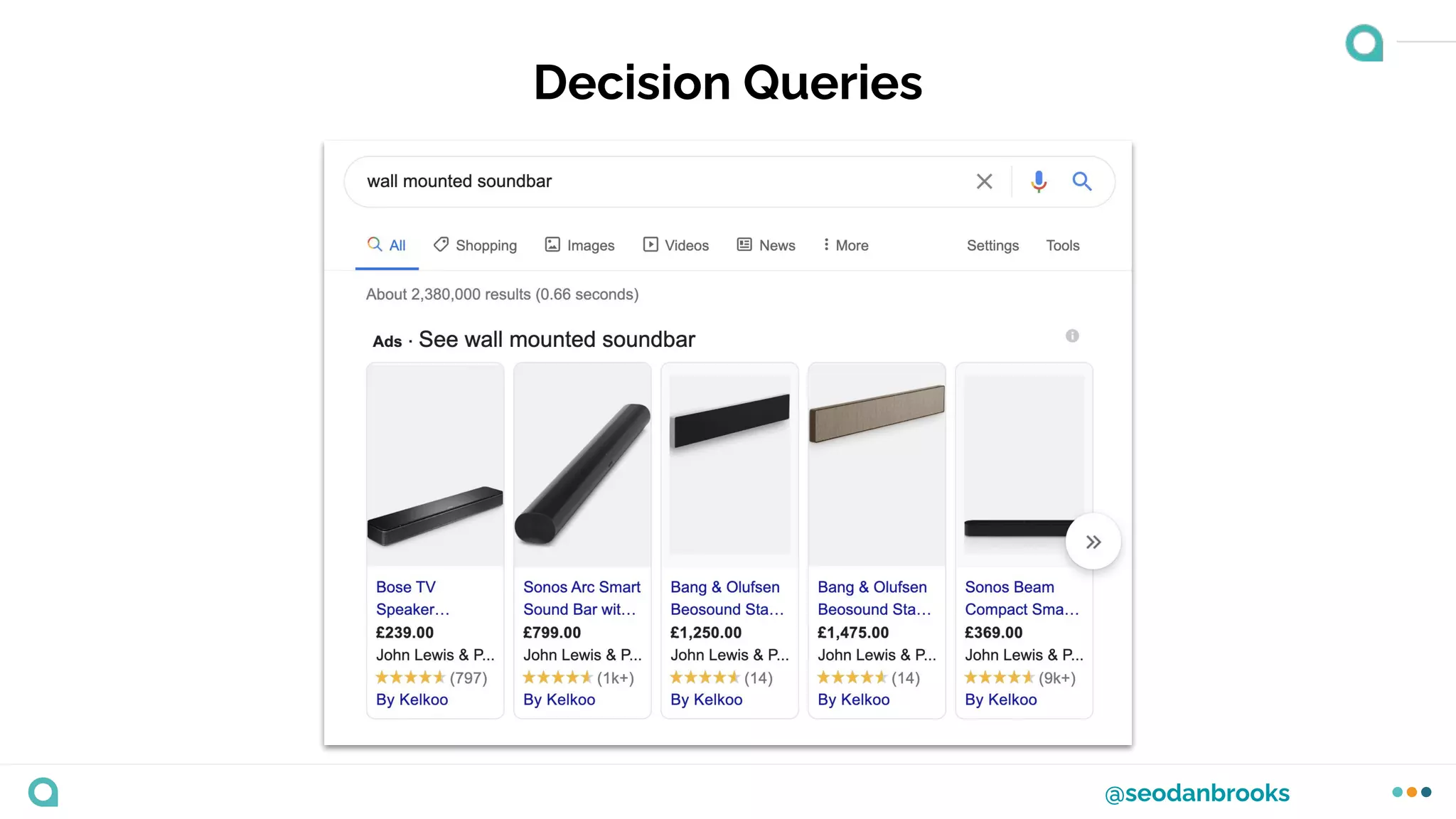
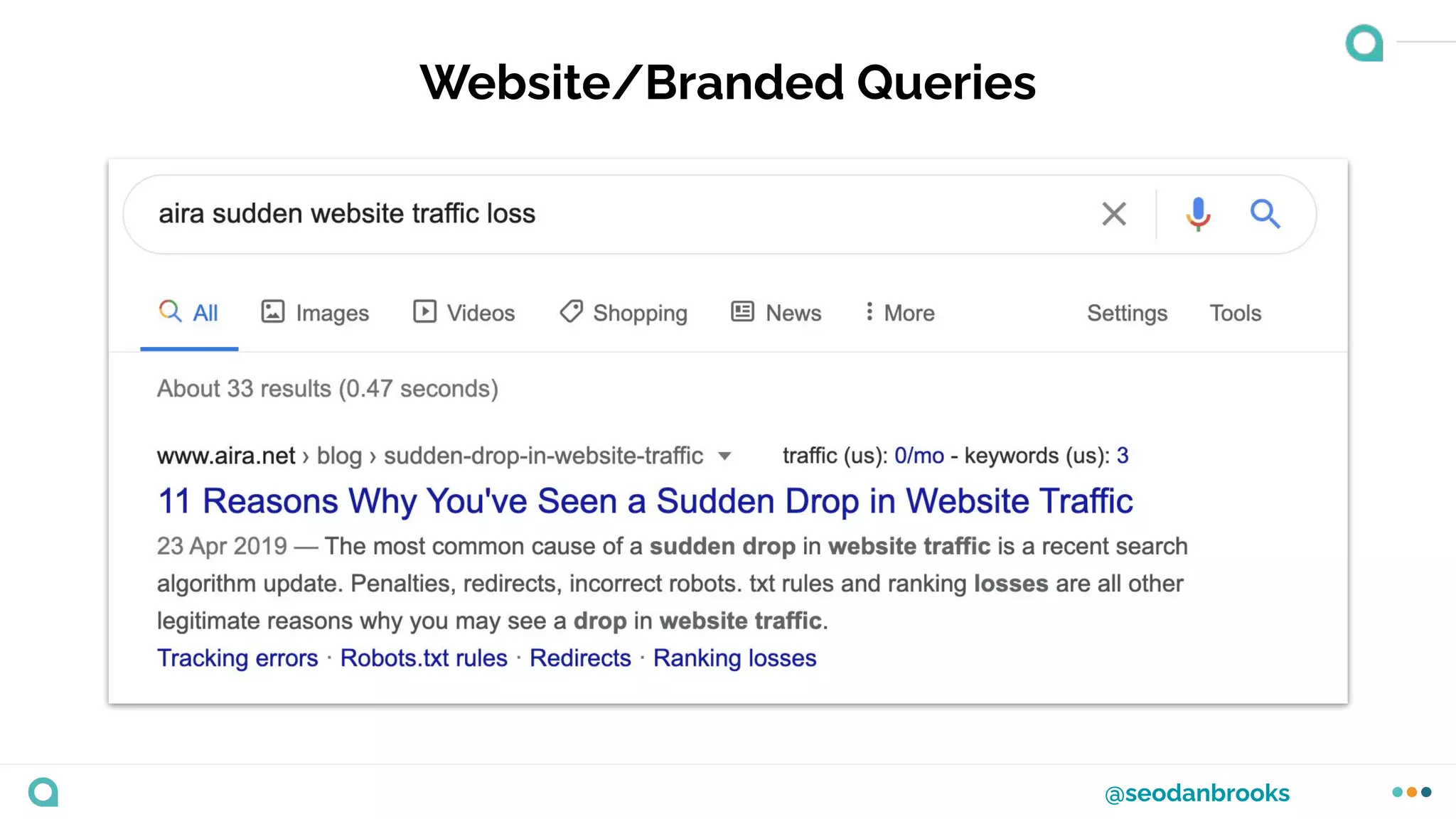
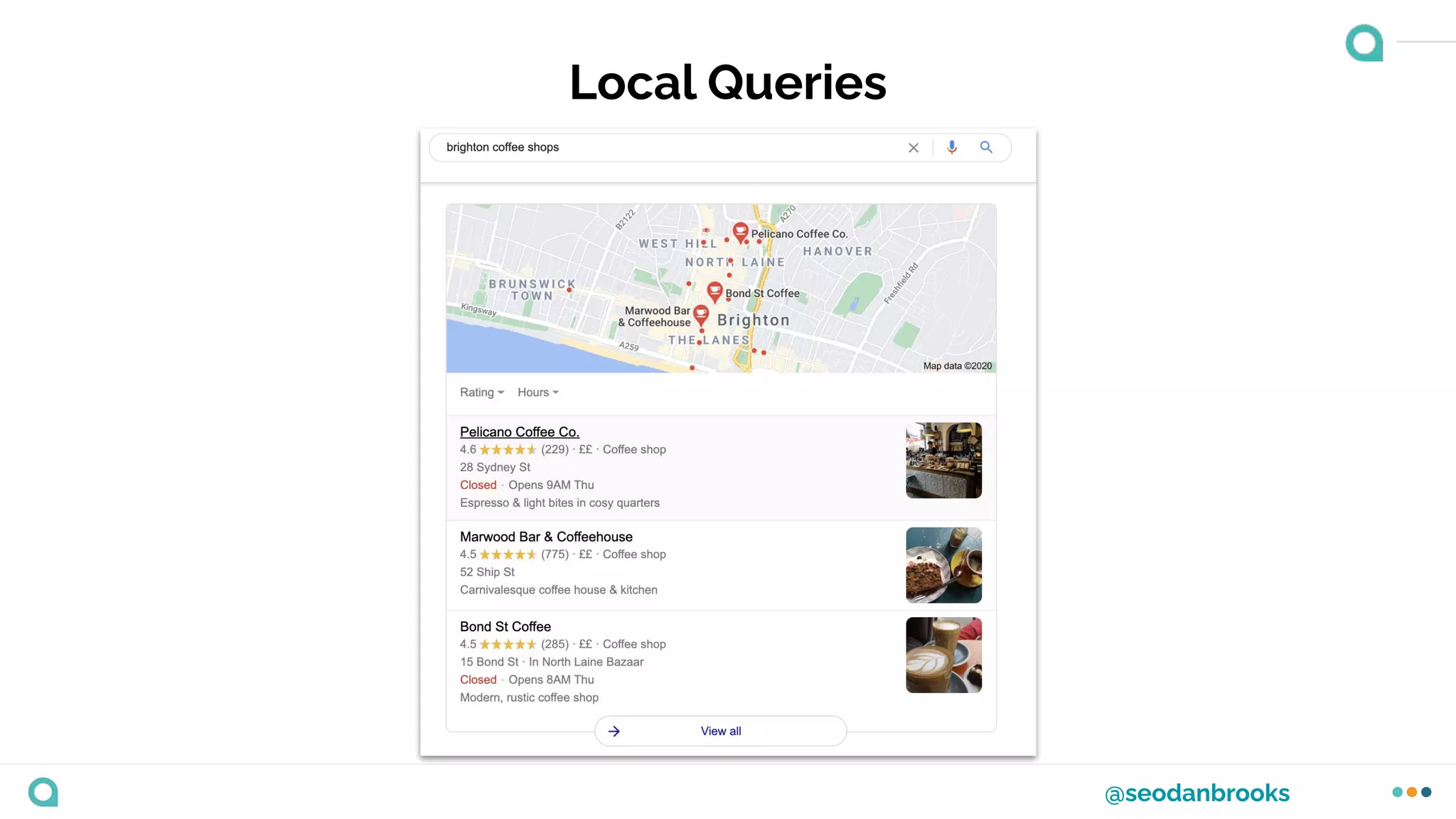
Google break it down into 4 main types of query:
Informational Queries
Decision Queries
Website/Branded Queries
Local Queries
@seodanbrooks
Informational Queries
@seodanbrooks
Decision Queries
@seodanbrooks
Website/Branded Queries
@seodanbrooks
Local Queries
@seodanbrooks
Being aware of and monitoring the SERP features can
help you gauge the search intent of a query.
Use open source tools like MozCast
@seodanbrooks
Other tools like Thruuu can help you understand the
type of content you need to produce.
@seodanbrooks
Take Away
When conducting keyword research, always try to find
relevant keywords that meet the different stages of the
Buyer’s Journey.
Exercise
Exercise
Taking into consideration everything
we’ve discussed and learnt about the
Buyer’s Journey and Intent; take a few
minutes to brainstorm what kind of
queries a typical customer might use to
find your business.
Remember…
❖ Awareness Stage
❖ Consideration Stage
❖ Decision Stage
(Don’t forget to see what kind of results
Google are showing for those queries)
The keyword research
process
@seodanbrooks
Keyword research doesn’t need to be overly
complicated, but you do need to take it seriously.
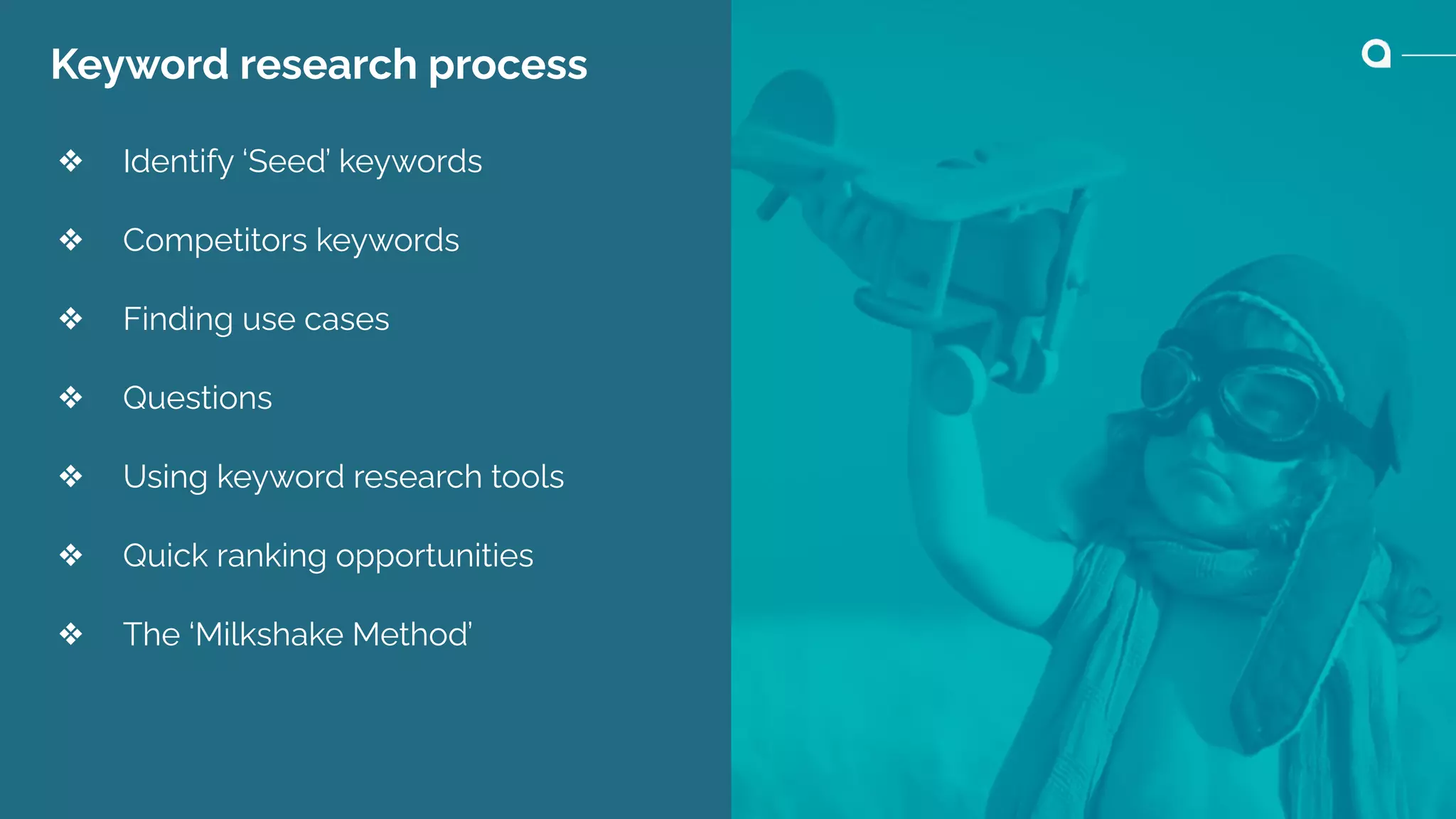
Keyword research process
❖ Identify ‘Seed’ keywords
❖ Competitors keywords
❖ Finding use cases
❖ Questions
❖ Using keyword research tools
❖ Quick ranking opportunities
❖ The ‘Milkshake Method’
Seed Keywords
@seodanbrooks
Seed Keywords
These are the top level keywords you’d associate with
the business and expect to rank for.
@seodanbrooks
Creating a Seed keyword list
Brainstorm initial ideas
Review the keywords you’re appearing for
Speak to your sales team
Competitor Keywords
@seodanbrooks
Competitor Keywords
These are the keywords that your search competitors
are optimsing and ranking for.
@seodanbrooks
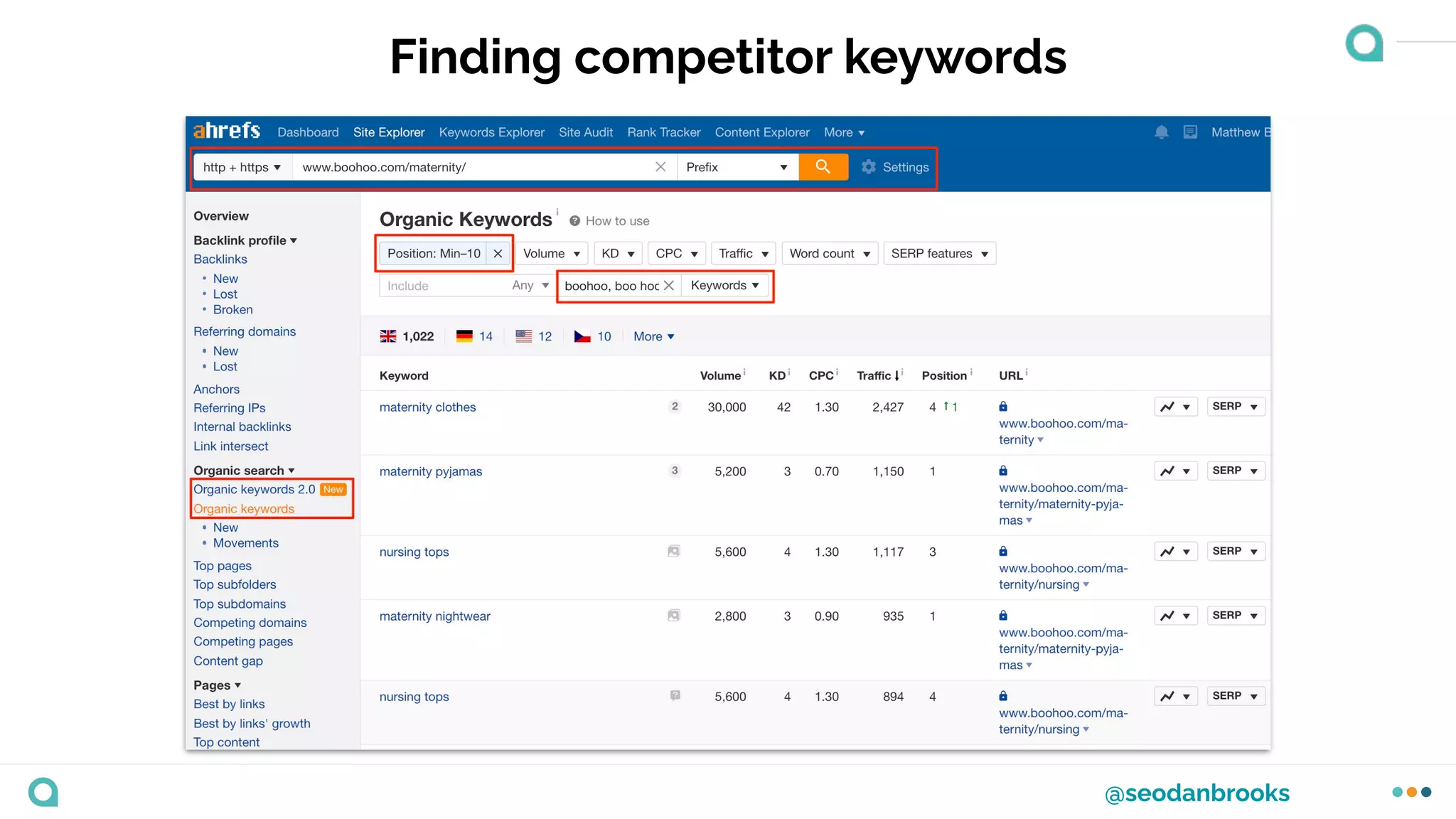
Finding competitor keywords
Finding Use Cases
@seodanbrooks
Finding Use Cases
Identifying long tail search queries that are related to a
specific product or service offering…
A great way to build relevant supporting content on a
blog.
Finding Use Cases
1. Use your Seed keywords, take bulk
exports from Google Search Console
and any other research tools you have
access to.
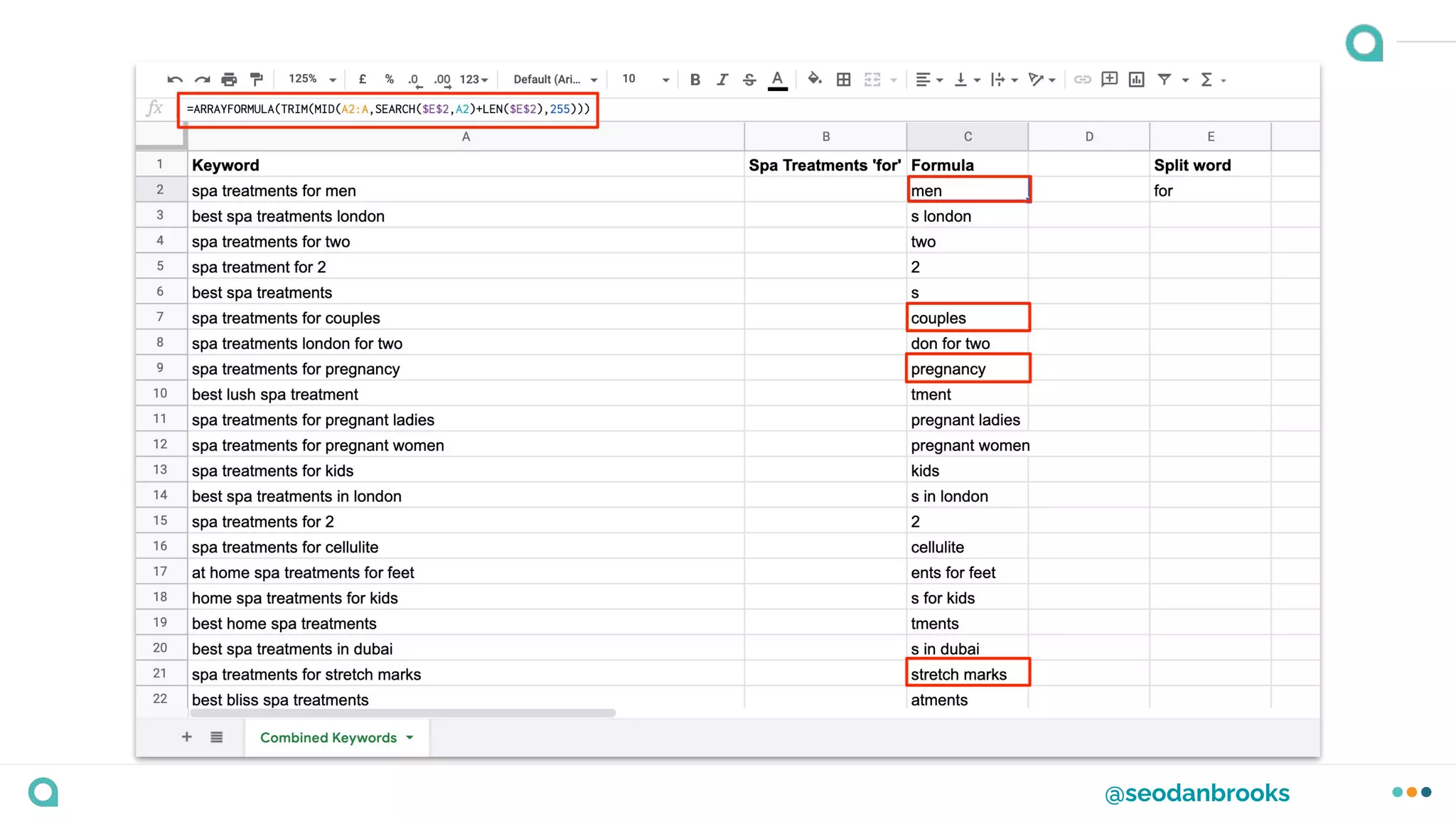
2. Combine all of the data into one Excel
or Google Sheet and review for
common separators and split words.
3. Use an Excel formula to scrape
common use cases.
@seodanbrooks
@seodanbrooks
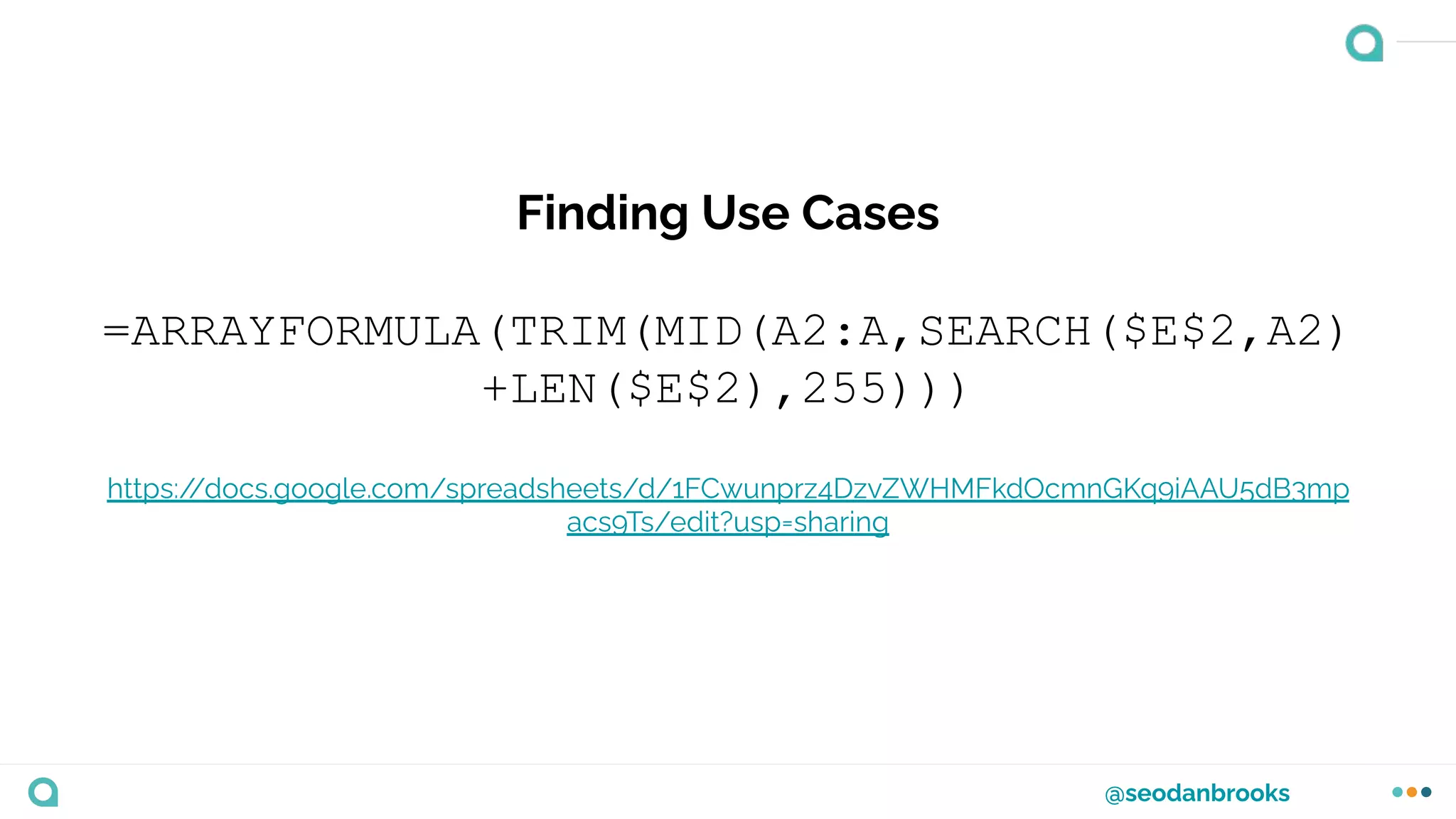
Finding Use Cases
=ARRAYFORMULA(TRIM(MID(A2:A,SEARCH($E$2,A2)
+LEN($E$2),255)))
https:/
/docs.google.com/spreadsheets/d/1FCwunprz4DzvZWHMFkdOcmnGKq9iAAU5dB3mp
acs9Ts/edit?usp=sharing
Questions
@seodanbrooks
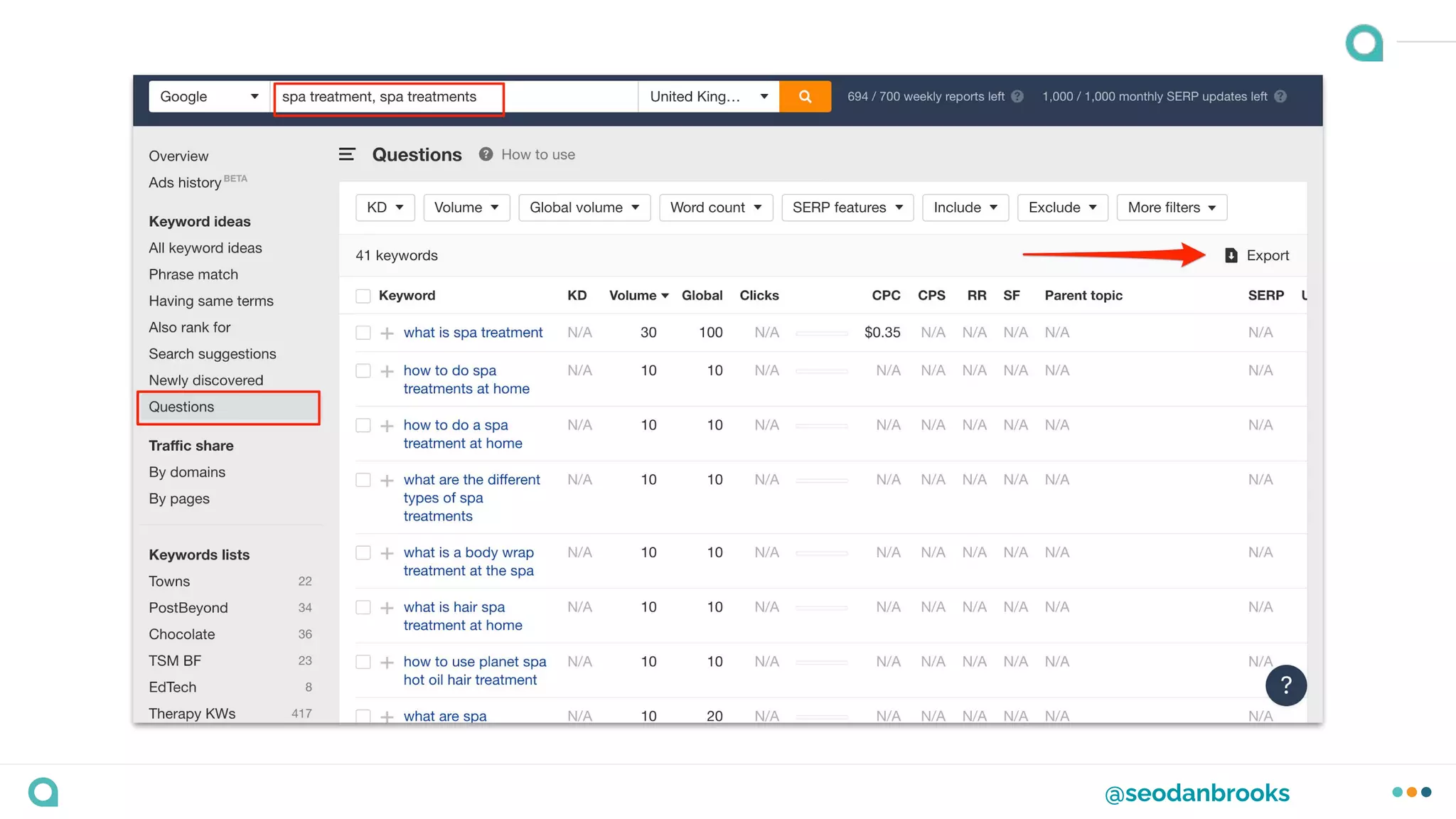
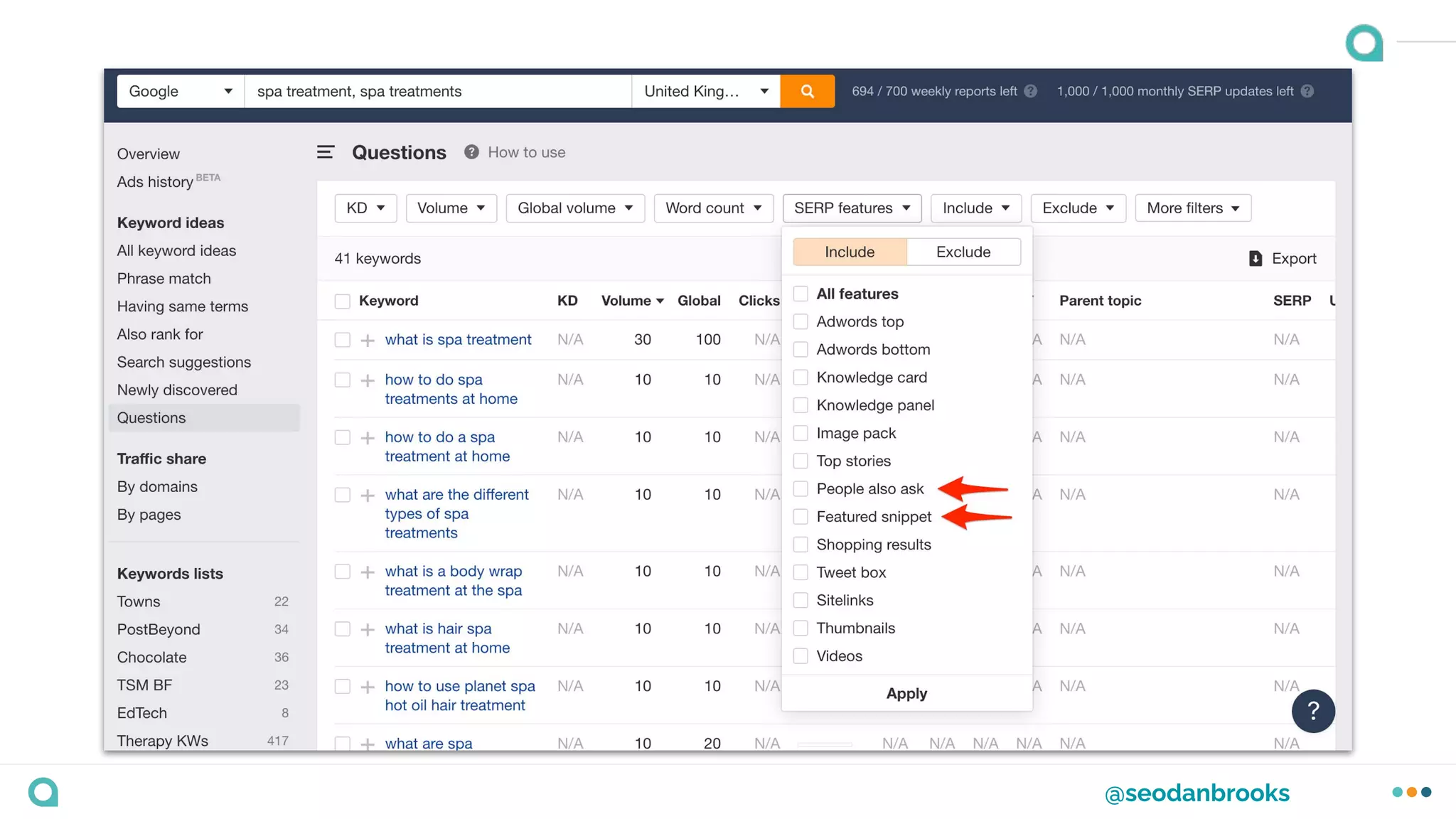
Questions
Identifying frequently asked questions to optimise for
Featured Snippets or to create additional relevant
content as FAQs on product pages.
@seodanbrooks
@seodanbrooks
Using keyword research tools
@seodanbrooks
@seodanbrooks
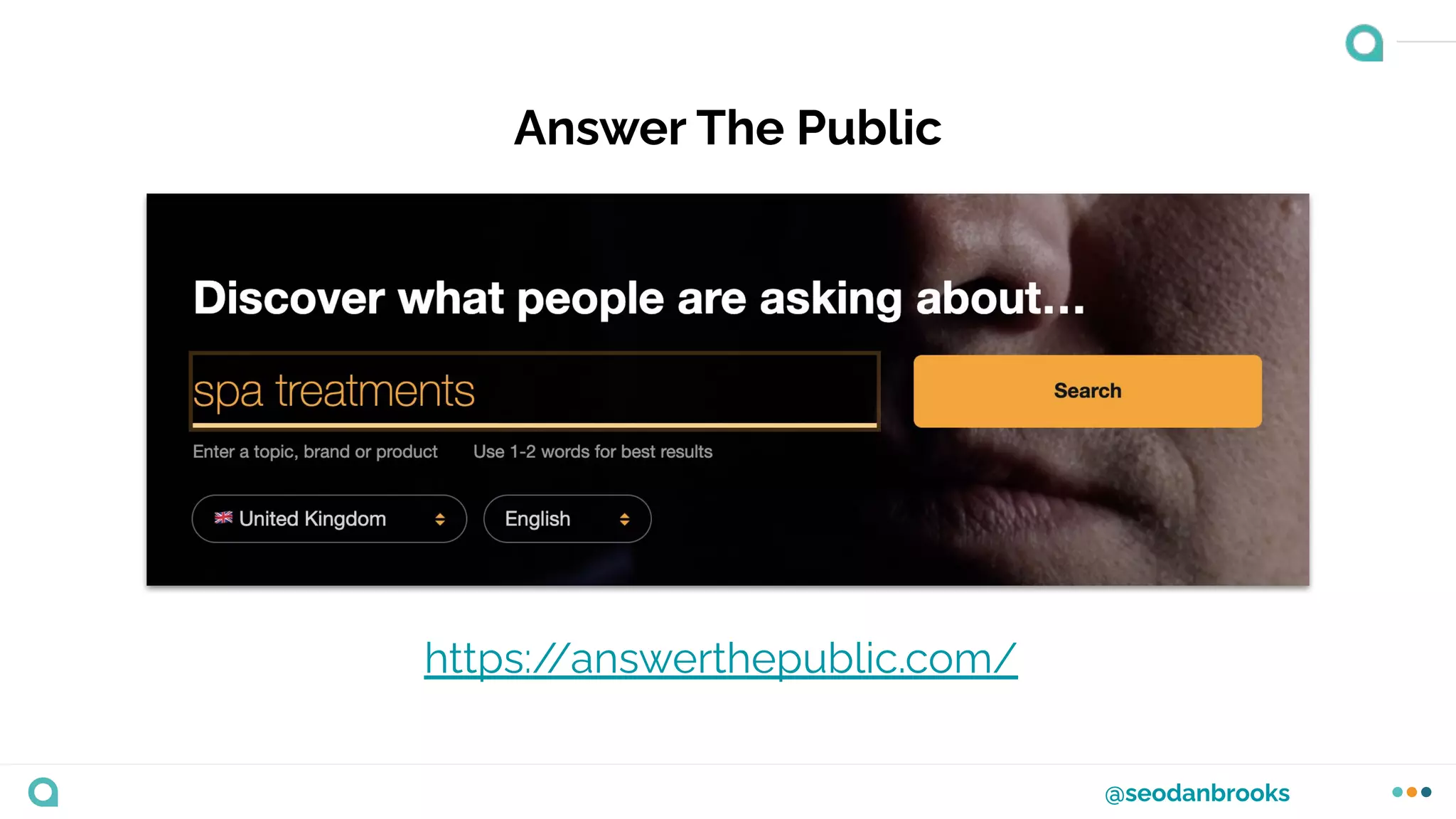
Answer The Public
https:/
/answerthepublic.com/
@seodanbrooks
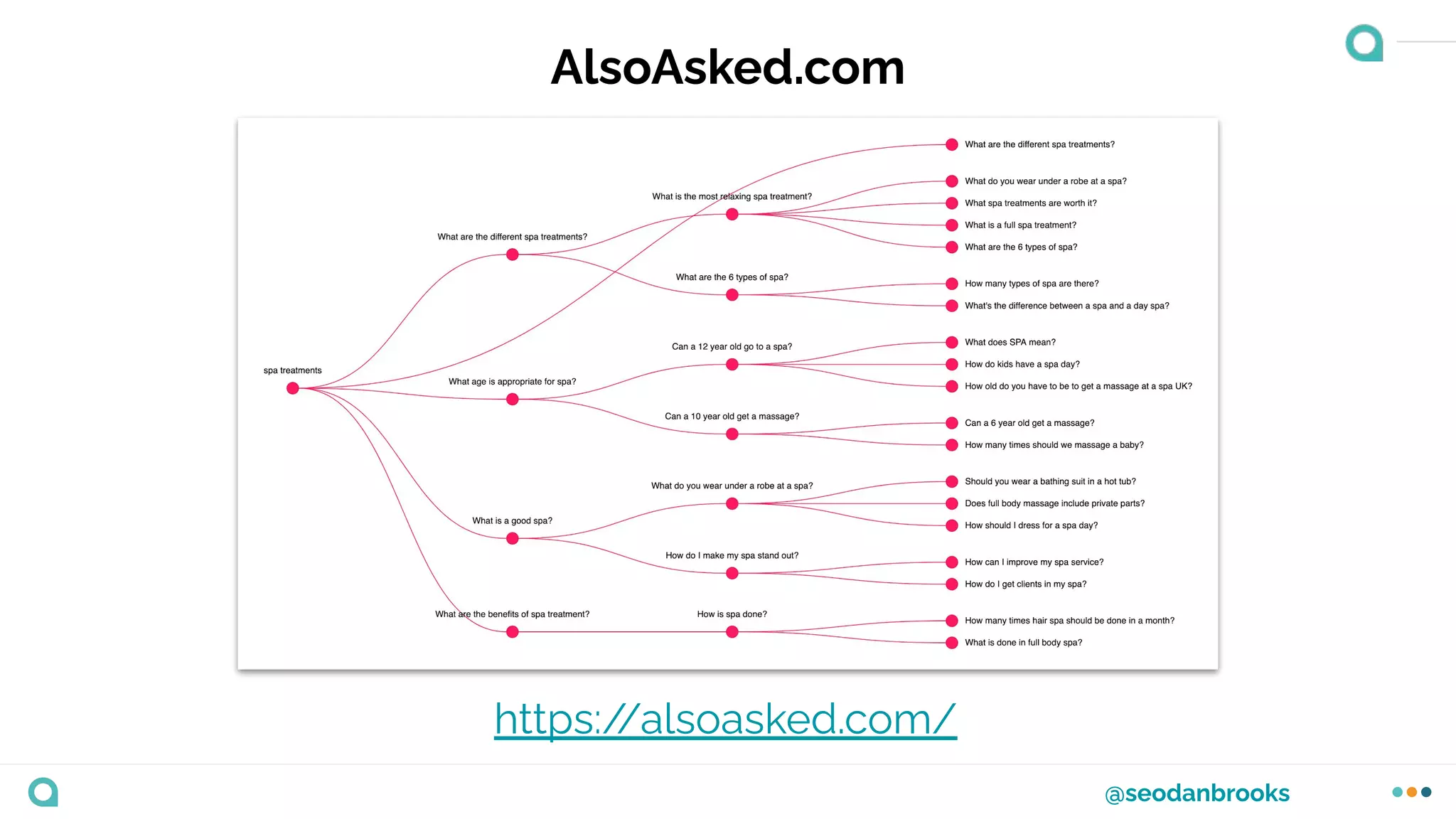
AlsoAsked.com
https:/
/alsoasked.com/
Identifying ‘Quick Ranking’
opportunities
Quick Ranking Opportunities
1. Finding keywords that you currently
rank on Page 2 for.
2. The ‘Milkshake Method’
@seodanbrooks
Finding Page 2 rankings
A really easy way to potentially get a quick uplift in
organic traffic.
Here’s how...
@seodanbrooks
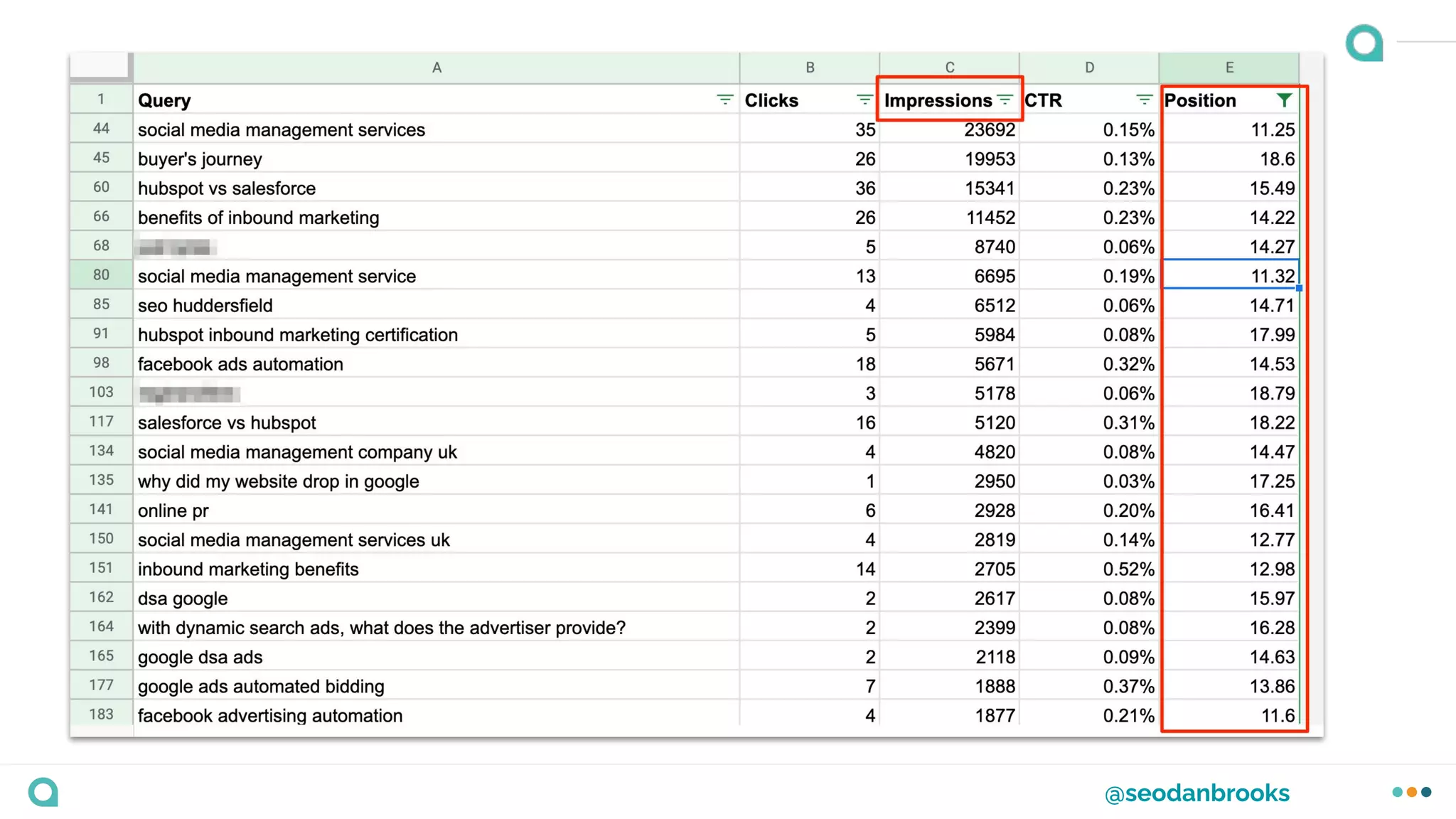
Finding Page 2 rankings
Head over to Google Search Console and open the
Performance Report.
Adjust the time period accordingly, add a brand name
filter and export.
@seodanbrooks
@seodanbrooks
Use the ‘Milkshake Method’ to steal achievable rankings
in the short term.
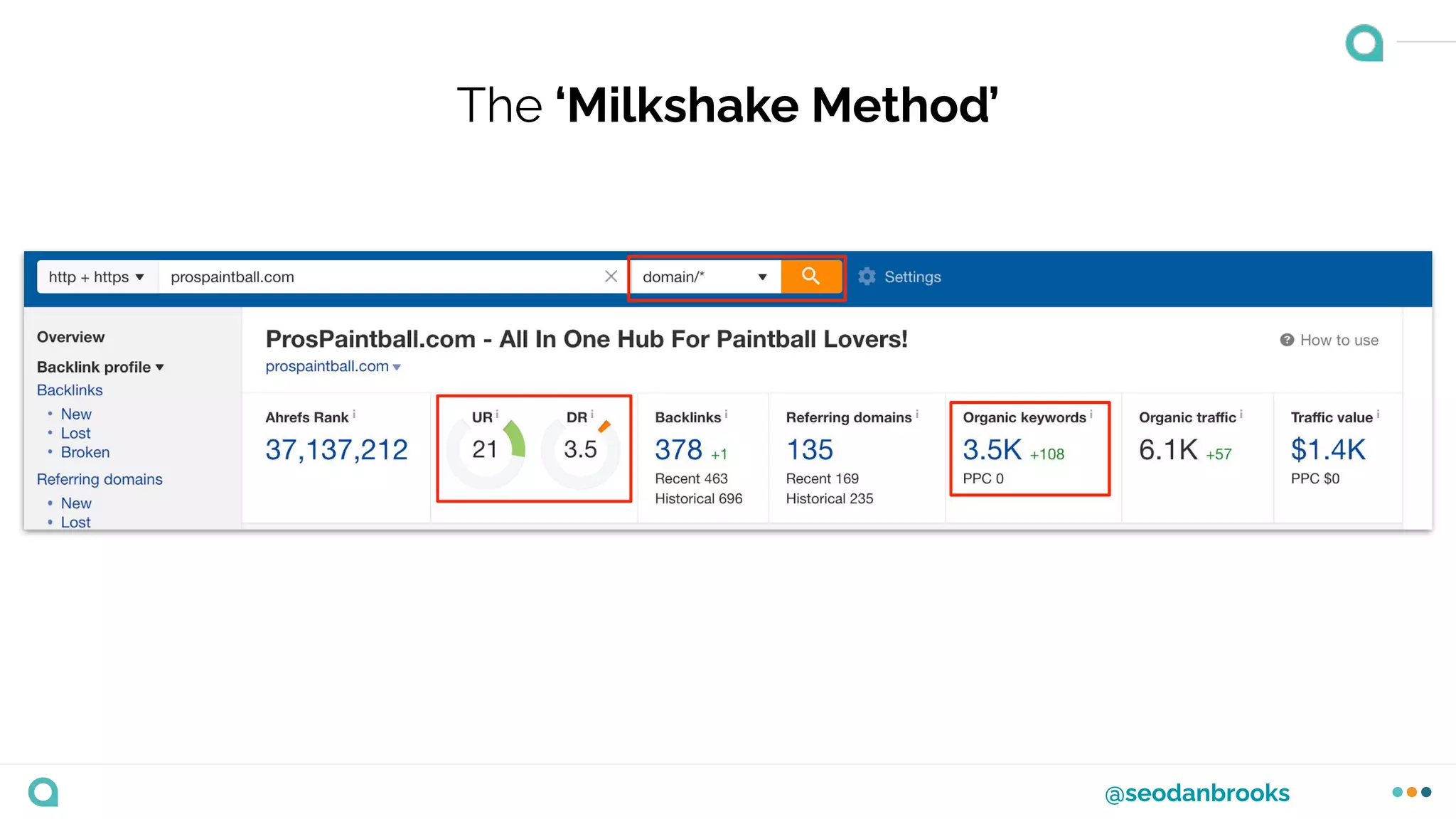
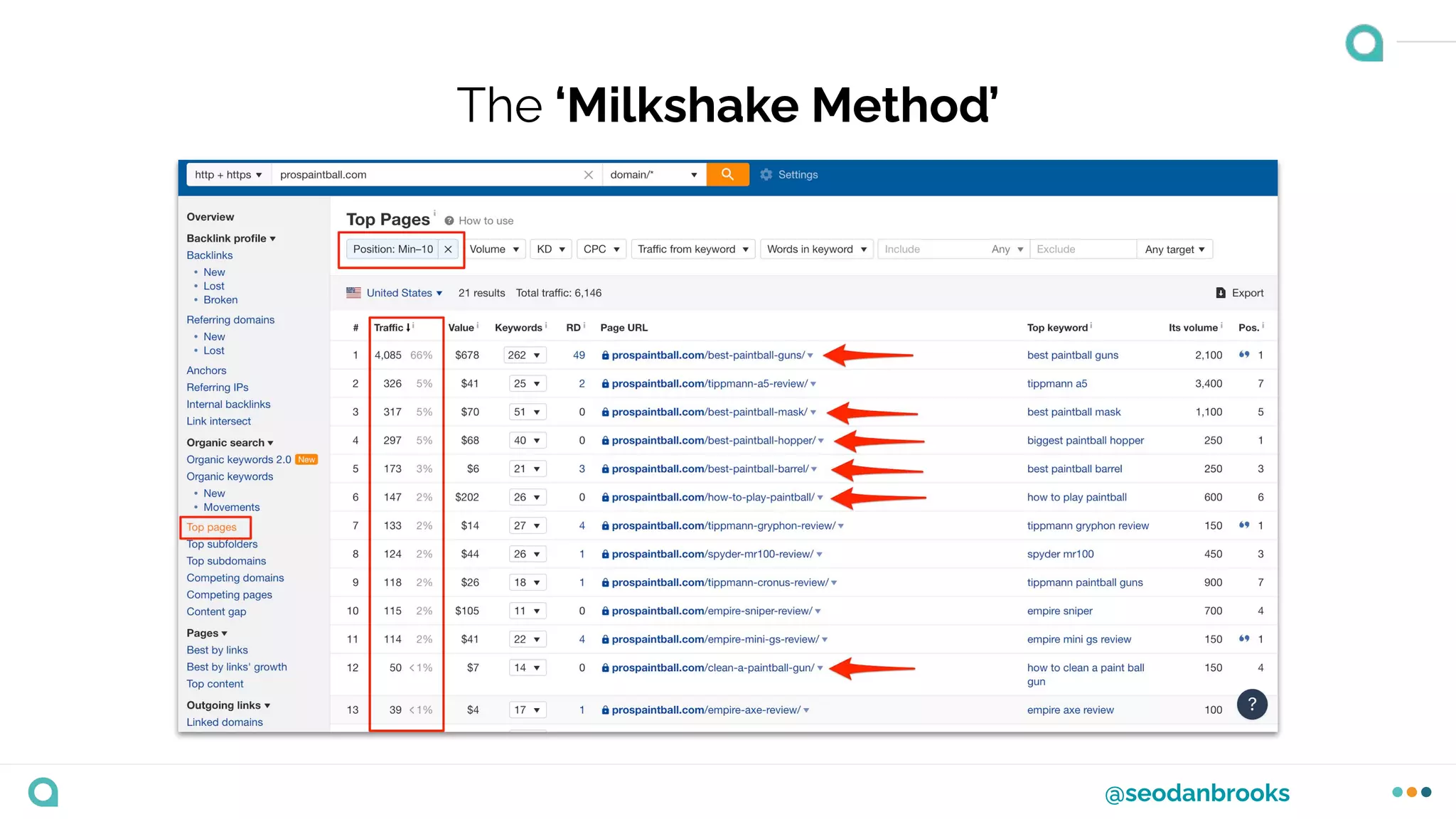
The ‘Milkshake Method’
1. Put a competitor domain into your
preferred research tool. (Ahrefs is
great for this).
2. Preferably use a competitor site that is
ranking in the top 10 consistently.
3. Identify the organic keywords and
pages that are driving traffic and
replicate the content, only making it
better!
@seodanbrooks
The ‘Milkshake Method’
@seodanbrooks
The ‘Milkshake Method’
How to prioritise your
keywords
@seodanbrooks
There are two main techniques that we can use to
prioritise our keyword research.
@seodanbrooks
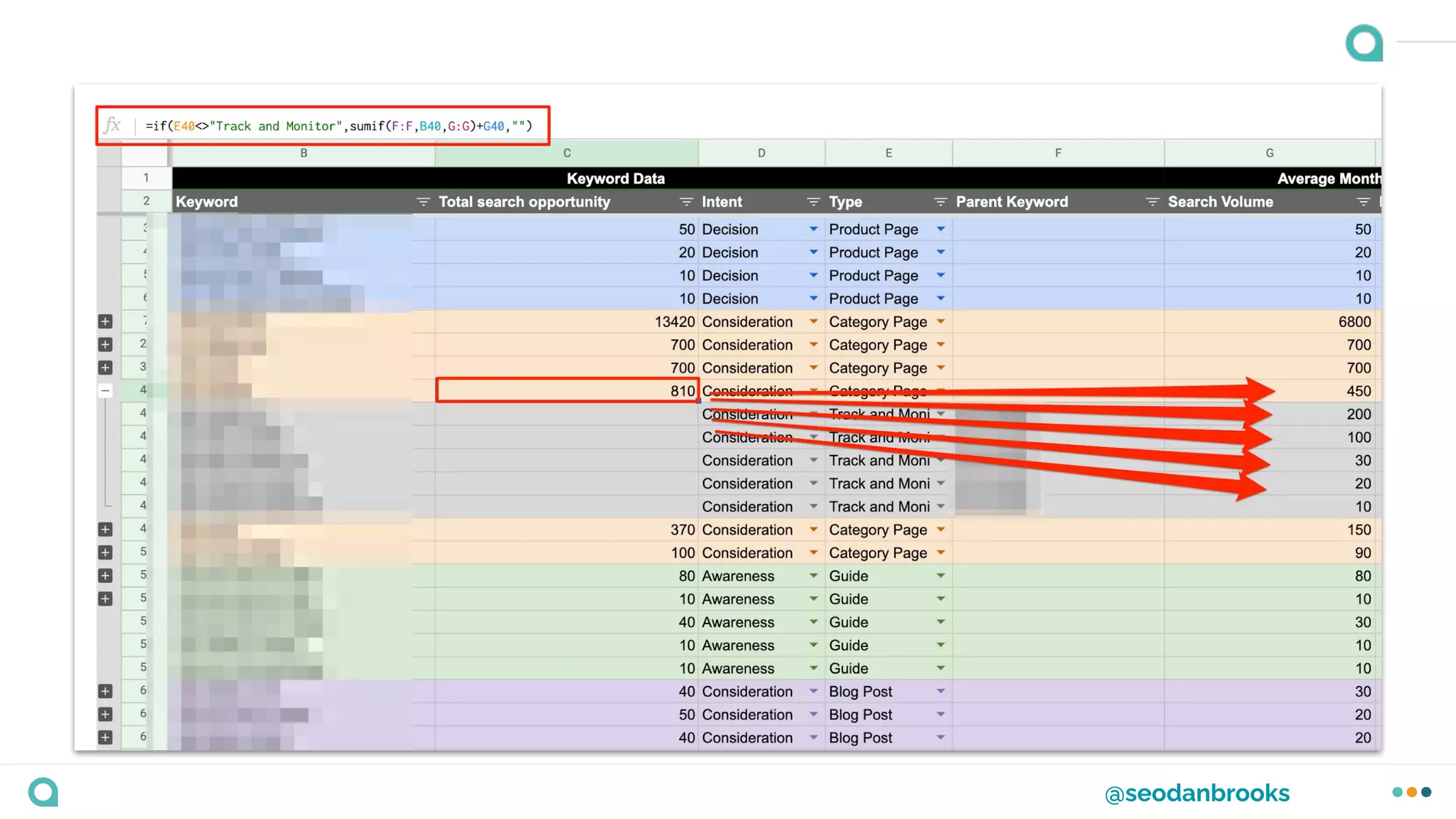
1. Use search volume and the combined search
opportunity.
@seodanbrooks
@seodanbrooks
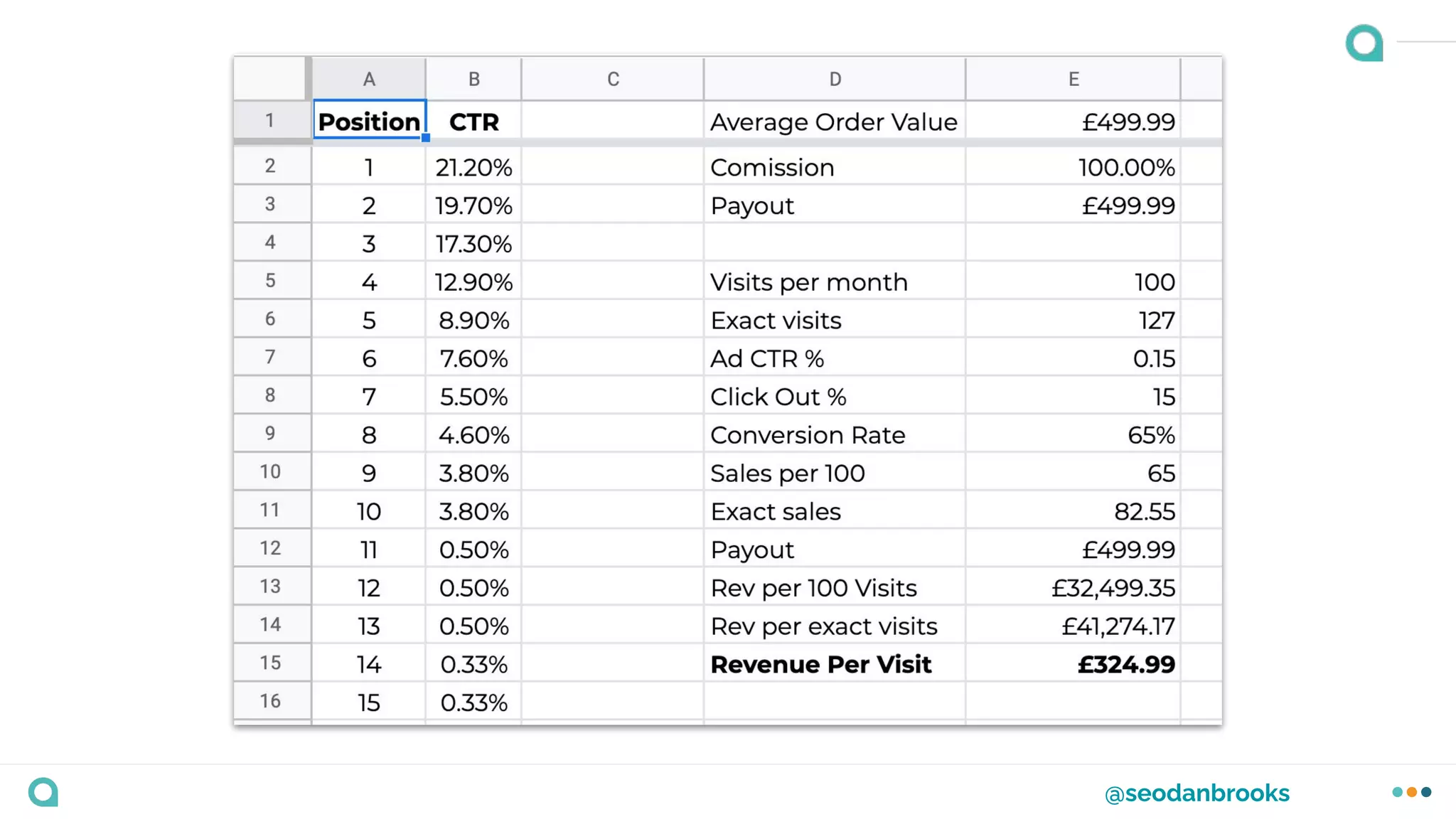
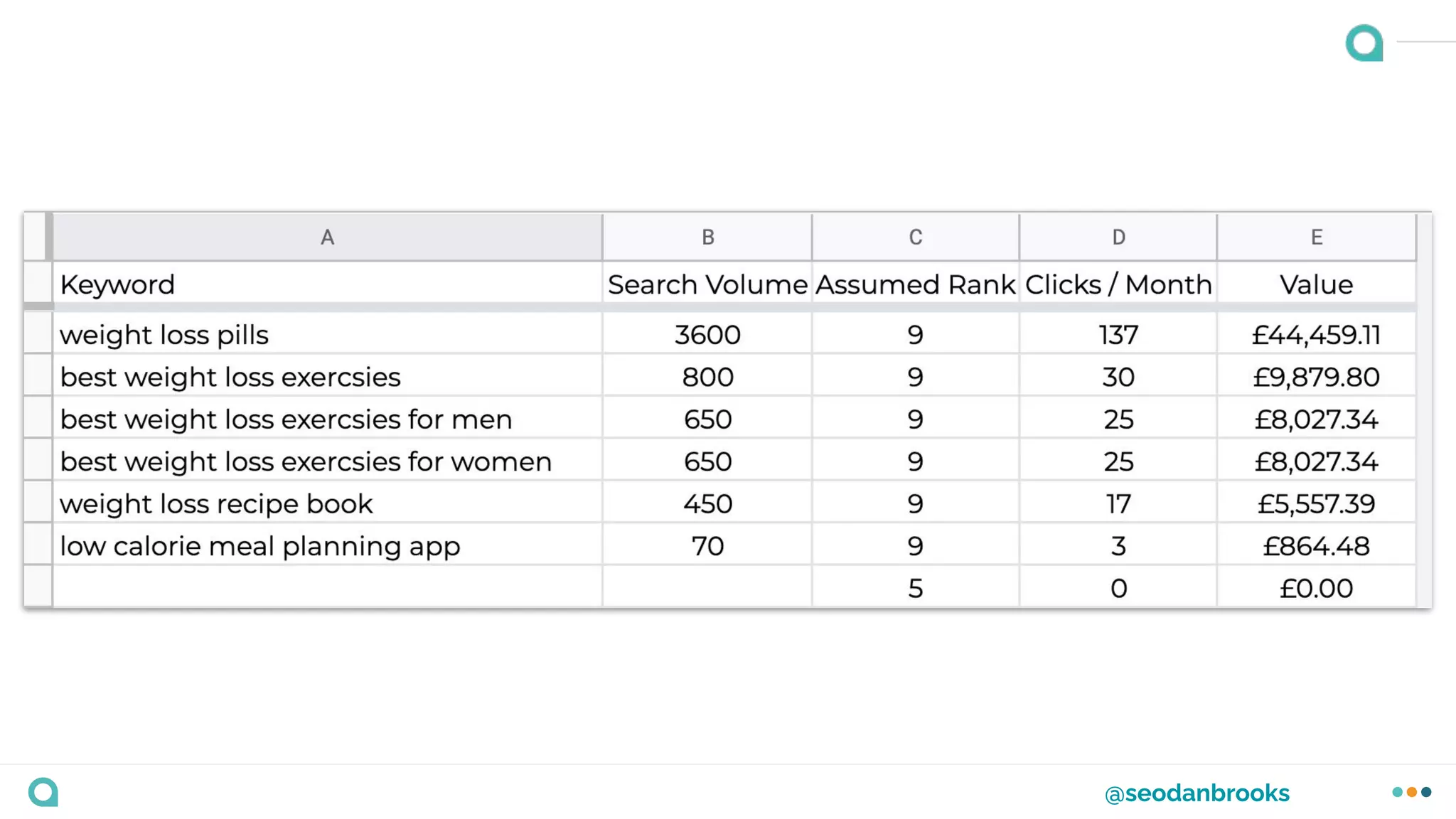
2. Calculate the estimated keyword value.
https:/
/www.daniel-brooks.co.uk/keyword-opportunity-model/
@seodanbrooks
@seodanbrooks
@seodanbrooks
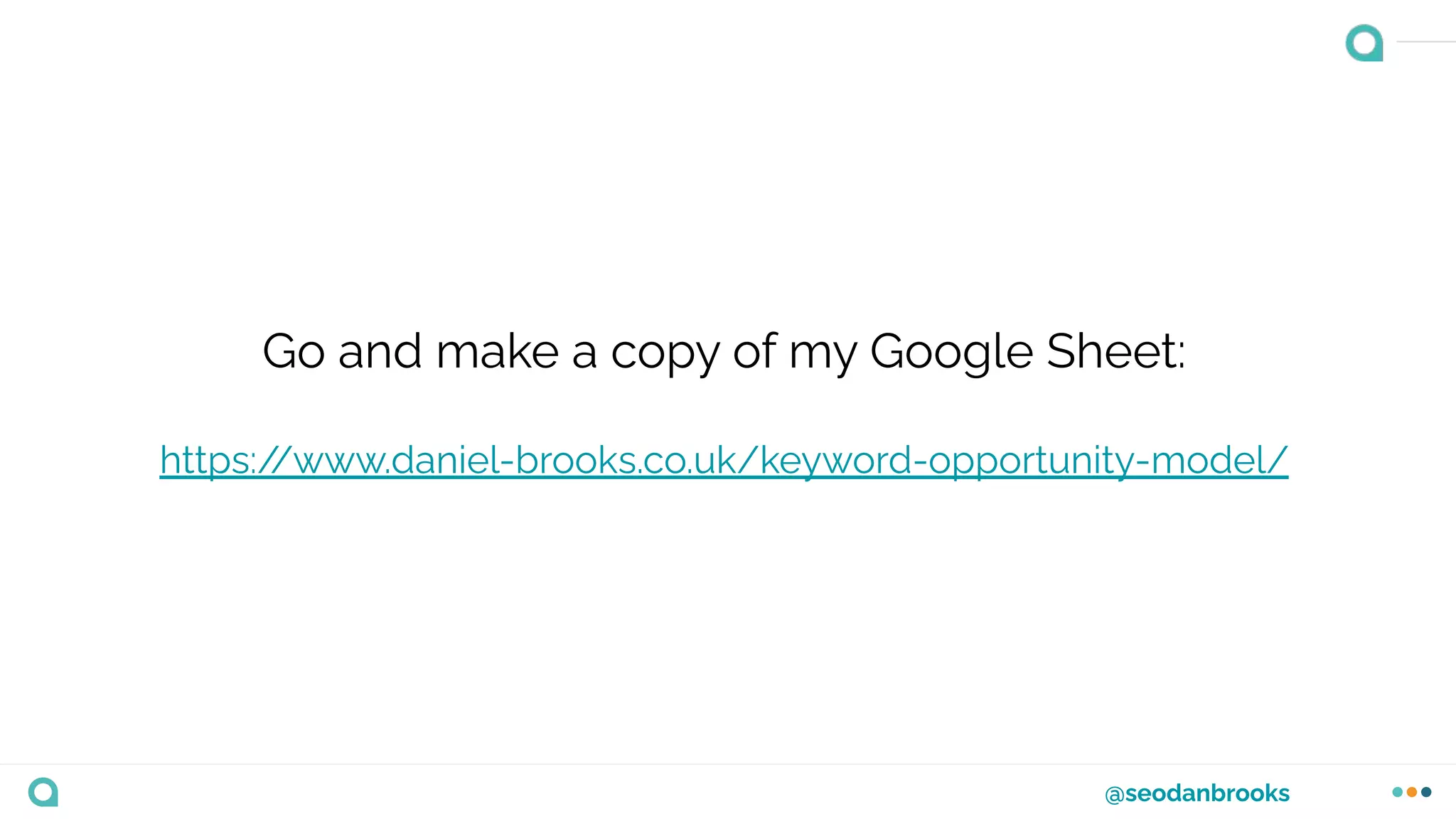
Go and make a copy of my Google Sheet:
https:/
/www.daniel-brooks.co.uk/keyword-opportunity-model/
Let’s take a break for lunch
Welcome back
Quick recap
❖ Introduction to keyword research
❖ Looked at keyword research strategy
❖ User Intent and the Buyer’s Journey
❖ The keyword research process
❖ How we can prioritise keywords
Now it’s time to put what
you’ve learnt into practice
Exercise
❖ Using everything that you’ve learnt in
the morning session, I’d like you to
produce a keyword research
document that meets the following:
1. Takes into consideration the
businesses goals
2. Includes keywords at each stage of
user intent (Awareness, Consideration
and Decision)
3. Bonus if you prioritise your keywords
by value or combined search volume.
Exercise
❖ Make a copy of this keyword research
template to get you started:
https:/
/docs.google.com/spreadsheets/d
/1cbN4FDTp4i3TnHu5PeFpAfYGwoCcdN
BOB2uzZT7s4Hk/edit?usp=sharing
Implementing your keyword
research
@seodanbrooks
Once we’ve completed our keyword research we need
to make sure a plan is in place to get it implemented as
quickly as possible.
@seodanbrooks
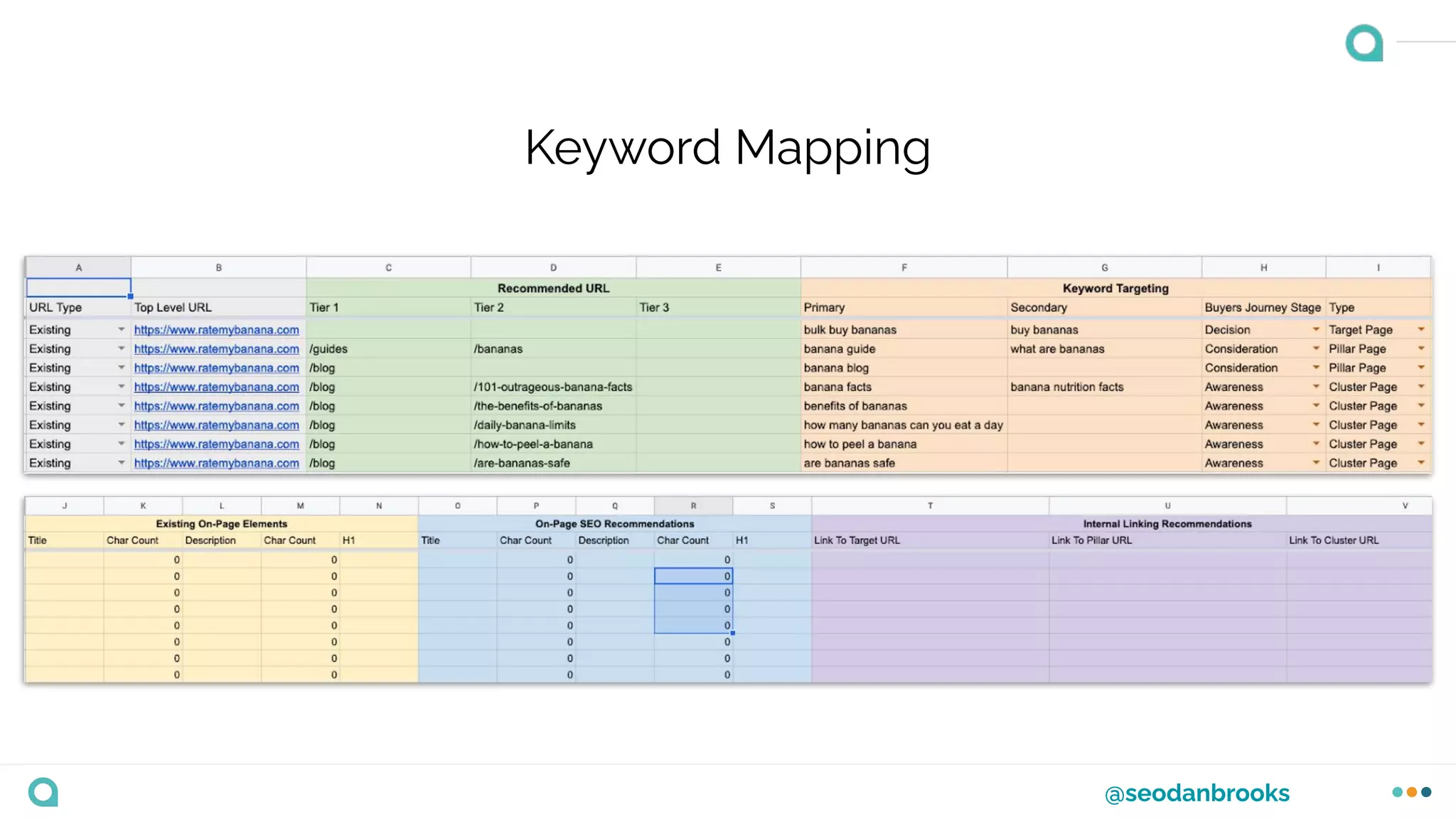
Keyword Mapping
@seodanbrooks
Keyword mapping is the process of mapping out your
research to the existing URLs on the site, or
recommending new ones if they need it.
@seodanbrooks
Crawl the website
@seodanbrooks
Crawl the website
Add the data to your mapping document
@seodanbrooks
Crawl the website
Add the data to your mapping document
Start mapping your research to existing URLs
@seodanbrooks
Crawl the website
Add the data to your mapping document
Start mapping your research to existing URLs
Recommend new pages if needed
Does anyone have any
questions?
Thank you!

Advanced Keyword Research for SEO - Training Deck