Downloaded 15 times


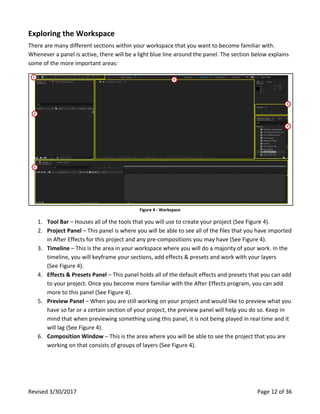


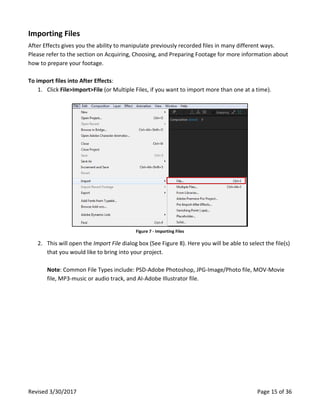


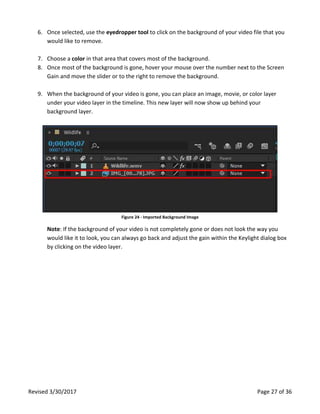

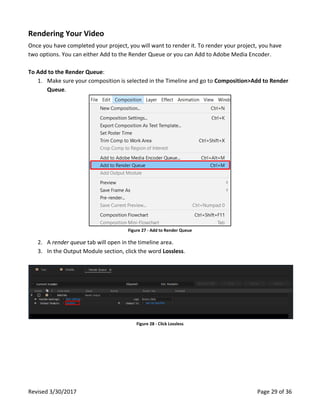


This document provides an overview of the key aspects of getting started with Adobe After Effects, including planning projects, setting up preferences, exploring the workspace, importing files, creating compositions, animating and modifying layers, applying effects, and rendering outputs. It covers topics such as acquiring and preparing footage, setting project and composition settings, using tools like the timeline and effects panel, and provides guidance on performance, file naming, and resources. The goal is to help new users learn the basics of using After Effects to create motion graphics and visual effects.


![[Pro forma] - production log](https://cdn.slidesharecdn.com/ss_thumbnails/pro-forma-productionlog-171123132521-thumbnail.jpg?width=640&height=640&fit=bounds)


