ACCESSIBILITY IN DESIGN SYSTEMS 
INTO DESIGN SYSTEMS
MARCH 25. 2021
@BENNOLOEWENBERG
“We’re all just temporarily abled.”
Source:
Cindy
Li
@BennoLoewenberg
Source:
Burnsitoun
Comedy
Show
–
“Eleven”
Scottish
Elevator
@BennoLoewenberg
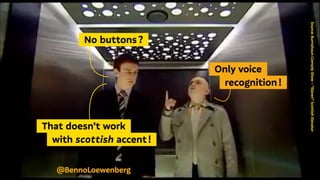
  No buttons ? 
  Only voice 
    recognition ! 
  That doesn’t work 
   with scottish accent ! 
@BennoLoewenberg
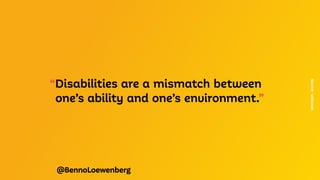
“Disabilities are a mismatch between
	 one’s ability and one’s environment.”
Source:
unknown
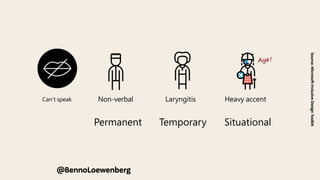
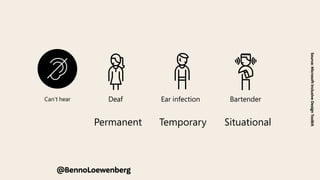
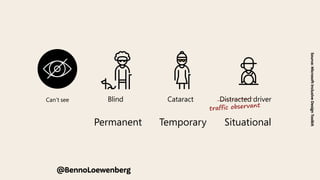
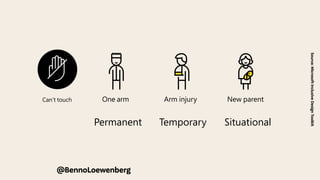
We use a Persona Spectrum to understand related limitations
across a spectrum of permanent, temporary, and situational
disabilities. It’s a quick tool to help foster empathy and to
show how a solution can scale to a broader audience.
Support Card | The Persona Spectrum
Permanent Temporary Situational
Touch
en temporary or situational.
ck which limitations apply to
e Can’t speak
r Can’t touch
@BennoLoewenberg
Source:
Microsoft
Inclusive
Design
Toolkit
Aye !
Deaf Ear infection Bartender
Speak
Non-verbal Laryngitis Heavy accent
Can’t see Can’t speak
Can’t hear Can’t touch
Blind Cataract Distracted driver
Hear
Deaf Ear infection Bartender
Speak
Non-verbal Laryngitis Heavy accent
We use a Persona Spectrum to understand related limitations
across a spectrum of permanent, temporary, and situational
disabilities. It’s a quick tool to help foster empathy and to
show how a solution can scale to a broader audience.
Support Card | The Persona Spectrum
Permanent Temporary Situational
Touch
@BennoLoewenberg
Source:
Microsoft
Inclusive
Design
Toolkit
One arm Arm injury New parent
See
Blind Cataract Distracted driver
Hear
Deaf Ear infection Bartender
Disabilities are often temporary or situational.
Use this card to pick which limitations apply to
your scenario.
Can’t see Can’t speak
Can’t hear Can’t touch
We use a Persona Spectrum to understand related limitations
across a spectrum of permanent, temporary, and situational
disabilities. It’s a quick tool to help foster empathy and to
show how a solution can scale to a broader audience.
Support Card | The Persona Spectrum
Permanent Temporary Situational
Touch
@BennoLoewenberg
Source:
Microsoft
Inclusive
Design
Toolkit
traffic observant
e Can’t speak
r Can’t touch
show how a solution can scale to a broader audience.
Permanent Temporary Situational
Touch
One arm Arm injury New parent
See
Blind Cataract Distracted driver
We use a Persona Spectrum to understand related limitations
across a spectrum of permanent, temporary, and situational
disabilities. It’s a quick tool to help foster empathy and to
show how a solution can scale to a broader audience.
Support Card | The Persona Spectrum
Permanent Temporary Situational
Touch
Source:
Microsoft
Inclusive
Design
Toolkit
@BennoLoewenberg
“Approach accessibility as
	 a customer experience imperative,
	 not a compliance-driven initiave.”
Source:
Gina
Bhalwalkar
@BennoLoewenberg
Source:
Deque
/
Anna
Cook
@BennoLoewenberg
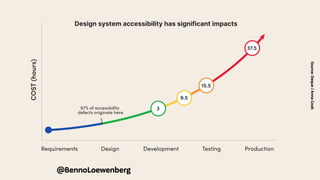
Design system accessibility has significant impacts
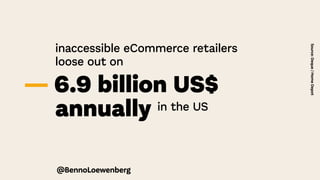
inaccessible eCommerce retailers
	 loose out on
— 6.9 billion US$
	annually in the US
Source:
Deque
/
Home
Depot
@BennoLoewenberg
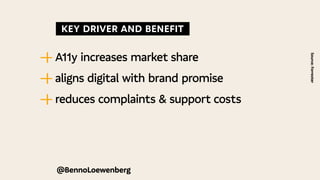
  KEY DRIVER AND BENEFIT 
—
| A11y increases market share
—
| aligns digital with brand promise
—
| reduces complaints & support costs
Source:
Forrester
@BennoLoewenberg
Alps, Alta,
Anatomy, Anvil, Archipelago,
Argon, Apex, Asphalt, Astro, Aurora, Axiom,
Backpack, Barista, Base, Binary, Bits, Blocks, Bloom, Bluemix,
Blueprint, Boundless, Build, Bouy, Bolt, Canvas, Carbon, Cargo, Cedar
Chameleon, Chrome, Cirrus, Clarity, Clay, Comet, Connect, Constellation
Cosmos, DressCode, Duet, Edison, Eos, Epoxy, Evergreen, Fabric, Feather
Feelix, Fiori, Fish Tank, Fleet, Float, Fluent, Foundation, Forma, Frontier, Fuse
Fusion, Garden, Gel, Gestalt, Glu, Glue, Gravity, Grommet, Group, Harmony
Hedwig, Helix, Honeycomb, Horizon, Indigo, Janus, Keirin, Klik, Kompas
Kotti, Kyper, Latitude, Leonardo, Lexicon, Lightning, Lion, Liquid, Luci, Luna
Material, Mayflower, Mercury, Miui, Mind, Mineral, Minutiae, Mixtape
Momentum, Mosaic, Muesli, Nachos, Neo, Nicollet, Northstar, Nova, Odyssey
One, Oneui, Opattern, Orbit, Origami, Otkit, Oxide, Pajamas, Paste
Patternfly, Photon, Plasma, Polaris, Polestar, Poncho, Precise, Predix
Primer, Protocol, Pulse, Purple, Quantum, Quartz, Quik, Radius, Ratio
Recess, Rimble, Ring, Rivet, Rizzo, Sandcastle, Saphir, Scooter, Seeds, Skin
Skyline, ShowCar, Snacks, Solar, Solid, SolidWork, Spark, Spectrum, Stacks
Starling, Sticky, Stitch, Swarm, SynNeo, Tack, Tape, Terra, ThingWorx
mbprint, Unicycle, Uniform, Unison, Unity, Ustyle, Vanilla
Wonderblocks, X, Yarn, Yoga, Zui
  DESIGN SYSTEMS 
@BennoLoewenberg
Alps, Alta,
Anatomy, Anvil, Archipelago,
Argon, Apex, Asphalt, Astro, Aurora, Axiom,
Backpack, Barista, Base, Binary, Bits, Blocks, Bloom, Bluemix,
Blueprint, Boundless, Build, Bouy, Bolt, Canvas, Carbon, Cargo, Cedar
Chameleon, Chrome, Cirrus, Clarity, Clay, Comet, Connect, Constellation
Cosmos, DressCode, Duet, Edison, Eos, Epoxy, Evergreen, Fabric, Feather
Feelix, Fiori, Fish Tank, Fleet, Float, Fluent, Foundation, Forma, Frontier, Fuse
Fusion, Garden, Gel, Gestalt, Glu, Glue, Gravity, Grommet, Group, Harmony
Hedwig, Helix, Honeycomb, Horizon, Indigo, Janus, Keirin, Klik, Kompas
Kotti, Kyper, Latitude, Leonardo, Lexicon, Lightning, Lion, Liquid, Luci, Luna
Material, Mayflower, Mercury, Miui, Mind, Mineral, Minutiae, Mixtape
Momentum, Mosaic, Muesli, Nachos, Neo, Nicollet, Northstar, Nova, Odyssey
One, Oneui, Opattern, Orbit, Origami, Otkit, Oxide, Pajamas, Paste
Patternfly, Photon, Plasma, Polaris, Polestar, Poncho, Precise, Predix
Primer, Protocol, Pulse, Purple, Quantum, Quartz, Quik, Radius, Ratio
Recess, Rimble, Ring, Rivet, Rizzo, Sandcastle, Saphir, Scooter, Seeds, Skin
Skyline, ShowCar, Snacks, Solar, Solid, SolidWork, Spark, Spectrum, Stacks
Starling, Sticky, Stitch, Swarm, SynNeo, Tack, Tape, Terra, ThingWorx
mbprint, Unicycle, Uniform, Unison, Unity, Ustyle, Vanilla
Wonderblocks, X, Yarn, Yoga, Zui
  DESIGN SYSTEMS 
@BennoLoewenberg
Accessibility in
“Limited access = broken experience.
	 Accessilibity is the first step
	 to a great user experience.”
Source:
Beatrriz
Gonzalez
@BennoLoewenberg
Source:
W3C
WAI
Web
Accessibility
Perspectives
–
Colors
with
Good
Contrast
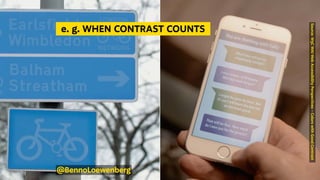
  e. g. WHEN CONTRAST COUNTS 
@BennoLoewenberg
Source:
W3C
WAI
Web
Accessibility
Perspectives
–
Keyboard
Compatibility
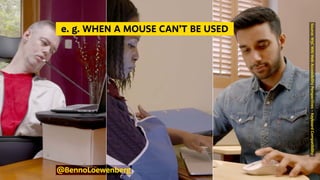
  e. g. WHEN A MOUSE CAN’T BE USED 
@BennoLoewenberg
“Auditing your design system
	 for accessibility is about UX
	 just as much as it is about UI”
Sources:
Anma
Cook
@BennoLoewenberg
@BennoLoewenberg
Building block or
built-in blocker ?
@BennoLoewenberg
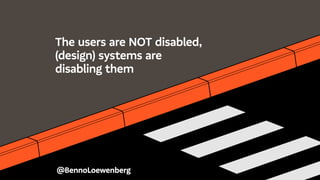
The users are NOT disabled,
(design) systems are
disabling them
@BennoLoewenberg
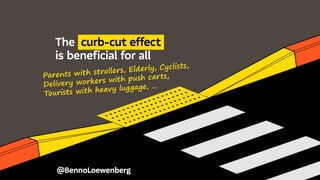
The curb-cut effect
is beneficial for all
Parents with strollers, Elderly, Cyclists,
Delivery workers with push carts,
Tourists with heavy luggage, …
“You can have antiquated systems,
	but if you have an accessible
	 interface, it can completely
	 transform that experience”
Source.
Rachel
Haot
@BennoLoewenberg
@BennoLoewenberg
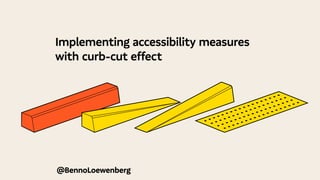
Implementing accessibility measures
with curb-cut effect
@BennoLoewenberg
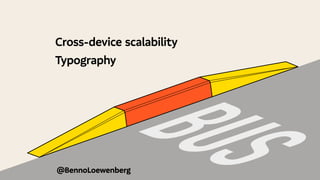
Cross-device scalability
Typography
B
U
S
@BennoLoewenberg
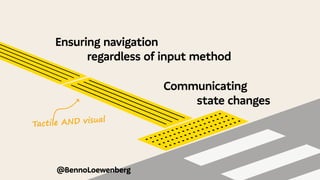
Ensuring navigation
		 regardless of input method
									Communicating
											 state changes
Tactile AND visual
@BennoLoewenberg
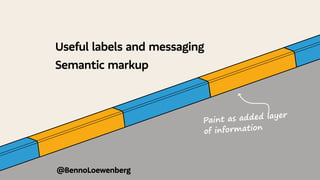
Useful labels and messaging
Semantic markup
Paint as added layer
of information
  WHAT TO START WITH 
@BennoLoewenberg
@BennoLoewenberg
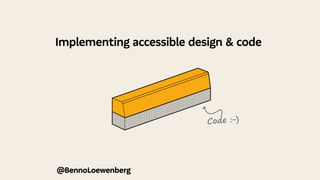
Implementing accessible design & code
Code :-)
Source:
James
Sullivan
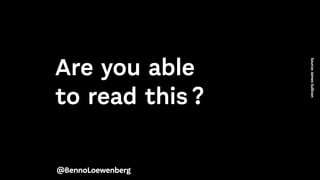
Are you able
to read this ?
@BennoLoewenberg
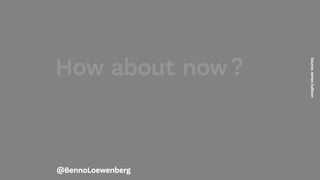
How about now ?
Source:
James
Sullivan
@BennoLoewenberg
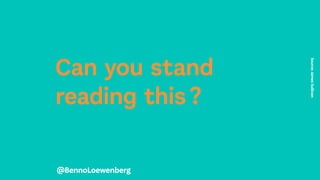
Can you stand
reading this ?
Source:
James
Sullivan
@BennoLoewenberg
@BennoLoewenberg
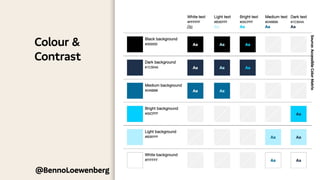
Colour &
Contrast
Source:
Accessible
Color
Matrix
@BennoLoewenberg
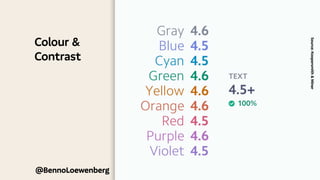
Colour &
Contrast
Source:
Koopersmith
&
Miner
@BennoLoewenberg
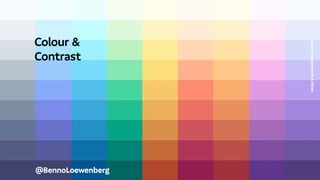
Colour &
Contrast
Source:
Koopersmith
&
Miner
@BennoLoewenberg
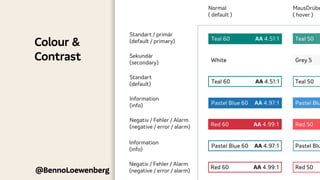
Colour &
Contrast
Label
@BennoLoewenberg
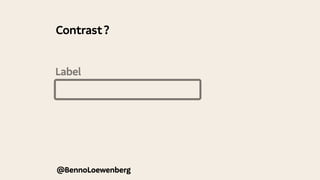
Contrast ?
Label
@BennoLoewenberg
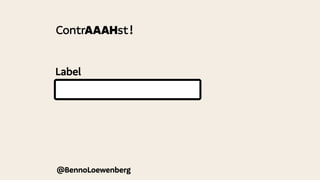
ContrAAAHst !
Il1
@BennoLoewenberg
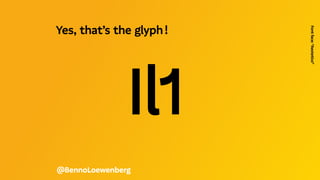
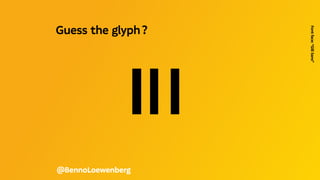
Guess the glyph ? 
Font
face:
“Gill
Sans”
Il1
@BennoLoewenberg
Yes, that’s the glyph !  
Font
face:
“Aestetico”
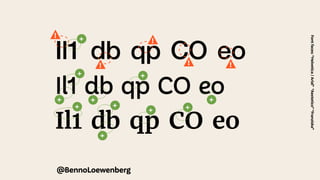
Il1 db qp CO eo
Il1 db qp CO eo
Il1 db qp CO eo
@BennoLoewenberg
Font
faces:
“Helvetica
/
Arial”
“Aestetico”
“Franziska”
!
! !
+
+ +
+
+
+ +
+
+ +
+
!
!
@BennoLoewenberg
—
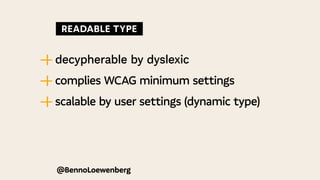
| decypherable by dyslexic
—
| complies WCAG minimum settings
—
| scalable by user settings (dynamic type)
  READABLE TYPE 
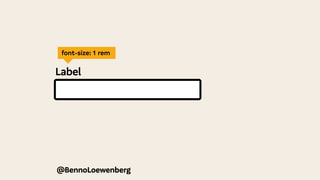
Label
font-size: 1 rem
@BennoLoewenberg
@BennoLoewenberg
Focus Behaviour
@BennoLoewenberg
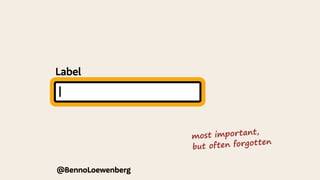
Label
most important,
but often forgotten
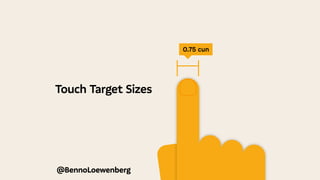
Touch Target Sizes
@BennoLoewenberg
0.75 cun
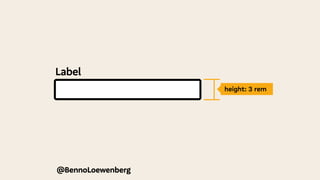
Label
height: 3 rem
@BennoLoewenberg
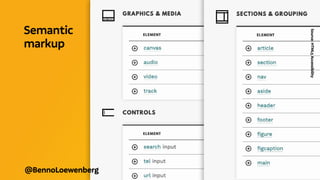
Semantic
markup
Source:
HTML5
Accessibility
@BennoLoewenberg
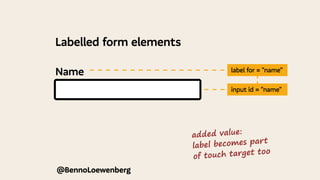
Name
@BennoLoewenberg
label for = "name"
input id = "name"
Labelled form elements
added value:
label becomes part
of touch target too
Name
@BennoLoewenberg
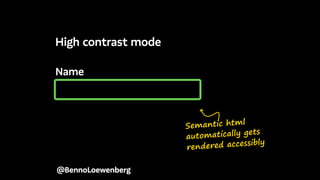
High contrast mode
Semantic html
automatically gets
rendered accessibly
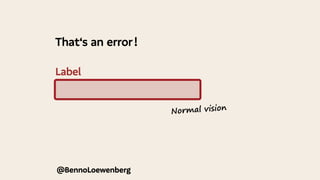
Label
That‘s an error !
@BennoLoewenberg
@BennoLoewenberg
Normal vision
@BennoLoewenberg
@BennoLoewenberg
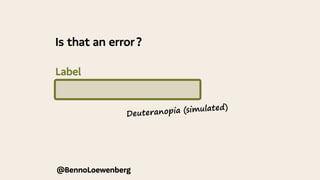
Deuteranopia (simulated)
Is that an error ?
Label
@BennoLoewenberg
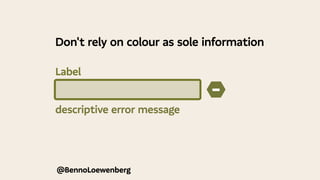
descriptive error message
−
Don't rely on colour as sole information
Label
−
!
i
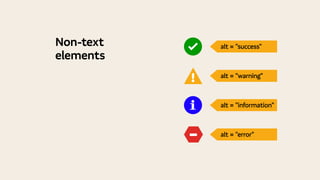
alt = "success"
alt = "warning"
alt = "information"
alt = "error"
Non-text
elements
“The first rule of ARIA is not to use it.
	 But you should use it knowingly
	 to support assistive technology”
@BennoLoewenberg
@BennoLoewenberg
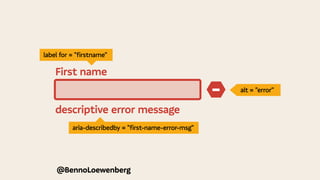
descriptive error message
−
First name
alt = "error"
aria-describedby = "first-name-error-msg"
label for = "firstname"
  BEYOND COMPONENT STYLING 
@BennoLoewenberg
“Inherently inclusive design systems
	 that contain accessible patterns
	 don’t guarantee accessible products.”
Source.
Roy
&
Curtis
@BennoLoewenberg
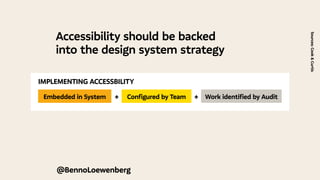
Accessibility should be backed
into the design system strategy
Sources:
Cook
&
Curtis
IMPLEMENTING ACCESSBILITY
Embedded in System Configured by Team Work identified by Audit
+ +
@BennoLoewenberg
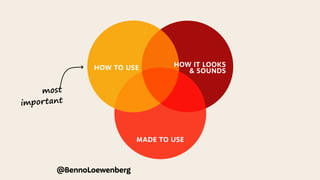
most
important
HOW TO USE
HOW TO USE HOW IT LOOKS
& SOUNDS
MADE TO USE
@BennoLoewenberg
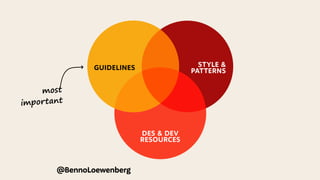
most
important
HOW TO USE
GUIDELINES STYLE &
PATTERNS
DES & DEV
RESOURCES
@BennoLoewenberg
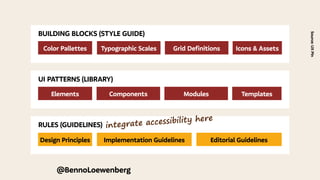
BUILDING BLOCKS (STYLE GUIDE)
Color Pallettes Typographic Scales Grid Definitions Icons & Assets
UI PATTERNS (LIBRARY)
Elements Components Modules Templates
RULES (GUIDELINES)
Design Principles Implementation Guidelines Editorial Guidelines
@BennoLoewenberg
Source:
UX
Pin
integrate accessibility here
“Define what you mean,
	 when you say, you are accessible.”
Source:
Verison
Brand
Guidelines
@BennoLoewenberg
Design Principles Implementation Guidelines Editorial Guidelines
Designing for users who are
deaf or
hard of hearing 
Do...
write in
plain language
use subtitles
or provide
transcripts for
videos
use a linear,
logical layout
!
CC
!
Don’t...
use complicated
words or figures
of speech
!
put content in
audio or video
only
make complex
layouts and
menus
!
!
Designing for users who are
deaf or
hard of hearing 
Do...
write in
plain language
use subtitles
or provide
transcripts for
videos
use a linear,
logical layout
break up content
with sub-headings,
!
CC
!
Don’t...
use complicated
words or figures
of speech
!
put content in
audio or video
only
make complex
layouts and
menus
make users
read long blocks
!
!
Design Principles Implementation Guidelines Editorial Guidelines
Source:
UK
Home
Office
–
Accessibility
Posters
@BennoLoewenberg
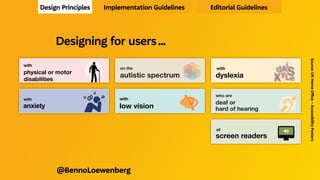
Designing for users …
Designing for users with
dyslexia
XyL
dAS
e
i
XyL
dAS
e
i
XyL
dAS
e
i
Do...
use images and
diagrams to
support text
align text to the
left and keep a
consistent layout
consider producing
materials in other
formats (for example
audio or video)
keep content
short, clear
and simple
let users change the
contrast between
background and text
!
!
Don’t...
use large
blocks of
heavy text
underline words,
use italics or
write in capitals
force users to remember
things from previous
pages - give reminders
and prompts
rely on accurate
spelling - use
autocorrect or
provide suggestions
put too much
information in
one place
!!
DON’T
DO THIS
!
!
!
dyslexia
dsyle
Designing for users with
dyslexia
XyL
dAS
e
i
XyL
dAS
e
i
XyL
dAS
e
i
Do...
use images and
diagrams to
support text
align text to the
left and keep a
consistent layout
consider producing
materials in other
formats (for example
audio or video)
keep content
short, clear
and simple
let users change the
contrast between
background and text
!
!
!
Don’t...
use large
blocks of
heavy text
underline words,
use italics or
write in capitals
force users to remember
things from previous
pages - give reminders
and prompts
rely on accurate
spelling - use
autocorrect or
provide suggestions
put too much
information in
one place
!!
DON’T
DO THIS
!
!
!
dyslexia
dsyle
!
ukhomeoffice.github.io/accessibility-posters/
posters/accessibility-posters.pdf
Designing for users with
physical or motor
disabilities
Do...
make large
clickable actions
Yes
give clickable
elements space
design for
keyboard or
speech only
use
design with mobile
and touchscreen
in mind
provide shortcuts
Tab
!
!"
Find address
Postcode
Don’t...
demand
precision
No
bunch
interactions
together
make dynamic
content that
requires a lot of
mouse movement
have short
time out
windows
tire users
with lots of
typing and
scrolling
!
!
1
2
3
2a
2b
2c
!
Your session
has timed out
Address
ng for users with
al or motor
ities
Yes
Tab
!
!"
Find address
Postcode
Don’t...
demand
precision
No
bunch
interactions
together
make dynamic
content that
requires a lot of
mouse movement
have short
time out
windows
tire users
with lots of
typing and
scrolling
!
!
1
2
3
2a
2b
2c
!
Your session
has timed out
Address
ukhomeoffice.github.io/accessibility-posters/
posters/accessibility-posters.pdf
Designing for users with
anxiety
Do...
give users enough
time to complete
an action
explain what
will happen after
completing a
service
make important
information clear
Don’t...
rush users or set
impractical time
limits
leave users
confused about
next steps or
timeframes
leave users
uncertain about
the consequences
of their actions
1
3
2
4
We have sent
you an email
ng for users with
ty
h
Don’t...
rush users or set
impractical time
limits
leave users
confused about
next steps or
timeframes
leave users
uncertain about
the consequences
of their actions
1
3
2
4
make support
or help hard to
access
We have sent
you an email
Designing for users on the
autistic spectrum
Do...
write in
plain language
use simple
colours
use simple
sentences and
bullets
make buttons
descriptive
build simple and
consistent layouts
!
Don’t...
use bright
contrasting colours
use figures of
speech and idioms
create a wall
of text
make buttons
vague and
unpredictable
build complex and
cluttered layouts
!
!!
Designing for users on the
autistic spectrum
Do...
write in
plain language
use simple
colours
use simple
sentences and
bullets
make buttons
descriptive
build simple and
consistent layouts
!
!
Don’t...
use bright
contrasting colours
use figures of
speech and idioms
create a wall
of text
make buttons
vague and
unpredictable
build complex and
cluttered layouts
!
!!
!
ukhomeoffice.github.io/accessibility-posters/
posters/accessibility-posters.pdf
Designing for users of
screen readers !
"
Do...
describe images
and provide
transcripts
for video
<alt>
Don’t...
only show
information in an
image or video
Designing for users of
screen readers !
"
Do...
describe images
and provide
transcripts
for video
follow a linear
<alt>
Don’t...
only show
information in an
image or video
spread content
Designing for users with
low vision 

Do...
use good colour
contrasts and a
readable font size
publish all information
on web pages
use a combination
of colour, shapes
and text
Aa
!
HTML
Start
Don’t...
use low colour
contrasts and small
font size
bury information
in downloads
only use colour to
convey meaning
Aa
!
Designing for users with
low vision 

Do...
use good colour
contrasts and a
readable font size
publish all information
on web pages
use a combination
of colour, shapes
and text
follow a linear,
Aa
!
HTML
Start
200% magnification
Don’t...
use low colour
contrasts and small
font size
bury information
in downloads
only use colour to
convey meaning
spread content all
Aa
!
200% magnification
Accessible implementation
& contents
Design Principles Implementation Guidelines Editorial Guidelines
@BennoLoewenberg
@BennoLoewenberg
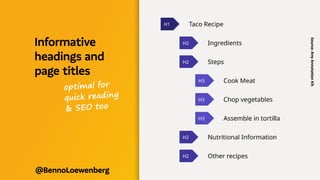
Informative
headings and
page titles
Source:
A11y
Annotation
Kit
optimal for
quick reading
& SEO too
@BennoLoewenberg
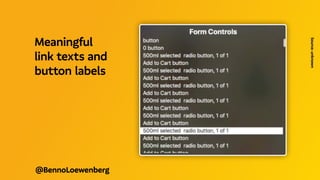
Meaningful
link texts and
button labels
Source:
unknown
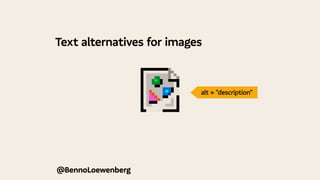
Text alternatives for images
@BennoLoewenberg
alt = "description"
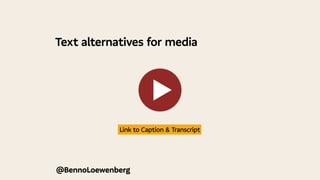
Text alternatives for media
@BennoLoewenberg
 Link to Caption & Transcript 
@BennoLoewenberg
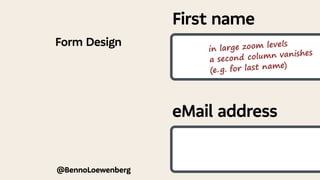
Form Design
First name
eMail address
in large zoom levels
a second column vanishes
(e. 
g. for last name)
@BennoLoewenberg
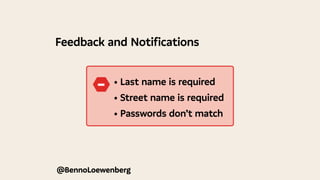
Feedback and Notifications
	 • Last name is required
	 • Street name is required
	 • Passwords don’t match
−
@BennoLoewenberg
Implementing cognitive accessibility
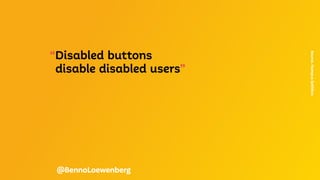
“Disabled buttons
	 disable disabled users”
Source.
Hampus
Sethfors
@BennoLoewenberg
@BennoLoewenberg
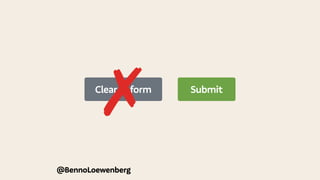
Submit
Clear form
✗
@BennoLoewenberg
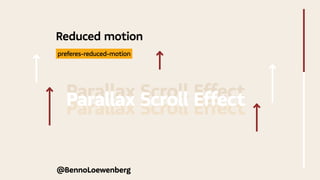
Reduced motion
Parallax Scroll Effect
 preferes-reduced-motion 
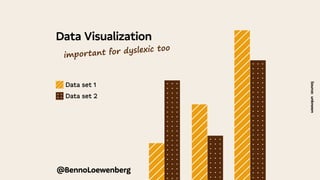
Data Visualization
Source:
unknown
@BennoLoewenberg
Data set 1
Data set 2
important for dyslexic too
Souce:
Accessibility
statement
for
the
GOV.UK
Design
System
website
—
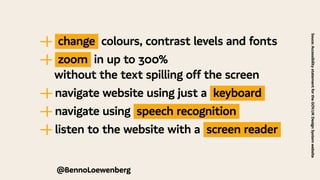
| change colours, contrast levels and fonts
—
| zoom in up to 300%
	 without the text spilling off the screen
—
| navigate website using just a keyboard
—
| navigate using speech recognition
—
| listen to the website with a screen reader
@BennoLoewenberg
@BennoLoewenberg
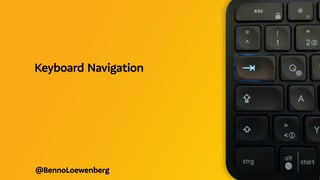
Keyboard Navigation
@BennoLoewenberg
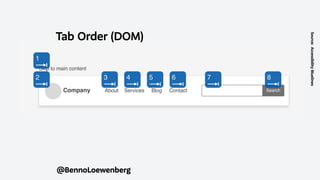
Tab Order (DOM)
Source:
Accessibility
Bluelines
@BennoLoewenberg
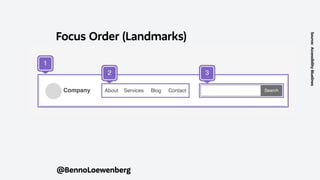
Focus Order (Landmarks)
Source:
Accessibility
Bluelines
@BennoLoewenberg
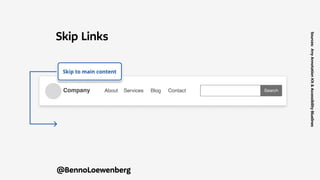
Skip Links
Sources:
A11y
Annotation
Kit
&
Accessibility
Bluelines
  KICK STARTER TOOLBOX 
@BennoLoewenberg
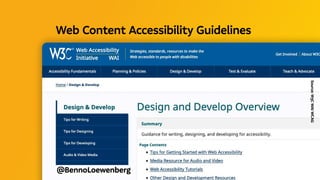
Source:
W3C
WAI
WCAG
@BennoLoewenberg
Web Content Accessibility Guidelines 
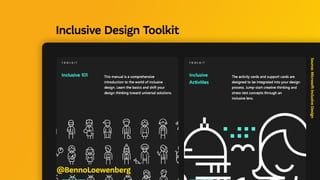
Source:
Microsoft
Inclusive
Design
@BennoLoewenberg
Inclusive Design Toolkit 
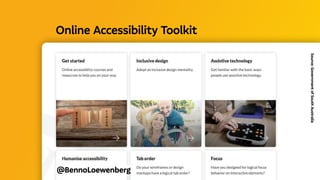
@BennoLoewenberg
Online Accessibility Toolkit 
Source:
Government
of
South
Australia
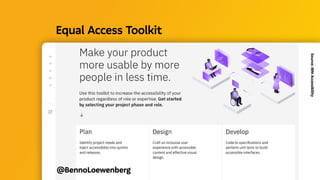
@BennoLoewenberg
Equal Access Toolkit 
Source:
IBM
Accessibility
@BennoLoewenberg
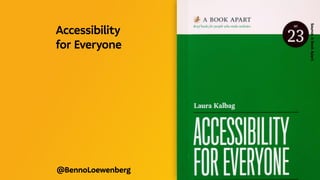
Source:
A
Book
Apart
Accessibility
for Everyone 
@BennoLoewenberg
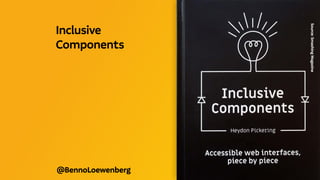
Source:
Smashing
Magazine
Inclusive
Components
  TAKE HOME THOUGHTS 
@BennoLoewenberg
“When we design for disability first,
	 you often stumble upon solutions
	 that are better than those
	 when we design for the norm.”
Source.
Elise
Roy
@BennoLoewenberg
@BennoLoewenberg
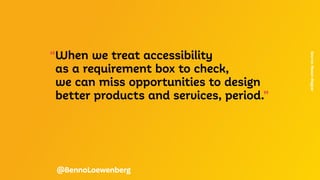
“When we treat accessibility
	 as a requirement box to check,
	 we can miss opportunities to design
	 better products and services, period.”
Source:
Mason
Magyar
@BennoLoewenberg
http://
Talks & Workshops
  @BENNOLOEWENBERG 
 LINKEDIN / TWITTER

Accessibility in Design Systems (english)