Accelerating SAP transactions with SharePoint and InfoPathKristian KalsingProduct Manager,     Winshuttle
2OverviewAccelerating processesExample scenarioIntroducing SharePoint and InfoPathDemo solutionBest practices and benefitsKey learningsQuestions
Accelerating Business Processes3
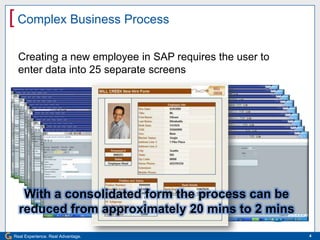
Complex Business Process4Creating a new employee in SAP requires the user to enter data into 25 separate screensWith a consolidated form the process can be reduced from approximately 20 mins to 2 mins
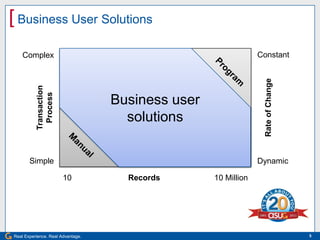
Business User Solutions5ConstantBusiness user solutionsComplexProgramTransactionProcessRate of ChangeSimpleDynamicManual1010 MillionRecords
ExampleAhab Coffee Company6Rollout of Health Benefit Scheme by HR
SituationAhab Coffee Company’s management team has decided to roll out a health benefit scheme for all of the company’s 3,000 employees and their immediate family. The scheme should be effective starting two months from now. The HR Manager has been tasked with ensuring the SAP HR system contains all the necessary information to support the scheme.7
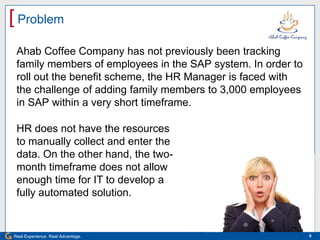
ProblemAhab Coffee Company has not previously been tracking family members of employees in the SAP system. In order to roll out the benefit scheme, the HR Manager is faced with the challenge of adding family members to 3,000 employees in SAP within a very short timeframe.8HR does not have the resources to manually collect and enter the data. On the other hand, the two-month timeframe does not allow enough time for IT to develop a fully automated solution.
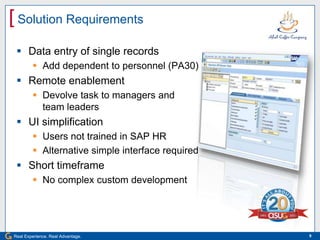
Solution RequirementsData entry of single recordsAdd dependent to personnel (PA30)Remote enablementDevolve task to managers andteam leadersUI simplificationUsers not trained in SAP HRAlternative simple interface requiredShort timeframeNo complex custom development9
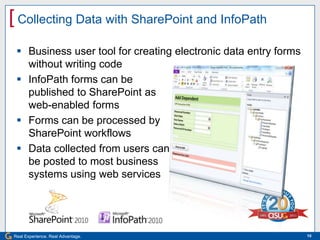
Collecting Data with SharePoint and InfoPathBusiness user tool for creating electronic data entry formswithout writing codeInfoPath forms can bepublished to SharePoint asweb-enabled formsForms can be processed bySharePoint workflowsData collected from users canbe posted to most businesssystems using web services10
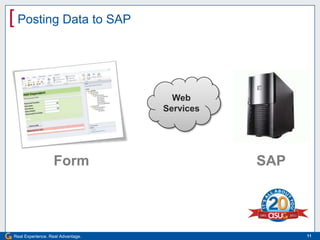
Posting Data to SAP11Web ServicesFormSAP
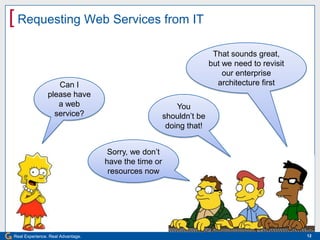
Requesting Web Services from IT12That sounds great,but we need to revisit our enterprise architecture firstCan I please have a web service?You shouldn’t be doing that!Sorry, we don’t have the time or resources now
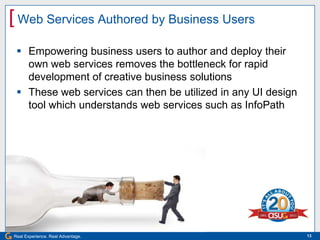
Web Services Authored by Business UsersEmpowering business users to author and deploy their own web services removes the bottleneck for rapid development of creative business solutionsThese web services can then be utilized in any UI design tool which understands web services such as InfoPath13
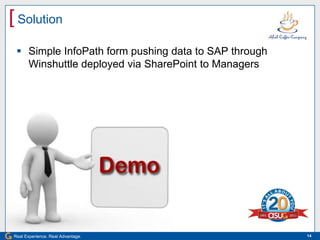
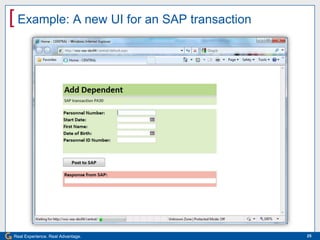
SolutionSimple InfoPath form pushing data to SAP through Winshuttle deployed via SharePoint to Managers14
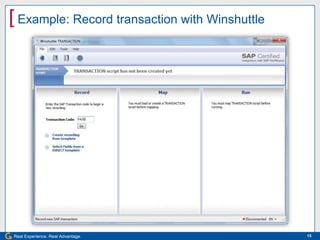
Example: Record transaction with Winshuttle15
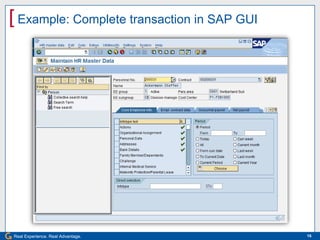
Example: Complete transaction in SAP GUI16
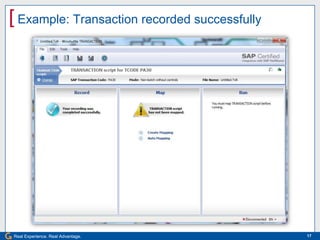
Example: Transaction recorded successfully17
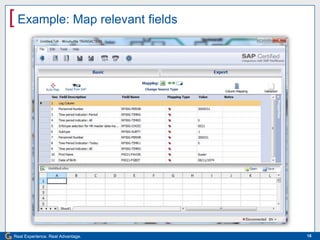
Example: Map relevant fields18
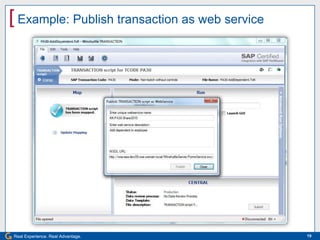
Example: Publish transaction as web service19
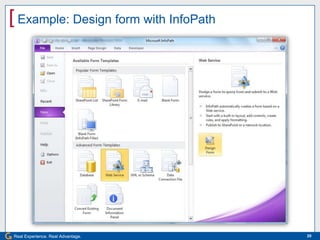
Example: Design form with InfoPath20
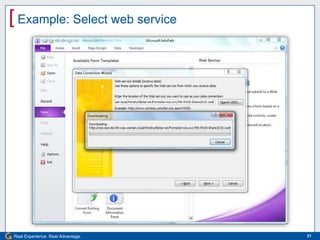
Example: Select web service21
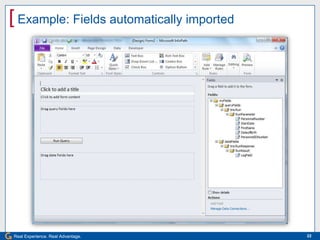
Example: Fields automatically imported22
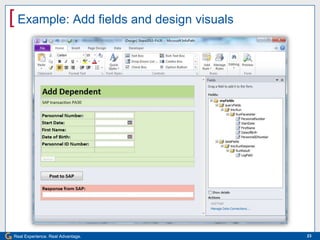
Example: Add fields and design visuals23
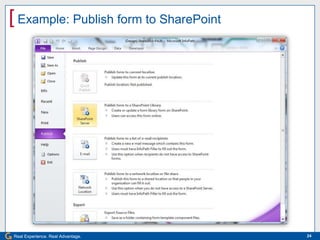
Example: Publish form to SharePoint24
Example: A new UI for an SAP transaction25
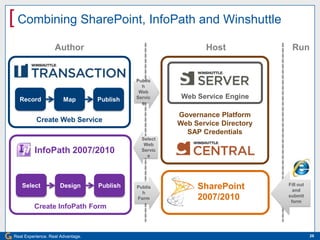
Combining SharePoint, InfoPath and WinshuttleAuthorRunHostCreate Web ServiceGovernance PlatformWeb Service DirectorySAP CredentialsWeb Service EnginePublishWebServiceRecordMapPublishSelectWebServiceInfoPath 2007/2010Create InfoPath FormFill out and submit formSelectDesignPublishPublishFormSharePoint2007/201026
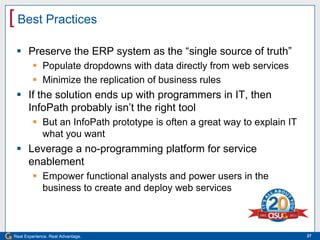
27Best PracticesPreserve the ERP system as the “single source of truth”Populate dropdowns with data directly from web servicesMinimize the replication of business rulesIf the solution ends up with programmers in IT, then InfoPath probably isn’t the right toolBut an InfoPath prototype is often a great way to explain IT what you wantLeverage a no-programming platform for service enablementEmpower functional analysts and power users in the business to create and deploy web services
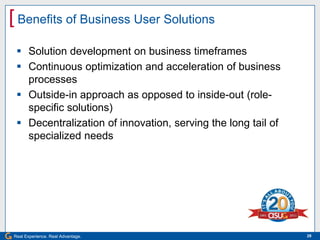
Benefits of Business User SolutionsSolution development on business timeframesContinuous optimization and acceleration of business processesOutside-in approach as opposed to inside-out (role-specific solutions)Decentralization of innovation, serving the long tail of specialized needs28
29Key LearningsUsability improvements are not about esthetics but about accelerating business processesSharePoint and InfoPath provide UI tools for building alternative interfaces to standard ERPService enablement is usually the real bottleneck for using InfoPath forms to post data to ERPThere is a large number of use cases that are best served by solutions which are built entirely by business users
]Thank you for participating.Please remember to complete and return your evaluation form following this session.For ongoing education in this area of focus, visit www.asug.com.SESSION CODE: 2205

Accelerating SAP Transactions with SharePoint and InfoPath

  • 1.
    Accelerating SAP transactionswith SharePoint and InfoPathKristian KalsingProduct Manager, Winshuttle
  • 2.
    2OverviewAccelerating processesExample scenarioIntroducingSharePoint and InfoPathDemo solutionBest practices and benefitsKey learningsQuestions
  • 3.
  • 4.
    Complex Business Process4Creatinga new employee in SAP requires the user to enter data into 25 separate screensWith a consolidated form the process can be reduced from approximately 20 mins to 2 mins
  • 5.
    Business User Solutions5ConstantBusinessuser solutionsComplexProgramTransactionProcessRate of ChangeSimpleDynamicManual1010 MillionRecords
  • 6.
    ExampleAhab Coffee Company6Rolloutof Health Benefit Scheme by HR
  • 7.
    SituationAhab Coffee Company’smanagement team has decided to roll out a health benefit scheme for all of the company’s 3,000 employees and their immediate family. The scheme should be effective starting two months from now. The HR Manager has been tasked with ensuring the SAP HR system contains all the necessary information to support the scheme.7
  • 8.
    ProblemAhab Coffee Companyhas not previously been tracking family members of employees in the SAP system. In order to roll out the benefit scheme, the HR Manager is faced with the challenge of adding family members to 3,000 employees in SAP within a very short timeframe.8HR does not have the resources to manually collect and enter the data. On the other hand, the two-month timeframe does not allow enough time for IT to develop a fully automated solution.
  • 9.
    Solution RequirementsData entryof single recordsAdd dependent to personnel (PA30)Remote enablementDevolve task to managers andteam leadersUI simplificationUsers not trained in SAP HRAlternative simple interface requiredShort timeframeNo complex custom development9
  • 10.
    Collecting Data withSharePoint and InfoPathBusiness user tool for creating electronic data entry formswithout writing codeInfoPath forms can bepublished to SharePoint asweb-enabled formsForms can be processed bySharePoint workflowsData collected from users canbe posted to most businesssystems using web services10
  • 11.
    Posting Data toSAP11Web ServicesFormSAP
  • 12.
    Requesting Web Servicesfrom IT12That sounds great,but we need to revisit our enterprise architecture firstCan I please have a web service?You shouldn’t be doing that!Sorry, we don’t have the time or resources now
  • 13.
    Web Services Authoredby Business UsersEmpowering business users to author and deploy their own web services removes the bottleneck for rapid development of creative business solutionsThese web services can then be utilized in any UI design tool which understands web services such as InfoPath13
  • 14.
    SolutionSimple InfoPath formpushing data to SAP through Winshuttle deployed via SharePoint to Managers14
  • 15.
  • 16.
  • 17.
  • 18.
  • 19.
  • 20.
    Example: Design formwith InfoPath20
  • 21.
  • 22.
  • 23.
    Example: Add fieldsand design visuals23
  • 24.
    Example: Publish formto SharePoint24
  • 25.
    Example: A newUI for an SAP transaction25
  • 26.
    Combining SharePoint, InfoPathand WinshuttleAuthorRunHostCreate Web ServiceGovernance PlatformWeb Service DirectorySAP CredentialsWeb Service EnginePublishWebServiceRecordMapPublishSelectWebServiceInfoPath 2007/2010Create InfoPath FormFill out and submit formSelectDesignPublishPublishFormSharePoint2007/201026
  • 27.
    27Best PracticesPreserve theERP system as the “single source of truth”Populate dropdowns with data directly from web servicesMinimize the replication of business rulesIf the solution ends up with programmers in IT, then InfoPath probably isn’t the right toolBut an InfoPath prototype is often a great way to explain IT what you wantLeverage a no-programming platform for service enablementEmpower functional analysts and power users in the business to create and deploy web services
  • 28.
    Benefits of BusinessUser SolutionsSolution development on business timeframesContinuous optimization and acceleration of business processesOutside-in approach as opposed to inside-out (role-specific solutions)Decentralization of innovation, serving the long tail of specialized needs28
  • 29.
    29Key LearningsUsability improvementsare not about esthetics but about accelerating business processesSharePoint and InfoPath provide UI tools for building alternative interfaces to standard ERPService enablement is usually the real bottleneck for using InfoPath forms to post data to ERPThere is a large number of use cases that are best served by solutions which are built entirely by business users
  • 30.
    ]Thank you forparticipating.Please remember to complete and return your evaluation form following this session.For ongoing education in this area of focus, visit www.asug.com.SESSION CODE: 2205