Dmitry Vostokov
Software Diagnostics Services
Version 2.0
Prerequisites
 Debugging in Visual Studio
or
 Basic crash dump analysis
© 2018 Software Diagnostics Services
Why WinDbg?
 Production debugging
 Redistributable
 Kernel mode debugging
© 2018 Software Diagnostics Services
Training Goals
 Review fundamentals
 Learn live debugging techniques
 See how software diagnostics is used
during debugging
© 2018 Software Diagnostics Services
Training Principles
 Talk only about what I can show
 Lots of pictures
 Lots of examples
 Original content and examples
© 2018 Software Diagnostics Services
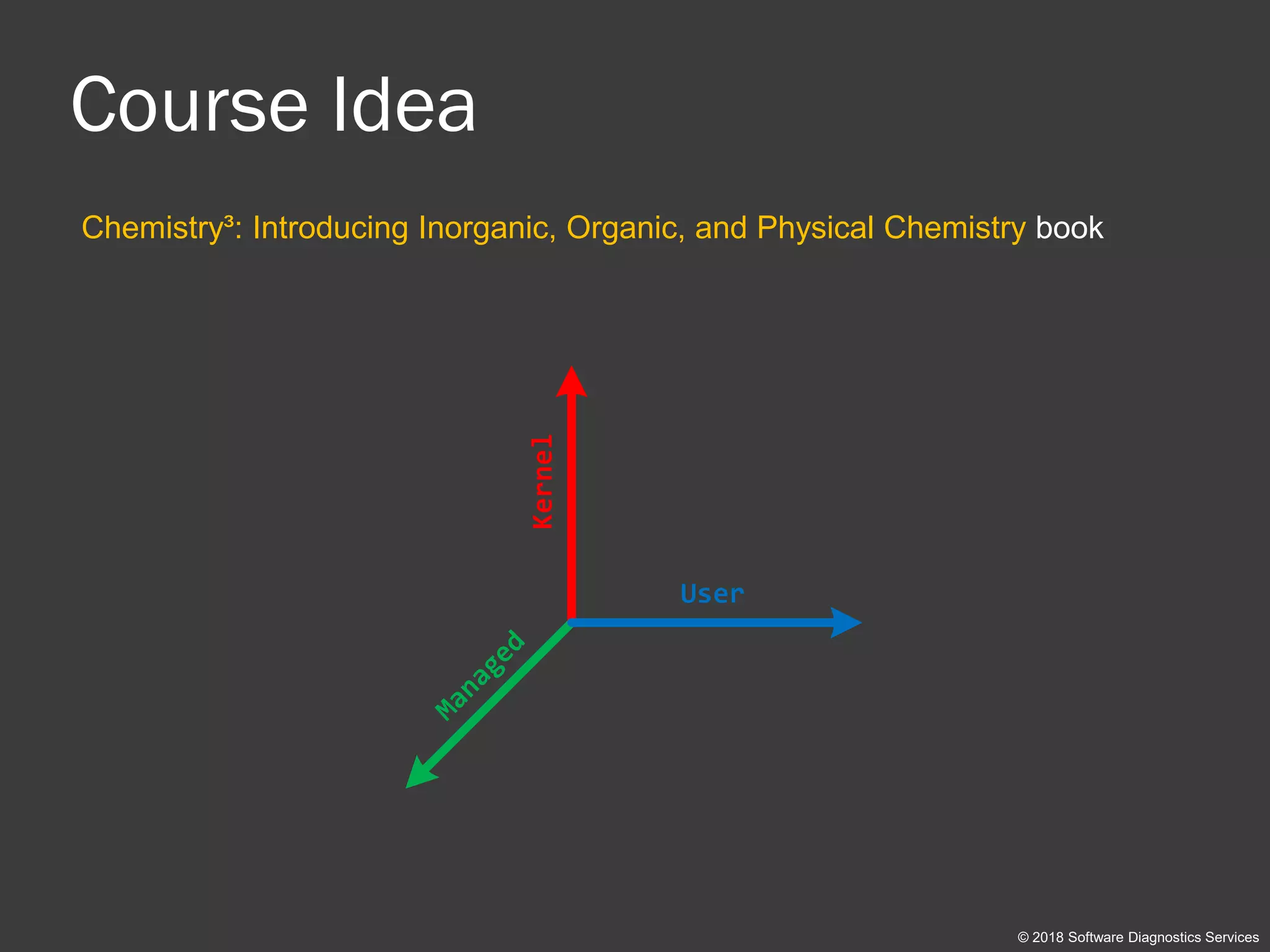
Course Idea
Chemistry³: Introducing Inorganic, Organic, and Physical Chemistry book
© 2018 Software Diagnostics Services
Kernel
User
Managed
Debugging TV
© 2018 Software Diagnostics Services
 www.debugging.tv (more than 40 episodes)
 PDB Symbols: episodes 0x01 – 0x04
 Kernel debugging setup: episode 0x25
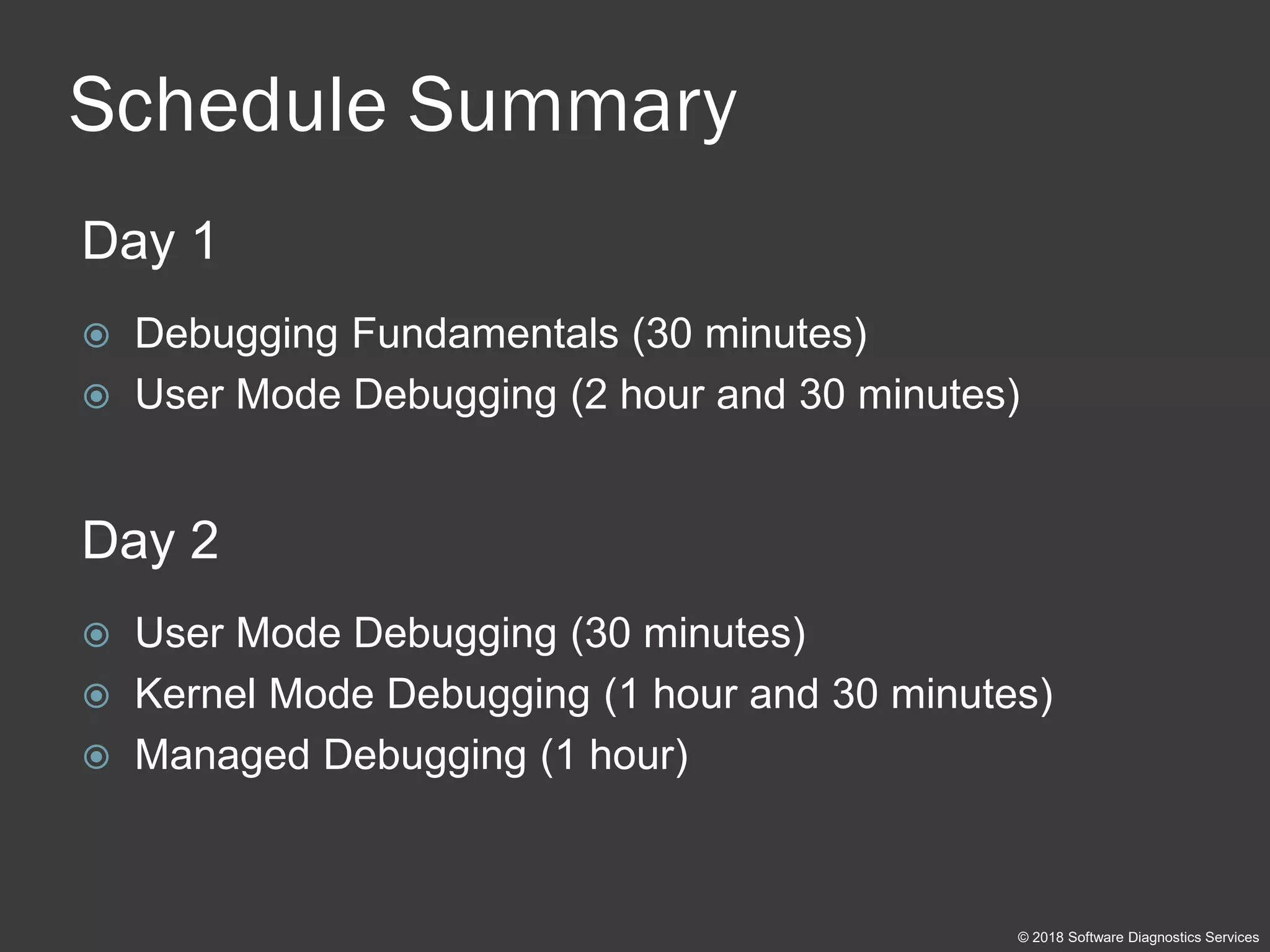
Schedule Summary
Day 1
 Debugging Fundamentals (30 minutes)
 User Mode Debugging (2 hour and 30 minutes)
Day 2
 User Mode Debugging (30 minutes)
 Kernel Mode Debugging (1 hour and 30 minutes)
 Managed Debugging (1 hour)
© 2018 Software Diagnostics Services
Part 1: Fundamentals
© 2018 Software Diagnostics Services
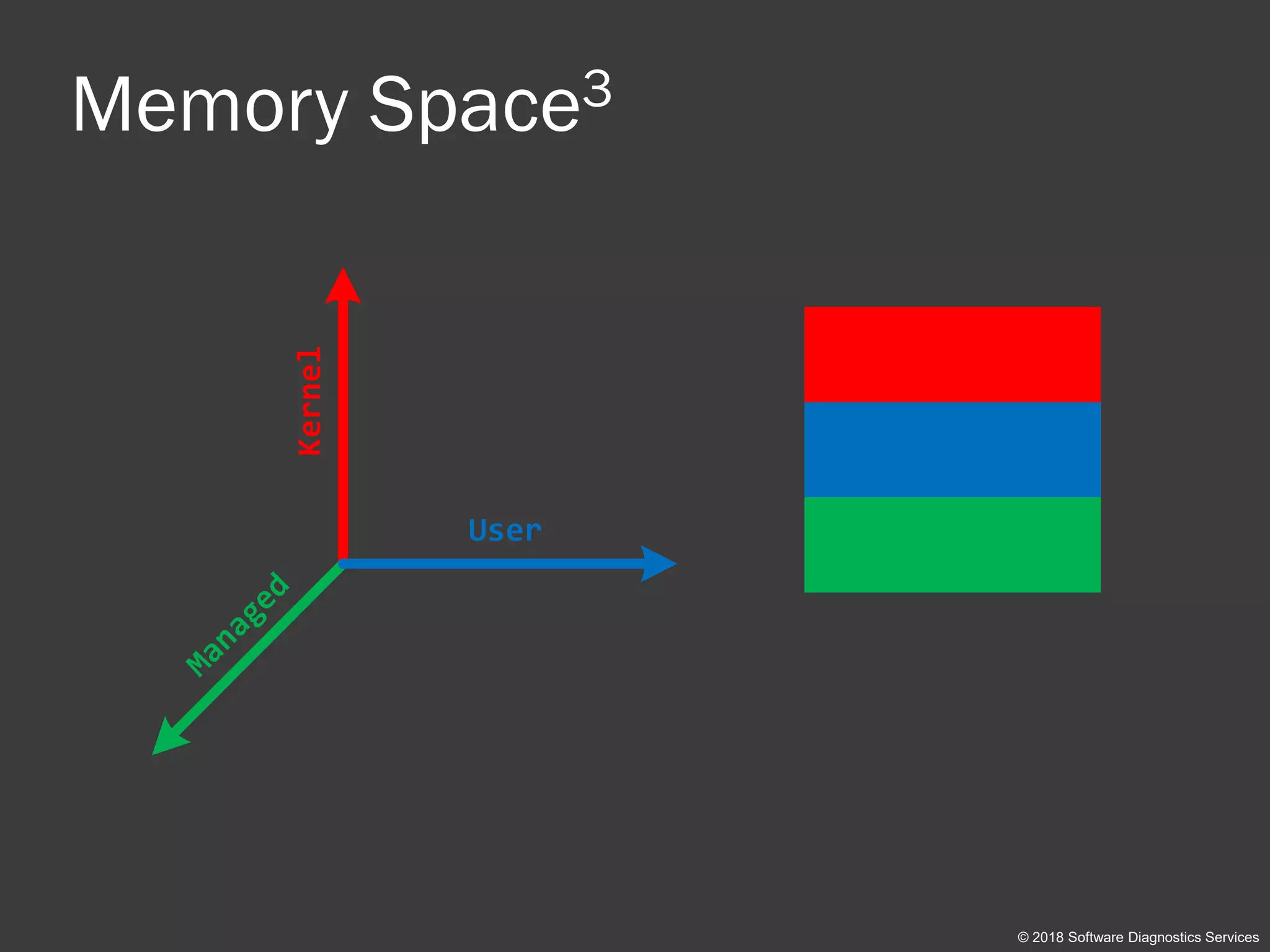
Memory Space3
© 2018 Software Diagnostics Services
Kernel
User
Managed
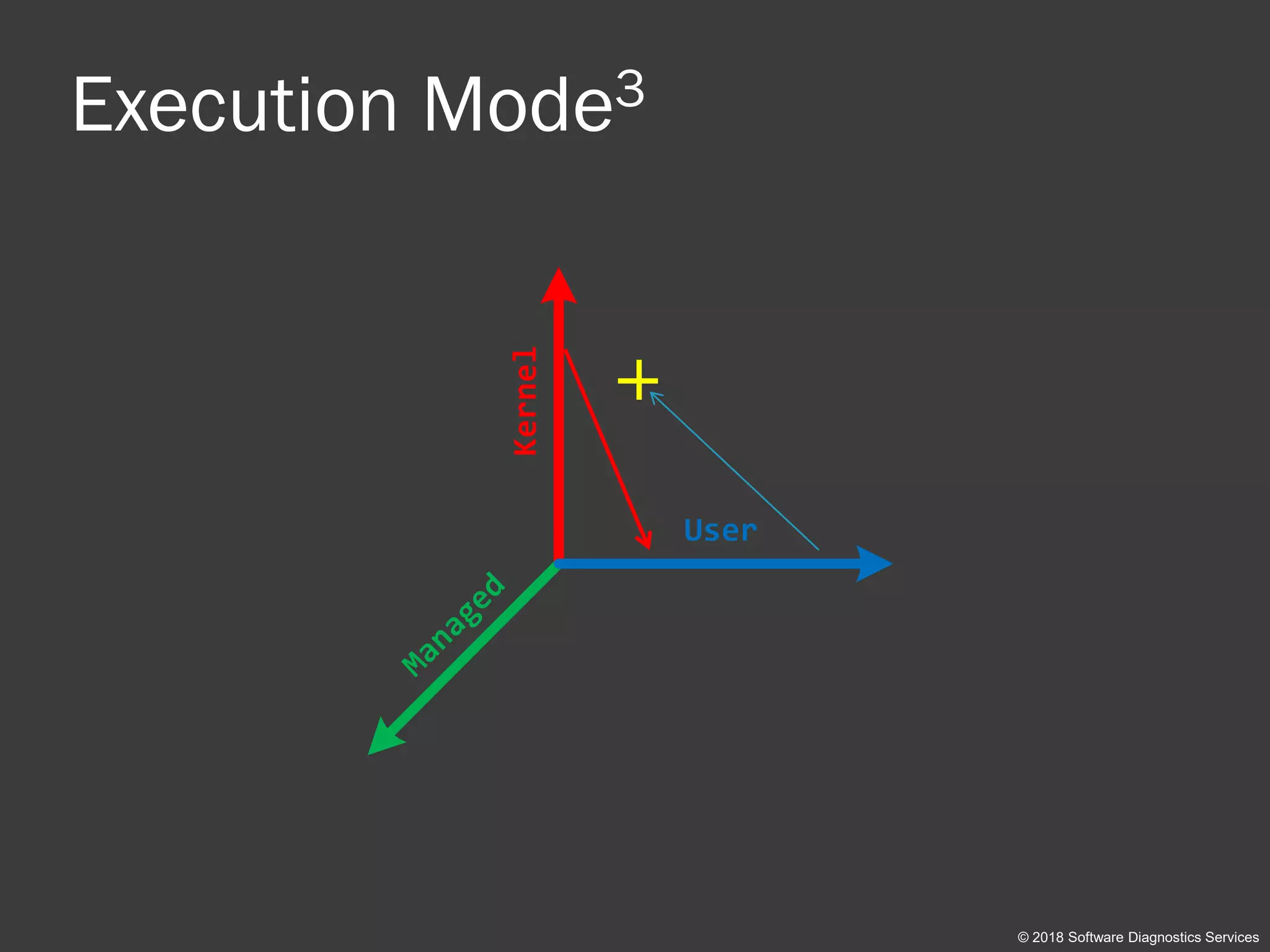
Execution Mode3
© 2018 Software Diagnostics Services
Kernel User
Managed
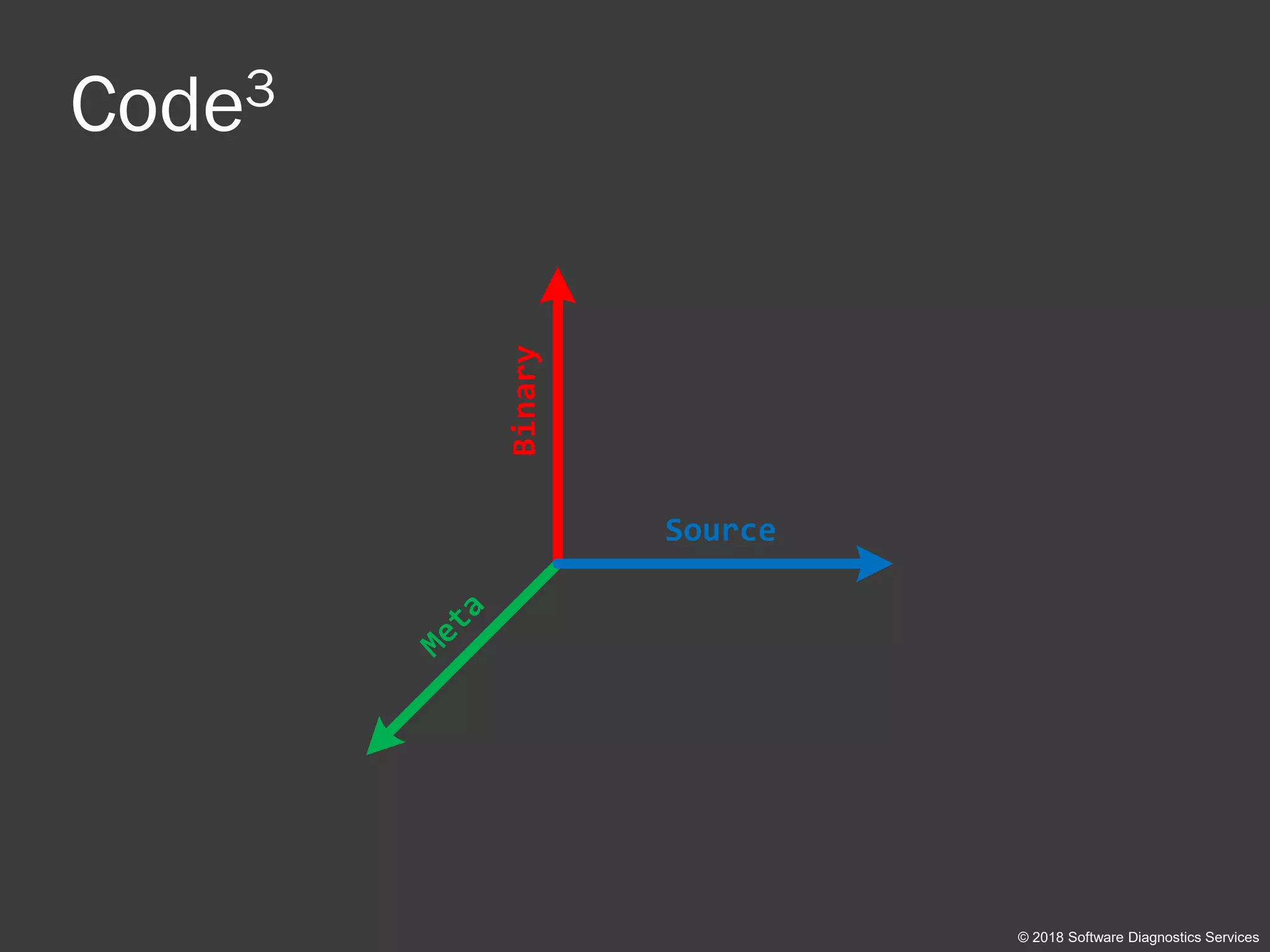
Code3
© 2018 Software Diagnostics Services
Binary Source
Meta
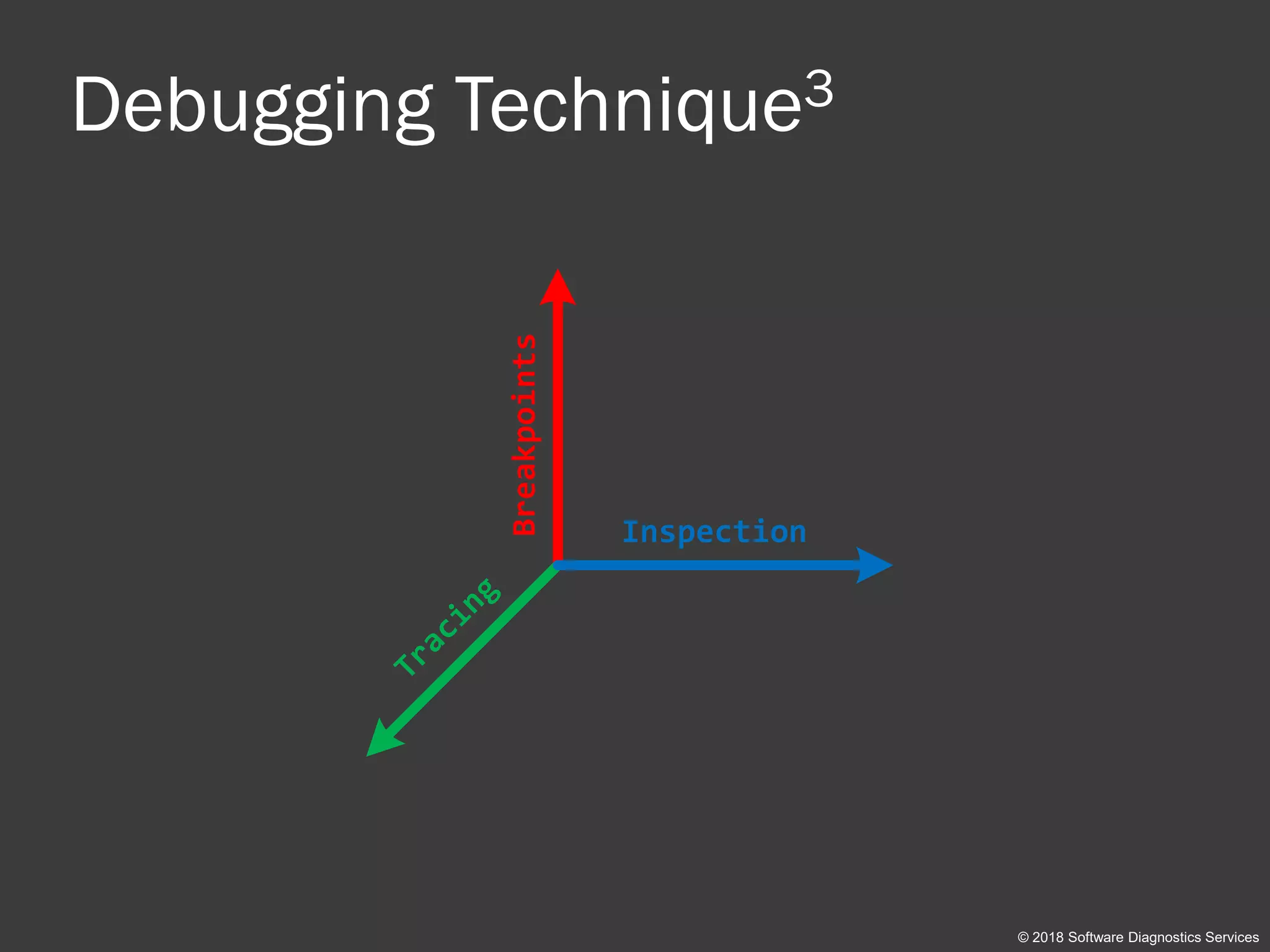
Debugging Technique3
© 2018 Software Diagnostics Services
Breakpoints Inspection
Tracing
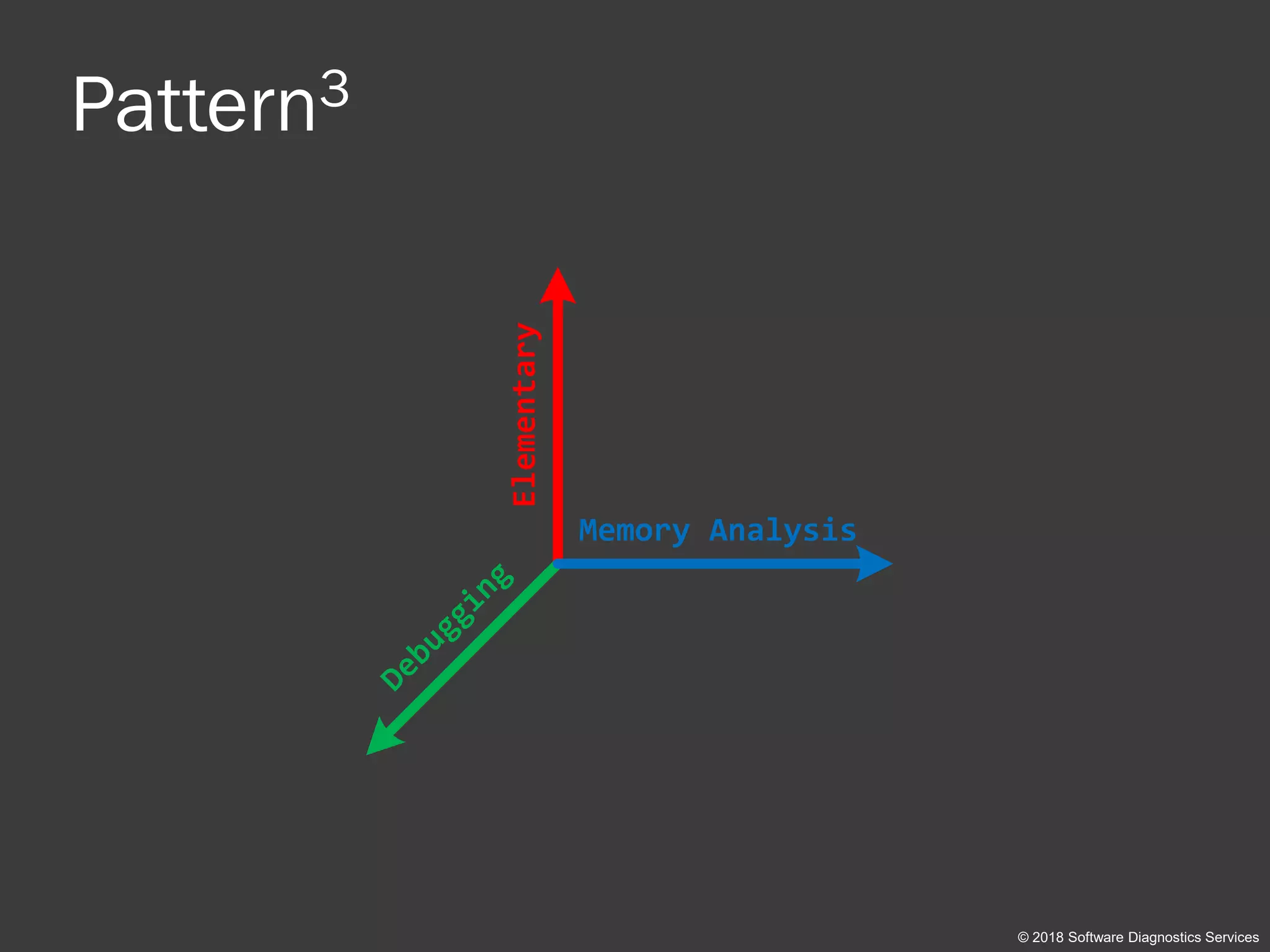
Pattern3
© 2018 Software Diagnostics Services
Elementary Memory Analysis
Debugging
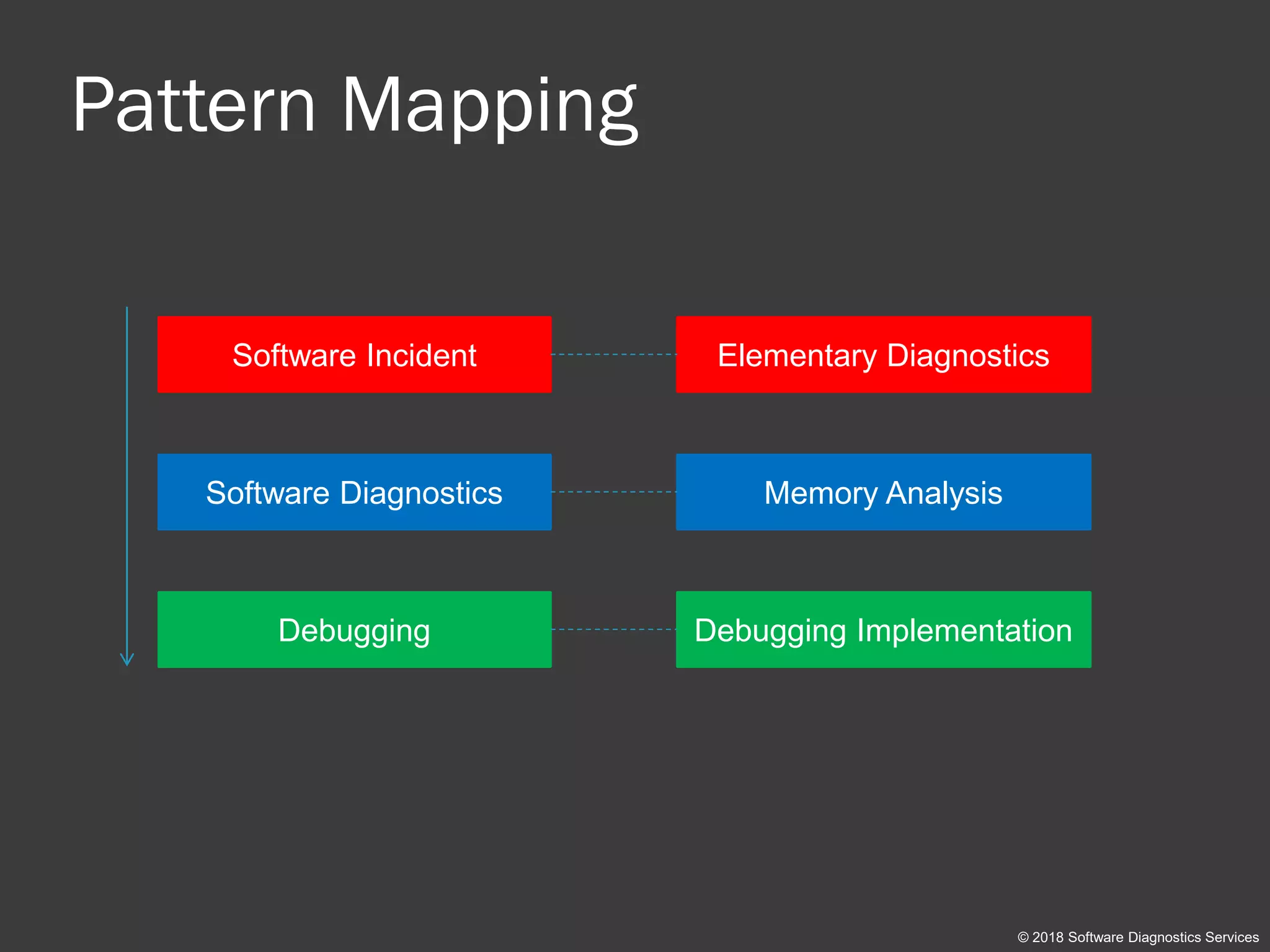
Pattern Mapping
© 2018 Software Diagnostics Services
Software Incident
Software Diagnostics
Debugging
Elementary Diagnostics
Memory Analysis
Debugging Implementation
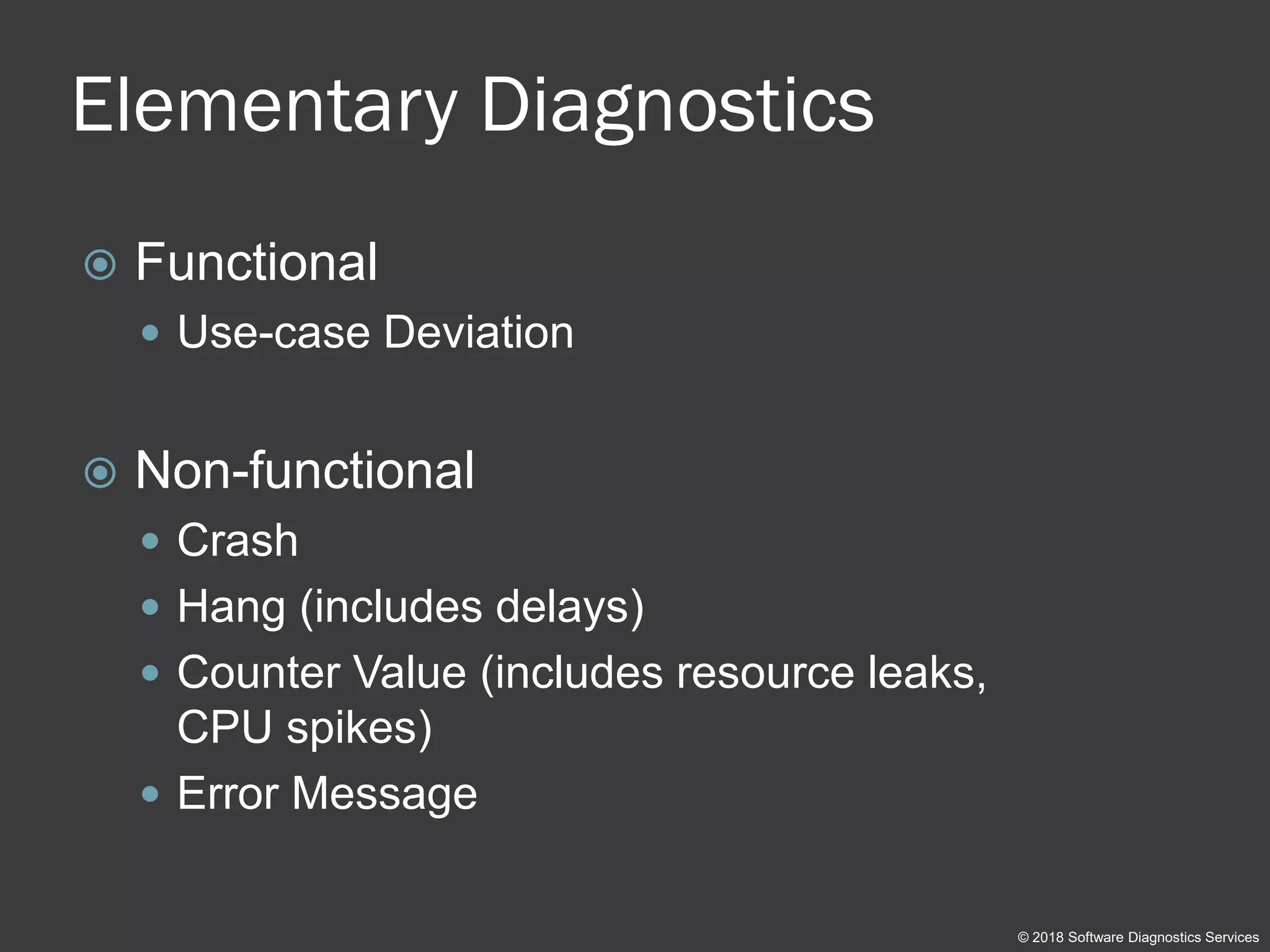
Elementary Diagnostics
 Functional
 Use-case Deviation
 Non-functional
 Crash
 Hang (includes delays)
 Counter Value (includes resource leaks,
CPU spikes)
 Error Message
© 2018 Software Diagnostics Services
Analysis Patterns
 Memory Analysis catalogue
 Software Trace and Log Analysis catalogue
© 2018 Software Diagnostics Services
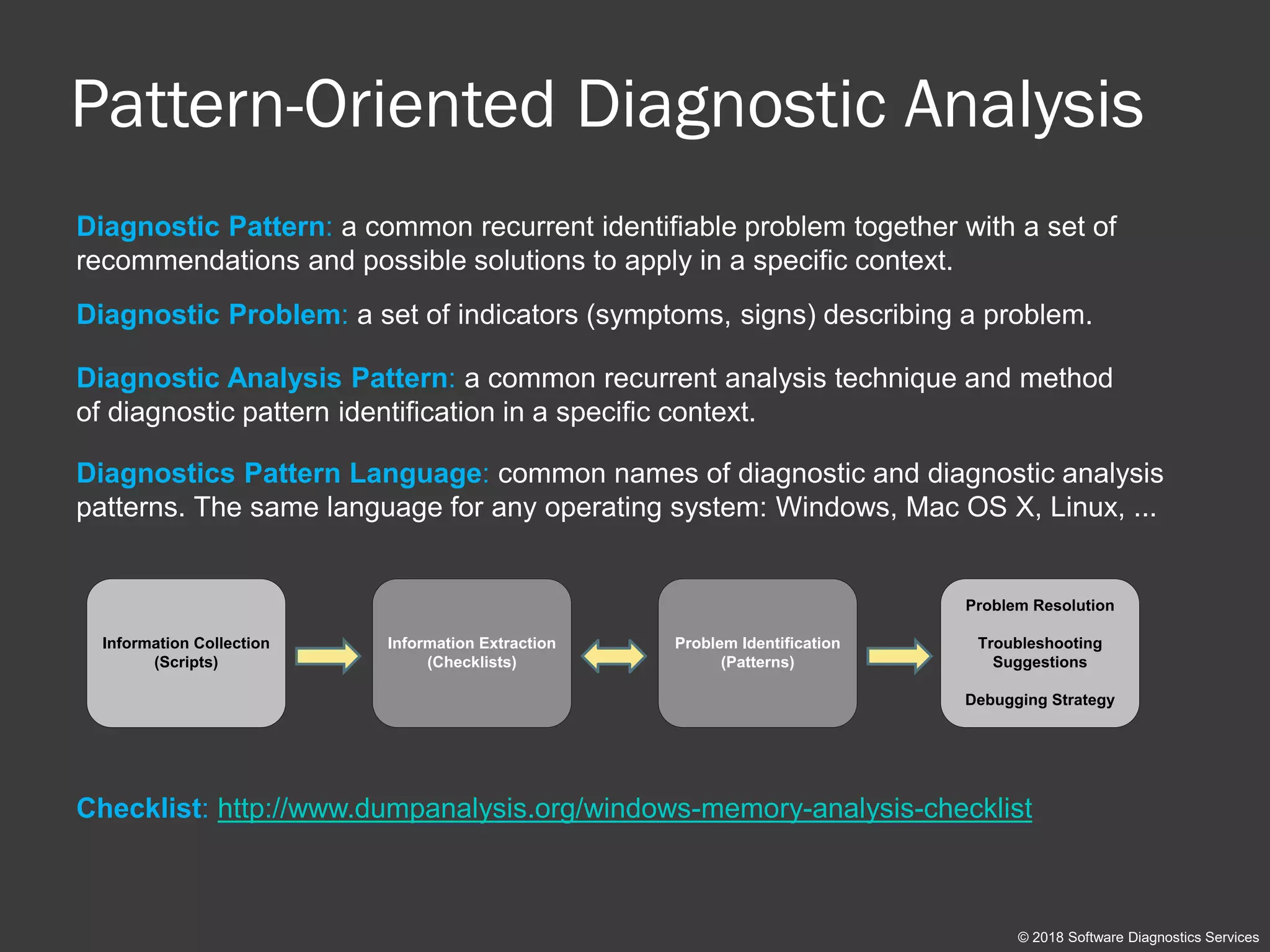
Pattern-Oriented Diagnostic Analysis
© 2018 Software Diagnostics Services
Information Collection
(Scripts)
Information Extraction
(Checklists)
Problem Identification
(Patterns)
Problem Resolution
Troubleshooting
Suggestions
Debugging Strategy
Diagnostic Pattern: a common recurrent identifiable problem together with a set of
recommendations and possible solutions to apply in a specific context.
Diagnostic Analysis Pattern: a common recurrent analysis technique and method
of diagnostic pattern identification in a specific context.
Diagnostic Problem: a set of indicators (symptoms, signs) describing a problem.
Diagnostics Pattern Language: common names of diagnostic and diagnostic analysis
patterns. The same language for any operating system: Windows, Mac OS X, Linux, ...
Checklist: http://www.dumpanalysis.org/windows-memory-analysis-checklist
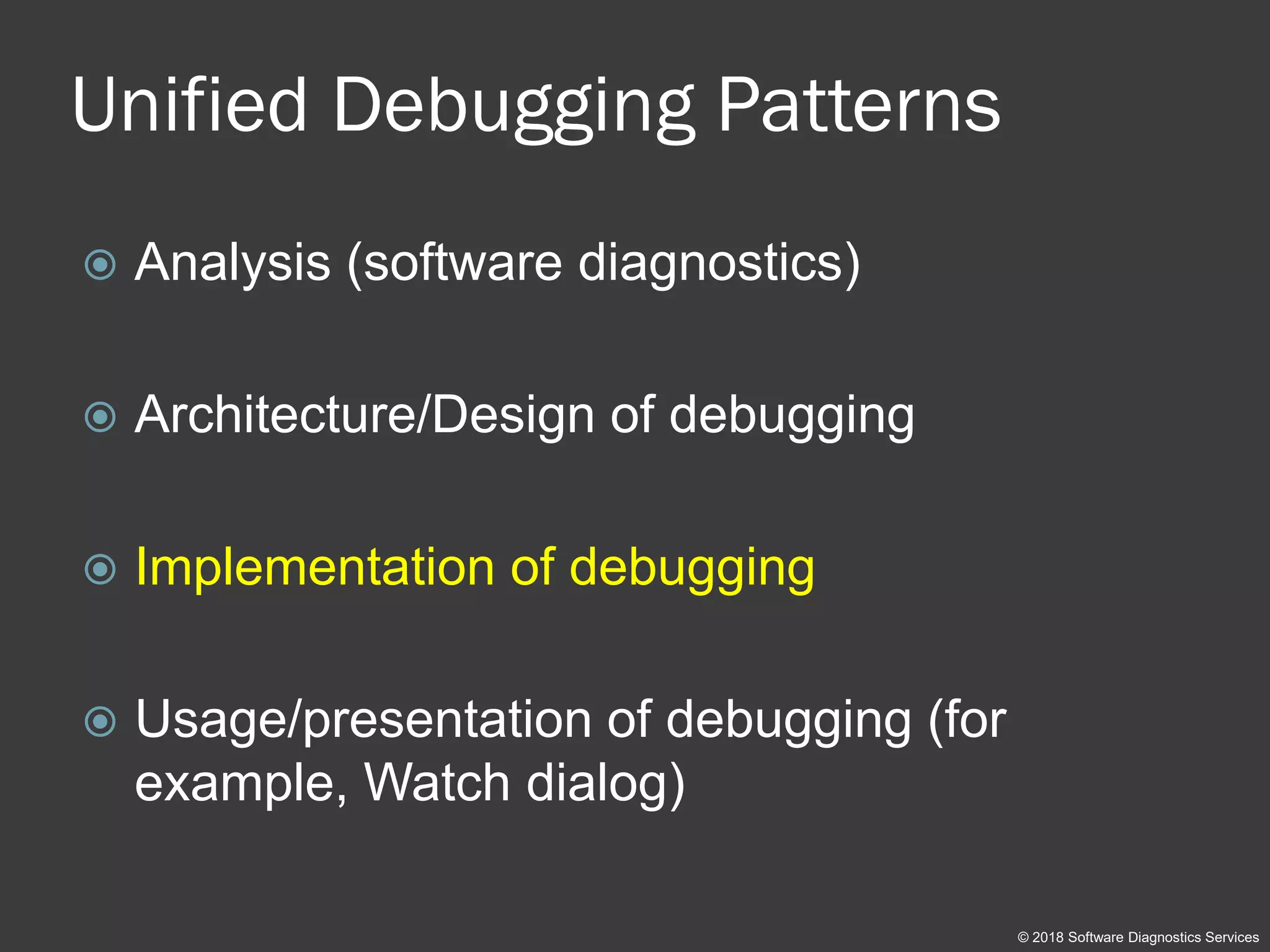
Unified Debugging Patterns
 Analysis (software diagnostics)
 Architecture/Design of debugging
 Implementation of debugging
 Usage/presentation of debugging (for
example, Watch dialog)
© 2018 Software Diagnostics Services
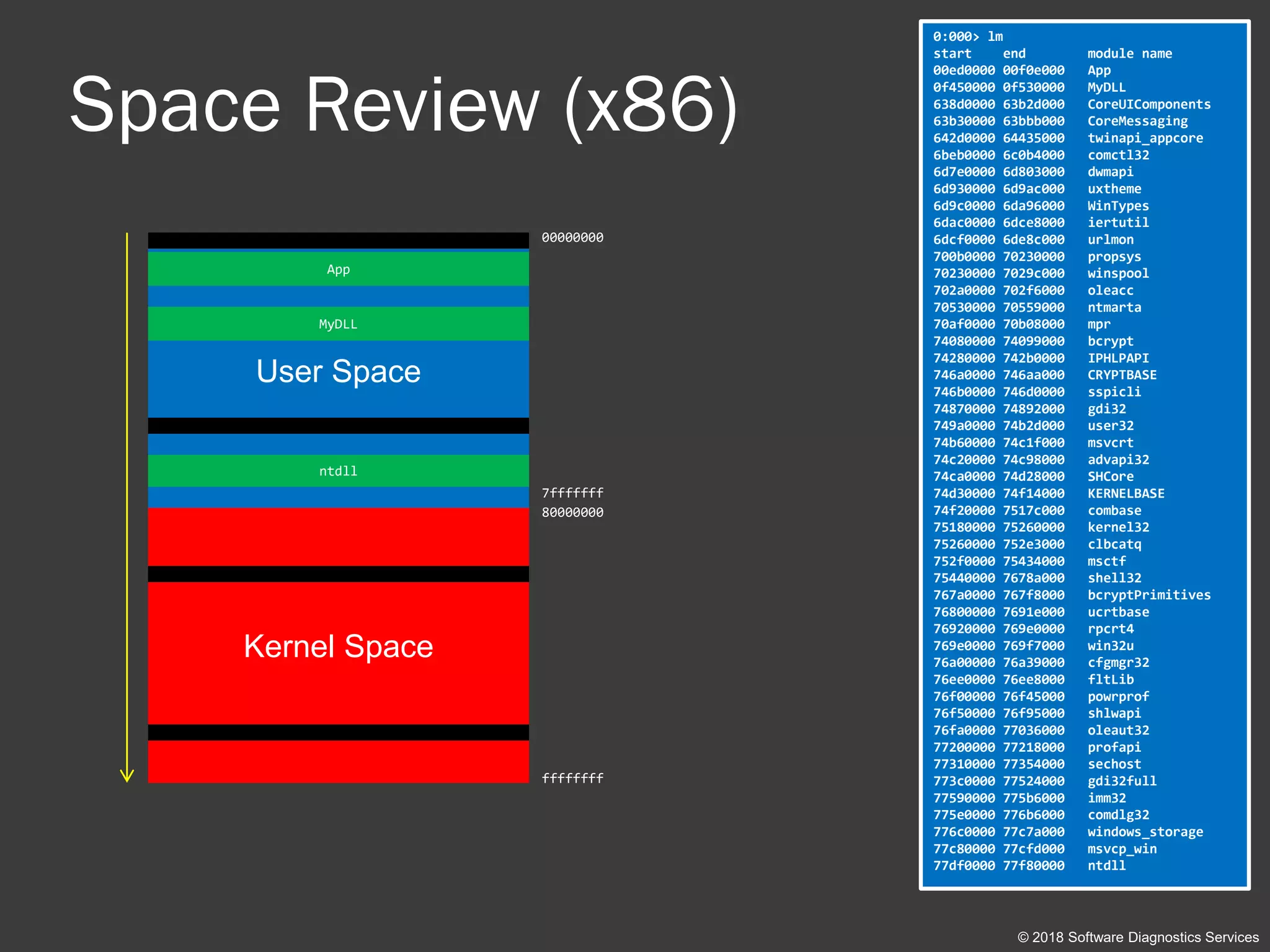
Space Review (x86)
© 2018 Software Diagnostics Services
User Space
Kernel Space
0:000> lm
start end module name
00ed0000 00f0e000 App
0f450000 0f530000 MyDLL
638d0000 63b2d000 CoreUIComponents
63b30000 63bbb000 CoreMessaging
642d0000 64435000 twinapi_appcore
6beb0000 6c0b4000 comctl32
6d7e0000 6d803000 dwmapi
6d930000 6d9ac000 uxtheme
6d9c0000 6da96000 WinTypes
6dac0000 6dce8000 iertutil
6dcf0000 6de8c000 urlmon
700b0000 70230000 propsys
70230000 7029c000 winspool
702a0000 702f6000 oleacc
70530000 70559000 ntmarta
70af0000 70b08000 mpr
74080000 74099000 bcrypt
74280000 742b0000 IPHLPAPI
746a0000 746aa000 CRYPTBASE
746b0000 746d0000 sspicli
74870000 74892000 gdi32
749a0000 74b2d000 user32
74b60000 74c1f000 msvcrt
74c20000 74c98000 advapi32
74ca0000 74d28000 SHCore
74d30000 74f14000 KERNELBASE
74f20000 7517c000 combase
75180000 75260000 kernel32
75260000 752e3000 clbcatq
752f0000 75434000 msctf
75440000 7678a000 shell32
767a0000 767f8000 bcryptPrimitives
76800000 7691e000 ucrtbase
76920000 769e0000 rpcrt4
769e0000 769f7000 win32u
76a00000 76a39000 cfgmgr32
76ee0000 76ee8000 fltLib
76f00000 76f45000 powrprof
76f50000 76f95000 shlwapi
76fa0000 77036000 oleaut32
77200000 77218000 profapi
77310000 77354000 sechost
773c0000 77524000 gdi32full
77590000 775b6000 imm32
775e0000 776b6000 comdlg32
776c0000 77c7a000 windows_storage
77c80000 77cfd000 msvcp_win
77df0000 77f80000 ntdll
00000000
7fffffff
80000000
ffffffff
App
ntdll
MyDLL
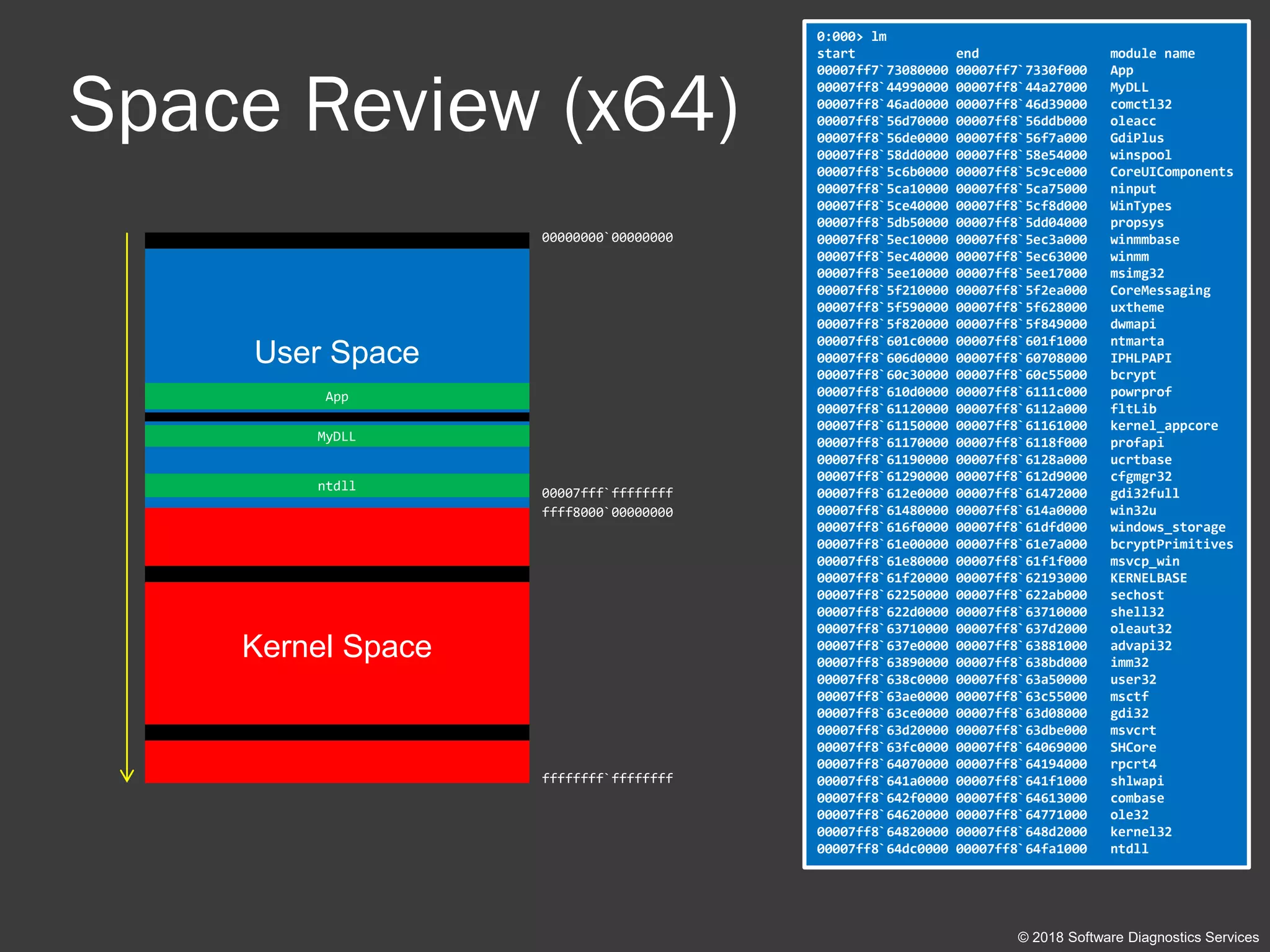
Space Review (x64)
© 2018 Software Diagnostics Services
User Space
Kernel Space
0:000> lm
start end module name
00007ff7`73080000 00007ff7`7330f000 App
00007ff8`44990000 00007ff8`44a27000 MyDLL
00007ff8`46ad0000 00007ff8`46d39000 comctl32
00007ff8`56d70000 00007ff8`56ddb000 oleacc
00007ff8`56de0000 00007ff8`56f7a000 GdiPlus
00007ff8`58dd0000 00007ff8`58e54000 winspool
00007ff8`5c6b0000 00007ff8`5c9ce000 CoreUIComponents
00007ff8`5ca10000 00007ff8`5ca75000 ninput
00007ff8`5ce40000 00007ff8`5cf8d000 WinTypes
00007ff8`5db50000 00007ff8`5dd04000 propsys
00007ff8`5ec10000 00007ff8`5ec3a000 winmmbase
00007ff8`5ec40000 00007ff8`5ec63000 winmm
00007ff8`5ee10000 00007ff8`5ee17000 msimg32
00007ff8`5f210000 00007ff8`5f2ea000 CoreMessaging
00007ff8`5f590000 00007ff8`5f628000 uxtheme
00007ff8`5f820000 00007ff8`5f849000 dwmapi
00007ff8`601c0000 00007ff8`601f1000 ntmarta
00007ff8`606d0000 00007ff8`60708000 IPHLPAPI
00007ff8`60c30000 00007ff8`60c55000 bcrypt
00007ff8`610d0000 00007ff8`6111c000 powrprof
00007ff8`61120000 00007ff8`6112a000 fltLib
00007ff8`61150000 00007ff8`61161000 kernel_appcore
00007ff8`61170000 00007ff8`6118f000 profapi
00007ff8`61190000 00007ff8`6128a000 ucrtbase
00007ff8`61290000 00007ff8`612d9000 cfgmgr32
00007ff8`612e0000 00007ff8`61472000 gdi32full
00007ff8`61480000 00007ff8`614a0000 win32u
00007ff8`616f0000 00007ff8`61dfd000 windows_storage
00007ff8`61e00000 00007ff8`61e7a000 bcryptPrimitives
00007ff8`61e80000 00007ff8`61f1f000 msvcp_win
00007ff8`61f20000 00007ff8`62193000 KERNELBASE
00007ff8`62250000 00007ff8`622ab000 sechost
00007ff8`622d0000 00007ff8`63710000 shell32
00007ff8`63710000 00007ff8`637d2000 oleaut32
00007ff8`637e0000 00007ff8`63881000 advapi32
00007ff8`63890000 00007ff8`638bd000 imm32
00007ff8`638c0000 00007ff8`63a50000 user32
00007ff8`63ae0000 00007ff8`63c55000 msctf
00007ff8`63ce0000 00007ff8`63d08000 gdi32
00007ff8`63d20000 00007ff8`63dbe000 msvcrt
00007ff8`63fc0000 00007ff8`64069000 SHCore
00007ff8`64070000 00007ff8`64194000 rpcrt4
00007ff8`641a0000 00007ff8`641f1000 shlwapi
00007ff8`642f0000 00007ff8`64613000 combase
00007ff8`64620000 00007ff8`64771000 ole32
00007ff8`64820000 00007ff8`648d2000 kernel32
00007ff8`64dc0000 00007ff8`64fa1000 ntdll
00000000`00000000
00007fff`ffffffff
ffff8000`00000000
ffffffff`ffffffff
ntdll
App
MyDLL
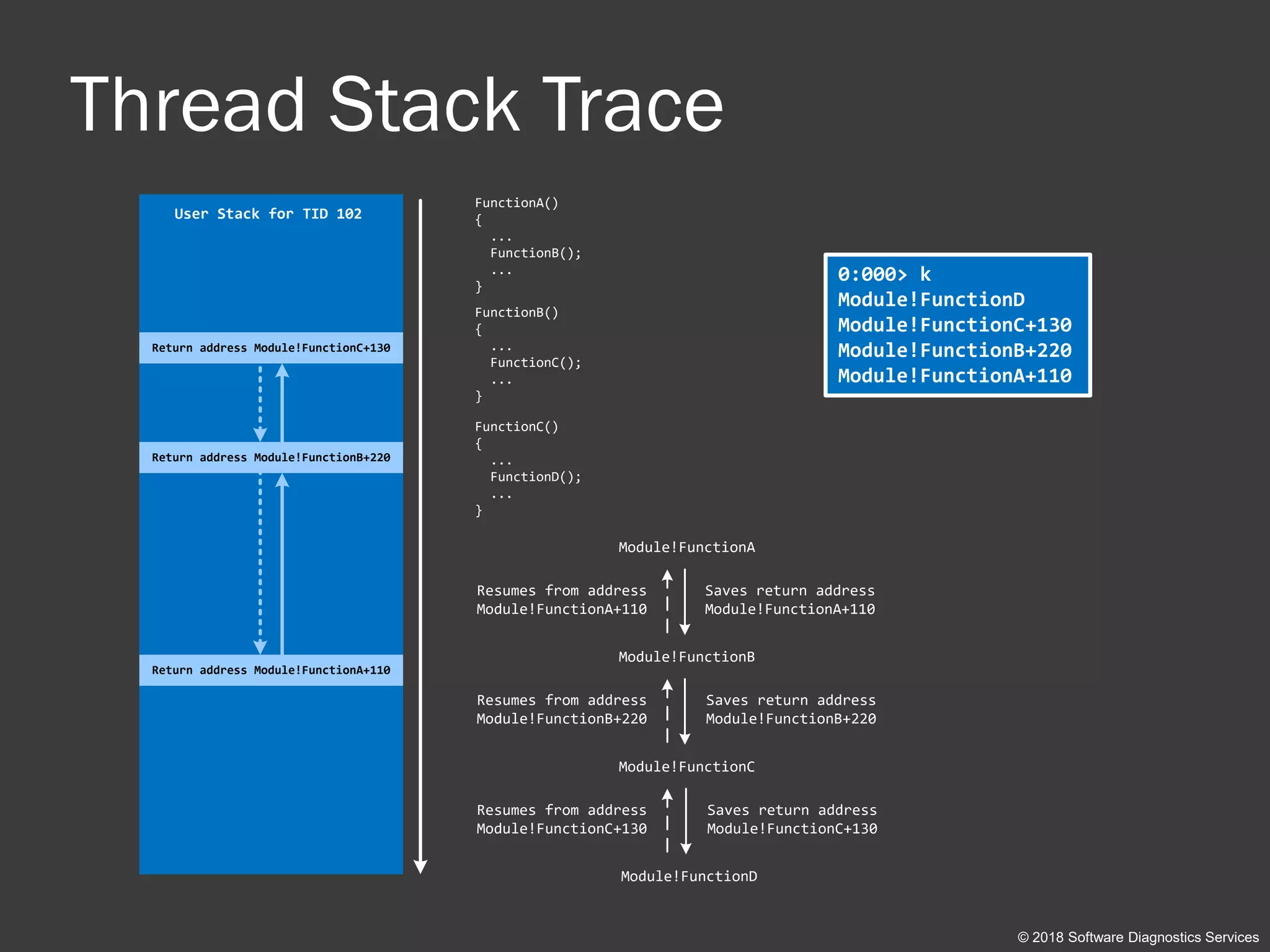
Thread Stack Trace
0:000> k
Module!FunctionD
Module!FunctionC+130
Module!FunctionB+220
Module!FunctionA+110
User Stack for TID 102
Module!FunctionA
Module!FunctionB
Module!FunctionC
Saves return address
Module!FunctionA+110
Saves return address
Module!FunctionB+220
Module!FunctionD
Saves return address
Module!FunctionC+130
Resumes from address
Module!FunctionA+110
Resumes from address
Module!FunctionB+220
Resumes from address
Module!FunctionC+130
FunctionA()
{
...
FunctionB();
...
}
FunctionB()
{
...
FunctionC();
...
}
FunctionC()
{
...
FunctionD();
...
}
Return address Module!FunctionC+130
Return address Module!FunctionB+220
Return address Module!FunctionA+110
© 2018 Software Diagnostics Services
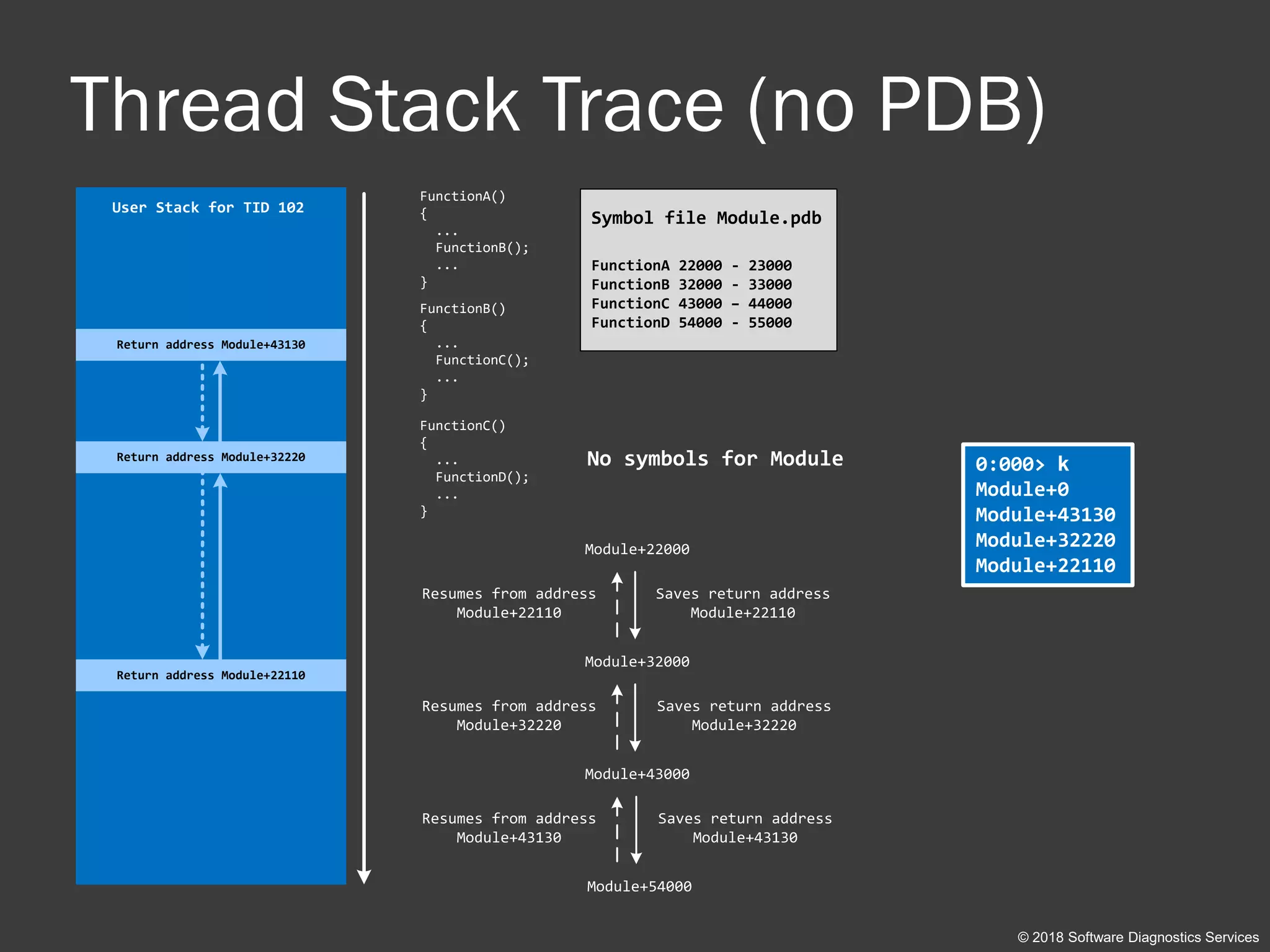
Thread Stack Trace (no PDB)
0:000> k
Module+0
Module+43130
Module+32220
Module+22110
User Stack for TID 102
Module+22000
Module+32000
Module+43000
Saves return address
Module+22110
Saves return address
Module+32220
Module+54000
Saves return address
Module+43130
Resumes from address
Module+22110
Resumes from address
Module+32220
Resumes from address
Module+43130
FunctionA()
{
...
FunctionB();
...
}
FunctionB()
{
...
FunctionC();
...
}
FunctionC()
{
...
FunctionD();
...
}
Return address Module+43130
Return address Module+32220
Return address Module+22110
No symbols for Module
Symbol file Module.pdb
FunctionA 22000 - 23000
FunctionB 32000 - 33000
FunctionC 43000 – 44000
FunctionD 54000 - 55000
© 2018 Software Diagnostics Services
Thread Raw Stack Data
© 2018 Software Diagnostics Services
void main()
{
foo();
crash();
}
void foo()
{
char sz[256] = “Some String”;
bar();
}
void bar()
{
do();
}
void crash()
{
WER();
}
module!main+10
module!crash+30
Some String
module!bar+20
0:000> k
module!crash+30
module!main+10
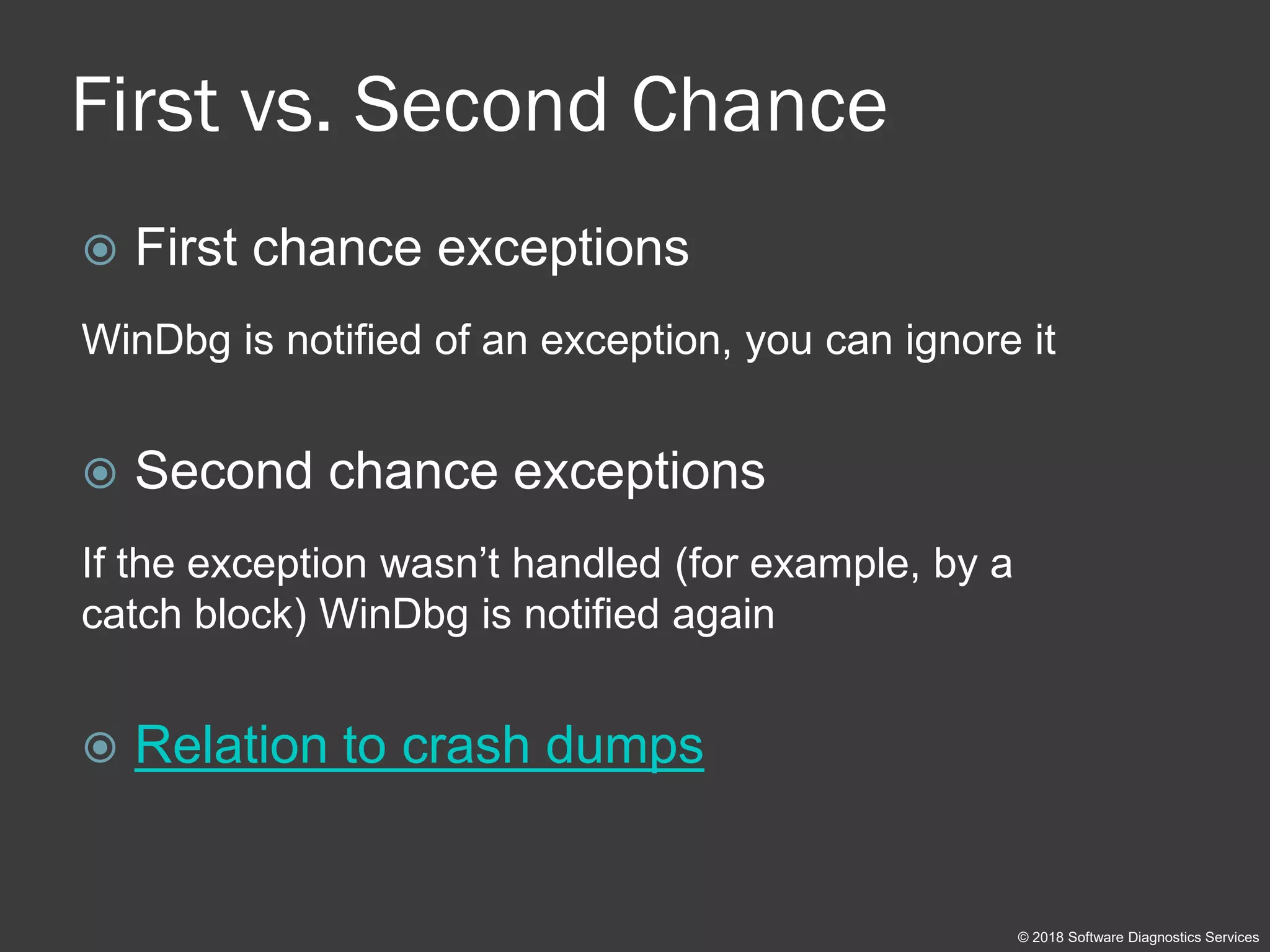
First vs. Second Chance
 First chance exceptions
WinDbg is notified of an exception, you can ignore it
 Second chance exceptions
If the exception wasn’t handled (for example, by a
catch block) WinDbg is notified again
 Relation to crash dumps
© 2018 Software Diagnostics Services
Part 2: Practice Exercises
© 2018 Software Diagnostics Services
Links
 Applications:
Not available in preview version
 Exercise Transcripts:
Not available in preview version
© 2018 Software Diagnostics Services
Warning
Because this is live debugging, due to differences in actual systems and
also ASLR (Address Space Layout Randomization), when you launch
applications actual addresses in WinDbg command output may be different
from shown in exercise transcripts.
© 2018 Software Diagnostics Services
Exercise 0
 Goal: Install Debugging Tools for Windows and learn how to
set up symbols correctly
 Memory Analysis Patterns: Incorrect Stack Trace
 AWD3Exercise-0-Download-Setup-WinDbg.pdf
© 2018 Software Diagnostics Services
User Mode Debugging
Exercises D1-D8
© 2018 Software Diagnostics Services
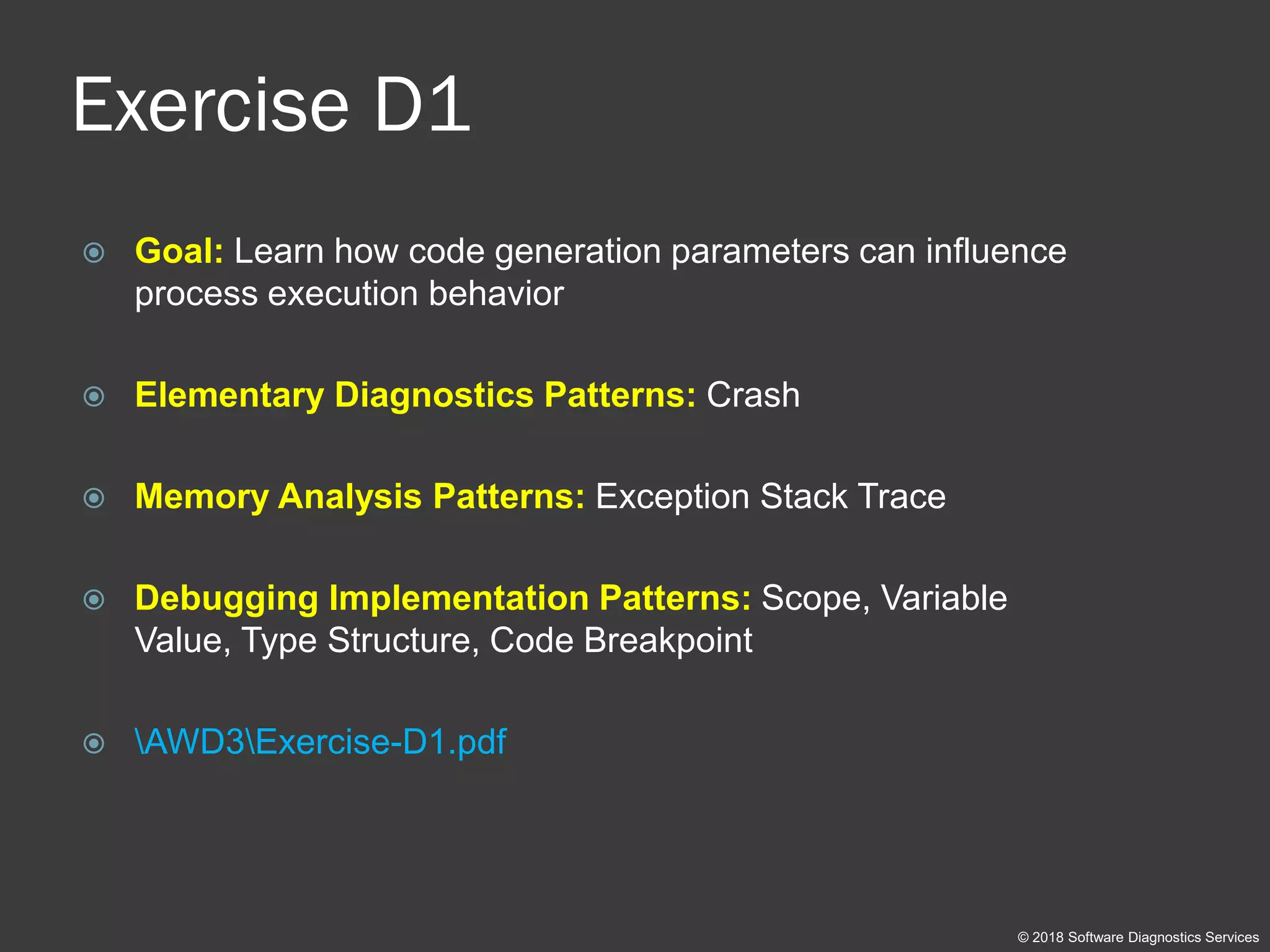
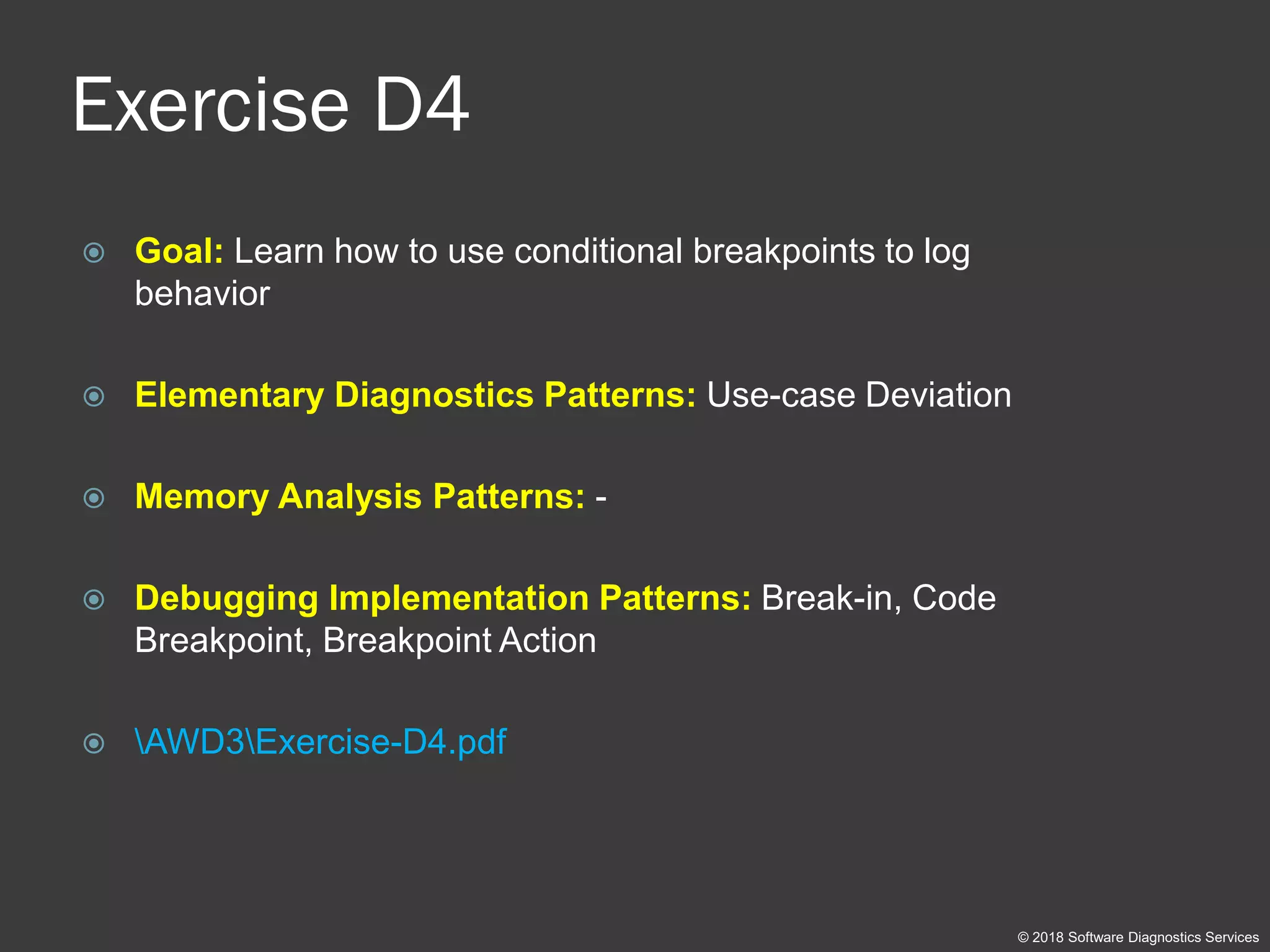
Exercise D1
 Goal: Learn how code generation parameters can influence
process execution behavior
 Elementary Diagnostics Patterns: Crash
 Memory Analysis Patterns: Exception Stack Trace
 Debugging Implementation Patterns: Scope, Variable
Value, Type Structure, Code Breakpoint
 AWD3Exercise-D1.pdf
© 2018 Software Diagnostics Services
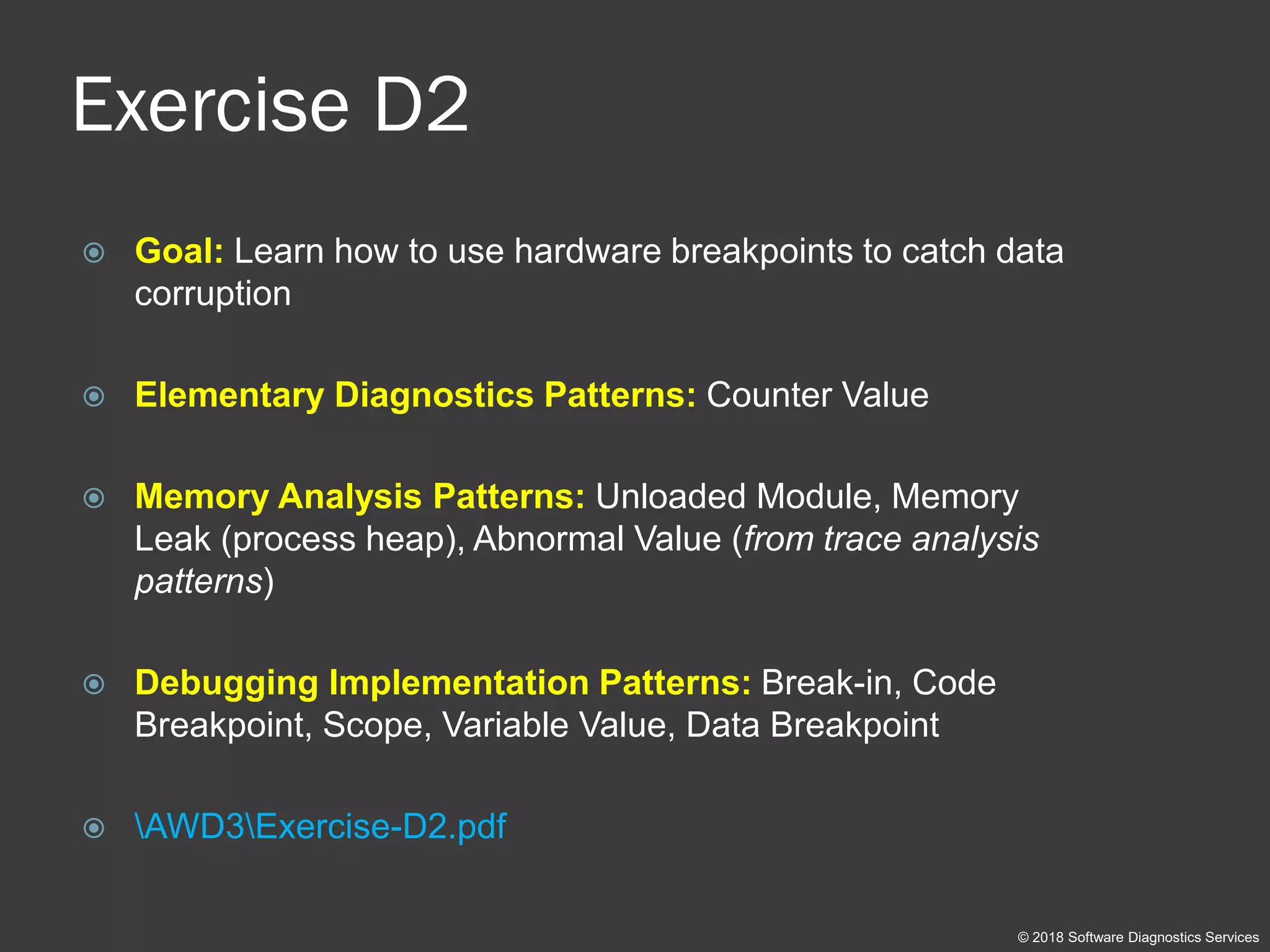
Exercise D2
 Goal: Learn how to use hardware breakpoints to catch data
corruption
 Elementary Diagnostics Patterns: Counter Value
 Memory Analysis Patterns: Unloaded Module, Memory
Leak (process heap), Abnormal Value (from trace analysis
patterns)
 Debugging Implementation Patterns: Break-in, Code
Breakpoint, Scope, Variable Value, Data Breakpoint
 AWD3Exercise-D2.pdf
© 2018 Software Diagnostics Services
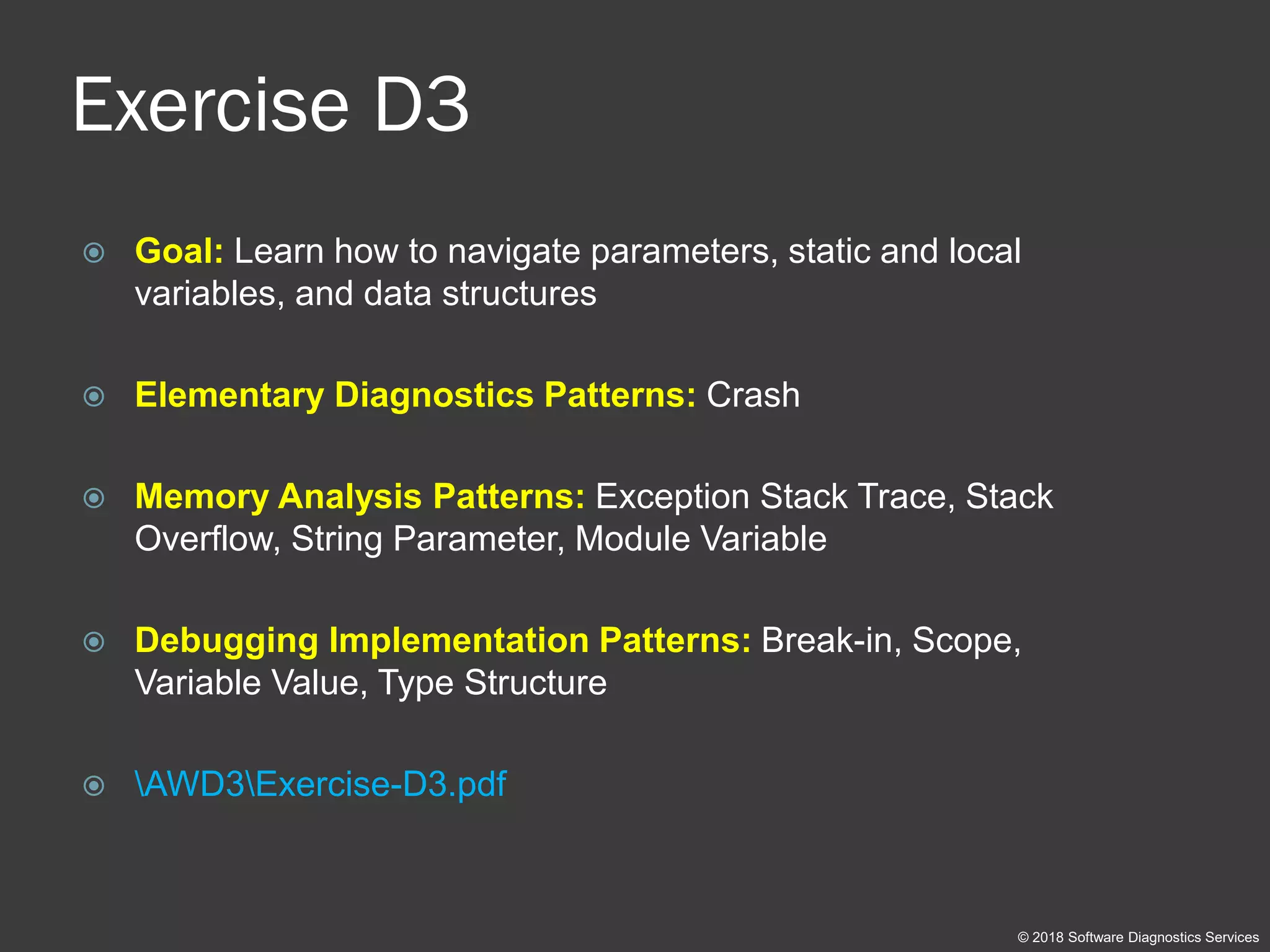
Exercise D3
 Goal: Learn how to navigate parameters, static and local
variables, and data structures
 Elementary Diagnostics Patterns: Crash
 Memory Analysis Patterns: Exception Stack Trace, Stack
Overflow, String Parameter, Module Variable
 Debugging Implementation Patterns: Break-in, Scope,
Variable Value, Type Structure
 AWD3Exercise-D3.pdf
© 2018 Software Diagnostics Services
Exercise D4
 Goal: Learn how to use conditional breakpoints to log
behavior
 Elementary Diagnostics Patterns: Use-case Deviation
 Memory Analysis Patterns: -
 Debugging Implementation Patterns: Break-in, Code
Breakpoint, Breakpoint Action
 AWD3Exercise-D4.pdf
© 2018 Software Diagnostics Services
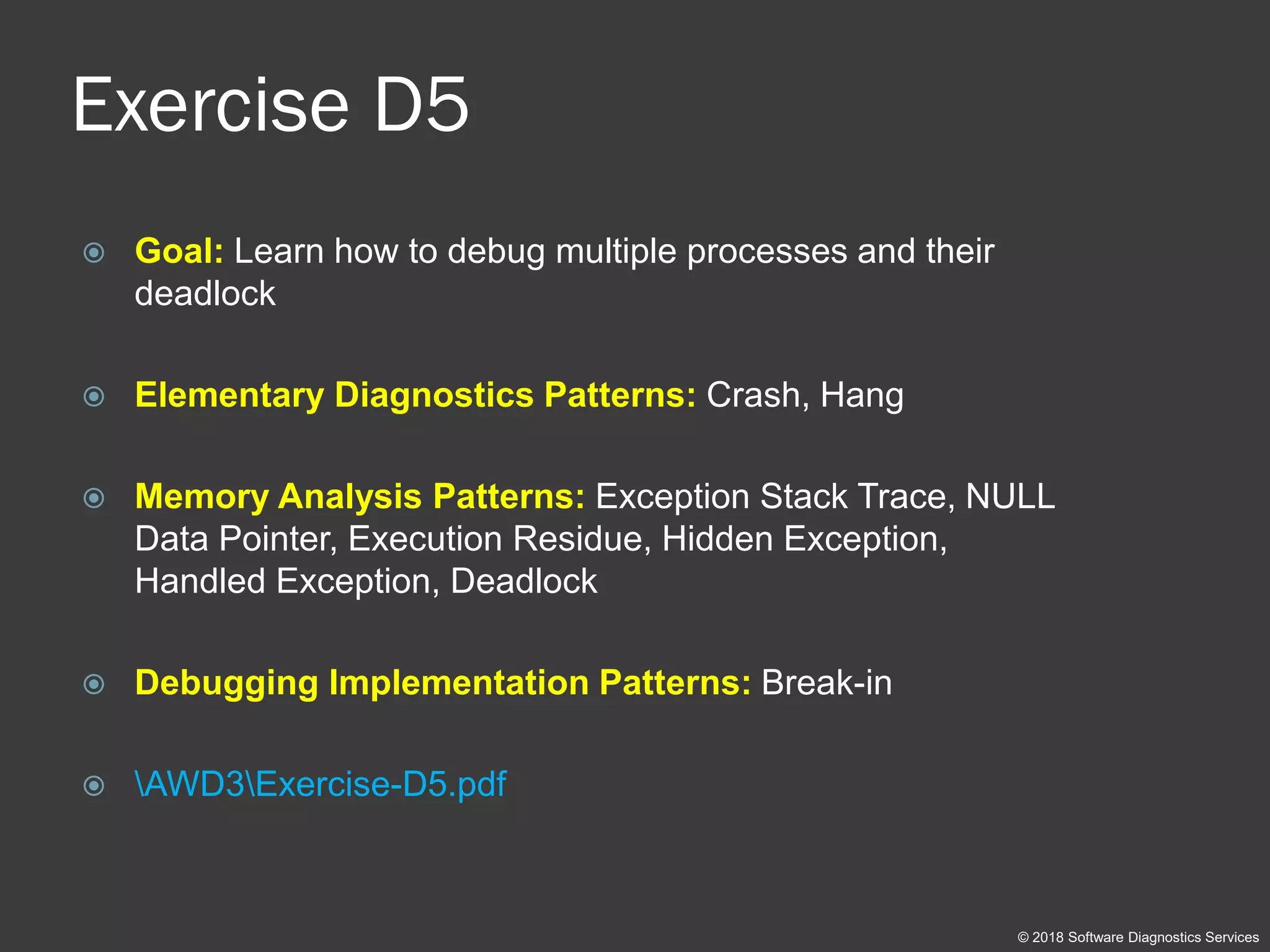
Exercise D5
 Goal: Learn how to debug multiple processes and their
deadlock
 Elementary Diagnostics Patterns: Crash, Hang
 Memory Analysis Patterns: Exception Stack Trace, NULL
Data Pointer, Execution Residue, Hidden Exception,
Handled Exception, Deadlock
 Debugging Implementation Patterns: Break-in
 AWD3Exercise-D5.pdf
© 2018 Software Diagnostics Services
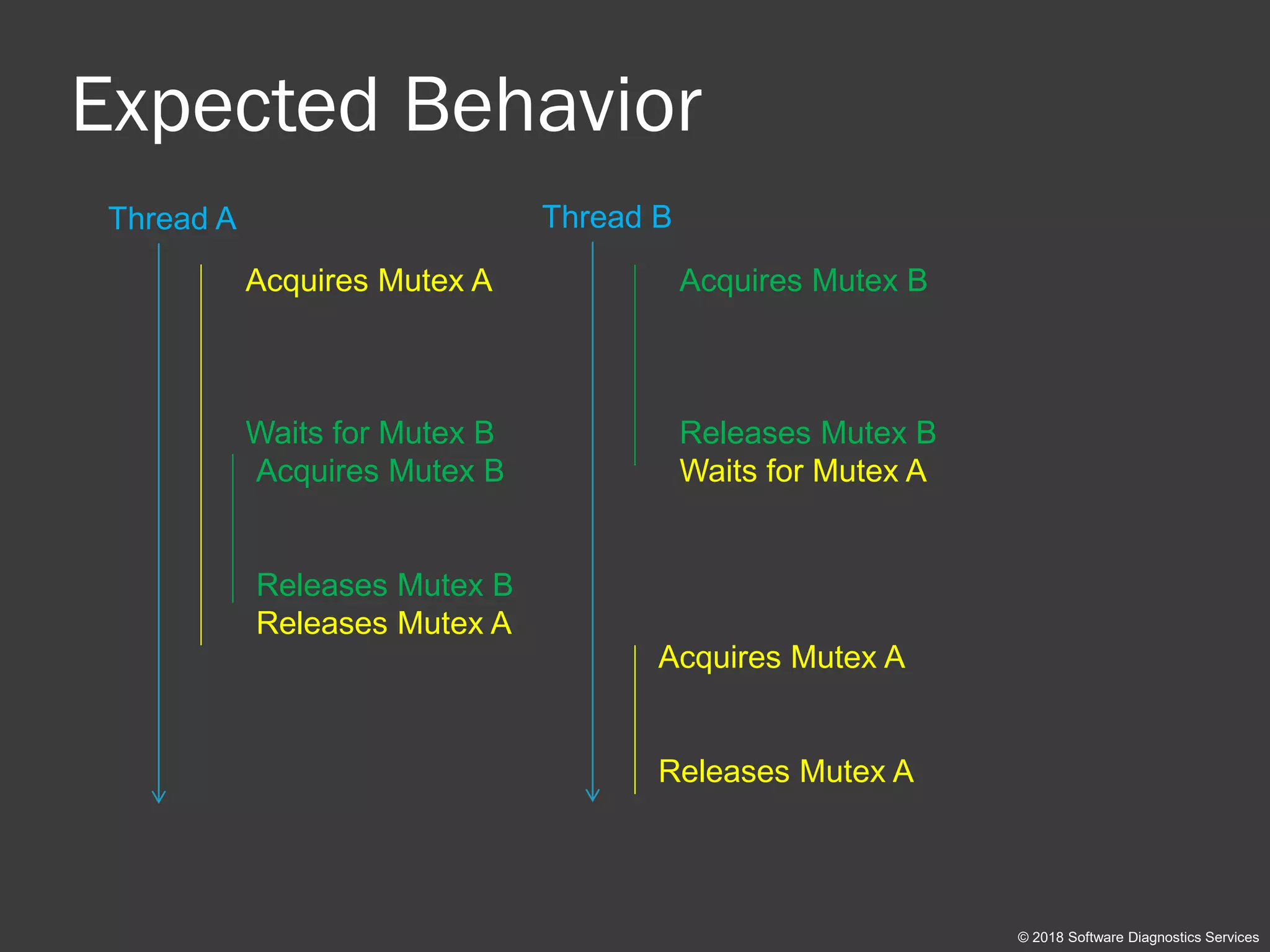
Expected Behavior
© 2018 Software Diagnostics Services
Thread A Thread B
Acquires Mutex A
Waits for Mutex B
Acquires Mutex B
Releases Mutex B
Waits for Mutex AAcquires Mutex B
Releases Mutex B
Releases Mutex A
Acquires Mutex A
Releases Mutex A
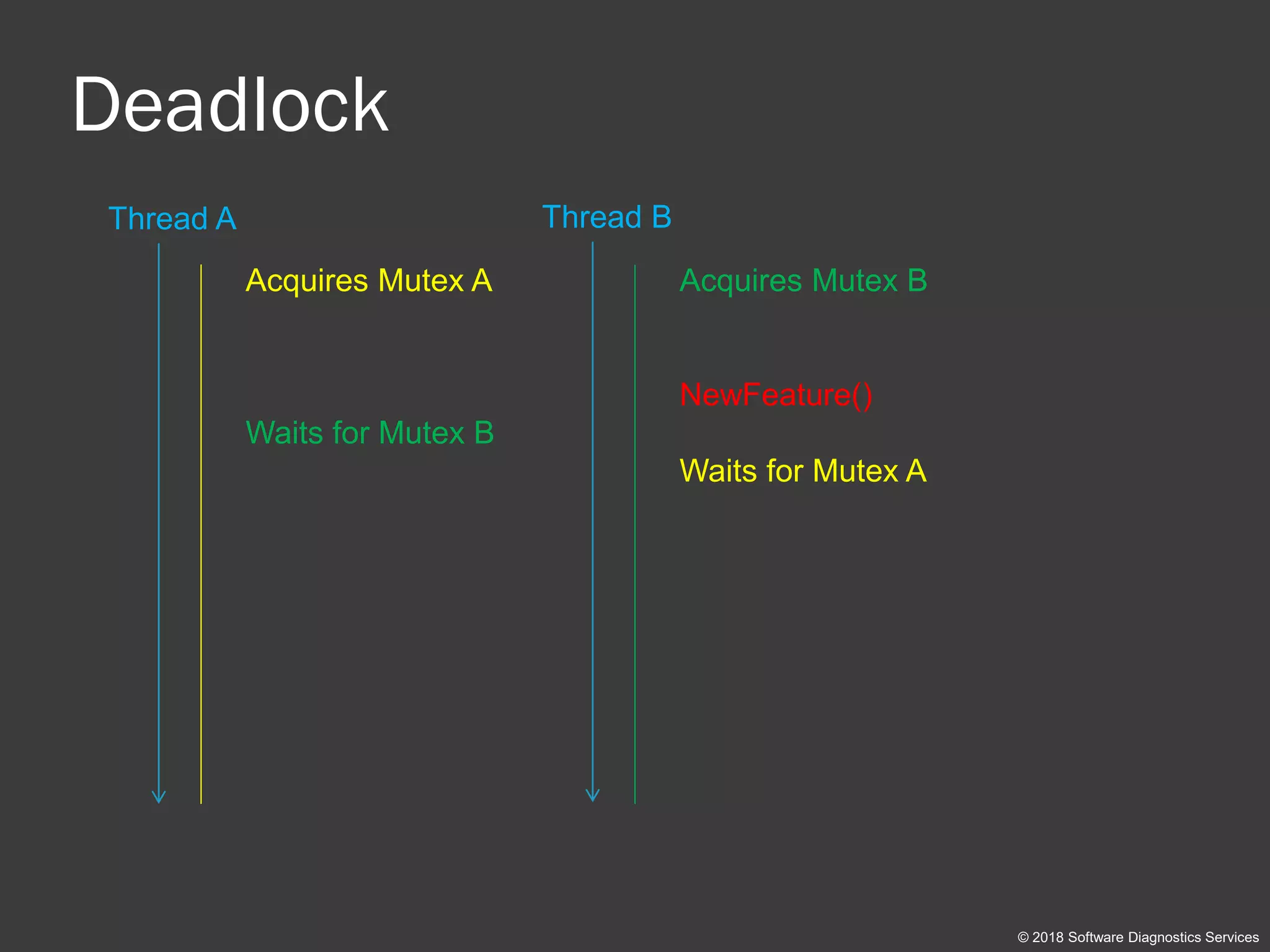
Deadlock
© 2018 Software Diagnostics Services
Thread A Thread B
Acquires Mutex A
Waits for Mutex B
Acquires Mutex B
NewFeature()
Waits for Mutex A
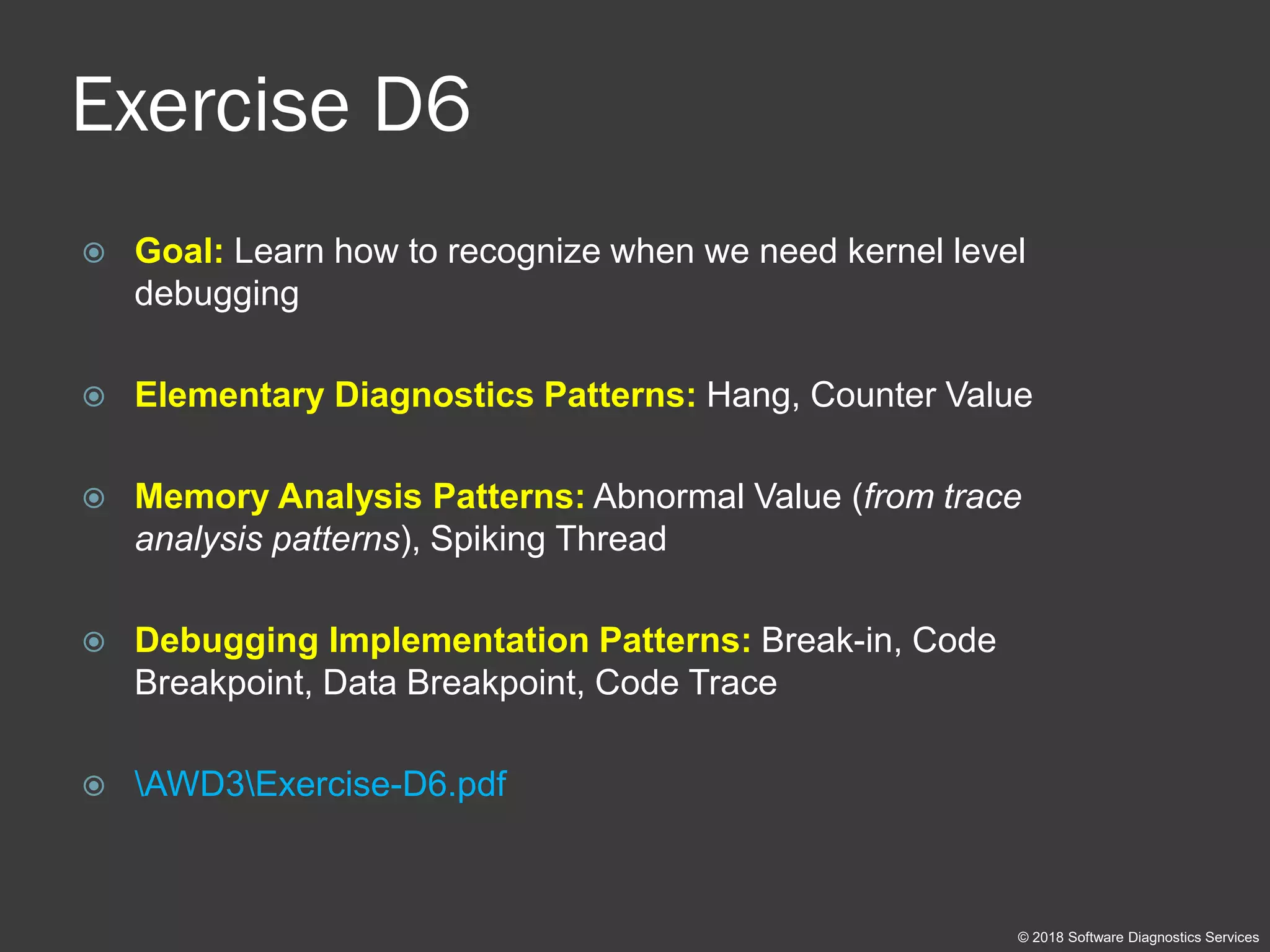
Exercise D6
 Goal: Learn how to recognize when we need kernel level
debugging
 Elementary Diagnostics Patterns: Hang, Counter Value
 Memory Analysis Patterns: Abnormal Value (from trace
analysis patterns), Spiking Thread
 Debugging Implementation Patterns: Break-in, Code
Breakpoint, Data Breakpoint, Code Trace
 AWD3Exercise-D6.pdf
© 2018 Software Diagnostics Services
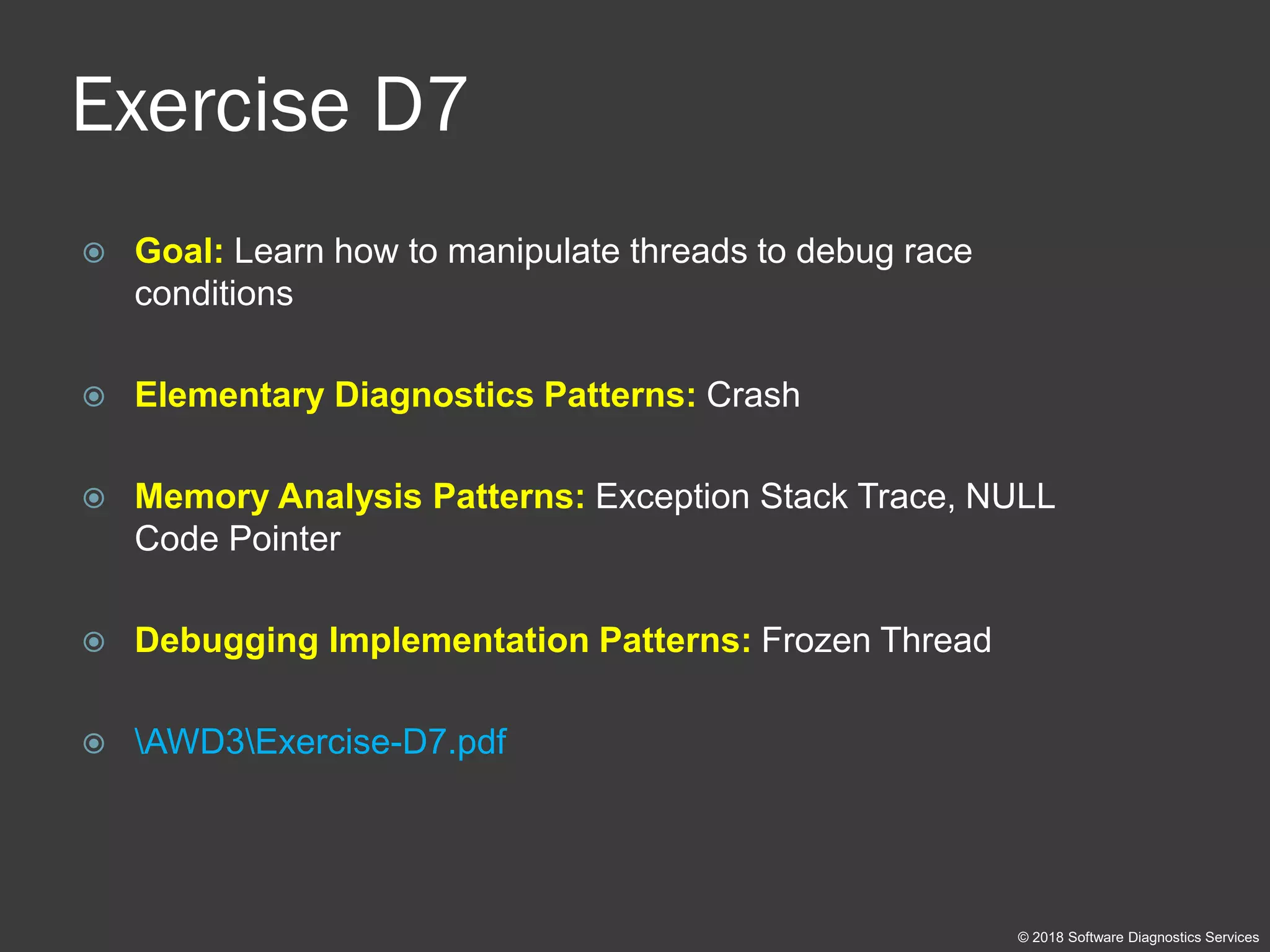
Exercise D7
 Goal: Learn how to manipulate threads to debug race
conditions
 Elementary Diagnostics Patterns: Crash
 Memory Analysis Patterns: Exception Stack Trace, NULL
Code Pointer
 Debugging Implementation Patterns: Frozen Thread
 AWD3Exercise-D7.pdf
© 2018 Software Diagnostics Services
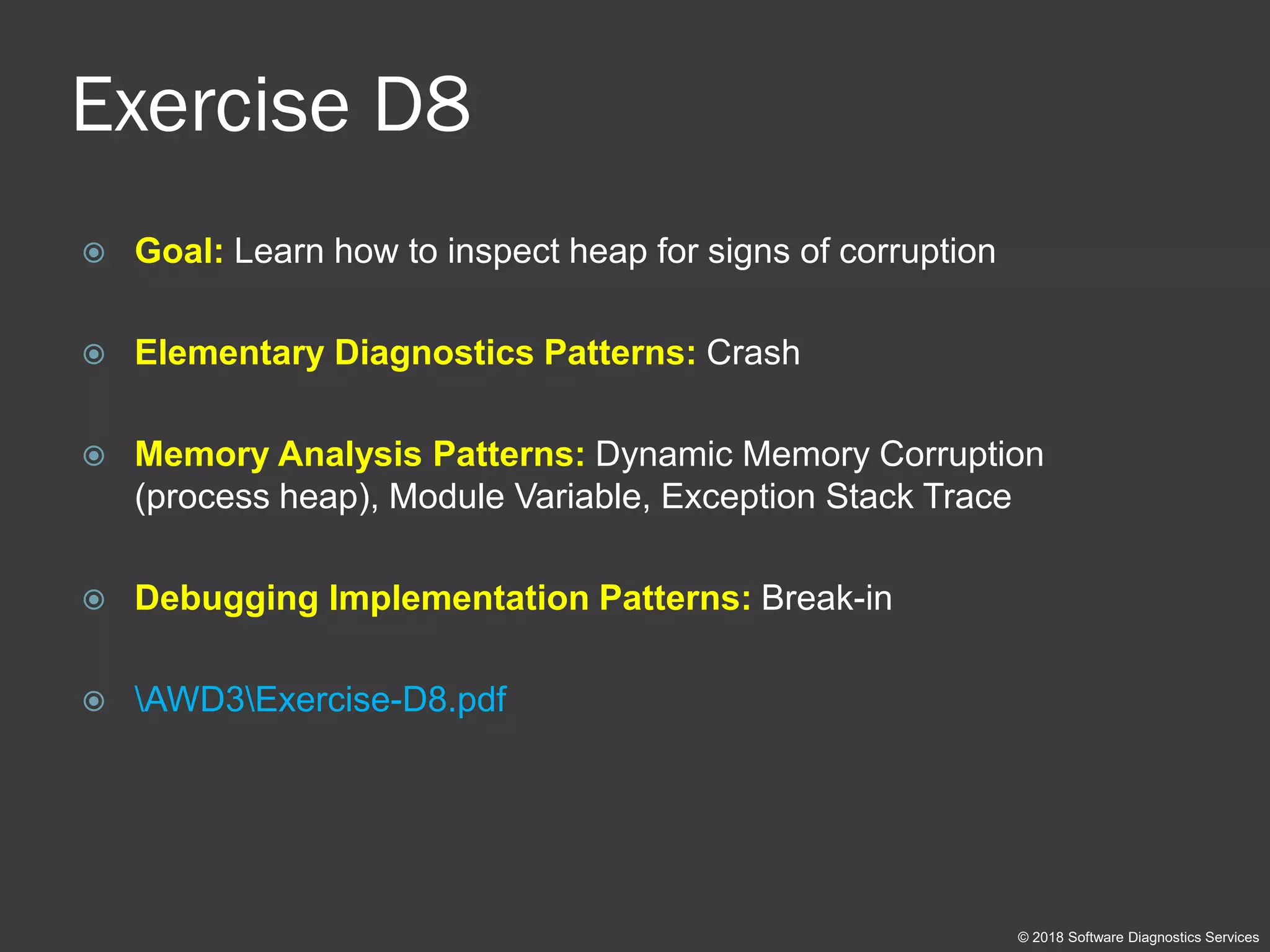
Exercise D8
 Goal: Learn how to inspect heap for signs of corruption
 Elementary Diagnostics Patterns: Crash
 Memory Analysis Patterns: Dynamic Memory Corruption
(process heap), Module Variable, Exception Stack Trace
 Debugging Implementation Patterns: Break-in
 AWD3Exercise-D8.pdf
© 2018 Software Diagnostics Services
Kernel Mode Debugging
Exercises KD6, KD9, KD10
© 2018 Software Diagnostics Services
Exercise K0
 Goal: Setup VMware kernel debugging environment
 AWD3Exercise-K0-Kernel-Debugging-Setup.pdf
© 2018 Software Diagnostics Services
Space Review (x86)
© 2018 Software Diagnostics Services
User Space
Kernel Space
0: kd> lmk
start end module name
80200000 8020a000 BATTC
8020a000 8020c900 compbatt
8020d000 80215000 msisadrv
80215000 8021e000 WMILIB
8021e000 8022b000 WDFLDR
8022b000 80266000 CLFS
80266000 8026e000 BOOTVID
[...]
81800000 81ba1000 nt
81ba1000 81bd5000 hal
[...]
87eb3000 87ed6000 ndiswan
87ed6000 87ee1000 ndistapi
87ee1000 87ef8000 rasl2tp
87ef8000 87f03000 TDI
[...]
937b4000 93800000 srv
9446d000 94480000 dump_LSI_SCSI
96ca1000 96cc9000 fastfat
00000000
7fffffff
80000000
ffffffff
hal
driver
nt
App
ntdll
MyDLL
Space Review (x64)
© 2018 Software Diagnostics Services
Kernel Space
0: kd> lmk
start end module name
ffffd414`7bc00000 ffffd414`7bf90000 win32kfull
ffffd414`7bf90000 ffffd414`7c1c4000 win32kbase
ffffd414`7c1d0000 ffffd414`7c20f000 cdd
ffffd414`7c730000 ffffd414`7c7ac000 win32k
fffff802`1cc05000 fffff802`1d566000 nt
fffff802`1d566000 fffff802`1d5f2000 hal
fffff802`1d800000 fffff802`1d80b000 kd
fffff803`9f200000 fffff803`9f264000 CLFS
fffff803`9f270000 fffff803`9f294000 tm
fffff803`9f2a0000 fffff803`9f2b7000 PSHED
fffff803`9f2c0000 fffff803`9f2cb000 BOOTVID
[...]
fffff803`a0290000 fffff803`a0534000 tcpip
fffff803`a0540000 fffff803`a05b6000 fwpkclnt
fffff803`a05c0000 fffff803`a05ed000 wfplwfs
fffff803`a05f0000 fffff803`a06ac000 fvevol
fffff803`a06b0000 fffff803`a06bb000 volume
fffff803`a06c0000 fffff803`a0727000 volsnap
fffff803`a0730000 fffff803`a077c000 rdyboost
fffff803`a0780000 fffff803`a07a4000 mup
fffff803`a07b0000 fffff803`a07c1000 iorate
fffff803`a07e0000 fffff803`a07fc000 disk
[...]
fffff803`a3020000 fffff803`a3028000 driver
fffff803`a3040000 fffff803`a304f000 dump_diskdump
fffff803`a3070000 fffff803`a308f000 dump_LSI_SAS
fffff803`a30b0000 fffff803`a30cd000 dump_dumpfve
fffff803`a3280000 fffff803`a3346000 dxgmms2
fffff803`a3350000 fffff803`a3398000 WUDFRd
fffff803`a33a0000 fffff803`a33c7000 luafv
fffff803`a33d0000 fffff803`a33f8000 wcifs
ffffffff`ffffffff
nt
driver
hal
User Space
00000000`00000000
00007fff`ffffffff
ffff8000`00000000
ntdll
App
MyDLL
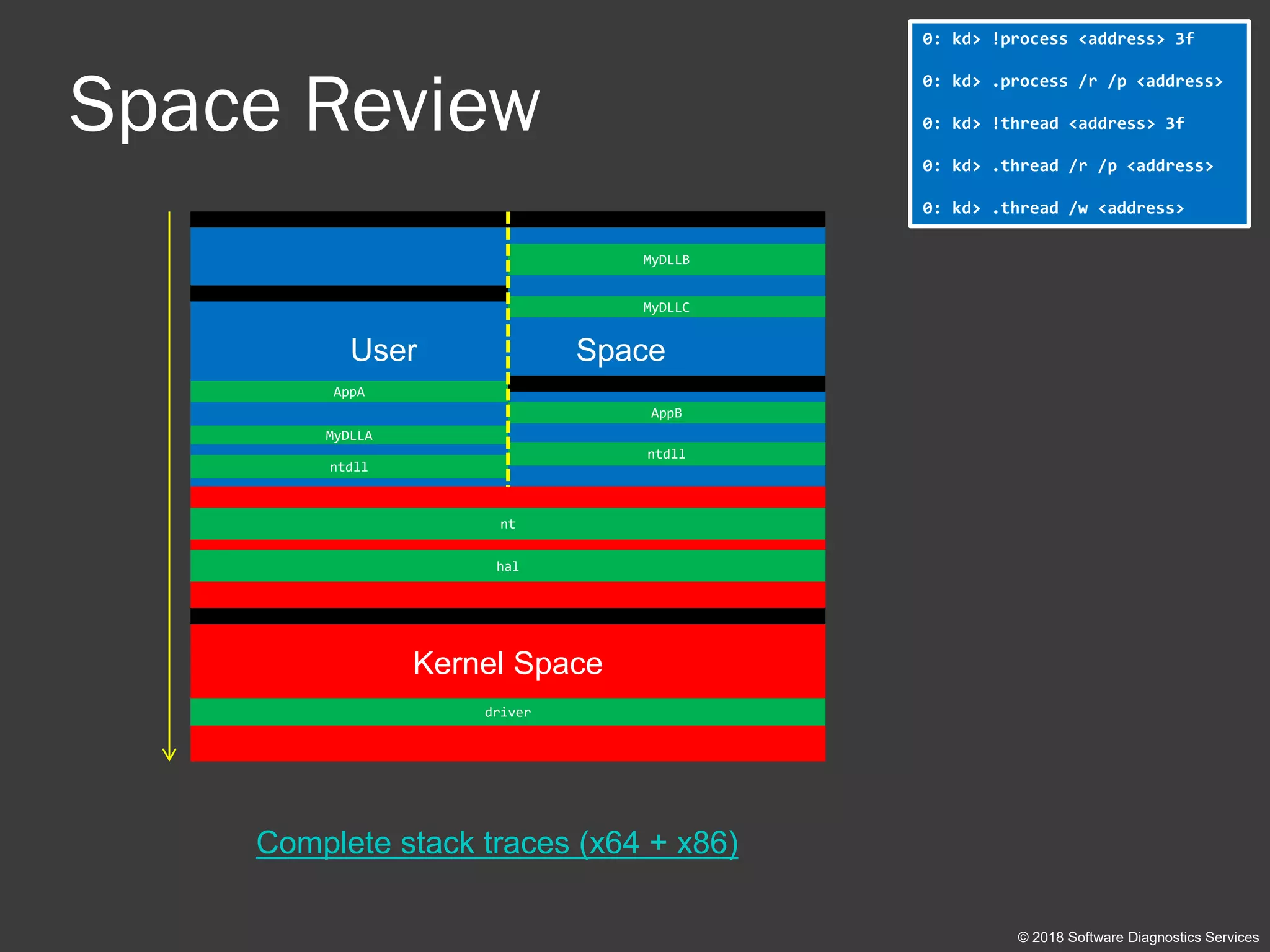
Space Review
© 2018 Software Diagnostics Services
User Space
Kernel Space
ntdll
AppA
MyDLLA
nt
driver
hal
ntdll
MyDLLB
AppB
MyDLLC
0: kd> !process <address> 3f
0: kd> .process /r /p <address>
0: kd> !thread <address> 3f
0: kd> .thread /r /p <address>
0: kd> .thread /w <address>
Complete stack traces (x64 + x86)
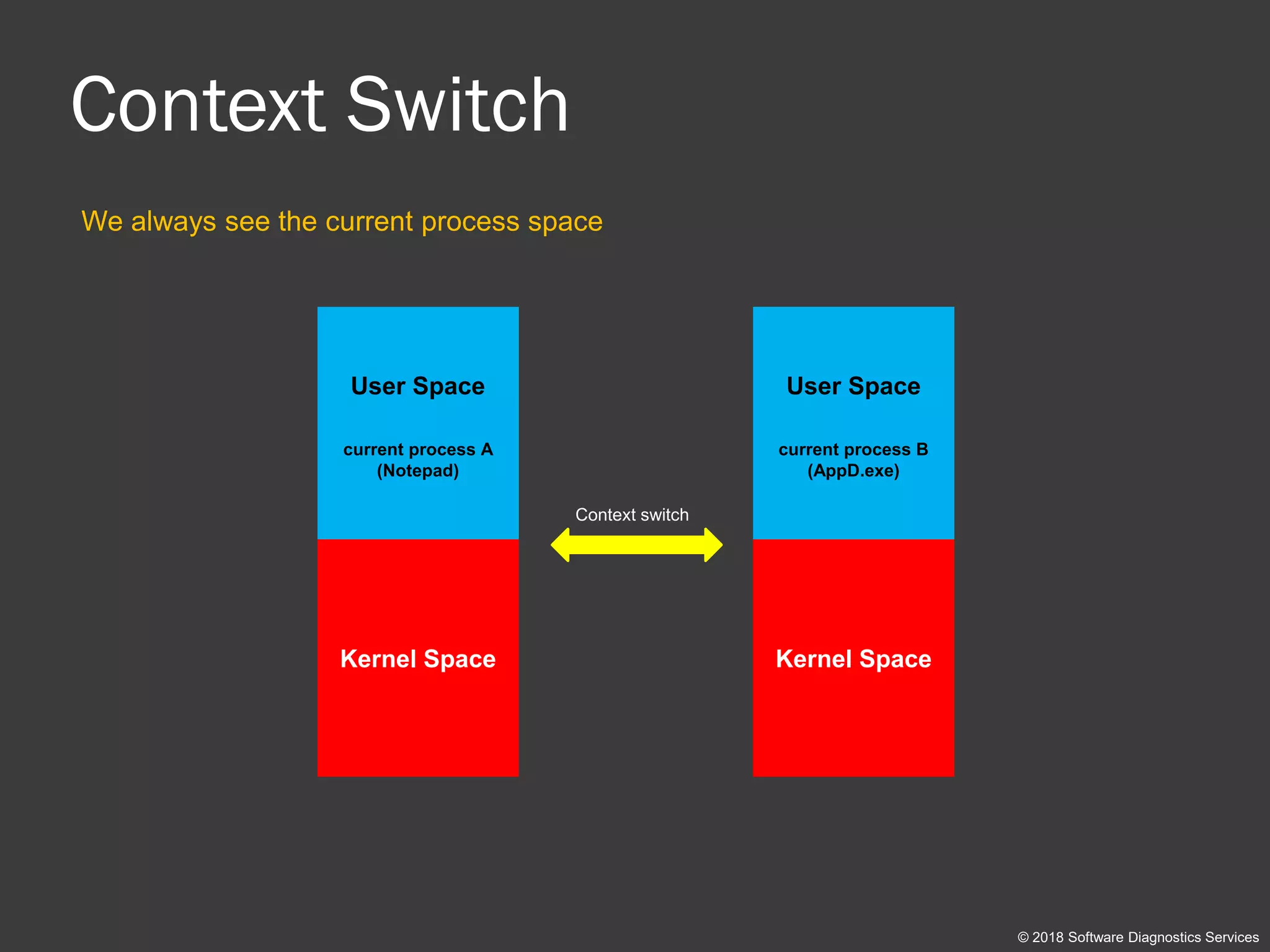
Context Switch
We always see the current process space
Context switch
© 2018 Software Diagnostics Services
User Space
current process A
(Notepad)
Kernel Space
User Space
current process B
(AppD.exe)
Kernel Space
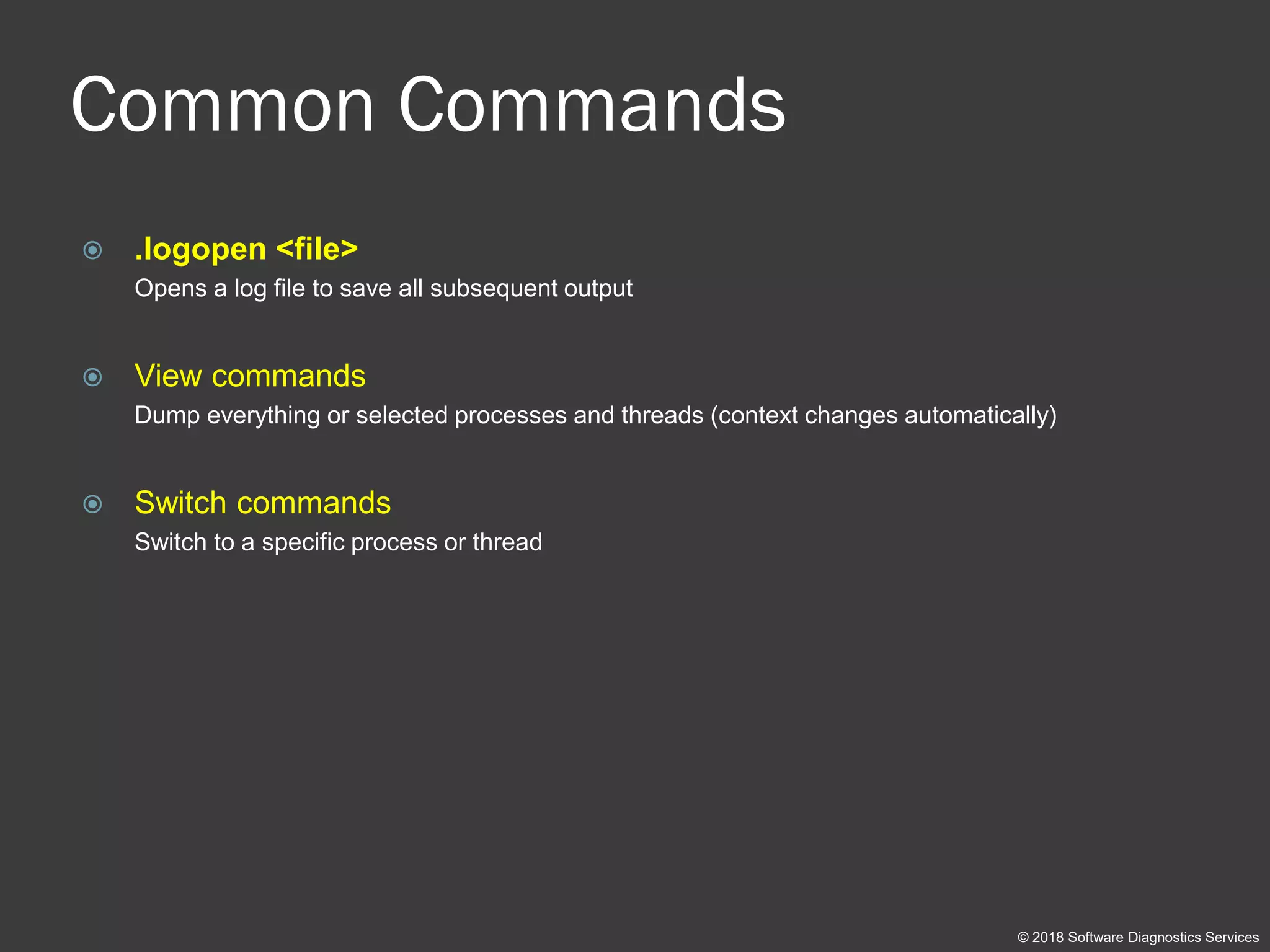
Common Commands
 .logopen <file>
Opens a log file to save all subsequent output
 View commands
Dump everything or selected processes and threads (context changes automatically)
 Switch commands
Switch to a specific process or thread
© 2018 Software Diagnostics Services
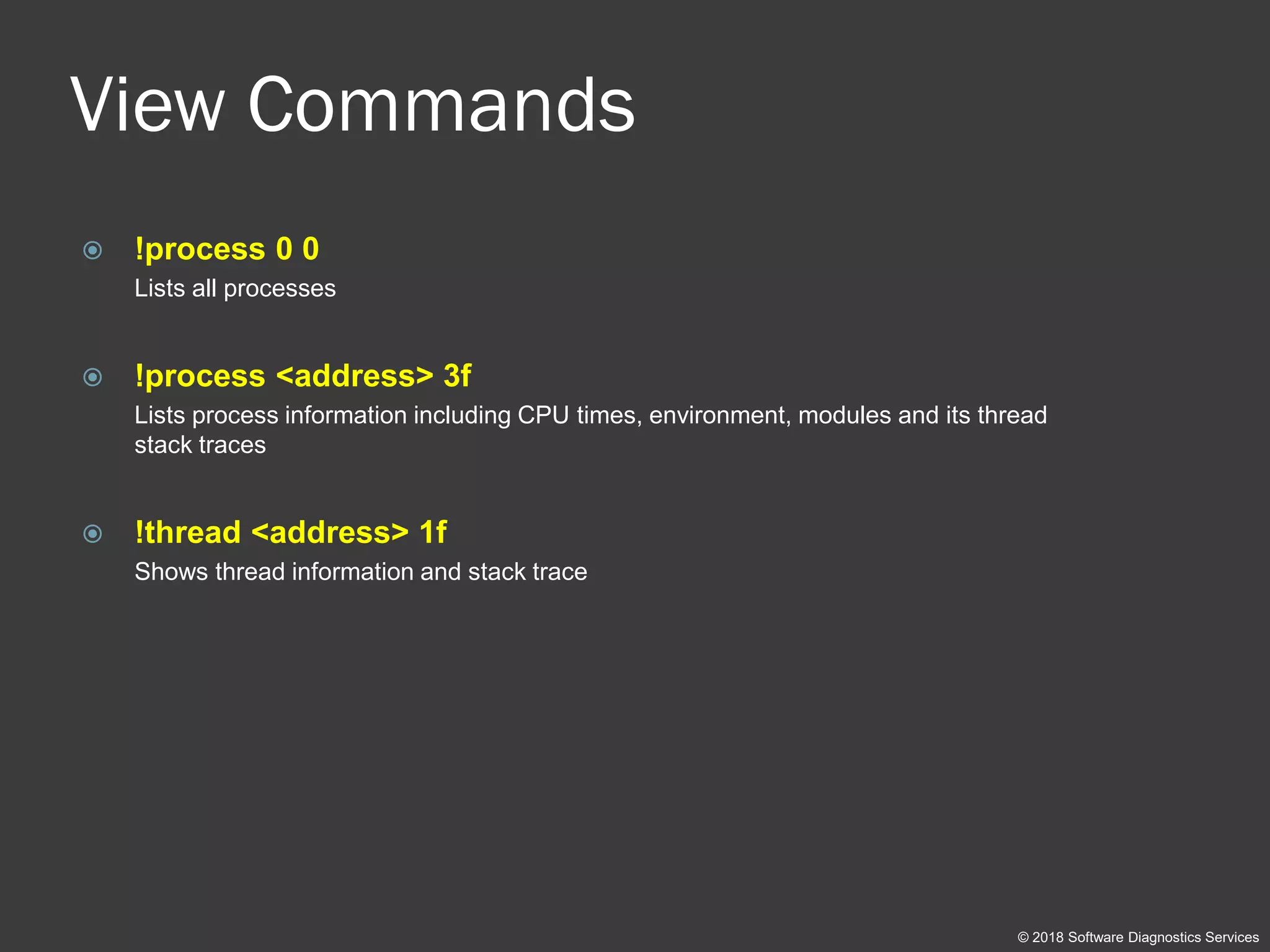
View Commands
 !process 0 0
Lists all processes
 !process <address> 3f
Lists process information including CPU times, environment, modules and its thread
stack traces
 !thread <address> 1f
Shows thread information and stack trace
© 2018 Software Diagnostics Services
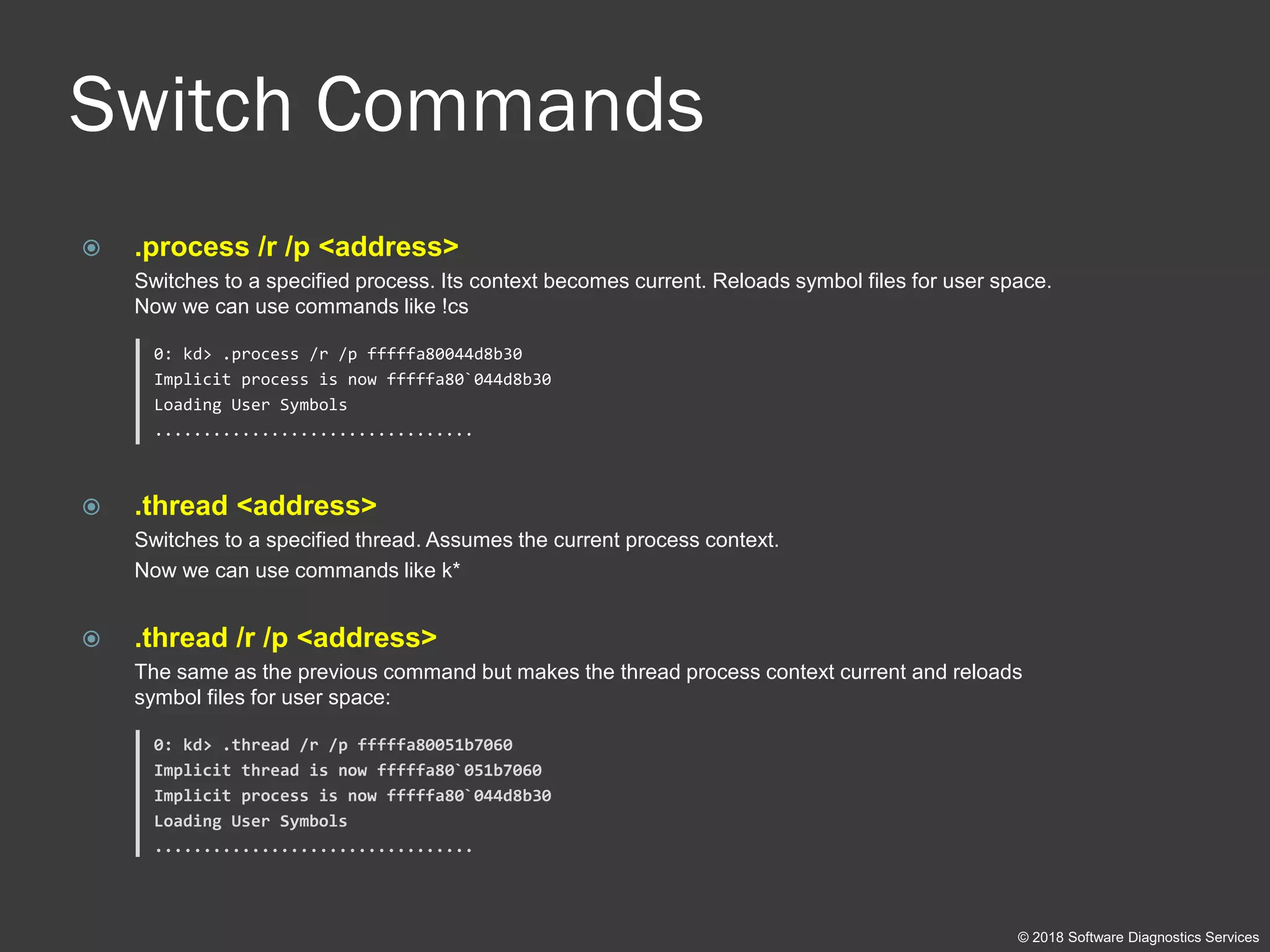
Switch Commands
 .process /r /p <address>
Switches to a specified process. Its context becomes current. Reloads symbol files for user space.
Now we can use commands like !cs
0: kd> .process /r /p fffffa80044d8b30
Implicit process is now fffffa80`044d8b30
Loading User Symbols
.................................
 .thread <address>
Switches to a specified thread. Assumes the current process context.
Now we can use commands like k*
 .thread /r /p <address>
The same as the previous command but makes the thread process context current and reloads
symbol files for user space:
0: kd> .thread /r /p fffffa80051b7060
Implicit thread is now fffffa80`051b7060
Implicit process is now fffffa80`044d8b30
Loading User Symbols
.................................
© 2018 Software Diagnostics Services
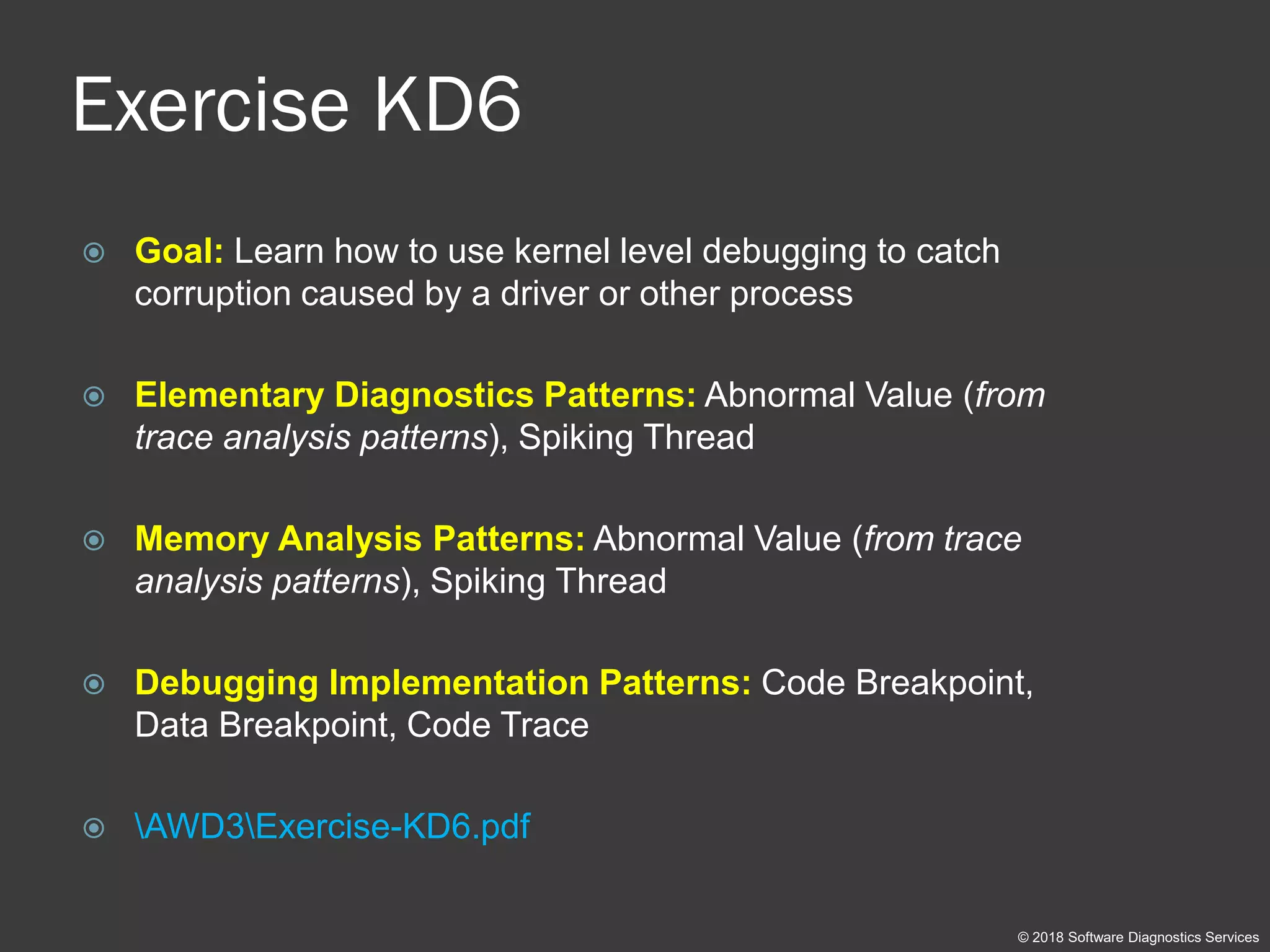
Exercise KD6
 Goal: Learn how to use kernel level debugging to catch
corruption caused by a driver or other process
 Elementary Diagnostics Patterns: Abnormal Value (from
trace analysis patterns), Spiking Thread
 Memory Analysis Patterns: Abnormal Value (from trace
analysis patterns), Spiking Thread
 Debugging Implementation Patterns: Code Breakpoint,
Data Breakpoint, Code Trace
 AWD3Exercise-KD6.pdf
© 2018 Software Diagnostics Services
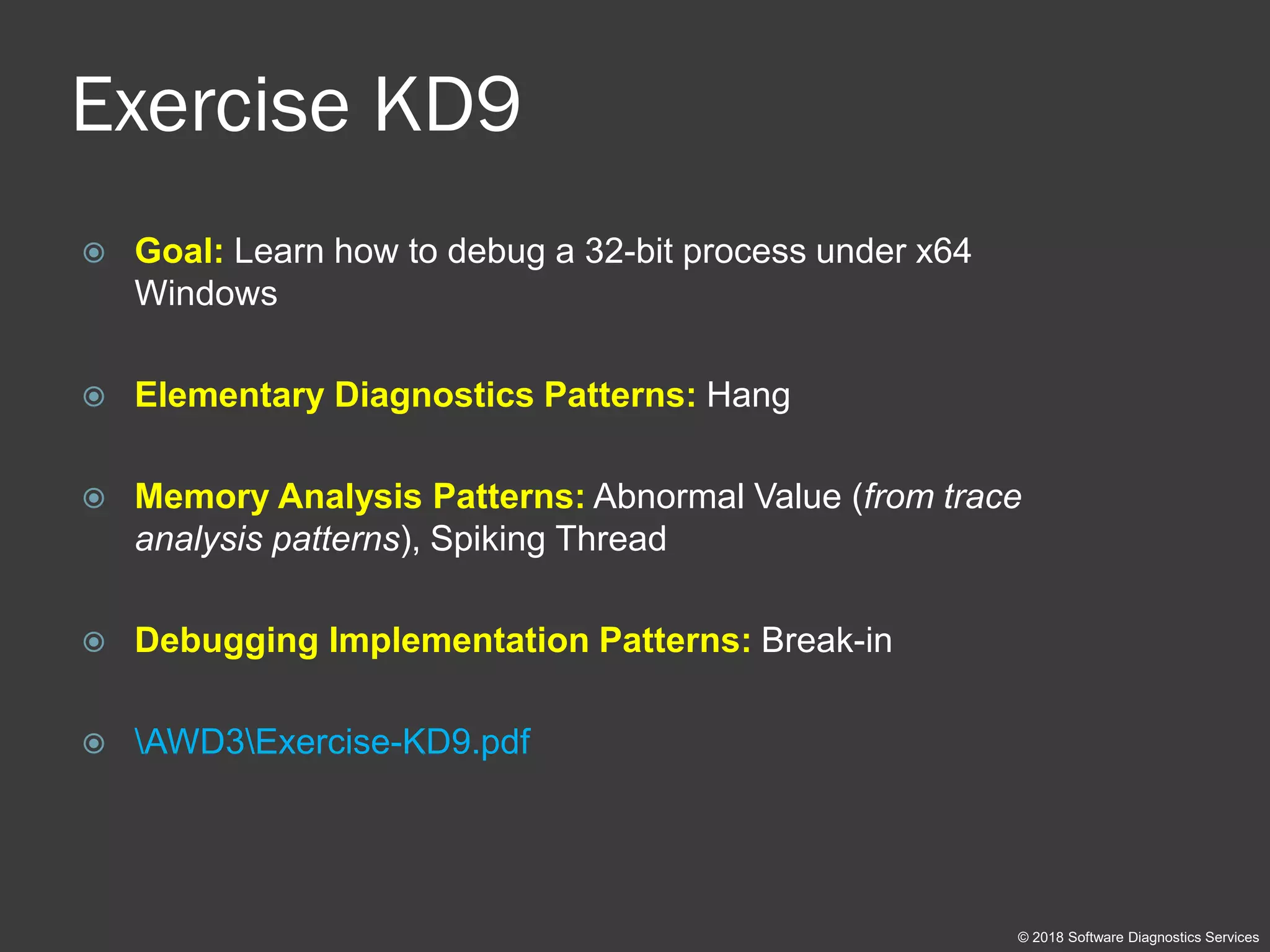
Exercise KD9
 Goal: Learn how to debug a 32-bit process under x64
Windows
 Elementary Diagnostics Patterns: Hang
 Memory Analysis Patterns: Abnormal Value (from trace
analysis patterns), Spiking Thread
 Debugging Implementation Patterns: Break-in
 AWD3Exercise-KD9.pdf
© 2018 Software Diagnostics Services
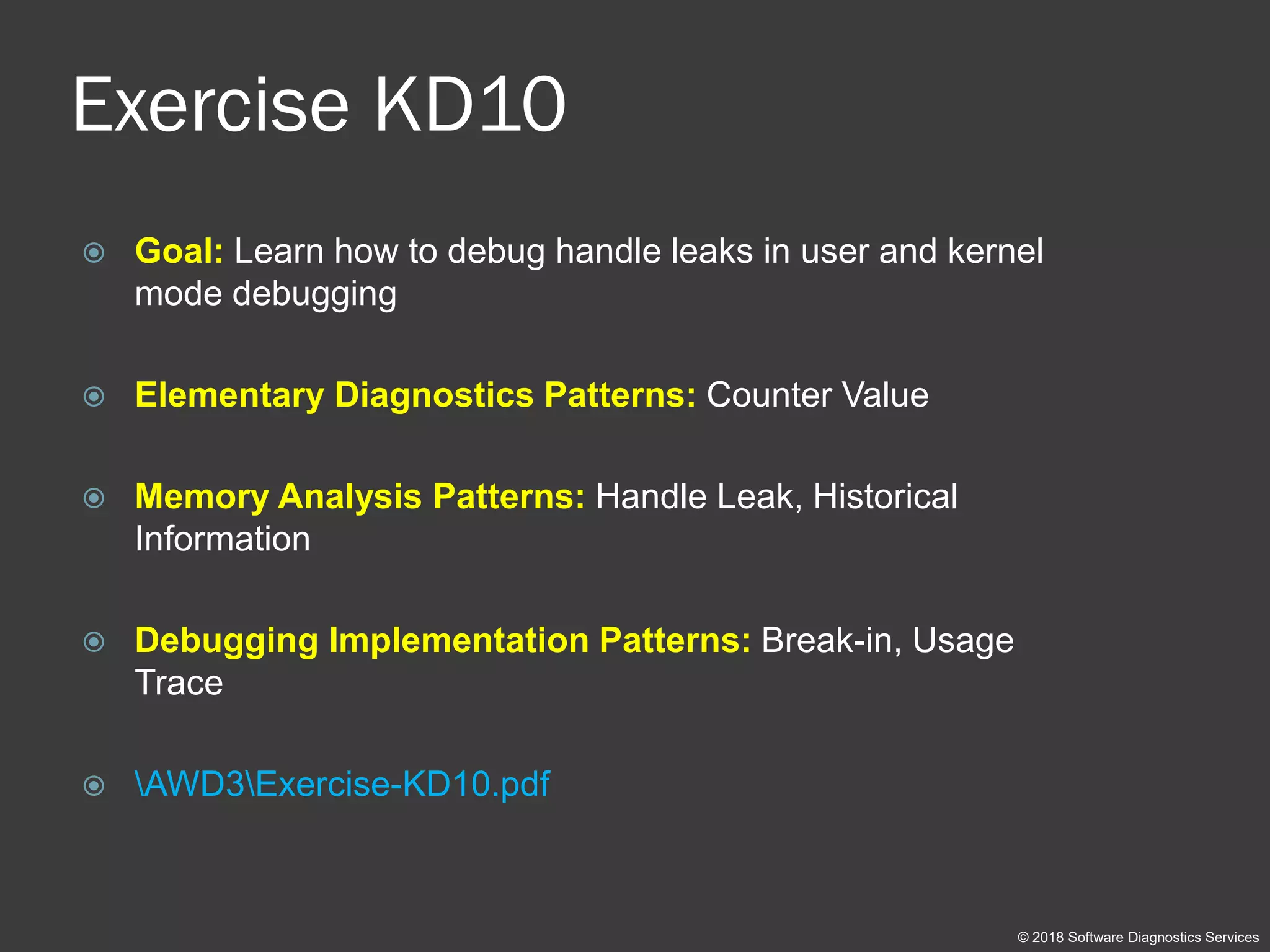
Exercise KD10
 Goal: Learn how to debug handle leaks in user and kernel
mode debugging
 Elementary Diagnostics Patterns: Counter Value
 Memory Analysis Patterns: Handle Leak, Historical
Information
 Debugging Implementation Patterns: Break-in, Usage
Trace
 AWD3Exercise-KD10.pdf
© 2018 Software Diagnostics Services
Managed Debugging
Exercise MD11
© 2018 Software Diagnostics Services
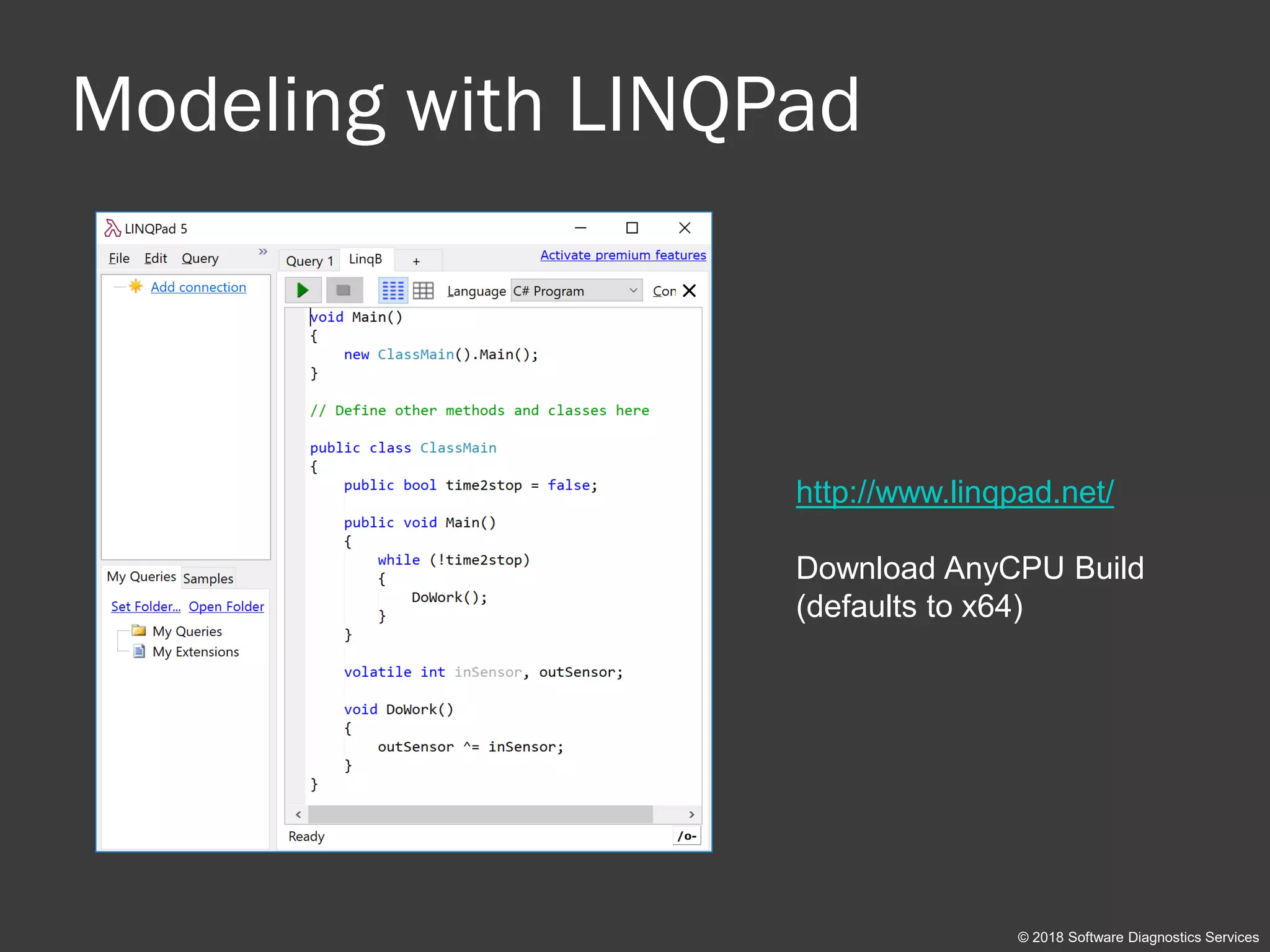
Modeling with LINQPad
http://www.linqpad.net/
Download AnyCPU Build
(defaults to x64)
© 2018 Software Diagnostics Services
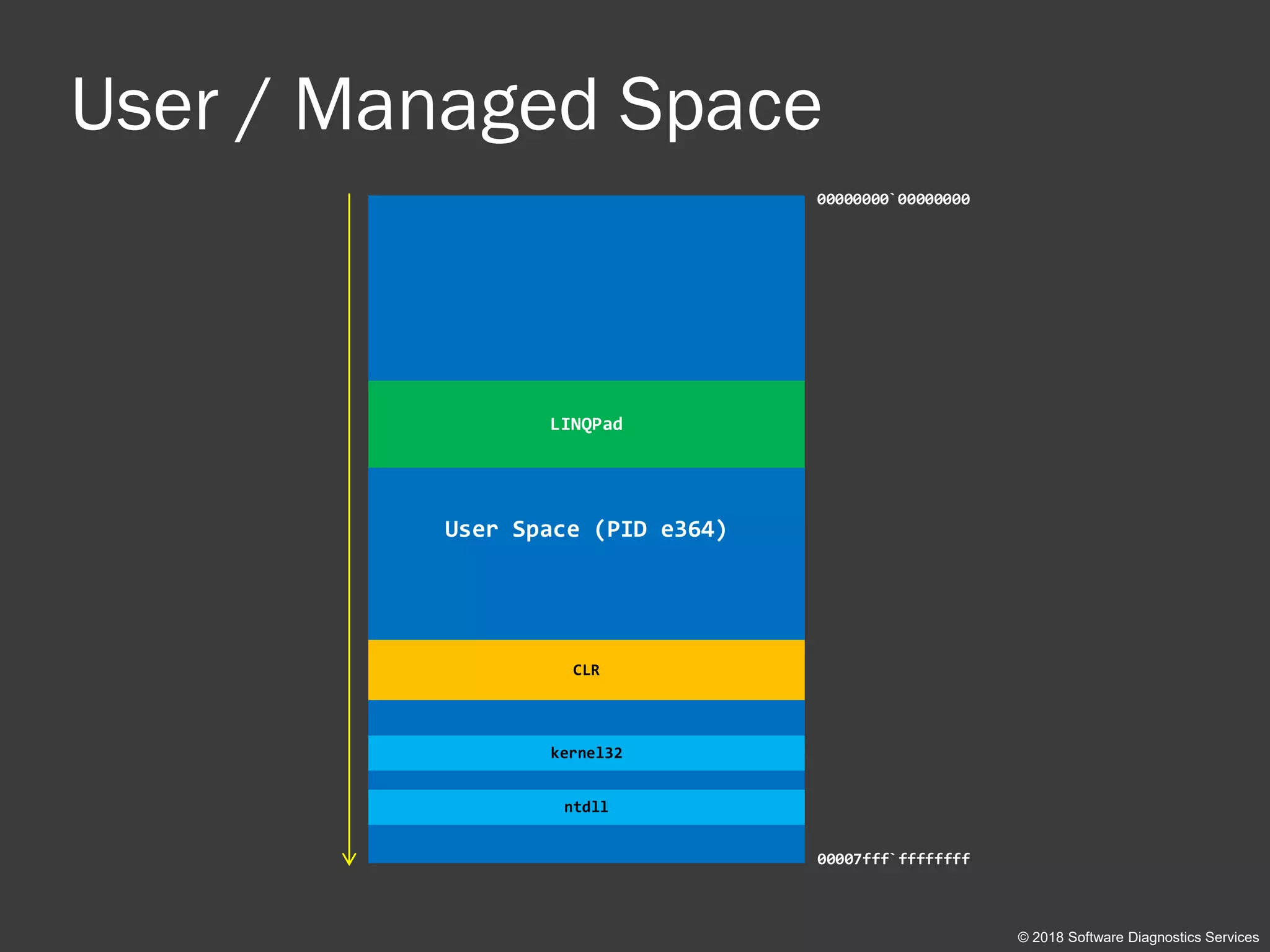
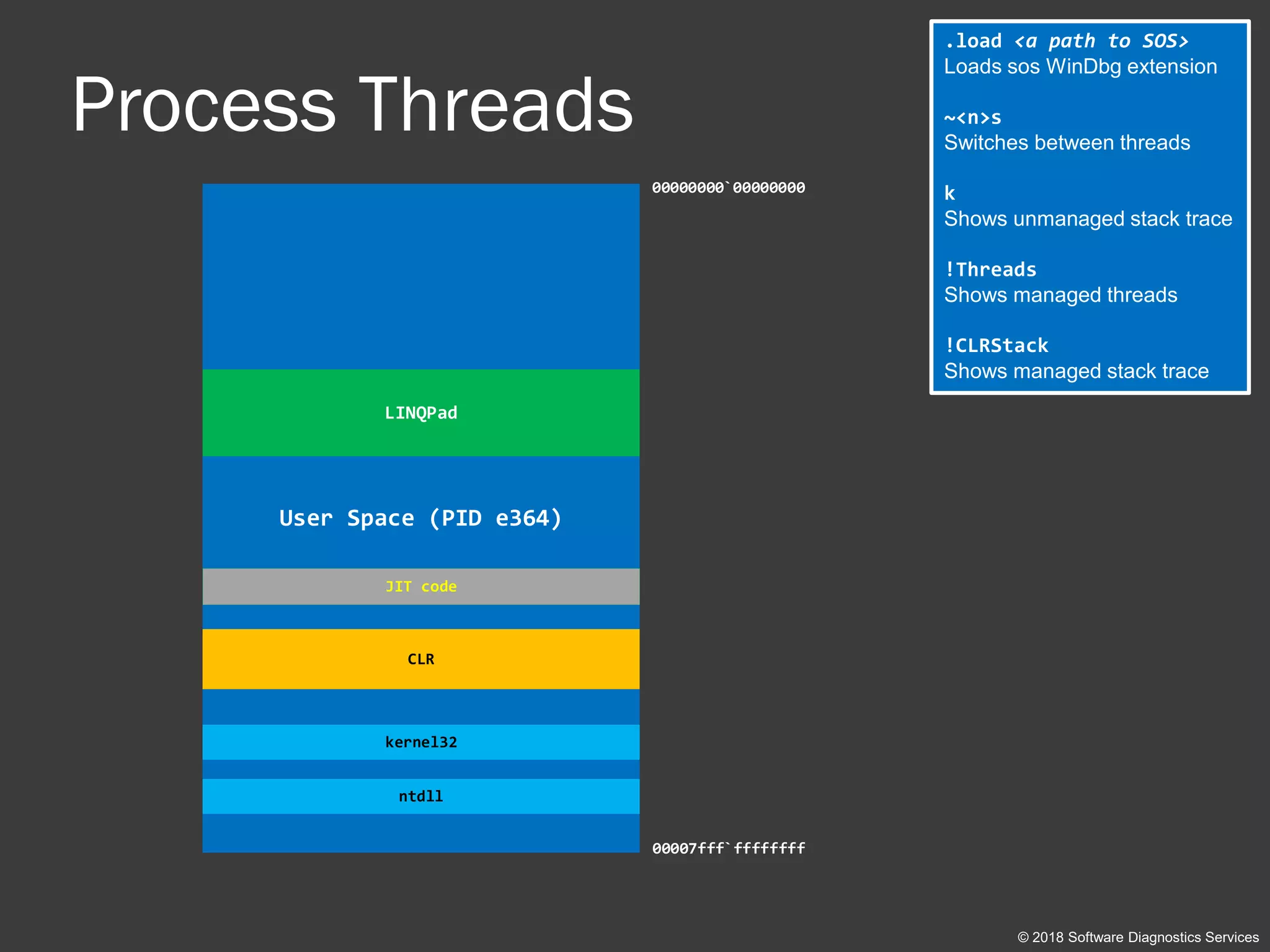
User / Managed Space
© 2018 Software Diagnostics Services
User Space (PID e364)
00000000`00000000
00007fff`ffffffff
LINQPad
kernel32
CLR
ntdll
Process Threads
.load <a path to SOS>
Loads sos WinDbg extension
~<n>s
Switches between threads
k
Shows unmanaged stack trace
!Threads
Shows managed threads
!CLRStack
Shows managed stack trace
© 2018 Software Diagnostics Services
User Space (PID e364)
00000000`00000000
00007fff`ffffffff
LINQPad
kernel32
CLR
ntdll
JIT code
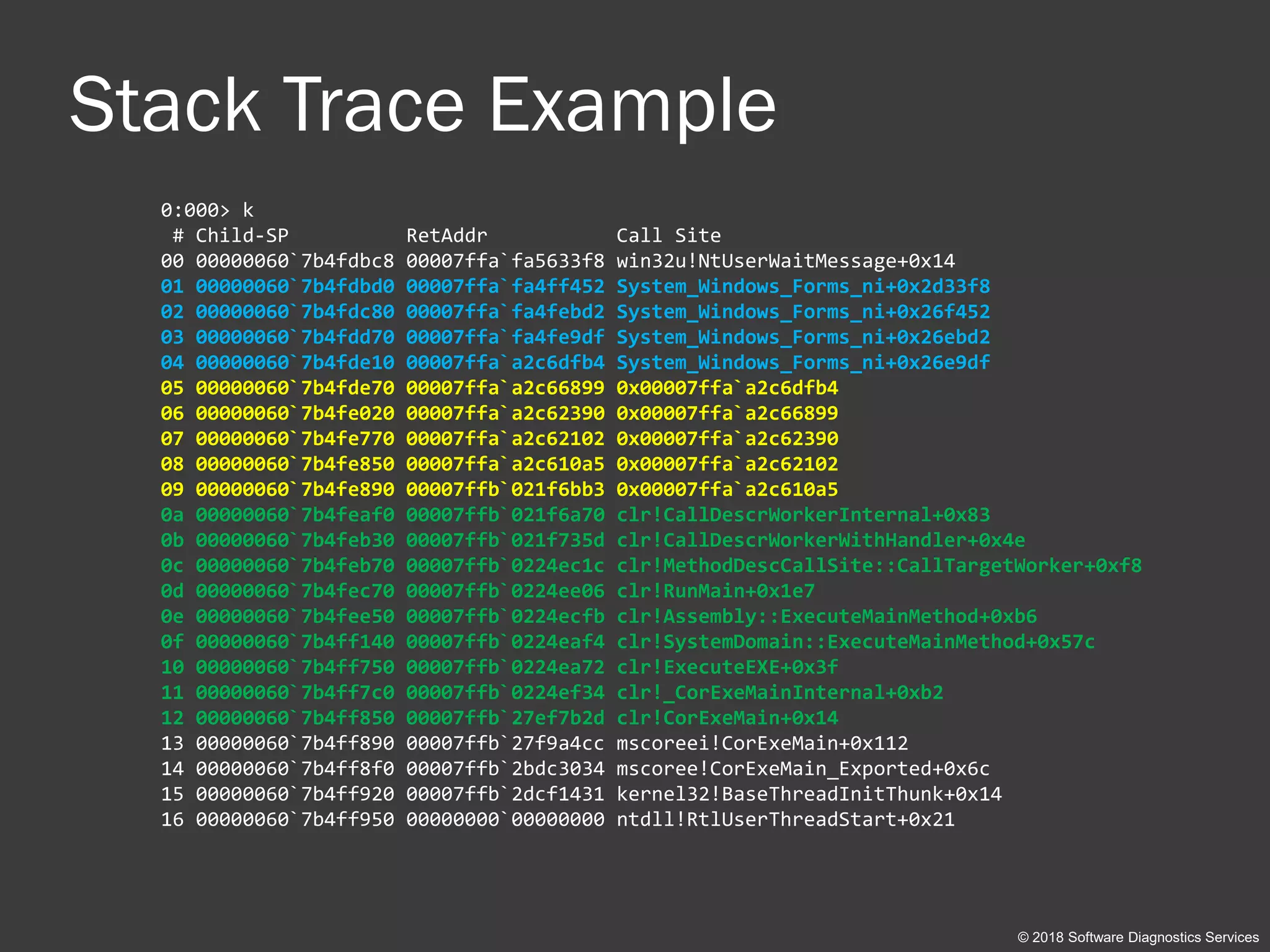
Stack Trace Example
0:000> k
# Child-SP RetAddr Call Site
00 00000060`7b4fdbc8 00007ffa`fa5633f8 win32u!NtUserWaitMessage+0x14
01 00000060`7b4fdbd0 00007ffa`fa4ff452 System_Windows_Forms_ni+0x2d33f8
02 00000060`7b4fdc80 00007ffa`fa4febd2 System_Windows_Forms_ni+0x26f452
03 00000060`7b4fdd70 00007ffa`fa4fe9df System_Windows_Forms_ni+0x26ebd2
04 00000060`7b4fde10 00007ffa`a2c6dfb4 System_Windows_Forms_ni+0x26e9df
05 00000060`7b4fde70 00007ffa`a2c66899 0x00007ffa`a2c6dfb4
06 00000060`7b4fe020 00007ffa`a2c62390 0x00007ffa`a2c66899
07 00000060`7b4fe770 00007ffa`a2c62102 0x00007ffa`a2c62390
08 00000060`7b4fe850 00007ffa`a2c610a5 0x00007ffa`a2c62102
09 00000060`7b4fe890 00007ffb`021f6bb3 0x00007ffa`a2c610a5
0a 00000060`7b4feaf0 00007ffb`021f6a70 clr!CallDescrWorkerInternal+0x83
0b 00000060`7b4feb30 00007ffb`021f735d clr!CallDescrWorkerWithHandler+0x4e
0c 00000060`7b4feb70 00007ffb`0224ec1c clr!MethodDescCallSite::CallTargetWorker+0xf8
0d 00000060`7b4fec70 00007ffb`0224ee06 clr!RunMain+0x1e7
0e 00000060`7b4fee50 00007ffb`0224ecfb clr!Assembly::ExecuteMainMethod+0xb6
0f 00000060`7b4ff140 00007ffb`0224eaf4 clr!SystemDomain::ExecuteMainMethod+0x57c
10 00000060`7b4ff750 00007ffb`0224ea72 clr!ExecuteEXE+0x3f
11 00000060`7b4ff7c0 00007ffb`0224ef34 clr!_CorExeMainInternal+0xb2
12 00000060`7b4ff850 00007ffb`27ef7b2d clr!CorExeMain+0x14
13 00000060`7b4ff890 00007ffb`27f9a4cc mscoreei!CorExeMain+0x112
14 00000060`7b4ff8f0 00007ffb`2bdc3034 mscoree!CorExeMain_Exported+0x6c
15 00000060`7b4ff920 00007ffb`2dcf1431 kernel32!BaseThreadInitThunk+0x14
16 00000060`7b4ff950 00000000`00000000 ntdll!RtlUserThreadStart+0x21
© 2018 Software Diagnostics Services
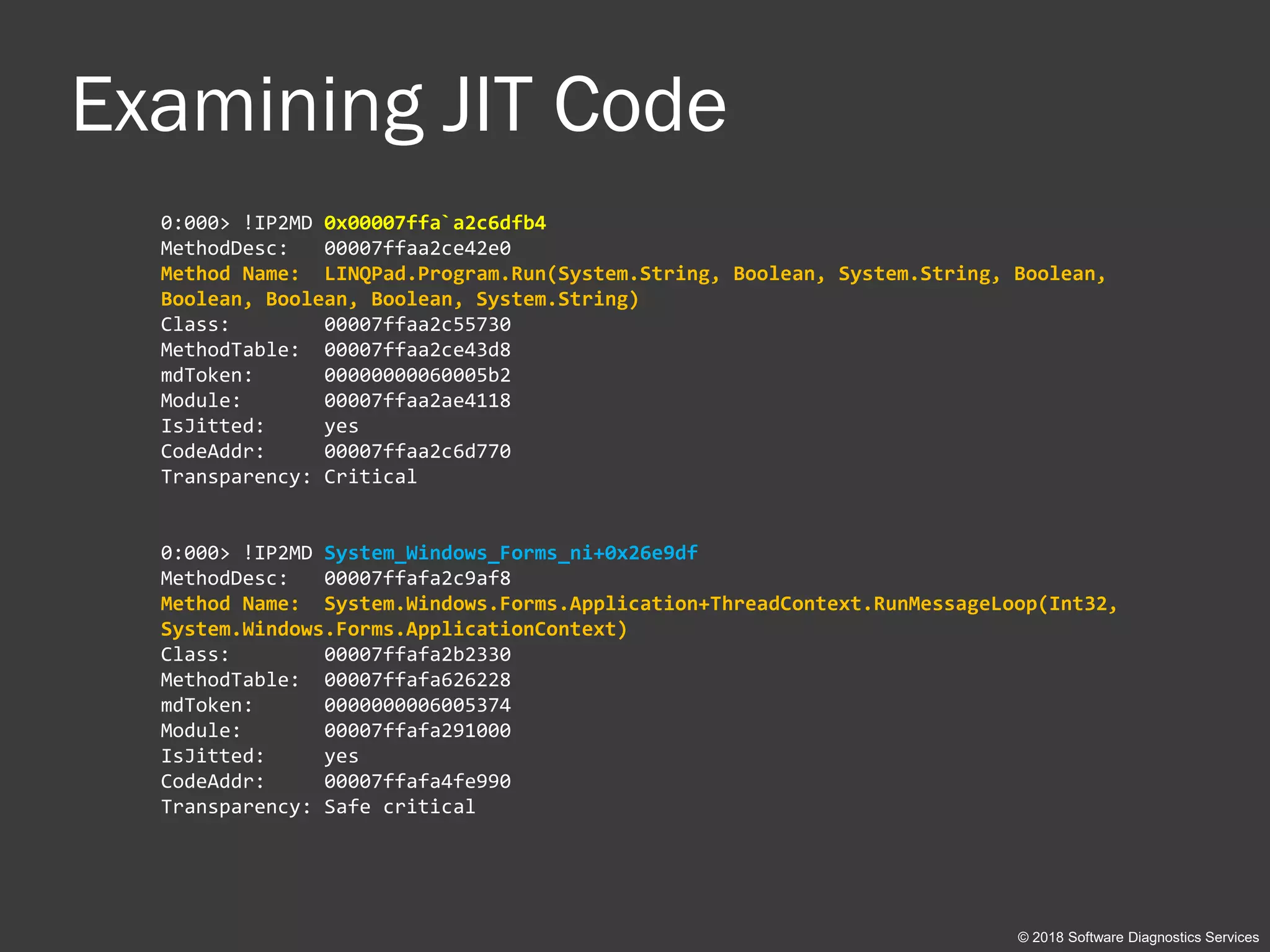
Examining JIT Code
0:000> !IP2MD 0x00007ffa`a2c6dfb4
MethodDesc: 00007ffaa2ce42e0
Method Name: LINQPad.Program.Run(System.String, Boolean, System.String, Boolean,
Boolean, Boolean, Boolean, System.String)
Class: 00007ffaa2c55730
MethodTable: 00007ffaa2ce43d8
mdToken: 00000000060005b2
Module: 00007ffaa2ae4118
IsJitted: yes
CodeAddr: 00007ffaa2c6d770
Transparency: Critical
0:000> !IP2MD System_Windows_Forms_ni+0x26e9df
MethodDesc: 00007ffafa2c9af8
Method Name: System.Windows.Forms.Application+ThreadContext.RunMessageLoop(Int32,
System.Windows.Forms.ApplicationContext)
Class: 00007ffafa2b2330
MethodTable: 00007ffafa626228
mdToken: 0000000006005374
Module: 00007ffafa291000
IsJitted: yes
CodeAddr: 00007ffafa4fe990
Transparency: Safe critical
© 2018 Software Diagnostics Services
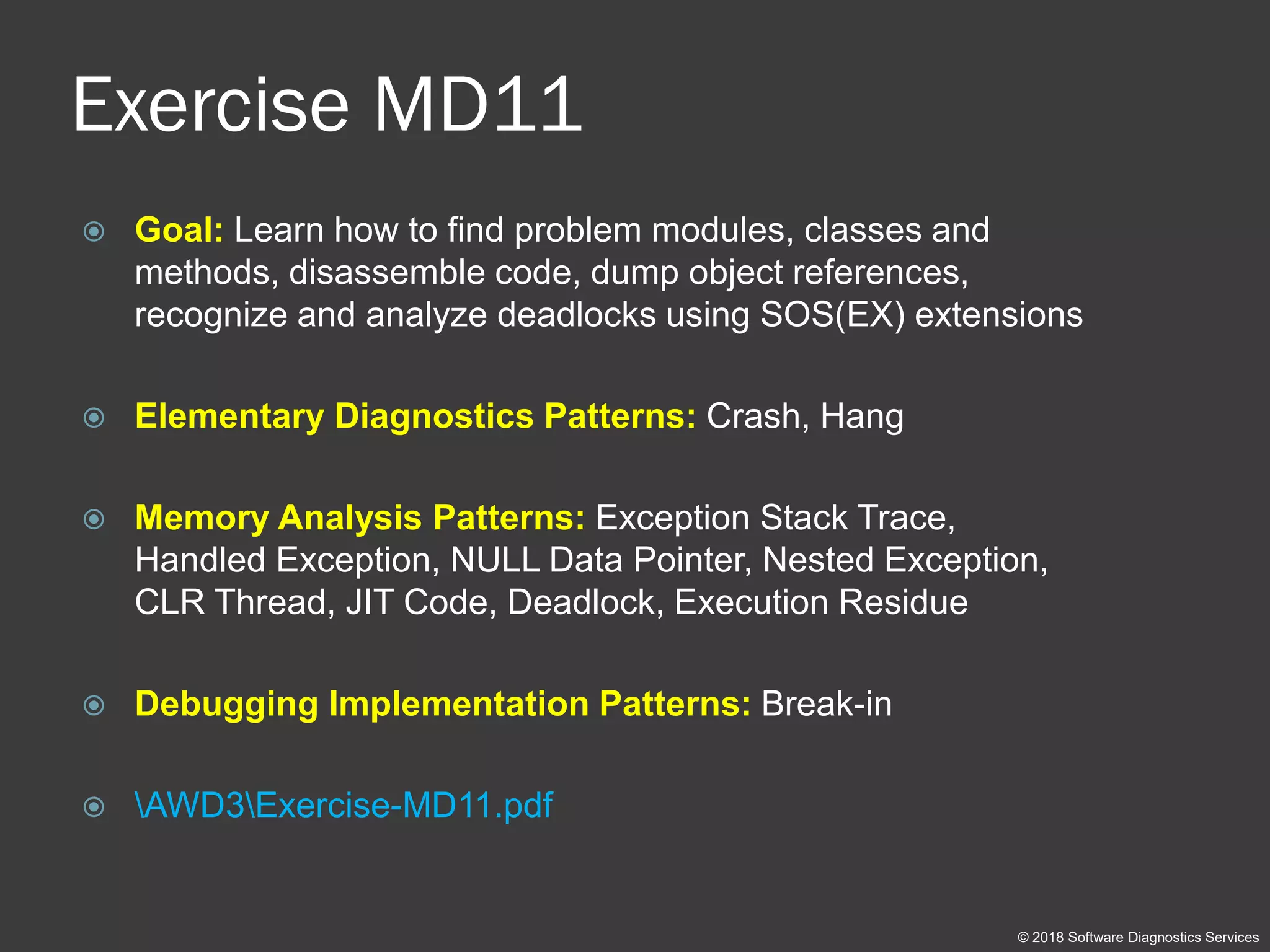
Exercise MD11
 Goal: Learn how to find problem modules, classes and
methods, disassemble code, dump object references,
recognize and analyze deadlocks using SOS(EX) extensions
 Elementary Diagnostics Patterns: Crash, Hang
 Memory Analysis Patterns: Exception Stack Trace,
Handled Exception, NULL Data Pointer, Nested Exception,
CLR Thread, JIT Code, Deadlock, Execution Residue
 Debugging Implementation Patterns: Break-in
 AWD3Exercise-MD11.pdf
© 2018 Software Diagnostics Services
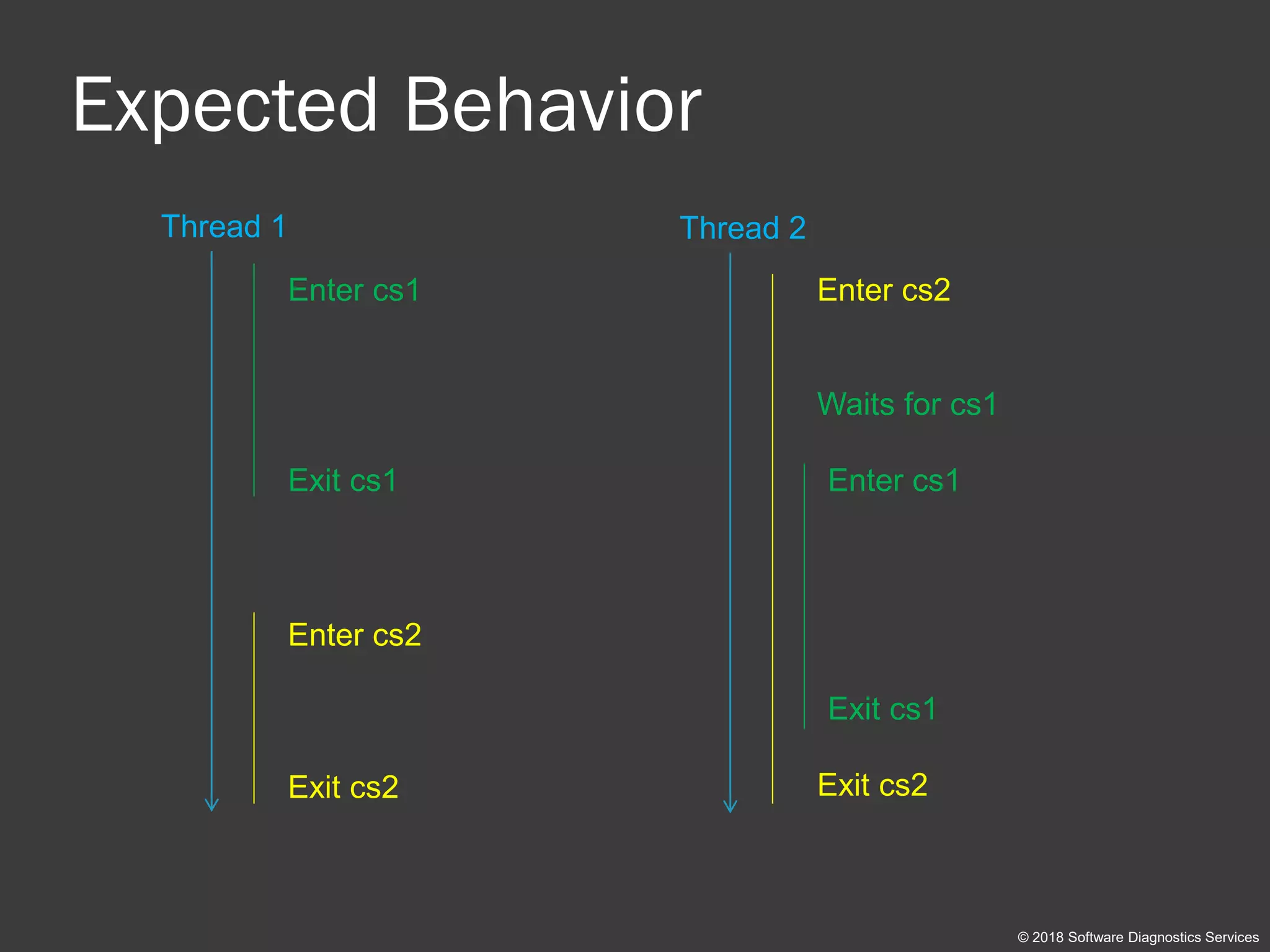
Expected Behavior
© 2018 Software Diagnostics Services
Thread 2Thread 1
Enter cs2
Waits for cs1
Exit cs2
Enter cs1
Exit cs1 Enter cs1
Exit cs1
Enter cs2
Exit cs2
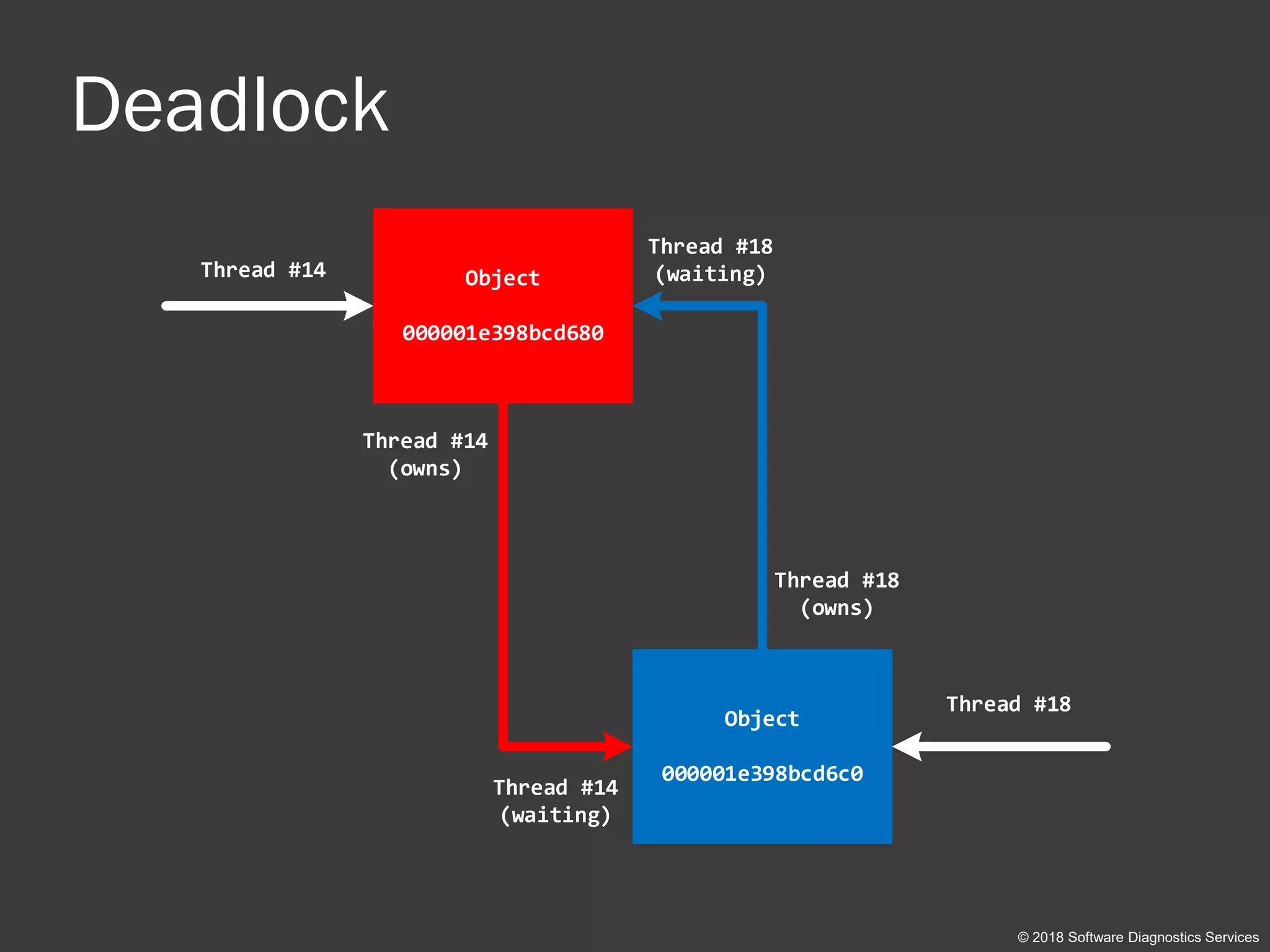
Deadlock
© 2018 Software Diagnostics Services
Object
000001e398bcd680
Object
000001e398bcd6c0
Thread #18
Thread #18
(owns)
Thread #14
Thread #14
(owns)
Thread #18
(waiting)
Thread #14
(waiting)
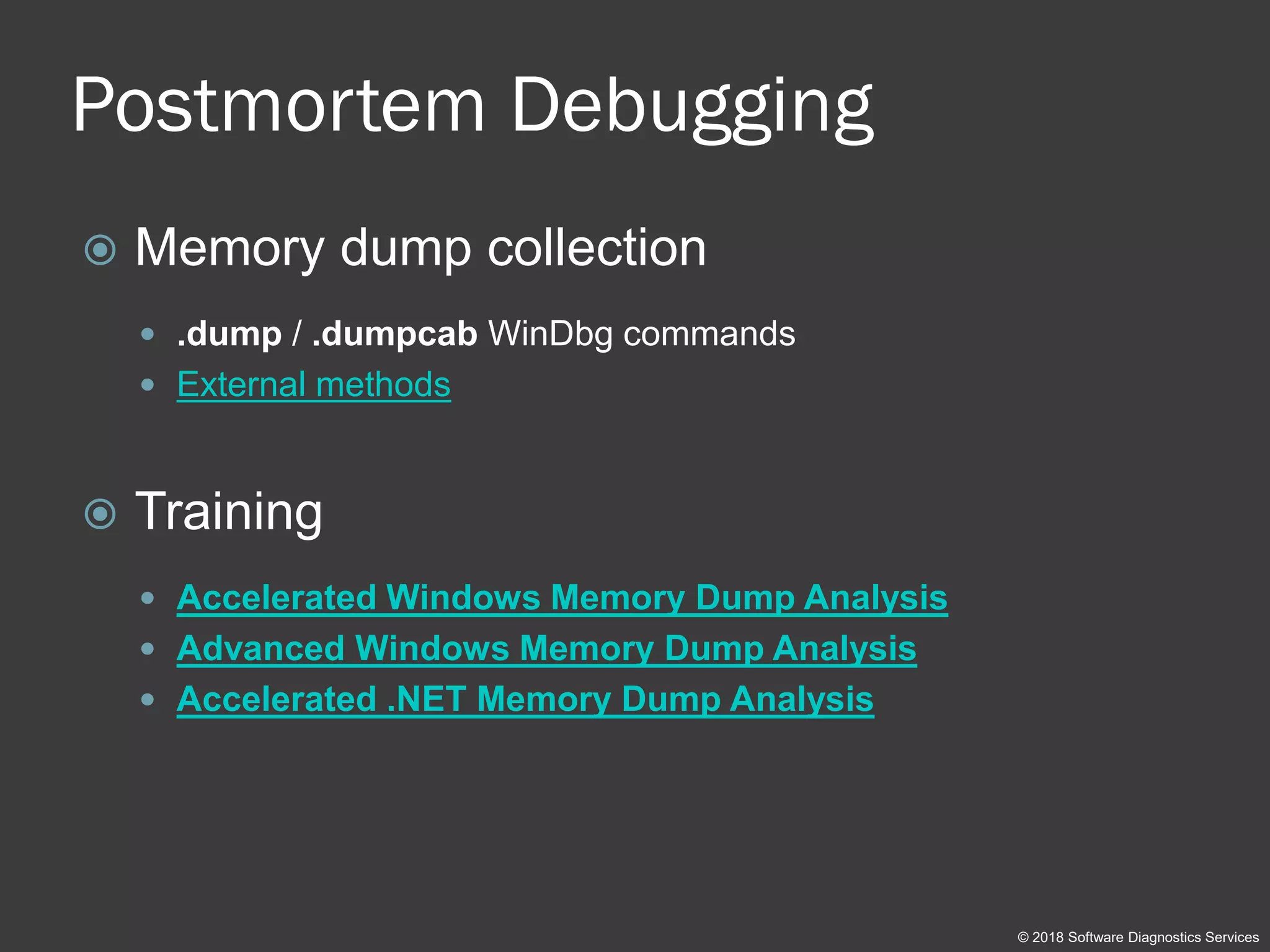
Postmortem Debugging
 Memory dump collection
 .dump / .dumpcab WinDbg commands
 External methods
 Training
 Accelerated Windows Memory Dump Analysis
 Advanced Windows Memory Dump Analysis
 Accelerated .NET Memory Dump Analysis
© 2018 Software Diagnostics Services
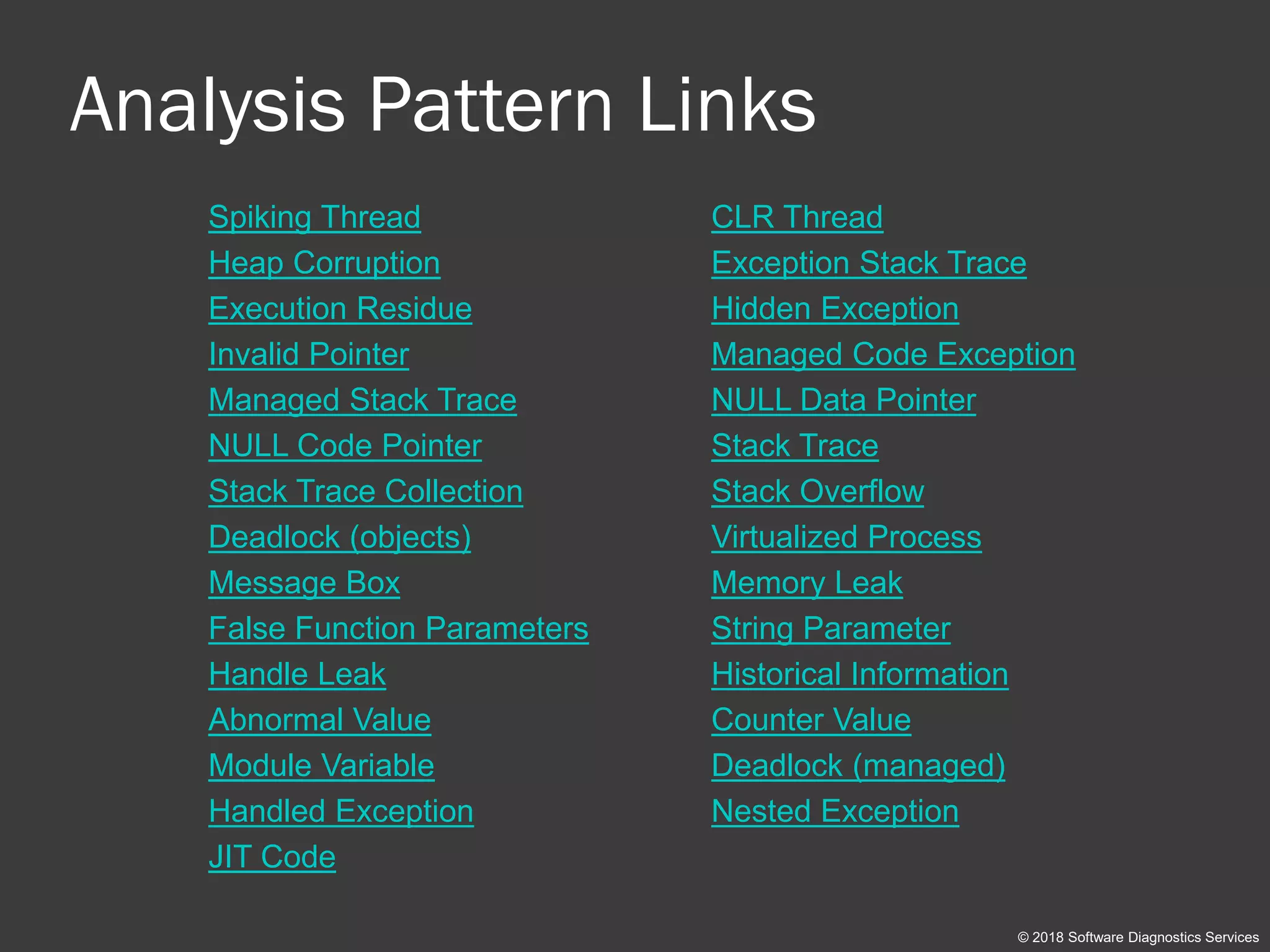
Analysis Pattern Links
Spiking Thread CLR Thread
Heap Corruption Exception Stack Trace
Execution Residue Hidden Exception
Invalid Pointer Managed Code Exception
Managed Stack Trace NULL Data Pointer
NULL Code Pointer Stack Trace
Stack Trace Collection Stack Overflow
Deadlock (objects) Virtualized Process
Message Box Memory Leak
False Function Parameters String Parameter
Handle Leak Historical Information
Abnormal Value Counter Value
Module Variable Deadlock (managed)
Handled Exception Nested Exception
JIT Code
© 2018 Software Diagnostics Services
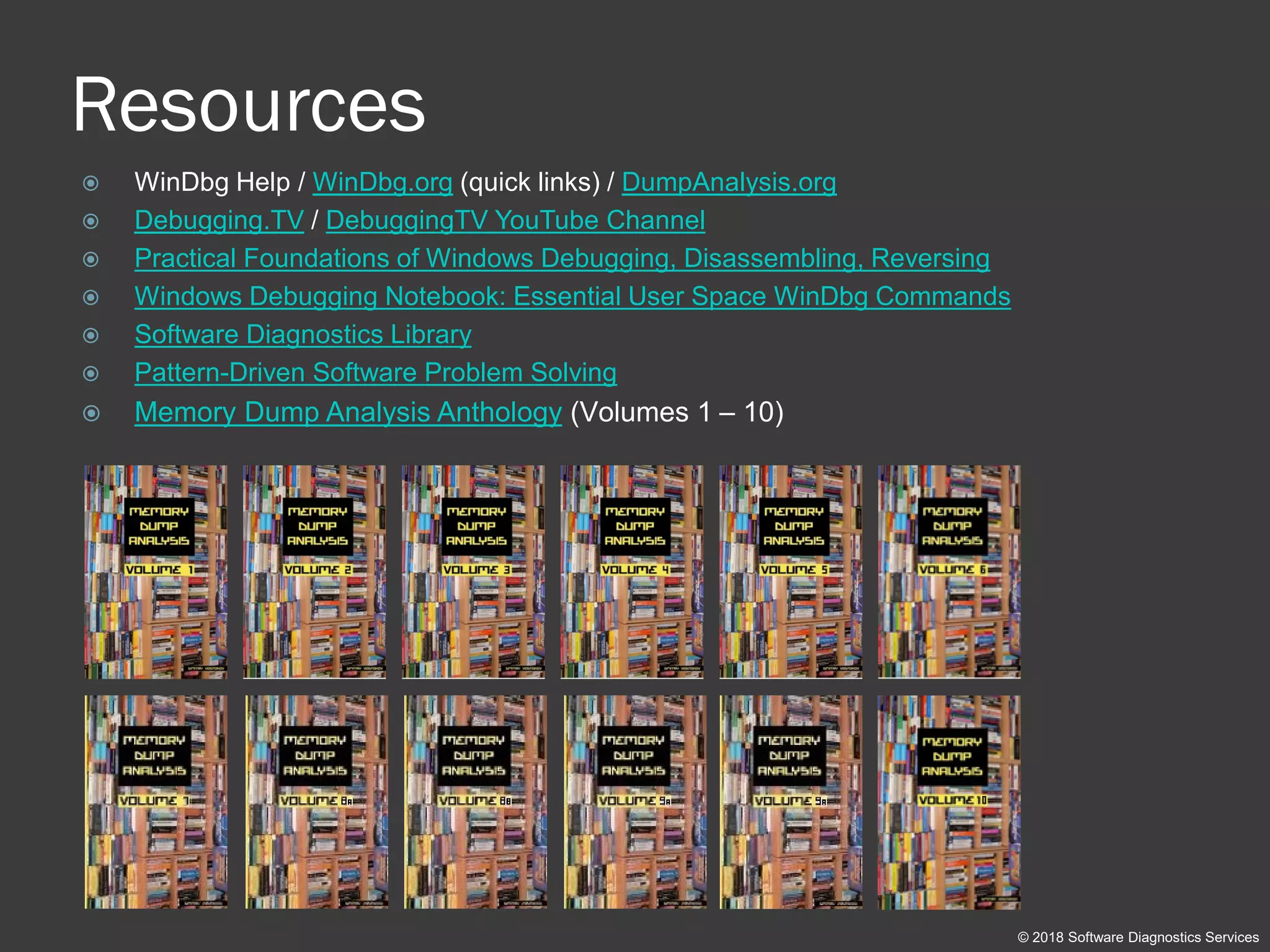
Resources
 WinDbg Help / WinDbg.org (quick links) / DumpAnalysis.org
 Debugging.TV / DebuggingTV YouTube Channel
 Practical Foundations of Windows Debugging, Disassembling, Reversing
 Windows Debugging Notebook: Essential User Space WinDbg Commands
 Software Diagnostics Library
 Pattern-Driven Software Problem Solving
 Memory Dump Analysis Anthology (Volumes 1 – 10)
© 2018 Software Diagnostics Services
Q&A
Please send your feedback using the contact
form on PatternDiagnostics.com
© 2018 Software Diagnostics Services
Thank you for attendance!
© 2018 Software Diagnostics Services

Accelerated Windows Debugging 3 training public slides

  • 1.
  • 2.
    Prerequisites  Debugging inVisual Studio or  Basic crash dump analysis © 2018 Software Diagnostics Services
  • 3.
    Why WinDbg?  Productiondebugging  Redistributable  Kernel mode debugging © 2018 Software Diagnostics Services
  • 4.
    Training Goals  Reviewfundamentals  Learn live debugging techniques  See how software diagnostics is used during debugging © 2018 Software Diagnostics Services
  • 5.
    Training Principles  Talkonly about what I can show  Lots of pictures  Lots of examples  Original content and examples © 2018 Software Diagnostics Services
  • 6.
    Course Idea Chemistry³: IntroducingInorganic, Organic, and Physical Chemistry book © 2018 Software Diagnostics Services Kernel User Managed
  • 7.
    Debugging TV © 2018Software Diagnostics Services  www.debugging.tv (more than 40 episodes)  PDB Symbols: episodes 0x01 – 0x04  Kernel debugging setup: episode 0x25
  • 8.
    Schedule Summary Day 1 Debugging Fundamentals (30 minutes)  User Mode Debugging (2 hour and 30 minutes) Day 2  User Mode Debugging (30 minutes)  Kernel Mode Debugging (1 hour and 30 minutes)  Managed Debugging (1 hour) © 2018 Software Diagnostics Services
  • 9.
    Part 1: Fundamentals ©2018 Software Diagnostics Services
  • 10.
    Memory Space3 © 2018Software Diagnostics Services Kernel User Managed
  • 11.
    Execution Mode3 © 2018Software Diagnostics Services Kernel User Managed
  • 12.
    Code3 © 2018 SoftwareDiagnostics Services Binary Source Meta
  • 13.
    Debugging Technique3 © 2018Software Diagnostics Services Breakpoints Inspection Tracing
  • 14.
    Pattern3 © 2018 SoftwareDiagnostics Services Elementary Memory Analysis Debugging
  • 15.
    Pattern Mapping © 2018Software Diagnostics Services Software Incident Software Diagnostics Debugging Elementary Diagnostics Memory Analysis Debugging Implementation
  • 16.
    Elementary Diagnostics  Functional Use-case Deviation  Non-functional  Crash  Hang (includes delays)  Counter Value (includes resource leaks, CPU spikes)  Error Message © 2018 Software Diagnostics Services
  • 17.
    Analysis Patterns  MemoryAnalysis catalogue  Software Trace and Log Analysis catalogue © 2018 Software Diagnostics Services
  • 18.
    Pattern-Oriented Diagnostic Analysis ©2018 Software Diagnostics Services Information Collection (Scripts) Information Extraction (Checklists) Problem Identification (Patterns) Problem Resolution Troubleshooting Suggestions Debugging Strategy Diagnostic Pattern: a common recurrent identifiable problem together with a set of recommendations and possible solutions to apply in a specific context. Diagnostic Analysis Pattern: a common recurrent analysis technique and method of diagnostic pattern identification in a specific context. Diagnostic Problem: a set of indicators (symptoms, signs) describing a problem. Diagnostics Pattern Language: common names of diagnostic and diagnostic analysis patterns. The same language for any operating system: Windows, Mac OS X, Linux, ... Checklist: http://www.dumpanalysis.org/windows-memory-analysis-checklist
  • 19.
    Unified Debugging Patterns Analysis (software diagnostics)  Architecture/Design of debugging  Implementation of debugging  Usage/presentation of debugging (for example, Watch dialog) © 2018 Software Diagnostics Services
  • 20.
    Space Review (x86) ©2018 Software Diagnostics Services User Space Kernel Space 0:000> lm start end module name 00ed0000 00f0e000 App 0f450000 0f530000 MyDLL 638d0000 63b2d000 CoreUIComponents 63b30000 63bbb000 CoreMessaging 642d0000 64435000 twinapi_appcore 6beb0000 6c0b4000 comctl32 6d7e0000 6d803000 dwmapi 6d930000 6d9ac000 uxtheme 6d9c0000 6da96000 WinTypes 6dac0000 6dce8000 iertutil 6dcf0000 6de8c000 urlmon 700b0000 70230000 propsys 70230000 7029c000 winspool 702a0000 702f6000 oleacc 70530000 70559000 ntmarta 70af0000 70b08000 mpr 74080000 74099000 bcrypt 74280000 742b0000 IPHLPAPI 746a0000 746aa000 CRYPTBASE 746b0000 746d0000 sspicli 74870000 74892000 gdi32 749a0000 74b2d000 user32 74b60000 74c1f000 msvcrt 74c20000 74c98000 advapi32 74ca0000 74d28000 SHCore 74d30000 74f14000 KERNELBASE 74f20000 7517c000 combase 75180000 75260000 kernel32 75260000 752e3000 clbcatq 752f0000 75434000 msctf 75440000 7678a000 shell32 767a0000 767f8000 bcryptPrimitives 76800000 7691e000 ucrtbase 76920000 769e0000 rpcrt4 769e0000 769f7000 win32u 76a00000 76a39000 cfgmgr32 76ee0000 76ee8000 fltLib 76f00000 76f45000 powrprof 76f50000 76f95000 shlwapi 76fa0000 77036000 oleaut32 77200000 77218000 profapi 77310000 77354000 sechost 773c0000 77524000 gdi32full 77590000 775b6000 imm32 775e0000 776b6000 comdlg32 776c0000 77c7a000 windows_storage 77c80000 77cfd000 msvcp_win 77df0000 77f80000 ntdll 00000000 7fffffff 80000000 ffffffff App ntdll MyDLL
  • 21.
    Space Review (x64) ©2018 Software Diagnostics Services User Space Kernel Space 0:000> lm start end module name 00007ff7`73080000 00007ff7`7330f000 App 00007ff8`44990000 00007ff8`44a27000 MyDLL 00007ff8`46ad0000 00007ff8`46d39000 comctl32 00007ff8`56d70000 00007ff8`56ddb000 oleacc 00007ff8`56de0000 00007ff8`56f7a000 GdiPlus 00007ff8`58dd0000 00007ff8`58e54000 winspool 00007ff8`5c6b0000 00007ff8`5c9ce000 CoreUIComponents 00007ff8`5ca10000 00007ff8`5ca75000 ninput 00007ff8`5ce40000 00007ff8`5cf8d000 WinTypes 00007ff8`5db50000 00007ff8`5dd04000 propsys 00007ff8`5ec10000 00007ff8`5ec3a000 winmmbase 00007ff8`5ec40000 00007ff8`5ec63000 winmm 00007ff8`5ee10000 00007ff8`5ee17000 msimg32 00007ff8`5f210000 00007ff8`5f2ea000 CoreMessaging 00007ff8`5f590000 00007ff8`5f628000 uxtheme 00007ff8`5f820000 00007ff8`5f849000 dwmapi 00007ff8`601c0000 00007ff8`601f1000 ntmarta 00007ff8`606d0000 00007ff8`60708000 IPHLPAPI 00007ff8`60c30000 00007ff8`60c55000 bcrypt 00007ff8`610d0000 00007ff8`6111c000 powrprof 00007ff8`61120000 00007ff8`6112a000 fltLib 00007ff8`61150000 00007ff8`61161000 kernel_appcore 00007ff8`61170000 00007ff8`6118f000 profapi 00007ff8`61190000 00007ff8`6128a000 ucrtbase 00007ff8`61290000 00007ff8`612d9000 cfgmgr32 00007ff8`612e0000 00007ff8`61472000 gdi32full 00007ff8`61480000 00007ff8`614a0000 win32u 00007ff8`616f0000 00007ff8`61dfd000 windows_storage 00007ff8`61e00000 00007ff8`61e7a000 bcryptPrimitives 00007ff8`61e80000 00007ff8`61f1f000 msvcp_win 00007ff8`61f20000 00007ff8`62193000 KERNELBASE 00007ff8`62250000 00007ff8`622ab000 sechost 00007ff8`622d0000 00007ff8`63710000 shell32 00007ff8`63710000 00007ff8`637d2000 oleaut32 00007ff8`637e0000 00007ff8`63881000 advapi32 00007ff8`63890000 00007ff8`638bd000 imm32 00007ff8`638c0000 00007ff8`63a50000 user32 00007ff8`63ae0000 00007ff8`63c55000 msctf 00007ff8`63ce0000 00007ff8`63d08000 gdi32 00007ff8`63d20000 00007ff8`63dbe000 msvcrt 00007ff8`63fc0000 00007ff8`64069000 SHCore 00007ff8`64070000 00007ff8`64194000 rpcrt4 00007ff8`641a0000 00007ff8`641f1000 shlwapi 00007ff8`642f0000 00007ff8`64613000 combase 00007ff8`64620000 00007ff8`64771000 ole32 00007ff8`64820000 00007ff8`648d2000 kernel32 00007ff8`64dc0000 00007ff8`64fa1000 ntdll 00000000`00000000 00007fff`ffffffff ffff8000`00000000 ffffffff`ffffffff ntdll App MyDLL
  • 22.
    Thread Stack Trace 0:000>k Module!FunctionD Module!FunctionC+130 Module!FunctionB+220 Module!FunctionA+110 User Stack for TID 102 Module!FunctionA Module!FunctionB Module!FunctionC Saves return address Module!FunctionA+110 Saves return address Module!FunctionB+220 Module!FunctionD Saves return address Module!FunctionC+130 Resumes from address Module!FunctionA+110 Resumes from address Module!FunctionB+220 Resumes from address Module!FunctionC+130 FunctionA() { ... FunctionB(); ... } FunctionB() { ... FunctionC(); ... } FunctionC() { ... FunctionD(); ... } Return address Module!FunctionC+130 Return address Module!FunctionB+220 Return address Module!FunctionA+110 © 2018 Software Diagnostics Services
  • 23.
    Thread Stack Trace(no PDB) 0:000> k Module+0 Module+43130 Module+32220 Module+22110 User Stack for TID 102 Module+22000 Module+32000 Module+43000 Saves return address Module+22110 Saves return address Module+32220 Module+54000 Saves return address Module+43130 Resumes from address Module+22110 Resumes from address Module+32220 Resumes from address Module+43130 FunctionA() { ... FunctionB(); ... } FunctionB() { ... FunctionC(); ... } FunctionC() { ... FunctionD(); ... } Return address Module+43130 Return address Module+32220 Return address Module+22110 No symbols for Module Symbol file Module.pdb FunctionA 22000 - 23000 FunctionB 32000 - 33000 FunctionC 43000 – 44000 FunctionD 54000 - 55000 © 2018 Software Diagnostics Services
  • 24.
    Thread Raw StackData © 2018 Software Diagnostics Services void main() { foo(); crash(); } void foo() { char sz[256] = “Some String”; bar(); } void bar() { do(); } void crash() { WER(); } module!main+10 module!crash+30 Some String module!bar+20 0:000> k module!crash+30 module!main+10
  • 25.
    First vs. SecondChance  First chance exceptions WinDbg is notified of an exception, you can ignore it  Second chance exceptions If the exception wasn’t handled (for example, by a catch block) WinDbg is notified again  Relation to crash dumps © 2018 Software Diagnostics Services
  • 26.
    Part 2: PracticeExercises © 2018 Software Diagnostics Services
  • 27.
    Links  Applications: Not availablein preview version  Exercise Transcripts: Not available in preview version © 2018 Software Diagnostics Services
  • 28.
    Warning Because this islive debugging, due to differences in actual systems and also ASLR (Address Space Layout Randomization), when you launch applications actual addresses in WinDbg command output may be different from shown in exercise transcripts. © 2018 Software Diagnostics Services
  • 29.
    Exercise 0  Goal:Install Debugging Tools for Windows and learn how to set up symbols correctly  Memory Analysis Patterns: Incorrect Stack Trace  AWD3Exercise-0-Download-Setup-WinDbg.pdf © 2018 Software Diagnostics Services
  • 30.
    User Mode Debugging ExercisesD1-D8 © 2018 Software Diagnostics Services
  • 31.
    Exercise D1  Goal:Learn how code generation parameters can influence process execution behavior  Elementary Diagnostics Patterns: Crash  Memory Analysis Patterns: Exception Stack Trace  Debugging Implementation Patterns: Scope, Variable Value, Type Structure, Code Breakpoint  AWD3Exercise-D1.pdf © 2018 Software Diagnostics Services
  • 32.
    Exercise D2  Goal:Learn how to use hardware breakpoints to catch data corruption  Elementary Diagnostics Patterns: Counter Value  Memory Analysis Patterns: Unloaded Module, Memory Leak (process heap), Abnormal Value (from trace analysis patterns)  Debugging Implementation Patterns: Break-in, Code Breakpoint, Scope, Variable Value, Data Breakpoint  AWD3Exercise-D2.pdf © 2018 Software Diagnostics Services
  • 33.
    Exercise D3  Goal:Learn how to navigate parameters, static and local variables, and data structures  Elementary Diagnostics Patterns: Crash  Memory Analysis Patterns: Exception Stack Trace, Stack Overflow, String Parameter, Module Variable  Debugging Implementation Patterns: Break-in, Scope, Variable Value, Type Structure  AWD3Exercise-D3.pdf © 2018 Software Diagnostics Services
  • 34.
    Exercise D4  Goal:Learn how to use conditional breakpoints to log behavior  Elementary Diagnostics Patterns: Use-case Deviation  Memory Analysis Patterns: -  Debugging Implementation Patterns: Break-in, Code Breakpoint, Breakpoint Action  AWD3Exercise-D4.pdf © 2018 Software Diagnostics Services
  • 35.
    Exercise D5  Goal:Learn how to debug multiple processes and their deadlock  Elementary Diagnostics Patterns: Crash, Hang  Memory Analysis Patterns: Exception Stack Trace, NULL Data Pointer, Execution Residue, Hidden Exception, Handled Exception, Deadlock  Debugging Implementation Patterns: Break-in  AWD3Exercise-D5.pdf © 2018 Software Diagnostics Services
  • 36.
    Expected Behavior © 2018Software Diagnostics Services Thread A Thread B Acquires Mutex A Waits for Mutex B Acquires Mutex B Releases Mutex B Waits for Mutex AAcquires Mutex B Releases Mutex B Releases Mutex A Acquires Mutex A Releases Mutex A
  • 37.
    Deadlock © 2018 SoftwareDiagnostics Services Thread A Thread B Acquires Mutex A Waits for Mutex B Acquires Mutex B NewFeature() Waits for Mutex A
  • 38.
    Exercise D6  Goal:Learn how to recognize when we need kernel level debugging  Elementary Diagnostics Patterns: Hang, Counter Value  Memory Analysis Patterns: Abnormal Value (from trace analysis patterns), Spiking Thread  Debugging Implementation Patterns: Break-in, Code Breakpoint, Data Breakpoint, Code Trace  AWD3Exercise-D6.pdf © 2018 Software Diagnostics Services
  • 39.
    Exercise D7  Goal:Learn how to manipulate threads to debug race conditions  Elementary Diagnostics Patterns: Crash  Memory Analysis Patterns: Exception Stack Trace, NULL Code Pointer  Debugging Implementation Patterns: Frozen Thread  AWD3Exercise-D7.pdf © 2018 Software Diagnostics Services
  • 40.
    Exercise D8  Goal:Learn how to inspect heap for signs of corruption  Elementary Diagnostics Patterns: Crash  Memory Analysis Patterns: Dynamic Memory Corruption (process heap), Module Variable, Exception Stack Trace  Debugging Implementation Patterns: Break-in  AWD3Exercise-D8.pdf © 2018 Software Diagnostics Services
  • 41.
    Kernel Mode Debugging ExercisesKD6, KD9, KD10 © 2018 Software Diagnostics Services
  • 42.
    Exercise K0  Goal:Setup VMware kernel debugging environment  AWD3Exercise-K0-Kernel-Debugging-Setup.pdf © 2018 Software Diagnostics Services
  • 43.
    Space Review (x86) ©2018 Software Diagnostics Services User Space Kernel Space 0: kd> lmk start end module name 80200000 8020a000 BATTC 8020a000 8020c900 compbatt 8020d000 80215000 msisadrv 80215000 8021e000 WMILIB 8021e000 8022b000 WDFLDR 8022b000 80266000 CLFS 80266000 8026e000 BOOTVID [...] 81800000 81ba1000 nt 81ba1000 81bd5000 hal [...] 87eb3000 87ed6000 ndiswan 87ed6000 87ee1000 ndistapi 87ee1000 87ef8000 rasl2tp 87ef8000 87f03000 TDI [...] 937b4000 93800000 srv 9446d000 94480000 dump_LSI_SCSI 96ca1000 96cc9000 fastfat 00000000 7fffffff 80000000 ffffffff hal driver nt App ntdll MyDLL
  • 44.
    Space Review (x64) ©2018 Software Diagnostics Services Kernel Space 0: kd> lmk start end module name ffffd414`7bc00000 ffffd414`7bf90000 win32kfull ffffd414`7bf90000 ffffd414`7c1c4000 win32kbase ffffd414`7c1d0000 ffffd414`7c20f000 cdd ffffd414`7c730000 ffffd414`7c7ac000 win32k fffff802`1cc05000 fffff802`1d566000 nt fffff802`1d566000 fffff802`1d5f2000 hal fffff802`1d800000 fffff802`1d80b000 kd fffff803`9f200000 fffff803`9f264000 CLFS fffff803`9f270000 fffff803`9f294000 tm fffff803`9f2a0000 fffff803`9f2b7000 PSHED fffff803`9f2c0000 fffff803`9f2cb000 BOOTVID [...] fffff803`a0290000 fffff803`a0534000 tcpip fffff803`a0540000 fffff803`a05b6000 fwpkclnt fffff803`a05c0000 fffff803`a05ed000 wfplwfs fffff803`a05f0000 fffff803`a06ac000 fvevol fffff803`a06b0000 fffff803`a06bb000 volume fffff803`a06c0000 fffff803`a0727000 volsnap fffff803`a0730000 fffff803`a077c000 rdyboost fffff803`a0780000 fffff803`a07a4000 mup fffff803`a07b0000 fffff803`a07c1000 iorate fffff803`a07e0000 fffff803`a07fc000 disk [...] fffff803`a3020000 fffff803`a3028000 driver fffff803`a3040000 fffff803`a304f000 dump_diskdump fffff803`a3070000 fffff803`a308f000 dump_LSI_SAS fffff803`a30b0000 fffff803`a30cd000 dump_dumpfve fffff803`a3280000 fffff803`a3346000 dxgmms2 fffff803`a3350000 fffff803`a3398000 WUDFRd fffff803`a33a0000 fffff803`a33c7000 luafv fffff803`a33d0000 fffff803`a33f8000 wcifs ffffffff`ffffffff nt driver hal User Space 00000000`00000000 00007fff`ffffffff ffff8000`00000000 ntdll App MyDLL
  • 45.
    Space Review © 2018Software Diagnostics Services User Space Kernel Space ntdll AppA MyDLLA nt driver hal ntdll MyDLLB AppB MyDLLC 0: kd> !process <address> 3f 0: kd> .process /r /p <address> 0: kd> !thread <address> 3f 0: kd> .thread /r /p <address> 0: kd> .thread /w <address> Complete stack traces (x64 + x86)
  • 46.
    Context Switch We alwayssee the current process space Context switch © 2018 Software Diagnostics Services User Space current process A (Notepad) Kernel Space User Space current process B (AppD.exe) Kernel Space
  • 47.
    Common Commands  .logopen<file> Opens a log file to save all subsequent output  View commands Dump everything or selected processes and threads (context changes automatically)  Switch commands Switch to a specific process or thread © 2018 Software Diagnostics Services
  • 48.
    View Commands  !process0 0 Lists all processes  !process <address> 3f Lists process information including CPU times, environment, modules and its thread stack traces  !thread <address> 1f Shows thread information and stack trace © 2018 Software Diagnostics Services
  • 49.
    Switch Commands  .process/r /p <address> Switches to a specified process. Its context becomes current. Reloads symbol files for user space. Now we can use commands like !cs 0: kd> .process /r /p fffffa80044d8b30 Implicit process is now fffffa80`044d8b30 Loading User Symbols .................................  .thread <address> Switches to a specified thread. Assumes the current process context. Now we can use commands like k*  .thread /r /p <address> The same as the previous command but makes the thread process context current and reloads symbol files for user space: 0: kd> .thread /r /p fffffa80051b7060 Implicit thread is now fffffa80`051b7060 Implicit process is now fffffa80`044d8b30 Loading User Symbols ................................. © 2018 Software Diagnostics Services
  • 50.
    Exercise KD6  Goal:Learn how to use kernel level debugging to catch corruption caused by a driver or other process  Elementary Diagnostics Patterns: Abnormal Value (from trace analysis patterns), Spiking Thread  Memory Analysis Patterns: Abnormal Value (from trace analysis patterns), Spiking Thread  Debugging Implementation Patterns: Code Breakpoint, Data Breakpoint, Code Trace  AWD3Exercise-KD6.pdf © 2018 Software Diagnostics Services
  • 51.
    Exercise KD9  Goal:Learn how to debug a 32-bit process under x64 Windows  Elementary Diagnostics Patterns: Hang  Memory Analysis Patterns: Abnormal Value (from trace analysis patterns), Spiking Thread  Debugging Implementation Patterns: Break-in  AWD3Exercise-KD9.pdf © 2018 Software Diagnostics Services
  • 52.
    Exercise KD10  Goal:Learn how to debug handle leaks in user and kernel mode debugging  Elementary Diagnostics Patterns: Counter Value  Memory Analysis Patterns: Handle Leak, Historical Information  Debugging Implementation Patterns: Break-in, Usage Trace  AWD3Exercise-KD10.pdf © 2018 Software Diagnostics Services
  • 53.
    Managed Debugging Exercise MD11 ©2018 Software Diagnostics Services
  • 54.
    Modeling with LINQPad http://www.linqpad.net/ DownloadAnyCPU Build (defaults to x64) © 2018 Software Diagnostics Services
  • 55.
    User / ManagedSpace © 2018 Software Diagnostics Services User Space (PID e364) 00000000`00000000 00007fff`ffffffff LINQPad kernel32 CLR ntdll
  • 56.
    Process Threads .load <apath to SOS> Loads sos WinDbg extension ~<n>s Switches between threads k Shows unmanaged stack trace !Threads Shows managed threads !CLRStack Shows managed stack trace © 2018 Software Diagnostics Services User Space (PID e364) 00000000`00000000 00007fff`ffffffff LINQPad kernel32 CLR ntdll JIT code
  • 57.
    Stack Trace Example 0:000>k # Child-SP RetAddr Call Site 00 00000060`7b4fdbc8 00007ffa`fa5633f8 win32u!NtUserWaitMessage+0x14 01 00000060`7b4fdbd0 00007ffa`fa4ff452 System_Windows_Forms_ni+0x2d33f8 02 00000060`7b4fdc80 00007ffa`fa4febd2 System_Windows_Forms_ni+0x26f452 03 00000060`7b4fdd70 00007ffa`fa4fe9df System_Windows_Forms_ni+0x26ebd2 04 00000060`7b4fde10 00007ffa`a2c6dfb4 System_Windows_Forms_ni+0x26e9df 05 00000060`7b4fde70 00007ffa`a2c66899 0x00007ffa`a2c6dfb4 06 00000060`7b4fe020 00007ffa`a2c62390 0x00007ffa`a2c66899 07 00000060`7b4fe770 00007ffa`a2c62102 0x00007ffa`a2c62390 08 00000060`7b4fe850 00007ffa`a2c610a5 0x00007ffa`a2c62102 09 00000060`7b4fe890 00007ffb`021f6bb3 0x00007ffa`a2c610a5 0a 00000060`7b4feaf0 00007ffb`021f6a70 clr!CallDescrWorkerInternal+0x83 0b 00000060`7b4feb30 00007ffb`021f735d clr!CallDescrWorkerWithHandler+0x4e 0c 00000060`7b4feb70 00007ffb`0224ec1c clr!MethodDescCallSite::CallTargetWorker+0xf8 0d 00000060`7b4fec70 00007ffb`0224ee06 clr!RunMain+0x1e7 0e 00000060`7b4fee50 00007ffb`0224ecfb clr!Assembly::ExecuteMainMethod+0xb6 0f 00000060`7b4ff140 00007ffb`0224eaf4 clr!SystemDomain::ExecuteMainMethod+0x57c 10 00000060`7b4ff750 00007ffb`0224ea72 clr!ExecuteEXE+0x3f 11 00000060`7b4ff7c0 00007ffb`0224ef34 clr!_CorExeMainInternal+0xb2 12 00000060`7b4ff850 00007ffb`27ef7b2d clr!CorExeMain+0x14 13 00000060`7b4ff890 00007ffb`27f9a4cc mscoreei!CorExeMain+0x112 14 00000060`7b4ff8f0 00007ffb`2bdc3034 mscoree!CorExeMain_Exported+0x6c 15 00000060`7b4ff920 00007ffb`2dcf1431 kernel32!BaseThreadInitThunk+0x14 16 00000060`7b4ff950 00000000`00000000 ntdll!RtlUserThreadStart+0x21 © 2018 Software Diagnostics Services
  • 58.
    Examining JIT Code 0:000>!IP2MD 0x00007ffa`a2c6dfb4 MethodDesc: 00007ffaa2ce42e0 Method Name: LINQPad.Program.Run(System.String, Boolean, System.String, Boolean, Boolean, Boolean, Boolean, System.String) Class: 00007ffaa2c55730 MethodTable: 00007ffaa2ce43d8 mdToken: 00000000060005b2 Module: 00007ffaa2ae4118 IsJitted: yes CodeAddr: 00007ffaa2c6d770 Transparency: Critical 0:000> !IP2MD System_Windows_Forms_ni+0x26e9df MethodDesc: 00007ffafa2c9af8 Method Name: System.Windows.Forms.Application+ThreadContext.RunMessageLoop(Int32, System.Windows.Forms.ApplicationContext) Class: 00007ffafa2b2330 MethodTable: 00007ffafa626228 mdToken: 0000000006005374 Module: 00007ffafa291000 IsJitted: yes CodeAddr: 00007ffafa4fe990 Transparency: Safe critical © 2018 Software Diagnostics Services
  • 59.
    Exercise MD11  Goal:Learn how to find problem modules, classes and methods, disassemble code, dump object references, recognize and analyze deadlocks using SOS(EX) extensions  Elementary Diagnostics Patterns: Crash, Hang  Memory Analysis Patterns: Exception Stack Trace, Handled Exception, NULL Data Pointer, Nested Exception, CLR Thread, JIT Code, Deadlock, Execution Residue  Debugging Implementation Patterns: Break-in  AWD3Exercise-MD11.pdf © 2018 Software Diagnostics Services
  • 60.
    Expected Behavior © 2018Software Diagnostics Services Thread 2Thread 1 Enter cs2 Waits for cs1 Exit cs2 Enter cs1 Exit cs1 Enter cs1 Exit cs1 Enter cs2 Exit cs2
  • 61.
    Deadlock © 2018 SoftwareDiagnostics Services Object 000001e398bcd680 Object 000001e398bcd6c0 Thread #18 Thread #18 (owns) Thread #14 Thread #14 (owns) Thread #18 (waiting) Thread #14 (waiting)
  • 62.
    Postmortem Debugging  Memorydump collection  .dump / .dumpcab WinDbg commands  External methods  Training  Accelerated Windows Memory Dump Analysis  Advanced Windows Memory Dump Analysis  Accelerated .NET Memory Dump Analysis © 2018 Software Diagnostics Services
  • 63.
    Analysis Pattern Links SpikingThread CLR Thread Heap Corruption Exception Stack Trace Execution Residue Hidden Exception Invalid Pointer Managed Code Exception Managed Stack Trace NULL Data Pointer NULL Code Pointer Stack Trace Stack Trace Collection Stack Overflow Deadlock (objects) Virtualized Process Message Box Memory Leak False Function Parameters String Parameter Handle Leak Historical Information Abnormal Value Counter Value Module Variable Deadlock (managed) Handled Exception Nested Exception JIT Code © 2018 Software Diagnostics Services
  • 64.
    Resources  WinDbg Help/ WinDbg.org (quick links) / DumpAnalysis.org  Debugging.TV / DebuggingTV YouTube Channel  Practical Foundations of Windows Debugging, Disassembling, Reversing  Windows Debugging Notebook: Essential User Space WinDbg Commands  Software Diagnostics Library  Pattern-Driven Software Problem Solving  Memory Dump Analysis Anthology (Volumes 1 – 10) © 2018 Software Diagnostics Services
  • 65.
    Q&A Please send yourfeedback using the contact form on PatternDiagnostics.com © 2018 Software Diagnostics Services
  • 66.
    Thank you forattendance! © 2018 Software Diagnostics Services