My Current Backup Strategy
For anybody boring enough to care
Pg 1 of 24
contact@danielrosehill.co.il
By: Daniel Rosehill
(V1.2)
Pg 2 of 24
Once upon a time, about 10 years
ago, I had a laptop
By: Daniel Rosehill
Linux backups, V1.2
Pg 3 of 24
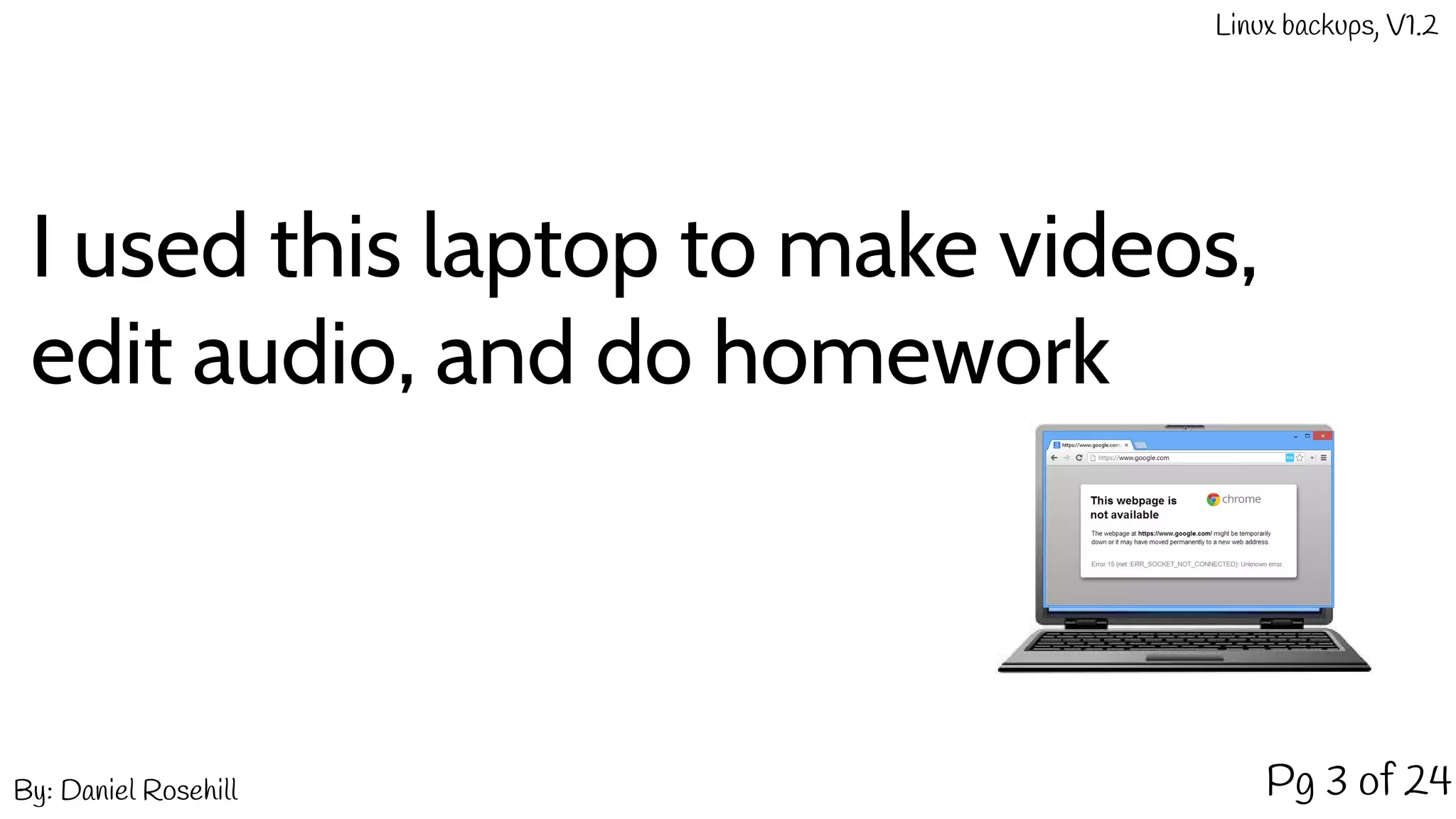
I used this laptop to make videos,
edit audio, and do homework
By: Daniel Rosehill
Linux backups, V1.2
Pg 4 of 24
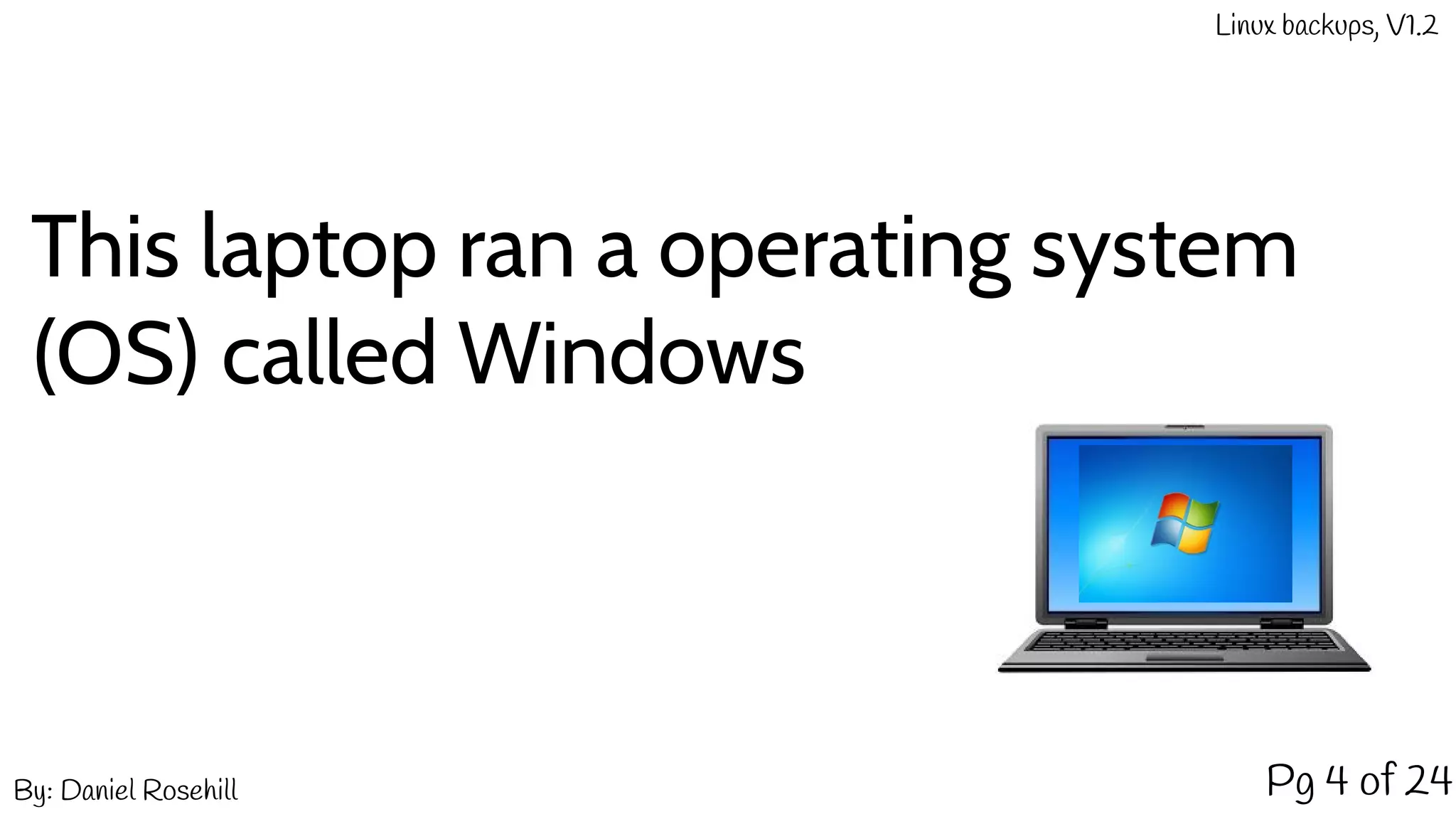
This laptop ran a operating system
(OS) called Windows
By: Daniel Rosehill
Linux backups, V1.2
Pg 5 of 24
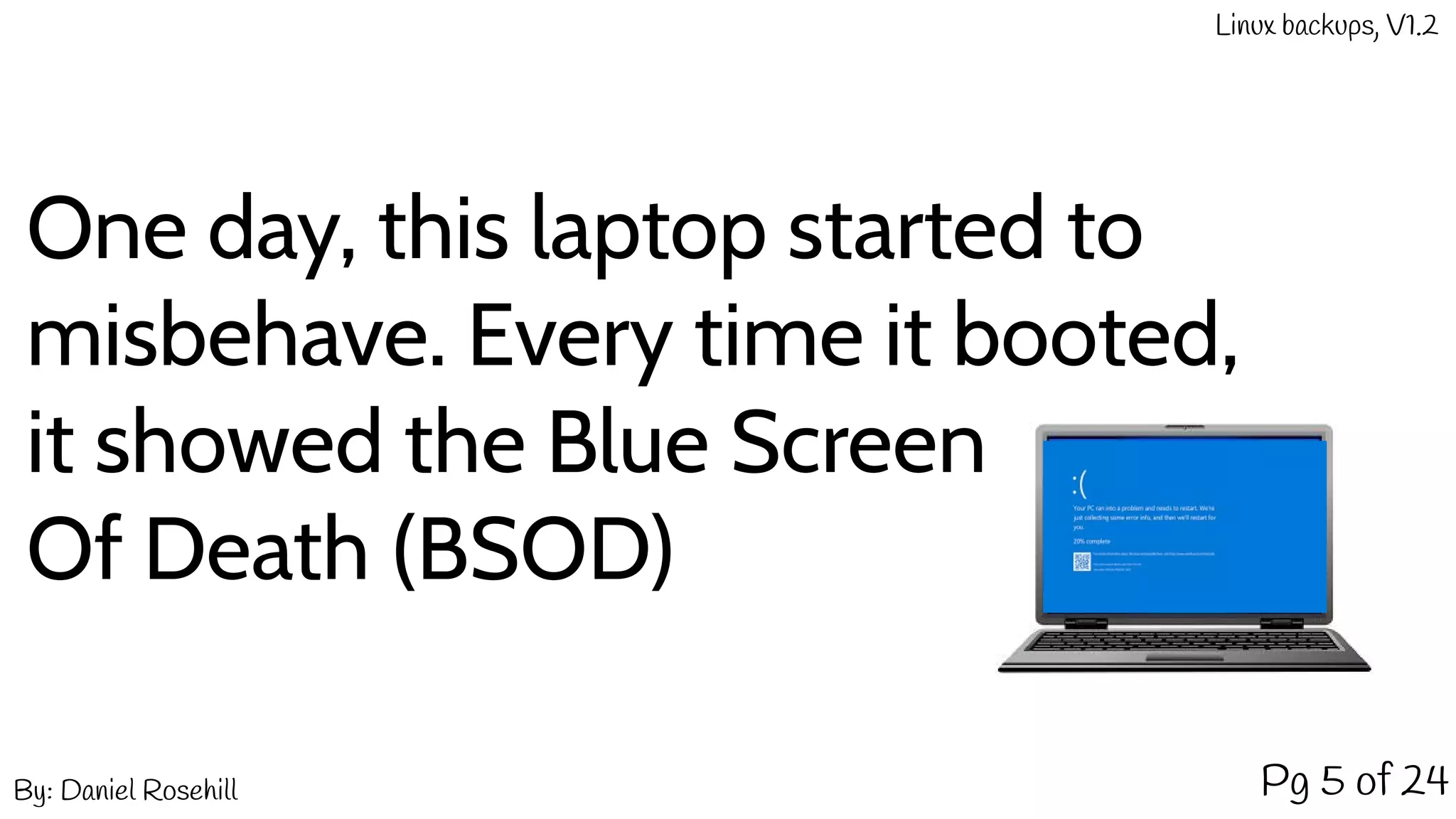
One day, this laptop started to
misbehave. Every time it booted,
it showed the Blue Screen
Of Death (BSOD)
By: Daniel Rosehill
Linux backups, V1.2
Pg 6 of 24
As a humble high school student, this spelled
doom and threatened to scupper my
budding career as a Lego movie producer. My
best friend had a brother who was kind
of nerdy. One day, I told him of the
unfortunate plight of my laptop.
By: Daniel Rosehill
Linux backups, V1.2
His name was Daniel too.
And he said this: Just use Linux!
Pg 7 of 24By: Daniel Rosehill
Linux backups, V1.2
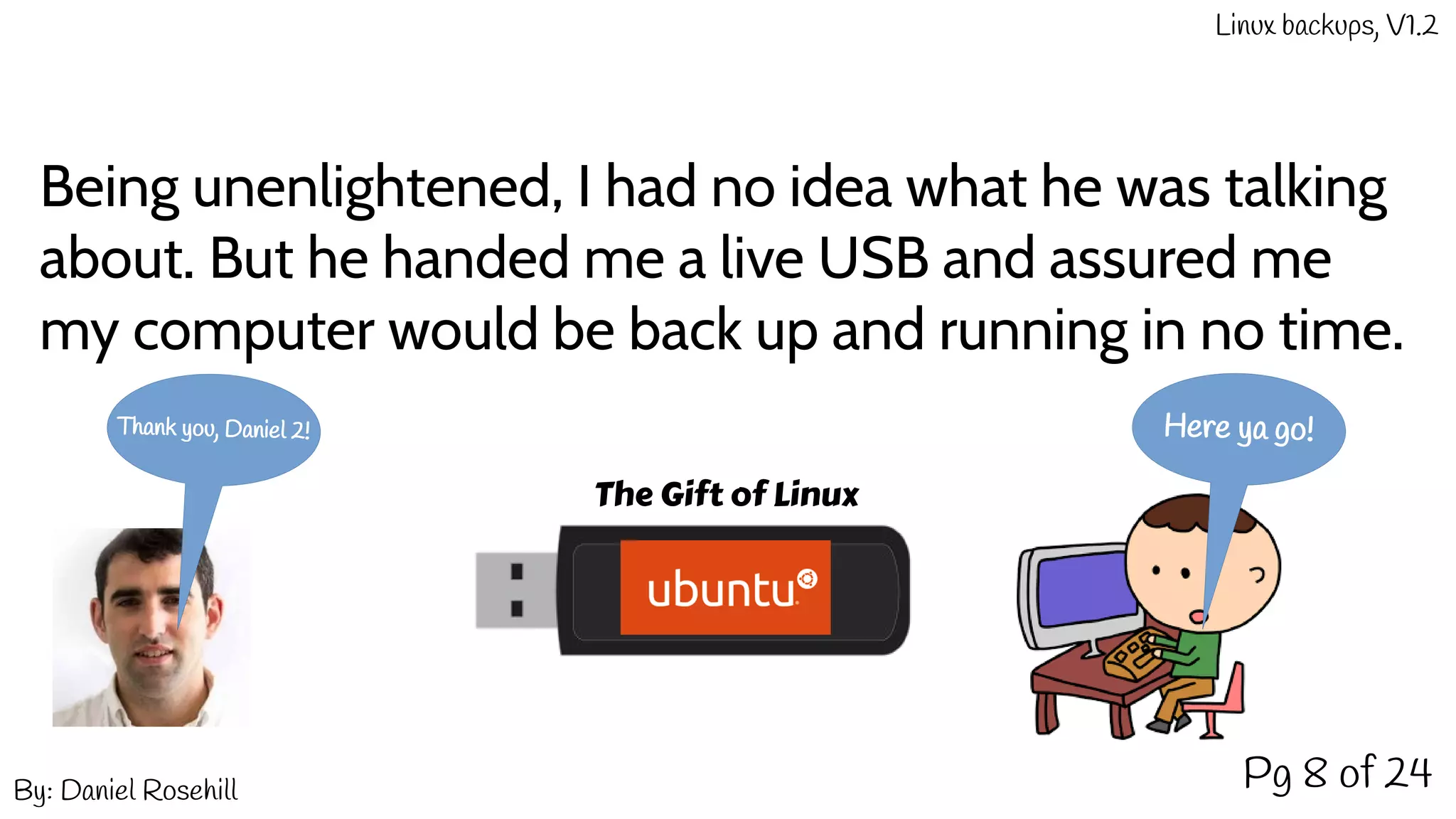
Being unenlightened, I had no idea what he was talking
about. But he handed me a live USB and assured me
my computer would be back up and running in no time.
Pg 8 of 24
Here ya go!Thank you, Daniel 2!
The Gift of Linux
By: Daniel Rosehill
Linux backups, V1.2
Pg 9 of 24
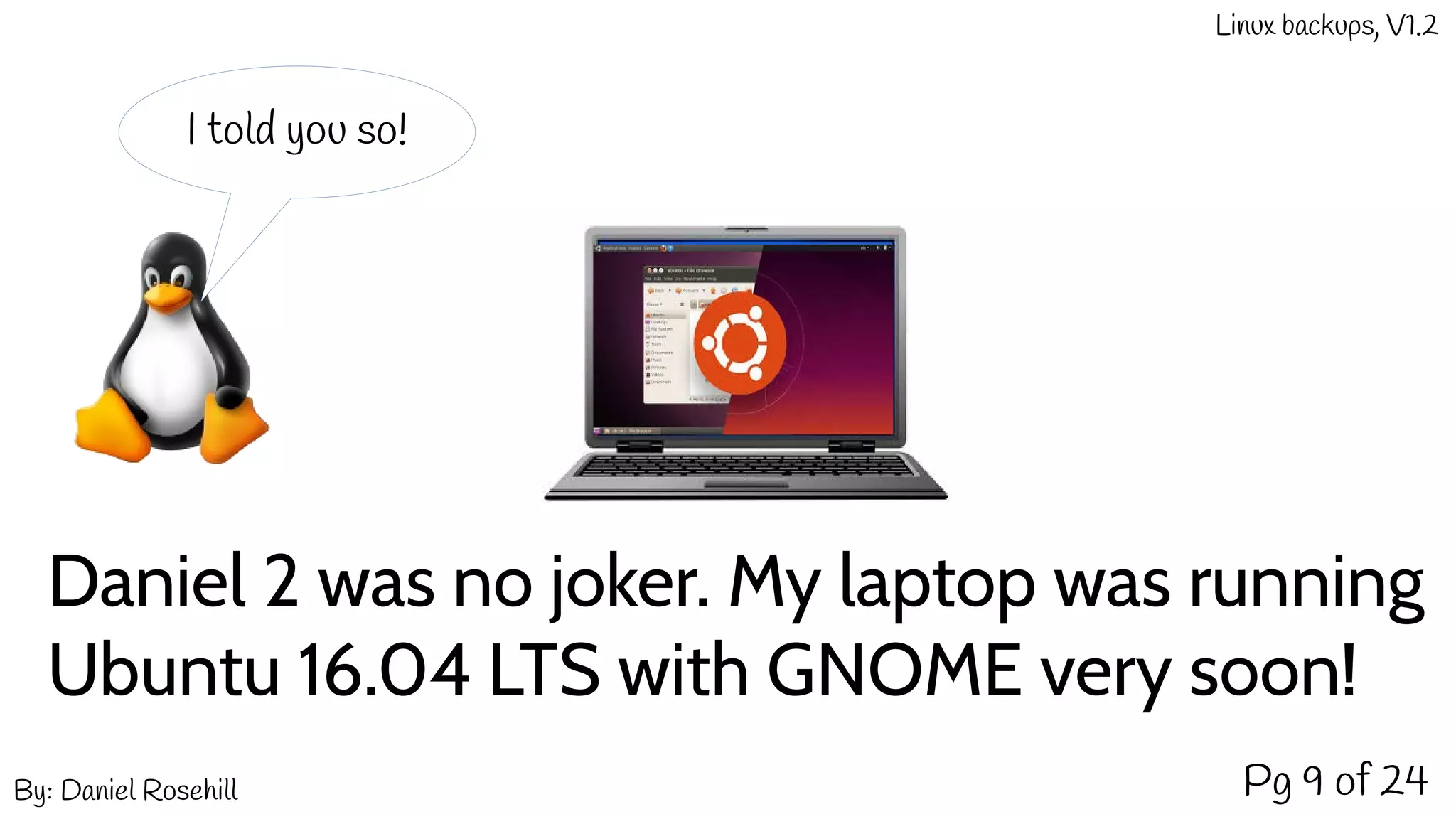
Daniel 2 was no joker. My laptop was running
Ubuntu 16.04 LTS with GNOME very soon!
I told you so!
By: Daniel Rosehill
Linux backups, V1.2
Pg 10 of 24
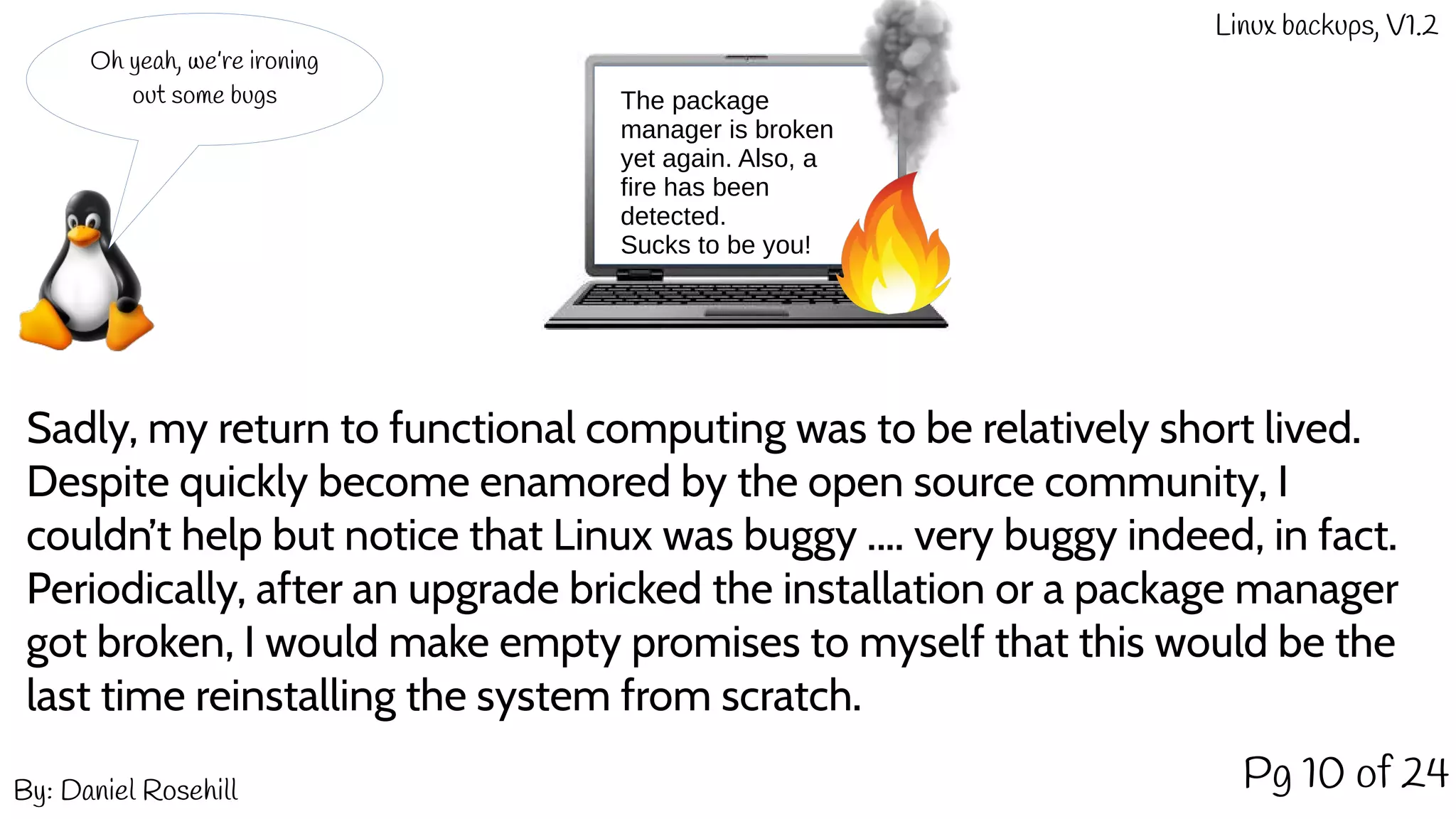
Sadly, my return to functional computing was to be relatively short lived.
Despite quickly become enamored by the open source community, I
couldn’t help but notice that Linux was buggy .... very buggy indeed, in fact.
Periodically, after an upgrade bricked the installation or a package manager
got broken, I would make empty promises to myself that this would be the
last time reinstalling the system from scratch.
Oh yeah, we’re ironing
out some bugs The package
manager is broken
yet again. Also, a
fire has been
detected.
Sucks to be you!
By: Daniel Rosehill
Linux backups, V1.2
Pg 11 of 24
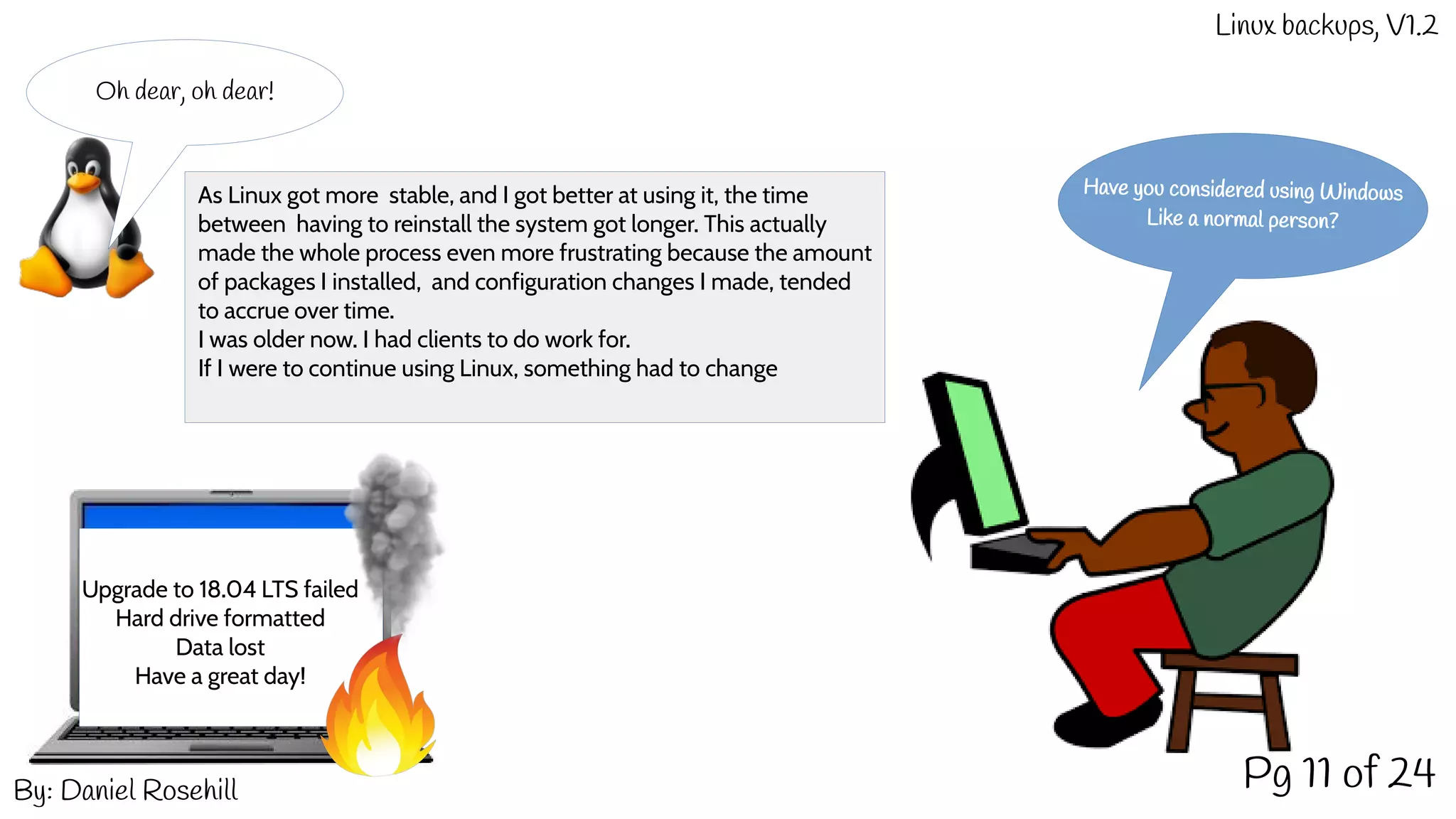
Oh dear, oh dear!
Have you considered using Windows
Like a normal person?
Upgrade to 18.04 LTS failed
Hard drive formatted
Data lost
Have a great day!
As Linux got more stable, and I got better at using it, the time
between having to reinstall the system got longer. This actually
made the whole process even more frustrating because the amount
of packages I installed, and configuration changes I made, tended
to accrue over time.
I was older now. I had clients to do work for.
If I were to continue using Linux, something had to change
By: Daniel Rosehill
Linux backups, V1.2
Pg 12 of 24
That’s the spirit!
Data lost again.
But it’s all good.
We have a backup!
And that solution was called:
A decent backup strategy!
Here’s what that entails:
By: Daniel Rosehill
Linux backups, V1.2
Pg 13 of 24
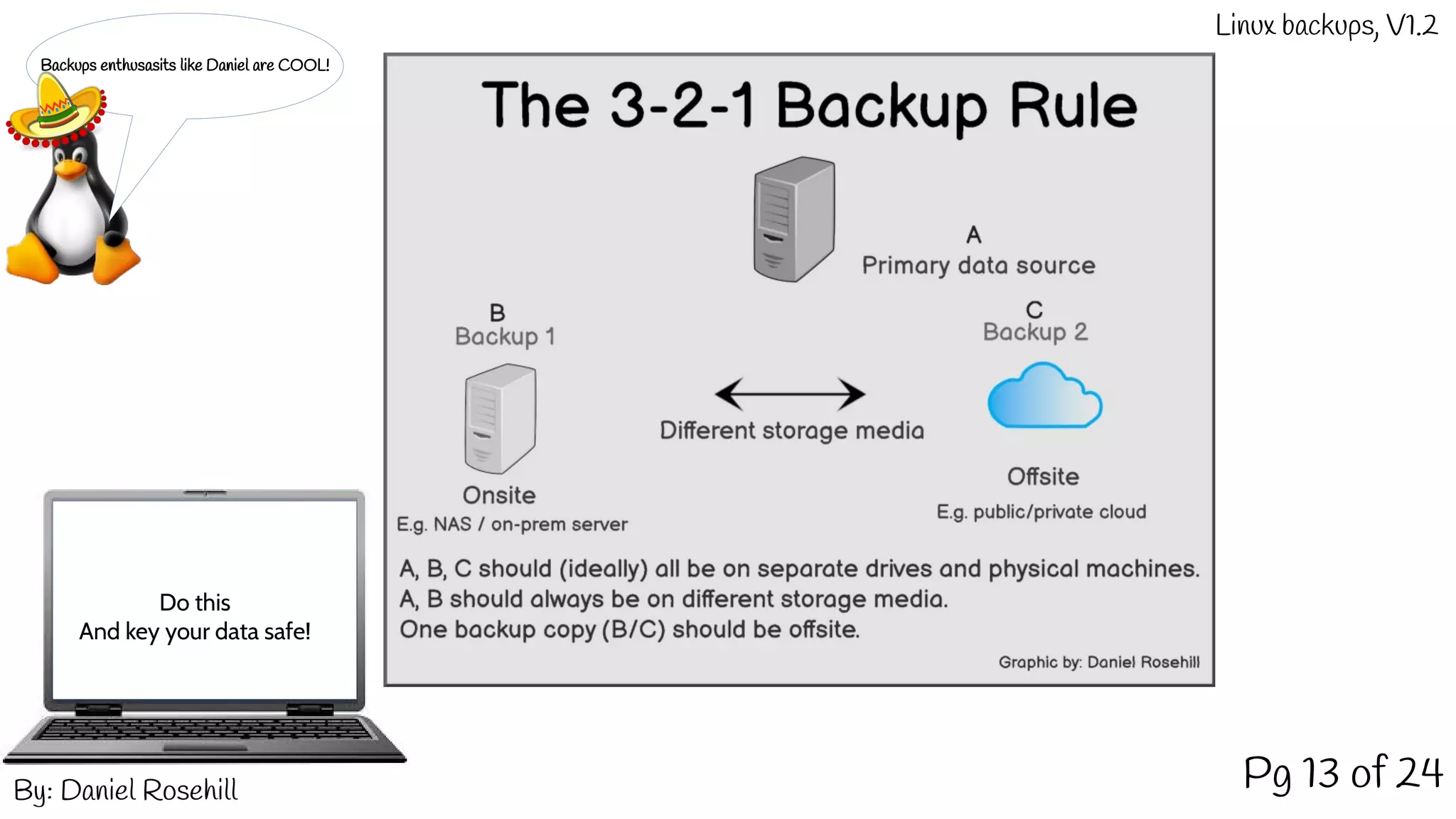
Backups enthusasits like Daniel are COOL!
Do this
And key your data safe!
By: Daniel Rosehill
Linux backups, V1.2
Pg 14 of 24
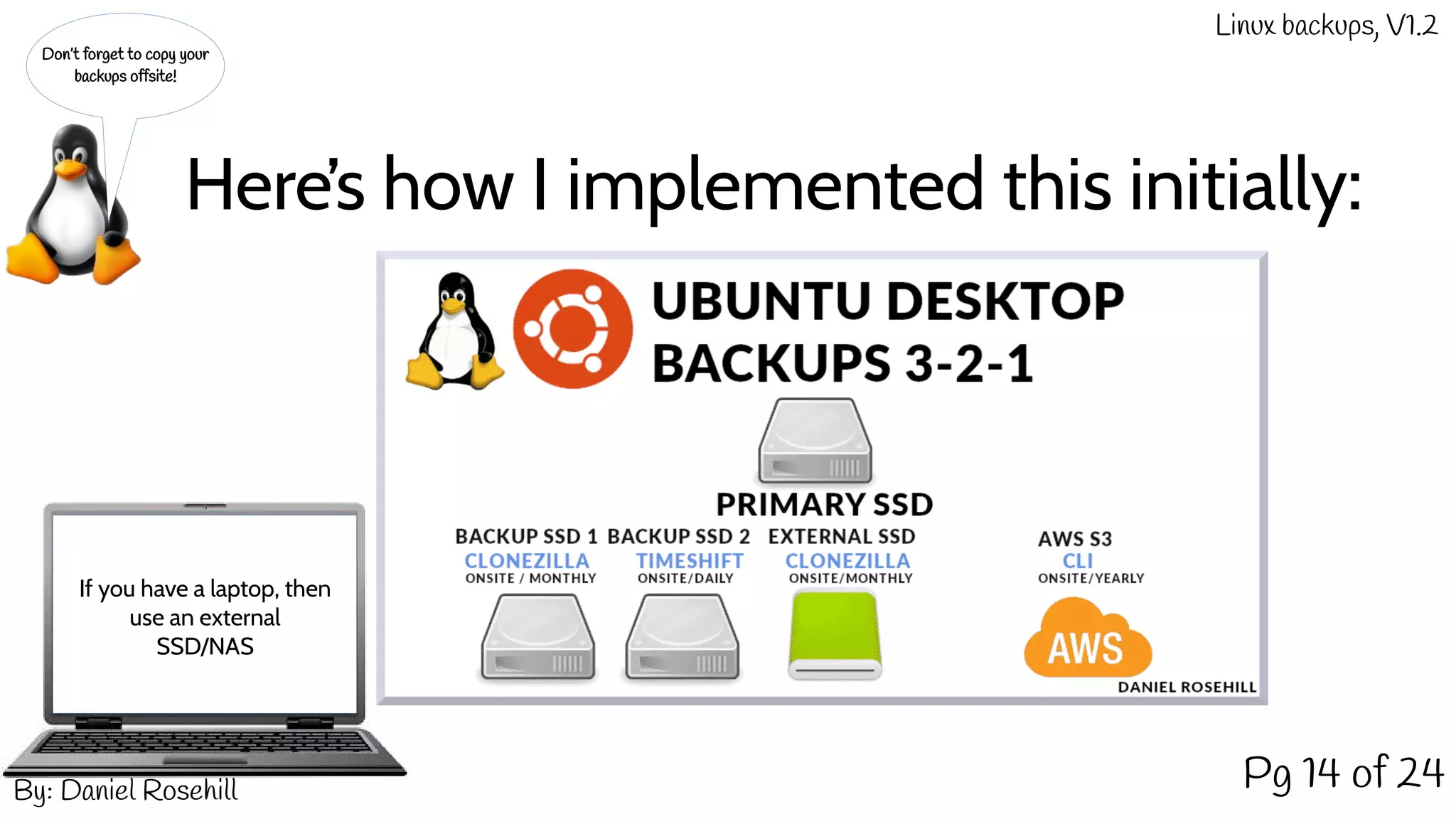
Don’t forget to copy your
backups offsite!
If you have a laptop, then
use an external
SSD/NAS
Here’s how I implemented this initially:
By: Daniel Rosehill
Linux backups, V1.2
Pg 15 of 24
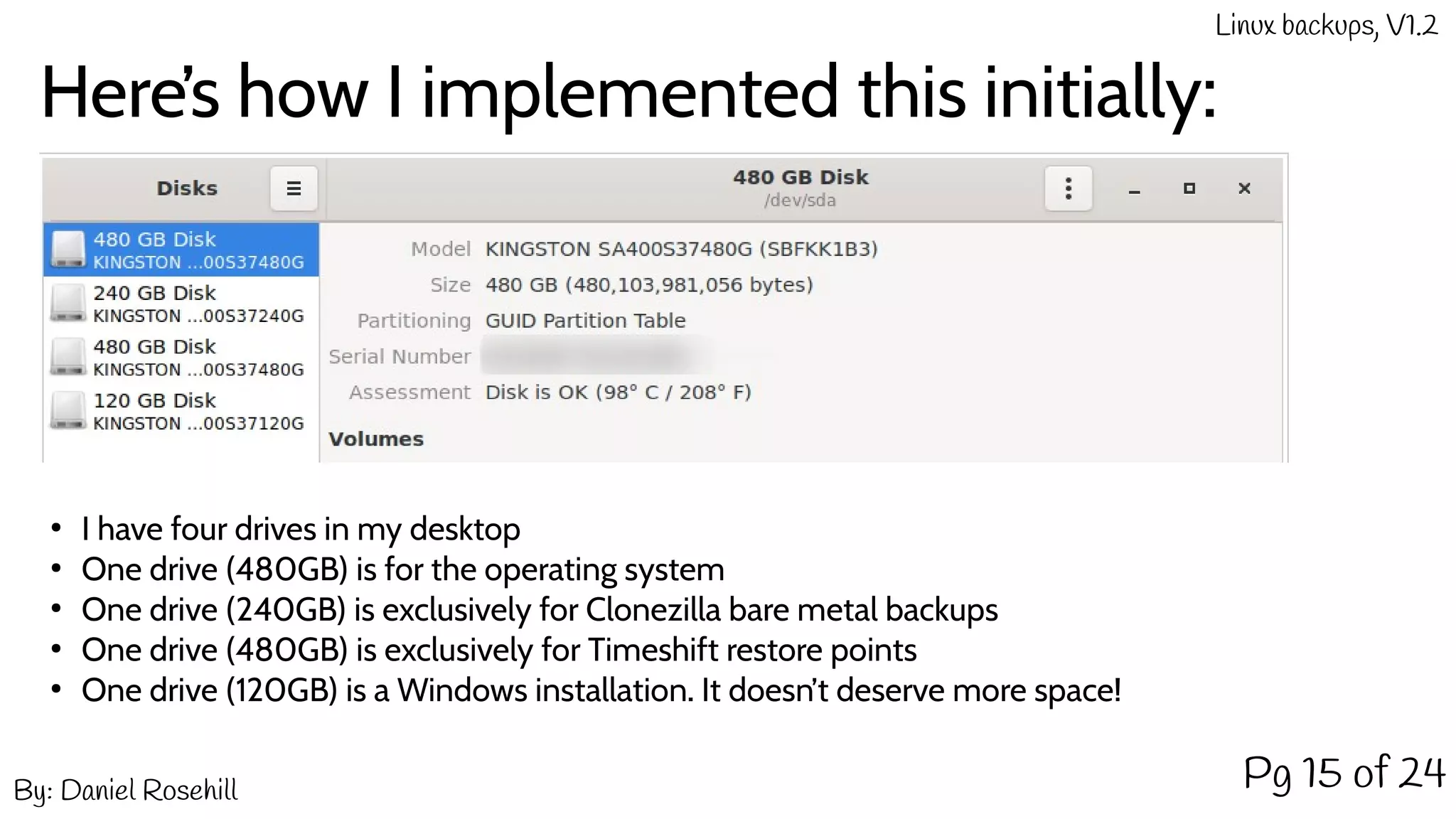
Here’s how I implemented this initially:
●
I have four drives in my desktop
●
One drive (480GB) is for the operating system
●
One drive (240GB) is exclusively for Clonezilla bare metal backups
●
One drive (480GB) is exclusively for Timeshift restore points
●
One drive (120GB) is a Windows installation. It doesn’t deserve more space!
By: Daniel Rosehill
Linux backups, V1.2
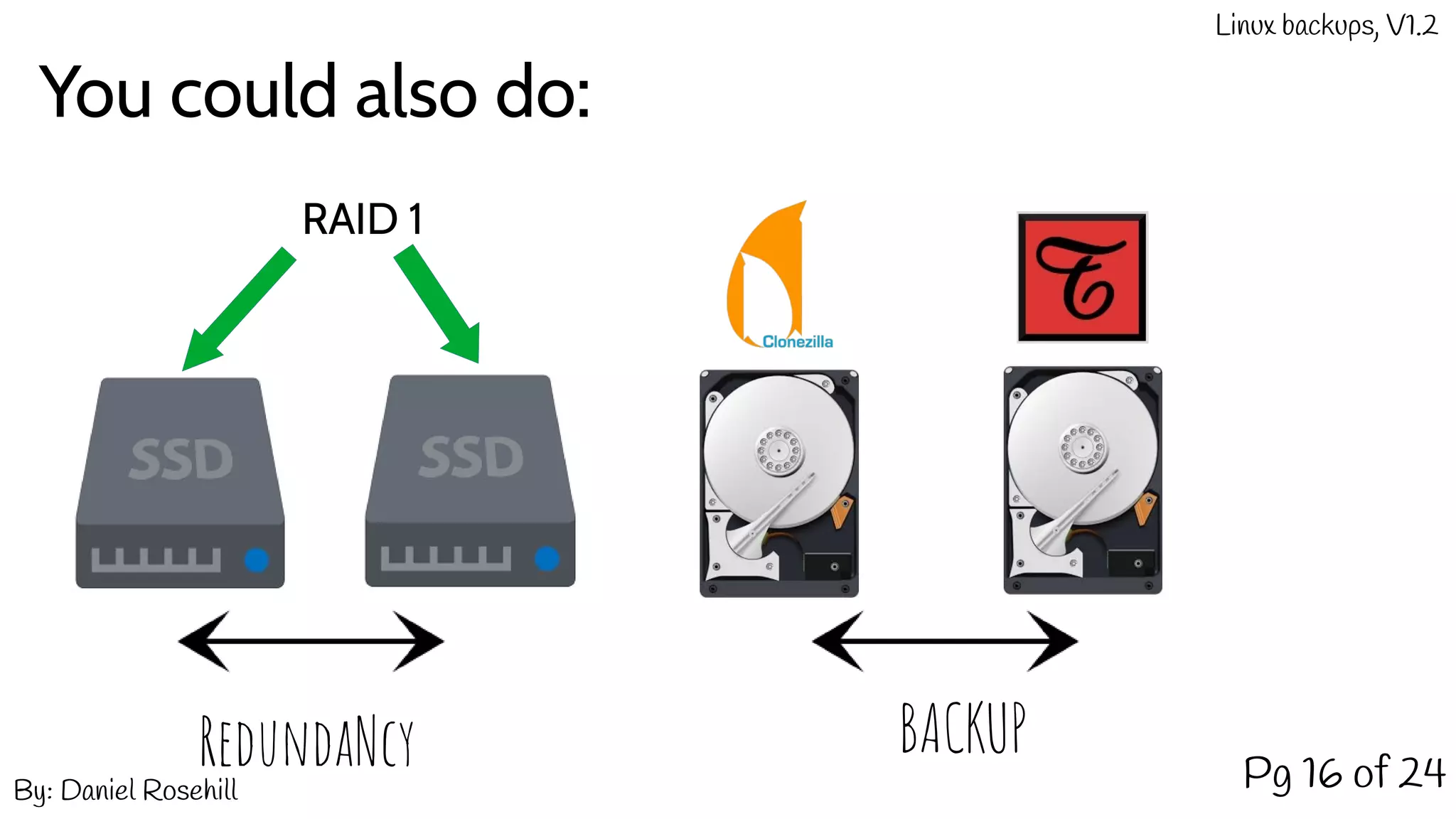
You could also do:
Pg 16 of 24
RAID 1
RedundaNcy BACKUP
By: Daniel Rosehill
Linux backups, V1.2
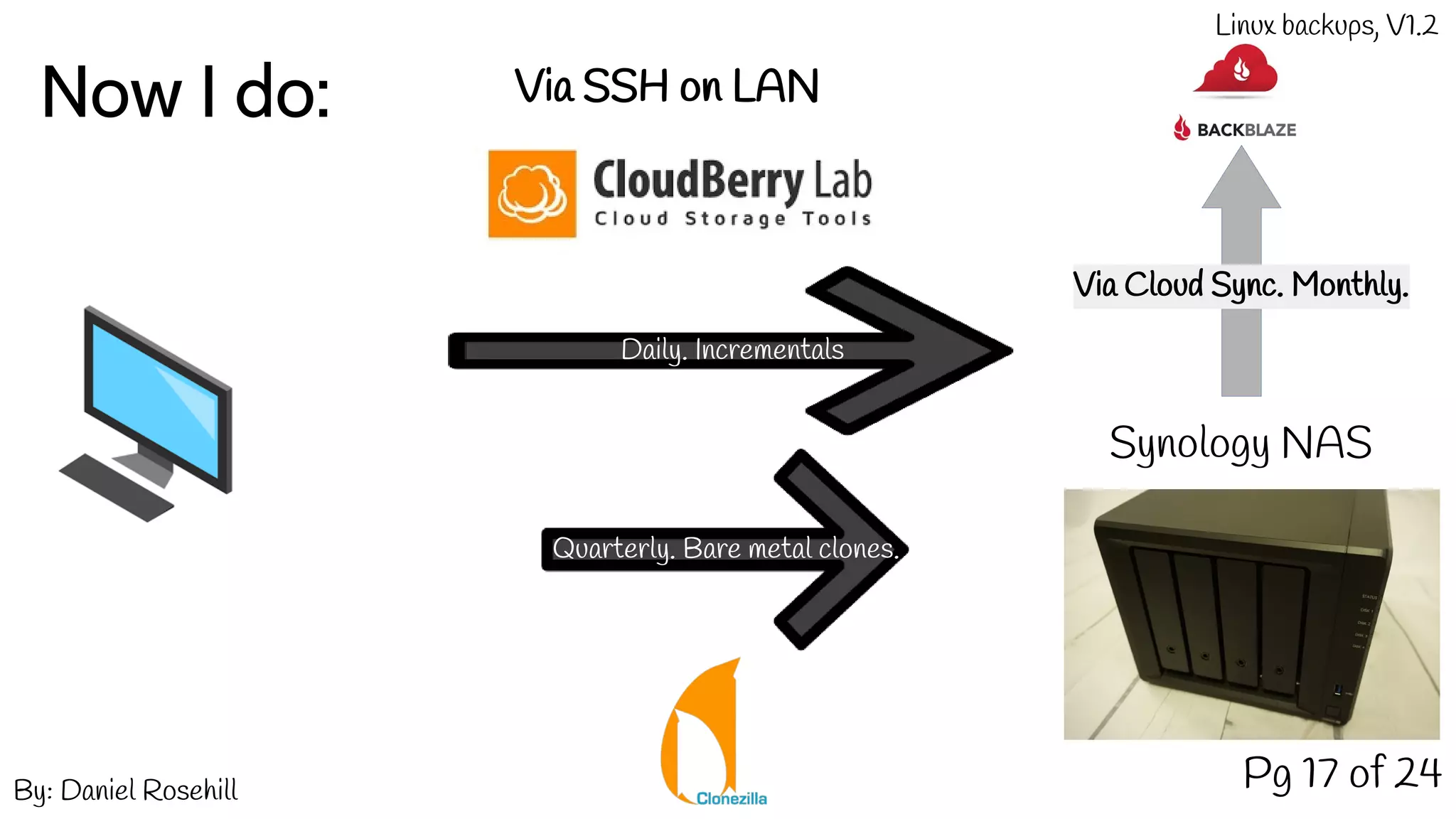
Now I do:
Pg 17 of 24
Synology NAS
Daily. Incrementals
Via SSH on LAN
Quarterly. Bare metal clones.
Via Cloud Sync. Monthly.
By: Daniel Rosehill
Linux backups, V1.2
Questions And Answers
Pg 18 of 24
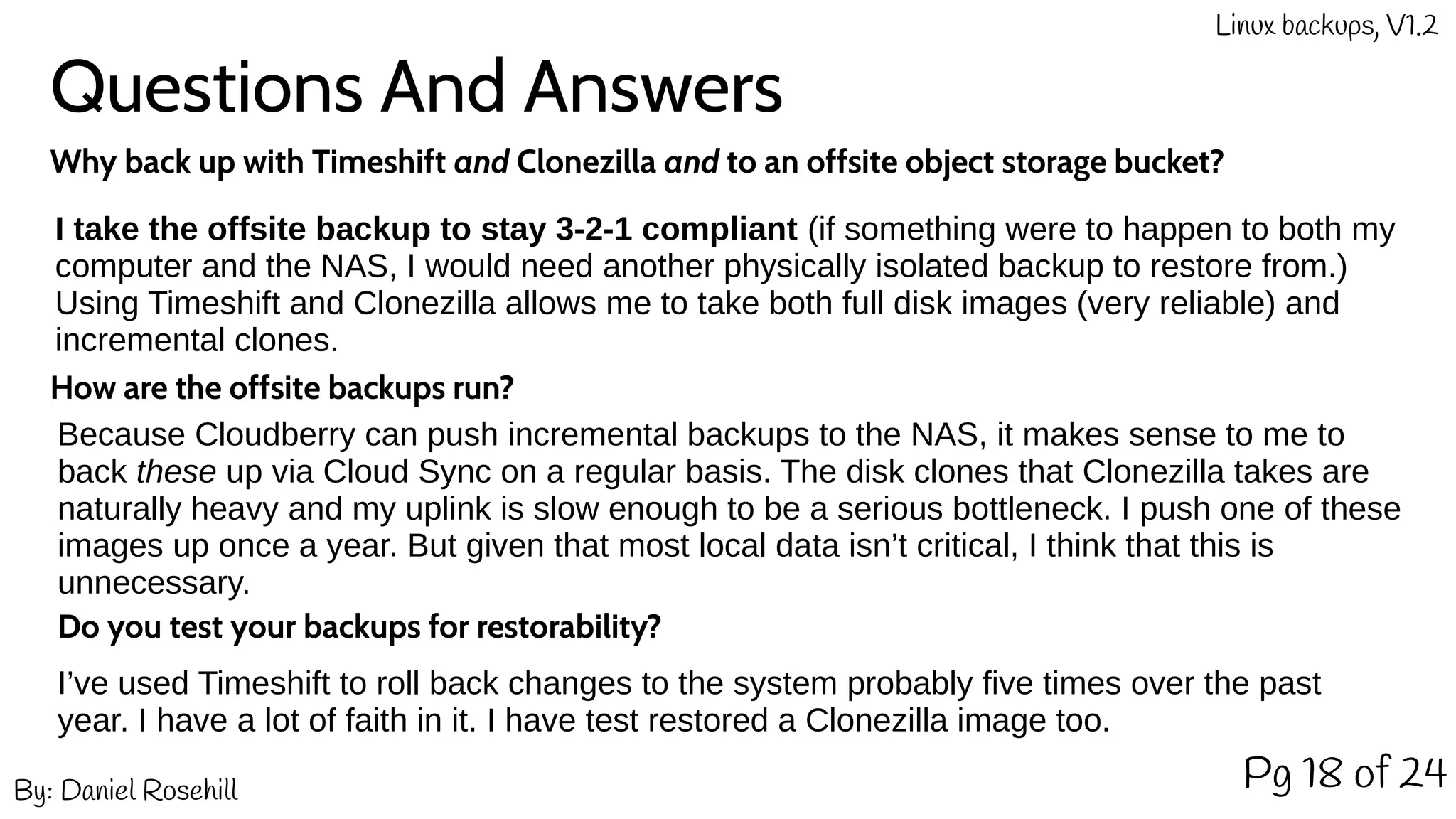
I take the offsite backup to stay 3-2-1 compliant (if something were to happen to both my
computer and the NAS, I would need another physically isolated backup to restore from.)
Using Timeshift and Clonezilla allows me to take both full disk images (very reliable) and
incremental clones.
Why back up with Timeshift and Clonezilla and to an offsite object storage bucket?
How are the offsite backups run?
Because Cloudberry can push incremental backups to the NAS, it makes sense to me to
back these up via Cloud Sync on a regular basis. The disk clones that Clonezilla takes are
naturally heavy and my uplink is slow enough to be a serious bottleneck. I push one of these
images up once a year. But given that most local data isn’t critical, I think that this is
unnecessary.
Do you test your backups for restorability?
I’ve used Timeshift to roll back changes to the system probably five times over the past
year. I have a lot of faith in it. I have test restored a Clonezilla image too.
By: Daniel Rosehill
Linux backups, V1.2
Disaster Recovery
Pg 19 of 24
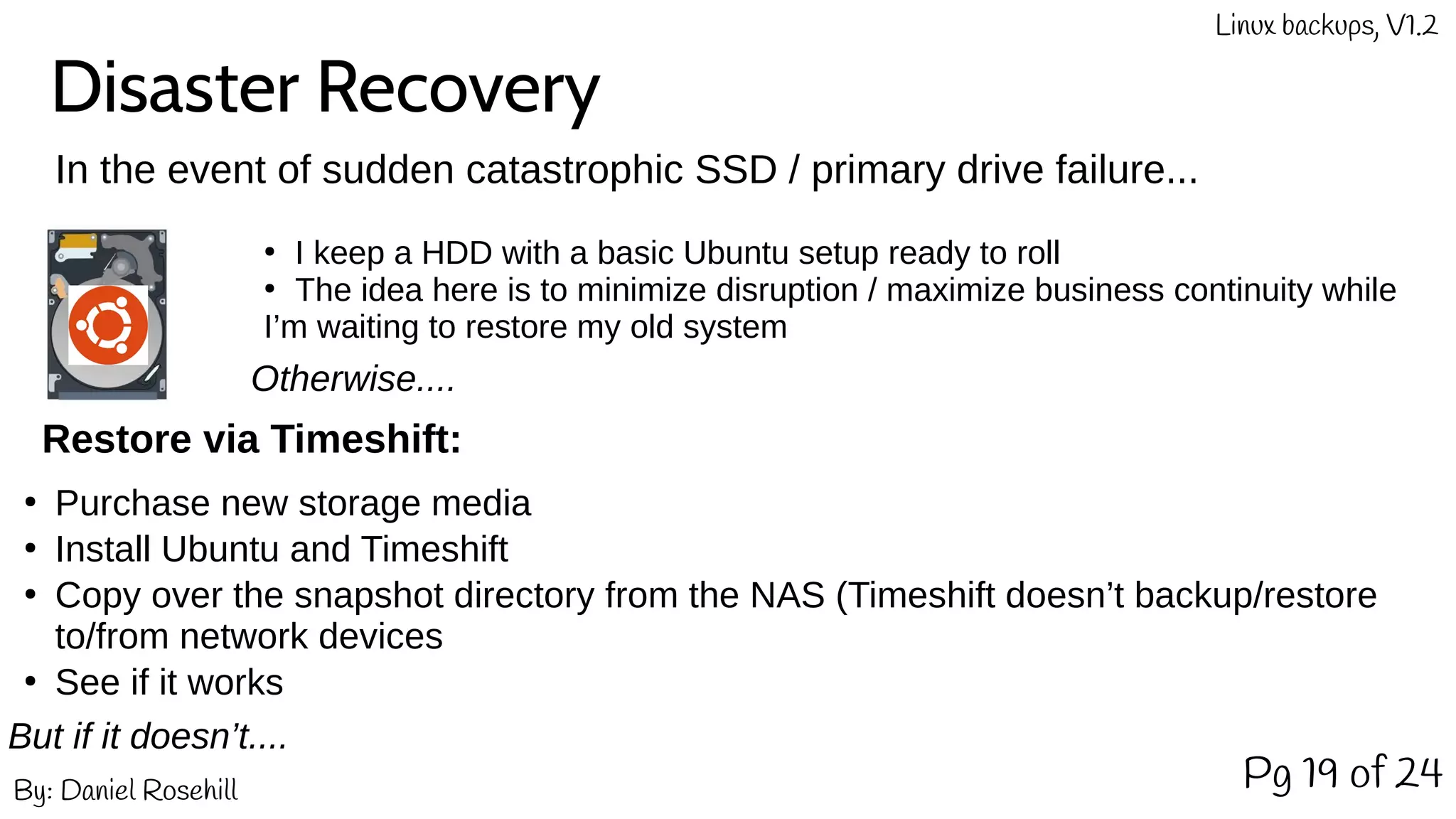
In the event of sudden catastrophic SSD / primary drive failure...
By: Daniel Rosehill
Linux backups, V1.2
●
I keep a HDD with a basic Ubuntu setup ready to roll
●
The idea here is to minimize disruption / maximize business continuity while
I’m waiting to restore my old system
Restore via Timeshift:
Otherwise....
●
Purchase new storage media
●
Install Ubuntu and Timeshift
●
Copy over the snapshot directory from the NAS (Timeshift doesn’t backup/restore
to/from network devices
●
See if it works
But if it doesn’t....
Disaster Recovery (2)
Pg 20 of 24By: Daniel Rosehill
Linux backups, V1.2
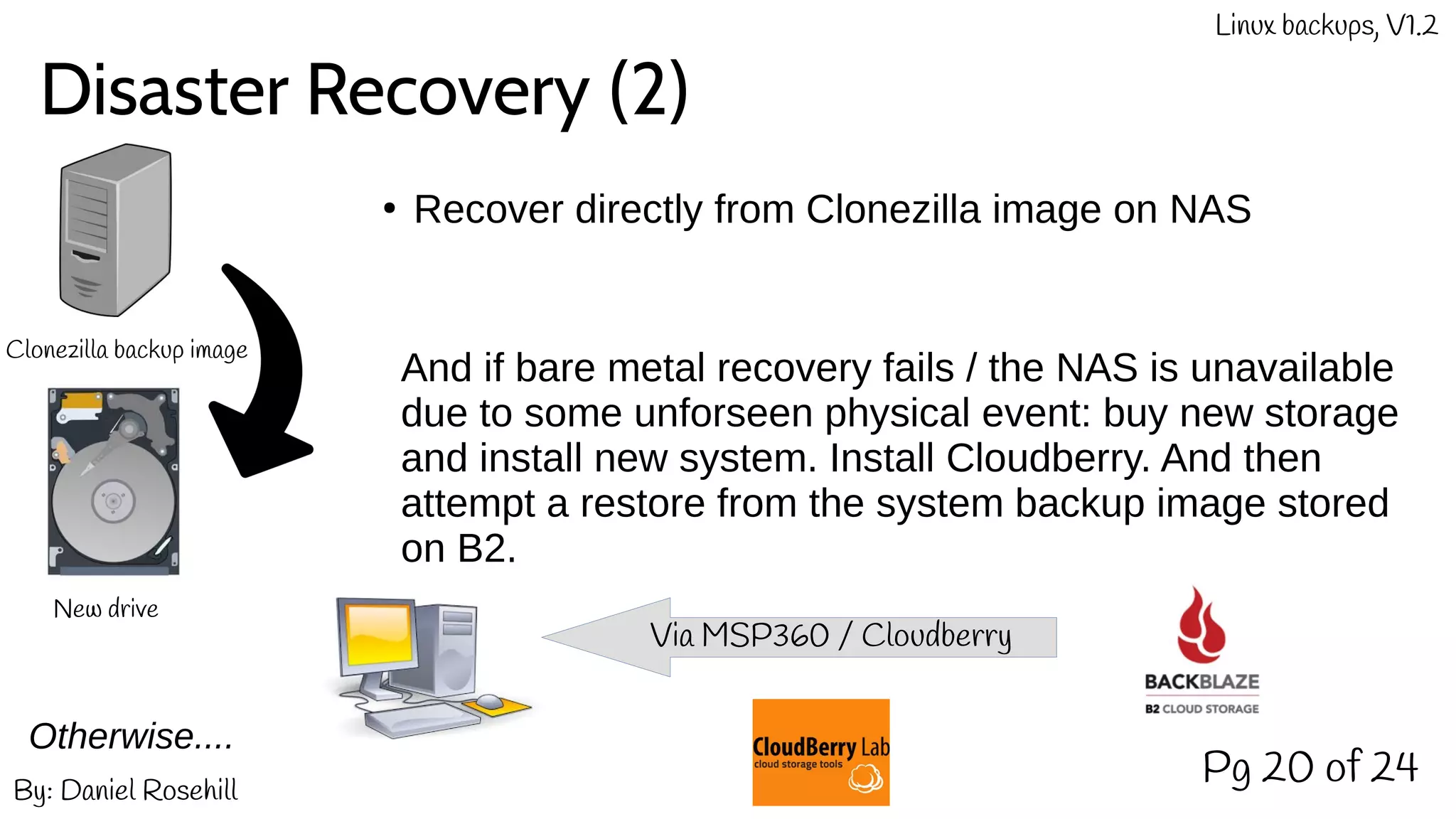
Otherwise....
Clonezilla backup image
New drive
●
Recover directly from Clonezilla image on NAS
And if bare metal recovery fails / the NAS is unavailable
due to some unforseen physical event: buy new storage
and install new system. Install Cloudberry. And then
attempt a restore from the system backup image stored
on B2.
Via MSP360 / Cloudberry
Backing Up The Cloud
Pg 21 of 24By: Daniel Rosehill
Linux backups, V1.2
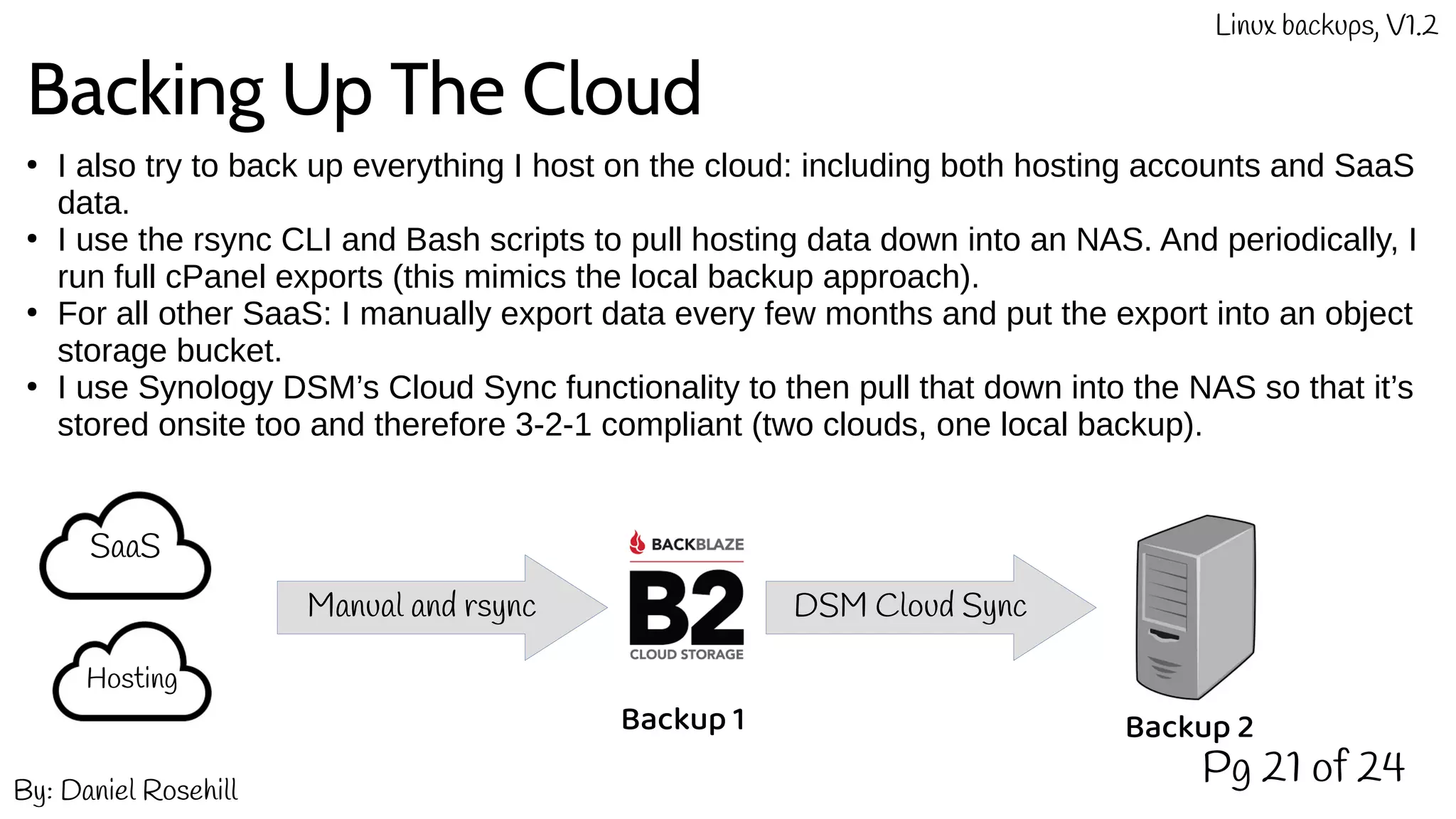
●
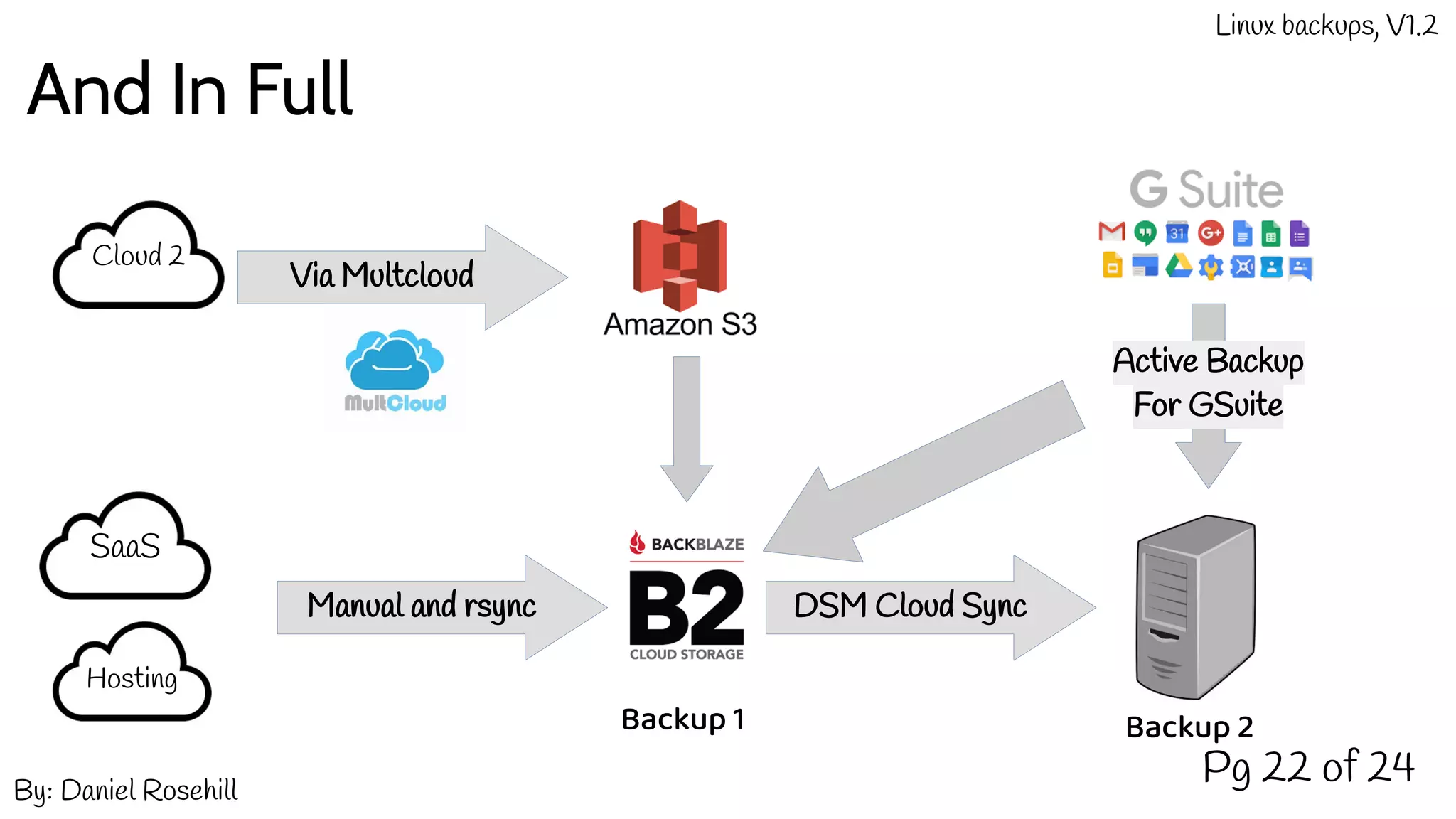
I also try to back up everything I host on the cloud: including both hosting accounts and SaaS
data.
●
I use the rsync CLI and Bash scripts to pull hosting data down into an NAS. And periodically, I
run full cPanel exports (this mimics the local backup approach).
●
For all other SaaS: I manually export data every few months and put the export into an object
storage bucket.
●
I use Synology DSM’s Cloud Sync functionality to then pull that down into the NAS so that it’s
stored onsite too and therefore 3-2-1 compliant (two clouds, one local backup).
SaaS
Hosting
Manual and rsync DSM Cloud Sync
Backup 1 Backup 2
And In Full
Pg 22 of 24By: Daniel Rosehill
Linux backups, V1.2
SaaS
Hosting
Manual and rsync DSM Cloud Sync
Backup 1 Backup 2
Active Backup
For GSuite
Cloud 2
Via Multcloud
Making It All Work
Pg 23 of 24By: Daniel Rosehill
Linux backups, V1.2
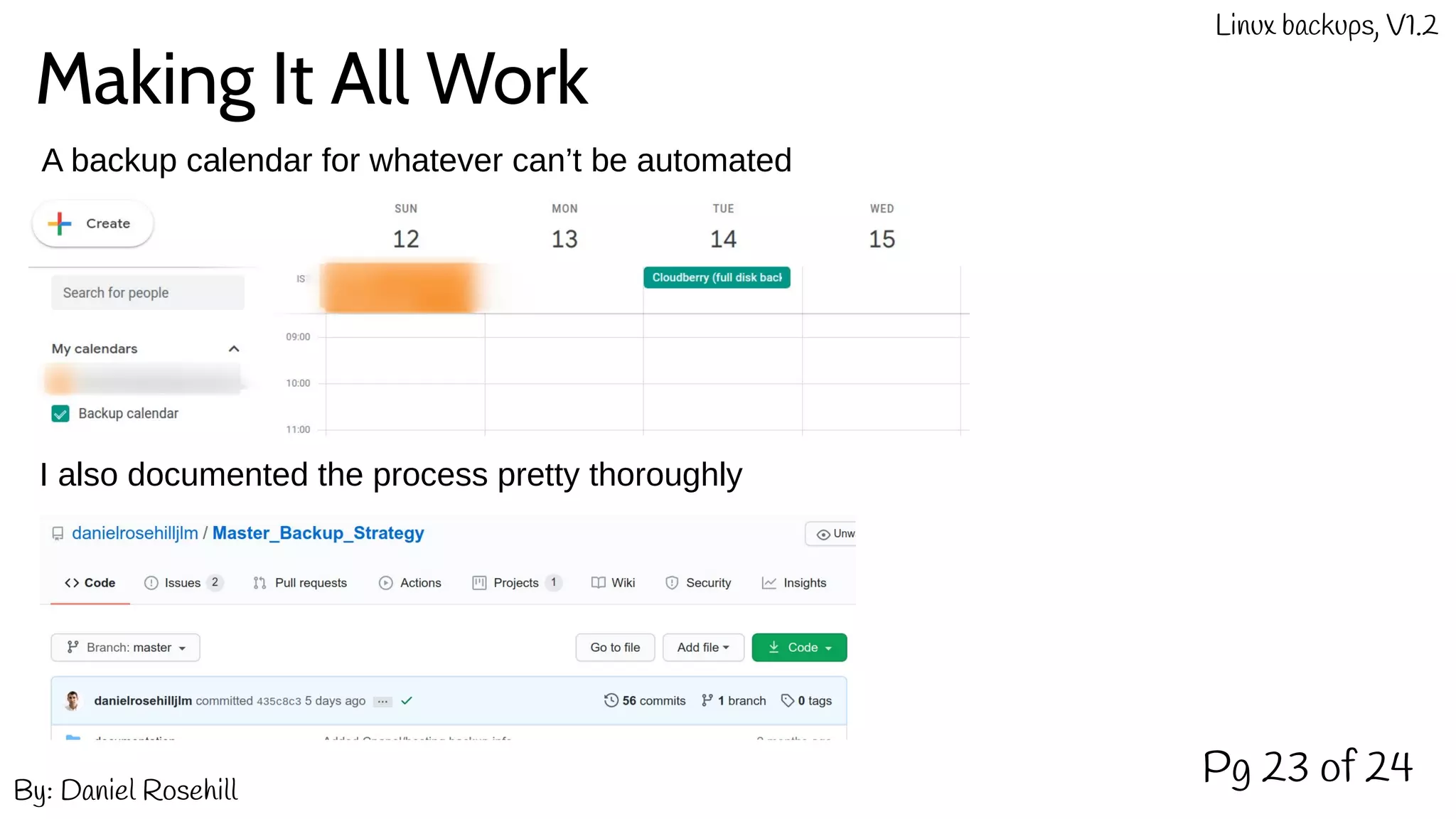
A backup calendar for whatever can’t be automated
I also documented the process pretty thoroughly
In Conclusion
Pg 24 of 24By: Daniel Rosehill
Linux backups, V1.2
This may seem obsessive, but not having to reinstall the operating system since I instituted this
has been so useful. I can play around with Linux as much as I want without fear of what might
happen if I break something. To date, Timeshift has been enough. But knowing that I have other
backups availble incase that system fails is helpful too.
I review my backup approach periodically so will be putting out V1.3 as soon as I have updated
some parts of the configuration or have different data pools to protect.
Feedback / suggestions are always welcome:
contact@danielrosehill.co.il.

A Backup Approach For Ubuntu Linux

  • 1.
    My Current BackupStrategy For anybody boring enough to care Pg 1 of 24 contact@danielrosehill.co.il By: Daniel Rosehill (V1.2)
  • 2.
    Pg 2 of24 Once upon a time, about 10 years ago, I had a laptop By: Daniel Rosehill Linux backups, V1.2
  • 3.
    Pg 3 of24 I used this laptop to make videos, edit audio, and do homework By: Daniel Rosehill Linux backups, V1.2
  • 4.
    Pg 4 of24 This laptop ran a operating system (OS) called Windows By: Daniel Rosehill Linux backups, V1.2
  • 5.
    Pg 5 of24 One day, this laptop started to misbehave. Every time it booted, it showed the Blue Screen Of Death (BSOD) By: Daniel Rosehill Linux backups, V1.2
  • 6.
    Pg 6 of24 As a humble high school student, this spelled doom and threatened to scupper my budding career as a Lego movie producer. My best friend had a brother who was kind of nerdy. One day, I told him of the unfortunate plight of my laptop. By: Daniel Rosehill Linux backups, V1.2
  • 7.
    His name wasDaniel too. And he said this: Just use Linux! Pg 7 of 24By: Daniel Rosehill Linux backups, V1.2
  • 8.
    Being unenlightened, Ihad no idea what he was talking about. But he handed me a live USB and assured me my computer would be back up and running in no time. Pg 8 of 24 Here ya go!Thank you, Daniel 2! The Gift of Linux By: Daniel Rosehill Linux backups, V1.2
  • 9.
    Pg 9 of24 Daniel 2 was no joker. My laptop was running Ubuntu 16.04 LTS with GNOME very soon! I told you so! By: Daniel Rosehill Linux backups, V1.2
  • 10.
    Pg 10 of24 Sadly, my return to functional computing was to be relatively short lived. Despite quickly become enamored by the open source community, I couldn’t help but notice that Linux was buggy .... very buggy indeed, in fact. Periodically, after an upgrade bricked the installation or a package manager got broken, I would make empty promises to myself that this would be the last time reinstalling the system from scratch. Oh yeah, we’re ironing out some bugs The package manager is broken yet again. Also, a fire has been detected. Sucks to be you! By: Daniel Rosehill Linux backups, V1.2
  • 11.
    Pg 11 of24 Oh dear, oh dear! Have you considered using Windows Like a normal person? Upgrade to 18.04 LTS failed Hard drive formatted Data lost Have a great day! As Linux got more stable, and I got better at using it, the time between having to reinstall the system got longer. This actually made the whole process even more frustrating because the amount of packages I installed, and configuration changes I made, tended to accrue over time. I was older now. I had clients to do work for. If I were to continue using Linux, something had to change By: Daniel Rosehill Linux backups, V1.2
  • 12.
    Pg 12 of24 That’s the spirit! Data lost again. But it’s all good. We have a backup! And that solution was called: A decent backup strategy! Here’s what that entails: By: Daniel Rosehill Linux backups, V1.2
  • 13.
    Pg 13 of24 Backups enthusasits like Daniel are COOL! Do this And key your data safe! By: Daniel Rosehill Linux backups, V1.2
  • 14.
    Pg 14 of24 Don’t forget to copy your backups offsite! If you have a laptop, then use an external SSD/NAS Here’s how I implemented this initially: By: Daniel Rosehill Linux backups, V1.2
  • 15.
    Pg 15 of24 Here’s how I implemented this initially: ● I have four drives in my desktop ● One drive (480GB) is for the operating system ● One drive (240GB) is exclusively for Clonezilla bare metal backups ● One drive (480GB) is exclusively for Timeshift restore points ● One drive (120GB) is a Windows installation. It doesn’t deserve more space! By: Daniel Rosehill Linux backups, V1.2
  • 16.
    You could alsodo: Pg 16 of 24 RAID 1 RedundaNcy BACKUP By: Daniel Rosehill Linux backups, V1.2
  • 17.
    Now I do: Pg17 of 24 Synology NAS Daily. Incrementals Via SSH on LAN Quarterly. Bare metal clones. Via Cloud Sync. Monthly. By: Daniel Rosehill Linux backups, V1.2
  • 18.
    Questions And Answers Pg18 of 24 I take the offsite backup to stay 3-2-1 compliant (if something were to happen to both my computer and the NAS, I would need another physically isolated backup to restore from.) Using Timeshift and Clonezilla allows me to take both full disk images (very reliable) and incremental clones. Why back up with Timeshift and Clonezilla and to an offsite object storage bucket? How are the offsite backups run? Because Cloudberry can push incremental backups to the NAS, it makes sense to me to back these up via Cloud Sync on a regular basis. The disk clones that Clonezilla takes are naturally heavy and my uplink is slow enough to be a serious bottleneck. I push one of these images up once a year. But given that most local data isn’t critical, I think that this is unnecessary. Do you test your backups for restorability? I’ve used Timeshift to roll back changes to the system probably five times over the past year. I have a lot of faith in it. I have test restored a Clonezilla image too. By: Daniel Rosehill Linux backups, V1.2
  • 19.
    Disaster Recovery Pg 19of 24 In the event of sudden catastrophic SSD / primary drive failure... By: Daniel Rosehill Linux backups, V1.2 ● I keep a HDD with a basic Ubuntu setup ready to roll ● The idea here is to minimize disruption / maximize business continuity while I’m waiting to restore my old system Restore via Timeshift: Otherwise.... ● Purchase new storage media ● Install Ubuntu and Timeshift ● Copy over the snapshot directory from the NAS (Timeshift doesn’t backup/restore to/from network devices ● See if it works But if it doesn’t....
  • 20.
    Disaster Recovery (2) Pg20 of 24By: Daniel Rosehill Linux backups, V1.2 Otherwise.... Clonezilla backup image New drive ● Recover directly from Clonezilla image on NAS And if bare metal recovery fails / the NAS is unavailable due to some unforseen physical event: buy new storage and install new system. Install Cloudberry. And then attempt a restore from the system backup image stored on B2. Via MSP360 / Cloudberry
  • 21.
    Backing Up TheCloud Pg 21 of 24By: Daniel Rosehill Linux backups, V1.2 ● I also try to back up everything I host on the cloud: including both hosting accounts and SaaS data. ● I use the rsync CLI and Bash scripts to pull hosting data down into an NAS. And periodically, I run full cPanel exports (this mimics the local backup approach). ● For all other SaaS: I manually export data every few months and put the export into an object storage bucket. ● I use Synology DSM’s Cloud Sync functionality to then pull that down into the NAS so that it’s stored onsite too and therefore 3-2-1 compliant (two clouds, one local backup). SaaS Hosting Manual and rsync DSM Cloud Sync Backup 1 Backup 2
  • 22.
    And In Full Pg22 of 24By: Daniel Rosehill Linux backups, V1.2 SaaS Hosting Manual and rsync DSM Cloud Sync Backup 1 Backup 2 Active Backup For GSuite Cloud 2 Via Multcloud
  • 23.
    Making It AllWork Pg 23 of 24By: Daniel Rosehill Linux backups, V1.2 A backup calendar for whatever can’t be automated I also documented the process pretty thoroughly
  • 24.
    In Conclusion Pg 24of 24By: Daniel Rosehill Linux backups, V1.2 This may seem obsessive, but not having to reinstall the operating system since I instituted this has been so useful. I can play around with Linux as much as I want without fear of what might happen if I break something. To date, Timeshift has been enough. But knowing that I have other backups availble incase that system fails is helpful too. I review my backup approach periodically so will be putting out V1.3 as soon as I have updated some parts of the configuration or have different data pools to protect. Feedback / suggestions are always welcome: contact@danielrosehill.co.il.