Workload Optimisation www.doubletake.com
Workload Management Challenges www.doubletake.com Complex  Workload management tasks are labour intensive and can comprise many different technologies to perform  Expensive Workload hardware and software technologies and the expertise and labour required to manage them can become very expensive  Inflexible Workloads are often bound directly to hardware or virtualisation systems and moving workloads between systems can be very difficult
Workload Optimisation Workloads CAN be optimised Portability  – Quickly and efficiently move/migrate workloads between dissimilar physical/virtual systems Backup/Recovery  – Protect workloads across any distance with minimal data loss and on-demand recovery Availability   – Protect workloads with failover within minutes to real-time physical/virtual standby servers Flexibility   – Manage and maintain workloads centrally providing fast workload deployment for desktops/servers Lower workload management costs by making tasks and projects simpler and faster www.doubletake.com
www.doubletake.com Founded in 1991 Headquartered in Southborough, MA Worldwide Reach - North America, South America, Europe, Middle East, Africa, and Asia Focused on workload optimisation Over 150,000 licenses sold Comprehensive Professional Services Offerings Microsoft Certifications Leading Provider of Software Solutions for Workload Portability, Backup, Availability and Flexibility Double-Take Software, Inc
Workload Portability Challenges Cross-Hardware Incompatibility Different hardware platforms within and across vendors require customised or manual migration efforts Cross-Site Migration Moving workloads and data across sites is resource intensive, time consuming and difficult to manage Physical to Virtual Conversion P2V conversions require specialized tools and typically require hours of downtime  Virtual to Physical Conversion Very few tools exist to assist with converting a workload back from virtual to physical www.doubletake.com
Workload Portability – Double-Take Double-Take Portability Solutions Workload Migration Migrate workloads in real-time while users are online and complete migration with only minutes of downtime Migrate workloads between dissimilar hardware systems and between dissimilar virtualisation platforms Cross-Site Migration Migrate workloads in real-time across any IP network, over any distance for efficient site migrations or data centre consolidations Take advantage of available bandwidth with three levels of data compression and scheduled bandwidth limiting capabilities www.doubletake.com
Workload Portability – Double-Take Double-Take Portability Solutions Physical  Virtual Migrate workloads between any combination of physical and virtual servers:  P2P, P2V, V2V, and V2P Automatically provision virtual machines on VMWare ESX hosts for P2V conversion or V2V migration “ Physicalise” virtual servers with V2P conversions Save Time, Save Money Migrate data during normal business hours and perform fast migrations within minutes instead of hours Eliminate costly downtime of business critical servers during migration or conversion Consolidate and virtualise quickly and efficiently  www.doubletake.com
Workload Backup Challenges www.doubletake.com Shrinking Backup Windows Backup windows tend to shrink while backups tend to grow larger and larger as data sets grow Labor Intensive Tape Backups are labor intensive requiring trained staff at both central and remote offices to perform daily backup tasks  Costly and Inefficient Tape drives or libraries are costly to purchase maintain Tape media is expensive and not used efficiently when backups use only a portion of the available tape
Workload Backup Challenges Data Deduplication Disk-to-Disk backups have large storage requirements and require data deduplication with varying effectiveness Poor RPO Both tape and disk-to-disk backups are scheduled backup jobs and leave large gaps in data protection Limited Recovery Points Both tape and disk-to-disk backup occur periodically and only provide periodic points from which data can be recovered, leaving protection gaps of hours www.doubletake.com
Workload Backup – Double-Take Double-Take Backup Solutions Real-Time Backup and Recovery Backup workloads with real-time, byte-level data replication Eliminate backup windows Replicate workloads across any IP network, across any distance Replicate only byte-level changes for efficient bandwidth use System-State Backup and Recovery Backup entire workloads with real-time system-state replication Recover workload system-state to dissimilar hardware and between physical and virtual servers Perform on-demand workload recovery by automatically provisioning virtual machines  www.doubletake.com
Workload Backup – Double-Take Double-Take Backup Solutions Point-in-Time Recovery Recover workloads from scheduled VSS snapshots Recover workloads from ANY point in time (CDP) Granular Recovery Recover individual data objects Individual files and folders Individual databases and logs Individual emails or mailboxes Recover deleted or corrupted data quickly down to the exact point in time when the data was last in a good state www.doubletake.com
Workload Availability Challenges www.doubletake.com Server Downtime Hardware failures can lead to hours or days of downtime for business critical applications during recovery Lost Data Failures can result in hours or days of lost data that may never be recovered and results in lost revenue Site Disaster Most availability solutions do not protect against site-wide failure and rebuilding a site may take weeks
Workload Availability – Double-Take Double-Take Availability Solutions Minimal Downtime Workload failover allows availability within minutes, not hours Minimal Data Loss Real-time replication provides near-zero data loss Local or Remote Availability Workloads may be failed over in the same site or across sites Cross-System Failover Failover workloads between dissimilar hardware Failover workloads between physical and virtual platforms www.doubletake.com
Workload Availability – Double-Take Double-Take Availability Solutions Application Failover Failover transactional databases or front-end applications Validate and configure protection with the Double-Take Application Manager for enhanced protection System-State Failover Failover entire workloads including data and system-state Cluster Availability Failover entire clusters to standby clusters or standalone servers Geographically Dispersed Clustering Extend MSCS cluster nodes across sites with real-time replication www.doubletake.com
Workload Flexibility Challenges www.doubletake.com Workload Updates Updating servers and desktops with maintenance patches and new applications is complex and manually intensive across dozens or hundreds of systems Re-Provisioning Hardware Re-imaging servers and desktops for re-provisioning may take hours for each individual system User-Driven System Changes Users and administrators across an IT infrastructure introduce unsanctioned applications and system changes
Workload Flexibility – Double-Take Double-Take Flexibility Solutions Efficient, Inexpensive Storage Utilise iSCSI technology to centralise and optimise disparate storage systems Boot from SAN Centralise desktop and server workload images by booting systems from SAN rather than directed attached storage Centrally manage a single workload image that is used by dozens or hundreds of systems Quickly repurpose systems by redirecting new workload boot images and rebooting Centrally protect and secure data in a data center instead of spreading it across the whole IT infrastructure www.doubletake.com
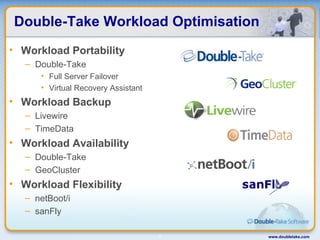
Double-Take Workload Optimisation Workload Portability Double-Take Full Server Failover Virtual Recovery Assistant Workload Backup Livewire TimeData Workload Availability Double-Take GeoCluster Workload Flexibility netBoot/i sanFly www.doubletake.com
For More Information http://www.doubletake.com www.doubletake.com

Workload Optimisation

  • 1.
  • 2.
    Workload Management Challengeswww.doubletake.com Complex Workload management tasks are labour intensive and can comprise many different technologies to perform Expensive Workload hardware and software technologies and the expertise and labour required to manage them can become very expensive Inflexible Workloads are often bound directly to hardware or virtualisation systems and moving workloads between systems can be very difficult
  • 3.
    Workload Optimisation WorkloadsCAN be optimised Portability – Quickly and efficiently move/migrate workloads between dissimilar physical/virtual systems Backup/Recovery – Protect workloads across any distance with minimal data loss and on-demand recovery Availability – Protect workloads with failover within minutes to real-time physical/virtual standby servers Flexibility – Manage and maintain workloads centrally providing fast workload deployment for desktops/servers Lower workload management costs by making tasks and projects simpler and faster www.doubletake.com
  • 4.
    www.doubletake.com Founded in1991 Headquartered in Southborough, MA Worldwide Reach - North America, South America, Europe, Middle East, Africa, and Asia Focused on workload optimisation Over 150,000 licenses sold Comprehensive Professional Services Offerings Microsoft Certifications Leading Provider of Software Solutions for Workload Portability, Backup, Availability and Flexibility Double-Take Software, Inc
  • 5.
    Workload Portability ChallengesCross-Hardware Incompatibility Different hardware platforms within and across vendors require customised or manual migration efforts Cross-Site Migration Moving workloads and data across sites is resource intensive, time consuming and difficult to manage Physical to Virtual Conversion P2V conversions require specialized tools and typically require hours of downtime Virtual to Physical Conversion Very few tools exist to assist with converting a workload back from virtual to physical www.doubletake.com
  • 6.
    Workload Portability –Double-Take Double-Take Portability Solutions Workload Migration Migrate workloads in real-time while users are online and complete migration with only minutes of downtime Migrate workloads between dissimilar hardware systems and between dissimilar virtualisation platforms Cross-Site Migration Migrate workloads in real-time across any IP network, over any distance for efficient site migrations or data centre consolidations Take advantage of available bandwidth with three levels of data compression and scheduled bandwidth limiting capabilities www.doubletake.com
  • 7.
    Workload Portability –Double-Take Double-Take Portability Solutions Physical Virtual Migrate workloads between any combination of physical and virtual servers: P2P, P2V, V2V, and V2P Automatically provision virtual machines on VMWare ESX hosts for P2V conversion or V2V migration “ Physicalise” virtual servers with V2P conversions Save Time, Save Money Migrate data during normal business hours and perform fast migrations within minutes instead of hours Eliminate costly downtime of business critical servers during migration or conversion Consolidate and virtualise quickly and efficiently www.doubletake.com
  • 8.
    Workload Backup Challengeswww.doubletake.com Shrinking Backup Windows Backup windows tend to shrink while backups tend to grow larger and larger as data sets grow Labor Intensive Tape Backups are labor intensive requiring trained staff at both central and remote offices to perform daily backup tasks Costly and Inefficient Tape drives or libraries are costly to purchase maintain Tape media is expensive and not used efficiently when backups use only a portion of the available tape
  • 9.
    Workload Backup ChallengesData Deduplication Disk-to-Disk backups have large storage requirements and require data deduplication with varying effectiveness Poor RPO Both tape and disk-to-disk backups are scheduled backup jobs and leave large gaps in data protection Limited Recovery Points Both tape and disk-to-disk backup occur periodically and only provide periodic points from which data can be recovered, leaving protection gaps of hours www.doubletake.com
  • 10.
    Workload Backup –Double-Take Double-Take Backup Solutions Real-Time Backup and Recovery Backup workloads with real-time, byte-level data replication Eliminate backup windows Replicate workloads across any IP network, across any distance Replicate only byte-level changes for efficient bandwidth use System-State Backup and Recovery Backup entire workloads with real-time system-state replication Recover workload system-state to dissimilar hardware and between physical and virtual servers Perform on-demand workload recovery by automatically provisioning virtual machines www.doubletake.com
  • 11.
    Workload Backup –Double-Take Double-Take Backup Solutions Point-in-Time Recovery Recover workloads from scheduled VSS snapshots Recover workloads from ANY point in time (CDP) Granular Recovery Recover individual data objects Individual files and folders Individual databases and logs Individual emails or mailboxes Recover deleted or corrupted data quickly down to the exact point in time when the data was last in a good state www.doubletake.com
  • 12.
    Workload Availability Challengeswww.doubletake.com Server Downtime Hardware failures can lead to hours or days of downtime for business critical applications during recovery Lost Data Failures can result in hours or days of lost data that may never be recovered and results in lost revenue Site Disaster Most availability solutions do not protect against site-wide failure and rebuilding a site may take weeks
  • 13.
    Workload Availability –Double-Take Double-Take Availability Solutions Minimal Downtime Workload failover allows availability within minutes, not hours Minimal Data Loss Real-time replication provides near-zero data loss Local or Remote Availability Workloads may be failed over in the same site or across sites Cross-System Failover Failover workloads between dissimilar hardware Failover workloads between physical and virtual platforms www.doubletake.com
  • 14.
    Workload Availability –Double-Take Double-Take Availability Solutions Application Failover Failover transactional databases or front-end applications Validate and configure protection with the Double-Take Application Manager for enhanced protection System-State Failover Failover entire workloads including data and system-state Cluster Availability Failover entire clusters to standby clusters or standalone servers Geographically Dispersed Clustering Extend MSCS cluster nodes across sites with real-time replication www.doubletake.com
  • 15.
    Workload Flexibility Challengeswww.doubletake.com Workload Updates Updating servers and desktops with maintenance patches and new applications is complex and manually intensive across dozens or hundreds of systems Re-Provisioning Hardware Re-imaging servers and desktops for re-provisioning may take hours for each individual system User-Driven System Changes Users and administrators across an IT infrastructure introduce unsanctioned applications and system changes
  • 16.
    Workload Flexibility –Double-Take Double-Take Flexibility Solutions Efficient, Inexpensive Storage Utilise iSCSI technology to centralise and optimise disparate storage systems Boot from SAN Centralise desktop and server workload images by booting systems from SAN rather than directed attached storage Centrally manage a single workload image that is used by dozens or hundreds of systems Quickly repurpose systems by redirecting new workload boot images and rebooting Centrally protect and secure data in a data center instead of spreading it across the whole IT infrastructure www.doubletake.com
  • 17.
    Double-Take Workload OptimisationWorkload Portability Double-Take Full Server Failover Virtual Recovery Assistant Workload Backup Livewire TimeData Workload Availability Double-Take GeoCluster Workload Flexibility netBoot/i sanFly www.doubletake.com
  • 18.
    For More Informationhttp://www.doubletake.com www.doubletake.com