8051 Interfacing
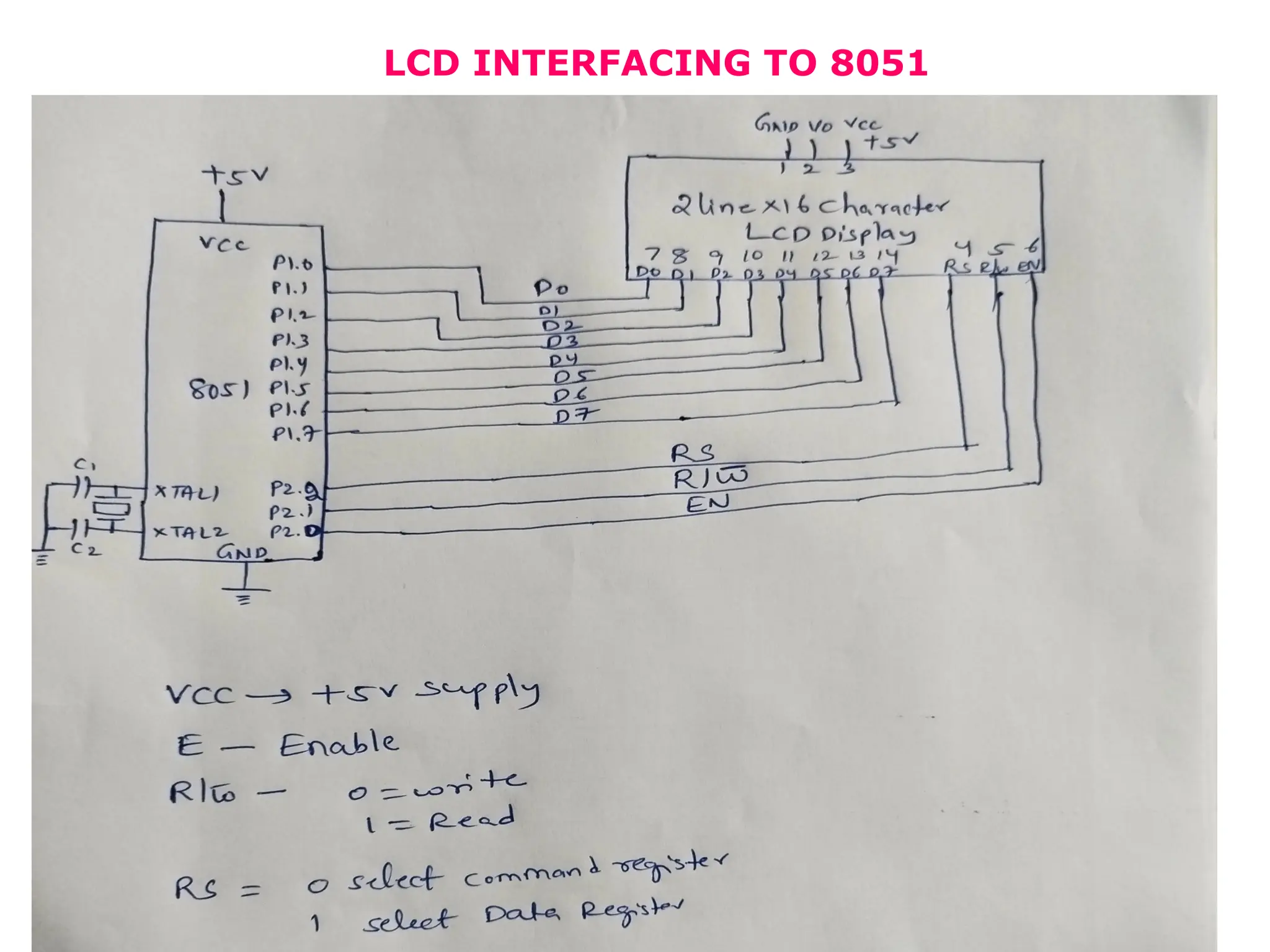
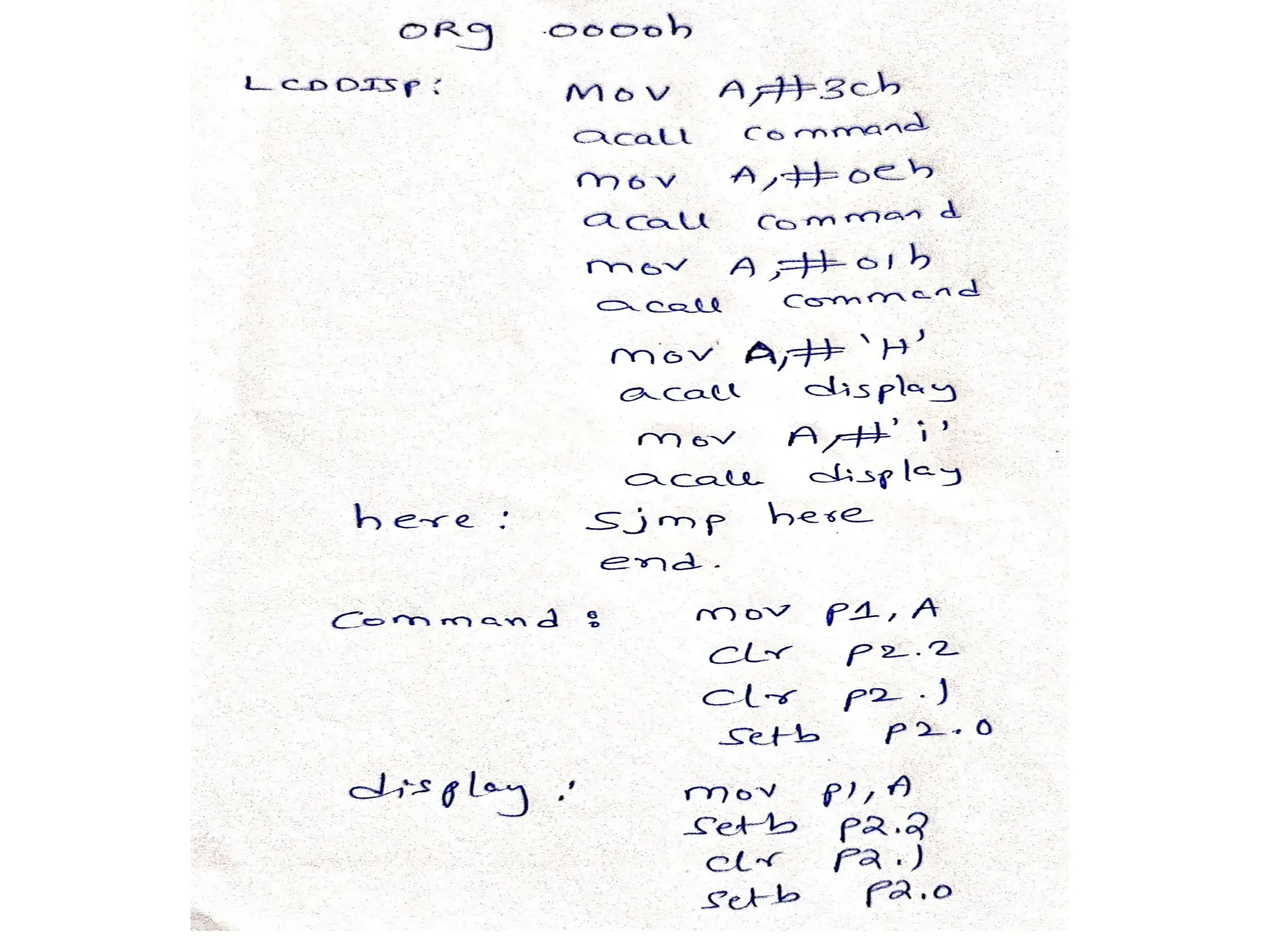
LCD INTERFACING TO 8051
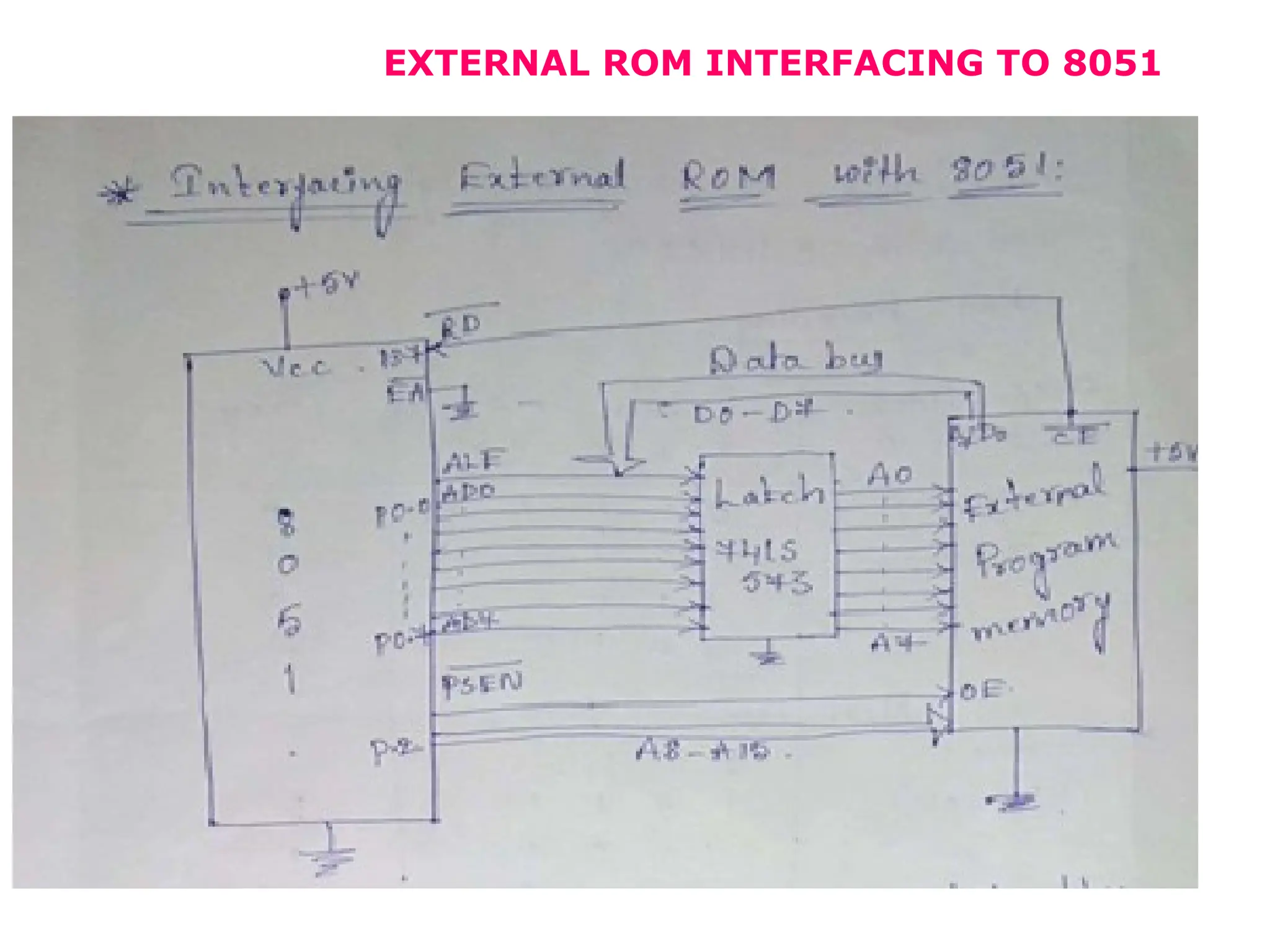
EXTERNAL ROM INTERFACING TO 8051
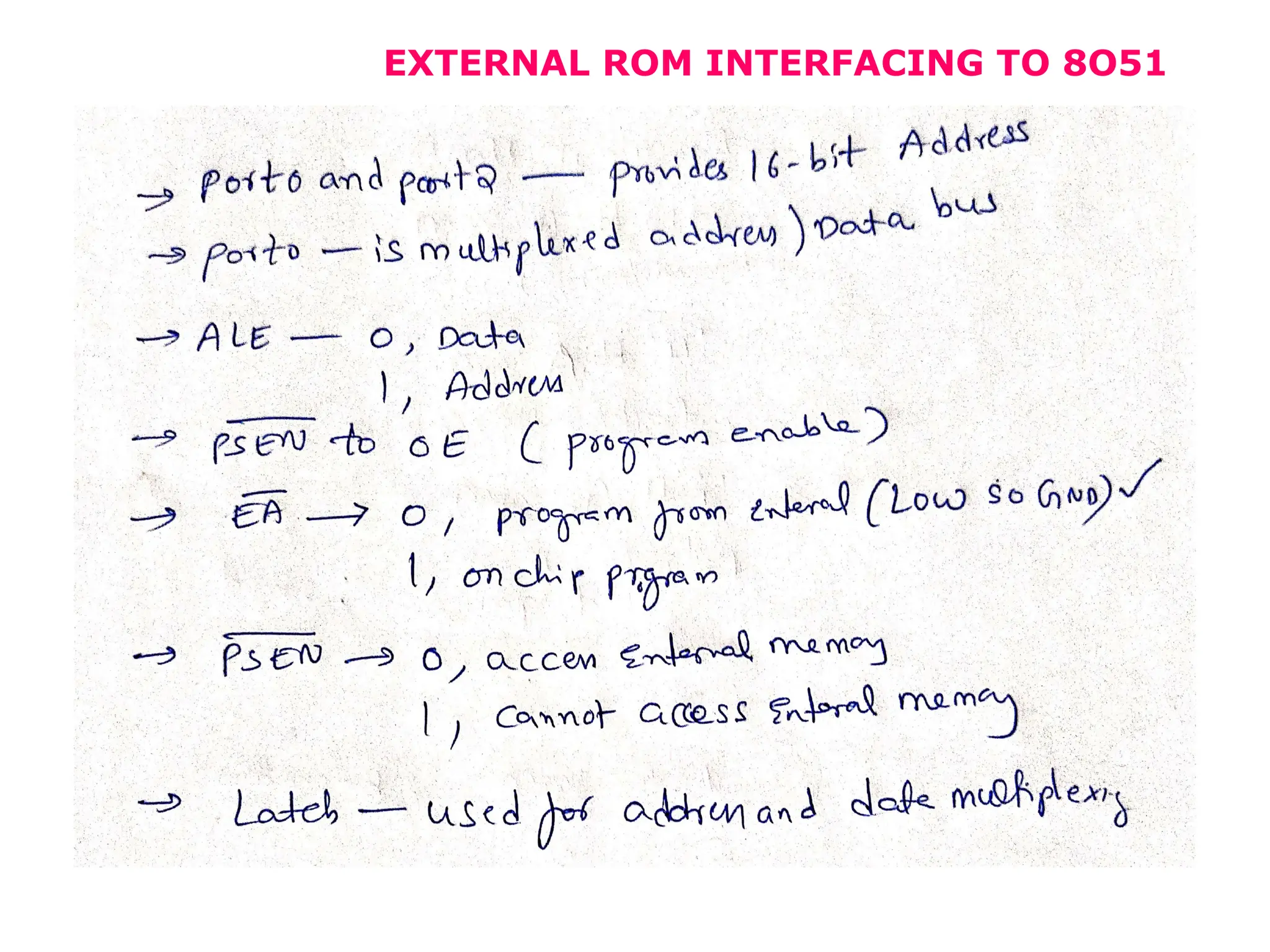
EXTERNAL ROM INTERFACING TO 8O51
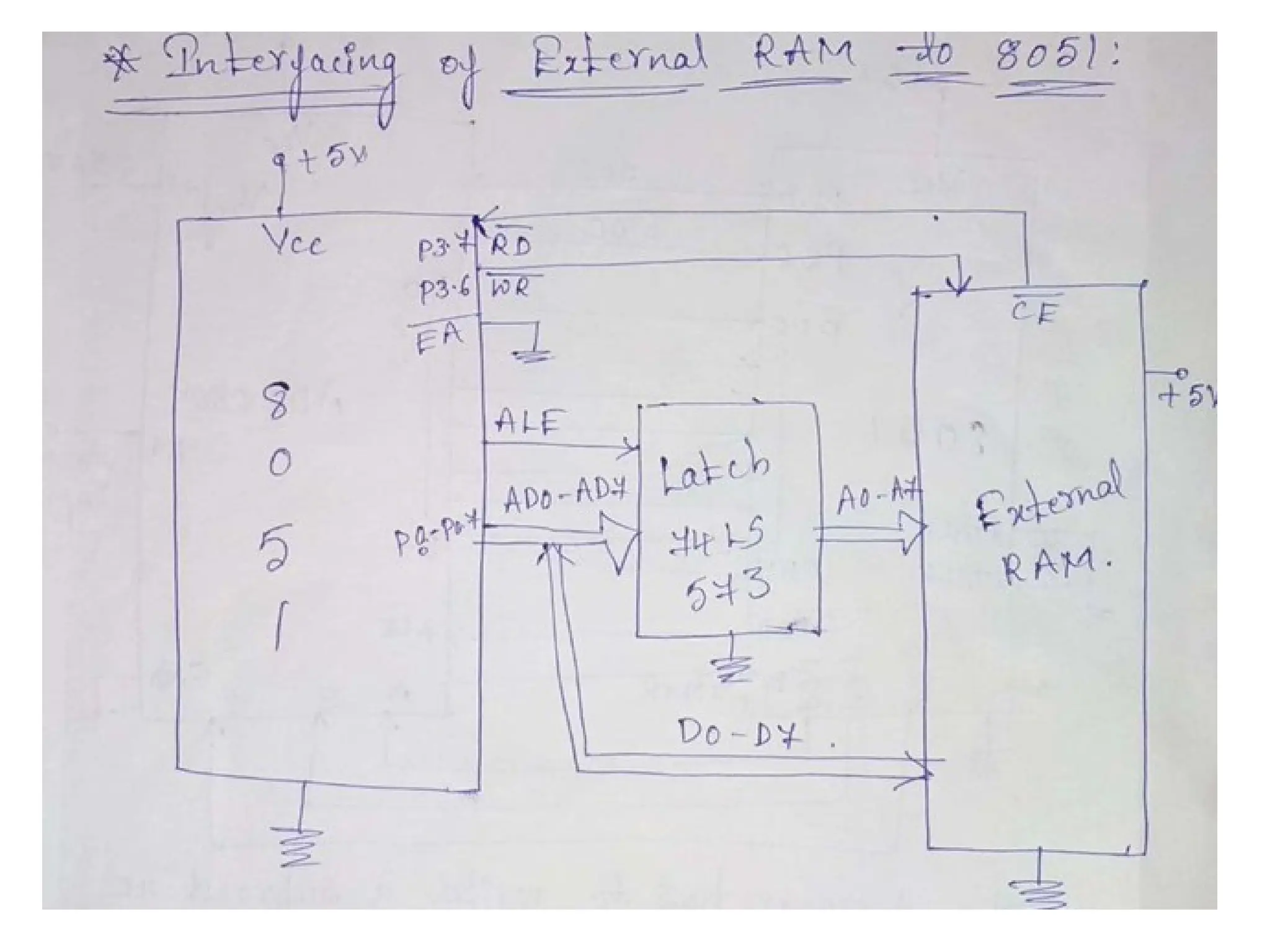
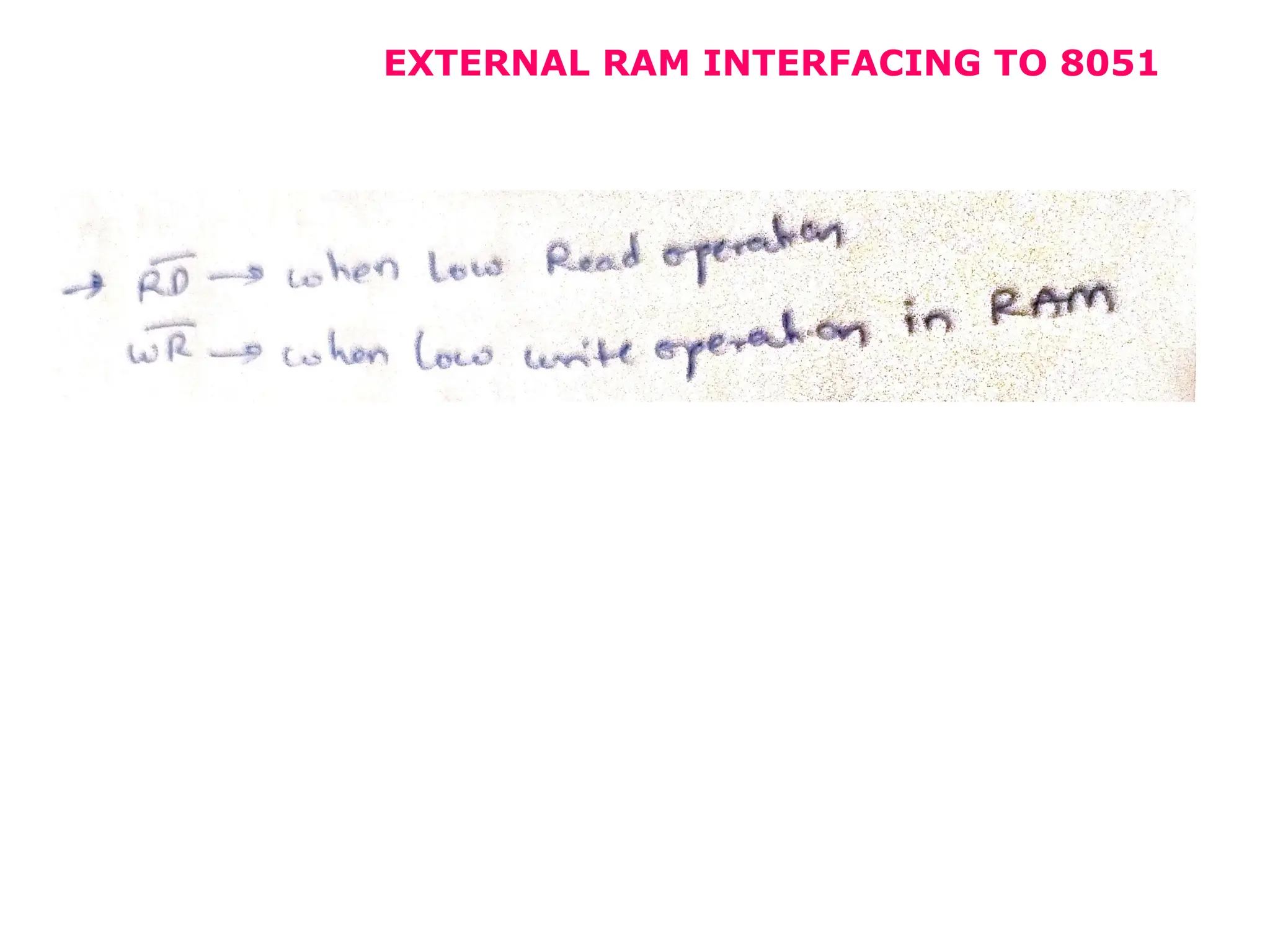
EXTERNAL RAM INTERFACING TO 8051
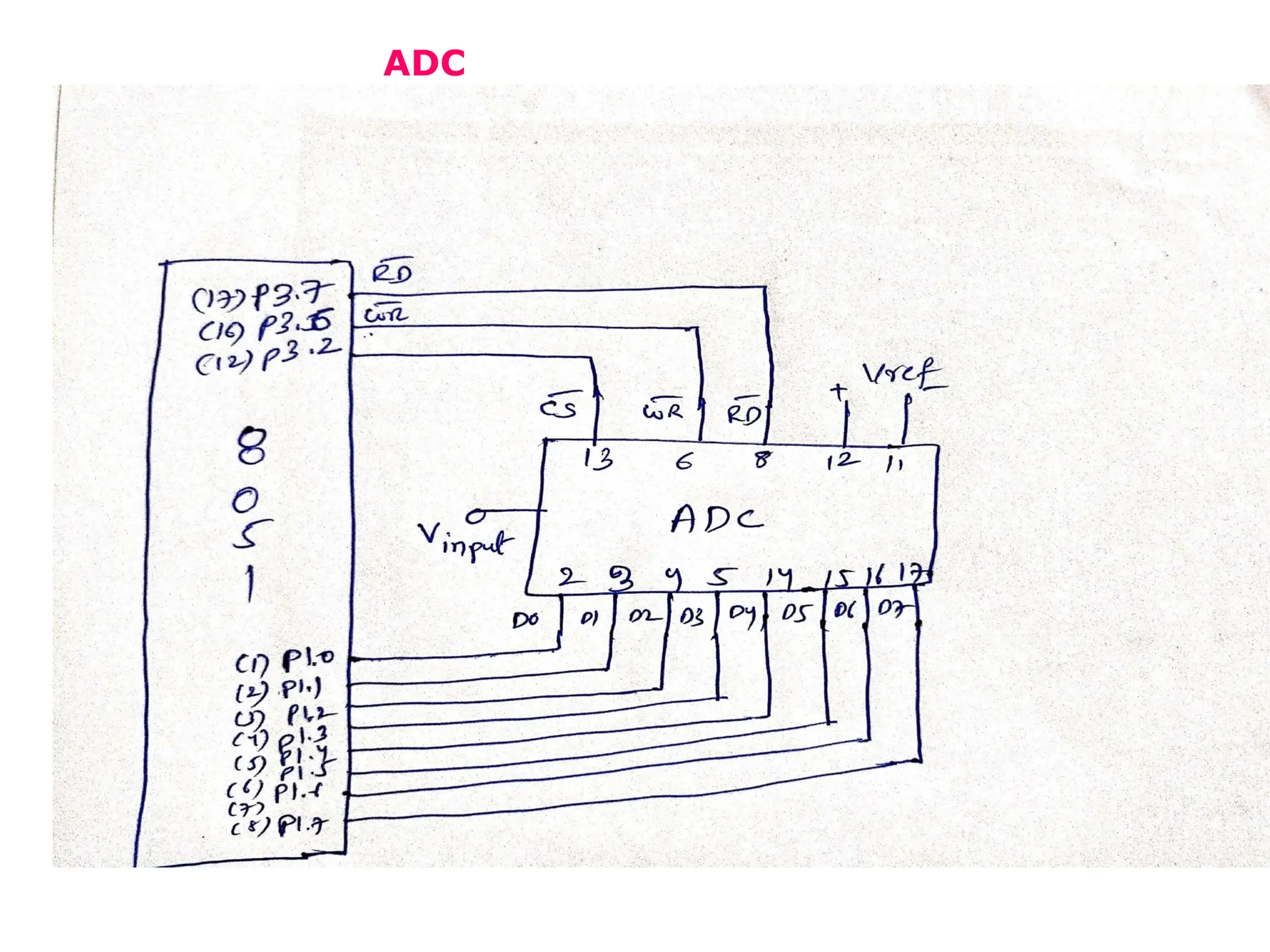
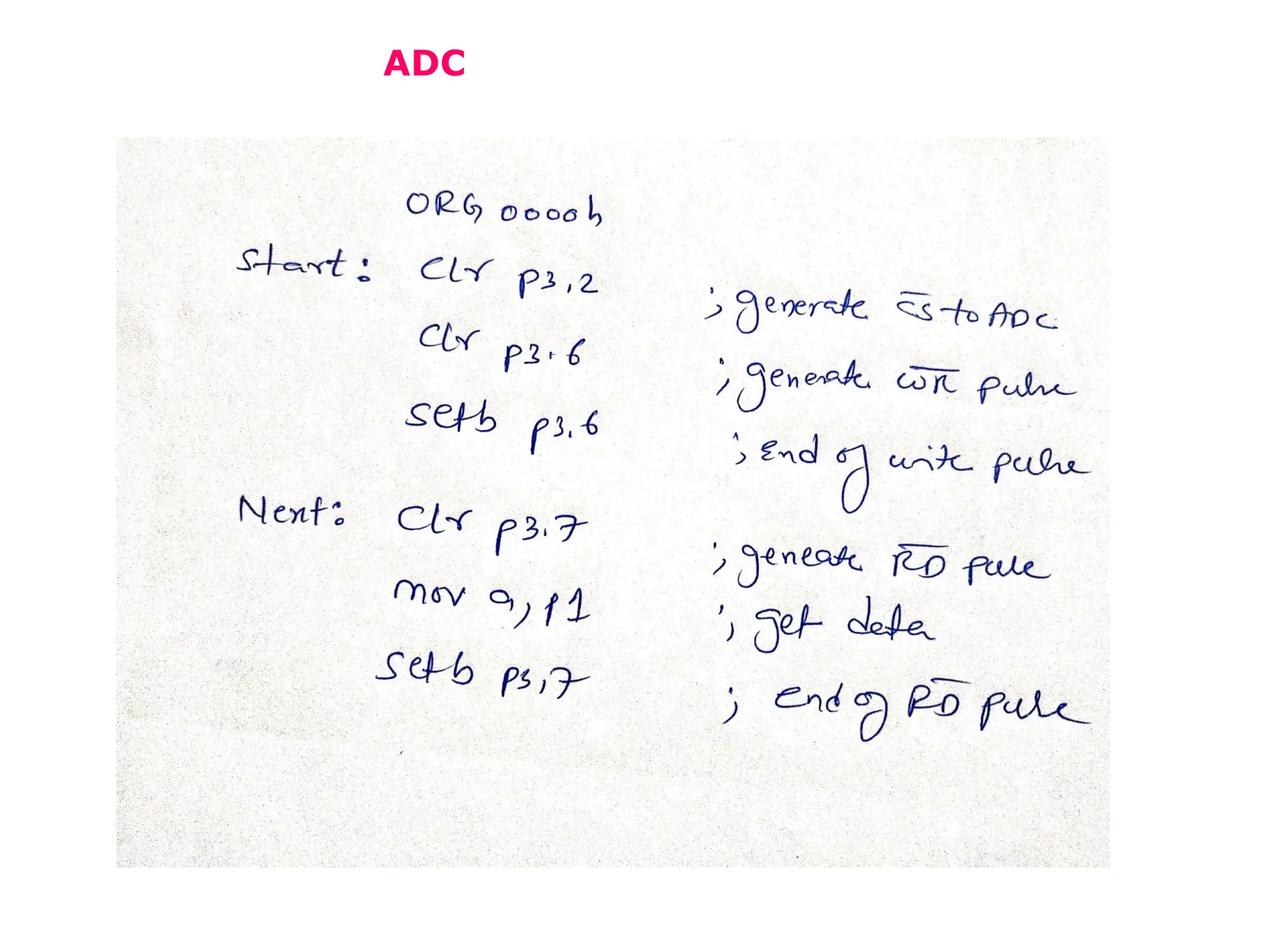
ADC
ADC
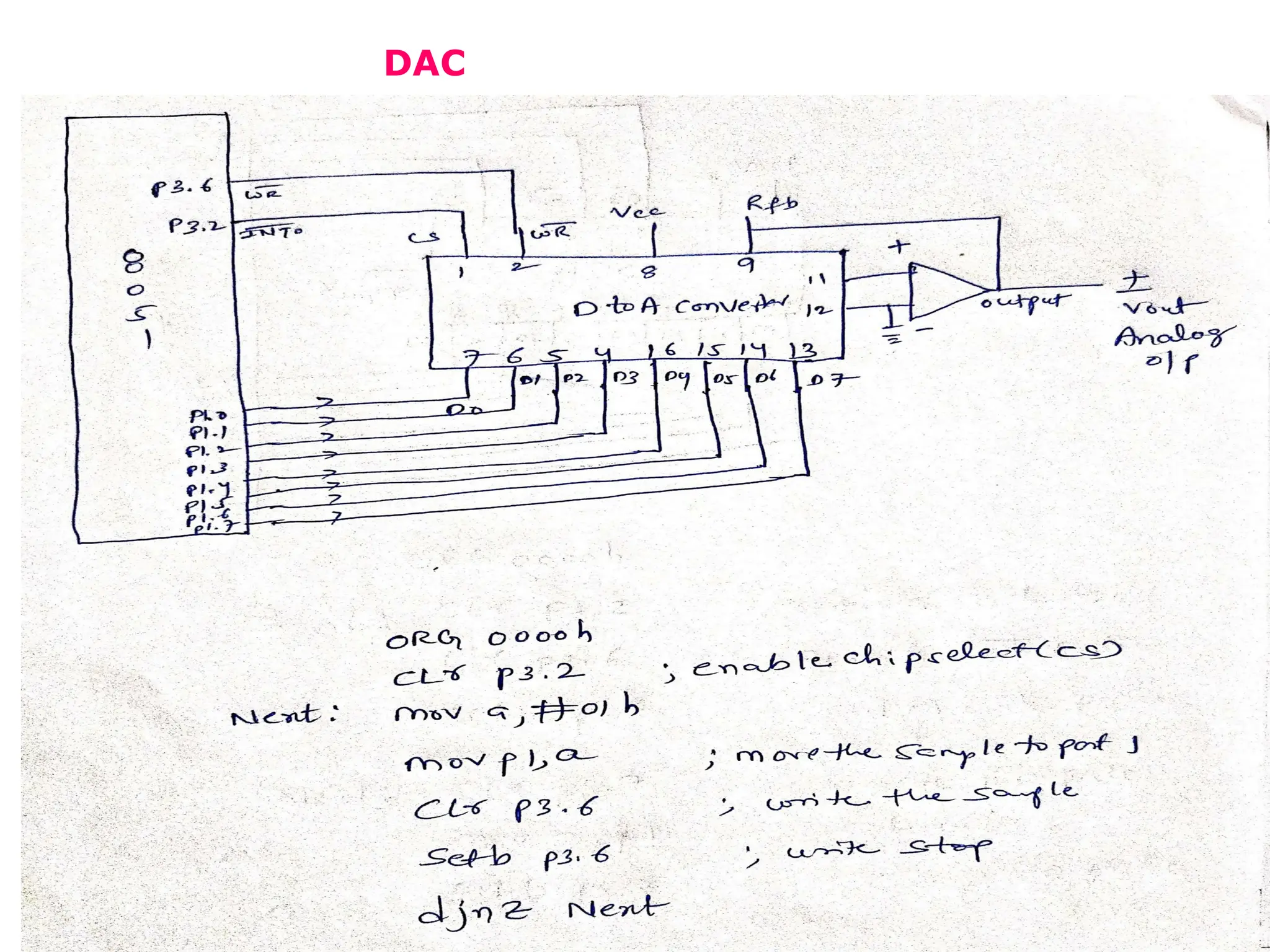
DAC
USART
• USART stands for Universal
Synchronous Asynchronous Receiver
Transmitter. It is sometimes called
the Serial Communications Interface
or SCI. Synchronous operation uses
a clock and data line while there is
no separate clock accompanying the
data for Asynchronous transmission.
UART
• UART stands for universal
asynchronous receiver / transmitter
and defines a protocol, or set of
rules, for exchanging serial data
between two devices. UART is very
simple and only uses two wires
between transmitter and receiver to
transmit and receive in both
directions. Both ends also have a
ground connection.
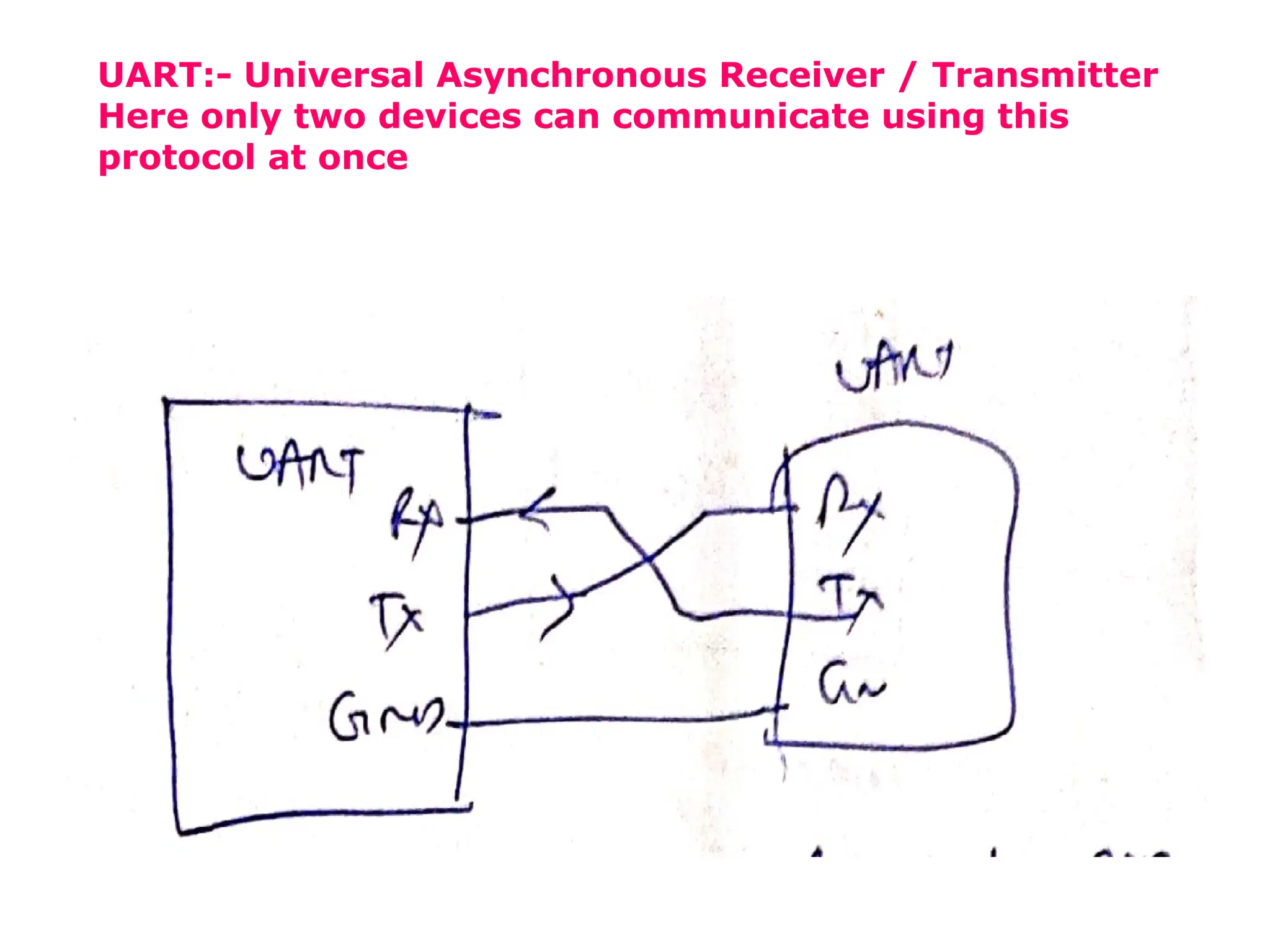
UART:- Universal Asynchronous Receiver / Transmitter
Here only two devices can communicate using this
protocol at once
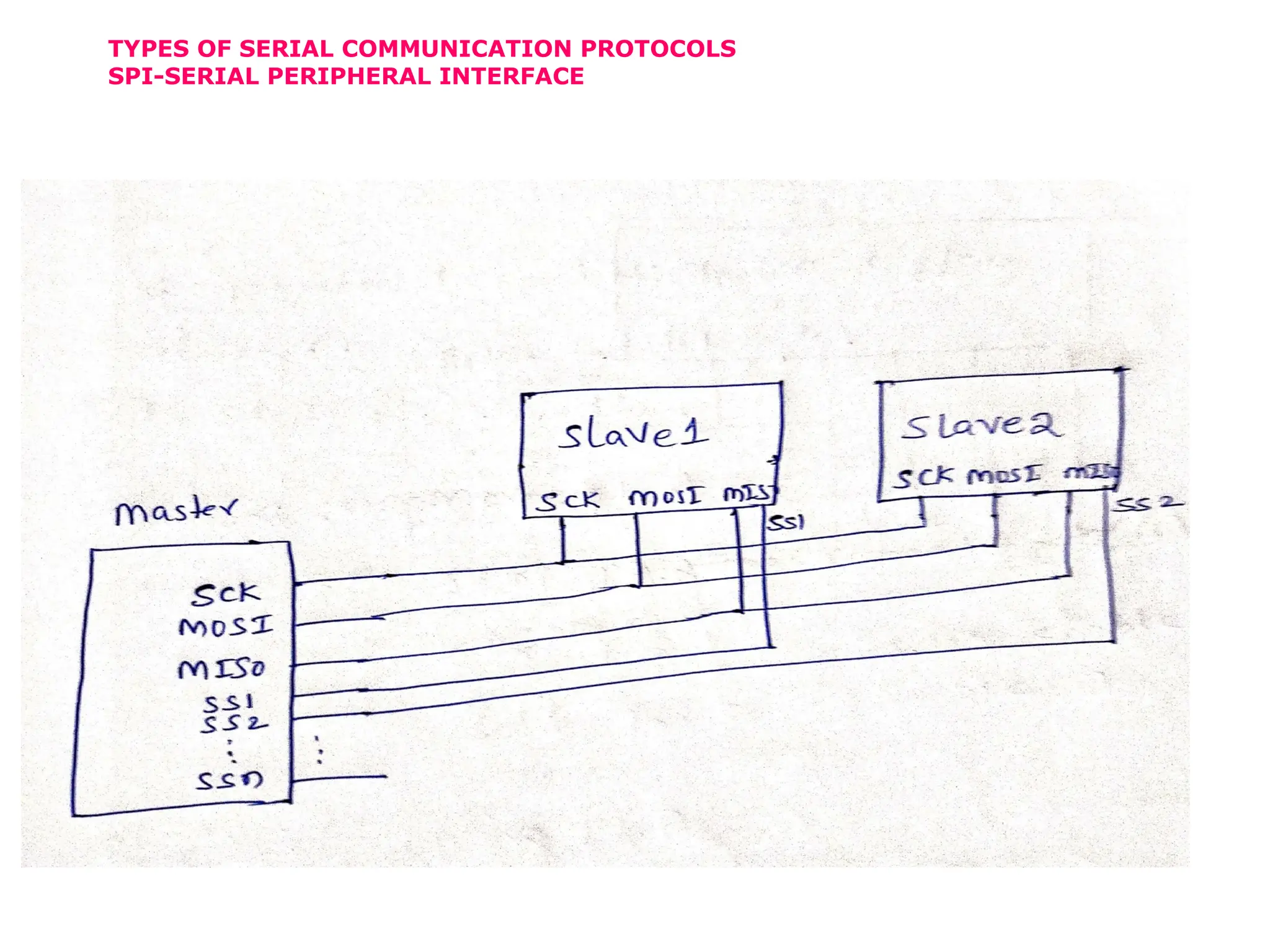
TYPES OF SERIAL COMMUNICATION PROTOCOLS
SPI-SERIAL PERIPHERAL INTERFACE
SPI
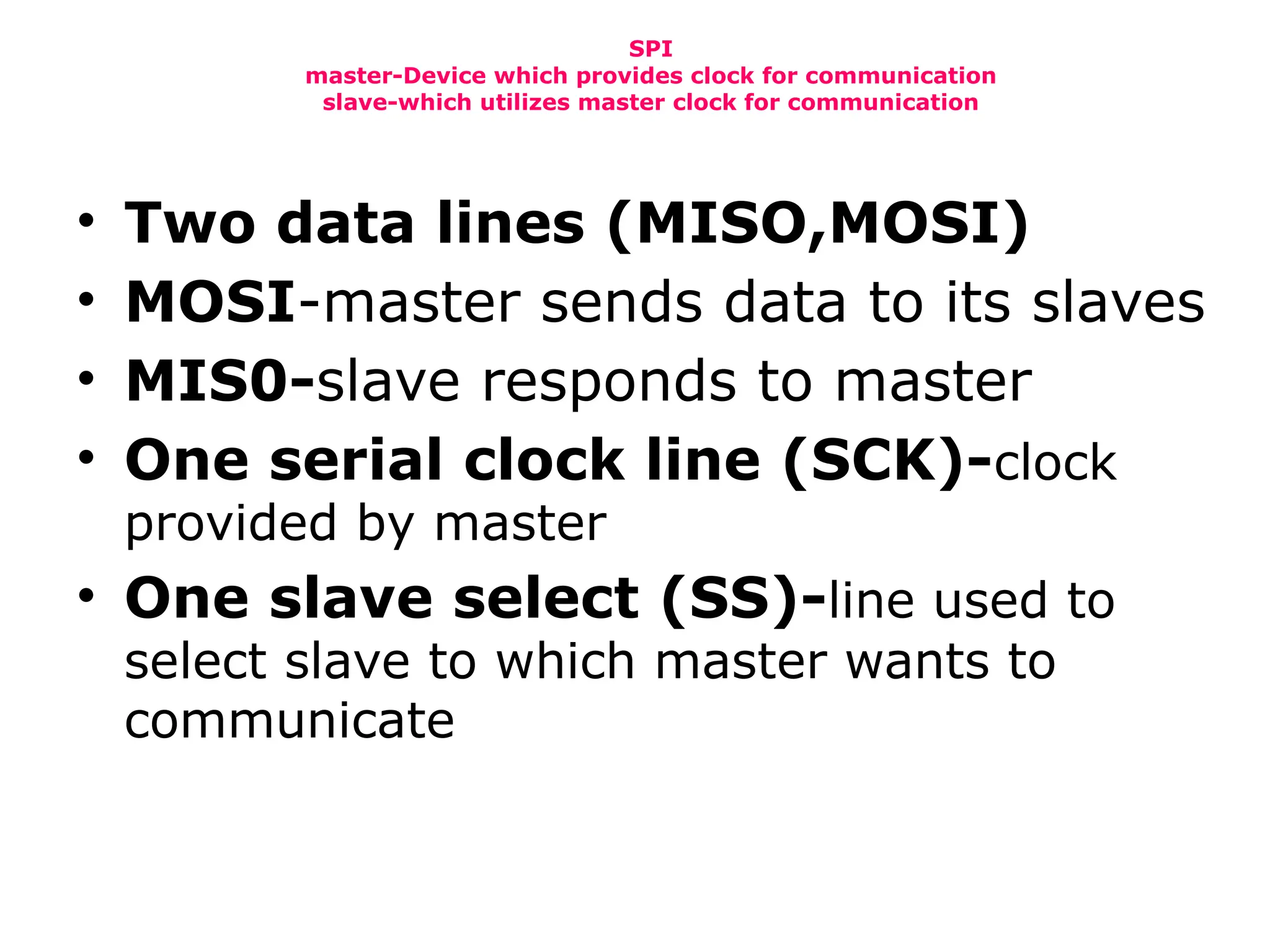
master-Device which provides clock for communication
slave-which utilizes master clock for communication
• Two data lines (MISO,MOSI)
• MOSI-master sends data to its slaves
• MIS0-slave responds to master
• One serial clock line (SCK)-clock
provided by master
• One slave select (SS)-line used to
select slave to which master wants to
communicate
SPI
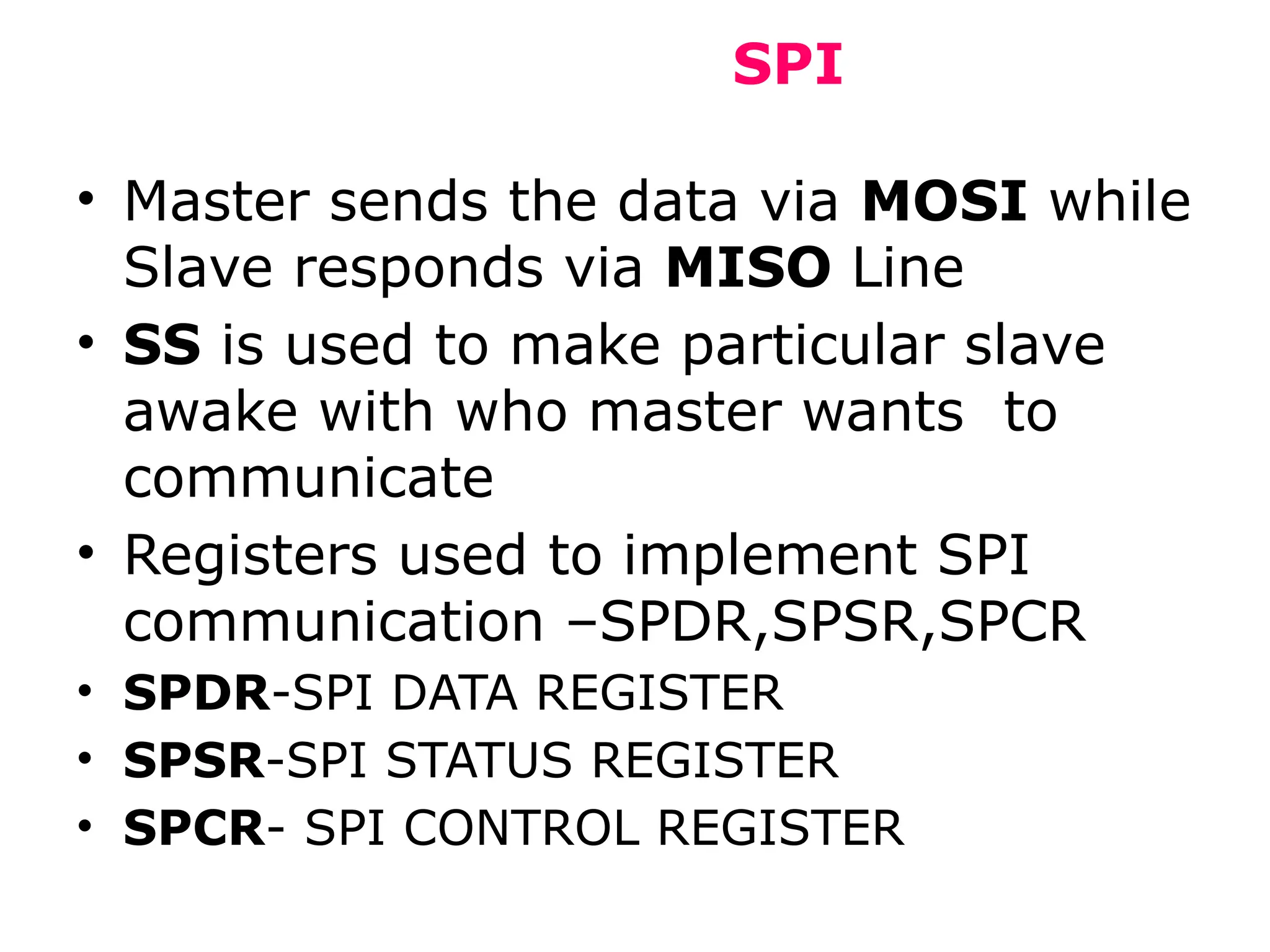
• Master sends the data via MOSI while
Slave responds via MISO Line
• SS is used to make particular slave
awake with who master wants to
communicate
• Registers used to implement SPI
communication –SPDR,SPSR,SPCR
• SPDR-SPI DATA REGISTER
• SPSR-SPI STATUS REGISTER
• SPCR- SPI CONTROL REGISTER
SPI
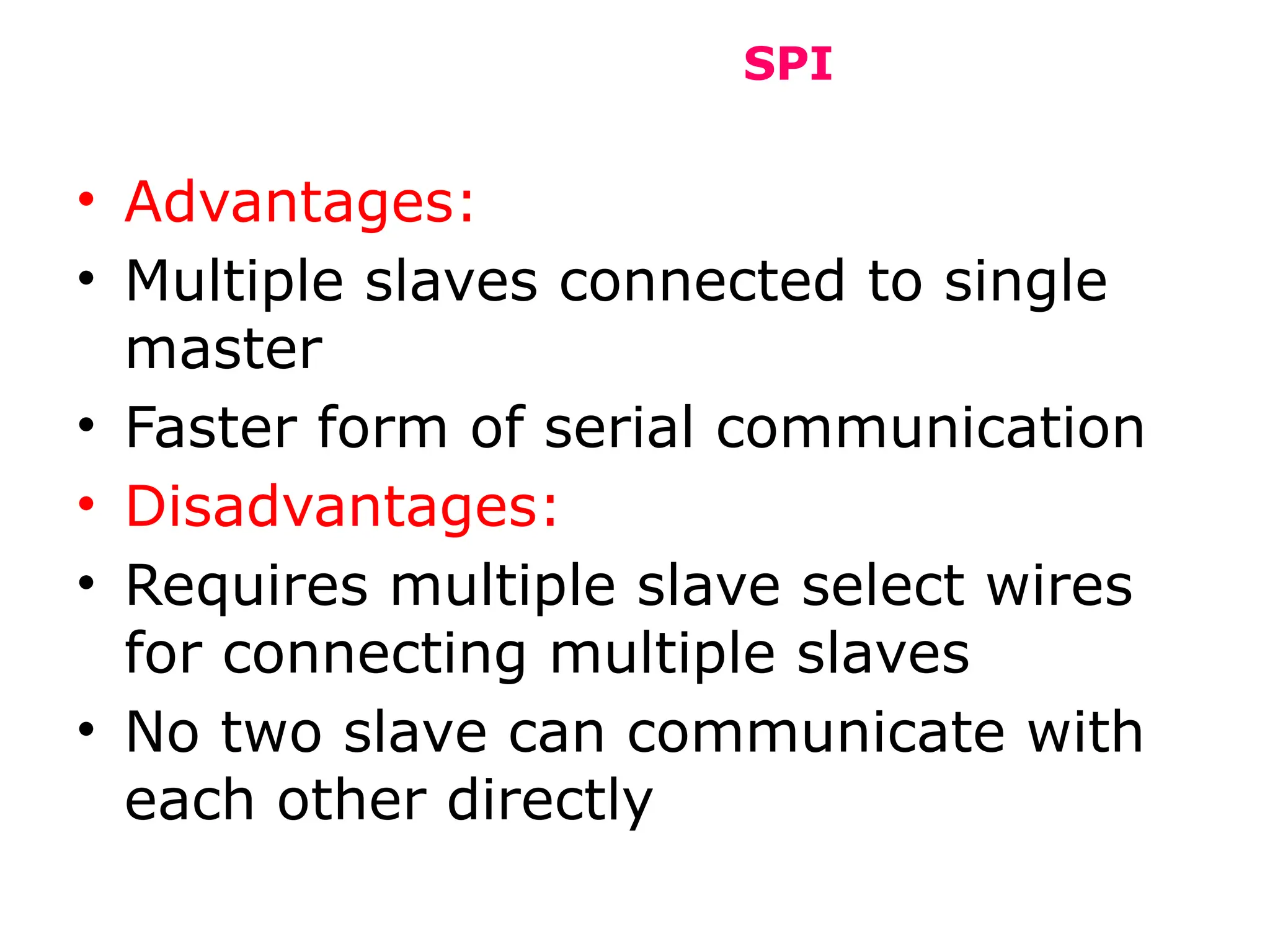
• Advantages:
• Multiple slaves connected to single
master
• Faster form of serial communication
• Disadvantages:
• Requires multiple slave select wires
for connecting multiple slaves
• No two slave can communicate with
each other directly
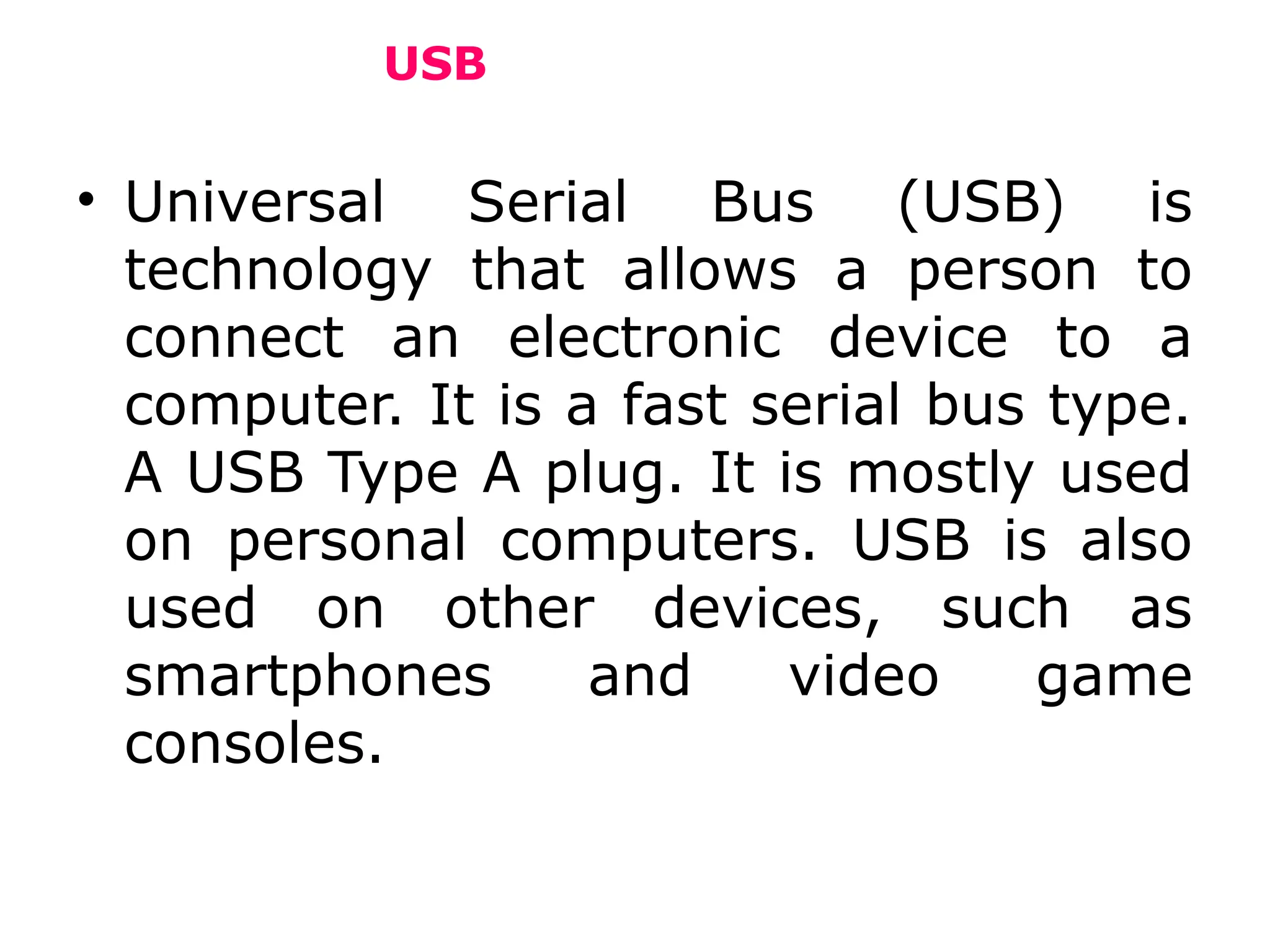
USB
• Universal Serial Bus (USB) is
technology that allows a person to
connect an electronic device to a
computer. It is a fast serial bus type.
A USB Type A plug. It is mostly used
on personal computers. USB is also
used on other devices, such as
smartphones and video game
consoles.
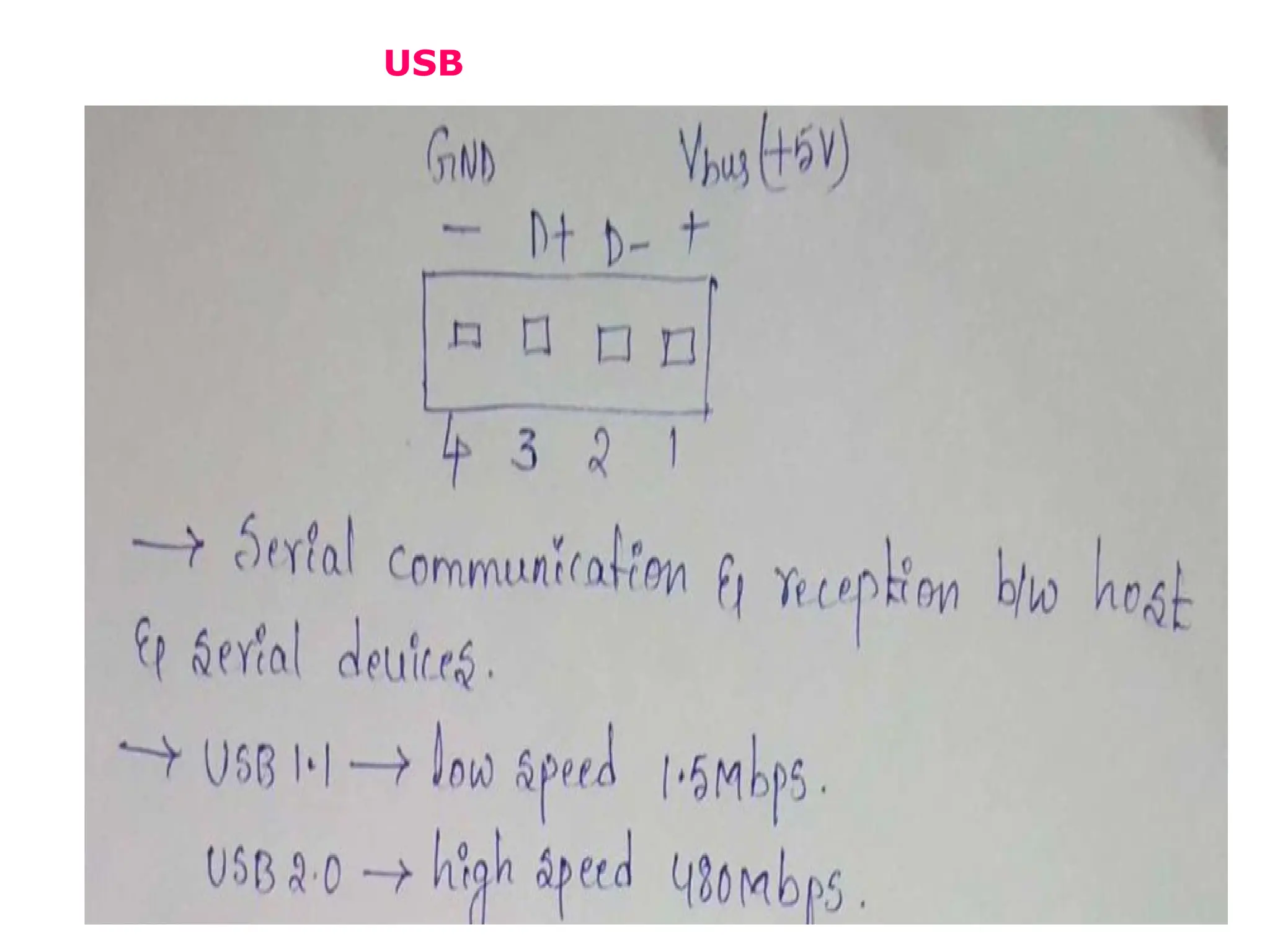
USB
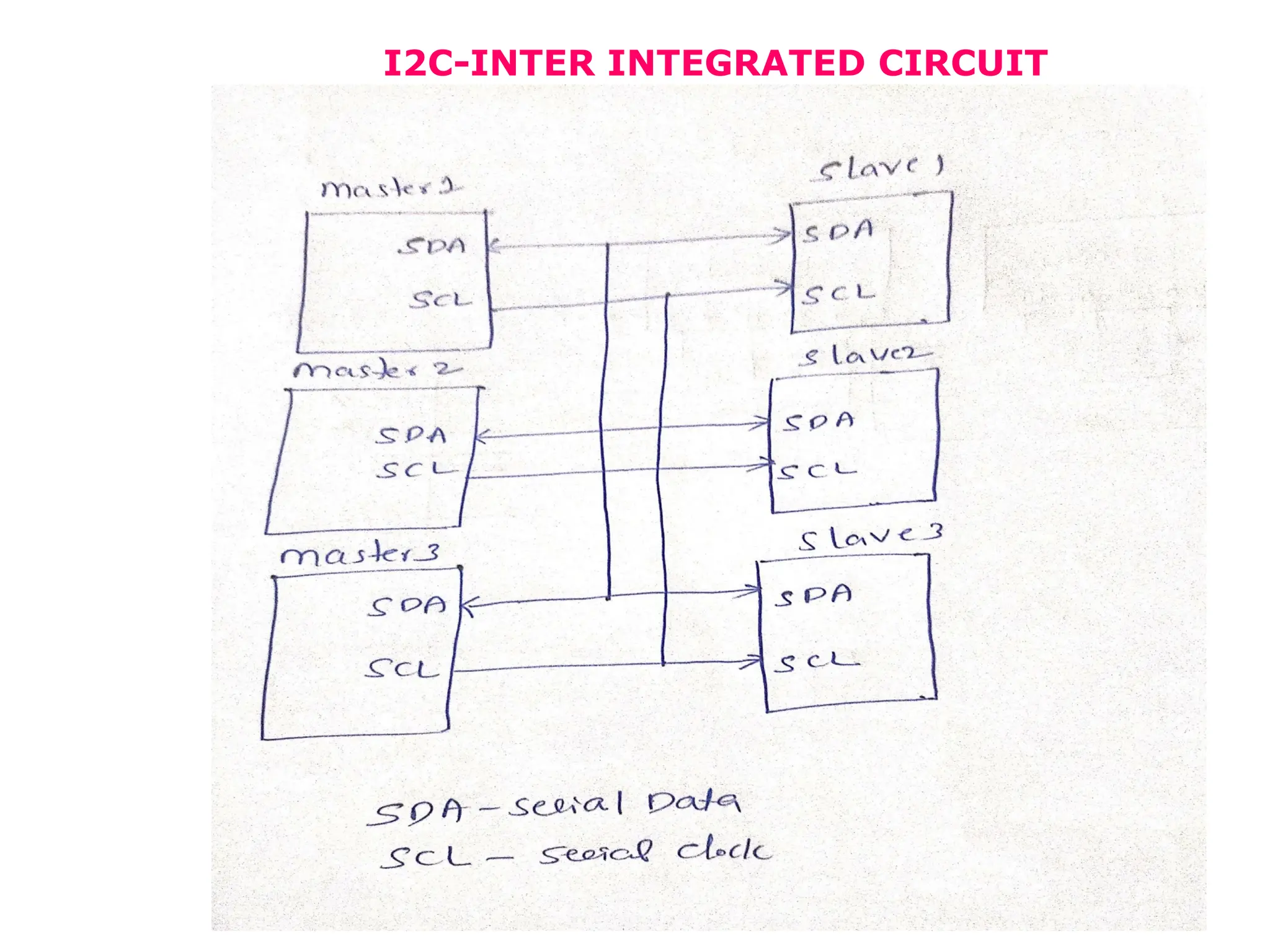
I2C-INTER INTEGRATED CIRCUIT
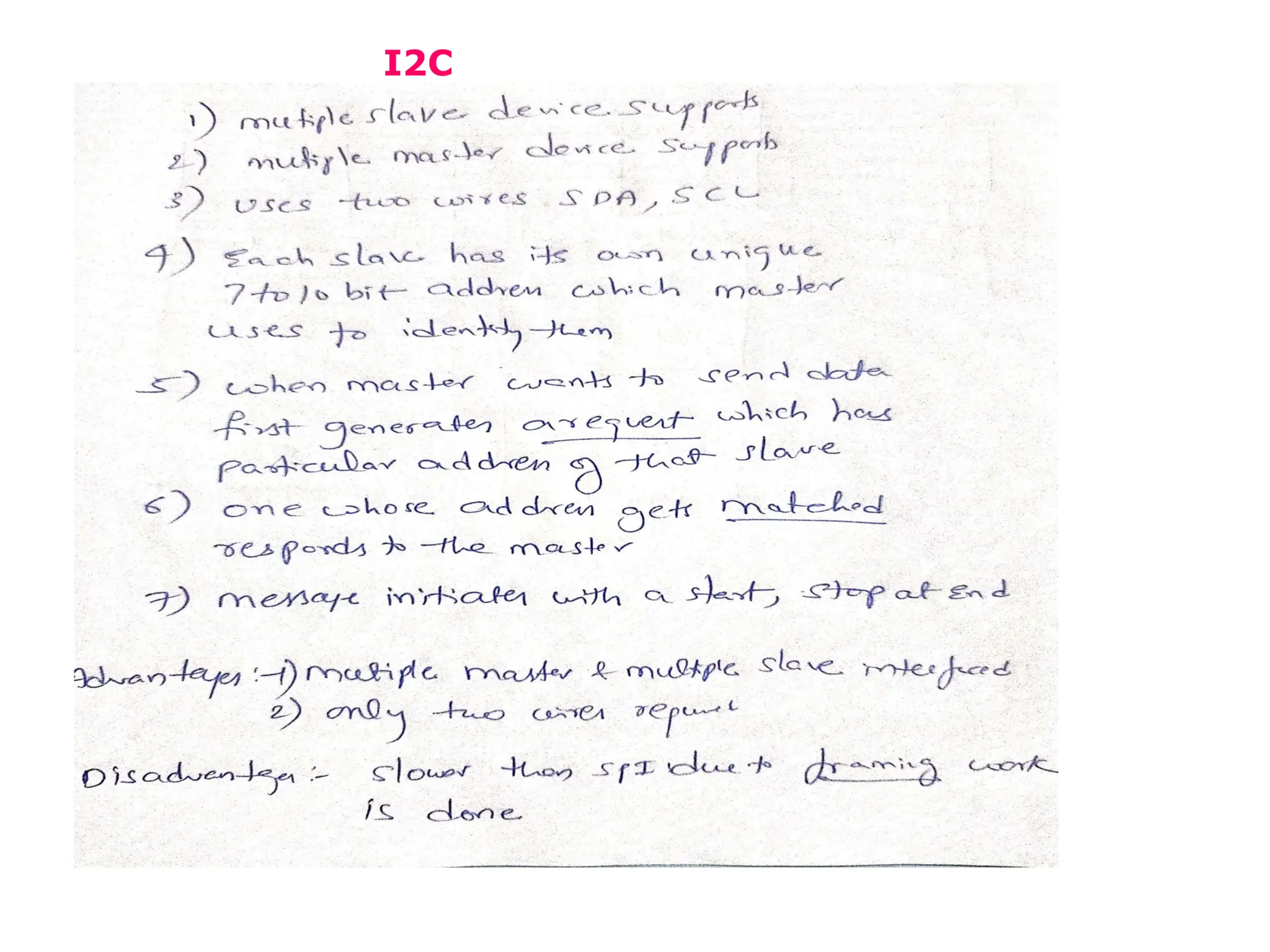
I2C

8051 interfacing part 3 lcd , keyboard etc.pptx

  • 1.
  • 3.
  • 5.
  • 6.
  • 8.
  • 9.
  • 10.
  • 11.
  • 14.
    USART • USART standsfor Universal Synchronous Asynchronous Receiver Transmitter. It is sometimes called the Serial Communications Interface or SCI. Synchronous operation uses a clock and data line while there is no separate clock accompanying the data for Asynchronous transmission.
  • 15.
    UART • UART standsfor universal asynchronous receiver / transmitter and defines a protocol, or set of rules, for exchanging serial data between two devices. UART is very simple and only uses two wires between transmitter and receiver to transmit and receive in both directions. Both ends also have a ground connection.
  • 16.
    UART:- Universal AsynchronousReceiver / Transmitter Here only two devices can communicate using this protocol at once
  • 17.
    TYPES OF SERIALCOMMUNICATION PROTOCOLS SPI-SERIAL PERIPHERAL INTERFACE
  • 18.
    SPI master-Device which providesclock for communication slave-which utilizes master clock for communication • Two data lines (MISO,MOSI) • MOSI-master sends data to its slaves • MIS0-slave responds to master • One serial clock line (SCK)-clock provided by master • One slave select (SS)-line used to select slave to which master wants to communicate
  • 19.
    SPI • Master sendsthe data via MOSI while Slave responds via MISO Line • SS is used to make particular slave awake with who master wants to communicate • Registers used to implement SPI communication –SPDR,SPSR,SPCR • SPDR-SPI DATA REGISTER • SPSR-SPI STATUS REGISTER • SPCR- SPI CONTROL REGISTER
  • 20.
    SPI • Advantages: • Multipleslaves connected to single master • Faster form of serial communication • Disadvantages: • Requires multiple slave select wires for connecting multiple slaves • No two slave can communicate with each other directly
  • 21.
    USB • Universal SerialBus (USB) is technology that allows a person to connect an electronic device to a computer. It is a fast serial bus type. A USB Type A plug. It is mostly used on personal computers. USB is also used on other devices, such as smartphones and video game consoles.
  • 22.
  • 23.
  • 24.