1
Basics of Operating Systems
: Multiprogramming & Time Sharing
Recap
In the last class, you have learnt about
• Spooling
• Buffering
2
3
Objectives
On completion of this period, you would be able to
know
• Multiprogramming
• Time Sharing
4
Multiprogramming
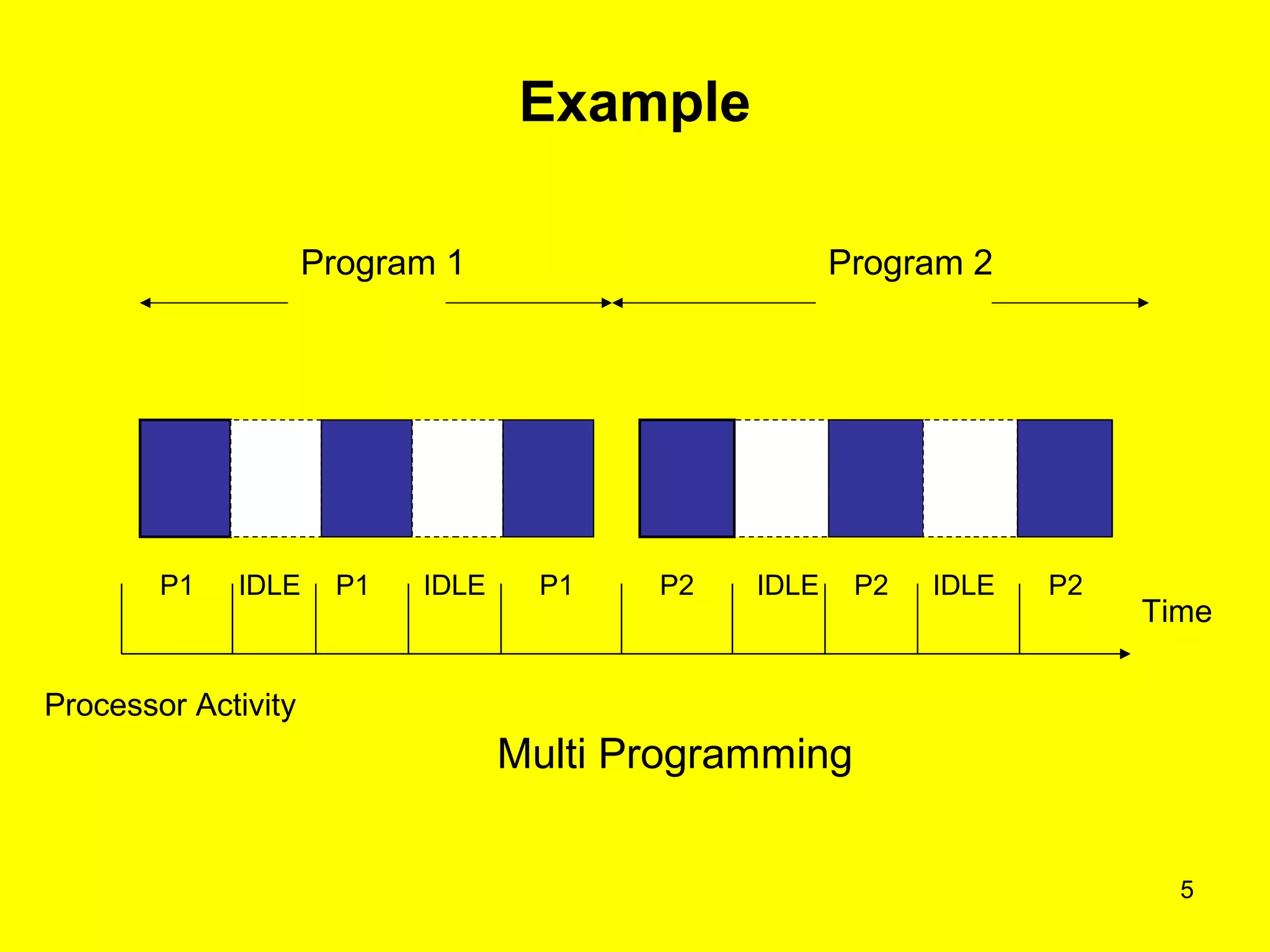
• A program under execution is called a process
• Serial execution of the program causes either the process or
I/O devices to be ideal at some time even if the input job
stream is never empty – a problem ( refer next slide )
• Solution to this problem is to assign some other work to the
processor and I/O devices when they are idle
• Allow programs to execute concurrently by assigning pending
work to under utilized components
Example
5
Program 1 Program 2
P1 IDLE P1 P1IDLE IDLEIDLEP2 P2 P2
Processor Activity
Time
Multi Programming
6
Multiprogramming
• Previous Figure illustrates a possible scenario of concurrent
execution of the two programs
• It starts with the processor executing the first computational
sequence program 1
• Instead of idling during the I/O sequence of program 1, the
processor is assigned to the first computation sequence of
the program 2, which is assumed to be in memory and
awaiting for execution
• When this work is done, the processor is assigned to
program 1 again, then to program 2, and so forth
7
Multiprogramming (Contd..)
• Performance of processor may be improved by
interleaved execution of programs
• With a single processor, parallel execution of
program is not possible, and at most one program
can be in control of the processor at any time
8
Multiprogramming (Contd..)
• It achieves 100% processor utilization with only two
active programs
• Multiprogramming has been employed to increase
resource utilization of a computer system and to
support multiple, simultaneously active users
9
Multiprogramming (Contd..)
• Multiprogramming system is provided by time
sharing systems found in many university
computer centers
• Time sharing systems support multiple interactive
users
• System and user programs, as well as data, are
kept on the secondary storage which is managed
by the file system
10
Time sharing
• Time sharing is the logical extension of
Multiprogramming
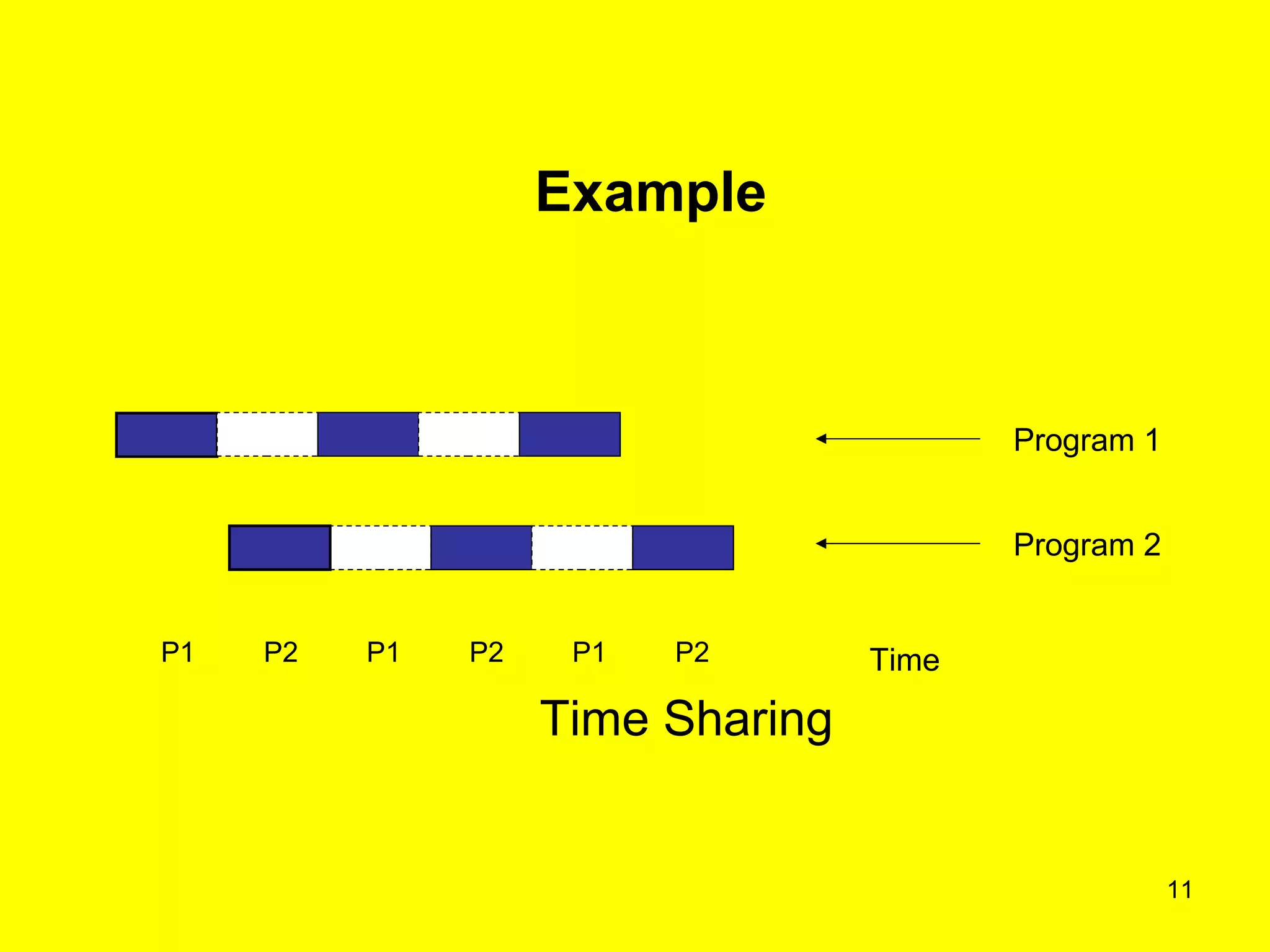
• Time sharing systems executes multiple jobs by
switching among them ( refer next slide )
• Switches occurs frequently so that the user can
interact with each program while it is running
• Each program executes for a fixed time quantum
11
P1P1 P1P2 P2 P2
Program 1
Program 2
Time
Time Sharing
Example
12
Timesharing (Contd..)
• Time sharing requires an interactive computer
system
• i.e. direct communication between the user and the
system
• Time sharing OS allows many users to share the
computer simultaneously
• Each action or command in a time shared system is
short, only a little of CPU time is required for each
user
13
Timesharing (Contd..)
• The system switches rapidly from one user to
the next
• User gets the impression that the entire system
is dedicated to his use
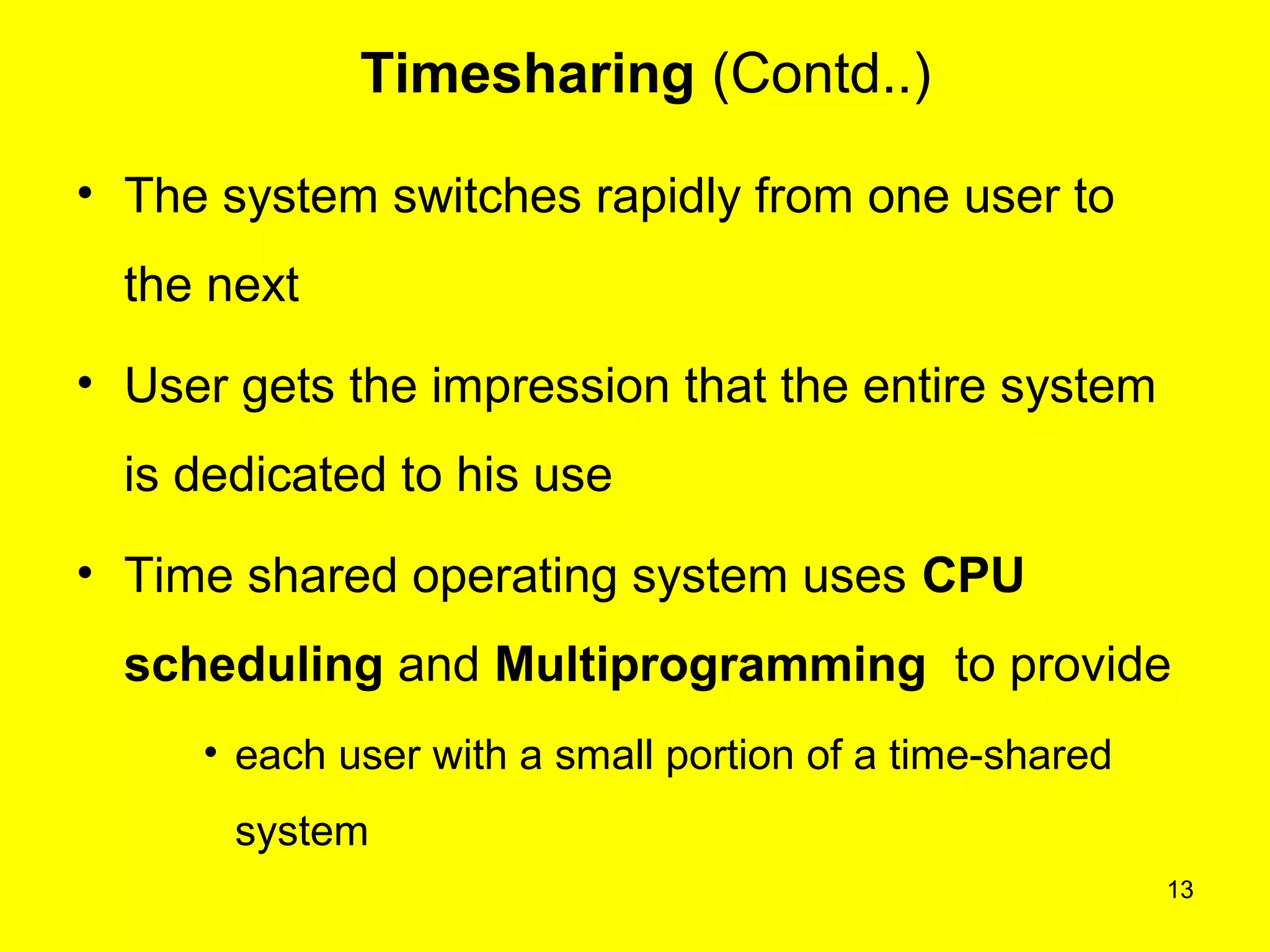
• Time shared operating system uses CPU
scheduling and Multiprogramming to provide
• each user with a small portion of a time-shared
system
14
Frequently Asked Questions
• Explain Multiprogramming systems
• Explain Time Sharing systems
15
Quiz
• Programs are developed and executed in the
interactive mode
Yes
No
16
Quiz
• A program in execution is called process
Yes
No
17
Click here to see
Operating Systems
Basics of Operating Systems
Definition of Operating Systems
Other subject materials
• Web designing
• Micro processors
• C++ tutorials
• java
home
1.4 Know about concept of spooling and
buffering ppt

6multiprogrammingtimesharing 130112050125-phpapp01

  • 1.
    1 Basics of OperatingSystems : Multiprogramming & Time Sharing
  • 2.
    Recap In the lastclass, you have learnt about • Spooling • Buffering 2
  • 3.
    3 Objectives On completion ofthis period, you would be able to know • Multiprogramming • Time Sharing
  • 4.
    4 Multiprogramming • A programunder execution is called a process • Serial execution of the program causes either the process or I/O devices to be ideal at some time even if the input job stream is never empty – a problem ( refer next slide ) • Solution to this problem is to assign some other work to the processor and I/O devices when they are idle • Allow programs to execute concurrently by assigning pending work to under utilized components
  • 5.
    Example 5 Program 1 Program2 P1 IDLE P1 P1IDLE IDLEIDLEP2 P2 P2 Processor Activity Time Multi Programming
  • 6.
    6 Multiprogramming • Previous Figureillustrates a possible scenario of concurrent execution of the two programs • It starts with the processor executing the first computational sequence program 1 • Instead of idling during the I/O sequence of program 1, the processor is assigned to the first computation sequence of the program 2, which is assumed to be in memory and awaiting for execution • When this work is done, the processor is assigned to program 1 again, then to program 2, and so forth
  • 7.
    7 Multiprogramming (Contd..) • Performanceof processor may be improved by interleaved execution of programs • With a single processor, parallel execution of program is not possible, and at most one program can be in control of the processor at any time
  • 8.
    8 Multiprogramming (Contd..) • Itachieves 100% processor utilization with only two active programs • Multiprogramming has been employed to increase resource utilization of a computer system and to support multiple, simultaneously active users
  • 9.
    9 Multiprogramming (Contd..) • Multiprogrammingsystem is provided by time sharing systems found in many university computer centers • Time sharing systems support multiple interactive users • System and user programs, as well as data, are kept on the secondary storage which is managed by the file system
  • 10.
    10 Time sharing • Timesharing is the logical extension of Multiprogramming • Time sharing systems executes multiple jobs by switching among them ( refer next slide ) • Switches occurs frequently so that the user can interact with each program while it is running • Each program executes for a fixed time quantum
  • 11.
    11 P1P1 P1P2 P2P2 Program 1 Program 2 Time Time Sharing Example
  • 12.
    12 Timesharing (Contd..) • Timesharing requires an interactive computer system • i.e. direct communication between the user and the system • Time sharing OS allows many users to share the computer simultaneously • Each action or command in a time shared system is short, only a little of CPU time is required for each user
  • 13.
    13 Timesharing (Contd..) • Thesystem switches rapidly from one user to the next • User gets the impression that the entire system is dedicated to his use • Time shared operating system uses CPU scheduling and Multiprogramming to provide • each user with a small portion of a time-shared system
  • 14.
    14 Frequently Asked Questions •Explain Multiprogramming systems • Explain Time Sharing systems
  • 15.
    15 Quiz • Programs aredeveloped and executed in the interactive mode Yes No
  • 16.
    16 Quiz • A programin execution is called process Yes No
  • 17.
    17 Click here tosee Operating Systems Basics of Operating Systems Definition of Operating Systems Other subject materials • Web designing • Micro processors • C++ tutorials • java home 1.4 Know about concept of spooling and buffering ppt