1. Rotoscoping
2. 6 Ways to Make Rotoscoping Effective In
Animation and VFX
• Choose The Roto Starting Point Strategically
• Avoid Large Mask
• Learn Techniques for Hair Roto
• Learn Rotoscope Keyboard Shortcuts
• Limit Use of Point
• Save The File
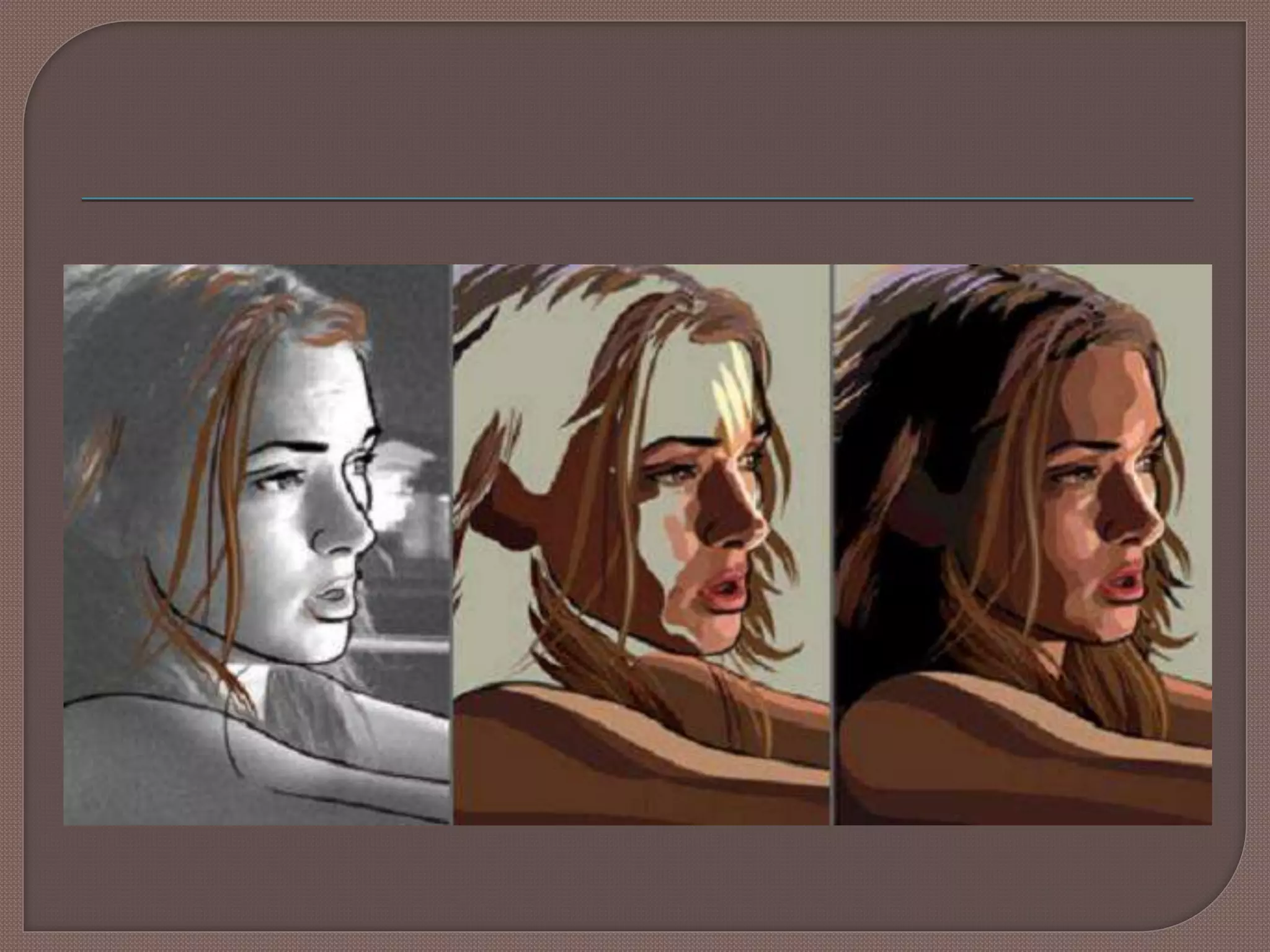
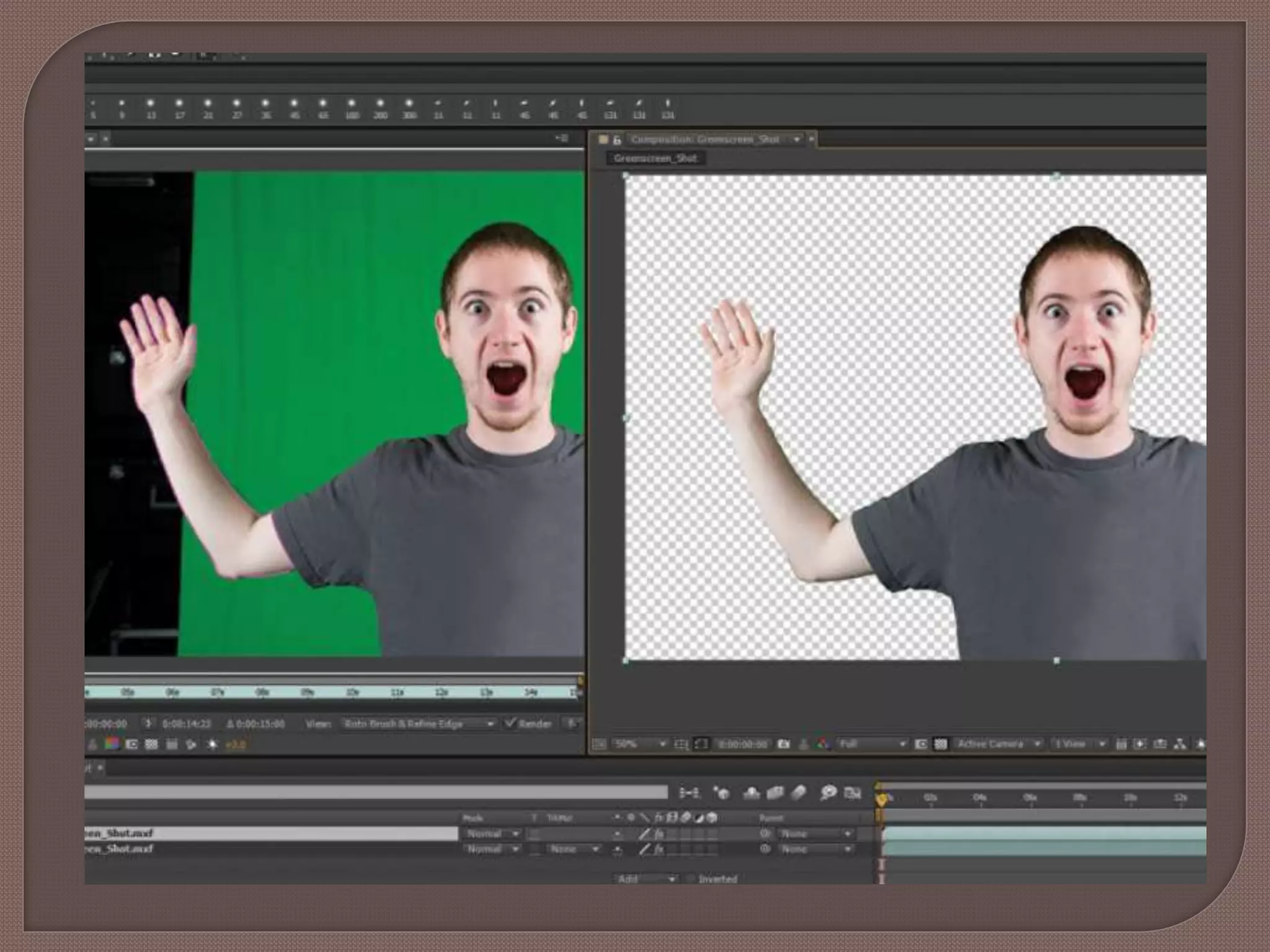
 Rotoscoping is a meticulous and time-taking
process. However, it's an essential skill for
animators designer and visual effects artists
who work in broadcasting, cinema and video
production.
 Here we tend to represent seven ways to
make rotoscoping easier, effective and speed
up the roto process without sacrificing quality.
 It looks intuitive to start rotoscoping on the
very first frame of footage; however, it's much
smarter to choose the frame with the most
information and start from there.
 Analyze all of the footage before you start
and map out a plan of execution.
 Rather than working with a large and
cumbersome mask, split it up into smaller
segments and roto each piece individually.
 It will be simpler to manage your control
points, which will help to save time.
 Example: If you are rotoscoping a person,
make use of separate masks for the head,
body, arms, legs, etc. Watch how they walk
and animate a set of overlapping masks.
 Rotoscoping around hair can be especially
challenging and time-consuming.
 It's important to learn specific techniques for
hair roto available with software like Mocha.
 Example: Instead of outlining the hair with
roto shapes, make use of splines to recreate
it or paint multiple overlapping layers of matte
for hair to achieve a wind-blown look.
 Whether you are using Mocha, Nuke,
Silhouette or some other roto program, save
yourself time by learning keyboard shortcuts.
 In Mocha, you can customize shortcuts for
every action, tool, and menu item.
 This resource will walk you through the
process.
 In roto, more points lead to shape chattering
at the edges.
 Carefully assess the complexity of the shape
you are working with.
 Can you afford to be a bit more economical
with points? You need to describe the shape-
extra points will lead to additional work.
 Even using tips like these, you will still spend
the necessary amount of time painstakingly
creating a final product. Save the file.
6 Ways to Make Rotoscoping Effective in Animation and VFX

6 Ways to Make Rotoscoping Effective in Animation and VFX

  • 2.
    1. Rotoscoping 2. 6Ways to Make Rotoscoping Effective In Animation and VFX • Choose The Roto Starting Point Strategically • Avoid Large Mask • Learn Techniques for Hair Roto • Learn Rotoscope Keyboard Shortcuts • Limit Use of Point • Save The File
  • 5.
     Rotoscoping isa meticulous and time-taking process. However, it's an essential skill for animators designer and visual effects artists who work in broadcasting, cinema and video production.  Here we tend to represent seven ways to make rotoscoping easier, effective and speed up the roto process without sacrificing quality.
  • 9.
     It looksintuitive to start rotoscoping on the very first frame of footage; however, it's much smarter to choose the frame with the most information and start from there.  Analyze all of the footage before you start and map out a plan of execution.
  • 11.
     Rather thanworking with a large and cumbersome mask, split it up into smaller segments and roto each piece individually.  It will be simpler to manage your control points, which will help to save time.  Example: If you are rotoscoping a person, make use of separate masks for the head, body, arms, legs, etc. Watch how they walk and animate a set of overlapping masks.
  • 13.
     Rotoscoping aroundhair can be especially challenging and time-consuming.  It's important to learn specific techniques for hair roto available with software like Mocha.  Example: Instead of outlining the hair with roto shapes, make use of splines to recreate it or paint multiple overlapping layers of matte for hair to achieve a wind-blown look.
  • 15.
     Whether youare using Mocha, Nuke, Silhouette or some other roto program, save yourself time by learning keyboard shortcuts.  In Mocha, you can customize shortcuts for every action, tool, and menu item.  This resource will walk you through the process.
  • 17.
     In roto,more points lead to shape chattering at the edges.  Carefully assess the complexity of the shape you are working with.  Can you afford to be a bit more economical with points? You need to describe the shape- extra points will lead to additional work.
  • 19.
     Even usingtips like these, you will still spend the necessary amount of time painstakingly creating a final product. Save the file.