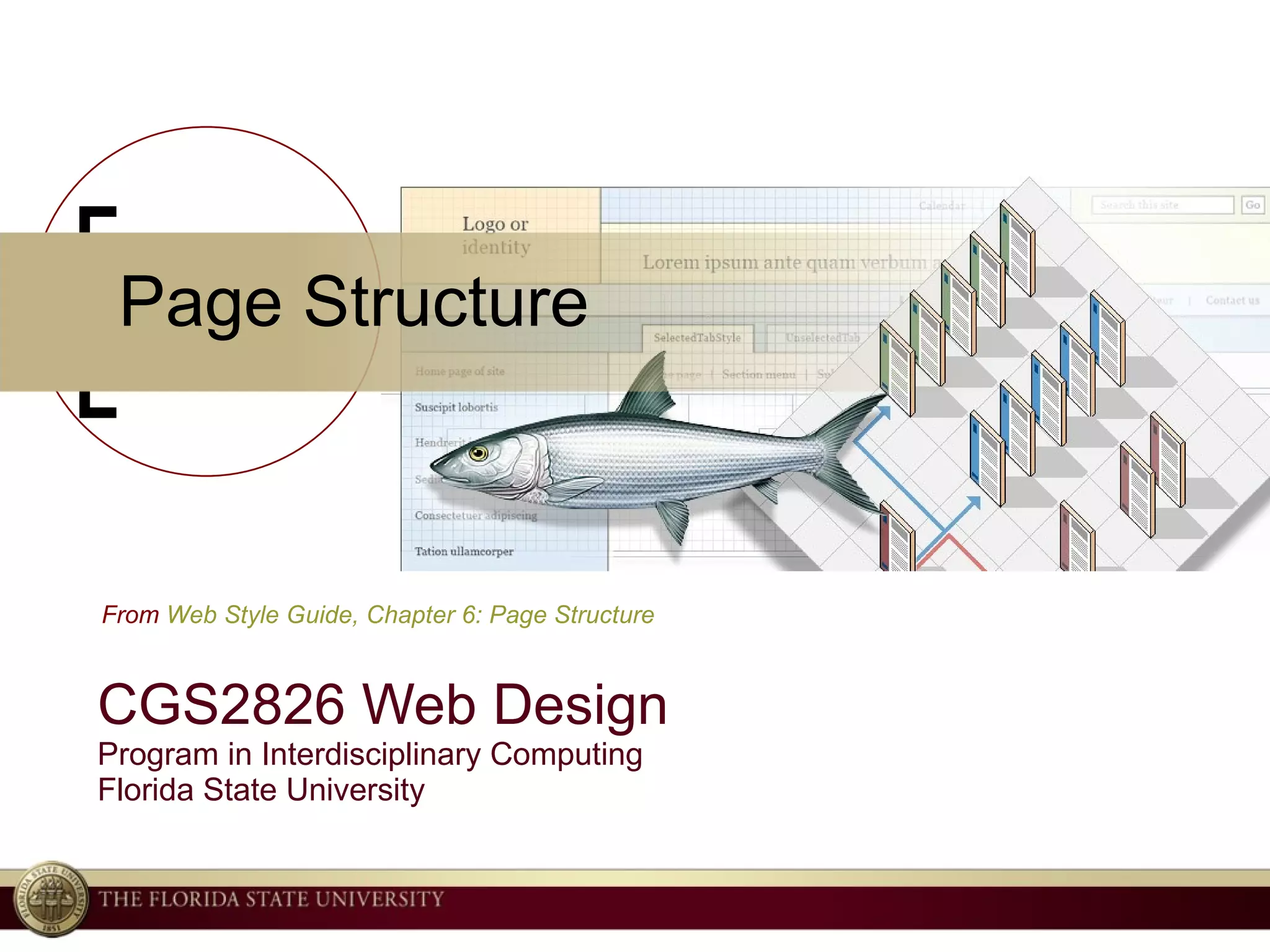
Page Structure CGS2826 Web Design Program in Interdisciplinary Computing Florida State University From  Web Style Guide, Chapter 6: Page Structure
The experienced web designer, like the talented newspaper art director, accepts that many projects she works on will have headers and columns and footers. Her job is not to whine about emerging commonalities but to use them to create pages that are distinctive, natural, brand-appropriate, subtly memorable, and quietly but unmistakably engaging. — Jeffrey Zeldman
Site Design should…  Satisfy design norms and user expectations Focus on providing great content and services rather than on technologies and design novelty. Be consistent with enterprise and organizational standards
 
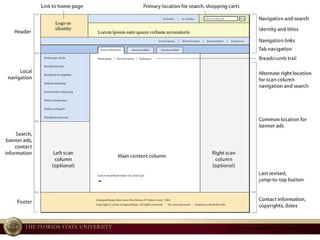
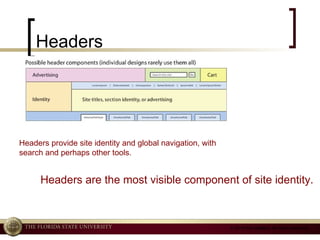
Headers Headers provide site identity and global navigation, with search and perhaps other tools.  Headers are the most visible component of site identity.
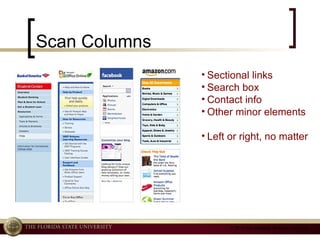
Scan Columns Sectional links Search box Contact info Other minor elements Left or right, no matter
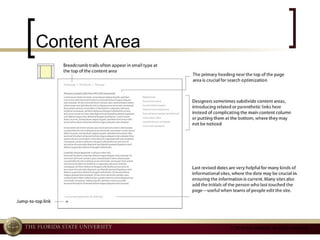
Content Area
Footers Housekeeping Info Author Copyright Contact Info Link to site map Links to related sites
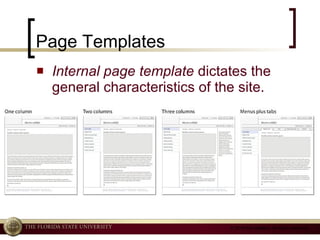
Page Templates Internal page template  dictates the general characteristics of the site.
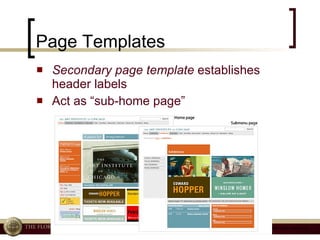
Page Templates Secondary page template  establishes header labels Act as “sub-home page”
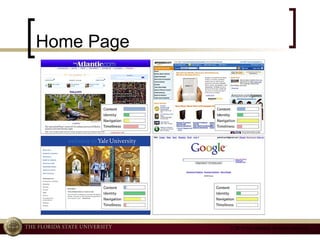
Home Page
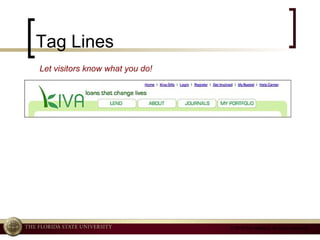
Tag Lines Let visitors know what you do!
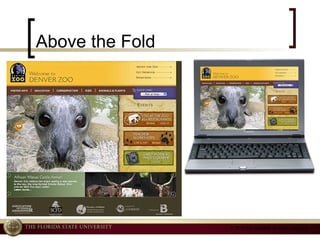
Above the Fold
Dropdown menus Use with caution Consider Accessibility
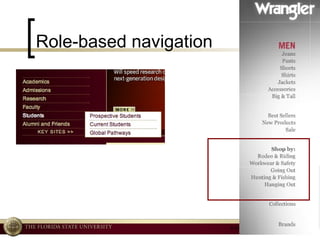
Role-based navigation
Splash Page? Author: Don’t ever use an indulgent, functionally useless splash page as “eye candy” at the entrance to your site. Ever. http://www.webdesigndev.com/inspiration/20-crazy-but-creative-website-splash-page-examples

6. Page Structure

  • 1.
    Page Structure CGS2826Web Design Program in Interdisciplinary Computing Florida State University From Web Style Guide, Chapter 6: Page Structure
  • 2.
    The experienced webdesigner, like the talented newspaper art director, accepts that many projects she works on will have headers and columns and footers. Her job is not to whine about emerging commonalities but to use them to create pages that are distinctive, natural, brand-appropriate, subtly memorable, and quietly but unmistakably engaging. — Jeffrey Zeldman
  • 3.
    Site Design should… Satisfy design norms and user expectations Focus on providing great content and services rather than on technologies and design novelty. Be consistent with enterprise and organizational standards
  • 4.
  • 5.
    Headers Headers providesite identity and global navigation, with search and perhaps other tools. Headers are the most visible component of site identity.
  • 6.
    Scan Columns Sectionallinks Search box Contact info Other minor elements Left or right, no matter
  • 7.
  • 8.
    Footers Housekeeping InfoAuthor Copyright Contact Info Link to site map Links to related sites
  • 9.
    Page Templates Internalpage template dictates the general characteristics of the site.
  • 10.
    Page Templates Secondarypage template establishes header labels Act as “sub-home page”
  • 11.
  • 12.
    Tag Lines Letvisitors know what you do!
  • 13.
  • 14.
    Dropdown menus Usewith caution Consider Accessibility
  • 15.
  • 16.
    Splash Page? Author:Don’t ever use an indulgent, functionally useless splash page as “eye candy” at the entrance to your site. Ever. http://www.webdesigndev.com/inspiration/20-crazy-but-creative-website-splash-page-examples

Editor's Notes