BUILDING MEGA MENUS FOR
INTERNAL TEAM SITE
NAVIGATION
SharePoint Saturday Baltimore
Liz Killian
ABOUT ME
• Web Developer/programmer at the
Johns Hopkins Bloomberg School
of Public Health
• Working with SharePoint since
2003,
Most of the time I work with out of
the box solutions
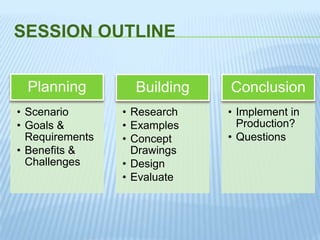
SESSION OUTLINE
• Scenario
• Goals &
Requirements
• Benefits &
Challenges
Planning
• Research
• Examples
• Concept
Drawings
• Design
• Evaluate
Building
• Implement in
Production?
• Questions
Conclusion
PLANNING
How well you plan makes a HUGE difference in the outcome
SCENARIO
• Site Collection with a deep tree
• Contents need to be reorganized without
causing so much chaos
• Old data needs to live with new projects
• How does a new employee find their way
around?
• People are complaining they can’t find or
navigate to the information they want
• They want a less “SharePoint-y” solution
GOALS & REQUIREMENTS
Goals
• Improve findability
• Improve productivity
• Make it welcoming
• Flexible design to allow for change
Requirements
• Examine the content – this should drive the design
• Analyze the taxonomy - create a layout (mockup),
Architect your information
• Figure out the breakpoints - structure the categories
• Follow web conventions (match style of current portal)
• Design should take ALL users into consideration
BENEFITS & CHALLENGES
- All options are in one spot
- Allows you to group together items into different
categories
- A site collection owner who knows HTML can do this
- Gives you the ability to add visual interest to the page
- Web part page is 2013 compliant
- Did we get all of it (will all of it fit?)
- Naming of the categories can be really tricky
- You have to maintain the HTML
- Pretty does NOT fix poor organization or lack of content
- Styling may need to be different
JUST A FEW NOTES
• Does not respect the permissions of
SharePoint.
• Users Spend Most of their time
collaborating on their own team sites
– Don’t expect this to quiet all the
SharePoint nay-sayers.
• Last but biggest note – This is a fake
solution. I did not have to work with
any real stakeholders which could
impact the design.
BUILDING
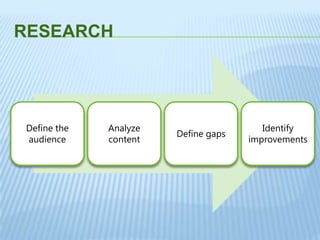
RESEARCH
Define the
audience
Analyze
content
Define gaps
Identify
improvements
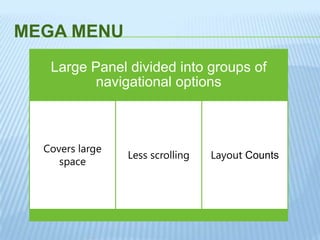
MEGA MENU
Large Panel divided into groups of
navigational options
Covers large
space
Less scrolling Layout Counts
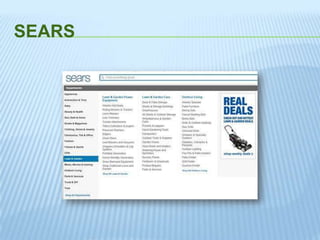
SEARS
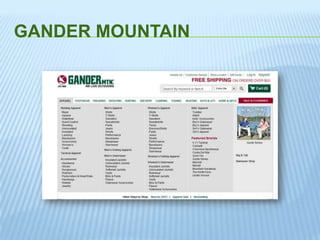
GANDER MOUNTAIN
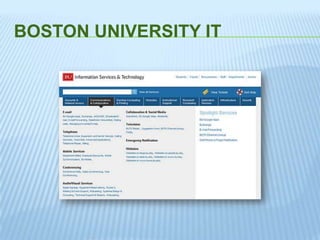
BOSTON UNIVERSITY IT
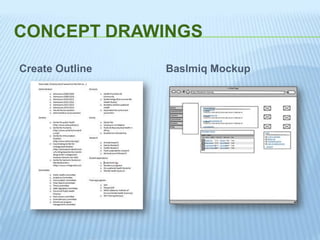
Create Outline Baslmiq Mockup
CONCEPT DRAWINGS
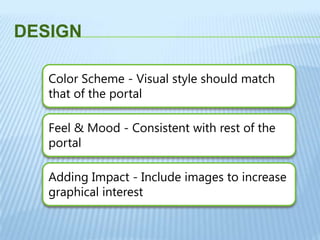
DESIGN
Color Scheme - Visual style should match
that of the portal
Feel & Mood - Consistent with rest of the
portal
Adding Impact - Include images to increase
graphical interest
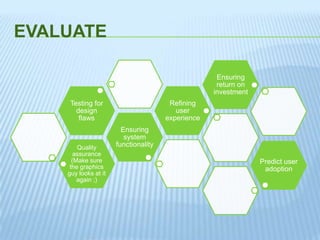
EVALUATE
Quality
assurance
(Make sure
the graphics
guy looks at it
again ;)
Ensuring
system
functionality
Testing for
design
flaws
Refining
user
experience
Ensuring
return on
investment
Predict user
adoption
QUESTIONS?

MMNav Pub

  • 1.
    BUILDING MEGA MENUSFOR INTERNAL TEAM SITE NAVIGATION SharePoint Saturday Baltimore Liz Killian
  • 2.
    ABOUT ME • WebDeveloper/programmer at the Johns Hopkins Bloomberg School of Public Health • Working with SharePoint since 2003, Most of the time I work with out of the box solutions
  • 3.
    SESSION OUTLINE • Scenario •Goals & Requirements • Benefits & Challenges Planning • Research • Examples • Concept Drawings • Design • Evaluate Building • Implement in Production? • Questions Conclusion
  • 4.
    PLANNING How well youplan makes a HUGE difference in the outcome
  • 5.
    SCENARIO • Site Collectionwith a deep tree • Contents need to be reorganized without causing so much chaos • Old data needs to live with new projects • How does a new employee find their way around? • People are complaining they can’t find or navigate to the information they want • They want a less “SharePoint-y” solution
  • 6.
    GOALS & REQUIREMENTS Goals •Improve findability • Improve productivity • Make it welcoming • Flexible design to allow for change Requirements • Examine the content – this should drive the design • Analyze the taxonomy - create a layout (mockup), Architect your information • Figure out the breakpoints - structure the categories • Follow web conventions (match style of current portal) • Design should take ALL users into consideration
  • 7.
    BENEFITS & CHALLENGES -All options are in one spot - Allows you to group together items into different categories - A site collection owner who knows HTML can do this - Gives you the ability to add visual interest to the page - Web part page is 2013 compliant - Did we get all of it (will all of it fit?) - Naming of the categories can be really tricky - You have to maintain the HTML - Pretty does NOT fix poor organization or lack of content - Styling may need to be different
  • 8.
    JUST A FEWNOTES • Does not respect the permissions of SharePoint. • Users Spend Most of their time collaborating on their own team sites – Don’t expect this to quiet all the SharePoint nay-sayers. • Last but biggest note – This is a fake solution. I did not have to work with any real stakeholders which could impact the design.
  • 9.
  • 10.
  • 11.
    MEGA MENU Large Paneldivided into groups of navigational options Covers large space Less scrolling Layout Counts
  • 12.
  • 13.
  • 14.
  • 15.
    Create Outline BaslmiqMockup CONCEPT DRAWINGS
  • 16.
    DESIGN Color Scheme -Visual style should match that of the portal Feel & Mood - Consistent with rest of the portal Adding Impact - Include images to increase graphical interest
  • 17.
    EVALUATE Quality assurance (Make sure the graphics guylooks at it again ;) Ensuring system functionality Testing for design flaws Refining user experience Ensuring return on investment Predict user adoption
  • 18.

Editor's Notes

  • #8 Site nav does not have to match actual taxonomy
  • #15 http://www.bu.edu/tech/
  • #18 Iteritave