



PREPARING FOR A WEBSITE REDESIGN
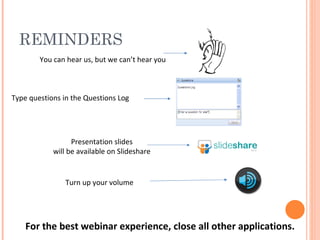
REMINDERS For the best webinar experience, close all other applications. You can hear us, but we can’t hear you Type questions in the Questions Log Turn up your volume Presentation slides will be available on Slideshare
Tierney Smith Community Manager at TechSoup Canada PRESENTER
We help nonprofits use technology to  achieve their full potential . We do this by  lowering the barriers to technology  through access to tools, knowledge, training and talent. TECHSOUP CANADA Register your organization today, to be eligible to  request over 300 products from 25 donor partners! www.TechSoupCanada.ca/getting_started
Learning Centre Blog Webinars Twitter & Facebook Monthly e-newsletter TECHSOUP CANADA RESOURCES
AGENDA What is a CMS Website design process Identifying your needs Choosing a consultant CMS Options
“ Have nothing in your design that you do not know to be useful or believe to be beautiful.” - William Morris
WHAT IS A CMS CMS = Content Management System Which means… YOU can update content on your website
What does your organization do – really?
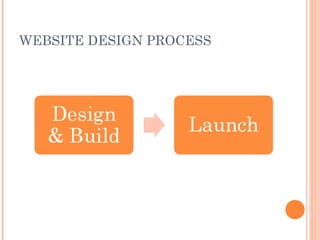
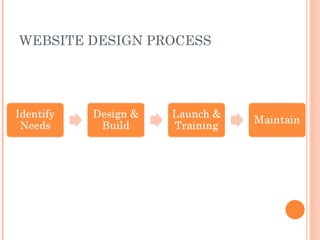
WEBSITE DESIGN PROCESS
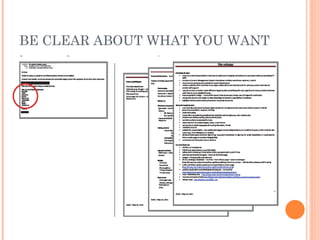
BE CLEAR ABOUT WHAT YOU WANT
IDENTIFY NEEDS
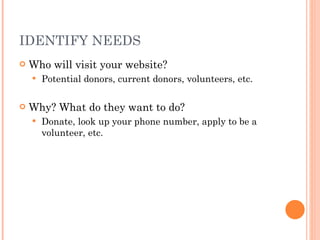
IDENTIFY NEEDS Who will visit your website? Potential donors, current donors, volunteers, etc. Why? What do they want to do? Donate, look up your phone number, apply to be a volunteer, etc.
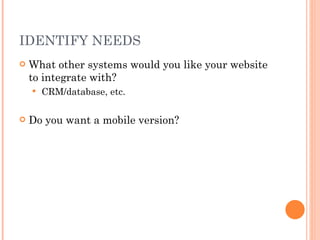
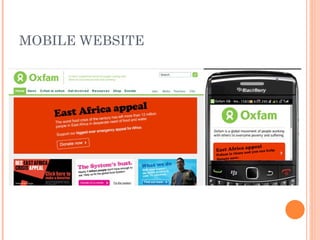
IDENTIFY NEEDS What other systems would you like your website to integrate with? CRM/database, etc. Do you want a mobile version?
MOBILE WEBSITE
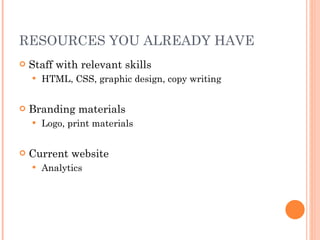
RESOURCES YOU ALREADY HAVE Staff with relevant skills HTML, CSS, graphic design, copy writing Branding materials Logo, print materials Current website Analytics
BUDGET Money & time 60% guideline
PRIORITIZE What do you need the website to do now? In 6 months? In 1 year? In 2 years? What are the 2-3 main purposes of your site?
CHOOSE CONSULTANT(S) Key skills: designer & geek Ask for recommendations Avoid custom solutions Partner who will be around long-term
ROLES & RESPONSIBILITIES Who will drive the project? You or your consultant? How often will you check in? Set expectations up front http://www.nten.org/blog/2011/02/22/defining-your-it-roles-project-management-process
TIMELINE Don’t tie your website to the release of your annual report in 3 weeks!
DESIGN & BUILD
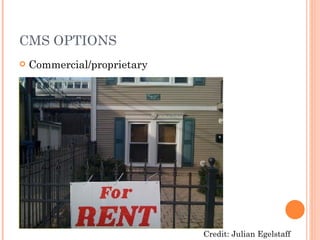
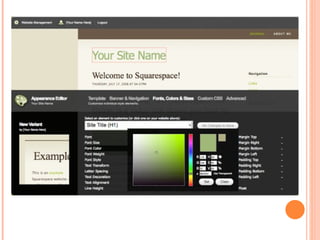
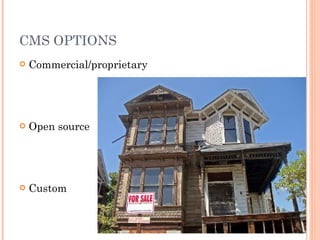
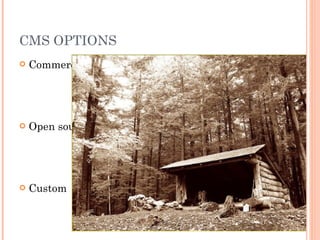
CMS OPTIONS Commercial/proprietary Open source Custom Credit: Julian Egelstaff
 
CMS OPTIONS Commercial/proprietary Open source Custom
 
CMS OPTIONS Commercial/proprietary Open source Custom
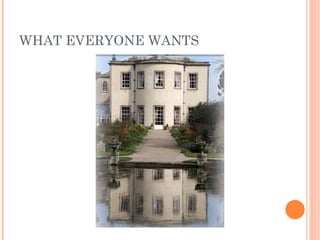
WHAT EVERYONE WANTS
WORDPRESS Easy to use Especially good for blog-like websites Not as well suited to community-oriented websites with lots of interactive features Has some modules that add features
JOOMLA Pretty easy to use Designed for standard, public-facing websites Has modules (components) that add features Commercial culture mixed into an open source platform
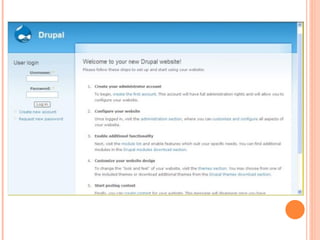
DRUPAL Somewhat easy to use, but considerably harder than the other two Designed as a flexible platform for all kinds of websites Has many modules that extend the existing website and other modules
DESIGN WEBSITE Beautiful AND Useful If it doesn’t have a pulse, it shouldn’t be on your home page Paper prototype
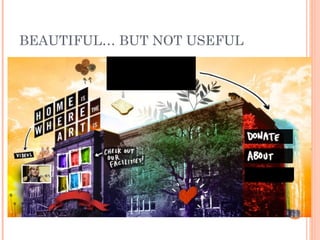
BEAUTIFUL… BUT NOT USEFUL
DESIGN WEBSITE Beautiful AND Useful If it doesn’t have a pulse, it shouldn’t be on your home page Paper prototype
SEARCH ENGINE OPTIMIZATION A.k.a. be found on Google Keywords = words & phrases people type into a search engine Keyword tool:  https://adwords.google.com/o/Targeting/Explorer?__c=1000000000&__u=1000000000&__o=kt&ideaRequestType=KEYWORD_IDEAS#search.none http://www.wildapricot.com/blogs/newsblog/archive/2011/06/20/seo-keywords-for-small-non-profits.aspx
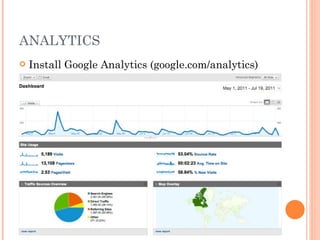
ANALYTICS Install Google Analytics (google.com/analytics)
LAUNCH & TRAINING
TRAINING AT LEAST 2 staff Including staff responsible for updating content Learn by doing Training manual
MAINTENANCE
MAINTENANCE, UPGRADES & PATCHES Make a plan before launching site 1 hour of developer time per month Open source systems need regular updates & patches
CONTENT UPDATES Make a plan before you launch Who will update your website?  How often? What content will you use & where does it come from?
RESOURCES Login Template http://bit.ly/pCTMM1 Get Ready for CMS handout http://www.techsoupcanada.ca/sites/default/files/Handout_-_Get_Ready_for_CMS.pdf Toronto Net Tuesday Recap & Resources http://www.techsoupcanada.ca/community/blog/toronto_net_tuesday/preparing_for_website_redesign
MORE RESOURCES 3 Big CMSs Compared:  http://www.goodwebpractices.com/other/wordpress-vs-joomla-vs-drupal.html Website planning tips:  http://www.frogloop.com/care2blog/2011/7/11/best-web-design-planning-tips.html Julian’s blog:  http://www.nten.org/blog/2011/02/22/defining-your-it-roles-project-management-process Redesigning websites for nonprofits:  http://www.techsoupcanada.ca/learning_centre/articles/tips_for_designing_nonprofit_website
CREDITS Thanks to… Ana Matic (maticadesign.com) Julian Egelstaff (www.freeformsolutions.ca) Chad Mohr ( [email_address] ) Images: Kansas Sebastien Jennifer (interpunct) Xerones Randy (el neato)
STAY IN TOUCH E-newsletter sign up at  www.techsoupcanada.ca Facebook http://www.facebook.com/techsoupcanada Twitter http://www.twitter.com/techsoupcanada Blog http://www.techsoupcanada.ca/rss.xml
QUESTIONS?

Preparing for a website redesign

  • 1.
    PREPARING FOR AWEBSITE REDESIGN
  • 2.
    REMINDERS For thebest webinar experience, close all other applications. You can hear us, but we can’t hear you Type questions in the Questions Log Turn up your volume Presentation slides will be available on Slideshare
  • 3.
    Tierney Smith CommunityManager at TechSoup Canada PRESENTER
  • 4.
    We help nonprofitsuse technology to achieve their full potential . We do this by lowering the barriers to technology through access to tools, knowledge, training and talent. TECHSOUP CANADA Register your organization today, to be eligible to request over 300 products from 25 donor partners! www.TechSoupCanada.ca/getting_started
  • 5.
    Learning Centre BlogWebinars Twitter & Facebook Monthly e-newsletter TECHSOUP CANADA RESOURCES
  • 6.
    AGENDA What isa CMS Website design process Identifying your needs Choosing a consultant CMS Options
  • 7.
    “ Have nothingin your design that you do not know to be useful or believe to be beautiful.” - William Morris
  • 8.
    WHAT IS ACMS CMS = Content Management System Which means… YOU can update content on your website
  • 9.
    What does yourorganization do – really?
  • 10.
  • 11.
  • 12.
    BE CLEAR ABOUTWHAT YOU WANT
  • 13.
  • 14.
    IDENTIFY NEEDS Whowill visit your website? Potential donors, current donors, volunteers, etc. Why? What do they want to do? Donate, look up your phone number, apply to be a volunteer, etc.
  • 15.
    IDENTIFY NEEDS Whatother systems would you like your website to integrate with? CRM/database, etc. Do you want a mobile version?
  • 16.
  • 17.
    RESOURCES YOU ALREADYHAVE Staff with relevant skills HTML, CSS, graphic design, copy writing Branding materials Logo, print materials Current website Analytics
  • 18.
    BUDGET Money &time 60% guideline
  • 19.
    PRIORITIZE What doyou need the website to do now? In 6 months? In 1 year? In 2 years? What are the 2-3 main purposes of your site?
  • 20.
    CHOOSE CONSULTANT(S) Keyskills: designer & geek Ask for recommendations Avoid custom solutions Partner who will be around long-term
  • 21.
    ROLES & RESPONSIBILITIESWho will drive the project? You or your consultant? How often will you check in? Set expectations up front http://www.nten.org/blog/2011/02/22/defining-your-it-roles-project-management-process
  • 22.
    TIMELINE Don’t tieyour website to the release of your annual report in 3 weeks!
  • 23.
  • 24.
    CMS OPTIONS Commercial/proprietaryOpen source Custom Credit: Julian Egelstaff
  • 25.
  • 26.
  • 27.
  • 28.
  • 29.
  • 30.
    WORDPRESS Easy touse Especially good for blog-like websites Not as well suited to community-oriented websites with lots of interactive features Has some modules that add features
  • 31.
    JOOMLA Pretty easyto use Designed for standard, public-facing websites Has modules (components) that add features Commercial culture mixed into an open source platform
  • 32.
    DRUPAL Somewhat easyto use, but considerably harder than the other two Designed as a flexible platform for all kinds of websites Has many modules that extend the existing website and other modules
  • 33.
    DESIGN WEBSITE BeautifulAND Useful If it doesn’t have a pulse, it shouldn’t be on your home page Paper prototype
  • 34.
  • 35.
    DESIGN WEBSITE BeautifulAND Useful If it doesn’t have a pulse, it shouldn’t be on your home page Paper prototype
  • 36.
    SEARCH ENGINE OPTIMIZATIONA.k.a. be found on Google Keywords = words & phrases people type into a search engine Keyword tool: https://adwords.google.com/o/Targeting/Explorer?__c=1000000000&__u=1000000000&__o=kt&ideaRequestType=KEYWORD_IDEAS#search.none http://www.wildapricot.com/blogs/newsblog/archive/2011/06/20/seo-keywords-for-small-non-profits.aspx
  • 37.
    ANALYTICS Install GoogleAnalytics (google.com/analytics)
  • 38.
  • 39.
    TRAINING AT LEAST2 staff Including staff responsible for updating content Learn by doing Training manual
  • 40.
  • 41.
    MAINTENANCE, UPGRADES &PATCHES Make a plan before launching site 1 hour of developer time per month Open source systems need regular updates & patches
  • 42.
    CONTENT UPDATES Makea plan before you launch Who will update your website? How often? What content will you use & where does it come from?
  • 43.
    RESOURCES Login Templatehttp://bit.ly/pCTMM1 Get Ready for CMS handout http://www.techsoupcanada.ca/sites/default/files/Handout_-_Get_Ready_for_CMS.pdf Toronto Net Tuesday Recap & Resources http://www.techsoupcanada.ca/community/blog/toronto_net_tuesday/preparing_for_website_redesign
  • 44.
    MORE RESOURCES 3Big CMSs Compared: http://www.goodwebpractices.com/other/wordpress-vs-joomla-vs-drupal.html Website planning tips: http://www.frogloop.com/care2blog/2011/7/11/best-web-design-planning-tips.html Julian’s blog: http://www.nten.org/blog/2011/02/22/defining-your-it-roles-project-management-process Redesigning websites for nonprofits: http://www.techsoupcanada.ca/learning_centre/articles/tips_for_designing_nonprofit_website
  • 45.
    CREDITS Thanks to…Ana Matic (maticadesign.com) Julian Egelstaff (www.freeformsolutions.ca) Chad Mohr ( [email_address] ) Images: Kansas Sebastien Jennifer (interpunct) Xerones Randy (el neato)
  • 46.
    STAY IN TOUCHE-newsletter sign up at www.techsoupcanada.ca Facebook http://www.facebook.com/techsoupcanada Twitter http://www.twitter.com/techsoupcanada Blog http://www.techsoupcanada.ca/rss.xml
  • 47.

Editor's Notes

  • #6 Mention upcoming webinar
  • #7 Set expectations. Based on questions, a few people already have a website in a CMS and a few people already have a redesign underway, a few using FrontPage – a bunch of the people can make some edits (via CMS or FrontPage/SharePoint/Contribute) but have to call techie for bigger things A bunch of Eds registered!! -try to make it clear when we are entering a different section so people who it applies to can tune back in
  • #9 Demo of TechSoup Canada site
  • #10 If you don’t know who you are, you won’t be able to communicate it with anyone else. A website is a way of telling people about your organization, so make sure you have a clear message. What is the key thing your organization does? If you aren’t grounded in your mission, your website will end up like a mish mash with no clear communication.
  • #11 You might think that this is the process but it’s missing a few steps How do you know what you need? You might build something that doesn’t help meet your goals (except you don’t even have any goals) – a lot of time and $$ for nothing What happens after the launch? Your site just sits there and goes out of date/becomes irrelevant.
  • #12 Start without “identify needs” and then make it appear – remind people that this is an important part of the process, without it who knows what you will end up with and then you will have spent all that $$ and time for nothing -Chad’s example comparing 2 sets of requirements – if you know what you want you will get it, if you don’t know what you want then who knows what you will end up with. You need to be the expert on what you want!
  • #14 Don’t skip this step!
  • #15 Who will visit your site: http://www.gatewaytothearts.org/ (clear where to go depending on who you are) What do they want to do: woodgreen.org (clear actions to take) This should drive the rest of your site design – what content you put on your site, what you put on the home page, etc. Note: put contact info at bottom of page – why make people visit a separate page? Find 3 sites you love & what you love about them Look at sites of orgs doing similar work Dream big at this point, don’t let tech slow you down
  • #17 Look on Google Analytics at how many people are coming from a mobile
  • #18 Or volunteer skills Analytics – info about site visits (everything from Google Analytics), mobile visits, amount donated through site
  • #19 Budget you give consultant should be 60% of your actual budget – leaves a contingency for stuff coming up
  • #21 You will need help from outside the organization for all but the smallest projects. At minimum you need someone with the designer & geek skillsets. Also consider a copy writer – don’t underestimate how much work this is. -don’t just ask what they charge - this is how you end up with a useless website that will cost you more in the long run. -think of it like hiring staff – you don’t just pick the person who will take your low salary, you pick someone who has the right skills, cares about your mission and is a good fit with the team -ask for recommendations from colleagues – find out what the person/org was really like to work with. Also ask to see previous work. -avoid custom CMSs that will tie you to one company. You are probably ok with anything based on open source -problem with a volunteer or random connection is that they won’t be around for the long haul (note about maintenance later). Save yourself time and energy in the long term by investing in a partnership with a consultant/org you can trust -you may likely want to pick a consultant who has experience with the platform you want (coming up later) **this is really important – not worth it to rush this step!!!
  • #22 -example of working on Apption’s website -company thought contractors should be managing project, setting up meetings, making sure project kept moving -contractor managed project internally but expected company to drive project over all -as a result nothing happened for a long time, a lot of miscommunication, arguments over budget, requirements changed -project didn’t get moving until I was asked to project manage from company side; after that everything got finished up and we launched about a month later
  • #23 Especially if this is your first time working on a website project, realize that you don’t really know how long it will take. There’s more work involved than you think! Be realistic in your expectations.
  • #25 Can paint but not add an extension Often pay a montly fee
  • #27 Takes some work but if you have the skills there’s a lot you can do with it
  • #28 This is what Drupal looks like when you first install it – needs a bunch of work before it is ready to go!
  • #29 Survivor man! A lot of work because you are starting from scratch
  • #30 Too fancy and custom for a rental Possible with a fixer-upper if you are handy or have good contractors Huge amount of work to build yourself Open source is a good choice for nonprofits in many ways, but you need to understand that it’s not free Want to pick a system that can grow with you (remember: what are your needs in 1 or 2 years?)
  • #31 Explain the idea of modules (plugins for WordPress)
  • #33 More complex Can do things like log in, ecommerce TechSoup Canada site is built with Drupal Often your choice of consultant will depend on what system you want (different consultants are often specialized in different systems)
  • #34 Just a geek: http://www.thecasa.ca/ Pretty but not useful: next page Want a feel that is right for your org - http://www.safeplace.org/ Test out a paper print out with friends, volunteers, clients & other staff. Can they navigate around the website? Can they figure out how to do certain tasks? Also ask them what they would be looking for on your site.
  • #36 Just a geek: http://www.thecasa.ca/ Pretty but not useful: next page Want a feel that is right for your org - http://www.safeplace.org/ Test out a paper print out with friends, volunteers, clients & other staff. Can they navigate around the website? Can they figure out how to do certain tasks? Also ask them what they would be looking for on your site.
  • #38 Adding Google Analytics is very simple (inserting 5 lines of HTML), your developer can probably do it tomorrow -do this ASAP with your current site and make sure it is there from day 1 with a new site -Worker’s Action Centre example – big spikes when they were on the front page of the paper, little spikes when they send out a newsletter -show our Google Analytics for TSC site? ->how to find out how many people are coming from a mobile?
  • #40 -spend a few hours with your developer learning about your site -best way to learn is by doing and then let your developer help you if needed -insist on getting good training! -make sure at least 2 permanent staff are training, including the people who will be updating the site -ask the developer to provide a training manual for you to refer to once they are gone -the more you can do yourself, the less you need to call your developer – you have more control over your own site
  • #42 Good to be able to reach your developer if you have questions or small things you need them to change
  • #43 -if you’ve designed your website to have regularly updated content, you need to actually update it! -content doesn’t magically appear – need to make a plan -you also need to plan for content updates! the best approach is to build it into your regular processes e.g. whenever you send out a newsletter, archive it on the site