Seoul, Korea
AWS Enterprise Summit 
Transform IT Operations and 
Management with AWS 
SeungDo Yang 
Solutions Architect, Amazon Web Services
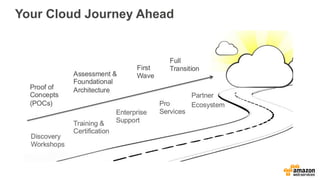
Your Cloud Journey Ahead
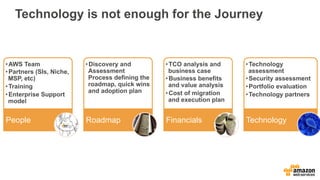
Technology is not enough for the Journey 
Financials Roadmap Technology 
• AWS Team 
• Partners (SIs, Niche, 
MSP, etc) 
• Training 
• Enterprise Support 
model 
People 
• Discovery and 
Assessment 
Process defining the 
roadmap, quick wins 
and adoption plan 
• TCO analysis and 
business case 
• Business benefits 
and value analysis 
• Cost of migration 
and execution plan 
• Technology 
assessment 
• Security assessment 
• Portfolio evaluation 
• Technology partners
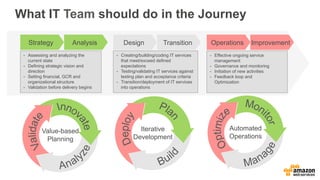
What IT Team should do in the Journey 
Strategy Analysis Design Transition Operations Improvement 
- Effective ongoing service 
management 
- Governance and monitoring 
- Initiation of new activities 
- Feedback loop and 
Optimization 
- Creating/building/coding IT services 
that meet/exceed defined 
expectations 
- Testing/validating IT services against 
testing plan and acceptance criteria 
- Transition/deployment of IT services 
into operations 
- Assessing and analyzing the 
current state 
- Defining strategic vision and 
direction 
- Setting financial, GCR and 
organizational structure 
- Validation before delivery begins 
Iterative 
Development 
Value-based 
Planning 
Automated 
Operations
BUILD A “CLOUD READY” IT TEAM 
AWS Enterprise Summit
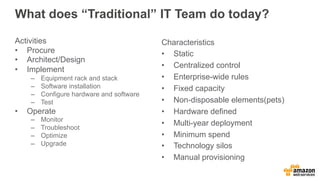
What does “Traditional” IT Team do today? 
Activities 
• Procure 
• Architect/Design 
• Implement 
– Equipment rack and stack 
– Software installation 
– Configure hardware and software 
– Test 
• Operate 
– Monitor 
– Troubleshoot 
– Optimize 
– Upgrade 
Characteristics 
• Static 
• Centralized control 
• Enterprise-wide rules 
• Fixed capacity 
• Non-disposable elements(pets) 
• Hardware defined 
• Multi-year deployment 
• Minimum spend 
• Technology silos 
• Manual provisioning
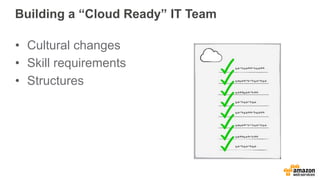
Building a “Cloud Ready” IT Team 
• Cultural changes 
• Skill requirements 
• Structures
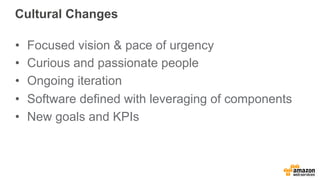
Cultural Changes 
• Focused vision & pace of urgency 
• Curious and passionate people 
• Ongoing iteration 
• Software defined with leveraging of components 
• New goals and KPIs
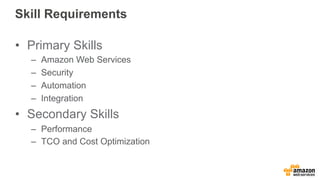
Skill Requirements 
• Primary Skills 
– Amazon Web Services 
– Security 
– Automation 
– Integration 
• Secondary Skills 
– Performance 
– TCO and Cost Optimization
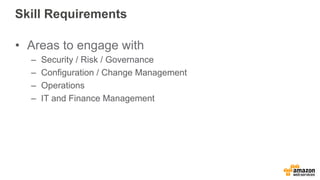
Skill Requirements 
• Areas to engage with 
– Security / Risk / Governance 
– Configuration / Change Management 
– Operations 
– IT and Finance Management
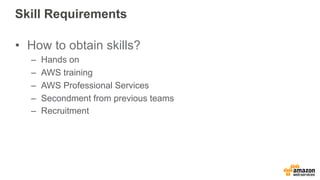
Skill Requirements 
• How to obtain skills? 
– Hands on 
– AWS training 
– AWS Professional Services 
– Secondment from previous teams 
– Recruitment
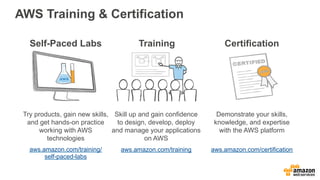
AWS Training & Certification 
Certification 
Demonstrate your skills, 
knowledge, and expertise 
with the AWS platform 
aws.amazon.com/certification 
Self-Paced Labs 
Try products, gain new skills, 
and get hands-on practice 
working with AWS 
technologies 
aws.amazon.com/training/ 
self-paced-labs 
Training 
Skill up and gain confidence 
to design, develop, deploy 
and manage your applications 
on AWS 
aws.amazon.com/training
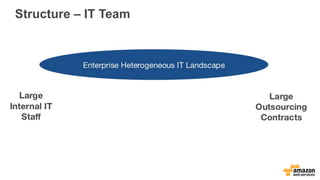
Structure – IT Team
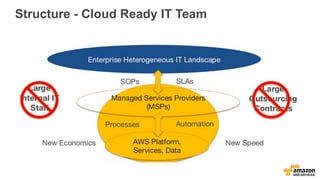
Structure - Cloud Ready IT Team
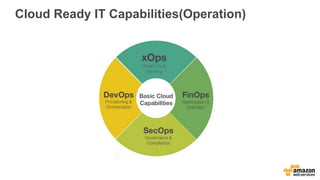
Cloud Ready IT Capabilities(Operation)
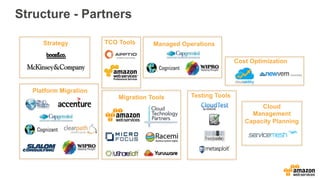
Structure - Partners 
Strategy 
Platform Migration 
TCO Tools Managed Operations 
Migration Tools Testing Tools 
Cost Optimization 
Cloud 
Management 
Capacity Planning
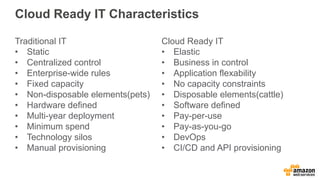
Cloud Ready IT Characteristics 
Traditional IT 
• Static 
• Centralized control 
• Enterprise-wide rules 
• Fixed capacity 
• Non-disposable elements(pets) 
• Hardware defined 
• Multi-year deployment 
• Minimum spend 
• Technology silos 
• Manual provisioning 
Cloud Ready IT 
• Elastic 
• Business in control 
• Application flexability 
• No capacity constraints 
• Disposable elements(cattle) 
• Software defined 
• Pay-per-use 
• Pay-as-you-go 
• DevOps 
• CI/CD and API provisioning
CLOUD OPERATION PRACTICES 
AWS Enterprise Summit
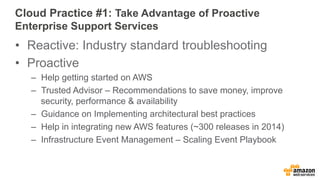
Cloud Practice #1: Take Advantage of Proactive 
Enterprise Support Services 
• Reactive: Industry standard troubleshooting 
• Proactive 
– Help getting started on AWS 
– Trusted Advisor – Recommendations to save money, improve 
security, performance & availability 
– Guidance on Implementing architectural best practices 
– Help in integrating new AWS features (~300 releases in 2014) 
– Infrastructure Event Management – Scaling Event Playbook
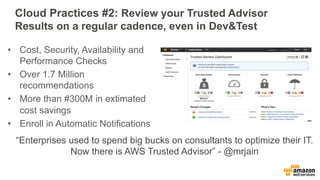
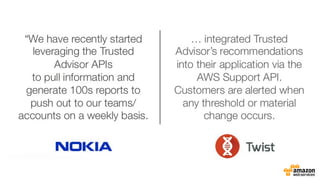
Cloud Practices #2: Review your Trusted Advisor 
Results on a regular cadence, even in Dev&Test 
• Cost, Security, Availability and 
Performance Checks 
• Over 1.7 Million 
recommendations 
• More than #300M in extimated 
cost savings 
• Enroll in Automatic Notifications 
“Enterprises used to spend big bucks on consultants to optimize their IT. 
Now there is AWS Trusted Advisor” - @mrjain
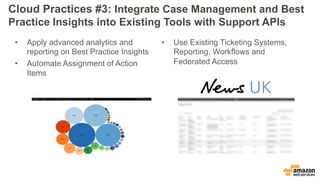
Cloud Practices #3: Integrate Case Management and Best 
Practice Insights into Existing Tools with Support APIs 
• Apply advanced analytics and 
reporting on Best Practice Insights 
• Automate Assignment of Action 
Items 
• Use Existing Ticketing Systems, 
Reporting, Workflows and 
Federated Access
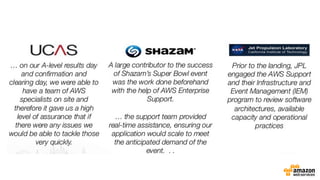
Cloud Practice #4: Leverage our Infrastructure Event 
Management Product to Handle Large Scaling Events 
• Design for short-term tactical engagements 
– Public campaign, product launch, marketing event 
– Seasonal usage spikes 
• Assigns dedicated and senior support resources 
• Engagement starts with discovery, moves to 
planning and execution and ends with a review 
• Included with Enterprise Support, but can be 
purchased as needed for Business Support 
customers
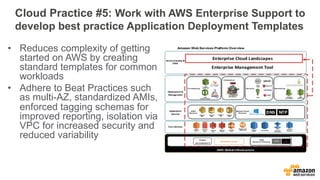
Cloud Practice #5: Work with AWS Enterprise Support to 
develop best practice Application Deployment Templates 
• Reduces complexity of getting 
started on AWS by creating 
standard templates for common 
workloads 
• Adhere to Beat Practices such 
as multi-AZ, standardized AMIs, 
enforced tagging schemas for 
improved reporting, isolation via 
VPC for increased security and 
reduced variability
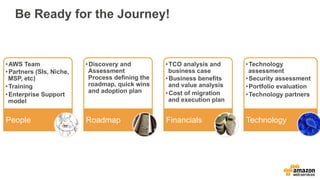
Be Ready for the Journey! 
Financials Roadmap Technology 
• AWS Team 
• Partners (SIs, Niche, 
MSP, etc) 
• Training 
• Enterprise Support 
model 
People 
• Discovery and 
Assessment 
Process defining the 
roadmap, quick wins 
and adoption plan 
• TCO analysis and 
business case 
• Business benefits 
and value analysis 
• Cost of migration 
and execution plan 
• Technology 
assessment 
• Security assessment 
• Portfolio evaluation 
• Technology partners
AWS Enterprise Summit -  AWS로 IT 운영 및 관리 재편하기 - 양승도

AWS Enterprise Summit - AWS로 IT 운영 및 관리 재편하기 - 양승도

  • 1.
  • 2.
    AWS Enterprise Summit Transform IT Operations and Management with AWS SeungDo Yang Solutions Architect, Amazon Web Services
  • 3.
  • 4.
    Technology is notenough for the Journey Financials Roadmap Technology • AWS Team • Partners (SIs, Niche, MSP, etc) • Training • Enterprise Support model People • Discovery and Assessment Process defining the roadmap, quick wins and adoption plan • TCO analysis and business case • Business benefits and value analysis • Cost of migration and execution plan • Technology assessment • Security assessment • Portfolio evaluation • Technology partners
  • 5.
    What IT Teamshould do in the Journey Strategy Analysis Design Transition Operations Improvement - Effective ongoing service management - Governance and monitoring - Initiation of new activities - Feedback loop and Optimization - Creating/building/coding IT services that meet/exceed defined expectations - Testing/validating IT services against testing plan and acceptance criteria - Transition/deployment of IT services into operations - Assessing and analyzing the current state - Defining strategic vision and direction - Setting financial, GCR and organizational structure - Validation before delivery begins Iterative Development Value-based Planning Automated Operations
  • 6.
    BUILD A “CLOUDREADY” IT TEAM AWS Enterprise Summit
  • 7.
    What does “Traditional”IT Team do today? Activities • Procure • Architect/Design • Implement – Equipment rack and stack – Software installation – Configure hardware and software – Test • Operate – Monitor – Troubleshoot – Optimize – Upgrade Characteristics • Static • Centralized control • Enterprise-wide rules • Fixed capacity • Non-disposable elements(pets) • Hardware defined • Multi-year deployment • Minimum spend • Technology silos • Manual provisioning
  • 8.
    Building a “CloudReady” IT Team • Cultural changes • Skill requirements • Structures
  • 9.
    Cultural Changes •Focused vision & pace of urgency • Curious and passionate people • Ongoing iteration • Software defined with leveraging of components • New goals and KPIs
  • 10.
    Skill Requirements •Primary Skills – Amazon Web Services – Security – Automation – Integration • Secondary Skills – Performance – TCO and Cost Optimization
  • 11.
    Skill Requirements •Areas to engage with – Security / Risk / Governance – Configuration / Change Management – Operations – IT and Finance Management
  • 12.
    Skill Requirements •How to obtain skills? – Hands on – AWS training – AWS Professional Services – Secondment from previous teams – Recruitment
  • 13.
    AWS Training &Certification Certification Demonstrate your skills, knowledge, and expertise with the AWS platform aws.amazon.com/certification Self-Paced Labs Try products, gain new skills, and get hands-on practice working with AWS technologies aws.amazon.com/training/ self-paced-labs Training Skill up and gain confidence to design, develop, deploy and manage your applications on AWS aws.amazon.com/training
  • 14.
  • 15.
    Structure - CloudReady IT Team
  • 16.
    Cloud Ready ITCapabilities(Operation)
  • 17.
    Structure - Partners Strategy Platform Migration TCO Tools Managed Operations Migration Tools Testing Tools Cost Optimization Cloud Management Capacity Planning
  • 18.
    Cloud Ready ITCharacteristics Traditional IT • Static • Centralized control • Enterprise-wide rules • Fixed capacity • Non-disposable elements(pets) • Hardware defined • Multi-year deployment • Minimum spend • Technology silos • Manual provisioning Cloud Ready IT • Elastic • Business in control • Application flexability • No capacity constraints • Disposable elements(cattle) • Software defined • Pay-per-use • Pay-as-you-go • DevOps • CI/CD and API provisioning
  • 19.
    CLOUD OPERATION PRACTICES AWS Enterprise Summit
  • 20.
    Cloud Practice #1:Take Advantage of Proactive Enterprise Support Services • Reactive: Industry standard troubleshooting • Proactive – Help getting started on AWS – Trusted Advisor – Recommendations to save money, improve security, performance & availability – Guidance on Implementing architectural best practices – Help in integrating new AWS features (~300 releases in 2014) – Infrastructure Event Management – Scaling Event Playbook
  • 22.
    Cloud Practices #2:Review your Trusted Advisor Results on a regular cadence, even in Dev&Test • Cost, Security, Availability and Performance Checks • Over 1.7 Million recommendations • More than #300M in extimated cost savings • Enroll in Automatic Notifications “Enterprises used to spend big bucks on consultants to optimize their IT. Now there is AWS Trusted Advisor” - @mrjain
  • 24.
    Cloud Practices #3:Integrate Case Management and Best Practice Insights into Existing Tools with Support APIs • Apply advanced analytics and reporting on Best Practice Insights • Automate Assignment of Action Items • Use Existing Ticketing Systems, Reporting, Workflows and Federated Access
  • 26.
    Cloud Practice #4:Leverage our Infrastructure Event Management Product to Handle Large Scaling Events • Design for short-term tactical engagements – Public campaign, product launch, marketing event – Seasonal usage spikes • Assigns dedicated and senior support resources • Engagement starts with discovery, moves to planning and execution and ends with a review • Included with Enterprise Support, but can be purchased as needed for Business Support customers
  • 28.
    Cloud Practice #5:Work with AWS Enterprise Support to develop best practice Application Deployment Templates • Reduces complexity of getting started on AWS by creating standard templates for common workloads • Adhere to Beat Practices such as multi-AZ, standardized AMIs, enforced tagging schemas for improved reporting, isolation via VPC for increased security and reduced variability
  • 29.
    Be Ready forthe Journey! Financials Roadmap Technology • AWS Team • Partners (SIs, Niche, MSP, etc) • Training • Enterprise Support model People • Discovery and Assessment Process defining the roadmap, quick wins and adoption plan • TCO analysis and business case • Business benefits and value analysis • Cost of migration and execution plan • Technology assessment • Security assessment • Portfolio evaluation • Technology partners