Chapter 6
Comparing Threats,
Vulnerabilities, and
Common Attacks
CompTIA Security+
Get Certified Get Ahead
1
Introduction
• Understanding threat actors
• Determining malware types
• Recognizing common attacks
• Blocking malware and other
attacks
• Educating users
Threat
Actors
• Open-source intelligence
– Info freely available (such as from
web sites and social media)
• Script kiddie
– Little expertise, sophistication, or
funding
• Hacktivist
– Part of an activist movement
• Insider
– Employee (can become a malicious
insider)
• Organized crime
– Typically motivated by money
• Competitor
Threat
Actors
• Nation state/advanced
persistent threat (APT)
– Identify a target and persistently
attack until they gain access
– Often remain in network for months
or years
– China APT1
– Russia APT 28 (Fancy Bear)
– Russia APT 29 (Cozy Bear)
Determining
Malware
Types
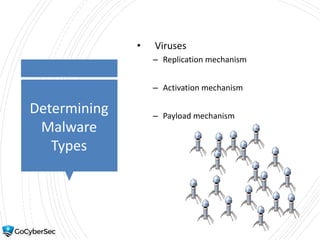
• Viruses
– Replication mechanism
– Activation mechanism
– Payload mechanism
Determining
Malware
Types
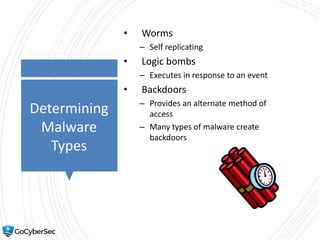
• Worms
– Self replicating
• Logic bombs
– Executes in response to an event
• Backdoors
– Provides an alternate method of
access
– Many types of malware create
backdoors
Understanding
Malware
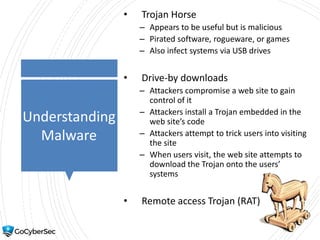
• Trojan Horse
– Appears to be useful but is malicious
– Pirated software, rogueware, or games
– Also infect systems via USB drives
• Drive-by downloads
– Attackers compromise a web site to gain
control of it
– Attackers install a Trojan embedded in the
web site’s code
– Attackers attempt to trick users into visiting
the site
– When users visit, the web site attempts to
download the Trojan onto the users’
systems
• Remote access Trojan (RAT)
Determining
Malware
Types
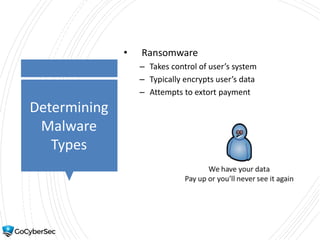
• Ransomware
– Takes control of user’s system
– Typically encrypts user’s data
– Attempts to extort payment
Determining
Malware
Types
• Keylogger
– Capture’s keystrokes
• Spyware
– Can access a user’s private data and
result in loss of confidentiality
• Adware
– Pop-ups that market products to users
– Blocked with pop-up blockers
Bots and
Botnets
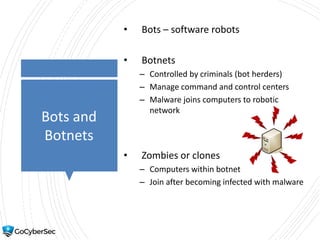
• Bots – software robots
• Botnets
– Controlled by criminals (bot herders)
– Manage command and control centers
– Malware joins computers to robotic
network
• Zombies or clones
– Computers within botnet
– Join after becoming infected with malware
Determining
Malware
Types
• Rootkits
– System level or kernel access
– Can modify system files and system access
– Hide their running processes to avoid
detection with hooking techniques
– File integrity checker can detect modified
files
– Inspection of RAM can discover hooked
processes
Social
Engineering
• Flattery and conning
• Assuming a position of authority
• Encouraging someone to:
– Perform a risky action
– Reveal sensitive information
• Impersonating
• Tailgating
Social
Engineering
• Impersonating
– Such as an authorized technician
• Shoulder Surfing
– Can be in person looking at a computer
– Can be with a remote camera
• Tricking users with hoaxes
Social
Engineering
• Tailgating
– Closely following authorized personnel
without providing credentials
– Mitigated with mantraps
• Dumpster diving
– Searching through trash looking for
information
– Mitigated by shredding or burning papers
Social
Engineering
• Watering hole attack
– Attacker identifies websites trusted by
group of users
– Attacker infects these websites
– Users go to infected (but trusted) websites
– Prompted to download files
Recognizing
Other Attacks
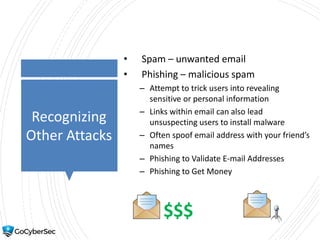
• Spam – unwanted email
• Phishing – malicious spam
– Attempt to trick users into revealing
sensitive or personal information
– Links within email can also lead
unsuspecting users to install malware
– Often spoof email address with your friend’s
names
– Phishing to Validate E-mail Addresses
– Phishing to Get Money
$$$
Recognizing
Other Attacks
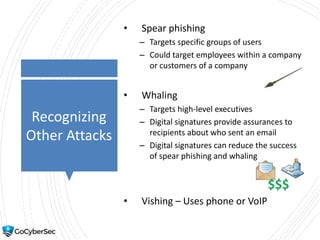
• Spear phishing
– Targets specific groups of users
– Could target employees within a company
or customers of a company
• Whaling
– Targets high-level executives
– Digital signatures provide assurances to
recipients about who sent an email
– Digital signatures can reduce the success
of spear phishing and whaling
• Vishing – Uses phone or VoIP
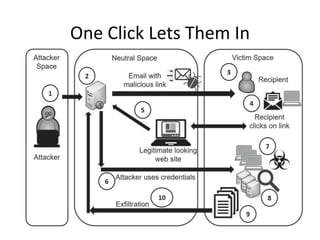
One Click Lets Them In
Privilege
Escalation
• Occurs when a user or process
accesses elevated rights and
permissions
• Attackers attempt to gain more
privileges
• Malware attempts to gain more
privileges
• Administrators have two accounts
– One account for regular use
– One for administrative use
– Goal is to mitigate privilege escalation
attempts
Blocking
Malware
• Spam filter on mail gateways
• Anti-malware software on mail
gateways
• Anti-malware software on all systems
• Block at boundaries
– Firewalls
– UTM systems
Blocking
Malware
• Antivirus software
– Signature-based detection
• Detects known malware based
on signature definitions
• Heuristic-based detection
– Detects unknown malware based
on behavior
• Checking file integrity with hashes
• Data execution prevention (DEP)
Blocking
Malware
• Advanced malware tools
– AMP
• Spam filters can block spam
– Network-based spam filters block into
network
– End-user spam filters restrict
spam on user’s system
Educating
Users
• Helps prevent incidents
• Educating users about
– New viruses
– Phishing attacks
– Zero-day exploits
Best Practices
• Don’t click on links within emails from
unknown sources
• Don’t open attachments from
unknown sources
• Be wary of free downloads from the
Internet
• Limit information you post on social
media sites
• Back up your data regularly
• Keep computer up to date with
current patches
• Keep antivirus software up to date
Why Social
Engineering
Works
• Authority
• Intimidation
• Consensus/Social Proof
• Scarcity
• Urgency
• Familiarity/Liking
• Trust
Chapter 6
Summary
• Understanding threat actors
• Determining malware types
• Recognizing common attacks
• Blocking malware and other attacks
• Educating users

501 ch 6 threats vulnerabilities attacks

  • 1.
    Chapter 6 Comparing Threats, Vulnerabilities,and Common Attacks CompTIA Security+ Get Certified Get Ahead 1
  • 2.
    Introduction • Understanding threatactors • Determining malware types • Recognizing common attacks • Blocking malware and other attacks • Educating users
  • 3.
    Threat Actors • Open-source intelligence –Info freely available (such as from web sites and social media) • Script kiddie – Little expertise, sophistication, or funding • Hacktivist – Part of an activist movement • Insider – Employee (can become a malicious insider) • Organized crime – Typically motivated by money • Competitor
  • 4.
    Threat Actors • Nation state/advanced persistentthreat (APT) – Identify a target and persistently attack until they gain access – Often remain in network for months or years – China APT1 – Russia APT 28 (Fancy Bear) – Russia APT 29 (Cozy Bear)
  • 5.
    Determining Malware Types • Viruses – Replicationmechanism – Activation mechanism – Payload mechanism
  • 6.
    Determining Malware Types • Worms – Selfreplicating • Logic bombs – Executes in response to an event • Backdoors – Provides an alternate method of access – Many types of malware create backdoors
  • 7.
    Understanding Malware • Trojan Horse –Appears to be useful but is malicious – Pirated software, rogueware, or games – Also infect systems via USB drives • Drive-by downloads – Attackers compromise a web site to gain control of it – Attackers install a Trojan embedded in the web site’s code – Attackers attempt to trick users into visiting the site – When users visit, the web site attempts to download the Trojan onto the users’ systems • Remote access Trojan (RAT)
  • 8.
    Determining Malware Types • Ransomware – Takescontrol of user’s system – Typically encrypts user’s data – Attempts to extort payment
  • 9.
    Determining Malware Types • Keylogger – Capture’skeystrokes • Spyware – Can access a user’s private data and result in loss of confidentiality • Adware – Pop-ups that market products to users – Blocked with pop-up blockers
  • 10.
    Bots and Botnets • Bots– software robots • Botnets – Controlled by criminals (bot herders) – Manage command and control centers – Malware joins computers to robotic network • Zombies or clones – Computers within botnet – Join after becoming infected with malware
  • 11.
    Determining Malware Types • Rootkits – Systemlevel or kernel access – Can modify system files and system access – Hide their running processes to avoid detection with hooking techniques – File integrity checker can detect modified files – Inspection of RAM can discover hooked processes
  • 12.
    Social Engineering • Flattery andconning • Assuming a position of authority • Encouraging someone to: – Perform a risky action – Reveal sensitive information • Impersonating • Tailgating
  • 13.
    Social Engineering • Impersonating – Suchas an authorized technician • Shoulder Surfing – Can be in person looking at a computer – Can be with a remote camera • Tricking users with hoaxes
  • 14.
    Social Engineering • Tailgating – Closelyfollowing authorized personnel without providing credentials – Mitigated with mantraps • Dumpster diving – Searching through trash looking for information – Mitigated by shredding or burning papers
  • 15.
    Social Engineering • Watering holeattack – Attacker identifies websites trusted by group of users – Attacker infects these websites – Users go to infected (but trusted) websites – Prompted to download files
  • 16.
    Recognizing Other Attacks • Spam– unwanted email • Phishing – malicious spam – Attempt to trick users into revealing sensitive or personal information – Links within email can also lead unsuspecting users to install malware – Often spoof email address with your friend’s names – Phishing to Validate E-mail Addresses – Phishing to Get Money $$$
  • 17.
    Recognizing Other Attacks • Spearphishing – Targets specific groups of users – Could target employees within a company or customers of a company • Whaling – Targets high-level executives – Digital signatures provide assurances to recipients about who sent an email – Digital signatures can reduce the success of spear phishing and whaling • Vishing – Uses phone or VoIP
  • 18.
  • 19.
    Privilege Escalation • Occurs whena user or process accesses elevated rights and permissions • Attackers attempt to gain more privileges • Malware attempts to gain more privileges • Administrators have two accounts – One account for regular use – One for administrative use – Goal is to mitigate privilege escalation attempts
  • 20.
    Blocking Malware • Spam filteron mail gateways • Anti-malware software on mail gateways • Anti-malware software on all systems • Block at boundaries – Firewalls – UTM systems
  • 21.
    Blocking Malware • Antivirus software –Signature-based detection • Detects known malware based on signature definitions • Heuristic-based detection – Detects unknown malware based on behavior • Checking file integrity with hashes • Data execution prevention (DEP)
  • 22.
    Blocking Malware • Advanced malwaretools – AMP • Spam filters can block spam – Network-based spam filters block into network – End-user spam filters restrict spam on user’s system
  • 23.
    Educating Users • Helps preventincidents • Educating users about – New viruses – Phishing attacks – Zero-day exploits
  • 24.
    Best Practices • Don’tclick on links within emails from unknown sources • Don’t open attachments from unknown sources • Be wary of free downloads from the Internet • Limit information you post on social media sites • Back up your data regularly • Keep computer up to date with current patches • Keep antivirus software up to date
  • 25.
    Why Social Engineering Works • Authority •Intimidation • Consensus/Social Proof • Scarcity • Urgency • Familiarity/Liking • Trust
  • 26.
    Chapter 6 Summary • Understandingthreat actors • Determining malware types • Recognizing common attacks • Blocking malware and other attacks • Educating users