Android Memory Forensics
Shailendra Sadh – sxs5554
4055-841 Advanced Computer Forensics
Agenda
• The Scenario
• Technologies Used
• Investigation Process
• Questions & Results
• Challenges & Future Work
• Tech Pros & Cons
The Scenario
• Suspect  Botnet Commander
• Custom Android Application to determine Bot
status
• Feds go knocking on the door.
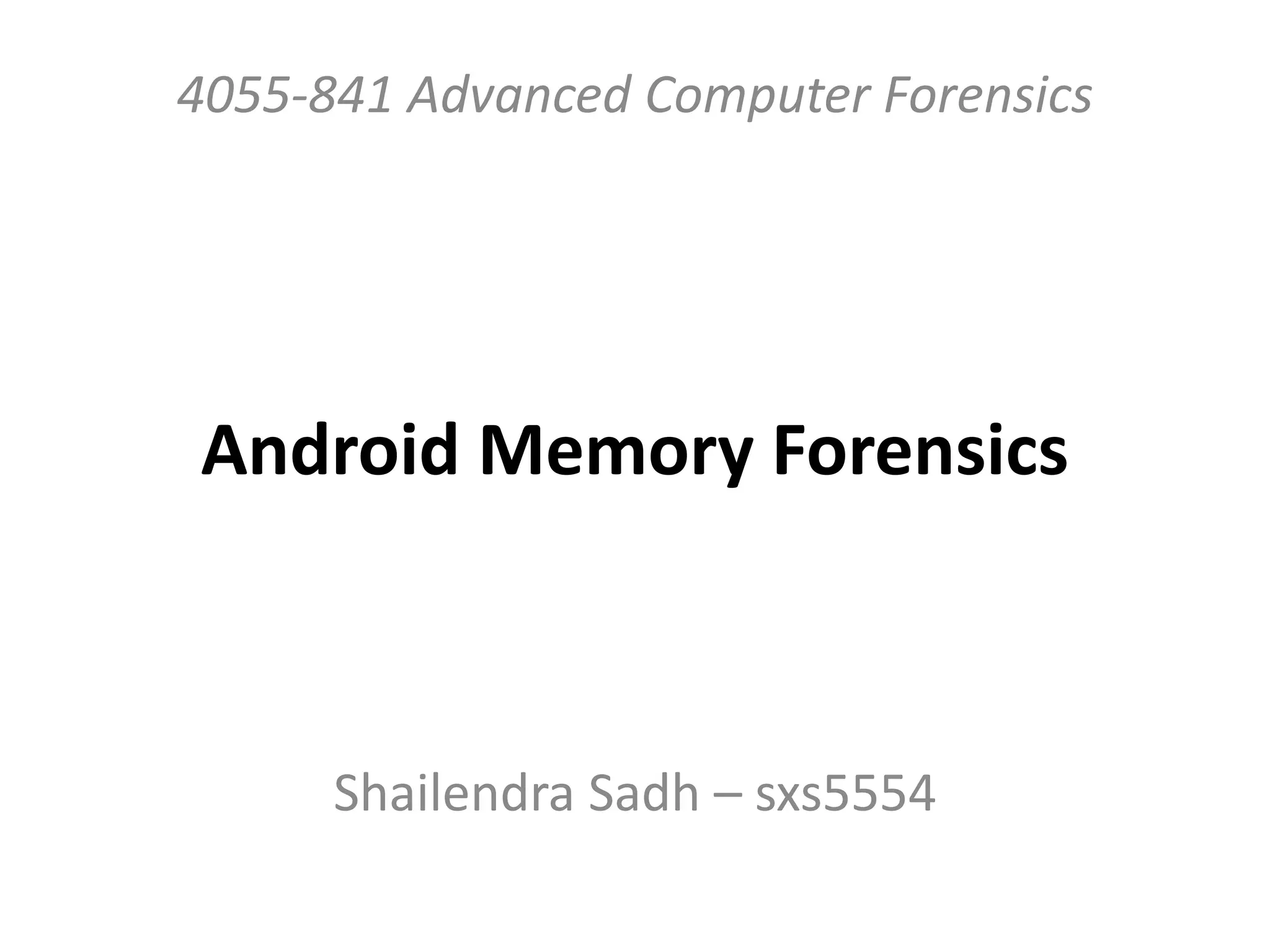
Evidence Retrieved
Technologies used
• LIME – Linux Memory Extractor (formerly
DMD)
• Volatility 2.3 (Beta)
Open Source
Extremely Capable
Wide Range of support for Win & Linux (
Android )
• Autopsy
• Investigator’s Swiss knife - HEXEDITOR
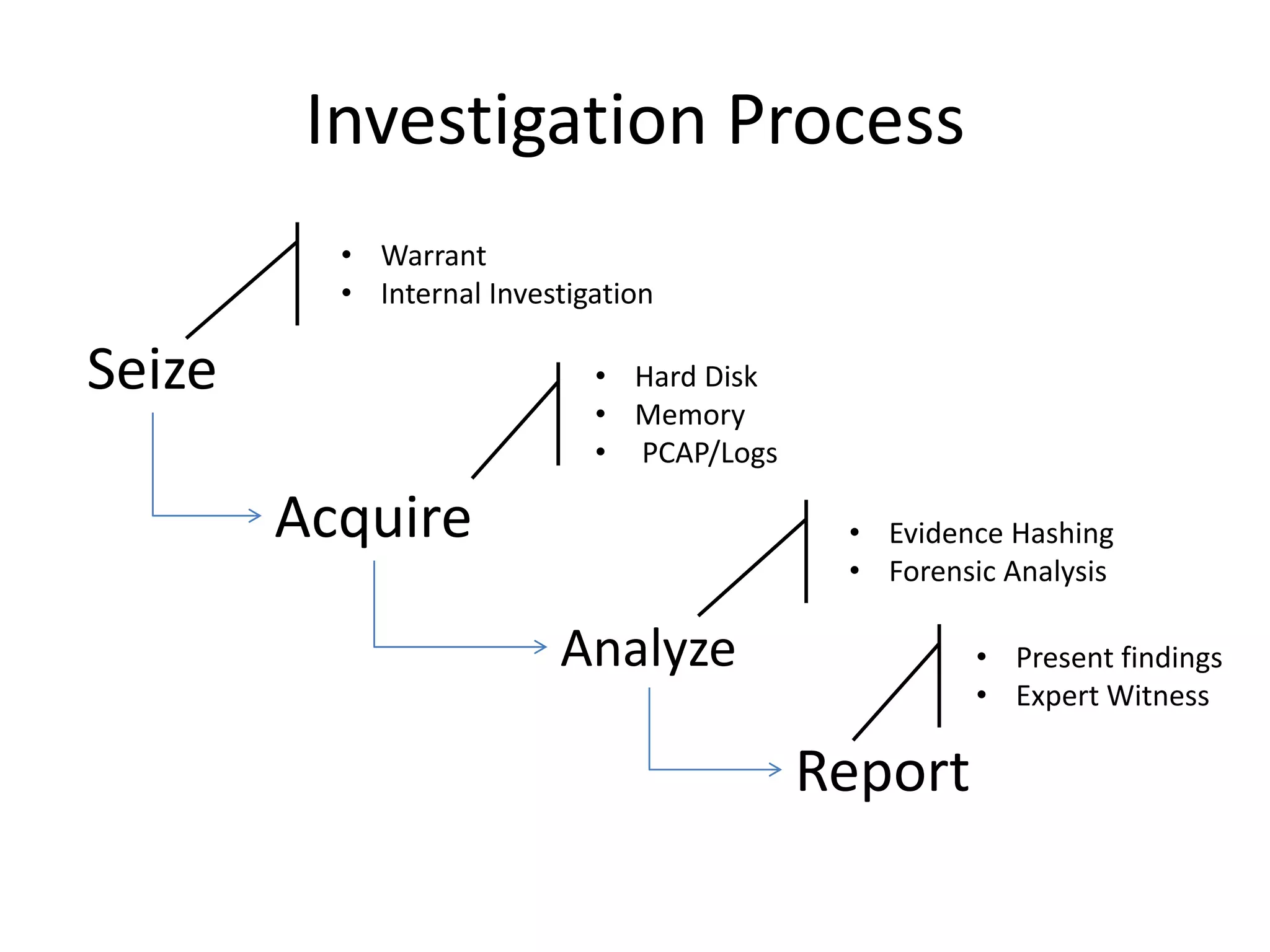
Investigation Process
Seize
Acquire
Analyze
Report
• Warrant
• Internal Investigation
• Hard Disk
• Memory
• PCAP/Logs
• Evidence Hashing
• Forensic Analysis
• Present findings
• Expert Witness
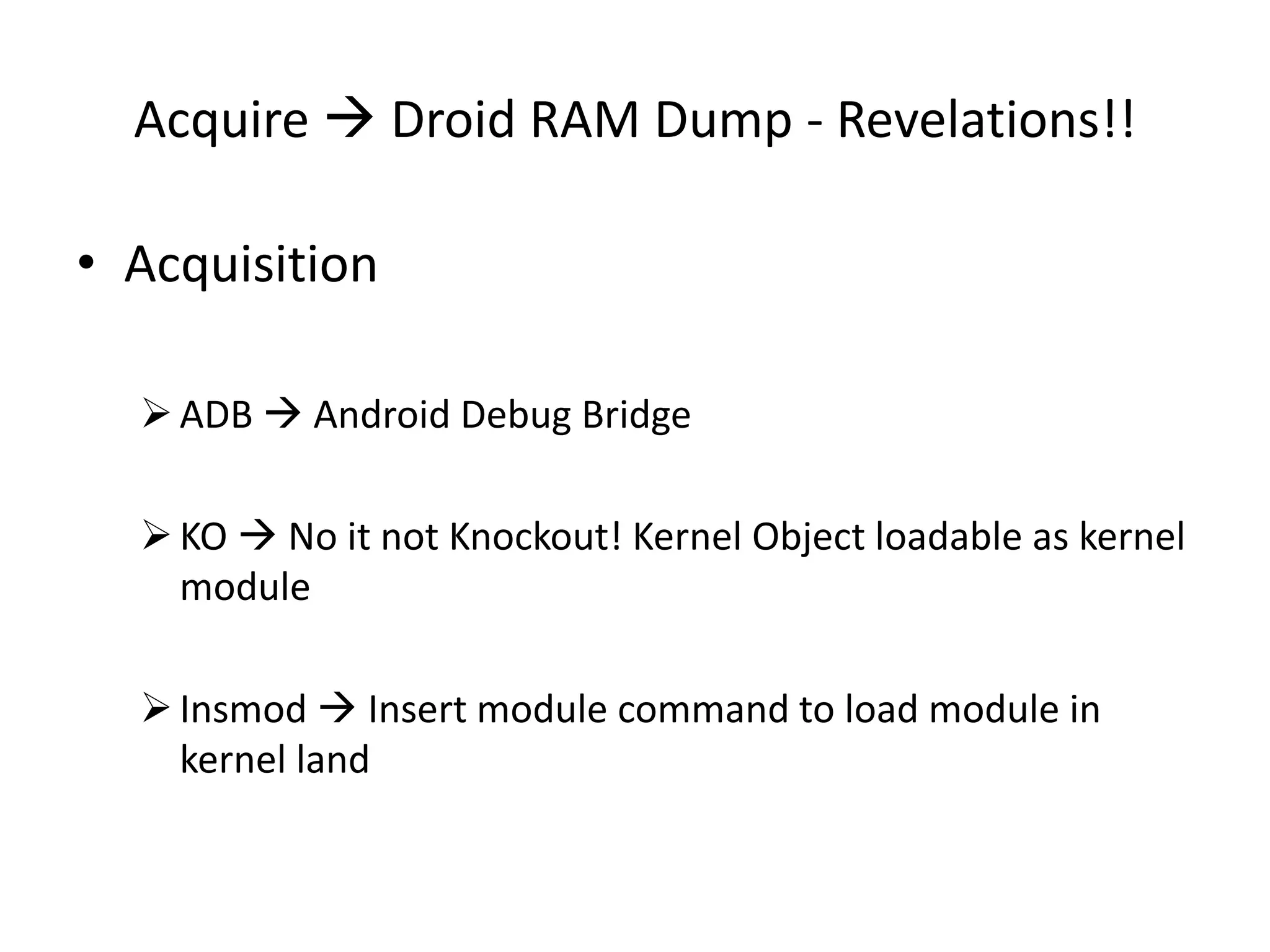
Acquire  Droid RAM Dump - Revelations!!
• Acquisition
ADB  Android Debug Bridge
KO  No it not Knockout! Kernel Object loadable as kernel
module
Insmod  Insert module command to load module in
kernel land
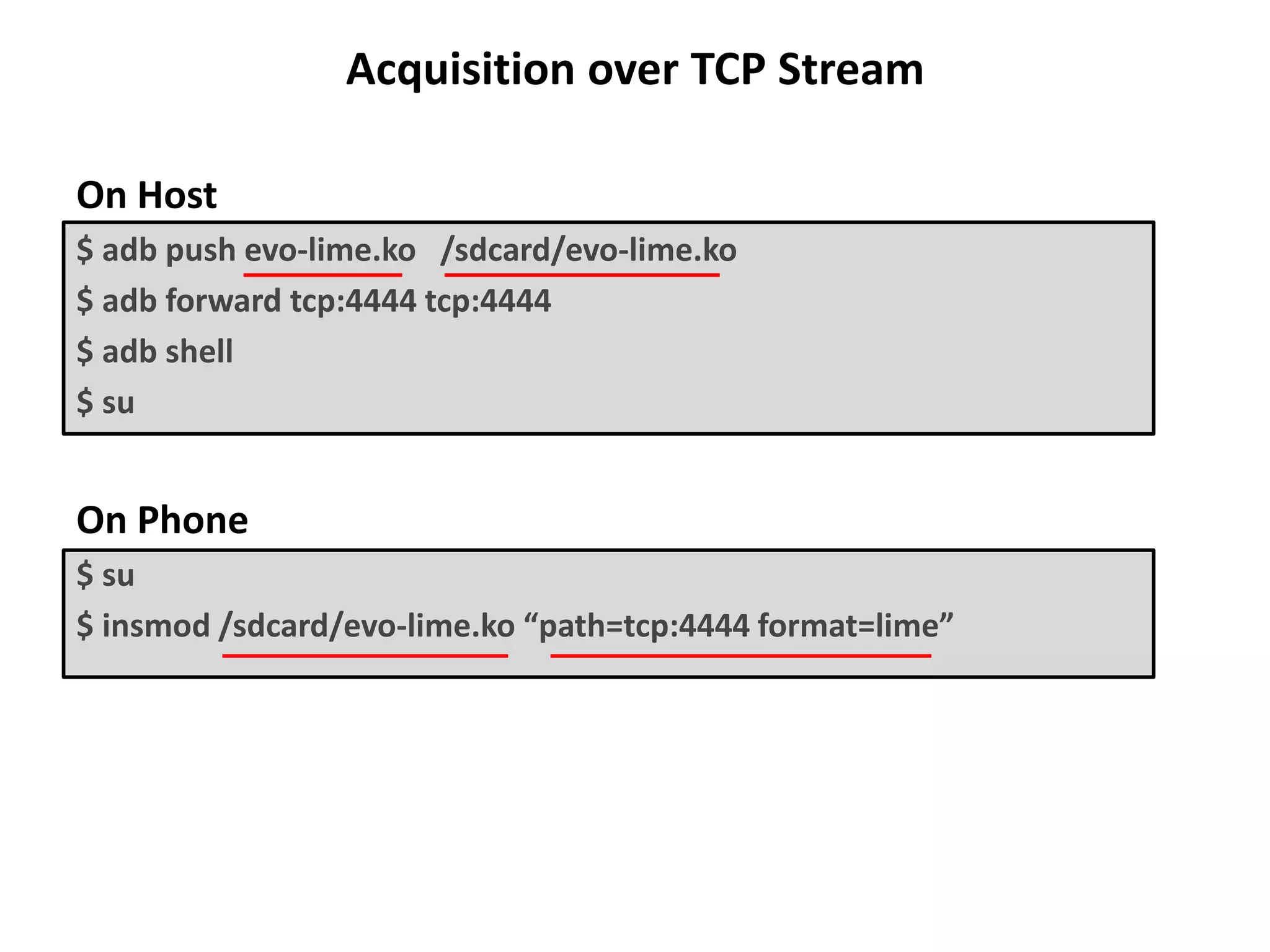
Acquisition over TCP Stream
On Host
$ adb push evo-lime.ko /sdcard/evo-lime.ko
$ adb forward tcp:4444 tcp:4444
$ adb shell
$ su
On Phone
$ su
$ insmod /sdcard/evo-lime.ko “path=tcp:4444 format=lime”
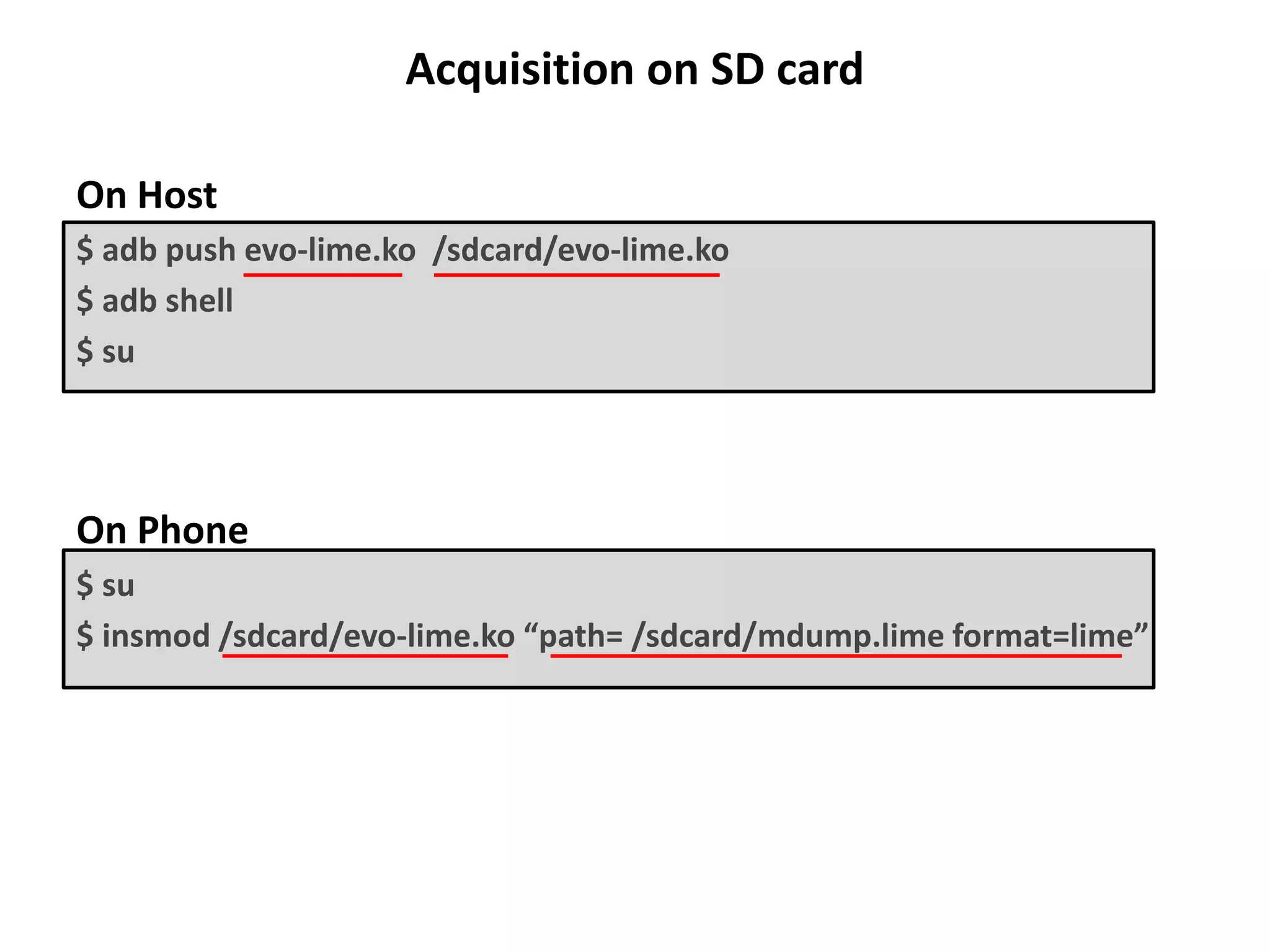
Acquisition on SD card
On Host
$ adb push evo-lime.ko /sdcard/evo-lime.ko
$ adb shell
$ su
On Phone
$ su
$ insmod /sdcard/evo-lime.ko “path= /sdcard/mdump.lime format=lime”
Analysis
• Calculate MD5/SHA1 hash of acquired evidence
• Document the processes followed
• Record and document suspicious or notable findings
• Don’t Give up!
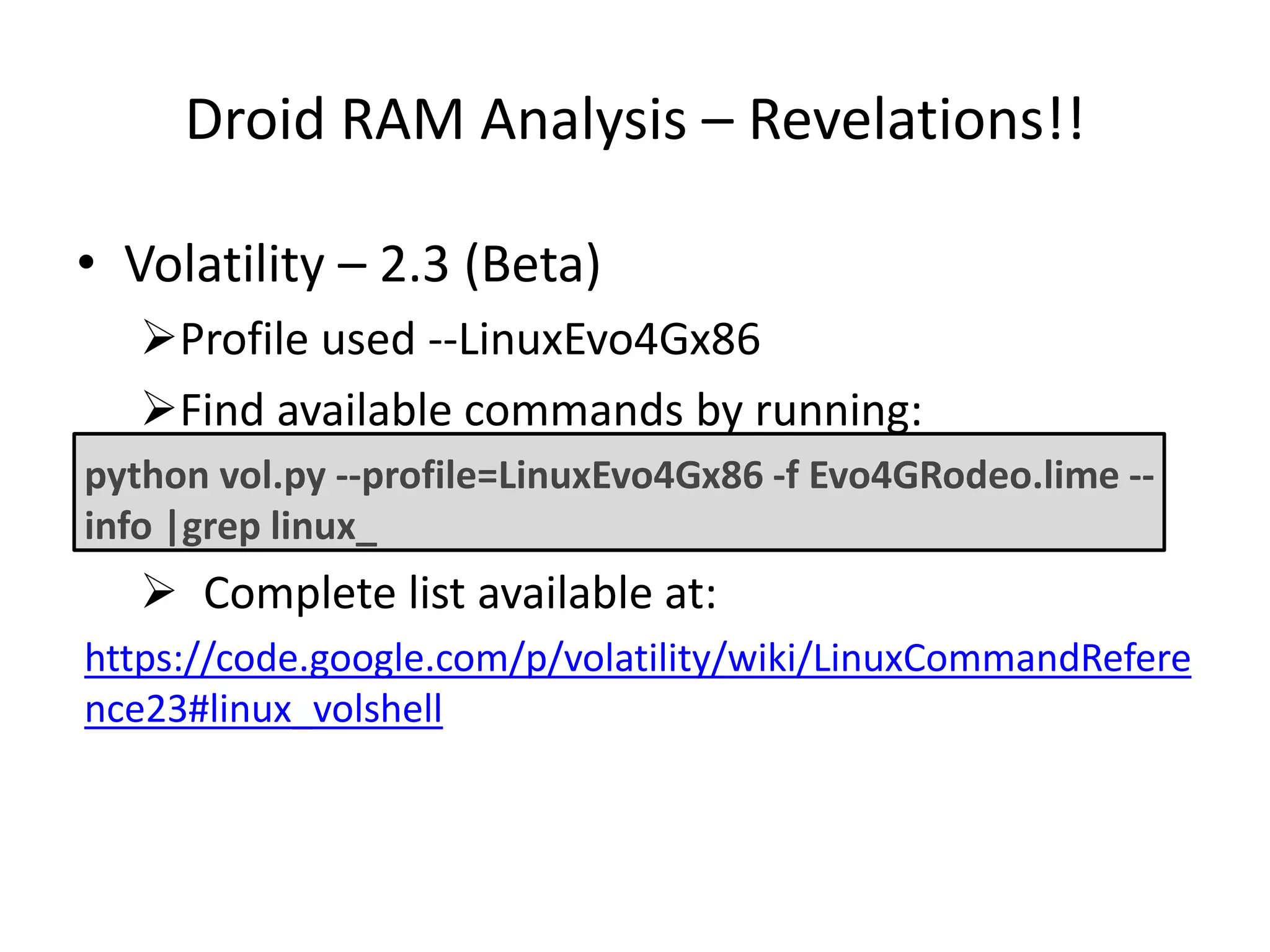
Droid RAM Analysis – Revelations!!
• Volatility – 2.3 (Beta)
Profile used --LinuxEvo4Gx86
Find available commands by running:
python vol.py --profile=LinuxEvo4Gx86 -f Evo4GRodeo.lime --
info |grep linux_
 Complete list available at:
https://code.google.com/p/volatility/wiki/LinuxCommandRefere
nce23#linux_volshell
Questions & Results
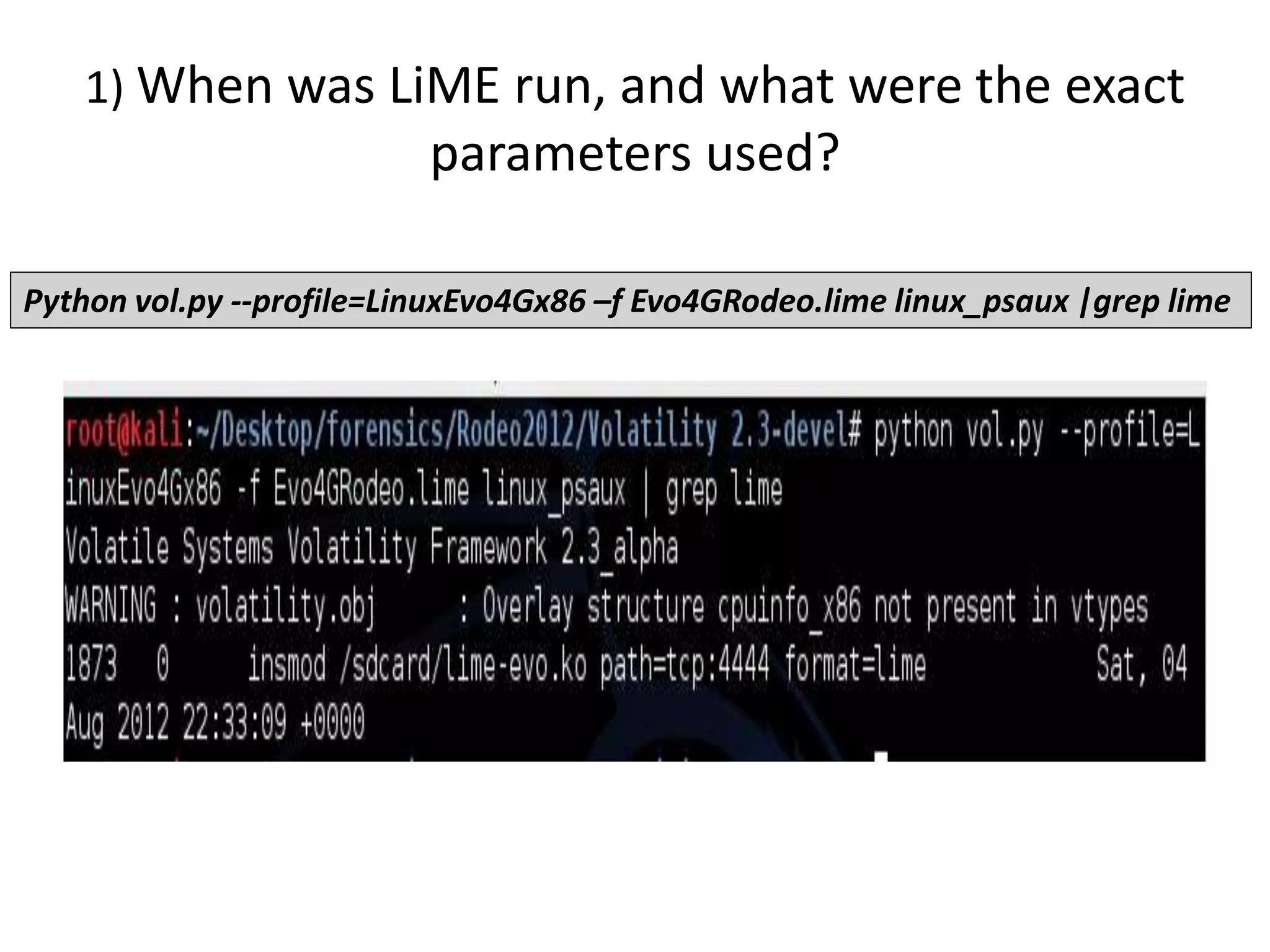
1) When was LiME run, and what were the exact
parameters used?
Python vol.py --profile=LinuxEvo4Gx86 –f Evo4GRodeo.lime linux_psaux |grep lime
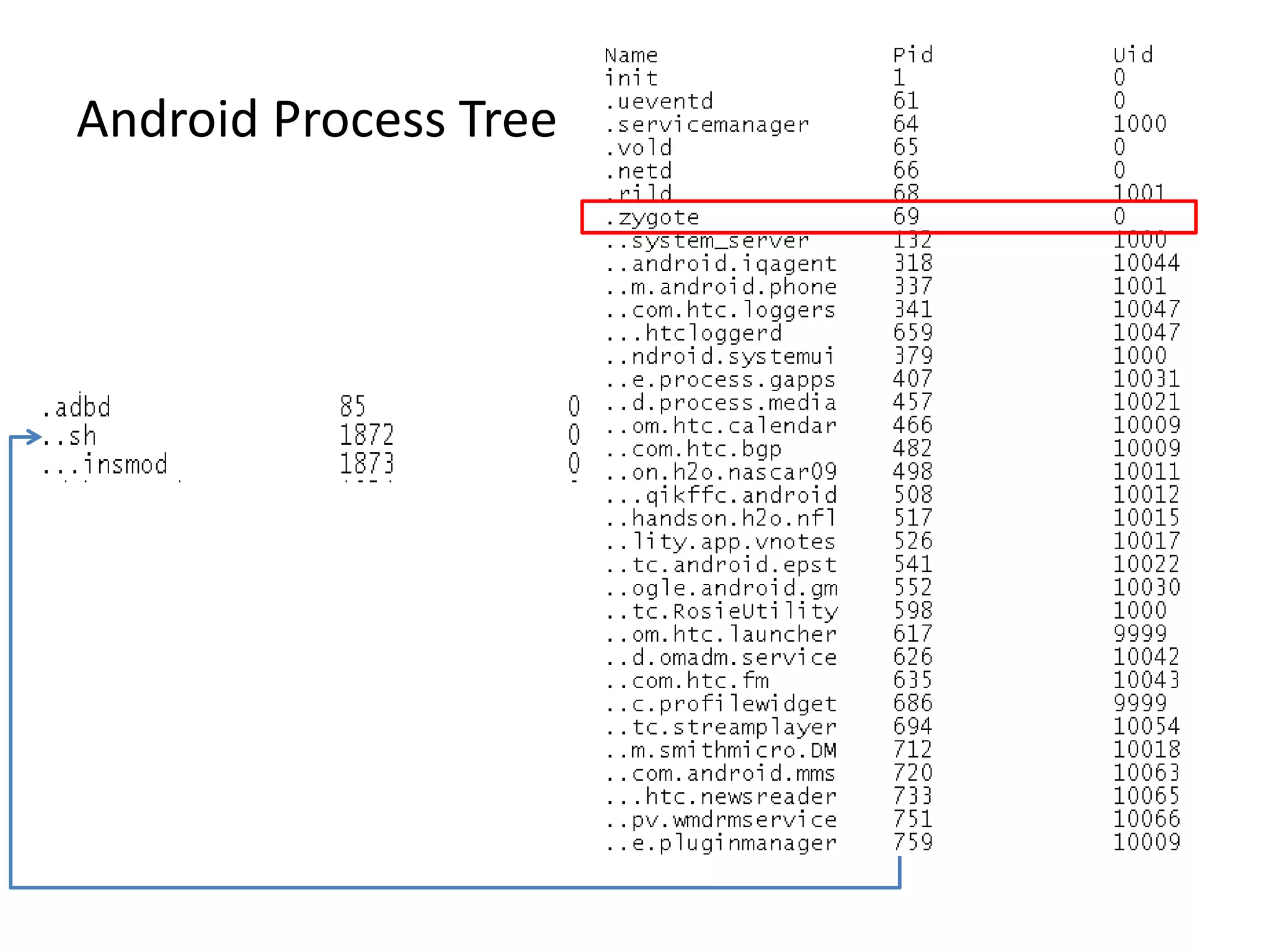
Android Process Tree
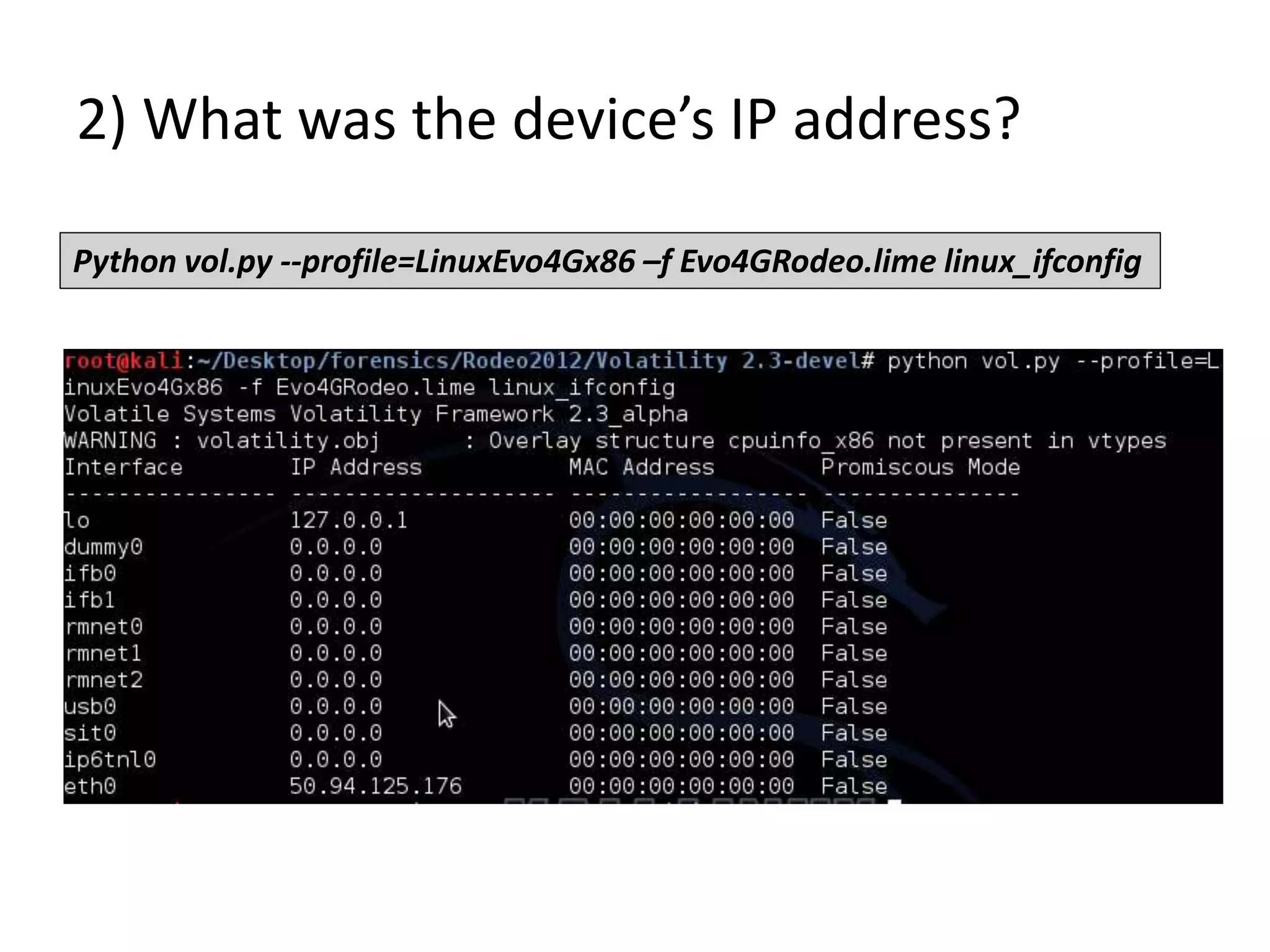
2) What was the device’s IP address?
Python vol.py --profile=LinuxEvo4Gx86 –f Evo4GRodeo.lime linux_ifconfig
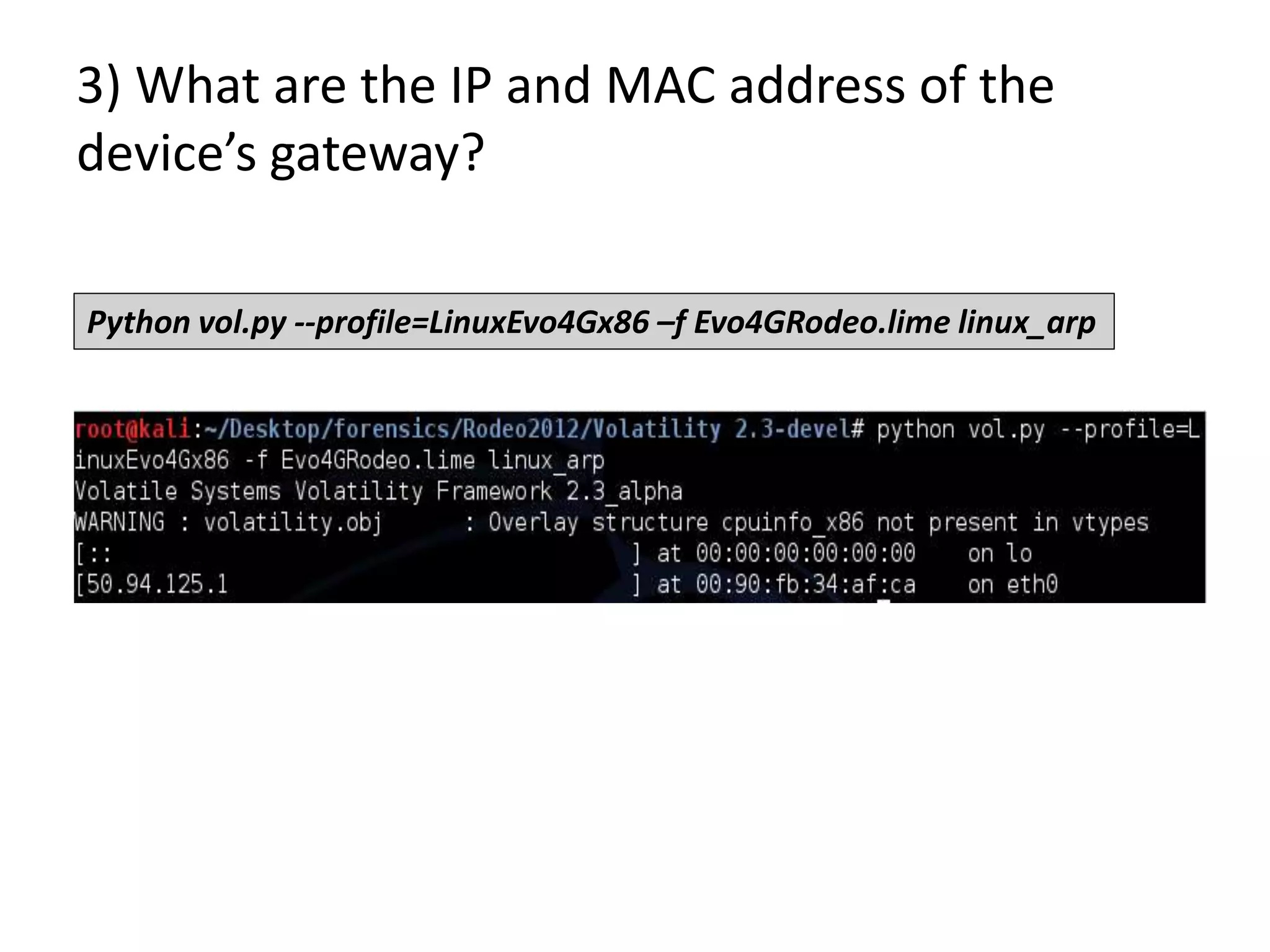
3) What are the IP and MAC address of the
device’s gateway?
Python vol.py --profile=LinuxEvo4Gx86 –f Evo4GRodeo.lime linux_arp
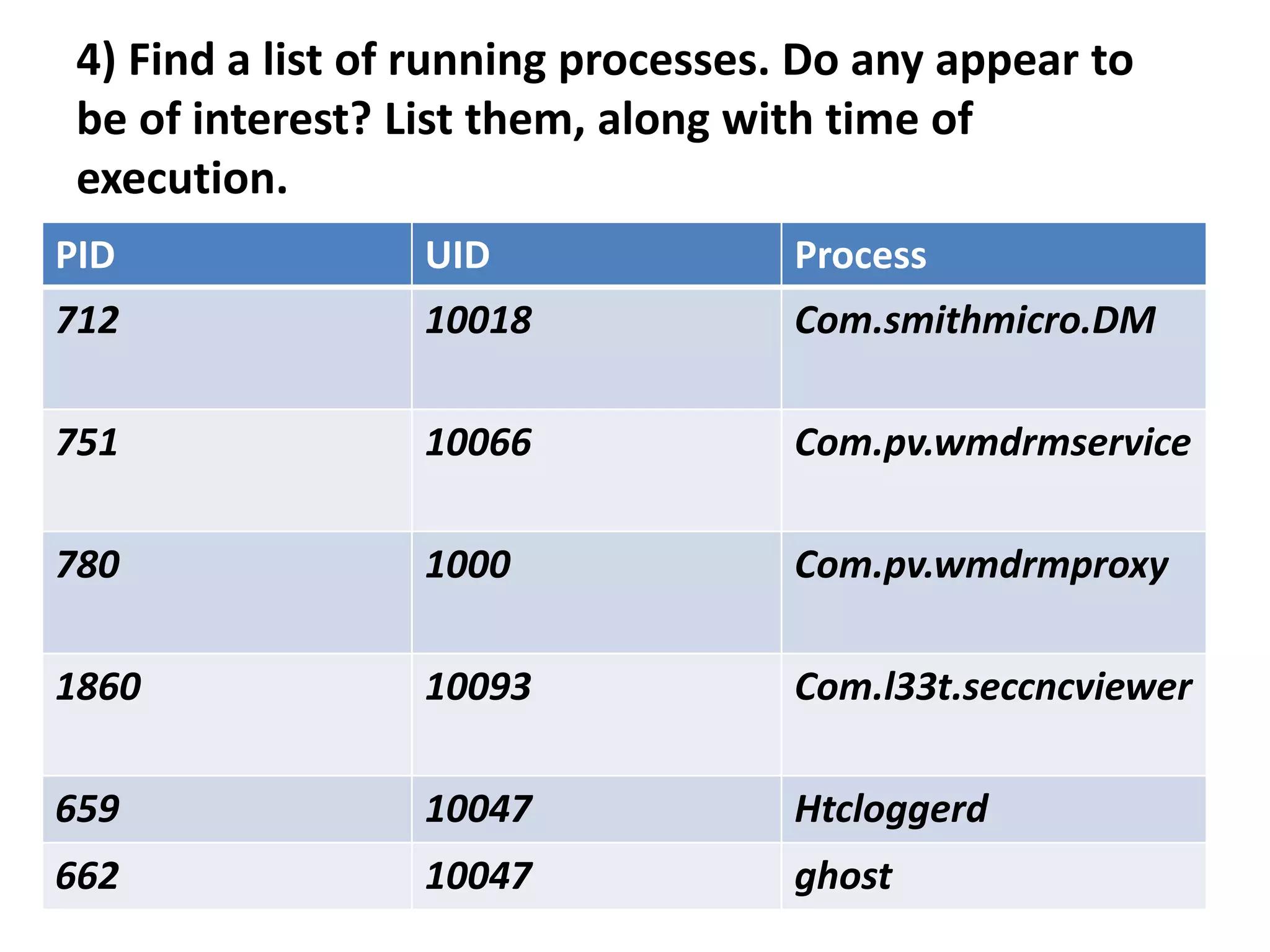
4) Find a list of running processes. Do any appear to
be of interest? List them, along with time of
execution.
PID UID Process
712 10018 Com.smithmicro.DM
751 10066 Com.pv.wmdrmservice
780 1000 Com.pv.wmdrmproxy
1860 10093 Com.l33t.seccncviewer
659 10047 Htcloggerd
662 10047 ghost
5) Find any communication that would suggest
information about the origin of the application and its
author. Acquire a copy of the application, if possible.
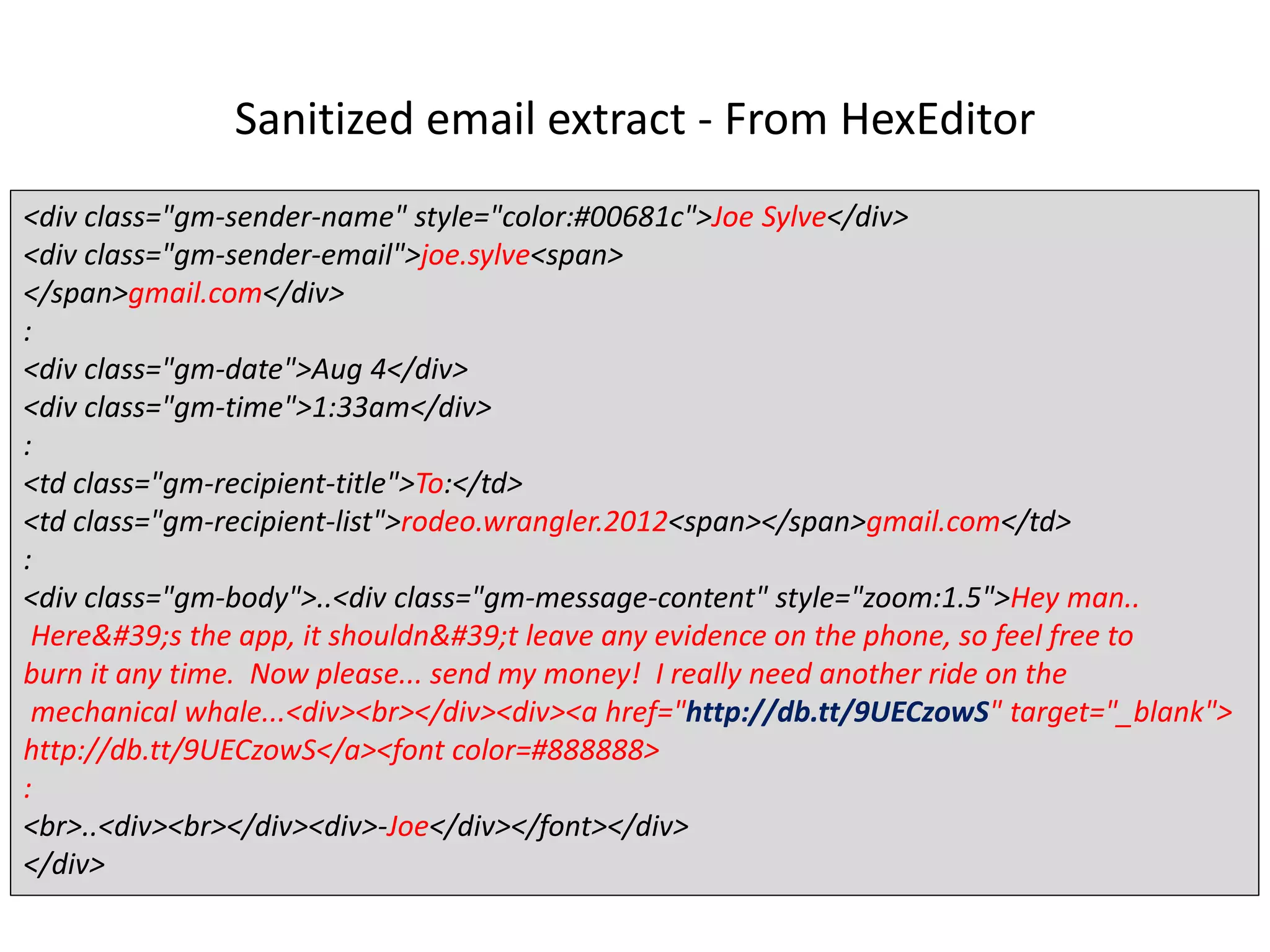
Sanitized email extract - From HexEditor
<div class="gm-sender-name" style="color:#00681c">Joe Sylve</div>
<div class="gm-sender-email">joe.sylve<span>
</span>gmail.com</div>
:
<div class="gm-date">Aug 4</div>
<div class="gm-time">1:33am</div>
:
<td class="gm-recipient-title">To:</td>
<td class="gm-recipient-list">rodeo.wrangler.2012<span></span>gmail.com</td>
:
<div class="gm-body">..<div class="gm-message-content" style="zoom:1.5">Hey man..
Here&#39;s the app, it shouldn&#39;t leave any evidence on the phone, so feel free to
burn it any time. Now please... send my money! I really need another ride on the
mechanical whale...<div><br></div><div><a href="http://db.tt/9UECzowS" target="_blank">
http://db.tt/9UECzowS</a><font color=#888888>
:
<br>..<div><br></div><div>-Joe</div></font></div>
</div>
5) Find any communication that would suggest
information about the origin of the application and its
author. Acquire a copy of the application, if possible.
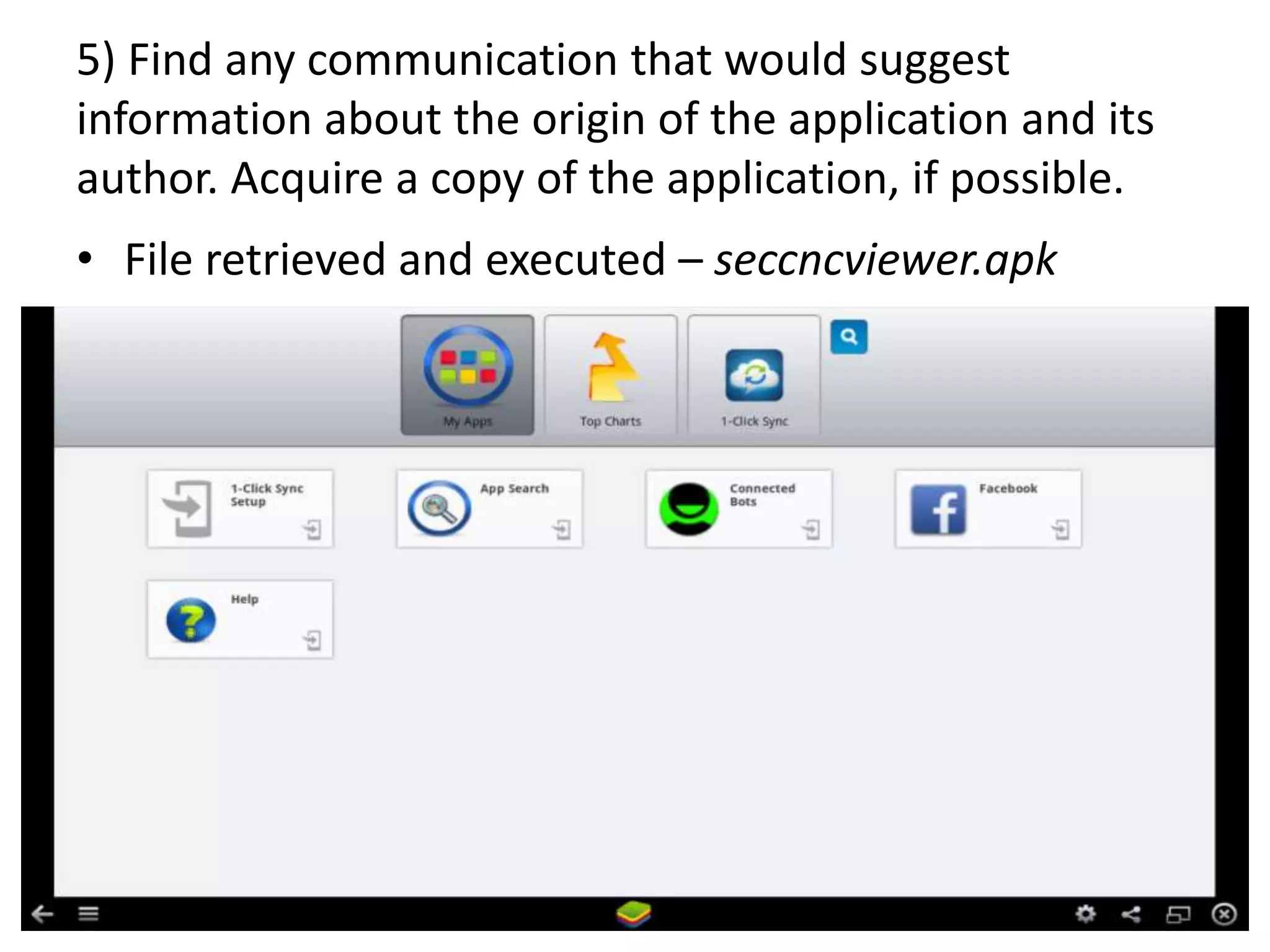
• File retrieved and executed – seccncviewer.apk
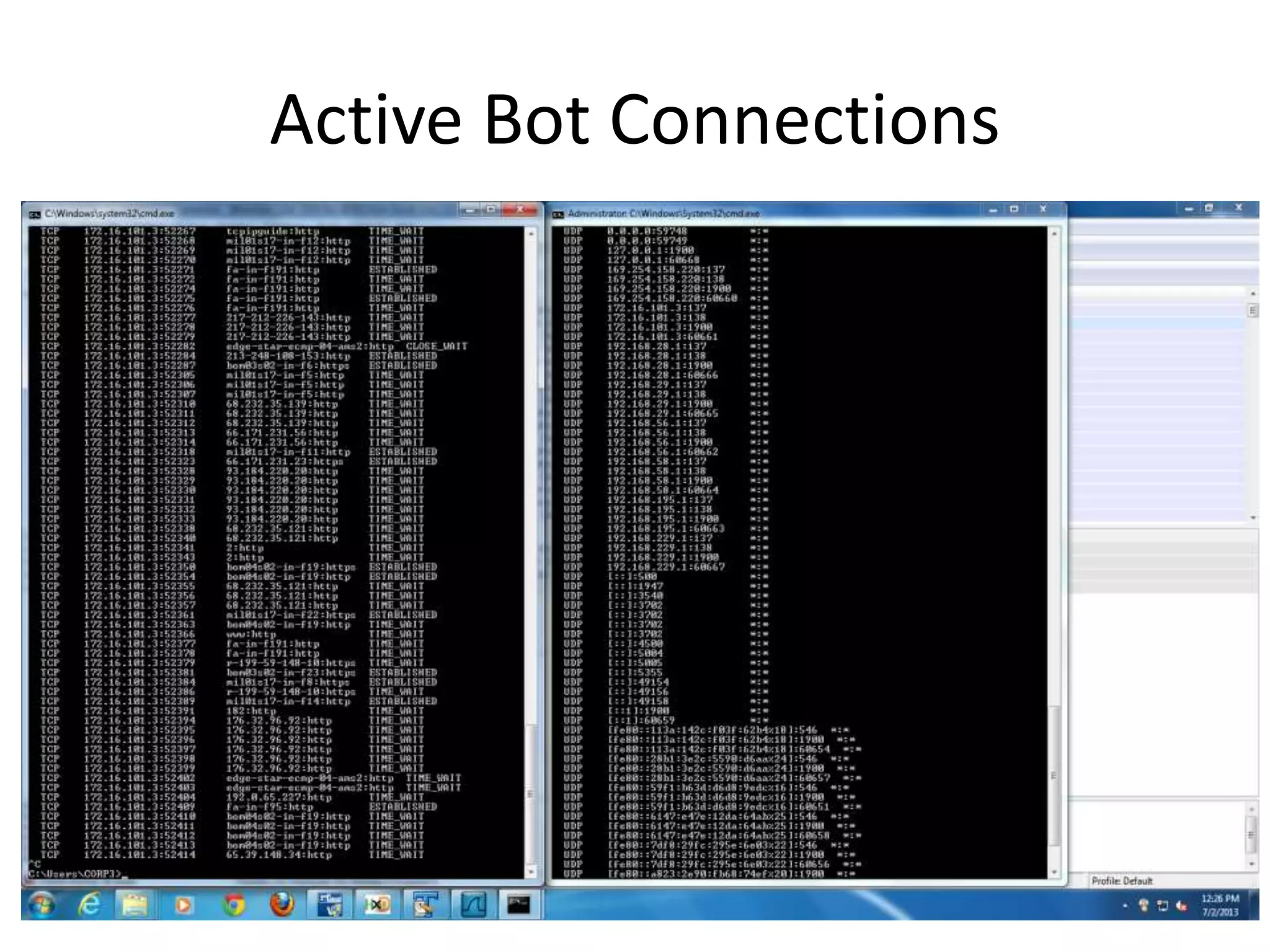
Active Bot Connections
Challenges
Q 6) What is the IP address of the server that the
application is connecting to?
Most volatility network commands didn’t give out any
result
Uninteresting/no IPs found in hex dump (.lime & .apk files)
Extracted RouteCache files. (Just too much data)
Tried to emulate the bot connection – potentially different
IP addresses found
Not Enough time and lack of forensics skill!!!
Challenges - Cont
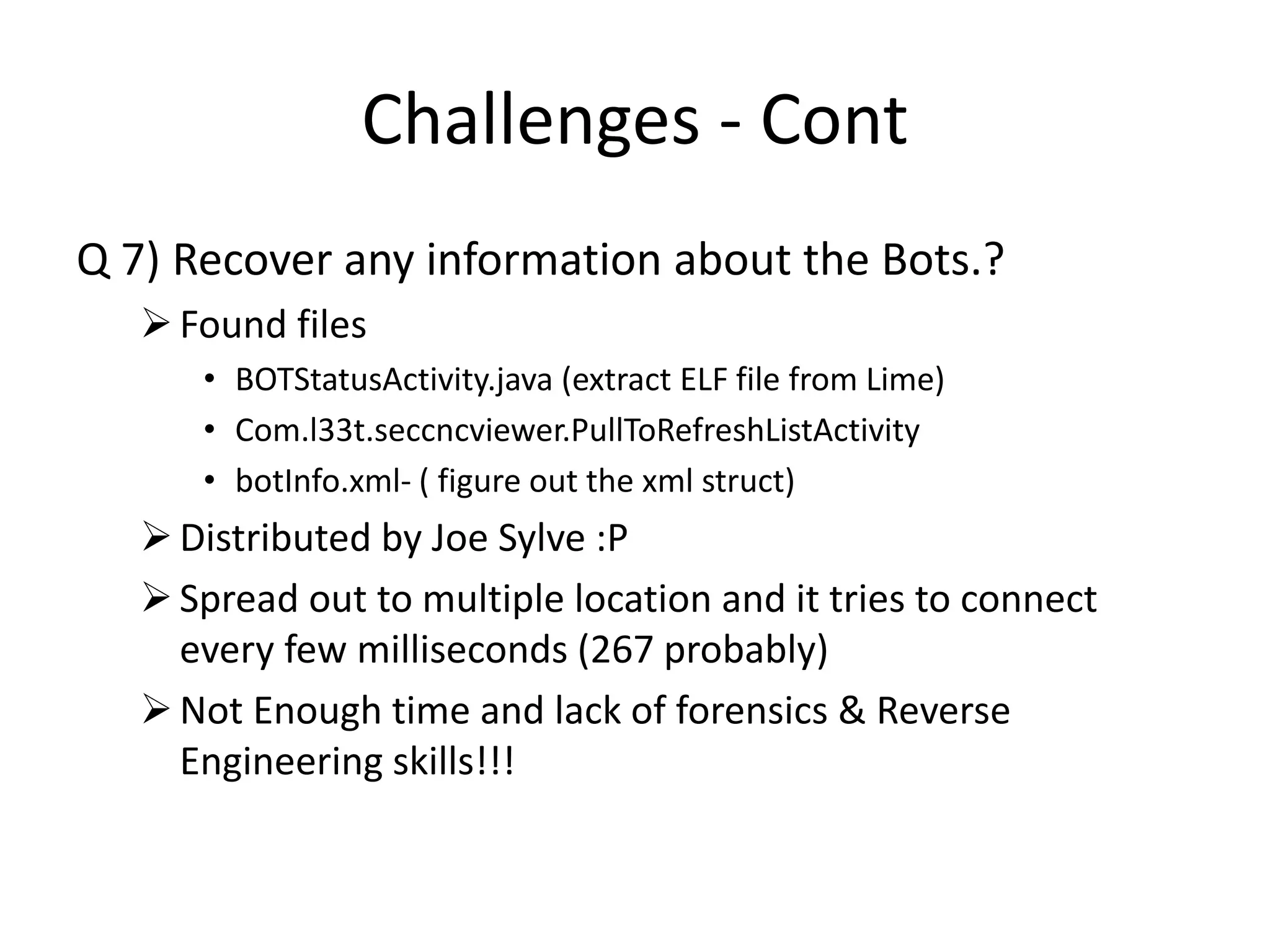
Q 7) Recover any information about the Bots.?
Found files
• BOTStatusActivity.java (extract ELF file from Lime)
• Com.l33t.seccncviewer.PullToRefreshListActivity
• botInfo.xml- ( figure out the xml struct)
Distributed by Joe Sylve :P
Spread out to multiple location and it tries to connect
every few milliseconds (267 probably)
Not Enough time and lack of forensics & Reverse
Engineering skills!!!
Future Work
• Case Perspective
Search and extract ELF (exe linkable format) files to
possibly find source code of the application
 Find more traces for BotInfo.xml
Learn Assembly!!!
Encryption used. (Maybe RSA!)
Tech – Pros & Cons
• Volatility 2.3 Beta
Brilliant memory analysis toolkit
Nascent stages for android forensics
• Focus on Windows Forensics! (Well Obviously :P)
• Customization of open source tools (Time & Skills!)
Thank you!!

4055-841_Project_ShailendraSadh

  • 1.
    Android Memory Forensics ShailendraSadh – sxs5554 4055-841 Advanced Computer Forensics
  • 2.
    Agenda • The Scenario •Technologies Used • Investigation Process • Questions & Results • Challenges & Future Work • Tech Pros & Cons
  • 3.
    The Scenario • Suspect Botnet Commander • Custom Android Application to determine Bot status • Feds go knocking on the door.
  • 4.
  • 5.
    Technologies used • LIME– Linux Memory Extractor (formerly DMD) • Volatility 2.3 (Beta) Open Source Extremely Capable Wide Range of support for Win & Linux ( Android ) • Autopsy • Investigator’s Swiss knife - HEXEDITOR
  • 6.
    Investigation Process Seize Acquire Analyze Report • Warrant •Internal Investigation • Hard Disk • Memory • PCAP/Logs • Evidence Hashing • Forensic Analysis • Present findings • Expert Witness
  • 7.
    Acquire  DroidRAM Dump - Revelations!! • Acquisition ADB  Android Debug Bridge KO  No it not Knockout! Kernel Object loadable as kernel module Insmod  Insert module command to load module in kernel land
  • 8.
    Acquisition over TCPStream On Host $ adb push evo-lime.ko /sdcard/evo-lime.ko $ adb forward tcp:4444 tcp:4444 $ adb shell $ su On Phone $ su $ insmod /sdcard/evo-lime.ko “path=tcp:4444 format=lime”
  • 9.
    Acquisition on SDcard On Host $ adb push evo-lime.ko /sdcard/evo-lime.ko $ adb shell $ su On Phone $ su $ insmod /sdcard/evo-lime.ko “path= /sdcard/mdump.lime format=lime”
  • 10.
    Analysis • Calculate MD5/SHA1hash of acquired evidence • Document the processes followed • Record and document suspicious or notable findings • Don’t Give up!
  • 11.
    Droid RAM Analysis– Revelations!! • Volatility – 2.3 (Beta) Profile used --LinuxEvo4Gx86 Find available commands by running: python vol.py --profile=LinuxEvo4Gx86 -f Evo4GRodeo.lime -- info |grep linux_  Complete list available at: https://code.google.com/p/volatility/wiki/LinuxCommandRefere nce23#linux_volshell
  • 12.
  • 13.
    1) When wasLiME run, and what were the exact parameters used? Python vol.py --profile=LinuxEvo4Gx86 –f Evo4GRodeo.lime linux_psaux |grep lime
  • 14.
  • 15.
    2) What wasthe device’s IP address? Python vol.py --profile=LinuxEvo4Gx86 –f Evo4GRodeo.lime linux_ifconfig
  • 16.
    3) What arethe IP and MAC address of the device’s gateway? Python vol.py --profile=LinuxEvo4Gx86 –f Evo4GRodeo.lime linux_arp
  • 17.
    4) Find alist of running processes. Do any appear to be of interest? List them, along with time of execution. PID UID Process 712 10018 Com.smithmicro.DM 751 10066 Com.pv.wmdrmservice 780 1000 Com.pv.wmdrmproxy 1860 10093 Com.l33t.seccncviewer 659 10047 Htcloggerd 662 10047 ghost
  • 19.
    5) Find anycommunication that would suggest information about the origin of the application and its author. Acquire a copy of the application, if possible.
  • 20.
    Sanitized email extract- From HexEditor <div class="gm-sender-name" style="color:#00681c">Joe Sylve</div> <div class="gm-sender-email">joe.sylve<span> </span>gmail.com</div> : <div class="gm-date">Aug 4</div> <div class="gm-time">1:33am</div> : <td class="gm-recipient-title">To:</td> <td class="gm-recipient-list">rodeo.wrangler.2012<span></span>gmail.com</td> : <div class="gm-body">..<div class="gm-message-content" style="zoom:1.5">Hey man.. Here&#39;s the app, it shouldn&#39;t leave any evidence on the phone, so feel free to burn it any time. Now please... send my money! I really need another ride on the mechanical whale...<div><br></div><div><a href="http://db.tt/9UECzowS" target="_blank"> http://db.tt/9UECzowS</a><font color=#888888> : <br>..<div><br></div><div>-Joe</div></font></div> </div>
  • 21.
    5) Find anycommunication that would suggest information about the origin of the application and its author. Acquire a copy of the application, if possible. • File retrieved and executed – seccncviewer.apk
  • 22.
  • 23.
    Challenges Q 6) Whatis the IP address of the server that the application is connecting to? Most volatility network commands didn’t give out any result Uninteresting/no IPs found in hex dump (.lime & .apk files) Extracted RouteCache files. (Just too much data) Tried to emulate the bot connection – potentially different IP addresses found Not Enough time and lack of forensics skill!!!
  • 24.
    Challenges - Cont Q7) Recover any information about the Bots.? Found files • BOTStatusActivity.java (extract ELF file from Lime) • Com.l33t.seccncviewer.PullToRefreshListActivity • botInfo.xml- ( figure out the xml struct) Distributed by Joe Sylve :P Spread out to multiple location and it tries to connect every few milliseconds (267 probably) Not Enough time and lack of forensics & Reverse Engineering skills!!!
  • 25.
    Future Work • CasePerspective Search and extract ELF (exe linkable format) files to possibly find source code of the application  Find more traces for BotInfo.xml Learn Assembly!!! Encryption used. (Maybe RSA!)
  • 26.
    Tech – Pros& Cons • Volatility 2.3 Beta Brilliant memory analysis toolkit Nascent stages for android forensics • Focus on Windows Forensics! (Well Obviously :P) • Customization of open source tools (Time & Skills!)
  • 27.

Editor's Notes

  • #4 Image Reference http://warlocksblog.wordpress.com/2009/04/
  • #5 Image Reference Burnt PC - http://warlocksblog.wordpress.com/2009/04/ LIME – Linux Memory Extractor profile=LinuxEvo4GARM
  • #6 LIME – Linux Memory Extractor DMD – Droid Memory Dumper >Loadable Kernel Module > Dump Memory directly to the SD card or over the network >Network dump over adb (Android Debug Bridge) >Minimizes interaction between userland and Kernelland Volatility Capabilities The Volatility Framework currently provides the following extraction capabilities for memory samples Image information (date, time, CPU count) Running processes Process SIDs and environment variables Open network sockets Open network connections DLLs loaded for each process Open handles to all kernel/executive objects (files, keys, mutexes) OS kernel modules Dump any process, DLL, or module to disk Mapping physical offsets to virtual addresses Virtual Address Descriptor information Addressable memory for each process Memory maps for each process Extract executable samples Scanning examples: processes, threads, sockets, connections, modules Command histories (cmd.exe) and console input/output buffers Imported and exported API functions PE version information System call tables (IDT, GDT, SSDT) API hooks in user- and kernel-mode (inline, IAT, EAT, NT syscall, winsock) Explore cached registry hives Dump LM/NTLM hashes and LSA secrets User assist and shimcache exploration Scan for byte patterns, regular expressions, or strings in memory Analyze kernel timers and callback functions Report on windows services Volatility mentioned support: 32-bit Windows XP Service Pack 2 and 3 32-bit Windows 2003 Server Service Pack 0, 1, 2 32-bit Windows Vista Service Pack 0, 1, 2 32-bit Windows 2008 Server Service Pack 1, 2 (there is no SP0) 32-bit Windows 7 Service Pack 0, 1 64-bit Windows XP Service Pack 1 and 2 (there is no SP0) 64-bit Windows 2003 Server Service Pack 1 and 2 (there is no SP0) 64-bit Windows Vista Service Pack 0, 1, 2 64-bit Windows 2008 Server Service Pack 1 and 2 (there is no SP0) 64-bit Windows 2008 R2 Server Service Pack 0 and 1 64-bit Windows 7 Service Pack 0 and 1
  • #8 Mention that only talking about RAM here!! Android Debug Bridge (adb), which supports a number of interactions with an Android device tethered via USB. Ko  Kernel object. Placed in kernel module
  • #9 Insmod <src> <dest> Push <from> <to> Forward
  • #11 MD5  5436caf91d8f103f98b449faa23fc9f4 Sha1  5fdc0847c2e0ef0f65ff90e92c009ebe2b885691 Talk about inability to generate Timeline using the given commands
  • #15 A zygote process is one that listens for spawn requests from a master process and forks itself in response. Generally they are used because forking a process after some expens
  • #18 Talk about running the linux_proc_map inux_proc_maps This plugin prints details of process memory, including heaps, stacks, and shared libraries. This option lists out the librarries used by the process. Any suspicious /non-system library or package would be easily spotted.
  • #19 Talk about the proc_maps Netstat Confusing memory addresses Commands not giving expected outputs Commands not executing
  • #21 String searches thru hex dump Searched for seccnceviewer -> BotStatusActivity.java -> BotInfo.xml -> PullToRefreshlistActivity
  • #23 Talk about running wireshark n tracing the connections and how its mostly going to google appworld(the android development). The whole domain is bouthg by Google. And its going to some other random Ips about which I couldn’t figure out much.