
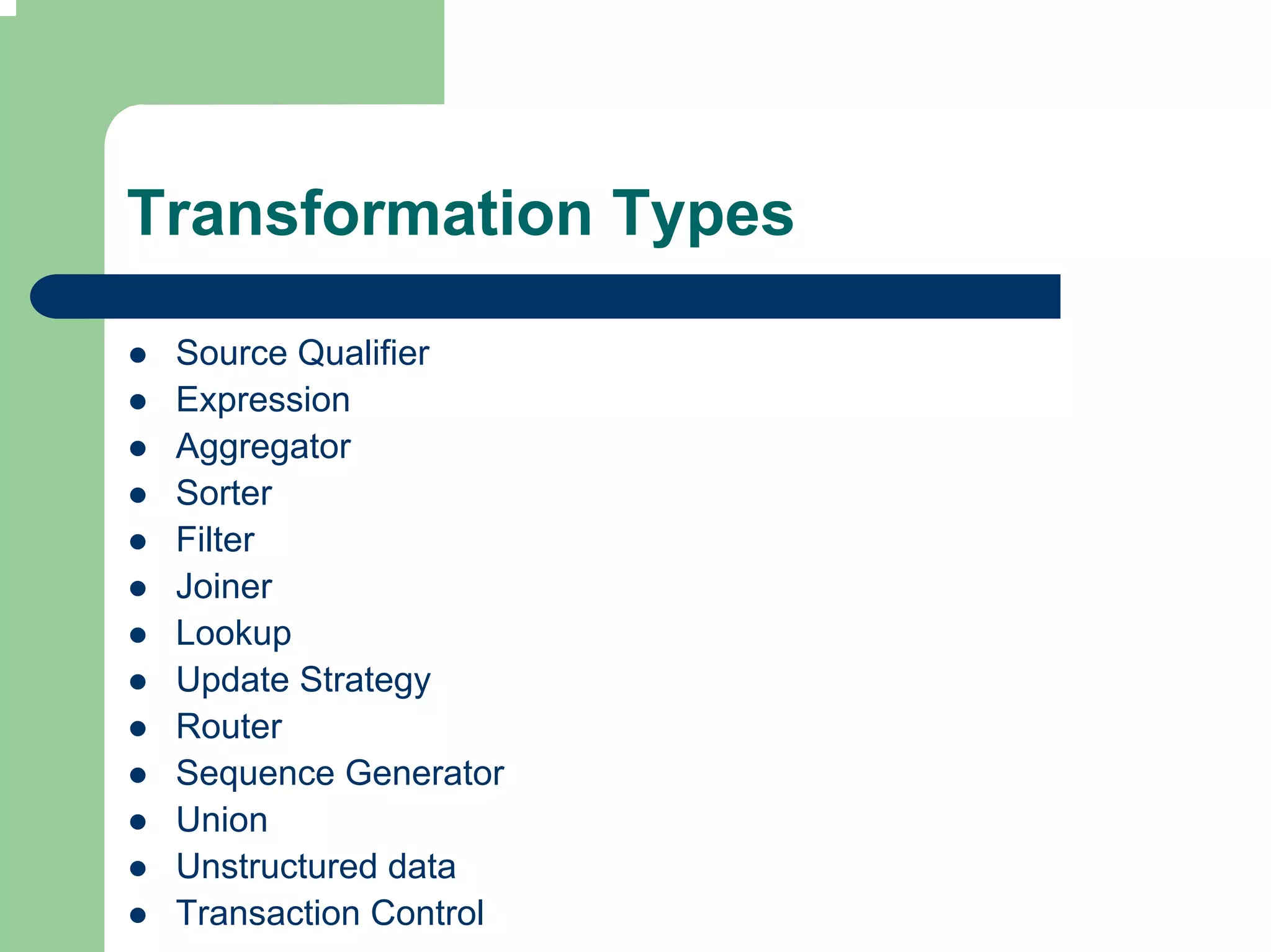

Transformation Types

 Source Qualifier
 Expression
 Aggregator
 Sorter
 Filter
 Joiner
 Lookup
 Update Strategy
 Router
 Sequence Generator
 Union
 Unstructured data
 Transaction Control
Connected
                   Active
Source Qualifier
Transformation

 Source qualifier qualifies a relational or flat file
 source definition in a mapping

 Source qualifier represents the rows that Integration
 Service reads when it executes a session

 Source qualifier displays transformation data types.
 These determine how the source database binds
 data when Integration Service reads it. Do not alter
 data types in Source qualifier
Source Qualifier Tasks

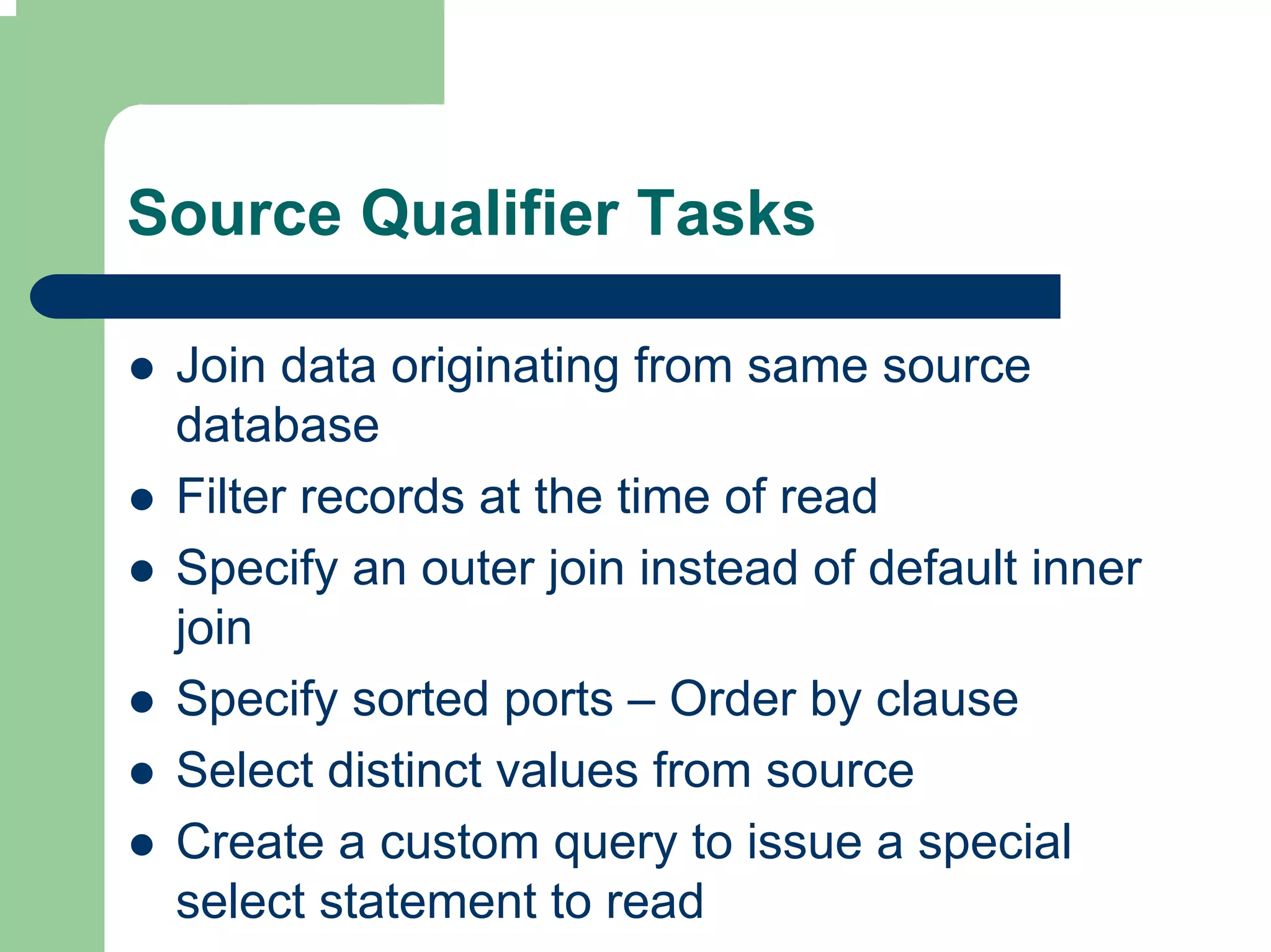
 Join data originating from same source
 database
 Filter records at the time of read
 Specify an outer join instead of default inner
 join
 Specify sorted ports – Order by clause
 Select distinct values from source
 Create a custom query to issue a special
 select statement to read
Data Extract

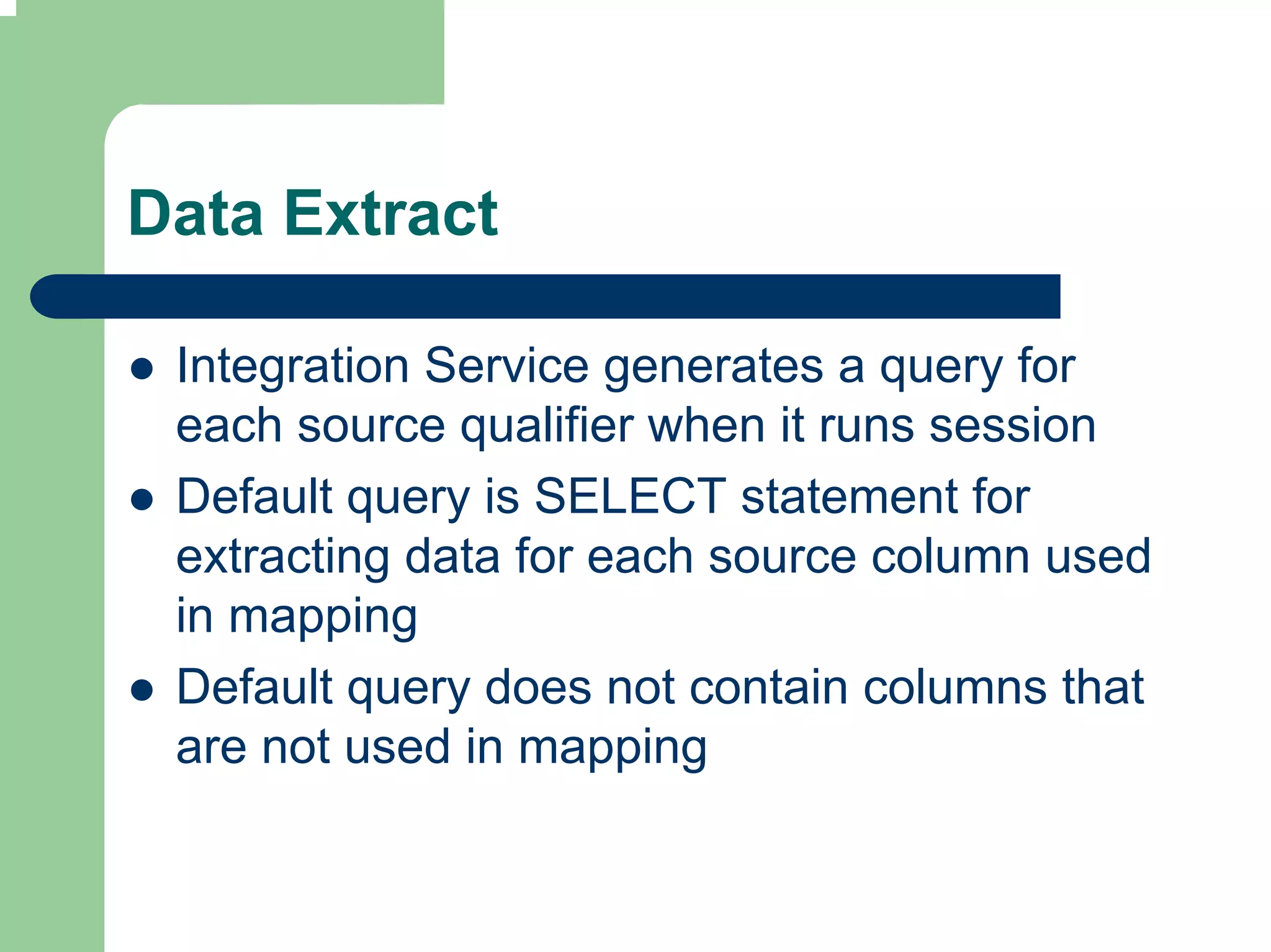
 Integration Service generates a query for
 each source qualifier when it runs session
 Default query is SELECT statement for
 extracting data for each source column used
 in mapping
 Default query does not contain columns that
 are not used in mapping
Default query override

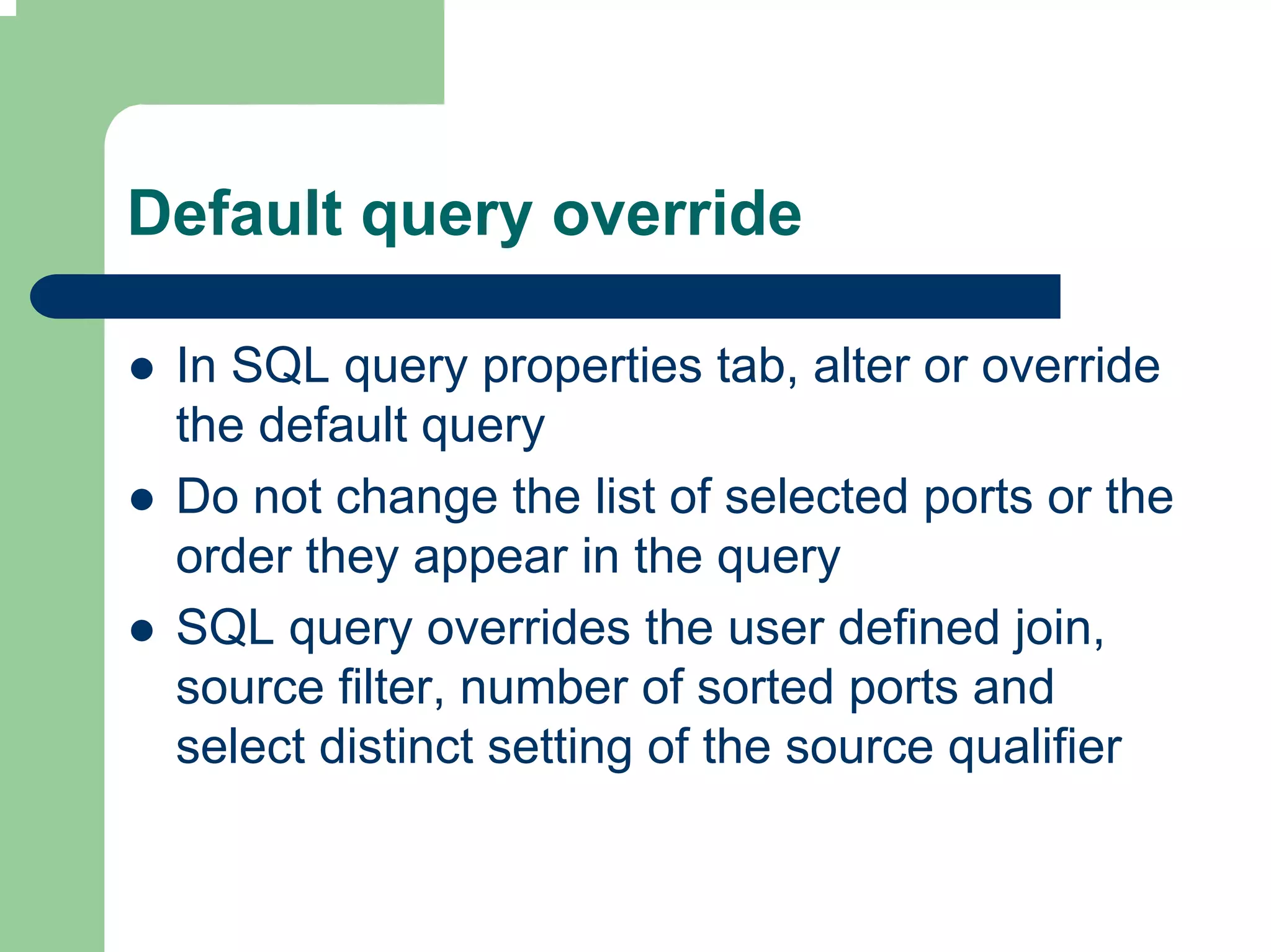
 In SQL query properties tab, alter or override
 the default query
 Do not change the list of selected ports or the
 order they appear in the query
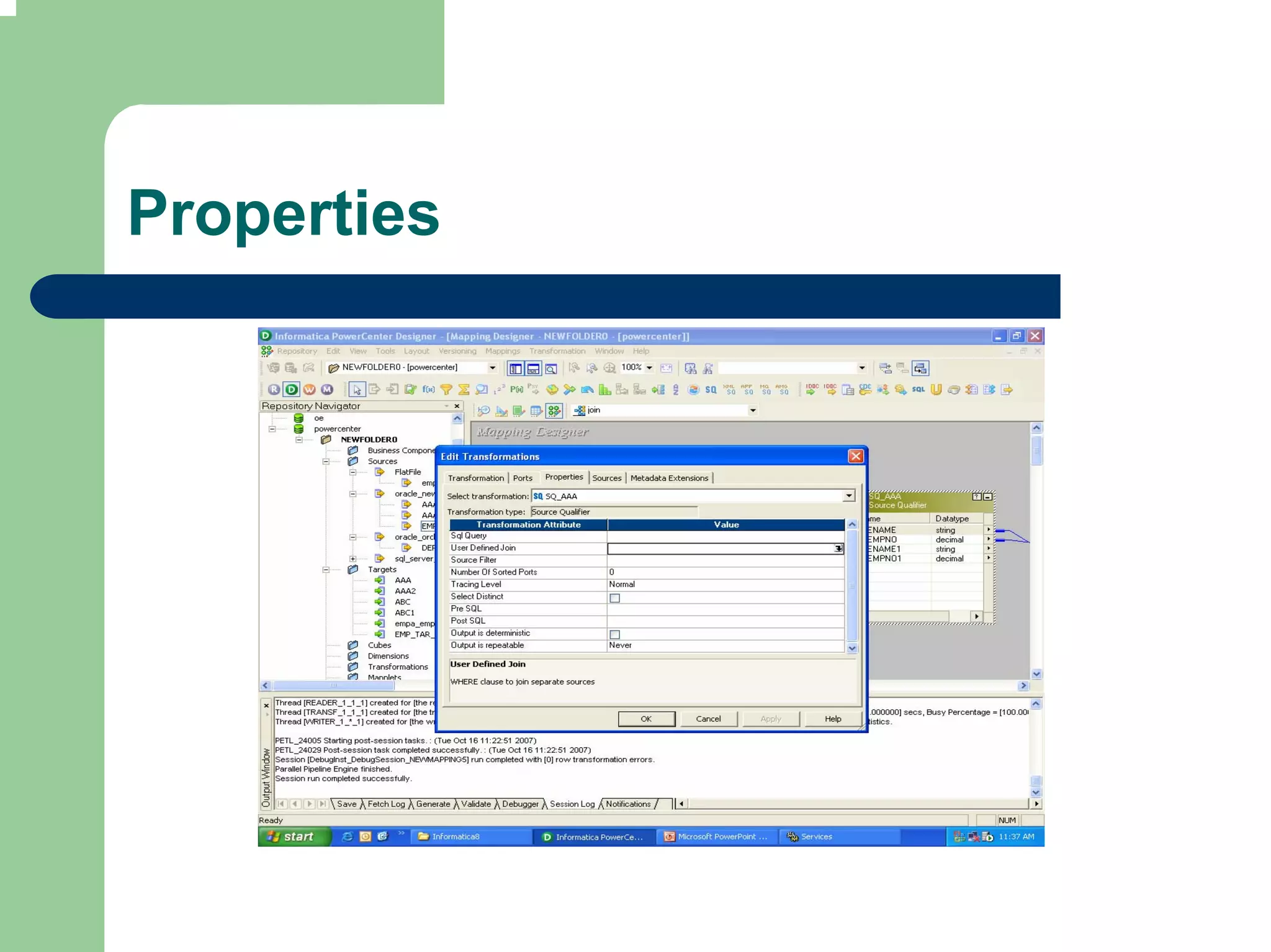
 SQL query overrides the user defined join,
 source filter, number of sorted ports and
 select distinct setting of the source qualifier
Joining source data

 Source qualifier can be used to join multiple
 relational tables provided they are from same
 database
 Joiner Transformation is used if the sources
 are heterogeneous or flat files
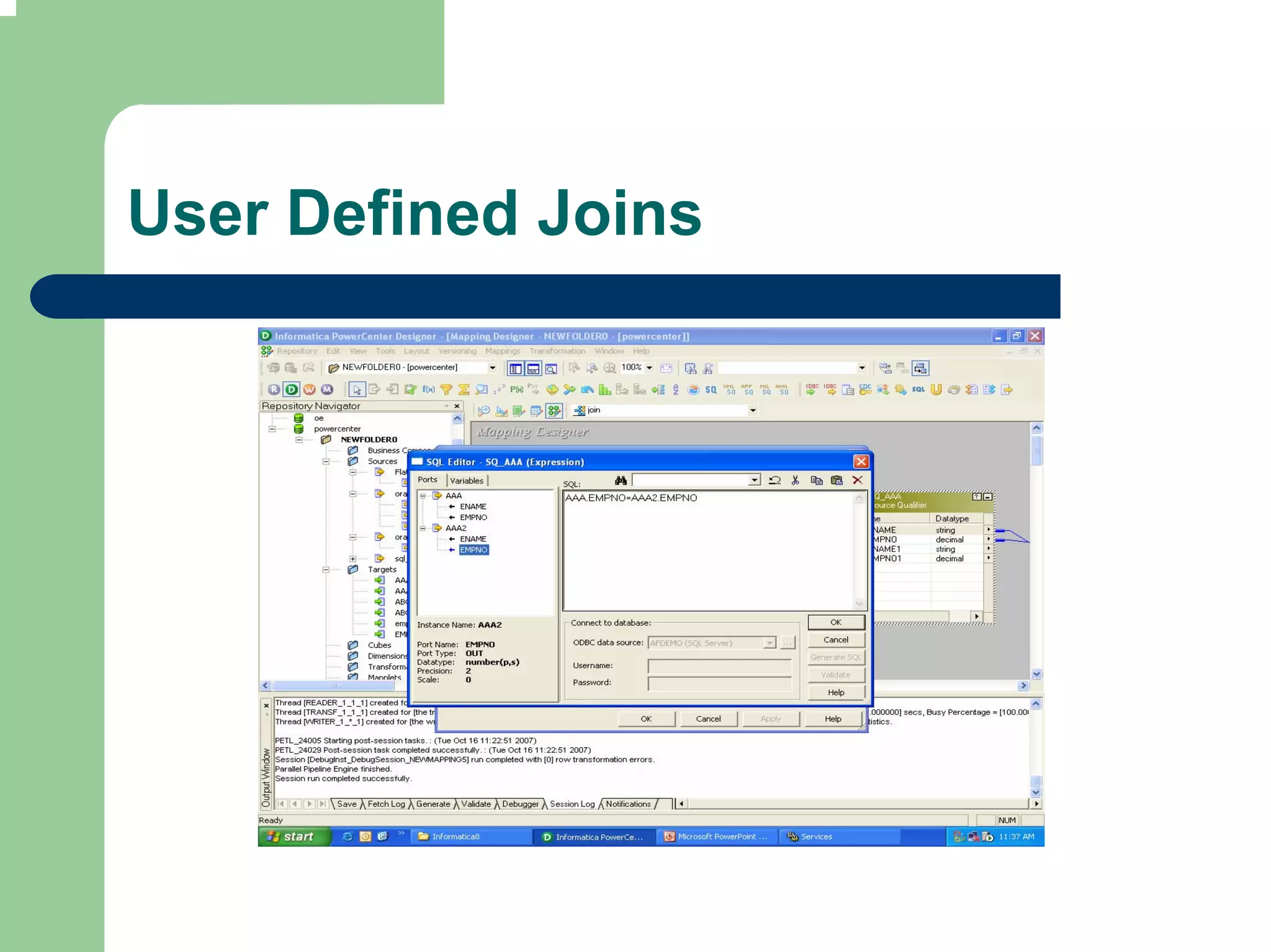
 Default join is inner equijoin based on related
 keys in each table
Custom Join

 Override the default join when:
 –   Columns do not have primary-foreign key
     relationship
 –   Datatypes of columns used for join do not match
 –   Specify different type of join such as outer join


 Create primary foreign key relationship in
 Source Analyzer to join the two table in
 Source qualifier
Specifying Source Qualification

 Override default SQL Query
 Enter User defined Join
 Outer Join – Left & Right
 Combine multiple joins in a source qualifier in
 following order
  –   Normal
  –   Left Outer
  –   Right Outer
 Entering a Source filter
 Sorting the source data
 Select Distinct
 Adding Pre and Post session SQL commands
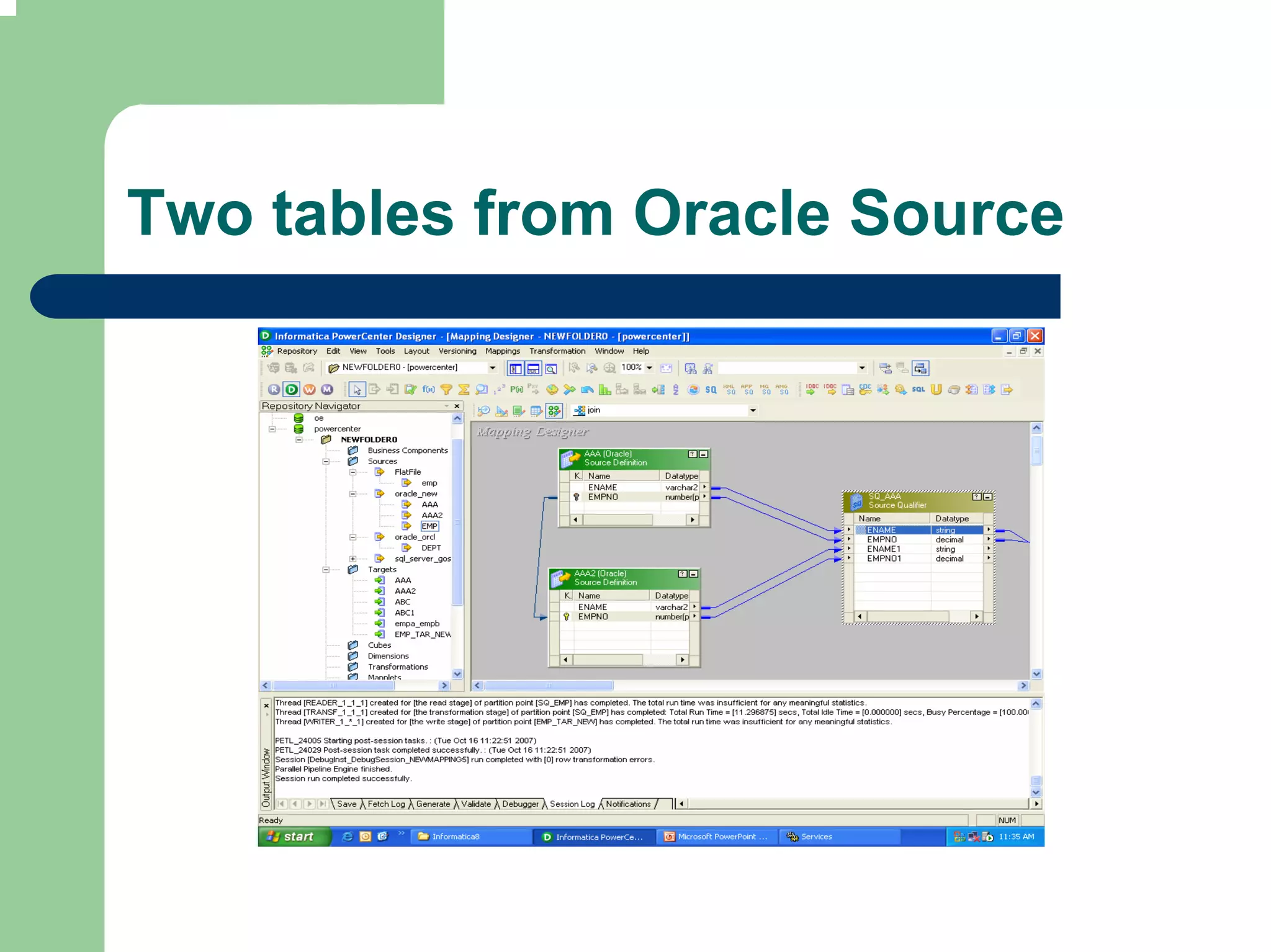
Two tables from Oracle Source
Properties
User Defined Joins
Connected
                    Passive


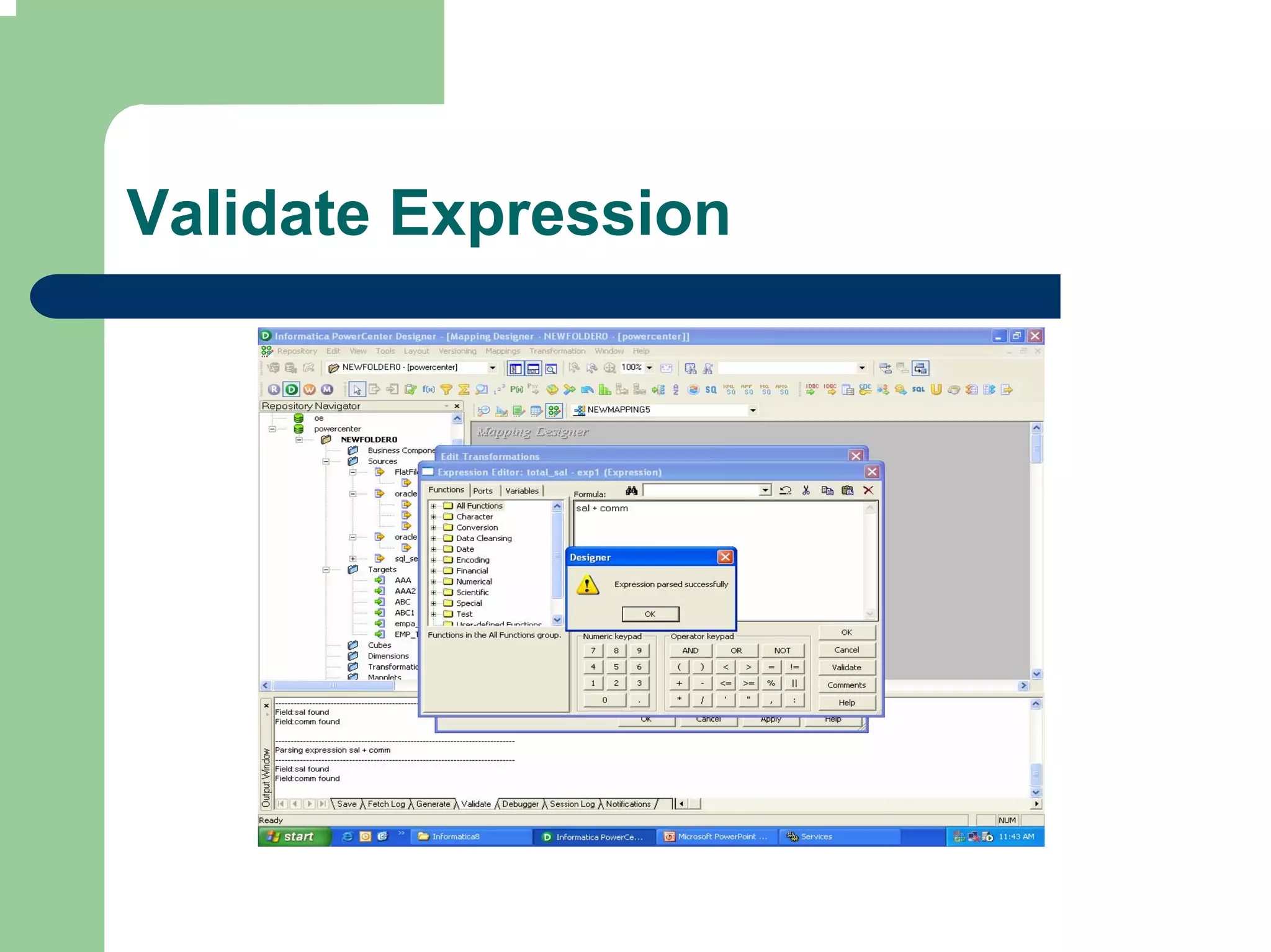
Expression

Expression is used to calculate values in a
single row before writing to the target.
  Adjust Employee salaries
  Concatenate first and last names
  Convert string to numbers (Phone N0. 932-
  1123-6789)
  Test conditional statements before passing
  data (Set output port for delayed payment
  etc.)
Ports

 Input or Input-output ports
 –   For each value used in expression


 Output ports
 –   Return value for the output port matches the
     return value of expression
 –   Multiple Expressions using same set of Input data
     will have multiple Output ports for generating
     results
Example: Single Output Port

 Input port
  –   Unit Price
  –   Units ordered
 Expression
  –   Unit Price * Units Ordered
 Output Port
  –   Total value of order
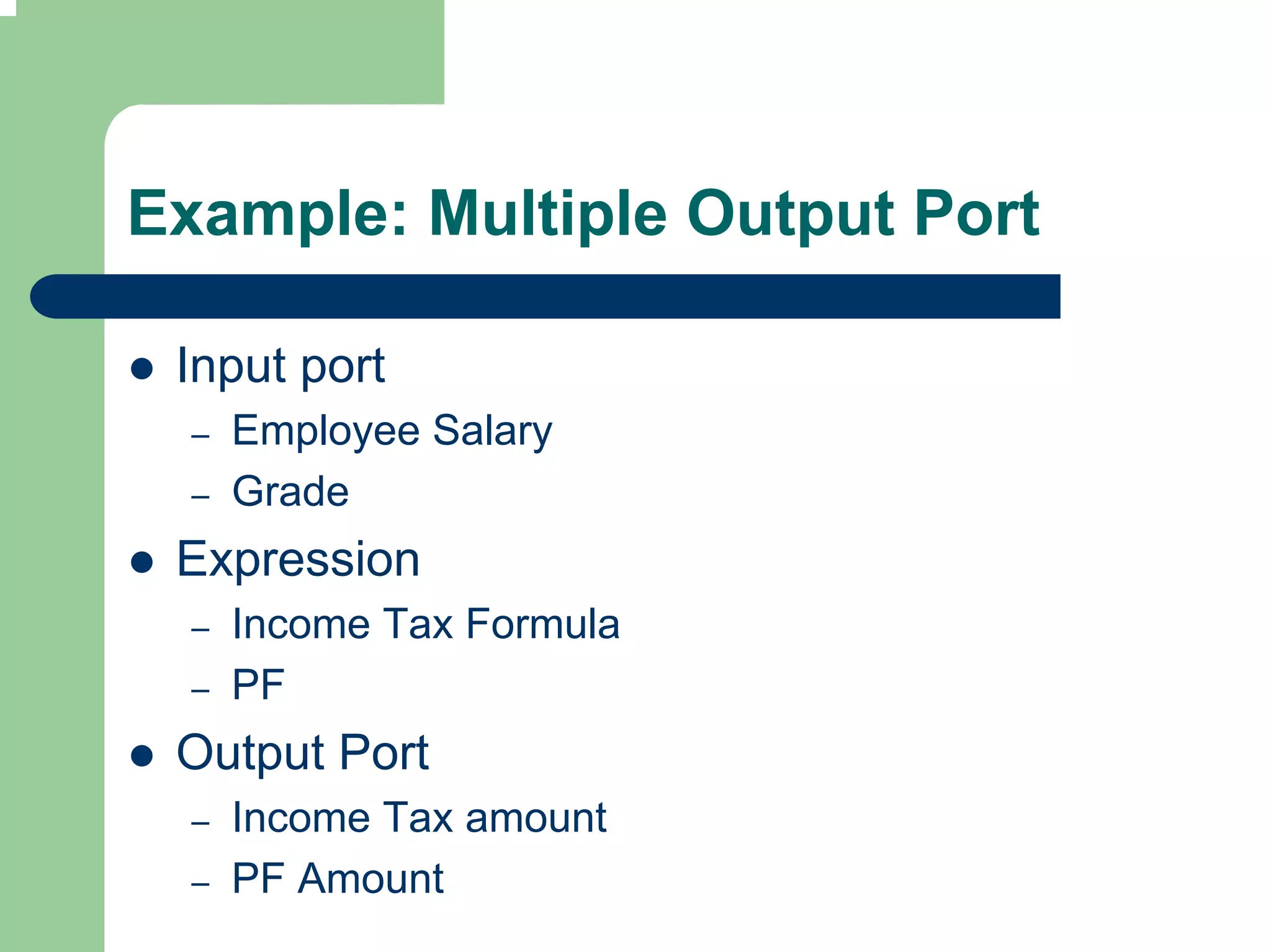
Example: Multiple Output Port

 Input port
  –   Employee Salary
  –   Grade
 Expression
  –   Income Tax Formula
  –   PF
 Output Port
  –   Income Tax amount
  –   PF Amount
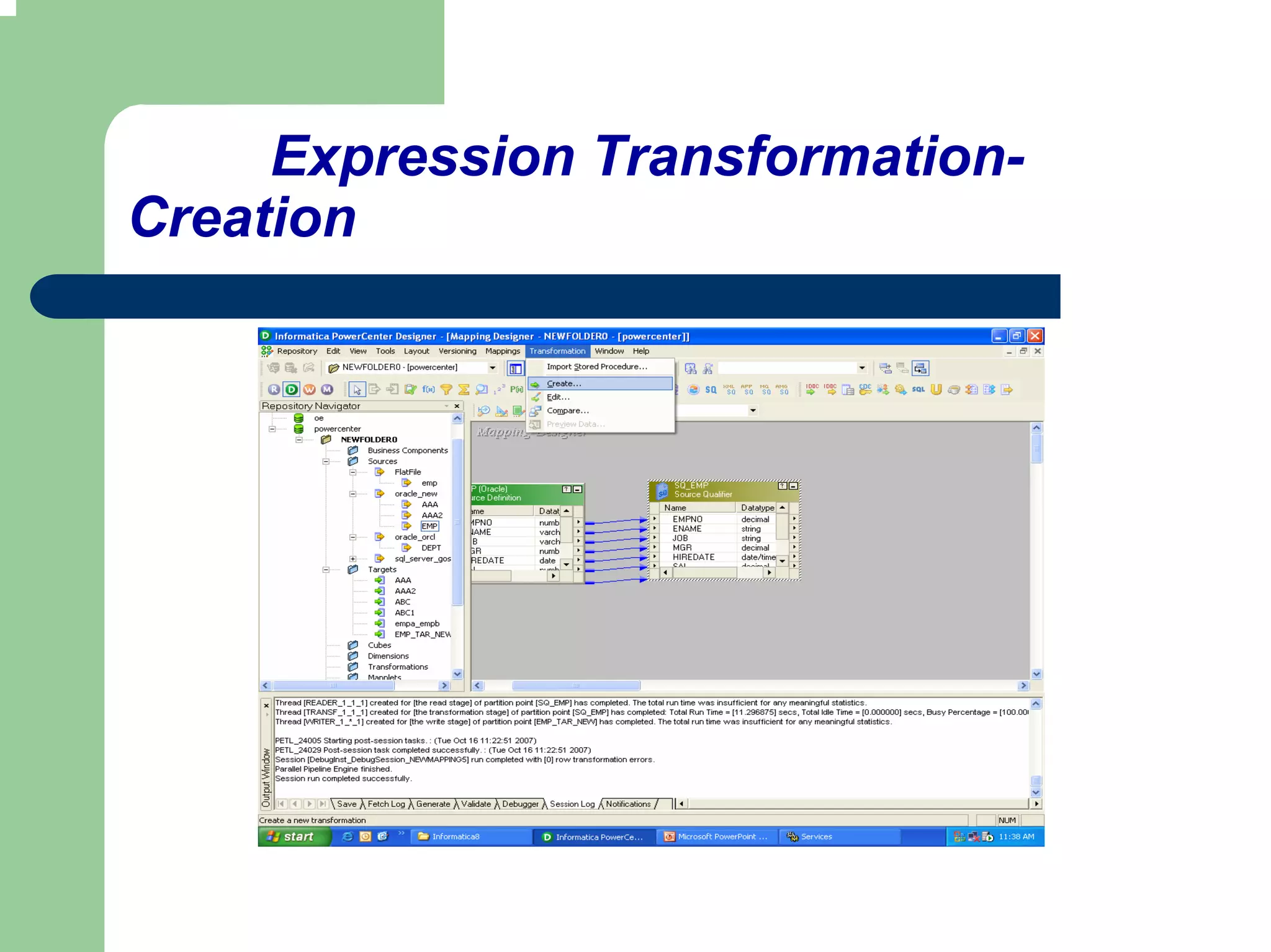
Expression Transformation-
Creation
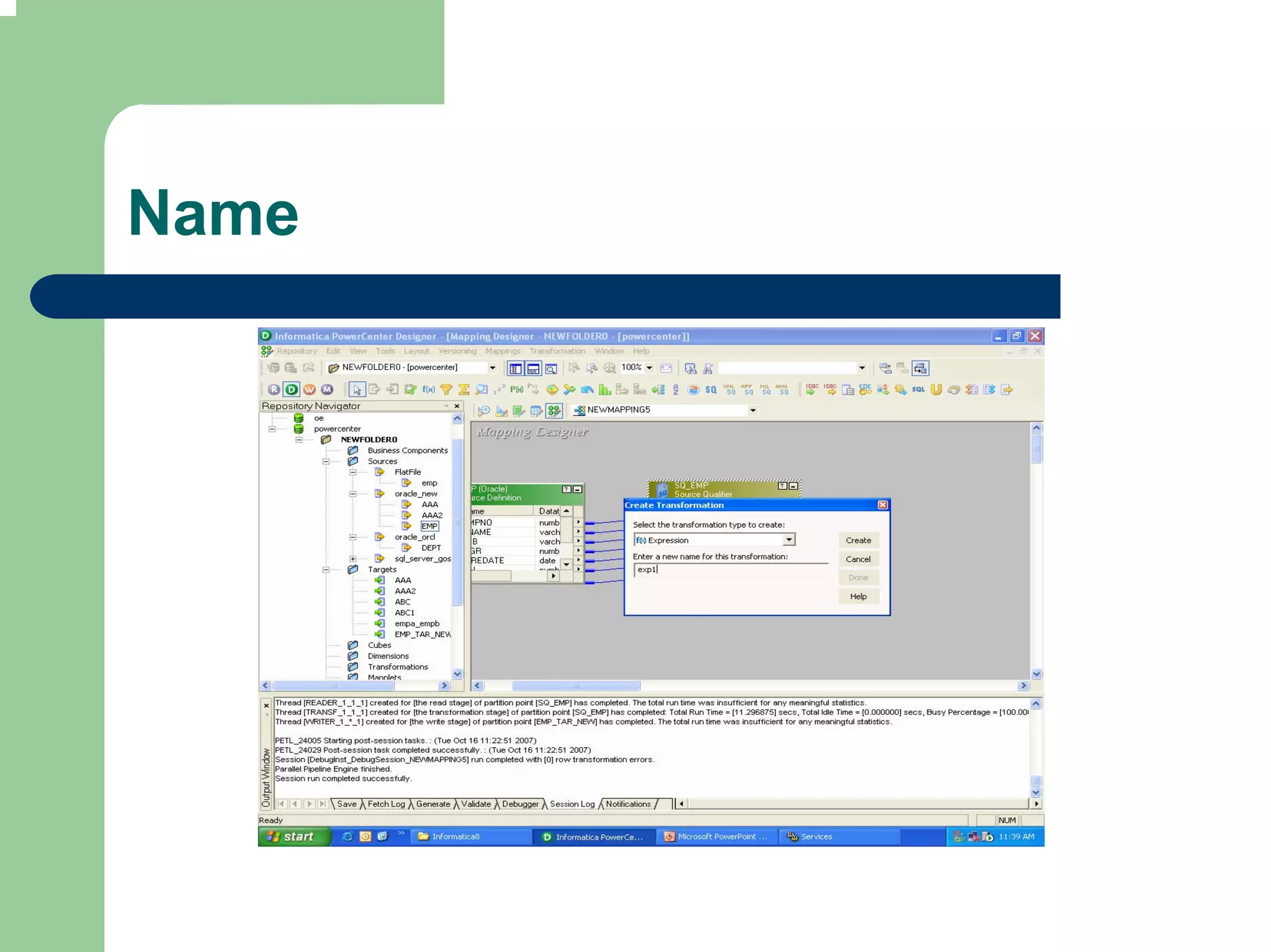
Name
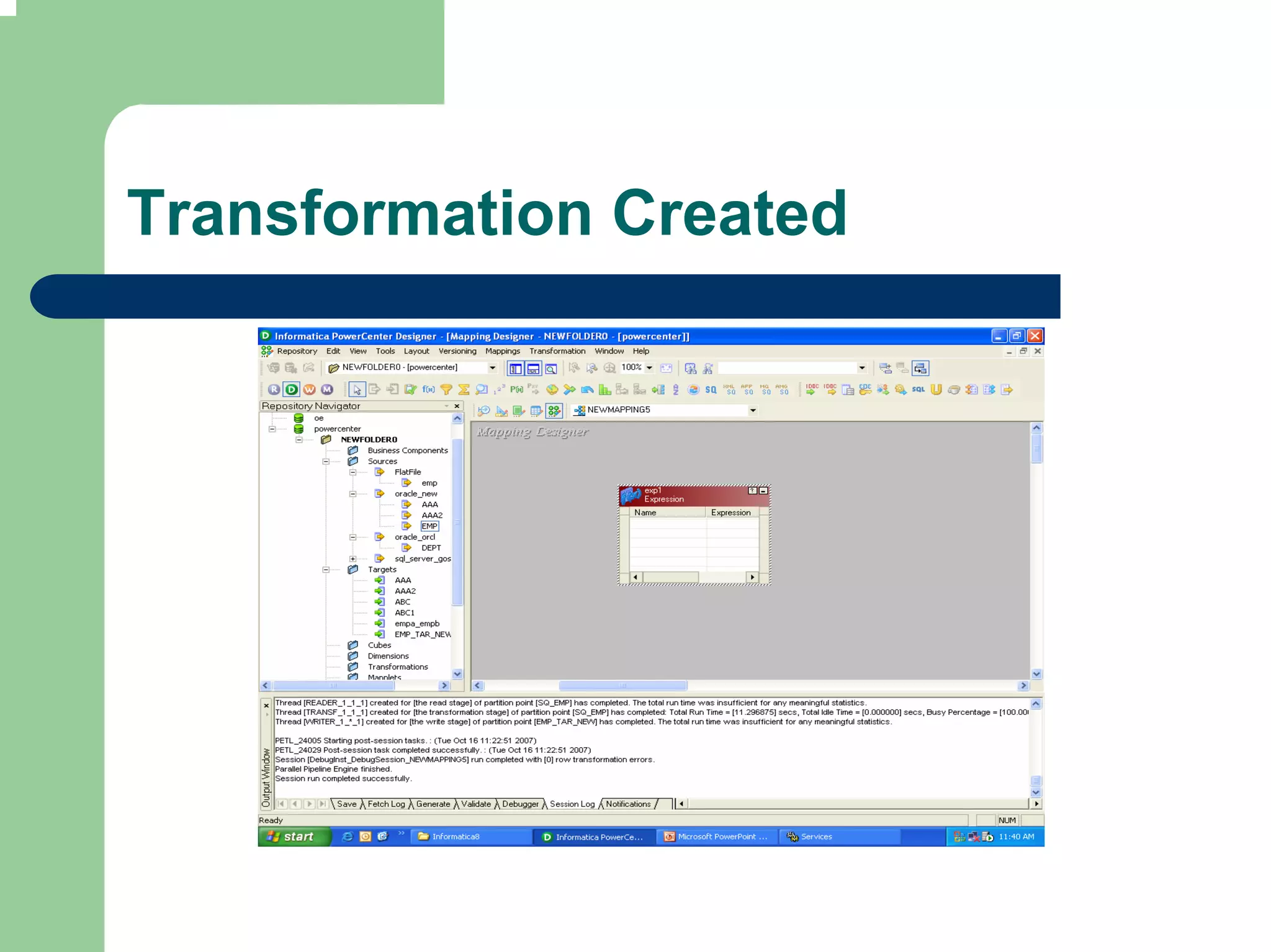
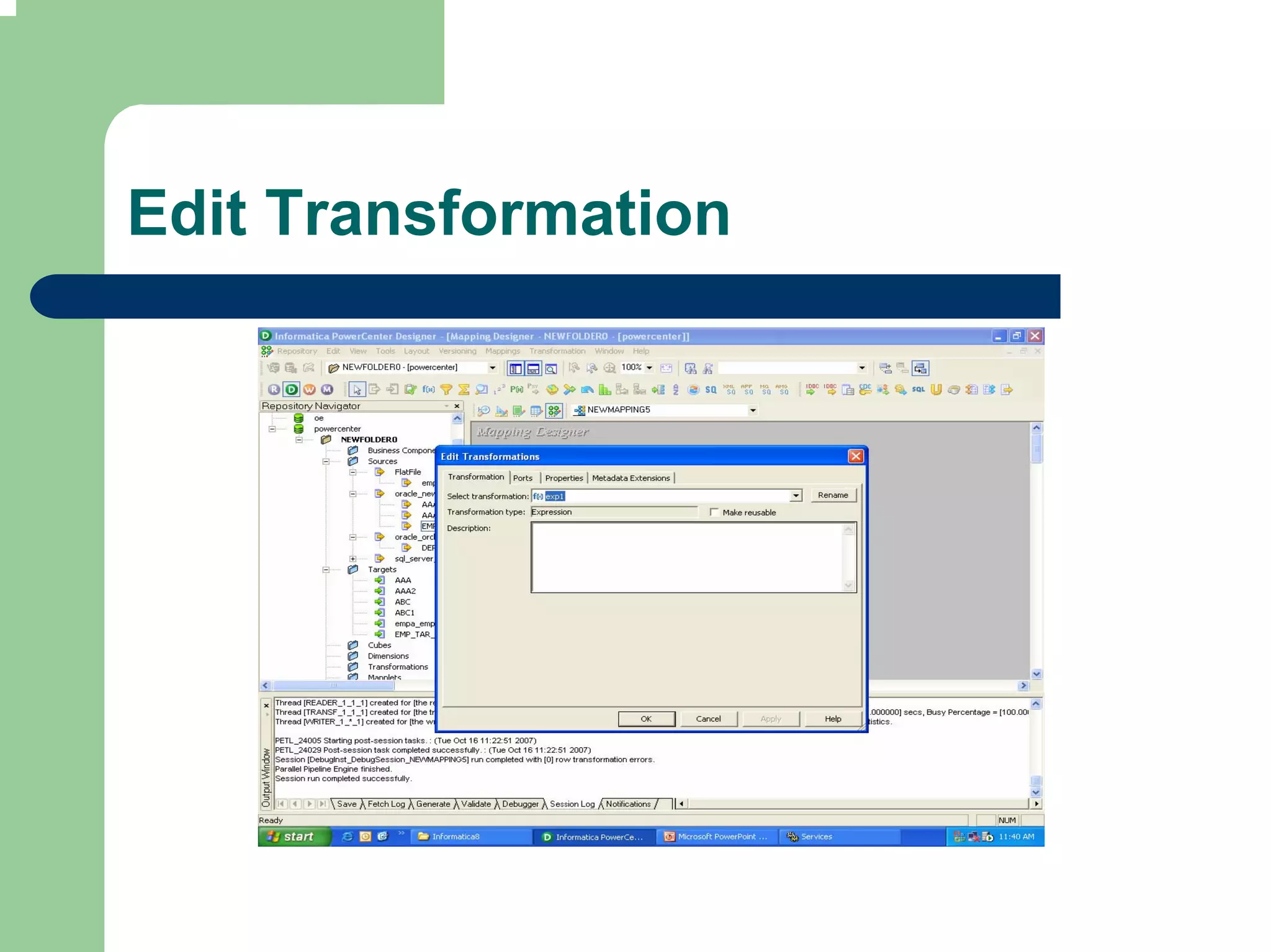
Transformation Created
Edit Transformation
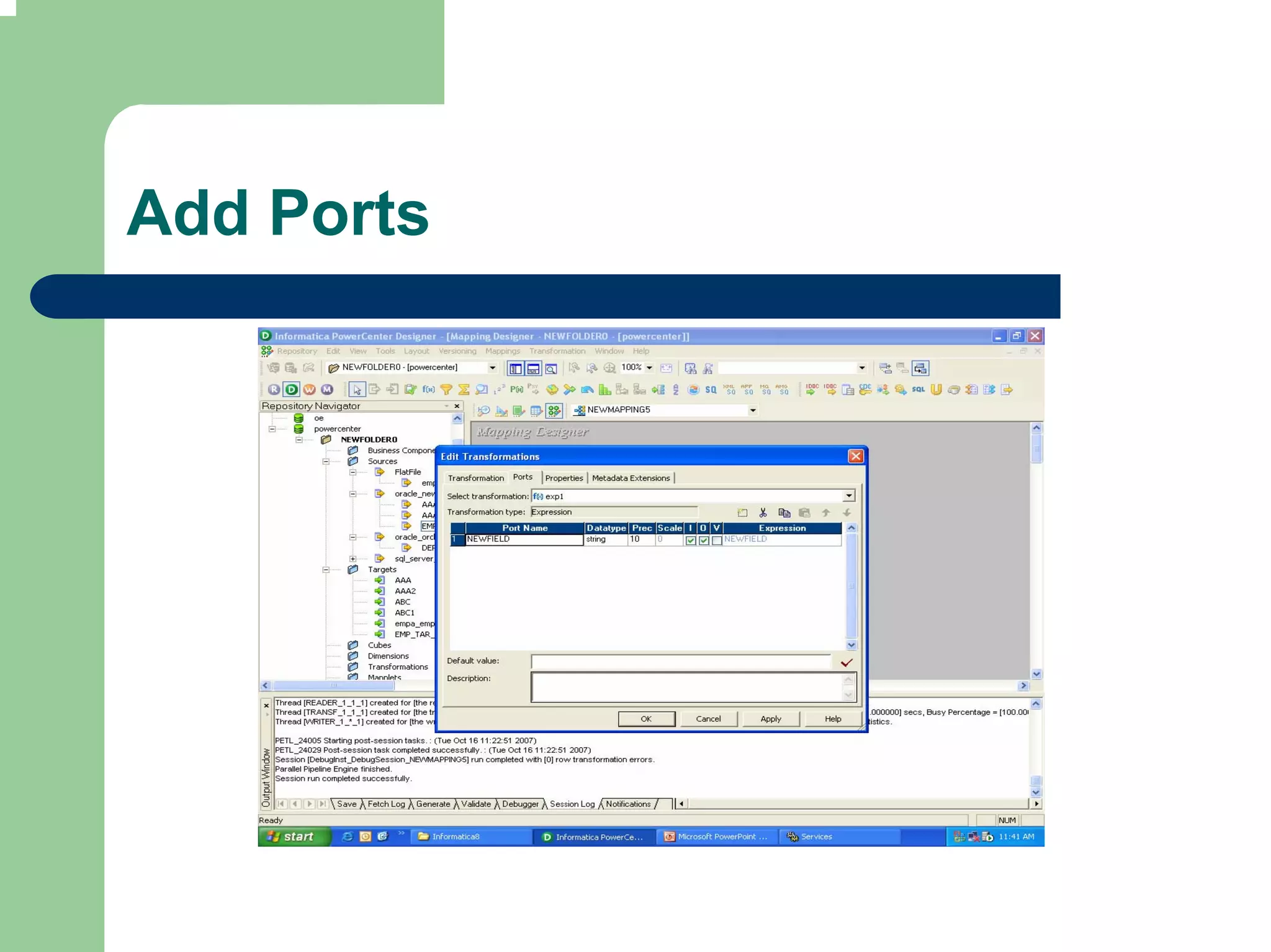
Add Ports
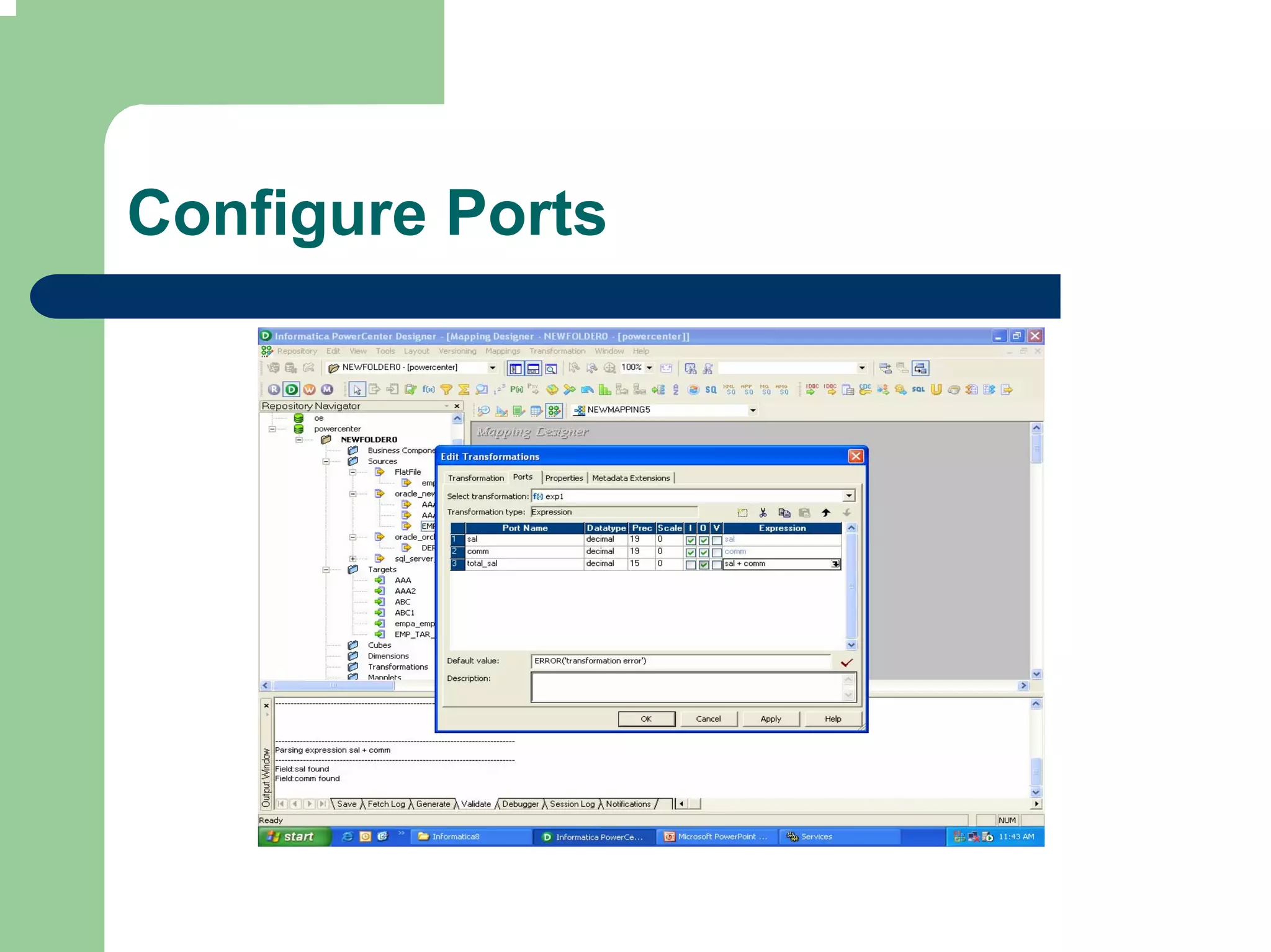
Configure Ports
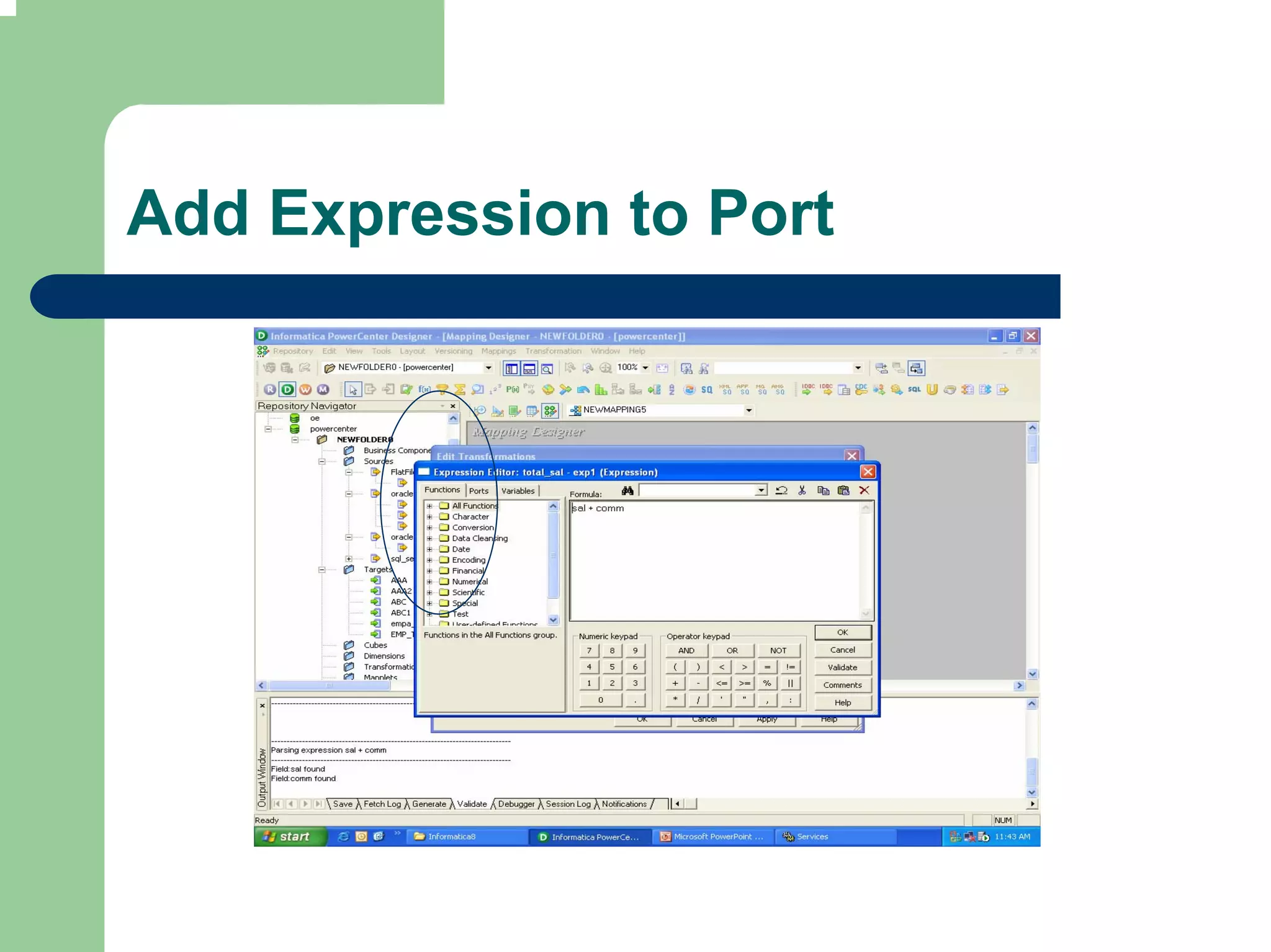
Add Expression to Port
Validate Expression
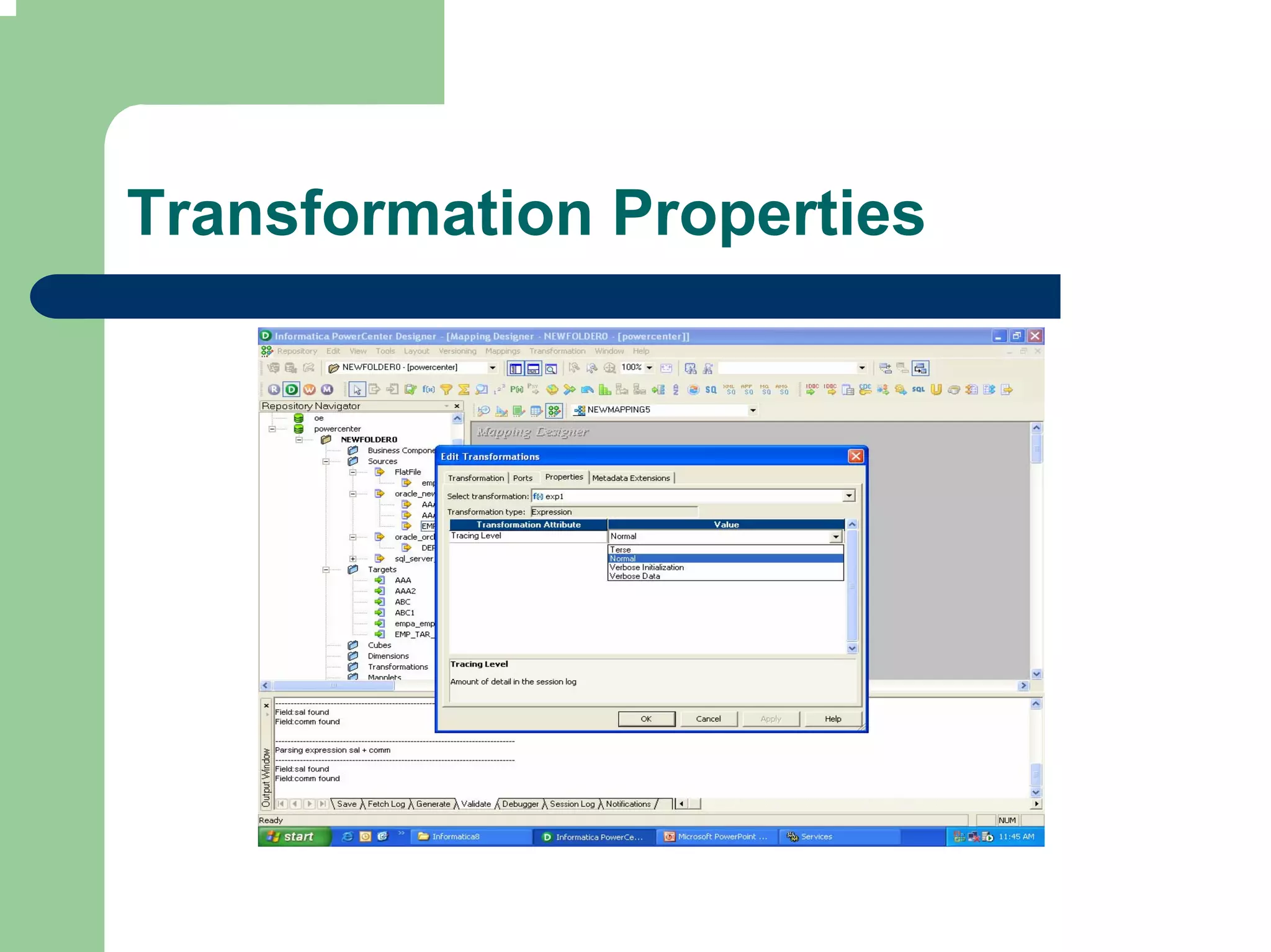
Transformation Properties
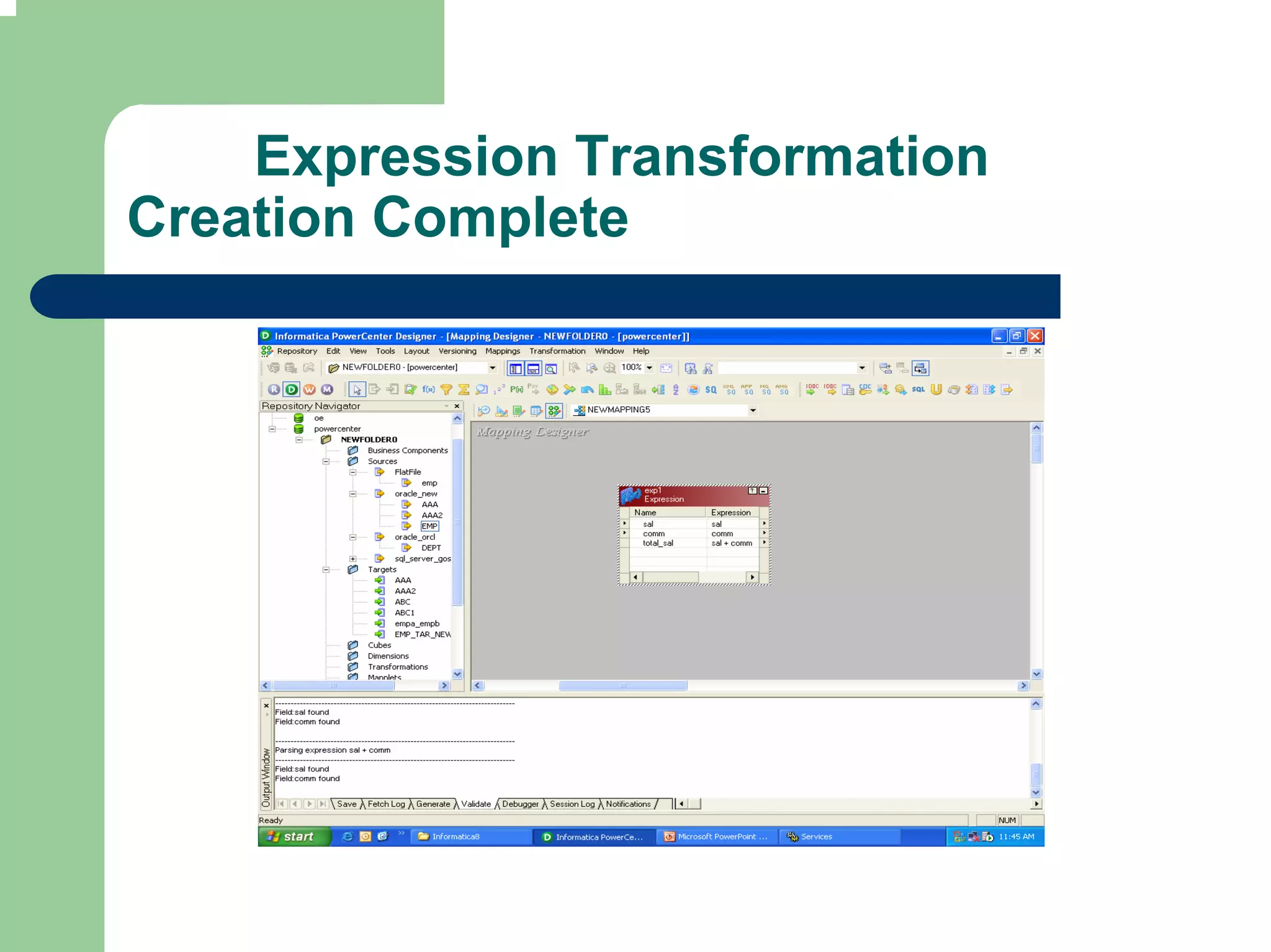
Expression Transformation
Creation Complete
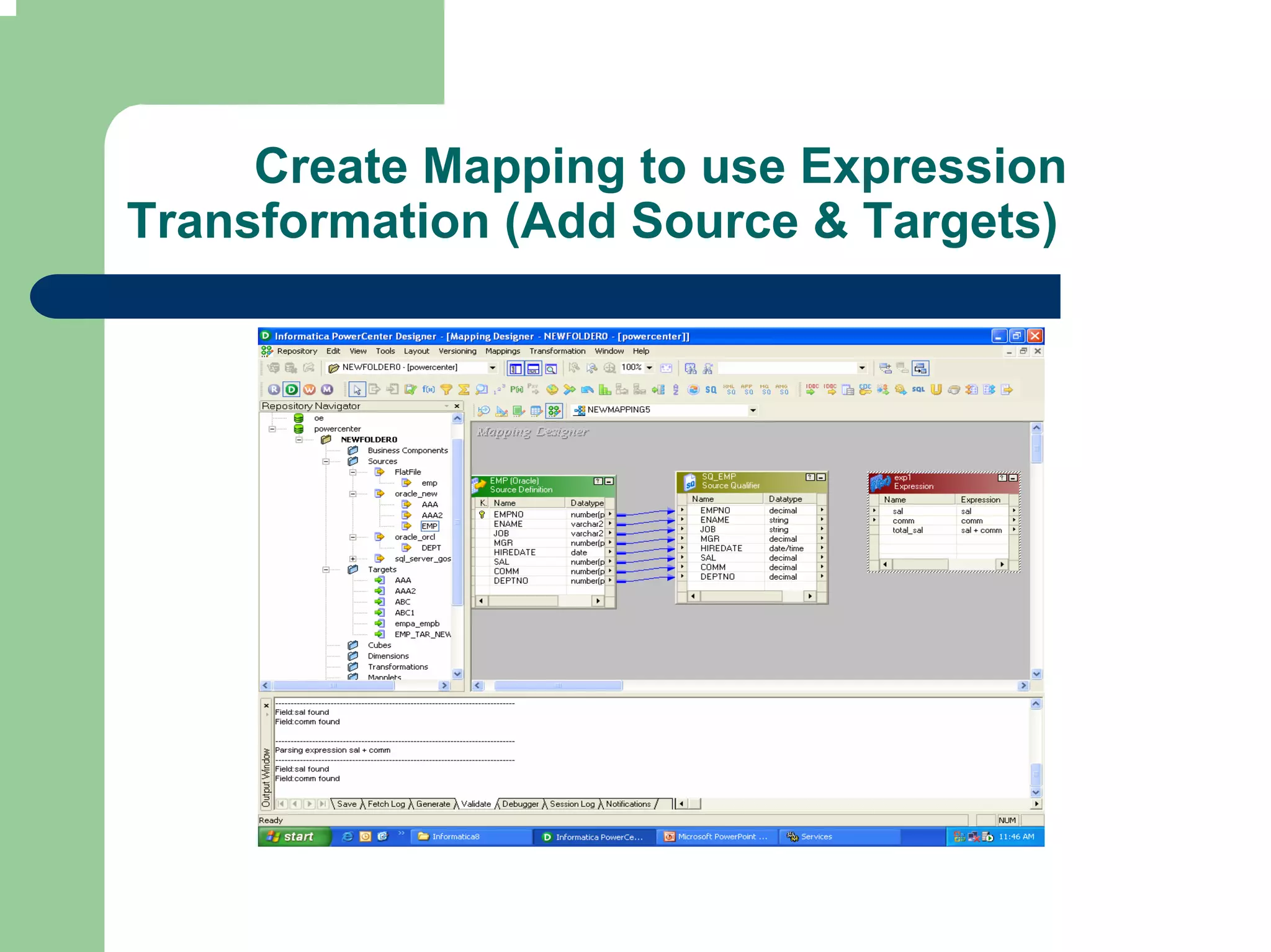
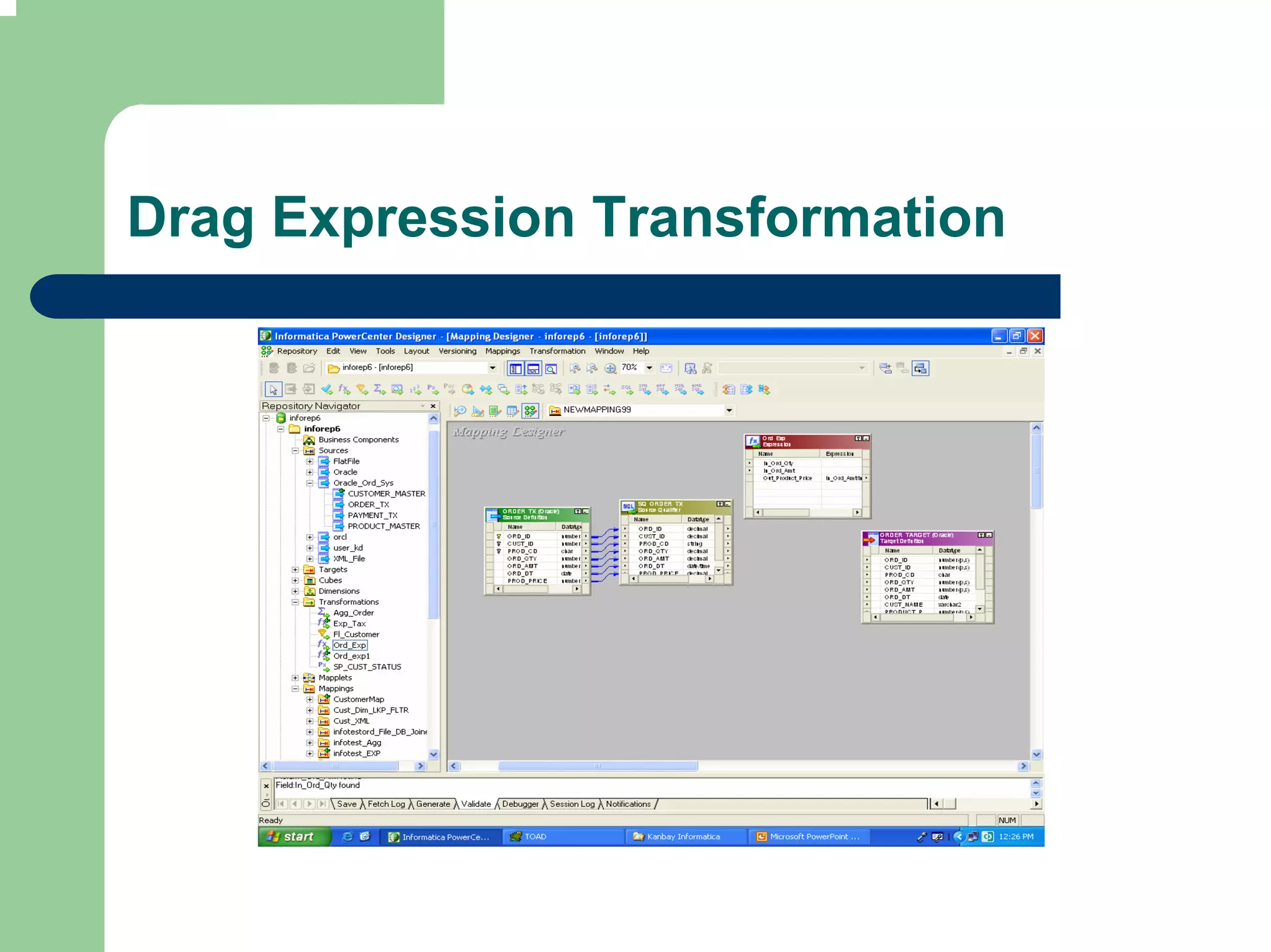
Create Mapping to use Expression
Transformation (Add Source & Targets)
Drag Expression Transformation
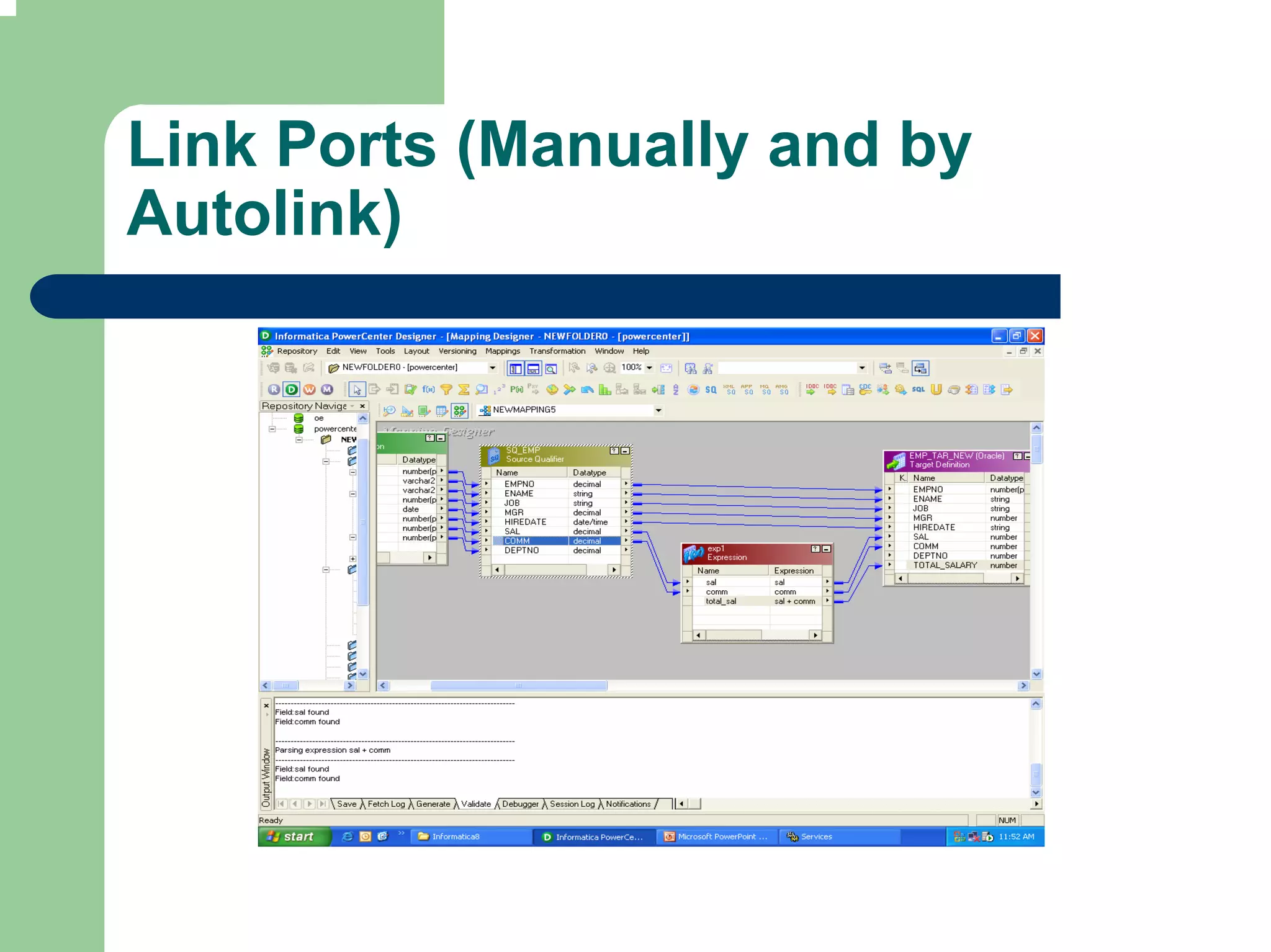
Link Ports (Manually and by
Autolink)
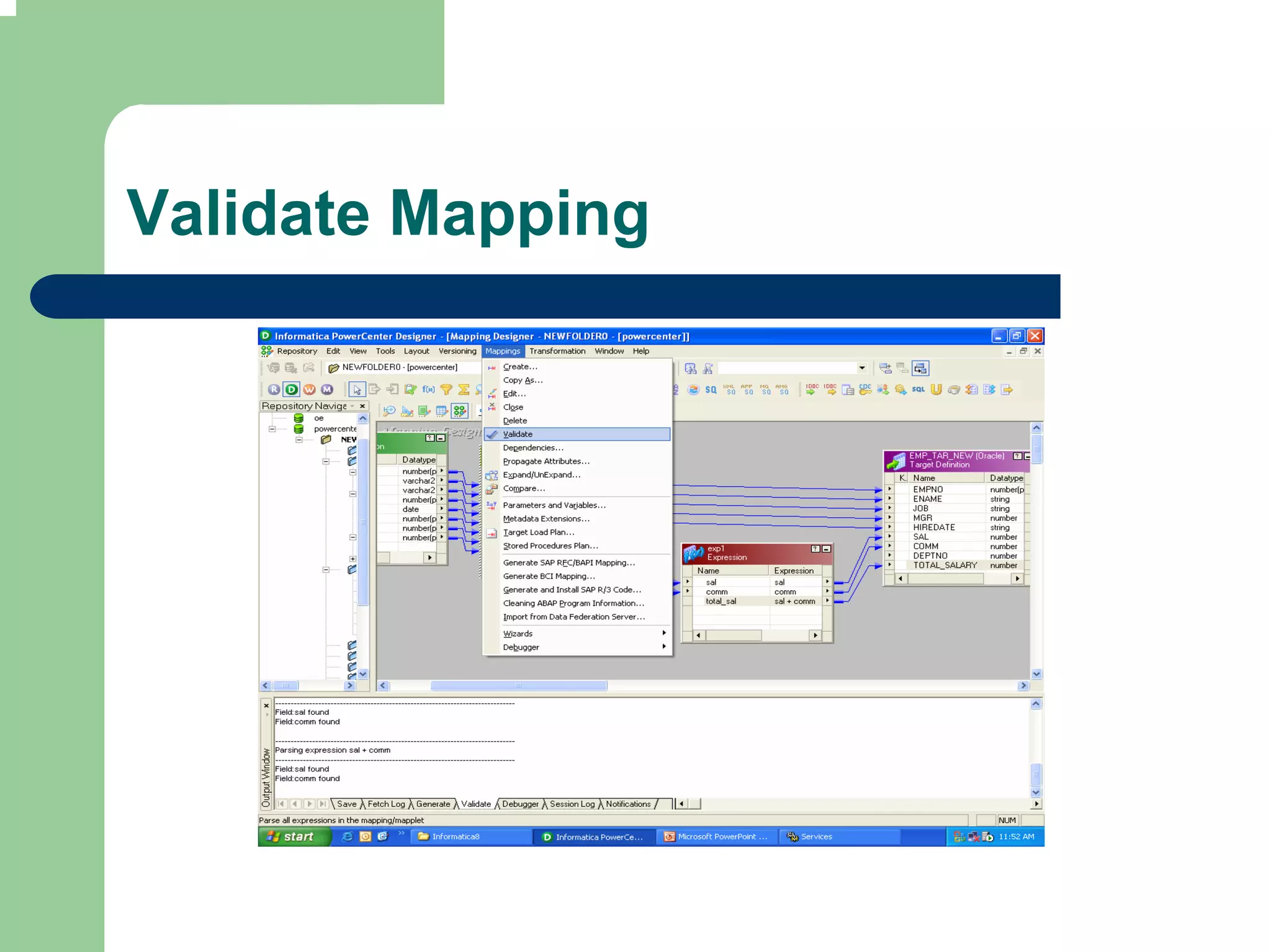
Validate Mapping
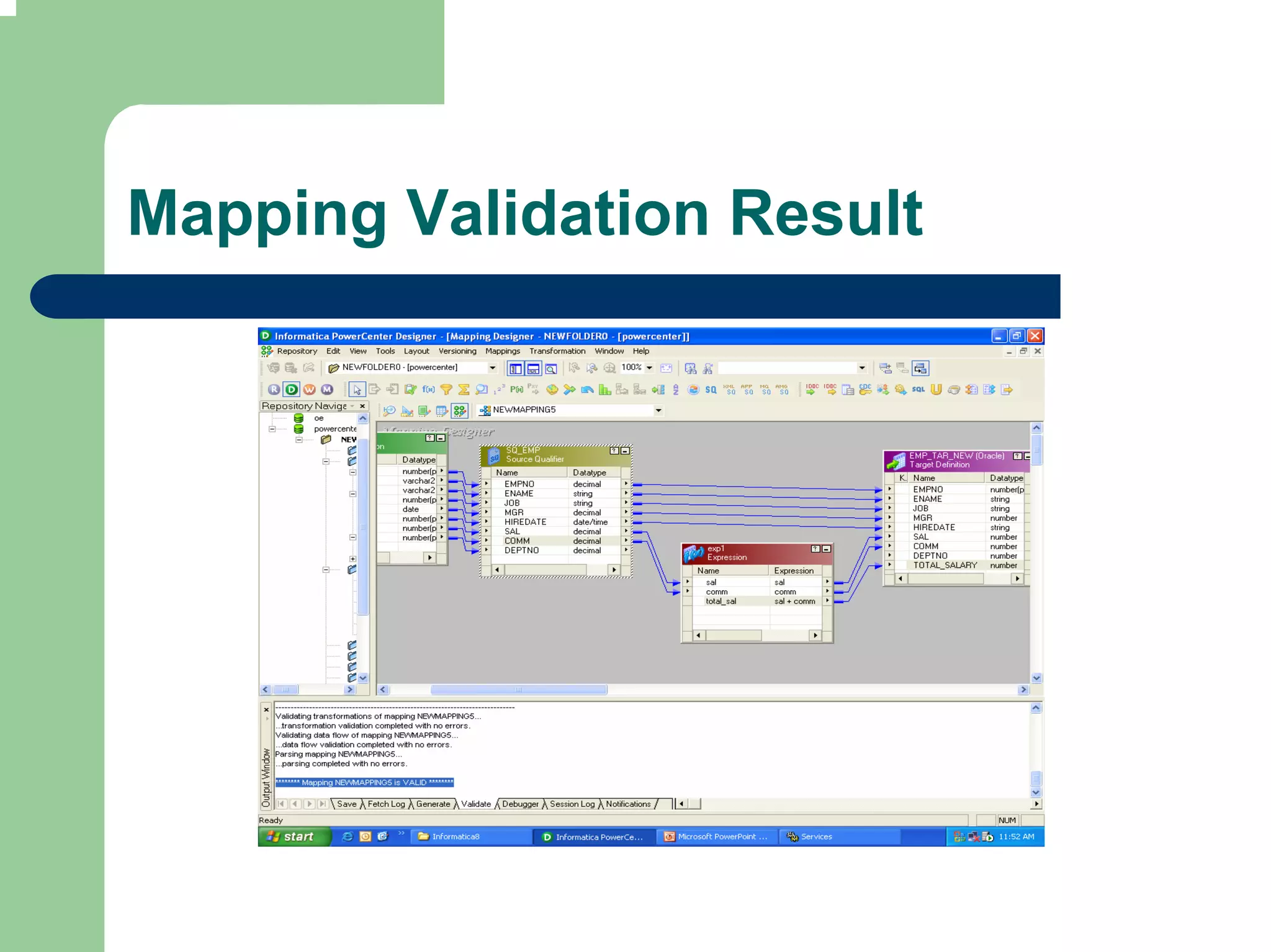
Mapping Validation Result
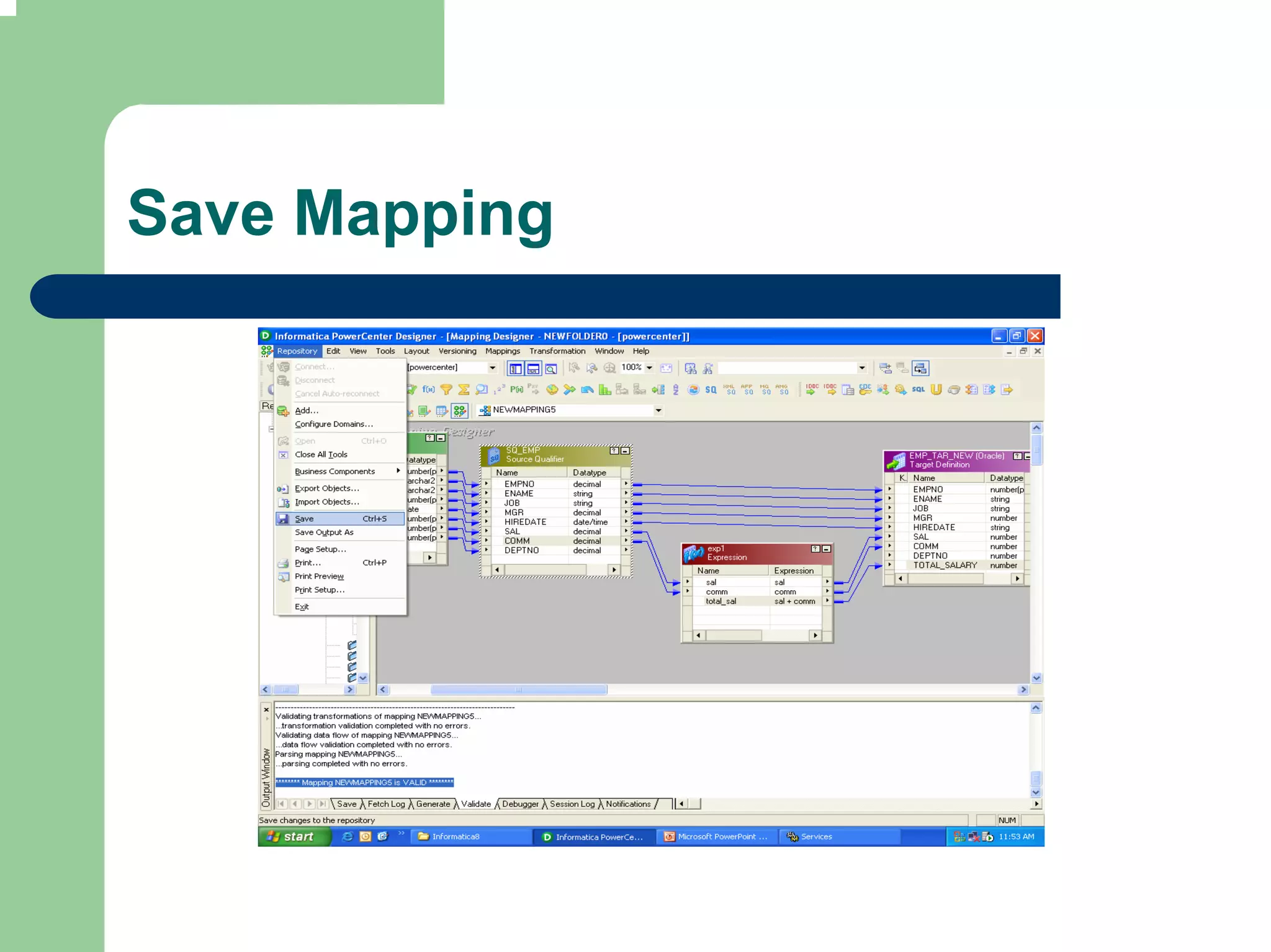
Save Mapping
Run Mapping in Debugger
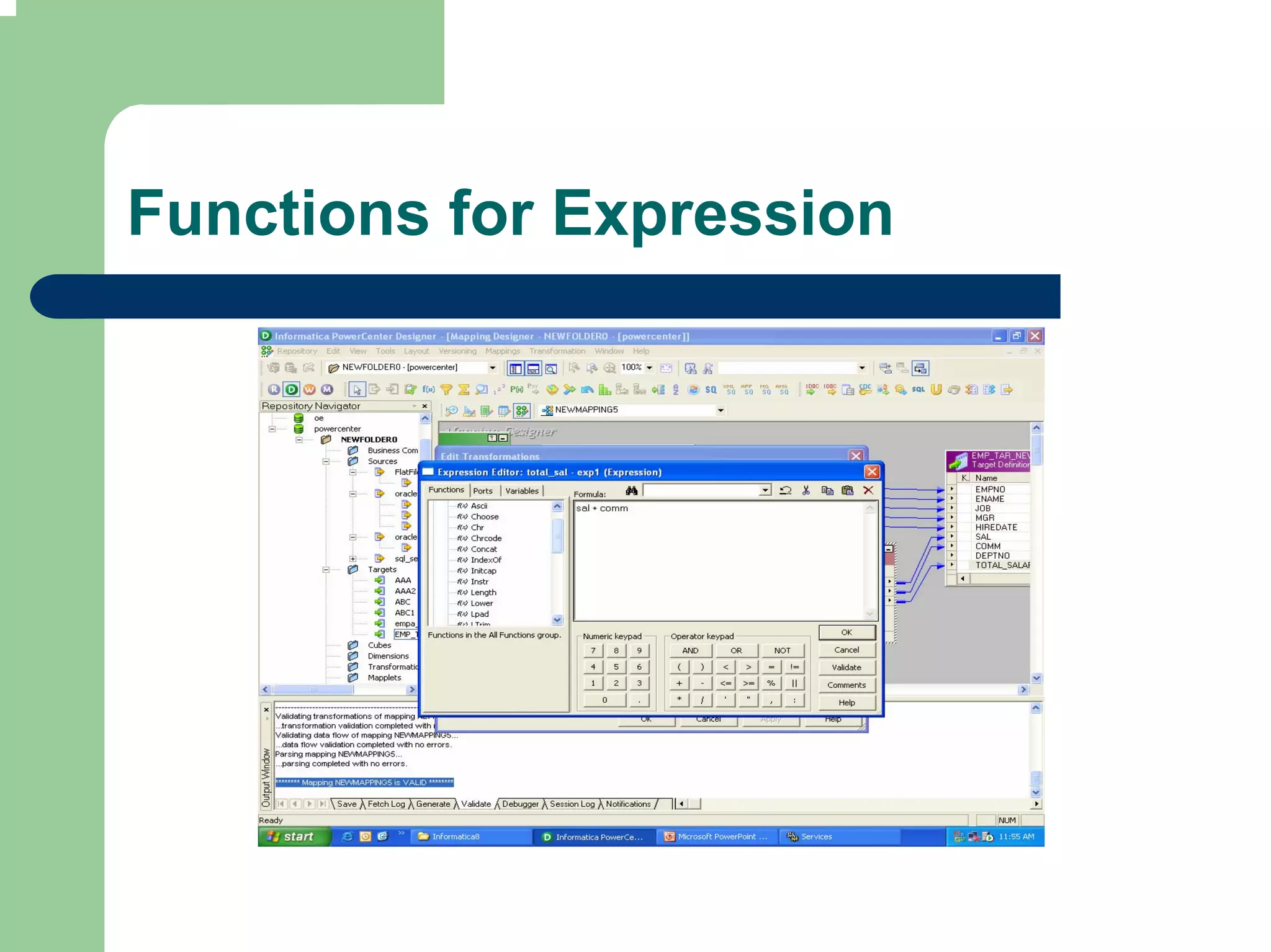
Functions for Expression
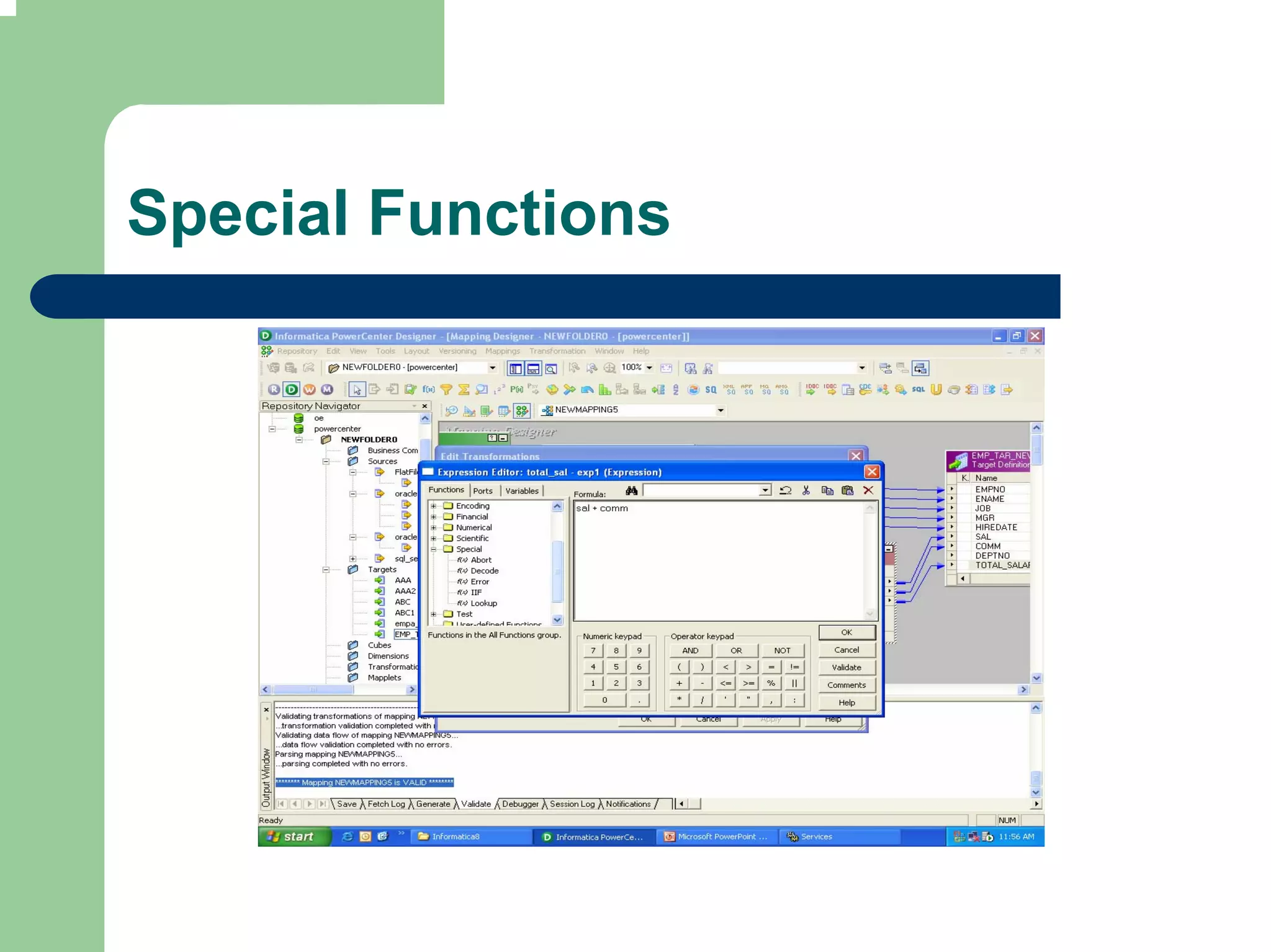
Special Functions
Expression Transformation
Exercise

 Use expression Transformation to populate
 Product price (Order Amt / Quantity)
 If Order Amt > 10000 insert discount cd=1
 else 0

4 informatica transformation types sq and exp

  • 1.
  • 2.
    Transformation Types SourceQualifier Expression Aggregator Sorter Filter Joiner Lookup Update Strategy Router Sequence Generator Union Unstructured data Transaction Control
  • 3.
    Connected Active Source Qualifier Transformation Source qualifier qualifies a relational or flat file source definition in a mapping Source qualifier represents the rows that Integration Service reads when it executes a session Source qualifier displays transformation data types. These determine how the source database binds data when Integration Service reads it. Do not alter data types in Source qualifier
  • 4.
    Source Qualifier Tasks Join data originating from same source database Filter records at the time of read Specify an outer join instead of default inner join Specify sorted ports – Order by clause Select distinct values from source Create a custom query to issue a special select statement to read
  • 5.
    Data Extract IntegrationService generates a query for each source qualifier when it runs session Default query is SELECT statement for extracting data for each source column used in mapping Default query does not contain columns that are not used in mapping
  • 6.
    Default query override In SQL query properties tab, alter or override the default query Do not change the list of selected ports or the order they appear in the query SQL query overrides the user defined join, source filter, number of sorted ports and select distinct setting of the source qualifier
  • 7.
    Joining source data Source qualifier can be used to join multiple relational tables provided they are from same database Joiner Transformation is used if the sources are heterogeneous or flat files Default join is inner equijoin based on related keys in each table
  • 8.
    Custom Join Overridethe default join when: – Columns do not have primary-foreign key relationship – Datatypes of columns used for join do not match – Specify different type of join such as outer join Create primary foreign key relationship in Source Analyzer to join the two table in Source qualifier
  • 9.
    Specifying Source Qualification Override default SQL Query Enter User defined Join Outer Join – Left & Right Combine multiple joins in a source qualifier in following order – Normal – Left Outer – Right Outer Entering a Source filter Sorting the source data Select Distinct Adding Pre and Post session SQL commands
  • 10.
    Two tables fromOracle Source
  • 11.
  • 12.
  • 13.
    Connected Passive Expression Expression is used to calculate values in a single row before writing to the target. Adjust Employee salaries Concatenate first and last names Convert string to numbers (Phone N0. 932- 1123-6789) Test conditional statements before passing data (Set output port for delayed payment etc.)
  • 14.
    Ports Input orInput-output ports – For each value used in expression Output ports – Return value for the output port matches the return value of expression – Multiple Expressions using same set of Input data will have multiple Output ports for generating results
  • 15.
    Example: Single OutputPort Input port – Unit Price – Units ordered Expression – Unit Price * Units Ordered Output Port – Total value of order
  • 16.
    Example: Multiple OutputPort Input port – Employee Salary – Grade Expression – Income Tax Formula – PF Output Port – Income Tax amount – PF Amount
  • 17.
  • 18.
  • 19.
  • 20.
  • 21.
  • 22.
  • 23.
  • 24.
  • 25.
  • 26.
  • 27.
    Create Mapping touse Expression Transformation (Add Source & Targets)
  • 28.
  • 29.
    Link Ports (Manuallyand by Autolink)
  • 30.
  • 31.
  • 32.
  • 33.
  • 34.
  • 35.
  • 36.
    Expression Transformation Exercise Useexpression Transformation to populate Product price (Order Amt / Quantity) If Order Amt > 10000 insert discount cd=1 else 0