SUPERVISION :
USTAZ. ASAAD
BSTC
Introduction :
• Structured Query Language (SQL) is the
standard language used to communicate with
database software.
• SQL is a complex and powerful language that
can be used to deal with databases.
• the ANSI standard requires the keywords to
all be similar (Select, Delete, Insert, and etc.).
This makes SQL universally understandable
and useable by all users.
BSTC
Slides contents
Writing Basic Sql statement
Restricting & Sorting Data
Single Row Function
BSTC
BSTC
Writing basic Sql statement :
BSTC
Basic Select statement :
• SELECT distinct{‘ column
alias’}
FROM table_name;
BSTC
BSTC
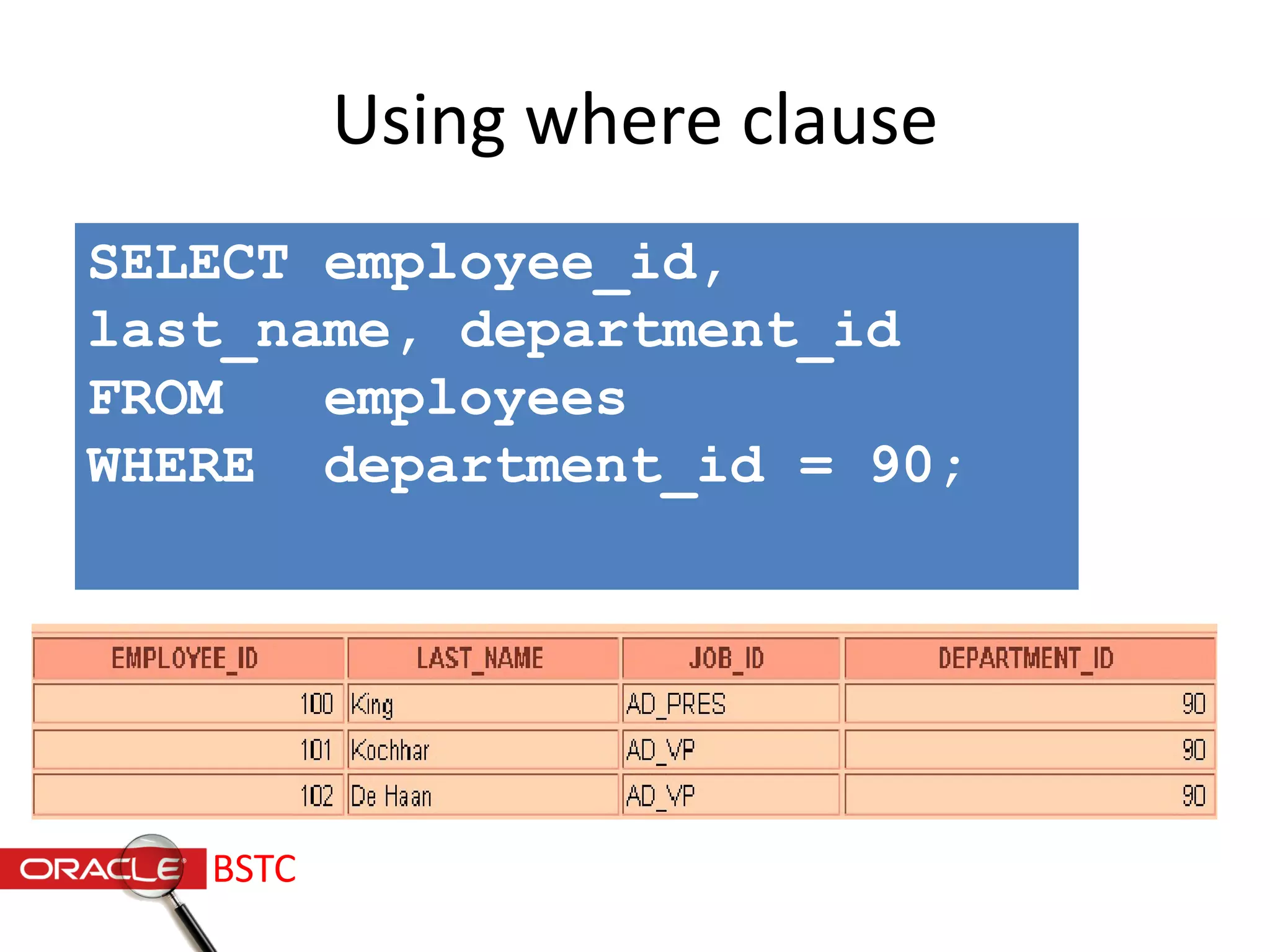
Using where clause
SELECT employee_id,
last_name, department_id
FROM employees
WHERE department_id = 90;
BSTC
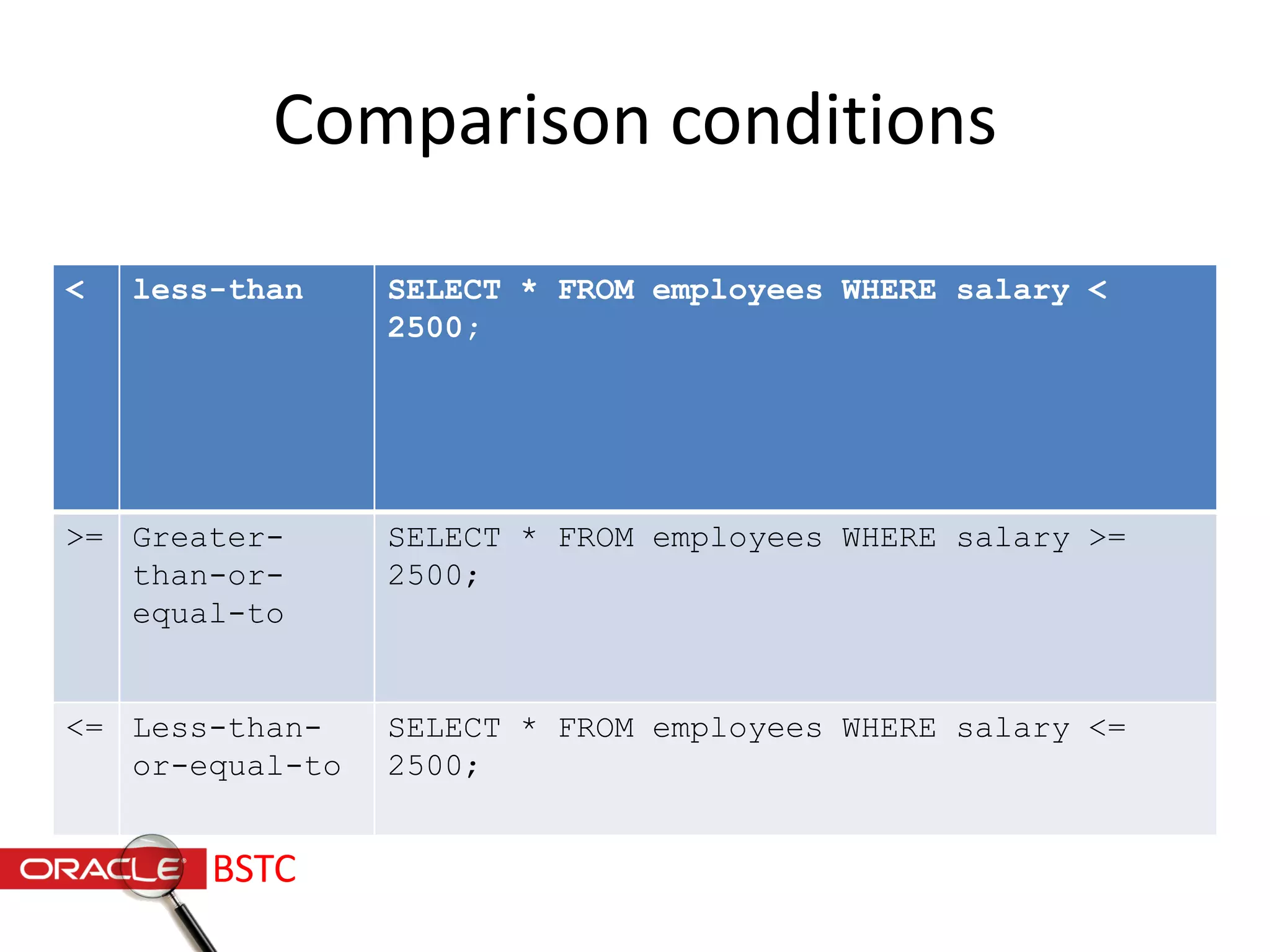
Comparison conditions
< less-than SELECT * FROM employees WHERE salary <
2500;
>= Greater-
than-or-
equal-to
SELECT * FROM employees WHERE salary >=
2500;
<= Less-than-
or-equal-to
SELECT * FROM employees WHERE salary <=
2500;
BSTC
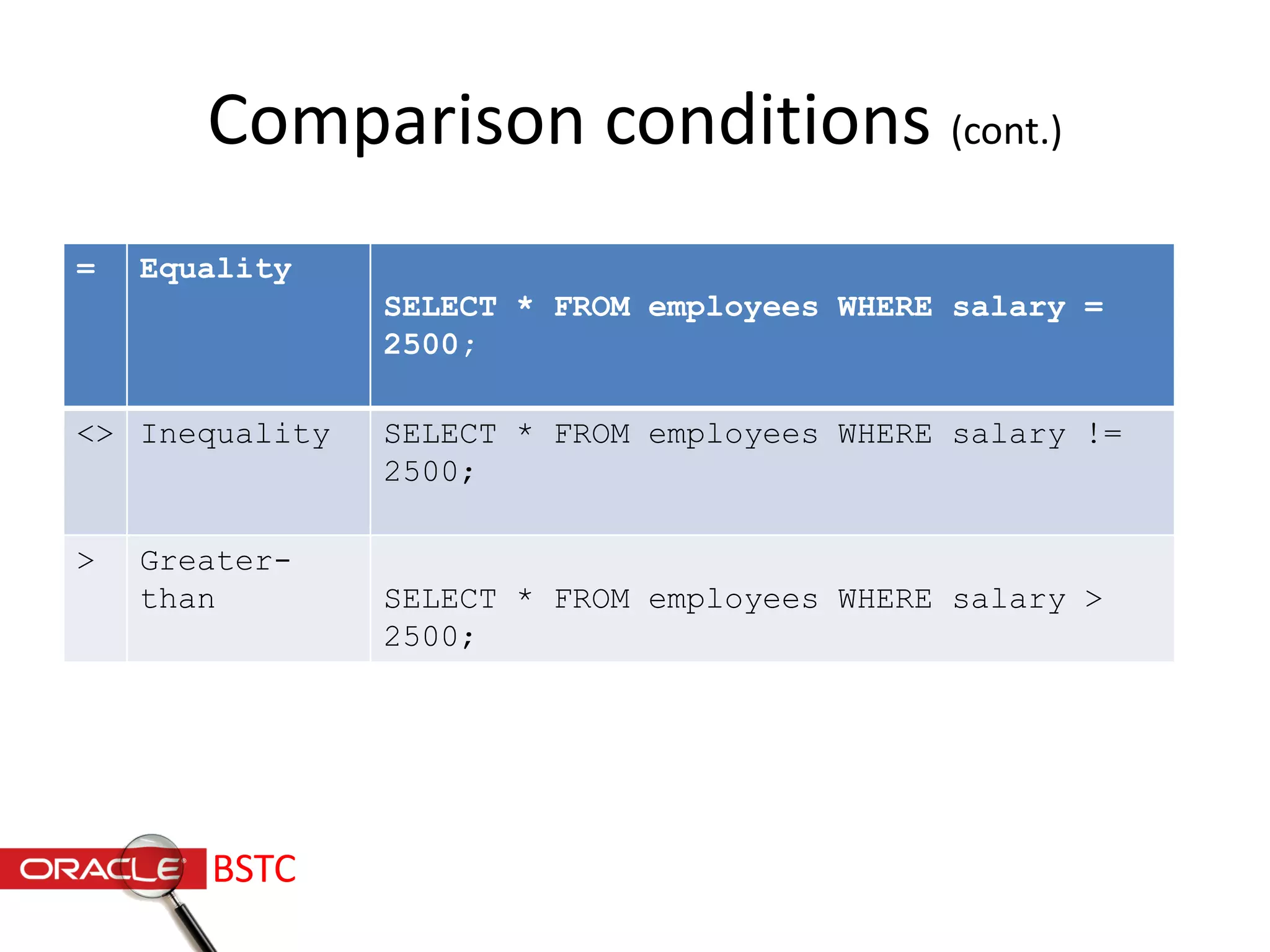
Comparison conditions (cont.)
= Equality
SELECT * FROM employees WHERE salary =
2500;
<> Inequality SELECT * FROM employees WHERE salary !=
2500;
> Greater-
than SELECT * FROM employees WHERE salary >
2500;
BSTC
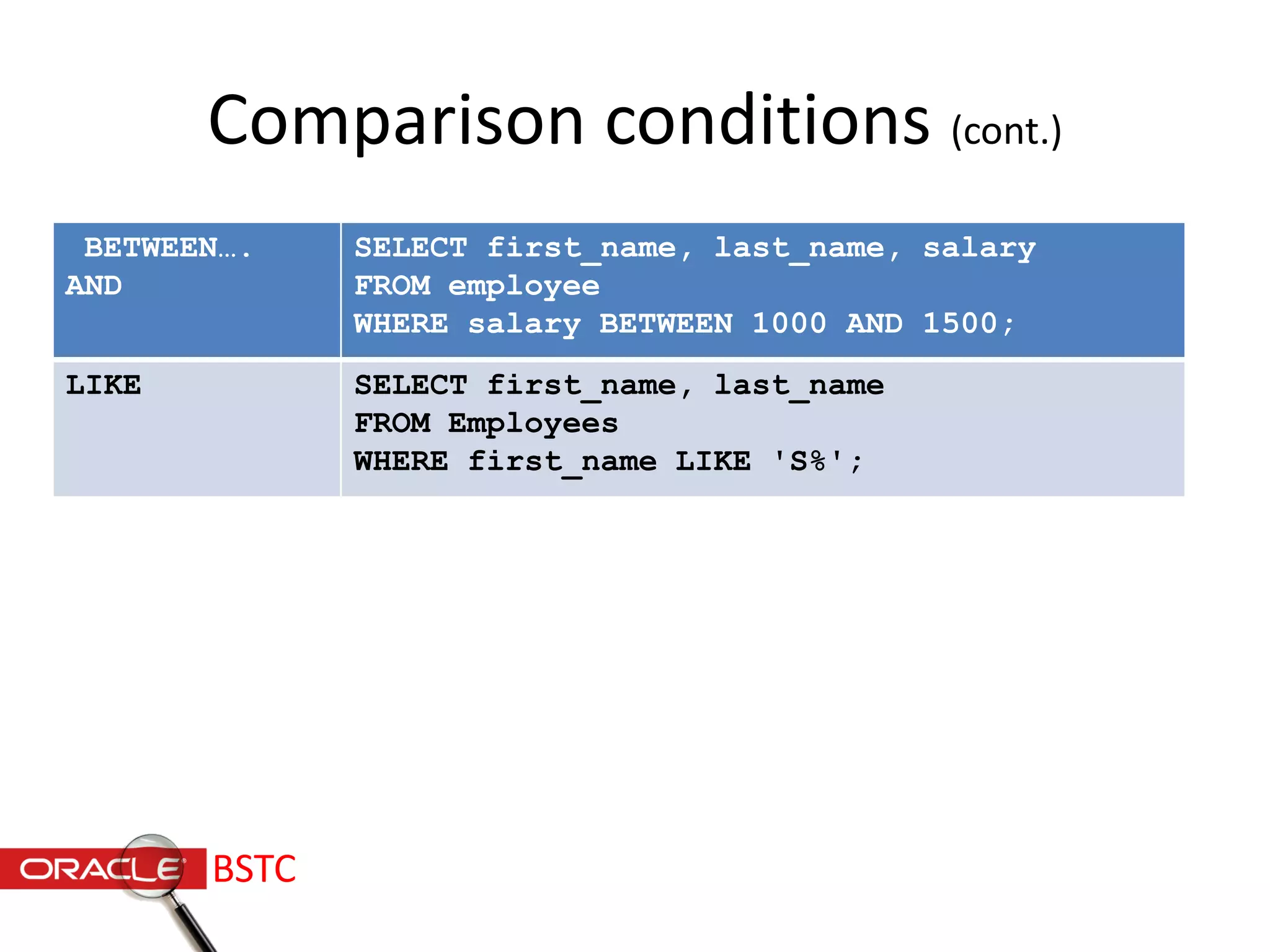
Comparison conditions (cont.)
BETWEEN….
AND
SELECT first_name, last_name, salary
FROM employee
WHERE salary BETWEEN 1000 AND 1500;
LIKE SELECT first_name, last_name
FROM Employees
WHERE first_name LIKE 'S%';
BSTC
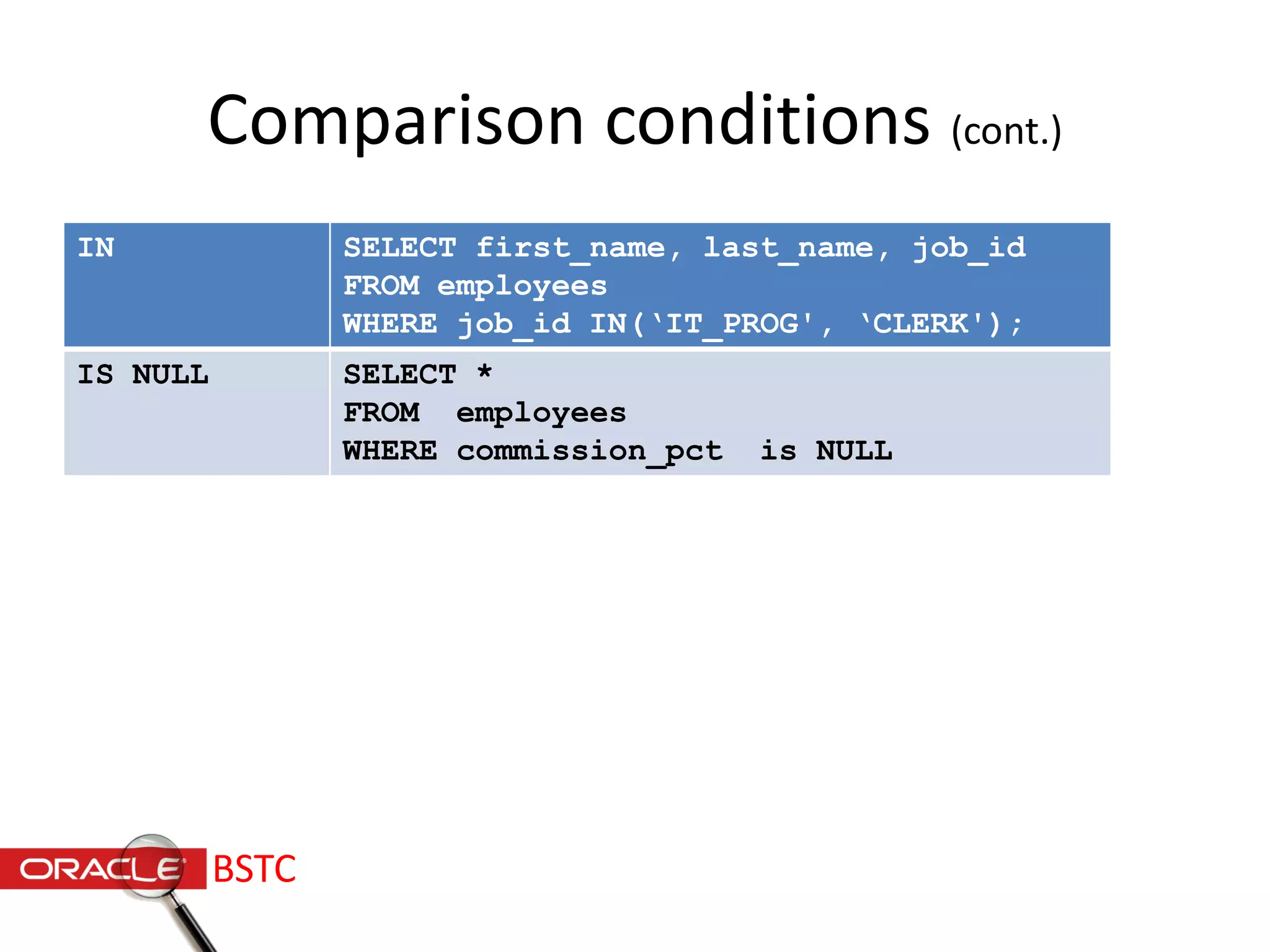
Comparison conditions (cont.)
IN SELECT first_name, last_name, job_id
FROM employees
WHERE job_id IN(‘IT_PROG', ‘CLERK');
IS NULL SELECT *
FROM employees
WHERE commission_pct is NULL
BSTC
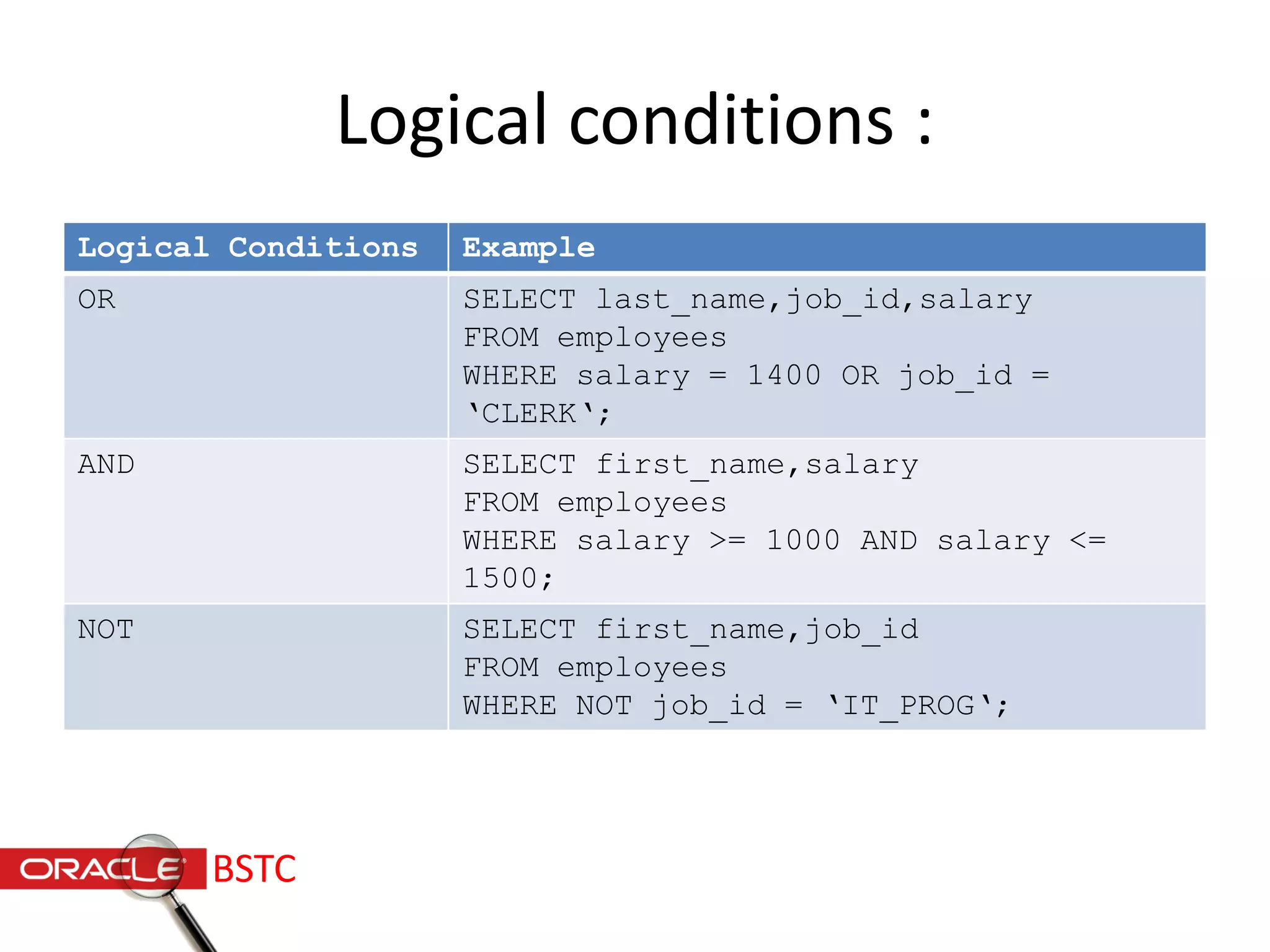
Logical conditions :
Logical Conditions Example
OR SELECT last_name,job_id,salary
FROM employees
WHERE salary = 1400 OR job_id =
‘CLERK‘;
AND SELECT first_name,salary
FROM employees
WHERE salary >= 1000 AND salary <=
1500;
NOT SELECT first_name,job_id
FROM employees
WHERE NOT job_id = ‘IT_PROG‘;
BSTC
Order By Clause :
• Sort rows with the order by clause
• -ASC: ascending order ,default
• -DESC : descending order
• It’s comes last in the select statement
• SELECT expressions FROM tables WHERE
conditions ORDER BY expression [ ASC |
DESC ];
BSTC
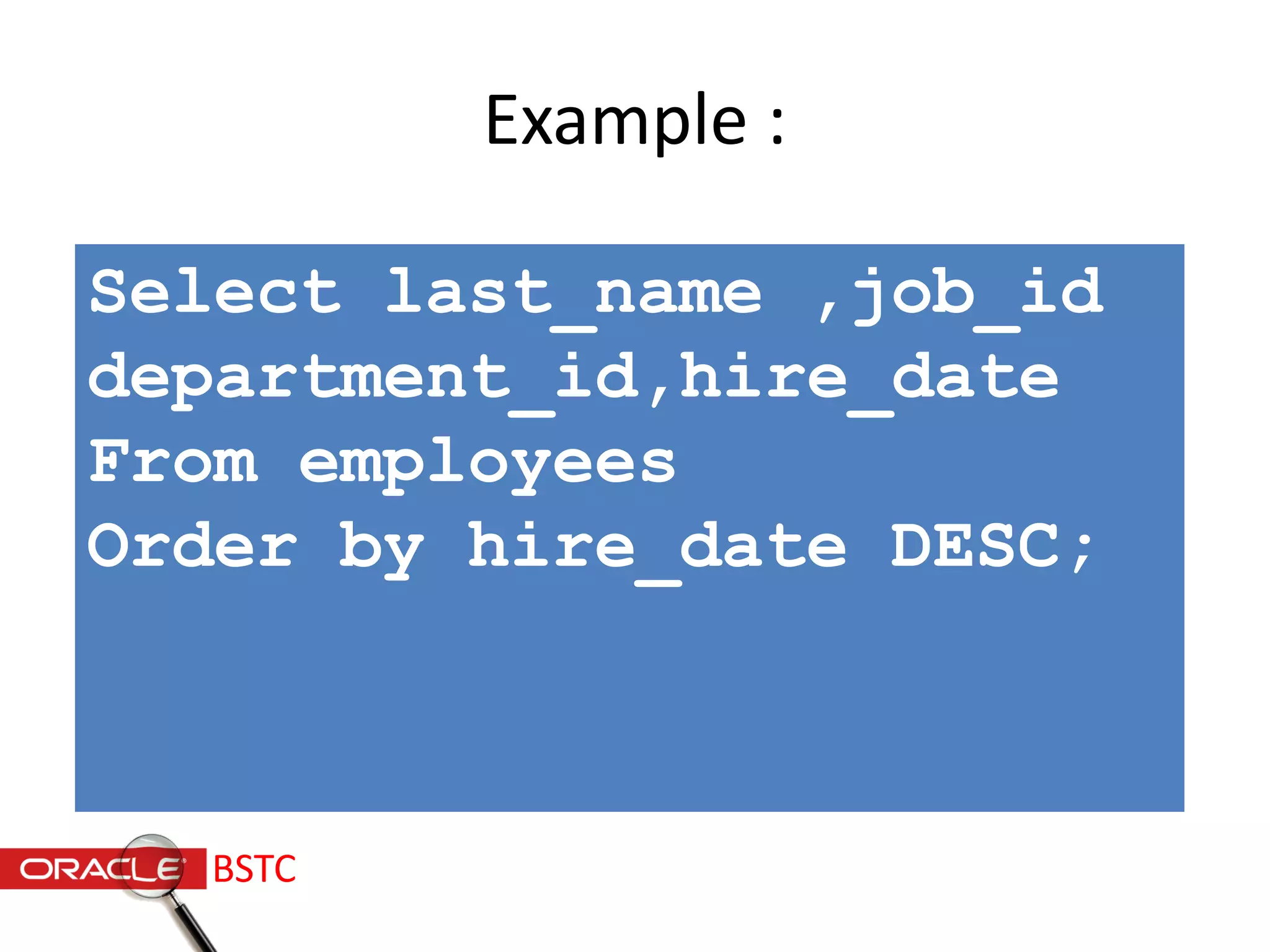
Example :
Select last_name ,job_id
department_id,hire_date
From employees
Order by hire_date DESC;
BSTC
BSTC
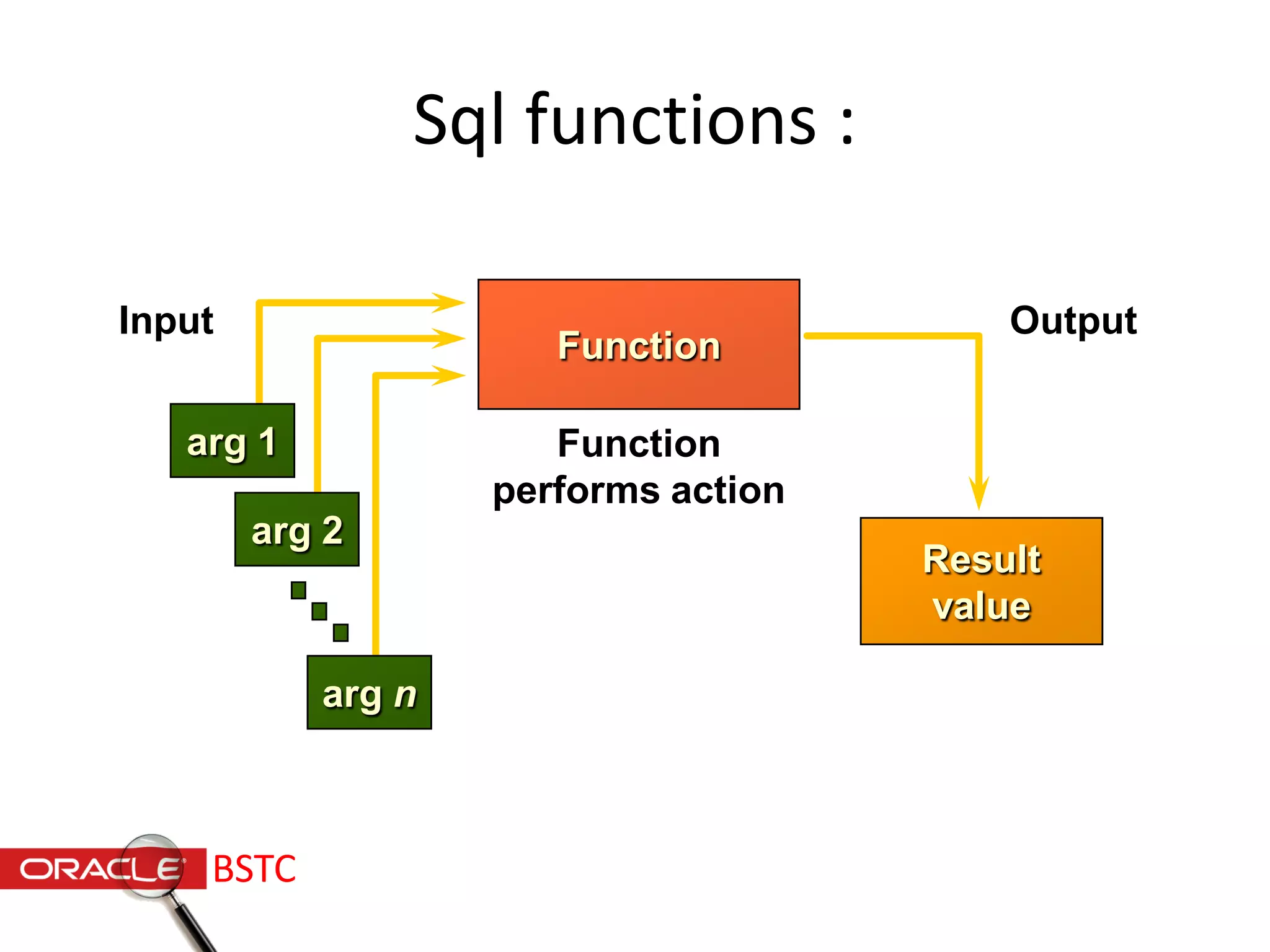
Function
Input
arg 1
arg 2
arg n
Function
performs action
Output
Result
value
Sql functions :
BSTC
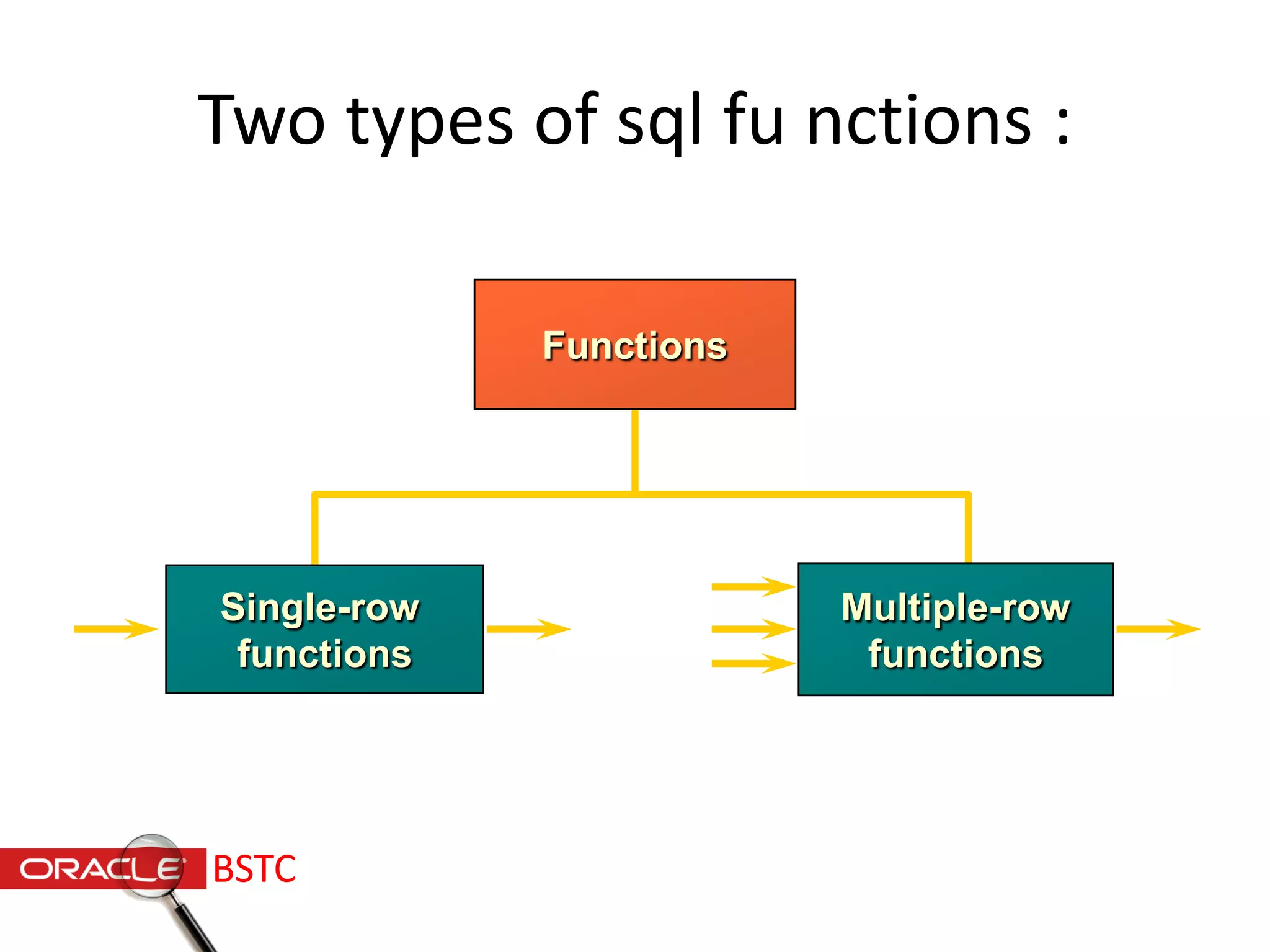
Functions
Single-row
functions
Multiple-row
functions
Two types of sql fu nctions :
BSTC
Single row functions :
Single row functions:
• Manipulate data items
• Accept arguments and return one value
• Act on each row returned
• Return one result per row
• May modify the data type
• Can be nested
• Accept arguments which can be a
column or an expression
function_name [(arg1, arg2,...)]
BSTC
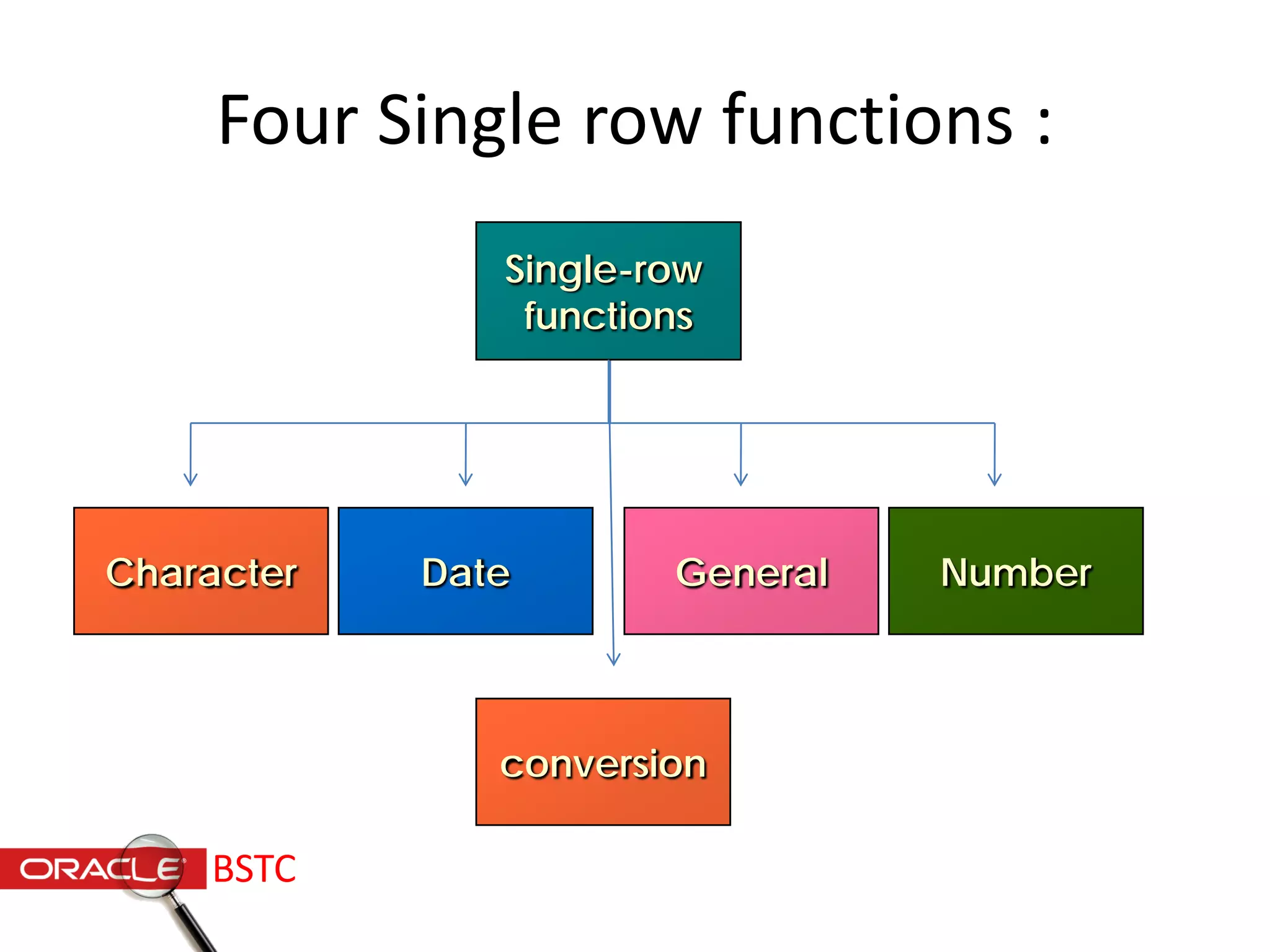
NumberGeneralDateCharacter
Four Single row functions :
Single-row
functions
conversion
BSTC
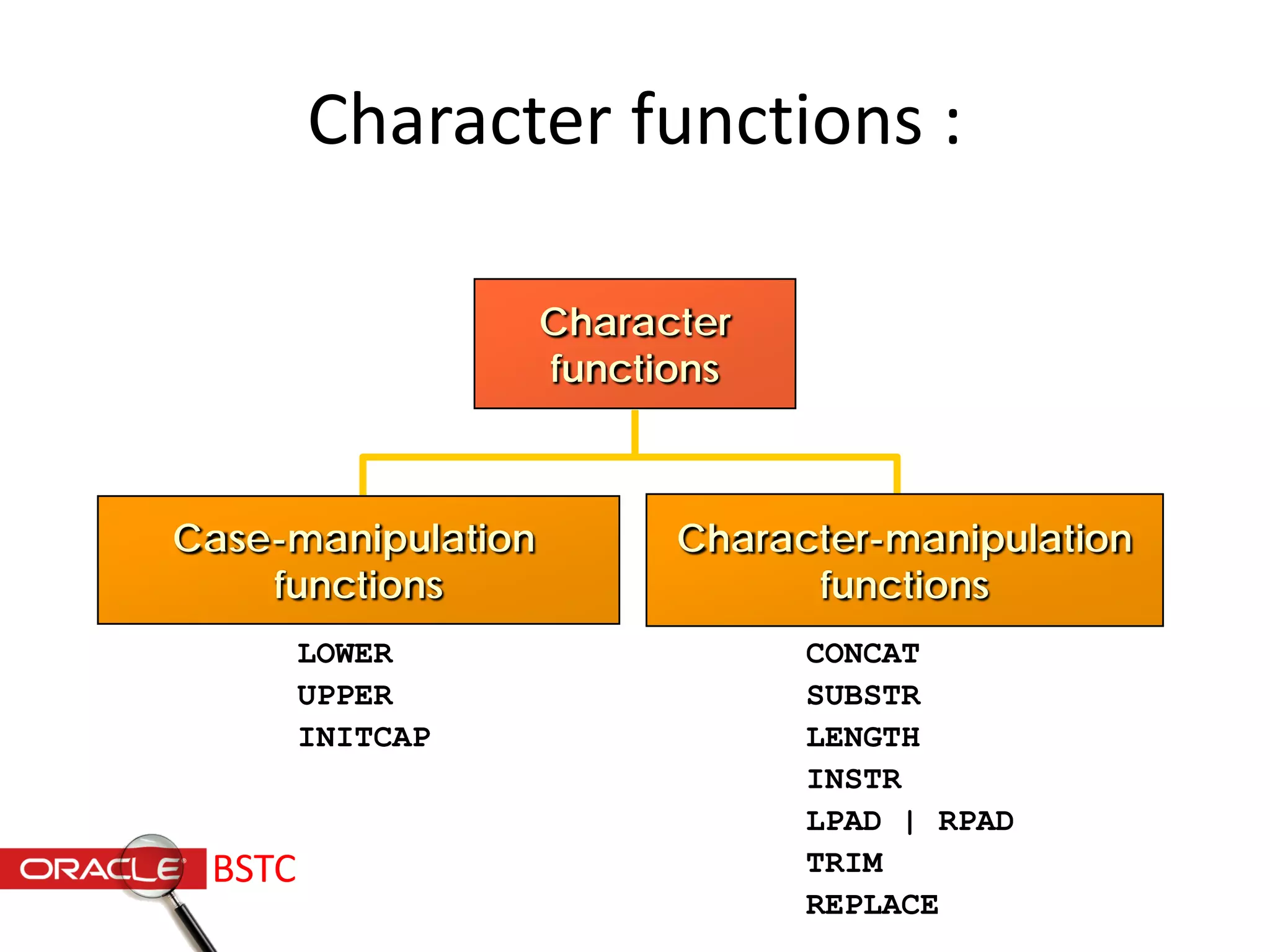
Character
functions
LOWER
UPPER
INITCAP
CONCAT
SUBSTR
LENGTH
INSTR
LPAD | RPAD
TRIM
REPLACE
Case-manipulation
functions
Character-manipulation
functions
Character functions :
BSTC
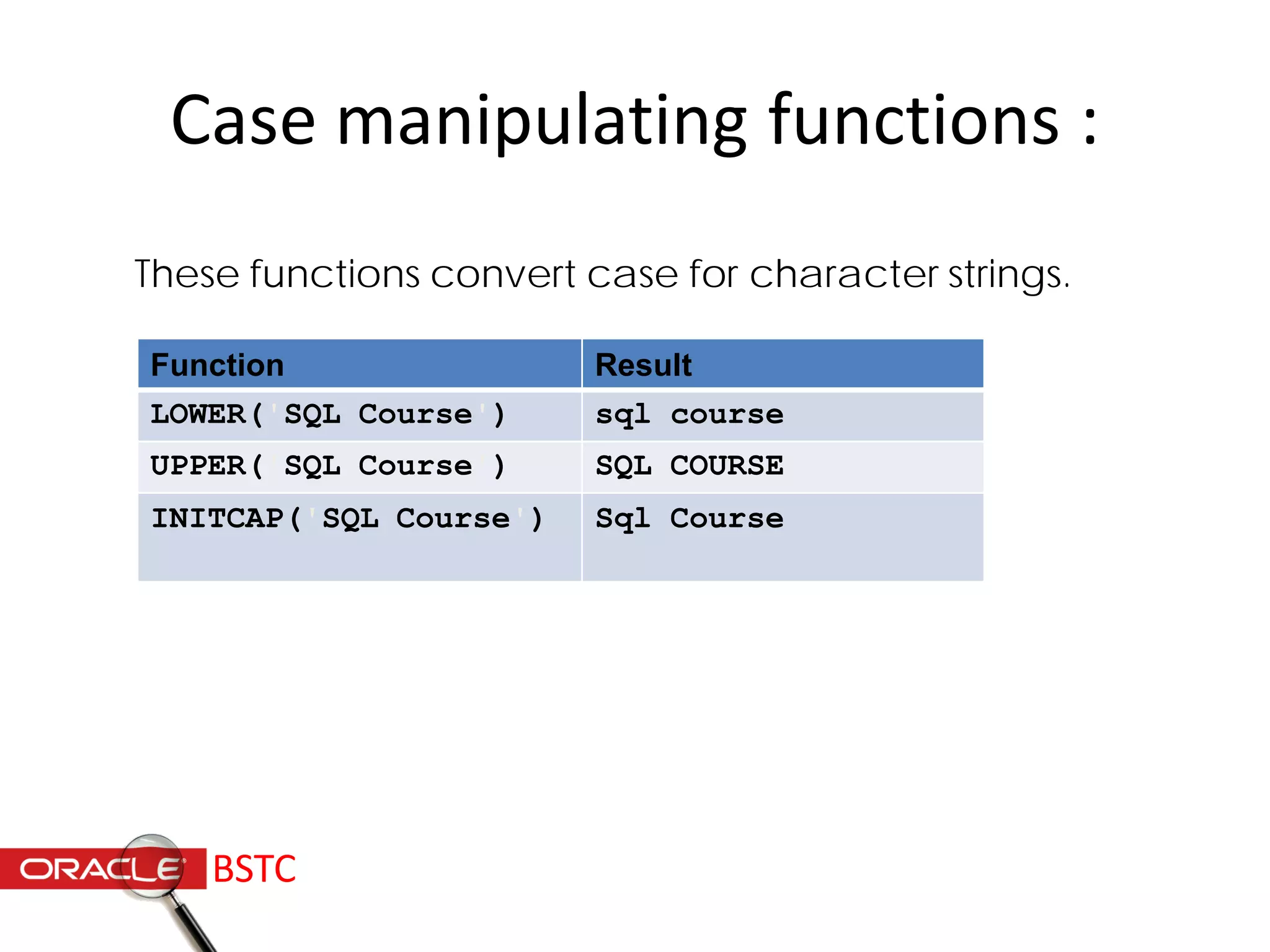
Case manipulating functions :
These functions convert case for character strings.
Function Result
LOWER('SQL Course') sql course
UPPER('SQL Course') SQL COURSE
INITCAP('SQL Course') Sql Course
BSTC
SELECT employee_id, last_name,
department_id
FROM employees
WHERE LOWER(last_name) = 'higgins';
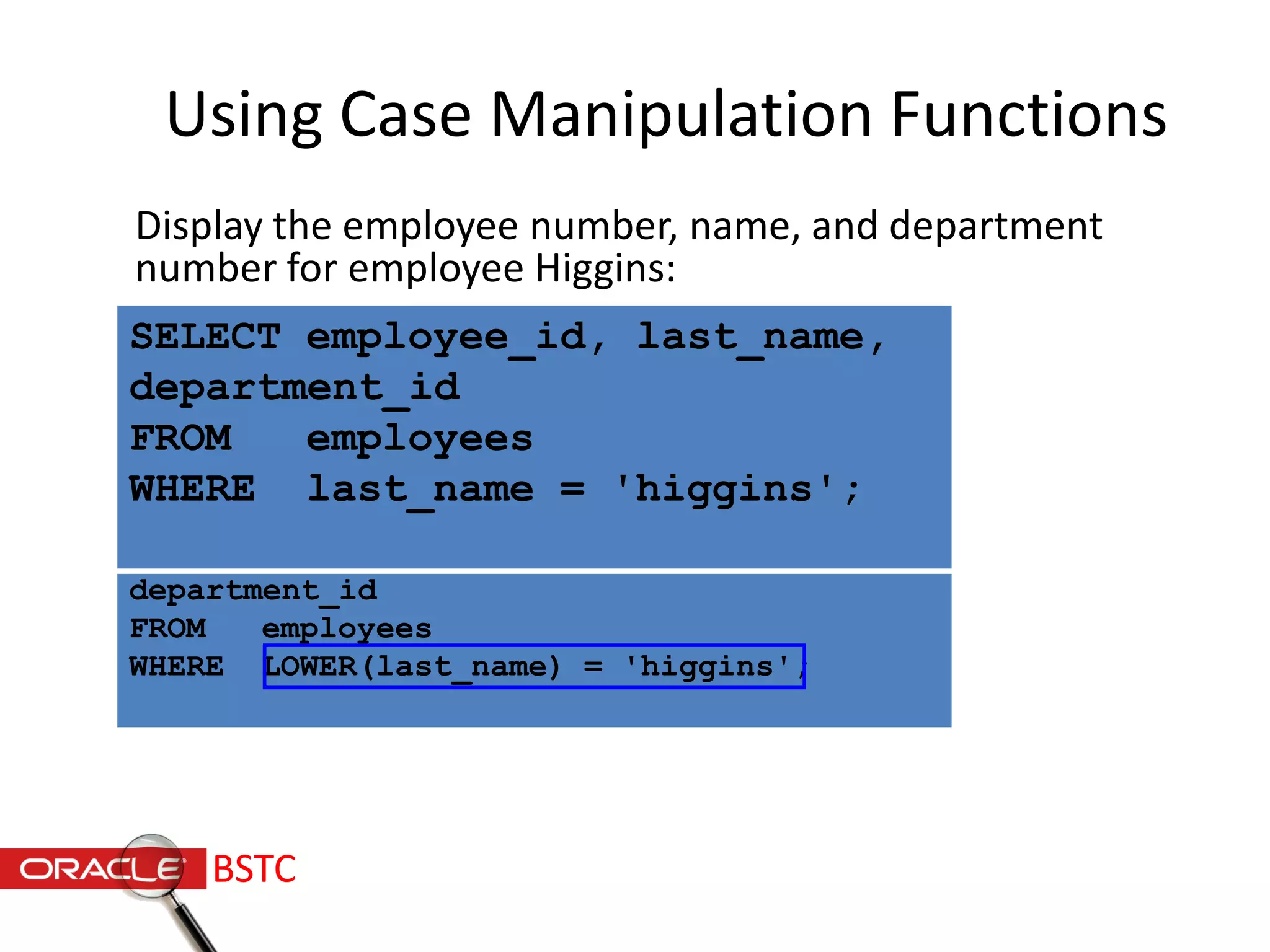
Using Case Manipulation Functions
Display the employee number, name, and department
number for employee Higgins:
SELECT employee_id, last_name,
department_id
FROM employees
WHERE last_name = 'higgins';
BSTC
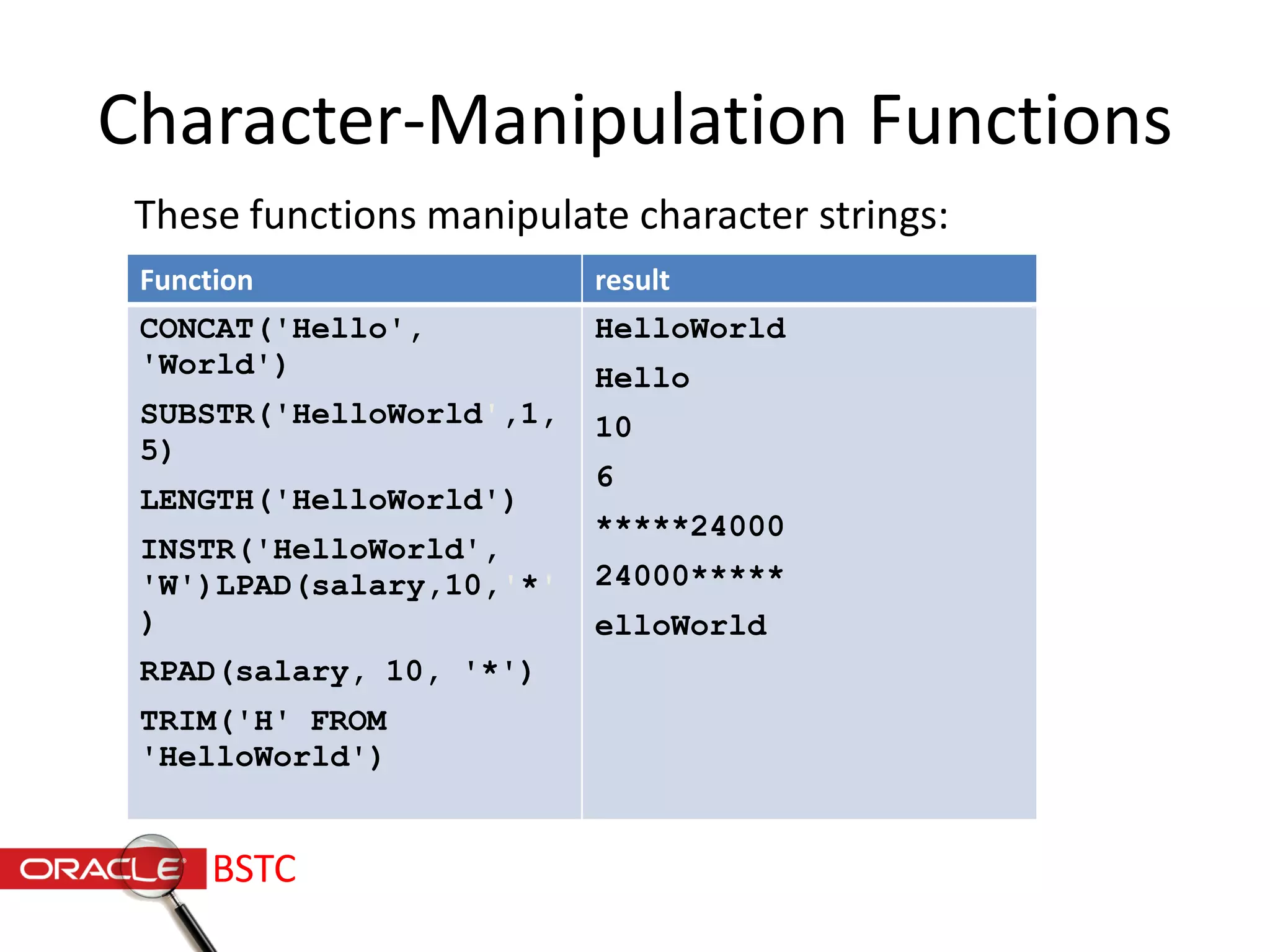
Character-Manipulation Functions
These functions manipulate character strings:
Function result
CONCAT('Hello',
'World')
SUBSTR('HelloWorld',1,
5)
LENGTH('HelloWorld')
INSTR('HelloWorld',
'W')LPAD(salary,10,'*'
)
RPAD(salary, 10, '*')
TRIM('H' FROM
'HelloWorld')
HelloWorld
Hello
10
6
*****24000
24000*****
elloWorld
BSTC
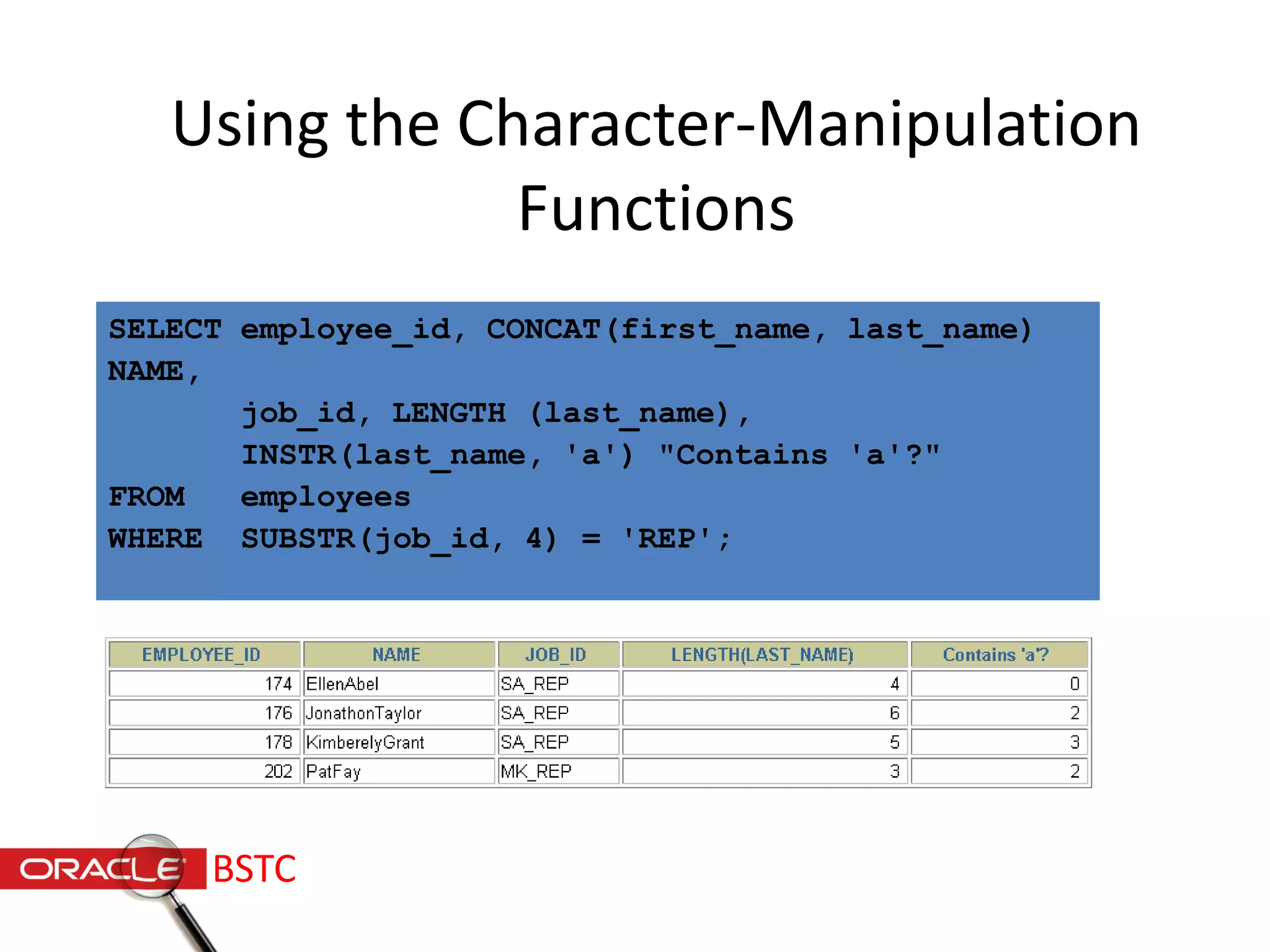
SELECT employee_id, CONCAT(first_name, last_name)
NAME,
job_id, LENGTH (last_name),
INSTR(last_name, 'a') "Contains 'a'?"
FROM employees
WHERE SUBSTR(job_id, 4) = 'REP';
Using the Character-Manipulation
Functions
BSTC
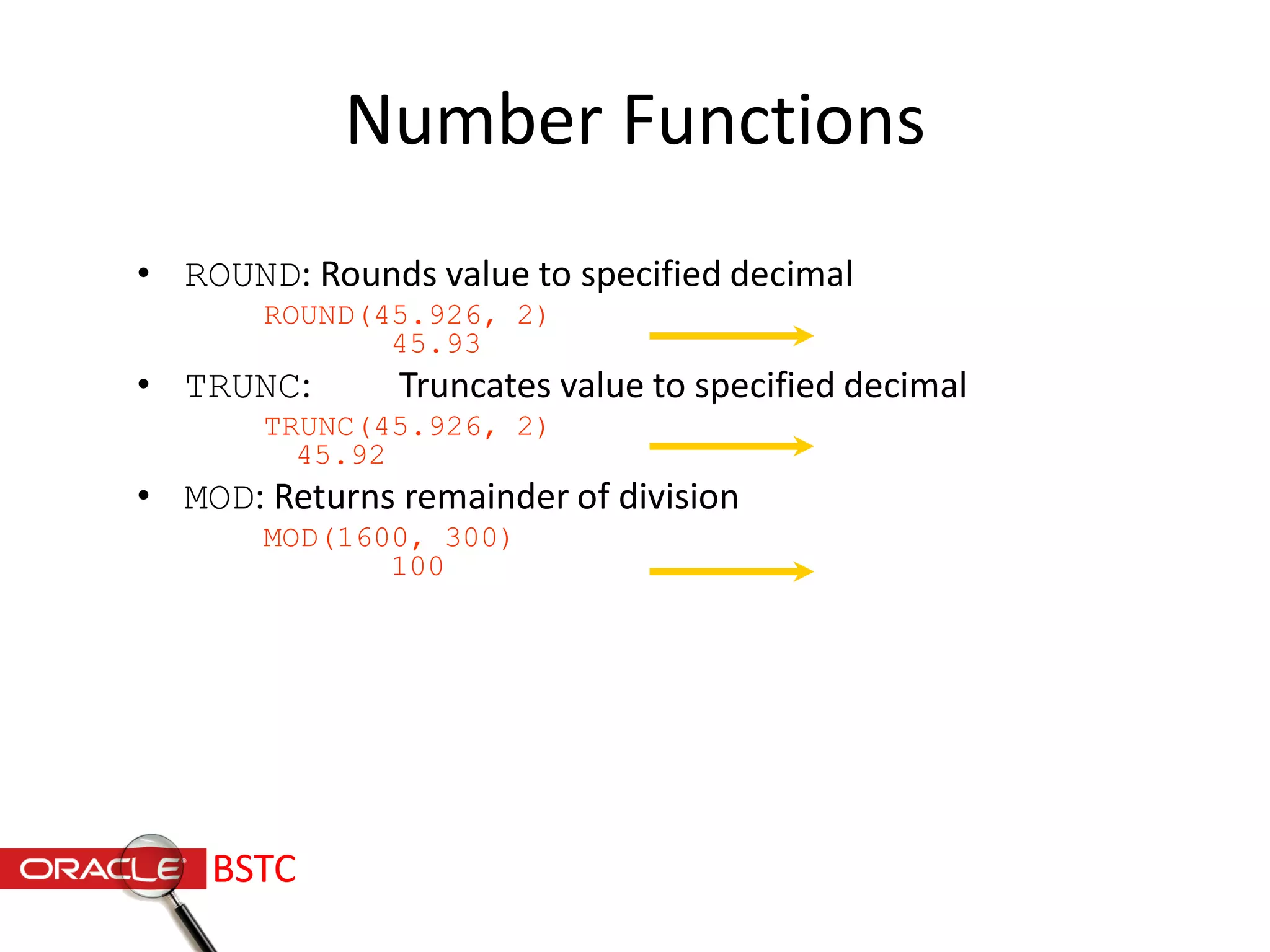
Number Functions
• ROUND: Rounds value to specified decimal
ROUND(45.926, 2)
45.93
• TRUNC: Truncates value to specified decimal
TRUNC(45.926, 2)
45.92
• MOD: Returns remainder of division
MOD(1600, 300)
100
BSTC
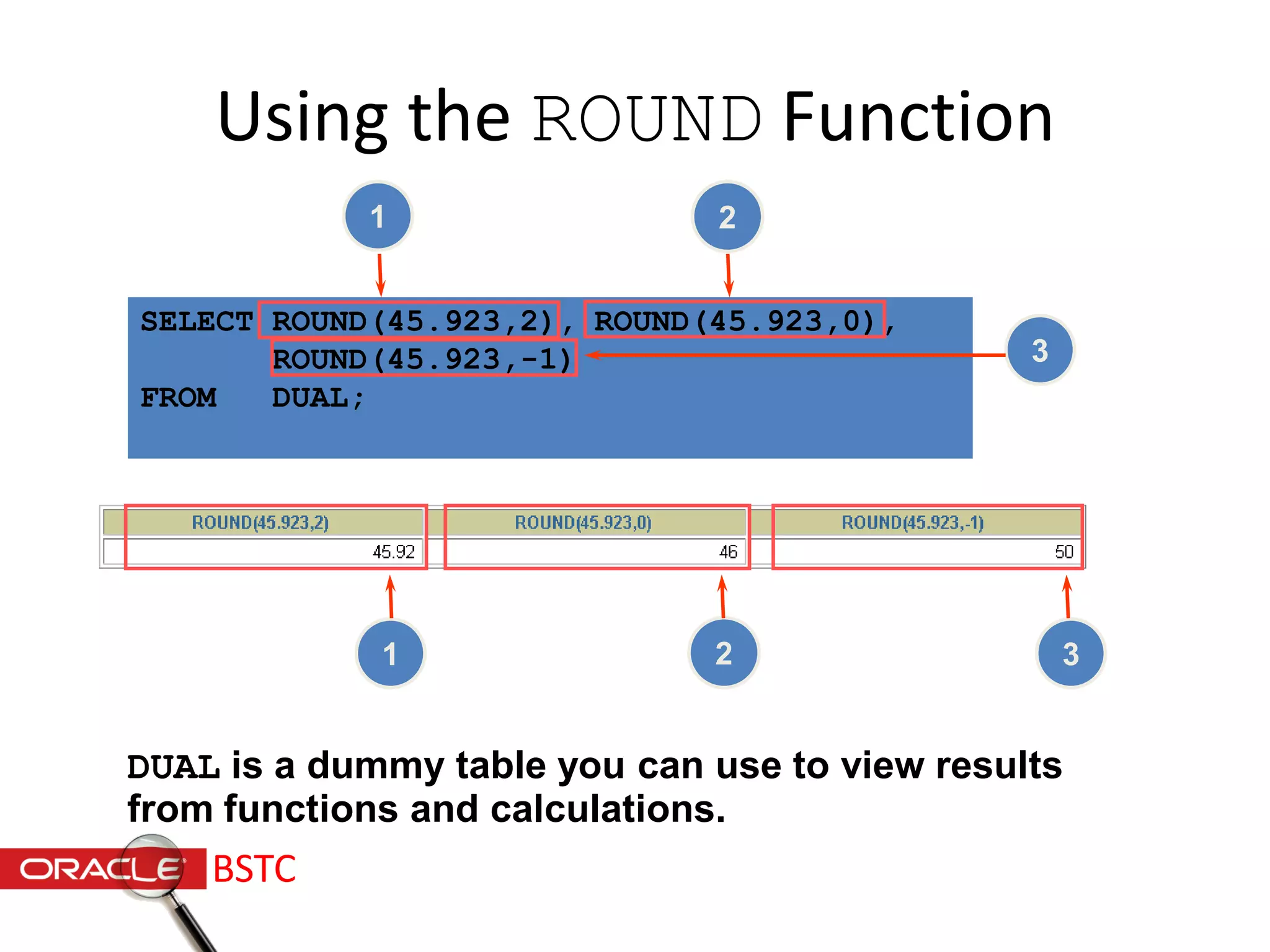
SELECT ROUND(45.923,2), ROUND(45.923,0),
ROUND(45.923,-1)
FROM DUAL;
Using the ROUND Function
DUAL is a dummy table you can use to view results
from functions and calculations.
1 2
3
31 2
BSTC
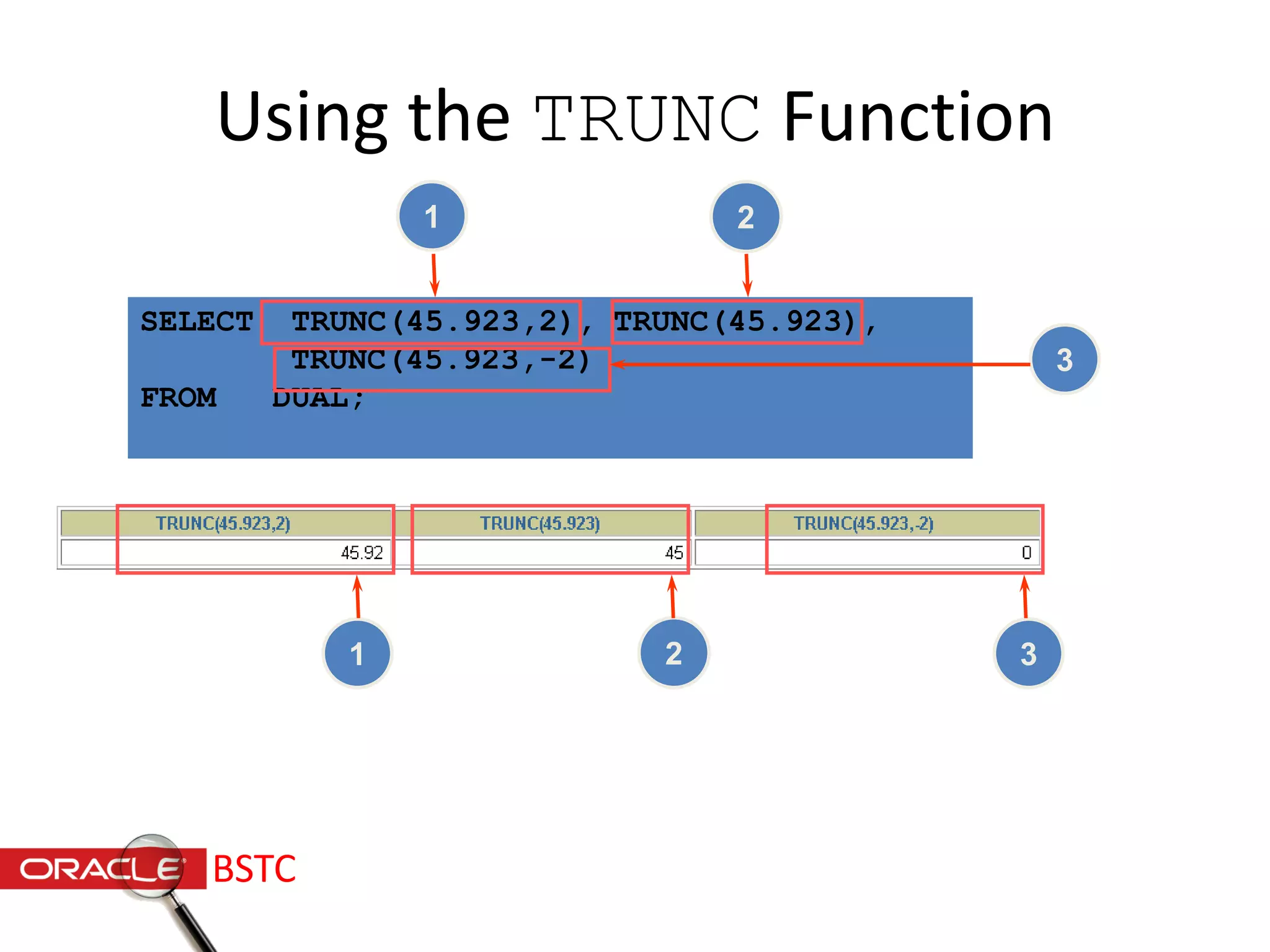
SELECT TRUNC(45.923,2), TRUNC(45.923),
TRUNC(45.923,-2)
FROM DUAL;
Using the TRUNC Function
31 2
1 2
3
BSTC
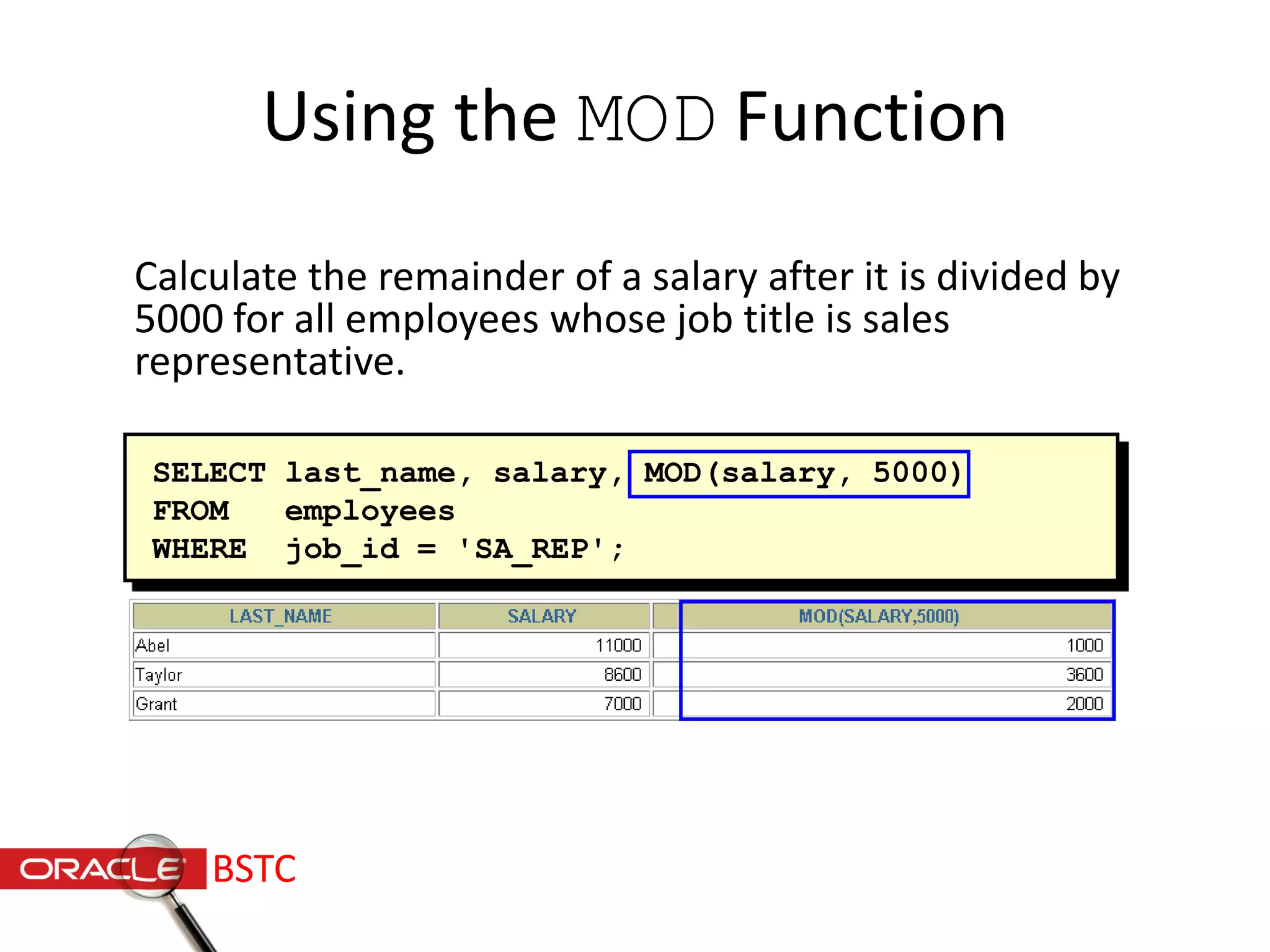
SELECT last_name, salary, MOD(salary, 5000)
FROM employees
WHERE job_id = 'SA_REP';
Using the MOD Function
Calculate the remainder of a salary after it is divided by
5000 for all employees whose job title is sales
representative.
BSTC
Working with Dates
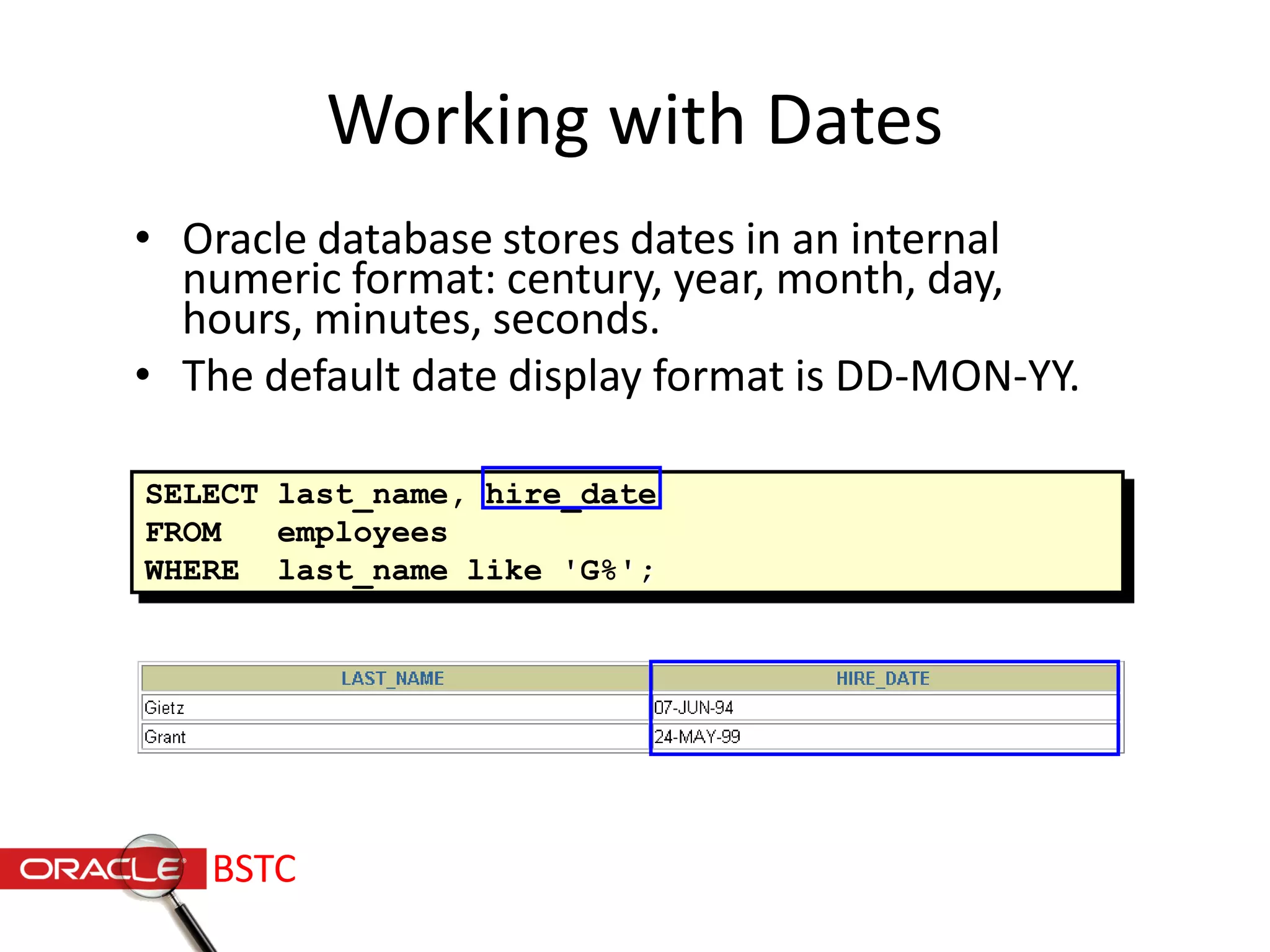
• Oracle database stores dates in an internal
numeric format: century, year, month, day,
hours, minutes, seconds.
• The default date display format is DD-MON-YY.
SELECT last_name, hire_date
FROM employees
WHERE last_name like 'G%';
BSTC
Working with Dates
SYSDATE is a function that returns:
• Date / Time
BSTC
Arithmetic with Dates
• Add or subtract a number to or from a date for a
resultant date value.
• Subtract two dates to find the number of days
between those dates.
BSTC
Using Arithmetic Operators
with Dates
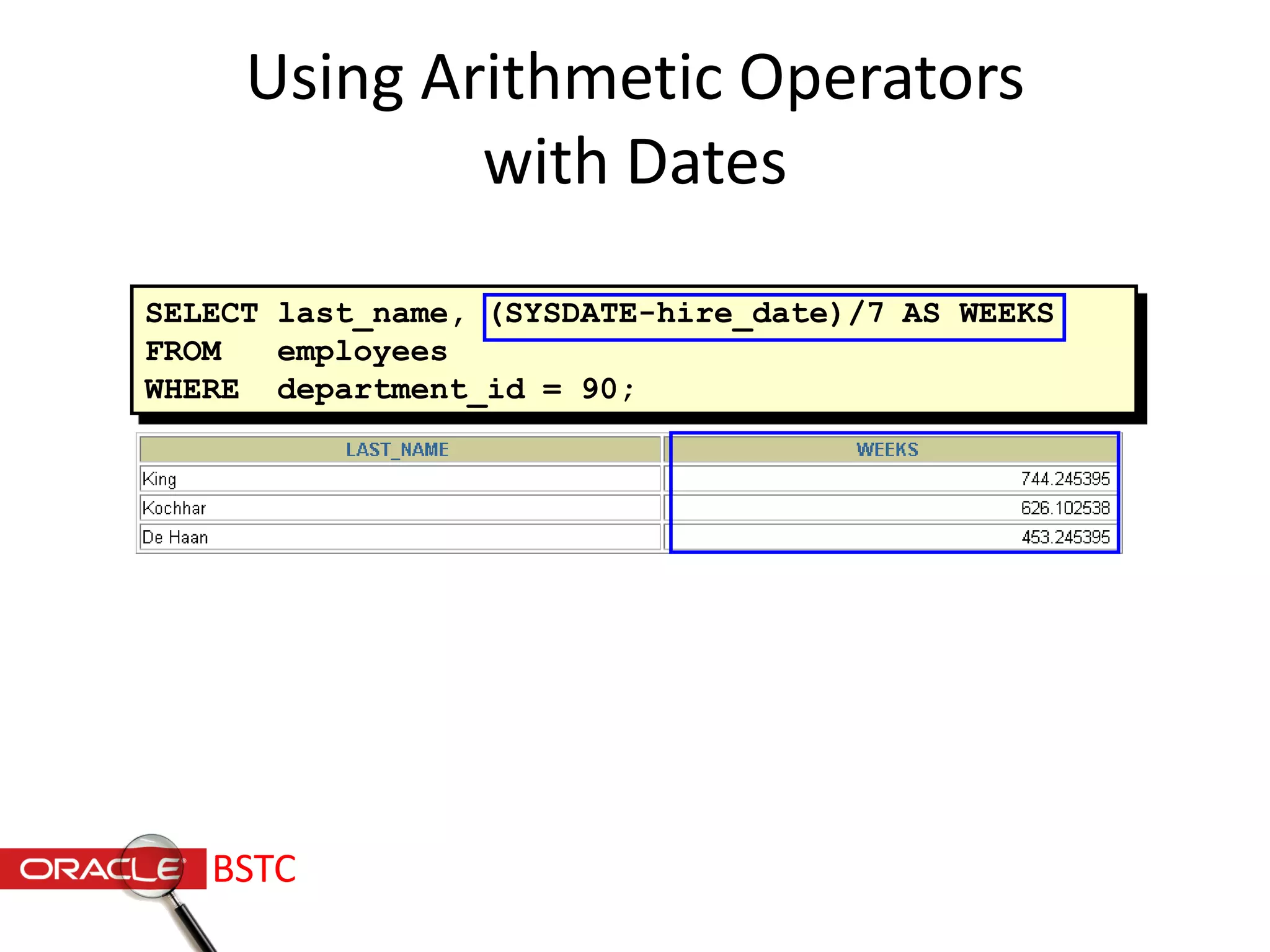
SELECT last_name, (SYSDATE-hire_date)/7 AS WEEKS
FROM employees
WHERE department_id = 90;
BSTC
Date Functions
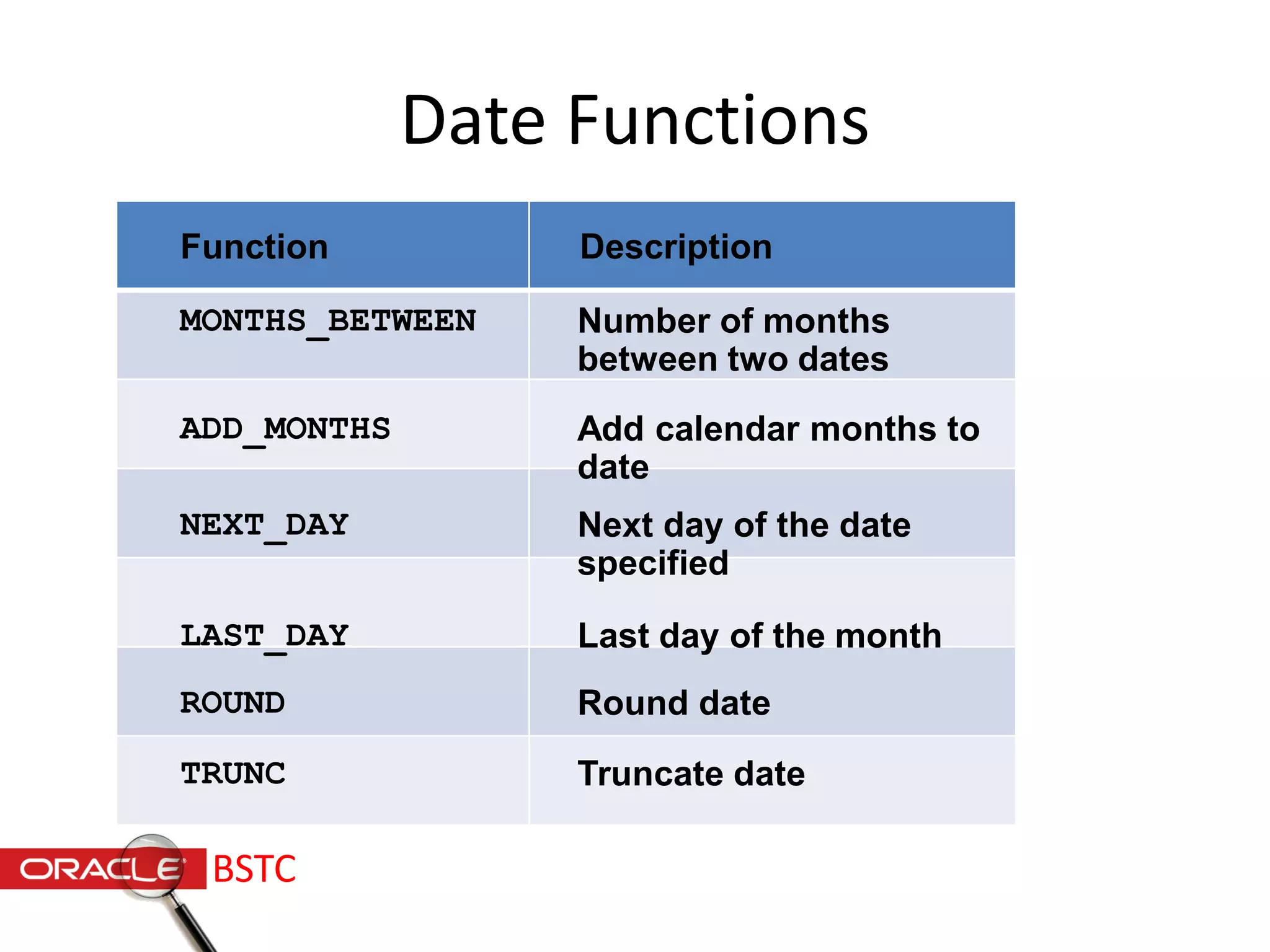
Number of months
between two dates
MONTHS_BETWEEN
ADD_MONTHS
NEXT_DAY
LAST_DAY
ROUND
TRUNC
Add calendar months to
date
Next day of the date
specified
Last day of the month
Round date
Truncate date
Function Description
BSTC
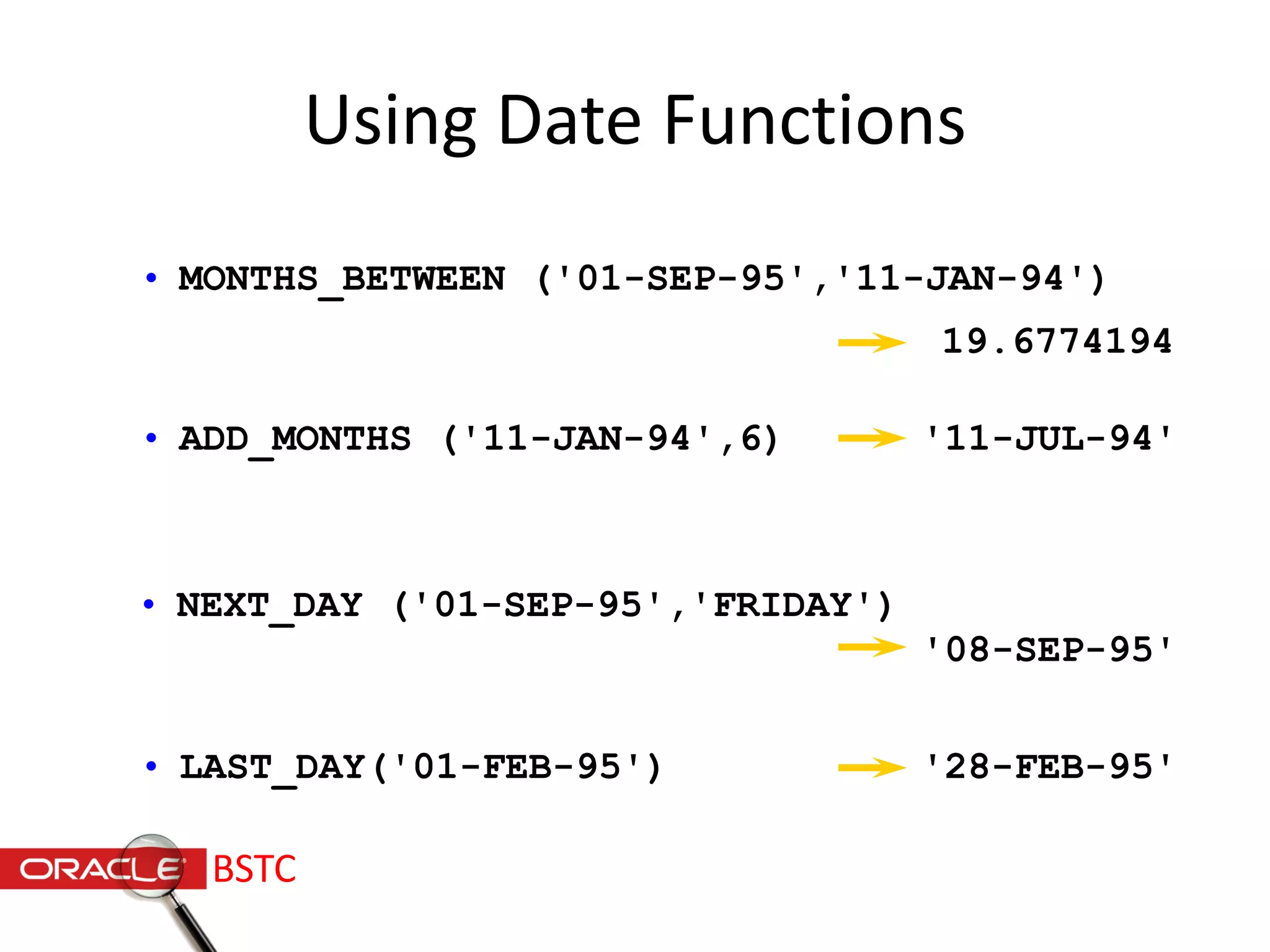
• MONTHS_BETWEEN ('01-SEP-95','11-JAN-94')
Using Date Functions
• ADD_MONTHS ('11-JAN-94',6)
• NEXT_DAY ('01-SEP-95','FRIDAY')
• LAST_DAY('01-FEB-95')
19.6774194
'11-JUL-94'
'08-SEP-95'
'28-FEB-95'
BSTC
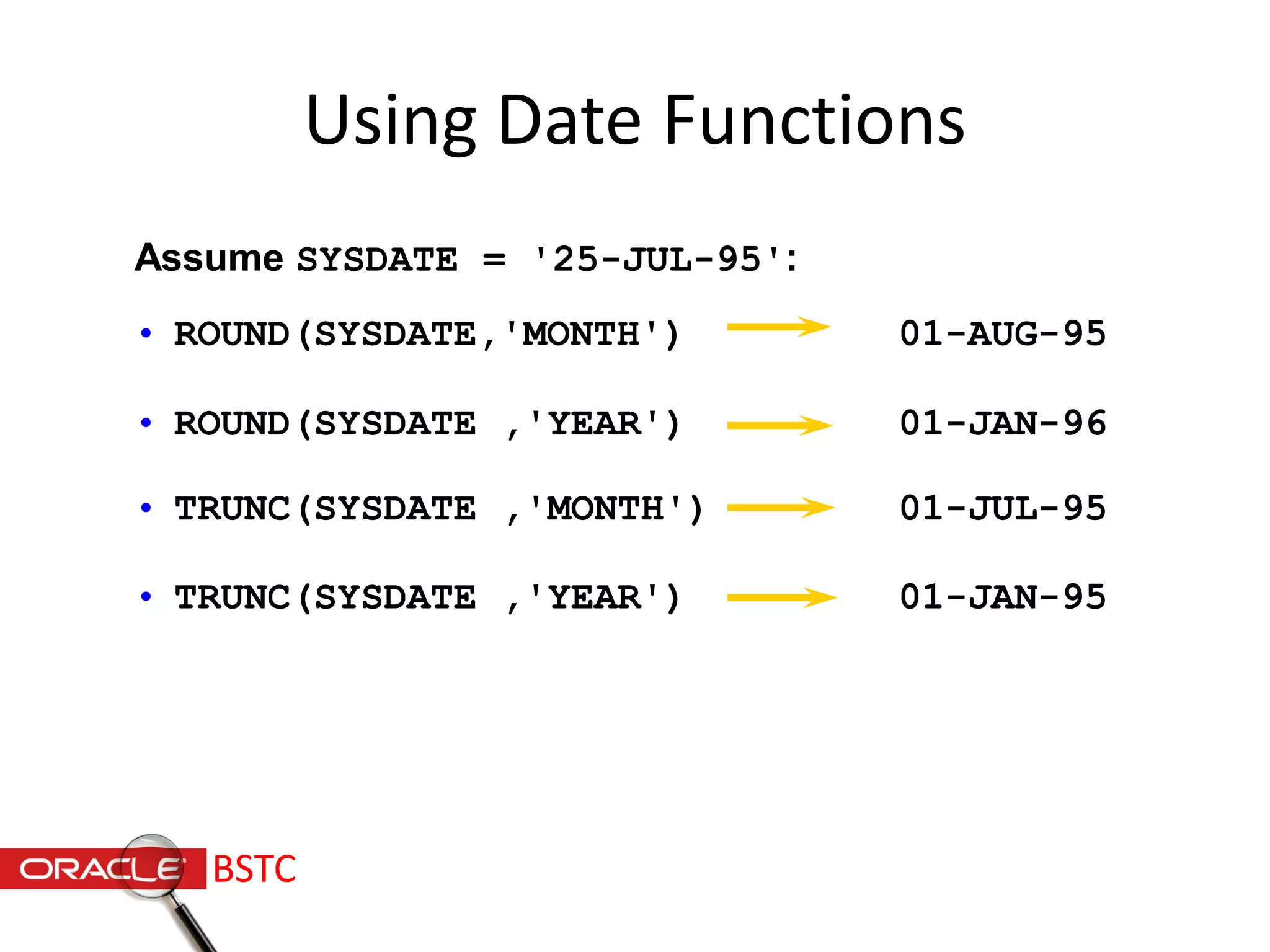
• ROUND(SYSDATE,'MONTH') 01-AUG-95
• ROUND(SYSDATE ,'YEAR') 01-JAN-96
• TRUNC(SYSDATE ,'MONTH') 01-JUL-95
• TRUNC(SYSDATE ,'YEAR') 01-JAN-95
Using Date Functions
Assume SYSDATE = '25-JUL-95':
BSTC
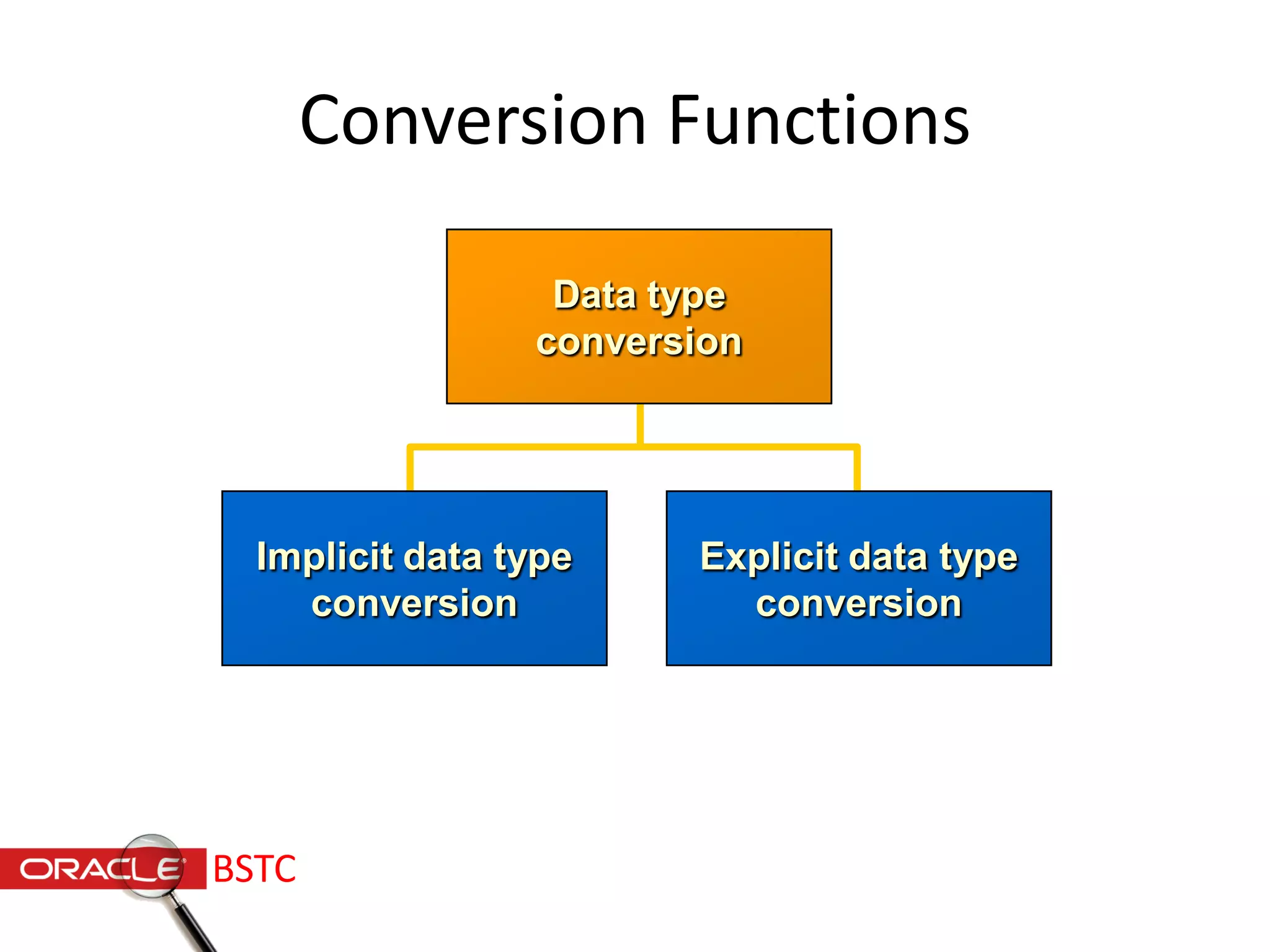
Conversion Functions
Implicit data type
conversion
Explicit data type
conversion
Data type
conversion
BSTC
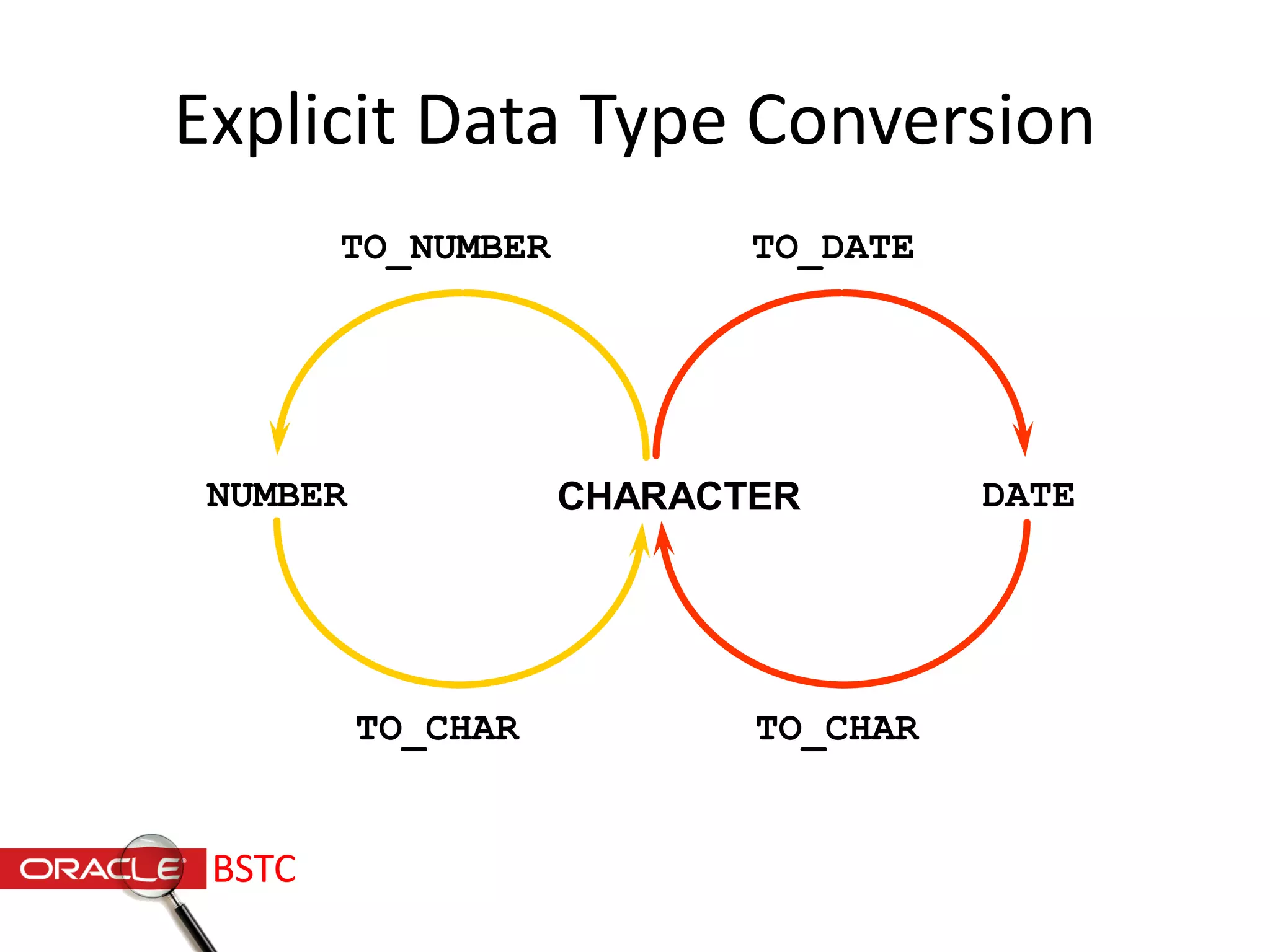
Explicit Data Type Conversion
NUMBER CHARACTER
TO_CHAR
TO_NUMBER
DATE
TO_CHAR
TO_DATE
BSTC
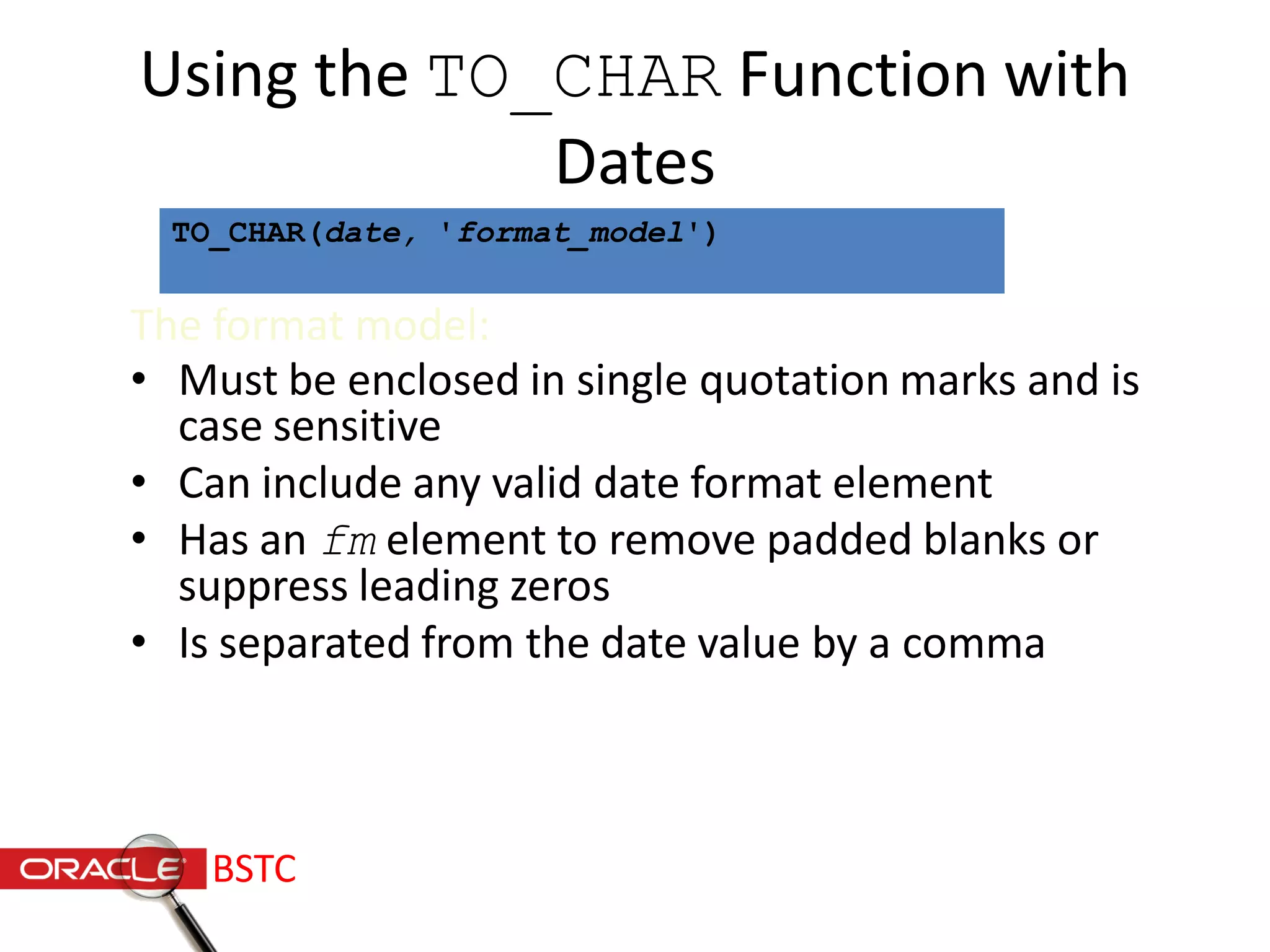
Using the TO_CHAR Function with
Dates
The format model:
• Must be enclosed in single quotation marks and is
case sensitive
• Can include any valid date format element
• Has an fm element to remove padded blanks or
suppress leading zeros
• Is separated from the date value by a comma
TO_CHAR(date, 'format_model')
BSTC
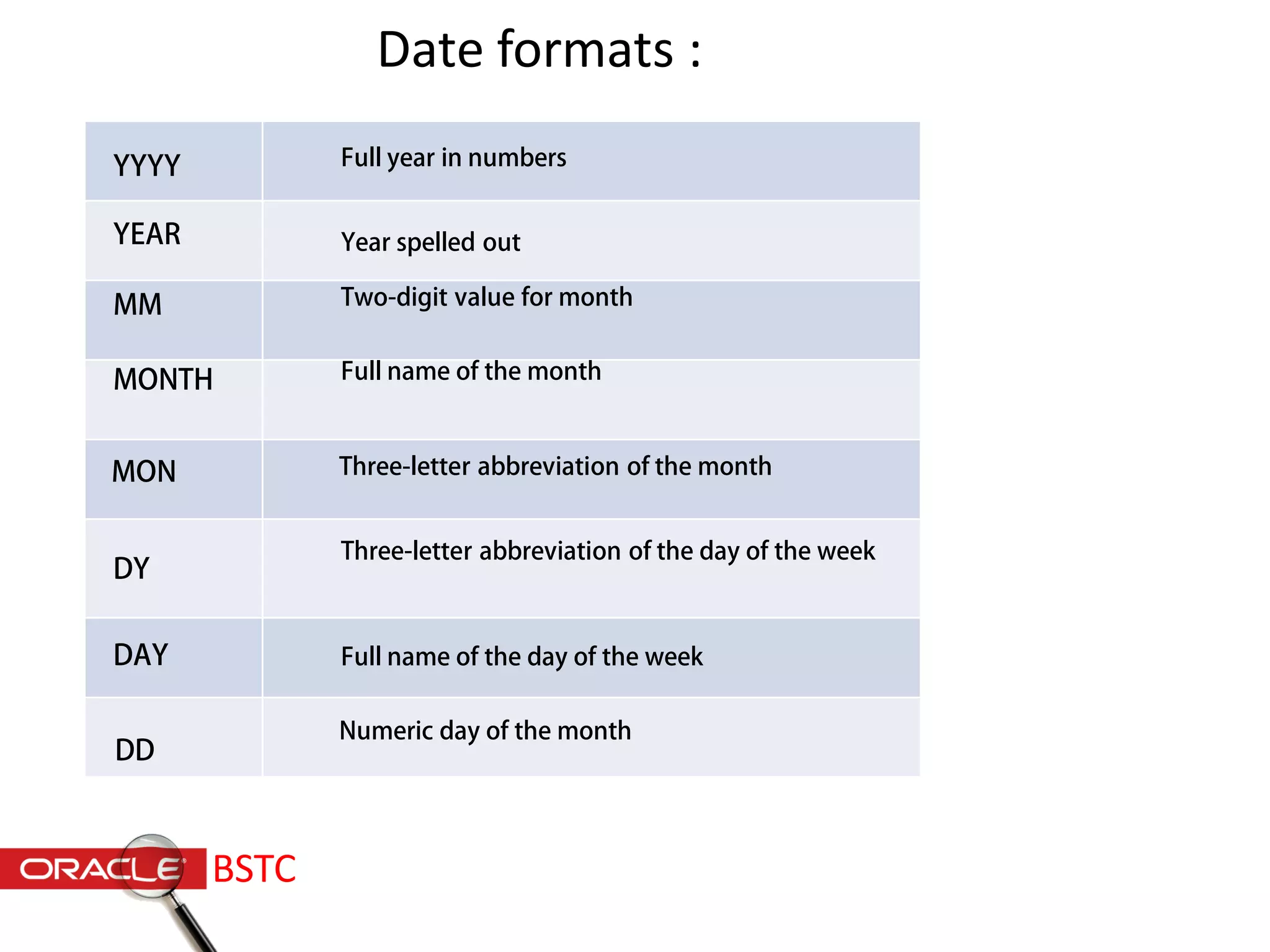
YYYY
YEAR
MM
MONTH
DY
DAY
Full year in numbers
Year spelled out
Two-digit value for month
Three-letter abbreviation of the day of the week
Full name of the day of the week
Full name of the month
MON Three-letter abbreviation of the month
DD
Numeric day of the month
Date formats :
BSTC
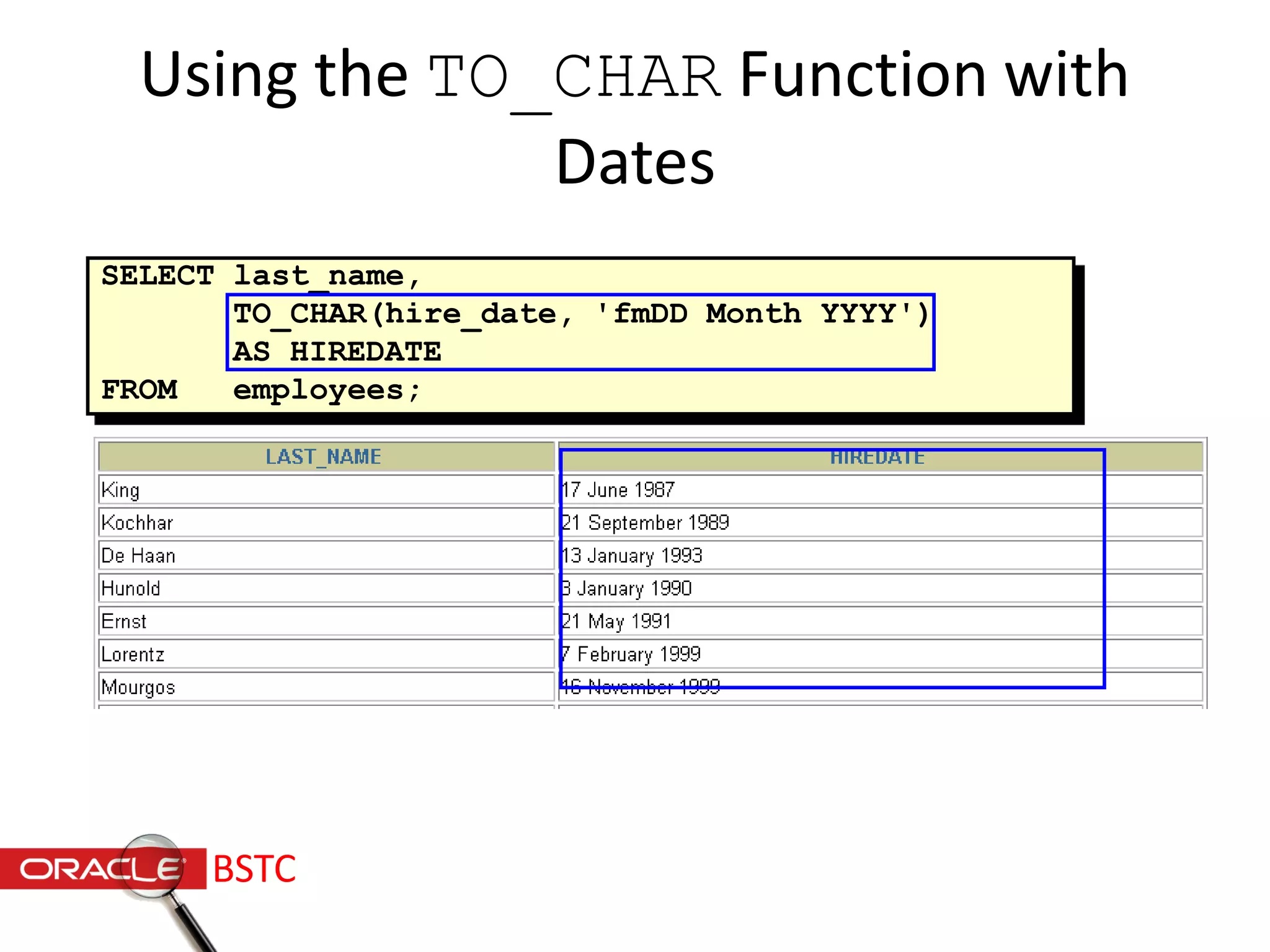
Using the TO_CHAR Function with
Dates
SELECT last_name,
TO_CHAR(hire_date, 'fmDD Month YYYY')
AS HIREDATE
FROM employees;
…
BSTC
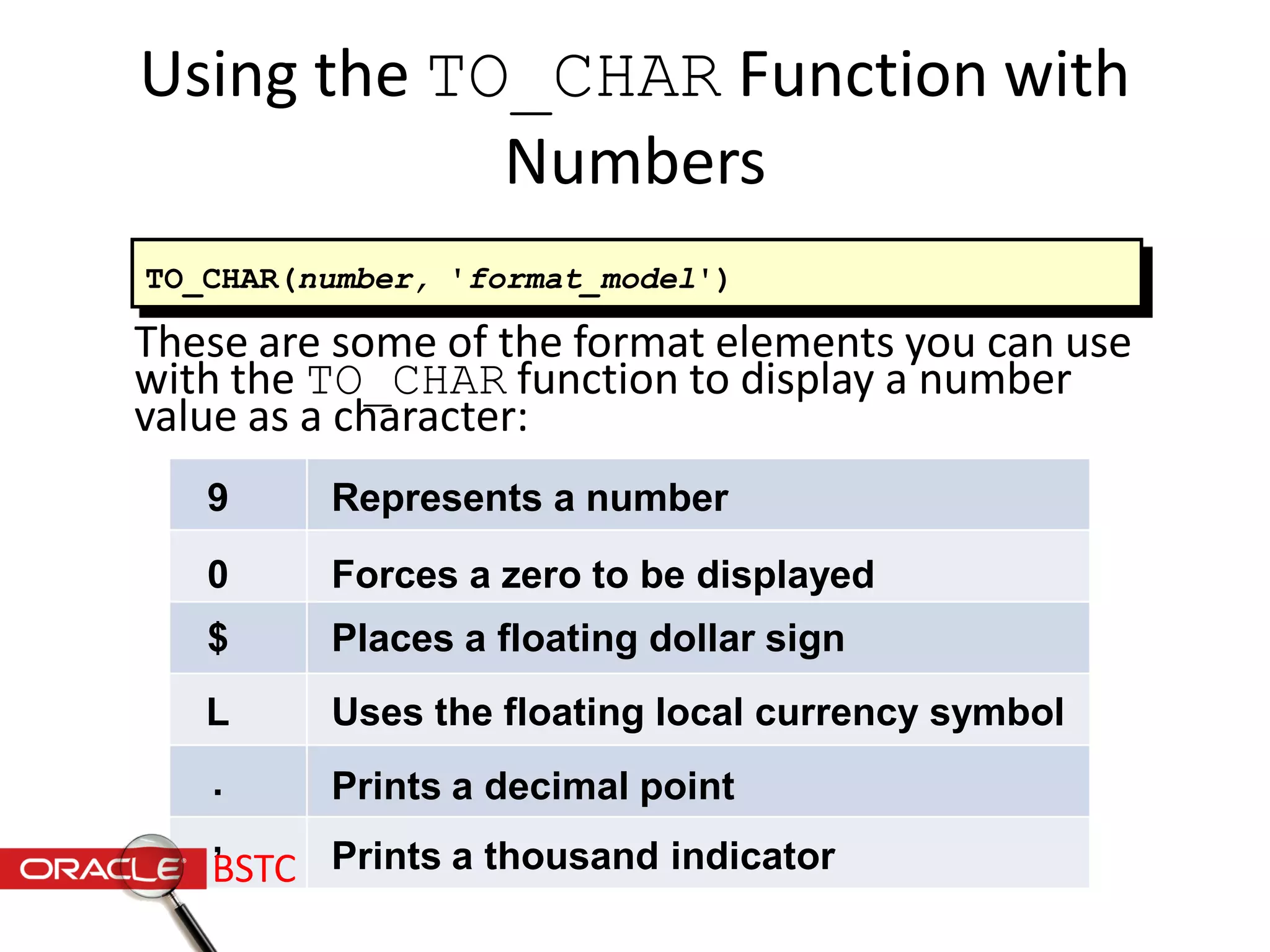
Using the TO_CHAR Function with
Numbers
These are some of the format elements you can use
with the TO_CHAR function to display a number
value as a character:
TO_CHAR(number, 'format_model')
9
0
$
L
.
,
Represents a number
Forces a zero to be displayed
Places a floating dollar sign
Uses the floating local currency symbol
Prints a decimal point
Prints a thousand indicatorBSTC
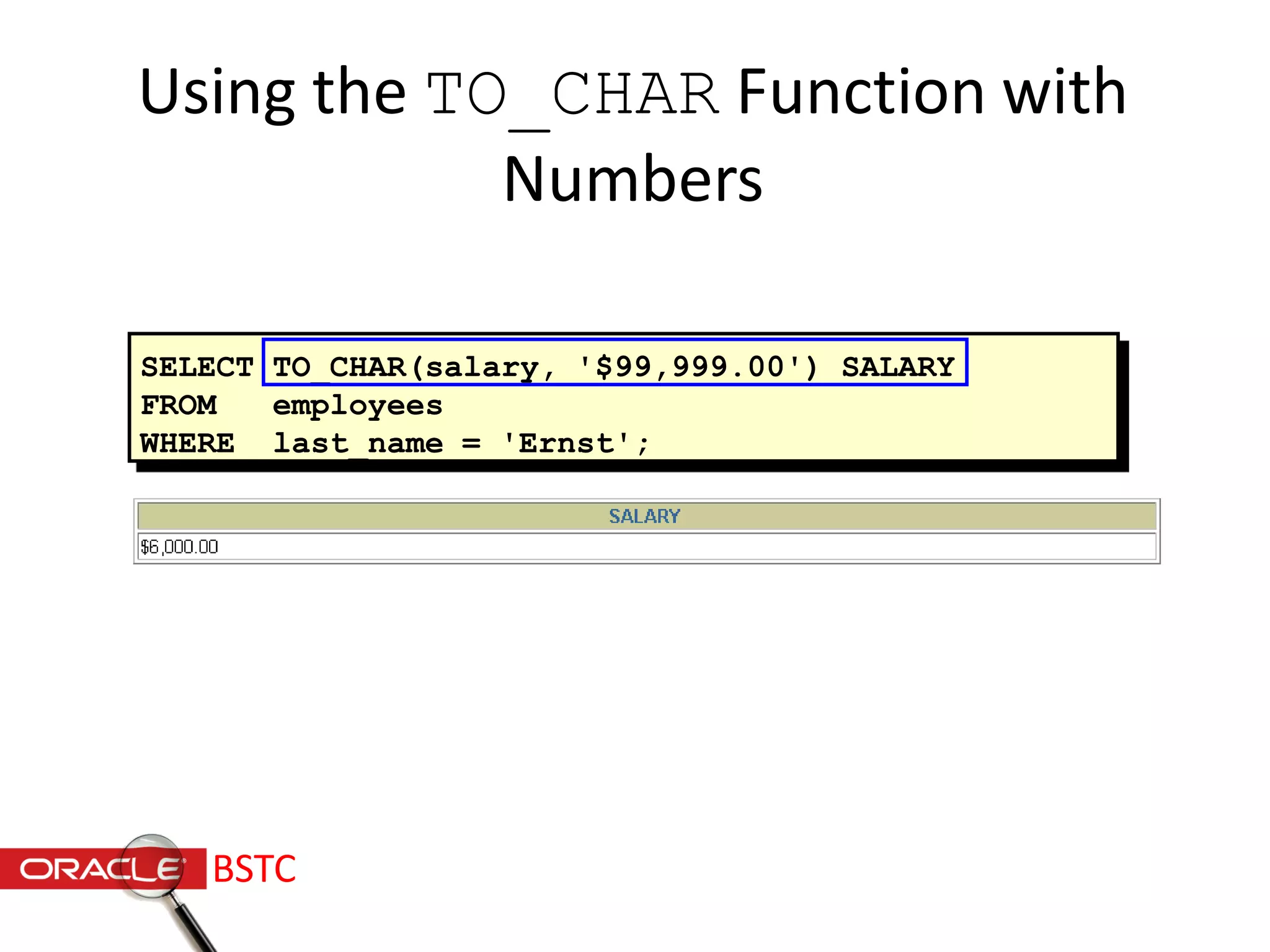
SELECT TO_CHAR(salary, '$99,999.00') SALARY
FROM employees
WHERE last_name = 'Ernst';
Using the TO_CHAR Function with
Numbers
BSTC
Nesting Functions
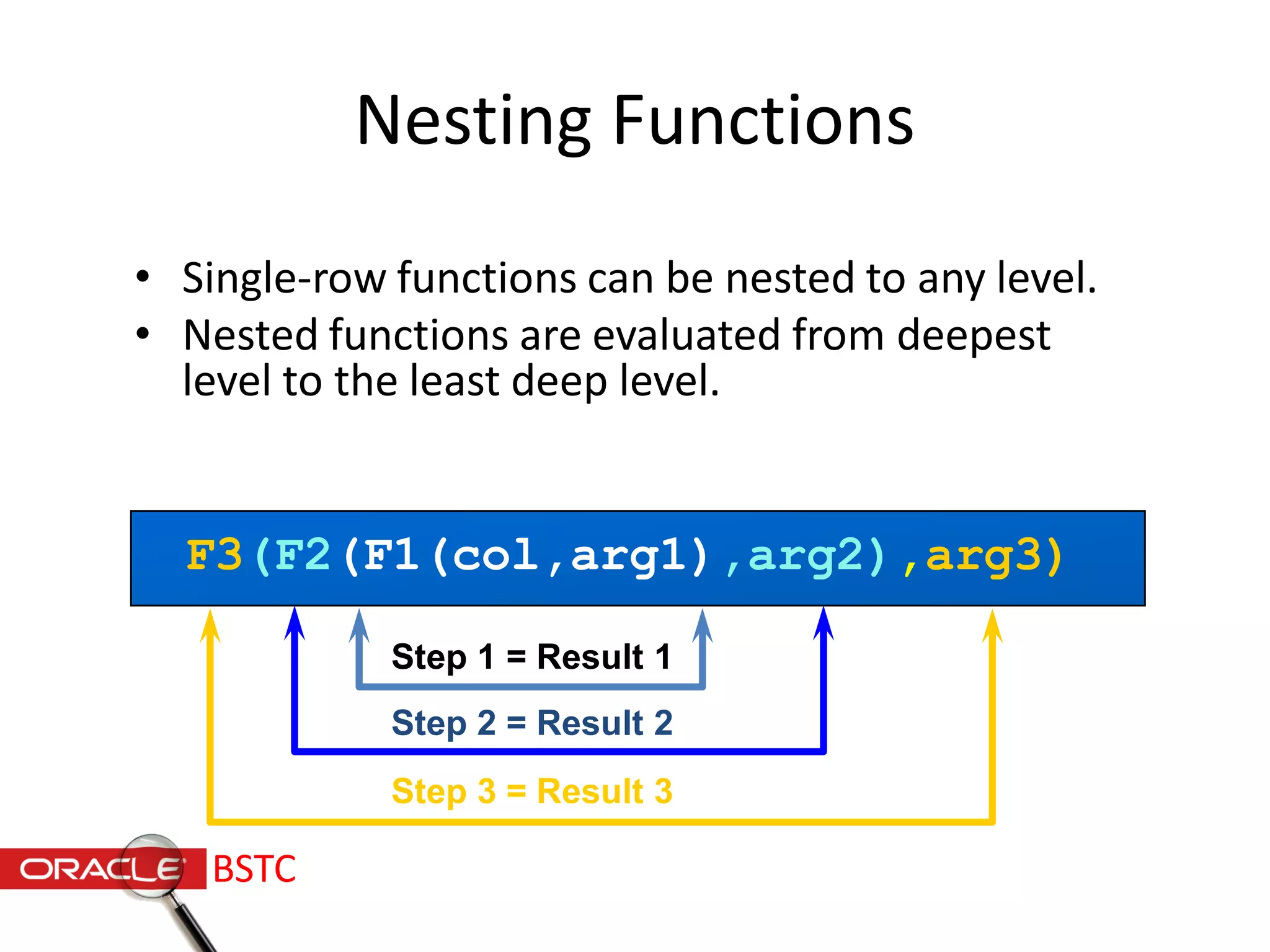
• Single-row functions can be nested to any level.
• Nested functions are evaluated from deepest
level to the least deep level.
F3(F2(F1(col,arg1),arg2),arg3)
Step 1 = Result 1
Step 2 = Result 2
Step 3 = Result 3
BSTC
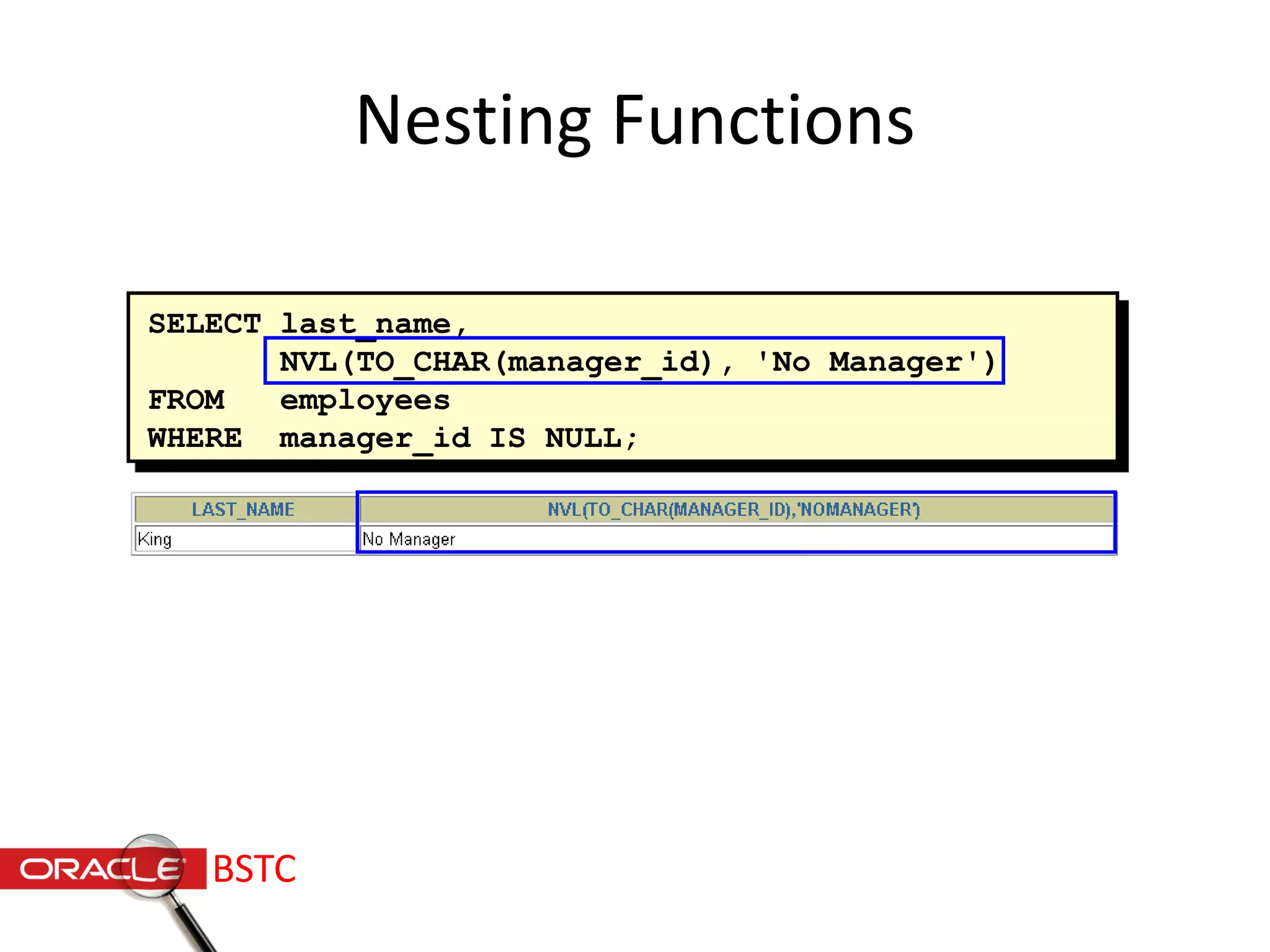
SELECT last_name,
NVL(TO_CHAR(manager_id), 'No Manager')
FROM employees
WHERE manager_id IS NULL;
Nesting Functions
BSTC
General Functions
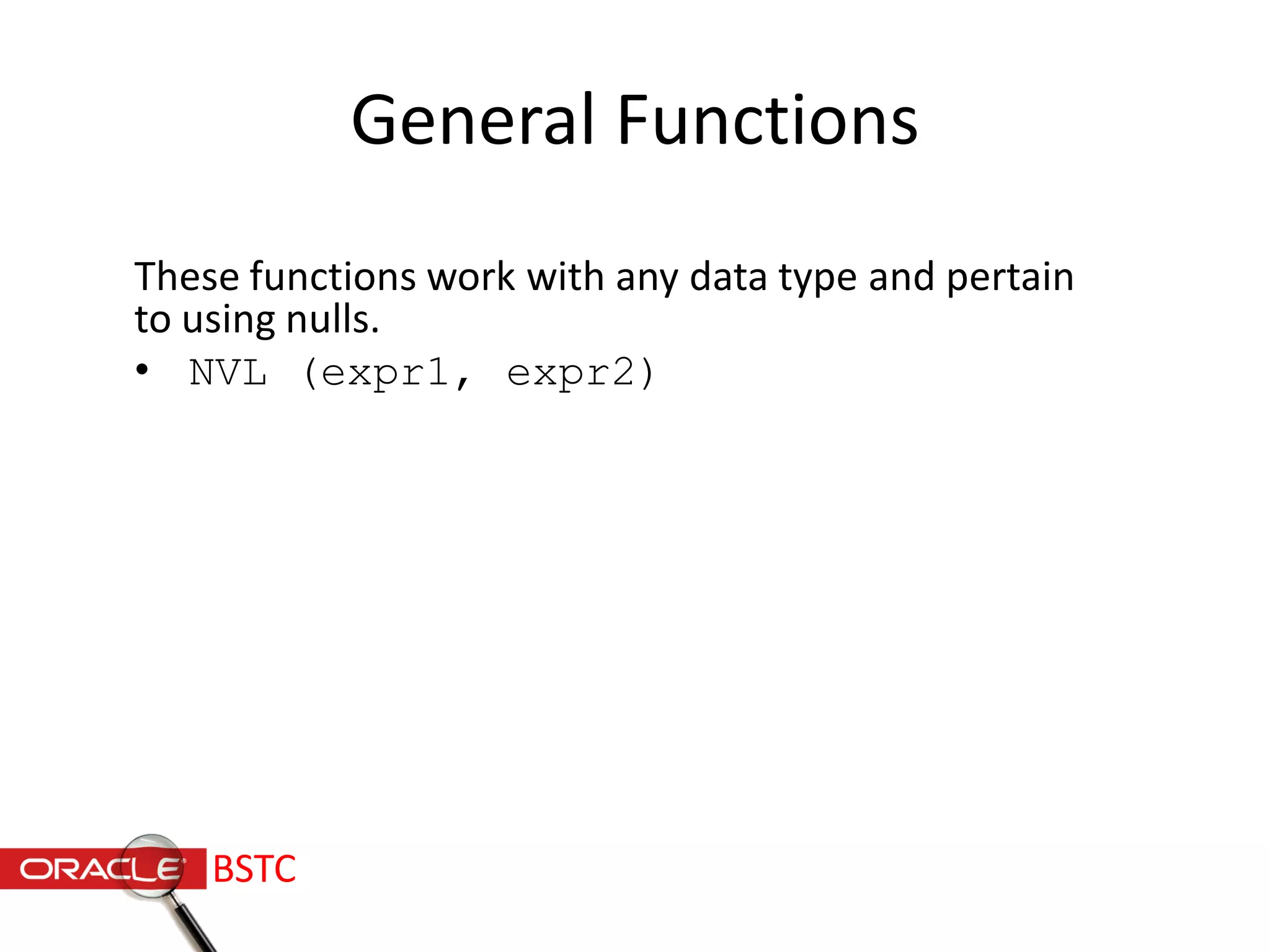
These functions work with any data type and pertain
to using nulls.
• NVL (expr1, expr2)
BSTC
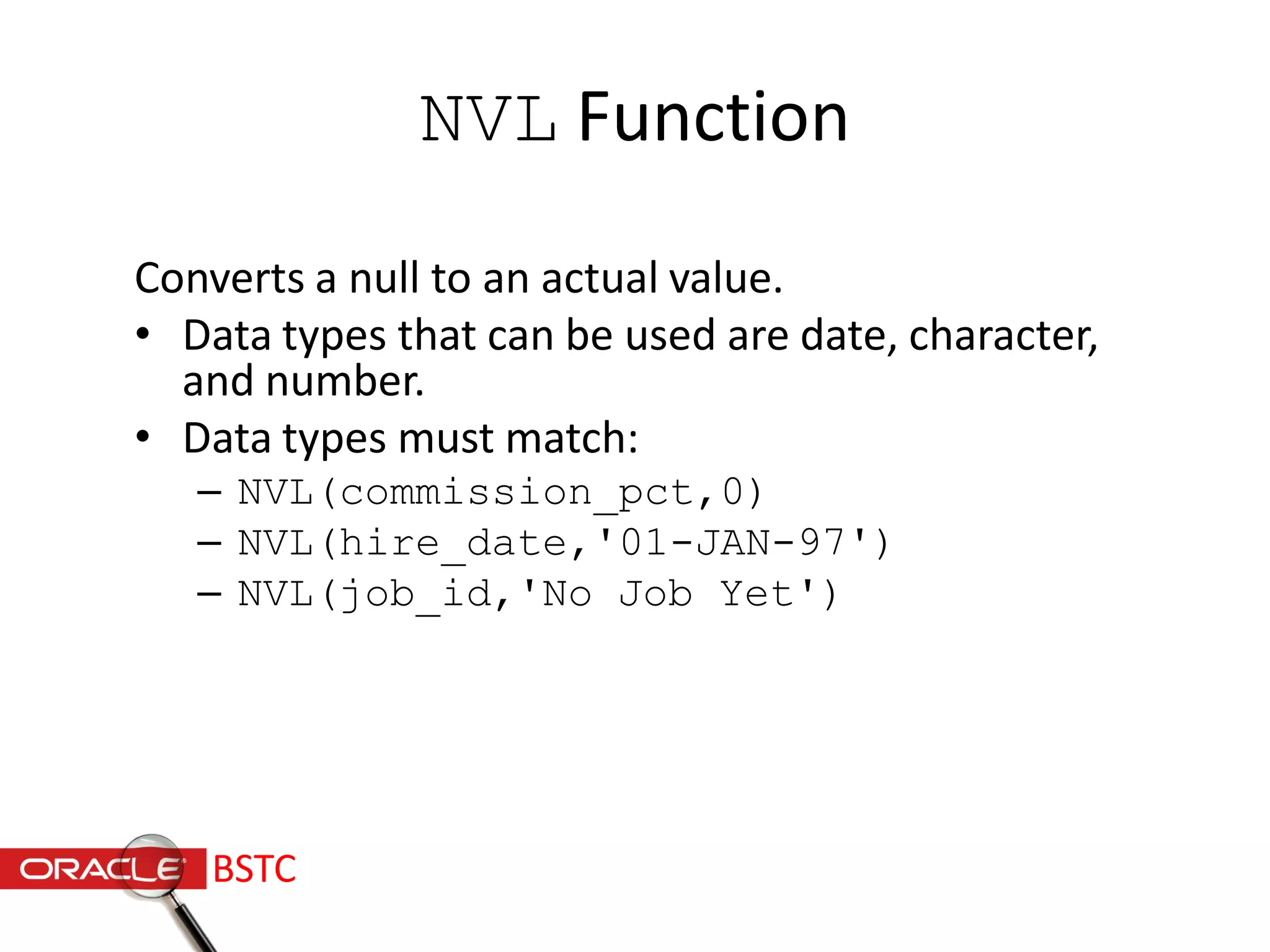
NVL Function
Converts a null to an actual value.
• Data types that can be used are date, character,
and number.
• Data types must match:
– NVL(commission_pct,0)
– NVL(hire_date,'01-JAN-97')
– NVL(job_id,'No Job Yet')
BSTC
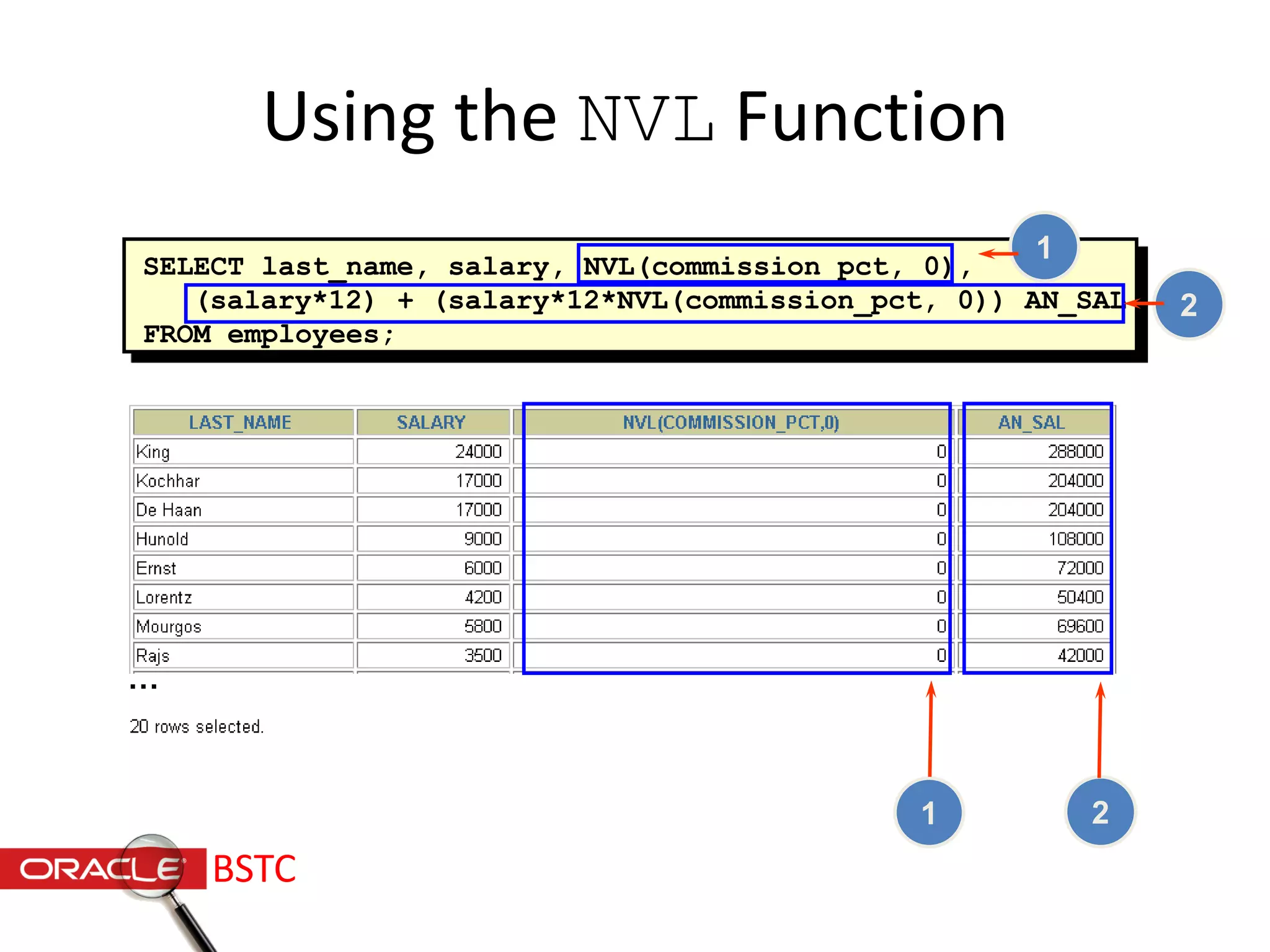
SELECT last_name, salary, NVL(commission_pct, 0),
(salary*12) + (salary*12*NVL(commission_pct, 0)) AN_SAL
FROM employees;
Using the NVL Function
…
1 2
1
2
BSTC
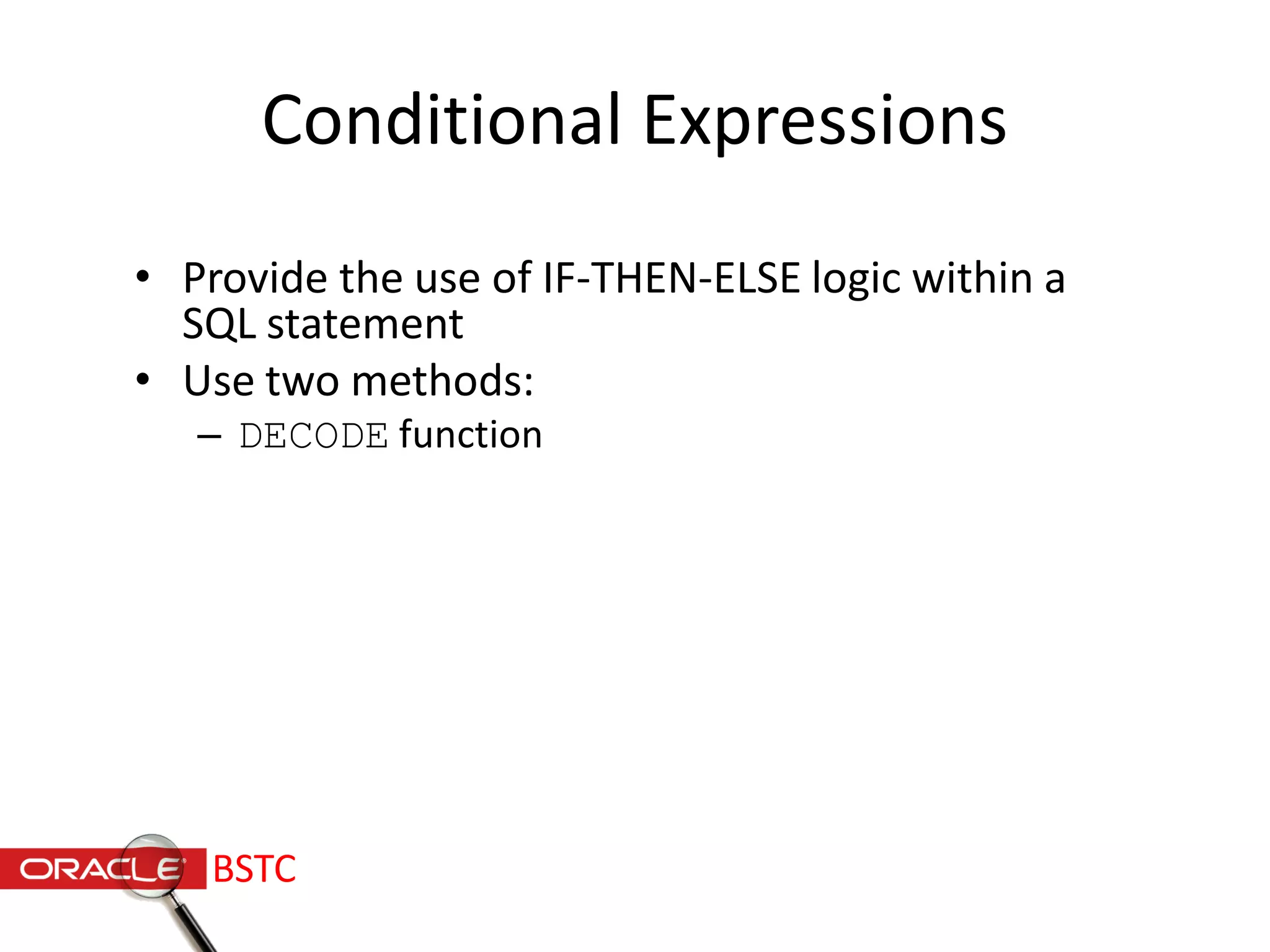
Conditional Expressions
• Provide the use of IF-THEN-ELSE logic within a
SQL statement
• Use two methods:
– DECODE function
BSTC
The DECODE Function
Facilitates conditional inquiries by doing the work of an
IF-THEN-ELSE statement:
DECODE(col|expression, search1, result1
[, search2, result2,...,]
[, default])
BSTC
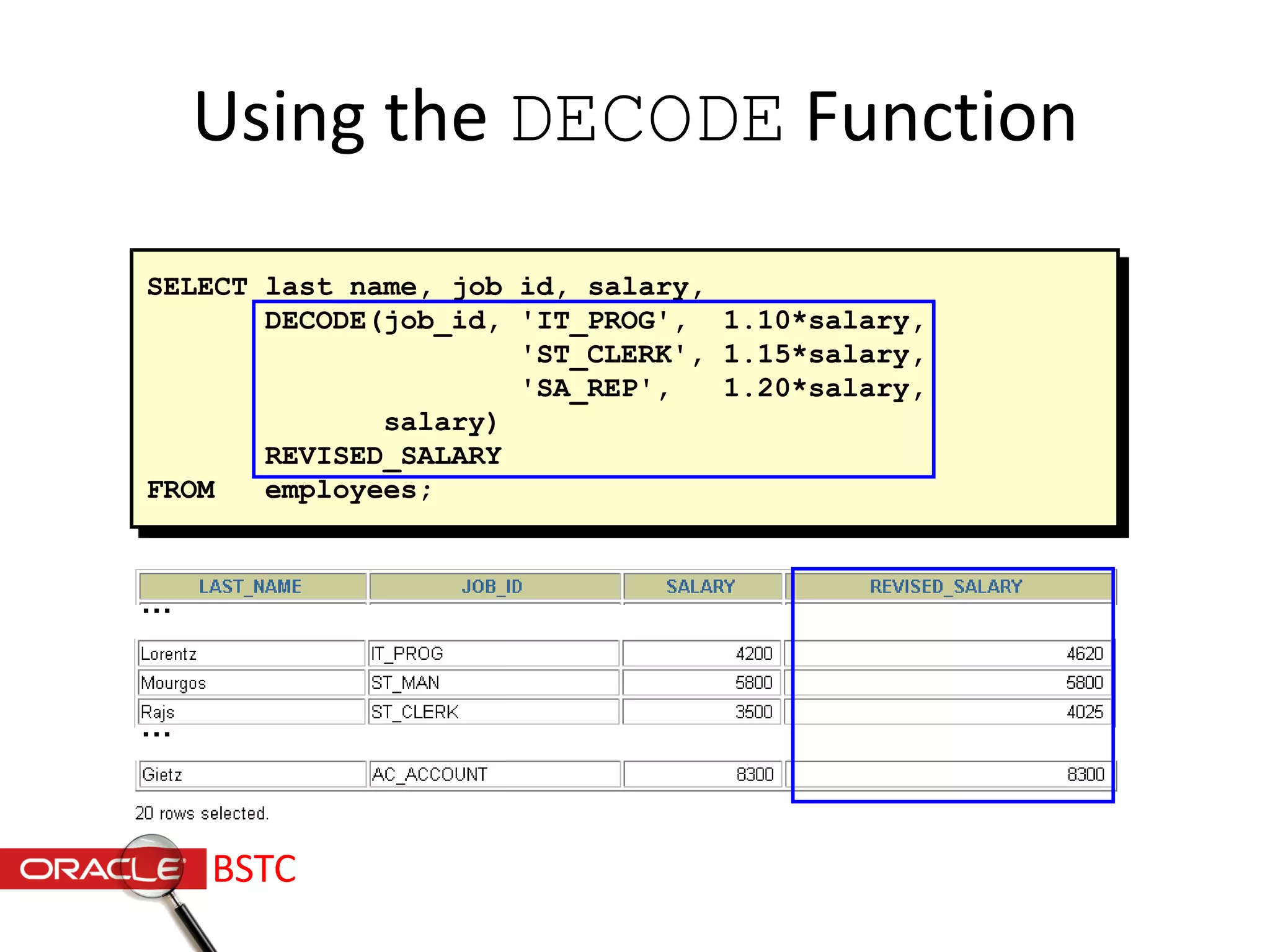
Using the DECODE Function
SELECT last_name, job_id, salary,
DECODE(job_id, 'IT_PROG', 1.10*salary,
'ST_CLERK', 1.15*salary,
'SA_REP', 1.20*salary,
salary)
REVISED_SALARY
FROM employees;
…
…
BSTC
Thank U
/alqaddal
/alqaddal
BSTC
Ahmed Alqaddal
Hamid Fadl
Baraah Alsayed

Introduction To Oracle Sql

  • 1.
  • 2.
  • 3.
    Introduction : • StructuredQuery Language (SQL) is the standard language used to communicate with database software. • SQL is a complex and powerful language that can be used to deal with databases. • the ANSI standard requires the keywords to all be similar (Select, Delete, Insert, and etc.). This makes SQL universally understandable and useable by all users. BSTC
  • 4.
    Slides contents Writing BasicSql statement Restricting & Sorting Data Single Row Function BSTC
  • 5.
  • 6.
    Writing basic Sqlstatement : BSTC
  • 7.
    Basic Select statement: • SELECT distinct{‘ column alias’} FROM table_name; BSTC
  • 8.
  • 9.
    Using where clause SELECTemployee_id, last_name, department_id FROM employees WHERE department_id = 90; BSTC
  • 10.
    Comparison conditions < less-thanSELECT * FROM employees WHERE salary < 2500; >= Greater- than-or- equal-to SELECT * FROM employees WHERE salary >= 2500; <= Less-than- or-equal-to SELECT * FROM employees WHERE salary <= 2500; BSTC
  • 11.
    Comparison conditions (cont.) =Equality SELECT * FROM employees WHERE salary = 2500; <> Inequality SELECT * FROM employees WHERE salary != 2500; > Greater- than SELECT * FROM employees WHERE salary > 2500; BSTC
  • 12.
    Comparison conditions (cont.) BETWEEN…. AND SELECTfirst_name, last_name, salary FROM employee WHERE salary BETWEEN 1000 AND 1500; LIKE SELECT first_name, last_name FROM Employees WHERE first_name LIKE 'S%'; BSTC
  • 13.
    Comparison conditions (cont.) INSELECT first_name, last_name, job_id FROM employees WHERE job_id IN(‘IT_PROG', ‘CLERK'); IS NULL SELECT * FROM employees WHERE commission_pct is NULL BSTC
  • 14.
    Logical conditions : LogicalConditions Example OR SELECT last_name,job_id,salary FROM employees WHERE salary = 1400 OR job_id = ‘CLERK‘; AND SELECT first_name,salary FROM employees WHERE salary >= 1000 AND salary <= 1500; NOT SELECT first_name,job_id FROM employees WHERE NOT job_id = ‘IT_PROG‘; BSTC
  • 15.
    Order By Clause: • Sort rows with the order by clause • -ASC: ascending order ,default • -DESC : descending order • It’s comes last in the select statement • SELECT expressions FROM tables WHERE conditions ORDER BY expression [ ASC | DESC ]; BSTC
  • 16.
    Example : Select last_name,job_id department_id,hire_date From employees Order by hire_date DESC; BSTC
  • 17.
  • 18.
    Function Input arg 1 arg 2 argn Function performs action Output Result value Sql functions : BSTC
  • 19.
  • 20.
    Single row functions: Single row functions: • Manipulate data items • Accept arguments and return one value • Act on each row returned • Return one result per row • May modify the data type • Can be nested • Accept arguments which can be a column or an expression function_name [(arg1, arg2,...)] BSTC
  • 21.
    NumberGeneralDateCharacter Four Single rowfunctions : Single-row functions conversion BSTC
  • 22.
  • 23.
    Case manipulating functions: These functions convert case for character strings. Function Result LOWER('SQL Course') sql course UPPER('SQL Course') SQL COURSE INITCAP('SQL Course') Sql Course BSTC
  • 24.
    SELECT employee_id, last_name, department_id FROMemployees WHERE LOWER(last_name) = 'higgins'; Using Case Manipulation Functions Display the employee number, name, and department number for employee Higgins: SELECT employee_id, last_name, department_id FROM employees WHERE last_name = 'higgins'; BSTC
  • 25.
    Character-Manipulation Functions These functionsmanipulate character strings: Function result CONCAT('Hello', 'World') SUBSTR('HelloWorld',1, 5) LENGTH('HelloWorld') INSTR('HelloWorld', 'W')LPAD(salary,10,'*' ) RPAD(salary, 10, '*') TRIM('H' FROM 'HelloWorld') HelloWorld Hello 10 6 *****24000 24000***** elloWorld BSTC
  • 26.
    SELECT employee_id, CONCAT(first_name,last_name) NAME, job_id, LENGTH (last_name), INSTR(last_name, 'a') "Contains 'a'?" FROM employees WHERE SUBSTR(job_id, 4) = 'REP'; Using the Character-Manipulation Functions BSTC
  • 27.
    Number Functions • ROUND:Rounds value to specified decimal ROUND(45.926, 2) 45.93 • TRUNC: Truncates value to specified decimal TRUNC(45.926, 2) 45.92 • MOD: Returns remainder of division MOD(1600, 300) 100 BSTC
  • 28.
    SELECT ROUND(45.923,2), ROUND(45.923,0), ROUND(45.923,-1) FROMDUAL; Using the ROUND Function DUAL is a dummy table you can use to view results from functions and calculations. 1 2 3 31 2 BSTC
  • 29.
    SELECT TRUNC(45.923,2), TRUNC(45.923), TRUNC(45.923,-2) FROMDUAL; Using the TRUNC Function 31 2 1 2 3 BSTC
  • 30.
    SELECT last_name, salary,MOD(salary, 5000) FROM employees WHERE job_id = 'SA_REP'; Using the MOD Function Calculate the remainder of a salary after it is divided by 5000 for all employees whose job title is sales representative. BSTC
  • 31.
    Working with Dates •Oracle database stores dates in an internal numeric format: century, year, month, day, hours, minutes, seconds. • The default date display format is DD-MON-YY. SELECT last_name, hire_date FROM employees WHERE last_name like 'G%'; BSTC
  • 32.
    Working with Dates SYSDATEis a function that returns: • Date / Time BSTC
  • 33.
    Arithmetic with Dates •Add or subtract a number to or from a date for a resultant date value. • Subtract two dates to find the number of days between those dates. BSTC
  • 34.
    Using Arithmetic Operators withDates SELECT last_name, (SYSDATE-hire_date)/7 AS WEEKS FROM employees WHERE department_id = 90; BSTC
  • 35.
    Date Functions Number ofmonths between two dates MONTHS_BETWEEN ADD_MONTHS NEXT_DAY LAST_DAY ROUND TRUNC Add calendar months to date Next day of the date specified Last day of the month Round date Truncate date Function Description BSTC
  • 36.
    • MONTHS_BETWEEN ('01-SEP-95','11-JAN-94') UsingDate Functions • ADD_MONTHS ('11-JAN-94',6) • NEXT_DAY ('01-SEP-95','FRIDAY') • LAST_DAY('01-FEB-95') 19.6774194 '11-JUL-94' '08-SEP-95' '28-FEB-95' BSTC
  • 37.
    • ROUND(SYSDATE,'MONTH') 01-AUG-95 •ROUND(SYSDATE ,'YEAR') 01-JAN-96 • TRUNC(SYSDATE ,'MONTH') 01-JUL-95 • TRUNC(SYSDATE ,'YEAR') 01-JAN-95 Using Date Functions Assume SYSDATE = '25-JUL-95': BSTC
  • 38.
    Conversion Functions Implicit datatype conversion Explicit data type conversion Data type conversion BSTC
  • 39.
    Explicit Data TypeConversion NUMBER CHARACTER TO_CHAR TO_NUMBER DATE TO_CHAR TO_DATE BSTC
  • 40.
    Using the TO_CHARFunction with Dates The format model: • Must be enclosed in single quotation marks and is case sensitive • Can include any valid date format element • Has an fm element to remove padded blanks or suppress leading zeros • Is separated from the date value by a comma TO_CHAR(date, 'format_model') BSTC
  • 41.
    YYYY YEAR MM MONTH DY DAY Full year innumbers Year spelled out Two-digit value for month Three-letter abbreviation of the day of the week Full name of the day of the week Full name of the month MON Three-letter abbreviation of the month DD Numeric day of the month Date formats : BSTC
  • 42.
    Using the TO_CHARFunction with Dates SELECT last_name, TO_CHAR(hire_date, 'fmDD Month YYYY') AS HIREDATE FROM employees; … BSTC
  • 43.
    Using the TO_CHARFunction with Numbers These are some of the format elements you can use with the TO_CHAR function to display a number value as a character: TO_CHAR(number, 'format_model') 9 0 $ L . , Represents a number Forces a zero to be displayed Places a floating dollar sign Uses the floating local currency symbol Prints a decimal point Prints a thousand indicatorBSTC
  • 44.
    SELECT TO_CHAR(salary, '$99,999.00')SALARY FROM employees WHERE last_name = 'Ernst'; Using the TO_CHAR Function with Numbers BSTC
  • 45.
    Nesting Functions • Single-rowfunctions can be nested to any level. • Nested functions are evaluated from deepest level to the least deep level. F3(F2(F1(col,arg1),arg2),arg3) Step 1 = Result 1 Step 2 = Result 2 Step 3 = Result 3 BSTC
  • 46.
    SELECT last_name, NVL(TO_CHAR(manager_id), 'NoManager') FROM employees WHERE manager_id IS NULL; Nesting Functions BSTC
  • 47.
    General Functions These functionswork with any data type and pertain to using nulls. • NVL (expr1, expr2) BSTC
  • 48.
    NVL Function Converts anull to an actual value. • Data types that can be used are date, character, and number. • Data types must match: – NVL(commission_pct,0) – NVL(hire_date,'01-JAN-97') – NVL(job_id,'No Job Yet') BSTC
  • 49.
    SELECT last_name, salary,NVL(commission_pct, 0), (salary*12) + (salary*12*NVL(commission_pct, 0)) AN_SAL FROM employees; Using the NVL Function … 1 2 1 2 BSTC
  • 50.
    Conditional Expressions • Providethe use of IF-THEN-ELSE logic within a SQL statement • Use two methods: – DECODE function BSTC
  • 51.
    The DECODE Function Facilitatesconditional inquiries by doing the work of an IF-THEN-ELSE statement: DECODE(col|expression, search1, result1 [, search2, result2,...,] [, default]) BSTC
  • 52.
    Using the DECODEFunction SELECT last_name, job_id, salary, DECODE(job_id, 'IT_PROG', 1.10*salary, 'ST_CLERK', 1.15*salary, 'SA_REP', 1.20*salary, salary) REVISED_SALARY FROM employees; … … BSTC
  • 53.