SQL Fundamentals
Part - 1
Topics
1. Understanding Big Picture
2. Retrieving the data
a. Select
b. Distinct
c. Count
d. Where
e. Order By
f. Limit
g. Between
h. In
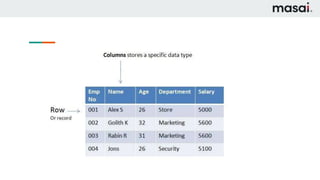
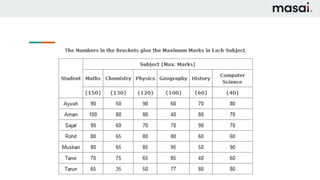
Which data exactly I am talking about ?
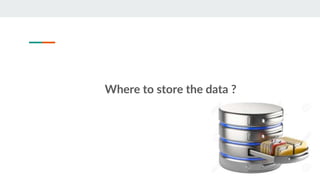
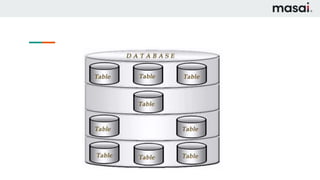
Where to store the data ?
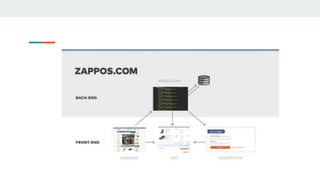
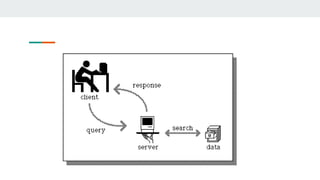
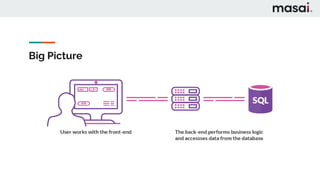
Big Picture
Why we need SQL ?
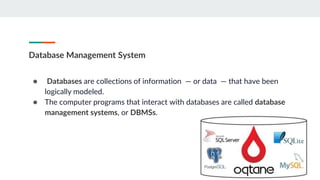
Database Management System
● Databases are collections of information — or data — that have been
logically modeled.
● The computer programs that interact with databases are called database
management systems, or DBMSs.
SQL Standards
● IEC — The International Electrotechnical Commission;
● ISO — The International Organization for Standardization;
● ANSI —The American National Standards Institute.
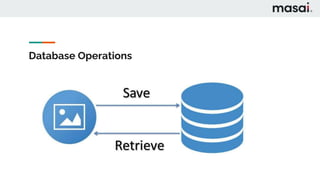
Database Operations
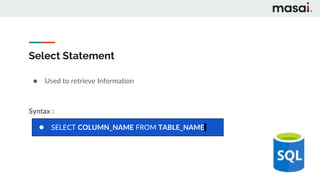
Select Statement
● Used to retrieve Information
Syntax :
● SELECT COLUMN_NAME FROM TABLE_NAME
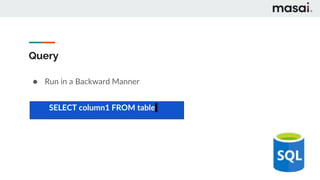
Query
● Run in a Backward Manner
SELECT column1 FROM table
Select Statement
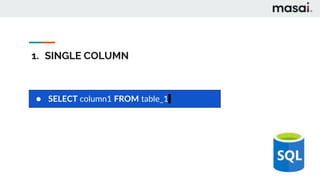
1. SINGLE COLUMN
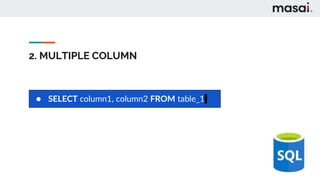
2. MULTIPLE COLUMN
1. SINGLE COLUMN
● SELECT column1 FROM table_1
2. MULTIPLE COLUMN
● SELECT column1, column2 FROM table_1
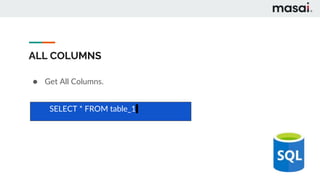
ALL COLUMNS
● Get All Columns.
SELECT * FROM table_1
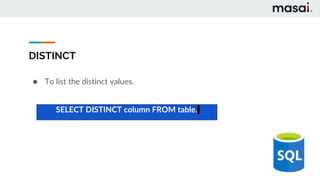
DISTINCT
● To list the distinct values.
SELECT DISTINCT column FROM table.
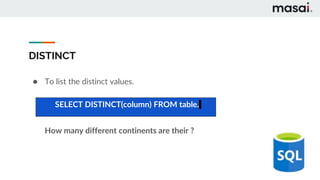
DISTINCT
● To list the distinct values.
How many different continents are their ?
SELECT DISTINCT(column) FROM table.
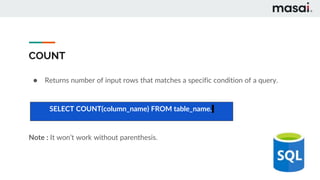
COUNT
● Returns number of input rows that matches a specific condition of a query.
Note : It won’t work without parenthesis.
SELECT COUNT(column_name) FROM table_name.
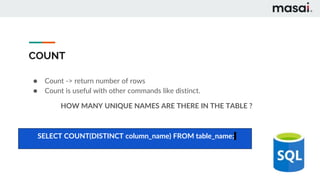
COUNT
● Count -> return number of rows
● Count is useful with other commands like distinct.
HOW MANY UNIQUE NAMES ARE THERE IN THE TABLE ?
SELECT COUNT(DISTINCT column_name) FROM table_name;
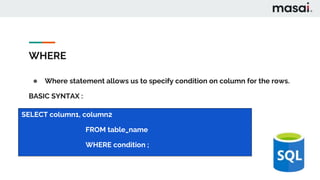
WHERE
● Where statement allows us to specify condition on column for the rows.
BASIC SYNTAX :
SELECT column1, column2
FROM table_name
WHERE condition ;
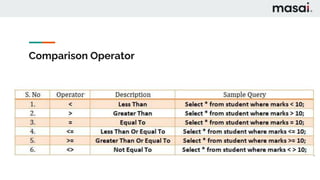
Comparison Operator
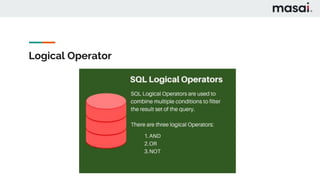
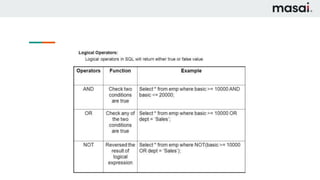
Logical Operator
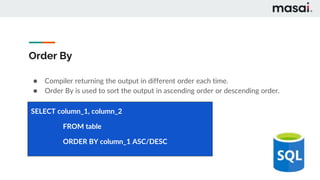
Order By
● Compiler returning the output in different order each time.
● Order By is used to sort the output in ascending order or descending order.
SELECT column_1, column_2
FROM table
ORDER BY column_1 ASC/DESC
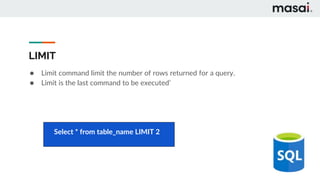
LIMIT
● Limit command limit the number of rows returned for a query.
● Limit is the last command to be executed’
Select * from table_name LIMIT 2
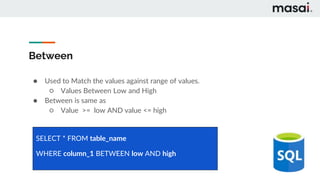
Between
● Used to Match the values against range of values.
○ Values Between Low and High
● Between is same as
○ Value >= low AND value <= high
SELECT * FROM table_name
WHERE column_1 BETWEEN low AND high
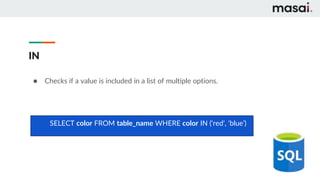
IN
● Checks if a value is included in a list of multiple options.
SELECT color FROM table_name WHERE color IN (‘red’, ‘blue’)
Thank You
SQL Fundamentals
Part - 2
Topics
1. Aggregate Functions
2. Group By
3. Having
Aggregate Functions
● Sql provides variety of aggregate functions.
● It returns single output.
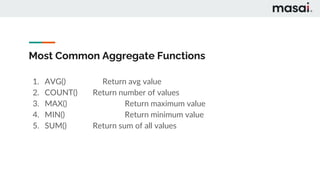
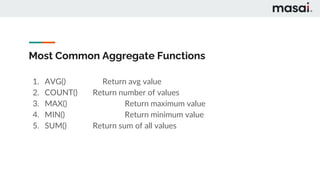
Most Common Aggregate Functions
1. AVG() Return avg value
2. COUNT() Return number of values
3. MAX() Return maximum value
4. MIN() Return minimum value
5. SUM() Return sum of all values
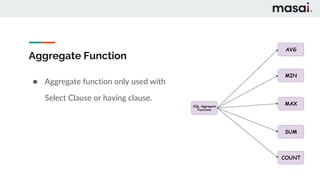
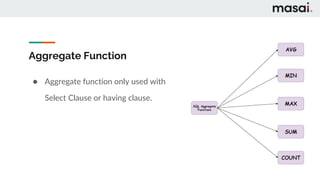
Aggregate Function
● Aggregate function only used with
Select Clause or having clause.
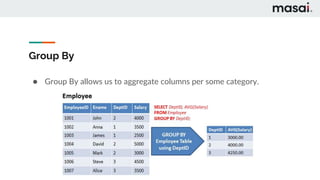
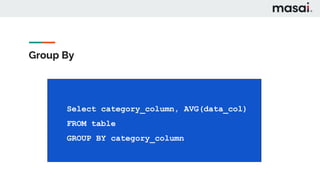
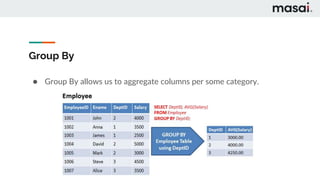
Group By
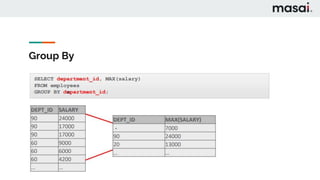
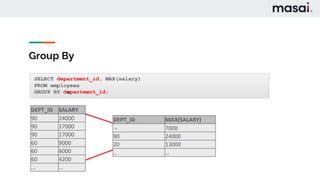
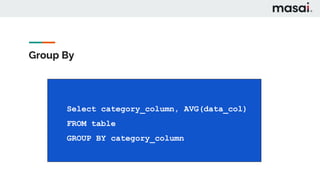
● Group By allows us to aggregate columns per some category.
Group By
Group By
CREATE TABLE food (
food_id SERIAL PRIMARY KEY,
name VARCHAR(50) NOT NULL,
type VARCHAR NOT NULL,
created_on TIMESTAMP NOT NULL
);
CREATE TABLE food (
food_id SERIAL PRIMARY KEY,
name VARCHAR(50) NOT NULL,
type VARCHAR NOT NULL,
created_on TIMESTAMP NOT NULL
);
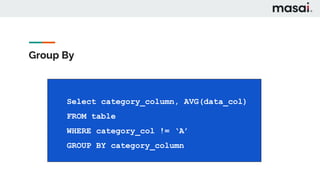
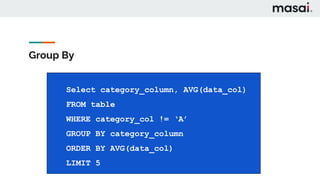
Select category_column, AVG(data_col)
FROM table
GROUP BY category_column
Group By
CREATE TABLE food (
food_id SERIAL PRIMARY KEY,
name VARCHAR(50) NOT NULL,
type VARCHAR NOT NULL,
created_on TIMESTAMP NOT NULL
);
CREATE TABLE food (
food_id SERIAL PRIMARY KEY,
name VARCHAR(50) NOT NULL,
type VARCHAR NOT NULL,
created_on TIMESTAMP NOT NULL
);
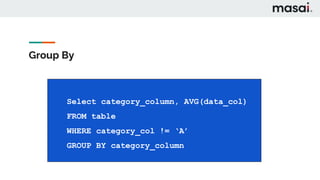
Select category_column, AVG(data_col)
FROM table
WHERE category_col != ‘A’
GROUP BY category_column
Group By
CREATE TABLE food (
food_id SERIAL PRIMARY KEY,
name VARCHAR(50) NOT NULL,
type VARCHAR NOT NULL,
created_on TIMESTAMP NOT NULL
);
CREATE TABLE food (
food_id SERIAL PRIMARY KEY,
name VARCHAR(50) NOT NULL,
type VARCHAR NOT NULL,
created_on TIMESTAMP NOT NULL
);
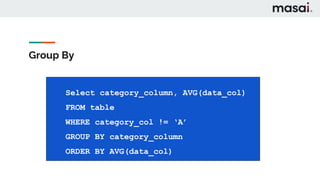
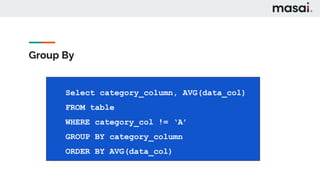
Select category_column, AVG(data_col)
FROM table
WHERE category_col != ‘A’
GROUP BY category_column
ORDER BY AVG(data_col)
Group By
CREATE TABLE food (
food_id SERIAL PRIMARY KEY,
name VARCHAR(50) NOT NULL,
type VARCHAR NOT NULL,
created_on TIMESTAMP NOT NULL
);
CREATE TABLE food (
food_id SERIAL PRIMARY KEY,
name VARCHAR(50) NOT NULL,
type VARCHAR NOT NULL,
created_on TIMESTAMP NOT NULL
);
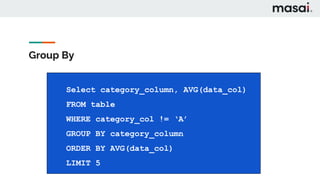
Select category_column, AVG(data_col)
FROM table
WHERE category_col != ‘A’
GROUP BY category_column
ORDER BY AVG(data_col)
LIMIT 5
Having
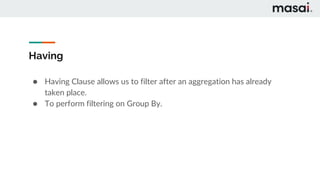
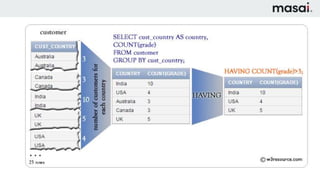
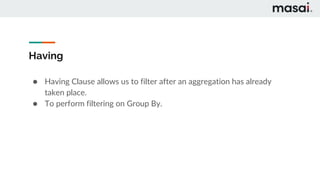
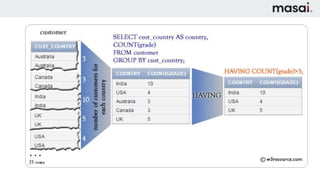
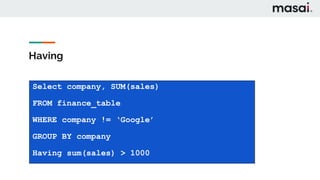
● Having Clause allows us to filter after an aggregation has already
taken place.
● To perform filtering on Group By.
Having
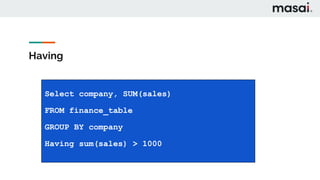
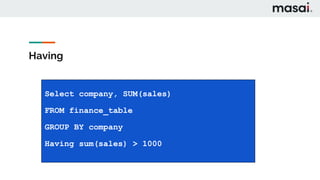
Select company, SUM(sales)
FROM finance_table
GROUP BY company
Having sum(sales) > 1000
Having
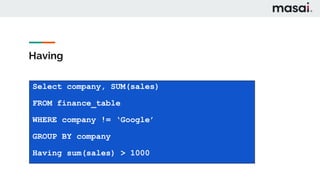
Select company, SUM(sales)
FROM finance_table
WHERE company != ‘Google’
GROUP BY company
Having sum(sales) > 1000
Thank You
SQL Fundamentals
Part - 3
Topics
1. Data Types
2. Primary Keys & Foreign Keys
3. Constraints
4. Insert, Update, Delete
5. Alter Table
6. Drop Table
7. Check Constraint
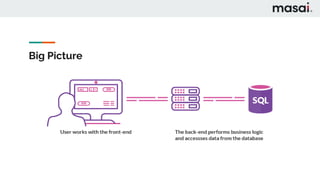
Big Picture
Why we need Data Types ?
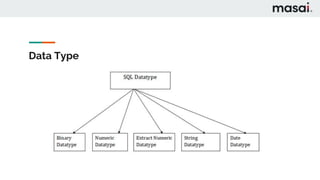
Data Type
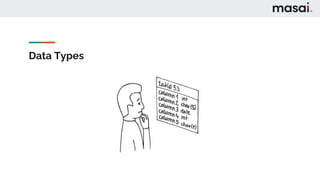
Data Types
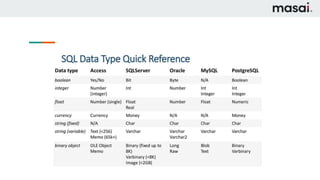
Data Types
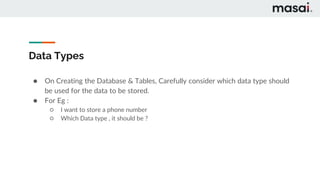
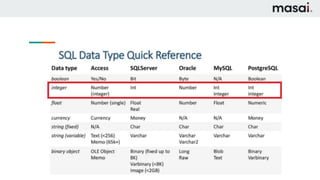
● On Creating the Database & Tables, Carefully consider which data type should
be used for the data to be stored.
● For Eg :
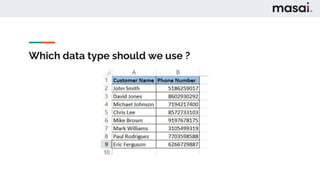
○ I want to store a phone number
○ Which Data type , it should be ?
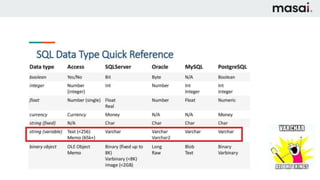
Which data type should we use ?
Why Bother Numerics at all ?
Data Types
● No Arithmetic Operation
Data Types
● Take time to Plan
● Modifying Table Later will be painful
Primary Keys
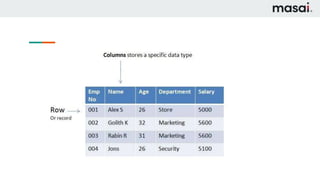
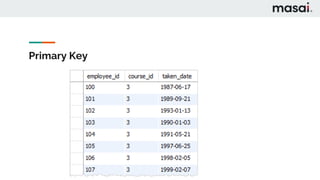
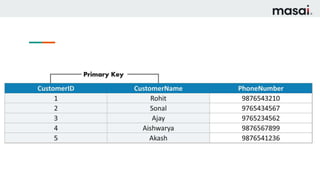
● A primary key is a column or a group of columns used to identify
the row uniquely in a table.
● Primary Keys helps in Joining the table.
Primary Key
Why we need Primary Key ?
Foreign Key
● A foreign key is a field in a table that uniquely identifies a row in another table.
● A foreign key is defined in a table that references to the primary key of the
other table.
Why we need Foreign Key ?
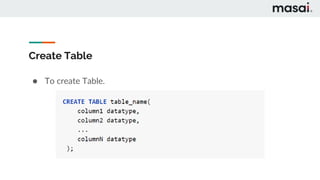
Create Table
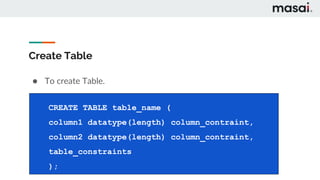
● To create Table.
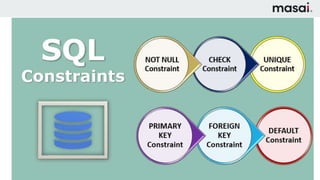
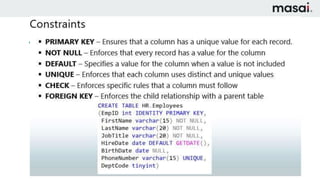
Constraints
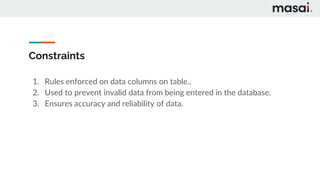
1. Rules enforced on data columns on table..
2. Used to prevent invalid data from being entered in the database.
3. Ensures accuracy and reliability of data.
Create Table
● To create Table.
CREATE TABLE table_name (
column1 datatype(length) column_contraint,
column2 datatype(length) column_contraint,
table_constraints
);
Create Table
CREATE TABLE table_name (
column1 datatype(length) column_contraint,
column2 datatype(length) column_contraint,
table_constraints
);
column1 datatype(length) column_contraint,
column2 datatype(length) column_contraint,
table_constraints
);
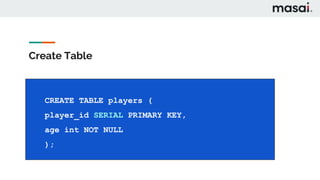
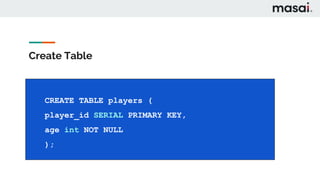
CREATE TABLE players (
player_id SERIAL PRIMARY KEY,
age int NOT NULL
);
Serial
● It will create a sequence of the number in the increasing order.
● Used as a primary key.
Create Table
CREATE TABLE table_name (
column1 datatype(length) column_contraint,
column2 datatype(length) column_contraint,
table_constraints
);
column1 datatype(length) column_contraint,
column2 datatype(length) column_contraint,
table_constraints
);
CREATE TABLE players (
player_id SERIAL PRIMARY KEY,
age int NOT NULL
);
Restaurant Database
1. Customer Table
2. Food Table
3. Order Table
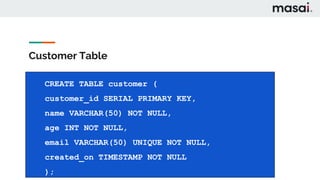
Customer Table
CREATE TABLE customer (
customer_id SERIAL PRIMARY KEY,
name VARCHAR(50) NOT NULL,
age INT NOT NULL,
email VARCHAR(50) UNIQUE NOT NULL,
created_on TIMESTAMP NOT NULL
);
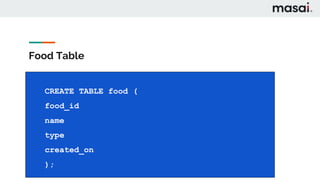
Food Table
CREATE TABLE food (
food_id
name
type
created_on
);
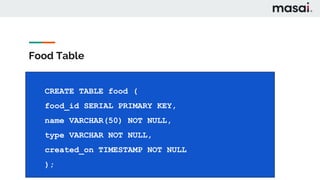
Food Table
CREATE TABLE food (
food_id SERIAL PRIMARY KEY,
name VARCHAR(50) NOT NULL,
type VARCHAR NOT NULL,
created_on TIMESTAMP NOT NULL
);
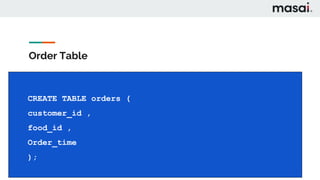
Order Table
CREATE TABLE orders (
customer_id ,
food_id ,
Order_time
);
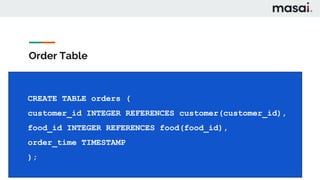
Order Table
CREATE TABLE orders (
customer_id INTEGER REFERENCES customer(customer_id),
food_id INTEGER REFERENCES food(food_id),
order_time TIMESTAMP
);
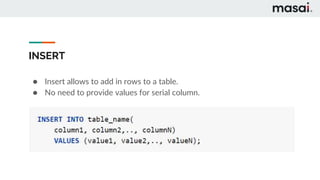
INSERT
● Insert allows to add in rows to a table.
● No need to provide values for serial column.
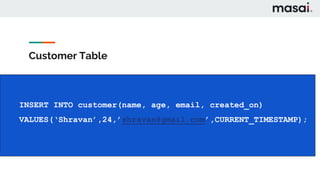
Customer Table
INSERT INTO customer(name, age, email, created_on)
VALUES(‘Shravan’,24,’shravan@gmail.com’,CURRENT_TIMESTAMP);
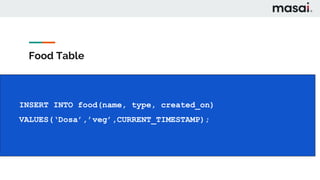
Food Table
INSERT INTO food(name, type, created_on)
VALUES(‘Dosa’,’veg’,CURRENT_TIMESTAMP);
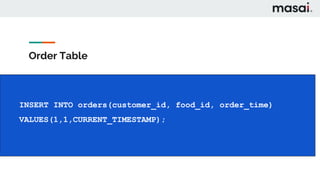
Order Table
INSERT INTO orders(customer_id, food_id, order_time)
VALUES(1,1,CURRENT_TIMESTAMP);
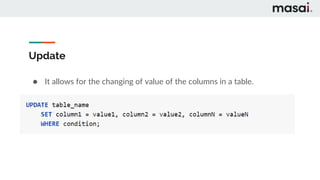
Update
● It allows for the changing of value of the columns in a table.
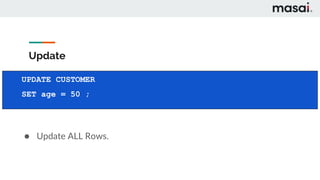
Update
● Update ALL Rows.
UPDATE CUSTOMER
SET age = 50 ;
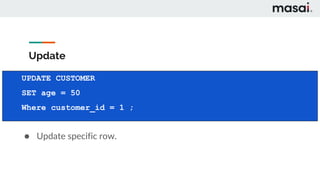
Update
● Update specific row.
UPDATE CUSTOMER
SET age = 50
Where customer_id = 1 ;
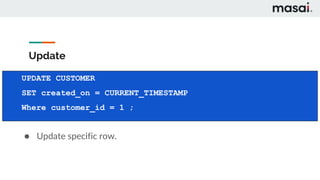
Update
● Update specific row.
UPDATE CUSTOMER
SET created_on = CURRENT_TIMESTAMP
Where customer_id = 1 ;
Returning
UPDATE CUSTOMER
SET age = 50
Where customer_id = 1 ;
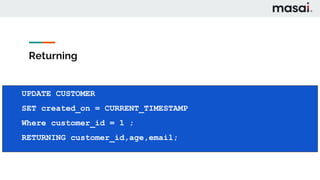
UPDATE CUSTOMER
SET created_on = CURRENT_TIMESTAMP
Where customer_id = 1 ;
RETURNING customer_id,age,email;
Delete
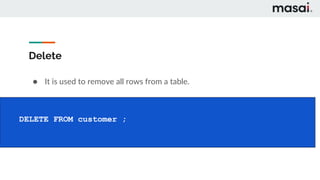
● It is used to remove all rows from a table.
DELETE FROM customer ;
Delete
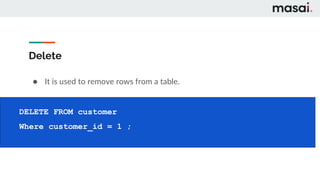
● It is used to remove rows from a table.
DELETE FROM customer
Where customer_id = 1 ;
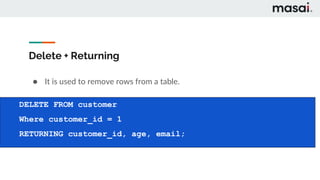
Delete + Returning
● It is used to remove rows from a table.
DELETE FROM customer
Where customer_id = 1
RETURNING customer_id, age, email;
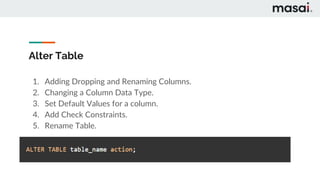
Alter Table
1. Adding Dropping and Renaming Columns.
2. Changing a Column Data Type.
3. Set Default Values for a column.
4. Add Check Constraints.
5. Rename Table.
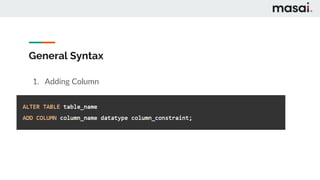
General Syntax
1. Adding Column
General Syntax
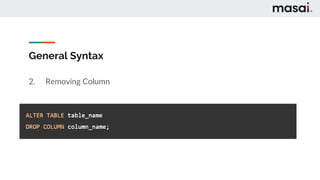
2. Removing Column
General Syntax
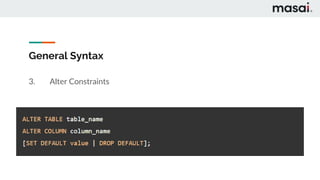
3. Alter Constraints
General Syntax
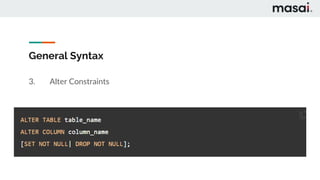
3. Alter Constraints
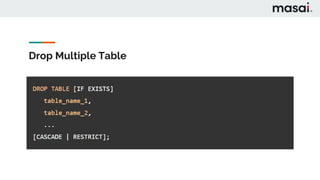
Drop Table
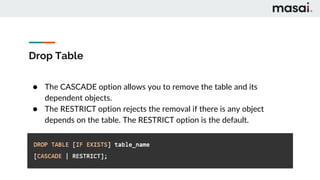
● The CASCADE option allows you to remove the table and its
dependent objects.
● The RESTRICT option rejects the removal if there is any object
depends on the table. The RESTRICT option is the default.
Drop Multiple Table
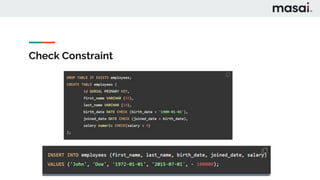
Check Constraint
Thank You
SQL Fundamentals
Part - 4
Topics
1. Aggregate Functions
2. Group By
3. Having
Aggregate Functions
● Sql provides variety of aggregate functions.
● It returns single output.
Most Common Aggregate Functions
1. AVG() Return avg value
2. COUNT() Return number of values
3. MAX() Return maximum value
4. MIN() Return minimum value
5. SUM() Return sum of all values
Aggregate Function
● Aggregate function only used with
Select Clause or having clause.
Group By
● Group By allows us to aggregate columns per some category.
Group By
Group By
CREATE TABLE food (
food_id SERIAL PRIMARY KEY,
name VARCHAR(50) NOT NULL,
type VARCHAR NOT NULL,
created_on TIMESTAMP NOT NULL
);
CREATE TABLE food (
food_id SERIAL PRIMARY KEY,
name VARCHAR(50) NOT NULL,
type VARCHAR NOT NULL,
created_on TIMESTAMP NOT NULL
);
Select category_column, AVG(data_col)
FROM table
GROUP BY category_column
Group By
CREATE TABLE food (
food_id SERIAL PRIMARY KEY,
name VARCHAR(50) NOT NULL,
type VARCHAR NOT NULL,
created_on TIMESTAMP NOT NULL
);
CREATE TABLE food (
food_id SERIAL PRIMARY KEY,
name VARCHAR(50) NOT NULL,
type VARCHAR NOT NULL,
created_on TIMESTAMP NOT NULL
);
Select category_column, AVG(data_col)
FROM table
WHERE category_col != ‘A’
GROUP BY category_column
Group By
CREATE TABLE food (
food_id SERIAL PRIMARY KEY,
name VARCHAR(50) NOT NULL,
type VARCHAR NOT NULL,
created_on TIMESTAMP NOT NULL
);
CREATE TABLE food (
food_id SERIAL PRIMARY KEY,
name VARCHAR(50) NOT NULL,
type VARCHAR NOT NULL,
created_on TIMESTAMP NOT NULL
);
Select category_column, AVG(data_col)
FROM table
WHERE category_col != ‘A’
GROUP BY category_column
ORDER BY AVG(data_col)
Group By
CREATE TABLE food (
food_id SERIAL PRIMARY KEY,
name VARCHAR(50) NOT NULL,
type VARCHAR NOT NULL,
created_on TIMESTAMP NOT NULL
);
CREATE TABLE food (
food_id SERIAL PRIMARY KEY,
name VARCHAR(50) NOT NULL,
type VARCHAR NOT NULL,
created_on TIMESTAMP NOT NULL
);
Select category_column, AVG(data_col)
FROM table
WHERE category_col != ‘A’
GROUP BY category_column
ORDER BY AVG(data_col)
LIMIT 5
Having
● Having Clause allows us to filter after an aggregation has already
taken place.
● To perform filtering on Group By.
Having
Select company, SUM(sales)
FROM finance_table
GROUP BY company
Having sum(sales) > 1000
Having
Select company, SUM(sales)
FROM finance_table
WHERE company != ‘Google’
GROUP BY company
Having sum(sales) > 1000
Thank You

Bootcamp sql fundamental

  • 1.
  • 2.
    Topics 1. Understanding BigPicture 2. Retrieving the data a. Select b. Distinct c. Count d. Where e. Order By f. Limit g. Between h. In
  • 5.
    Which data exactlyI am talking about ?
  • 6.
    Where to storethe data ?
  • 8.
  • 9.
  • 13.
    Database Management System ●Databases are collections of information — or data — that have been logically modeled. ● The computer programs that interact with databases are called database management systems, or DBMSs.
  • 14.
    SQL Standards ● IEC— The International Electrotechnical Commission; ● ISO — The International Organization for Standardization; ● ANSI —The American National Standards Institute.
  • 16.
  • 17.
    Select Statement ● Usedto retrieve Information Syntax : ● SELECT COLUMN_NAME FROM TABLE_NAME
  • 18.
    Query ● Run ina Backward Manner SELECT column1 FROM table
  • 19.
    Select Statement 1. SINGLECOLUMN 2. MULTIPLE COLUMN
  • 20.
    1. SINGLE COLUMN ●SELECT column1 FROM table_1
  • 21.
    2. MULTIPLE COLUMN ●SELECT column1, column2 FROM table_1
  • 22.
    ALL COLUMNS ● GetAll Columns. SELECT * FROM table_1
  • 23.
    DISTINCT ● To listthe distinct values. SELECT DISTINCT column FROM table.
  • 24.
    DISTINCT ● To listthe distinct values. How many different continents are their ? SELECT DISTINCT(column) FROM table.
  • 25.
    COUNT ● Returns numberof input rows that matches a specific condition of a query. Note : It won’t work without parenthesis. SELECT COUNT(column_name) FROM table_name.
  • 26.
    COUNT ● Count ->return number of rows ● Count is useful with other commands like distinct. HOW MANY UNIQUE NAMES ARE THERE IN THE TABLE ? SELECT COUNT(DISTINCT column_name) FROM table_name;
  • 27.
    WHERE ● Where statementallows us to specify condition on column for the rows. BASIC SYNTAX : SELECT column1, column2 FROM table_name WHERE condition ;
  • 28.
  • 29.
  • 31.
    Order By ● Compilerreturning the output in different order each time. ● Order By is used to sort the output in ascending order or descending order. SELECT column_1, column_2 FROM table ORDER BY column_1 ASC/DESC
  • 32.
    LIMIT ● Limit commandlimit the number of rows returned for a query. ● Limit is the last command to be executed’ Select * from table_name LIMIT 2
  • 33.
    Between ● Used toMatch the values against range of values. ○ Values Between Low and High ● Between is same as ○ Value >= low AND value <= high SELECT * FROM table_name WHERE column_1 BETWEEN low AND high
  • 34.
    IN ● Checks ifa value is included in a list of multiple options. SELECT color FROM table_name WHERE color IN (‘red’, ‘blue’)
  • 35.
  • 36.
  • 37.
  • 38.
    Aggregate Functions ● Sqlprovides variety of aggregate functions. ● It returns single output.
  • 39.
    Most Common AggregateFunctions 1. AVG() Return avg value 2. COUNT() Return number of values 3. MAX() Return maximum value 4. MIN() Return minimum value 5. SUM() Return sum of all values
  • 40.
    Aggregate Function ● Aggregatefunction only used with Select Clause or having clause.
  • 41.
    Group By ● GroupBy allows us to aggregate columns per some category.
  • 42.
  • 43.
    Group By CREATE TABLEfood ( food_id SERIAL PRIMARY KEY, name VARCHAR(50) NOT NULL, type VARCHAR NOT NULL, created_on TIMESTAMP NOT NULL ); CREATE TABLE food ( food_id SERIAL PRIMARY KEY, name VARCHAR(50) NOT NULL, type VARCHAR NOT NULL, created_on TIMESTAMP NOT NULL ); Select category_column, AVG(data_col) FROM table GROUP BY category_column
  • 44.
    Group By CREATE TABLEfood ( food_id SERIAL PRIMARY KEY, name VARCHAR(50) NOT NULL, type VARCHAR NOT NULL, created_on TIMESTAMP NOT NULL ); CREATE TABLE food ( food_id SERIAL PRIMARY KEY, name VARCHAR(50) NOT NULL, type VARCHAR NOT NULL, created_on TIMESTAMP NOT NULL ); Select category_column, AVG(data_col) FROM table WHERE category_col != ‘A’ GROUP BY category_column
  • 45.
    Group By CREATE TABLEfood ( food_id SERIAL PRIMARY KEY, name VARCHAR(50) NOT NULL, type VARCHAR NOT NULL, created_on TIMESTAMP NOT NULL ); CREATE TABLE food ( food_id SERIAL PRIMARY KEY, name VARCHAR(50) NOT NULL, type VARCHAR NOT NULL, created_on TIMESTAMP NOT NULL ); Select category_column, AVG(data_col) FROM table WHERE category_col != ‘A’ GROUP BY category_column ORDER BY AVG(data_col)
  • 46.
    Group By CREATE TABLEfood ( food_id SERIAL PRIMARY KEY, name VARCHAR(50) NOT NULL, type VARCHAR NOT NULL, created_on TIMESTAMP NOT NULL ); CREATE TABLE food ( food_id SERIAL PRIMARY KEY, name VARCHAR(50) NOT NULL, type VARCHAR NOT NULL, created_on TIMESTAMP NOT NULL ); Select category_column, AVG(data_col) FROM table WHERE category_col != ‘A’ GROUP BY category_column ORDER BY AVG(data_col) LIMIT 5
  • 47.
    Having ● Having Clauseallows us to filter after an aggregation has already taken place. ● To perform filtering on Group By.
  • 49.
    Having Select company, SUM(sales) FROMfinance_table GROUP BY company Having sum(sales) > 1000
  • 50.
    Having Select company, SUM(sales) FROMfinance_table WHERE company != ‘Google’ GROUP BY company Having sum(sales) > 1000
  • 51.
  • 52.
  • 53.
    Topics 1. Data Types 2.Primary Keys & Foreign Keys 3. Constraints 4. Insert, Update, Delete 5. Alter Table 6. Drop Table 7. Check Constraint
  • 54.
  • 57.
    Why we needData Types ?
  • 58.
  • 59.
  • 61.
    Data Types ● OnCreating the Database & Tables, Carefully consider which data type should be used for the data to be stored. ● For Eg : ○ I want to store a phone number ○ Which Data type , it should be ?
  • 62.
    Which data typeshould we use ?
  • 64.
  • 65.
    Data Types ● NoArithmetic Operation
  • 67.
    Data Types ● Taketime to Plan ● Modifying Table Later will be painful
  • 68.
    Primary Keys ● Aprimary key is a column or a group of columns used to identify the row uniquely in a table. ● Primary Keys helps in Joining the table.
  • 69.
  • 70.
    Why we needPrimary Key ?
  • 72.
    Foreign Key ● Aforeign key is a field in a table that uniquely identifies a row in another table. ● A foreign key is defined in a table that references to the primary key of the other table.
  • 73.
    Why we needForeign Key ?
  • 74.
    Create Table ● Tocreate Table.
  • 77.
    Constraints 1. Rules enforcedon data columns on table.. 2. Used to prevent invalid data from being entered in the database. 3. Ensures accuracy and reliability of data.
  • 79.
    Create Table ● Tocreate Table. CREATE TABLE table_name ( column1 datatype(length) column_contraint, column2 datatype(length) column_contraint, table_constraints );
  • 80.
    Create Table CREATE TABLEtable_name ( CREATE TABLE table_name ( column1 datatype(length) column_contraint, column2 datatype(length) column_contraint, table_constraints ); column1 datatype(length) column_contraint, column2 datatype(length) column_contraint, table_constraints ); CREATE TABLE players ( player_id SERIAL PRIMARY KEY, age int NOT NULL );
  • 81.
    Serial ● It willcreate a sequence of the number in the increasing order. ● Used as a primary key.
  • 82.
    Create Table CREATE TABLEtable_name ( CREATE TABLE table_name ( column1 datatype(length) column_contraint, column2 datatype(length) column_contraint, table_constraints ); column1 datatype(length) column_contraint, column2 datatype(length) column_contraint, table_constraints ); CREATE TABLE players ( player_id SERIAL PRIMARY KEY, age int NOT NULL );
  • 83.
    Restaurant Database 1. CustomerTable 2. Food Table 3. Order Table
  • 84.
    Customer Table CREATE TABLEcustomer ( customer_id SERIAL PRIMARY KEY, name VARCHAR(50) NOT NULL, age INT NOT NULL, email VARCHAR(50) UNIQUE NOT NULL, created_on TIMESTAMP NOT NULL );
  • 85.
    Food Table CREATE TABLEfood ( food_id name type created_on );
  • 86.
    Food Table CREATE TABLEfood ( food_id SERIAL PRIMARY KEY, name VARCHAR(50) NOT NULL, type VARCHAR NOT NULL, created_on TIMESTAMP NOT NULL );
  • 87.
    Order Table CREATE TABLEorders ( customer_id , food_id , Order_time );
  • 88.
    Order Table CREATE TABLEorders ( customer_id INTEGER REFERENCES customer(customer_id), food_id INTEGER REFERENCES food(food_id), order_time TIMESTAMP );
  • 89.
    INSERT ● Insert allowsto add in rows to a table. ● No need to provide values for serial column.
  • 90.
    Customer Table INSERT INTOcustomer(name, age, email, created_on) VALUES(‘Shravan’,24,’shravan@gmail.com’,CURRENT_TIMESTAMP);
  • 91.
    Food Table INSERT INTOfood(name, type, created_on) VALUES(‘Dosa’,’veg’,CURRENT_TIMESTAMP);
  • 92.
    Order Table INSERT INTOorders(customer_id, food_id, order_time) VALUES(1,1,CURRENT_TIMESTAMP);
  • 93.
    Update ● It allowsfor the changing of value of the columns in a table.
  • 94.
    Update ● Update ALLRows. UPDATE CUSTOMER SET age = 50 ;
  • 95.
    Update ● Update specificrow. UPDATE CUSTOMER SET age = 50 Where customer_id = 1 ;
  • 96.
    Update ● Update specificrow. UPDATE CUSTOMER SET created_on = CURRENT_TIMESTAMP Where customer_id = 1 ;
  • 97.
    Returning UPDATE CUSTOMER SET age= 50 Where customer_id = 1 ; UPDATE CUSTOMER SET created_on = CURRENT_TIMESTAMP Where customer_id = 1 ; RETURNING customer_id,age,email;
  • 98.
    Delete ● It isused to remove all rows from a table. DELETE FROM customer ;
  • 99.
    Delete ● It isused to remove rows from a table. DELETE FROM customer Where customer_id = 1 ;
  • 100.
    Delete + Returning ●It is used to remove rows from a table. DELETE FROM customer Where customer_id = 1 RETURNING customer_id, age, email;
  • 101.
    Alter Table 1. AddingDropping and Renaming Columns. 2. Changing a Column Data Type. 3. Set Default Values for a column. 4. Add Check Constraints. 5. Rename Table.
  • 102.
  • 103.
  • 104.
  • 105.
  • 106.
    Drop Table ● TheCASCADE option allows you to remove the table and its dependent objects. ● The RESTRICT option rejects the removal if there is any object depends on the table. The RESTRICT option is the default.
  • 107.
  • 108.
  • 109.
  • 110.
  • 111.
  • 112.
    Aggregate Functions ● Sqlprovides variety of aggregate functions. ● It returns single output.
  • 113.
    Most Common AggregateFunctions 1. AVG() Return avg value 2. COUNT() Return number of values 3. MAX() Return maximum value 4. MIN() Return minimum value 5. SUM() Return sum of all values
  • 114.
    Aggregate Function ● Aggregatefunction only used with Select Clause or having clause.
  • 115.
    Group By ● GroupBy allows us to aggregate columns per some category.
  • 116.
  • 117.
    Group By CREATE TABLEfood ( food_id SERIAL PRIMARY KEY, name VARCHAR(50) NOT NULL, type VARCHAR NOT NULL, created_on TIMESTAMP NOT NULL ); CREATE TABLE food ( food_id SERIAL PRIMARY KEY, name VARCHAR(50) NOT NULL, type VARCHAR NOT NULL, created_on TIMESTAMP NOT NULL ); Select category_column, AVG(data_col) FROM table GROUP BY category_column
  • 118.
    Group By CREATE TABLEfood ( food_id SERIAL PRIMARY KEY, name VARCHAR(50) NOT NULL, type VARCHAR NOT NULL, created_on TIMESTAMP NOT NULL ); CREATE TABLE food ( food_id SERIAL PRIMARY KEY, name VARCHAR(50) NOT NULL, type VARCHAR NOT NULL, created_on TIMESTAMP NOT NULL ); Select category_column, AVG(data_col) FROM table WHERE category_col != ‘A’ GROUP BY category_column
  • 119.
    Group By CREATE TABLEfood ( food_id SERIAL PRIMARY KEY, name VARCHAR(50) NOT NULL, type VARCHAR NOT NULL, created_on TIMESTAMP NOT NULL ); CREATE TABLE food ( food_id SERIAL PRIMARY KEY, name VARCHAR(50) NOT NULL, type VARCHAR NOT NULL, created_on TIMESTAMP NOT NULL ); Select category_column, AVG(data_col) FROM table WHERE category_col != ‘A’ GROUP BY category_column ORDER BY AVG(data_col)
  • 120.
    Group By CREATE TABLEfood ( food_id SERIAL PRIMARY KEY, name VARCHAR(50) NOT NULL, type VARCHAR NOT NULL, created_on TIMESTAMP NOT NULL ); CREATE TABLE food ( food_id SERIAL PRIMARY KEY, name VARCHAR(50) NOT NULL, type VARCHAR NOT NULL, created_on TIMESTAMP NOT NULL ); Select category_column, AVG(data_col) FROM table WHERE category_col != ‘A’ GROUP BY category_column ORDER BY AVG(data_col) LIMIT 5
  • 121.
    Having ● Having Clauseallows us to filter after an aggregation has already taken place. ● To perform filtering on Group By.
  • 123.
    Having Select company, SUM(sales) FROMfinance_table GROUP BY company Having sum(sales) > 1000
  • 124.
    Having Select company, SUM(sales) FROMfinance_table WHERE company != ‘Google’ GROUP BY company Having sum(sales) > 1000
  • 125.