Context of a process
• The context of a process is its state or
mode in which a process runs.
The PROCESS can Run in Two modes:
 Kernel mode
 User mode
Kernel mode
• Is commonly referred to as the
supervisor mode .
• System processes such as swapping,
memory allocation , house keeping and
administrative functions, run in kernel
mode.
User mode
• Is the mode in which user processes run.
• User process such as application programs,
utility programs run in user mode, but switch
to kernel mode when there is an exception or
system call.
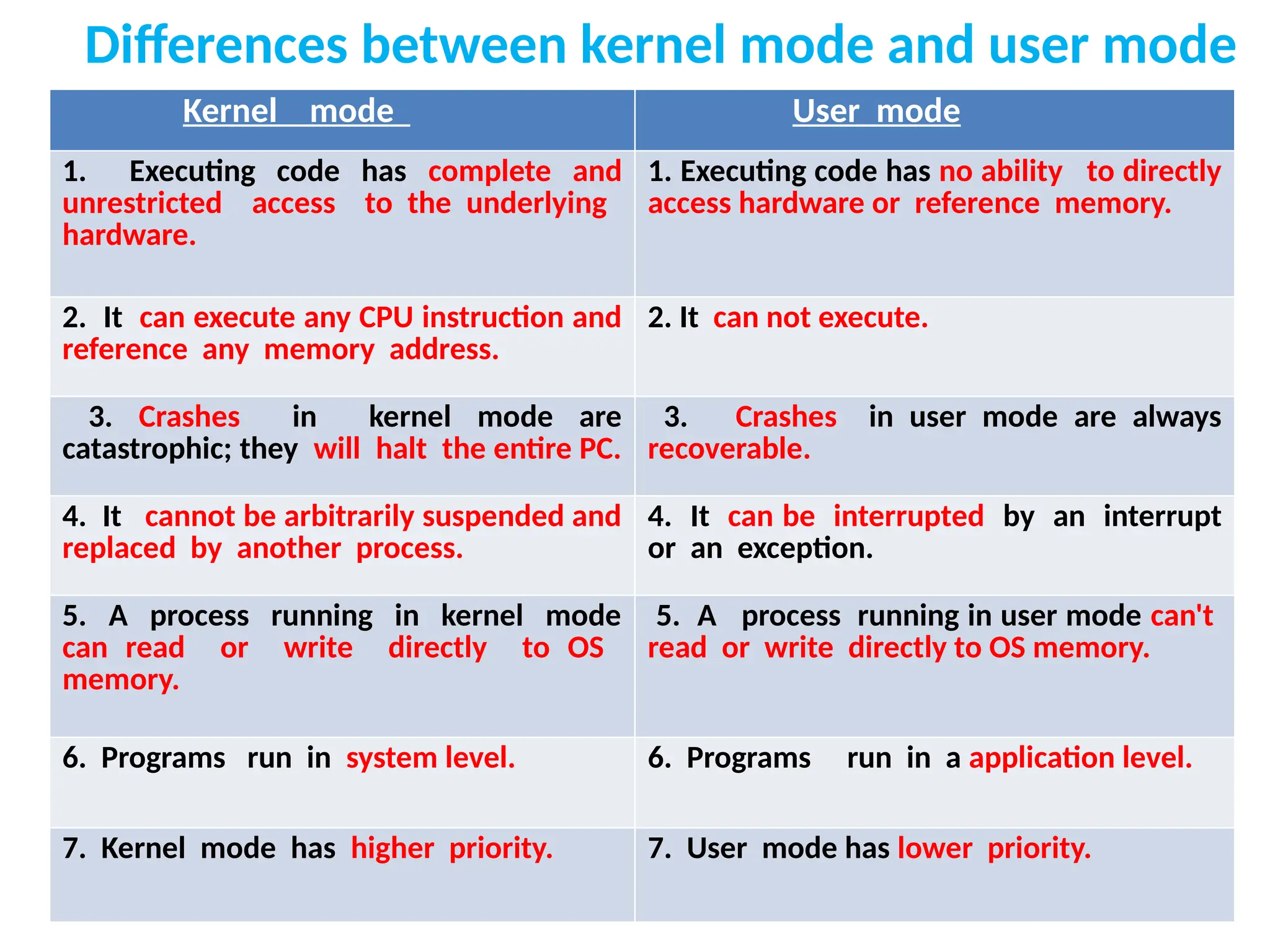
Differences between kernel mode and user mode
Kernel mode User mode
1. Executing code has complete and
unrestricted access to the underlying
hardware.
1. Executing code has no ability to directly
access hardware or reference memory.
2. It can execute any CPU instruction and
reference any memory address.
2. It can not execute.
3. Crashes in kernel mode are
catastrophic; they will halt the entire PC.
3. Crashes in user mode are always
recoverable.
4. It cannot be arbitrarily suspended and
replaced by another process.
4. It can be interrupted by an interrupt
or an exception.
5. A process running in kernel mode
can read or write directly to OS
memory.
5. A process running in user mode can't
read or write directly to OS memory.
6. Programs run in system level. 6. Programs run in a application level.
7. Kernel mode has higher priority. 7. User mode has lower priority.

3. Context of a process in a unix .pptx

  • 1.
    Context of aprocess
  • 2.
    • The contextof a process is its state or mode in which a process runs. The PROCESS can Run in Two modes:  Kernel mode  User mode
  • 3.
    Kernel mode • Iscommonly referred to as the supervisor mode . • System processes such as swapping, memory allocation , house keeping and administrative functions, run in kernel mode.
  • 4.
    User mode • Isthe mode in which user processes run. • User process such as application programs, utility programs run in user mode, but switch to kernel mode when there is an exception or system call.
  • 5.
    Differences between kernelmode and user mode Kernel mode User mode 1. Executing code has complete and unrestricted access to the underlying hardware. 1. Executing code has no ability to directly access hardware or reference memory. 2. It can execute any CPU instruction and reference any memory address. 2. It can not execute. 3. Crashes in kernel mode are catastrophic; they will halt the entire PC. 3. Crashes in user mode are always recoverable. 4. It cannot be arbitrarily suspended and replaced by another process. 4. It can be interrupted by an interrupt or an exception. 5. A process running in kernel mode can read or write directly to OS memory. 5. A process running in user mode can't read or write directly to OS memory. 6. Programs run in system level. 6. Programs run in a application level. 7. Kernel mode has higher priority. 7. User mode has lower priority.