GATEWAY
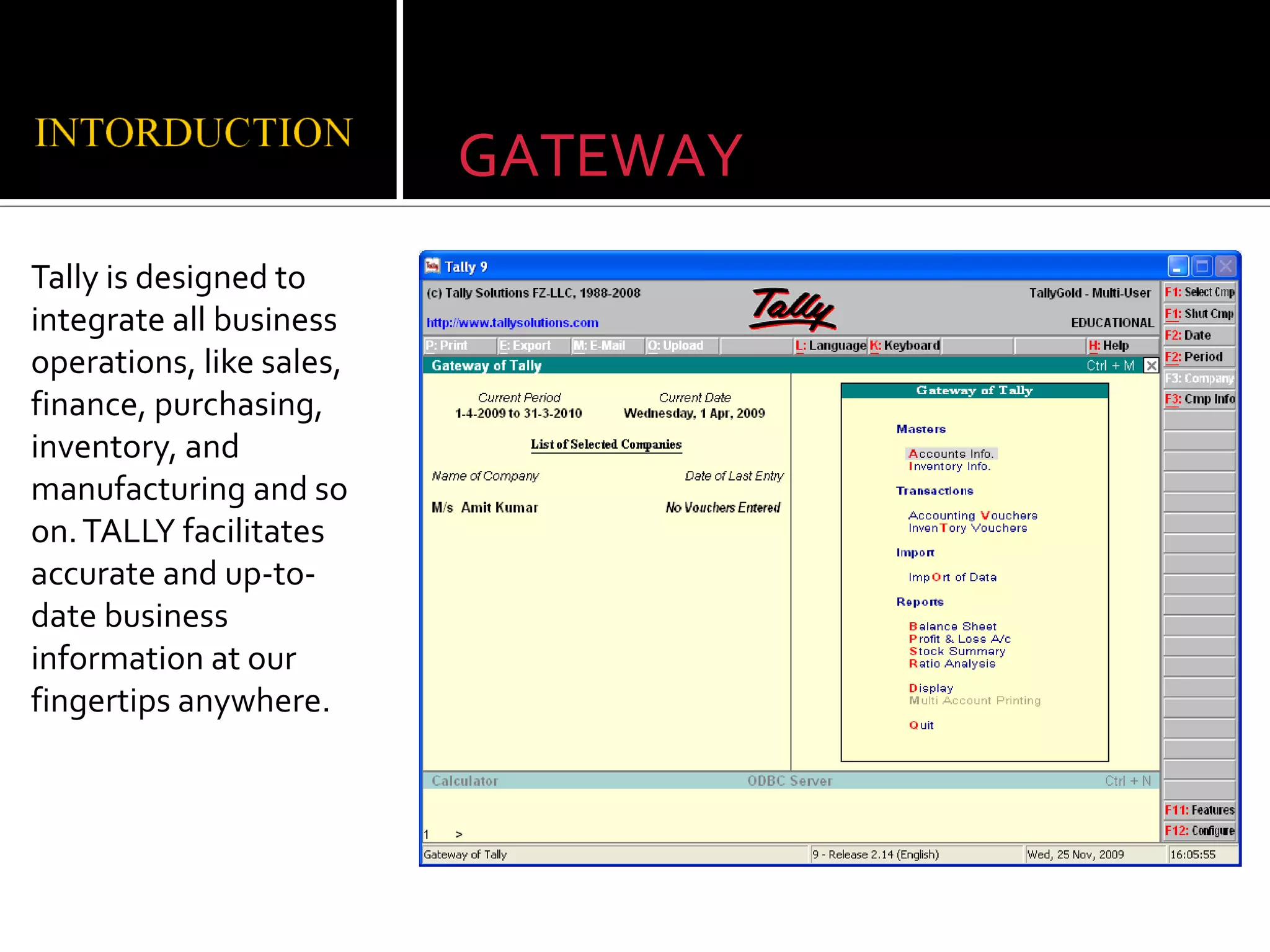
Tally is designed to
integrate all business
operations, like sales,
finance, purchasing,
inventory, and
manufacturing and so
on. TALLY facilitates
accurate and up-to-
date business
information at our
fingertips anywhere.
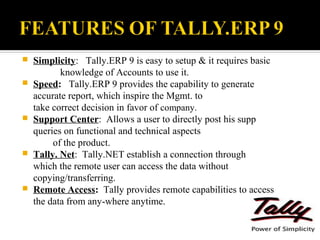
   Simplicity: Tally.ERP 9 is easy to setup & it requires basic
           knowledge of Accounts to use it.
   Speed: Tally.ERP 9 provides the capability to generate
    accurate report, which inspire the Mgmt. to
    take correct decision in favor of company.
   Support Center: Allows a user to directly post his supp
    queries on functional and technical aspects
         of the product.
   Tally. Net: Tally.NET establish a connection through
    which the remote user can access the data without
    copying/transferring.
   Remote Access: Tally provides remote capabilities to access
    the data from any-where anytime.
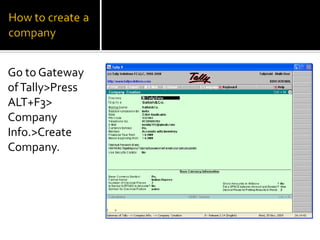
Go to Gateway
of Tally>Press
ALT+F3>
Company
Info.>Create
Company.
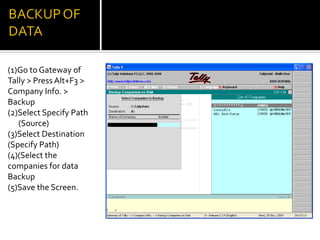
(1)Go to Gateway of
Tally > Press Alt+F3 >
Company Info. >
Backup
(2)Select Specify Path
   (Source)
(3)Select Destination
(Specify Path)
(4)(Select the
companies for data
Backup
(5)Save the Screen.
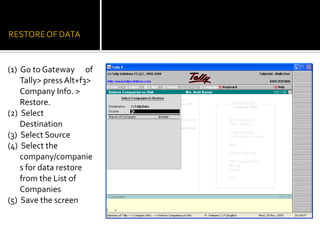
(1) Go to Gateway of
    Tally> press Alt+f3>
    Company Info. >
    Restore.
(2) Select
    Destination
(3) Select Source
(4) Select the
    company/companie
    s for data restore
    from the List of
    Companies
(5) Save the screen
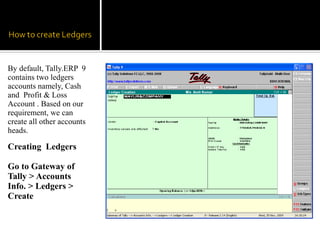
By default, Tally.ERP 9
contains two ledgers
accounts namely, Cash
and Profit & Loss
Account . Based on our
requirement, we can
create all other accounts
heads.

Creating Ledgers

Go to Gateway of
Tally > Accounts
Info. > Ledgers >
Create
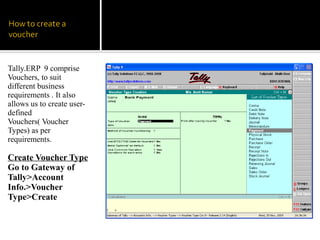
Tally.ERP 9 comprise
Vouchers, to suit
different business
requirements . It also
allows us to create user-
defined
Vouchers( Voucher
Types) as per
requirements.

Create Voucher Type
Go to Gateway of
Tally>Account
Info.>Voucher
Type>Create
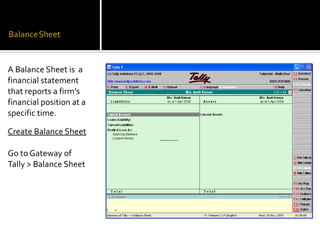
A Balance Sheet is a
financial statement
that reports a firm’s
financial position at a
specific time.

Create Balance Sheet

Go to Gateway of
Tally > Balance Sheet
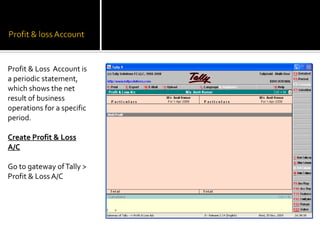
Profit & Loss Account is
a periodic statement,
which shows the net
result of business
operations for a specific
period.

Create Profit & Loss
A/C

Go to gateway of Tally >
Profit & Loss A/C

27 tally presentation

  • 1.
    GATEWAY Tally is designedto integrate all business operations, like sales, finance, purchasing, inventory, and manufacturing and so on. TALLY facilitates accurate and up-to- date business information at our fingertips anywhere.
  • 2.
    Simplicity: Tally.ERP 9 is easy to setup & it requires basic knowledge of Accounts to use it.  Speed: Tally.ERP 9 provides the capability to generate accurate report, which inspire the Mgmt. to take correct decision in favor of company.  Support Center: Allows a user to directly post his supp queries on functional and technical aspects of the product.  Tally. Net: Tally.NET establish a connection through which the remote user can access the data without copying/transferring.  Remote Access: Tally provides remote capabilities to access the data from any-where anytime.
  • 3.
    Go to Gateway ofTally>Press ALT+F3> Company Info.>Create Company.
  • 4.
    (1)Go to Gatewayof Tally > Press Alt+F3 > Company Info. > Backup (2)Select Specify Path (Source) (3)Select Destination (Specify Path) (4)(Select the companies for data Backup (5)Save the Screen.
  • 5.
    (1) Go toGateway of Tally> press Alt+f3> Company Info. > Restore. (2) Select Destination (3) Select Source (4) Select the company/companie s for data restore from the List of Companies (5) Save the screen
  • 6.
    By default, Tally.ERP9 contains two ledgers accounts namely, Cash and Profit & Loss Account . Based on our requirement, we can create all other accounts heads. Creating Ledgers Go to Gateway of Tally > Accounts Info. > Ledgers > Create
  • 7.
    Tally.ERP 9 comprise Vouchers,to suit different business requirements . It also allows us to create user- defined Vouchers( Voucher Types) as per requirements. Create Voucher Type Go to Gateway of Tally>Account Info.>Voucher Type>Create
  • 8.
    A Balance Sheetis a financial statement that reports a firm’s financial position at a specific time. Create Balance Sheet Go to Gateway of Tally > Balance Sheet
  • 9.
    Profit & LossAccount is a periodic statement, which shows the net result of business operations for a specific period. Create Profit & Loss A/C Go to gateway of Tally > Profit & Loss A/C