SUBMITTED BY
NITESH KUMAR I
NRO0425595 SUBMITTED TO
ROLLNO:15 ICAI NOIDA
INDEX
1.Introduction
2.Key Features
3.Tally Co-founder
4.Facilities With Tally.Erp 9
5.Tally.Net Server
6.Advantages Of Tally
7.Tally Integration
8.Company Creation On Tally
9.Ledger Creation On Tally
10.Group Creation On Tally
11.Accounting Voucher
12.Enabling/ Disabling Of Tally Features
13.Interest Calculation In Tally
14.Debit Note Voucher
15.Credit Note Voucher
16.Sales Order And Sales Voucher
17.Sales Register
18.Day Book
INDEX
19.Trial Balance
20.Profit And Loss Account
21.Balance Sheet
22.Brs
23.Stock Summary
24.Receivable And Payable Statement
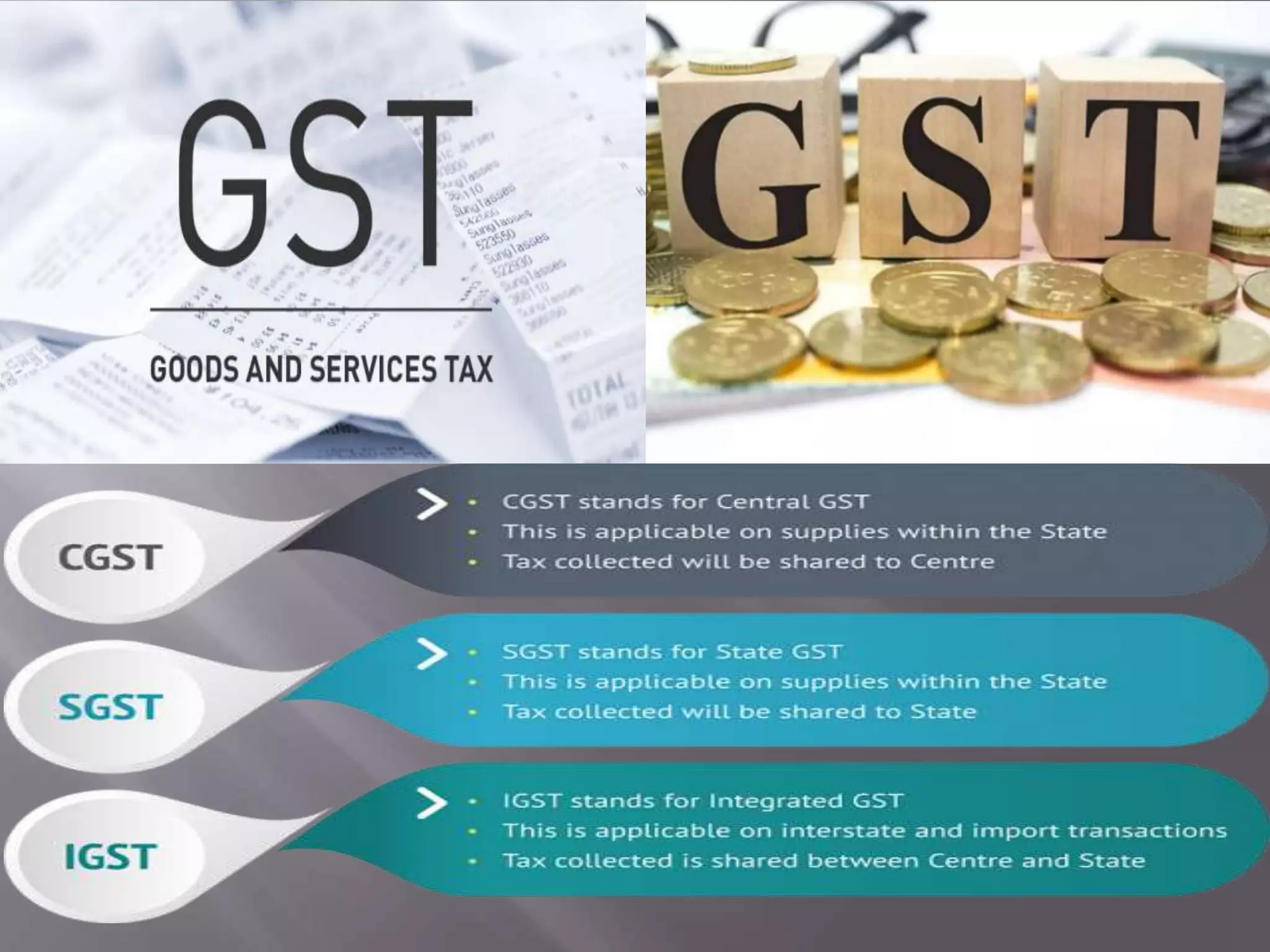
25.Tax
Tally.ERP 9 has been developed by TALLY.ERP 9 Solutions Pvt. Ltd., a
Bangalore based company in India.It is very user friendly and most
widely used accounting software.It can even maintain accounts and
Inventory simultaneously. For thousands of small and medium sized
businesses in the country, Tally is a generic name for an accounting
software.
INTRODUCTION
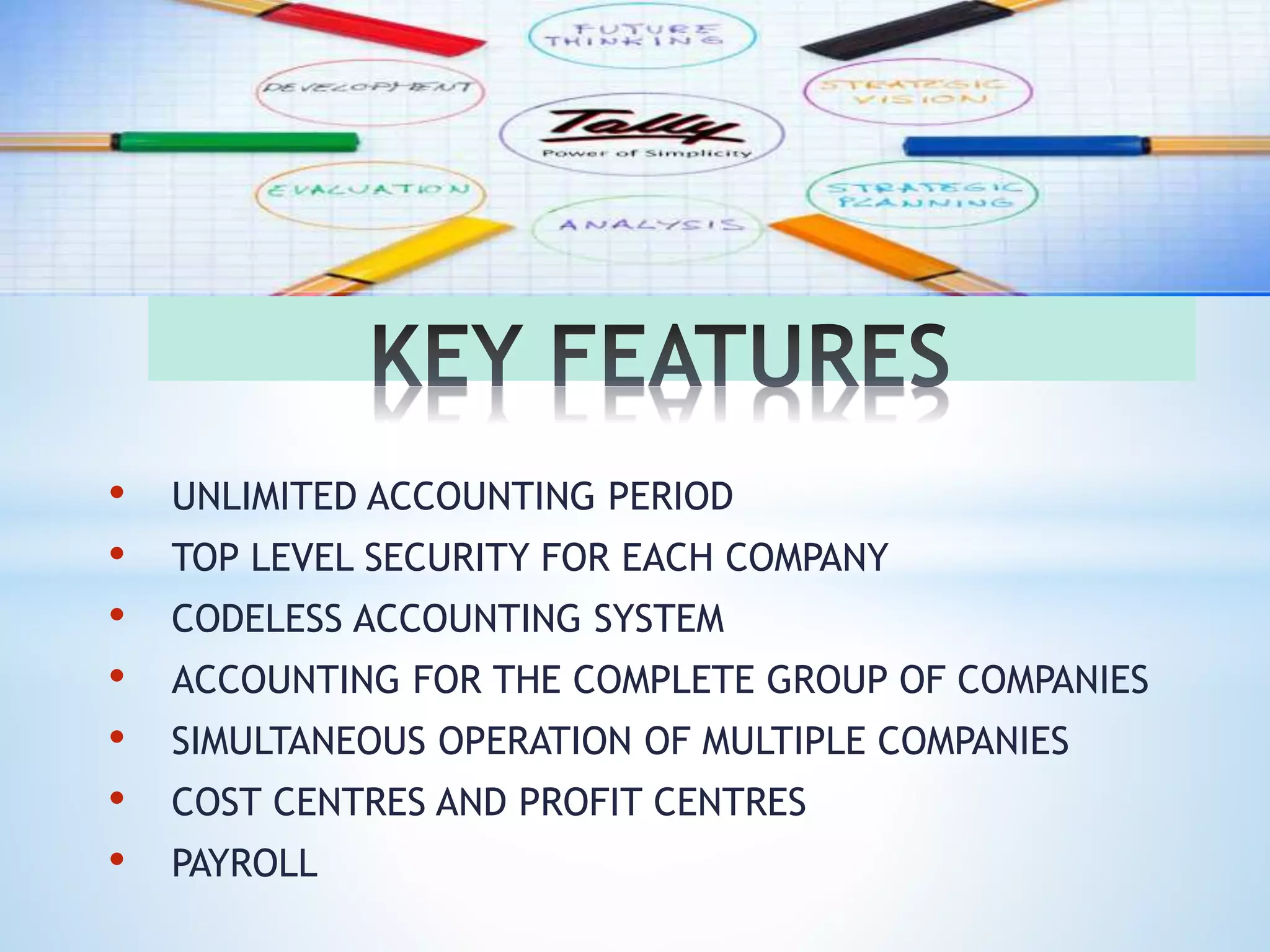
• UNLIMITED ACCOUNTING PERIOD
• TOP LEVEL SECURITY FOR EACH COMPANY
• CODELESS ACCOUNTING SYSTEM
• ACCOUNTING FOR THE COMPLETE GROUP OF COMPANIES
• SIMULTANEOUS OPERATION OF MULTIPLE COMPANIES
• COST CENTRES AND PROFIT CENTRES
• PAYROLL
FACILITIES WITH TALLY.ERP 9
 DATA IMPORT AND EXPORT FACILITY
 AUDIT FACILITY
 BUDGETING
 BANK RECONCILIATION STATEMENT
 RATIO ANALYSIS, CASH FLOW STATEMENT,FUND
FLOW
 CREDIT CONTROL
 TRACKING THROUGH DELIVERY NOTES/ RECEIPT
 STATUTORY AND TAXATION
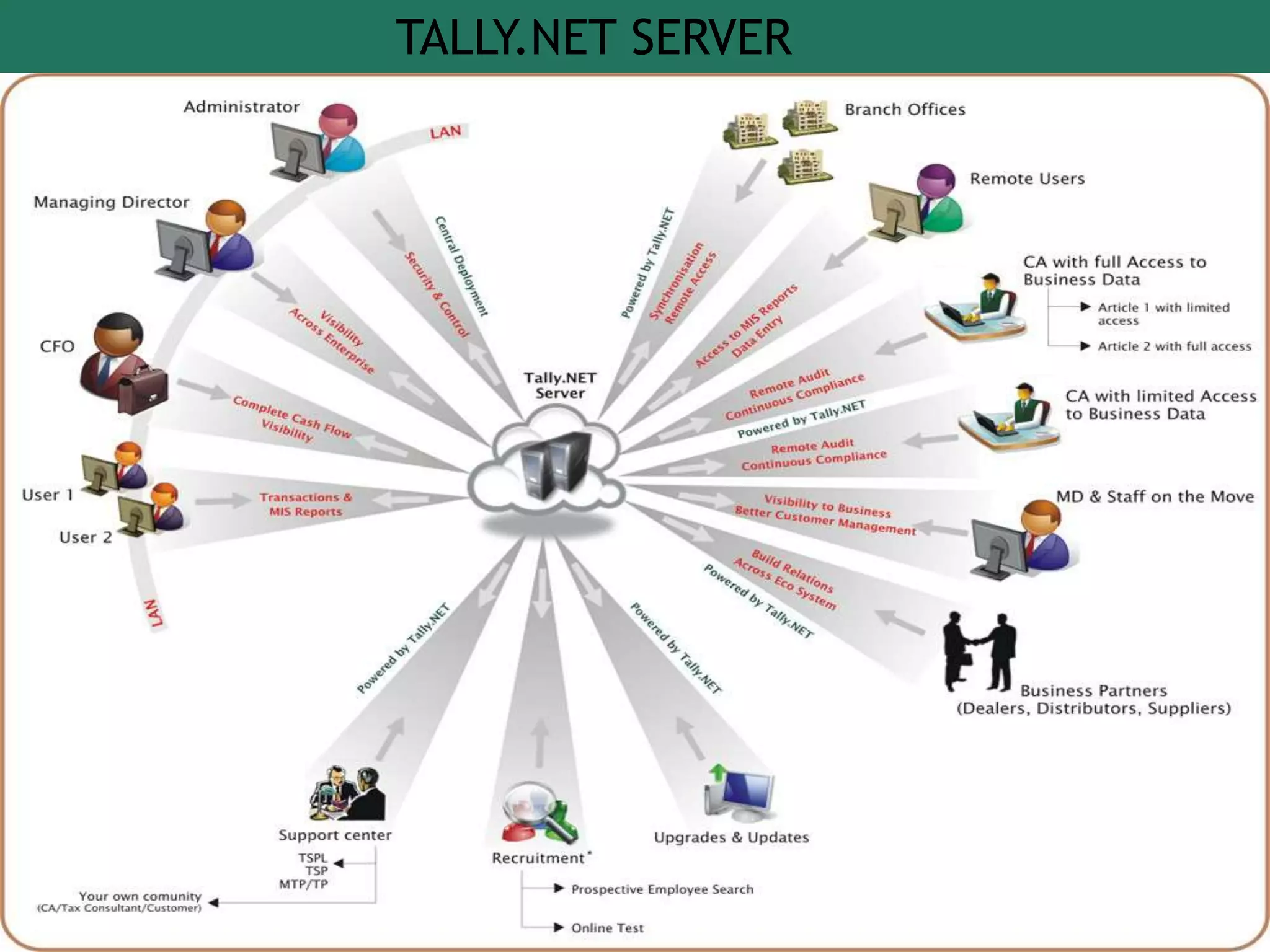
TALLY.NET SERVER
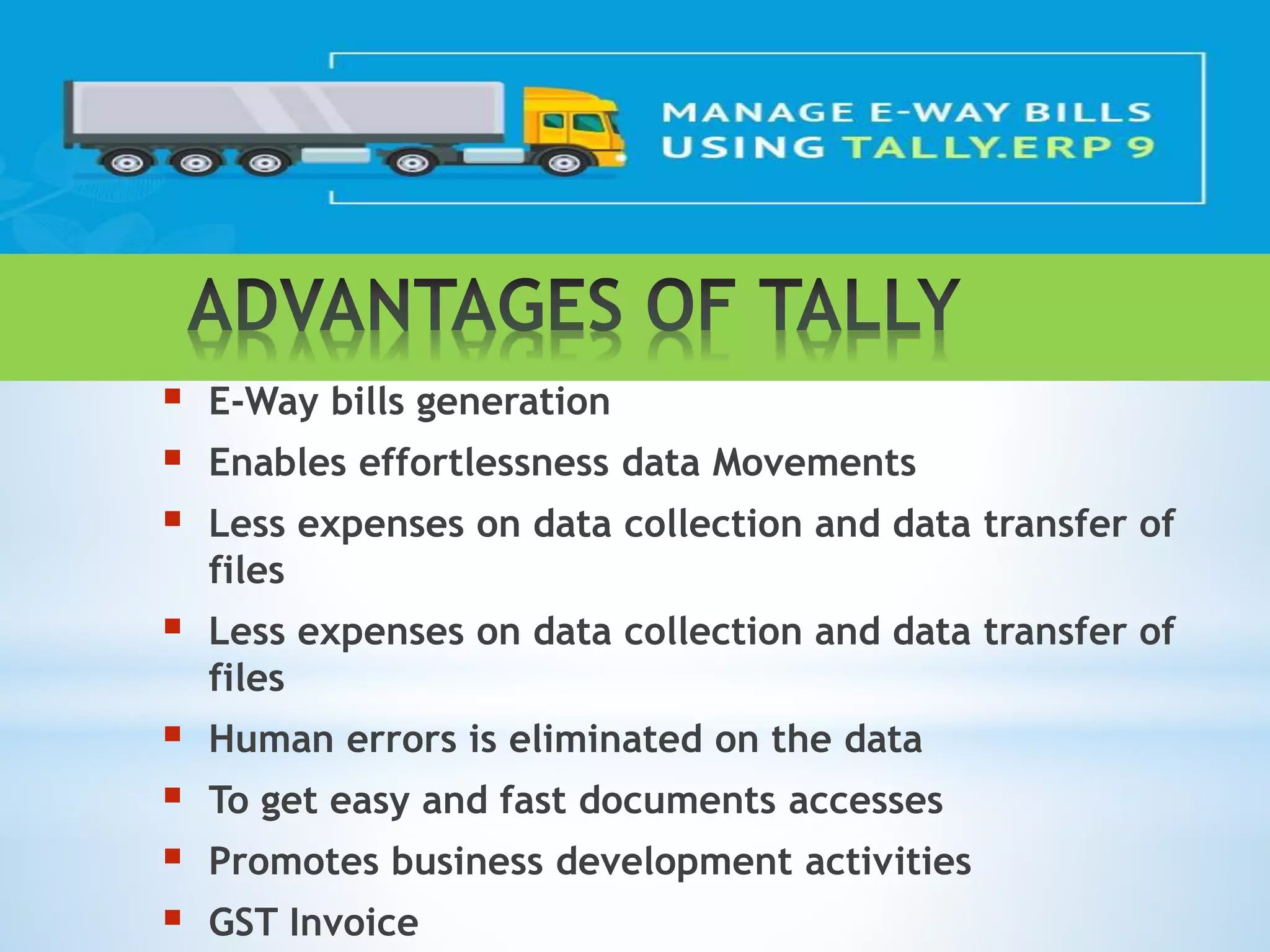
 E-Way bills generation
 Enables effortlessness data Movements
 Less expenses on data collection and data transfer of
files
 Less expenses on data collection and data transfer of
files
 Human errors is eliminated on the data
 To get easy and fast documents accesses
 Promotes business development activities
 GST Invoice
Tally.ERP 9 as a complete business solution provides different ways to
integrate data. The various API’s available in Tally are
• XML
• ODBC
• DLL
These allows seamless integration between application/database in two
modes
Online Mode
Tally to Tally using Synchronisation
Tally to External Application and vice versa using the Interfaces Available
Tally to Web Service using HTTP Interface
*
COMPANY CREATION ON TALLY
You can create a Company profile by using the following procedures:
1.Gteway of Tally.ERP 9 >Alter (alt+F3)
2.Gteway of Tally.ERP 9 >create Company(from opening screen)
TALLY LEDGER CREATION
GROUP CREATION
Gateway of Tally.ERP 9 >Master>
Accounts Info>Groups>Create>(Single)
ACCOUNTING VOUCHERS
Tally.ERP 9 is pre-programmed with a variety of accounting
vouchers , each designed top perform specific job. The standard
vouchers are :
1. Contra Voucher
2. Sales Voucher
3. Payment Voucher
4. Journal Voucher
5. Receipt Voucher
ENABLING / DISABLING OF TALLY FEATURES
(ACCOUNTING FEATURES)
ENABLING / DISABLING OF TALLY FEATURES
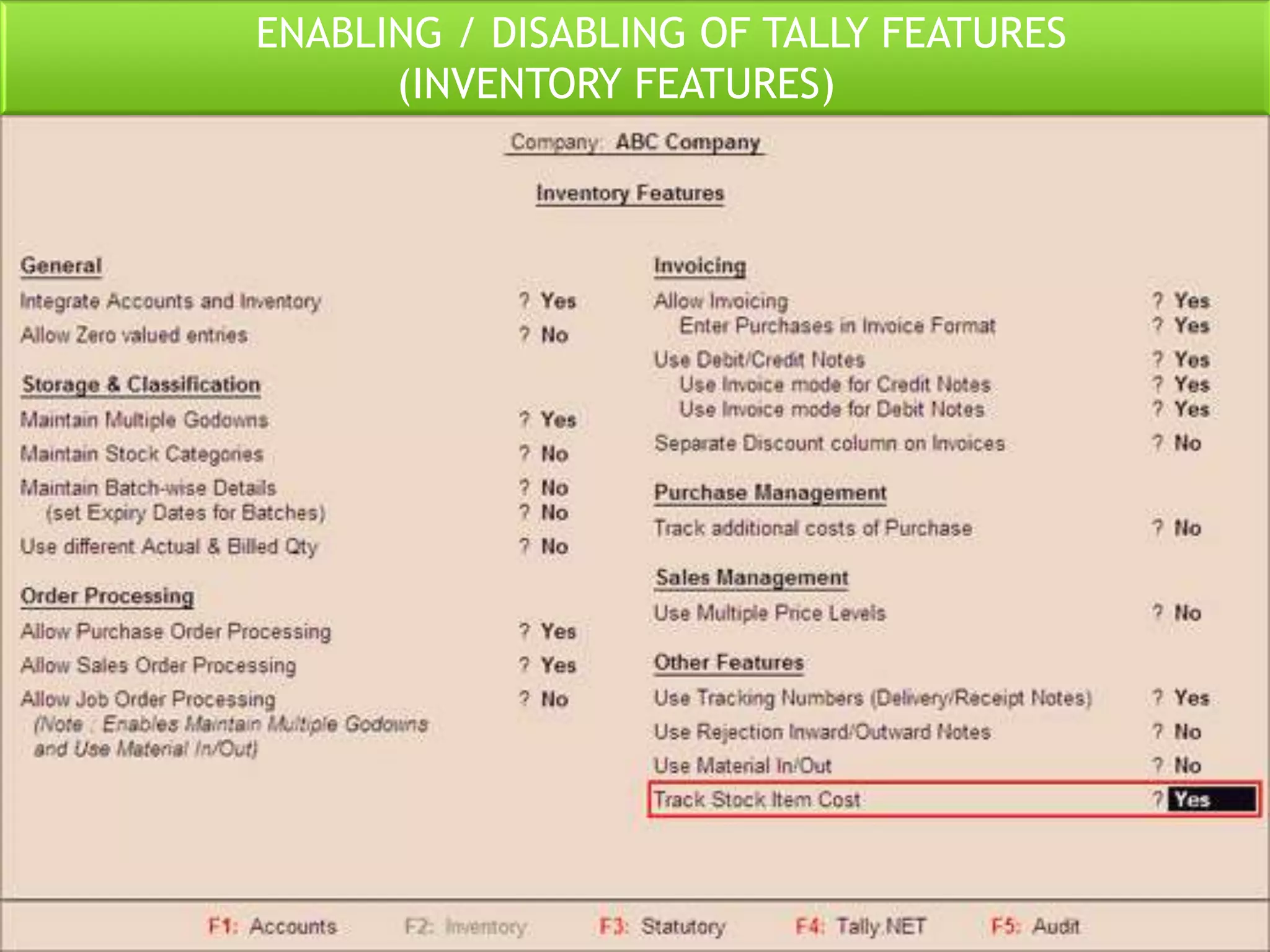
(INVENTORY FEATURES)
ENABLING / DISABLING OF TALLY FEATURES
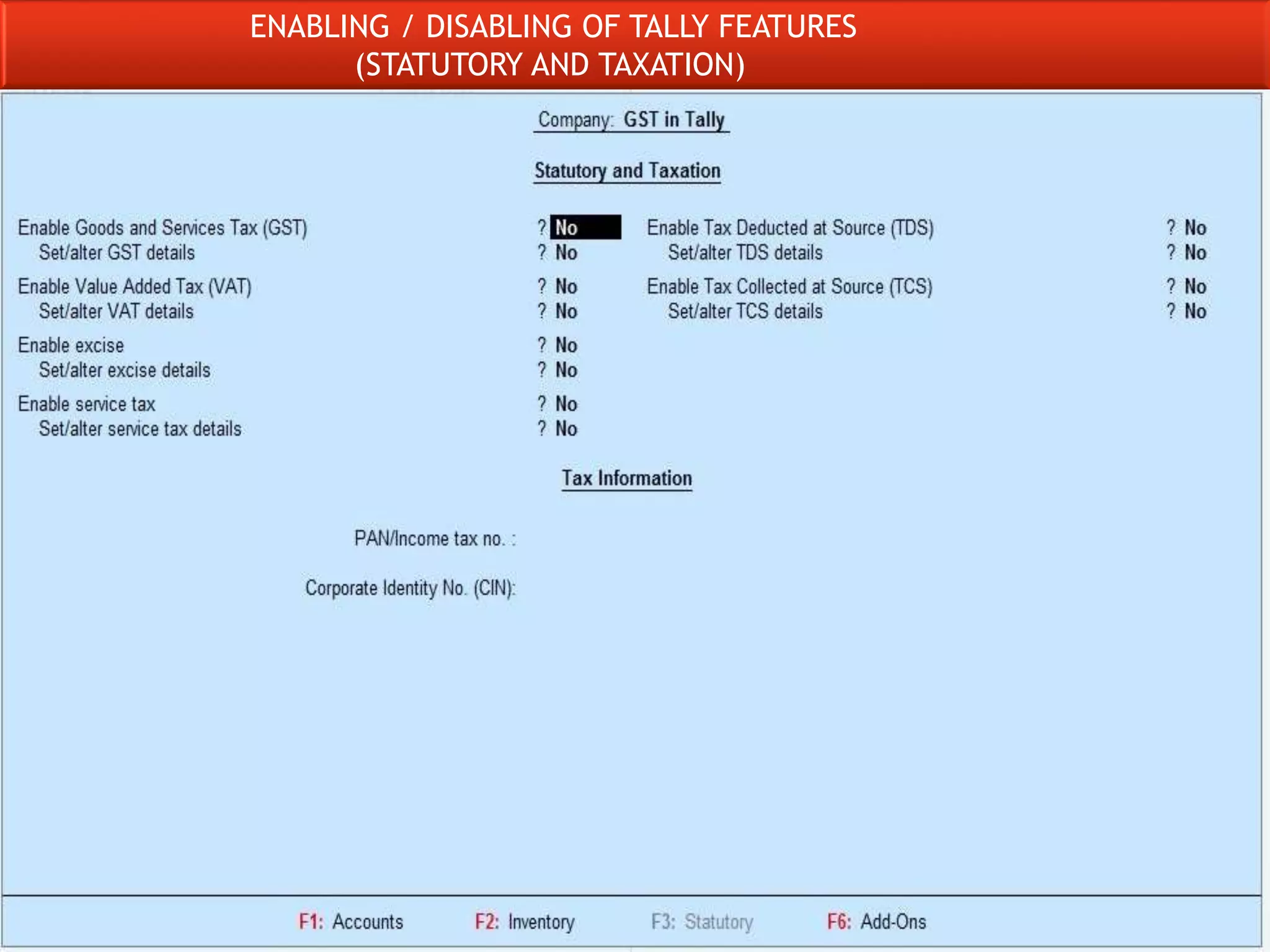
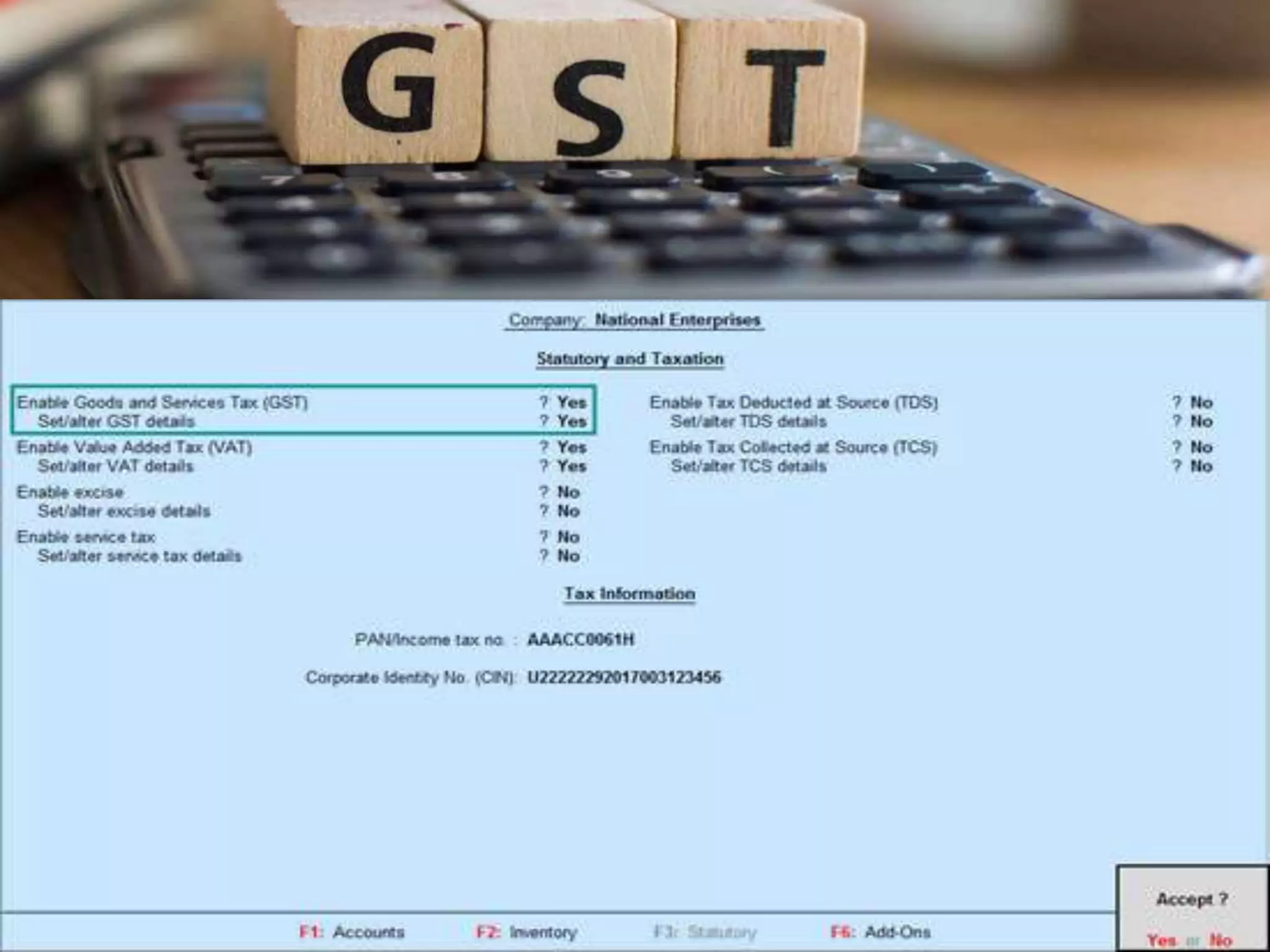
(STATUTORY AND TAXATION)
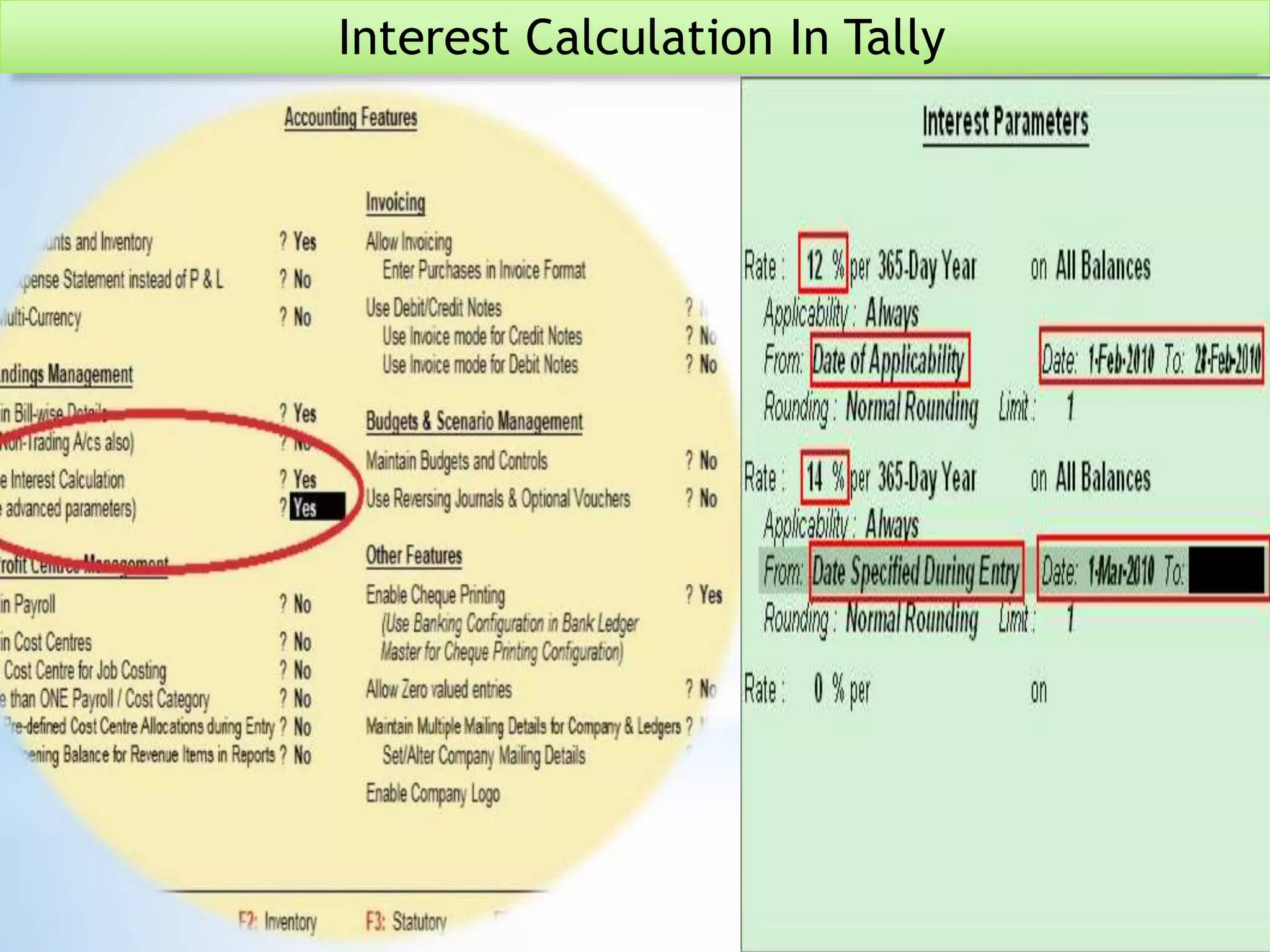
Interest Calculation In Tally
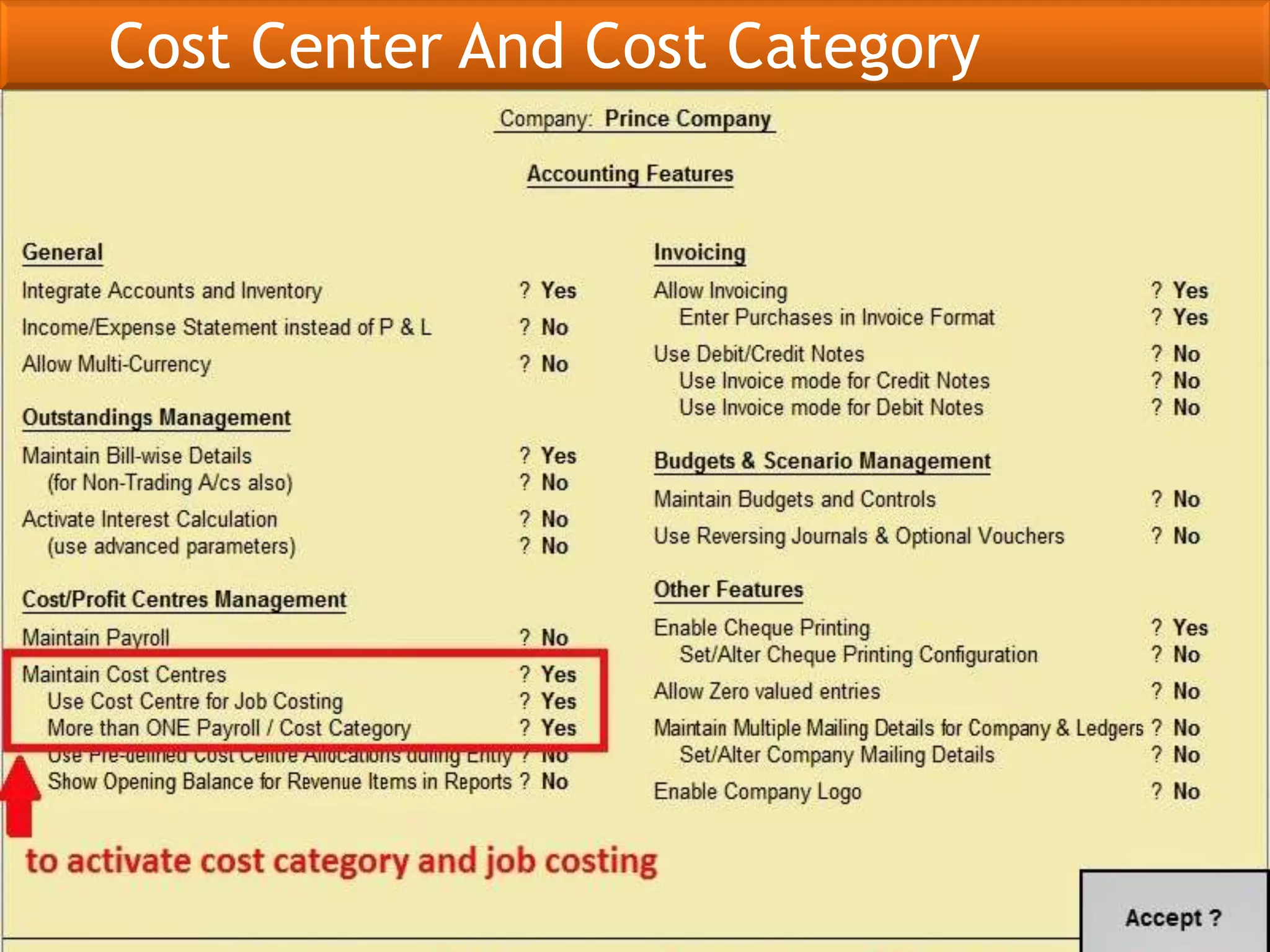
Cost Center And Cost Category
Debit Note Voucher
Credit Note Voucher
ADVANCED INVENTORY
REORDER LEVEL AND BILL OF MATERIAL
Advanced Inventory
Inventory Ageing Analysis And Inventory
Valuation
TALLY.ERP 9 REPORT
DAY BOOK
TALLY.ERP9 REPORT
TRIAL BALANCE
TALLY.ERP9 REPORT
PROFIT AND LOSS ACCOUNT
TALLY .ERP 9 REPORT
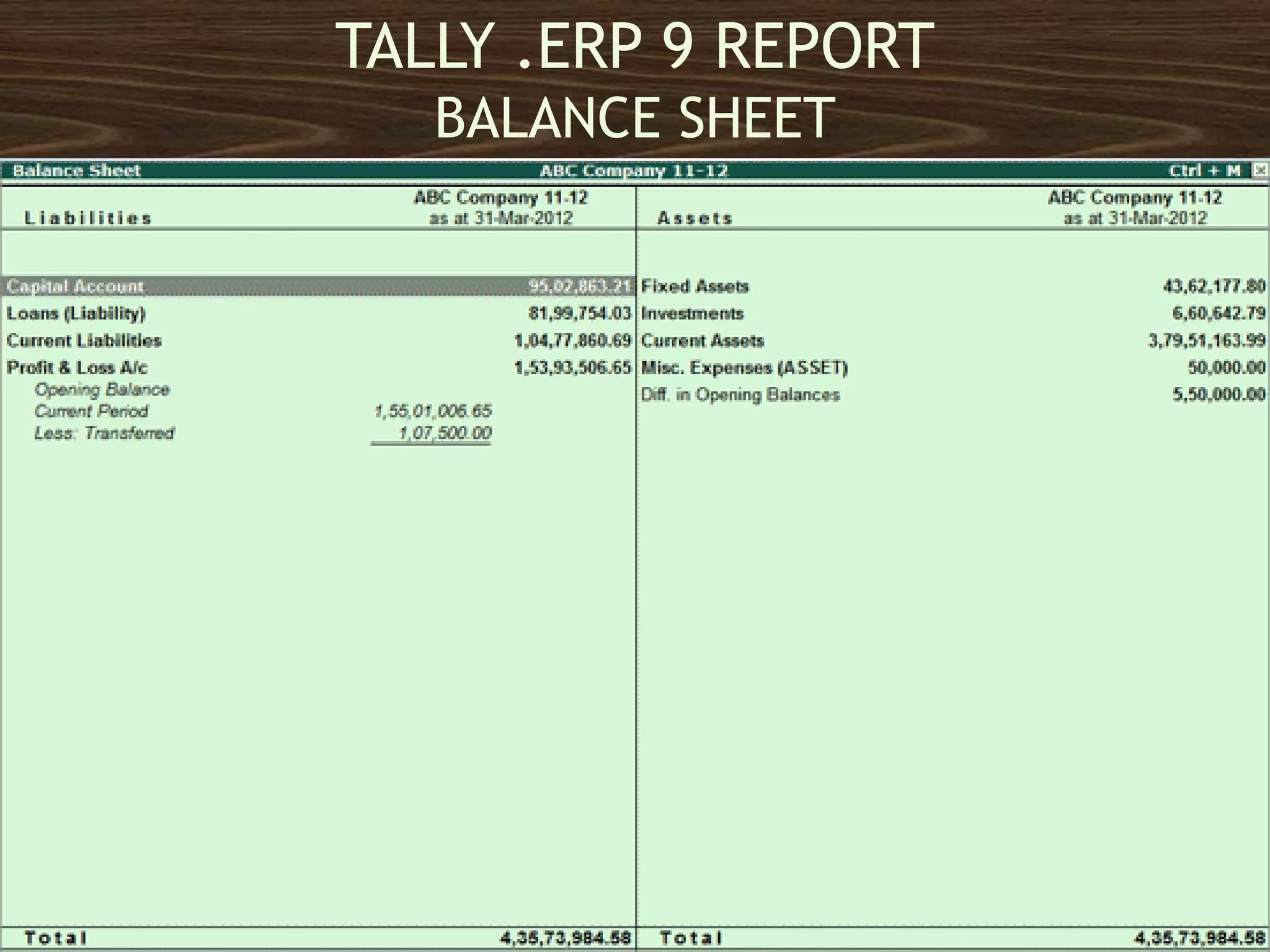
BALANCE SHEET
TALLY.ERP 9 MIS AND OTHER REPORT
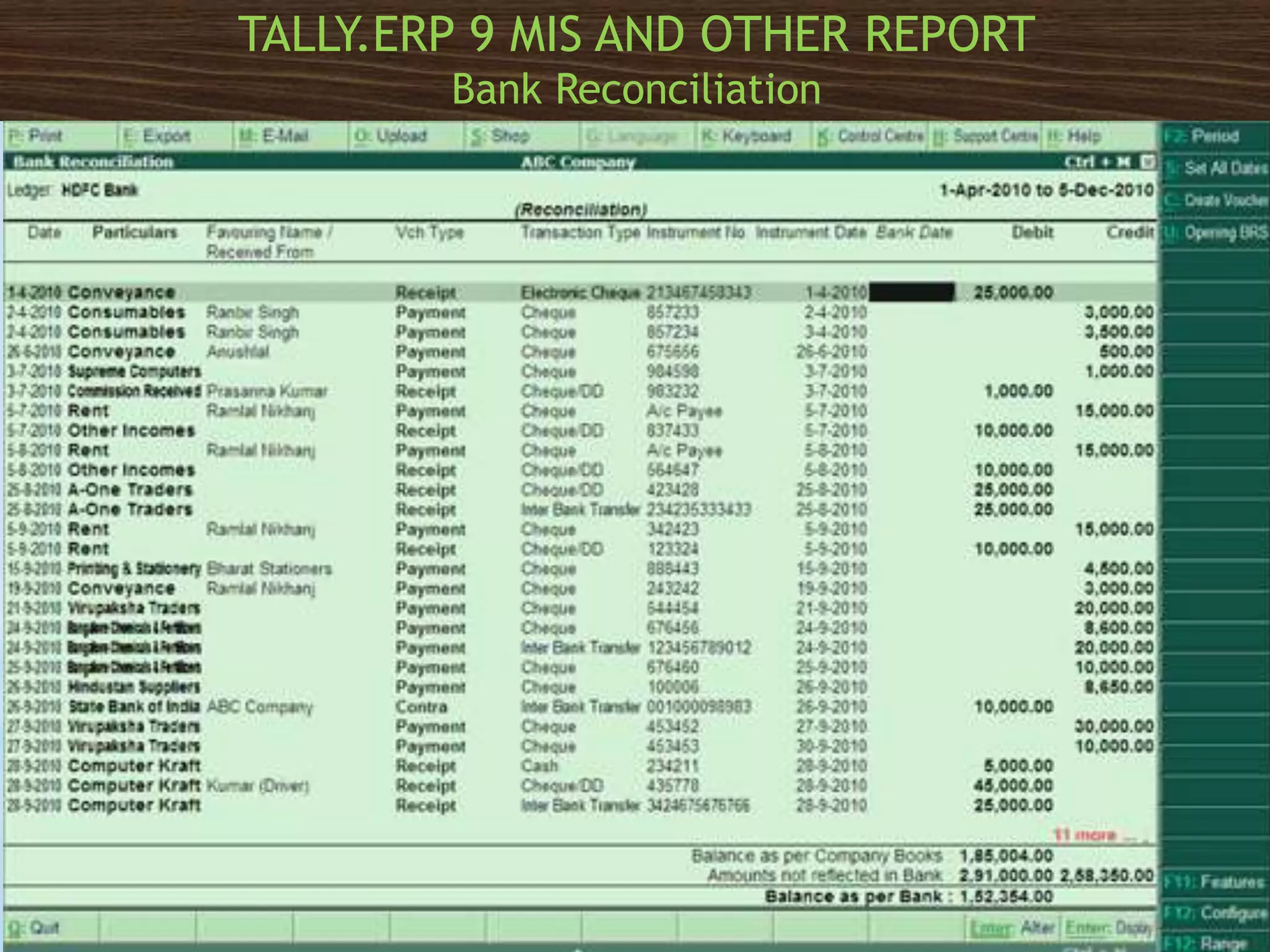
Bank Reconciliation
TALLY.ERP 9 MIS AND OTHER REPORT
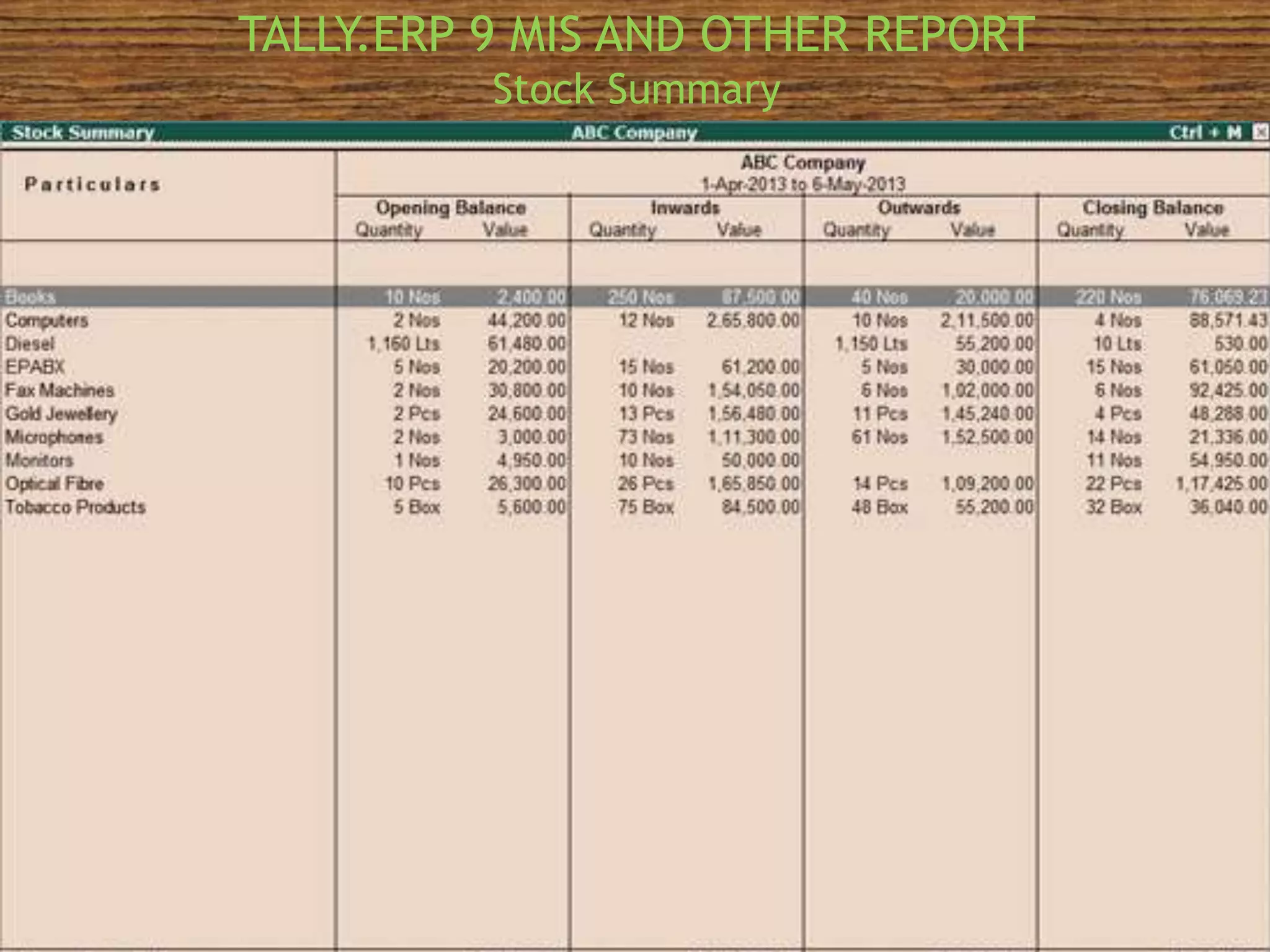
Stock Summary
TALLY.ERP 9 MIS AND OTHER REPORT
Godown Wise Stock Report
TALLY.ERP 9 MIS AND OTHER REPORT
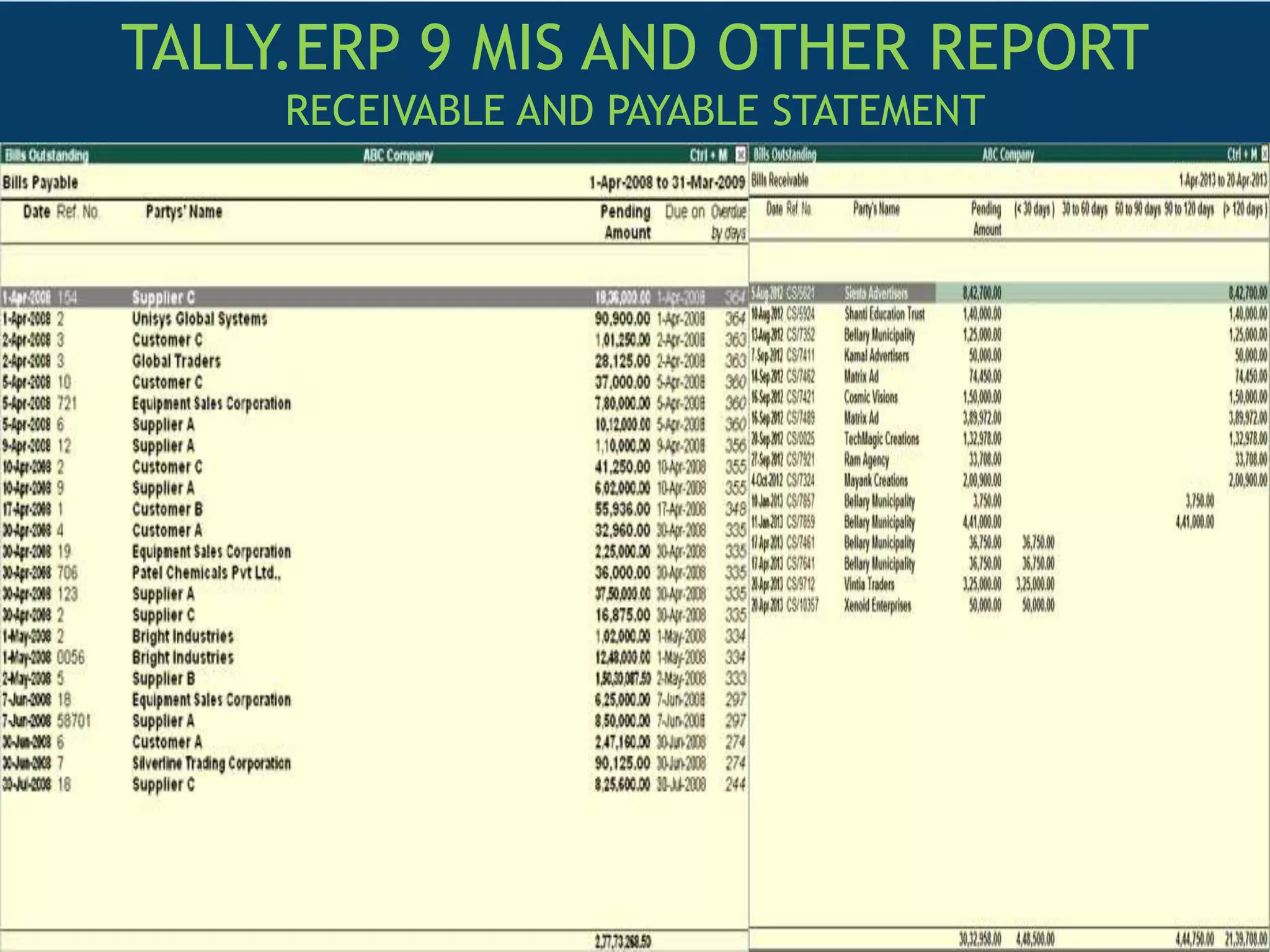
RECEIVABLE AND PAYABLE STATEMENT
Presentation1
Presentation1
Presentation1
Presentation1
Presentation1
Presentation1
Presentation1

Presentation1

  • 1.
    SUBMITTED BY NITESH KUMARI NRO0425595 SUBMITTED TO ROLLNO:15 ICAI NOIDA
  • 2.
    INDEX 1.Introduction 2.Key Features 3.Tally Co-founder 4.FacilitiesWith Tally.Erp 9 5.Tally.Net Server 6.Advantages Of Tally 7.Tally Integration 8.Company Creation On Tally 9.Ledger Creation On Tally 10.Group Creation On Tally 11.Accounting Voucher 12.Enabling/ Disabling Of Tally Features 13.Interest Calculation In Tally 14.Debit Note Voucher 15.Credit Note Voucher 16.Sales Order And Sales Voucher 17.Sales Register 18.Day Book
  • 3.
    INDEX 19.Trial Balance 20.Profit AndLoss Account 21.Balance Sheet 22.Brs 23.Stock Summary 24.Receivable And Payable Statement 25.Tax
  • 4.
    Tally.ERP 9 hasbeen developed by TALLY.ERP 9 Solutions Pvt. Ltd., a Bangalore based company in India.It is very user friendly and most widely used accounting software.It can even maintain accounts and Inventory simultaneously. For thousands of small and medium sized businesses in the country, Tally is a generic name for an accounting software. INTRODUCTION
  • 5.
    • UNLIMITED ACCOUNTINGPERIOD • TOP LEVEL SECURITY FOR EACH COMPANY • CODELESS ACCOUNTING SYSTEM • ACCOUNTING FOR THE COMPLETE GROUP OF COMPANIES • SIMULTANEOUS OPERATION OF MULTIPLE COMPANIES • COST CENTRES AND PROFIT CENTRES • PAYROLL
  • 7.
    FACILITIES WITH TALLY.ERP9  DATA IMPORT AND EXPORT FACILITY  AUDIT FACILITY  BUDGETING  BANK RECONCILIATION STATEMENT  RATIO ANALYSIS, CASH FLOW STATEMENT,FUND FLOW  CREDIT CONTROL  TRACKING THROUGH DELIVERY NOTES/ RECEIPT  STATUTORY AND TAXATION
  • 8.
  • 9.
     E-Way billsgeneration  Enables effortlessness data Movements  Less expenses on data collection and data transfer of files  Less expenses on data collection and data transfer of files  Human errors is eliminated on the data  To get easy and fast documents accesses  Promotes business development activities  GST Invoice
  • 10.
    Tally.ERP 9 asa complete business solution provides different ways to integrate data. The various API’s available in Tally are • XML • ODBC • DLL These allows seamless integration between application/database in two modes Online Mode Tally to Tally using Synchronisation Tally to External Application and vice versa using the Interfaces Available Tally to Web Service using HTTP Interface *
  • 11.
    COMPANY CREATION ONTALLY You can create a Company profile by using the following procedures: 1.Gteway of Tally.ERP 9 >Alter (alt+F3) 2.Gteway of Tally.ERP 9 >create Company(from opening screen)
  • 12.
  • 13.
    GROUP CREATION Gateway ofTally.ERP 9 >Master> Accounts Info>Groups>Create>(Single)
  • 14.
    ACCOUNTING VOUCHERS Tally.ERP 9is pre-programmed with a variety of accounting vouchers , each designed top perform specific job. The standard vouchers are : 1. Contra Voucher 2. Sales Voucher 3. Payment Voucher 4. Journal Voucher 5. Receipt Voucher
  • 15.
    ENABLING / DISABLINGOF TALLY FEATURES (ACCOUNTING FEATURES)
  • 16.
    ENABLING / DISABLINGOF TALLY FEATURES (INVENTORY FEATURES)
  • 17.
    ENABLING / DISABLINGOF TALLY FEATURES (STATUTORY AND TAXATION)
  • 19.
  • 20.
    Cost Center AndCost Category
  • 21.
  • 22.
  • 24.
  • 25.
    Advanced Inventory Inventory AgeingAnalysis And Inventory Valuation
  • 27.
  • 28.
  • 29.
  • 30.
    TALLY .ERP 9REPORT BALANCE SHEET
  • 31.
    TALLY.ERP 9 MISAND OTHER REPORT Bank Reconciliation
  • 32.
    TALLY.ERP 9 MISAND OTHER REPORT Stock Summary
  • 33.
    TALLY.ERP 9 MISAND OTHER REPORT Godown Wise Stock Report
  • 34.
    TALLY.ERP 9 MISAND OTHER REPORT RECEIVABLE AND PAYABLE STATEMENT