Guided By
Dr. Aniket Sutradhar
Department Of B.Ed
Kalna College,
Burdwan University
Submitted By
Name : Priya Das
Semester- IV
University Roll No -
220711130045
SESSION-2022-2024
KALNA COLLEGE
B.Ed Section
Affiliated To The University Of Burdwan
COURSE: EPC 3 (Assessment of the Learning Process)
SEMESTER-IV
Topic: MS Access
Microsoft Access was the first mass-market database
program for Windows. With Microsoft's purchase of FoxPro
in 1992 and the incorporation of Fox's Rushmore query
optimization routines into Access, Microsoft Access quickly
became the dominant database for Windows—effectively
eliminating the competition that failed to transition from
the MS-DOS world. In the 1980s, Microsoft Access referred
to an unrelated telecommunication program that provided
terminal emulation and interfaces for ease of use in
accessing online services such as Dow
Jones, Compuserve and electronic mailbox
Microsoft Access offers several key benefits that make it a popular choice for database
management:
Quick and Easy to Create Database Systems: Microsoft Access is an excellent tool for
creating bespoke systems that have a database at their heart. It is quick and easy to set up,
making it ideal for small to medium-sized businesses.
User-Friendly Applications: Microsoft Access produces very user-friendly applications
through its comprehensive programming language (VBA). This allows for the creation of
custom forms and reports that are easy to use and navigate.
Flexible and Adaptable Database Systems: Access is known for its flexibility and
adaptability. It is easy to make changes to the system without significant costs or delays,
making it perfect for the real-life business world
Well-Known and Easy to Get Help: Microsoft Access is widely known, which means that
easily find help and support if needed. This is particularly important for businesses that
have extensive IT resources.
Integration with Microsoft Office Suite: Access is part of the Microsoft Office suite, making
integrated with other popular Microsoft applications like Word, Excel, and Outlook.
Constant Improvement and Cloud Integration: Microsoft Access is constantly improving,
now offers good cloud integration, making it easier to collaborate and share data across
platforms.
Scalable Integration for Large Systems and Expansion: Access is designed to scale up with
growing businesses, allowing for seamless integration with larger systems and expansion.
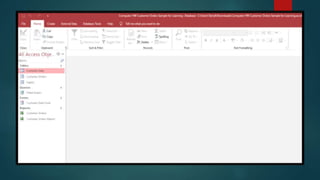
The Microsoft Access Backstage view is what you see when you
start the Access software but don’t open a database. With
Microsoft Access Backstage view, users can perform numerous
database management tasks, including opening an existing
database and creating a new one.
Microsoft Access is a database management system (DBMS) that
lets you create and manage large databases. A database helps
you keep the information in an organized manner.
A database file created in Microsoft Access 2007 or later versions
comes with the file extension named ACCDB, while databases
created in earlier Access versions are known as MDB.
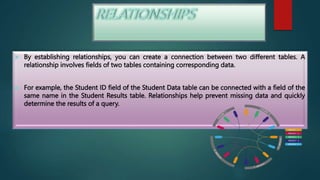
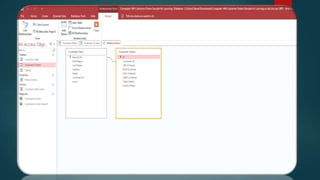
 By establishing relationships, you can create a connection between two different tables. A
relationship involves fields of two tables containing corresponding data.
 For example, the Student ID field of the Student Data table can be connected with a field of the
same name in the Student Results table. Relationships help prevent missing data and quickly
determine the results of a query.

When it comes to associating and
meaningfully combining data from multiple
tables in Microsoft Access, you need to use
the primary key field. The primary key of one
table is the foreign key in another table. One
may add the primary key field in other tables
to refer back to the primary key source table.

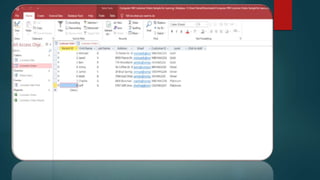
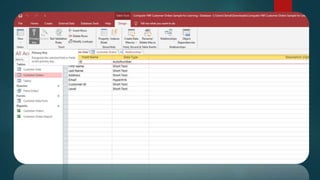
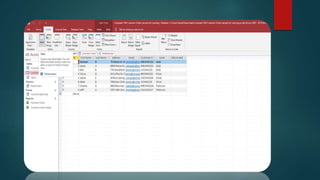
Access tables look similar to an Excel
spreadsheet containing rows and columns.
But in Microsoft Access, rows and columns
are referred to as records and fields.
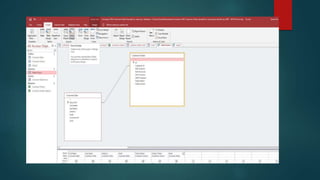
The function of a query is to retrieve data
that meets specific conditions from tables.
You can also use it to perform some
predefined calculations. On the Access
desktop application, you can use queries for
updating or deleting multiple records
simultaneously.
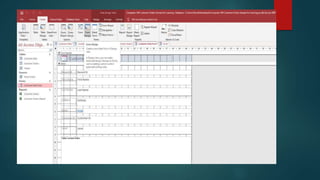
Forms in Access are like display cases in
stores that make it easier to view or get
the items that you want. Since forms are
objects through which you or other users
can add, edit, or display the data stored in
your Access desktop database, the design
of your form is an important aspect.
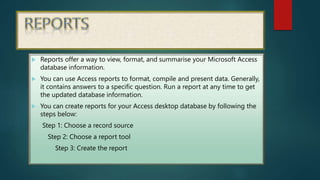
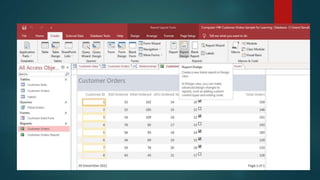
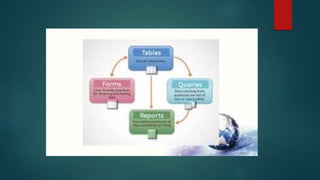
 Reports offer a way to view, format, and summarise your Microsoft Access
database information.
 You can use Access reports to format, compile and present data. Generally,
it contains answers to a specific question. Run a report at any time to get
the updated database information.
 You can create reports for your Access desktop database by following the
steps below:
Step 1: Choose a record source
Step 2: Choose a report tool
Step 3: Create the report

 THANK YOU

220711130045_PRIYA_DAS_M.S___Access__ppt

  • 2.
    Guided By Dr. AniketSutradhar Department Of B.Ed Kalna College, Burdwan University Submitted By Name : Priya Das Semester- IV University Roll No - 220711130045 SESSION-2022-2024 KALNA COLLEGE B.Ed Section Affiliated To The University Of Burdwan COURSE: EPC 3 (Assessment of the Learning Process) SEMESTER-IV Topic: MS Access
  • 4.
    Microsoft Access wasthe first mass-market database program for Windows. With Microsoft's purchase of FoxPro in 1992 and the incorporation of Fox's Rushmore query optimization routines into Access, Microsoft Access quickly became the dominant database for Windows—effectively eliminating the competition that failed to transition from the MS-DOS world. In the 1980s, Microsoft Access referred to an unrelated telecommunication program that provided terminal emulation and interfaces for ease of use in accessing online services such as Dow Jones, Compuserve and electronic mailbox
  • 6.
    Microsoft Access offersseveral key benefits that make it a popular choice for database management: Quick and Easy to Create Database Systems: Microsoft Access is an excellent tool for creating bespoke systems that have a database at their heart. It is quick and easy to set up, making it ideal for small to medium-sized businesses. User-Friendly Applications: Microsoft Access produces very user-friendly applications through its comprehensive programming language (VBA). This allows for the creation of custom forms and reports that are easy to use and navigate. Flexible and Adaptable Database Systems: Access is known for its flexibility and adaptability. It is easy to make changes to the system without significant costs or delays, making it perfect for the real-life business world
  • 7.
    Well-Known and Easyto Get Help: Microsoft Access is widely known, which means that easily find help and support if needed. This is particularly important for businesses that have extensive IT resources. Integration with Microsoft Office Suite: Access is part of the Microsoft Office suite, making integrated with other popular Microsoft applications like Word, Excel, and Outlook. Constant Improvement and Cloud Integration: Microsoft Access is constantly improving, now offers good cloud integration, making it easier to collaborate and share data across platforms. Scalable Integration for Large Systems and Expansion: Access is designed to scale up with growing businesses, allowing for seamless integration with larger systems and expansion.
  • 8.
    The Microsoft AccessBackstage view is what you see when you start the Access software but don’t open a database. With Microsoft Access Backstage view, users can perform numerous database management tasks, including opening an existing database and creating a new one.
  • 10.
    Microsoft Access isa database management system (DBMS) that lets you create and manage large databases. A database helps you keep the information in an organized manner. A database file created in Microsoft Access 2007 or later versions comes with the file extension named ACCDB, while databases created in earlier Access versions are known as MDB.
  • 12.
     By establishingrelationships, you can create a connection between two different tables. A relationship involves fields of two tables containing corresponding data.  For example, the Student ID field of the Student Data table can be connected with a field of the same name in the Student Results table. Relationships help prevent missing data and quickly determine the results of a query.
  • 13.
  • 14.
    When it comesto associating and meaningfully combining data from multiple tables in Microsoft Access, you need to use the primary key field. The primary key of one table is the foreign key in another table. One may add the primary key field in other tables to refer back to the primary key source table.
  • 15.
  • 16.
    Access tables looksimilar to an Excel spreadsheet containing rows and columns. But in Microsoft Access, rows and columns are referred to as records and fields.
  • 18.
    The function ofa query is to retrieve data that meets specific conditions from tables. You can also use it to perform some predefined calculations. On the Access desktop application, you can use queries for updating or deleting multiple records simultaneously.
  • 20.
    Forms in Accessare like display cases in stores that make it easier to view or get the items that you want. Since forms are objects through which you or other users can add, edit, or display the data stored in your Access desktop database, the design of your form is an important aspect.
  • 22.
     Reports offera way to view, format, and summarise your Microsoft Access database information.  You can use Access reports to format, compile and present data. Generally, it contains answers to a specific question. Run a report at any time to get the updated database information.  You can create reports for your Access desktop database by following the steps below: Step 1: Choose a record source Step 2: Choose a report tool Step 3: Create the report
  • 23.
  • 25.