The following is for your education, so please continue
through this exercise. You will learn about the risks of
phishing and some common traits to help identify phishing
attacks. Please read each slide carefully and completely.
The link you clicked on was part of
a phishing awareness campaign.
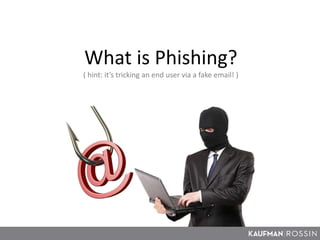
What is Phishing?
( hint: it’s tricking an end user via a fake email! )
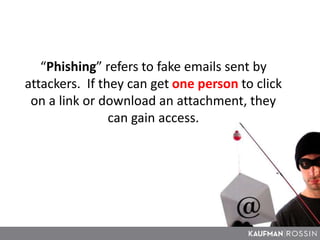
“Phishing” refers to fake emails sent by
attackers. If they can get one person to click
on a link or download an attachment, they
can gain access.
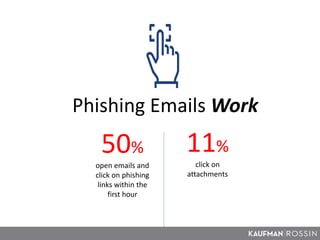
Phishing Emails Work
50%
open emails and
click on phishing
links within the
first hour
11%
click on
attachments
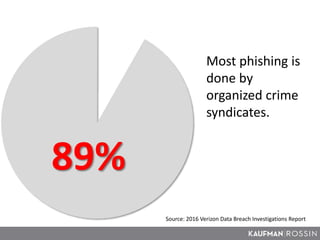
Source: 2016 Verizon Data Breach Investigations Report
89%
Most phishing is
done by
organized crime
syndicates.
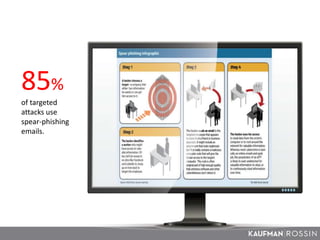
85%
of targeted
attacks use
spear-phishing
emails.
What can be done?
Improved
e-mail filtering
(technology)
Human sensor
network
(YOU!)
A NETWORK OF HUMAN SENSORS ARE MORE EFFECTIVE AT
DETECTING PHISHING ATTACKS THAN ALMOST ANY TECHNOLOGY
Source: 2015 Verizon Data Breach Investigations Report
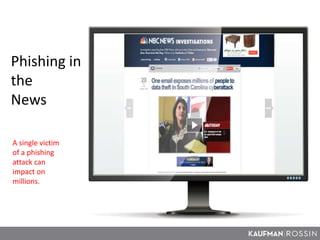
Phishing in the News
Phishing in
the
News
A single victim
of a phishing
attack can
impact on
millions.
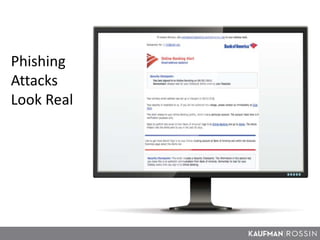
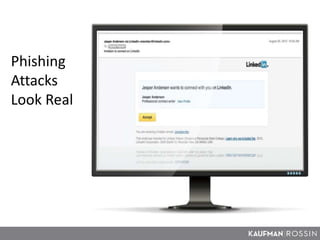
Phishing
Attacks
Look Real
Phishing
Attacks
Look Real
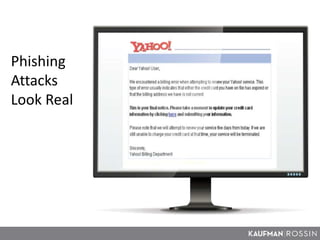
Phishing
Attacks
Look Real
What can you do?
Know the signs
of a phishing
attack
Report phishing
attacks to the IT
Department
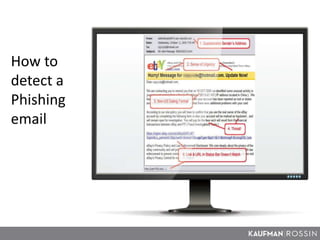
How to
detect a
Phishing
email
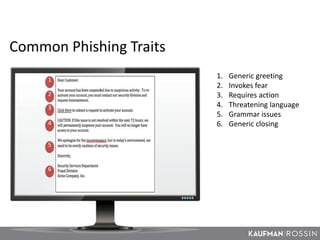
Common Phishing Traits
1
2
3
4
5
6
1. Generic greeting
2. Invokes fear
3. Requires action
4. Threatening language
5. Grammar issues
6. Generic closing
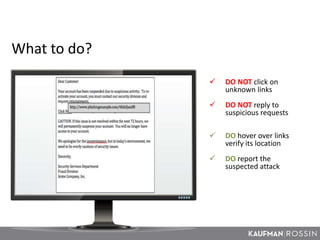
 DO NOT click on
unknown links
 DO NOT reply to
suspicious requests
 DO hover over links
verify its location
 DO report the
suspected attack
What to do?
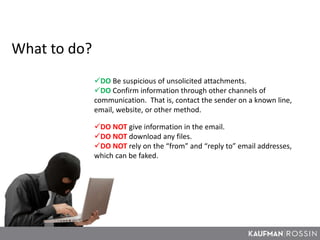
What to do?
DO Be suspicious of unsolicited attachments.
DO Confirm information through other channels of
communication. That is, contact the sender on a known line,
email, website, or other method.
DO NOT give information in the email.
DO NOT download any files.
DO NOT rely on the “from” and “reply to” email addresses,
which can be faked.
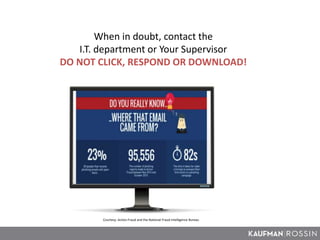
When in doubt, contact the
I.T. department or Your Supervisor
DO NOT CLICK, RESPOND OR DOWNLOAD!
Courtesy: Action Fraud and the National Fraud Intelligence Bureau

2016 Social Engineering Training

  • 1.
    The following isfor your education, so please continue through this exercise. You will learn about the risks of phishing and some common traits to help identify phishing attacks. Please read each slide carefully and completely. The link you clicked on was part of a phishing awareness campaign.
  • 2.
    What is Phishing? (hint: it’s tricking an end user via a fake email! )
  • 3.
    “Phishing” refers tofake emails sent by attackers. If they can get one person to click on a link or download an attachment, they can gain access.
  • 4.
    Phishing Emails Work 50% openemails and click on phishing links within the first hour 11% click on attachments
  • 5.
    Source: 2016 VerizonData Breach Investigations Report 89% Most phishing is done by organized crime syndicates.
  • 6.
  • 7.
    What can bedone? Improved e-mail filtering (technology) Human sensor network (YOU!) A NETWORK OF HUMAN SENSORS ARE MORE EFFECTIVE AT DETECTING PHISHING ATTACKS THAN ALMOST ANY TECHNOLOGY Source: 2015 Verizon Data Breach Investigations Report
  • 8.
  • 9.
    Phishing in the News A singlevictim of a phishing attack can impact on millions.
  • 10.
  • 11.
  • 12.
  • 13.
    What can youdo? Know the signs of a phishing attack Report phishing attacks to the IT Department
  • 14.
  • 15.
    Common Phishing Traits 1 2 3 4 5 6 1.Generic greeting 2. Invokes fear 3. Requires action 4. Threatening language 5. Grammar issues 6. Generic closing
  • 16.
     DO NOTclick on unknown links  DO NOT reply to suspicious requests  DO hover over links verify its location  DO report the suspected attack What to do?
  • 17.
    What to do? DOBe suspicious of unsolicited attachments. DO Confirm information through other channels of communication. That is, contact the sender on a known line, email, website, or other method. DO NOT give information in the email. DO NOT download any files. DO NOT rely on the “from” and “reply to” email addresses, which can be faked.
  • 18.
    When in doubt,contact the I.T. department or Your Supervisor DO NOT CLICK, RESPOND OR DOWNLOAD! Courtesy: Action Fraud and the National Fraud Intelligence Bureau