
College of
Science,
Engineering &
Technology

Community
Engagement

I-SET
Inspired towards
Science,
Engineering and
Technology
I-SET Robotics Coach and Mentor Training
19 May 2012
Teaching & Learning
Building and Programming
Outline

•   Equipment
•   Building basic
•   Programming basic and beyond
•   Building
•   Challenges (with add-ons)
•   Resources
•   Schedule & lesson plan
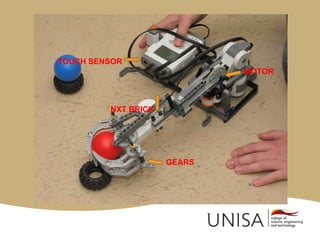
TOUCH SENSOR
                             MOTOR


         NXT BRICK


                     GEARS
Equipment

•   Robot – MindStorm (9797) & resource kit.
•   Container. Recharger & download cable.
•   Laptop & software.
•   Paper, pens, colour pens, pencils. Chalk!
•   Camera.
•   Chocolates, sweets, condensed milk!
•   Clock.
Building basic

•   The book in the kit.
•   Build first robot (good for team building!)
•   Just follow instructions – carefully!
•   Easy?
Programming basics

•   First programming experience.
•   A paradigm change …
•   Make it FUN and EXCITING.
•   No big deal!
•   Avoid all FEARS and I CANNOT.
•   BE AWARE of manipulators ….
Visual programming NXT-G
Programming MOVE and NOISE

• MOVE FOREVER
• MOVE TWO ROTATIONS STOP
• MOVE THREE ROTATIONS NOISE
  MOVE
• Forward, backward, stop, different sounds!
CHALLENGE

• Attach a pen to the robot.
• Program robot to draw the first letter
  of your name.
• Program the robot to make a noise
  when you are done.
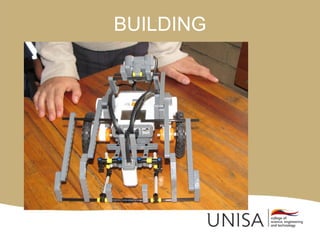
BUILDING
Specific purpose building

• Specific purpose robot attachments.
• Passive – push (bumper, plough,
  box), hook (fish), dump, collect.
• Power – grab, lift (lever, forklift), pull.
• Gears disguised.
• Movement options – wheels, legs.
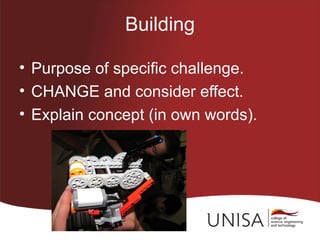
Building

• Purpose of specific challenge.
• CHANGE and consider effect.
• Explain concept (in own words).
Building concepts

•   Centre of gravity.
•   Robot robustness.
•   Stress.
•   Alternatives and options.
•   What if ….
Building ideas

•   Simple shapes and structures.
•   Ways to attach NXT motors.
•   Front end setups - 15 minute project.
•   Grippers, and Gears.
•   Building creativity – Out the box.
PROGRAMMING

• Teach concept and logic.
• Show the implementation.
• Set the challenge.

• Input, process and output.
Robot Educator
SEQUENCE OF CONCEPTS

• MOVE (and all the alternatives)
• NOISE (just for fun)
• SENSORS – light, colour, ultrasonic,
  touch, sound (input values and calibrate)
• LOOPING
• SWITCH (decision linked to sensors)
• CODE BLOCKS (important)
Challenge options

• Download an existing program with
  building plans.
• Learn to interpret code.
• Modify code and see what happens.
Challenges - examples
RESOURCES

• Internet – Google, YouTube
• Books
• FLL website and Twitter (NB
  competition details)
• Coaching SUPPORT
• I-SET
Internet – Google, YouTube

•   Lesson plans.
•   Programs and building instructions.
•   Robotic design
•   NXT tutorials
•   YouTube (‘kyk en leer’) FLL, Lego,
    MindStorms
Lego engineering
Lego mindstorms
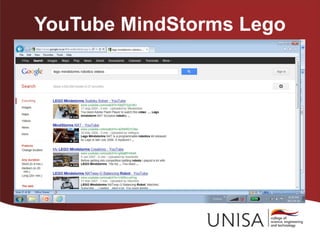
YouTube MindStorms Lego
BOOKS

• Try e-books - Amazon, Kalahari.
• Technology Books (from Hands on
  technologies)
• Lego MindStorms NXT The Mayan
  adventure
• Winning Design! Lego Mindstorms NXT
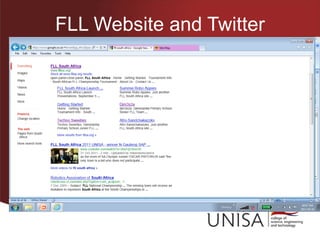
FLL Website and Twitter
Coaching Support (**cost)

• TUT student engineers – 2-6 July
  2012 holidays**.
• JEFA - representative **.
• Engenius toys – consulting **.
• Hands on Technology –
  consulting **.
I-SET

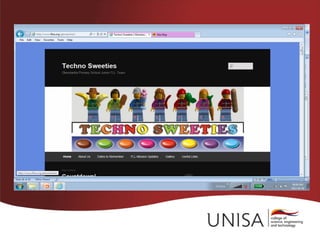
•   I-Set Website for contact details
•   Twitter @ISETLego
•   FaceBook I-Set
•   Virtual learning environment (under
    construction) for team collaboration
    and coach support (July 2012)
YEAR SCHEDULE
LESSON PLAN (minimum 2 hours)

• Must be a break and time limits.
• Vary instruction. Challenge activities.
• Ideally <=5 learners/kit. Initially explore
  groupings, roles, participation.
• Groups*** with ‘leader’.
• Assessment? Register? Handouts?
Lesson Part A
Lesson Part B
p.s.

• It must be fun.
• The kids do all their building and all
  their programming!!!
• The coach does not need to know
  everything – just be there!
Chinese proverb found by a robotics kid


    • Tell me, and I may forget …
 • Show me, and I may remember
                   …
• Involve me, and I will understand.
Thank You

2012 iset teaching building programming

  • 1.
  • 2.
    I-SET Robotics Coachand Mentor Training 19 May 2012
  • 3.
  • 4.
    Outline • Equipment • Building basic • Programming basic and beyond • Building • Challenges (with add-ons) • Resources • Schedule & lesson plan
  • 5.
    TOUCH SENSOR MOTOR NXT BRICK GEARS
  • 6.
    Equipment • Robot – MindStorm (9797) & resource kit. • Container. Recharger & download cable. • Laptop & software. • Paper, pens, colour pens, pencils. Chalk! • Camera. • Chocolates, sweets, condensed milk! • Clock.
  • 7.
    Building basic • The book in the kit. • Build first robot (good for team building!) • Just follow instructions – carefully! • Easy?
  • 8.
    Programming basics • First programming experience. • A paradigm change … • Make it FUN and EXCITING. • No big deal! • Avoid all FEARS and I CANNOT. • BE AWARE of manipulators ….
  • 9.
  • 10.
    Programming MOVE andNOISE • MOVE FOREVER • MOVE TWO ROTATIONS STOP • MOVE THREE ROTATIONS NOISE MOVE • Forward, backward, stop, different sounds!
  • 11.
    CHALLENGE • Attach apen to the robot. • Program robot to draw the first letter of your name. • Program the robot to make a noise when you are done.
  • 12.
  • 13.
    Specific purpose building •Specific purpose robot attachments. • Passive – push (bumper, plough, box), hook (fish), dump, collect. • Power – grab, lift (lever, forklift), pull. • Gears disguised. • Movement options – wheels, legs.
  • 14.
    Building • Purpose ofspecific challenge. • CHANGE and consider effect. • Explain concept (in own words).
  • 15.
    Building concepts • Centre of gravity. • Robot robustness. • Stress. • Alternatives and options. • What if ….
  • 16.
    Building ideas • Simple shapes and structures. • Ways to attach NXT motors. • Front end setups - 15 minute project. • Grippers, and Gears. • Building creativity – Out the box.
  • 17.
    PROGRAMMING • Teach conceptand logic. • Show the implementation. • Set the challenge. • Input, process and output.
  • 18.
  • 19.
    SEQUENCE OF CONCEPTS •MOVE (and all the alternatives) • NOISE (just for fun) • SENSORS – light, colour, ultrasonic, touch, sound (input values and calibrate) • LOOPING • SWITCH (decision linked to sensors) • CODE BLOCKS (important)
  • 20.
    Challenge options • Downloadan existing program with building plans. • Learn to interpret code. • Modify code and see what happens.
  • 21.
  • 23.
    RESOURCES • Internet –Google, YouTube • Books • FLL website and Twitter (NB competition details) • Coaching SUPPORT • I-SET
  • 24.
    Internet – Google,YouTube • Lesson plans. • Programs and building instructions. • Robotic design • NXT tutorials • YouTube (‘kyk en leer’) FLL, Lego, MindStorms
  • 25.
  • 26.
  • 27.
  • 28.
    BOOKS • Try e-books- Amazon, Kalahari. • Technology Books (from Hands on technologies) • Lego MindStorms NXT The Mayan adventure • Winning Design! Lego Mindstorms NXT
  • 29.
  • 31.
    Coaching Support (**cost) •TUT student engineers – 2-6 July 2012 holidays**. • JEFA - representative **. • Engenius toys – consulting **. • Hands on Technology – consulting **.
  • 32.
    I-SET • I-Set Website for contact details • Twitter @ISETLego • FaceBook I-Set • Virtual learning environment (under construction) for team collaboration and coach support (July 2012)
  • 33.
  • 34.
    LESSON PLAN (minimum2 hours) • Must be a break and time limits. • Vary instruction. Challenge activities. • Ideally <=5 learners/kit. Initially explore groupings, roles, participation. • Groups*** with ‘leader’. • Assessment? Register? Handouts?
  • 35.
  • 36.
  • 37.
    p.s. • It mustbe fun. • The kids do all their building and all their programming!!! • The coach does not need to know everything – just be there!
  • 38.
    Chinese proverb foundby a robotics kid • Tell me, and I may forget … • Show me, and I may remember … • Involve me, and I will understand.
  • 39.