Yana Berkovich Data Platform MVP
@yana_Berkovich
YanaBerkovich.com
What’s new and Exciting?
June 2019
About Me
BI Analyst& DEV, Microsoft Data Platform MVP
Consultant, Product Manager
Reportingstream Lead – PHSA
https://www.linkedin.com/in/yanaberkovich
http://yanaberkovich.com
@Yana_Berkovich
JULY Desktop UPDATE…
• 1st time we are too early for the update
(closing this presentation 1PM cause you know lunch break over
clients and such)
Canada Day gift - Paginated Report Data
Set not just Premium!!! 
• Report Builder Updates – https://powerbi.microsoft.com/en-
us/blog/announcing-support-for-non-premium-power-bi-
datasets-in-power-bi-paginated-report-builder/
• Download PowerBI report builder != PowerBI
• Connect to PowerBI Data Set
• Start Creating paginated reports
• Tutorial to get started
Notice: To publish the reports, you still need PREMIUM
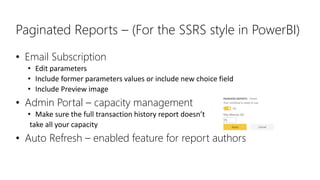
Paginated Reports – (For the SSRS style in PowerBI)
• Email Subscription
• Edit parameters
• Include former parameters values or include new choice field
• Include Preview image
• Admin Portal – capacity management
• Make sure the full transaction history report doesn’t
take all your capacity
• Auto Refresh – enabled feature for report authors
The Viewer Role revolution?
• Ability to add a viewer to specific report
• Premium capacity non PRO license
• PRO license still needed to be a viewer
• RLS is still enabled if exists
• Azure SQL DB oAuth support – configure to support RLS on
the DB level if Azure SQL is the data source
RLS News
DATA Gateway Update – Remember to download
version 3000.7.147
• .NET updates, bug fix &
• Updates to the mashup engine – the same query execution login as per after July
Desktop update
• Single data set as a multiple data source (data flows for next release)
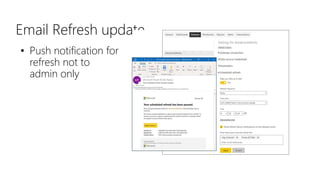
Email Refresh update
• Push notification for
refresh not to
admin only
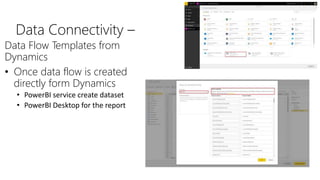
Data Connectivity –
Data Flow Templates from
Dynamics
• Once data flow is created
directly form Dynamics
• PowerBI service create dataset
• PowerBI Desktop for the report
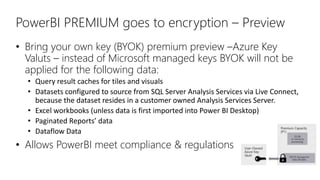
PowerBI PREMIUM goes to encryption – Preview
• Bring your own key (BYOK) premium preview –Azure Key
Valuts – instead of Microsoft managed keys BYOK will not be
applied for the following data:
• Query result caches for tiles and visuals
• Datasets configured to source from SQL Server Analysis Services via Live Connect,
because the dataset resides in a customer owned Analysis Services Server.
• Excel workbooks (unless data is first imported into Power BI Desktop)
• Paginated Reports’ data
• Dataflow Data
• Allows PowerBI meet compliance & regulations
PowerBI REST API – (Embedding)
• Get Groups as Admin API – Get all the workspaces and groups including status
and other metadata fields
• Try it out:
https://docs.microsoft.com/en-us/rest/api/power-
bi/admin/groups_getgroupsasadmin#code-try-0
Top up to 5000 : https://api.powerbi.com/v1.0/myorg/admin/Groups?$top=5000
1. Sign in
2. Choose up to 5000 groups by typing a number into the top field
3. Add Parameters (optional)
4. You have an active API to add in whatever you are building!
Returns all the information in the group in your API
https://docs.microsoft.com/en-us/rest/api/power-
bi/admin/groups_getgroupsasadmin
(still no RLS API but we will keep voting it up!)
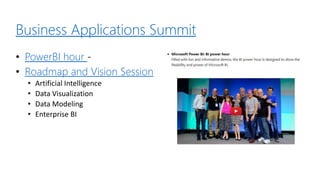
Business Applications Summit
• PowerBI hour -
• Roadmap and Vision Session
• Artificial Intelligence
• Data Visualization
• Data Modeling
• Enterprise BI
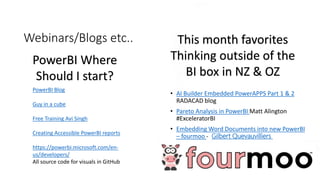
Webinars/Blogs etc..
• AI Builder Embedded PowerAPPS Part 1 & 2
RADACAD blog
• Pareto Analysis in PowerBI Matt Alington
#ExceleratorBI
• Embedding Word Documents into new PowerBI
– fourmoo - Gilbert Quevauvilliers
PowerBI Blog
Guy in a cube
Free Training Avi Singh
Creating Accessible PowerBI reports
https://powerbi.microsoft.com/en-
us/developers/
All source code for visuals in GitHub
PowerBI Where
Should I start?
This month favorites
Thinking outside of the
BI box in NZ & OZ
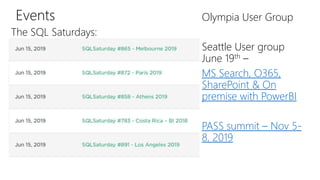
Events
The SQL Saturdays:
Olympia User Group
Seattle User group
June 19th –
MS Search, O365,
SharePoint & On
premise with PowerBI
PASS summit – Nov 5-
8, 2019

July2019 release

  • 1.
    Yana Berkovich DataPlatform MVP @yana_Berkovich YanaBerkovich.com What’s new and Exciting? June 2019
  • 2.
    About Me BI Analyst&DEV, Microsoft Data Platform MVP Consultant, Product Manager Reportingstream Lead – PHSA https://www.linkedin.com/in/yanaberkovich http://yanaberkovich.com @Yana_Berkovich
  • 3.
    JULY Desktop UPDATE… •1st time we are too early for the update (closing this presentation 1PM cause you know lunch break over clients and such)
  • 4.
    Canada Day gift- Paginated Report Data Set not just Premium!!!  • Report Builder Updates – https://powerbi.microsoft.com/en- us/blog/announcing-support-for-non-premium-power-bi- datasets-in-power-bi-paginated-report-builder/ • Download PowerBI report builder != PowerBI • Connect to PowerBI Data Set • Start Creating paginated reports • Tutorial to get started Notice: To publish the reports, you still need PREMIUM
  • 5.
    Paginated Reports –(For the SSRS style in PowerBI) • Email Subscription • Edit parameters • Include former parameters values or include new choice field • Include Preview image • Admin Portal – capacity management • Make sure the full transaction history report doesn’t take all your capacity • Auto Refresh – enabled feature for report authors
  • 6.
    The Viewer Rolerevolution? • Ability to add a viewer to specific report • Premium capacity non PRO license • PRO license still needed to be a viewer • RLS is still enabled if exists • Azure SQL DB oAuth support – configure to support RLS on the DB level if Azure SQL is the data source RLS News
  • 7.
    DATA Gateway Update– Remember to download version 3000.7.147 • .NET updates, bug fix & • Updates to the mashup engine – the same query execution login as per after July Desktop update • Single data set as a multiple data source (data flows for next release)
  • 8.
    Email Refresh update •Push notification for refresh not to admin only
  • 9.
    Data Connectivity – DataFlow Templates from Dynamics • Once data flow is created directly form Dynamics • PowerBI service create dataset • PowerBI Desktop for the report
  • 10.
    PowerBI PREMIUM goesto encryption – Preview • Bring your own key (BYOK) premium preview –Azure Key Valuts – instead of Microsoft managed keys BYOK will not be applied for the following data: • Query result caches for tiles and visuals • Datasets configured to source from SQL Server Analysis Services via Live Connect, because the dataset resides in a customer owned Analysis Services Server. • Excel workbooks (unless data is first imported into Power BI Desktop) • Paginated Reports’ data • Dataflow Data • Allows PowerBI meet compliance & regulations
  • 11.
    PowerBI REST API– (Embedding) • Get Groups as Admin API – Get all the workspaces and groups including status and other metadata fields • Try it out: https://docs.microsoft.com/en-us/rest/api/power- bi/admin/groups_getgroupsasadmin#code-try-0 Top up to 5000 : https://api.powerbi.com/v1.0/myorg/admin/Groups?$top=5000 1. Sign in 2. Choose up to 5000 groups by typing a number into the top field 3. Add Parameters (optional) 4. You have an active API to add in whatever you are building! Returns all the information in the group in your API https://docs.microsoft.com/en-us/rest/api/power- bi/admin/groups_getgroupsasadmin (still no RLS API but we will keep voting it up!)
  • 12.
    Business Applications Summit •PowerBI hour - • Roadmap and Vision Session • Artificial Intelligence • Data Visualization • Data Modeling • Enterprise BI
  • 13.
    Webinars/Blogs etc.. • AIBuilder Embedded PowerAPPS Part 1 & 2 RADACAD blog • Pareto Analysis in PowerBI Matt Alington #ExceleratorBI • Embedding Word Documents into new PowerBI – fourmoo - Gilbert Quevauvilliers PowerBI Blog Guy in a cube Free Training Avi Singh Creating Accessible PowerBI reports https://powerbi.microsoft.com/en- us/developers/ All source code for visuals in GitHub PowerBI Where Should I start? This month favorites Thinking outside of the BI box in NZ & OZ
  • 14.
    Events The SQL Saturdays: OlympiaUser Group Seattle User group June 19th – MS Search, O365, SharePoint & On premise with PowerBI PASS summit – Nov 5- 8, 2019