p. 11
p. 22
2
Welcome to Course 170!
– The title of this course gives it away: SQL 
Server 2012: A Comprehensive Introduction
– Covers all the major SQL Server areas
– A view of SQL Server from 30,000 feet!
p. 33
3
Course basics:
– Coverage at a Beginning‐Intermediate level 
with “spikes” to Intermediate/Advanced 
later in the course
– Ideal for someone migrating from SQL 2000, 
SQL 2005, SQL 2008, SQL 2008 R2
– Also ideal for someone new to SQL Server
– Great for starting the certification path
– Lots of “What’s New in SQL Server 2012?”
p. 44
4
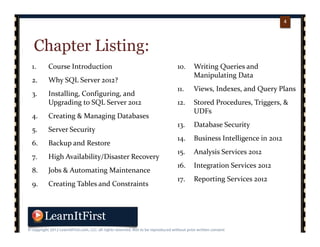
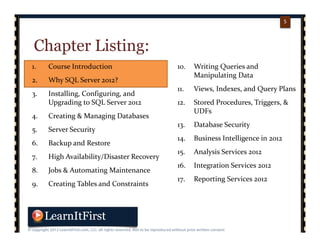
Chapter Listing:
1. Course Introduction
2. Why SQL Server 2012?
3. Installing, Configuring, and 
Upgrading to SQL Server 2012
4. Creating & Managing Databases
5. Server Security
6. Backup and Restore
7. High Availability/Disaster Recovery
8. Jobs & Automating Maintenance
9. Creating Tables and Constraints
10. Writing Queries and 
Manipulating Data
11. Views, Indexes, and Query Plans
12. Stored Procedures, Triggers, & 
UDFs
13. Database Security
14. Business Intelligence in 2012
15. Analysis Services 2012
16. Integration Services 2012
17. Reporting Services 2012
p. 55
5
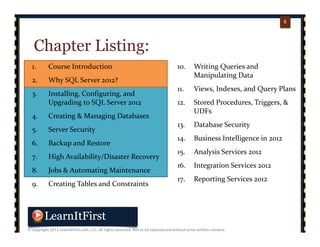
Chapter Listing:
1. Course Introduction
2. Why SQL Server 2012?
3. Installing, Configuring, and 
Upgrading to SQL Server 2012
4. Creating & Managing Databases
5. Server Security
6. Backup and Restore
7. High Availability/Disaster Recovery
8. Jobs & Automating Maintenance
9. Creating Tables and Constraints
10. Writing Queries and 
Manipulating Data
11. Views, Indexes, and Query Plans
12. Stored Procedures, Triggers, & 
UDFs
13. Database Security
14. Business Intelligence in 2012
15. Analysis Services 2012
16. Integration Services 2012
17. Reporting Services 2012
p. 66
6
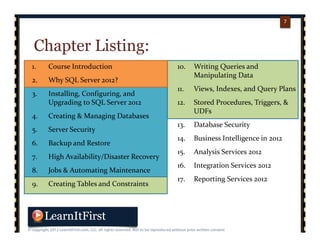
Chapter Listing:
1. Course Introduction
2. Why SQL Server 2012?
3. Installing, Configuring, and 
Upgrading to SQL Server 2012
4. Creating & Managing Databases
5. Server Security
6. Backup and Restore
7. High Availability/Disaster Recovery
8. Jobs & Automating Maintenance
9. Creating Tables and Constraints
10. Writing Queries and 
Manipulating Data
11. Views, Indexes, and Query Plans
12. Stored Procedures, Triggers, & 
UDFs
13. Database Security
14. Business Intelligence in 2012
15. Analysis Services 2012
16. Integration Services 2012
17. Reporting Services 2012
p. 77
7
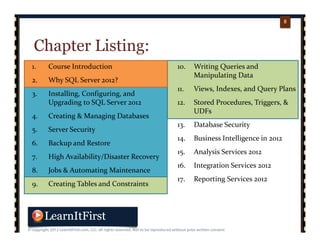
Chapter Listing:
1. Course Introduction
2. Why SQL Server 2012?
3. Installing, Configuring, and 
Upgrading to SQL Server 2012
4. Creating & Managing Databases
5. Server Security
6. Backup and Restore
7. High Availability/Disaster Recovery
8. Jobs & Automating Maintenance
9. Creating Tables and Constraints
10. Writing Queries and 
Manipulating Data
11. Views, Indexes, and Query Plans
12. Stored Procedures, Triggers, & 
UDFs
13. Database Security
14. Business Intelligence in 2012
15. Analysis Services 2012
16. Integration Services 2012
17. Reporting Services 2012
p. 88
8
Chapter Listing:
1. Course Introduction
2. Why SQL Server 2012?
3. Installing, Configuring, and 
Upgrading to SQL Server 2012
4. Creating & Managing Databases
5. Server Security
6. Backup and Restore
7. High Availability/Disaster Recovery
8. Jobs & Automating Maintenance
9. Creating Tables and Constraints
10. Writing Queries and 
Manipulating Data
11. Views, Indexes, and Query Plans
12. Stored Procedures, Triggers, & 
UDFs
13. Database Security
14. Business Intelligence in 2012
15. Analysis Services 2012
16. Integration Services 2012
17. Reporting Services 2012
p. 99
9
Chapter Listing:
1. Course Introduction
2. Why SQL Server 2012?
3. Installing, Configuring, and 
Upgrading to SQL Server 2012
4. Creating & Managing Databases
5. Server Security
6. Backup and Restore
7. High Availability/Disaster Recovery
8. Jobs & Automating Maintenance
9. Creating Tables and Constraints
10. Writing Queries and 
Manipulating Data
11. Views, Indexes, and Query Plans
12. Stored Procedures, Triggers, & 
UDFs
13. Database Security
14. Business Intelligence in 2012
15. Analysis Services 2012
16. Integration Services 2012
17. Reporting Services 2012
p. 1010
10
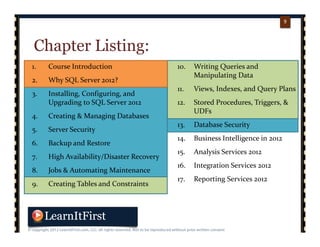
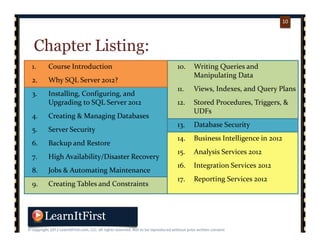
Chapter Listing:
1. Course Introduction
2. Why SQL Server 2012?
3. Installing, Configuring, and 
Upgrading to SQL Server 2012
4. Creating & Managing Databases
5. Server Security
6. Backup and Restore
7. High Availability/Disaster Recovery
8. Jobs & Automating Maintenance
9. Creating Tables and Constraints
10. Writing Queries and 
Manipulating Data
11. Views, Indexes, and Query Plans
12. Stored Procedures, Triggers, & 
UDFs
13. Database Security
14. Business Intelligence in 2012
15. Analysis Services 2012
16. Integration Services 2012
17. Reporting Services 2012
p. 1111
11
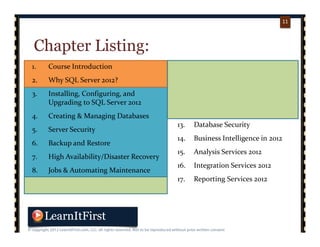
Chapter Listing:
1. Course Introduction
2. Why SQL Server 2012?
3. Installing, Configuring, and 
Upgrading to SQL Server 2012
4. Creating & Managing Databases
5. Server Security
6. Backup and Restore
7. High Availability/Disaster Recovery
8. Jobs & Automating Maintenance
9. Creating Tables and Constraints
10. Writing Queries and 
Manipulating Data
11. Views, Indexes, and Query Plans
12. Stored Procedures, Triggers, & 
UDFs
13. Database Security
14. Business Intelligence in 2012
15. Analysis Services 2012
16. Integration Services 2012
17. Reporting Services 2012
p. 1212
12
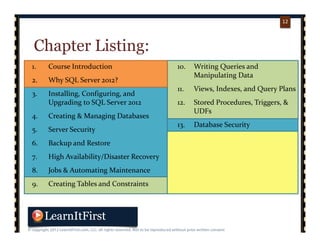
Chapter Listing:
1. Course Introduction
2. Why SQL Server 2012?
3. Installing, Configuring, and 
Upgrading to SQL Server 2012
4. Creating & Managing Databases
5. Server Security
6. Backup and Restore
7. High Availability/Disaster Recovery
8. Jobs & Automating Maintenance
9. Creating Tables and Constraints
10. Writing Queries and 
Manipulating Data
11. Views, Indexes, and Query Plans
12. Stored Procedures, Triggers, & 
UDFs
13. Database Security
14. Business Intelligence in 2012
15. Analysis Services 2012
16. Integration Services 2012
17. Reporting Services 2012
p. 1313
13
p. 1414
14
p. 1515
15
This is a gateway course
– Coverage for DBAs, Developers, Project 
Managers, Analysts, and more
p. 1616
16
The format of this course:
– Presentations, demos, labs
– Exact same as if we were in a “live” setting
– Over five full days of material
p. 1717
17
The videos:
– Anywhere from 5‐20 minutes long
– Cover a specific topic
– Makes it easy to reference topics later!
p. 1818
18
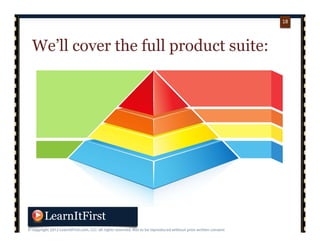
We’ll cover the full product suite:
p. 1919
19
It’s a view of SQL Server 2012 from
30,000 feet
– This is a breadth course, not a depth course
p. 2020
20
We’ll have lots of hands-on
exercises
p. 2121
21
By the end of this course:
– You will have experience with all facets of 
SQL Server 2012
– You will likely want to learn more 
information about certain areas
p. 2222
22
Pre-requisites for this course:
– Not a lot…
– Previous exposure to databases will help!
p. 2323
23
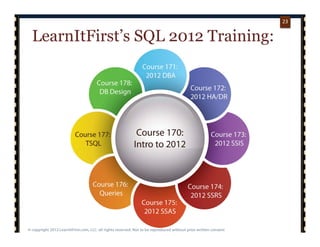
LearnItFirst’s SQL 2012 Training:
p. 2424
24
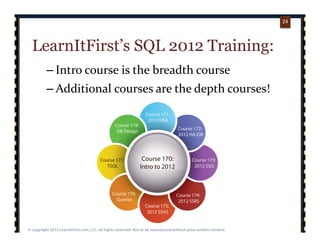
LearnItFirst’s SQL 2012 Training:
– Intro course is the breadth course
– Additional courses are the depth courses!
p. 2525
25
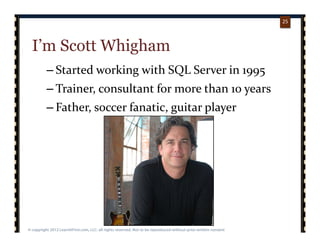
I’m Scott Whigham
– Started working with SQL Server in 1995
– Trainer, consultant for more than 10 years
– Father, soccer fanatic, guitar player
p. 2626
26
Want to learn more about what’s
covered in the course?
– The course page on the LearnItFirst website has 
every video listed with a breakdown
• Keyword search/index
• Free videos
• PDFs
• Course files
– http://learnitfirst.com/go.aspx?id=Course170
p. 2727
27
Who watches the introduction?
– You should! We’ll talk about:
• How to use this course effectively
• How this course is arranged
• How the exercises are designed
• Operating systems and SQL Server editions covered
• Professional development for SQL Server 
professionals
p. 2828
28
In the next video…
– How to Use this Course Effectively
“Do you know what it means to come home at night to a woman who'll
give you a little love, a little affection, a little tenderness? It means you're
in the wrong house, that's what it means. “
- Henny Youngman
p. 2929
29
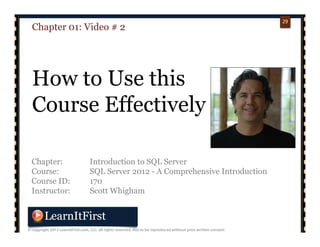
Chapter: Introduction to SQL Server
Course: SQL Server 2012 - A Comprehensive Introduction
Course ID: 170
Instructor: Scott Whigham
Chapter 01: Video # 2
How to Use this
Course Effectively

Course 170: SQL Server 2012: A Comprehensive Introduction

  • 1.
  • 2.
    p. 22 2 Welcome to Course170! – The title of this course gives it away: SQL  Server 2012: A Comprehensive Introduction – Covers all the major SQL Server areas – A view of SQL Server from 30,000 feet!
  • 3.
    p. 33 3 Course basics: – Coverage at a Beginning‐Intermediate level  with “spikes” to Intermediate/Advanced  later in the course –Ideal for someone migrating from SQL 2000,  SQL 2005, SQL 2008, SQL 2008 R2 – Also ideal for someone new to SQL Server – Great for starting the certification path – Lots of “What’s New in SQL Server 2012?”
  • 4.
    p. 44 4 Chapter Listing: 1. Course Introduction 2.Why SQL Server 2012? 3. Installing, Configuring, and  Upgrading to SQL Server 2012 4. Creating & Managing Databases 5. Server Security 6. Backup and Restore 7. High Availability/Disaster Recovery 8. Jobs & Automating Maintenance 9. Creating Tables and Constraints 10. Writing Queries and  Manipulating Data 11. Views, Indexes, and Query Plans 12. Stored Procedures, Triggers, &  UDFs 13. Database Security 14. Business Intelligence in 2012 15. Analysis Services 2012 16. Integration Services 2012 17. Reporting Services 2012
  • 5.
    p. 55 5 Chapter Listing: 1. Course Introduction 2.Why SQL Server 2012? 3. Installing, Configuring, and  Upgrading to SQL Server 2012 4. Creating & Managing Databases 5. Server Security 6. Backup and Restore 7. High Availability/Disaster Recovery 8. Jobs & Automating Maintenance 9. Creating Tables and Constraints 10. Writing Queries and  Manipulating Data 11. Views, Indexes, and Query Plans 12. Stored Procedures, Triggers, &  UDFs 13. Database Security 14. Business Intelligence in 2012 15. Analysis Services 2012 16. Integration Services 2012 17. Reporting Services 2012
  • 6.
    p. 66 6 Chapter Listing: 1. Course Introduction 2.Why SQL Server 2012? 3. Installing, Configuring, and  Upgrading to SQL Server 2012 4. Creating & Managing Databases 5. Server Security 6. Backup and Restore 7. High Availability/Disaster Recovery 8. Jobs & Automating Maintenance 9. Creating Tables and Constraints 10. Writing Queries and  Manipulating Data 11. Views, Indexes, and Query Plans 12. Stored Procedures, Triggers, &  UDFs 13. Database Security 14. Business Intelligence in 2012 15. Analysis Services 2012 16. Integration Services 2012 17. Reporting Services 2012
  • 7.
    p. 77 7 Chapter Listing: 1. Course Introduction 2.Why SQL Server 2012? 3. Installing, Configuring, and  Upgrading to SQL Server 2012 4. Creating & Managing Databases 5. Server Security 6. Backup and Restore 7. High Availability/Disaster Recovery 8. Jobs & Automating Maintenance 9. Creating Tables and Constraints 10. Writing Queries and  Manipulating Data 11. Views, Indexes, and Query Plans 12. Stored Procedures, Triggers, &  UDFs 13. Database Security 14. Business Intelligence in 2012 15. Analysis Services 2012 16. Integration Services 2012 17. Reporting Services 2012
  • 8.
    p. 88 8 Chapter Listing: 1. Course Introduction 2.Why SQL Server 2012? 3. Installing, Configuring, and  Upgrading to SQL Server 2012 4. Creating & Managing Databases 5. Server Security 6. Backup and Restore 7. High Availability/Disaster Recovery 8. Jobs & Automating Maintenance 9. Creating Tables and Constraints 10. Writing Queries and  Manipulating Data 11. Views, Indexes, and Query Plans 12. Stored Procedures, Triggers, &  UDFs 13. Database Security 14. Business Intelligence in 2012 15. Analysis Services 2012 16. Integration Services 2012 17. Reporting Services 2012
  • 9.
    p. 99 9 Chapter Listing: 1. Course Introduction 2.Why SQL Server 2012? 3. Installing, Configuring, and  Upgrading to SQL Server 2012 4. Creating & Managing Databases 5. Server Security 6. Backup and Restore 7. High Availability/Disaster Recovery 8. Jobs & Automating Maintenance 9. Creating Tables and Constraints 10. Writing Queries and  Manipulating Data 11. Views, Indexes, and Query Plans 12. Stored Procedures, Triggers, &  UDFs 13. Database Security 14. Business Intelligence in 2012 15. Analysis Services 2012 16. Integration Services 2012 17. Reporting Services 2012
  • 10.
    p. 1010 10 Chapter Listing: 1. Course Introduction 2.Why SQL Server 2012? 3. Installing, Configuring, and  Upgrading to SQL Server 2012 4. Creating & Managing Databases 5. Server Security 6. Backup and Restore 7. High Availability/Disaster Recovery 8. Jobs & Automating Maintenance 9. Creating Tables and Constraints 10. Writing Queries and  Manipulating Data 11. Views, Indexes, and Query Plans 12. Stored Procedures, Triggers, &  UDFs 13. Database Security 14. Business Intelligence in 2012 15. Analysis Services 2012 16. Integration Services 2012 17. Reporting Services 2012
  • 11.
    p. 1111 11 Chapter Listing: 1. Course Introduction 2.Why SQL Server 2012? 3. Installing, Configuring, and  Upgrading to SQL Server 2012 4. Creating & Managing Databases 5. Server Security 6. Backup and Restore 7. High Availability/Disaster Recovery 8. Jobs & Automating Maintenance 9. Creating Tables and Constraints 10. Writing Queries and  Manipulating Data 11. Views, Indexes, and Query Plans 12. Stored Procedures, Triggers, &  UDFs 13. Database Security 14. Business Intelligence in 2012 15. Analysis Services 2012 16. Integration Services 2012 17. Reporting Services 2012
  • 12.
    p. 1212 12 Chapter Listing: 1. Course Introduction 2.Why SQL Server 2012? 3. Installing, Configuring, and  Upgrading to SQL Server 2012 4. Creating & Managing Databases 5. Server Security 6. Backup and Restore 7. High Availability/Disaster Recovery 8. Jobs & Automating Maintenance 9. Creating Tables and Constraints 10. Writing Queries and  Manipulating Data 11. Views, Indexes, and Query Plans 12. Stored Procedures, Triggers, &  UDFs 13. Database Security 14. Business Intelligence in 2012 15. Analysis Services 2012 16. Integration Services 2012 17. Reporting Services 2012
  • 13.
  • 14.
  • 15.
    p. 1515 15 This is agateway course – Coverage for DBAs, Developers, Project  Managers, Analysts, and more
  • 16.
    p. 1616 16 The format ofthis course: – Presentations, demos, labs – Exact same as if we were in a “live” setting – Over five full days of material
  • 17.
    p. 1717 17 The videos: – Anywhere from 5‐20 minutes long –Cover a specific topic – Makes it easy to reference topics later!
  • 18.
    p. 1818 18 We’ll cover thefull product suite:
  • 19.
    p. 1919 19 It’s a viewof SQL Server 2012 from 30,000 feet – This is a breadth course, not a depth course
  • 20.
    p. 2020 20 We’ll have lotsof hands-on exercises
  • 21.
    p. 2121 21 By the endof this course: – You will have experience with all facets of  SQL Server 2012 – You will likely want to learn more  information about certain areas
  • 22.
    p. 2222 22 Pre-requisites for thiscourse: – Not a lot… – Previous exposure to databases will help!
  • 23.
  • 24.
    p. 2424 24 LearnItFirst’s SQL 2012Training: – Intro course is the breadth course – Additional courses are the depth courses!
  • 25.
    p. 2525 25 I’m Scott Whigham –Started working with SQL Server in 1995 – Trainer, consultant for more than 10 years – Father, soccer fanatic, guitar player
  • 26.
    p. 2626 26 Want to learnmore about what’s covered in the course? – The course page on the LearnItFirst website has  every video listed with a breakdown • Keyword search/index • Free videos • PDFs • Course files – http://learnitfirst.com/go.aspx?id=Course170
  • 27.
    p. 2727 27 Who watches theintroduction? – You should! We’ll talk about: • How to use this course effectively • How this course is arranged • How the exercises are designed • Operating systems and SQL Server editions covered • Professional development for SQL Server  professionals
  • 28.
    p. 2828 28 In the nextvideo… – How to Use this Course Effectively “Do you know what it means to come home at night to a woman who'll give you a little love, a little affection, a little tenderness? It means you're in the wrong house, that's what it means. “ - Henny Youngman
  • 29.
    p. 2929 29 Chapter: Introduction toSQL Server Course: SQL Server 2012 - A Comprehensive Introduction Course ID: 170 Instructor: Scott Whigham Chapter 01: Video # 2 How to Use this Course Effectively