mba.org
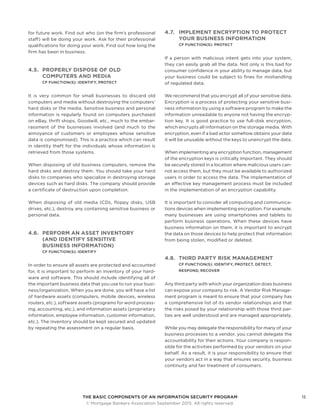
ONE VOICE. ONE VISION. ONE RESOURCE.
The Basic Components of an
Information Security Program
MBA Residential Technology Forum (RESTECH) Information Security Workgroup
15466
Copyright © September 2015 by Mortgage Bankers Association. All Rights Reserved.
Copying, selling or otherwise distributing copies and / or creating derivative works for
commercial purposes is strictly prohibited. Although significant efforts have been used
in preparing this guide, MBA makes no representations or warranties with respect to
the accuracy and completeness of the contents. If legal advice or other expert assis-
tance is needed, competent professionals should be consulted.
Copying in whole or in part for internal business purposes and other non-commercial
uses is permissible provided attribution to Mortgage Bankers Association is included,
either through use of the previous paragraph (when copying / distributing the white
paper in full) or the following (when distributing or including portions in a derivative
work): “Source: Mortgage Bankers Association, The Basic Components of an Informa-
tion Security Program, by the Information Security Work Group of the MBA Residential
Technology Forum (RESTECH), 2015, [page(s)].”
Table of Contents
	Preface  .  .  .  .  .  .  .  .  .  .  .  .  .  .  .  .  .  .  .  .  .  .  .  .  .  .  .  .  .  .  .  .  .  .  .  .  .  .  .  .  .  .  .  .  .  .  .  .  .  .  .  .  .  . 4
1	Introduction .  .  .  .  .  .  .  .  .  .  .  .  .  .  .  .  .  .  .  .  .  .  .  .  .  .  .  .  .  .  .  .  .  .  .  .  .  .  .  .  .  .  .  .  .  .  .  .  .  .  .  . 5
2	Laws and Regulations for Information Security .  .  .  .  .  .  .  .  .  .  .  .  .  .  .  .  .  .  .  .  .  .  .  .  .  .  .  .  .  .  .  . 7
3	First Priority Cybersecurity Practices .  .  .  .  .  .  .  .  .  .  .  .  .  .  .  .  .  .  .  .  .  .  .  .  .  .  .  .  .  .  .  .  .  .  .  .  . 8
3.1	Manage Risk .  .  .  .  .  .  .  .  .  .  .  .  .  .  .  .  .  .  .  .  .  .  .  .  .  .  .  .  .  .  .  .  .  .  .  .  .  .  .  .  .  .  .  .  .  .  .  .  .  .  .  .  . 8
3.2	Protect Information / Systems / Networks from Damage by Viruses, .  .  .  .  .  .  .  .  .  .  .  .  .  .  .  .  .  .  .  .  . 8
Spyware, and Other Malicious Code
3.3	Protect Your Internet Connection .  .  .  .  .  .  .  .  .  .  .  .  .  .  .  .  .  .  .  .  .  .  .  .  .  .  .  .  .  .  .  .  .  .  .  .  .  .  .  .  . 9
3.4	Install and Activate Software Firewalls on All Business Systems  .  .  .  .  .  .  .  .  .  .  .  .  .  .  .  .  .  .  .  .  .  .  . 9
3.5	Patch Your Operating Systems and Applications .  .  .  .  .  .  .  .  .  .  .  .  .  .  .  .  .  .  .  .  .  .  .  .  .  .  .  .  .  .  .  . 9
3.6	Make Backup Copies of Important Business Data / Information .  .  .  .  .  .  .  .  .  .  .  .  .  .  .  .  .  .  .  .  .  .  .  10
3.7	Control Physical Access to Your Computers and Network Components .  .  .  .  .  .  .  .  .  .  .  .  .  .  .  .  .  .  10
3.8	Secure Your Wireless Access Points and Networks .  .  .  .  .  .  .  .  .  .  .  .  .  .  .  .  .  .  .  .  .  .  .  .  .  .  .  .  .  .  11
3.9	Train Your Employees in Basic Security Principles .  .  .  .  .  .  .  .  .  .  .  .  .  .  .  .  .  .  .  .  .  .  .  .  .  .  .  .  .  .  .  11
3.10	Require Individual User Accounts for Each Employee on Business Computers .  .  .  .  .  .  .  .  .  .  .  .  .  .  11
and for Business Applications
3.11	Limit Employee Access to Data and Information  .  .  .  .  .  .  .  .  .  .  .  .  .  .  .  .  .  .  .  .  .  .  .  .  .  .  .  .  .  .  . 12
3.12	Limit Authority to Install Software .  .  .  .  .  .  .  .  .  .  .  .  .  .  .  .  .  .  .  .  .  .  .  .  .  .  .  .  .  .  .  .  .  .  .  .  .  .  .  . 12
3.13	Create Business Policies Related to Information Security  .  .  .  .  .  .  .  .  .  .  .  .  .  .  .  .  .  .  .  .  .  .  .  .  .  . 12
4	Second Priority Cybersecurity Practices  .  .  .  .  .  .  .  .  .  .  .  .  .  .  .  .  .  .  .  .  .  .  .  .  .  .  .  .  .  .  .  .  .  .  . 13
4.1	Train Employees on Essential Safeguards  .  .  .  .  .  .  .  .  .  .  .  .  .  .  .  .  .  .  .  .  .  .  .  .  .  .  .  .  .  .  .  .  .  .  . 13
4.1.1	Email Attachments, Emails Requesting Sensitive Information, and Web Links .  .  .  .  .  .  .  .  .  .  .  .  .  . 13
4.1.2	Harmful Popup Windows .  .  .  .  .  .  .  .  .  .  .  .  .  .  .  .  .  .  .  .  .  .  .  .  .  .  .  .  .  .  .  .  .  .  .  .  .  .  .  .  .  .  .  .  . 13
4.1.3	Additional Hacker Tricks .  .  .  .  .  .  .  .  .  .  .  .  .  .  .  .  .  .  .  .  .  .  .  .  .  .  .  .  .  .  .  .  .  .  .  .  .  .  .  .  .  .  .  .  . 13
4.1.4	Social Engineering .  .  .  .  .  .  .  .  .  .  .  .  .  .  .  .  .  .  .  .  .  .  .  .  .  .  .  .  .  .  .  .  .  .  .  .  .  .  .  .  .  .  .  .  .  .  .  .  .  14
4.2	Exercise Due Diligence in Hiring Employees .  .  .  .  .  .  .  .  .  .  .  .  .  .  .  .  .  .  .  .  .  .  .  .  .  .  .  .  .  .  .  .  .  .  14
4.3	Be Cautious When Allowing Employees to Access the Internet .  .  .  .  .  .  .  .  .  .  .  .  .  .  .  .  .  .  .  .  .  .  .  14
4.4	Get Help With Information Security When You Need It .  .  .  .  .  .  .  .  .  .  .  .  .  .  .  .  .  .  .  .  .  .  .  .  .  .  .  .  14
4.5	Properly Dispose of Old Computers and Media  .  .  .  .  .  .  .  .  .  .  .  .  .  .  .  .  .  .  .  .  .  .  .  .  .  .  .  .  .  .  .  . 15
4.6	Perform an Asset Inventory (and Identify Sensitive Business Information)  .  .  .  .  .  .  .  .  .  .  .  .  .  .  .  . 15
4.7	Implement Encryption to Protect Your Business Information .  .  .  .  .  .  .  .  .  .  .  .  .  .  .  .  .  .  .  .  .  .  .  . 15
4.8	Third Party Risk Management  .  .  .  .  .  .  .  .  .  .  .  .  .  .  .  .  .  .  .  .  .  .  .  .  .  .  .  .  .  .  .  .  .  .  .  .  .  .  .  .  .  . 15
4.9	Plan for Business Continuity and Disaster Recovery .  .  .  .  .  .  .  .  .  .  .  .  .  .  .  .  .  .  .  .  .  .  .  .  .  .  .  .  . 16
4.10	Bring Your Own Device (BYOD) Security .  .  .  .  .  .  .  .  .  .  .  .  .  .  .  .  .  .  .  .  .  .  .  .  .  .  .  .  .  .  .  .  .  .  .  .  16
Appendix A NIST Framework for Improving Critical Infrastructure Cybersecurity .  .  .  .  .  .  .  .  .  .  .  .  .  .  .  17
THE BASIC COMPONENTS OF AN INFORMATION SECURITY PROGRAM4
	 © Mortgage Bankers Association September 2015. All rights reserved.
Preface
The purpose of this document is to provide mortgage industry professionals
with a succinct overview of the information security risks that affect our
industry along with explanations of the basic components of an information
security program intended to help manage those risks. Our focus in writing
this document is on the small and medium size businesses that may not
have the resources to effectively evaluate all of the laws, regulations,
regulatory guidance, security frameworks, and best practices that have
been issued by various government or private entities. This guide is intended
for informational purposes only and does not constitute, and should not
be construed as, legal advice. Rather, this guide is intended to highlight
recognized components of a basic program for managing information
security-related risks of companies doing business in the mortgage industry.
This guide is not intended to provide a mandatory standard of care for
the industry. Every business needs to evaluate based on its own particular
circumstances the appropriate course of action to develop best practices.
Although this guide can help you understand the general
subject matter, it should not be construed as replacing
guidance from your corporate risk management and legal
departments and/or outside counsel and other profession-
als. Final decisions relating to risk and security practices
should remain with the appropriate individuals within
each company.
This guide borrows from the draft NIST Small Business
Information Security: The Fundamentals document issued
in December 2014. We believe that alignment with NIST is
important as a result of the issuance of the NIST Cyberse-
curity Framework. Although adoption of the NIST Cyber-
security Framework is voluntary, we believe it is likely to
serve as a framework for many companies in the mortgage
industry, especially those that might be adopting a frame-
work for the first time. The authors choose to align with the
terminology used by NIST to avoid unnecessary confusion.
This guide contains references to the Core Functions of the
Cybersecurity Framework as appropriate (see Appendix
A for more detail).
Each of the sections of this document that covers the
components of a security program is prefaced with terms
used to identify the five NIST Framework Core Functions.
These terms are “identify,” “protect,” “detect,” “respond,”
and “recover.” These terms are used to help describe the
intent of the specific security practice.
There are multiple information security standards and
frameworks available to assist companies in managing
information security risk. In addition to the previously
mentioned NIST Cybersecurity Framework,1
the Interna-
tional Organization for Standardization (ISO) has issued
the 27000 series of standards. ISACA has issued the Con-
trol Objectives for Information and Related Technology
(COBIT) Framework. The authors of this document do not
recommend the use of one standard or framework over
others. Each of these standards and frameworks contain
elements that may be helpful to companies managing their
information security risk.
1	http://www.nist.gov/cyberframework/upload/
cybersecurity-framework-021214.pdf
THE BASIC COMPONENTS OF AN INFORMATION SECURITY PROGRAM5
	 © Mortgage Bankers Association September 2015. All rights reserved.
1.	Introduction
The financial services industry plays a vital role in our economy.
It provides financing for millions of consumers who want to own their
own homes, as well as for commercial and multifamily properties.
The industry acquires various forms of non-public information from
consumers in order to provide financial services, and maintains
sensitive contracts, business secrets, and other information.
The existence of all this information makes our industry a
target for bad actors. As a result of its economic importance
and the sensitive information it creates and stores, the
financial services industry has been designated as one of
the six critical infrastructure sectors in the United States.2
This designation means that in addition to the existing
regulatory oversight, several additional government agen-
cies monitor the risks to the industry while also working
closely with the industry to identify new threats as well
as new practices to protect it. For industry participants,
this means additional resources to assist with managing
security issues. It also means that federal and state agen-
cies are issuing regulations and guidelines to be followed.
It can be difficult to keep current with the various edicts
that may come from multiple sources, and for many smaller
entities it can be overwhelming. The volume of guidance
may create paralysis for small players, resulting in minimal
or no action on their part.
The importance of managing information security risks has
never been greater. News stories appear daily about the
most recent major security breaches. And these stories are
simply the tip of the iceberg. Most breaches never make
the news. Importantly, many breaches are not uncovered
for extended periods of time.
Why should a mortgage business be interested in, or con-
cerned with, information security?
The customers of mortgage businesses have an expectation
that their sensitive personal information will be respected
and given appropriate protection. The employees of a
mortgage business also have an expectation that their
sensitive personal information will be appropriately pro-
tected. Such information might be sensitive employee or
customer information, confidential business research or
2	http://www.dhs.gov/critical-infrastructure-sectors
plans, or financial information. Some of these informa-
tion categories (e.g., health, privacy, and certain types of
financial information) are subject to special, more restric-
tive regulatory requirements for information security
protection. Failure to properly protect such information,
based on the regulatory requirements, can easily result in
significant fines and penalties from the regulatory agen-
cies involved as well as reputational damage. Potential
customers may avoid a business that has been “hacked,”
particularly if the media has reported the failure as being
due to inadequate precautions.
Current and / or potential business partners also have their
expectations of the status of information security. These
business partners want assurance that their information,
systems, and networks are not put “at risk” when they con-
nect to and do business with another company. They expect
an appropriate level of security in an actual or potential
business partner — similar to the level of security that they
have implemented in their own systems and networks.
Some of the information used in your business needs spe-
cial protection for one or more of the following reasons:
•	 Confidentiality, to ensure that only those
who need access to that information to do
their jobs actually have access to it;
•	 Integrity, to ensure that the information has
not been tampered with or deleted by those
who should not have had access to it; and
•	 Availability, to ensure that the information
is available when it is needed by those who
conduct the organization’s business.
THE BASIC COMPONENTS OF AN INFORMATION SECURITY PROGRAM6
	 © Mortgage Bankers Association September 2015. All rights reserved.
We recommend that all institutions have an information
security program in place as well as a regular self-assessment
of the program. We understand that some organizations
have limited resources to adequately accomplish this, so
while recommending that organizations incorporate all
the sections in this document as part of a basic program,
there are “absolutely necessary” steps that most regulators
and standards organizations regard as critical and that
the authors believe should be made a priority. A majority
of these items can be put in place with a relatively small
budget with minimal resources. In addition, we recommend
that senior management prioritize the importance of cor-
porate security and encourage its continued development.
It is not possible for any business to implement a perfect
information security program, but it is possible (and rea-
sonable) to implement sufficient security to make it more
difficult for bad actors to succeed in obtaining unauthor-
ized information from your company. The remainder of this
document will discuss the important practices that should
be in place for all financial institutions and the entities that
provide services for the industry.
THE BASIC COMPONENTS OF AN INFORMATION SECURITY PROGRAM7
	 © Mortgage Bankers Association September 2015. All rights reserved.
2.	Laws and Regulations
for Information Security
The development of a corporate information security program is necessary
to manage risks inherent in the use of technology. These risks, and the need
to effectively manage them, exist regardless of any laws, regulations, and
guidance issued by federal and state governments and regulatory bodies.
At the same time, companies need to ensure that their
organizations are aware of regulations, develop policies to
incorporate the requirements, and develop mechanisms to
ensure compliance with the regulations. The risks to your
organization of noncompliance are criminal, civil, statutory,
regulatory or contractual penalties. The development and
execution of organizational security policies and standards
will maximize compliance and minimize the resources your
organization has to spend to undergo internal and external
compliance audits.
Below is a list of the major laws, regulations and guidance
that have been issued as of the writing of this document.
Your legal and compliance teams should review each of
the topics to ensure you comply with applicable regula-
tions as they pertain to your business.
Privacy and Security
Gramm-Leach-Bliley Act [Section 501(a) and 501(b)]
Information Security Breach Notification Legislation3
Identity Theft Red Flags Rule
General Information Security
Federal Financial Institutions Examination
Council (FFIEC) Guidelines
Federal Trade Commission (FTC) Regulations
Federal Deposit Insurance Corporation — PR-28-2014
3	 Forty-seven states, the District of Columbia, Guam, Puerto Rico
and the Virgin Islands have enacted legislation requiring private
or government entities to notify individuals of security breaches
of information involving personally identifiable information.
Cyber Security
SEC Cybersecurity Guidance
New York State Department of Financial
Services (NYS-DFS)
Vendor Management
OCC Bulletin 2013-29
CFPB Bulletin 2012-03
Federal Reserve — Guidance on Managing Outsourcing
Risk (SR letter 13-19 / CA letter 13-21)
THE BASIC COMPONENTS OF AN INFORMATION SECURITY PROGRAM8
	 © Mortgage Bankers Association September 2015. All rights reserved.
3.	First Priority
Cybersecurity Practices
The following are the highest priority cybersecurity actions that a business
should take to protect its information, systems, and networks. These
practices will help your organization to identify and understand the value
of your information and systems, protect those resources, detect possible
incidents that could compromise them, and help your organization
to respond to and recover from possible cybersecurity events.
3.1.	 MANAGE RISK
CYBERSECURITY FRAMEWORK (CF) FUNCTION(S):
IDENTIFY
Participants in the mortgage industry need to identify
and manage risks relating to information security. Risk
Management is the process of identifying the risks that
your business is exposed to and then managing that risk
by implementing protective measures to limit the impact
of the identified risks. Effective risk management includes
an assessment of the risks unique to each company, the
identification of the vulnerabilities of your company, and
the development of a risk management plan that addresses
those risks.
Risk management is an ongoing and evolutionary pro-
cess. This means that risk management is not static. Risks
change as your company evolves. Risks also change as
bad actors change their methods and tools of disruption
and corruption. External practices and risks also influence
risk management. Companies can start small and evolve
their risk management process as they gain experience.
The process can often be accelerated by engaging with
external security providers. The critical point here is to
start the process of developing a risk management plan
if you have not already done so, and to keep improving
once you have a plan.
Multiple frameworks exist to help you manage information
security risks. The more well-known frameworks are the
NIST Cybersecurity Framework4
and ISO 27000 series.5
These frameworks are very large and comprehensive. If
you are just beginning the path towards the development
of a corporate security risk management plan, you should
not expect your plan to have all of the components of the
framework on Day One. You can start down the path of
developing and implementing the plan by ensuring that
your company security practices include the actions in
the following sections.
3.2.	 PROTECT INFORMATION/SYSTEMS/
NETWORKS FROM DAMAGE
BY VIRUSES, SPYWARE, AND
OTHER MALICIOUS CODE
CF FUNCTION(S): PROTECT
Malicious code is code (computer programs) written to
do bad things to your data and / or computers (including
smart phones, tablets, and other mobile devices). Bad
things can be: find and delete sensitive data; find and copy
sensitive data — and send it to cyber criminals who will
sell it or use it to make money; record all keystrokes made
on the computer (including account numbers, passwords,
answers to secret questions, etc.) and report that informa-
tion to a ‘command center’ somewhere on the Internet;
encrypt your sensitive data and demand money for you
to get it back; reformat your hard drive; and other actions
4	http://www.nist.gov/cyberframework/
5	http://www.iso.org/iso/home/standards/
management-standards/iso27001.htm
THE BASIC COMPONENTS OF AN INFORMATION SECURITY PROGRAM9
	 © Mortgage Bankers Association September 2015. All rights reserved.
that might significantly harm your business. There are a
growing number of smartphone and tablet apps which
contain malicious code.
To protect against malicious code, install, use (in “real-
time” mode, if available), and regularly update anti-virus
and anti-spyware software on every server and computer
used in your business.
Many commercial software vendors provide adequate
protection at a reasonable price. An Internet search for
anti-virus and anti-spyware products will show many of
these organizations. Most vendors now offer subscriptions
to “security service” applications, which provide multiple
layers of protection (in addition to anti-virus and anti-
spyware protection).
3.3.	 PROTECT YOUR INTERNET CONNECTION
CF FUNCTION(S): PROTECT
Internet connections work in both directions. These con-
nections provide you and your company with access to
the vast resources on the internet. At the same time, this
connection can provide access into your environment by
others. Bad actors can utilize these same connections to do
harm to your company. Most businesses have broadband
access to the Internet. It is important to keep in mind that
this type of Internet access is always “on.” Therefore, your
computer—or any network your computer is attached to
— is exposed to threats from the Internet on a 24 x 7 basis.
For broadband Internet access, it is critical to install and
maintain a hardware firewall between your internal net-
work and the Internet. This may be a function of a wireless
access point / router, or it may be a function of a router
provided by your Internet Service Provider (ISP). There
are many hardware vendors that provide firewall wire-
less access points/routers, firewall routers, and separate
firewall devices.
For these devices, the administrative password must be
changed upon installation and regularly thereafter. Best
practice is to change the administrator’s login name as
well. The default values are easily guessed, and if not
changed may allow hackers to control your device and
thus to monitor, record, or corrupt your communications
and data via the Internet.
3.4.	 INSTALL AND ACTIVATE SOFTWARE
FIREWALLS ON ALL BUSINESS SYSTEMS
CF FUNCTION(S): PROTECT, DETECT
Businesses have high speed connections to numerous
networks and systems. The more connected a business
becomes, the more important it is that data stored on its
network is protected from those who wish to steal company
information. To protect from these threats, businesses
should install, use, and regularly update a software firewall
on each computer system in use. You may opt to use the
firewall provided by your operating system, or a third party
software firewall, which are often bundled with anti-virus
software. Internet searches and using online and trade
magazine reviews and references can assist in selecting
a good solution.
It is recommended to have software firewalls on each
computer even if you have a hardware firewall protecting
your network. A network firewall will protect a corpora-
tion from hosts on the Internet, or one internal segment of
the community from another. A firewall on each individual
computer will protect one computer from another on the
same network, or any computer from itself. This ensures
that if one of your controls is defeated you will still have
another layer to prevent bad actors or malicious code from
reaching your systems.
3.5.	 PATCH YOUR OPERATING
SYSTEMS AND APPLICATIONS
CF FUNCTION(S): PROTECT
Software providers identify security vulnerabilities in
their products on a periodic basis. Sometimes these vul-
nerabilities are first identified by bad actors, and other
times the software provider identifies the problem. These
providers regularly release patches and updates to their
supported products to correct security problems and to
improve functionality. Once a software patch is released,
bad actors review the patch and accompanying informa-
tion to identify the issue, and armed with this information
they can exploit the vulnerability. This vulnerability will
exist inside your organization until you update the appro-
priate program with the patch, therefore it is important to
understand how critical it is to apply the patches as soon
as possible. It is highly recommended that you develop and
implement a corporate standard for deploying patches to
all systems in a timely manner. It is important to note that
you should only be using a current and vendor-supported
version of whatever software programs you choose to
use. Most vendors will not provide security updates for
unsupported products.
THE BASIC COMPONENTS OF AN INFORMATION SECURITY PROGRAM10
	 © Mortgage Bankers Association September 2015. All rights reserved.
3.6.	 MAKE BACKUP COPIES OF IMPORTANT
BUSINESS DATA / INFORMATION
CF FUNCTION(S): RESPOND, RECOVER
Computers die, hard disks fail, employees make mistakes,
and malicious programs can destroy data on computers.
These issues happen within all companies. Important infor-
mation should be backed up to ensure you can recover
quickly from whatever event caused the loss of data.
Without data backups, you can easily get into a situation
where you have to recreate your business data from paper
copies and other manual files.
Back up your data on each computer used in your business.
Your data includes (but is not limited to) word processing
documents, electronic spreadsheets, databases, financial
files, human resources files, accounts receivable/payable
files, and other information used in or generated by your
business.
Use automated processes to perform your backups when-
ever possible. Many security software suites offer automated
backup functions that will do this on a regular schedule
for you. Backups should be performed on a regular basis.
You should store backups off-site to prevent them from
being impacted by the same event that destroyed your
systems. If something happens to your office (fire, flood,
tornado, theft, etc.) you can restore your business opera-
tions using your backup data and replacement computers
and other necessary hardware and software.
Be sure to test your backups regularly. Backup jobs can
fail, and can leave you exposed in the event of disaster. If
you don’t test your backups, you have no grounds for con-
fidence that you will be able to use them if the need arises.
Storing backups in the “Cloud” is also a possibility. Perform
appropriate due diligence when selecting a Cloud Service
Provider. It is recommended that you encrypt all data prior
to storing it off-site, and especially in the Cloud. The Cloud
Security Alliance (CSA) provides information and guidance
for using the Cloud in a manner consistent with industry
recognized data protection principles. See the CSA guid-
ance Domain 11 “Encryption and Key Management” for
additional advice on encryption.6
6	 Cloud Security Alliance, Security Guidance for Critical Areas of Focus
in Cloud Computing v3.0 (2011), p.129. https://cloudsecurityalliance.
org/download/security-guidance-for-critical-areas-of-focus-
in-cloud-computing-v3/ (accessed November 20, 2014).
3.7.	 CONTROL PHYSICAL ACCESS
TO YOUR COMPUTERS AND
NETWORK COMPONENTS
CF FUNCTION(S): PROTECT, DETECT
Individuals with access to your computers and networks
can do great harm. Individuals can steal machines, install
monitoring or malicious software, or engage in other forms
of actions harmful to your company. Access should be
controlled to ensure that only those individuals with a need
to use the computers have access to them. Secure laptops
when they are not in use. Computers and servers should
not be accessible without passwords. Companies should
consider whether to position each computer’s display (or
use a privacy screen) so that people walking by cannot
see the information on the screen.
Controlling access to your systems and networks also
involves being fully aware of anyone who has access to
the systems or networks. This includes cleaning crews who
come into the office space at night to clean the office and
remove the trash. Criminals often attempt to get jobs on
cleaning crews for the purpose of breaking into comput-
ers for the sensitive information that they expect to find
there. Controlling access also includes being careful about
having computer or network repair personnel working
unsupervised on systems or devices. It is easy for them to
steal private /sensitive information and walk out the door
with it withou t anyone noticing anything unusual.
No one should be able to walk into your office space
without being challenged by an employee. This can be
done in a pleasant, cordial manner, but it must be done
to identify those who do not have a legitimate reason for
being in your offices. “How may I help you?” is a pleasant
way to challenge an unknown individual. If logistically
feasible, you may also want to consider limiting access to
your offices beyond the public areas—the reception area
and the conference rooms where customers meet with
your employees.
THE BASIC COMPONENTS OF AN INFORMATION SECURITY PROGRAM11
	 © Mortgage Bankers Association September 2015. All rights reserved.
3.8.	 SECURE YOUR WIRELESS ACCESS
POINTS AND NETWORKS
CF FUNCTION(S): PROTECT
Wireless networking is a great business convenience for
your employees. If not configured appropriately, however,
it can also be a significant security risk. Wireless networks
are accessible to anyone within receiving range of the
signal. If you use wireless networking, make sure to secure
the network appropriately. A few basics to consider in
securing your network include:
•	 Use a strong encryption method. WEP is known
to be flawed and easily compromised. As of the
writing of this whitepaper, Wi-Fi Protected Access
2 (WPA-2) is considered the industry standard.
•	 Change the administrative password for the device.
•	 Consider disabling the broadcast of your
network’s SSID, so casual observers will not
detect the wireless network’s existence.
•	 Change the wireless access password frequently.
3.9.	 TRAIN YOUR EMPLOYEES IN
BASIC SECURITY PRINCIPLES
CF FUNCTION(S): PROTECT
The biggest risk in information security is people. Employ-
ees, often inadvertently, create risks for your company.
Training employees in the fundamentals of information,
system, and network security is one of the most effective
investments you can make to better secure your company.
Regular training will help you develop a “culture of security”
in your employees and in your business.
Employees who use any computer programs containing
sensitive information should be told about that informa-
tion and must be taught how to properly use and protect
it. Before being granted access to company computer
systems, employees should be trained on your information
security policies and their responsibilities to protect your
sensitive business information.
At the conclusion of training, and on a periodic basis,
employees should be requested to sign an attestation that
they understand these business policies, that they will fol-
low your policies, and that they understand the penalties
for non-compliance. Consequences for violating business
policies should be clearly communicated and understood
across the organization. For more employee training infor-
mation, see section 4.1.
3.10.	REQUIRE INDIVIDUAL USER
ACCOUNTS FOR EACH EMPLOYEE
ON BUSINESS COMPUTERS AND
FOR BUSINESS APPLICATIONS
CF FUNCTION(S): PROTECT
Business computers carry sensitive and important data,
so keeping them protected is a major priority. Ensure that
every user and application has an individual password that
is sufficiently strong to be safe from guessing or hacking
attempts. A strong password consists of a random sequence
of letters (upper case and lower case), numbers, special
characters, and is at least 8 characters long.
Passwords should be unique for different user accounts.
If a thief is able to obtain one password, they can be pre-
vented from using it for anything else.
Not all hackers take what they can and leave. Occasionally
hackers may continue accessing a compromised account,
either to monitor your data or continue stealing information
over time. It can be difficult to figure out if someone else is
using your account, so by changing passwords consistently
you and your employees reduce the risk that other people
will have frequent access to your accounts. User access
passwords should be changed at least every 90 days.
Companies should never permit individuals to share user
accounts and passwords. Shared accounts and passwords
invalidate the control intent served by passwords, since
there is no way to track who was responsible for various
actions. The communication of shared passwords between
individuals also increases the risk that the passwords will be
written down or included in emails, making those accounts
further vulnerable to unauthorized access.
THE BASIC COMPONENTS OF AN INFORMATION SECURITY PROGRAM12
	 © Mortgage Bankers Association September 2015. All rights reserved.
3.11.	 LIMIT EMPLOYEE ACCESS TO
DATA AND INFORMATION
CF FUNCTION(S): PROTECT
Least privilege is the security principle that dictates
giving each user the least access to data possible while
still allowing them to complete their job effectively. By
implementing least privilege a company better protects
the sensitive information of its customers, company and
partners, by limiting the number of people who can access
it and the variety of channels through which it can leave
the organization.
Create roles within your organization and determine what
the appropriate tasks for those roles are, then determine
what level of access is needed to complete those tasks.
The unfortunate truth is that insiders — those who work in
a business — are the source of many security incidents. The
reason is that they are already known, trusted, and have
been given access to important business information and
systems. So when they perform harmful actions (deliber-
ately or otherwise), the business information, systems, and
networks — and the business itself — suffer harm.
3.12.	LIMIT AUTHORITY TO
INSTALL SOFTWARE
CF FUNCTION(S): IDENTIFY, PROTECT
Employees can knowingly and unknowingly install software
that can harm a company. This can occur through the instal-
lation of seemingly simple applications and downloads.
Installation of any software programs should be limited
to those with proper training to install software.
Ensure that employees do not have administrative privi-
leges on their computers. This will hinder any attempt —
automated or manual — to install unauthorized software.
If an employee uses a computer with an administrative
user account, then any malicious code that they activate
(deliberately or by deception) will be able to install itself
utilizing the user’s administrative permissions.
3.13.	CREATE BUSINESS POLICIES RELATED
TO INFORMATION SECURITY
CF FUNCTION(S): IDENTIFY, PROTECT, DETECT,
RESPOND, RECOVER
Corporate policies clearly articulate acceptable practices
and expectations for business operations. These policies
are intended to provide guidance for employees to follow
and to ensure consistency across the organization. Policies
for information security have the same objectives, with the
goal of protecting corporate information resources. We
recommend that all companies have a written informa-
tion security policy that is shared with all employees on
a regular basis, reviewed at least annually, and updated
as appropriate.
For companies that do not yet have an information secu-
rity policy, it is recommended that you utilize an existing
security framework as a starting point. Using a framework
helps ensure you have a comprehensive policy set, with no
major pieces missing, and it allows easier communication
with third parties when you describe your approach. The
most common industry standards for policies are the NIST
Cybersecurity Framework, ISO 27001 and COBIT.
Policies for information, computer, network, and Internet
security should communicate clearly to employees the
expectations that the business management has for appro-
priate use. These policies should identify the information
and other resources that are important to management
and should clearly describe how management expects
those resources to be used and protected by all employees.
Policies should be clearly communicated to each employee,
and all employees should sign a statement agreeing that
they have read the policies, that they will follow the poli-
cies, and that they understand the possible penalties for
violating those policies. This will help management to hold
employees accountable for any violations. There should
be penalties for disregarding business policies, and those
penalties should be enforced fairly and consistently for
everyone in the organization.
THE BASIC COMPONENTS OF AN INFORMATION SECURITY PROGRAM13
	 © Mortgage Bankers Association September 2015. All rights reserved.
4.	Second Priority
Cybersecurity Practices
These practices are very important and should be
completed immediately after those in Section 3.
4.1.	 TRAIN EMPLOYEES ON
ESSENTIAL SAFEGUARDS
CF FUNCTION(S): PROTECT
Information security training is an essential function to
protect your company. Many security issues originate from
employee actions, often inadvertently. Bad actors target
employees through various means as a way to leapfrog
other security measures. Hackers attempt to acquire sensi-
tive information from your company by masquerading as
a trustworthy entity in personal or electronic communi-
cation. These attempts will target employees with email
attachments, emails requesting sensitive information,
web links, popup windows, phone calls, or other forms of
social engineering. Employees should be trained on how
to identify these attempts and avoid them.
4.1.1.	EMAIL ATTACHMENTS, EMAILS
REQUESTING SENSITIVE
INFORMATION, AND WEB LINKS
For business or personal email, train your employees not
to open email attachments or web links unless they are
expecting the email with the attachment and they trust
the sender.
Beware of emails which ask for sensitive personal or finan-
cial information — regardless of who the email appears to
be from. No responsible business should ask for sensitive
information to be provided in an email.
Employees should not click on web links unless they are
confident in the source or the message. Always hold the
mouse pointer over the link and look at the bottom of the
browser window to ensure that the actual link (displayed
there) matches the link description in the message (the
mouse pointer changes from an arrow to a tiny hand when
placed over an active link).
4.1.2.	 HARMFUL POPUP WINDOWS
Train your employees not to respond to popup windows
requesting that they click “ok” for anything.
If a window pops up on your screen informing you that you
have a virus or spyware and suggesting that you download
an anti-virus or anti-spyware program to take care of it,
close the popup window by selecting the X in the upper
right corner of the popup window. Do not respond to popup
windows informing you that you have to have a new codec,
driver, or special program for something in the web page
you are visiting. Close the popup window by selecting the
X in the upper right corner of the popup window.
Some of these popup windows are actually trying to trick
you into clicking on “OK” to download and install spyware
or other malicious code onto your computer. Be aware
that some of these popup windows are programmed to
interpret any mouse click anywhere on the window as an
“OK” and act accordingly. For such unexpected popup
windows, a safe way to close the window is to use the
keyboard command “Ctrl-W.”
4.1.3.		 ADDITIONAL HACKER TRICKS
Hackers are known to scatter infected USB drives with
provocative labels in public places where their target
business’s employees hang out, knowing that curious
individuals will pick them up and take them back to their
office system to see what’s on them. What is on them is
generally malicious code which attempts to install a spy
program or remote control program on the computer.
Teach your employees to not bring USB drives into the
office and plug them into your business computers (or to
take them home and plug into their home systems either).
It is a good idea to disable the “AutoRun” feature for the
USB ports (and optical drives like CD and DVD drives) on
your business computers to help prevent such malicious
programs from installing on your systems.
THE BASIC COMPONENTS OF AN INFORMATION SECURITY PROGRAM14
	 © Mortgage Bankers Association September 2015. All rights reserved.
4.1.4.	 SOCIAL ENGINEERING
Social engineering is a personal or electronic attempt to
obtain unauthorized information or access to systems /
facilities or sensitive areas by manipulating people.
The social engineer researches the organization to learn
names, titles, responsibilities, and publicly available personal
identification information. Then the social engineer usually
calls an employee with a believable but made-up story
designed to convince the person that the social engineer
is someone in, or associated with, the organization and
needs information or system access which the organization’s
employee can provide and will feel obligated to provide.
To protect against social engineering techniques, employees
must be taught to be helpful but vigilant when someone
calls in for help and asks for information or special system
access. The employee must first authenticate the caller by
asking for identification information that only the person
who is in or associated with the organization would know.
If the individual is not able to provide such information,
then the employee should politely but firmly refuse to pro-
vide what has been requested by the social engineer. The
employee should then notify management of the attempt
to obtain information or system access.
4.2.	 EXERCISE DUE DILIGENCE
IN HIRING EMPLOYEES
CF FUNCTION(S): PROTECT
When hiring a new employee, conduct a comprehensive
background check before making a job offer. You should
consider doing criminal background checks on all prospec-
tive new employees. According to your business’s needs,
the background check may include criminal, employment,
educational, credit and other components commensurate
with screening standards for the Financial Services industry.
Care should be taken with terminations of employment,
both voluntary and involuntary. While using tact, termina-
tions should result in prompt surrender of company-owned
laptops, jump drives and phones and tablets. The email
accounts of terminated employees who owned their own
phones and tablets under BYOD (see section 5.2) policies
should be closed at the time of departure.
4.3.	 BE CAUTIOUS WHEN ALLOWING
EMPLOYEES TO ACCESS THE INTERNET
CF FUNCTION(S): IDENTIFY, PROTECT, DETECT
The internet has become the breeding ground for mali-
cious activity. It has evolved into the medium of choice
for hackers and thieves looking for new ways to disrupt
services, steal information, and perform malicious activities.
Corrupting computers, stealing personal data through web-
borne viruses, worms and Trojan applications has become
increasingly common. Employees need to be educated
on proper internet conduct and how to determine what
material is safe for access and downloading.
Each company will need to create policies to determine
which employees require web access and to what degree.
Policies should identify the appropriate web usage for all
departments and individuals as necessary, considering busi-
ness needs as well as security concerns. The policies should
be communicated to every person in the organization.
In addition, companies should ensure adequate web content
filtering technology is installed and properly managed.
This will assist in the following:
•	 Capture, rate, and block undesirable and
known-bad Internet URLs and websites
•	 Monitor and prevent employees from viewing
or downloading objectionable material as
well as record and report Internet usage
•	 Allow management to determine who needs
web access, when, how much, and from where
When looking for proper web content filtering technology
it is important to consider a solution that is adequately
monitoring to stay ahead of the latest threats. It must also
be easy to configure, deploy, and manage.
4.4.	 GET HELP WITH INFORMATION
SECURITY WHEN YOU NEED IT
CF FUNCTION(S): IDENTIFY, PROTECT, DETECT,
RESPOND, RECOVER
No one is an expert in every business and technical area.
Therefore, when you need specialized expertise in infor-
mation / computer / network security, get help. When
you get a list of service providers, prepare a request for
proposal and send it out as a set of actions or outcomes
that you want to receive. Carefully examine and review the
deliverables from each firm responding to your request.
Research each firm’s past performance and check its
references carefully. Request a list of past customers and
contact a sample to see if the customer was satisfied
with the firm’s performance and would hire the firm again
THE BASIC COMPONENTS OF AN INFORMATION SECURITY PROGRAM15
	 © Mortgage Bankers Association September 2015. All rights reserved.
for future work. Find out who (on the firm’s professional
staff) will be doing your work. Ask for their professional
qualifications for doing your work. Find out how long the
firm has been in business.
4.5.	 PROPERLY DISPOSE OF OLD
COMPUTERS AND MEDIA
CF FUNCTION(S): IDENTIFY, PROTECT
It is very common for small businesses to discard old
computers and media without destroying the computers’
hard disks or the media. Sensitive business and personal
information is regularly found on computers purchased
on eBay, thrift shops, Goodwill, etc., much to the embar-
rassment of the businesses involved (and much to the
annoyance of customers or employees whose sensitive
data is compromised). This is a practice which can result
in identity theft for the individuals whose information is
retrieved from those systems.
When disposing of old business computers, remove the
hard disks and destroy them. You should take your hard
disks to companies who specialize in destroying storage
devices such as hard disks. The company should provide
a certificate of destruction upon completion.
When disposing of old media (CDs, floppy disks, USB
drives, etc.), destroy any containing sensitive business or
personal data.
4.6.	 PERFORM AN ASSET INVENTORY
(AND IDENTIFY SENSITIVE
BUSINESS INFORMATION)
CF FUNCTION(S): IDENTIFY
In order to ensure all assets are protected and accounted
for, it is important to perform an inventory of your hard-
ware and software. This should include identifying all of
the important business data that you use to run your busi-
ness/organization. When you are done, you will have a list
of hardware assets (computers, mobile devices, wireless
routers, etc.), software assets (programs for word process-
ing, accounting, etc.), and information assets (proprietary
information, employee information, customer information,
etc.). The inventory should be kept secured and updated
by repeating the assessment on a regular basis.
4.7.	 IMPLEMENT ENCRYPTION TO PROTECT
YOUR BUSINESS INFORMATION
CF FUNCTION(S): PROTECT
If a person with malicious intent gets into your system,
they can easily grab all the data. Not only is this bad for
consumer confidence in your ability to manage data, but
your business could be subject to fines for mishandling
of regulated data.
We recommend that you encrypt all of your sensitive data.
Encryption is a process of protecting your sensitive busi-
ness information by using a software program to make the
information unreadable to anyone not having the encryp-
tion key. It is good practice to use full-disk encryption,
which encrypts all information on the storage media. With
encryption, even if a bad actor somehow obtains your data
it will be unusable without the keys to unencrypt the data.
When implementing any encryption function, management
of the encryption keys is critically important. They should
be securely stored in a location where malicious users can-
not access them, but they must be available to authorized
users in order to access the data. The implementation of
an effective key management process must be included
in the implementation of an encryption capability.
It is important to consider all computing and communica-
tions devices when implementing encryption. For example,
many businesses are using smartphones and tablets to
perform business operations. When these devices have
business information on them, it is important to encrypt
the data on those devices to help protect that information
from being stolen, modified or deleted.
4.8.	 THIRD PARTY RISK MANAGEMENT
CF FUNCTION(S): IDENTIFY, PROTECT, DETECT,
RESPOND, RECOVER
Any third party with which your organization does business
can expose your company to risk. A Vendor Risk Manage-
ment program is meant to ensure that your company has
a comprehensive list of its vendor relationships and that
the risks posed by your relationship with those third par-
ties are well understood and are managed appropriately.
While you may delegate the responsibility for many of your
business processes to a vendor, you cannot delegate the
accountability for their actions. Your company is respon-
sible for the activities performed by your vendors on your
behalf. As a result, it is your responsibility to ensure that
your vendors act in a way that ensures security, business
continuity and fair treatment of consumers.
THE BASIC COMPONENTS OF AN INFORMATION SECURITY PROGRAM16
	 © Mortgage Bankers Association September 2015. All rights reserved.
An effective vendor risk management program will identify
an organization’s highest risk third parties and ensure that
the appropriate due diligence is performed against them
before a business relationship commences. The program
should also include regular monitoring of the relationship
to ensure risks continue to be managed appropriately.
4.9.	 PLAN FOR BUSINESS CONTINUITY
AND DISASTER RECOVERY
CF FUNCTION(S): IDENTIFY, PROTECT, DETECT,
RESPOND, RECOVER
Whether it’s a natural disaster, human error, computer
virus or hardware failure, disasters are bound to happen
from time to time. Not only can the downtime be costly
for your business, but it could impact customer retention
and reputation due to the expectation of 24/7/365 access.
Your company should have a plan for restoring business
operations during or after a disaster or a contingent event.
Use your asset inventory to prioritize information and
systems relative to their importance for the business. This
prioritization should have a business-wide focus, including
employees, and ensure that all critical functions are identi-
fied. You may want to utilize a tiered system whereby you
assign each asset a classification (tier 1, tier 2, etc.) that
corresponds to a certain amount of time that you can afford
to go without that asset. For example, tier 1 could require
the system be unavailable for no longer than 1 business day.
This tiered list is a necessity when you start to imple-
ment business continuity protections. No one has enough
resources to protect every type of information in the best
possible way, so you start with the highest priority infor-
mation, protecting each successive priority level until you
achieve the risk results your business needs.
4.10.	BRING YOUR OWN DEVICE
(BYOD) SECURITY
CF FUNCTION(S): IDENTIFY, PROTECT, DETECT,
RESPOND, RECOVER
Bring Your Own Device (BYOD) allows employees to use
personal devices (phones, tablets, computers, etc.) to
access corporate resources. It is intended to allow employ-
ees to use any device they choose to perform their work
functions. With any BYOD program, companies need to be
concerned with employees downloading items vulnerable
to hackers, data leakage, or employee loss of the device
with everything on it. Companies risk losing control over
access to enterprise data and determining which devices
are accessing which systems and data.
Businesses need to think carefully about BYOD programs,
and if they elect to allow such a program, they need to
put in place appropriate policies and procedures to tackle
these issues and minimize the risks.
Companies should provide guidance to users on how they
can use their own devices to process corporate and per-
sonal data. It should also be clear to employees that they
can only process corporate data for approved corporate
purposes. It is recommended to have a written agreement
with employees that covers the following:
•	 Ensure that end users are responsible
for backing up personal data
•	 Clarify lines of responsibility for device maintenance
(including a remote wipe process), support and costs
•	 Require employees to remove apps at
the request of the organization
•	 Disable access to the network if a blacklisted app
is installed or if the device has been jail-broken7
•	 Specify the consequences for any
violations of the policy
•	 Establish and enforce an acceptable use policy
requiring employees acknowledgment and sign off
7	 Jail-breaking a device is a way of removing restrictions
a mobile carrier put on the phone to prevent you
from being able to do certain things with it.
THE BASIC COMPONENTS OF AN INFORMATION SECURITY PROGRAM17
	 © Mortgage Bankers Association September 2015. All rights reserved.
Appendix A
NIST Framework for Improving Critical Infrastructure Cybersecurity
The National Institute for Standards and Technology (NIST) has issued
The Framework for Improving Critical Infrastructure Cybersecurity, which is
intended to assist companies in the development of a security framework for
their institution. The framework includes the five Core Functions defined below.
These functions are not intended to form a serial path,
or lead to a static desired end state. Rather, they can be
performed concurrently and continuously to form an opera-
tional culture that addresses the dynamic cybersecurity
risk landscape. These functions are utilized throughout
this document to provide an understanding of the type of
control desired by the recommended action.
•	 Identify — Develop the organizational understanding
to manage cybersecurity risk to systems, assets,
data, and capabilities. The activities in the “Identify”
function are foundational for effective use of the
framework. Understanding the business context, the
resources that support critical functions, and the
related cybersecurity risks enables an organization
to focus and prioritize its efforts consistent with its
risk management strategy and business needs.
•	 Protect — Develop and implement the
appropriate safeguards to ensure delivery of
critical infrastructure services. The “Protect”
function supports the ability to limit or contain
the impact of a potential cybersecurity event.
•	 Detect — Develop and implement the appropriate
activities to identify the occurrence of a
cybersecurity event. The “Detect” function enables
timely discovery of cybersecurity events.
•	 Respond — Develop and implement the
appropriate activities to take action regarding
a detected cybersecurity event. The “Respond”
function supports the ability to contain the
impact of a potential cybersecurity event.
•	 Recover — Develop and implement the appropriate
activities to maintain plans for resilience and to
restore any capabilities or services that were
impaired due to a cybersecurity event.
The “Recover” function supports timely recovery to normal
operations to reduce the impact from a cybersecurity event.
For additional information, see NIST’s Cybersecurity
Framework homepage:
http://www.nist.gov/cyberframework/index.cfm
15466 mba technology_white_paper

15466 mba technology_white_paper

  • 1.
    mba.org ONE VOICE. ONEVISION. ONE RESOURCE. The Basic Components of an Information Security Program MBA Residential Technology Forum (RESTECH) Information Security Workgroup 15466
  • 2.
    Copyright © September2015 by Mortgage Bankers Association. All Rights Reserved. Copying, selling or otherwise distributing copies and / or creating derivative works for commercial purposes is strictly prohibited. Although significant efforts have been used in preparing this guide, MBA makes no representations or warranties with respect to the accuracy and completeness of the contents. If legal advice or other expert assis- tance is needed, competent professionals should be consulted. Copying in whole or in part for internal business purposes and other non-commercial uses is permissible provided attribution to Mortgage Bankers Association is included, either through use of the previous paragraph (when copying / distributing the white paper in full) or the following (when distributing or including portions in a derivative work): “Source: Mortgage Bankers Association, The Basic Components of an Informa- tion Security Program, by the Information Security Work Group of the MBA Residential Technology Forum (RESTECH), 2015, [page(s)].”
  • 3.
    Table of Contents Preface . . . . . . . . . . . . . . . . . . . . . . . . . . . . . . . . . . . . . . . . . . . . . . . . . . . . . . 4 1 Introduction . . . . . . . . . . . . . . . . . . . . . . . . . . . . . . . . . . . . . . . . . . . . . . . . . . . . 5 2 Laws and Regulations for Information Security . . . . . . . . . . . . . . . . . . . . . . . . . . . . . . . . 7 3 First Priority Cybersecurity Practices . . . . . . . . . . . . . . . . . . . . . . . . . . . . . . . . . . . . . 8 3.1 Manage Risk . . . . . . . . . . . . . . . . . . . . . . . . . . . . . . . . . . . . . . . . . . . . . . . . . . . . . 8 3.2 Protect Information / Systems / Networks from Damage by Viruses, . . . . . . . . . . . . . . . . . . . . . 8 Spyware, and Other Malicious Code 3.3 Protect Your Internet Connection . . . . . . . . . . . . . . . . . . . . . . . . . . . . . . . . . . . . . . . . . 9 3.4 Install and Activate Software Firewalls on All Business Systems . . . . . . . . . . . . . . . . . . . . . . . 9 3.5 Patch Your Operating Systems and Applications . . . . . . . . . . . . . . . . . . . . . . . . . . . . . . . . 9 3.6 Make Backup Copies of Important Business Data / Information . . . . . . . . . . . . . . . . . . . . . . . 10 3.7 Control Physical Access to Your Computers and Network Components . . . . . . . . . . . . . . . . . . 10 3.8 Secure Your Wireless Access Points and Networks . . . . . . . . . . . . . . . . . . . . . . . . . . . . . . 11 3.9 Train Your Employees in Basic Security Principles . . . . . . . . . . . . . . . . . . . . . . . . . . . . . . . 11 3.10 Require Individual User Accounts for Each Employee on Business Computers . . . . . . . . . . . . . . 11 and for Business Applications 3.11 Limit Employee Access to Data and Information . . . . . . . . . . . . . . . . . . . . . . . . . . . . . . . 12 3.12 Limit Authority to Install Software . . . . . . . . . . . . . . . . . . . . . . . . . . . . . . . . . . . . . . . . 12 3.13 Create Business Policies Related to Information Security . . . . . . . . . . . . . . . . . . . . . . . . . . 12 4 Second Priority Cybersecurity Practices . . . . . . . . . . . . . . . . . . . . . . . . . . . . . . . . . . . 13 4.1 Train Employees on Essential Safeguards . . . . . . . . . . . . . . . . . . . . . . . . . . . . . . . . . . . 13 4.1.1 Email Attachments, Emails Requesting Sensitive Information, and Web Links . . . . . . . . . . . . . . 13 4.1.2 Harmful Popup Windows . . . . . . . . . . . . . . . . . . . . . . . . . . . . . . . . . . . . . . . . . . . . . 13 4.1.3 Additional Hacker Tricks . . . . . . . . . . . . . . . . . . . . . . . . . . . . . . . . . . . . . . . . . . . . . 13 4.1.4 Social Engineering . . . . . . . . . . . . . . . . . . . . . . . . . . . . . . . . . . . . . . . . . . . . . . . . . 14 4.2 Exercise Due Diligence in Hiring Employees . . . . . . . . . . . . . . . . . . . . . . . . . . . . . . . . . . 14 4.3 Be Cautious When Allowing Employees to Access the Internet . . . . . . . . . . . . . . . . . . . . . . . 14 4.4 Get Help With Information Security When You Need It . . . . . . . . . . . . . . . . . . . . . . . . . . . . 14 4.5 Properly Dispose of Old Computers and Media . . . . . . . . . . . . . . . . . . . . . . . . . . . . . . . . 15 4.6 Perform an Asset Inventory (and Identify Sensitive Business Information) . . . . . . . . . . . . . . . . 15 4.7 Implement Encryption to Protect Your Business Information . . . . . . . . . . . . . . . . . . . . . . . . 15 4.8 Third Party Risk Management . . . . . . . . . . . . . . . . . . . . . . . . . . . . . . . . . . . . . . . . . . 15 4.9 Plan for Business Continuity and Disaster Recovery . . . . . . . . . . . . . . . . . . . . . . . . . . . . . 16 4.10 Bring Your Own Device (BYOD) Security . . . . . . . . . . . . . . . . . . . . . . . . . . . . . . . . . . . . 16 Appendix A NIST Framework for Improving Critical Infrastructure Cybersecurity . . . . . . . . . . . . . . . 17
  • 4.
    THE BASIC COMPONENTSOF AN INFORMATION SECURITY PROGRAM4 © Mortgage Bankers Association September 2015. All rights reserved. Preface The purpose of this document is to provide mortgage industry professionals with a succinct overview of the information security risks that affect our industry along with explanations of the basic components of an information security program intended to help manage those risks. Our focus in writing this document is on the small and medium size businesses that may not have the resources to effectively evaluate all of the laws, regulations, regulatory guidance, security frameworks, and best practices that have been issued by various government or private entities. This guide is intended for informational purposes only and does not constitute, and should not be construed as, legal advice. Rather, this guide is intended to highlight recognized components of a basic program for managing information security-related risks of companies doing business in the mortgage industry. This guide is not intended to provide a mandatory standard of care for the industry. Every business needs to evaluate based on its own particular circumstances the appropriate course of action to develop best practices. Although this guide can help you understand the general subject matter, it should not be construed as replacing guidance from your corporate risk management and legal departments and/or outside counsel and other profession- als. Final decisions relating to risk and security practices should remain with the appropriate individuals within each company. This guide borrows from the draft NIST Small Business Information Security: The Fundamentals document issued in December 2014. We believe that alignment with NIST is important as a result of the issuance of the NIST Cyberse- curity Framework. Although adoption of the NIST Cyber- security Framework is voluntary, we believe it is likely to serve as a framework for many companies in the mortgage industry, especially those that might be adopting a frame- work for the first time. The authors choose to align with the terminology used by NIST to avoid unnecessary confusion. This guide contains references to the Core Functions of the Cybersecurity Framework as appropriate (see Appendix A for more detail). Each of the sections of this document that covers the components of a security program is prefaced with terms used to identify the five NIST Framework Core Functions. These terms are “identify,” “protect,” “detect,” “respond,” and “recover.” These terms are used to help describe the intent of the specific security practice. There are multiple information security standards and frameworks available to assist companies in managing information security risk. In addition to the previously mentioned NIST Cybersecurity Framework,1 the Interna- tional Organization for Standardization (ISO) has issued the 27000 series of standards. ISACA has issued the Con- trol Objectives for Information and Related Technology (COBIT) Framework. The authors of this document do not recommend the use of one standard or framework over others. Each of these standards and frameworks contain elements that may be helpful to companies managing their information security risk. 1 http://www.nist.gov/cyberframework/upload/ cybersecurity-framework-021214.pdf
  • 5.
    THE BASIC COMPONENTSOF AN INFORMATION SECURITY PROGRAM5 © Mortgage Bankers Association September 2015. All rights reserved. 1. Introduction The financial services industry plays a vital role in our economy. It provides financing for millions of consumers who want to own their own homes, as well as for commercial and multifamily properties. The industry acquires various forms of non-public information from consumers in order to provide financial services, and maintains sensitive contracts, business secrets, and other information. The existence of all this information makes our industry a target for bad actors. As a result of its economic importance and the sensitive information it creates and stores, the financial services industry has been designated as one of the six critical infrastructure sectors in the United States.2 This designation means that in addition to the existing regulatory oversight, several additional government agen- cies monitor the risks to the industry while also working closely with the industry to identify new threats as well as new practices to protect it. For industry participants, this means additional resources to assist with managing security issues. It also means that federal and state agen- cies are issuing regulations and guidelines to be followed. It can be difficult to keep current with the various edicts that may come from multiple sources, and for many smaller entities it can be overwhelming. The volume of guidance may create paralysis for small players, resulting in minimal or no action on their part. The importance of managing information security risks has never been greater. News stories appear daily about the most recent major security breaches. And these stories are simply the tip of the iceberg. Most breaches never make the news. Importantly, many breaches are not uncovered for extended periods of time. Why should a mortgage business be interested in, or con- cerned with, information security? The customers of mortgage businesses have an expectation that their sensitive personal information will be respected and given appropriate protection. The employees of a mortgage business also have an expectation that their sensitive personal information will be appropriately pro- tected. Such information might be sensitive employee or customer information, confidential business research or 2 http://www.dhs.gov/critical-infrastructure-sectors plans, or financial information. Some of these informa- tion categories (e.g., health, privacy, and certain types of financial information) are subject to special, more restric- tive regulatory requirements for information security protection. Failure to properly protect such information, based on the regulatory requirements, can easily result in significant fines and penalties from the regulatory agen- cies involved as well as reputational damage. Potential customers may avoid a business that has been “hacked,” particularly if the media has reported the failure as being due to inadequate precautions. Current and / or potential business partners also have their expectations of the status of information security. These business partners want assurance that their information, systems, and networks are not put “at risk” when they con- nect to and do business with another company. They expect an appropriate level of security in an actual or potential business partner — similar to the level of security that they have implemented in their own systems and networks. Some of the information used in your business needs spe- cial protection for one or more of the following reasons: • Confidentiality, to ensure that only those who need access to that information to do their jobs actually have access to it; • Integrity, to ensure that the information has not been tampered with or deleted by those who should not have had access to it; and • Availability, to ensure that the information is available when it is needed by those who conduct the organization’s business.
  • 6.
    THE BASIC COMPONENTSOF AN INFORMATION SECURITY PROGRAM6 © Mortgage Bankers Association September 2015. All rights reserved. We recommend that all institutions have an information security program in place as well as a regular self-assessment of the program. We understand that some organizations have limited resources to adequately accomplish this, so while recommending that organizations incorporate all the sections in this document as part of a basic program, there are “absolutely necessary” steps that most regulators and standards organizations regard as critical and that the authors believe should be made a priority. A majority of these items can be put in place with a relatively small budget with minimal resources. In addition, we recommend that senior management prioritize the importance of cor- porate security and encourage its continued development. It is not possible for any business to implement a perfect information security program, but it is possible (and rea- sonable) to implement sufficient security to make it more difficult for bad actors to succeed in obtaining unauthor- ized information from your company. The remainder of this document will discuss the important practices that should be in place for all financial institutions and the entities that provide services for the industry.
  • 7.
    THE BASIC COMPONENTSOF AN INFORMATION SECURITY PROGRAM7 © Mortgage Bankers Association September 2015. All rights reserved. 2. Laws and Regulations for Information Security The development of a corporate information security program is necessary to manage risks inherent in the use of technology. These risks, and the need to effectively manage them, exist regardless of any laws, regulations, and guidance issued by federal and state governments and regulatory bodies. At the same time, companies need to ensure that their organizations are aware of regulations, develop policies to incorporate the requirements, and develop mechanisms to ensure compliance with the regulations. The risks to your organization of noncompliance are criminal, civil, statutory, regulatory or contractual penalties. The development and execution of organizational security policies and standards will maximize compliance and minimize the resources your organization has to spend to undergo internal and external compliance audits. Below is a list of the major laws, regulations and guidance that have been issued as of the writing of this document. Your legal and compliance teams should review each of the topics to ensure you comply with applicable regula- tions as they pertain to your business. Privacy and Security Gramm-Leach-Bliley Act [Section 501(a) and 501(b)] Information Security Breach Notification Legislation3 Identity Theft Red Flags Rule General Information Security Federal Financial Institutions Examination Council (FFIEC) Guidelines Federal Trade Commission (FTC) Regulations Federal Deposit Insurance Corporation — PR-28-2014 3 Forty-seven states, the District of Columbia, Guam, Puerto Rico and the Virgin Islands have enacted legislation requiring private or government entities to notify individuals of security breaches of information involving personally identifiable information. Cyber Security SEC Cybersecurity Guidance New York State Department of Financial Services (NYS-DFS) Vendor Management OCC Bulletin 2013-29 CFPB Bulletin 2012-03 Federal Reserve — Guidance on Managing Outsourcing Risk (SR letter 13-19 / CA letter 13-21)
  • 8.
    THE BASIC COMPONENTSOF AN INFORMATION SECURITY PROGRAM8 © Mortgage Bankers Association September 2015. All rights reserved. 3. First Priority Cybersecurity Practices The following are the highest priority cybersecurity actions that a business should take to protect its information, systems, and networks. These practices will help your organization to identify and understand the value of your information and systems, protect those resources, detect possible incidents that could compromise them, and help your organization to respond to and recover from possible cybersecurity events. 3.1. MANAGE RISK CYBERSECURITY FRAMEWORK (CF) FUNCTION(S): IDENTIFY Participants in the mortgage industry need to identify and manage risks relating to information security. Risk Management is the process of identifying the risks that your business is exposed to and then managing that risk by implementing protective measures to limit the impact of the identified risks. Effective risk management includes an assessment of the risks unique to each company, the identification of the vulnerabilities of your company, and the development of a risk management plan that addresses those risks. Risk management is an ongoing and evolutionary pro- cess. This means that risk management is not static. Risks change as your company evolves. Risks also change as bad actors change their methods and tools of disruption and corruption. External practices and risks also influence risk management. Companies can start small and evolve their risk management process as they gain experience. The process can often be accelerated by engaging with external security providers. The critical point here is to start the process of developing a risk management plan if you have not already done so, and to keep improving once you have a plan. Multiple frameworks exist to help you manage information security risks. The more well-known frameworks are the NIST Cybersecurity Framework4 and ISO 27000 series.5 These frameworks are very large and comprehensive. If you are just beginning the path towards the development of a corporate security risk management plan, you should not expect your plan to have all of the components of the framework on Day One. You can start down the path of developing and implementing the plan by ensuring that your company security practices include the actions in the following sections. 3.2. PROTECT INFORMATION/SYSTEMS/ NETWORKS FROM DAMAGE BY VIRUSES, SPYWARE, AND OTHER MALICIOUS CODE CF FUNCTION(S): PROTECT Malicious code is code (computer programs) written to do bad things to your data and / or computers (including smart phones, tablets, and other mobile devices). Bad things can be: find and delete sensitive data; find and copy sensitive data — and send it to cyber criminals who will sell it or use it to make money; record all keystrokes made on the computer (including account numbers, passwords, answers to secret questions, etc.) and report that informa- tion to a ‘command center’ somewhere on the Internet; encrypt your sensitive data and demand money for you to get it back; reformat your hard drive; and other actions 4 http://www.nist.gov/cyberframework/ 5 http://www.iso.org/iso/home/standards/ management-standards/iso27001.htm
  • 9.
    THE BASIC COMPONENTSOF AN INFORMATION SECURITY PROGRAM9 © Mortgage Bankers Association September 2015. All rights reserved. that might significantly harm your business. There are a growing number of smartphone and tablet apps which contain malicious code. To protect against malicious code, install, use (in “real- time” mode, if available), and regularly update anti-virus and anti-spyware software on every server and computer used in your business. Many commercial software vendors provide adequate protection at a reasonable price. An Internet search for anti-virus and anti-spyware products will show many of these organizations. Most vendors now offer subscriptions to “security service” applications, which provide multiple layers of protection (in addition to anti-virus and anti- spyware protection). 3.3. PROTECT YOUR INTERNET CONNECTION CF FUNCTION(S): PROTECT Internet connections work in both directions. These con- nections provide you and your company with access to the vast resources on the internet. At the same time, this connection can provide access into your environment by others. Bad actors can utilize these same connections to do harm to your company. Most businesses have broadband access to the Internet. It is important to keep in mind that this type of Internet access is always “on.” Therefore, your computer—or any network your computer is attached to — is exposed to threats from the Internet on a 24 x 7 basis. For broadband Internet access, it is critical to install and maintain a hardware firewall between your internal net- work and the Internet. This may be a function of a wireless access point / router, or it may be a function of a router provided by your Internet Service Provider (ISP). There are many hardware vendors that provide firewall wire- less access points/routers, firewall routers, and separate firewall devices. For these devices, the administrative password must be changed upon installation and regularly thereafter. Best practice is to change the administrator’s login name as well. The default values are easily guessed, and if not changed may allow hackers to control your device and thus to monitor, record, or corrupt your communications and data via the Internet. 3.4. INSTALL AND ACTIVATE SOFTWARE FIREWALLS ON ALL BUSINESS SYSTEMS CF FUNCTION(S): PROTECT, DETECT Businesses have high speed connections to numerous networks and systems. The more connected a business becomes, the more important it is that data stored on its network is protected from those who wish to steal company information. To protect from these threats, businesses should install, use, and regularly update a software firewall on each computer system in use. You may opt to use the firewall provided by your operating system, or a third party software firewall, which are often bundled with anti-virus software. Internet searches and using online and trade magazine reviews and references can assist in selecting a good solution. It is recommended to have software firewalls on each computer even if you have a hardware firewall protecting your network. A network firewall will protect a corpora- tion from hosts on the Internet, or one internal segment of the community from another. A firewall on each individual computer will protect one computer from another on the same network, or any computer from itself. This ensures that if one of your controls is defeated you will still have another layer to prevent bad actors or malicious code from reaching your systems. 3.5. PATCH YOUR OPERATING SYSTEMS AND APPLICATIONS CF FUNCTION(S): PROTECT Software providers identify security vulnerabilities in their products on a periodic basis. Sometimes these vul- nerabilities are first identified by bad actors, and other times the software provider identifies the problem. These providers regularly release patches and updates to their supported products to correct security problems and to improve functionality. Once a software patch is released, bad actors review the patch and accompanying informa- tion to identify the issue, and armed with this information they can exploit the vulnerability. This vulnerability will exist inside your organization until you update the appro- priate program with the patch, therefore it is important to understand how critical it is to apply the patches as soon as possible. It is highly recommended that you develop and implement a corporate standard for deploying patches to all systems in a timely manner. It is important to note that you should only be using a current and vendor-supported version of whatever software programs you choose to use. Most vendors will not provide security updates for unsupported products.
  • 10.
    THE BASIC COMPONENTSOF AN INFORMATION SECURITY PROGRAM10 © Mortgage Bankers Association September 2015. All rights reserved. 3.6. MAKE BACKUP COPIES OF IMPORTANT BUSINESS DATA / INFORMATION CF FUNCTION(S): RESPOND, RECOVER Computers die, hard disks fail, employees make mistakes, and malicious programs can destroy data on computers. These issues happen within all companies. Important infor- mation should be backed up to ensure you can recover quickly from whatever event caused the loss of data. Without data backups, you can easily get into a situation where you have to recreate your business data from paper copies and other manual files. Back up your data on each computer used in your business. Your data includes (but is not limited to) word processing documents, electronic spreadsheets, databases, financial files, human resources files, accounts receivable/payable files, and other information used in or generated by your business. Use automated processes to perform your backups when- ever possible. Many security software suites offer automated backup functions that will do this on a regular schedule for you. Backups should be performed on a regular basis. You should store backups off-site to prevent them from being impacted by the same event that destroyed your systems. If something happens to your office (fire, flood, tornado, theft, etc.) you can restore your business opera- tions using your backup data and replacement computers and other necessary hardware and software. Be sure to test your backups regularly. Backup jobs can fail, and can leave you exposed in the event of disaster. If you don’t test your backups, you have no grounds for con- fidence that you will be able to use them if the need arises. Storing backups in the “Cloud” is also a possibility. Perform appropriate due diligence when selecting a Cloud Service Provider. It is recommended that you encrypt all data prior to storing it off-site, and especially in the Cloud. The Cloud Security Alliance (CSA) provides information and guidance for using the Cloud in a manner consistent with industry recognized data protection principles. See the CSA guid- ance Domain 11 “Encryption and Key Management” for additional advice on encryption.6 6 Cloud Security Alliance, Security Guidance for Critical Areas of Focus in Cloud Computing v3.0 (2011), p.129. https://cloudsecurityalliance. org/download/security-guidance-for-critical-areas-of-focus- in-cloud-computing-v3/ (accessed November 20, 2014). 3.7. CONTROL PHYSICAL ACCESS TO YOUR COMPUTERS AND NETWORK COMPONENTS CF FUNCTION(S): PROTECT, DETECT Individuals with access to your computers and networks can do great harm. Individuals can steal machines, install monitoring or malicious software, or engage in other forms of actions harmful to your company. Access should be controlled to ensure that only those individuals with a need to use the computers have access to them. Secure laptops when they are not in use. Computers and servers should not be accessible without passwords. Companies should consider whether to position each computer’s display (or use a privacy screen) so that people walking by cannot see the information on the screen. Controlling access to your systems and networks also involves being fully aware of anyone who has access to the systems or networks. This includes cleaning crews who come into the office space at night to clean the office and remove the trash. Criminals often attempt to get jobs on cleaning crews for the purpose of breaking into comput- ers for the sensitive information that they expect to find there. Controlling access also includes being careful about having computer or network repair personnel working unsupervised on systems or devices. It is easy for them to steal private /sensitive information and walk out the door with it withou t anyone noticing anything unusual. No one should be able to walk into your office space without being challenged by an employee. This can be done in a pleasant, cordial manner, but it must be done to identify those who do not have a legitimate reason for being in your offices. “How may I help you?” is a pleasant way to challenge an unknown individual. If logistically feasible, you may also want to consider limiting access to your offices beyond the public areas—the reception area and the conference rooms where customers meet with your employees.
  • 11.
    THE BASIC COMPONENTSOF AN INFORMATION SECURITY PROGRAM11 © Mortgage Bankers Association September 2015. All rights reserved. 3.8. SECURE YOUR WIRELESS ACCESS POINTS AND NETWORKS CF FUNCTION(S): PROTECT Wireless networking is a great business convenience for your employees. If not configured appropriately, however, it can also be a significant security risk. Wireless networks are accessible to anyone within receiving range of the signal. If you use wireless networking, make sure to secure the network appropriately. A few basics to consider in securing your network include: • Use a strong encryption method. WEP is known to be flawed and easily compromised. As of the writing of this whitepaper, Wi-Fi Protected Access 2 (WPA-2) is considered the industry standard. • Change the administrative password for the device. • Consider disabling the broadcast of your network’s SSID, so casual observers will not detect the wireless network’s existence. • Change the wireless access password frequently. 3.9. TRAIN YOUR EMPLOYEES IN BASIC SECURITY PRINCIPLES CF FUNCTION(S): PROTECT The biggest risk in information security is people. Employ- ees, often inadvertently, create risks for your company. Training employees in the fundamentals of information, system, and network security is one of the most effective investments you can make to better secure your company. Regular training will help you develop a “culture of security” in your employees and in your business. Employees who use any computer programs containing sensitive information should be told about that informa- tion and must be taught how to properly use and protect it. Before being granted access to company computer systems, employees should be trained on your information security policies and their responsibilities to protect your sensitive business information. At the conclusion of training, and on a periodic basis, employees should be requested to sign an attestation that they understand these business policies, that they will fol- low your policies, and that they understand the penalties for non-compliance. Consequences for violating business policies should be clearly communicated and understood across the organization. For more employee training infor- mation, see section 4.1. 3.10. REQUIRE INDIVIDUAL USER ACCOUNTS FOR EACH EMPLOYEE ON BUSINESS COMPUTERS AND FOR BUSINESS APPLICATIONS CF FUNCTION(S): PROTECT Business computers carry sensitive and important data, so keeping them protected is a major priority. Ensure that every user and application has an individual password that is sufficiently strong to be safe from guessing or hacking attempts. A strong password consists of a random sequence of letters (upper case and lower case), numbers, special characters, and is at least 8 characters long. Passwords should be unique for different user accounts. If a thief is able to obtain one password, they can be pre- vented from using it for anything else. Not all hackers take what they can and leave. Occasionally hackers may continue accessing a compromised account, either to monitor your data or continue stealing information over time. It can be difficult to figure out if someone else is using your account, so by changing passwords consistently you and your employees reduce the risk that other people will have frequent access to your accounts. User access passwords should be changed at least every 90 days. Companies should never permit individuals to share user accounts and passwords. Shared accounts and passwords invalidate the control intent served by passwords, since there is no way to track who was responsible for various actions. The communication of shared passwords between individuals also increases the risk that the passwords will be written down or included in emails, making those accounts further vulnerable to unauthorized access.
  • 12.
    THE BASIC COMPONENTSOF AN INFORMATION SECURITY PROGRAM12 © Mortgage Bankers Association September 2015. All rights reserved. 3.11. LIMIT EMPLOYEE ACCESS TO DATA AND INFORMATION CF FUNCTION(S): PROTECT Least privilege is the security principle that dictates giving each user the least access to data possible while still allowing them to complete their job effectively. By implementing least privilege a company better protects the sensitive information of its customers, company and partners, by limiting the number of people who can access it and the variety of channels through which it can leave the organization. Create roles within your organization and determine what the appropriate tasks for those roles are, then determine what level of access is needed to complete those tasks. The unfortunate truth is that insiders — those who work in a business — are the source of many security incidents. The reason is that they are already known, trusted, and have been given access to important business information and systems. So when they perform harmful actions (deliber- ately or otherwise), the business information, systems, and networks — and the business itself — suffer harm. 3.12. LIMIT AUTHORITY TO INSTALL SOFTWARE CF FUNCTION(S): IDENTIFY, PROTECT Employees can knowingly and unknowingly install software that can harm a company. This can occur through the instal- lation of seemingly simple applications and downloads. Installation of any software programs should be limited to those with proper training to install software. Ensure that employees do not have administrative privi- leges on their computers. This will hinder any attempt — automated or manual — to install unauthorized software. If an employee uses a computer with an administrative user account, then any malicious code that they activate (deliberately or by deception) will be able to install itself utilizing the user’s administrative permissions. 3.13. CREATE BUSINESS POLICIES RELATED TO INFORMATION SECURITY CF FUNCTION(S): IDENTIFY, PROTECT, DETECT, RESPOND, RECOVER Corporate policies clearly articulate acceptable practices and expectations for business operations. These policies are intended to provide guidance for employees to follow and to ensure consistency across the organization. Policies for information security have the same objectives, with the goal of protecting corporate information resources. We recommend that all companies have a written informa- tion security policy that is shared with all employees on a regular basis, reviewed at least annually, and updated as appropriate. For companies that do not yet have an information secu- rity policy, it is recommended that you utilize an existing security framework as a starting point. Using a framework helps ensure you have a comprehensive policy set, with no major pieces missing, and it allows easier communication with third parties when you describe your approach. The most common industry standards for policies are the NIST Cybersecurity Framework, ISO 27001 and COBIT. Policies for information, computer, network, and Internet security should communicate clearly to employees the expectations that the business management has for appro- priate use. These policies should identify the information and other resources that are important to management and should clearly describe how management expects those resources to be used and protected by all employees. Policies should be clearly communicated to each employee, and all employees should sign a statement agreeing that they have read the policies, that they will follow the poli- cies, and that they understand the possible penalties for violating those policies. This will help management to hold employees accountable for any violations. There should be penalties for disregarding business policies, and those penalties should be enforced fairly and consistently for everyone in the organization.
  • 13.
    THE BASIC COMPONENTSOF AN INFORMATION SECURITY PROGRAM13 © Mortgage Bankers Association September 2015. All rights reserved. 4. Second Priority Cybersecurity Practices These practices are very important and should be completed immediately after those in Section 3. 4.1. TRAIN EMPLOYEES ON ESSENTIAL SAFEGUARDS CF FUNCTION(S): PROTECT Information security training is an essential function to protect your company. Many security issues originate from employee actions, often inadvertently. Bad actors target employees through various means as a way to leapfrog other security measures. Hackers attempt to acquire sensi- tive information from your company by masquerading as a trustworthy entity in personal or electronic communi- cation. These attempts will target employees with email attachments, emails requesting sensitive information, web links, popup windows, phone calls, or other forms of social engineering. Employees should be trained on how to identify these attempts and avoid them. 4.1.1. EMAIL ATTACHMENTS, EMAILS REQUESTING SENSITIVE INFORMATION, AND WEB LINKS For business or personal email, train your employees not to open email attachments or web links unless they are expecting the email with the attachment and they trust the sender. Beware of emails which ask for sensitive personal or finan- cial information — regardless of who the email appears to be from. No responsible business should ask for sensitive information to be provided in an email. Employees should not click on web links unless they are confident in the source or the message. Always hold the mouse pointer over the link and look at the bottom of the browser window to ensure that the actual link (displayed there) matches the link description in the message (the mouse pointer changes from an arrow to a tiny hand when placed over an active link). 4.1.2. HARMFUL POPUP WINDOWS Train your employees not to respond to popup windows requesting that they click “ok” for anything. If a window pops up on your screen informing you that you have a virus or spyware and suggesting that you download an anti-virus or anti-spyware program to take care of it, close the popup window by selecting the X in the upper right corner of the popup window. Do not respond to popup windows informing you that you have to have a new codec, driver, or special program for something in the web page you are visiting. Close the popup window by selecting the X in the upper right corner of the popup window. Some of these popup windows are actually trying to trick you into clicking on “OK” to download and install spyware or other malicious code onto your computer. Be aware that some of these popup windows are programmed to interpret any mouse click anywhere on the window as an “OK” and act accordingly. For such unexpected popup windows, a safe way to close the window is to use the keyboard command “Ctrl-W.” 4.1.3. ADDITIONAL HACKER TRICKS Hackers are known to scatter infected USB drives with provocative labels in public places where their target business’s employees hang out, knowing that curious individuals will pick them up and take them back to their office system to see what’s on them. What is on them is generally malicious code which attempts to install a spy program or remote control program on the computer. Teach your employees to not bring USB drives into the office and plug them into your business computers (or to take them home and plug into their home systems either). It is a good idea to disable the “AutoRun” feature for the USB ports (and optical drives like CD and DVD drives) on your business computers to help prevent such malicious programs from installing on your systems.
  • 14.
    THE BASIC COMPONENTSOF AN INFORMATION SECURITY PROGRAM14 © Mortgage Bankers Association September 2015. All rights reserved. 4.1.4. SOCIAL ENGINEERING Social engineering is a personal or electronic attempt to obtain unauthorized information or access to systems / facilities or sensitive areas by manipulating people. The social engineer researches the organization to learn names, titles, responsibilities, and publicly available personal identification information. Then the social engineer usually calls an employee with a believable but made-up story designed to convince the person that the social engineer is someone in, or associated with, the organization and needs information or system access which the organization’s employee can provide and will feel obligated to provide. To protect against social engineering techniques, employees must be taught to be helpful but vigilant when someone calls in for help and asks for information or special system access. The employee must first authenticate the caller by asking for identification information that only the person who is in or associated with the organization would know. If the individual is not able to provide such information, then the employee should politely but firmly refuse to pro- vide what has been requested by the social engineer. The employee should then notify management of the attempt to obtain information or system access. 4.2. EXERCISE DUE DILIGENCE IN HIRING EMPLOYEES CF FUNCTION(S): PROTECT When hiring a new employee, conduct a comprehensive background check before making a job offer. You should consider doing criminal background checks on all prospec- tive new employees. According to your business’s needs, the background check may include criminal, employment, educational, credit and other components commensurate with screening standards for the Financial Services industry. Care should be taken with terminations of employment, both voluntary and involuntary. While using tact, termina- tions should result in prompt surrender of company-owned laptops, jump drives and phones and tablets. The email accounts of terminated employees who owned their own phones and tablets under BYOD (see section 5.2) policies should be closed at the time of departure. 4.3. BE CAUTIOUS WHEN ALLOWING EMPLOYEES TO ACCESS THE INTERNET CF FUNCTION(S): IDENTIFY, PROTECT, DETECT The internet has become the breeding ground for mali- cious activity. It has evolved into the medium of choice for hackers and thieves looking for new ways to disrupt services, steal information, and perform malicious activities. Corrupting computers, stealing personal data through web- borne viruses, worms and Trojan applications has become increasingly common. Employees need to be educated on proper internet conduct and how to determine what material is safe for access and downloading. Each company will need to create policies to determine which employees require web access and to what degree. Policies should identify the appropriate web usage for all departments and individuals as necessary, considering busi- ness needs as well as security concerns. The policies should be communicated to every person in the organization. In addition, companies should ensure adequate web content filtering technology is installed and properly managed. This will assist in the following: • Capture, rate, and block undesirable and known-bad Internet URLs and websites • Monitor and prevent employees from viewing or downloading objectionable material as well as record and report Internet usage • Allow management to determine who needs web access, when, how much, and from where When looking for proper web content filtering technology it is important to consider a solution that is adequately monitoring to stay ahead of the latest threats. It must also be easy to configure, deploy, and manage. 4.4. GET HELP WITH INFORMATION SECURITY WHEN YOU NEED IT CF FUNCTION(S): IDENTIFY, PROTECT, DETECT, RESPOND, RECOVER No one is an expert in every business and technical area. Therefore, when you need specialized expertise in infor- mation / computer / network security, get help. When you get a list of service providers, prepare a request for proposal and send it out as a set of actions or outcomes that you want to receive. Carefully examine and review the deliverables from each firm responding to your request. Research each firm’s past performance and check its references carefully. Request a list of past customers and contact a sample to see if the customer was satisfied with the firm’s performance and would hire the firm again
  • 15.
    THE BASIC COMPONENTSOF AN INFORMATION SECURITY PROGRAM15 © Mortgage Bankers Association September 2015. All rights reserved. for future work. Find out who (on the firm’s professional staff) will be doing your work. Ask for their professional qualifications for doing your work. Find out how long the firm has been in business. 4.5. PROPERLY DISPOSE OF OLD COMPUTERS AND MEDIA CF FUNCTION(S): IDENTIFY, PROTECT It is very common for small businesses to discard old computers and media without destroying the computers’ hard disks or the media. Sensitive business and personal information is regularly found on computers purchased on eBay, thrift shops, Goodwill, etc., much to the embar- rassment of the businesses involved (and much to the annoyance of customers or employees whose sensitive data is compromised). This is a practice which can result in identity theft for the individuals whose information is retrieved from those systems. When disposing of old business computers, remove the hard disks and destroy them. You should take your hard disks to companies who specialize in destroying storage devices such as hard disks. The company should provide a certificate of destruction upon completion. When disposing of old media (CDs, floppy disks, USB drives, etc.), destroy any containing sensitive business or personal data. 4.6. PERFORM AN ASSET INVENTORY (AND IDENTIFY SENSITIVE BUSINESS INFORMATION) CF FUNCTION(S): IDENTIFY In order to ensure all assets are protected and accounted for, it is important to perform an inventory of your hard- ware and software. This should include identifying all of the important business data that you use to run your busi- ness/organization. When you are done, you will have a list of hardware assets (computers, mobile devices, wireless routers, etc.), software assets (programs for word process- ing, accounting, etc.), and information assets (proprietary information, employee information, customer information, etc.). The inventory should be kept secured and updated by repeating the assessment on a regular basis. 4.7. IMPLEMENT ENCRYPTION TO PROTECT YOUR BUSINESS INFORMATION CF FUNCTION(S): PROTECT If a person with malicious intent gets into your system, they can easily grab all the data. Not only is this bad for consumer confidence in your ability to manage data, but your business could be subject to fines for mishandling of regulated data. We recommend that you encrypt all of your sensitive data. Encryption is a process of protecting your sensitive busi- ness information by using a software program to make the information unreadable to anyone not having the encryp- tion key. It is good practice to use full-disk encryption, which encrypts all information on the storage media. With encryption, even if a bad actor somehow obtains your data it will be unusable without the keys to unencrypt the data. When implementing any encryption function, management of the encryption keys is critically important. They should be securely stored in a location where malicious users can- not access them, but they must be available to authorized users in order to access the data. The implementation of an effective key management process must be included in the implementation of an encryption capability. It is important to consider all computing and communica- tions devices when implementing encryption. For example, many businesses are using smartphones and tablets to perform business operations. When these devices have business information on them, it is important to encrypt the data on those devices to help protect that information from being stolen, modified or deleted. 4.8. THIRD PARTY RISK MANAGEMENT CF FUNCTION(S): IDENTIFY, PROTECT, DETECT, RESPOND, RECOVER Any third party with which your organization does business can expose your company to risk. A Vendor Risk Manage- ment program is meant to ensure that your company has a comprehensive list of its vendor relationships and that the risks posed by your relationship with those third par- ties are well understood and are managed appropriately. While you may delegate the responsibility for many of your business processes to a vendor, you cannot delegate the accountability for their actions. Your company is respon- sible for the activities performed by your vendors on your behalf. As a result, it is your responsibility to ensure that your vendors act in a way that ensures security, business continuity and fair treatment of consumers.
  • 16.
    THE BASIC COMPONENTSOF AN INFORMATION SECURITY PROGRAM16 © Mortgage Bankers Association September 2015. All rights reserved. An effective vendor risk management program will identify an organization’s highest risk third parties and ensure that the appropriate due diligence is performed against them before a business relationship commences. The program should also include regular monitoring of the relationship to ensure risks continue to be managed appropriately. 4.9. PLAN FOR BUSINESS CONTINUITY AND DISASTER RECOVERY CF FUNCTION(S): IDENTIFY, PROTECT, DETECT, RESPOND, RECOVER Whether it’s a natural disaster, human error, computer virus or hardware failure, disasters are bound to happen from time to time. Not only can the downtime be costly for your business, but it could impact customer retention and reputation due to the expectation of 24/7/365 access. Your company should have a plan for restoring business operations during or after a disaster or a contingent event. Use your asset inventory to prioritize information and systems relative to their importance for the business. This prioritization should have a business-wide focus, including employees, and ensure that all critical functions are identi- fied. You may want to utilize a tiered system whereby you assign each asset a classification (tier 1, tier 2, etc.) that corresponds to a certain amount of time that you can afford to go without that asset. For example, tier 1 could require the system be unavailable for no longer than 1 business day. This tiered list is a necessity when you start to imple- ment business continuity protections. No one has enough resources to protect every type of information in the best possible way, so you start with the highest priority infor- mation, protecting each successive priority level until you achieve the risk results your business needs. 4.10. BRING YOUR OWN DEVICE (BYOD) SECURITY CF FUNCTION(S): IDENTIFY, PROTECT, DETECT, RESPOND, RECOVER Bring Your Own Device (BYOD) allows employees to use personal devices (phones, tablets, computers, etc.) to access corporate resources. It is intended to allow employ- ees to use any device they choose to perform their work functions. With any BYOD program, companies need to be concerned with employees downloading items vulnerable to hackers, data leakage, or employee loss of the device with everything on it. Companies risk losing control over access to enterprise data and determining which devices are accessing which systems and data. Businesses need to think carefully about BYOD programs, and if they elect to allow such a program, they need to put in place appropriate policies and procedures to tackle these issues and minimize the risks. Companies should provide guidance to users on how they can use their own devices to process corporate and per- sonal data. It should also be clear to employees that they can only process corporate data for approved corporate purposes. It is recommended to have a written agreement with employees that covers the following: • Ensure that end users are responsible for backing up personal data • Clarify lines of responsibility for device maintenance (including a remote wipe process), support and costs • Require employees to remove apps at the request of the organization • Disable access to the network if a blacklisted app is installed or if the device has been jail-broken7 • Specify the consequences for any violations of the policy • Establish and enforce an acceptable use policy requiring employees acknowledgment and sign off 7 Jail-breaking a device is a way of removing restrictions a mobile carrier put on the phone to prevent you from being able to do certain things with it.
  • 17.
    THE BASIC COMPONENTSOF AN INFORMATION SECURITY PROGRAM17 © Mortgage Bankers Association September 2015. All rights reserved. Appendix A NIST Framework for Improving Critical Infrastructure Cybersecurity The National Institute for Standards and Technology (NIST) has issued The Framework for Improving Critical Infrastructure Cybersecurity, which is intended to assist companies in the development of a security framework for their institution. The framework includes the five Core Functions defined below. These functions are not intended to form a serial path, or lead to a static desired end state. Rather, they can be performed concurrently and continuously to form an opera- tional culture that addresses the dynamic cybersecurity risk landscape. These functions are utilized throughout this document to provide an understanding of the type of control desired by the recommended action. • Identify — Develop the organizational understanding to manage cybersecurity risk to systems, assets, data, and capabilities. The activities in the “Identify” function are foundational for effective use of the framework. Understanding the business context, the resources that support critical functions, and the related cybersecurity risks enables an organization to focus and prioritize its efforts consistent with its risk management strategy and business needs. • Protect — Develop and implement the appropriate safeguards to ensure delivery of critical infrastructure services. The “Protect” function supports the ability to limit or contain the impact of a potential cybersecurity event. • Detect — Develop and implement the appropriate activities to identify the occurrence of a cybersecurity event. The “Detect” function enables timely discovery of cybersecurity events. • Respond — Develop and implement the appropriate activities to take action regarding a detected cybersecurity event. The “Respond” function supports the ability to contain the impact of a potential cybersecurity event. • Recover — Develop and implement the appropriate activities to maintain plans for resilience and to restore any capabilities or services that were impaired due to a cybersecurity event. The “Recover” function supports timely recovery to normal operations to reduce the impact from a cybersecurity event. For additional information, see NIST’s Cybersecurity Framework homepage: http://www.nist.gov/cyberframework/index.cfm