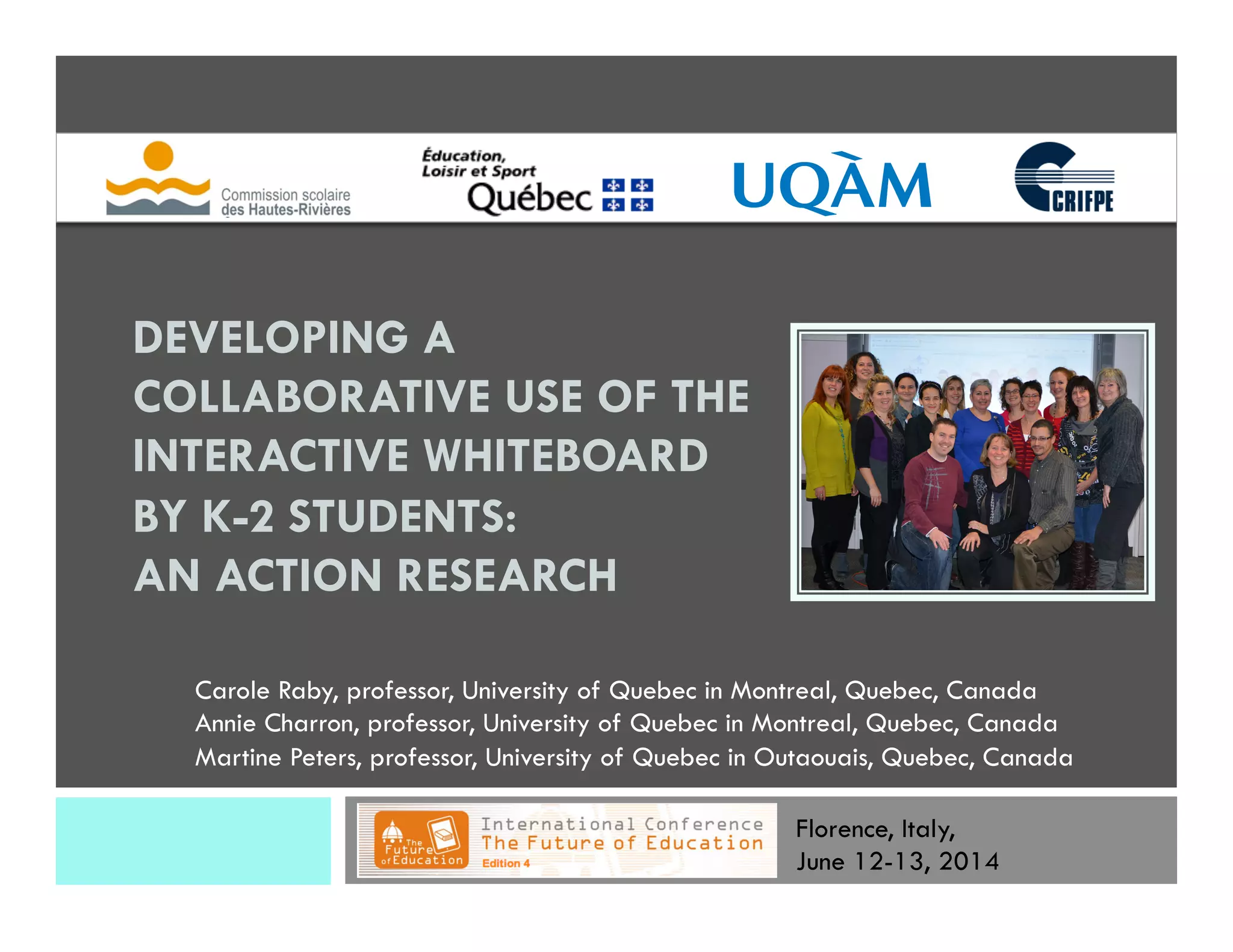
DEVELOPING A
COLLABORATIVE USE OF THE
INTERACTIVE WHITEBOARD
BY K-2 STUDENTS:
AN ACTION RESEARCH
Carole Raby, professor, University of Quebec in Montreal, Quebec, Canada
Annie Charron, professor, University of Quebec in Montreal, Quebec, Canada
Martine Peters, professor, University of Quebec in Outaouais, Quebec, Canada
Florence, Italy,
June 12-13, 2014
Research Context
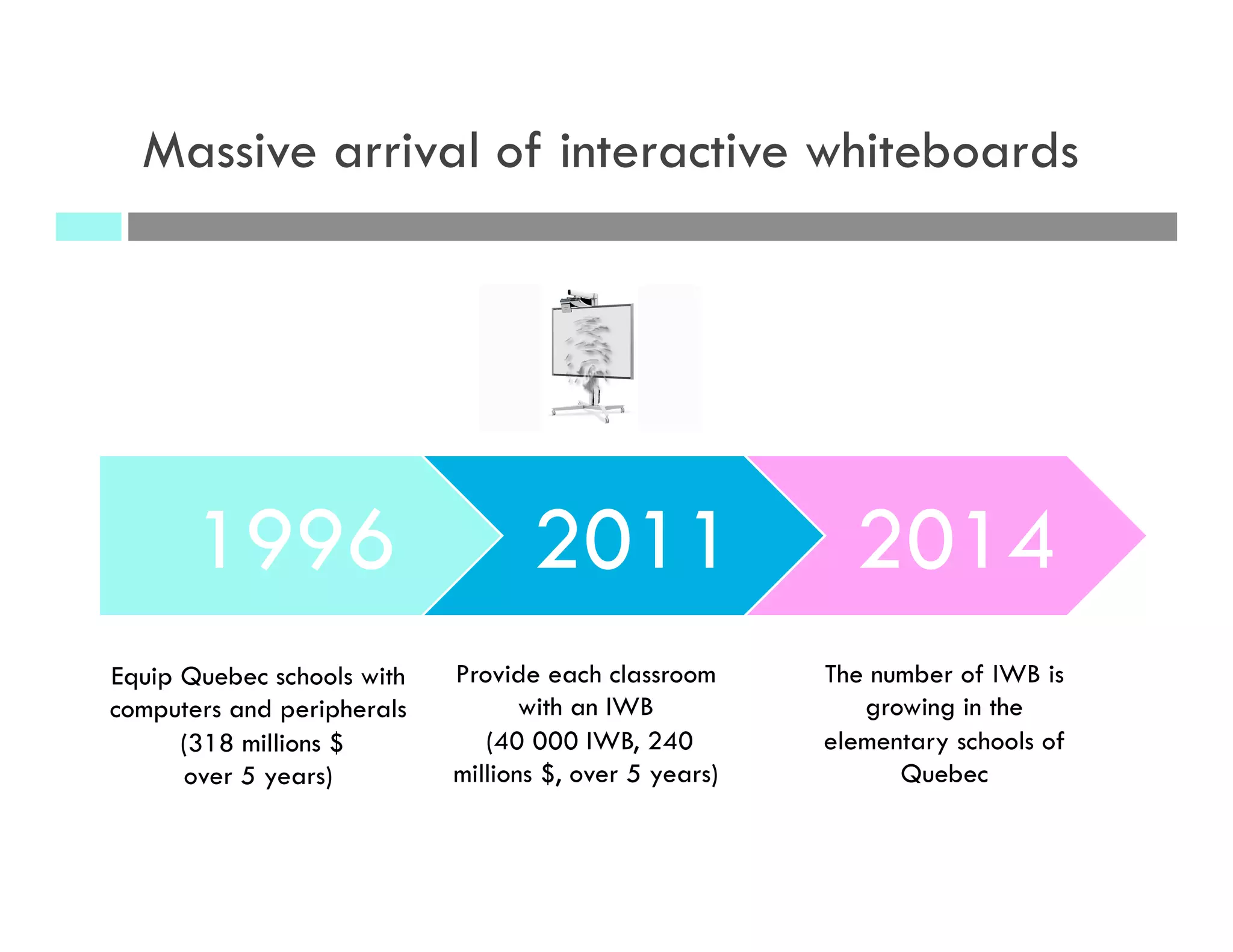
1996 2011 2014
Provide each classroom
with an IWB
(40 000 IWB, 240
millions $, over 5 years)
The number of IWB is
growing in the
elementary schools of
Quebec
Equip Quebec schools with
computers and peripherals
(318 millions $
over 5 years)
Massive arrival of interactive whiteboards
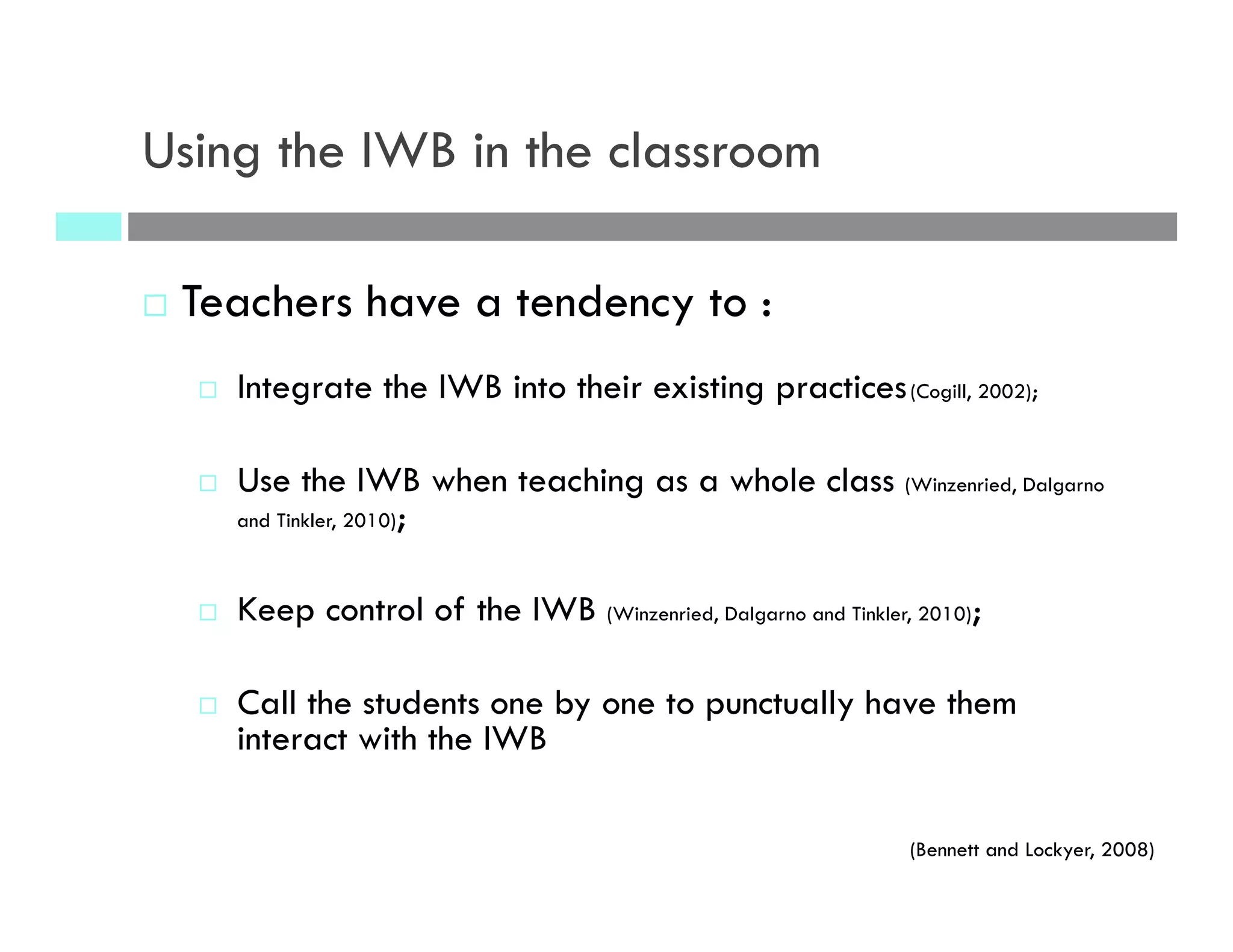
Using the IWB in the classroom
¨  Teachers have a tendency to :
¨  Integrate the IWB into their existing practices(Cogill, 2002);
¨  Use the IWB when teaching as a whole class (Winzenried, Dalgarno
and Tinkler, 2010);
¨  Keep control of the IWB (Winzenried, Dalgarno and Tinkler, 2010);
¨  Call the students one by one to punctually have them
interact with the IWB
(Bennett and Lockyer, 2008)
“Traditional” use of the IWB
¨  Especially when
teachers :
¨  start using it;
¨  never had training.
(Hodge and Anderson, 2007; quoted in Winzenried, Dalgarno and Tinkler, 2010)
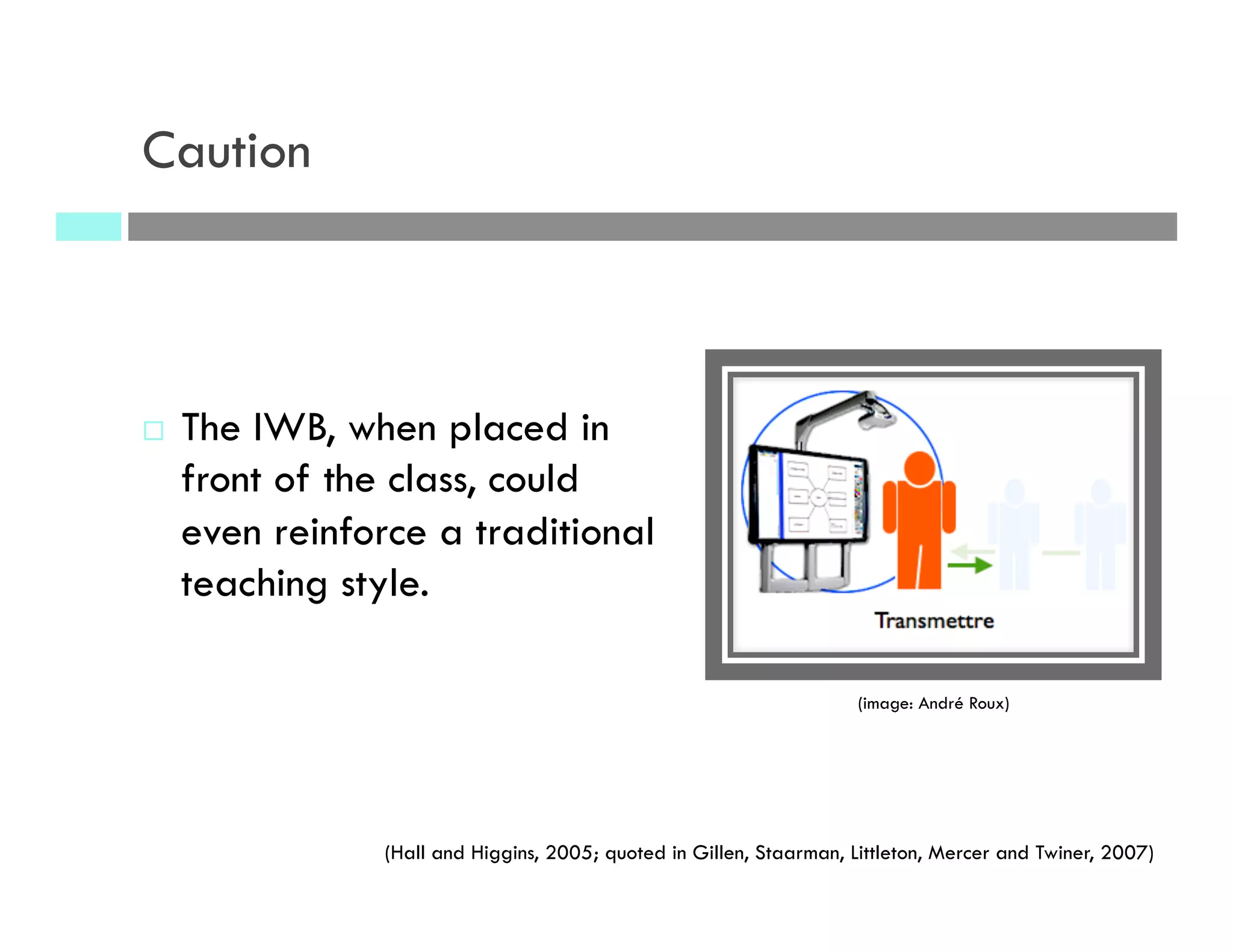
¨  The IWB, when placed in
front of the class, could
even reinforce a traditional
teaching style.
(Hall and Higgins, 2005; quoted in Gillen, Staarman, Littleton, Mercer and Twiner, 2007)
(image: André Roux)
Caution
What are the advantages of using the IWB
when teaching?
¨  Create and present attractive resources (Ball, 2003;
Kennewell, 2004);
¨  Can accelerate the rhythm (Glover and Miller, 2001b; Ball,
2003; Miller, 2003) and facilitate the synthesis of the
lessons (Glover and Miller, 2002; Walker, 2002);
¨  Facilitate the incorporation of diverse multimedia
resources (Ekhami, 2002; Johnson, 2002; Levy, 2002)
¨  Texts, photos, videos, sounds, diagrams, websites, etc.
Quoted in Higgins, Beauchamp and Miller (2007) and Duroisin and al. (2011)
The learning benefits of the IWB are
largely dependent of the way it is
used in the classroom.
(Winzenried, Dalgarno and Tinkler, 2010)
Consensus
Teachers need training and support to use
the IWB to its full potential and to facilitate
students’ learning.
Objectives
Objectives of the project
1) To develop and put in place a continuous training model
based on a professional learning community (PLC) composed
of kindergarten and first cycle teachers, educational consultants,
and researchers, in an action research process;
2) Experiment, document and analyse techno-educational
practices that foster the collaborative use of the IWB by the
students, for their learning in languages and other domains;
3) Study the impact of the collaborative use of the IWB by the
students on their engagement and their learning in languages
Frame of reference
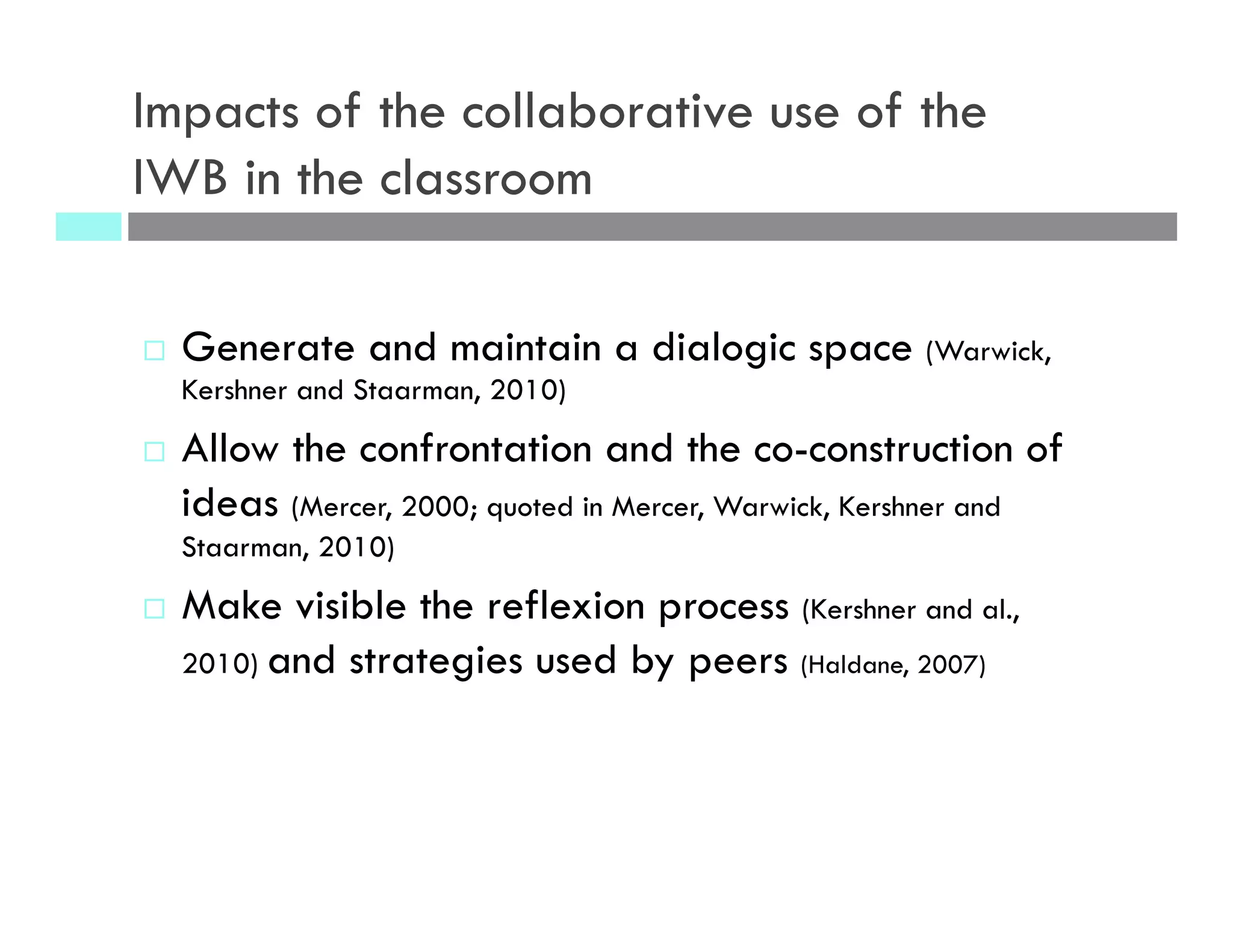
Impacts of the collaborative use of the
IWB in the classroom
¨  Generate and maintain a dialogic space (Warwick,
Kershner and Staarman, 2010)
¨  Allow the confrontation and the co-construction of
ideas (Mercer, 2000; quoted in Mercer, Warwick, Kershner and
Staarman, 2010)
¨  Make visible the reflexion process (Kershner and al.,
2010) and strategies used by peers (Haldane, 2007)
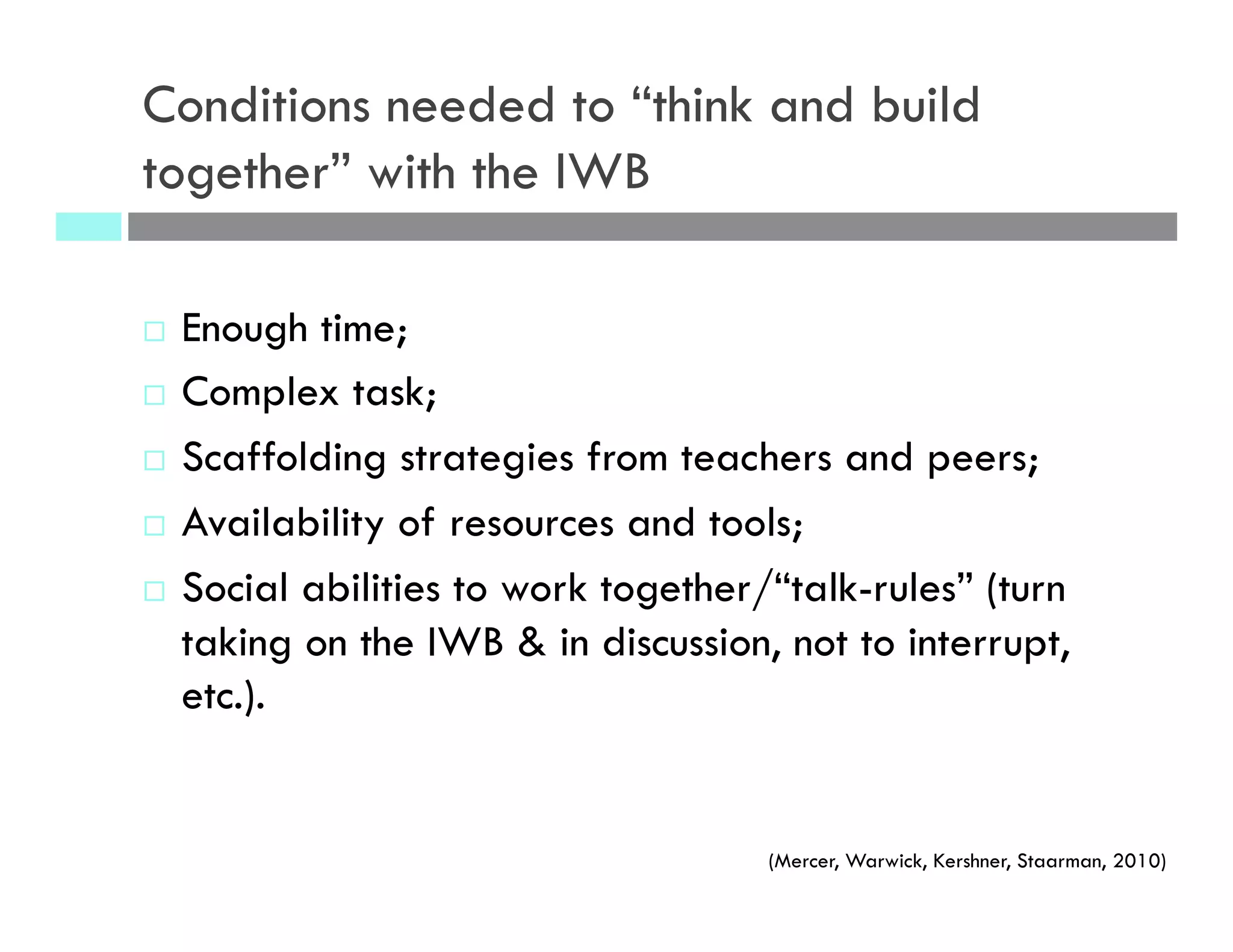
Conditions needed to “think and build
together” with the IWB
¨  Enough time;
¨  Complex task;
¨  Scaffolding strategies from teachers and peers;
¨  Availability of resources and tools;
¨  Social abilities to work together/“talk-rules” (turn
taking on the IWB & in discussion, not to interrupt,
etc.).
(Mercer, Warwick, Kershner, Staarman, 2010)
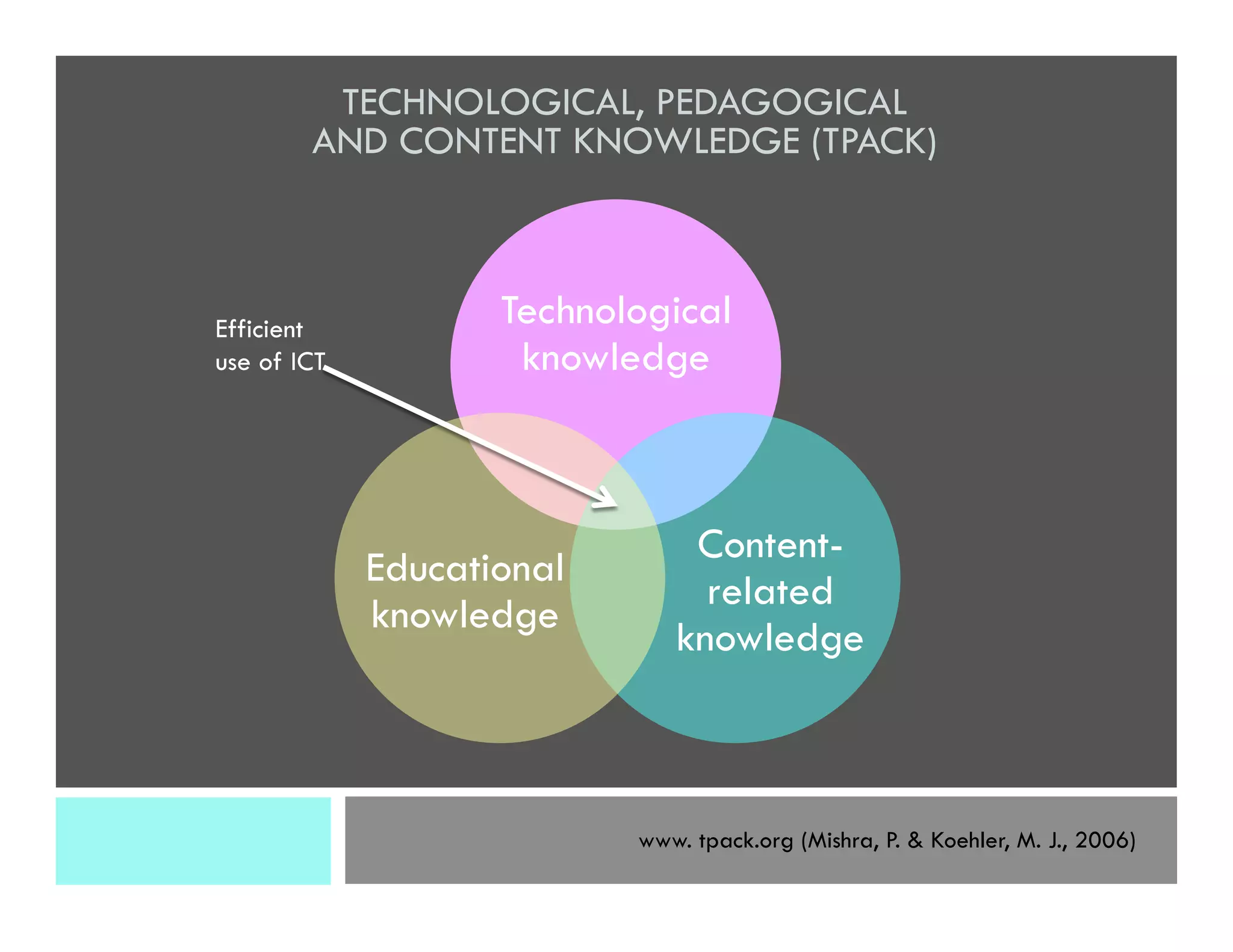
Technological
knowledge
Content-
related
knowledge
Educational
knowledge
TECHNOLOGICAL, PEDAGOGICAL
AND CONTENT KNOWLEDGE (TPACK)
www. tpack.org (Mishra, P. & Koehler, M. J., 2006)
Efficient
use of ICT
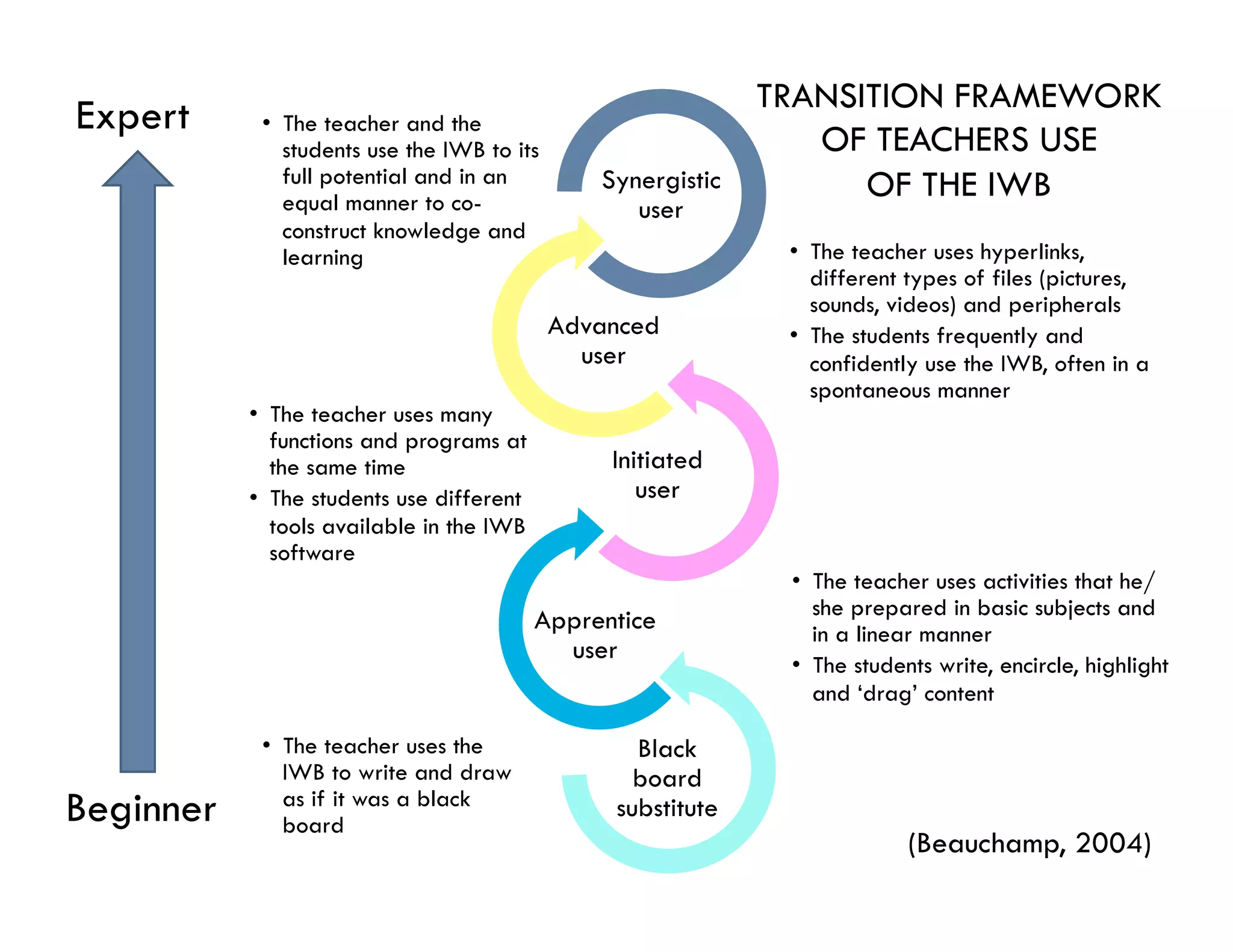
•  The teacher uses the
IWB to write and draw
as if it was a black
board
Black
board
substitute
•  The teacher uses activities that he/
she prepared in basic subjects and
in a linear manner
•  The students write, encircle, highlight
and ‘drag’ content
Apprentice
user
•  The teacher uses many
functions and programs at
the same time
•  The students use different
tools available in the IWB
software
Initiated
user 
•  The teacher uses hyperlinks,
different types of files (pictures,
sounds, videos) and peripherals
•  The students frequently and
confidently use the IWB, often in a
spontaneous manner
Advanced
user
•  The teacher and the
students use the IWB to its
full potential and in an
equal manner to co-
construct knowledge and
learning
Synergistic
user
(Beauchamp, 2004)
Beginner
Expert TRANSITION FRAMEWORK
OF TEACHERS USE
OF THE IWB
Methodology
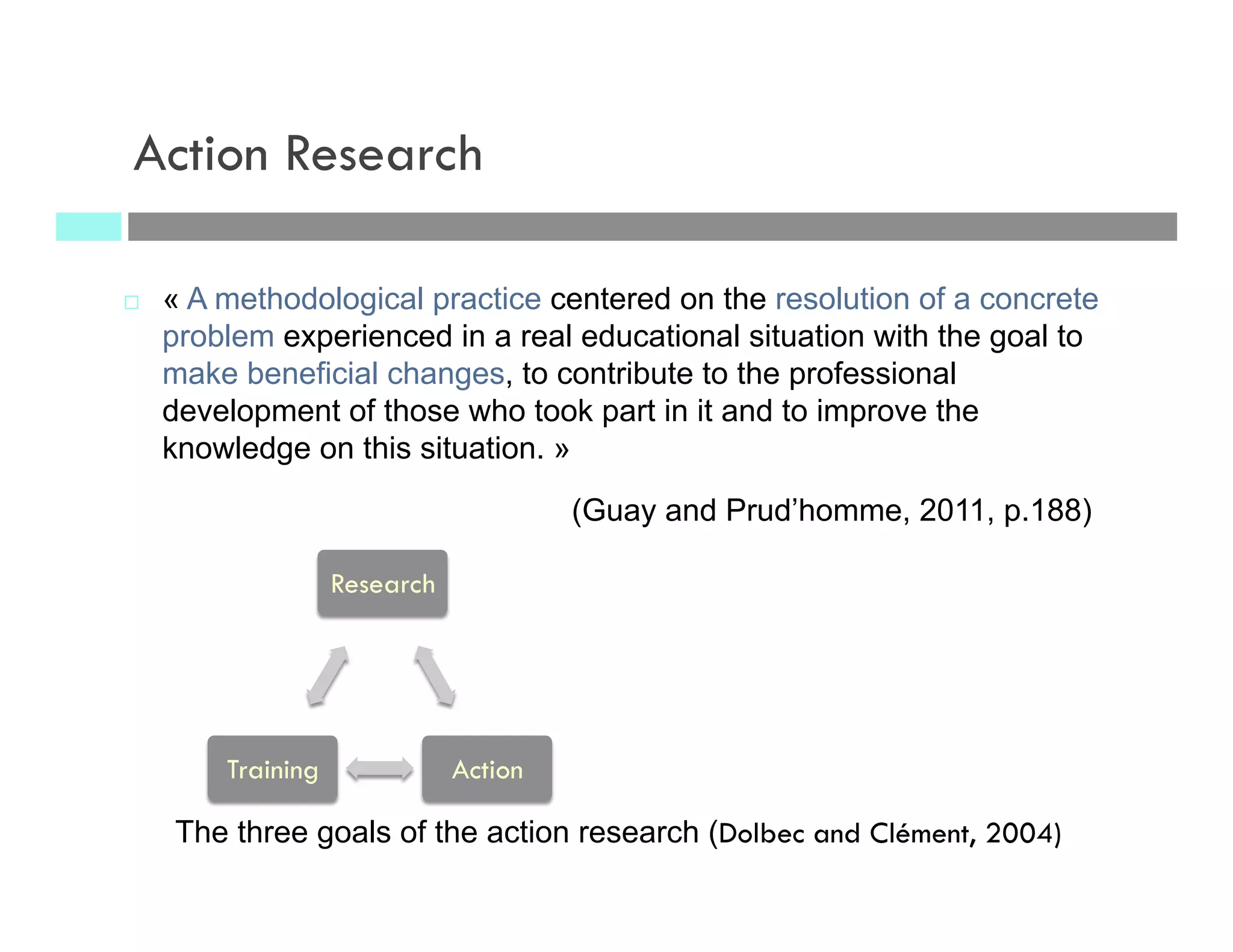
¨  « A methodological practice centered on the resolution of a concrete
problem experienced in a real educational situation with the goal to
make beneficial changes, to contribute to the professional
development of those who took part in it and to improve the
knowledge on this situation. »
(Guay and Prud’homme, 2011, p.188)
Action Research
The three goals of the action research (Dolbec and Clément, 2004)
Research
ActionTraining
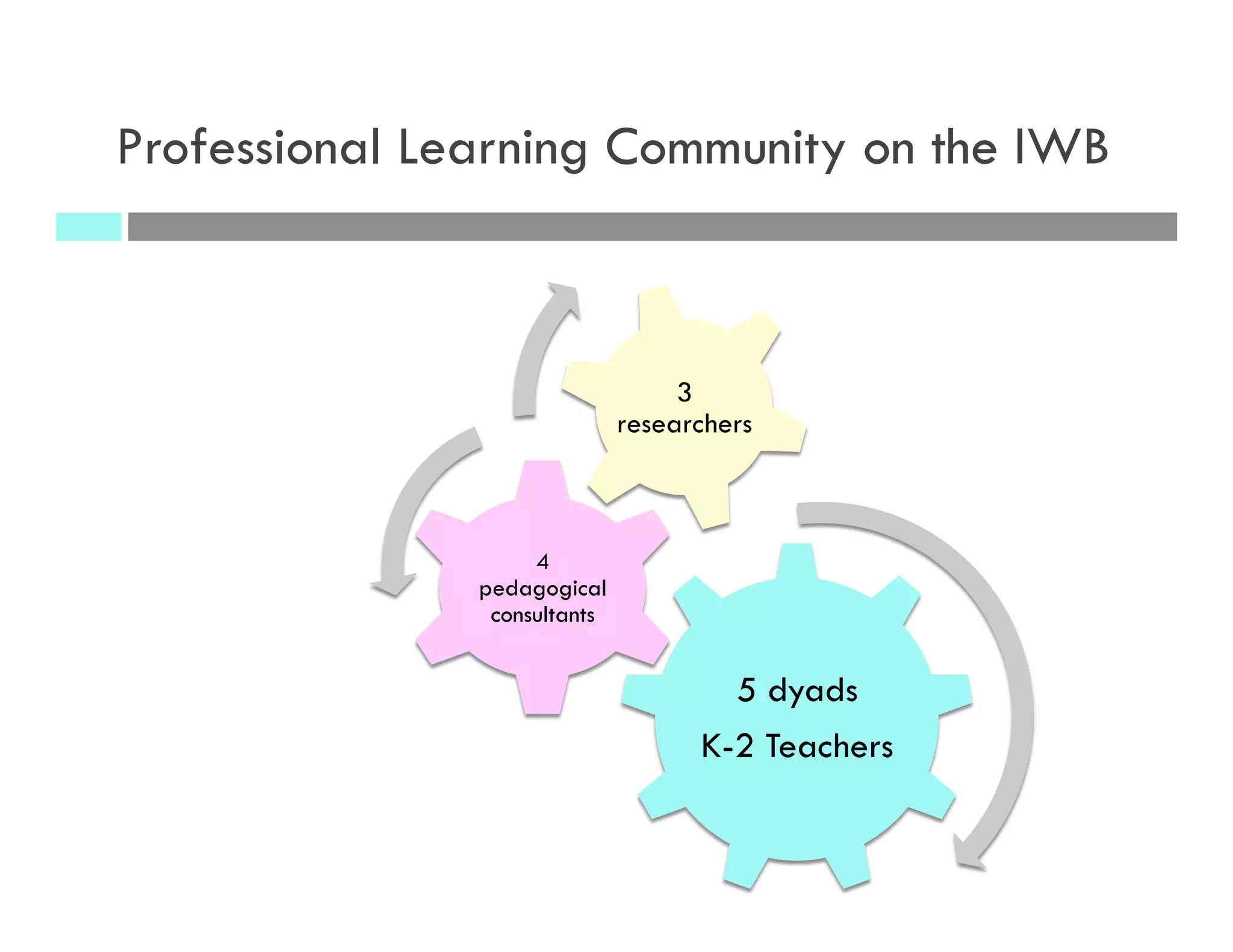
Professional Learning Community on the IWB
5 dyads
K-2 Teachers
4
pedagogical
consultants
3
researchers
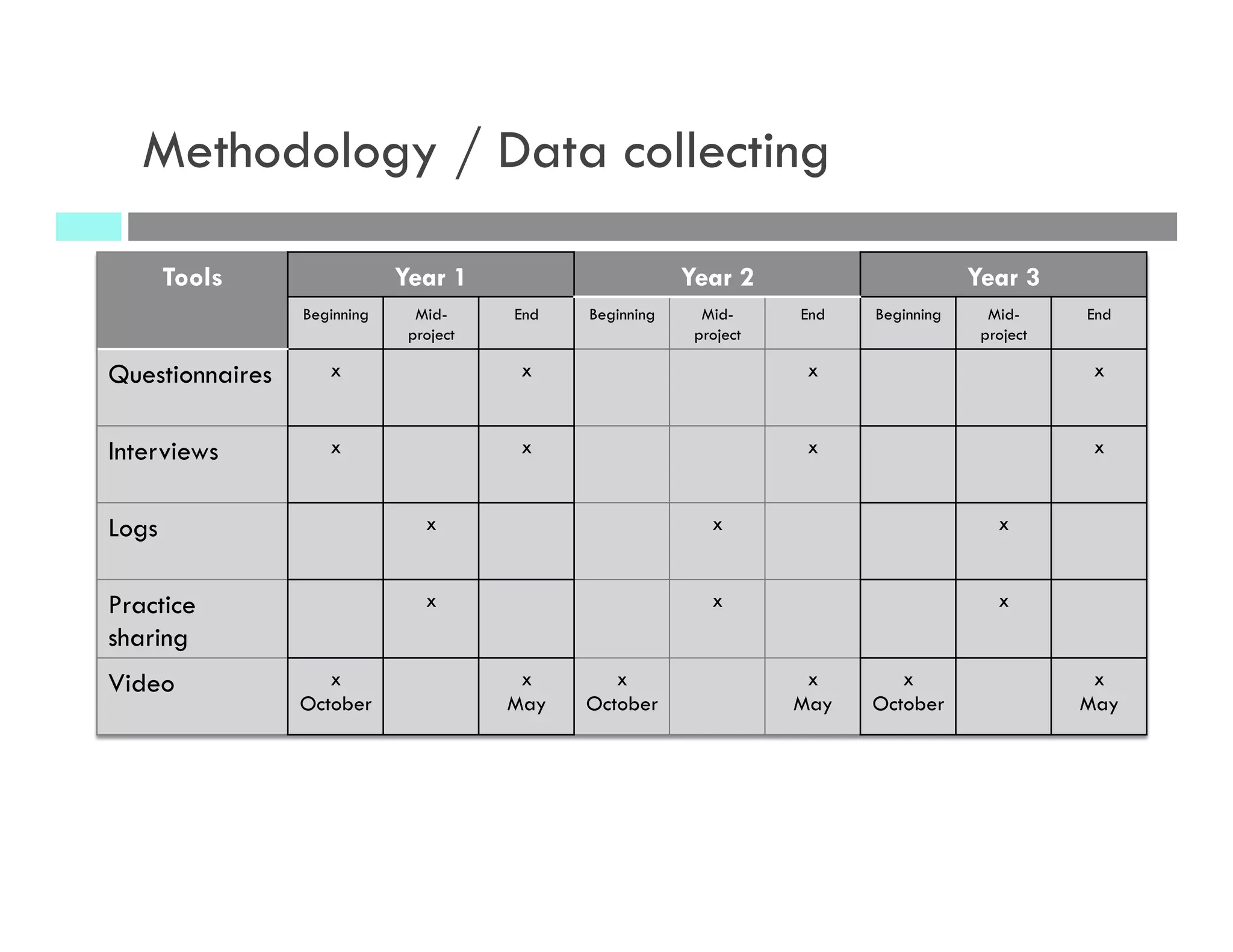
Methodology / Data collecting
Tools Year 1 Year 2 Year 3
Beginning Mid-
project
End Beginning Mid-
project
End Beginning Mid-
project
End
Questionnaires x x x x
Interviews x x x x
Logs x x x
Practice
sharing
x x x
Video x
October
x
May
x
October
x
May
x
October
x
May
Results
Year 1 and year 2 preliminary results
¨ How do teachers’ educational practices
develop regarding the student’s
collaborative use of the IWB?
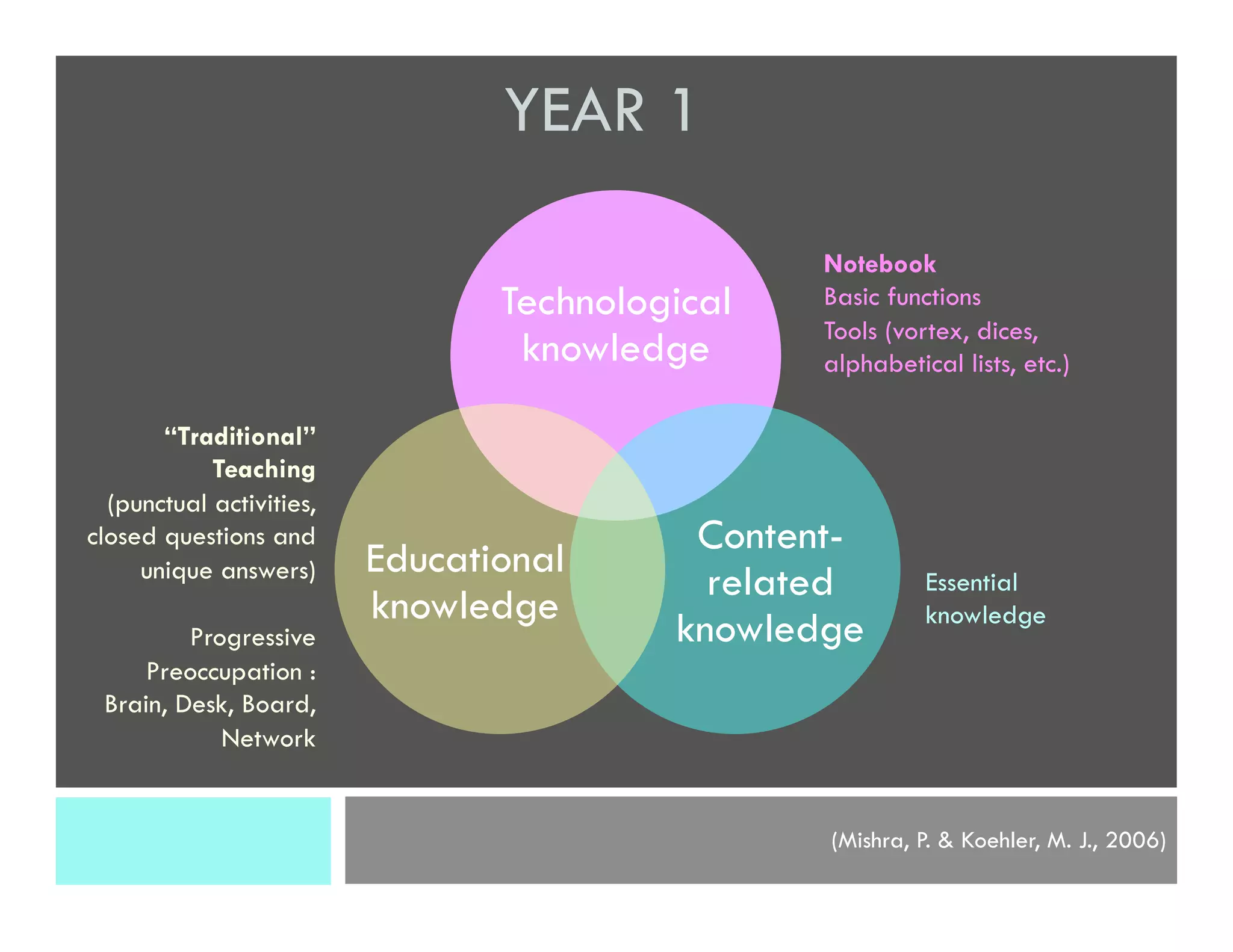
Technological
knowledge
Content-
related
knowledge
Educational
knowledge
(Mishra, P. & Koehler, M. J., 2006)
Notebook
Basic functions
Tools (vortex, dices,
alphabetical lists, etc.)
YEAR 1
“Traditional”
Teaching
(punctual activities,
closed questions and
unique answers)
Progressive
Preoccupation :
Brain, Desk, Board,
Network
Essential
knowledge
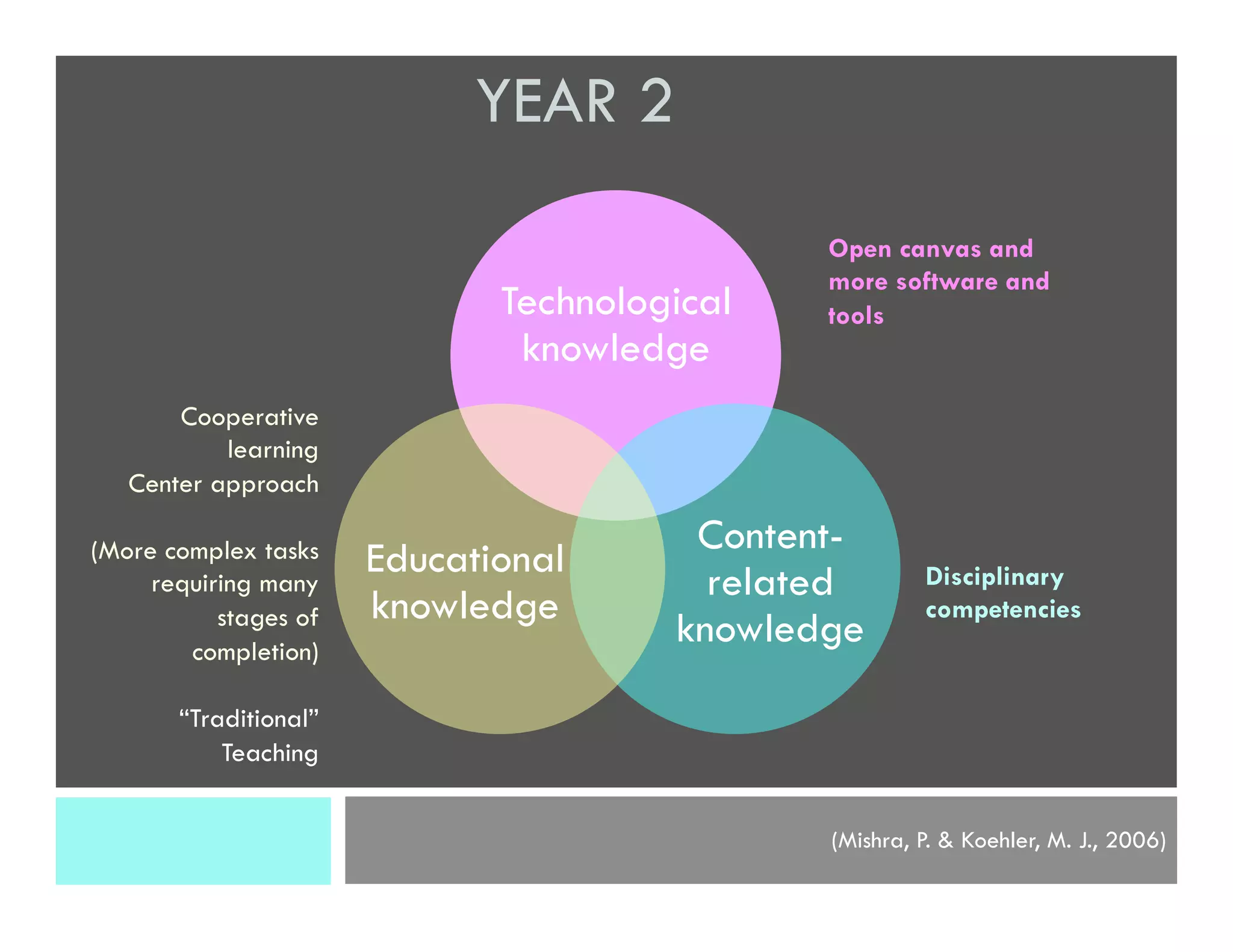
Technological
knowledge
Content-
related
knowledge
Educational
knowledge
(Mishra, P. & Koehler, M. J., 2006)
Open canvas and
more software and
tools
YEAR 2
Cooperative
learning
Center approach
(More complex tasks
requiring many
stages of
completion)
“Traditional”
Teaching
Disciplinary
competencies
Technological
knowledge
Content-
relative
knowledge
Educational
knowledge
(Mishra, P. & Koehler, M. J., 2006)
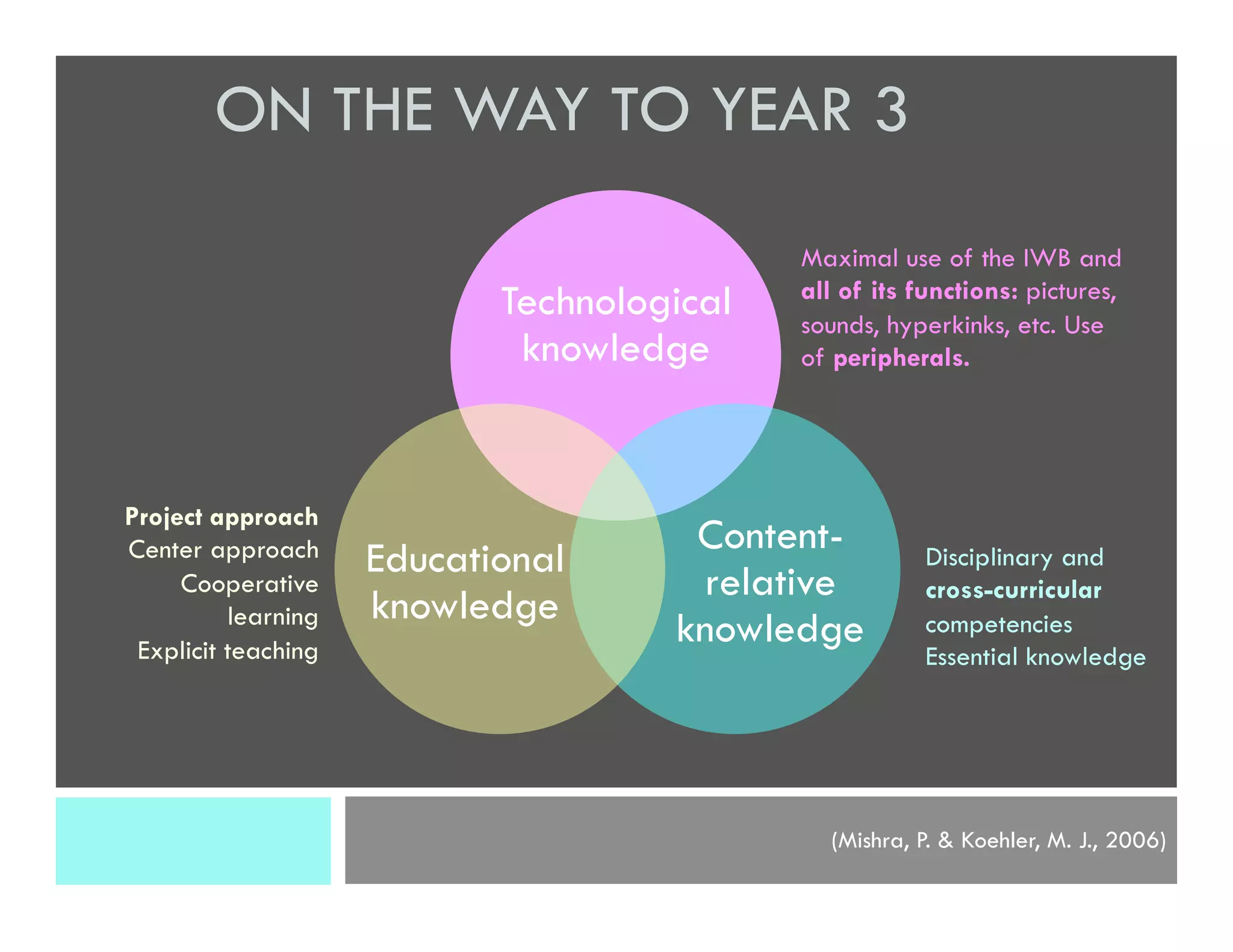
Maximal use of the IWB and
all of its functions: pictures,
sounds, hyperkinks, etc. Use
of peripherals.
ON THE WAY TO YEAR 3
Project approach
Center approach
Cooperative
learning
Explicit teaching
Disciplinary and
cross-curricular
competencies
Essential knowledge
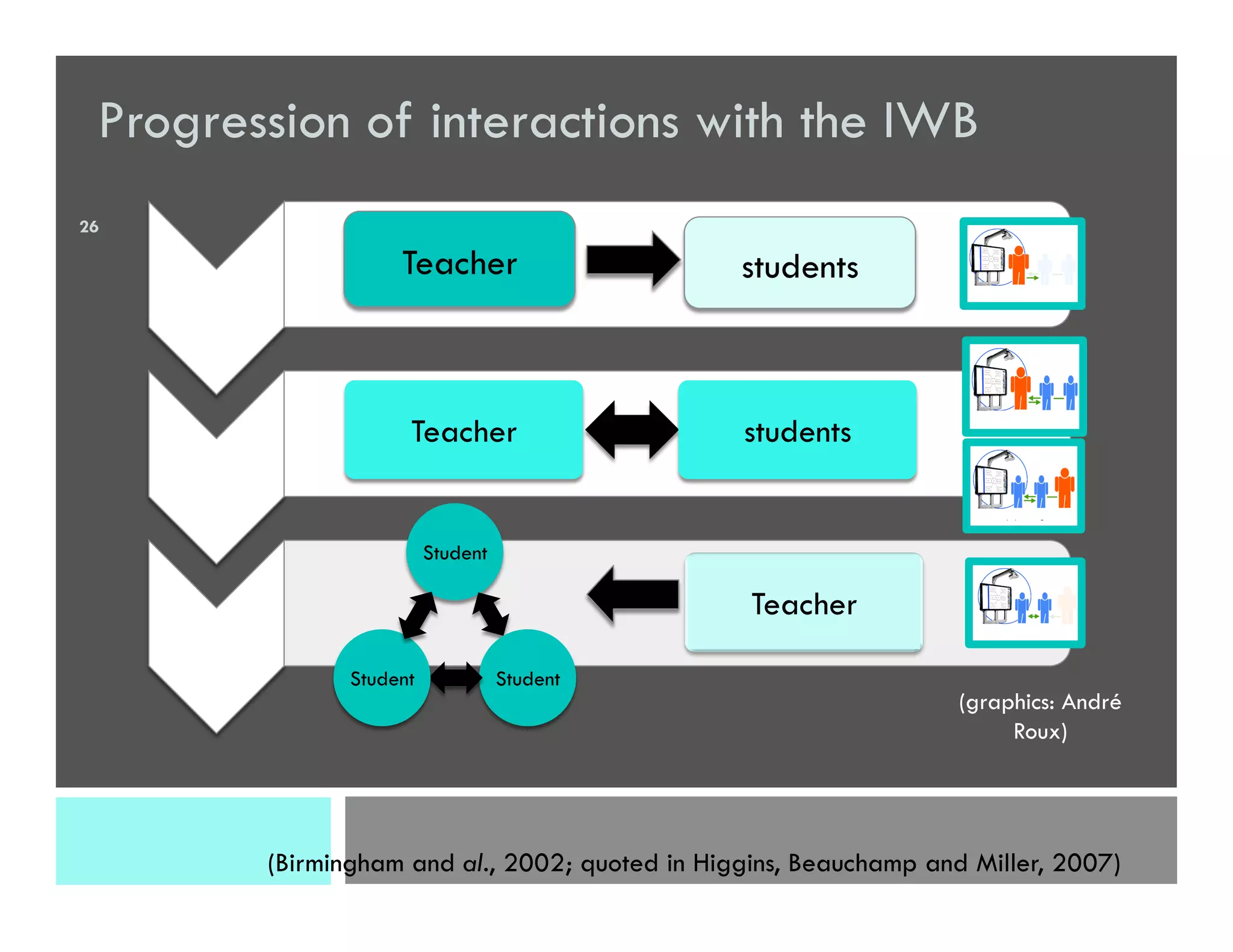
Progression of interactions with the IWB
Teacher students
Student
StudentStudent
(Birmingham and al., 2002; quoted in Higgins, Beauchamp and Miller, 2007)
Teacher
Teacher students
(graphics: André
Roux)
26
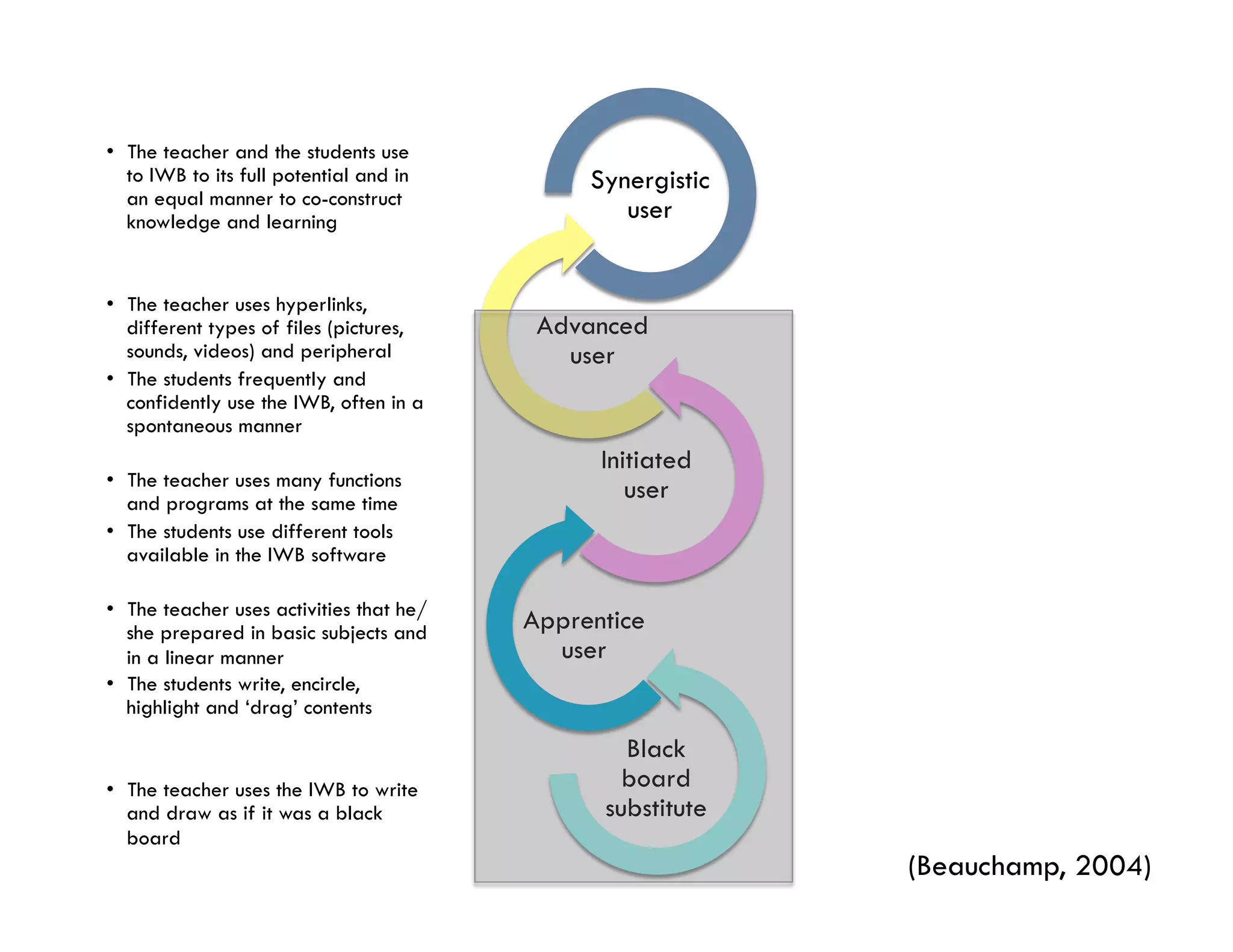
Black
board
substitute
Apprentice
user
Initiated
user
Advanced
user
Synergistic
user
(Beauchamp, 2004)
•  The teacher and the students use
to IWB to its full potential and in
an equal manner to co-construct
knowledge and learning
•  The teacher uses hyperlinks,
different types of files (pictures,
sounds, videos) and peripheral
•  The students frequently and
confidently use the IWB, often in a
spontaneous manner
•  The teacher uses many functions
and programs at the same time
•  The students use different tools
available in the IWB software
•  The teacher uses activities that he/
she prepared in basic subjects and
in a linear manner
•  The students write, encircle,
highlight and ‘drag’ contents
•  The teacher uses the IWB to write
and draw as if it was a black
board
Year 1 and year 2 preliminary results
¨ What is the impact of the use of the IWB
on the students’ learning?
¤  What were the students’ learning when using the IWB, as
noted by the teachers and reported by the students themselves?
Students’ learning
¨  Disciplinary competencies
¤  Learning of vocabulary
n  “I think that for anagrams, it helps the children to
memorize vocabulary words. I saw, even in spelling
quizzes, improvements since we started to play that game
in class. It is an activity that we do on a regular basis
during the week… ” [Grade 1 teacher]
Students’ learning
¨  Disciplinary competencies
¤  Reading
n  “ (…) I noted a great improvement in reading in the majority
of my students, even in those that were in difficulty” [Grade 1
teacher]
n  Reading strategies [reported by students themselves]
n  Using of the first letter of the word
n  Decoding
n  Global recognition of the word
Students’ learning
¨  Disciplinary competencies
¤  Writing
n Handwriting
n Writing words and sentences
n Spatial organization
n Story structure
n  “Inventing stories made my students work on structure and
ideas to build stories” [Kindergarten teacher]
Students’ learning
¨  In summary,
¤  “They [students] discuss, exchange, have to make
compromises, give ideas, find solutions, ask for help…
(oral)
¤  There are activities [with the IWB] to develop reading :
word finding, word/picture associations, message of the
day, wordplays, (…) phonological awareness,
¤  and also in writing (invented spelling, handwriting).
¤  There is also when I [teacher] type at the keyboard (…),
my students see the words that I say written in front of
them.
It is a very interesting tool for language development.”
[Kindergarten teacher]
Students’ learning
¨ “Cross-curricular” Competencies
¤  ICT Competency (8/10)
n  Notebook Tools
n  “The students have more autonomy using certain tools like pencils,
highlighters, colors…” [Grade 1 teacher]
¤  Autonomy (8/10)
n  “During a complex task with constraints and working in teams, I
see that students try things, functions, discuss with each other and
find solutions to smaller challenges and ask for help for greater
ones.” [Kindergarten teacher]
¤  Fine Motor & Gross Motor Learning (5/10)
Conclusion
q  Even though studies show advantages to the use
of the IWB in class, its impact on the students’
learning remain to be clearly demonstrated.
Conclusion
q  Teachers need:
q  training and
q  long-term support (TPACK)
So that the IWB really becomes a tool for:
q  the co-construction of knowledge and competency
development of the students
Contact
Carole Raby
Professor
Researcher at the CRIFPE
Department of didactics
University of Quebec in Montreal, Quebec, Canada
raby.carole@uqam.ca
Twitter: carole_raby
Thanks to Émilie Tremblay-Wragg, a doctoral student,
for her help with the presentation and Sarah-Genevieve Labelle for its translation.
References
¨  Beauchamp, G. (2004). Teacher Use of the Interactive Whiteboard in Primary
Schools: Towards an Effective Transition Framework. Technology, Pedagogy and
Education, 13(3), 327-348.
¨  Bennett, S. et Lockyer, L. (2008). A study of teachers' integration of interactive
whiteboards into four Australian primary school classrooms. Learning, Media and
Technology, 33(4), 289-300.
¨  Cogill, J. (2002). How is the interactive whiteboard being used in the primary school
and how does this affect teachers and teaching? URL:
www.canterbury.ac.uk/education/protected/ppss/docs/julie-coghill.pdf
¨  Duroisin, N., Tempermen, G. et De Lièvre, B. (2011). Effets de deux modalités
d’usage du tableau blanc interactif sur la dynamique d’apprentissage et la
progression des apprenants. Environnements informatiques pour l’Apprentissage
humain. Conférence EIAH (Mons, Belgique). 257-269.
¨  Dolbec, A. et Clément, J. (2004). La recherche-action. Dans T. Karsenti et L. Savoie-
Zajc (dir.), La recherche en éducation : ses étapes et ses approches (3e éd.).
Sherbrooke : Éditions du CRP.
References
¨  Gillen, J., Staarman, J.K., Littleton, K., Mercer, N. et Twiner, A. (2007). A 'learning
revolution'? Investigating pedagogic practice around interactive whiteboards in
British primary classrooms. Learning, Media and Technology, 32(3), 243-256.
¨  Guay, M.-H, et Prud'homme,L. (2011). La recherche-action. In T. Karsenti et L.
Savoie-Zajc (dir.). La recherche en éducation: étapes et approches, 3e édition, (p.
183-211). Saint-Laurent: ERPI.
¨  Higgins, S., Beauchamp, G. et Miller, D. (2007). Reviewing the Literature on
Interactive Whiteboards. Learning, Media and Technology, 32(3), 213-225.
¨  Haldane, M. (2007). Interactivity and the Digital Whiteboard: Weaving the Fabric
of Learning. Learning, Media and Technology, 32(3), 257-270.
¨  Kershner, R., Mercer, N., Warwick, P. et Staarman, J.K. (2010). Can the interactive
whiteboard support young children’s collaborative communication and thinking in
classroom science activities? International Journal of Computer-Supported
Collaborative Learning, 5(4), 359-383.
References
¨  Mercer, N., Warwick, P., Kershner, R. et Staarman, J.K. (2010). Can the interactive
whiteboard help to provide ‘dialogic space’ for children's collaborative activity?
Language and Education, 24(5), 367-384.
¨  Warwick, P., Mercer, N. et Kershner, R. (2010). In the mind and in the technology:
The vicarious presence of the teacher in pupil’s learning of science in collaborative
group activity at the interactive whiteboard, Computers & Education, 55(1),
350-362.
¨  Winzenried, A., Dalgarno, B. et Tinkler, J. (2010). The interactive whiteboard : A
transitional technology supporting diverse teaching practices. Australasian Journal of
Educational Technology, 26(4), 534-552.

140612 raby charron_peters_vf_engsp

  • 1.
    DEVELOPING A COLLABORATIVE USEOF THE INTERACTIVE WHITEBOARD BY K-2 STUDENTS: AN ACTION RESEARCH Carole Raby, professor, University of Quebec in Montreal, Quebec, Canada Annie Charron, professor, University of Quebec in Montreal, Quebec, Canada Martine Peters, professor, University of Quebec in Outaouais, Quebec, Canada Florence, Italy, June 12-13, 2014
  • 2.
  • 3.
    1996 2011 2014 Provideeach classroom with an IWB (40 000 IWB, 240 millions $, over 5 years) The number of IWB is growing in the elementary schools of Quebec Equip Quebec schools with computers and peripherals (318 millions $ over 5 years) Massive arrival of interactive whiteboards
  • 4.
    Using the IWBin the classroom ¨  Teachers have a tendency to : ¨  Integrate the IWB into their existing practices(Cogill, 2002); ¨  Use the IWB when teaching as a whole class (Winzenried, Dalgarno and Tinkler, 2010); ¨  Keep control of the IWB (Winzenried, Dalgarno and Tinkler, 2010); ¨  Call the students one by one to punctually have them interact with the IWB (Bennett and Lockyer, 2008)
  • 5.
    “Traditional” use ofthe IWB ¨  Especially when teachers : ¨  start using it; ¨  never had training. (Hodge and Anderson, 2007; quoted in Winzenried, Dalgarno and Tinkler, 2010)
  • 6.
    ¨  The IWB,when placed in front of the class, could even reinforce a traditional teaching style. (Hall and Higgins, 2005; quoted in Gillen, Staarman, Littleton, Mercer and Twiner, 2007) (image: André Roux) Caution
  • 7.
    What are theadvantages of using the IWB when teaching? ¨  Create and present attractive resources (Ball, 2003; Kennewell, 2004); ¨  Can accelerate the rhythm (Glover and Miller, 2001b; Ball, 2003; Miller, 2003) and facilitate the synthesis of the lessons (Glover and Miller, 2002; Walker, 2002); ¨  Facilitate the incorporation of diverse multimedia resources (Ekhami, 2002; Johnson, 2002; Levy, 2002) ¨  Texts, photos, videos, sounds, diagrams, websites, etc. Quoted in Higgins, Beauchamp and Miller (2007) and Duroisin and al. (2011)
  • 8.
    The learning benefitsof the IWB are largely dependent of the way it is used in the classroom. (Winzenried, Dalgarno and Tinkler, 2010) Consensus
  • 9.
    Teachers need trainingand support to use the IWB to its full potential and to facilitate students’ learning.
  • 10.
  • 11.
    Objectives of theproject 1) To develop and put in place a continuous training model based on a professional learning community (PLC) composed of kindergarten and first cycle teachers, educational consultants, and researchers, in an action research process; 2) Experiment, document and analyse techno-educational practices that foster the collaborative use of the IWB by the students, for their learning in languages and other domains; 3) Study the impact of the collaborative use of the IWB by the students on their engagement and their learning in languages
  • 12.
  • 13.
    Impacts of thecollaborative use of the IWB in the classroom ¨  Generate and maintain a dialogic space (Warwick, Kershner and Staarman, 2010) ¨  Allow the confrontation and the co-construction of ideas (Mercer, 2000; quoted in Mercer, Warwick, Kershner and Staarman, 2010) ¨  Make visible the reflexion process (Kershner and al., 2010) and strategies used by peers (Haldane, 2007)
  • 14.
    Conditions needed to“think and build together” with the IWB ¨  Enough time; ¨  Complex task; ¨  Scaffolding strategies from teachers and peers; ¨  Availability of resources and tools; ¨  Social abilities to work together/“talk-rules” (turn taking on the IWB & in discussion, not to interrupt, etc.). (Mercer, Warwick, Kershner, Staarman, 2010)
  • 15.
    Technological knowledge Content- related knowledge Educational knowledge TECHNOLOGICAL, PEDAGOGICAL AND CONTENTKNOWLEDGE (TPACK) www. tpack.org (Mishra, P. & Koehler, M. J., 2006) Efficient use of ICT
  • 16.
    •  The teacheruses the IWB to write and draw as if it was a black board Black board substitute •  The teacher uses activities that he/ she prepared in basic subjects and in a linear manner •  The students write, encircle, highlight and ‘drag’ content Apprentice user •  The teacher uses many functions and programs at the same time •  The students use different tools available in the IWB software Initiated user  •  The teacher uses hyperlinks, different types of files (pictures, sounds, videos) and peripherals •  The students frequently and confidently use the IWB, often in a spontaneous manner Advanced user •  The teacher and the students use the IWB to its full potential and in an equal manner to co- construct knowledge and learning Synergistic user (Beauchamp, 2004) Beginner Expert TRANSITION FRAMEWORK OF TEACHERS USE OF THE IWB
  • 17.
  • 18.
    ¨  « Amethodological practice centered on the resolution of a concrete problem experienced in a real educational situation with the goal to make beneficial changes, to contribute to the professional development of those who took part in it and to improve the knowledge on this situation. » (Guay and Prud’homme, 2011, p.188) Action Research The three goals of the action research (Dolbec and Clément, 2004) Research ActionTraining
  • 19.
    Professional Learning Communityon the IWB 5 dyads K-2 Teachers 4 pedagogical consultants 3 researchers
  • 20.
    Methodology / Datacollecting Tools Year 1 Year 2 Year 3 Beginning Mid- project End Beginning Mid- project End Beginning Mid- project End Questionnaires x x x x Interviews x x x x Logs x x x Practice sharing x x x Video x October x May x October x May x October x May
  • 21.
  • 22.
    Year 1 andyear 2 preliminary results ¨ How do teachers’ educational practices develop regarding the student’s collaborative use of the IWB?
  • 23.
    Technological knowledge Content- related knowledge Educational knowledge (Mishra, P. &Koehler, M. J., 2006) Notebook Basic functions Tools (vortex, dices, alphabetical lists, etc.) YEAR 1 “Traditional” Teaching (punctual activities, closed questions and unique answers) Progressive Preoccupation : Brain, Desk, Board, Network Essential knowledge
  • 24.
    Technological knowledge Content- related knowledge Educational knowledge (Mishra, P. &Koehler, M. J., 2006) Open canvas and more software and tools YEAR 2 Cooperative learning Center approach (More complex tasks requiring many stages of completion) “Traditional” Teaching Disciplinary competencies
  • 25.
    Technological knowledge Content- relative knowledge Educational knowledge (Mishra, P. &Koehler, M. J., 2006) Maximal use of the IWB and all of its functions: pictures, sounds, hyperkinks, etc. Use of peripherals. ON THE WAY TO YEAR 3 Project approach Center approach Cooperative learning Explicit teaching Disciplinary and cross-curricular competencies Essential knowledge
  • 26.
    Progression of interactionswith the IWB Teacher students Student StudentStudent (Birmingham and al., 2002; quoted in Higgins, Beauchamp and Miller, 2007) Teacher Teacher students (graphics: André Roux) 26
  • 27.
    Black board substitute Apprentice user Initiated user Advanced user Synergistic user (Beauchamp, 2004) •  Theteacher and the students use to IWB to its full potential and in an equal manner to co-construct knowledge and learning •  The teacher uses hyperlinks, different types of files (pictures, sounds, videos) and peripheral •  The students frequently and confidently use the IWB, often in a spontaneous manner •  The teacher uses many functions and programs at the same time •  The students use different tools available in the IWB software •  The teacher uses activities that he/ she prepared in basic subjects and in a linear manner •  The students write, encircle, highlight and ‘drag’ contents •  The teacher uses the IWB to write and draw as if it was a black board
  • 28.
    Year 1 andyear 2 preliminary results ¨ What is the impact of the use of the IWB on the students’ learning? ¤  What were the students’ learning when using the IWB, as noted by the teachers and reported by the students themselves?
  • 29.
    Students’ learning ¨  Disciplinarycompetencies ¤  Learning of vocabulary n  “I think that for anagrams, it helps the children to memorize vocabulary words. I saw, even in spelling quizzes, improvements since we started to play that game in class. It is an activity that we do on a regular basis during the week… ” [Grade 1 teacher]
  • 30.
    Students’ learning ¨  Disciplinarycompetencies ¤  Reading n  “ (…) I noted a great improvement in reading in the majority of my students, even in those that were in difficulty” [Grade 1 teacher] n  Reading strategies [reported by students themselves] n  Using of the first letter of the word n  Decoding n  Global recognition of the word
  • 31.
    Students’ learning ¨  Disciplinarycompetencies ¤  Writing n Handwriting n Writing words and sentences n Spatial organization n Story structure n  “Inventing stories made my students work on structure and ideas to build stories” [Kindergarten teacher]
  • 32.
    Students’ learning ¨  Insummary, ¤  “They [students] discuss, exchange, have to make compromises, give ideas, find solutions, ask for help… (oral) ¤  There are activities [with the IWB] to develop reading : word finding, word/picture associations, message of the day, wordplays, (…) phonological awareness, ¤  and also in writing (invented spelling, handwriting). ¤  There is also when I [teacher] type at the keyboard (…), my students see the words that I say written in front of them. It is a very interesting tool for language development.” [Kindergarten teacher]
  • 33.
    Students’ learning ¨ “Cross-curricular” Competencies ¤ ICT Competency (8/10) n  Notebook Tools n  “The students have more autonomy using certain tools like pencils, highlighters, colors…” [Grade 1 teacher] ¤  Autonomy (8/10) n  “During a complex task with constraints and working in teams, I see that students try things, functions, discuss with each other and find solutions to smaller challenges and ask for help for greater ones.” [Kindergarten teacher] ¤  Fine Motor & Gross Motor Learning (5/10)
  • 34.
    Conclusion q  Even thoughstudies show advantages to the use of the IWB in class, its impact on the students’ learning remain to be clearly demonstrated.
  • 35.
    Conclusion q  Teachers need: q training and q  long-term support (TPACK) So that the IWB really becomes a tool for: q  the co-construction of knowledge and competency development of the students
  • 36.
    Contact Carole Raby Professor Researcher atthe CRIFPE Department of didactics University of Quebec in Montreal, Quebec, Canada raby.carole@uqam.ca Twitter: carole_raby Thanks to Émilie Tremblay-Wragg, a doctoral student, for her help with the presentation and Sarah-Genevieve Labelle for its translation.
  • 37.
    References ¨  Beauchamp, G.(2004). Teacher Use of the Interactive Whiteboard in Primary Schools: Towards an Effective Transition Framework. Technology, Pedagogy and Education, 13(3), 327-348. ¨  Bennett, S. et Lockyer, L. (2008). A study of teachers' integration of interactive whiteboards into four Australian primary school classrooms. Learning, Media and Technology, 33(4), 289-300. ¨  Cogill, J. (2002). How is the interactive whiteboard being used in the primary school and how does this affect teachers and teaching? URL: www.canterbury.ac.uk/education/protected/ppss/docs/julie-coghill.pdf ¨  Duroisin, N., Tempermen, G. et De Lièvre, B. (2011). Effets de deux modalités d’usage du tableau blanc interactif sur la dynamique d’apprentissage et la progression des apprenants. Environnements informatiques pour l’Apprentissage humain. Conférence EIAH (Mons, Belgique). 257-269. ¨  Dolbec, A. et Clément, J. (2004). La recherche-action. Dans T. Karsenti et L. Savoie- Zajc (dir.), La recherche en éducation : ses étapes et ses approches (3e éd.). Sherbrooke : Éditions du CRP.
  • 38.
    References ¨  Gillen, J.,Staarman, J.K., Littleton, K., Mercer, N. et Twiner, A. (2007). A 'learning revolution'? Investigating pedagogic practice around interactive whiteboards in British primary classrooms. Learning, Media and Technology, 32(3), 243-256. ¨  Guay, M.-H, et Prud'homme,L. (2011). La recherche-action. In T. Karsenti et L. Savoie-Zajc (dir.). La recherche en éducation: étapes et approches, 3e édition, (p. 183-211). Saint-Laurent: ERPI. ¨  Higgins, S., Beauchamp, G. et Miller, D. (2007). Reviewing the Literature on Interactive Whiteboards. Learning, Media and Technology, 32(3), 213-225. ¨  Haldane, M. (2007). Interactivity and the Digital Whiteboard: Weaving the Fabric of Learning. Learning, Media and Technology, 32(3), 257-270. ¨  Kershner, R., Mercer, N., Warwick, P. et Staarman, J.K. (2010). Can the interactive whiteboard support young children’s collaborative communication and thinking in classroom science activities? International Journal of Computer-Supported Collaborative Learning, 5(4), 359-383.
  • 39.
    References ¨  Mercer, N.,Warwick, P., Kershner, R. et Staarman, J.K. (2010). Can the interactive whiteboard help to provide ‘dialogic space’ for children's collaborative activity? Language and Education, 24(5), 367-384. ¨  Warwick, P., Mercer, N. et Kershner, R. (2010). In the mind and in the technology: The vicarious presence of the teacher in pupil’s learning of science in collaborative group activity at the interactive whiteboard, Computers & Education, 55(1), 350-362. ¨  Winzenried, A., Dalgarno, B. et Tinkler, J. (2010). The interactive whiteboard : A transitional technology supporting diverse teaching practices. Australasian Journal of Educational Technology, 26(4), 534-552.