



10 Sure Fire Tips  To Enhance Your Business Learn to Use More than 10 Percent of Your Computing Power
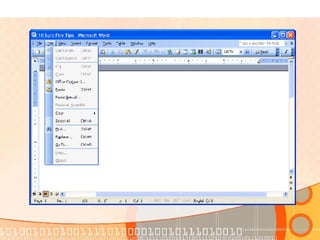
Tip #1 -- Time Savers Programs and OS have built-in Timesavers Short Cut Keys Quick Launch Task Bar Program Shortcuts Keyboard Extras
 
 
Tip #1 -- Time Savers Programs and OS have built-in Timesavers Short Cut Keys Quick Launch Task Bar Program Shortcuts Keyboard Extras
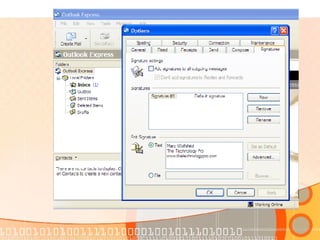
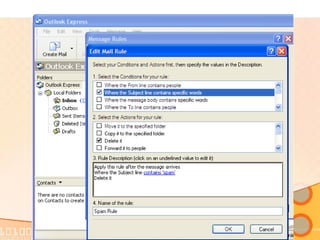
Tip #2 Bells & Whistles Signature Files in Outlook or Outlook Express Message Rules In Email FAQ answers with Sig Files Pivot Tables & Auto Filters Pivot Table
 
 
Tip #2 Bells & Whistles Signature Files in Outlook or Outlook Express Message Rules In Email FAQ answers with Sig Files Pivot Tables & Auto Filters Pivot Table
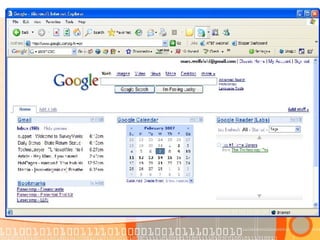
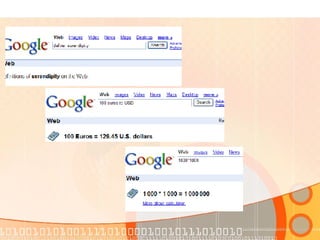
Tip #3 – Google  Google is for more than searching the Internet Personalized Home Page Calendar Reader Bookmarks Gmail & Google Talk Docs & Spreadsheets Google Desktop Google Earth Search Box Extras
 
Tip #3 – Google  Google is for more than searching the Internet Personalized Home Page Calendar Reader Bookmarks Gmail & Google Talk Docs & Spreadsheets Google Desktop Google Earth Search Box Extras
 
Tip #3 – Google  Google is for more than searching the Internet Personalized Home Page Calendar Reader Bookmarks Gmail & Google Talk Docs & Spreadsheets Google Desktop Google Earth Search Box Extras
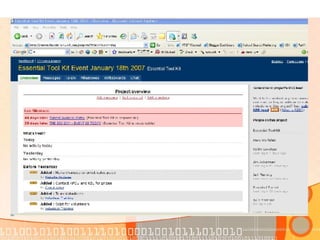
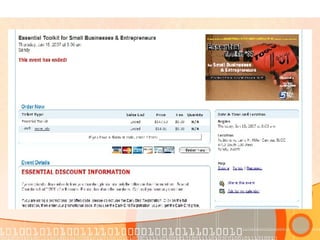
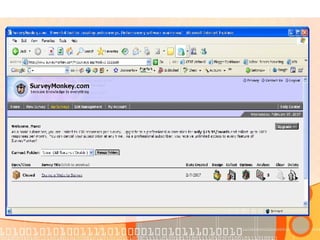
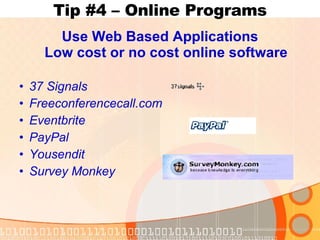
Tip #4 – Online Programs Use Web Based Applications Low cost or no cost online software 37 Signals Freeconferencecall.com Eventbrite PayPal Yousendit Survey Monkey


Tip #4 – Online Programs Use Web Based Applications Low cost or no cost online software 37 Signals Freeconferencecall.com Eventbrite PayPal Yousendit Survey Monkey
Tip #5 – Microsoft Resources Getting the Most from Microsoft Photostory Producer  Producer SyncToy Free Templates OnlineTraining
 
Tip #5 – Microsoft Resources Getting the Most from Microsoft Photostory Producer SyncToy Free Templates OnlineTraining
Tip #6 – Opensource Software Learn about opensource software Freemind  10 Sure Fire  Tips.mm Audacity openoffice.org oswd.org  sourceforge.net
Tip #7 – Best Practices Learn 7 simple steps to trouble free computing Backup your data Install & Update Virus & Spyware Programs Backup your data Update your programs & OS Hard drive housekeeping Safe computing Keep your system updated
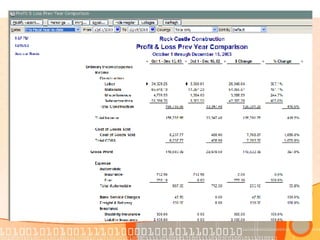
Tip #8 – Play with your programs Explore your programs – Right Click Dig into the menus Look in the manual or online help Check online – Google the program Find a Forum – Users helping Users
 
Tip #8 – Play with your programs Explore your programs Do You Right Click? Dig into the menus Look in the manual or online help Check online – Google the program Find a Forum – Users helping Users
Tip #9 – Learn About WEB 2.0 Blogs Flickr MySpace LinkedIn Second Life
 
Tip #9 – Learn About WEB 2.0 Blogs Flickr MySpace LinkedIn Second Life
Tip #10 – Find someone to help you Don’t be afraid to ask for help Local tech support Online communities Local classes Local Business Groups
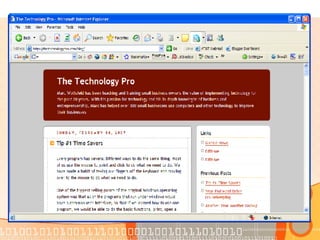
Bonus Tip– Learn more from Marc This is what I do, I’m here to help Read my blog Read my articles www.askthetechpro.com Signup for email list

10 Sure Fire Tips

  • 1.
    10 Sure FireTips To Enhance Your Business Learn to Use More than 10 Percent of Your Computing Power
  • 2.
    Tip #1 --Time Savers Programs and OS have built-in Timesavers Short Cut Keys Quick Launch Task Bar Program Shortcuts Keyboard Extras
  • 3.
  • 4.
  • 5.
    Tip #1 --Time Savers Programs and OS have built-in Timesavers Short Cut Keys Quick Launch Task Bar Program Shortcuts Keyboard Extras
  • 6.
    Tip #2 Bells& Whistles Signature Files in Outlook or Outlook Express Message Rules In Email FAQ answers with Sig Files Pivot Tables & Auto Filters Pivot Table
  • 7.
  • 8.
  • 9.
    Tip #2 Bells& Whistles Signature Files in Outlook or Outlook Express Message Rules In Email FAQ answers with Sig Files Pivot Tables & Auto Filters Pivot Table
  • 10.
    Tip #3 –Google Google is for more than searching the Internet Personalized Home Page Calendar Reader Bookmarks Gmail & Google Talk Docs & Spreadsheets Google Desktop Google Earth Search Box Extras
  • 11.
  • 12.
    Tip #3 –Google Google is for more than searching the Internet Personalized Home Page Calendar Reader Bookmarks Gmail & Google Talk Docs & Spreadsheets Google Desktop Google Earth Search Box Extras
  • 13.
  • 14.
    Tip #3 –Google Google is for more than searching the Internet Personalized Home Page Calendar Reader Bookmarks Gmail & Google Talk Docs & Spreadsheets Google Desktop Google Earth Search Box Extras
  • 15.
    Tip #4 –Online Programs Use Web Based Applications Low cost or no cost online software 37 Signals Freeconferencecall.com Eventbrite PayPal Yousendit Survey Monkey
  • 16.
  • 17.
  • 18.
  • 19.
    Tip #4 –Online Programs Use Web Based Applications Low cost or no cost online software 37 Signals Freeconferencecall.com Eventbrite PayPal Yousendit Survey Monkey
  • 20.
    Tip #5 –Microsoft Resources Getting the Most from Microsoft Photostory Producer Producer SyncToy Free Templates OnlineTraining
  • 21.
  • 22.
    Tip #5 –Microsoft Resources Getting the Most from Microsoft Photostory Producer SyncToy Free Templates OnlineTraining
  • 23.
    Tip #6 –Opensource Software Learn about opensource software Freemind 10 Sure Fire Tips.mm Audacity openoffice.org oswd.org sourceforge.net
  • 24.
    Tip #7 –Best Practices Learn 7 simple steps to trouble free computing Backup your data Install & Update Virus & Spyware Programs Backup your data Update your programs & OS Hard drive housekeeping Safe computing Keep your system updated
  • 25.
    Tip #8 –Play with your programs Explore your programs – Right Click Dig into the menus Look in the manual or online help Check online – Google the program Find a Forum – Users helping Users
  • 26.
  • 27.
    Tip #8 –Play with your programs Explore your programs Do You Right Click? Dig into the menus Look in the manual or online help Check online – Google the program Find a Forum – Users helping Users
  • 28.
    Tip #9 –Learn About WEB 2.0 Blogs Flickr MySpace LinkedIn Second Life
  • 29.
  • 30.
    Tip #9 –Learn About WEB 2.0 Blogs Flickr MySpace LinkedIn Second Life
  • 31.
    Tip #10 –Find someone to help you Don’t be afraid to ask for help Local tech support Online communities Local classes Local Business Groups
  • 32.
    Bonus Tip– Learnmore from Marc This is what I do, I’m here to help Read my blog Read my articles www.askthetechpro.com Signup for email list