Tech Tips for Non-Profit and Small Business Michael Carnell
Why Are We Here? Let’s face it, money is tight Even when not tight, why waste it Need to get more done with less Take advantage of resources available
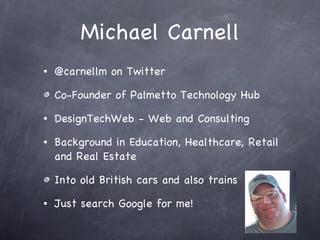
Michael Carnell @carnellm on Twitter Co-Founder of Palmetto Technology Hub DesignTechWeb - Web and Consulting Background in Education, Healthcare, Retail and Real Estate Into old British cars and also trains Just search Google for me!
Areas We Will Cover Hardware Software Social Media People Resources
Hardware - Itself Care and Maintenance Memory - usually need this more that new Ventilation - got to keep it cool. Clean the fan! Yes, avoid food, drinks and rodents Try to start with good quality
Hardware - Maintenance Use a good (free!) anti-virus program Microsoft Security Essentials - the best   www.microsoft.com/security_essentials Take care of the registry and temp files CCleaner -  www.piriform.com Glary Utilities -  glaryutilities.com
Hardware - The Internet Check your internet contract and speed at least every 2 years   www.speakeasy.net/speedtest Secure your wi-fi Have physical security  for your devices - both for security and speed.
Hardware - Recovery Backup, backup, backup 3 - 2 - 1 strategy 3 different copies 2 different media 1 offsite Look at those that offer free or cheap entry www.Mozy.com  www.CrashPlan.com
Software - Guidelines Try to standardize Reduces training Enables collaboration and cross-help Makes machines interchangeable Why do you need the most recent version? Consider non-traditional options
Software - Other Options Libre Office or OpenOffice - Free www.libreoffice.org www.openoffice.org  Online Office Suites GoogleDocs ZoHo Online options can also foster remote work and collaboration
Software - FOSS FOSS = Free Open Source Software The Gimp = Photoshop Kivio = Visio NVU = Dreamweaver Find more at Open Source Alternative   www.osalt.com
Software - One More Thing Check out DropBox and other such services Serves as both a backup and a synchronizer Allows teams to work with the same files   www.DropBox.com
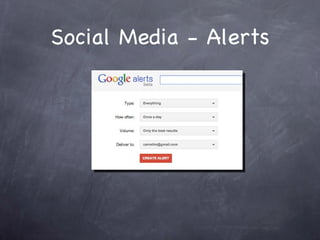
Social Media - To Start Stake your claim If you don’t use it, at least know what is being said about you and your cause or business http://www.google.com/alerts
Social Media - Alerts
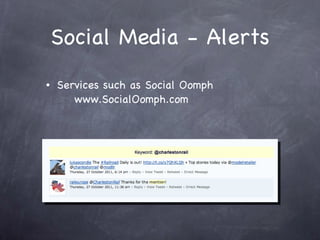
Social Media - Alerts Services such as Social Oomph   www.SocialOomph.com
Social Media - Home You need your own site! Facebook, Posterous, Twitter, Google+, etc are not your home Free website hosting from many hosts including   www.DreamHost.com   You need place you control and have ownership of
People Your most important asset Turnover kills Keep institutional knowledge Technology plays a roll in this
People - The Details Buy good keyboards and monitors - this is where the majority of time and strain are Pay attention to ergonomics Train! PATH teaches at least once a month - these are always free or dirt cheap Other training online like YouTube, Lynda, and others Security : security (passwords!)
Resources Palmetto Technology Hub   www.PalmettoTechnologyHub.org   TechSoup - reduced price software   www.TechSoup.org NTEN - Non-Profit Technology Network   www.nten.org This library! Classes, grants, research, help...
Q & A Michael Carnell [email_address] www.PalmettoTechnologyHub.org or www.DesignTechWeb.com

Tech Tips for Non-Profits

  • 1.
    Tech Tips forNon-Profit and Small Business Michael Carnell
  • 2.
    Why Are WeHere? Let’s face it, money is tight Even when not tight, why waste it Need to get more done with less Take advantage of resources available
  • 3.
    Michael Carnell @carnellmon Twitter Co-Founder of Palmetto Technology Hub DesignTechWeb - Web and Consulting Background in Education, Healthcare, Retail and Real Estate Into old British cars and also trains Just search Google for me!
  • 4.
    Areas We WillCover Hardware Software Social Media People Resources
  • 5.
    Hardware - ItselfCare and Maintenance Memory - usually need this more that new Ventilation - got to keep it cool. Clean the fan! Yes, avoid food, drinks and rodents Try to start with good quality
  • 6.
    Hardware - MaintenanceUse a good (free!) anti-virus program Microsoft Security Essentials - the best www.microsoft.com/security_essentials Take care of the registry and temp files CCleaner - www.piriform.com Glary Utilities - glaryutilities.com
  • 7.
    Hardware - TheInternet Check your internet contract and speed at least every 2 years www.speakeasy.net/speedtest Secure your wi-fi Have physical security for your devices - both for security and speed.
  • 8.
    Hardware - RecoveryBackup, backup, backup 3 - 2 - 1 strategy 3 different copies 2 different media 1 offsite Look at those that offer free or cheap entry www.Mozy.com www.CrashPlan.com
  • 9.
    Software - GuidelinesTry to standardize Reduces training Enables collaboration and cross-help Makes machines interchangeable Why do you need the most recent version? Consider non-traditional options
  • 10.
    Software - OtherOptions Libre Office or OpenOffice - Free www.libreoffice.org www.openoffice.org Online Office Suites GoogleDocs ZoHo Online options can also foster remote work and collaboration
  • 11.
    Software - FOSSFOSS = Free Open Source Software The Gimp = Photoshop Kivio = Visio NVU = Dreamweaver Find more at Open Source Alternative www.osalt.com
  • 12.
    Software - OneMore Thing Check out DropBox and other such services Serves as both a backup and a synchronizer Allows teams to work with the same files www.DropBox.com
  • 13.
    Social Media -To Start Stake your claim If you don’t use it, at least know what is being said about you and your cause or business http://www.google.com/alerts
  • 14.
  • 15.
    Social Media -Alerts Services such as Social Oomph www.SocialOomph.com
  • 16.
    Social Media -Home You need your own site! Facebook, Posterous, Twitter, Google+, etc are not your home Free website hosting from many hosts including www.DreamHost.com You need place you control and have ownership of
  • 17.
    People Your mostimportant asset Turnover kills Keep institutional knowledge Technology plays a roll in this
  • 18.
    People - TheDetails Buy good keyboards and monitors - this is where the majority of time and strain are Pay attention to ergonomics Train! PATH teaches at least once a month - these are always free or dirt cheap Other training online like YouTube, Lynda, and others Security : security (passwords!)
  • 19.
    Resources Palmetto TechnologyHub www.PalmettoTechnologyHub.org TechSoup - reduced price software www.TechSoup.org NTEN - Non-Profit Technology Network www.nten.org This library! Classes, grants, research, help...
  • 20.
    Q & AMichael Carnell [email_address] www.PalmettoTechnologyHub.org or www.DesignTechWeb.com