10 REASONS COLDFUSION PDFS SHOULD
RULE THE WORLD
HISTORICAL CONTEXT
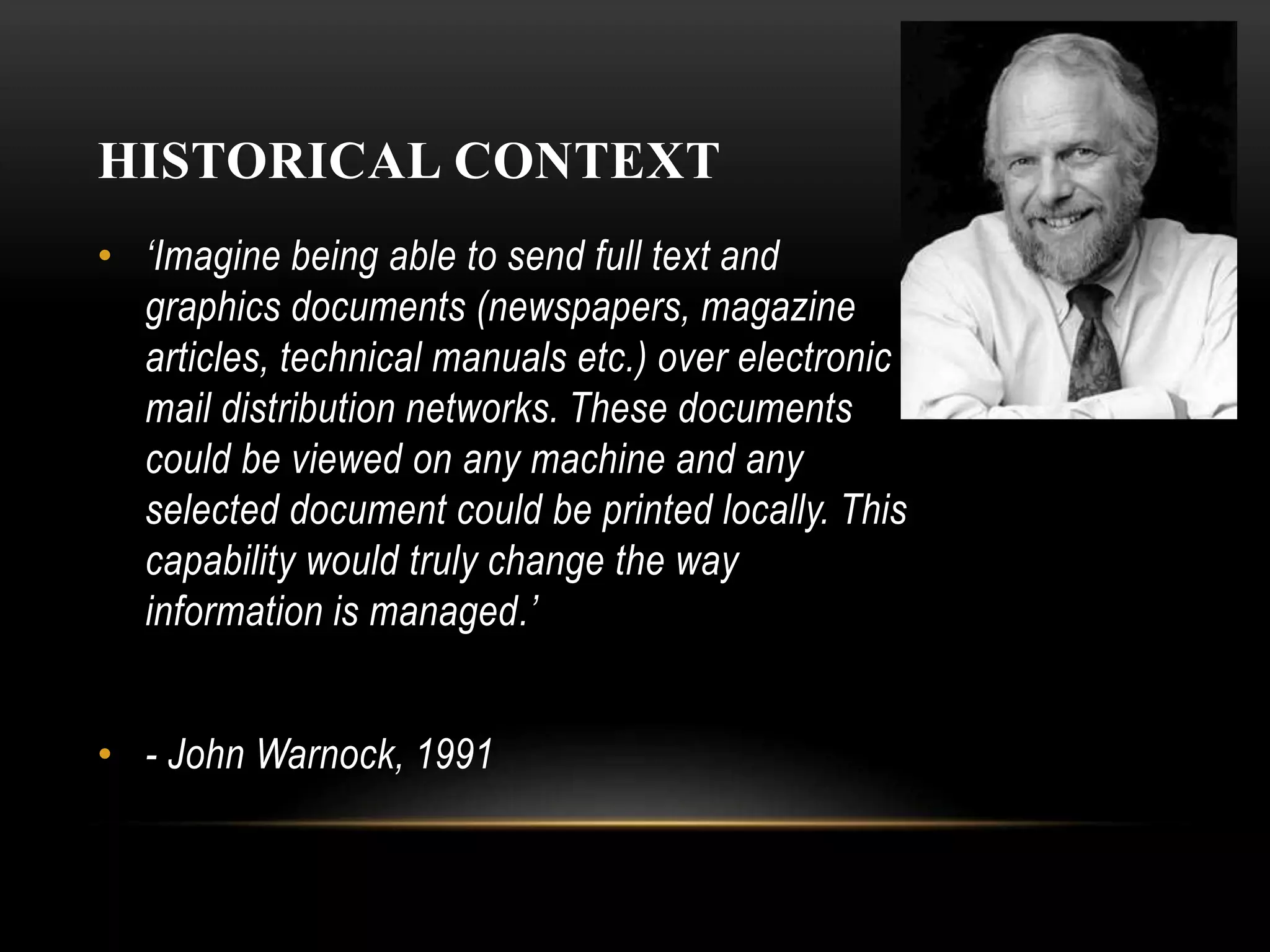
• ‘Imagine being able to send full text and
graphics documents (newspapers, magazine
articles, technical manuals etc.) over electronic
mail distribution networks. These documents
could be viewed on any machine and any
selected document could be printed locally. This
capability would truly change the way
information is managed.’
• - John Warnock, 1991
HISTORICAL CONTEXT
• PDF 1.0 1991
• Distiller $695/ $2495 (networked)
• Reader $50
• 1998 ISO Standard
• 1998 Adobe Royalty Free Patent
COLDFUSION AND PDF
• Macromedia ColdFusion MX 7 added CFDOCUMENT
FORMAT="PDF" (2/7/2005)
• Adobe acquired Macromedia (12/3/2005)
• Adobe ColdFusion 8 added CFPDF / CFPDFFORM /
CFPRINT (7/30/2007)
• ColdFusion 9 & 10 no changes.
• ColdFusion 11
• New HTML to PDF engine
COLDFUSION 9
• FDF support in PDF forms
("Forms Data Format." FDF is a file format for representing f
• orm data and annotations that are contained in a PDF form.)
• PDF package
• Size optimization
• Adding headers and footers to PDF documents using the
cfpdf tag
• Support for RGB/ARGB, cfimage and accessible images in
watermarking a pdf using the cfpdf tag
• Improved quality and performance of thumbnail generation
• Support for extracting image and text from PDF
COLDFUSION 11
• New PDF to HTML Engine
• Digital Signatures
• Improved DDX support
• PDF Servlets for scalability
RAIJIN / CF12
• Sanitize
• Export metadata
• Import metadata
• Archive
• AddAttachments
• AddStamp
• Redaction
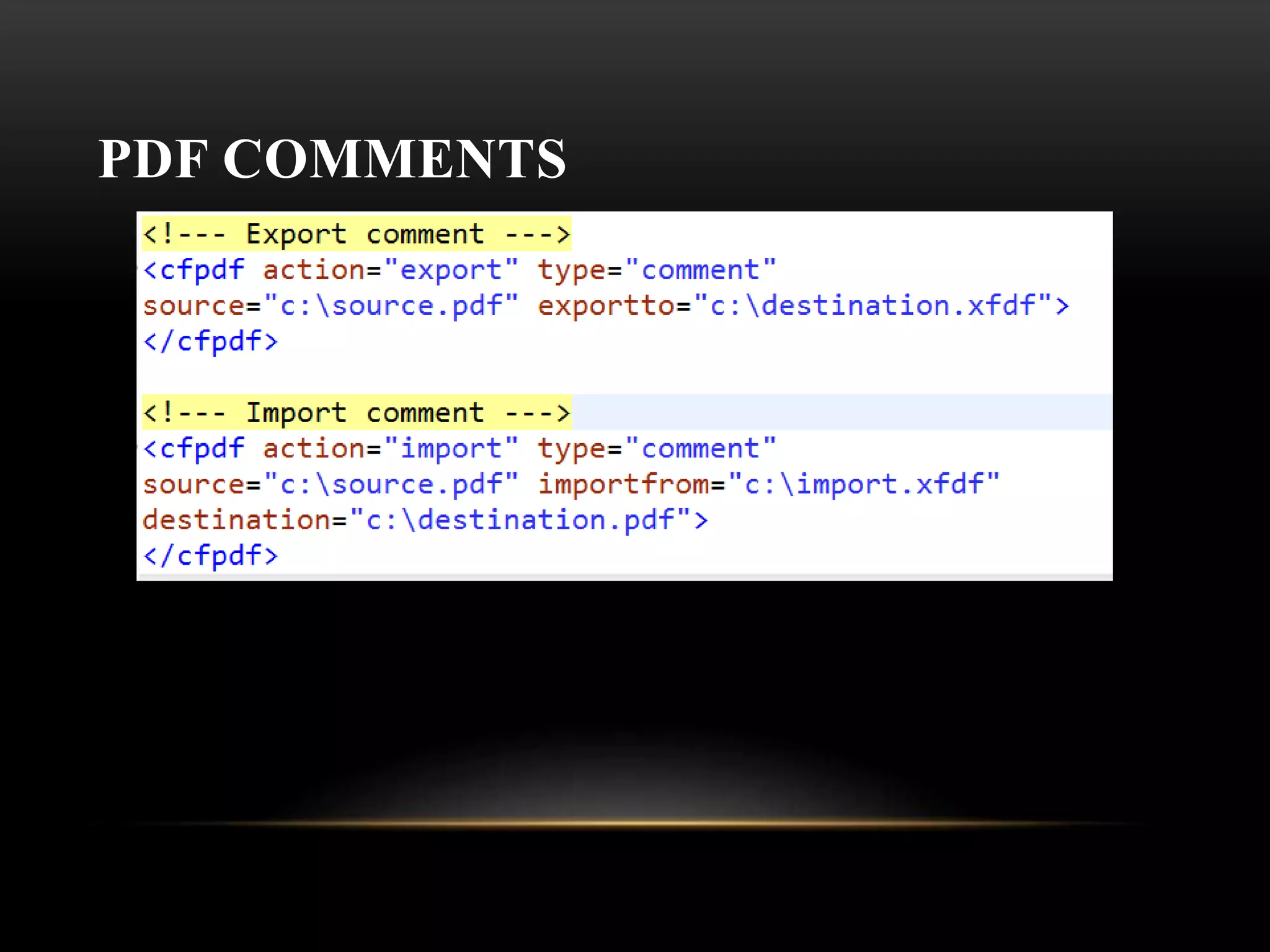
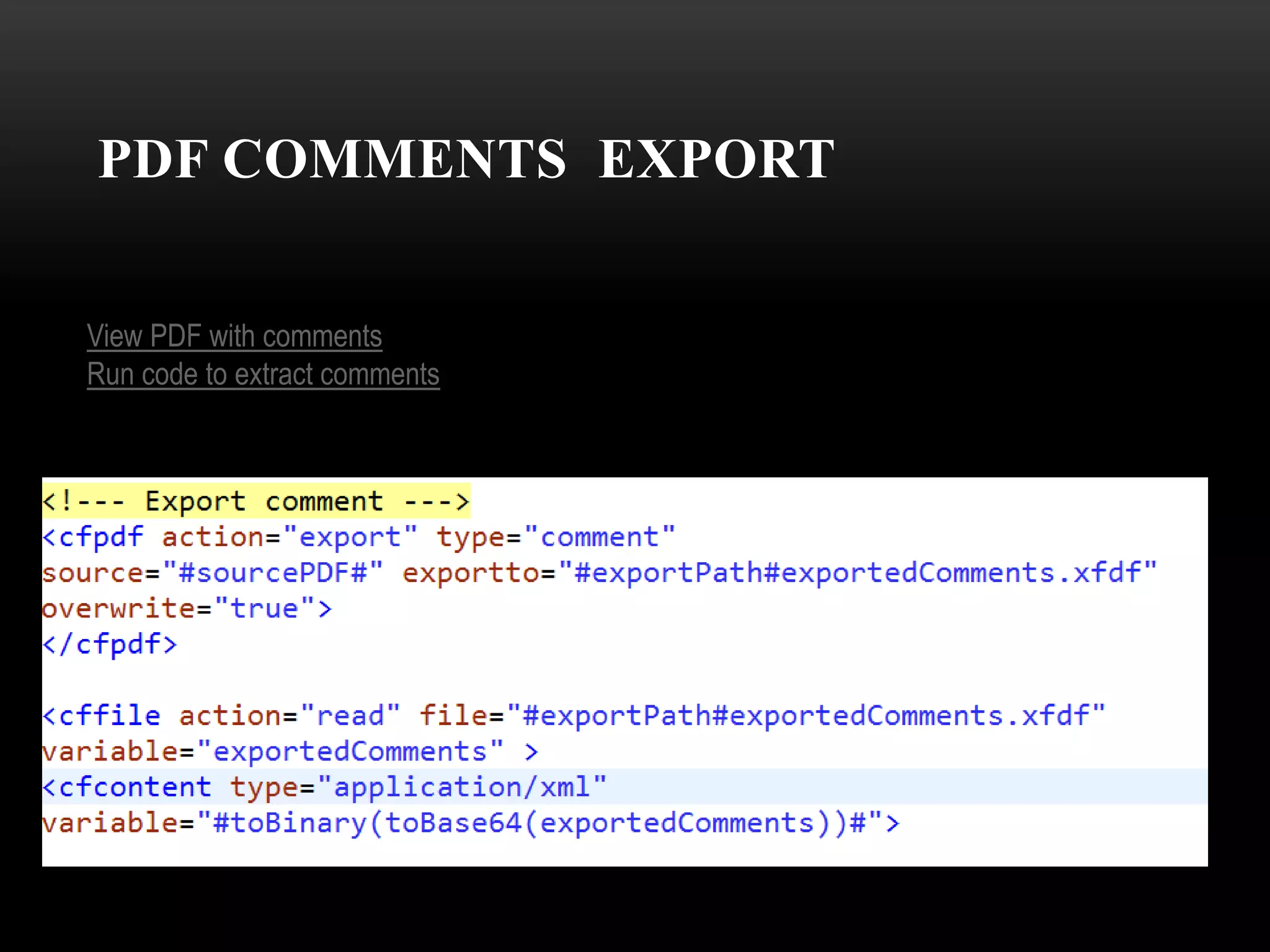
• Comments exporting
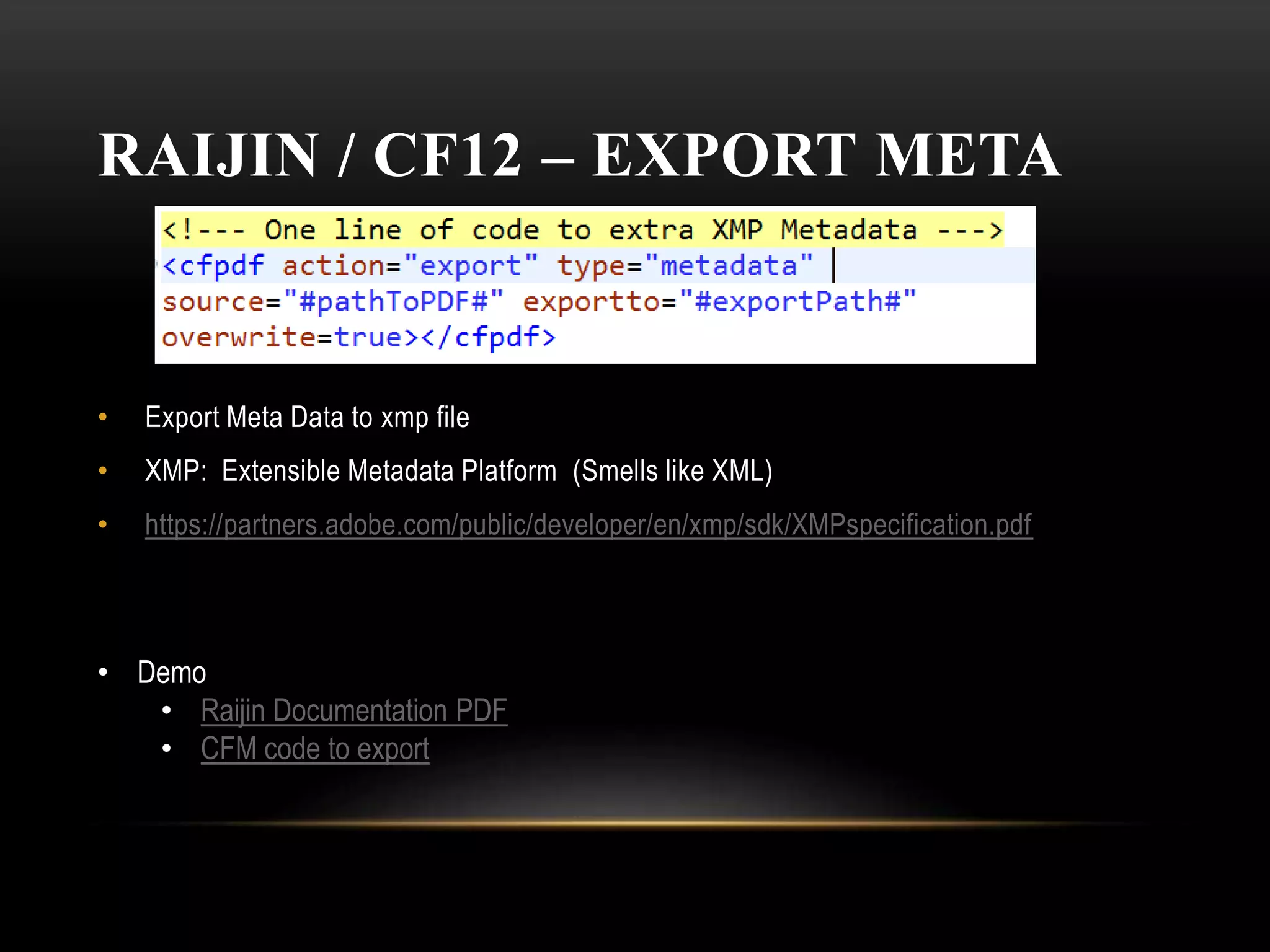
RAIJIN / CF12 – EXPORT META
• Export Meta Data to xmp file
• XMP: Extensible Metadata Platform (Smells like XML)
• https://partners.adobe.com/public/developer/en/xmp/sdk/XMPspecification.pdf
• Demo
• Raijin Documentation PDF
• CFM code to export
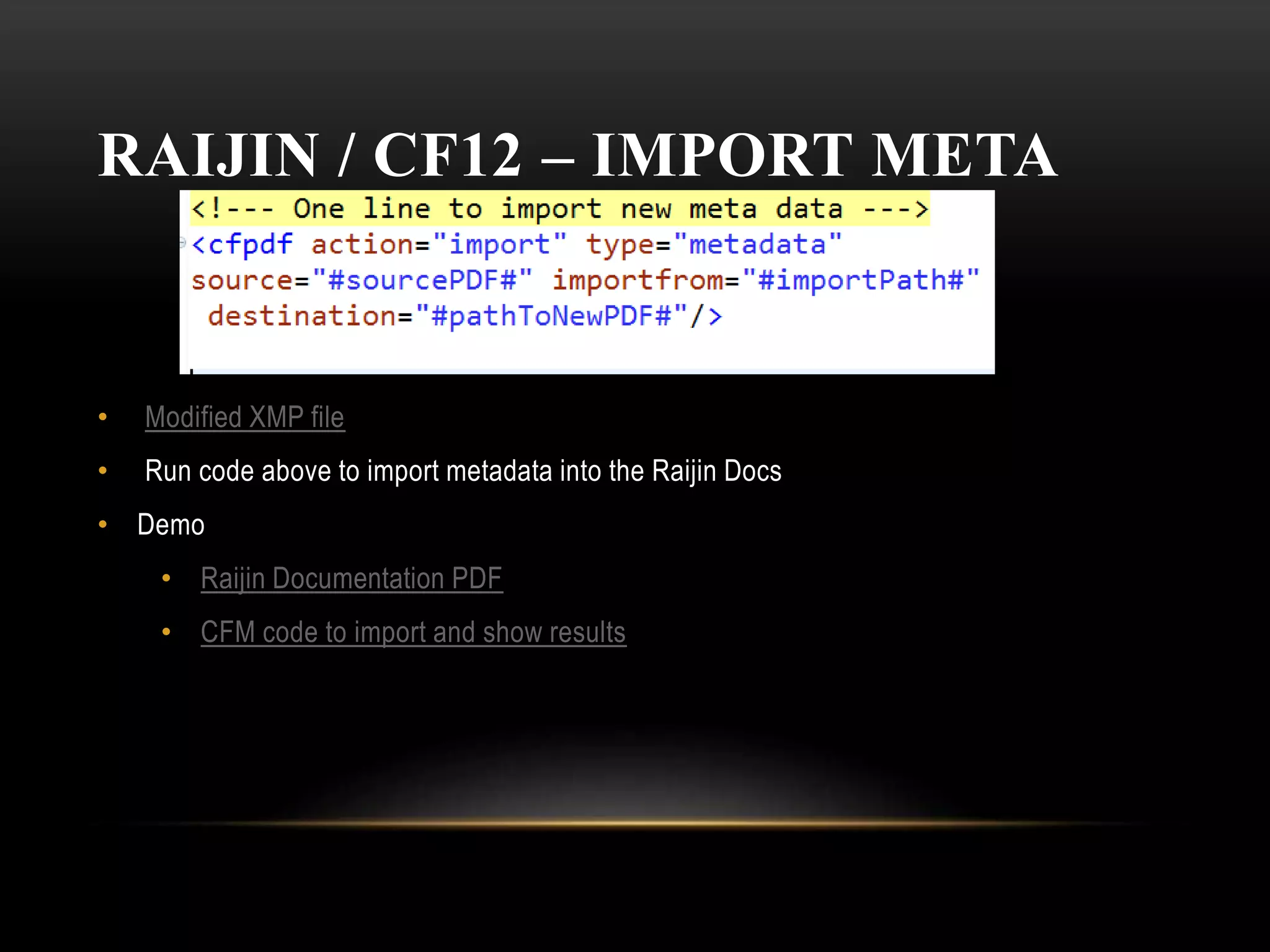
RAIJIN / CF12 – IMPORT META
• Modified XMP file
• Run code above to import metadata into the Raijin Docs
• Demo
• Raijin Documentation PDF
• CFM code to import and show results
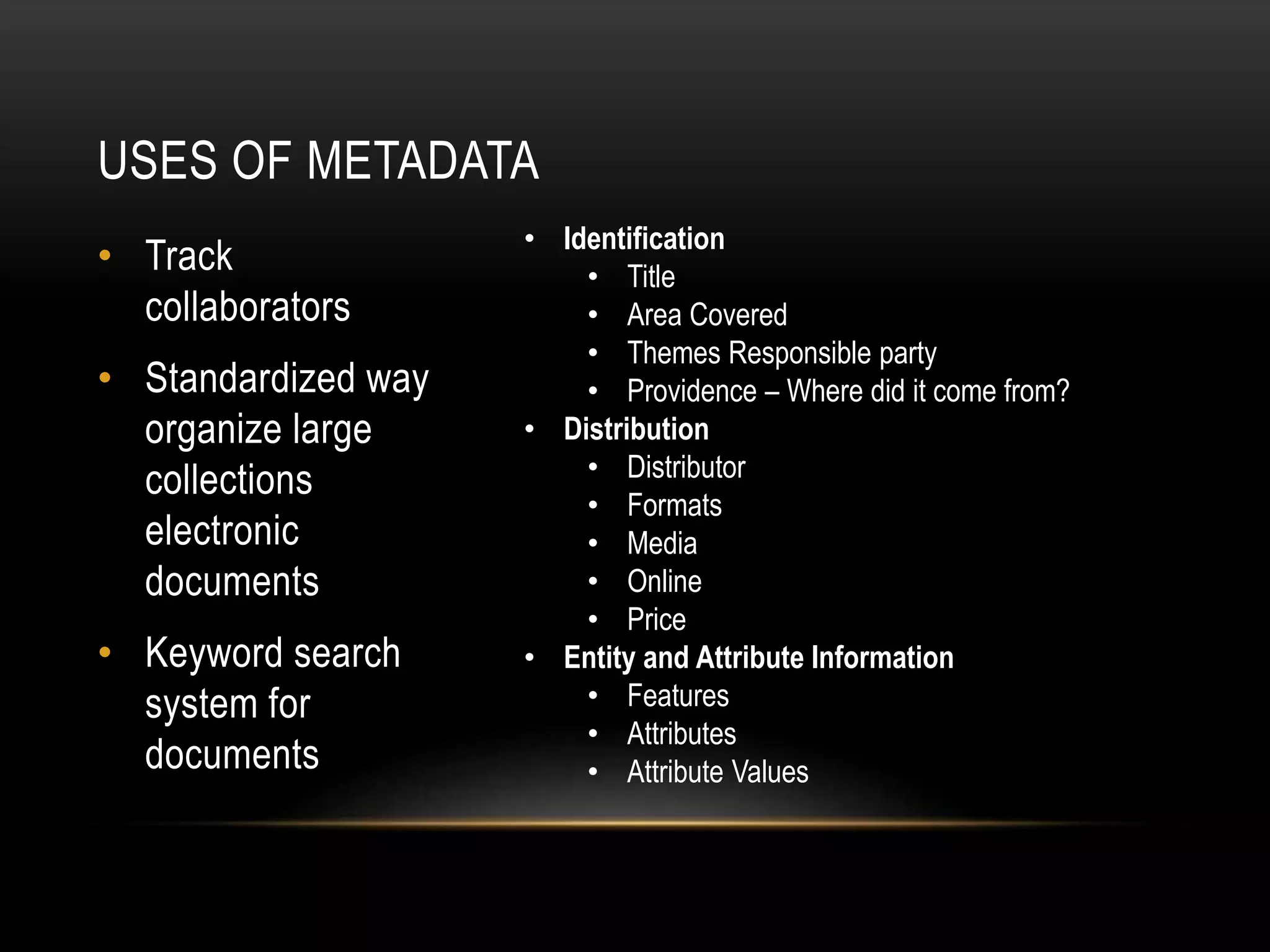
USES OF METADATA
• Track
collaborators
• Standardized way
organize large
collections
electronic
documents
• Keyword search
system for
documents
• Identification
• Title
• Area Covered
• Themes Responsible party
• Providence – Where did it come from?
• Distribution
• Distributor
• Formats
• Media
• Online
• Price
• Entity and Attribute Information
• Features
• Attributes
• Attribute Values
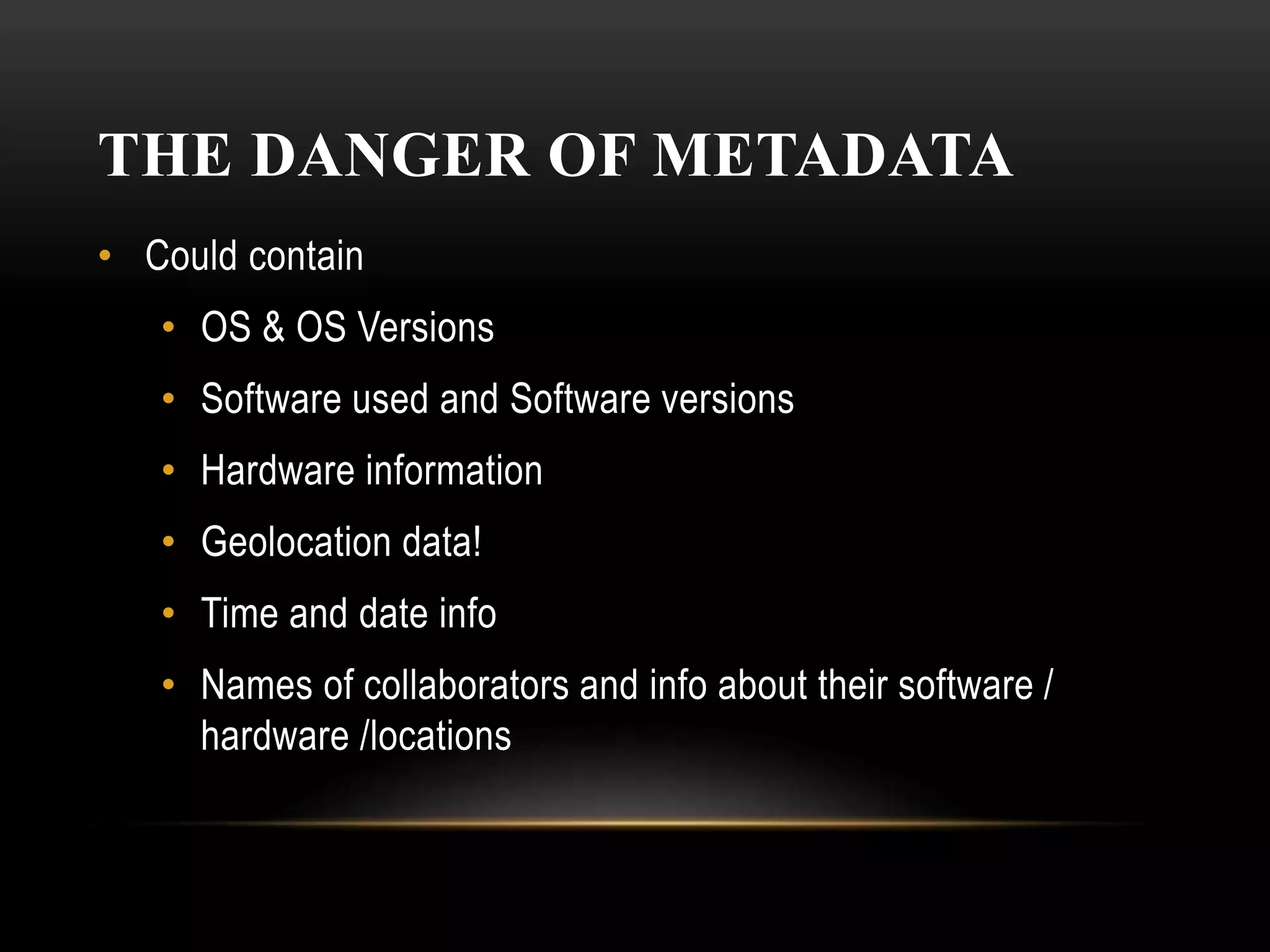
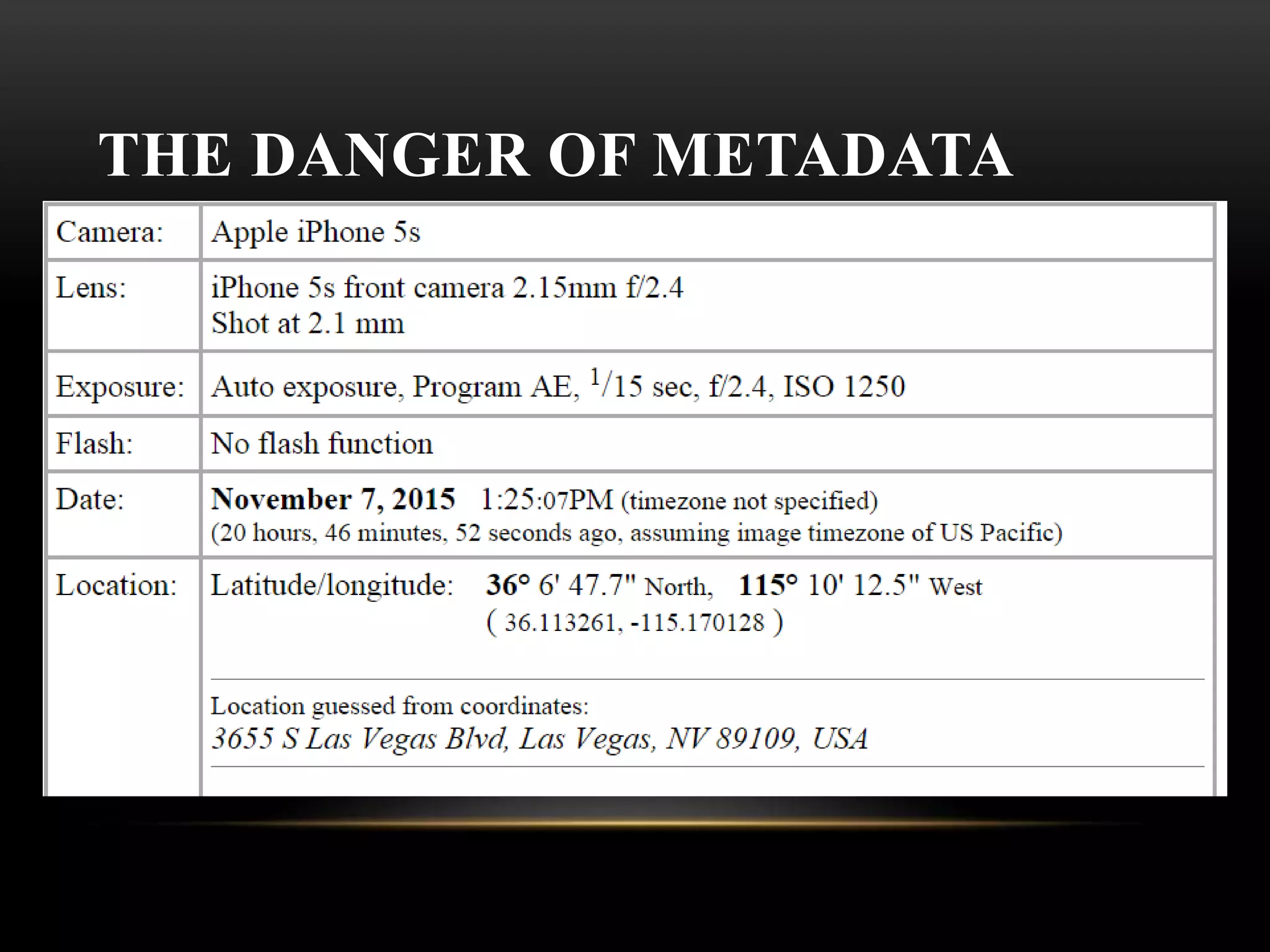
THE DANGER OF METADATA
• Could contain
• OS & OS Versions
• Software used and Software versions
• Hardware information
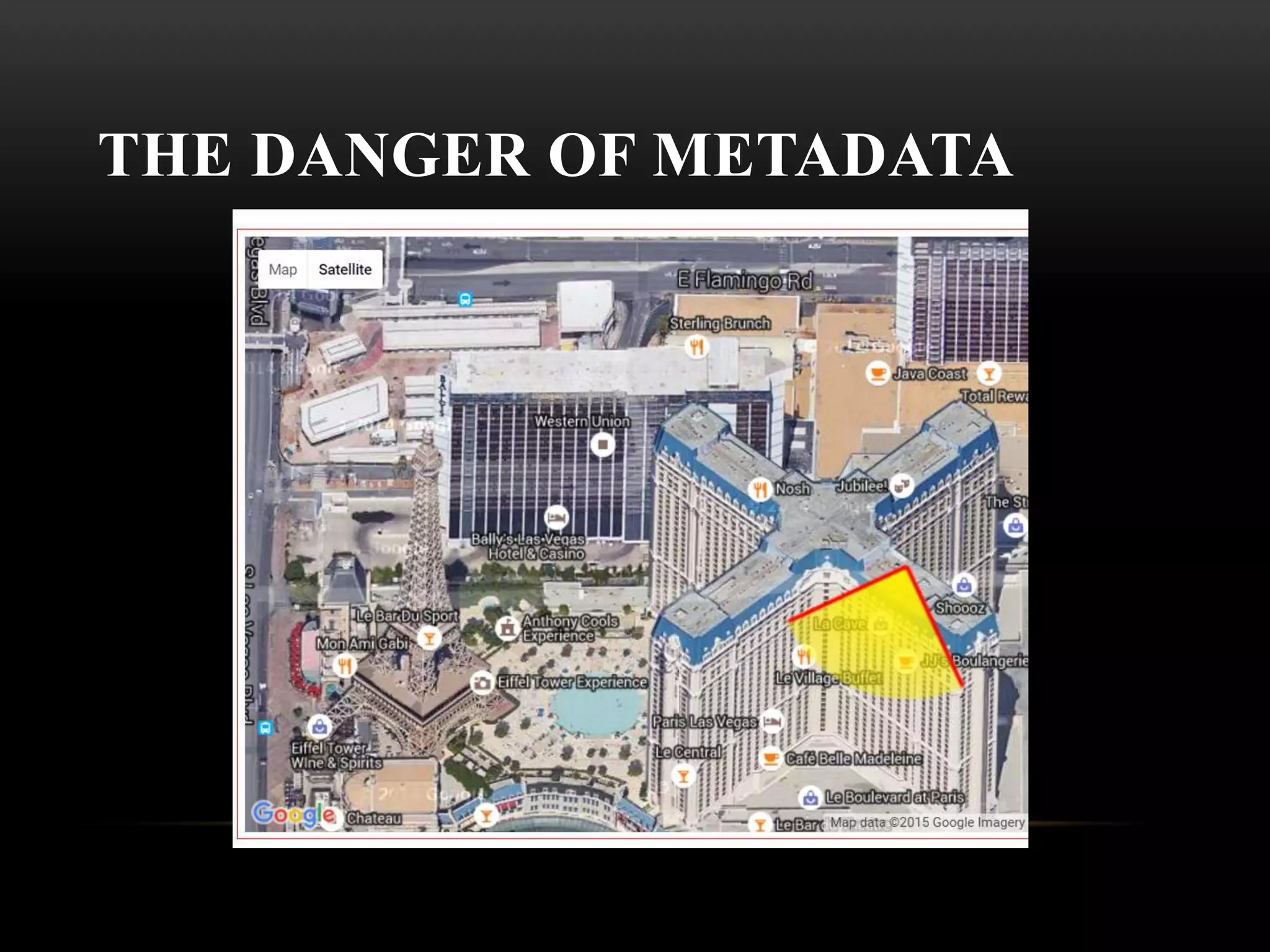
• Geolocation data!
• Time and date info
• Names of collaborators and info about their software /
hardware /locations
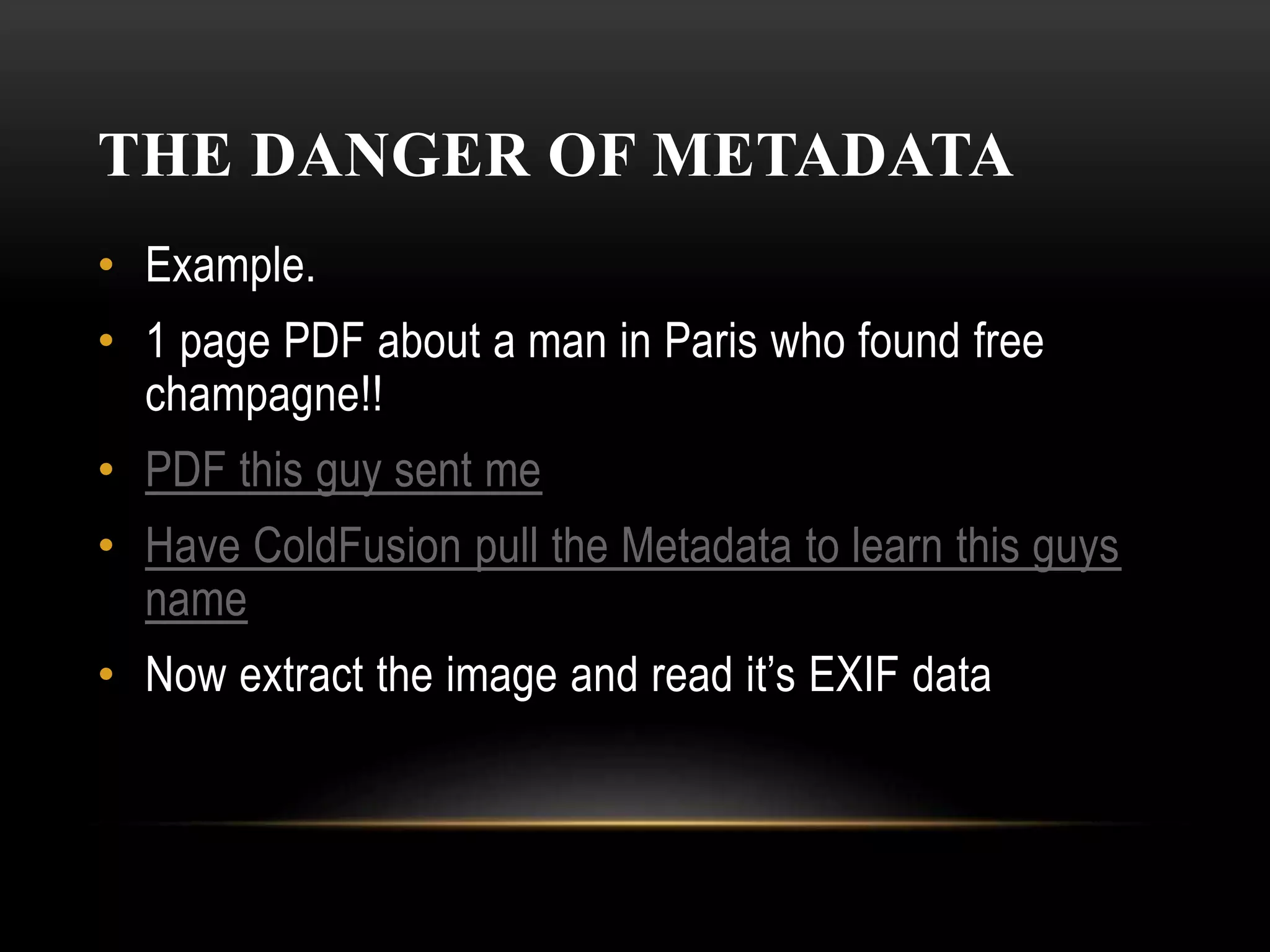
THE DANGER OF METADATA
• Example.
• 1 page PDF about a man in Paris who found free
champagne!!
• PDF this guy sent me
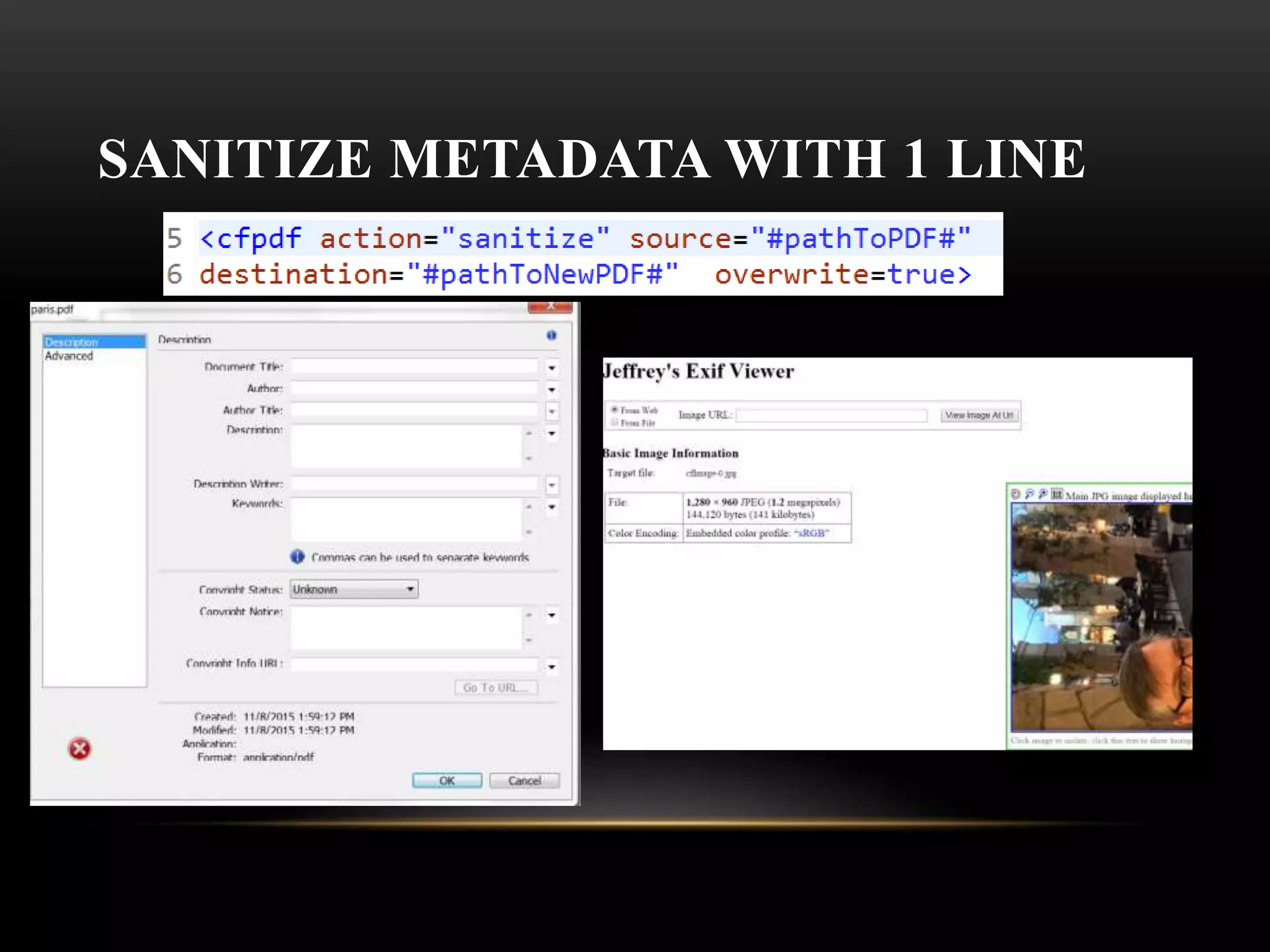
• Have ColdFusion pull the Metadata to learn this guys
name
• Now extract the image and read it’s EXIF data
THE DANGER OF METADATA
SANITIZE METADATA WITH 1 LINE
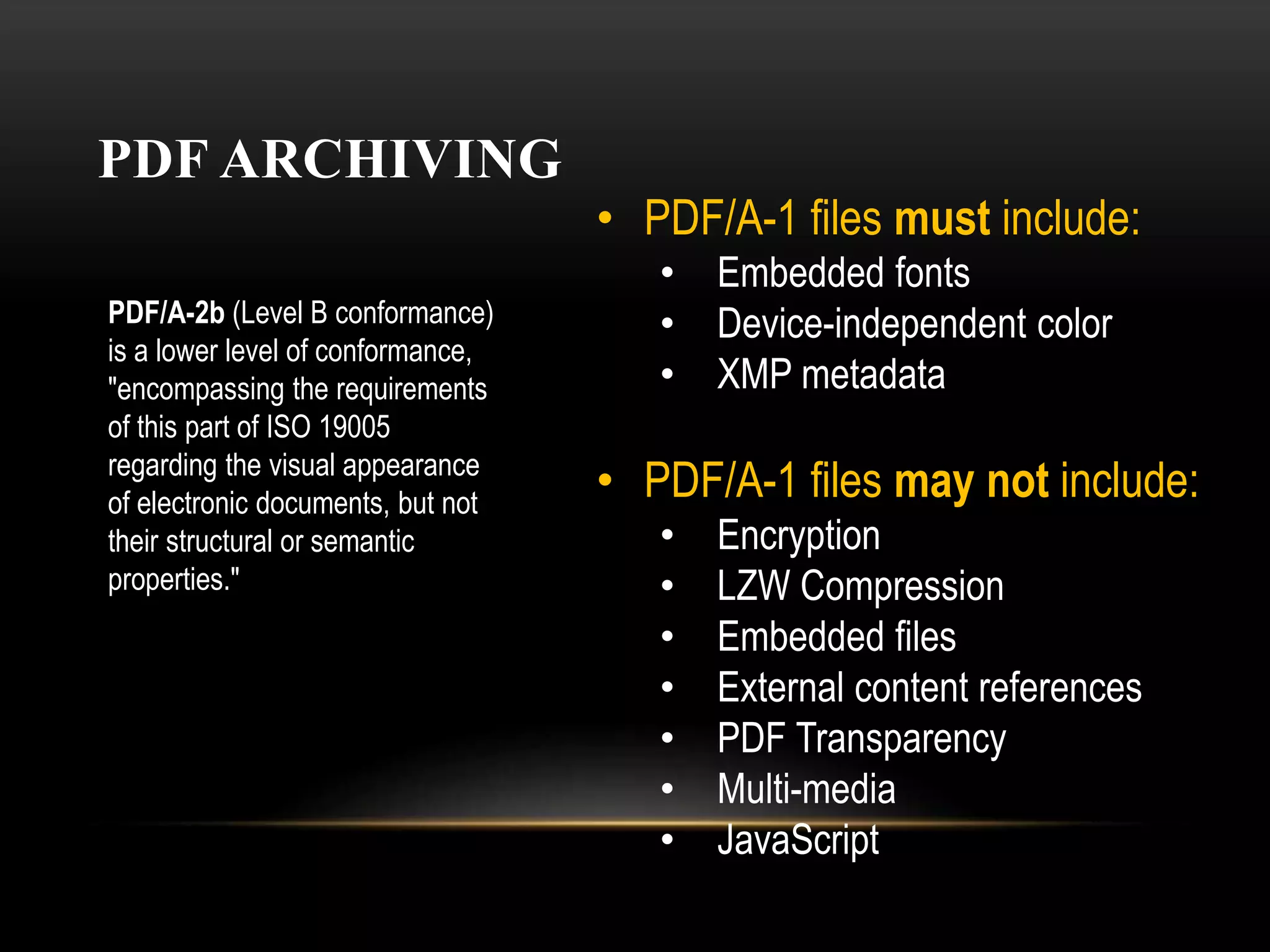
PDF ARCHIVING
You can archive pdf files. PDF/A is an ISO -standardized version of the
Portable Document Format (PDF) specialized for the long term digital
preservation of electronic documents. It guarantees a pdf can be viewed
in the distant future. During PDF conversion, the file that is being
processed is checked against the specified standard. PDF/A differs from
PDF by prohibiting features ill-suited to long-term archiving, such as font
linking (as opposed to font embedding). In earlier versions of
ColdFusion we used to support PDF/A-1b standard.
In ColdFusion Raijin, we support PDF/A-2b.
PDF ARCHIVING
• PDF/A-1 files must include:
• Embedded fonts
• Device-independent color
• XMP metadata
• PDF/A-1 files may not include:
• Encryption
• LZW Compression
• Embedded files
• External content references
• PDF Transparency
• Multi-media
• JavaScript
PDF/A-2b (Level B conformance)
is a lower level of conformance,
"encompassing the requirements
of this part of ISO 19005
regarding the visual appearance
of electronic documents, but not
their structural or semantic
properties."
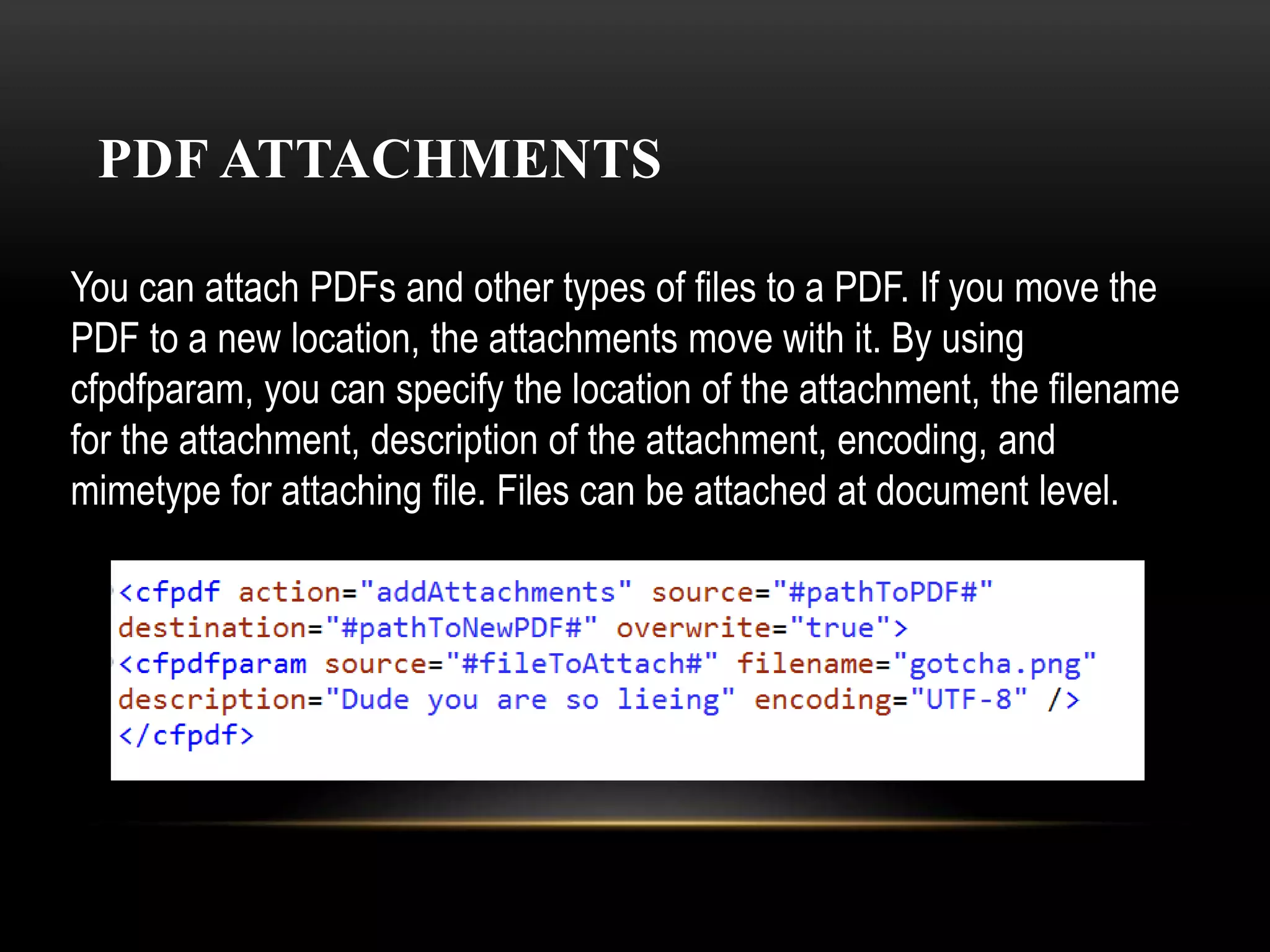
PDF ATTACHMENTS
You can attach PDFs and other types of files to a PDF. If you move the
PDF to a new location, the attachments move with it. By using
cfpdfparam, you can specify the location of the attachment, the filename
for the attachment, description of the attachment, encoding, and
mimetype for attaching file. Files can be attached at document level.
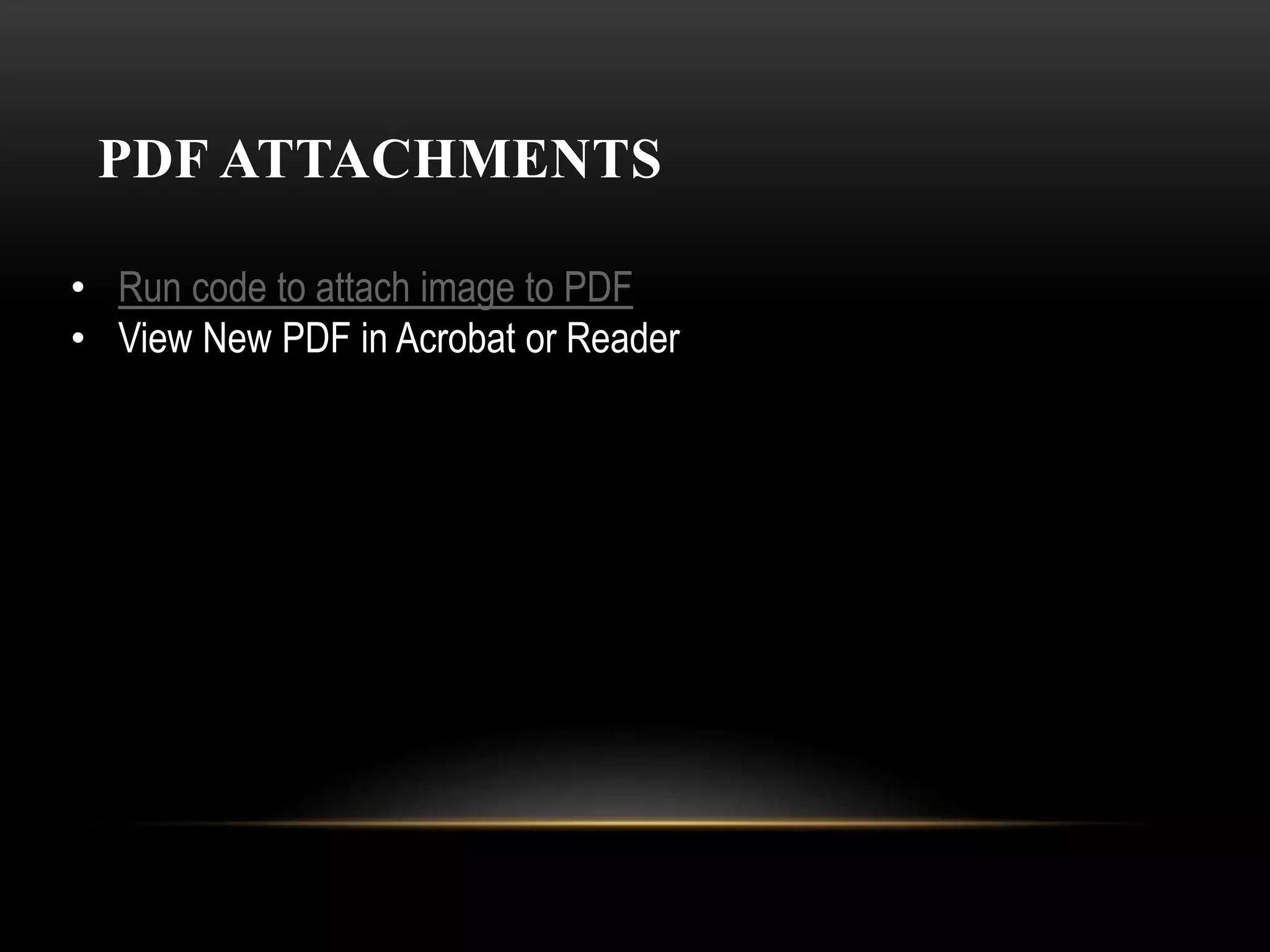
PDF ATTACHMENTS
• Run code to attach image to PDF
• View New PDF in Acrobat or Reader
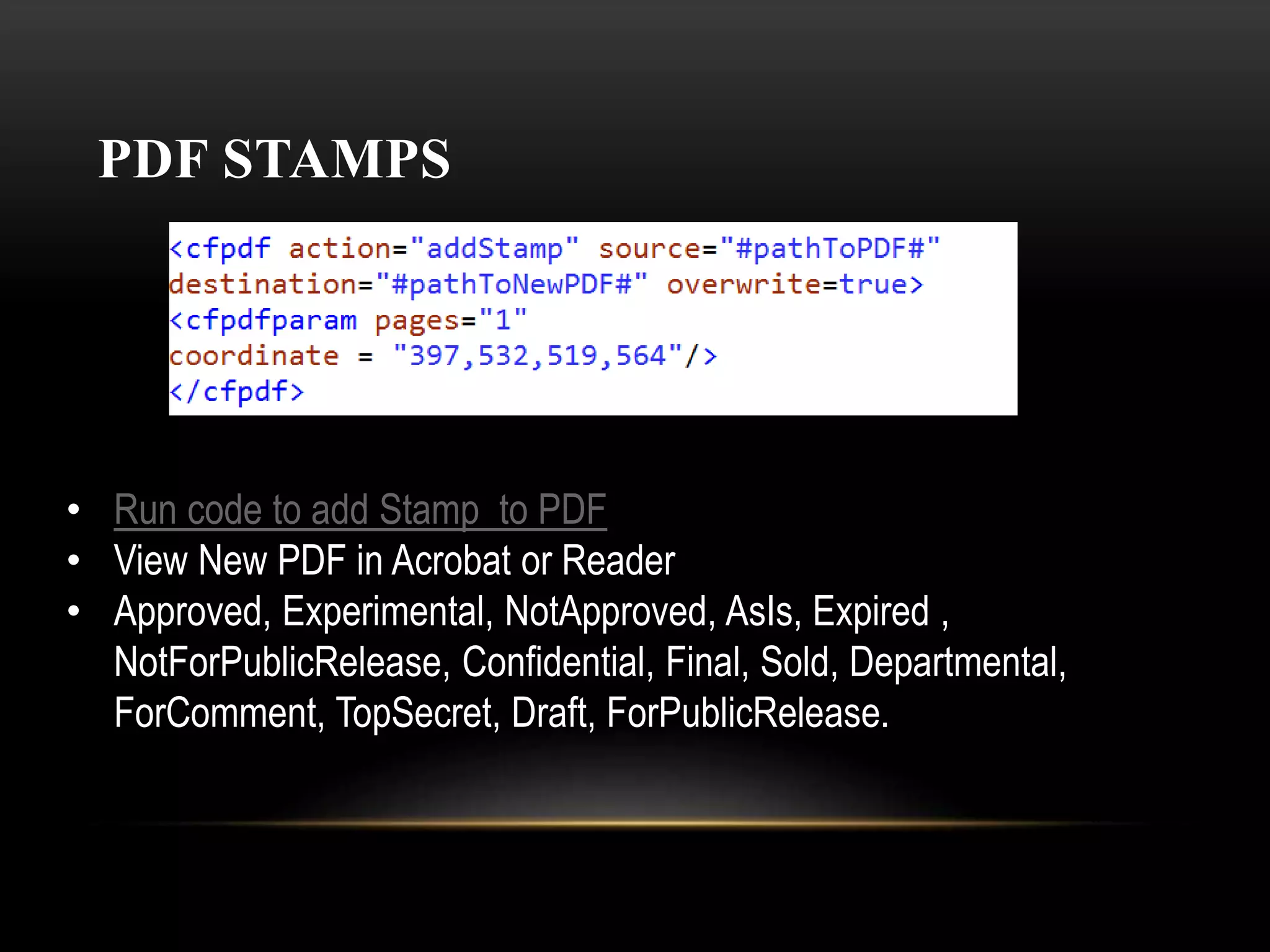
PDF STAMPS
• Run code to add Stamp to PDF
• View New PDF in Acrobat or Reader
• Approved, Experimental, NotApproved, AsIs, Expired ,
NotForPublicRelease, Confidential, Final, Sold, Departmental,
ForComment, TopSecret, Draft, ForPublicRelease.
PDF COMMENTS
PDF COMMENTS EXPORT
View PDF with comments
Run code to extract comments
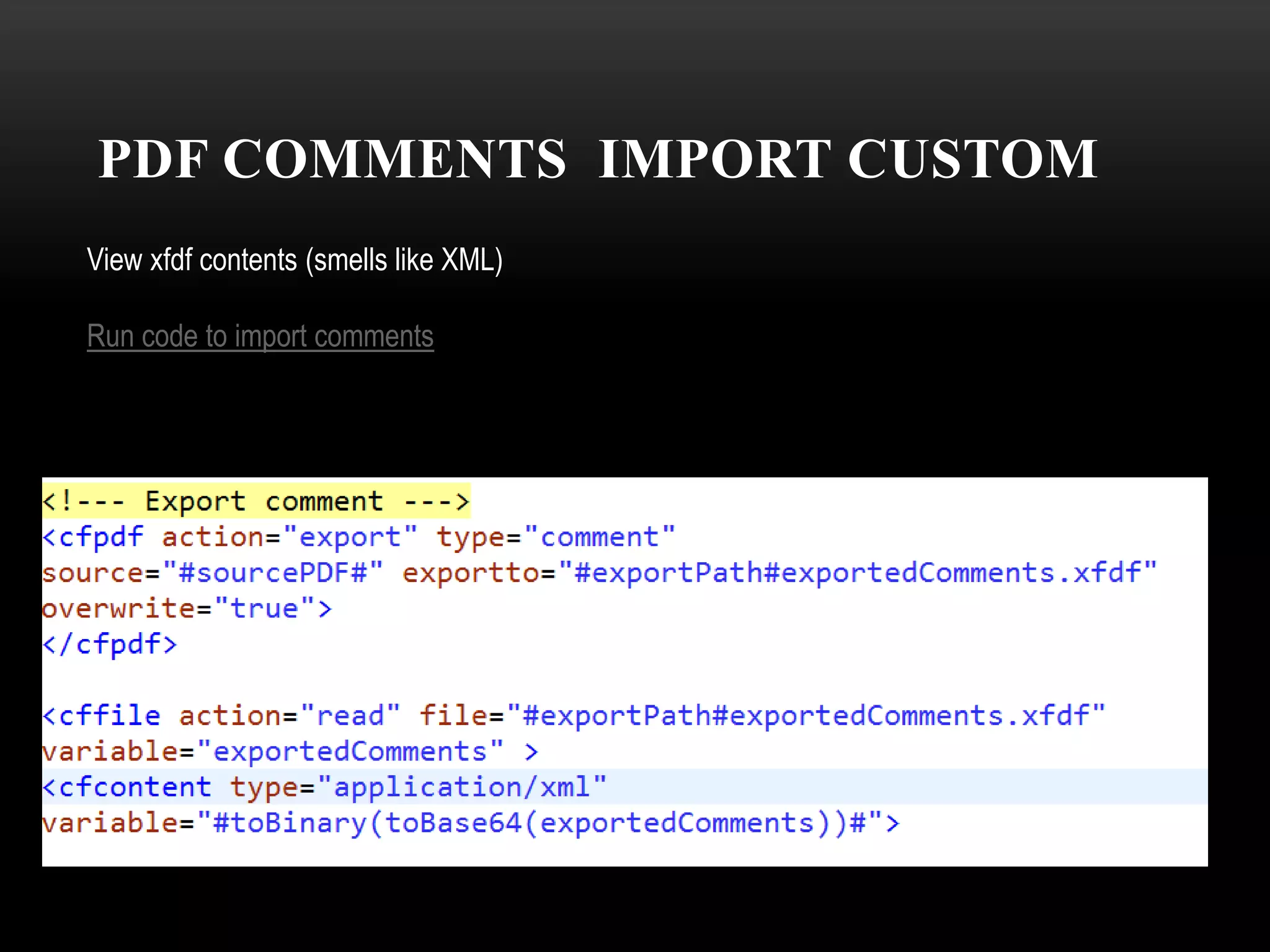
PDF COMMENTS IMPORT CUSTOM
View xfdf contents (smells like XML)
Run code to import comments
REASON #10 WHY COLDFUSION PDFS SHOULD
RULE THE WORLD
Knowledge = Power
REASON #9 WHY COLDFUSION PDFS SHOULD
RULE THE WORLD
ColdFusion PDFs have
never had a sex scandal
REASON #8 WHY COLDFUSION PDFS SHOULD
RULE THE WORLD
Even your grandma can
use a PDF
REASON #8 WHY COLDFUSION PDFS SHOULD
RULE THE WORLD
Even your grandma can
use a PDF
REASON #7 WHY COLDFUSION PDFS SHOULD
RULE THE WORLD
ColdFusion PDFs are clean.
will sanitize your stuff.
REASON #6 WHY COLDFUSION PDFS SHOULD
RULE THE WORLD
Adobe Reader Updates are already
using 40% of your daily computing
power anyway!
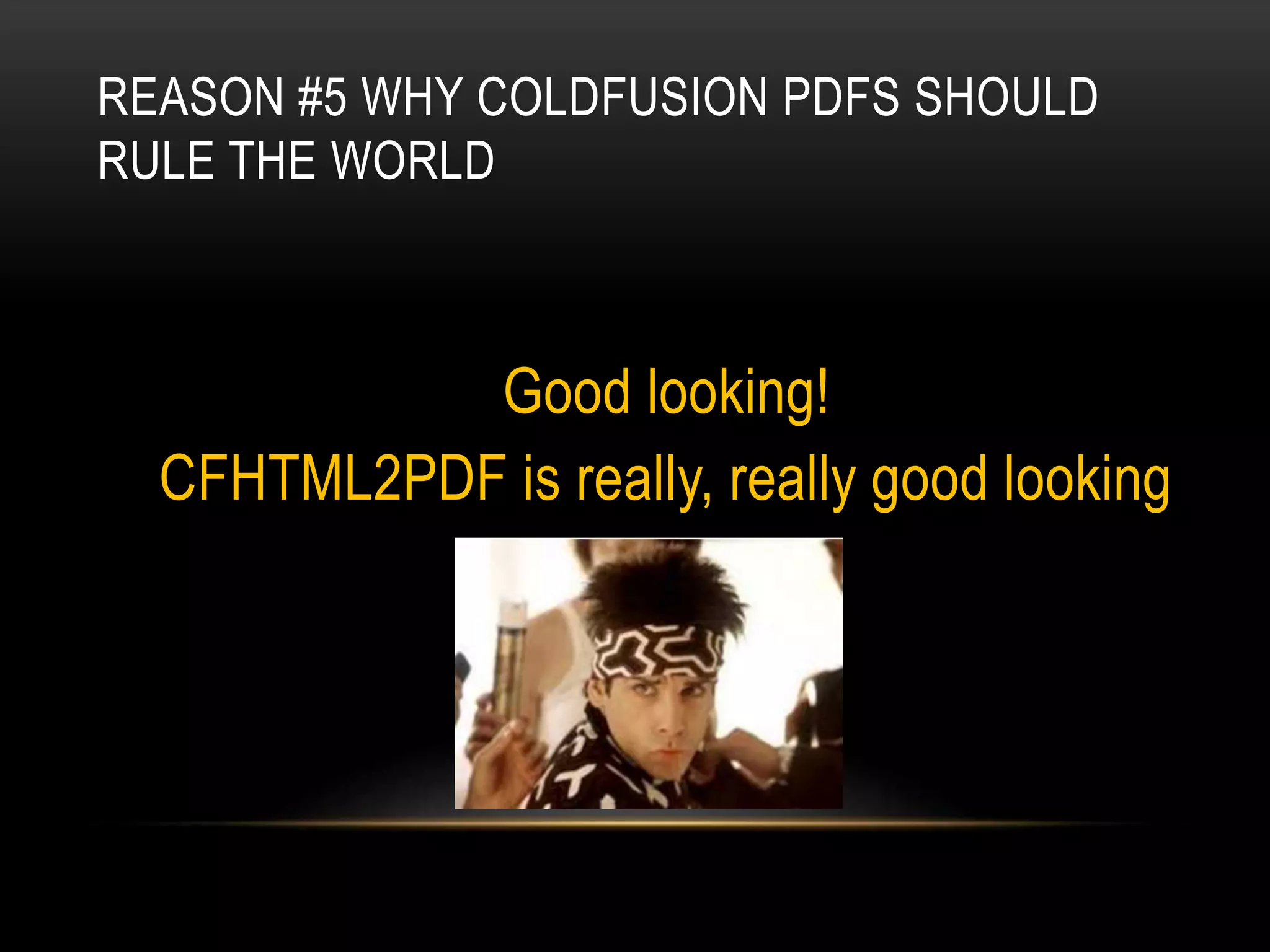
REASON #5 WHY COLDFUSION PDFS SHOULD
RULE THE WORLD
Good looking!
CFHTML2PDF is really, really good looking
REASON #4 WHY COLDFUSION PDFS SHOULD
RULE THE WORLD
ColdFusion PDFs can
keep a secret!
Info redacted
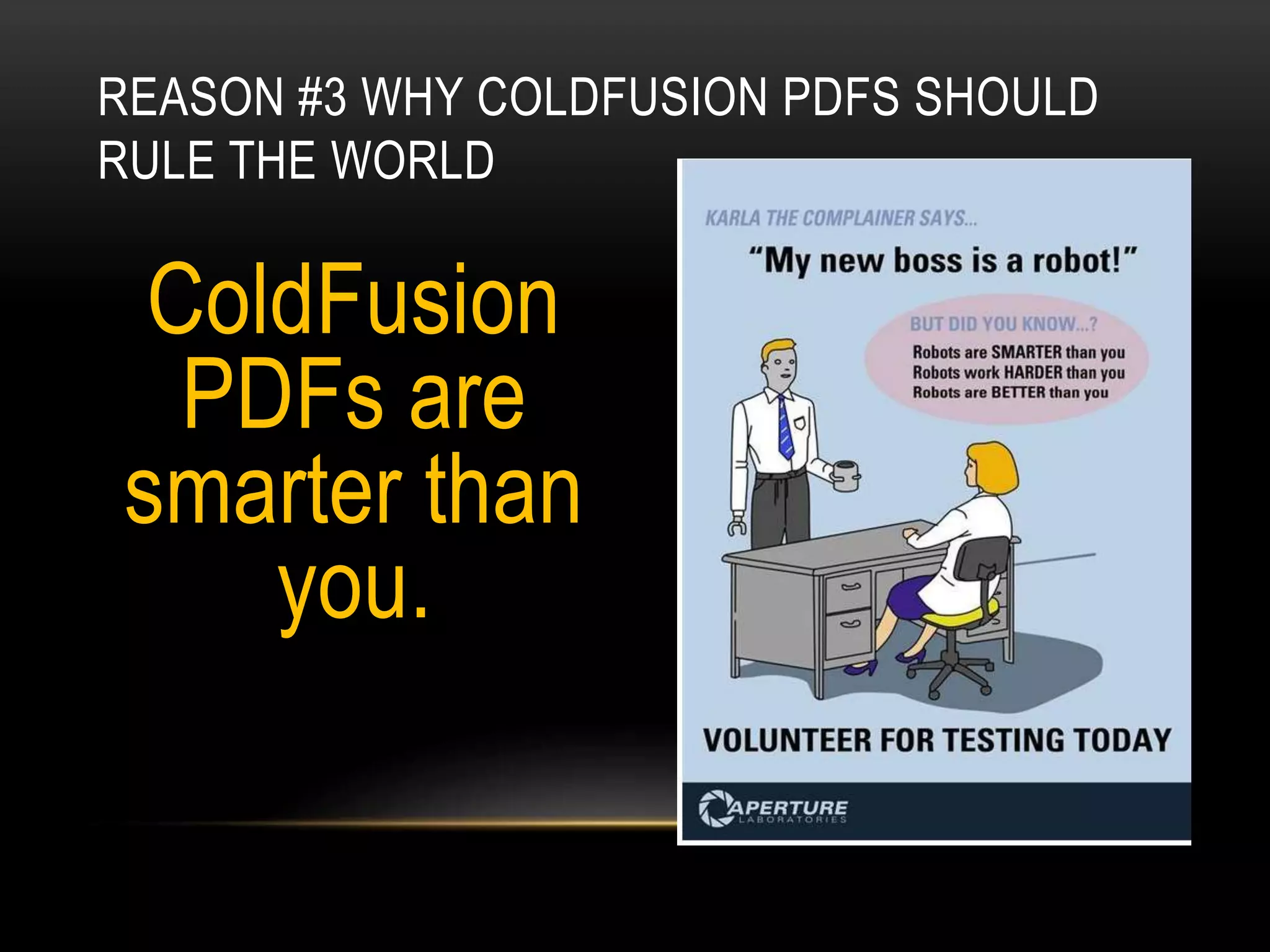
REASON #3 WHY COLDFUSION PDFS SHOULD
RULE THE WORLD
ColdFusion
PDFs are
smarter than
you.
REASON #2 WHY COLDFUSION PDFS SHOULD
RULE THE WORLD
ColdFusion PDFs are
easier than doing taxes
REASON #1 WHY COLDFUSION PDFS SHOULD
RULE THE WORLD
Ruling the world would
be really boring.
So why not?
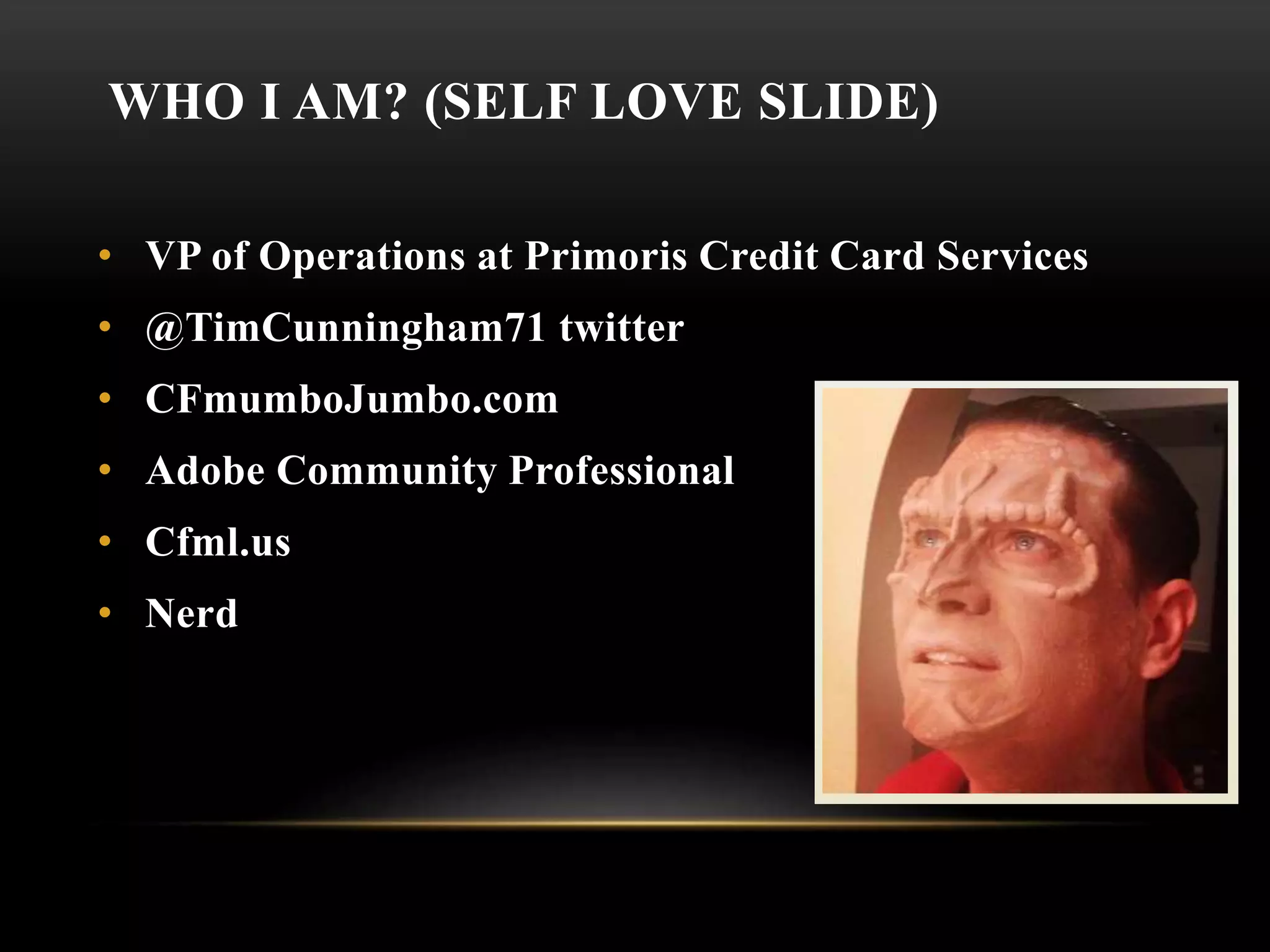
WHO I AM? (SELF LOVE SLIDE)
• VP of Operations at Primoris Credit Card Services
• @TimCunningham71 twitter
• CFmumboJumbo.com
• Adobe Community Professional
• Cfml.us
• Nerd
THANK YOU!
@timcunningham71
cfMumboJumbo.comcfml.us/bdG
CFDOCUMENT
Creates PDF output from a text block containing CFML
and HTML
Support standards: HTML 4.01, CSS1 & CSS2
Supports a limited set of CSS styles
[Demo current cfdocument]
HONORING THE PAST
• CFDocument still does
everything it does in CF10
• Still using iText & iceBrowser
• Existing code
won’t break
CF 11:
<CFHTMLTOPDF/>
• Uses webkit html rendering engine. (Chrome, Safari,
Opera)
• Can convert modern HTML & CSS
• Runs as Jetty Servlet
• Jetty is a pure Java-based HTTP (Web) server and Java Servlet
container. While Web Servers are usually associated with serving
documents to humans, Jetty is now often used for machine to machine
communications, usually within larger software frameworks.
• Solr also runs on CF as a Jetty servlet
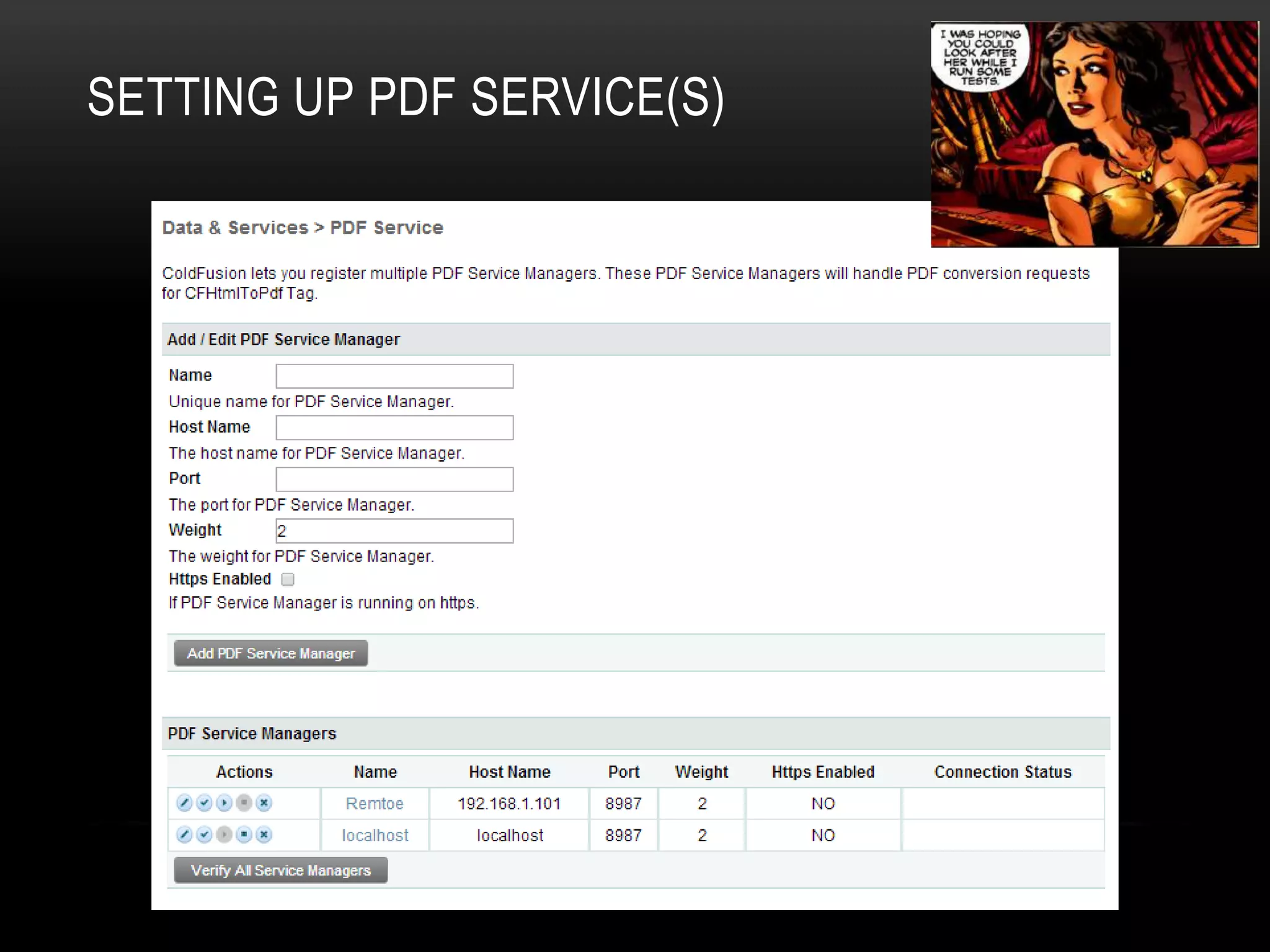
TERMINOLOGY
The following terms are the commonly used in <cfhtmltopdf> (WebKit):
• Service - Refers to the process which carries out series of activities to convert HTML
documents to PDFs.
• Service Manager - Manages the PDF generation service processes, monitors the service
process states, spawns new processes for conversions, and facilitates recycling of
processes.
• WebKit - Is a layout engine software designed to allow web browsers to render web
pages.
TERMINOLOGY
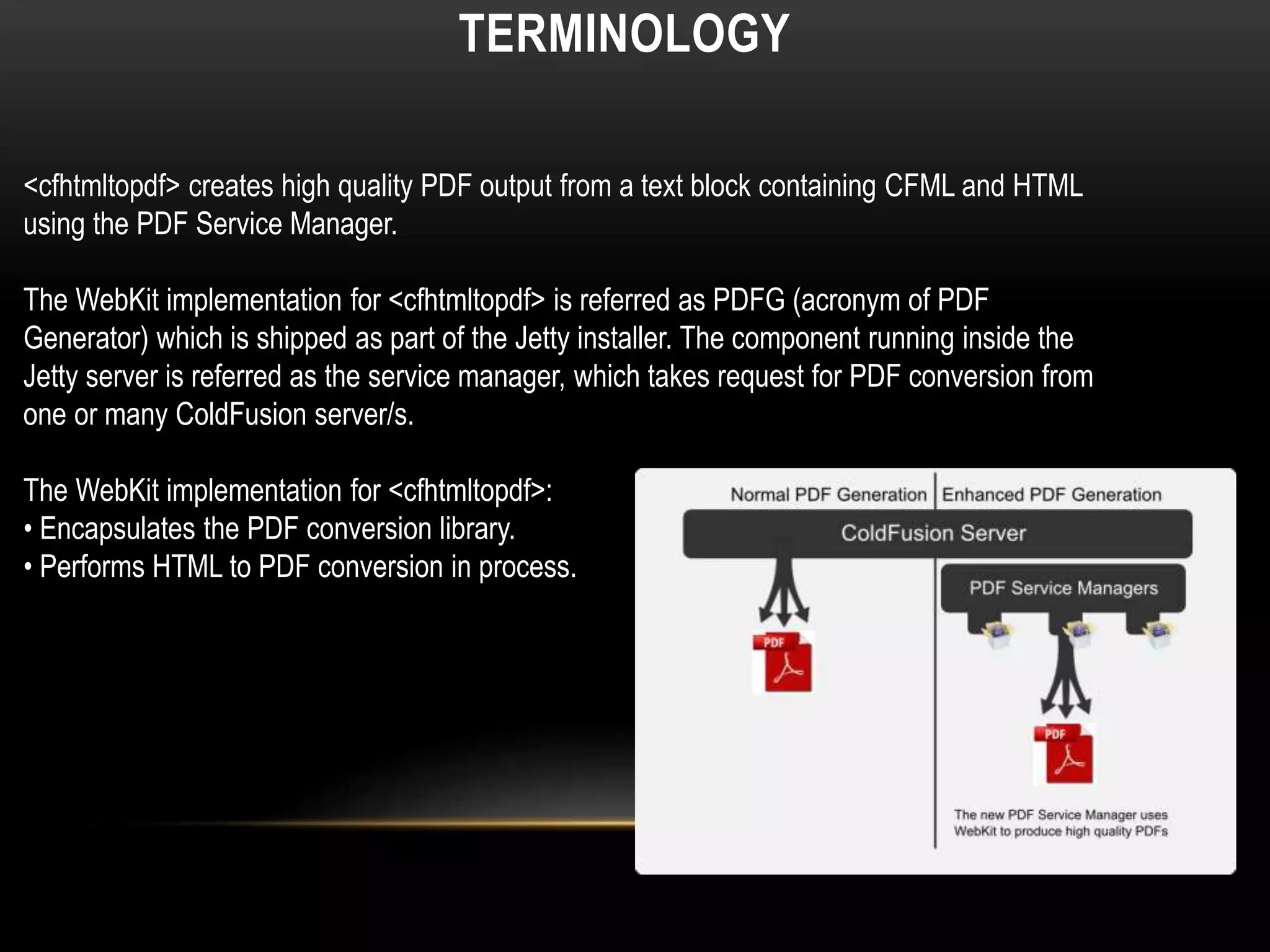
<cfhtmltopdf> creates high quality PDF output from a text block containing CFML and HTML
using the PDF Service Manager.
The WebKit implementation for <cfhtmltopdf> is referred as PDFG (acronym of PDF
Generator) which is shipped as part of the Jetty installer. The component running inside the
Jetty server is referred as the service manager, which takes request for PDF conversion from
one or many ColdFusion server/s.
The WebKit implementation for <cfhtmltopdf>:
• Encapsulates the PDF conversion library.
• Performs HTML to PDF conversion in process.
SETTING UP PDF SERVICE(S)
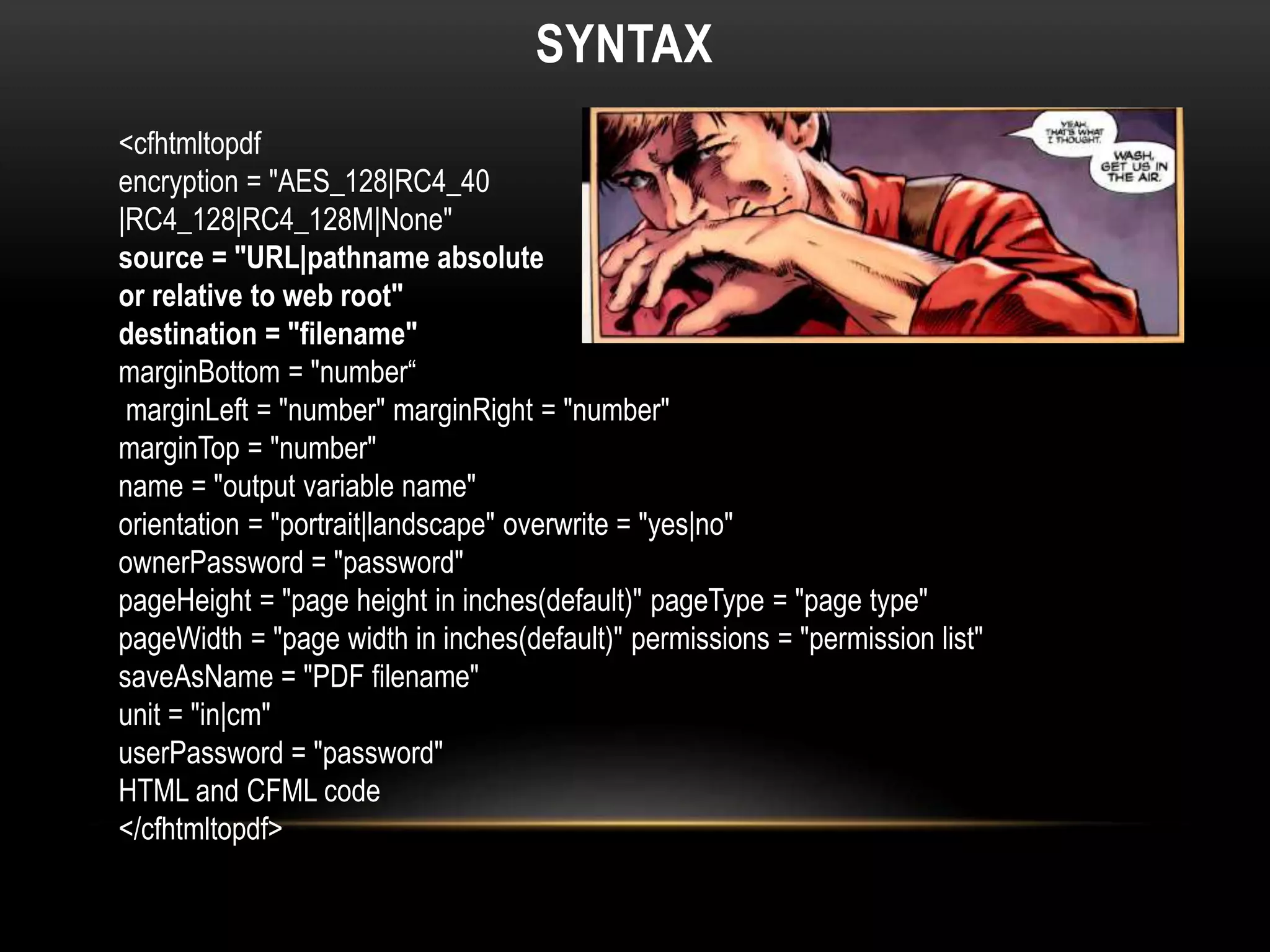
SYNTAX
<cfhtmltopdf
encryption = "AES_128|RC4_40
|RC4_128|RC4_128M|None"
source = "URL|pathname absolute
or relative to web root"
destination = "filename"
marginBottom = "number“
marginLeft = "number" marginRight = "number"
marginTop = "number"
name = "output variable name"
orientation = "portrait|landscape" overwrite = "yes|no"
ownerPassword = "password"
pageHeight = "page height in inches(default)" pageType = "page type"
pageWidth = "page width in inches(default)" permissions = "permission list"
saveAsName = "PDF filename"
unit = "in|cm"
userPassword = "password"
HTML and CFML code
</cfhtmltopdf>
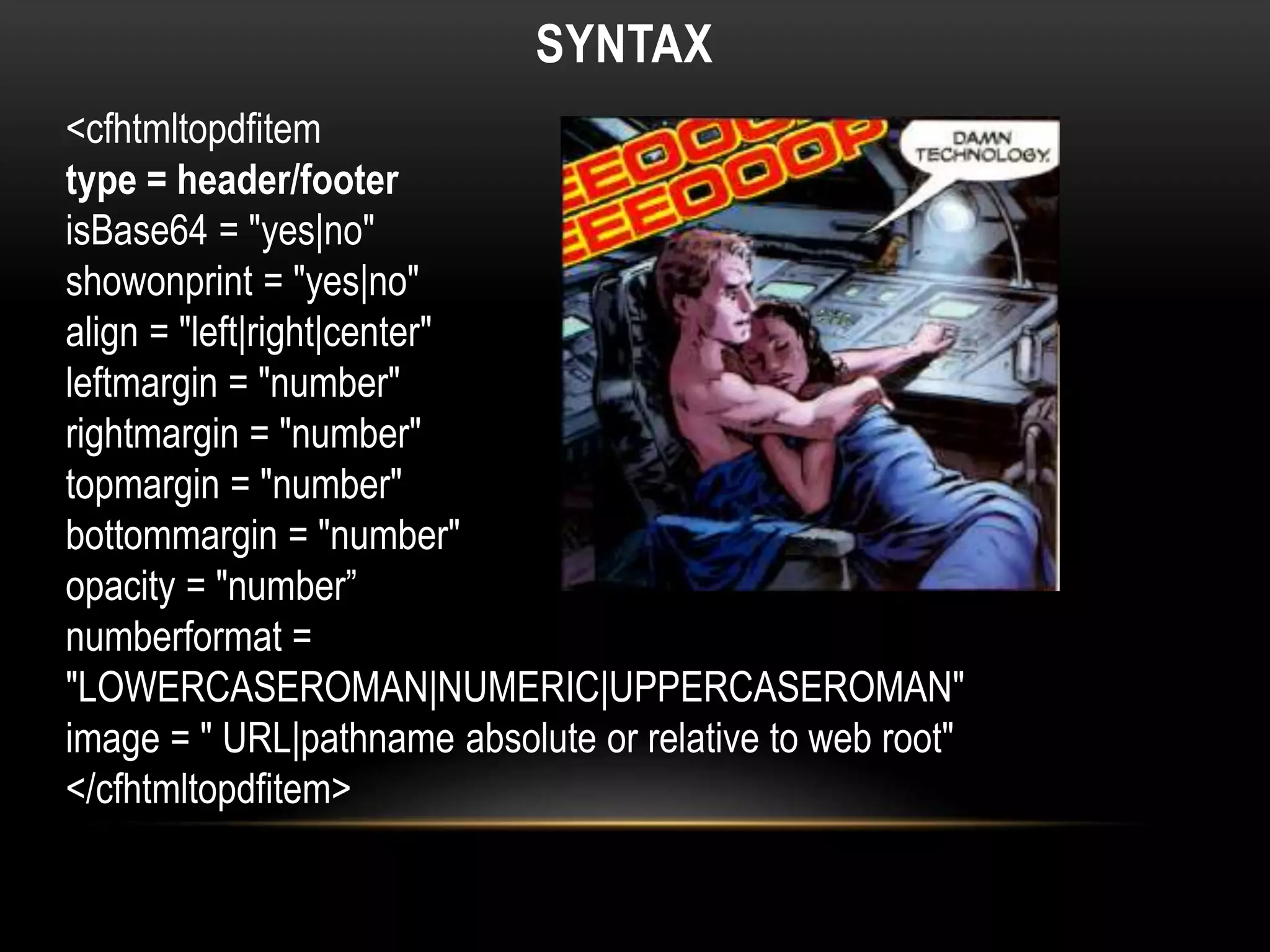
SYNTAX
<cfhtmltopdfitem
type = header/footer
isBase64 = "yes|no"
showonprint = "yes|no"
align = "left|right|center"
leftmargin = "number"
rightmargin = "number"
topmargin = "number"
bottommargin = "number"
opacity = "number”
numberformat =
"LOWERCASEROMAN|NUMERIC|UPPERCASEROMAN"
image = " URL|pathname absolute or relative to web root"
</cfhtmltopdfitem>
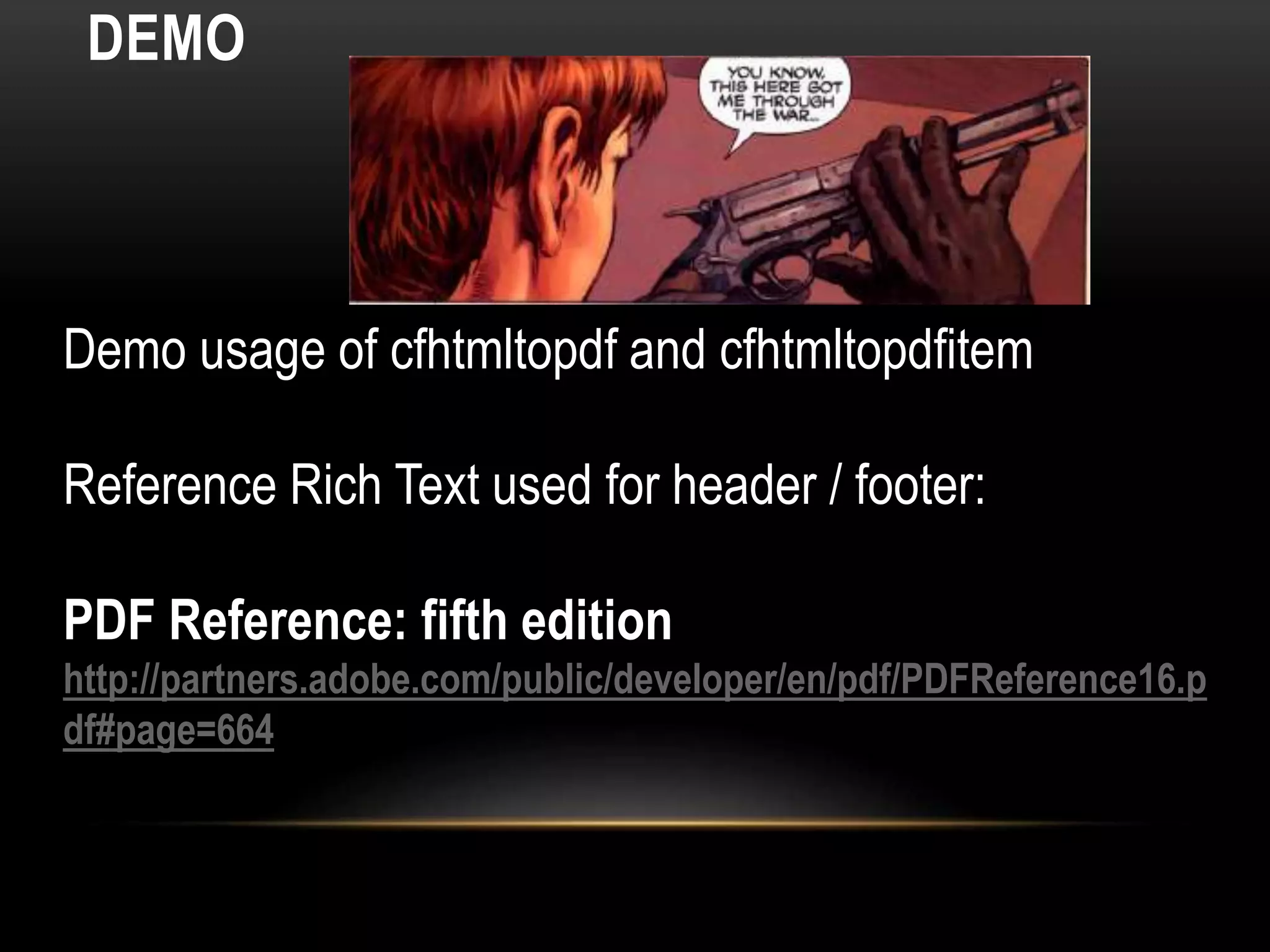
DEMO
Demo usage of cfhtmltopdf and cfhtmltopdfitem
Reference Rich Text used for header / footer:
PDF Reference: fifth edition
http://partners.adobe.com/public/developer/en/pdf/PDFReference16.p
df#page=664
DIGITAL SIGNATURES
• Digital signatures can be used
in PDF documents to authenticate
the identity of a user and
the document’s contents.
• A signature stores information about the signer
and the state of the document when it was
signed.
• Acrobat users sign PDF documents in signature
fields, which are a type of form field.
DIGITAL SIGNATURES
• A certifying or author signature enables the
author of a document to attest to its contents. It also specifies
the types of changes permitted for the document to remain
certified. It must be the first signature in the document.
• Regular or ordinary signatures enable signers
to attest to the contents of a document but do not specify
permitted changes. All signatures in a certified document other
than the first one are ordinary signatures, as are all signatures
in non-certified documents.
• Can control the users rights to do things to your documents
DIGITAL SIGNATURES
• Digital signatures can
be used in PDF documents
to authenticate the identity
of a user and the document’s
contents.
• A signature stores information about the signer and
the state of the document when it was signed.
• Acrobat users sign PDF documents in signature
fields, which are a type of form field.
DIGITAL SIGNATURES
• Checks whether the signed content was changed
after the pdf was signed.
• Does not check the revocation status of the
certificates associated with the signature from the
signing authority
• (I filed an enhancement request)
DDX
• Document Description XML (DDX) is a declarative markup
language whose elements represent building blocks of
documents
• Part of LiveCycle Assembler Service
• Can do the things you can already do with CFPDF
• Introduced in ColdFusion 8 with scaled down version of
LiveCycle Assembler
• Supported 35 of 100 DDX tags
WHAT CAN YOU DO WITH FULL DDX?
• Assembler Service
and DDX Reference
(Adobe® LiveCycle®
ES2 Version 9)
• 357 pages of awesome XML!!!
• See Table of Contents
SOME DDX FEATURES I AM EXCITED ABOUT
• Page size handling
• Write one declarative document apply to many PDF packages
• Alternation, OddPages, EvenPages
• Optional source documents
• Declare the base document
SOME DDX FEATURES I AM EXCITED ABOUT
PDF Portfolios extend the capability of PDF
packages, by adding a customizable user
interface (navigator), folders, navigation
header, and navigation welcome pages.
The resources can include localized text string,
custom color schemes, and graphic resources.

10 Reasons ColdFusion PDFs should rule the world

  • 1.
    10 REASONS COLDFUSIONPDFS SHOULD RULE THE WORLD
  • 2.
    HISTORICAL CONTEXT • ‘Imaginebeing able to send full text and graphics documents (newspapers, magazine articles, technical manuals etc.) over electronic mail distribution networks. These documents could be viewed on any machine and any selected document could be printed locally. This capability would truly change the way information is managed.’ • - John Warnock, 1991
  • 3.
    HISTORICAL CONTEXT • PDF1.0 1991 • Distiller $695/ $2495 (networked) • Reader $50 • 1998 ISO Standard • 1998 Adobe Royalty Free Patent
  • 4.
    COLDFUSION AND PDF •Macromedia ColdFusion MX 7 added CFDOCUMENT FORMAT="PDF" (2/7/2005) • Adobe acquired Macromedia (12/3/2005) • Adobe ColdFusion 8 added CFPDF / CFPDFFORM / CFPRINT (7/30/2007) • ColdFusion 9 & 10 no changes. • ColdFusion 11 • New HTML to PDF engine
  • 5.
    COLDFUSION 9 • FDFsupport in PDF forms ("Forms Data Format." FDF is a file format for representing f • orm data and annotations that are contained in a PDF form.) • PDF package • Size optimization • Adding headers and footers to PDF documents using the cfpdf tag • Support for RGB/ARGB, cfimage and accessible images in watermarking a pdf using the cfpdf tag • Improved quality and performance of thumbnail generation • Support for extracting image and text from PDF
  • 6.
    COLDFUSION 11 • NewPDF to HTML Engine • Digital Signatures • Improved DDX support • PDF Servlets for scalability
  • 7.
    RAIJIN / CF12 •Sanitize • Export metadata • Import metadata • Archive • AddAttachments • AddStamp • Redaction • Comments exporting
  • 8.
    RAIJIN / CF12– EXPORT META • Export Meta Data to xmp file • XMP: Extensible Metadata Platform (Smells like XML) • https://partners.adobe.com/public/developer/en/xmp/sdk/XMPspecification.pdf • Demo • Raijin Documentation PDF • CFM code to export
  • 9.
    RAIJIN / CF12– IMPORT META • Modified XMP file • Run code above to import metadata into the Raijin Docs • Demo • Raijin Documentation PDF • CFM code to import and show results
  • 10.
    USES OF METADATA •Track collaborators • Standardized way organize large collections electronic documents • Keyword search system for documents • Identification • Title • Area Covered • Themes Responsible party • Providence – Where did it come from? • Distribution • Distributor • Formats • Media • Online • Price • Entity and Attribute Information • Features • Attributes • Attribute Values
  • 11.
    THE DANGER OFMETADATA • Could contain • OS & OS Versions • Software used and Software versions • Hardware information • Geolocation data! • Time and date info • Names of collaborators and info about their software / hardware /locations
  • 12.
    THE DANGER OFMETADATA • Example. • 1 page PDF about a man in Paris who found free champagne!! • PDF this guy sent me • Have ColdFusion pull the Metadata to learn this guys name • Now extract the image and read it’s EXIF data
  • 13.
    THE DANGER OFMETADATA
  • 14.
    THE DANGER OFMETADATA
  • 15.
  • 16.
    PDF ARCHIVING You canarchive pdf files. PDF/A is an ISO -standardized version of the Portable Document Format (PDF) specialized for the long term digital preservation of electronic documents. It guarantees a pdf can be viewed in the distant future. During PDF conversion, the file that is being processed is checked against the specified standard. PDF/A differs from PDF by prohibiting features ill-suited to long-term archiving, such as font linking (as opposed to font embedding). In earlier versions of ColdFusion we used to support PDF/A-1b standard. In ColdFusion Raijin, we support PDF/A-2b.
  • 17.
    PDF ARCHIVING • PDF/A-1files must include: • Embedded fonts • Device-independent color • XMP metadata • PDF/A-1 files may not include: • Encryption • LZW Compression • Embedded files • External content references • PDF Transparency • Multi-media • JavaScript PDF/A-2b (Level B conformance) is a lower level of conformance, "encompassing the requirements of this part of ISO 19005 regarding the visual appearance of electronic documents, but not their structural or semantic properties."
  • 18.
    PDF ATTACHMENTS You canattach PDFs and other types of files to a PDF. If you move the PDF to a new location, the attachments move with it. By using cfpdfparam, you can specify the location of the attachment, the filename for the attachment, description of the attachment, encoding, and mimetype for attaching file. Files can be attached at document level.
  • 19.
    PDF ATTACHMENTS • Runcode to attach image to PDF • View New PDF in Acrobat or Reader
  • 20.
    PDF STAMPS • Runcode to add Stamp to PDF • View New PDF in Acrobat or Reader • Approved, Experimental, NotApproved, AsIs, Expired , NotForPublicRelease, Confidential, Final, Sold, Departmental, ForComment, TopSecret, Draft, ForPublicRelease.
  • 21.
  • 22.
    PDF COMMENTS EXPORT ViewPDF with comments Run code to extract comments
  • 23.
    PDF COMMENTS IMPORTCUSTOM View xfdf contents (smells like XML) Run code to import comments
  • 24.
    REASON #10 WHYCOLDFUSION PDFS SHOULD RULE THE WORLD Knowledge = Power
  • 25.
    REASON #9 WHYCOLDFUSION PDFS SHOULD RULE THE WORLD ColdFusion PDFs have never had a sex scandal
  • 26.
    REASON #8 WHYCOLDFUSION PDFS SHOULD RULE THE WORLD Even your grandma can use a PDF
  • 27.
    REASON #8 WHYCOLDFUSION PDFS SHOULD RULE THE WORLD Even your grandma can use a PDF
  • 28.
    REASON #7 WHYCOLDFUSION PDFS SHOULD RULE THE WORLD ColdFusion PDFs are clean. will sanitize your stuff.
  • 29.
    REASON #6 WHYCOLDFUSION PDFS SHOULD RULE THE WORLD Adobe Reader Updates are already using 40% of your daily computing power anyway!
  • 30.
    REASON #5 WHYCOLDFUSION PDFS SHOULD RULE THE WORLD Good looking! CFHTML2PDF is really, really good looking
  • 31.
    REASON #4 WHYCOLDFUSION PDFS SHOULD RULE THE WORLD ColdFusion PDFs can keep a secret! Info redacted
  • 32.
    REASON #3 WHYCOLDFUSION PDFS SHOULD RULE THE WORLD ColdFusion PDFs are smarter than you.
  • 33.
    REASON #2 WHYCOLDFUSION PDFS SHOULD RULE THE WORLD ColdFusion PDFs are easier than doing taxes
  • 34.
    REASON #1 WHYCOLDFUSION PDFS SHOULD RULE THE WORLD Ruling the world would be really boring. So why not?
  • 35.
    WHO I AM?(SELF LOVE SLIDE) • VP of Operations at Primoris Credit Card Services • @TimCunningham71 twitter • CFmumboJumbo.com • Adobe Community Professional • Cfml.us • Nerd
  • 36.
  • 37.
    CFDOCUMENT Creates PDF outputfrom a text block containing CFML and HTML Support standards: HTML 4.01, CSS1 & CSS2 Supports a limited set of CSS styles [Demo current cfdocument]
  • 38.
    HONORING THE PAST •CFDocument still does everything it does in CF10 • Still using iText & iceBrowser • Existing code won’t break
  • 39.
    CF 11: <CFHTMLTOPDF/> • Useswebkit html rendering engine. (Chrome, Safari, Opera) • Can convert modern HTML & CSS • Runs as Jetty Servlet • Jetty is a pure Java-based HTTP (Web) server and Java Servlet container. While Web Servers are usually associated with serving documents to humans, Jetty is now often used for machine to machine communications, usually within larger software frameworks. • Solr also runs on CF as a Jetty servlet
  • 40.
    TERMINOLOGY The following termsare the commonly used in <cfhtmltopdf> (WebKit): • Service - Refers to the process which carries out series of activities to convert HTML documents to PDFs. • Service Manager - Manages the PDF generation service processes, monitors the service process states, spawns new processes for conversions, and facilitates recycling of processes. • WebKit - Is a layout engine software designed to allow web browsers to render web pages.
  • 41.
    TERMINOLOGY <cfhtmltopdf> creates highquality PDF output from a text block containing CFML and HTML using the PDF Service Manager. The WebKit implementation for <cfhtmltopdf> is referred as PDFG (acronym of PDF Generator) which is shipped as part of the Jetty installer. The component running inside the Jetty server is referred as the service manager, which takes request for PDF conversion from one or many ColdFusion server/s. The WebKit implementation for <cfhtmltopdf>: • Encapsulates the PDF conversion library. • Performs HTML to PDF conversion in process.
  • 42.
    SETTING UP PDFSERVICE(S)
  • 43.
    SYNTAX <cfhtmltopdf encryption = "AES_128|RC4_40 |RC4_128|RC4_128M|None" source= "URL|pathname absolute or relative to web root" destination = "filename" marginBottom = "number“ marginLeft = "number" marginRight = "number" marginTop = "number" name = "output variable name" orientation = "portrait|landscape" overwrite = "yes|no" ownerPassword = "password" pageHeight = "page height in inches(default)" pageType = "page type" pageWidth = "page width in inches(default)" permissions = "permission list" saveAsName = "PDF filename" unit = "in|cm" userPassword = "password" HTML and CFML code </cfhtmltopdf>
  • 44.
    SYNTAX <cfhtmltopdfitem type = header/footer isBase64= "yes|no" showonprint = "yes|no" align = "left|right|center" leftmargin = "number" rightmargin = "number" topmargin = "number" bottommargin = "number" opacity = "number” numberformat = "LOWERCASEROMAN|NUMERIC|UPPERCASEROMAN" image = " URL|pathname absolute or relative to web root" </cfhtmltopdfitem>
  • 45.
    DEMO Demo usage ofcfhtmltopdf and cfhtmltopdfitem Reference Rich Text used for header / footer: PDF Reference: fifth edition http://partners.adobe.com/public/developer/en/pdf/PDFReference16.p df#page=664
  • 46.
    DIGITAL SIGNATURES • Digitalsignatures can be used in PDF documents to authenticate the identity of a user and the document’s contents. • A signature stores information about the signer and the state of the document when it was signed. • Acrobat users sign PDF documents in signature fields, which are a type of form field.
  • 47.
    DIGITAL SIGNATURES • Acertifying or author signature enables the author of a document to attest to its contents. It also specifies the types of changes permitted for the document to remain certified. It must be the first signature in the document. • Regular or ordinary signatures enable signers to attest to the contents of a document but do not specify permitted changes. All signatures in a certified document other than the first one are ordinary signatures, as are all signatures in non-certified documents. • Can control the users rights to do things to your documents
  • 48.
    DIGITAL SIGNATURES • Digitalsignatures can be used in PDF documents to authenticate the identity of a user and the document’s contents. • A signature stores information about the signer and the state of the document when it was signed. • Acrobat users sign PDF documents in signature fields, which are a type of form field.
  • 49.
    DIGITAL SIGNATURES • Checkswhether the signed content was changed after the pdf was signed. • Does not check the revocation status of the certificates associated with the signature from the signing authority • (I filed an enhancement request)
  • 50.
    DDX • Document DescriptionXML (DDX) is a declarative markup language whose elements represent building blocks of documents • Part of LiveCycle Assembler Service • Can do the things you can already do with CFPDF • Introduced in ColdFusion 8 with scaled down version of LiveCycle Assembler • Supported 35 of 100 DDX tags
  • 51.
    WHAT CAN YOUDO WITH FULL DDX? • Assembler Service and DDX Reference (Adobe® LiveCycle® ES2 Version 9) • 357 pages of awesome XML!!! • See Table of Contents
  • 52.
    SOME DDX FEATURESI AM EXCITED ABOUT • Page size handling • Write one declarative document apply to many PDF packages • Alternation, OddPages, EvenPages • Optional source documents • Declare the base document
  • 53.
    SOME DDX FEATURESI AM EXCITED ABOUT PDF Portfolios extend the capability of PDF packages, by adding a customizable user interface (navigator), folders, navigation header, and navigation welcome pages. The resources can include localized text string, custom color schemes, and graphic resources.