Building ColdFusion and 
AngularJS Applications 
Mike Collins 
SupportObjective 
CFSummit 
October 2014
Today’s Agenda 
Walkthrough Requirements for a CF AngularJS 
Application 
Build our ColdFusion REST Server side 
 Building the API 
 Testing the API 
Build AngularJS the Client side 
Intro to AngularJS 
Core AngularJS features 
Build and Demo AngularJS using CF REST 
Wrap up
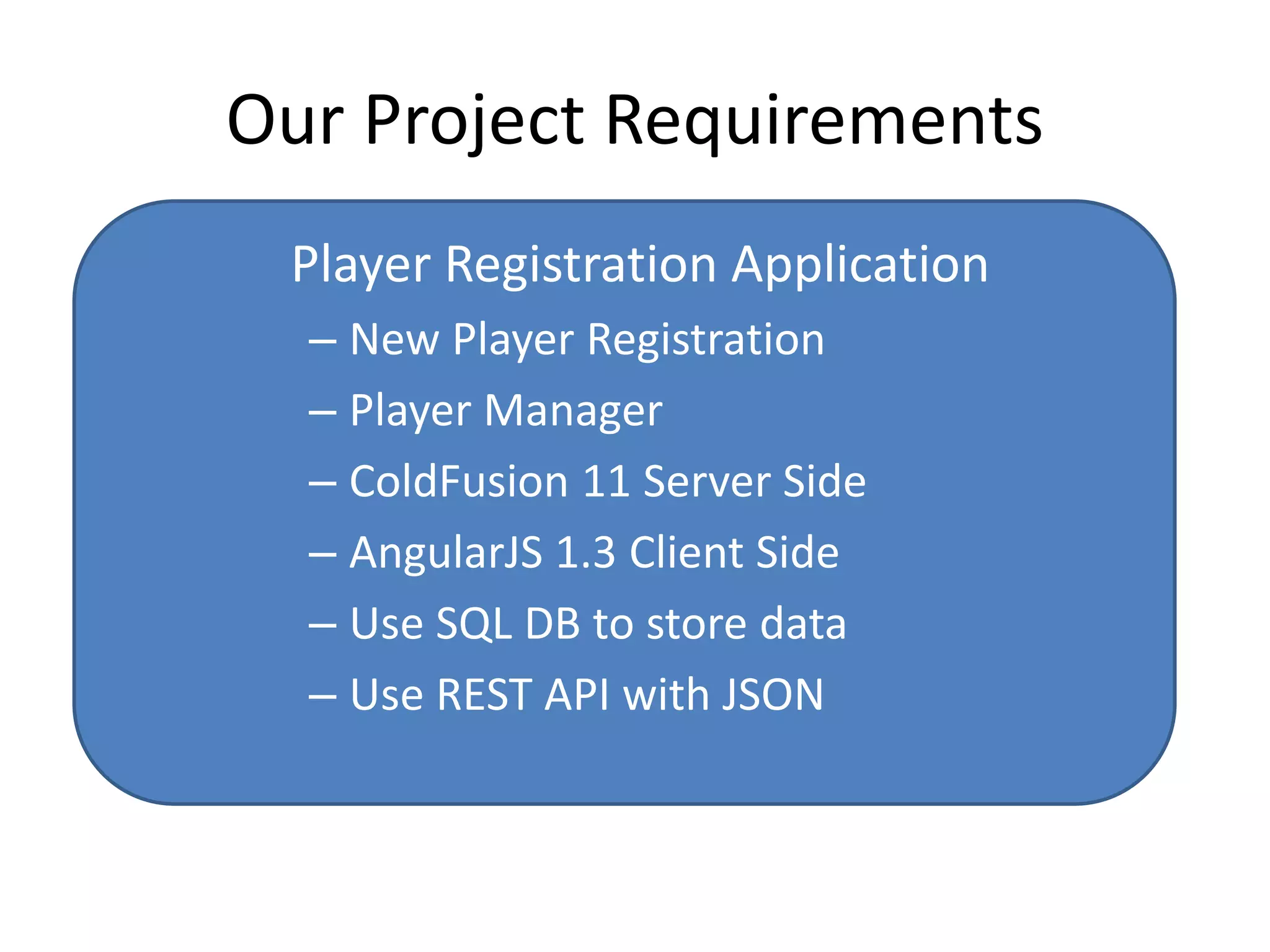
Our Project Requirements 
Player Registration Application 
– New Player Registration 
– Player Manager 
– ColdFusion 11 Server Side 
– AngularJS 1.3 Client Side 
– Use SQL DB to store data 
– Use REST API with JSON
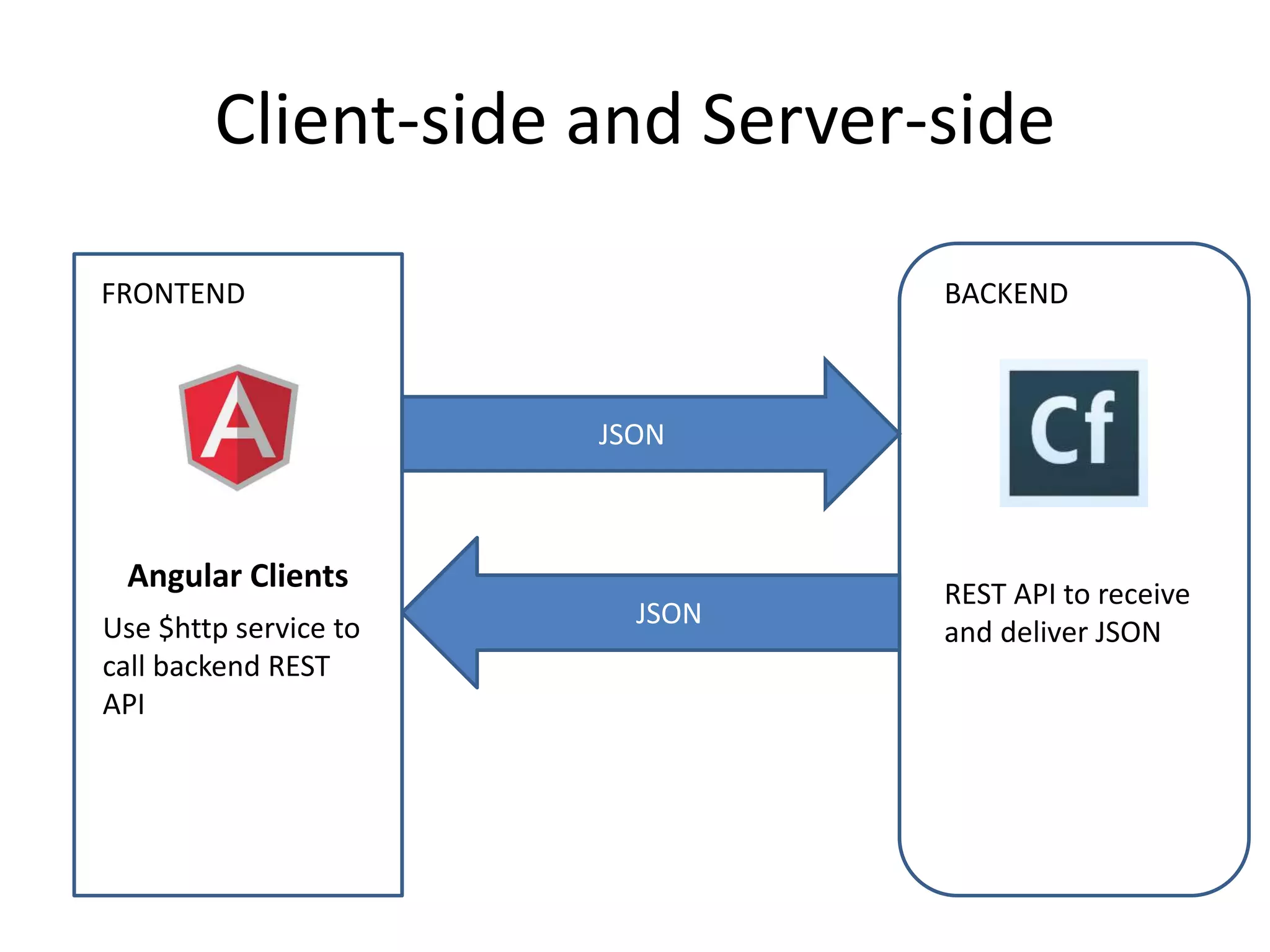
Client-side and Server-side 
FRONTEND BACKEND 
Angular Clients 
JSON 
JSON 
REST API to receive 
Use $http service to and deliver JSON 
call backend REST 
API
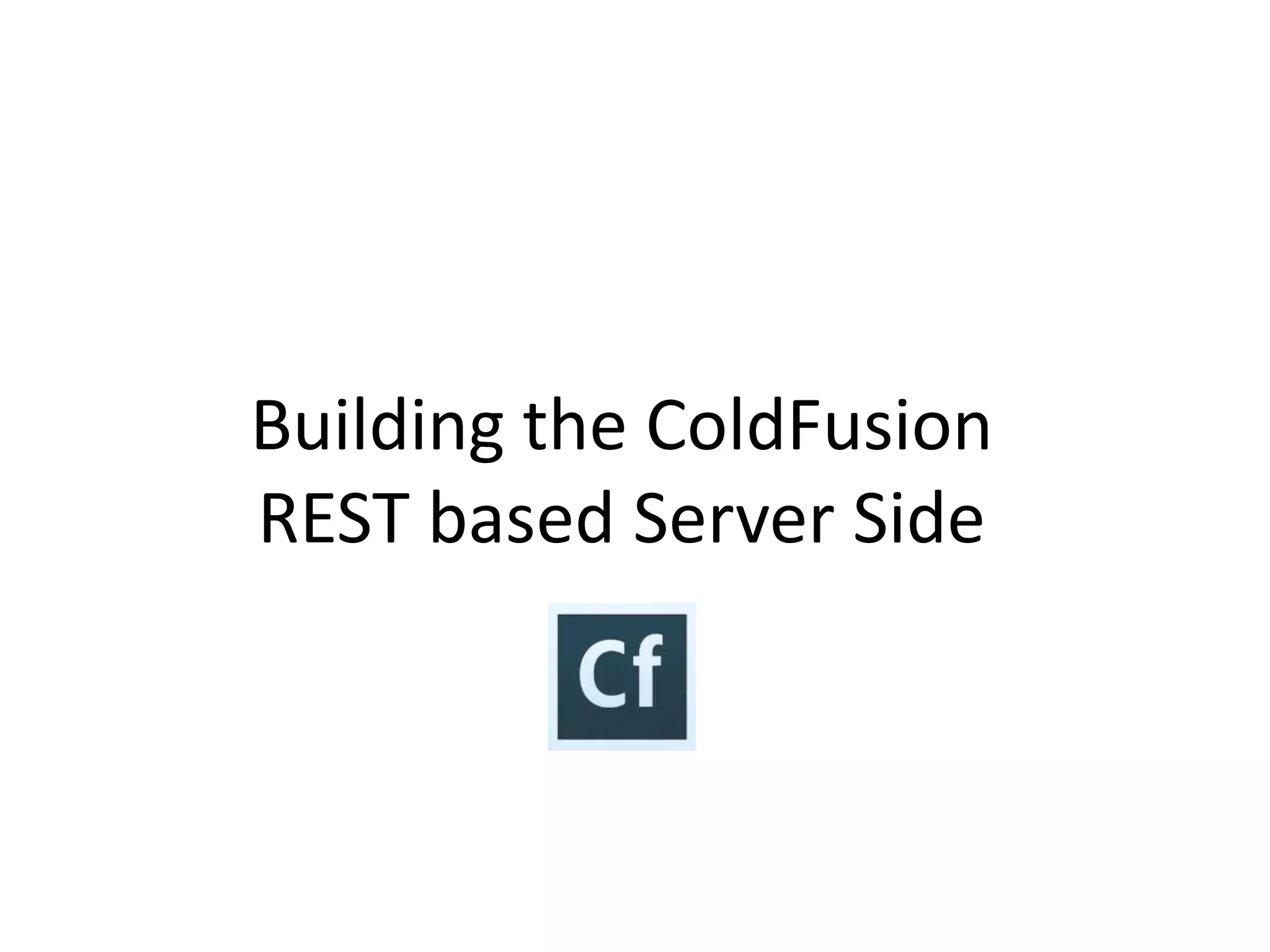
Team Development Approach 
• The Client-side team and Server-Side team met and 
decided on an API 
• Parallel independent development 
• The Client side will use AngularJS ngMock to mock 
server-side communication until server side is ready 
• Server-side can test the REST API using cfhttp or 
jMeter to test until the client side is ready
Building the ColdFusion 
REST based Server Side
ColdFusion Server Side Features 
• What does CF bring to the server side 
• ColdFusion RESTFUL Features 
• Provide your applications dynamic pages 
• Backend Integration to JDBC, LDAP, Web 
Services, Email, PDF Services, JSON 
• Improve Security with encrypted request tokens 
• Seed applications with initial loading of data 
• Dynamically build AngularJS apps with CF
ColdFusion RESTful Features 
• New feature added in CF10 
• Ability to create REST services by defining certain 
attributes in the tags 
– cfcomponent 
– cffuntion 
– cfargument 
• RESTful Function Signatures 
• Supports JSON and XML serialization/deserialization 
• Client applications can consume REST services by 
issuing HTTP/HTTPS requests format 
• Also - other CF REST options exist such as TAFFY
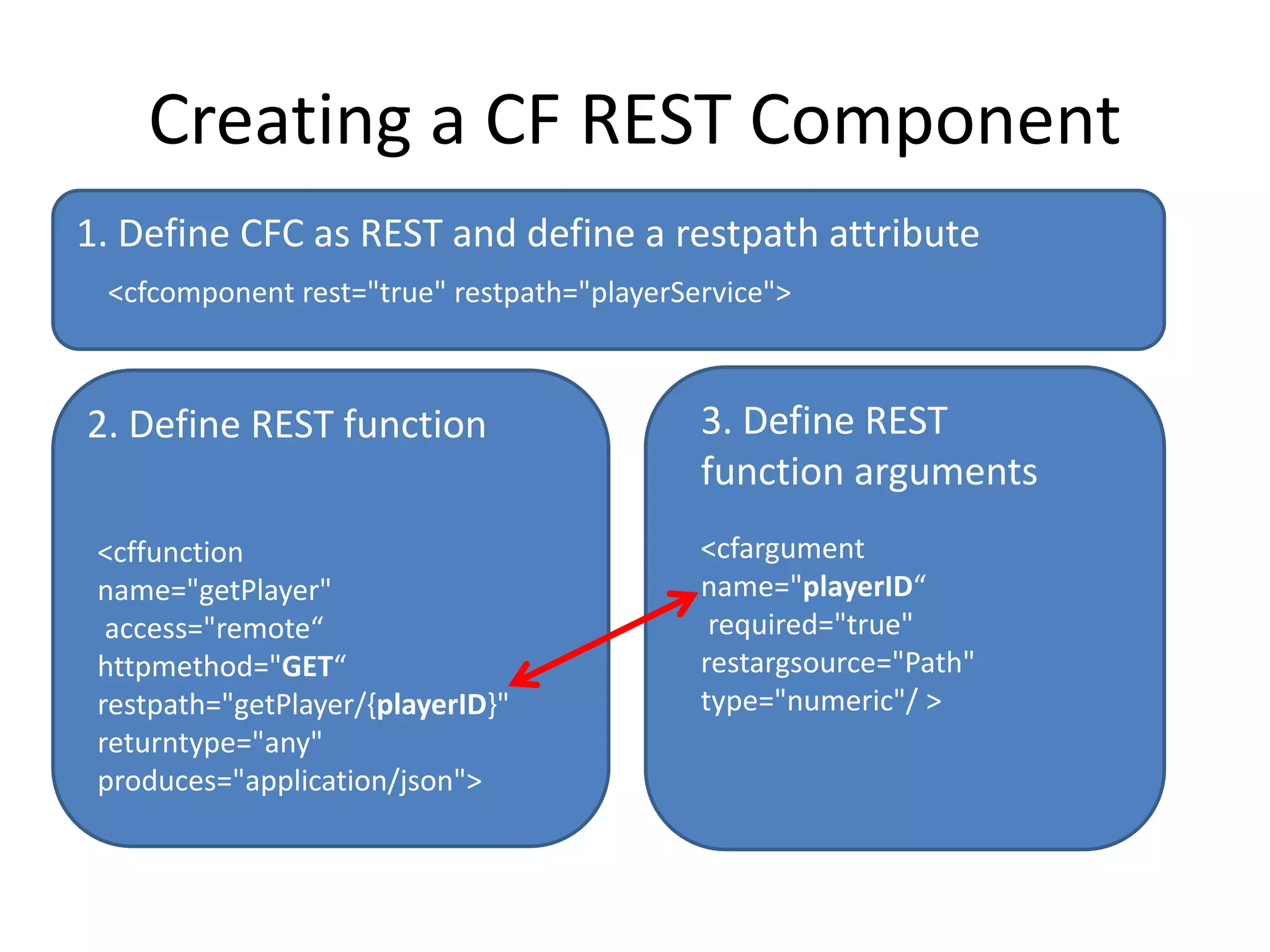
Creating a CF REST Component 
1. Define CFC as REST and define a restpath attribute 
<cfcomponent rest="true" restpath="playerService"> 
2. Define REST function 3. Define REST 
<cffunction 
name="getPlayer" 
access="remote“ 
httpmethod="GET“ 
restpath="getPlayer/{playerID}" 
returntype="any" 
produces="application/json"> 
function arguments 
<cfargument 
name="playerID“ 
required="true" 
restargsource="Path" 
type="numeric"/ >
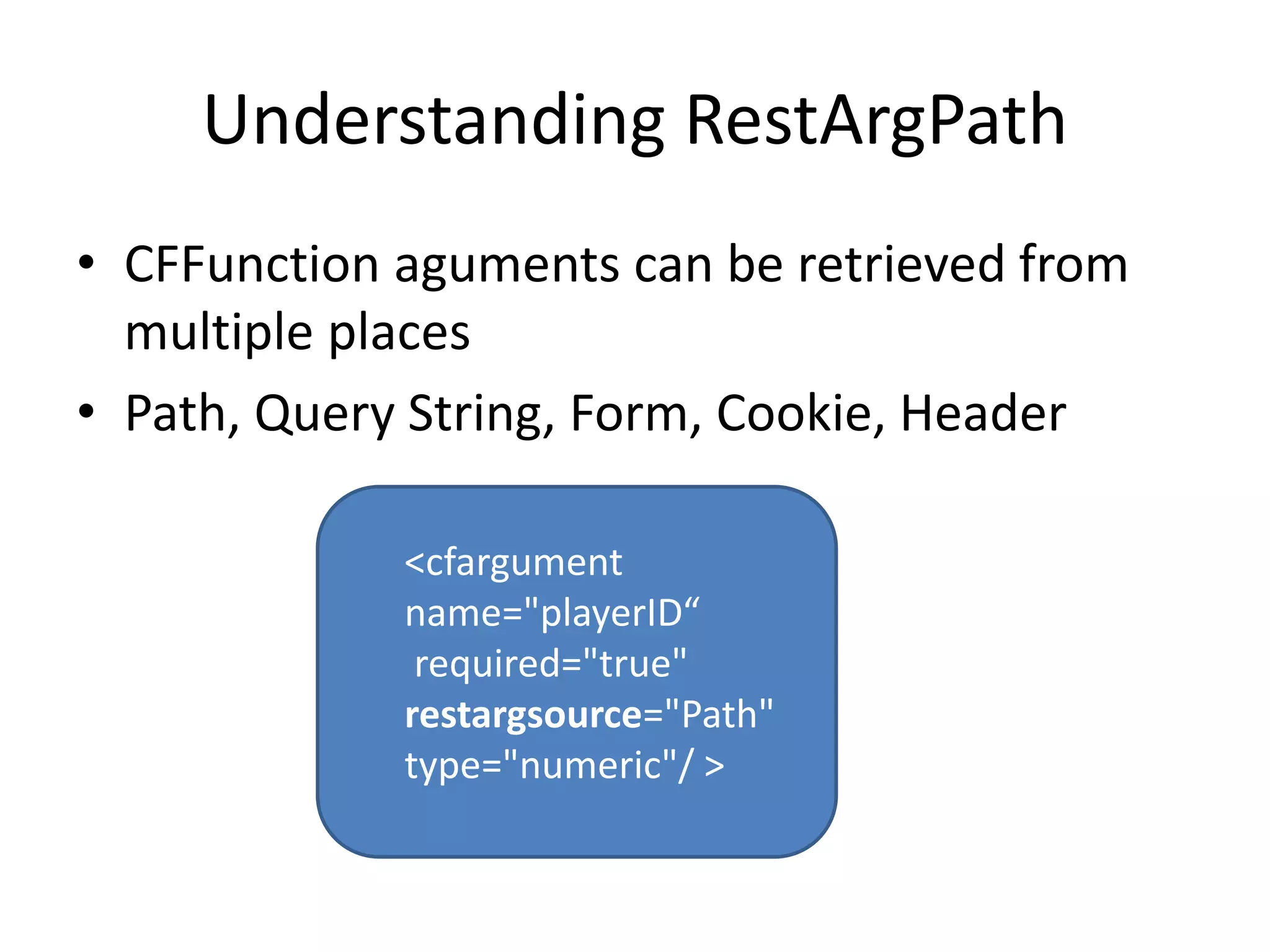
Understanding RestArgPath 
• CFFunction aguments can be retrieved from 
multiple places 
• Path, Query String, Form, Cookie, Header 
<cfargument 
name="playerID“ 
required="true" 
restargsource="Path" 
type="numeric"/ >
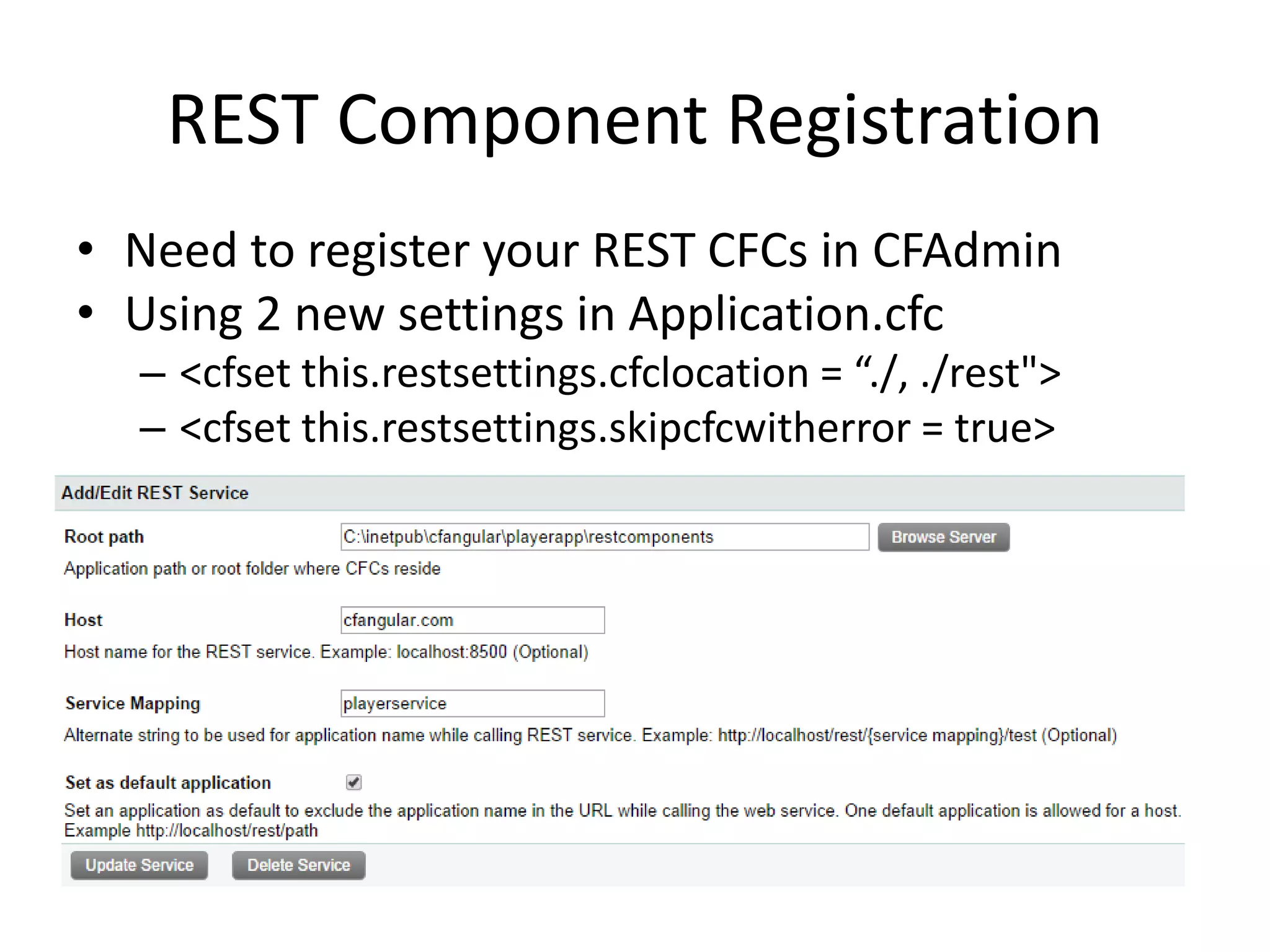
REST Component Registration 
• Need to register your REST CFCs in CFAdmin 
• Using 2 new settings in Application.cfc 
– <cfset this.restsettings.cfclocation = “./, ./rest"> 
– <cfset this.restsettings.skipcfcwitherror = true>
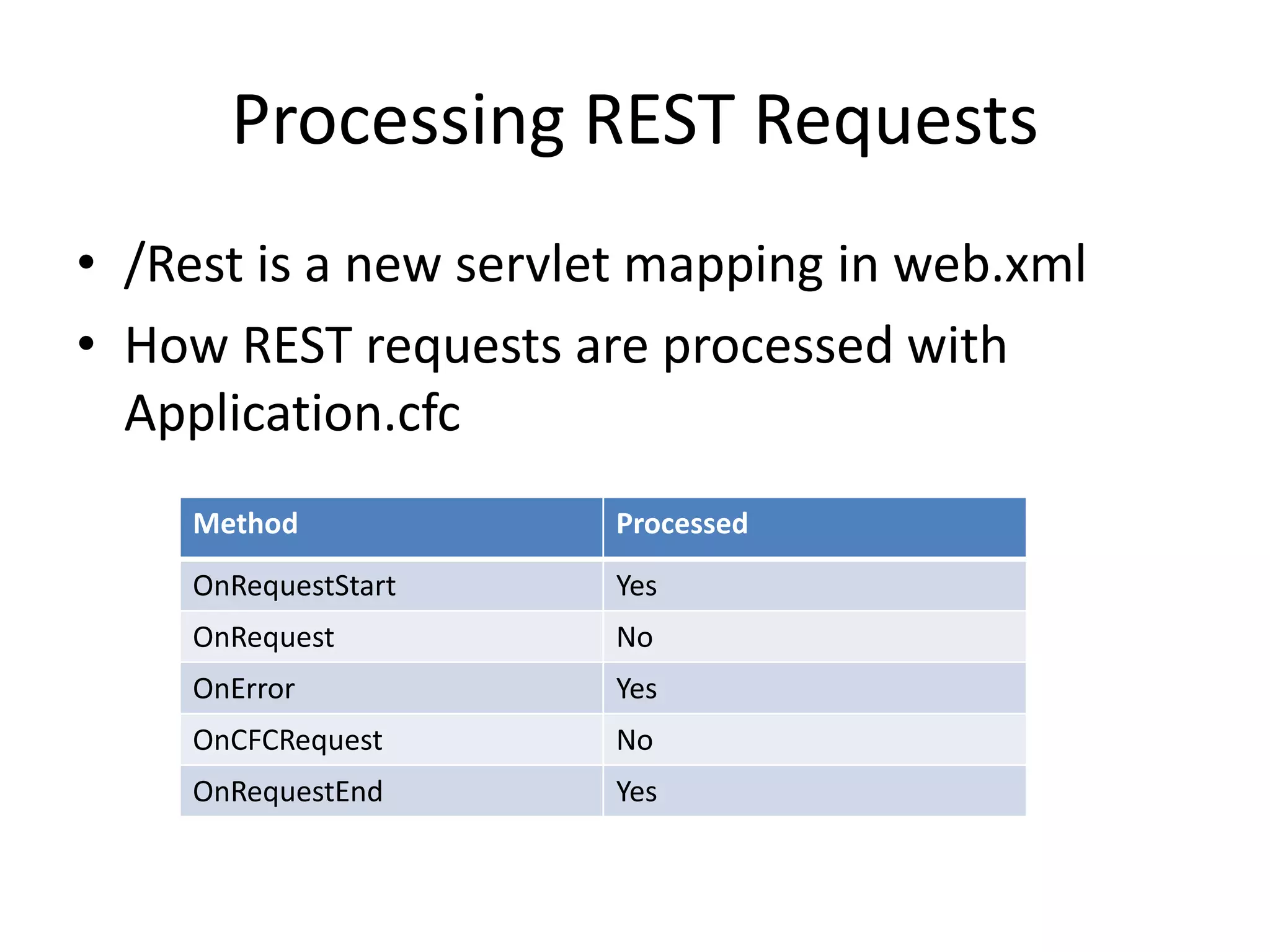
Processing REST Requests 
• /Rest is a new servlet mapping in web.xml 
• How REST requests are processed with 
Application.cfc 
Method Processed 
OnRequestStart Yes 
OnRequest No 
OnError Yes 
OnCFCRequest No 
OnRequestEnd Yes
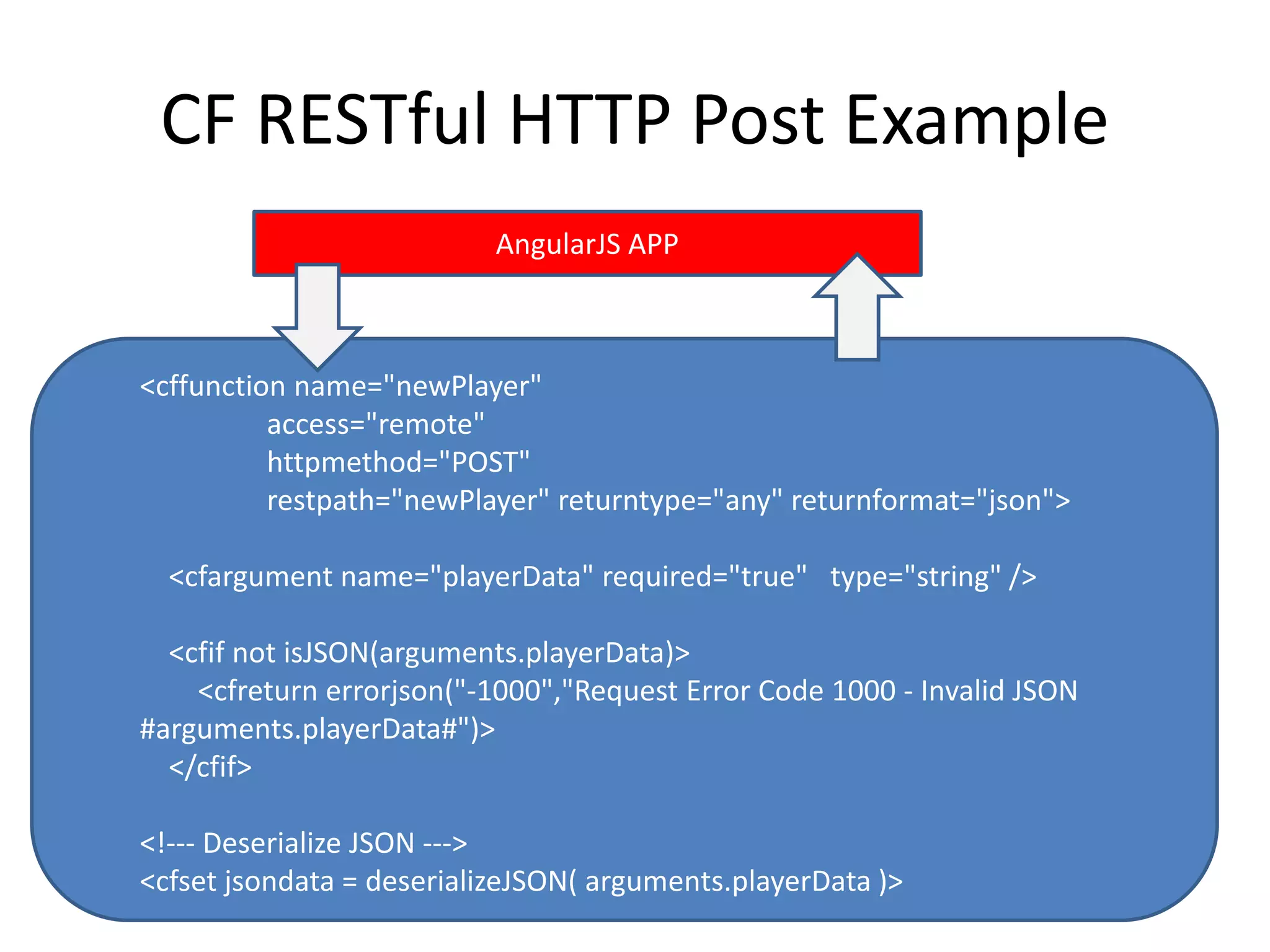
CF RESTful HTTP Post Example 
AngularJS APP 
<cffunction name="newPlayer" 
access="remote" 
httpmethod="POST" 
restpath="newPlayer" returntype="any" returnformat="json"> 
<cfargument name="playerData" required="true" type="string" /> 
<cfif not isJSON(arguments.playerData)> 
<cfreturn errorjson("-1000","Request Error Code 1000 - Invalid JSON 
#arguments.playerData#")> 
</cfif> 
<!--- Deserialize JSON ---> 
<cfset jsondata = deserializeJSON( arguments.playerData )> 
…
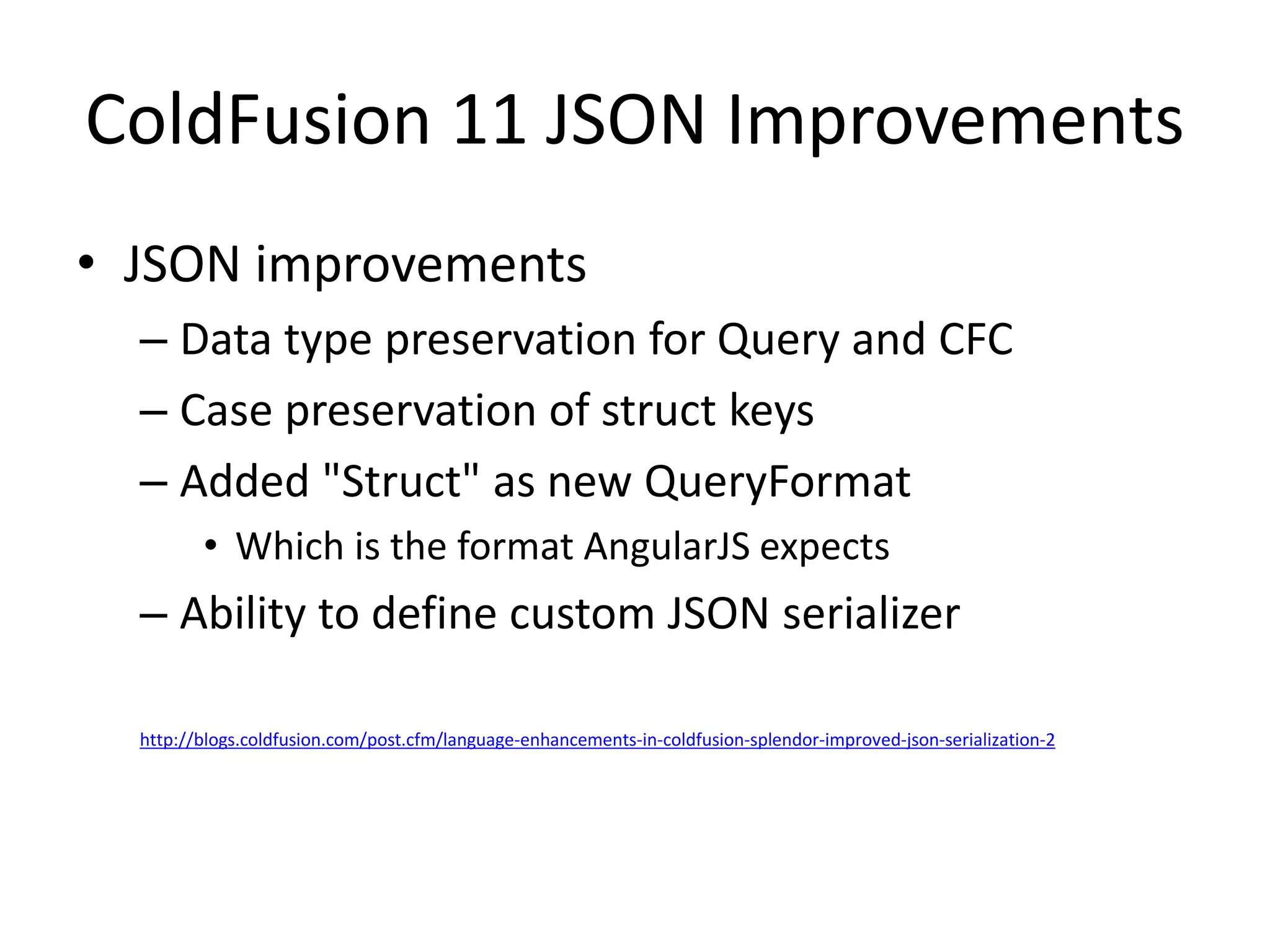
ColdFusion 11 JSON Improvements 
• JSON improvements 
– Data type preservation for Query and CFC 
– Case preservation of struct keys 
– Added "Struct" as new QueryFormat 
• Which is the format AngularJS expects 
– Ability to define custom JSON serializer 
http://blogs.coldfusion.com/post.cfm/language-enhancements-in-coldfusion-splendor-improved-json-serialization-2
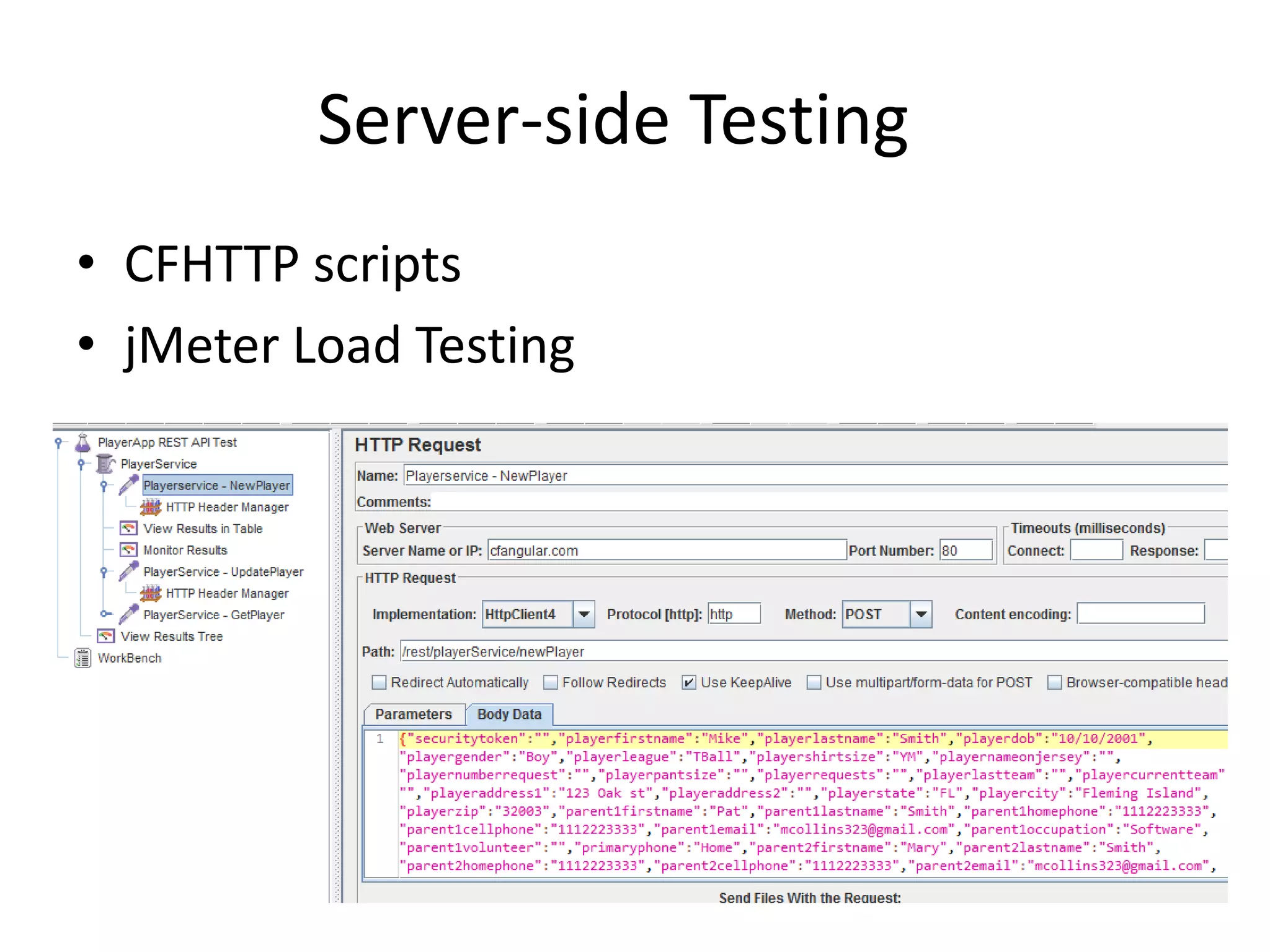
Server-side Testing 
• CFHTTP scripts 
• jMeter Load Testing
About AngularJS
About AngularJS 
• Adapts and extends HTML 
• Some of the key features: 
– two-way data-binding 
– synchronizes model data and views 
– Filters for client side data 
– http  ajax call features 
• Follows a MVC pattern 
– loose coupling between presentation, data, 
and logic components. 
• A complete client-side JavaScript solution 
• Managed by a developer team at Google 
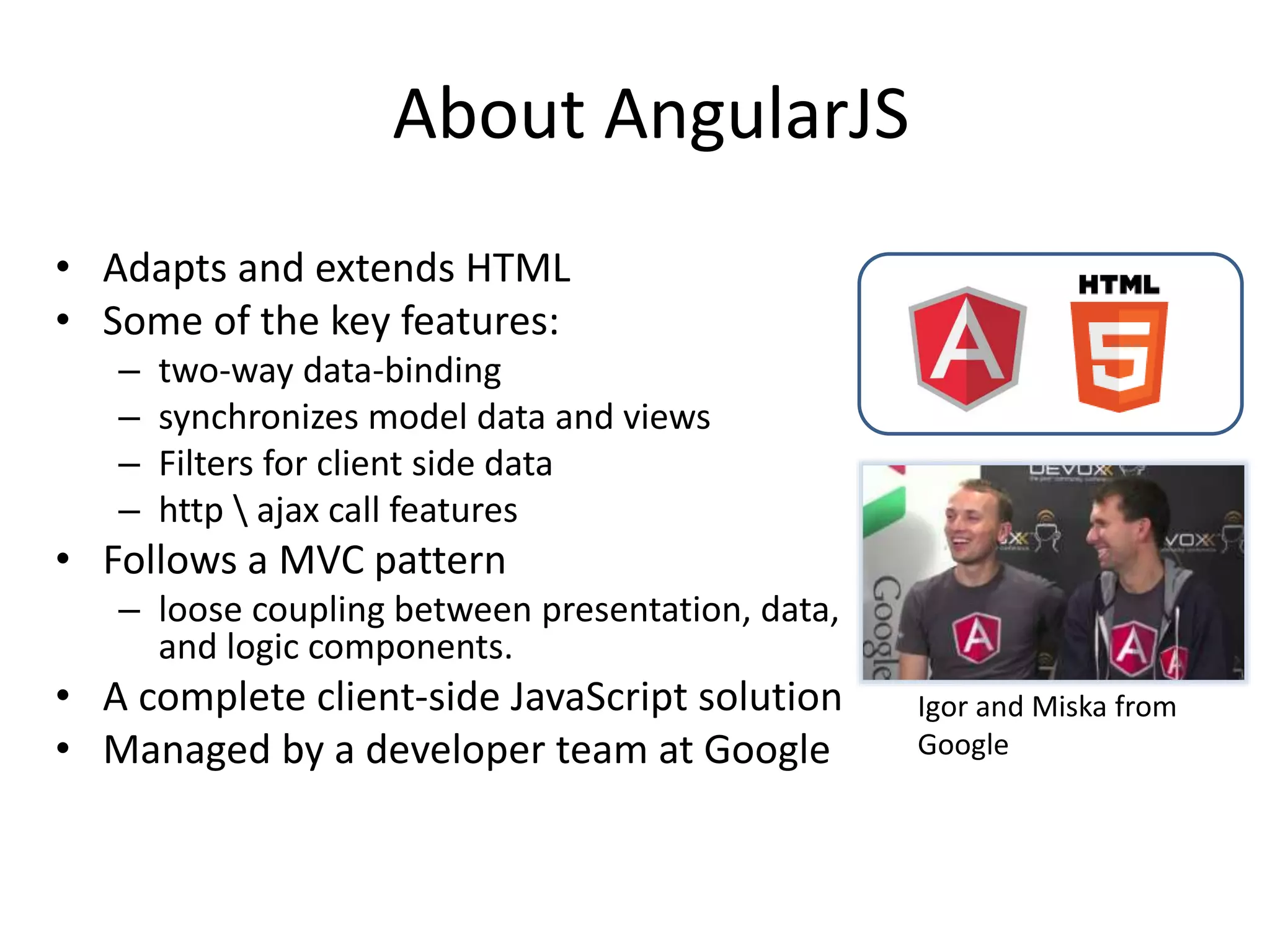
Igor and Miska from 
Google
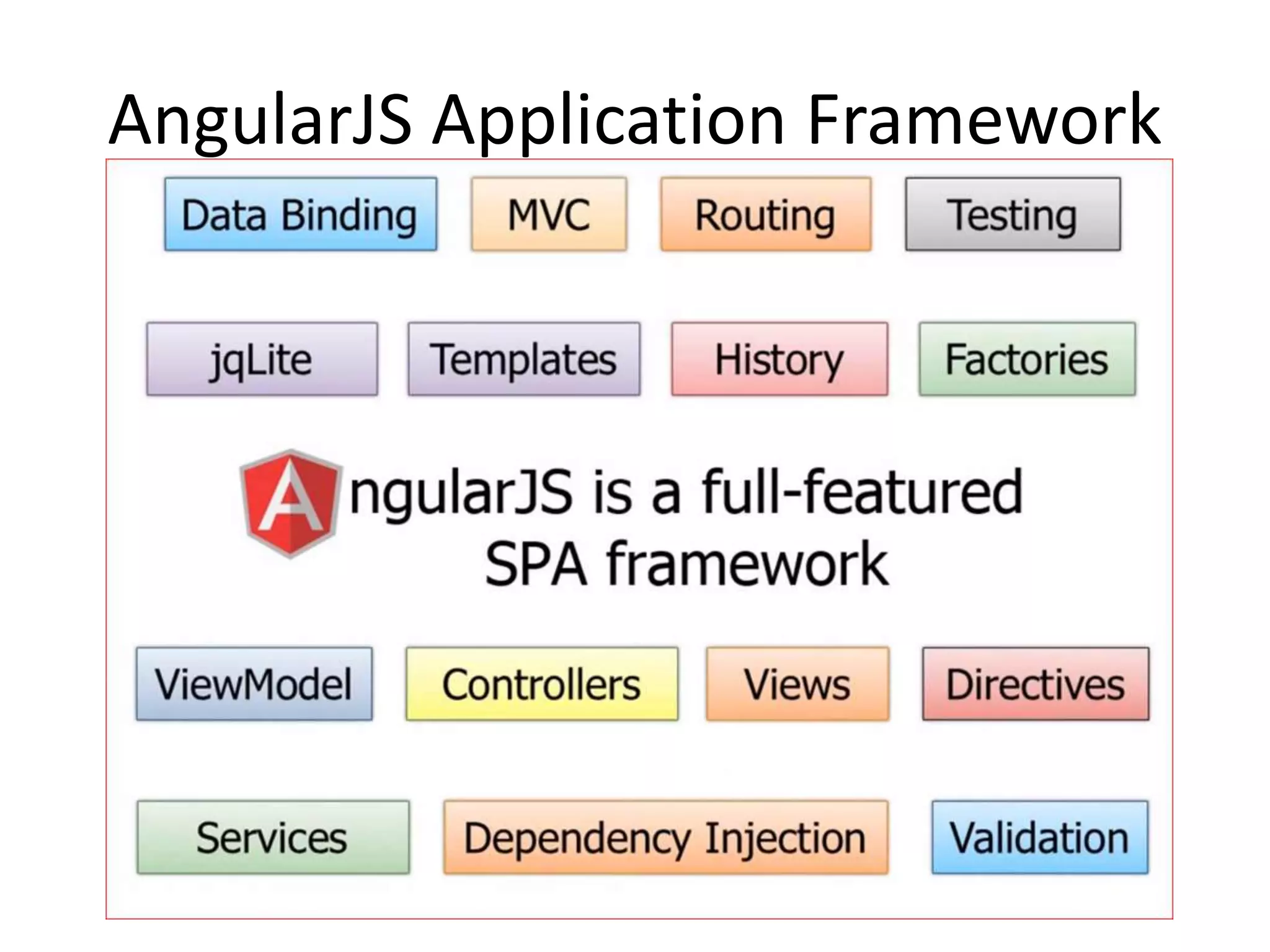
AngularJS Application Framework
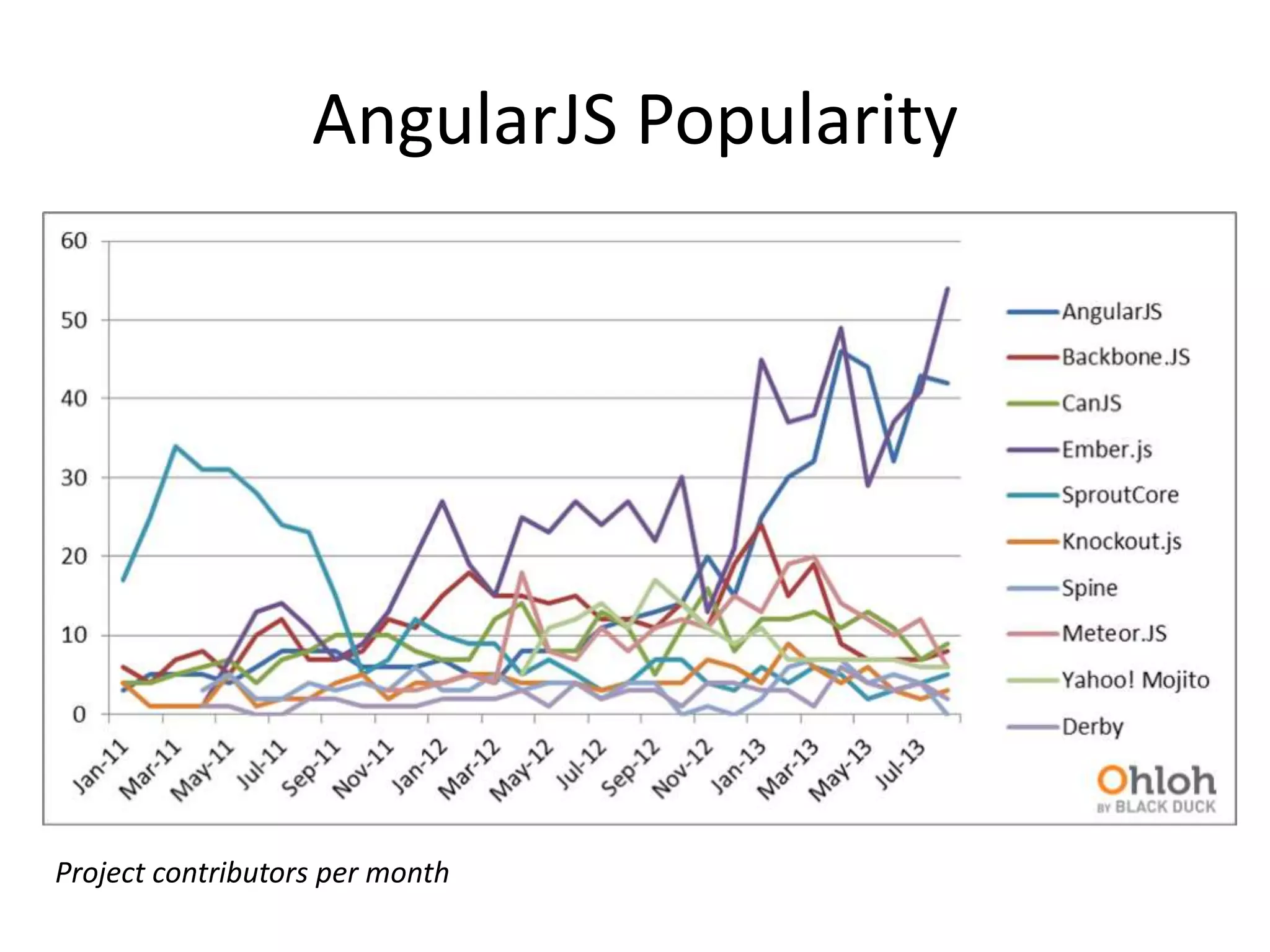
AngularJS Popularity 
Project contributors per month
AngularJS Reach 
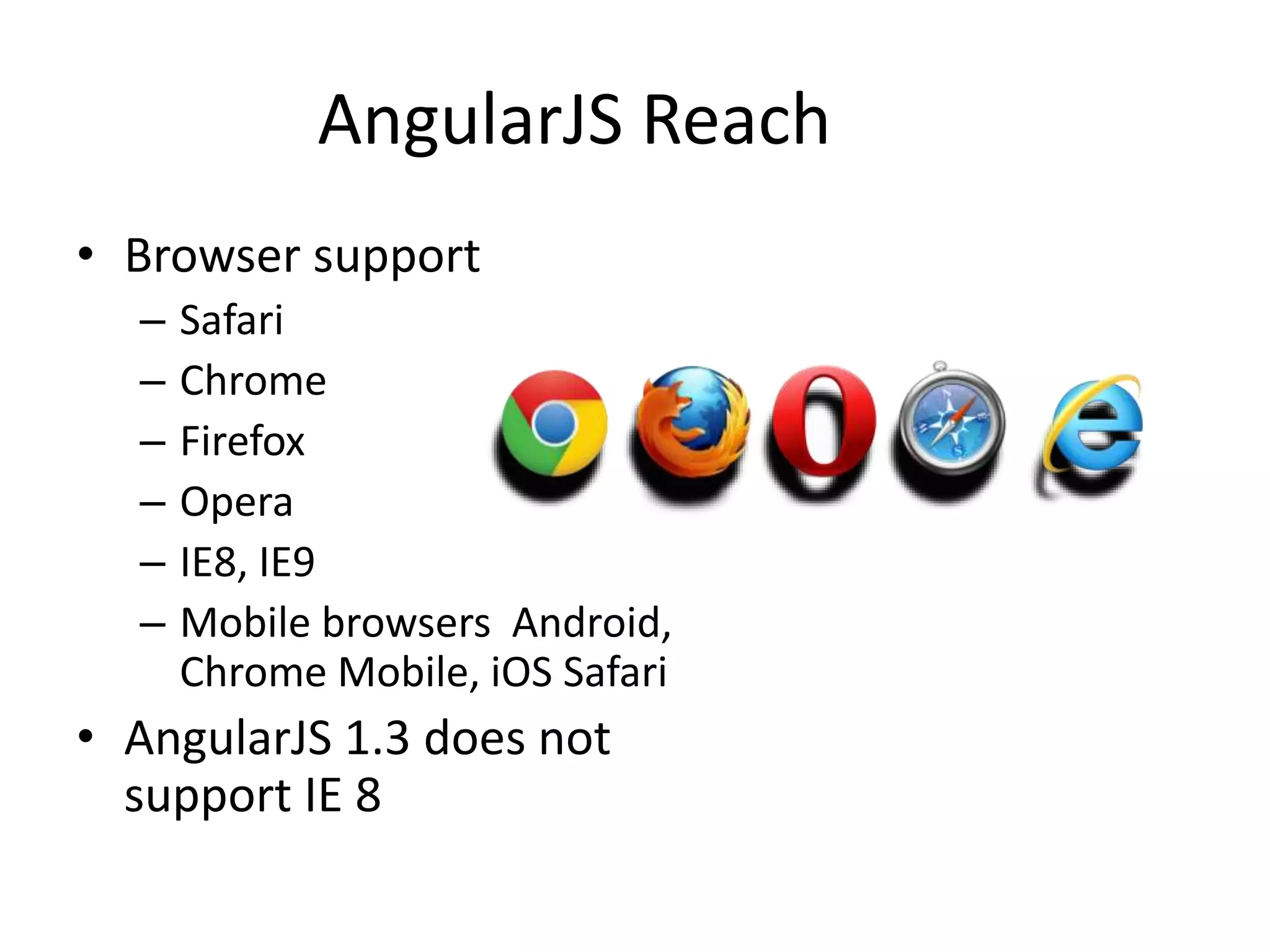
• Browser support 
– Safari 
– Chrome 
– Firefox 
– Opera 
– IE8, IE9 
– Mobile browsers Android, 
Chrome Mobile, iOS Safari 
• AngularJS 1.3 does not 
support IE 8
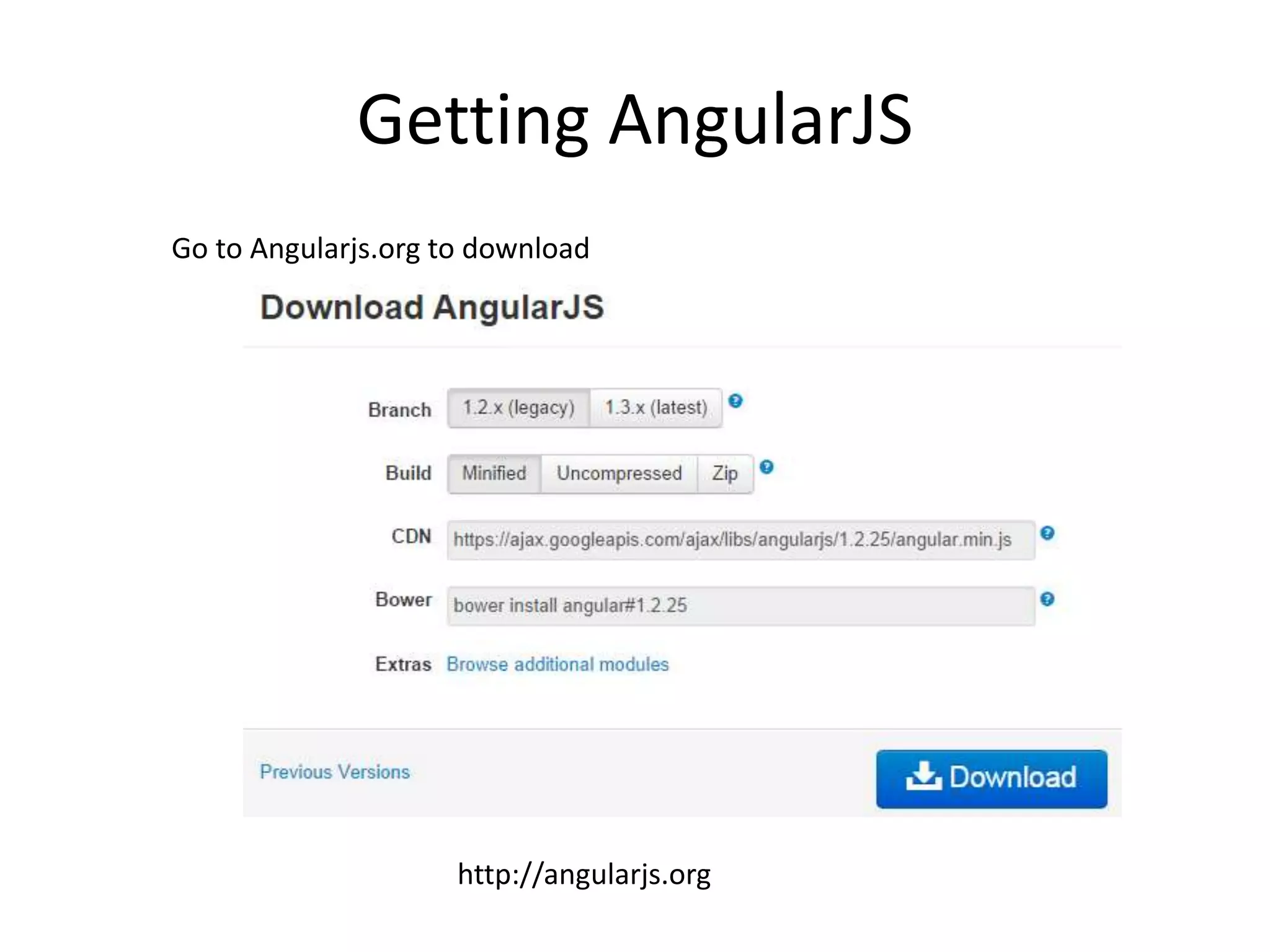
Getting AngularJS 
Go to Angularjs.org to download 
http://angularjs.org
Optional Add-on Modules 
• Loaded after the coreangular.js file: 
– angular-animate.js - Enable animation support 
– angular-cookies.js - A convenient wrapper for reading and 
writing browser cookies 
– angular-resource.js - Interaction support with RESTful 
services via the $resource service 
– angular-route.js - Routing and deep linking services and 
directives for angular apps 
– angular-sanitize.js - Functionality to sanitize HTML 
– angular-touch.js - Touch events and other helpers for 
touch-enabled devices 
– New angular-messages.js – helps with displaying 
informative error messages with forms
Works well with Others
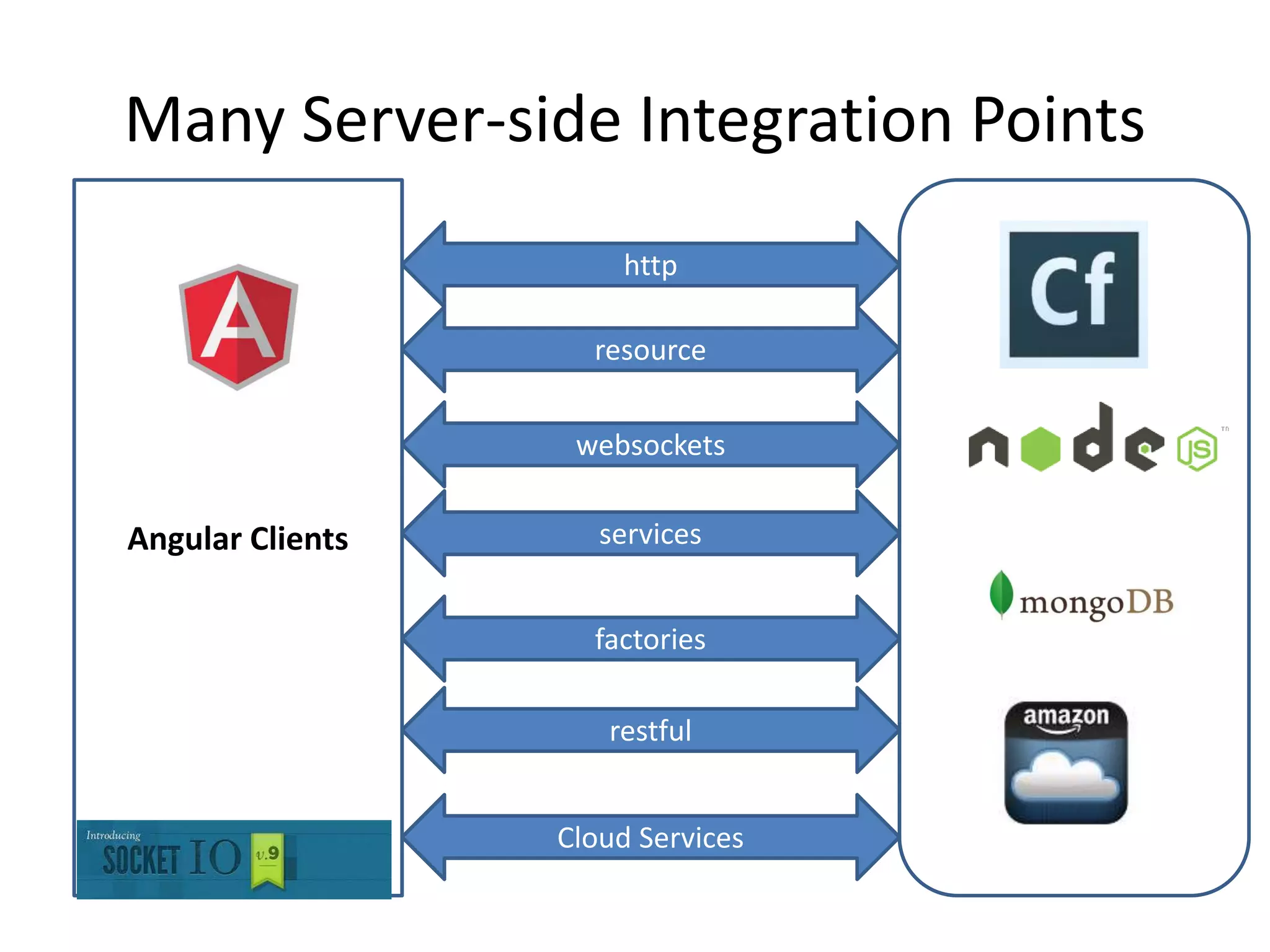
Many Server-side Integration Points 
Angular Clients 
http 
resource 
websockets 
services 
factories 
restful 
Cloud Services
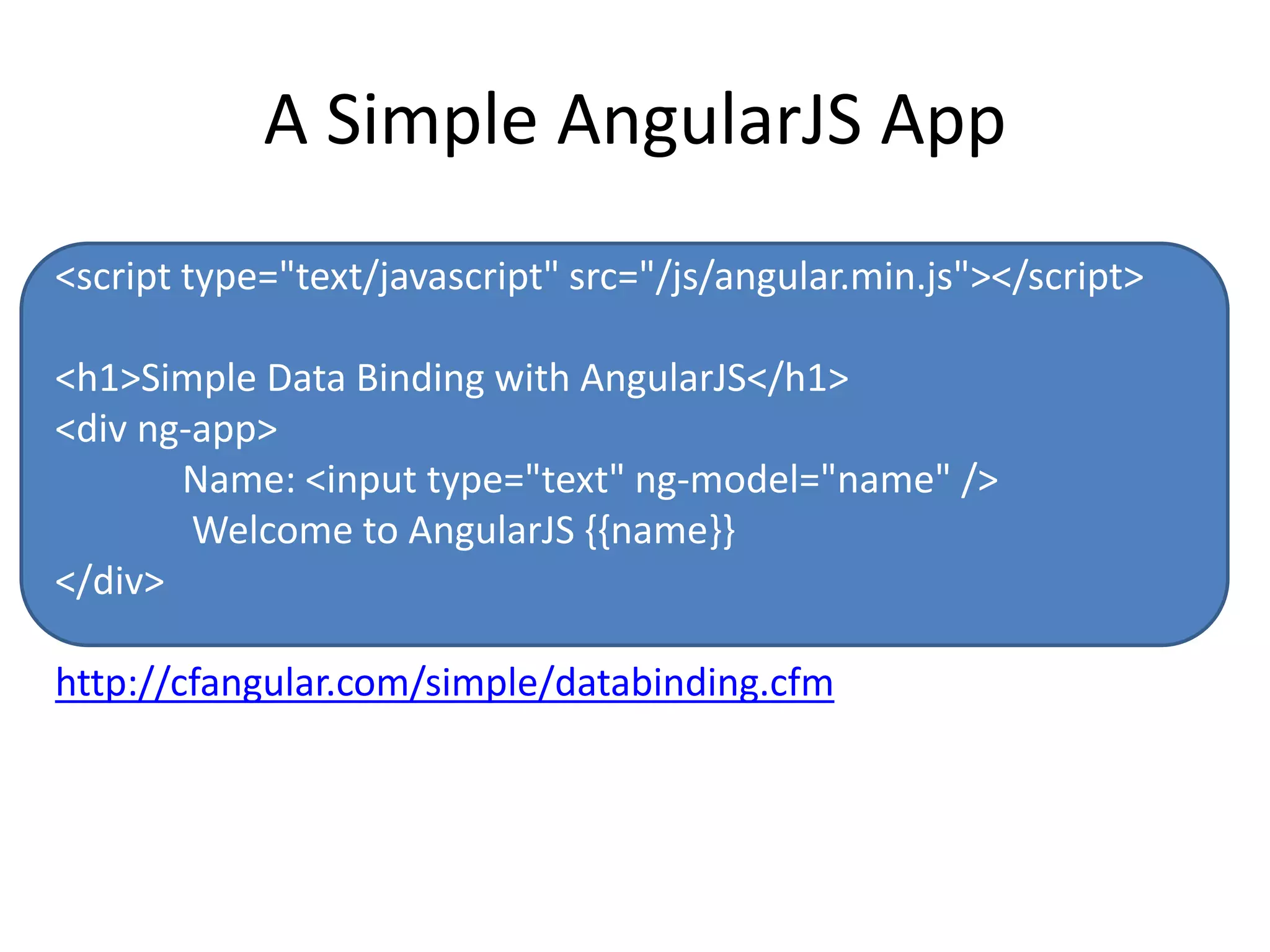
A Simple AngularJS App 
<script type="text/javascript" src="/js/angular.min.js"></script> 
<h1>Simple Data Binding with AngularJS</h1> 
<div ng-app> 
Name: <input type="text" ng-model="name" /> 
Welcome to AngularJS {{name}} 
</div> 
http://cfangular.com/simple/databinding.cfm
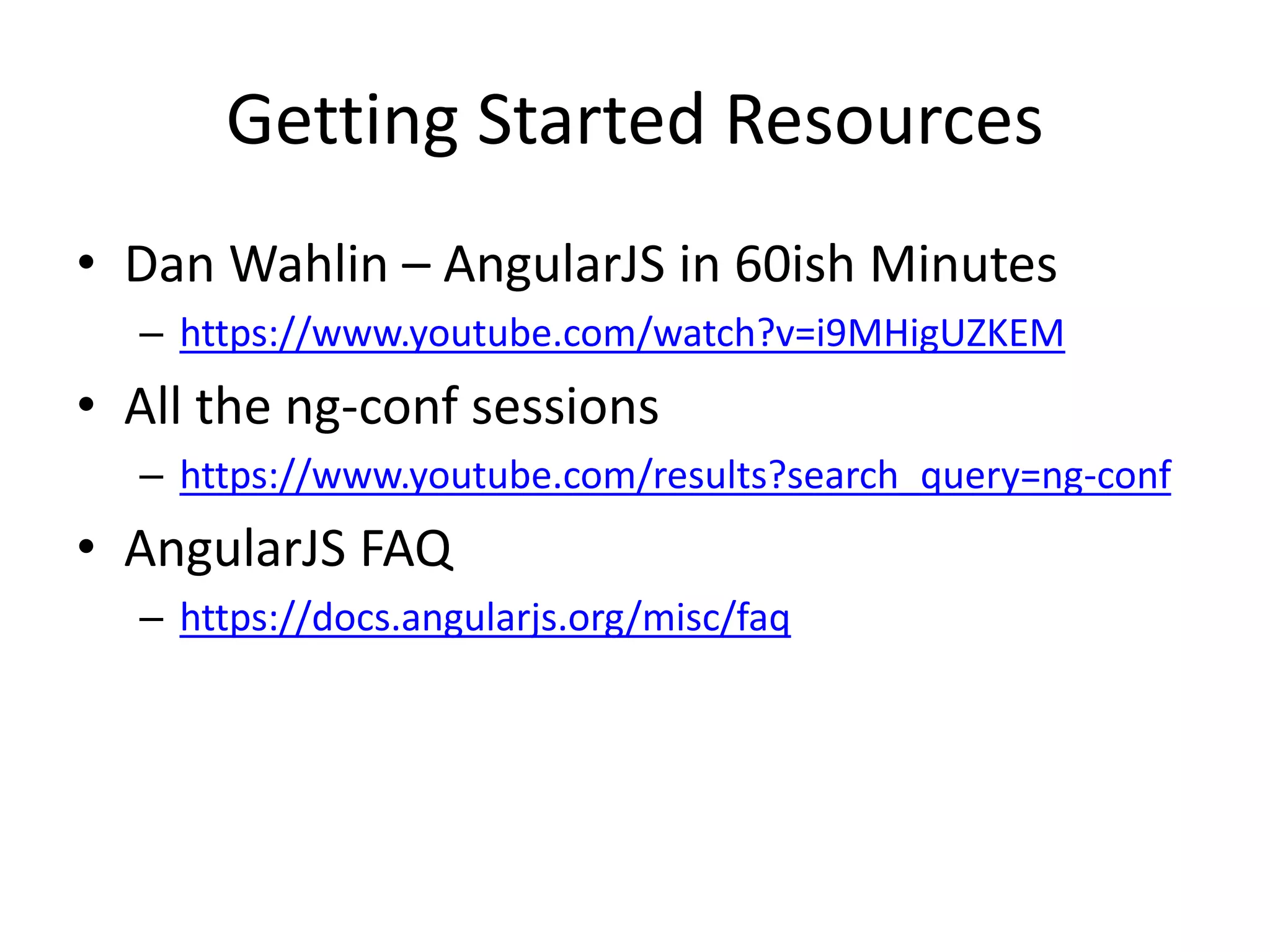
Getting Started Resources 
• Dan Wahlin – AngularJS in 60ish Minutes 
– https://www.youtube.com/watch?v=i9MHigUZKEM 
• All the ng-conf sessions 
– https://www.youtube.com/results?search_query=ng-conf 
• AngularJS FAQ 
– https://docs.angularjs.org/misc/faq
Building the AngularJS Frontend
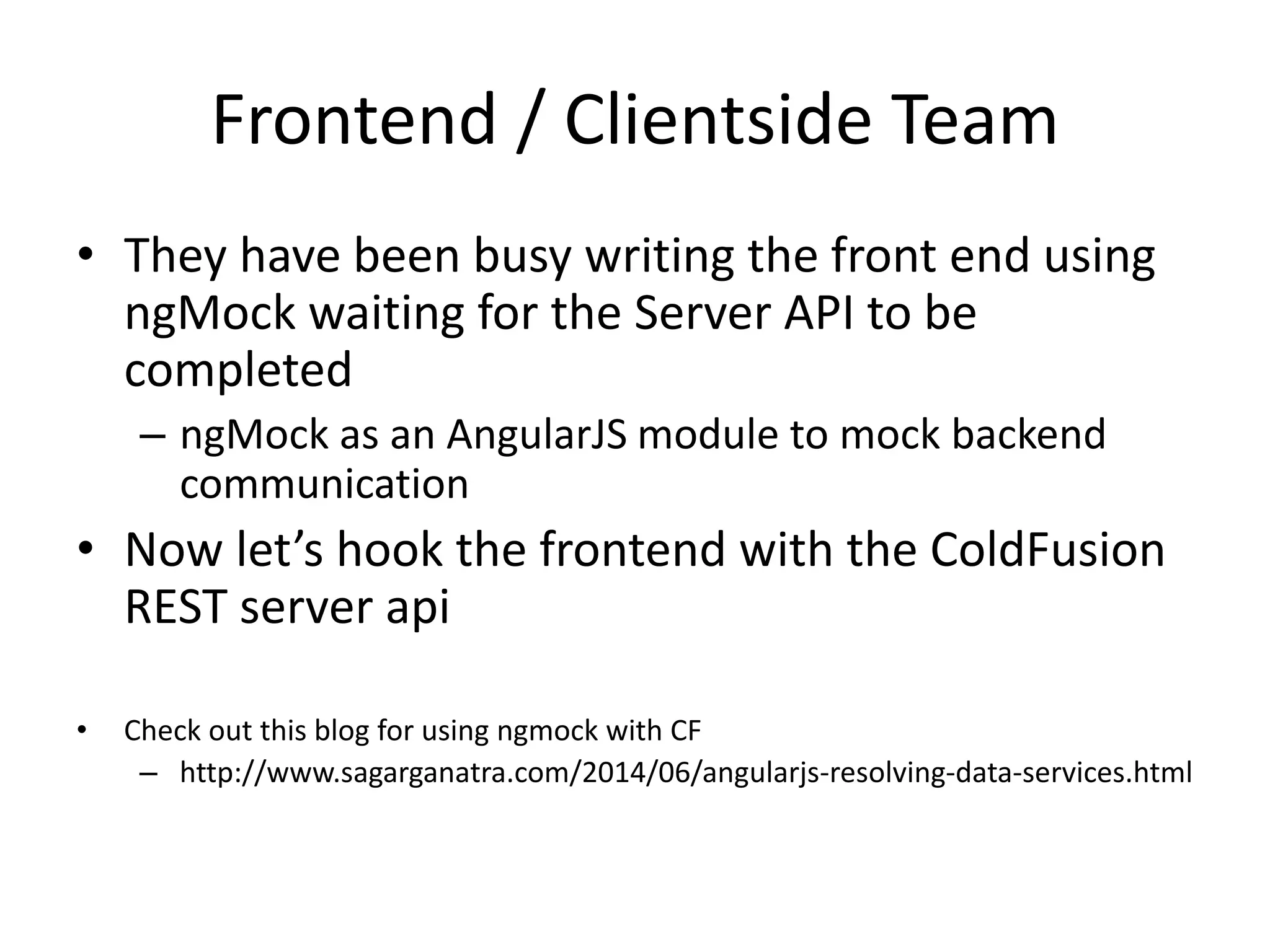
Frontend / Clientside Team 
• They have been busy writing the front end using 
ngMock waiting for the Server API to be 
completed 
– ngMock as an AngularJS module to mock backend 
communication 
• Now let’s hook the frontend with the ColdFusion 
REST server api 
• Check out this blog for using ngmock with CF 
– http://www.sagarganatra.com/2014/06/angularjs-resolving-data-services.html
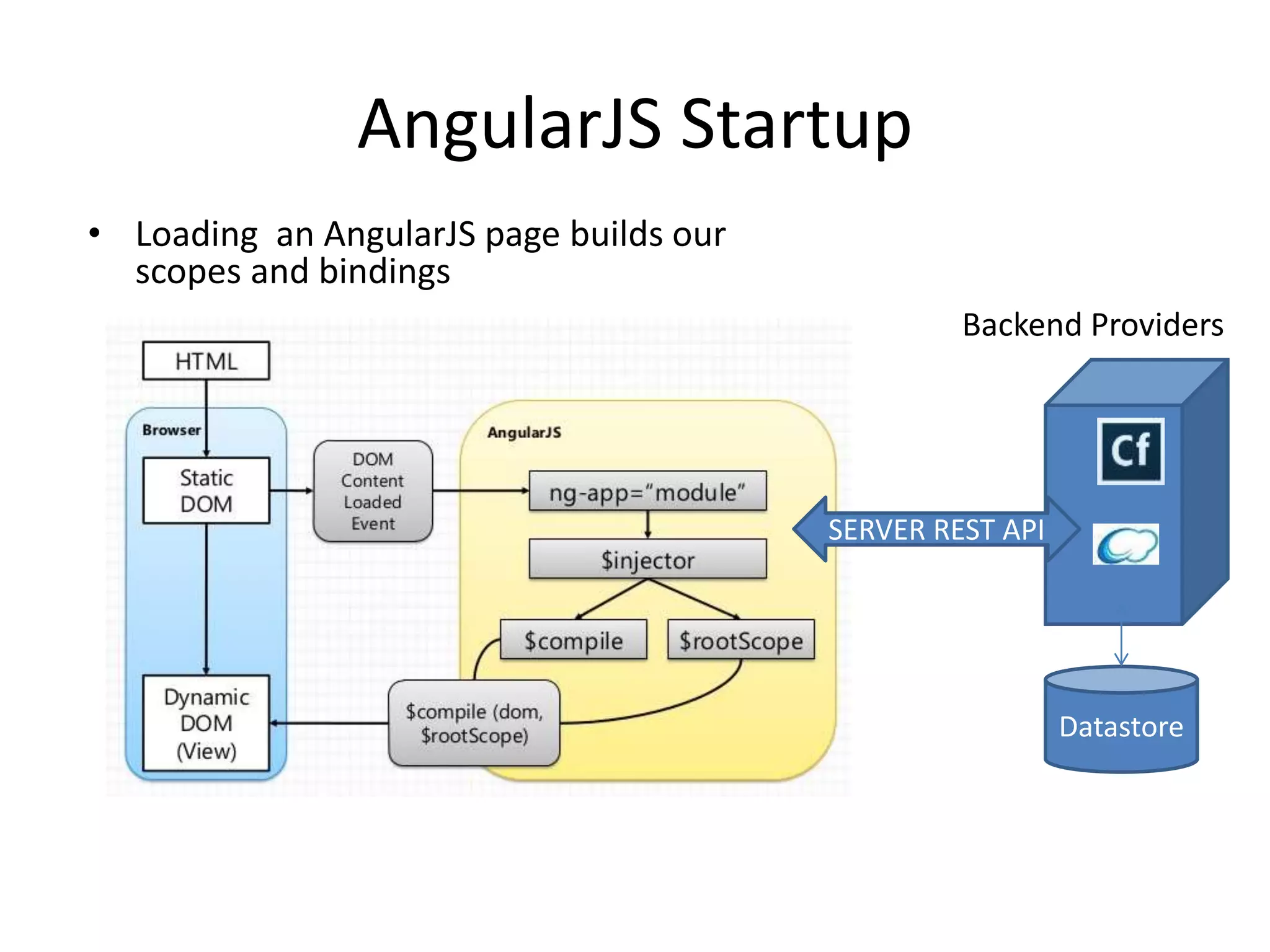
AngularJS Startup 
• Loading an AngularJS page builds our 
scopes and bindings 
Backend Providers 
SERVER REST API 
Datastore
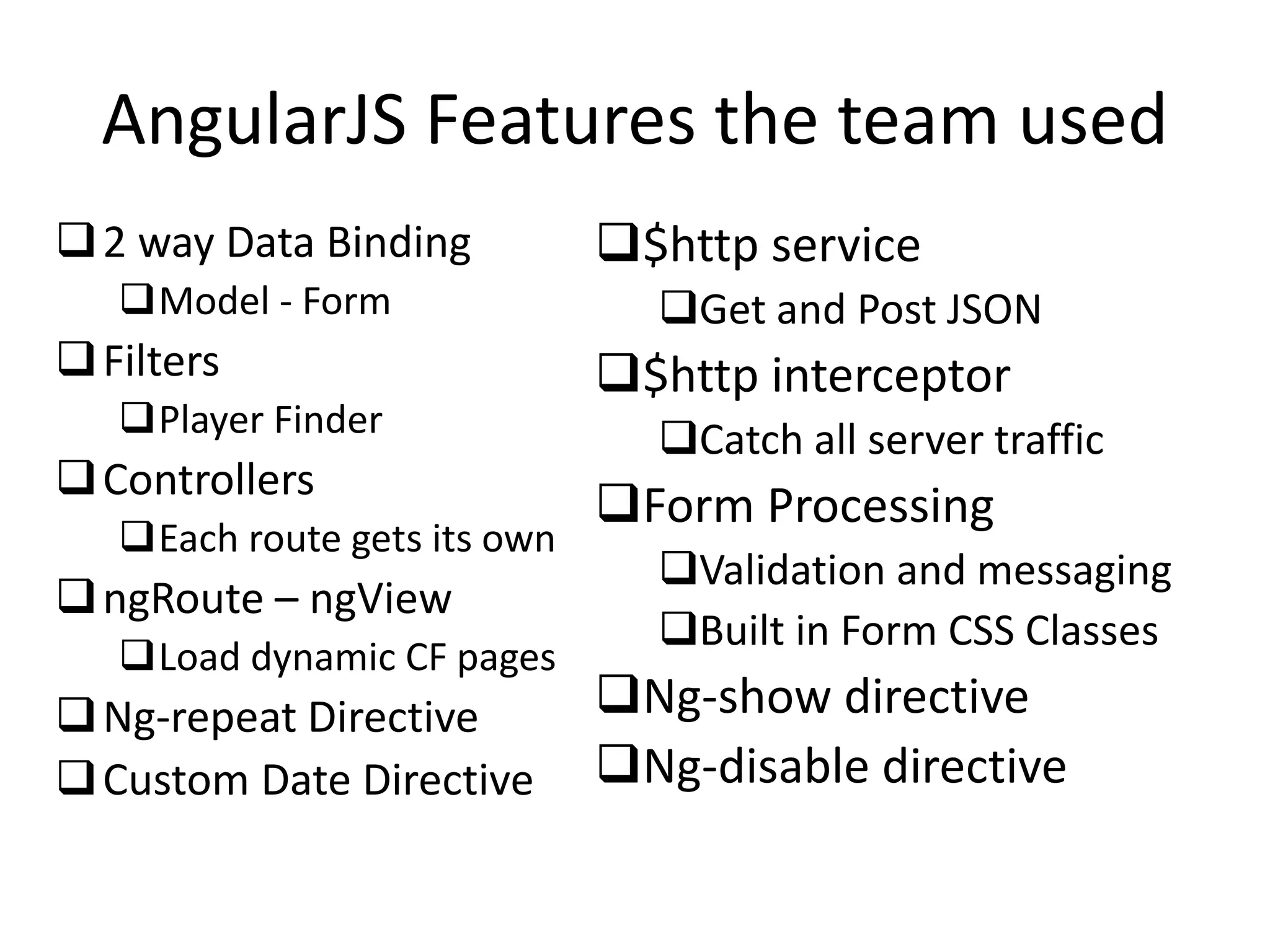
AngularJS Features the team used 
2 way Data Binding 
Model - Form 
Filters 
Player Finder 
Controllers 
Each route gets its own 
ngRoute – ngView 
Load dynamic CF pages 
Ng-repeat Directive 
Custom Date Directive 
$http service 
Get and Post JSON 
$http interceptor 
Catch all server traffic 
Form Processing 
Validation and messaging 
Built in Form CSS Classes 
Ng-show directive 
Ng-disable directive
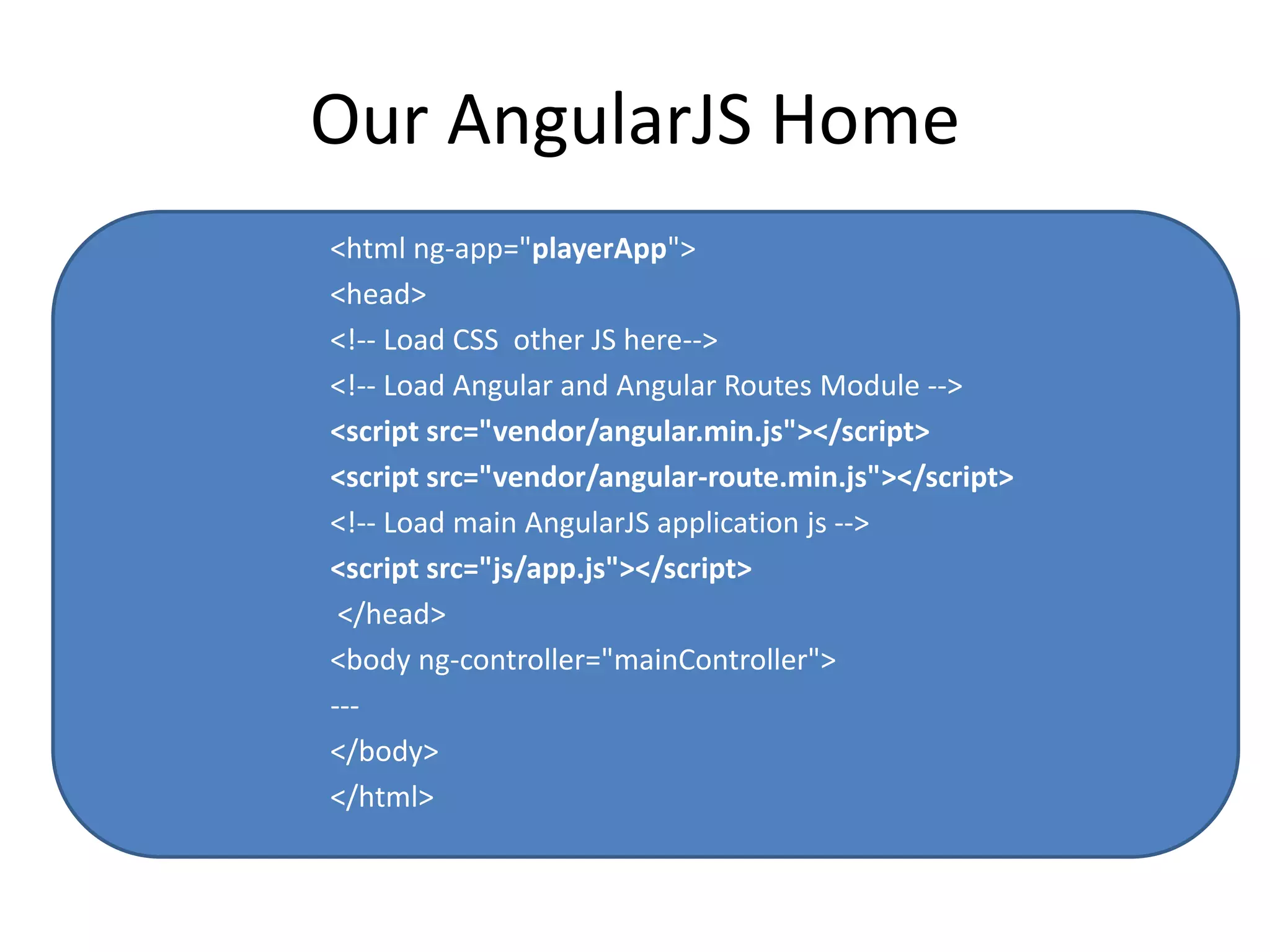
Our AngularJS Home 
<html ng-app="playerApp"> 
<head> 
<!-- Load CSS other JS here--> 
<!-- Load Angular and Angular Routes Module --> 
<script src="vendor/angular.min.js"></script> 
<script src="vendor/angular-route.min.js"></script> 
<!-- Load main AngularJS application js --> 
<script src="js/app.js"></script> 
</head> 
<body ng-controller="mainController"> 
--- 
</body> 
</html>
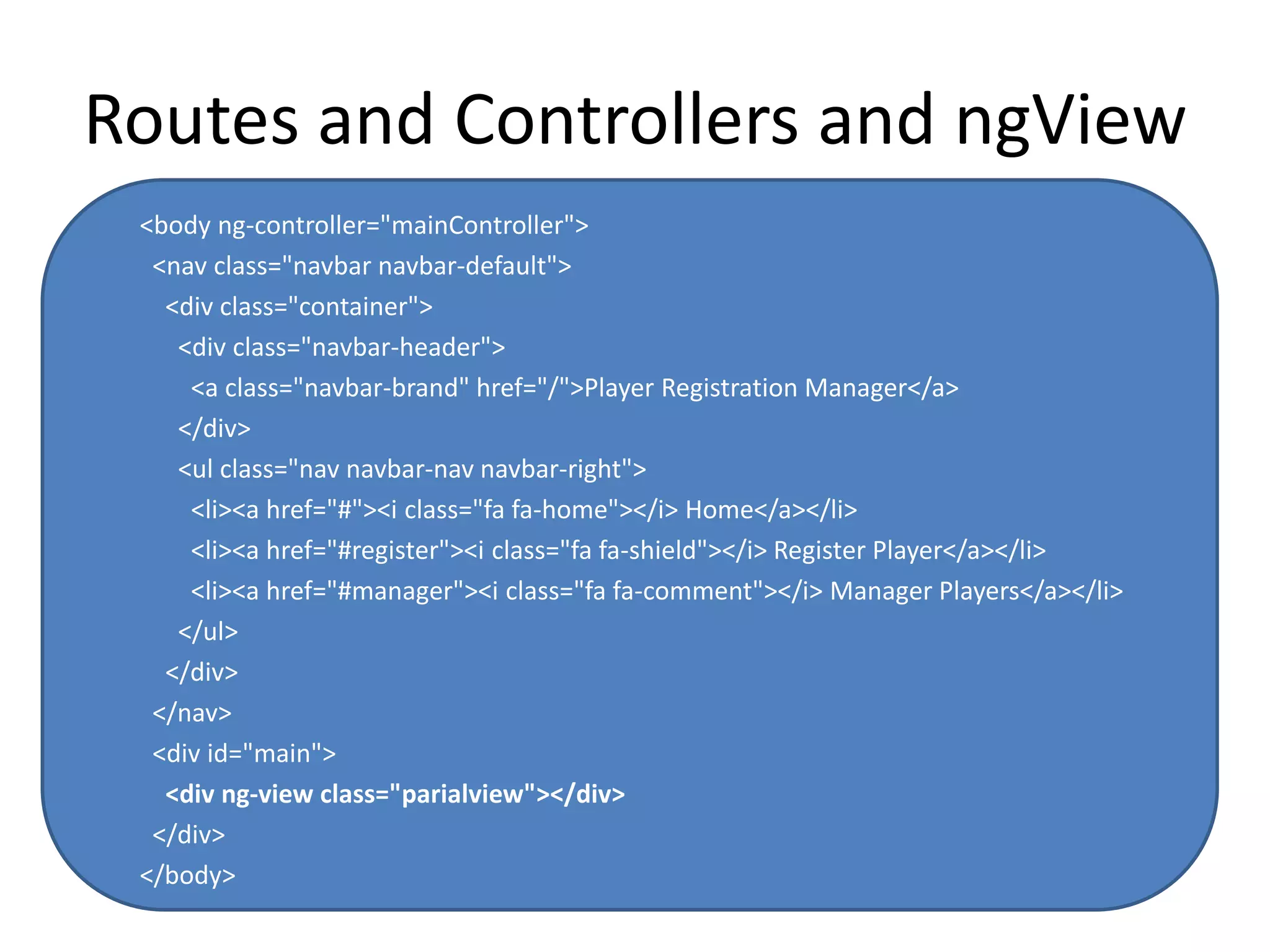
Routes and Controllers and ngView 
<body ng-controller="mainController"> 
<nav class="navbar navbar-default"> 
<div class="container"> 
<div class="navbar-header"> 
<a class="navbar-brand" href="/">Player Registration Manager</a> 
</div> 
<ul class="nav navbar-nav navbar-right"> 
<li><a href="#"><i class="fa fa-home"></i> Home</a></li> 
<li><a href="#register"><i class="fa fa-shield"></i> Register Player</a></li> 
<li><a href="#manager"><i class="fa fa-comment"></i> Manager Players</a></li> 
</ul> 
</div> 
</nav> 
<div id="main"> 
<div ng-view class="parialview"></div> 
</div> 
</body>
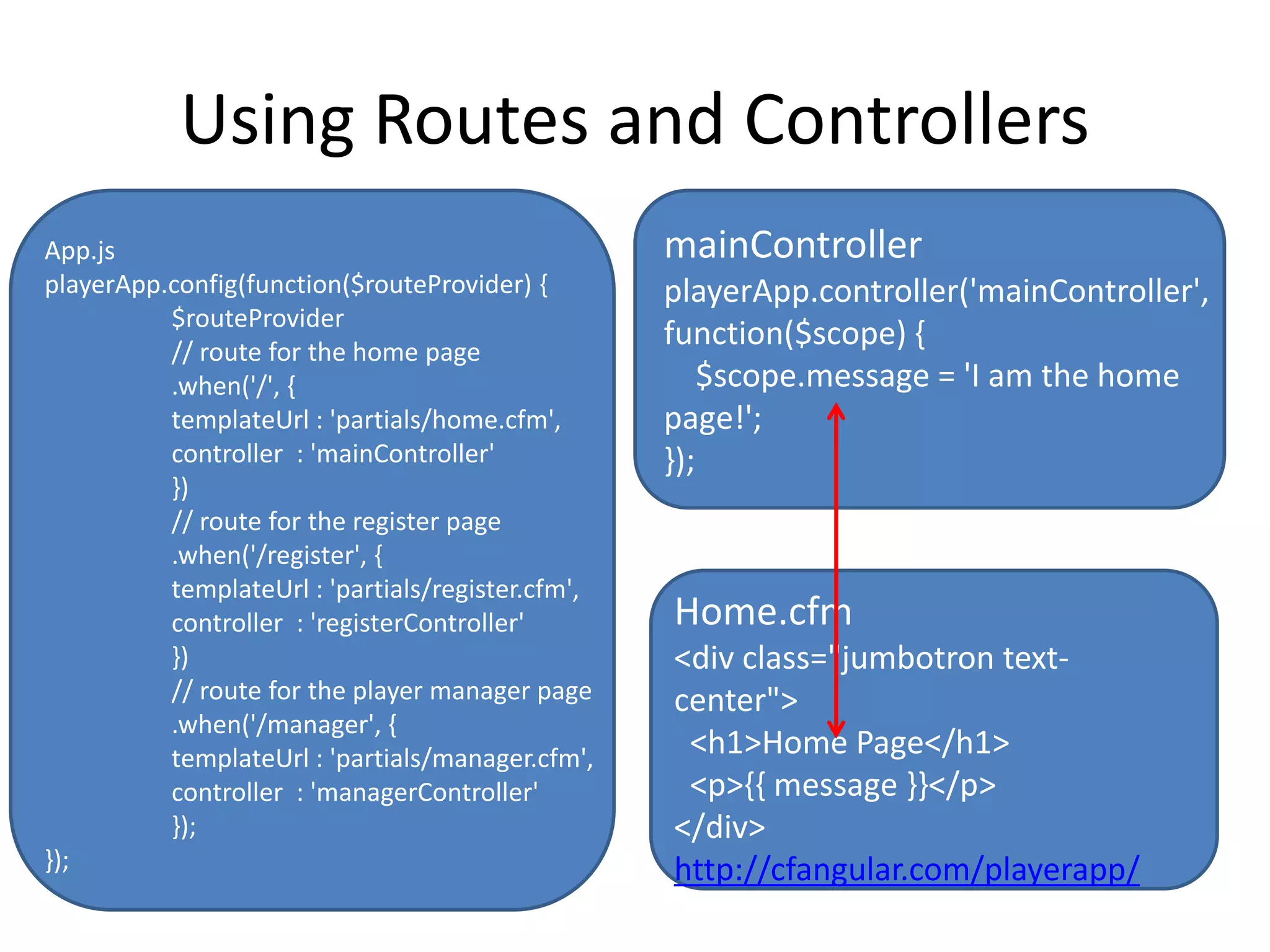
Using Routes and Controllers 
mainController 
playerApp.controller('mainController', 
function($scope) { 
$scope.message = 'I am the home 
page!'; 
}); 
Home.cfm 
<div class="jumbotron text-center"> 
<h1>Home Page</h1> 
<p>{{ message }}</p> 
</div> 
http://cfangular.com/playerapp/ 
App.js 
playerApp.config(function($routeProvider) { 
$routeProvider 
// route for the home page 
.when('/', { 
templateUrl : 'partials/home.cfm', 
controller : 'mainController' 
}) 
// route for the register page 
.when('/register', { 
templateUrl : 'partials/register.cfm', 
controller : 'registerController' 
}) 
// route for the player manager page 
.when('/manager', { 
templateUrl : 'partials/manager.cfm', 
controller : 'managerController' 
}); 
});
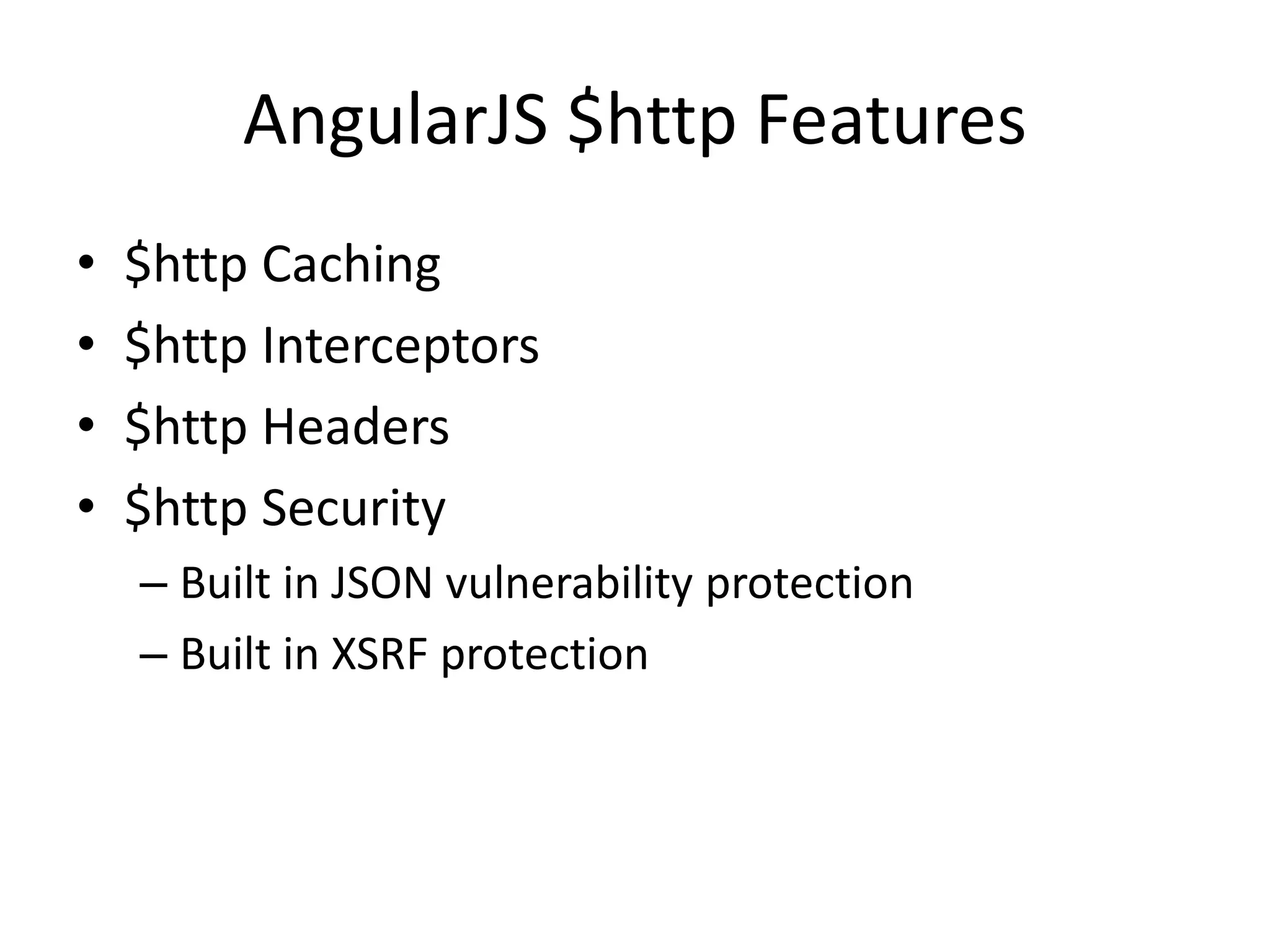
AngularJS $http Features 
• $http Caching 
• $http Interceptors 
• $http Headers 
• $http Security 
– Built in JSON vulnerability protection 
– Built in XSRF protection
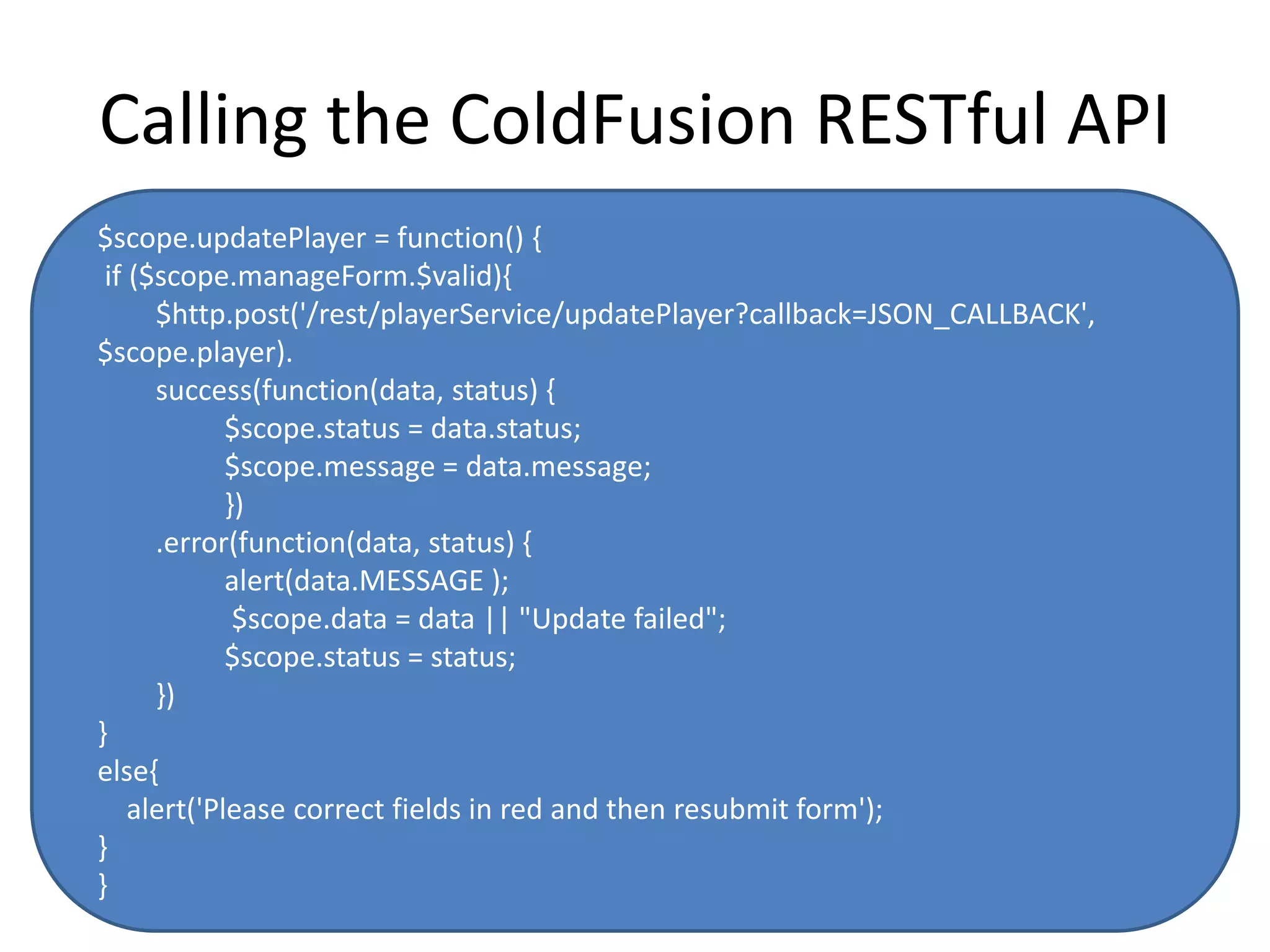
Calling the ColdFusion RESTful API 
$scope.updatePlayer = function() { 
if ($scope.manageForm.$valid){ 
$http.post('/rest/playerService/updatePlayer?callback=JSON_CALLBACK', 
$scope.player). 
success(function(data, status) { 
$scope.status = data.status; 
$scope.message = data.message; 
}) 
.error(function(data, status) { 
alert(data.MESSAGE ); 
$scope.data = data || "Update failed"; 
$scope.status = status; 
}) 
} 
else{ 
alert('Please correct fields in red and then resubmit form'); 
} 
}
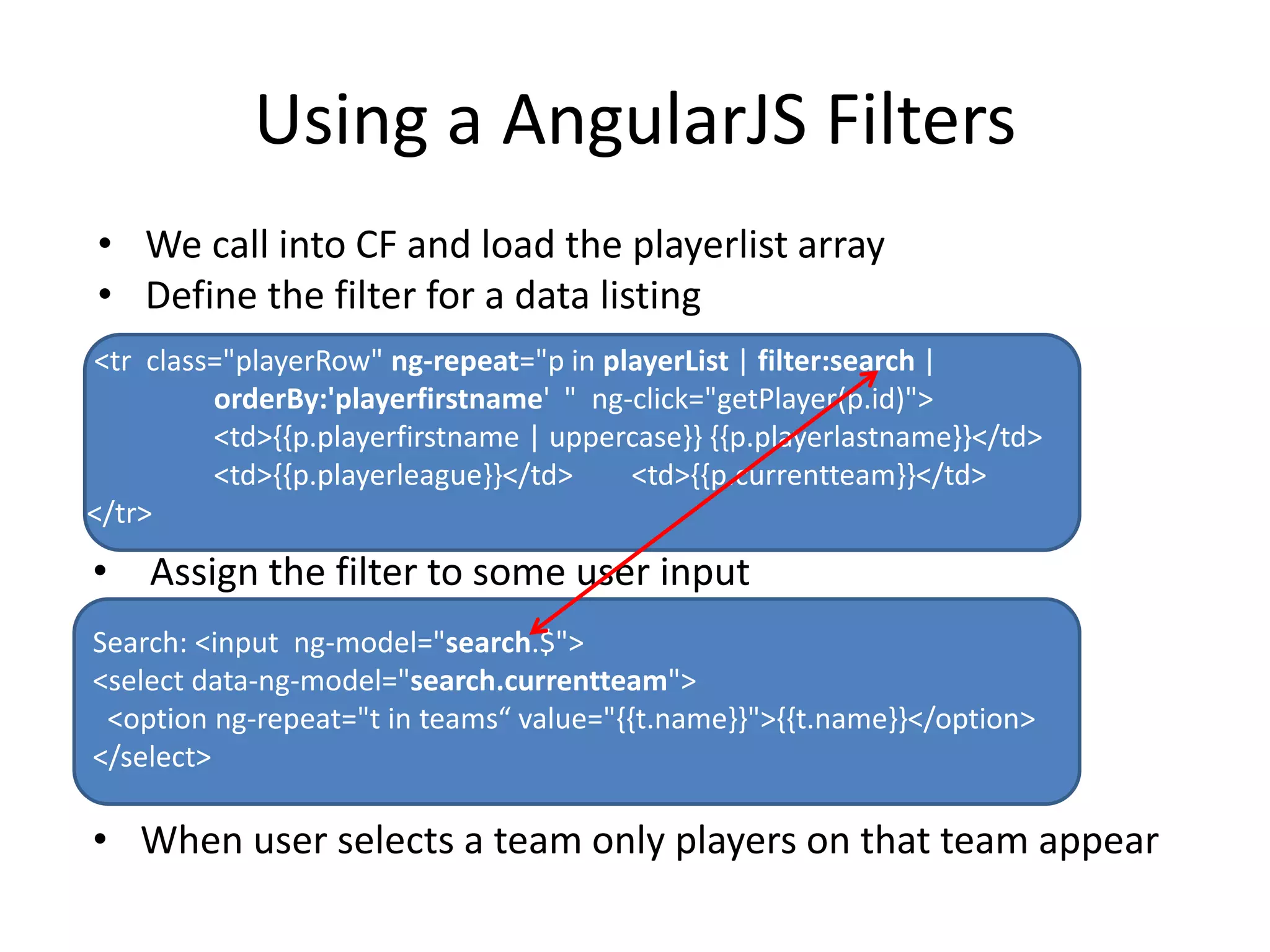
Using a AngularJS Filters 
• We call into CF and load the playerlist array 
• Define the filter for a data listing 
<tr class="playerRow" ng-repeat="p in playerList | filter:search | 
orderBy:'playerfirstname' " ng-click="getPlayer(p.id)"> 
<td>{{p.playerfirstname | uppercase}} {{p.playerlastname}}</td> 
<td>{{p.playerleague}}</td> <td>{{p.currentteam}}</td> 
</tr> 
• Assign the filter to some user input 
Search: <input ng-model="search.$"> 
<select data-ng-model="search.currentteam"> 
<option ng-repeat="t in teams“ value="{{t.name}}">{{t.name}}</option> 
</select> 
• When user selects a team only players on that team appear
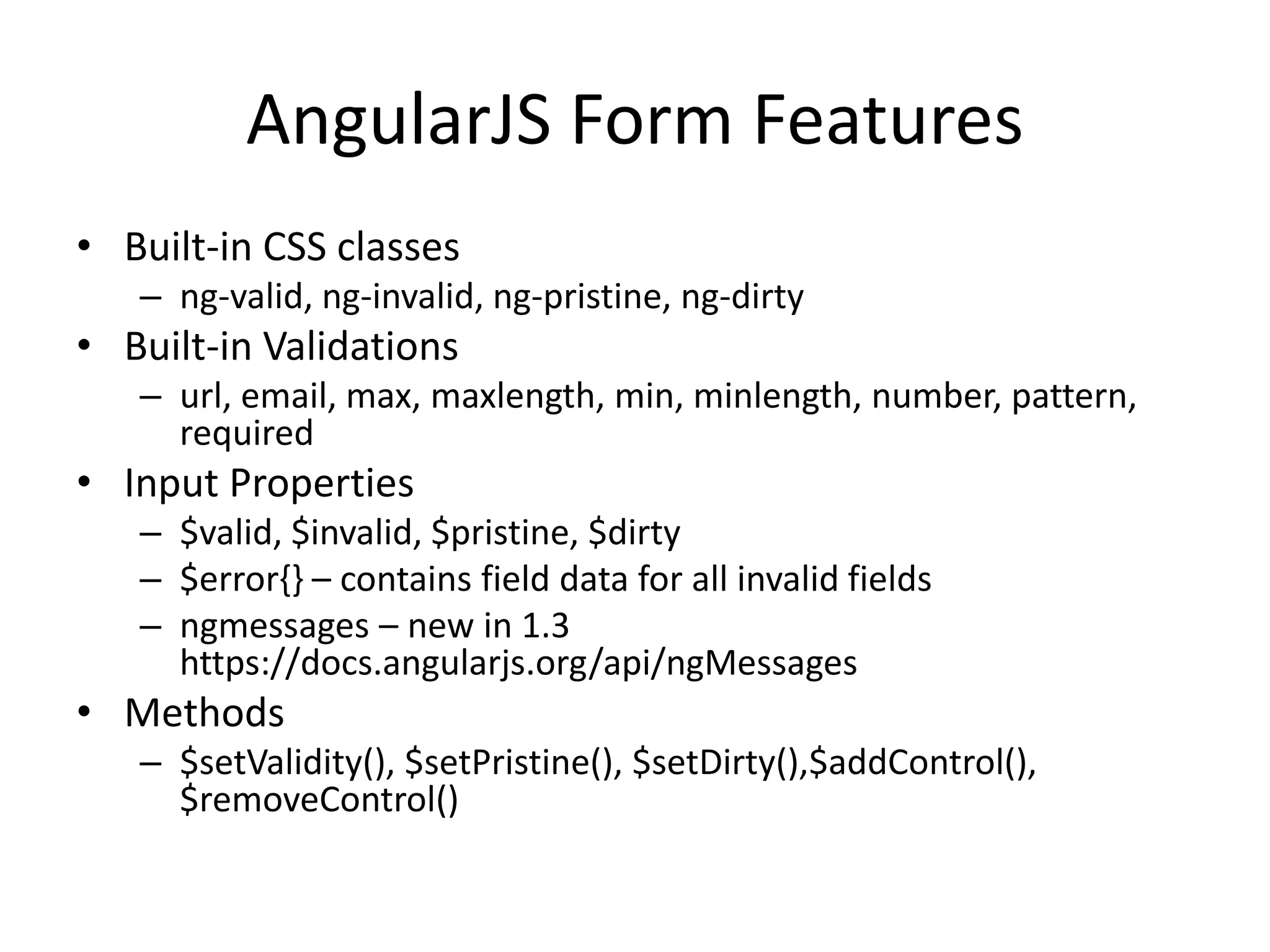
AngularJS Form Features 
• Built-in CSS classes 
– ng-valid, ng-invalid, ng-pristine, ng-dirty 
• Built-in Validations 
– url, email, max, maxlength, min, minlength, number, pattern, 
required 
• Input Properties 
– $valid, $invalid, $pristine, $dirty 
– $error{} – contains field data for all invalid fields 
– ngmessages – new in 1.3 
https://docs.angularjs.org/api/ngMessages 
• Methods 
– $setValidity(), $setPristine(), $setDirty(),$addControl(), 
$removeControl()
ngModel and Form Bindings 
$scope.search = ''; 
$scope.player = {}; 
$scope.player['securitytoken'] = '' ; 
$scope.player['playerfirstname'] = 'Mike'; 
$scope.player['playerlastname'] = 'Smith'; . 
Binding to the model in a form input 
<input class="cfang-input cfang-input100" 
name="playerlastname" type="text" 
ng-model="player.playerlastname“ 
value="{{player.playerlastname}}" placeholder="Last Name" 
ng-required='1==1' >
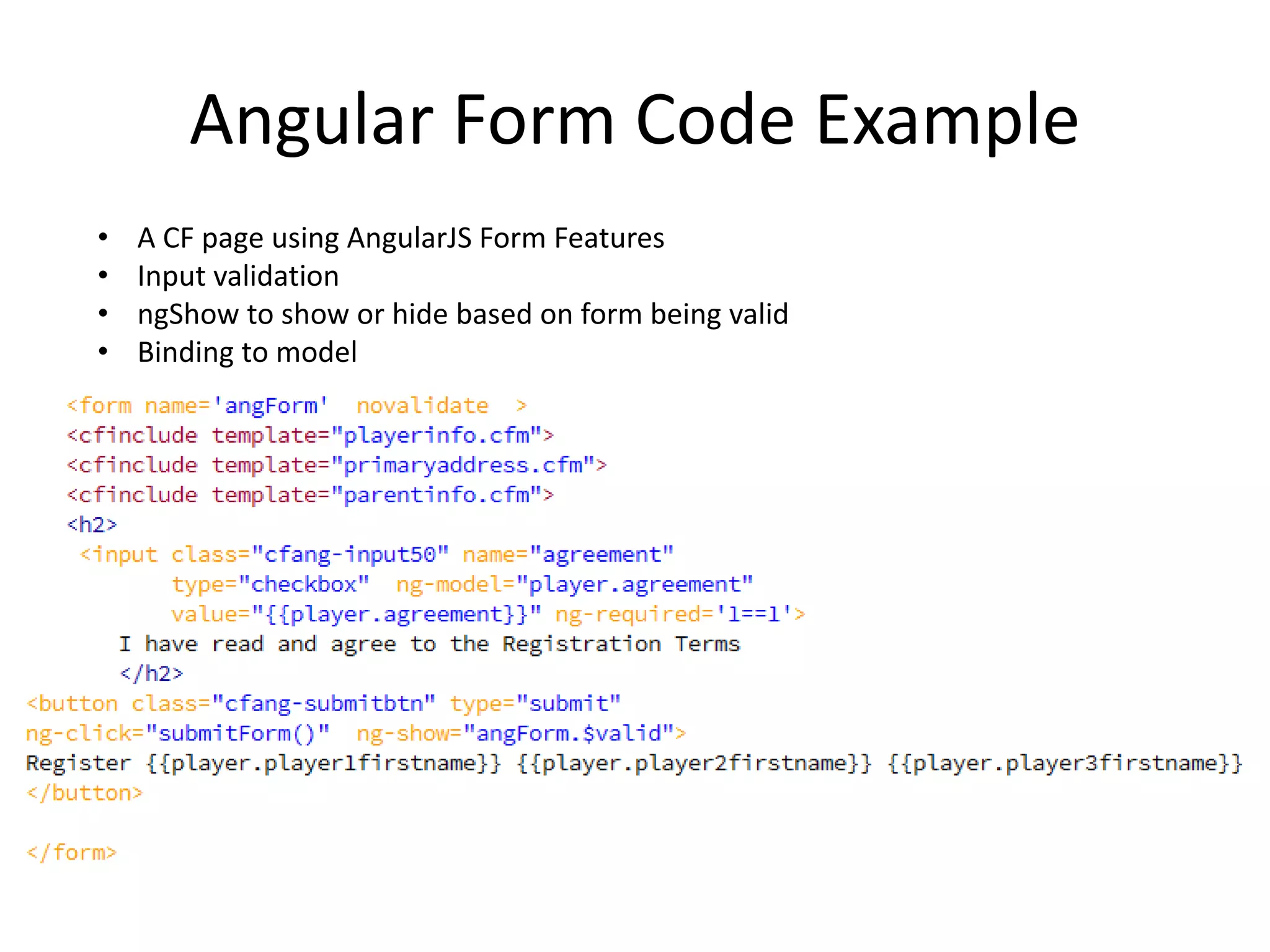
Angular Form Code Example 
• A CF page using AngularJS Form Features 
• Input validation 
• ngShow to show or hide based on form being valid 
• Binding to model
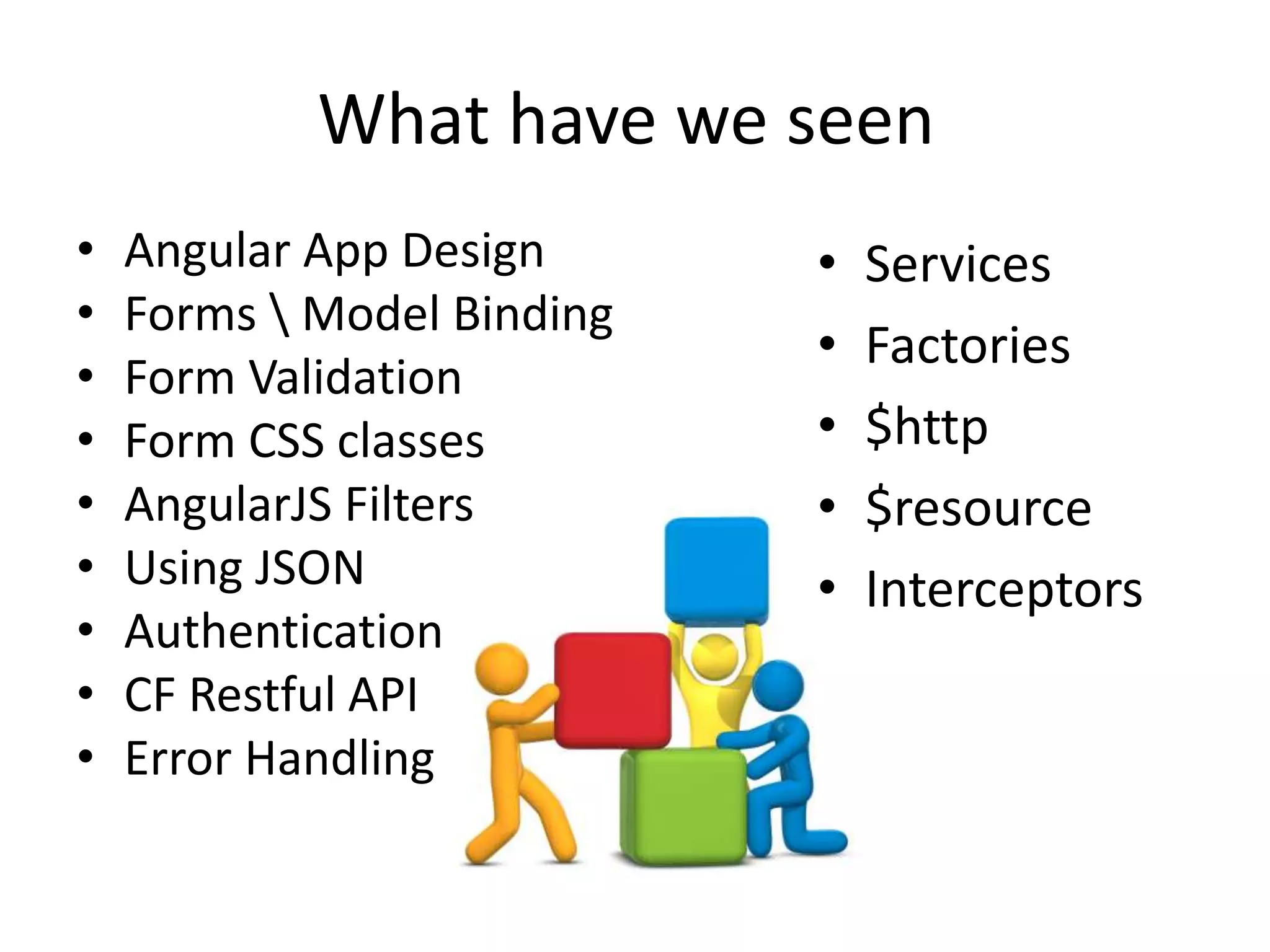
What have we seen 
• Angular App Design 
• Forms  Model Binding 
• Form Validation 
• Form CSS classes 
• AngularJS Filters 
• Using JSON 
• Authentication 
• CF Restful API 
• Error Handling 
• Services 
• Factories 
• $http 
• $resource 
• Interceptors
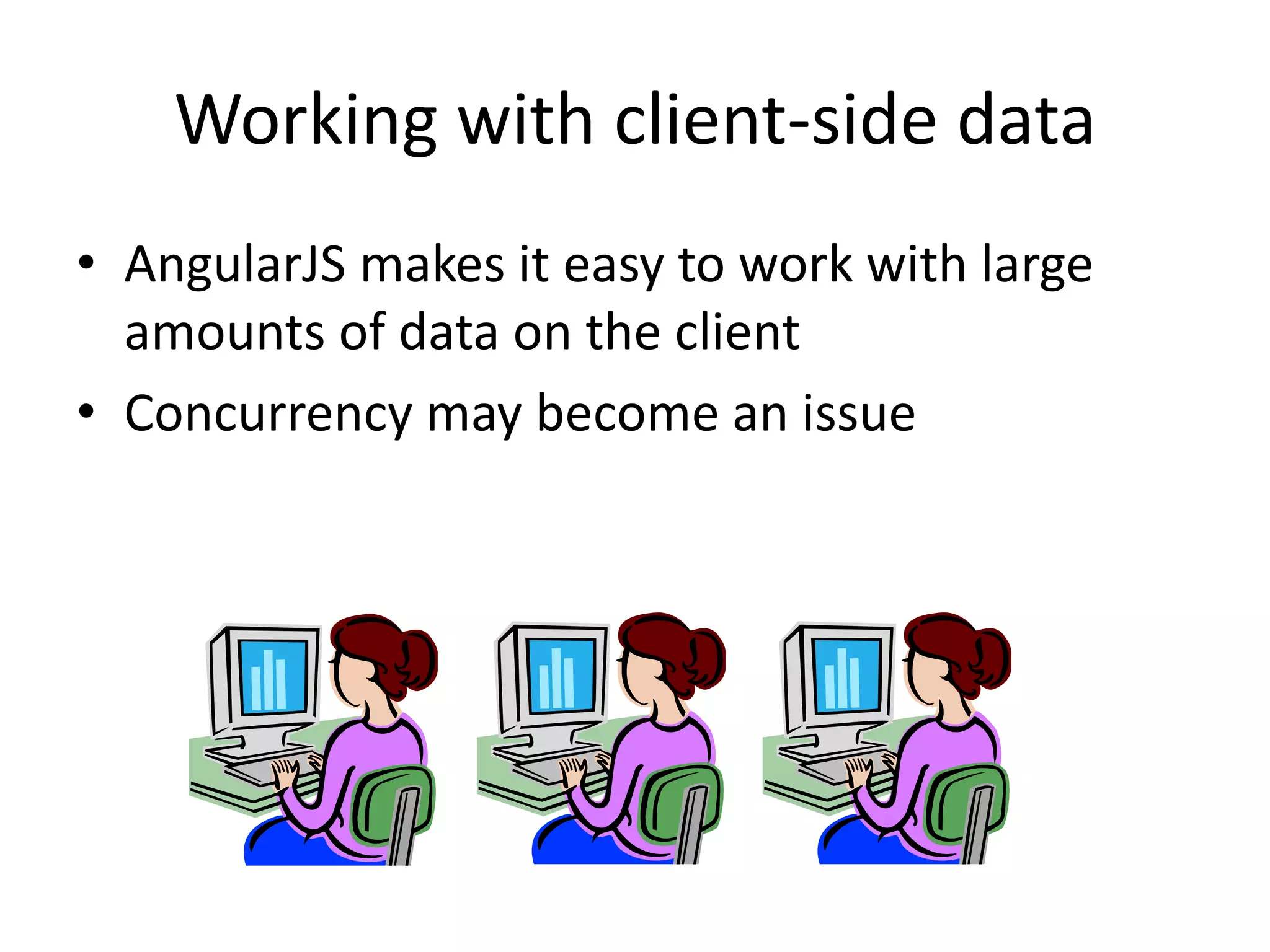
Working with client-side data 
• AngularJS makes it easy to work with large 
amounts of data on the client 
• Concurrency may become an issue
Real Time Channel 
• Easily hook in other JS to build real time 
– HTML5 websockets 
– Node.js 
– Express Routing framework 
– Socket.io 
• Real time Services 
– Firebase
Building in Security 
• Custom request tokens 
• AngularJS $http interceptors 
• Security tools and techniques 
– ZAP Application to test your RESTful api 
– Pete Frietag’s Using Custom Security Headers 
• Using Google Chrome Batarang 
– View data in controller scopes 
– View performance metrics
Q&A 
Mike Collins 
SupportObjective 
cfObjective 
May 2014

Building ColdFusion And AngularJS Applications

  • 1.
    Building ColdFusion and AngularJS Applications Mike Collins SupportObjective CFSummit October 2014
  • 2.
    Today’s Agenda WalkthroughRequirements for a CF AngularJS Application Build our ColdFusion REST Server side  Building the API  Testing the API Build AngularJS the Client side Intro to AngularJS Core AngularJS features Build and Demo AngularJS using CF REST Wrap up
  • 3.
    Our Project Requirements Player Registration Application – New Player Registration – Player Manager – ColdFusion 11 Server Side – AngularJS 1.3 Client Side – Use SQL DB to store data – Use REST API with JSON
  • 4.
    Client-side and Server-side FRONTEND BACKEND Angular Clients JSON JSON REST API to receive Use $http service to and deliver JSON call backend REST API
  • 5.
    Team Development Approach • The Client-side team and Server-Side team met and decided on an API • Parallel independent development • The Client side will use AngularJS ngMock to mock server-side communication until server side is ready • Server-side can test the REST API using cfhttp or jMeter to test until the client side is ready
  • 6.
    Building the ColdFusion REST based Server Side
  • 7.
    ColdFusion Server SideFeatures • What does CF bring to the server side • ColdFusion RESTFUL Features • Provide your applications dynamic pages • Backend Integration to JDBC, LDAP, Web Services, Email, PDF Services, JSON • Improve Security with encrypted request tokens • Seed applications with initial loading of data • Dynamically build AngularJS apps with CF
  • 8.
    ColdFusion RESTful Features • New feature added in CF10 • Ability to create REST services by defining certain attributes in the tags – cfcomponent – cffuntion – cfargument • RESTful Function Signatures • Supports JSON and XML serialization/deserialization • Client applications can consume REST services by issuing HTTP/HTTPS requests format • Also - other CF REST options exist such as TAFFY
  • 9.
    Creating a CFREST Component 1. Define CFC as REST and define a restpath attribute <cfcomponent rest="true" restpath="playerService"> 2. Define REST function 3. Define REST <cffunction name="getPlayer" access="remote“ httpmethod="GET“ restpath="getPlayer/{playerID}" returntype="any" produces="application/json"> function arguments <cfargument name="playerID“ required="true" restargsource="Path" type="numeric"/ >
  • 10.
    Understanding RestArgPath •CFFunction aguments can be retrieved from multiple places • Path, Query String, Form, Cookie, Header <cfargument name="playerID“ required="true" restargsource="Path" type="numeric"/ >
  • 11.
    REST Component Registration • Need to register your REST CFCs in CFAdmin • Using 2 new settings in Application.cfc – <cfset this.restsettings.cfclocation = “./, ./rest"> – <cfset this.restsettings.skipcfcwitherror = true>
  • 12.
    Processing REST Requests • /Rest is a new servlet mapping in web.xml • How REST requests are processed with Application.cfc Method Processed OnRequestStart Yes OnRequest No OnError Yes OnCFCRequest No OnRequestEnd Yes
  • 13.
    CF RESTful HTTPPost Example AngularJS APP <cffunction name="newPlayer" access="remote" httpmethod="POST" restpath="newPlayer" returntype="any" returnformat="json"> <cfargument name="playerData" required="true" type="string" /> <cfif not isJSON(arguments.playerData)> <cfreturn errorjson("-1000","Request Error Code 1000 - Invalid JSON #arguments.playerData#")> </cfif> <!--- Deserialize JSON ---> <cfset jsondata = deserializeJSON( arguments.playerData )> …
  • 14.
    ColdFusion 11 JSONImprovements • JSON improvements – Data type preservation for Query and CFC – Case preservation of struct keys – Added "Struct" as new QueryFormat • Which is the format AngularJS expects – Ability to define custom JSON serializer http://blogs.coldfusion.com/post.cfm/language-enhancements-in-coldfusion-splendor-improved-json-serialization-2
  • 15.
    Server-side Testing •CFHTTP scripts • jMeter Load Testing
  • 16.
  • 17.
    About AngularJS •Adapts and extends HTML • Some of the key features: – two-way data-binding – synchronizes model data and views – Filters for client side data – http ajax call features • Follows a MVC pattern – loose coupling between presentation, data, and logic components. • A complete client-side JavaScript solution • Managed by a developer team at Google Igor and Miska from Google
  • 18.
  • 19.
    AngularJS Popularity Projectcontributors per month
  • 20.
    AngularJS Reach •Browser support – Safari – Chrome – Firefox – Opera – IE8, IE9 – Mobile browsers Android, Chrome Mobile, iOS Safari • AngularJS 1.3 does not support IE 8
  • 21.
    Getting AngularJS Goto Angularjs.org to download http://angularjs.org
  • 22.
    Optional Add-on Modules • Loaded after the coreangular.js file: – angular-animate.js - Enable animation support – angular-cookies.js - A convenient wrapper for reading and writing browser cookies – angular-resource.js - Interaction support with RESTful services via the $resource service – angular-route.js - Routing and deep linking services and directives for angular apps – angular-sanitize.js - Functionality to sanitize HTML – angular-touch.js - Touch events and other helpers for touch-enabled devices – New angular-messages.js – helps with displaying informative error messages with forms
  • 23.
  • 24.
    Many Server-side IntegrationPoints Angular Clients http resource websockets services factories restful Cloud Services
  • 25.
    A Simple AngularJSApp <script type="text/javascript" src="/js/angular.min.js"></script> <h1>Simple Data Binding with AngularJS</h1> <div ng-app> Name: <input type="text" ng-model="name" /> Welcome to AngularJS {{name}} </div> http://cfangular.com/simple/databinding.cfm
  • 26.
    Getting Started Resources • Dan Wahlin – AngularJS in 60ish Minutes – https://www.youtube.com/watch?v=i9MHigUZKEM • All the ng-conf sessions – https://www.youtube.com/results?search_query=ng-conf • AngularJS FAQ – https://docs.angularjs.org/misc/faq
  • 27.
  • 28.
    Frontend / ClientsideTeam • They have been busy writing the front end using ngMock waiting for the Server API to be completed – ngMock as an AngularJS module to mock backend communication • Now let’s hook the frontend with the ColdFusion REST server api • Check out this blog for using ngmock with CF – http://www.sagarganatra.com/2014/06/angularjs-resolving-data-services.html
  • 29.
    AngularJS Startup •Loading an AngularJS page builds our scopes and bindings Backend Providers SERVER REST API Datastore
  • 30.
    AngularJS Features theteam used 2 way Data Binding Model - Form Filters Player Finder Controllers Each route gets its own ngRoute – ngView Load dynamic CF pages Ng-repeat Directive Custom Date Directive $http service Get and Post JSON $http interceptor Catch all server traffic Form Processing Validation and messaging Built in Form CSS Classes Ng-show directive Ng-disable directive
  • 31.
    Our AngularJS Home <html ng-app="playerApp"> <head> <!-- Load CSS other JS here--> <!-- Load Angular and Angular Routes Module --> <script src="vendor/angular.min.js"></script> <script src="vendor/angular-route.min.js"></script> <!-- Load main AngularJS application js --> <script src="js/app.js"></script> </head> <body ng-controller="mainController"> --- </body> </html>
  • 32.
    Routes and Controllersand ngView <body ng-controller="mainController"> <nav class="navbar navbar-default"> <div class="container"> <div class="navbar-header"> <a class="navbar-brand" href="/">Player Registration Manager</a> </div> <ul class="nav navbar-nav navbar-right"> <li><a href="#"><i class="fa fa-home"></i> Home</a></li> <li><a href="#register"><i class="fa fa-shield"></i> Register Player</a></li> <li><a href="#manager"><i class="fa fa-comment"></i> Manager Players</a></li> </ul> </div> </nav> <div id="main"> <div ng-view class="parialview"></div> </div> </body>
  • 33.
    Using Routes andControllers mainController playerApp.controller('mainController', function($scope) { $scope.message = 'I am the home page!'; }); Home.cfm <div class="jumbotron text-center"> <h1>Home Page</h1> <p>{{ message }}</p> </div> http://cfangular.com/playerapp/ App.js playerApp.config(function($routeProvider) { $routeProvider // route for the home page .when('/', { templateUrl : 'partials/home.cfm', controller : 'mainController' }) // route for the register page .when('/register', { templateUrl : 'partials/register.cfm', controller : 'registerController' }) // route for the player manager page .when('/manager', { templateUrl : 'partials/manager.cfm', controller : 'managerController' }); });
  • 34.
    AngularJS $http Features • $http Caching • $http Interceptors • $http Headers • $http Security – Built in JSON vulnerability protection – Built in XSRF protection
  • 35.
    Calling the ColdFusionRESTful API $scope.updatePlayer = function() { if ($scope.manageForm.$valid){ $http.post('/rest/playerService/updatePlayer?callback=JSON_CALLBACK', $scope.player). success(function(data, status) { $scope.status = data.status; $scope.message = data.message; }) .error(function(data, status) { alert(data.MESSAGE ); $scope.data = data || "Update failed"; $scope.status = status; }) } else{ alert('Please correct fields in red and then resubmit form'); } }
  • 36.
    Using a AngularJSFilters • We call into CF and load the playerlist array • Define the filter for a data listing <tr class="playerRow" ng-repeat="p in playerList | filter:search | orderBy:'playerfirstname' " ng-click="getPlayer(p.id)"> <td>{{p.playerfirstname | uppercase}} {{p.playerlastname}}</td> <td>{{p.playerleague}}</td> <td>{{p.currentteam}}</td> </tr> • Assign the filter to some user input Search: <input ng-model="search.$"> <select data-ng-model="search.currentteam"> <option ng-repeat="t in teams“ value="{{t.name}}">{{t.name}}</option> </select> • When user selects a team only players on that team appear
  • 37.
    AngularJS Form Features • Built-in CSS classes – ng-valid, ng-invalid, ng-pristine, ng-dirty • Built-in Validations – url, email, max, maxlength, min, minlength, number, pattern, required • Input Properties – $valid, $invalid, $pristine, $dirty – $error{} – contains field data for all invalid fields – ngmessages – new in 1.3 https://docs.angularjs.org/api/ngMessages • Methods – $setValidity(), $setPristine(), $setDirty(),$addControl(), $removeControl()
  • 38.
    ngModel and FormBindings $scope.search = ''; $scope.player = {}; $scope.player['securitytoken'] = '' ; $scope.player['playerfirstname'] = 'Mike'; $scope.player['playerlastname'] = 'Smith'; . Binding to the model in a form input <input class="cfang-input cfang-input100" name="playerlastname" type="text" ng-model="player.playerlastname“ value="{{player.playerlastname}}" placeholder="Last Name" ng-required='1==1' >
  • 39.
    Angular Form CodeExample • A CF page using AngularJS Form Features • Input validation • ngShow to show or hide based on form being valid • Binding to model
  • 40.
    What have weseen • Angular App Design • Forms Model Binding • Form Validation • Form CSS classes • AngularJS Filters • Using JSON • Authentication • CF Restful API • Error Handling • Services • Factories • $http • $resource • Interceptors
  • 41.
    Working with client-sidedata • AngularJS makes it easy to work with large amounts of data on the client • Concurrency may become an issue
  • 42.
    Real Time Channel • Easily hook in other JS to build real time – HTML5 websockets – Node.js – Express Routing framework – Socket.io • Real time Services – Firebase
  • 43.
    Building in Security • Custom request tokens • AngularJS $http interceptors • Security tools and techniques – ZAP Application to test your RESTful api – Pete Frietag’s Using Custom Security Headers • Using Google Chrome Batarang – View data in controller scopes – View performance metrics
  • 44.
    Q&A Mike Collins SupportObjective cfObjective May 2014