INFORMATION PROCESSING Lauralee Flores, M.S.
PROTOTYPING
PROTOTYPING  Fidelity – level of detail  Low – many details missing High – similar to finished product Why use low fidelity prototypes? Get feedback faster (cheaper) Experiment with alternative designs Easier to fix problems before time and money has gone into creating the product Keep the design centered on the user Quicker design iterations and releases – get to the solution quicker
LOW FIDELITY PROTOTYPE
LOW FIDELITY PROTOTYPING Look Graphic Design  Appearance Sketchy  Hand drawn Feel Input Method Pointing, writing (different from mouse and keyboard if it is a computer application)
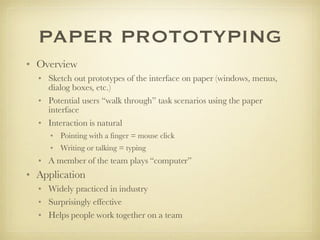
PAPER PROTOTYPING Overview Sketch out prototypes of the interface on paper (windows, menus, dialog boxes, etc.) Potential users “walk through” task scenarios using the paper interface  Interaction is natural  Pointing with a finger = mouse click Writing or talking = typing  A member of the team plays “computer” Application Widely practiced in industry Surprisingly effective Helps people work together on a team
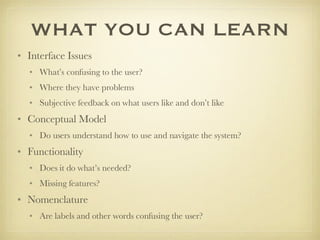
WHAT YOU CAN LEARN Interface Issues What’s confusing to the user?  Where they have problems  Subjective feedback on what users like and don’t like Conceptual Model Do users understand how to use and navigate the system?  Functionality Does it do what’s needed? Missing features?  Nomenclature Are labels and other words confusing the user?
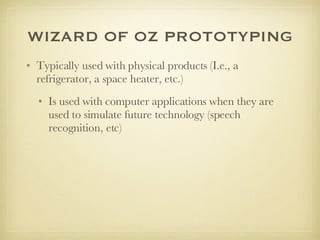
WIZARD OF OZ PROTOTYPING Typically used with physical products (I.e., a refrigerator, a space heater, etc.)  Is used with computer applications when they are used to simulate future technology (speech recognition, etc)

10 Information Processing Part3

  • 1.
  • 2.
  • 3.
    PROTOTYPING Fidelity– level of detail Low – many details missing High – similar to finished product Why use low fidelity prototypes? Get feedback faster (cheaper) Experiment with alternative designs Easier to fix problems before time and money has gone into creating the product Keep the design centered on the user Quicker design iterations and releases – get to the solution quicker
  • 4.
  • 5.
    LOW FIDELITY PROTOTYPINGLook Graphic Design Appearance Sketchy Hand drawn Feel Input Method Pointing, writing (different from mouse and keyboard if it is a computer application)
  • 6.
    PAPER PROTOTYPING OverviewSketch out prototypes of the interface on paper (windows, menus, dialog boxes, etc.) Potential users “walk through” task scenarios using the paper interface Interaction is natural Pointing with a finger = mouse click Writing or talking = typing A member of the team plays “computer” Application Widely practiced in industry Surprisingly effective Helps people work together on a team
  • 7.
    WHAT YOU CANLEARN Interface Issues What’s confusing to the user? Where they have problems Subjective feedback on what users like and don’t like Conceptual Model Do users understand how to use and navigate the system? Functionality Does it do what’s needed? Missing features? Nomenclature Are labels and other words confusing the user?
  • 8.
    WIZARD OF OZPROTOTYPING Typically used with physical products (I.e., a refrigerator, a space heater, etc.) Is used with computer applications when they are used to simulate future technology (speech recognition, etc)