GUI Applications Development Using .NET Framework
Objectives


                In this session, you will learn to:
                   Implement asynchronous programming
                   Use the BackGroundWorker component
                   Implement assemblies


     Ver. 1.0                        Session 13         Slide 1 of 27
GUI Applications Development Using .NET Framework
Implementing Asynchronous Programming


               There are two types of programming. These are:
                – Synchronous programming: In this each time a function is
                  called, program execution waits until that function is
                  completed, before continuing with the next line of code.
                – Asynchronous programming: Allows the user to perform
                  other tasks while the computer is executing a function, which is
                  taking a long time to complete.
               Asynchronous programming is implemented using
               multithreading.
               Multithreading is the ability of an operating system to
               execute the various parts of a program, called threads,
               simultaneously.
               A programmer needs to coordinate multiple threads in such
               a way that all the threads can run at the same time without
               interfering with each other.
    Ver. 1.0                        Session 13                            Slide 2 of 27
GUI Applications Development Using .NET Framework
Components Supporting Asynchronous Methods


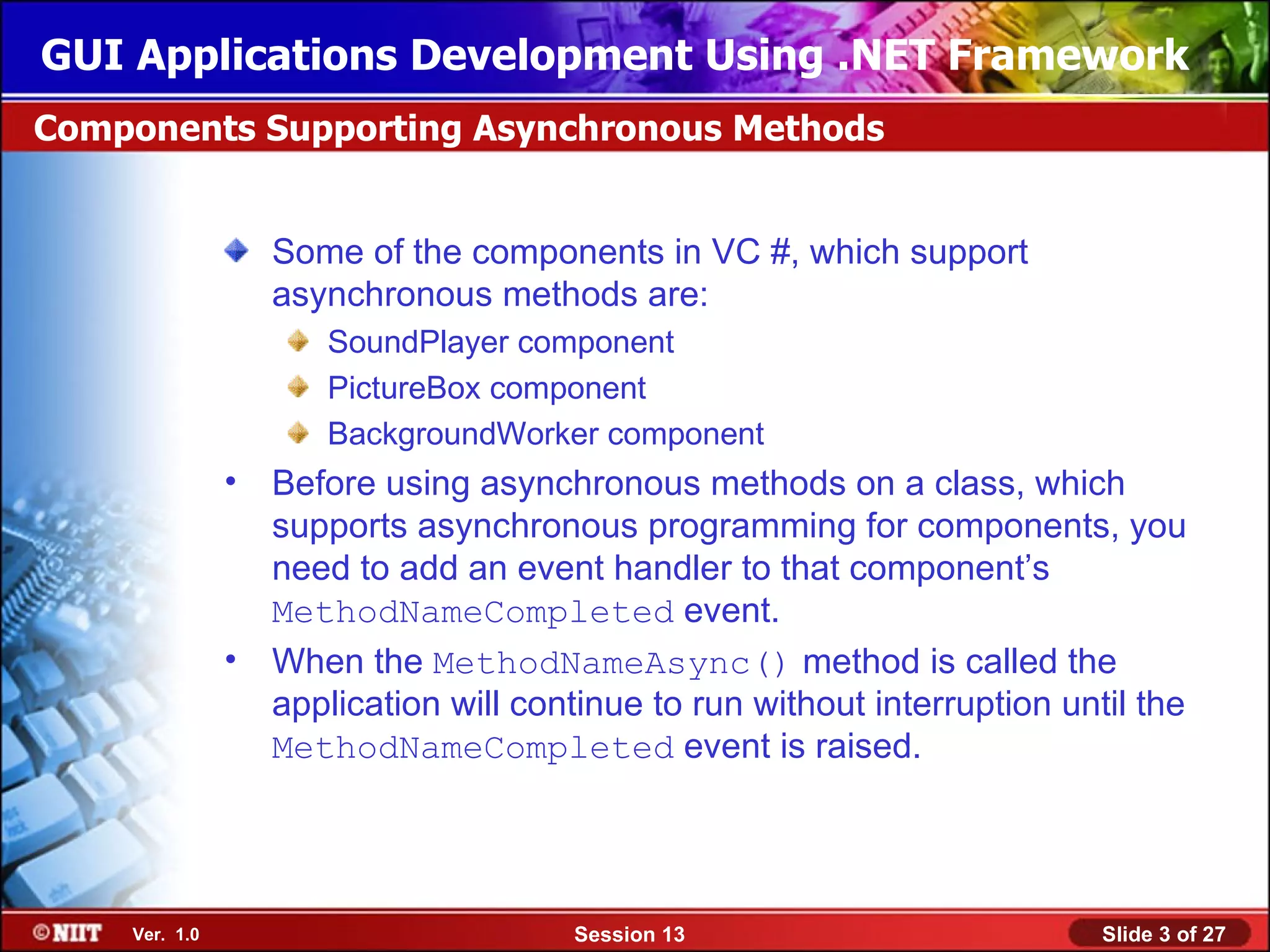
                  Some of the components in VC #, which support
                  asynchronous methods are:
                     SoundPlayer component
                     PictureBox component
                     BackgroundWorker component
               • Before using asynchronous methods on a class, which
                 supports asynchronous programming for components, you
                 need to add an event handler to that component’s
                 MethodNameCompleted event.
               • When the MethodNameAsync() method is called the
                 application will continue to run without interruption until the
                 MethodNameCompleted event is raised.


    Ver. 1.0                          Session 13                          Slide 3 of 27
GUI Applications Development Using .NET Framework
Coordinating Multiple Threads


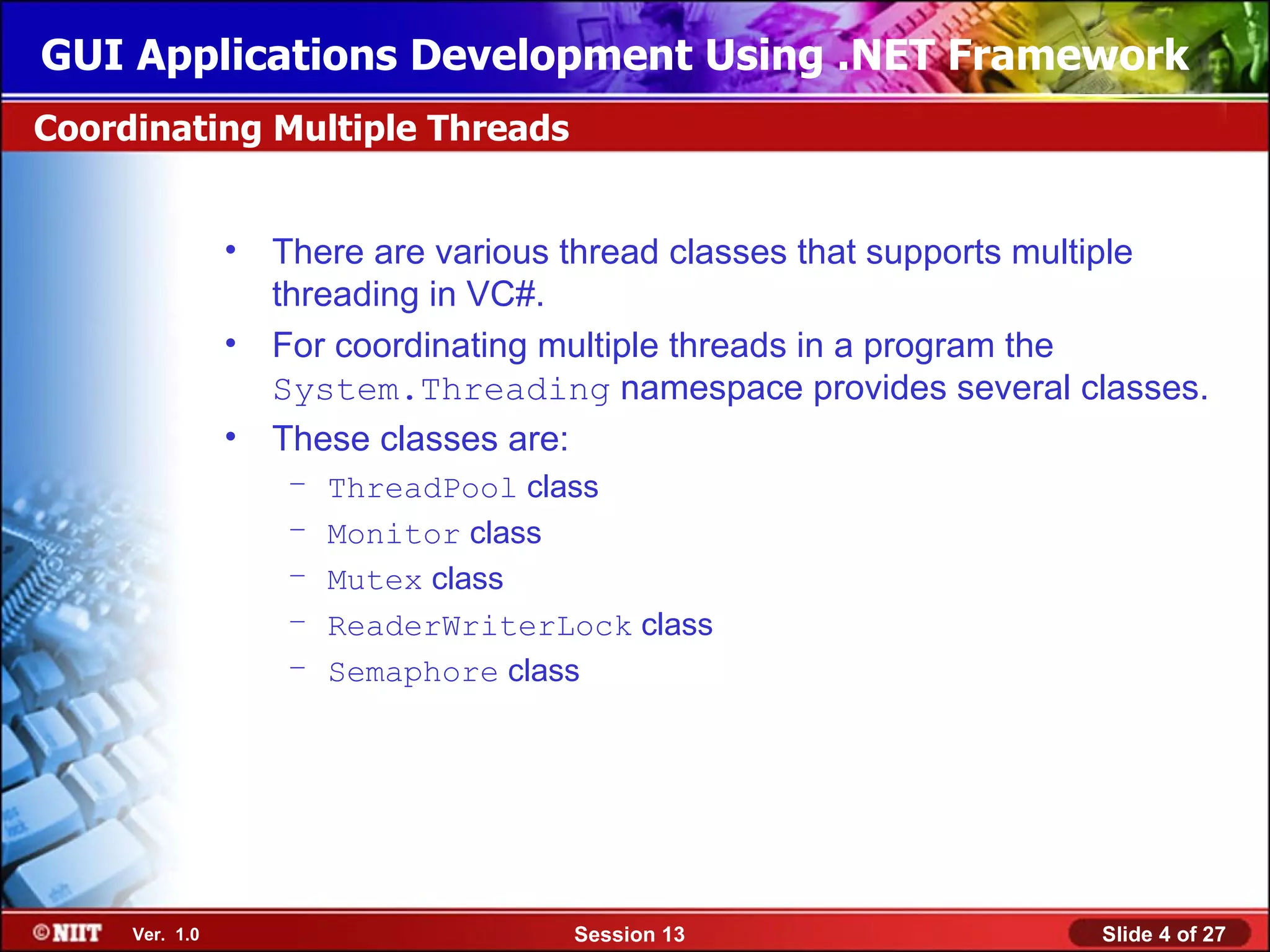
                • There are various thread classes that supports multiple
                  threading in VC#.
                • For coordinating multiple threads in a program the
                  System.Threading namespace provides several classes.
                • These classes are:
                   –   ThreadPool class
                   –   Monitor class
                   –   Mutex class
                   –   ReaderWriterLock class
                   –   Semaphore class


     Ver. 1.0                        Session 13                   Slide 4 of 27
GUI Applications Development Using .NET Framework
Just a minute


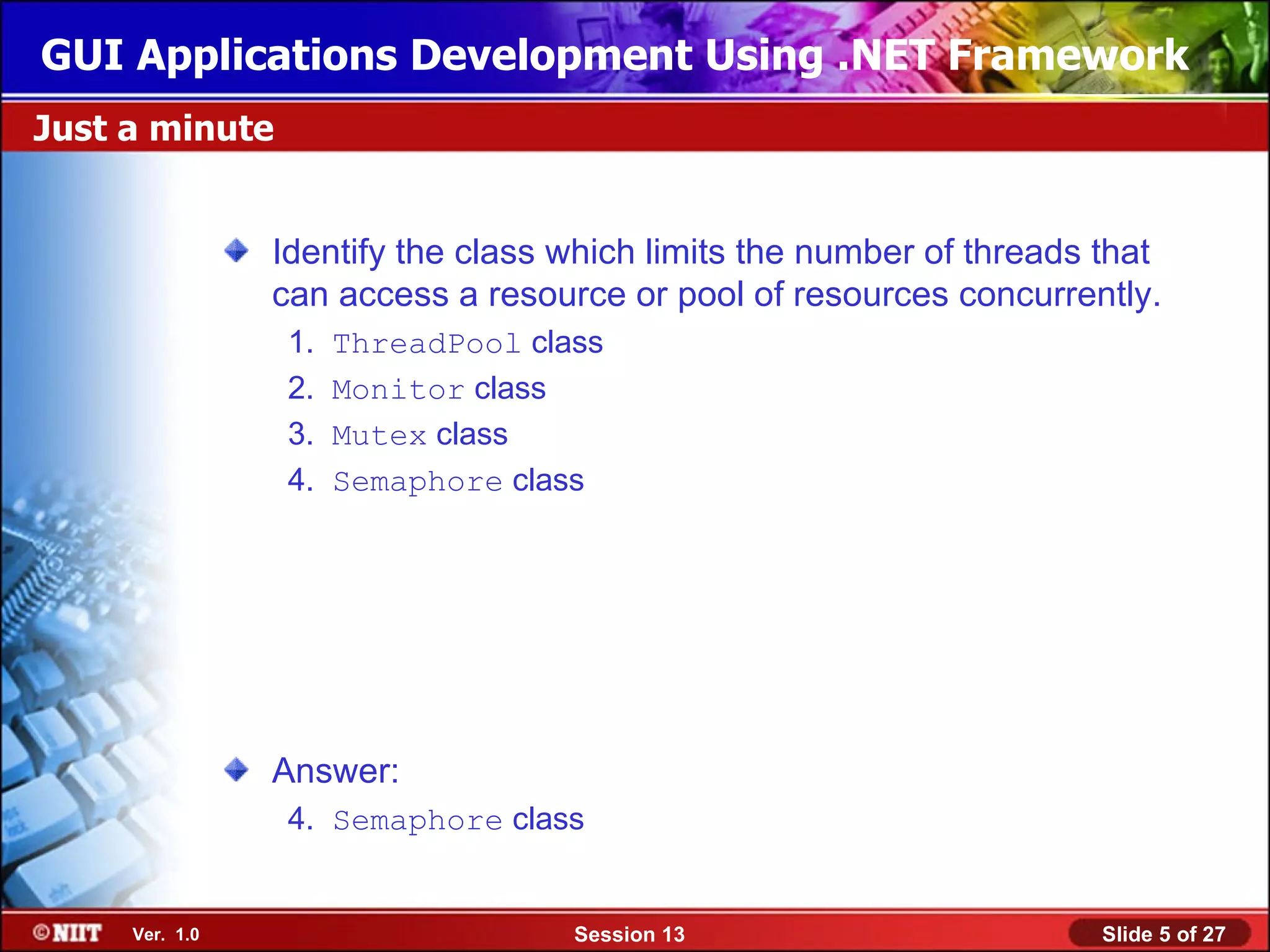
                Identify the class which limits the number of threads that
                can access a resource or pool of resources concurrently.
                 1.   ThreadPool class
                 2.   Monitor class
                 3.   Mutex class
                 4.   Semaphore class


                Answer:
                 4. Semaphore class


     Ver. 1.0                       Session 13                        Slide 5 of 27
GUI Applications Development Using .NET Framework
Just a minute


                Which method grants a lock on a resource?


                Answer:
                – The Enter() method


     Ver. 1.0                     Session 13                Slide 6 of 27
GUI Applications Development Using .NET Framework
Coordinating Multiple Threads (Contd.)


                The two main situations, which could create bottlenecks in
                asynchronous programming are as follows:
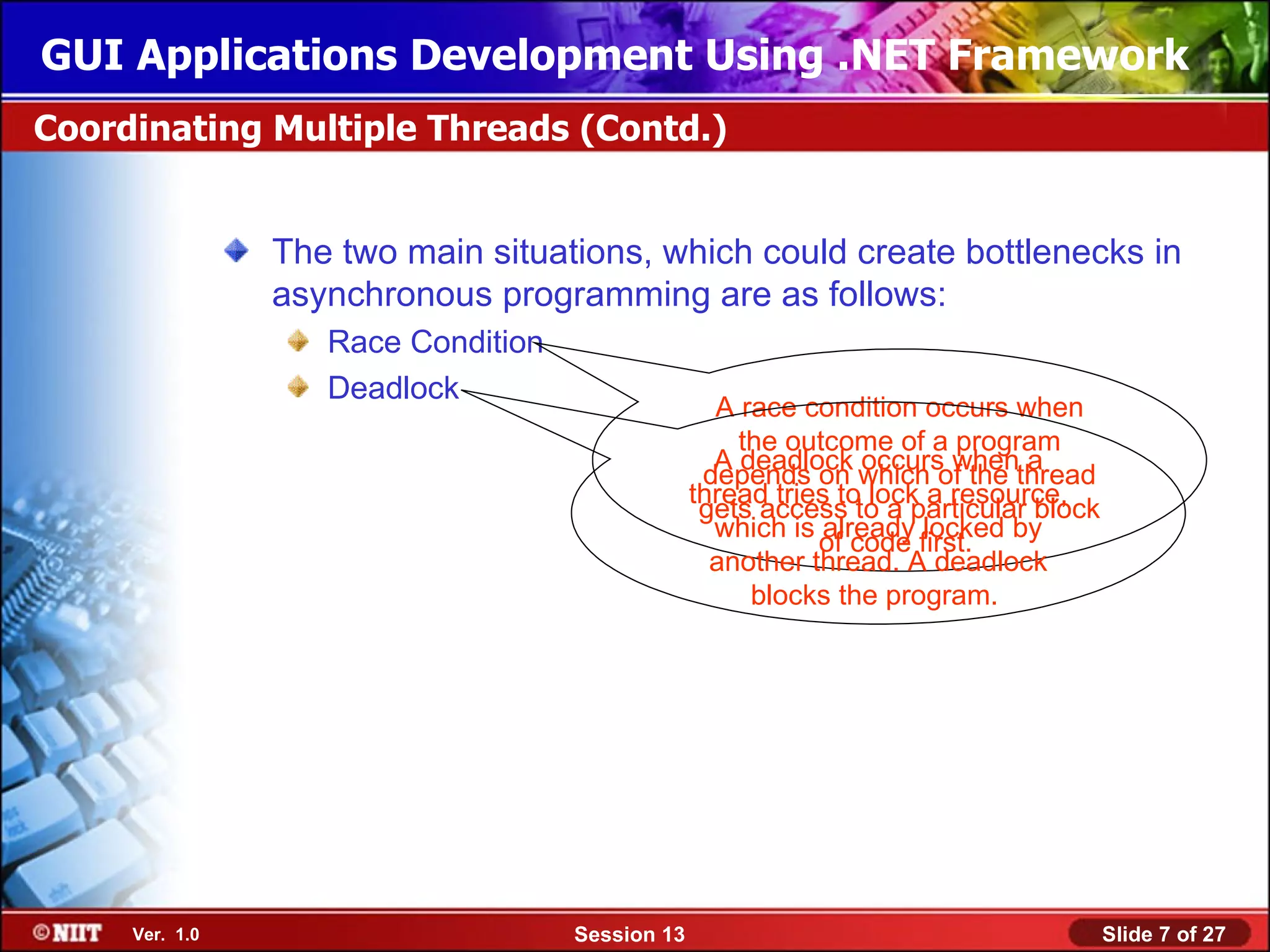
                   Race Condition
                   Deadlock
                                                   A race condition occurs when
                                                     the outcome of a program
                                                   A deadlock occurs when a
                                                  depends on which of the thread
                                                 thread tries to lock a resource,
                                                  gets access to a particular block
                                                   which is already locked by
                                                            of code first.
                                                   another thread. A deadlock
                                                      blocks the program.


     Ver. 1.0                       Session 13                                        Slide 7 of 27
GUI Applications Development Using .NET Framework
Using the BackGroundWorker Component


               BackGroundWorker component enables simultaneous
               execution of multiple tasks.
               There are several methods and events available with
               BackGroundWorker component to support execution of
               multiple tasks.
               The RunWorkerAsync() method supported by
               BackGroundWorker component, is used to start an
               asynchronous operation.
               The two events supported by BackGroundWorker
               component are:
                  RunWorkerCompleted event
                  DoWork event


    Ver. 1.0                    Session 13                      Slide 8 of 27
GUI Applications Development Using .NET Framework
Just a minute


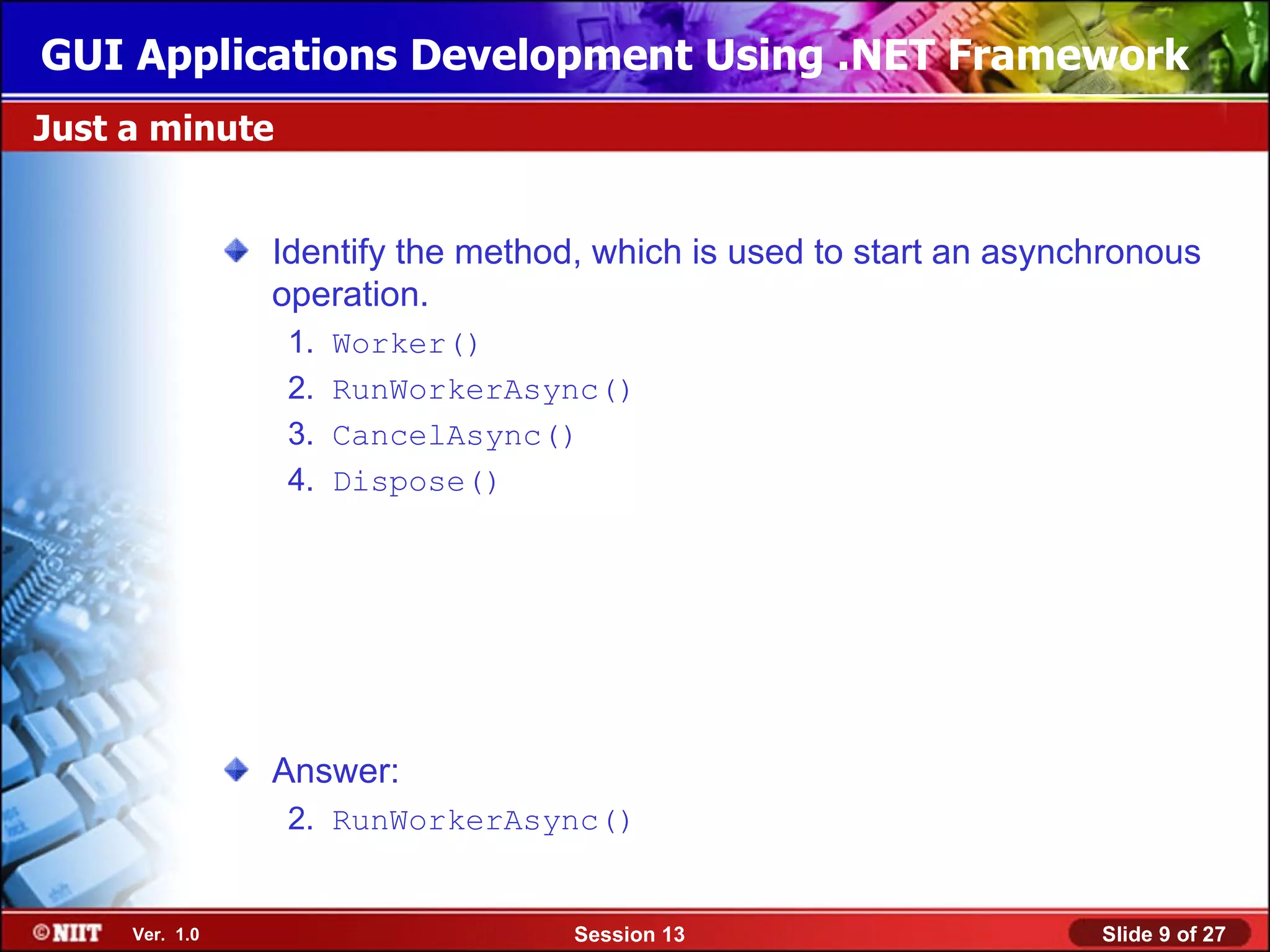
                Identify the method, which is used to start an asynchronous
                operation.
                 1.   Worker()
                 2.   RunWorkerAsync()
                 3.   CancelAsync()
                 4.   Dispose()


                Answer:
                 2. RunWorkerAsync()


     Ver. 1.0                      Session 13                       Slide 9 of 27
GUI Applications Development Using .NET Framework
Just a minute


                Name the event, which occurs when the background
                operation is completed.


                Answer:
                   The RunWorkerCompleted event


     Ver. 1.0                    Session 13                        Slide 10 of 27
GUI Applications Development Using .NET Framework
Demo: Using the BackGroundWorker Component


               Problem Statement:
                  You have decided to create a simple application that would
                  meet the following requirements:
                   • Ask a user to enter a number.
                   • Calculate the sum of all the numbers from number 1 to the number
                     that is entered by the user, both synchronously and
                     asynchronously.
                   • Display the result of the calculation in a label control.
                   • Show the progress of the calculation in a progress bar.
                  Moreover, if the user wants to display an image while the
                  application is calculating the result, the program allows the
                  user to perform another operation, such as loading a picture or
                  cancelling the calculation.
                  Create the application using the BackGroundWorker
                  component.


    Ver. 1.0                        Session 13                              Slide 11 of 27
GUI Applications Development Using .NET Framework
Demo: Using the BackGroundWorker Component (Contd.)


               Solution:
                  To meet the preceding requirements, you need to perform the
                  following tasks:
                    1. Create a new VC# application.
                    2. Design the BackGroundWorker form.
                    3. Create the SumNumbers function to calculate the sum of the
                       numbers.
                    4. Create the UpdateProgress function to update the progress bar.
                    5. Add code to the controls.
                    6. Execute the application and verify the output.


    Ver. 1.0                         Session 13                               Slide 12 of 27
GUI Applications Development Using .NET Framework
Demo: Creating a New Process Thread and Stopping it


                Problem Statement:
                   You have to create an application with Button controls to start
                   and stop a Notepad process. This application allows the user
                   to start several instances of Notepad individually by clicking the
                   Start Process button and then stop them all simultaneously by
                   clicking the Stop Process button. In addition, the application
                   has a third button, the Wait Sometime button that will wait for
                   three seconds before closing an instance.
                   Help yourself to develop the required application.


     Ver. 1.0                        Session 13                             Slide 13 of 27
GUI Applications Development Using .NET Framework
Demo: Creating a New Process Thread and Stopping it (Contd.)


                Solution:
                   To meet the preceding requirements, you need to perform the
                   following tasks:
                     1.   Create a new VC# application.
                     2.   Design the Thread Demo form.
                     3.   Add code to perform the desired tasks.
                     4.   Execute the program and verify the output.


     Ver. 1.0                           Session 13                     Slide 14 of 27
GUI Applications Development Using .NET Framework
Working with Assemblies


                An assembly:
                   is the smallest deployable unit
                   is a versioned, self-describing binary dynamic link library (DLL)
                   or executable (EXE)
                   contains a collection of types (classes, interfaces, and structs)
                An assembly consists of three elements:
                   Manifest
                   Microsoft Intermediate Language (MSIL) code
                   Resources


     Ver. 1.0                        Session 13                            Slide 15 of 27
GUI Applications Development Using .NET Framework
Types of Assemblies


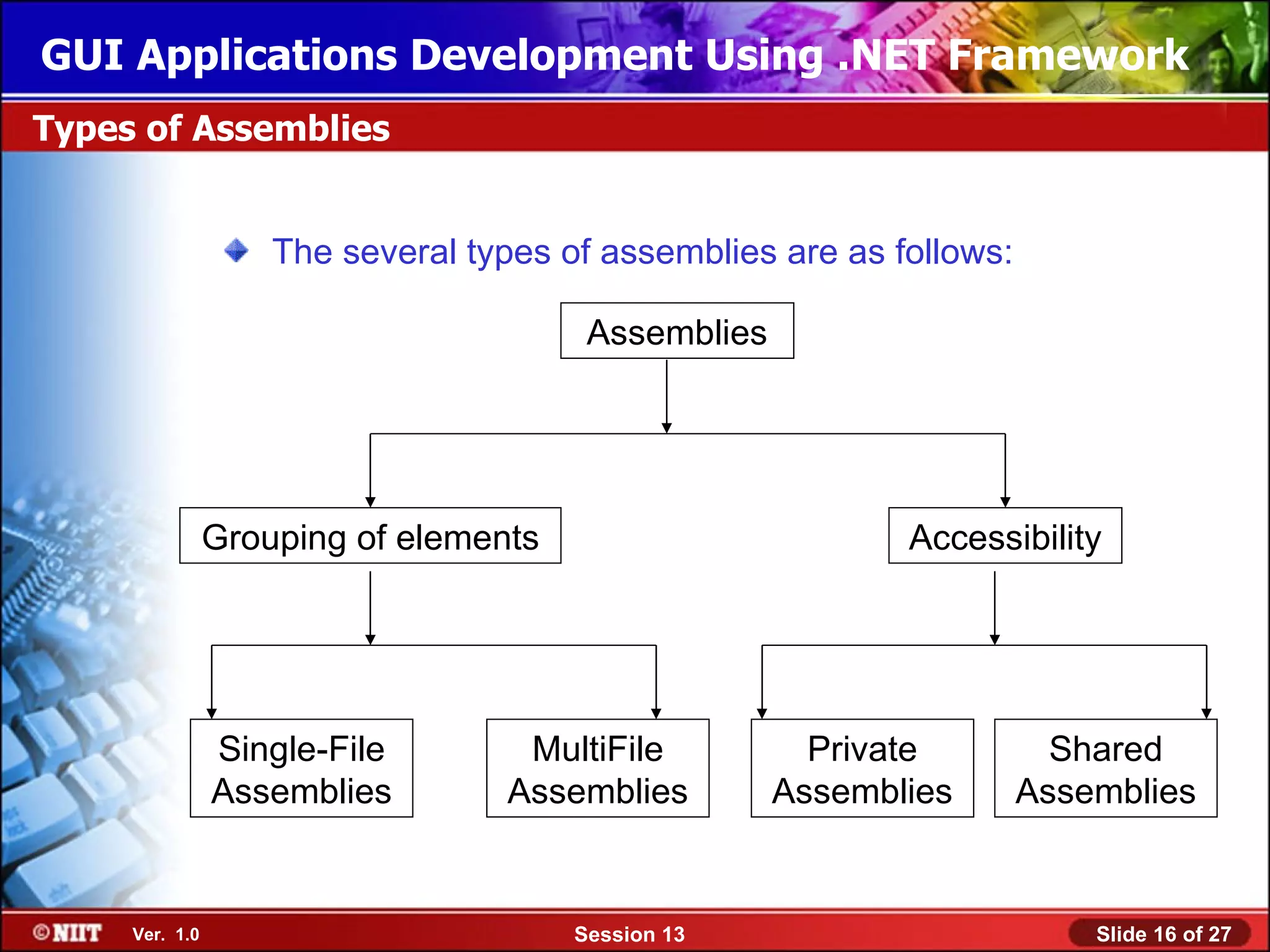
                    The several types of assemblies are as follows:

                                        Assemblies


                Grouping of elements                        Accessibility


                Single-File        MultiFile           Private          Shared
                Assemblies        Assemblies         Assemblies       Assemblies


     Ver. 1.0                          Session 13                         Slide 16 of 27
GUI Applications Development Using .NET Framework
Creating Strong-Named Assemblies


                A strong name contains the following information about the
                assembly:
                   Name
                   Version number
                   Culture information
                   Public key of a public/private key pair
                A public/private key pair is required to sign an assembly
                with a strong name.
                If the key pair does not exist, it can be generated with the
                strong naming utility (sn.exe).


     Ver. 1.0                        Session 13                        Slide 17 of 27
GUI Applications Development Using .NET Framework
Just a minute


                What is the command to create a strong named key pair,
                and store it in a file using the sn.exe utility?


                Answer:
                   sn –k filename.snk


     Ver. 1.0                     Session 13                      Slide 18 of 27
GUI Applications Development Using .NET Framework
Calling a Strong-Named Assembly


                To add a reference to the strong named assembly in your
                project, you need to perform the following steps:
                1. Right-click the References node in Visual Studio .NET Solution
                   Explorer.
                2. Select the Add Reference option. The Add Reference dialog
                   box appears.
                3. Click the Browse button to locate the assembly.
                4. Select the correct assembly, and click the OK button.
                5. Check the References node in Solution Explorer to verify that
                   the reference to the assembly has been added.
                6. Include the using statement for the namespace of the
                   strong-named assembly in all the source files that require
                   access to the assembly.
                7. Build and run the application.


     Ver. 1.0                       Session 13                           Slide 19 of 27
GUI Applications Development Using .NET Framework
Installing Assemblies to the Global Assembly Cache


                An assembly can be added to the GAC by using any one of
                the following methods:
                   Using the Windows installer, which is compatible with the GAC
                   Using the Gacutil.exe that is the Global Assembly Cache tool
                   Using the Windows drag-and-drop feature
                The advantages of adding assemblies to the GAC are as
                follows:
                   It is possible to share an assembly across an application that
                   requires them.
                   It secures the assemblies against unauthorized access.
                   It is possible to store multiple copies of the same assembly
                   with different version numbers in the GAC.


     Ver. 1.0                       Session 13                            Slide 20 of 27
GUI Applications Development Using .NET Framework
Installing Assemblies to the Global Assembly Cache (Contd.)


                The syntax for adding an assembly using gacutil.exe is as
                follows:
                         gacutil [options] [assemblyname]


                /l: Used to
                   list the       /I :Used to          /u: Used to
                assemblies        register the        unregister or
                  in GAC           assembly            remove the
                                  to the GAC         assembly from
                                                        the GAC


     Ver. 1.0                      Session 13                         Slide 21 of 27
GUI Applications Development Using .NET Framework
Just a minute


                What is the full form of GAC?


                Answer:
                   Global Assembly Cache


     Ver. 1.0                      Session 13   Slide 22 of 27
GUI Applications Development Using .NET Framework
Viewing the Version Information in an Assembly


                • Multiple versions of an assembly can exist because a new
                  version of the component is created every time a
                  component is registered.
                • The version number of the assembly has four parts. The
                  parts are:
                   –   Major version number
                   –   Minor version number
                   –   Build number
                   –   Revision number
                  The version numbers of the assembly help to:
                       identify the latest version of the component
                       identify the version compatibility existing between various
                       versions of the components


     Ver. 1.0                            Session 13                            Slide 23 of 27
GUI Applications Development Using .NET Framework
Viewing the Version Information in an Assembly (Contd.)


                • Whenever the application runs, the .NET platform loads the
                  latest component version to the application.
                • The version information of an assembly is stored in the
                  identity section of the manifest.
                • To view the contents of a manifest for a particular
                  assembly, you can use the ILDisassembler
                  (ILdasm.exe).


     Ver. 1.0                        Session 13                      Slide 24 of 27
GUI Applications Development Using .NET Framework
Just a minute


                Which command is used to view the assembly contents?


                Answer:
                   Ildasm <assembly name>


     Ver. 1.0                    Session 13                    Slide 25 of 27
GUI Applications Development Using .NET Framework
Summary


               In this session, you learned that:
                – In synchronous programming, each time a function is called,
                  program execution waits until that function is completed.
                – By using asynchronous programming, more than one task can
                  be performed at a time.
                – Some of the components that support asynchronous methods
                  are the SoundPlayer, PictureBox, and BackGroundWorker
                  component.
                – The System.Threading namespace provides several
                  classes that enable the users to implement threads in their
                  application.
                – An assembly is a collection of all information required by the
                  Common Language Runtime (CLR) to execute your
                  application.


    Ver. 1.0                        Session 13                          Slide 26 of 27
GUI Applications Development Using .NET Framework
Summary (Contd.)


               An assembly that groups all files in a single file is called a
               single-file assembly. An assembly made up of multiple files is
               called a multifile assembly.
               Assemblies can be either private or shared.
               For sharing an assembly it needs to be installed in the Global
               Assembly Cache.
               There are three methods of placing assemblies in the Global
               Assembly Cache. These methods are:
                   GAC utility tool (GACutil.exe)
                   Windows Installer
                   Windows drag-and-drop feature


    Ver. 1.0                    Session 13                            Slide 27 of 27

09 gui 13

  • 1.
    GUI Applications DevelopmentUsing .NET Framework Objectives In this session, you will learn to: Implement asynchronous programming Use the BackGroundWorker component Implement assemblies Ver. 1.0 Session 13 Slide 1 of 27
  • 2.
    GUI Applications DevelopmentUsing .NET Framework Implementing Asynchronous Programming There are two types of programming. These are: – Synchronous programming: In this each time a function is called, program execution waits until that function is completed, before continuing with the next line of code. – Asynchronous programming: Allows the user to perform other tasks while the computer is executing a function, which is taking a long time to complete. Asynchronous programming is implemented using multithreading. Multithreading is the ability of an operating system to execute the various parts of a program, called threads, simultaneously. A programmer needs to coordinate multiple threads in such a way that all the threads can run at the same time without interfering with each other. Ver. 1.0 Session 13 Slide 2 of 27
  • 3.
    GUI Applications DevelopmentUsing .NET Framework Components Supporting Asynchronous Methods Some of the components in VC #, which support asynchronous methods are: SoundPlayer component PictureBox component BackgroundWorker component • Before using asynchronous methods on a class, which supports asynchronous programming for components, you need to add an event handler to that component’s MethodNameCompleted event. • When the MethodNameAsync() method is called the application will continue to run without interruption until the MethodNameCompleted event is raised. Ver. 1.0 Session 13 Slide 3 of 27
  • 4.
    GUI Applications DevelopmentUsing .NET Framework Coordinating Multiple Threads • There are various thread classes that supports multiple threading in VC#. • For coordinating multiple threads in a program the System.Threading namespace provides several classes. • These classes are: – ThreadPool class – Monitor class – Mutex class – ReaderWriterLock class – Semaphore class Ver. 1.0 Session 13 Slide 4 of 27
  • 5.
    GUI Applications DevelopmentUsing .NET Framework Just a minute Identify the class which limits the number of threads that can access a resource or pool of resources concurrently. 1. ThreadPool class 2. Monitor class 3. Mutex class 4. Semaphore class Answer: 4. Semaphore class Ver. 1.0 Session 13 Slide 5 of 27
  • 6.
    GUI Applications DevelopmentUsing .NET Framework Just a minute Which method grants a lock on a resource? Answer: – The Enter() method Ver. 1.0 Session 13 Slide 6 of 27
  • 7.
    GUI Applications DevelopmentUsing .NET Framework Coordinating Multiple Threads (Contd.) The two main situations, which could create bottlenecks in asynchronous programming are as follows: Race Condition Deadlock A race condition occurs when the outcome of a program A deadlock occurs when a depends on which of the thread thread tries to lock a resource, gets access to a particular block which is already locked by of code first. another thread. A deadlock blocks the program. Ver. 1.0 Session 13 Slide 7 of 27
  • 8.
    GUI Applications DevelopmentUsing .NET Framework Using the BackGroundWorker Component BackGroundWorker component enables simultaneous execution of multiple tasks. There are several methods and events available with BackGroundWorker component to support execution of multiple tasks. The RunWorkerAsync() method supported by BackGroundWorker component, is used to start an asynchronous operation. The two events supported by BackGroundWorker component are: RunWorkerCompleted event DoWork event Ver. 1.0 Session 13 Slide 8 of 27
  • 9.
    GUI Applications DevelopmentUsing .NET Framework Just a minute Identify the method, which is used to start an asynchronous operation. 1. Worker() 2. RunWorkerAsync() 3. CancelAsync() 4. Dispose() Answer: 2. RunWorkerAsync() Ver. 1.0 Session 13 Slide 9 of 27
  • 10.
    GUI Applications DevelopmentUsing .NET Framework Just a minute Name the event, which occurs when the background operation is completed. Answer: The RunWorkerCompleted event Ver. 1.0 Session 13 Slide 10 of 27
  • 11.
    GUI Applications DevelopmentUsing .NET Framework Demo: Using the BackGroundWorker Component Problem Statement: You have decided to create a simple application that would meet the following requirements: • Ask a user to enter a number. • Calculate the sum of all the numbers from number 1 to the number that is entered by the user, both synchronously and asynchronously. • Display the result of the calculation in a label control. • Show the progress of the calculation in a progress bar. Moreover, if the user wants to display an image while the application is calculating the result, the program allows the user to perform another operation, such as loading a picture or cancelling the calculation. Create the application using the BackGroundWorker component. Ver. 1.0 Session 13 Slide 11 of 27
  • 12.
    GUI Applications DevelopmentUsing .NET Framework Demo: Using the BackGroundWorker Component (Contd.) Solution: To meet the preceding requirements, you need to perform the following tasks: 1. Create a new VC# application. 2. Design the BackGroundWorker form. 3. Create the SumNumbers function to calculate the sum of the numbers. 4. Create the UpdateProgress function to update the progress bar. 5. Add code to the controls. 6. Execute the application and verify the output. Ver. 1.0 Session 13 Slide 12 of 27
  • 13.
    GUI Applications DevelopmentUsing .NET Framework Demo: Creating a New Process Thread and Stopping it Problem Statement: You have to create an application with Button controls to start and stop a Notepad process. This application allows the user to start several instances of Notepad individually by clicking the Start Process button and then stop them all simultaneously by clicking the Stop Process button. In addition, the application has a third button, the Wait Sometime button that will wait for three seconds before closing an instance. Help yourself to develop the required application. Ver. 1.0 Session 13 Slide 13 of 27
  • 14.
    GUI Applications DevelopmentUsing .NET Framework Demo: Creating a New Process Thread and Stopping it (Contd.) Solution: To meet the preceding requirements, you need to perform the following tasks: 1. Create a new VC# application. 2. Design the Thread Demo form. 3. Add code to perform the desired tasks. 4. Execute the program and verify the output. Ver. 1.0 Session 13 Slide 14 of 27
  • 15.
    GUI Applications DevelopmentUsing .NET Framework Working with Assemblies An assembly: is the smallest deployable unit is a versioned, self-describing binary dynamic link library (DLL) or executable (EXE) contains a collection of types (classes, interfaces, and structs) An assembly consists of three elements: Manifest Microsoft Intermediate Language (MSIL) code Resources Ver. 1.0 Session 13 Slide 15 of 27
  • 16.
    GUI Applications DevelopmentUsing .NET Framework Types of Assemblies The several types of assemblies are as follows: Assemblies Grouping of elements Accessibility Single-File MultiFile Private Shared Assemblies Assemblies Assemblies Assemblies Ver. 1.0 Session 13 Slide 16 of 27
  • 17.
    GUI Applications DevelopmentUsing .NET Framework Creating Strong-Named Assemblies A strong name contains the following information about the assembly: Name Version number Culture information Public key of a public/private key pair A public/private key pair is required to sign an assembly with a strong name. If the key pair does not exist, it can be generated with the strong naming utility (sn.exe). Ver. 1.0 Session 13 Slide 17 of 27
  • 18.
    GUI Applications DevelopmentUsing .NET Framework Just a minute What is the command to create a strong named key pair, and store it in a file using the sn.exe utility? Answer: sn –k filename.snk Ver. 1.0 Session 13 Slide 18 of 27
  • 19.
    GUI Applications DevelopmentUsing .NET Framework Calling a Strong-Named Assembly To add a reference to the strong named assembly in your project, you need to perform the following steps: 1. Right-click the References node in Visual Studio .NET Solution Explorer. 2. Select the Add Reference option. The Add Reference dialog box appears. 3. Click the Browse button to locate the assembly. 4. Select the correct assembly, and click the OK button. 5. Check the References node in Solution Explorer to verify that the reference to the assembly has been added. 6. Include the using statement for the namespace of the strong-named assembly in all the source files that require access to the assembly. 7. Build and run the application. Ver. 1.0 Session 13 Slide 19 of 27
  • 20.
    GUI Applications DevelopmentUsing .NET Framework Installing Assemblies to the Global Assembly Cache An assembly can be added to the GAC by using any one of the following methods: Using the Windows installer, which is compatible with the GAC Using the Gacutil.exe that is the Global Assembly Cache tool Using the Windows drag-and-drop feature The advantages of adding assemblies to the GAC are as follows: It is possible to share an assembly across an application that requires them. It secures the assemblies against unauthorized access. It is possible to store multiple copies of the same assembly with different version numbers in the GAC. Ver. 1.0 Session 13 Slide 20 of 27
  • 21.
    GUI Applications DevelopmentUsing .NET Framework Installing Assemblies to the Global Assembly Cache (Contd.) The syntax for adding an assembly using gacutil.exe is as follows: gacutil [options] [assemblyname] /l: Used to list the /I :Used to /u: Used to assemblies register the unregister or in GAC assembly remove the to the GAC assembly from the GAC Ver. 1.0 Session 13 Slide 21 of 27
  • 22.
    GUI Applications DevelopmentUsing .NET Framework Just a minute What is the full form of GAC? Answer: Global Assembly Cache Ver. 1.0 Session 13 Slide 22 of 27
  • 23.
    GUI Applications DevelopmentUsing .NET Framework Viewing the Version Information in an Assembly • Multiple versions of an assembly can exist because a new version of the component is created every time a component is registered. • The version number of the assembly has four parts. The parts are: – Major version number – Minor version number – Build number – Revision number The version numbers of the assembly help to: identify the latest version of the component identify the version compatibility existing between various versions of the components Ver. 1.0 Session 13 Slide 23 of 27
  • 24.
    GUI Applications DevelopmentUsing .NET Framework Viewing the Version Information in an Assembly (Contd.) • Whenever the application runs, the .NET platform loads the latest component version to the application. • The version information of an assembly is stored in the identity section of the manifest. • To view the contents of a manifest for a particular assembly, you can use the ILDisassembler (ILdasm.exe). Ver. 1.0 Session 13 Slide 24 of 27
  • 25.
    GUI Applications DevelopmentUsing .NET Framework Just a minute Which command is used to view the assembly contents? Answer: Ildasm <assembly name> Ver. 1.0 Session 13 Slide 25 of 27
  • 26.
    GUI Applications DevelopmentUsing .NET Framework Summary In this session, you learned that: – In synchronous programming, each time a function is called, program execution waits until that function is completed. – By using asynchronous programming, more than one task can be performed at a time. – Some of the components that support asynchronous methods are the SoundPlayer, PictureBox, and BackGroundWorker component. – The System.Threading namespace provides several classes that enable the users to implement threads in their application. – An assembly is a collection of all information required by the Common Language Runtime (CLR) to execute your application. Ver. 1.0 Session 13 Slide 26 of 27
  • 27.
    GUI Applications DevelopmentUsing .NET Framework Summary (Contd.) An assembly that groups all files in a single file is called a single-file assembly. An assembly made up of multiple files is called a multifile assembly. Assemblies can be either private or shared. For sharing an assembly it needs to be installed in the Global Assembly Cache. There are three methods of placing assemblies in the Global Assembly Cache. These methods are: GAC utility tool (GACutil.exe) Windows Installer Windows drag-and-drop feature Ver. 1.0 Session 13 Slide 27 of 27

Editor's Notes

  • #2 Start the session by sharing the session objectives with the students.
  • #3 Initiate the discussion by discussing the disadvantage of synchronous programming. Discuss with them that since the program is executed line by line, therefore the user is unable to perform any other task till the time program is completed. Using this disadvantage as the base, discuss with them that asynchronous programming is beneficial. This can also be discussed with the help of an example. Ask the students the following question: What would happen if they are unable to print a work document while they are creating a worksheet? OR What would happen if they are unable to send a mail while a document is being printed? This would delay the work drastically. Therefore, asynchronous programming or multithreading, actually helps the user to perform various tasks simultaneously.
  • #4 Using this slide discuss the components and the process to use asynchronous methods on a class.
  • #5 While using multi-threaded programs, some general problems, such as multiple threads accessing the same resource, might arise. To avoid such problems you need to coordinate multiple threads. Discuss the problems with the students. You can take the following example: There is a document named Standards.doc that is used as a basis for checking the standards used in making presentations for meetings in an InfoTech Ltd. A new employee was asked to use that document while creating the presentation for his Weekly Status Report. He tried to open the document. On the other hand the document was opened by his manager for making some change in one of the standards. Therefore, the new employee is unable to get the latest version of the document. There are certain classes that can be used to avoid this situation. Discuss these classes with the students.
  • #6 Reiterate the concepts taught earlier by asking the given question.
  • #7 Reiterate the concepts taught earlier by asking the given question.
  • #8 Use this slide to discuss the two situations with the students.
  • #9 Use this slide to discuss with the students the methods and events supported by BackGroundWorker component
  • #10 Reiterate the concepts taught earlier by asking the given question.
  • #11 Reiterate the concepts taught earlier by asking the given question.
  • #12 Conduct the activity stated in the slide in a collaborative mode in the class.
  • #13 Conduct the activity stated in the slide in a collaborative mode in the class.
  • #14 Conduct the activity stated in the slide in a collaborative mode in the class.
  • #15 Conduct the activity stated in the slide in a collaborative mode in the class.
  • #16 Use this slide to discuss the use of assemblies. Discuss with them that programs and libraries for .NET are packaged into units called assemblies .
  • #17 Using this slide, discuss all the types of assemblies.
  • #18 The faculty must discuss the steps given in SG for creating Strong Named Assembly
  • #19 Reiterate the concepts taught earlier by asking the given question.
  • #20 The faculty can demonstrate these steps for better understanding of the students. It will be a good practice to first create a strong named assembly and then calling it.
  • #21 Using this slide, discuss the methods for adding an assembly to the GAC. Also discuss the advantages of doing so.
  • #22 The faculty can demonstrate this command for better understanding of the students.
  • #23 Reiterate the concepts taught earlier by asking the given question.
  • #24 Using this and the next slide, discuss with the students that every time there is a change in the component, the component may be recompiled and the assembly may be created again. Creating the assembly again generates newer versions of the existing assembly. This helps to identify the various versions that have been created for an assembly.
  • #26 Reiterate the concepts taught earlier by asking the given question.
  • #27 You can summarize the session by using the summary given in the slides. In addition, you can also ask students summarize what they have learnt in this session.