05 | Managing transactions and
concurrency
Adam Tuliper | Technical Evangelist
Christopher Harrison | Content Developer
Module Overview
• Working in a web application
• Managing concurrency
Working in a web application
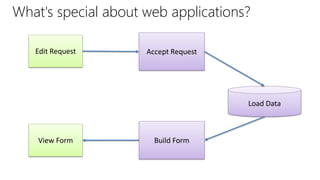
What's special about web applications?
Edit Request Accept Request
Load Data
Build FormView Form
Web applications are stateless
• EF uses entity tracking to detect changes
– Entities can only be tracked if they're attached to a data context
• When the page is returned to the user, the data context goes
away
• When the user returns updated object to the server, the server
sees that as a new object
– Not a modification to an existing object
Basic process for updates and deletes
• Attach the object to the context
• Set the state as Modified or Deleted
• SaveChanges
• Notes, updates the entire object, not individual properties
DEMO
Modifying and deleting entities
Managing concurrency
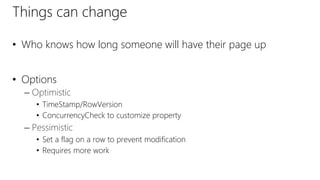
Things can change
• Who knows how long someone will have their page up
• Options
– Optimistic
• TimeStamp/RowVersion
• ConcurrencyCheck to customize property
– Pessimistic
• Set a flag on a row to prevent modification
• Requires more work
Optimistic concurrency with RowVersion/TimeStamp
• RowVersion and TimeStamp mean the same thing
• Basic steps
– Add a property of type byte[]
– Decorate the property with TimestampAttribute
[Timestamp()]
public byte[] RowVersion { get; set; }
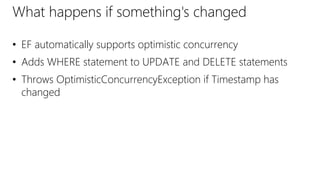
What happens if something's changed
• EF automatically supports optimistic concurrency
• Adds WHERE statement to UPDATE and DELETE statements
• Throws OptimisticConcurrencyException if Timestamp has
changed
DEMO
Optimistic concurrency
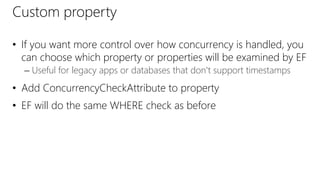
Custom property
• If you want more control over how concurrency is handled, you
can choose which property or properties will be examined by EF
– Useful for legacy apps or databases that don't support timestamps
• Add ConcurrencyCheckAttribute to property
• EF will do the same WHERE check as before
DEMO
Custom property optimistic concurrency
Transactions
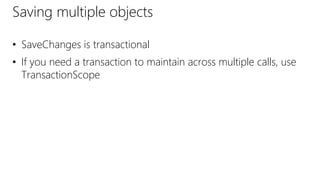
Saving multiple objects
• SaveChanges is transactional
• If you need a transaction to maintain across multiple calls, use
TransactionScope
DEMO
Custom transactions
©2013 Microsoft Corporation. All rights reserved. Microsoft, Windows, Office, Azure, System Center, Dynamics and other product names are or may be registered trademarks and/or trademarks in the
U.S. and/or other countries. The information herein is for informational purposes only and represents the current view of Microsoft Corporation as of the date of this presentation. Because Microsoft
must respond to changing market conditions, it should not be interpreted to be a commitment on the part of Microsoft, and Microsoft cannot guarantee the accuracy of any information provided after
the date of this presentation. MICROSOFT MAKES NO WARRANTIES, EXPRESS, IMPLIED OR STATUTORY, AS TO THE INFORMATION IN THIS PRESENTATION.

05 managing transactions

  • 1.
    05 | Managingtransactions and concurrency Adam Tuliper | Technical Evangelist Christopher Harrison | Content Developer
  • 2.
    Module Overview • Workingin a web application • Managing concurrency
  • 3.
    Working in aweb application
  • 4.
    What's special aboutweb applications? Edit Request Accept Request Load Data Build FormView Form
  • 5.
    Web applications arestateless • EF uses entity tracking to detect changes – Entities can only be tracked if they're attached to a data context • When the page is returned to the user, the data context goes away • When the user returns updated object to the server, the server sees that as a new object – Not a modification to an existing object
  • 6.
    Basic process forupdates and deletes • Attach the object to the context • Set the state as Modified or Deleted • SaveChanges • Notes, updates the entire object, not individual properties
  • 7.
  • 8.
  • 9.
    Things can change •Who knows how long someone will have their page up • Options – Optimistic • TimeStamp/RowVersion • ConcurrencyCheck to customize property – Pessimistic • Set a flag on a row to prevent modification • Requires more work
  • 10.
    Optimistic concurrency withRowVersion/TimeStamp • RowVersion and TimeStamp mean the same thing • Basic steps – Add a property of type byte[] – Decorate the property with TimestampAttribute [Timestamp()] public byte[] RowVersion { get; set; }
  • 11.
    What happens ifsomething's changed • EF automatically supports optimistic concurrency • Adds WHERE statement to UPDATE and DELETE statements • Throws OptimisticConcurrencyException if Timestamp has changed
  • 12.
  • 13.
    Custom property • Ifyou want more control over how concurrency is handled, you can choose which property or properties will be examined by EF – Useful for legacy apps or databases that don't support timestamps • Add ConcurrencyCheckAttribute to property • EF will do the same WHERE check as before
  • 14.
  • 15.
  • 16.
    Saving multiple objects •SaveChanges is transactional • If you need a transaction to maintain across multiple calls, use TransactionScope
  • 17.
  • 18.
    ©2013 Microsoft Corporation.All rights reserved. Microsoft, Windows, Office, Azure, System Center, Dynamics and other product names are or may be registered trademarks and/or trademarks in the U.S. and/or other countries. The information herein is for informational purposes only and represents the current view of Microsoft Corporation as of the date of this presentation. Because Microsoft must respond to changing market conditions, it should not be interpreted to be a commitment on the part of Microsoft, and Microsoft cannot guarantee the accuracy of any information provided after the date of this presentation. MICROSOFT MAKES NO WARRANTIES, EXPRESS, IMPLIED OR STATUTORY, AS TO THE INFORMATION IN THIS PRESENTATION.

Editor's Notes