EntityFramework(EF)7
Entity Framework (EF) is a Object Relational Mapping framework from Microsoft
and is used to connect the different domains of database and object-oriented
languages.
EF7 is the next version and Microsoft has set some big goals for it's development.
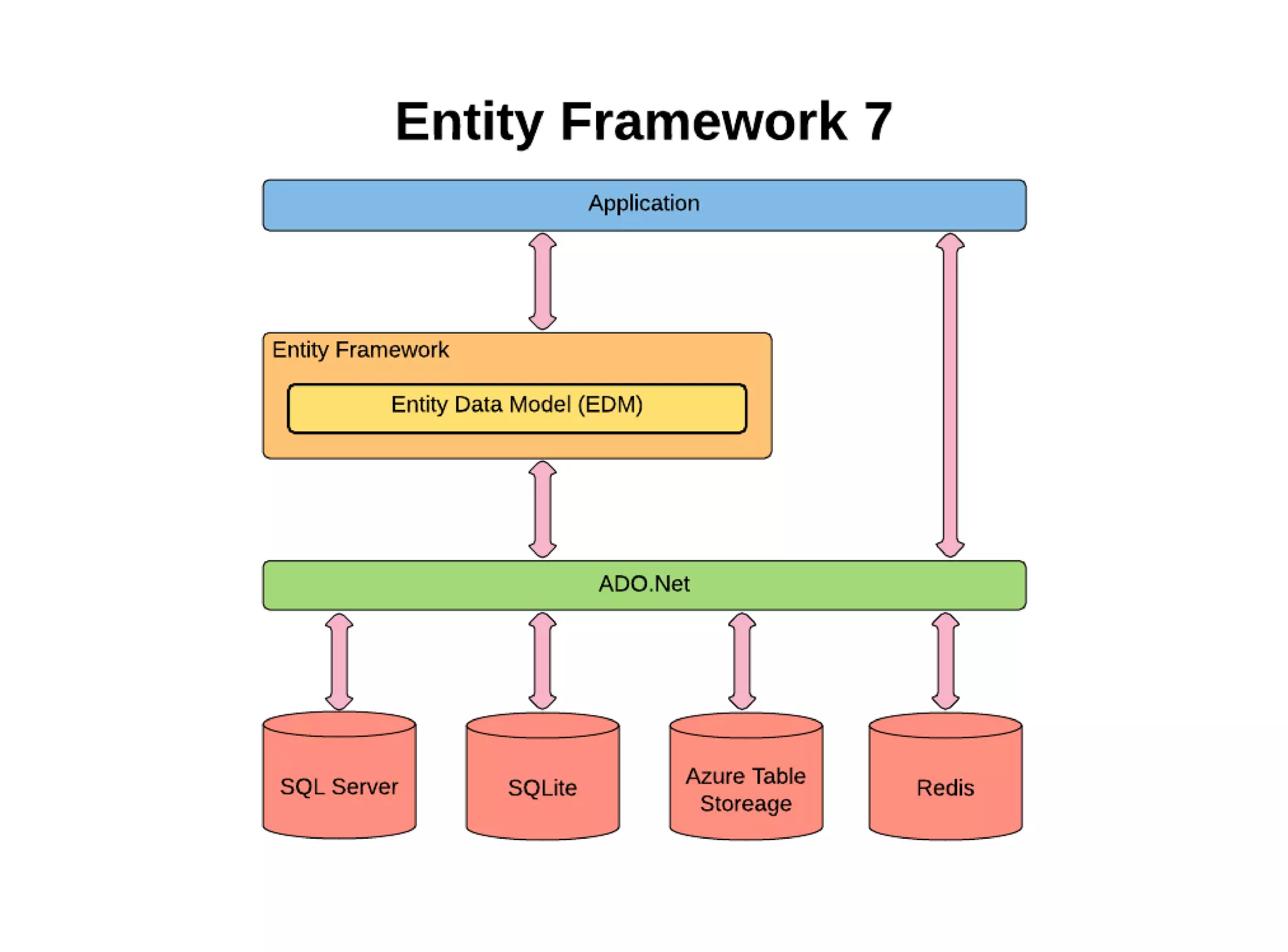
These included a lightweight, extensible framework to targeting new data stores
like Azure Table Storage and Redis and new platforms like Windows Phone,
Windows Store as well as ASP.NET 5.
Non-relational
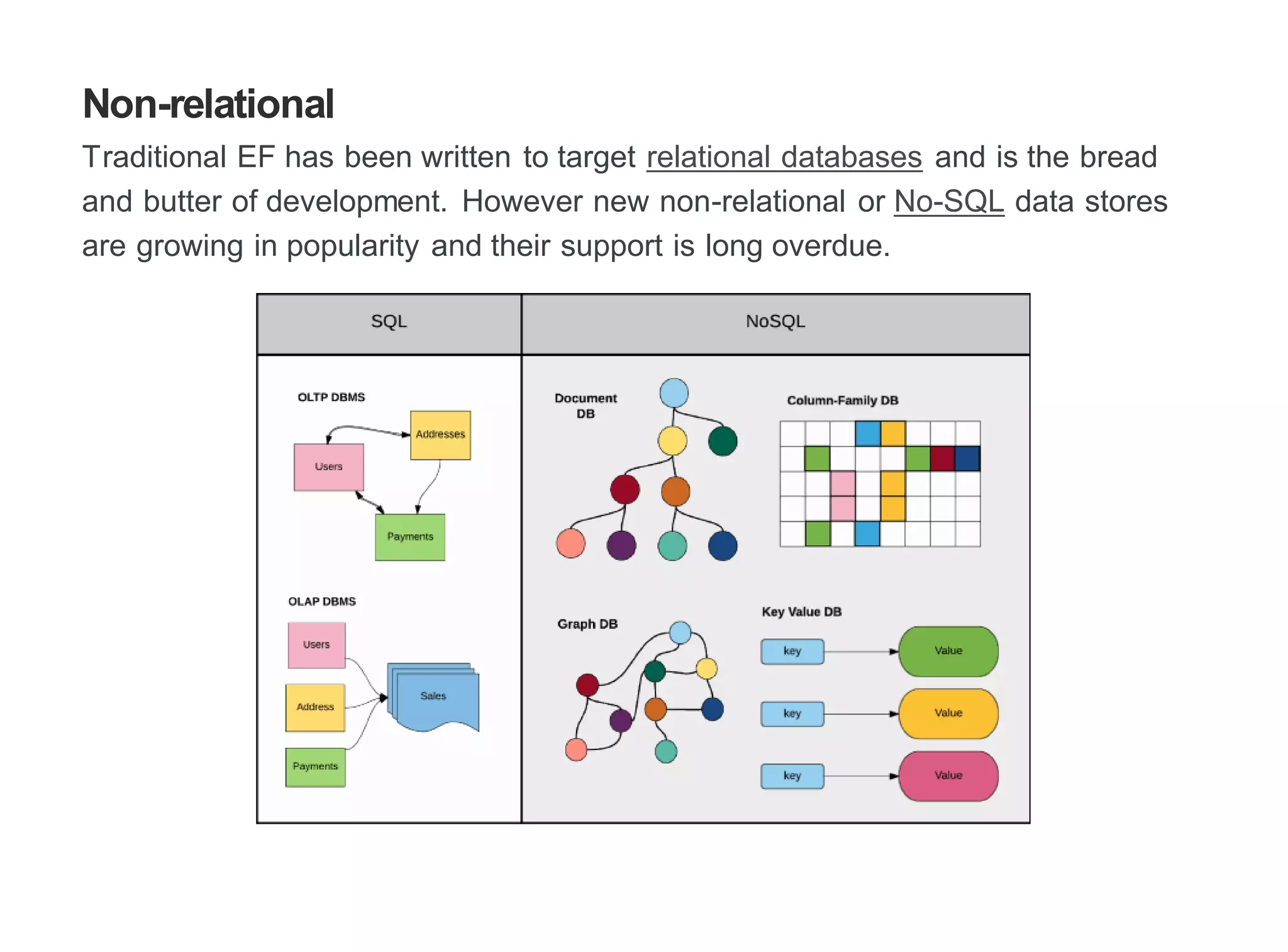
Traditional EF has been written to target relational databases and is the bread
and butter of development. However new non-relational or No-SQL data stores
are growing in popularity and their support is long overdue.
To manage this EF7 has been rewritten from the ground up to be composable.
This has meant breaking apart the existing monolithic dll's into separate and
more specialized ones.
For instance, EF6 with SQL was over 5MB. This is now down to under 1MB and
this has the potential to be even smaller if you're using NoSQL DB, as relational
features have also been separated.
Not all No-SQL Database will be supported as they may not necessary map to
EF.
New Platforms
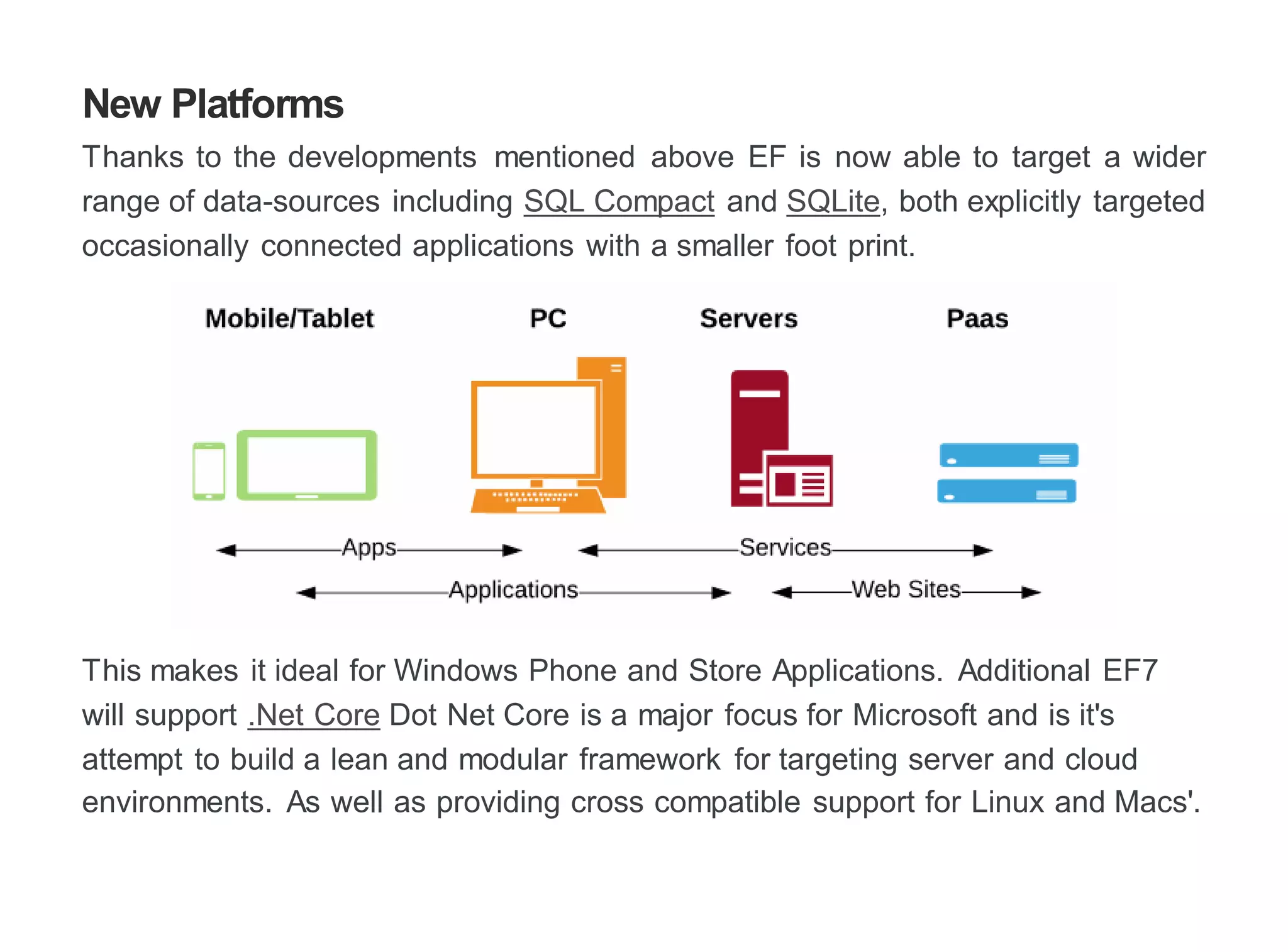
Thanks to the developments mentioned above EF is now able to target a wider
range of data-sources including SQL Compact and SQLite, both explicitly targeted
occasionally connected applications with a smaller foot print.
This makes it ideal for Windows Phone and Store Applications. Additional EF7
will support .Net Core Dot Net Core is a major focus for Microsoft and is it's
attempt to build a lean and modular framework for targeting server and cloud
environments. As well as providing cross compatible support for Linux and Macs'.
IOC Friendly
The composable nature of EF7 brings the added benefit of Dependency injection.
DI is a pattern where the responsibility for construction of an object is taken away
from the calling object. While this may sound trivial, it brings a loose coupled,
allowing components to interchanged, without recompilation.
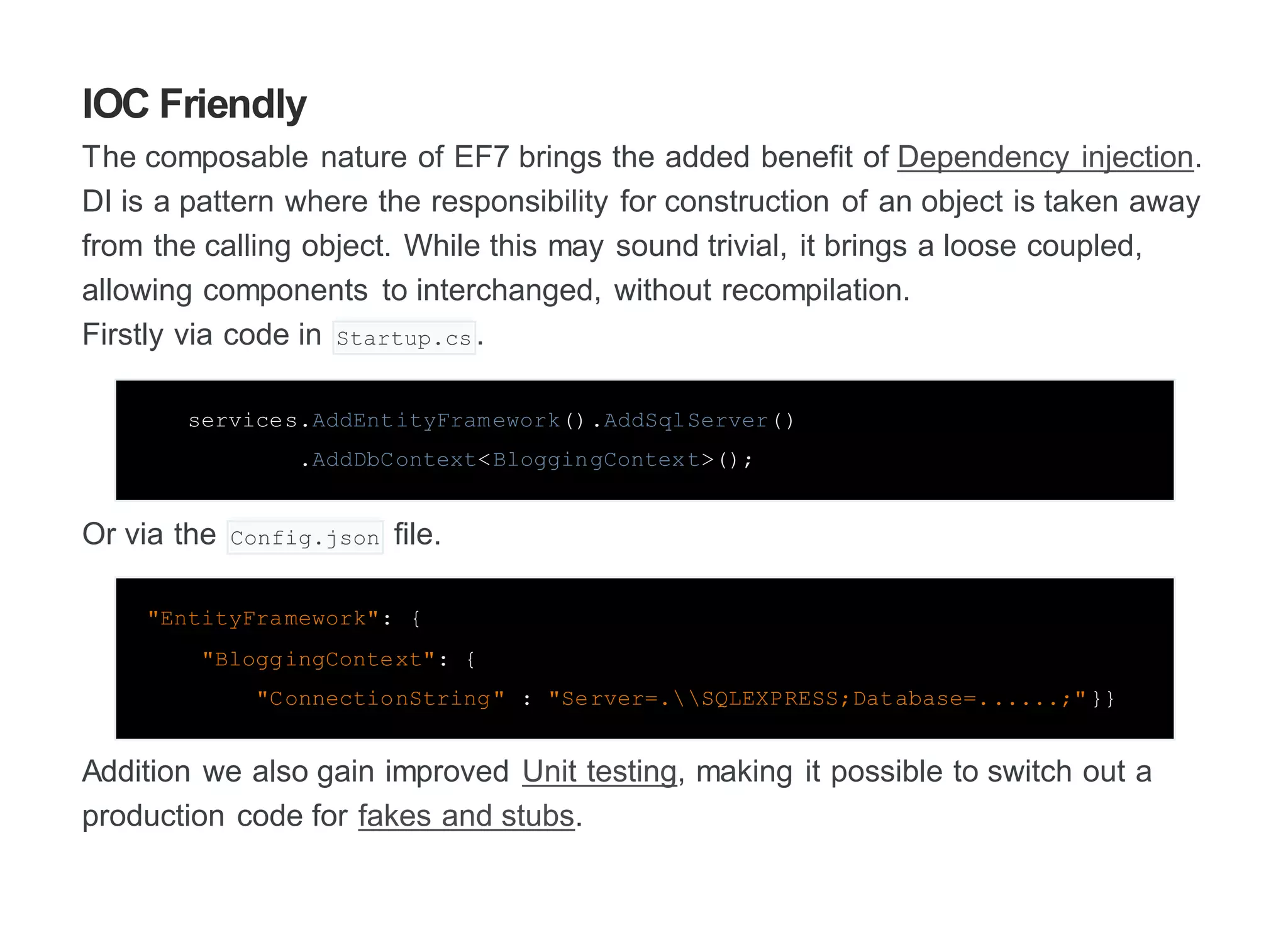
Firstly via code in Startup.cs .
services.AddEntityFramework().AddSqlServer()
.AddDbContext<BloggingContext>();
Or via the Config.json file.
"EntityFramework": {
"BloggingContext": {
"ConnectionString" : "Server=.SQLEXPRESS;Database=......;"}}
Addition we also gain improved Unit testing, making it possible to switch out a
production code for fakes and stubs.
Migration
Migrations require a snapshot, previously they were stored as a hash in the DB,
now they can be found in code.
[ContextType(typeof(ApplicationDbContext))]
partial class ApplicationDbContextModelSnapshot : ModelSnapshot
{
public override void BuildModel(ModelBuilder builder)
{
builder.Annotation("SqlServer:ValueGeneration", "Identity");
builder.Entity("MyProject.ViewModels.Blog", b => {
b.Property<string>("BlogId")
.GenerateValueOnAdd()
.Annotation("OriginalValueIndex", 0);
b.Property<string>("BlogTitle")
.Annotation("OriginalValueIndex", 1);
b.Property<string>("BlogBlog")
.Annotation("OriginalValueIndex", 2);
Also migrations are now idempotent, which means they can be re-run multiple
times and still produce the same result.
These changes will eliminate some of obscure error, improving the reliability of
migrations and allows a snapshot to edit and recreate one from an existing
Database.
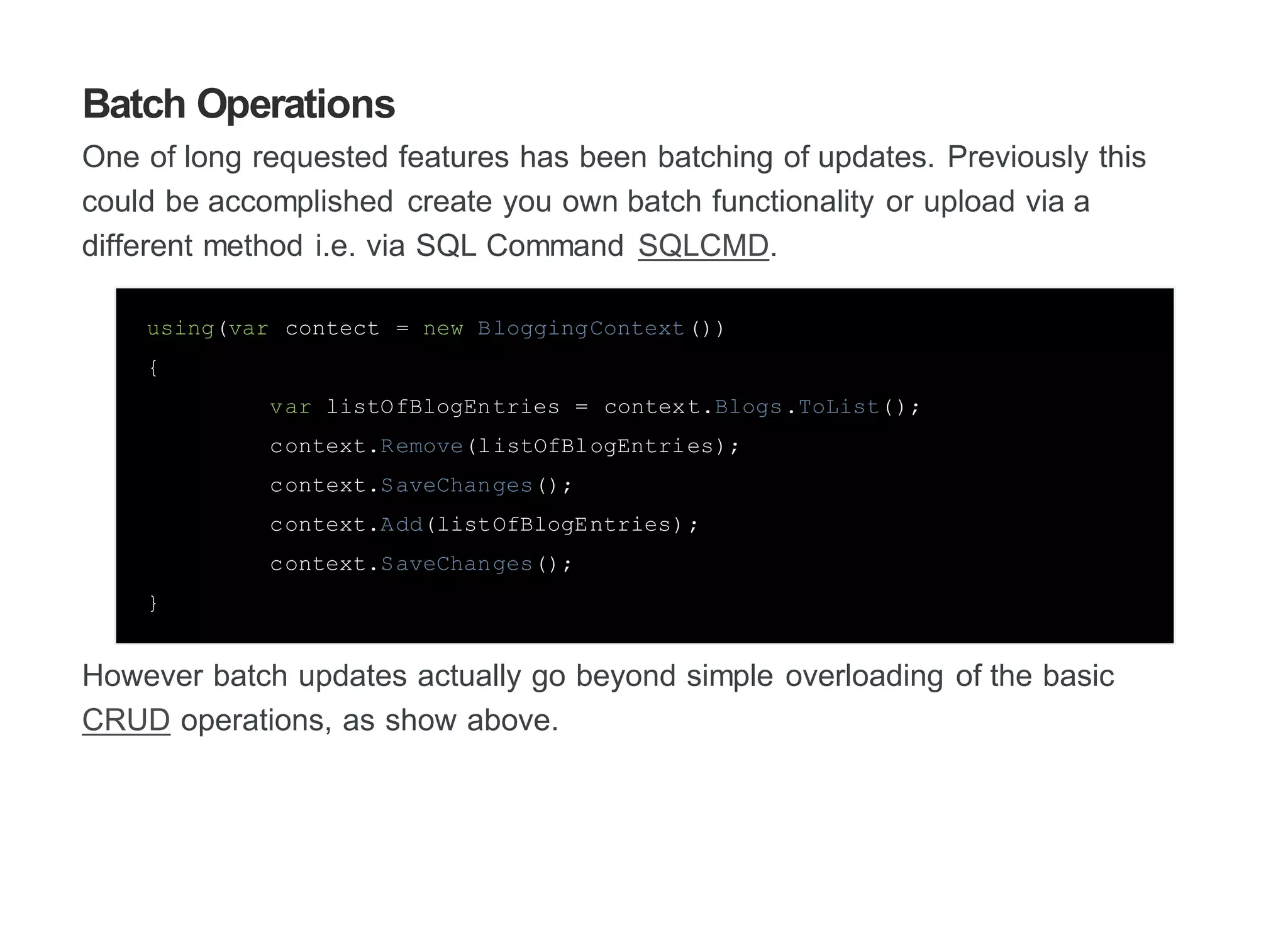
Batch Operations
One of long requested features has been batching of updates. Previously this
could be accomplished create you own batch functionality or upload via a
different method i.e. via SQL Command SQLCMD.
using(var contect = new BloggingContext())
{
var listOfBlogEntries = context.Blogs.ToList();
context.Remove(listOfBlogEntries);
context.SaveChanges();
context.Add(listOfBlogEntries);
context.SaveChanges();
}
However batch updates actually go beyond simple overloading of the basic
CRUD operations, as show above.
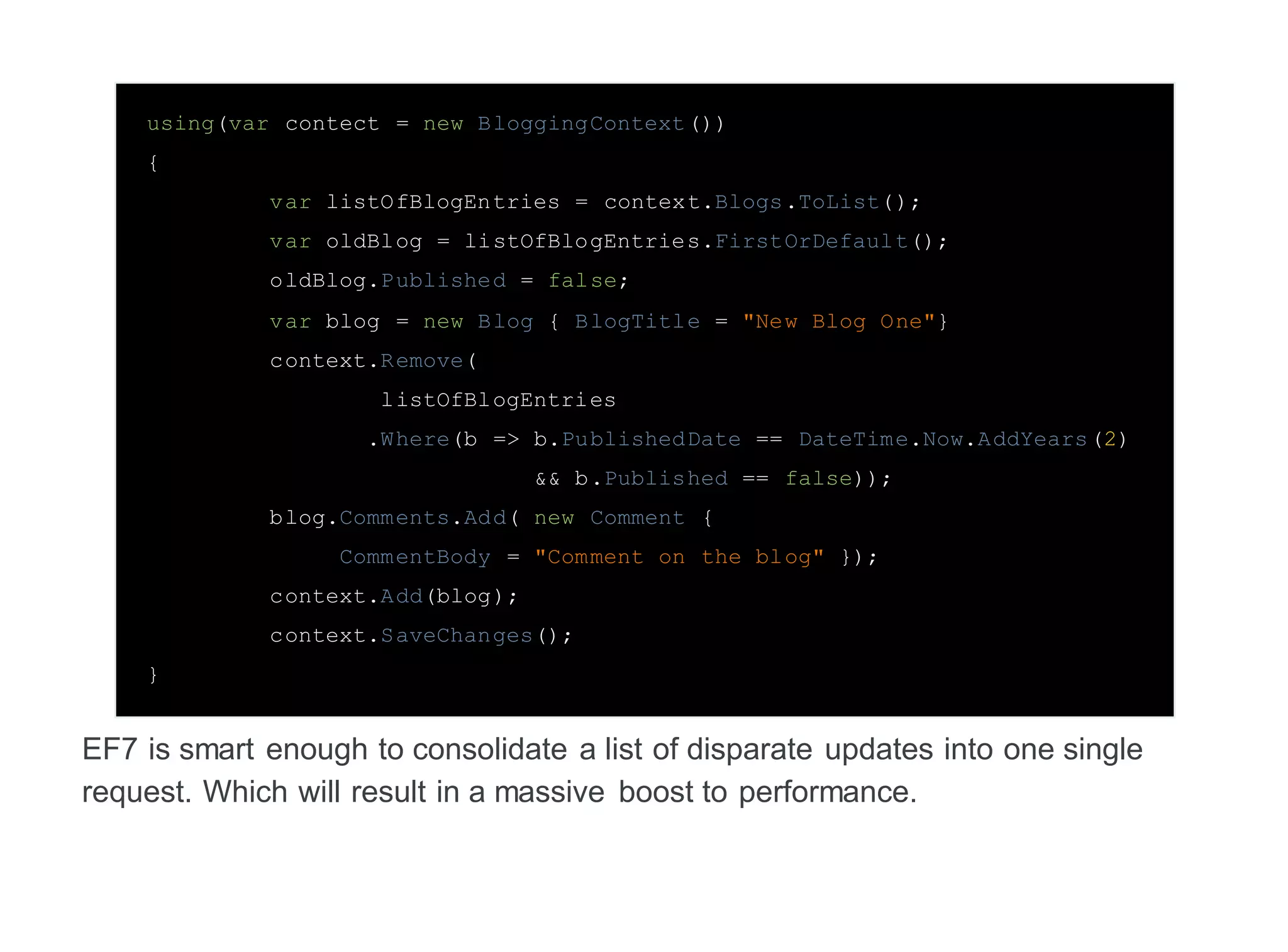
using(var contect = new BloggingContext())
{
var listOfBlogEntries = context.Blogs.ToList();
var oldBlog = listOfBlogEntries.FirstOrDefault();
oldBlog.Published = false;
var blog = new Blog { BlogTitle = "New Blog One"}
context.Remove(
listOfBlogEntries
.Where(b => b.PublishedDate == DateTime.Now.AddYears(2)
&& b.Published == false));
blog.Comments.Add( new Comment {
CommentBody = "Comment on the blog" });
context.Add(blog);
context.SaveChanges();
}
EF7 is smart enough to consolidate a list of disparate updates into one single
request. Which will result in a massive boost to performance.
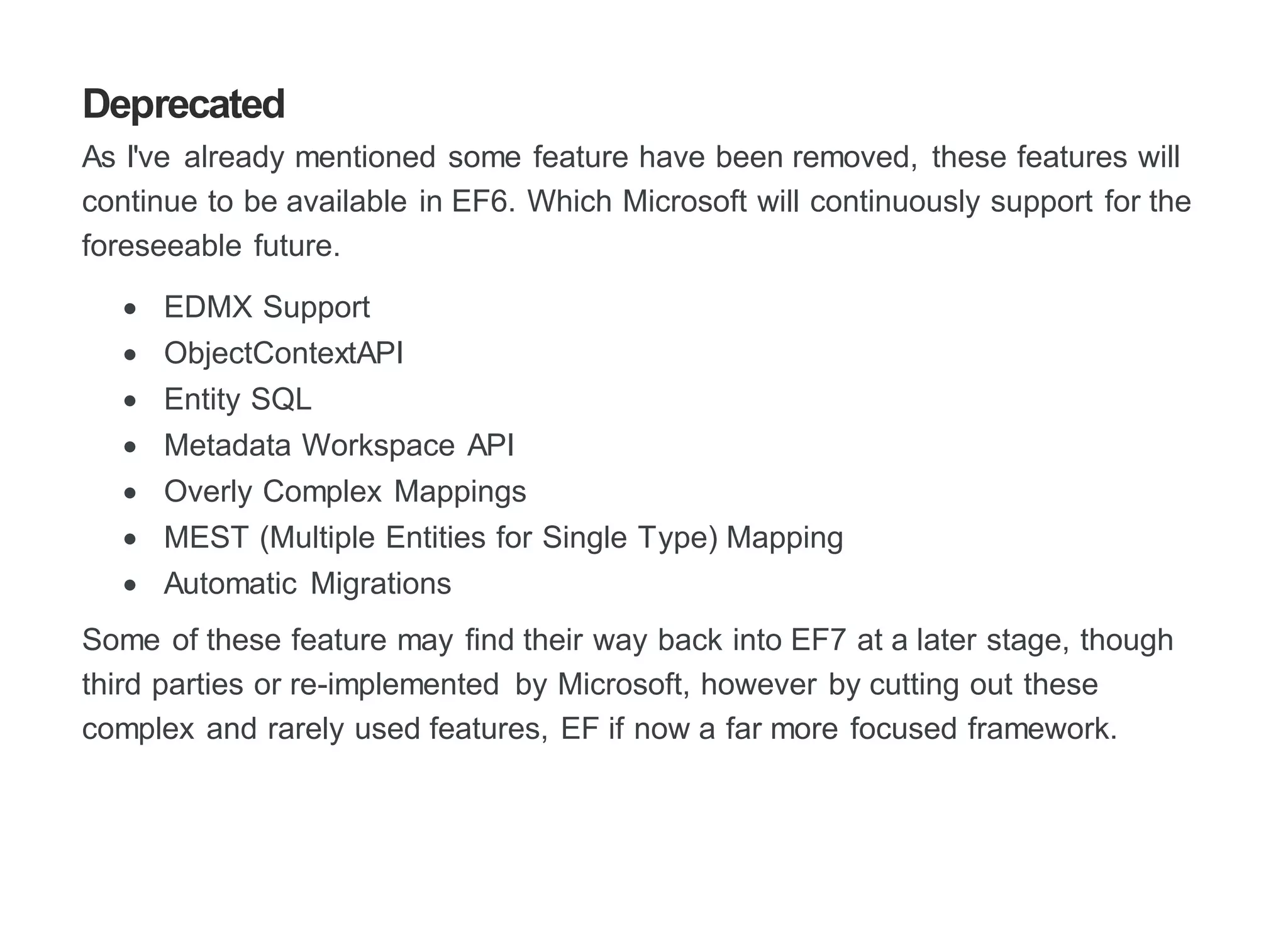
Deprecated
As I've already mentioned some feature have been removed, these features will
continue to be available in EF6. Which Microsoft will continuously support for the
foreseeable future.
 EDMX Support
 ObjectContextAPI
 Entity SQL
 Metadata Workspace API
 Overly Complex Mappings
 MEST (Multiple Entities for Single Type) Mapping
 Automatic Migrations
Some of these feature may find their way back into EF7 at a later stage, though
third parties or re-implemented by Microsoft, however by cutting out these
complex and rarely used features, EF if now a far more focused framework.
Additionalresources
http://blogs.msdn.com/b/adonet/
https://github.com/aspnet/EntityFramework/wiki/What-is-EF7-all-about
https://entityframework.codeplex.com/

Entity framework (EF) 7

  • 1.
    EntityFramework(EF)7 Entity Framework (EF)is a Object Relational Mapping framework from Microsoft and is used to connect the different domains of database and object-oriented languages. EF7 is the next version and Microsoft has set some big goals for it's development. These included a lightweight, extensible framework to targeting new data stores like Azure Table Storage and Redis and new platforms like Windows Phone, Windows Store as well as ASP.NET 5.
  • 3.
    Non-relational Traditional EF hasbeen written to target relational databases and is the bread and butter of development. However new non-relational or No-SQL data stores are growing in popularity and their support is long overdue.
  • 4.
    To manage thisEF7 has been rewritten from the ground up to be composable. This has meant breaking apart the existing monolithic dll's into separate and more specialized ones. For instance, EF6 with SQL was over 5MB. This is now down to under 1MB and this has the potential to be even smaller if you're using NoSQL DB, as relational features have also been separated. Not all No-SQL Database will be supported as they may not necessary map to EF.
  • 5.
    New Platforms Thanks tothe developments mentioned above EF is now able to target a wider range of data-sources including SQL Compact and SQLite, both explicitly targeted occasionally connected applications with a smaller foot print. This makes it ideal for Windows Phone and Store Applications. Additional EF7 will support .Net Core Dot Net Core is a major focus for Microsoft and is it's attempt to build a lean and modular framework for targeting server and cloud environments. As well as providing cross compatible support for Linux and Macs'.
  • 6.
    IOC Friendly The composablenature of EF7 brings the added benefit of Dependency injection. DI is a pattern where the responsibility for construction of an object is taken away from the calling object. While this may sound trivial, it brings a loose coupled, allowing components to interchanged, without recompilation. Firstly via code in Startup.cs . services.AddEntityFramework().AddSqlServer() .AddDbContext<BloggingContext>(); Or via the Config.json file. "EntityFramework": { "BloggingContext": { "ConnectionString" : "Server=.SQLEXPRESS;Database=......;"}} Addition we also gain improved Unit testing, making it possible to switch out a production code for fakes and stubs.
  • 7.
    Migration Migrations require asnapshot, previously they were stored as a hash in the DB, now they can be found in code. [ContextType(typeof(ApplicationDbContext))] partial class ApplicationDbContextModelSnapshot : ModelSnapshot { public override void BuildModel(ModelBuilder builder) { builder.Annotation("SqlServer:ValueGeneration", "Identity"); builder.Entity("MyProject.ViewModels.Blog", b => { b.Property<string>("BlogId") .GenerateValueOnAdd() .Annotation("OriginalValueIndex", 0); b.Property<string>("BlogTitle") .Annotation("OriginalValueIndex", 1); b.Property<string>("BlogBlog") .Annotation("OriginalValueIndex", 2);
  • 8.
    Also migrations arenow idempotent, which means they can be re-run multiple times and still produce the same result. These changes will eliminate some of obscure error, improving the reliability of migrations and allows a snapshot to edit and recreate one from an existing Database.
  • 9.
    Batch Operations One oflong requested features has been batching of updates. Previously this could be accomplished create you own batch functionality or upload via a different method i.e. via SQL Command SQLCMD. using(var contect = new BloggingContext()) { var listOfBlogEntries = context.Blogs.ToList(); context.Remove(listOfBlogEntries); context.SaveChanges(); context.Add(listOfBlogEntries); context.SaveChanges(); } However batch updates actually go beyond simple overloading of the basic CRUD operations, as show above.
  • 10.
    using(var contect =new BloggingContext()) { var listOfBlogEntries = context.Blogs.ToList(); var oldBlog = listOfBlogEntries.FirstOrDefault(); oldBlog.Published = false; var blog = new Blog { BlogTitle = "New Blog One"} context.Remove( listOfBlogEntries .Where(b => b.PublishedDate == DateTime.Now.AddYears(2) && b.Published == false)); blog.Comments.Add( new Comment { CommentBody = "Comment on the blog" }); context.Add(blog); context.SaveChanges(); } EF7 is smart enough to consolidate a list of disparate updates into one single request. Which will result in a massive boost to performance.
  • 11.
    Deprecated As I've alreadymentioned some feature have been removed, these features will continue to be available in EF6. Which Microsoft will continuously support for the foreseeable future.  EDMX Support  ObjectContextAPI  Entity SQL  Metadata Workspace API  Overly Complex Mappings  MEST (Multiple Entities for Single Type) Mapping  Automatic Migrations Some of these feature may find their way back into EF7 at a later stage, though third parties or re-implemented by Microsoft, however by cutting out these complex and rarely used features, EF if now a far more focused framework.
  • 12.