






WAI-ARIA is more
than Accessibility
   othree @ COSCUP 2011
Who am I
Member of Happy Designer
          MozTW
          HTML5-IG-ZH

    Work PhD Candidate on Civil
          F2E at HTC
The History
Web 2.0
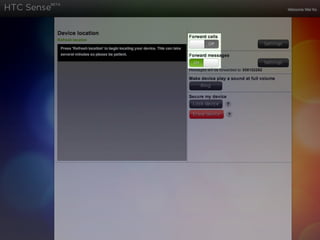
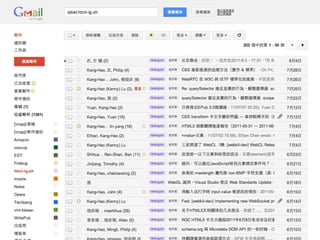
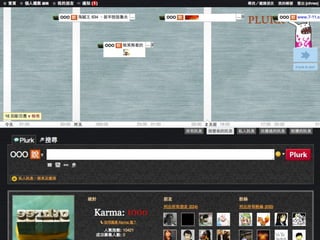
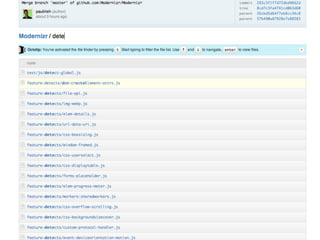
Age ofRich Internet Applications
       RIA
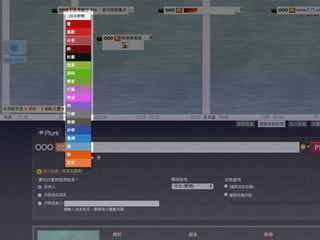
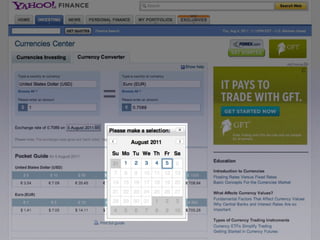
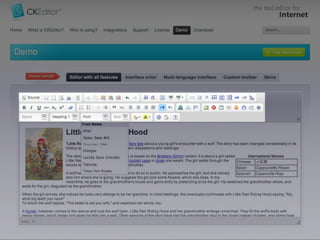
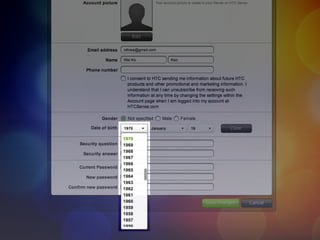
Custom Widgets
AJAX
Problems

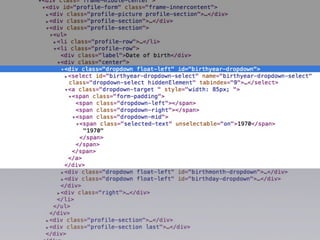
• Custom Widgets
 • No Semantic, Browser/AT didn’t realize
 • Can’t get focus
Problem


• AJAX
 • AT didn’t know when the content
    changes, and where is it.
WAI-ARIA
WAI-ARIA

• Proposed by Richard Schwerdtfeger from
  IBM and Becky Gibson from W3C
• W3C Candidate Recommendation at
  2011/01/18
• You can use it TODAY

                          http://www.alistapart.com/articles/waiaria
Components of ARIA

• role → browser knows meaning
• states and properties → browser knows
• redefine tabindex → possible to focus
• liveregion → notice when content changes
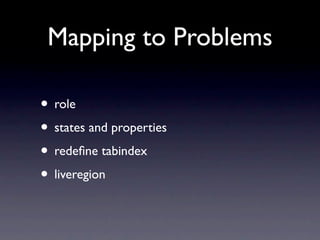
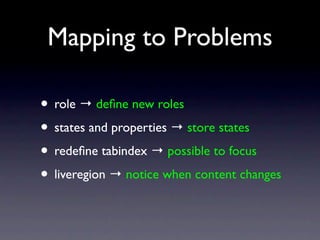
Mapping to Problems

• role → browser knows meaning
• states and properties → browser knows
• redefine tabindex → possible to focus
• liveregion → notice when content changes
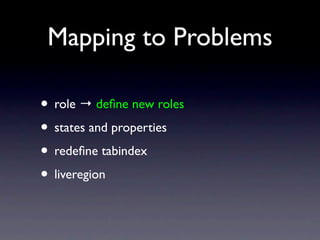
Mapping to Problems

• role → define new rolesmeaning
           browser knows

• states and properties → browser knows
• redefine tabindex → possible to focus
• liveregion → notice when content changes
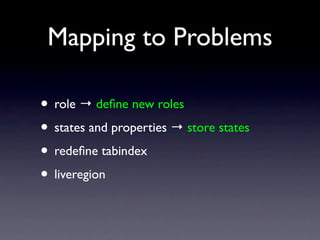
Mapping to Problems

• role → define new rolesmeaning
           browser knows

• states and properties → store states
                          browser knows

• redefine tabindex → possible to focus
• liveregion → notice when content changes
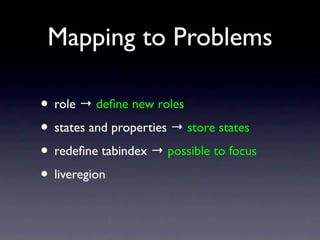
Mapping to Problems

• role → define new rolesmeaning
           browser knows

• states and properties → store states
                          browser knows

• redefine tabindex → possible to focus
• liveregion → notice when content changes
Mapping to Problems

• role → define new rolesmeaning
           browser knows

• states and properties → store states
                          browser knows

• redefine tabindex → possible to focus
• liveregion → notice when content changes
Role
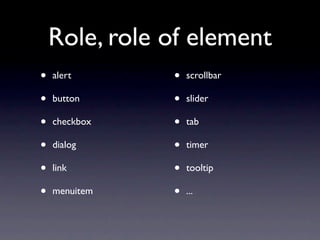
Role, role of element
•   alert      •   scrollbar

•   button     •   slider

•   checkbox   •   tab

•   dialog     •   timer

•   link       •   tooltip

•   menuitem   •   ...
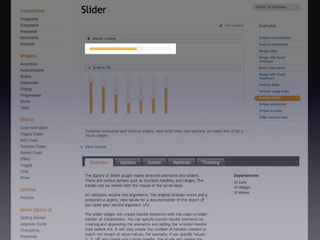
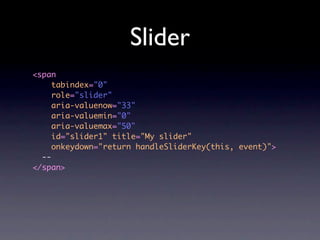
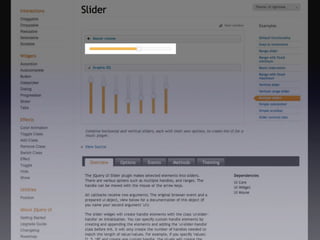
Slider
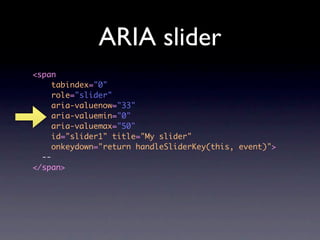
<span
     tabindex="0"
     role="slider"
     aria-valuenow="33"
     aria-valuemin="0"
     aria-valuemax="50"
     id="slider1" title="My slider"
     onkeydown="return handleSliderKey(this, event)">
  --
</span>
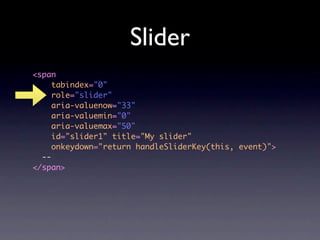
Slider
<span
     tabindex="0"
     role="slider"
     aria-valuenow="33"
     aria-valuemin="0"
     aria-valuemax="50"
     id="slider1" title="My slider"
     onkeydown="return handleSliderKey(this, event)">
  --
</span>
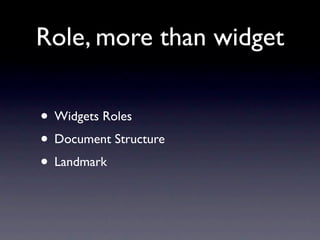
Role, more than widget

• Widgets Roles
• Document Structure
• Landmark
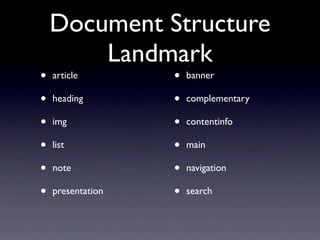
Document Structure
        Landmark
•   article        •   banner

•   heading        •   complementary

•   img            •   contentinfo

•   list           •   main

•   note           •   navigation

•   presentation   •   search
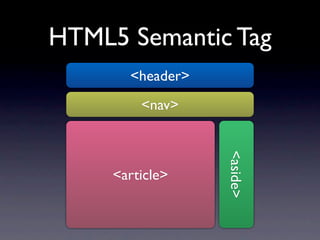
HTML5 Semantic Tag
       <header>
         <nav>


                  <aside>
     <article>
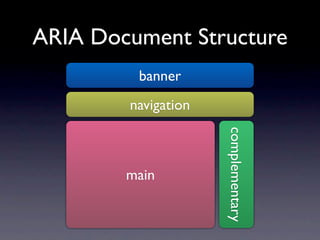
ARIA Document Structure
         banner
        navigation


                     complementary
        main
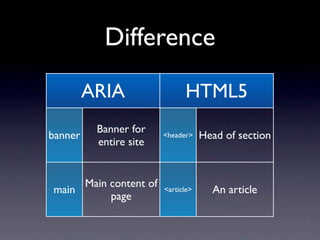
Difference
         ARIA                 HTML5
          Banner for
banner                  <header>    Head of section
          entire site


     Main content of
main                    <article>     An article
          page
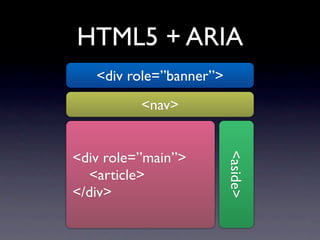
HTML5 + ARIA
   <div role=”banner”>
          <nav>


<div role=”main”>


                         <aside>
  <article>
</div>
ARIA can help
HTML5 document
 more semantic
States & Properties
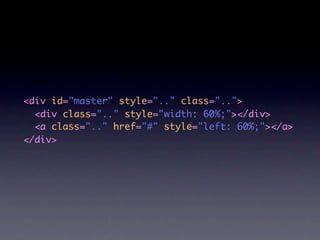
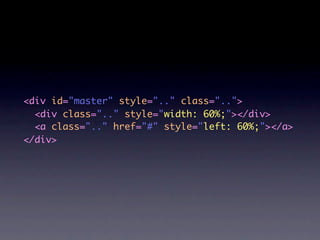
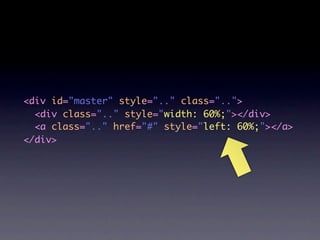
<div id="master" style=".." class="..">
  <div class=".." style="width: 60%;"></div>
  <a class=".." href="#" style="left: 60%;"></a>
</div>
<div id="master" style=".." class="..">
  <div class=".." style="width: 60%;"></div>
  <a class=".." href="#" style="left: 60%;"></a>
</div>
<div id="master" style=".." class="..">
  <div class=".." style="width: 60%;"></div>
  <a class=".." href="#" style="left: 60%;"></a>
</div>
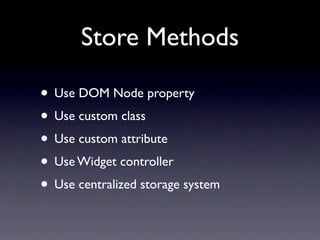
Store Methods

• Use DOM Node property
• Use custom class
• Use custom attribute
• Use Widget controller
• Use centralized storage system
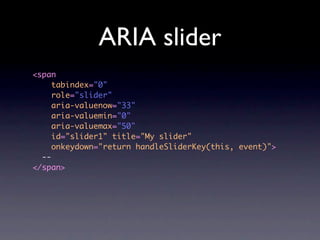
ARIA slider
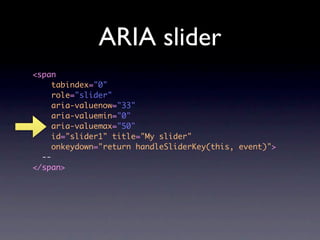
<span
     tabindex="0"
     role="slider"
     aria-valuenow="33"
     aria-valuemin="0"
     aria-valuemax="50"
     id="slider1" title="My slider"
     onkeydown="return handleSliderKey(this, event)">
  --
</span>
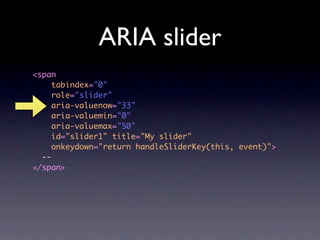
ARIA slider
<span
     tabindex="0"
     role="slider"
     aria-valuenow="33"
     aria-valuemin="0"
     aria-valuemax="50"
     id="slider1" title="My slider"
     onkeydown="return handleSliderKey(this, event)">
  --
</span>
ARIA slider
<span
     tabindex="0"
     role="slider"
     aria-valuenow="33"
     aria-valuemin="0"
     aria-valuemax="50"
     id="slider1" title="My slider"
     onkeydown="return handleSliderKey(this, event)">
  --
</span>
ARIA slider
<span
     tabindex="0"
     role="slider"
     aria-valuenow="33"
     aria-valuemin="0"
     aria-valuemax="50"
     id="slider1" title="My slider"
     onkeydown="return handleSliderKey(this, event)">
  --
</span>
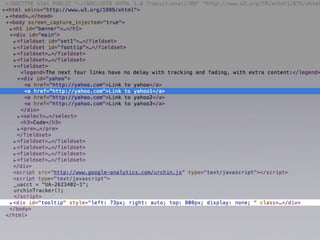
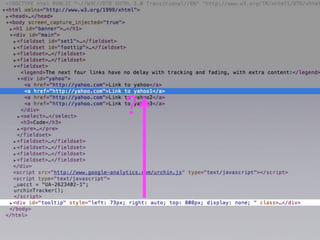
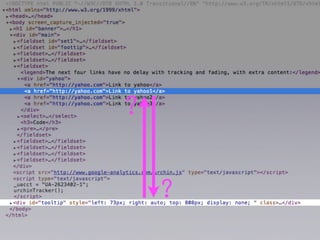
Also for Relationships


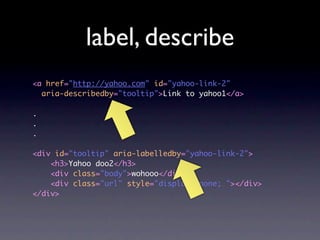
• label, describe
• owns, controlls
?
?

    ?
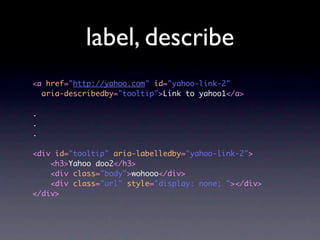
label, describe
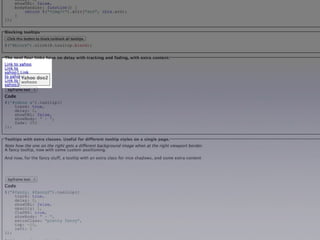
<a href="http://yahoo.com" id="yahoo-link-2"
  aria-describedby="tooltip">Link to yahoo1</a>

.
.
.

<div id="tooltip" aria-labelledby="yahoo-link-2">
    <h3>Yahoo doo2</h3>
    <div class="body">wohooo</div>
    <div class="url" style="display: none; "></div>
</div>
label, describe
<a href="http://yahoo.com" id="yahoo-link-2"
  aria-describedby="tooltip">Link to yahoo1</a>

.
.
.

<div id="tooltip" aria-labelledby="yahoo-link-2">
    <h3>Yahoo doo2</h3>
    <div class="body">wohooo</div>
    <div class="url" style="display: none; "></div>
</div>
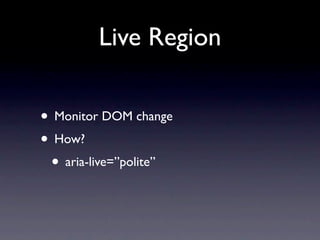
Live Region
Live Region

• Monitor DOM change
• How?
 • aria-live=”polite”
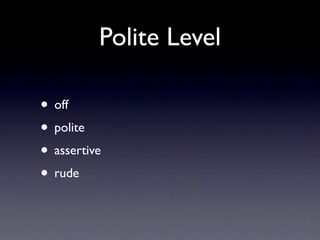
Polite Level

• off
• polite
• assertive
• rude
Tabindex
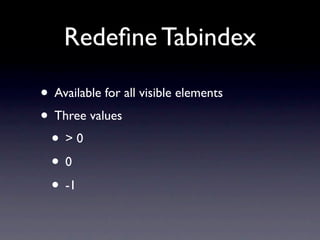
Redefine Tabindex

• Available for all visible elements
• Three values
 • >0
 • 0→
 • -1 →
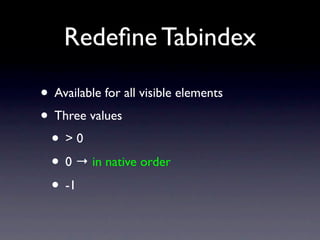
Redefine Tabindex

• Available for all visible elements
• Three values
 • >0
 • 0 → in native order
 • -1 →
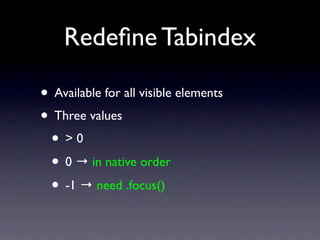
Redefine Tabindex

• Available for all visible elements
• Three values
 • >0
 • 0 → in native order
 • -1 → need .focus()
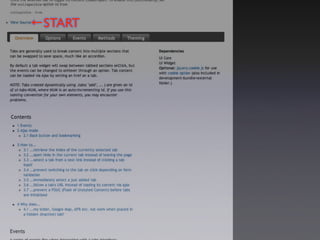
←START
1
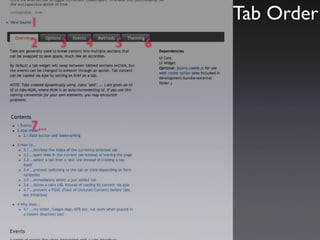
                       Tab Order
2      3   4   5   6


7...
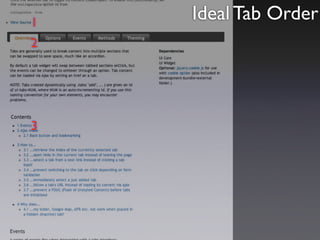
1
    Ideal Tab Order
2


3
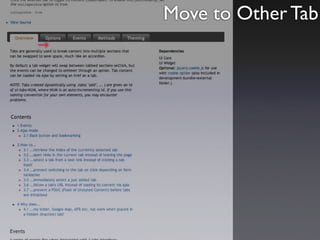
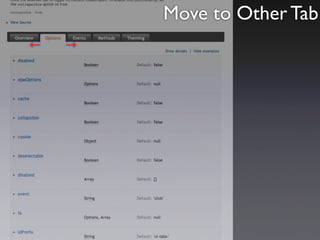
Move to Other Tab
→
Move to Other Tab
←   →
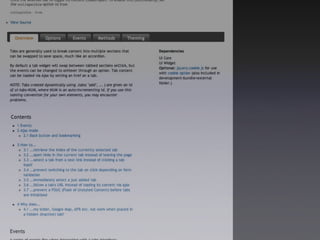
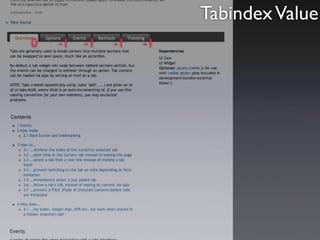
Tabindex Value
0   -1   -1   -1   -1
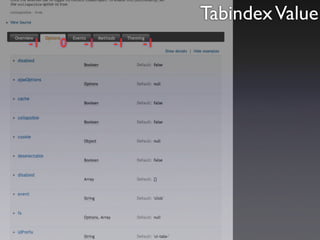
Tabindex Value
-1   0   -1   -1   -1
Not automatically
More than Accessibility
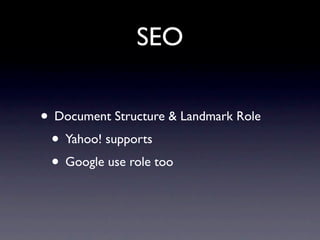
SEO

• Document Structure & Landmark Role
 • Yahoo! supports
 • Google use role too
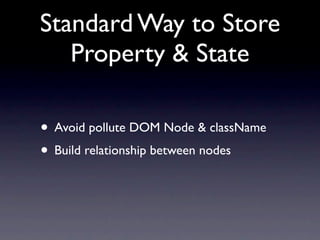
Standard Way to Store
   Property & State

• Avoid pollute DOM Node & className
• Build relationship between nodes
Use WAI-ARIA Today!!
Thank You
Questions?

WAI-ARIA is More Than Accessibility

  • 1.
    WAI-ARIA is more thanAccessibility othree @ COSCUP 2011
  • 2.
    Who am I Memberof Happy Designer MozTW HTML5-IG-ZH Work PhD Candidate on Civil F2E at HTC
  • 3.
  • 4.
  • 5.
    Age ofRich InternetApplications RIA
  • 6.
  • 12.
  • 16.
    Problems • Custom Widgets • No Semantic, Browser/AT didn’t realize • Can’t get focus
  • 21.
    Problem • AJAX •AT didn’t know when the content changes, and where is it.
  • 22.
  • 23.
    WAI-ARIA • Proposed byRichard Schwerdtfeger from IBM and Becky Gibson from W3C • W3C Candidate Recommendation at 2011/01/18 • You can use it TODAY http://www.alistapart.com/articles/waiaria
  • 24.
    Components of ARIA •role → browser knows meaning • states and properties → browser knows • redefine tabindex → possible to focus • liveregion → notice when content changes
  • 25.
    Mapping to Problems •role → browser knows meaning • states and properties → browser knows • redefine tabindex → possible to focus • liveregion → notice when content changes
  • 26.
    Mapping to Problems •role → define new rolesmeaning browser knows • states and properties → browser knows • redefine tabindex → possible to focus • liveregion → notice when content changes
  • 27.
    Mapping to Problems •role → define new rolesmeaning browser knows • states and properties → store states browser knows • redefine tabindex → possible to focus • liveregion → notice when content changes
  • 28.
    Mapping to Problems •role → define new rolesmeaning browser knows • states and properties → store states browser knows • redefine tabindex → possible to focus • liveregion → notice when content changes
  • 29.
    Mapping to Problems •role → define new rolesmeaning browser knows • states and properties → store states browser knows • redefine tabindex → possible to focus • liveregion → notice when content changes
  • 30.
  • 31.
    Role, role ofelement • alert • scrollbar • button • slider • checkbox • tab • dialog • timer • link • tooltip • menuitem • ...
  • 33.
    Slider <span tabindex="0" role="slider" aria-valuenow="33" aria-valuemin="0" aria-valuemax="50" id="slider1" title="My slider" onkeydown="return handleSliderKey(this, event)"> -- </span>
  • 34.
    Slider <span tabindex="0" role="slider" aria-valuenow="33" aria-valuemin="0" aria-valuemax="50" id="slider1" title="My slider" onkeydown="return handleSliderKey(this, event)"> -- </span>
  • 35.
    Role, more thanwidget • Widgets Roles • Document Structure • Landmark
  • 36.
    Document Structure Landmark • article • banner • heading • complementary • img • contentinfo • list • main • note • navigation • presentation • search
  • 37.
    HTML5 Semantic Tag <header> <nav> <aside> <article>
  • 38.
    ARIA Document Structure banner navigation complementary main
  • 39.
    Difference ARIA HTML5 Banner for banner <header> Head of section entire site Main content of main <article> An article page
  • 40.
    HTML5 + ARIA <div role=”banner”> <nav> <div role=”main”> <aside> <article> </div>
  • 41.
    ARIA can help HTML5document more semantic
  • 42.
  • 44.
    <div id="master" style=".."class=".."> <div class=".." style="width: 60%;"></div> <a class=".." href="#" style="left: 60%;"></a> </div>
  • 45.
    <div id="master" style=".."class=".."> <div class=".." style="width: 60%;"></div> <a class=".." href="#" style="left: 60%;"></a> </div>
  • 46.
    <div id="master" style=".."class=".."> <div class=".." style="width: 60%;"></div> <a class=".." href="#" style="left: 60%;"></a> </div>
  • 47.
    Store Methods • UseDOM Node property • Use custom class • Use custom attribute • Use Widget controller • Use centralized storage system
  • 48.
    ARIA slider <span tabindex="0" role="slider" aria-valuenow="33" aria-valuemin="0" aria-valuemax="50" id="slider1" title="My slider" onkeydown="return handleSliderKey(this, event)"> -- </span>
  • 49.
    ARIA slider <span tabindex="0" role="slider" aria-valuenow="33" aria-valuemin="0" aria-valuemax="50" id="slider1" title="My slider" onkeydown="return handleSliderKey(this, event)"> -- </span>
  • 50.
    ARIA slider <span tabindex="0" role="slider" aria-valuenow="33" aria-valuemin="0" aria-valuemax="50" id="slider1" title="My slider" onkeydown="return handleSliderKey(this, event)"> -- </span>
  • 51.
    ARIA slider <span tabindex="0" role="slider" aria-valuenow="33" aria-valuemin="0" aria-valuemax="50" id="slider1" title="My slider" onkeydown="return handleSliderKey(this, event)"> -- </span>
  • 52.
    Also for Relationships •label, describe • owns, controlls
  • 55.
  • 56.
    ? ?
  • 57.
    label, describe <a href="http://yahoo.com"id="yahoo-link-2" aria-describedby="tooltip">Link to yahoo1</a> . . . <div id="tooltip" aria-labelledby="yahoo-link-2"> <h3>Yahoo doo2</h3> <div class="body">wohooo</div> <div class="url" style="display: none; "></div> </div>
  • 58.
    label, describe <a href="http://yahoo.com"id="yahoo-link-2" aria-describedby="tooltip">Link to yahoo1</a> . . . <div id="tooltip" aria-labelledby="yahoo-link-2"> <h3>Yahoo doo2</h3> <div class="body">wohooo</div> <div class="url" style="display: none; "></div> </div>
  • 59.
  • 60.
    Live Region • MonitorDOM change • How? • aria-live=”polite”
  • 61.
    Polite Level • off •polite • assertive • rude
  • 62.
  • 63.
    Redefine Tabindex • Availablefor all visible elements • Three values • >0 • 0→ • -1 →
  • 64.
    Redefine Tabindex • Availablefor all visible elements • Three values • >0 • 0 → in native order • -1 →
  • 65.
    Redefine Tabindex • Availablefor all visible elements • Three values • >0 • 0 → in native order • -1 → need .focus()
  • 67.
  • 68.
    1 Tab Order 2 3 4 5 6 7...
  • 69.
    1 Ideal Tab Order 2 3
  • 70.
  • 71.
    Move to OtherTab ← →
  • 73.
    Tabindex Value 0 -1 -1 -1 -1
  • 74.
  • 75.
  • 76.
  • 77.
    SEO • Document Structure& Landmark Role • Yahoo! supports • Google use role too
  • 78.
    Standard Way toStore Property & State • Avoid pollute DOM Node & className • Build relationship between nodes
  • 79.
  • 80.
  • 81.