Preliminary Exercise
To demonstrate knowledge of editing
techniques
What does OCR want?
• Preliminary exercise: Continuity task involving
filming and editing a character opening a door,
crossing a room and sitting down in a chair
opposite another character, with whom
she/he then exchanges a couple of lines of
dialogue. This task should demonstrate match
on action, shot/reverse shot and the 180-
degree rule.
What does OCR want?
• Specific Evaluation Question
• ‘Looking back at your preliminary task, what
do you feel you have learnt in the progression
from it to the full product? ‘
• NOT WORTH AN INDIVIDUAL MARK
• Needs to be on your blog
• Needs not to be perfect (you will have this
week to do it!)
What does OCR want - terms
• Continuity - a system of cutting used to
suggest a progression of events in real time
and space (no flashbacks, fade out dissolves
etc JUST CUTS)
• Match on Action (Action Match) – where a
shot of a character starting an action and the
completing the action in the next shot
What does OCR want?
• Shot/Reverse shot – this is an editing pattern
that cut to the view in the opposite direction
(used most often for dialogue)
What does OCR want?
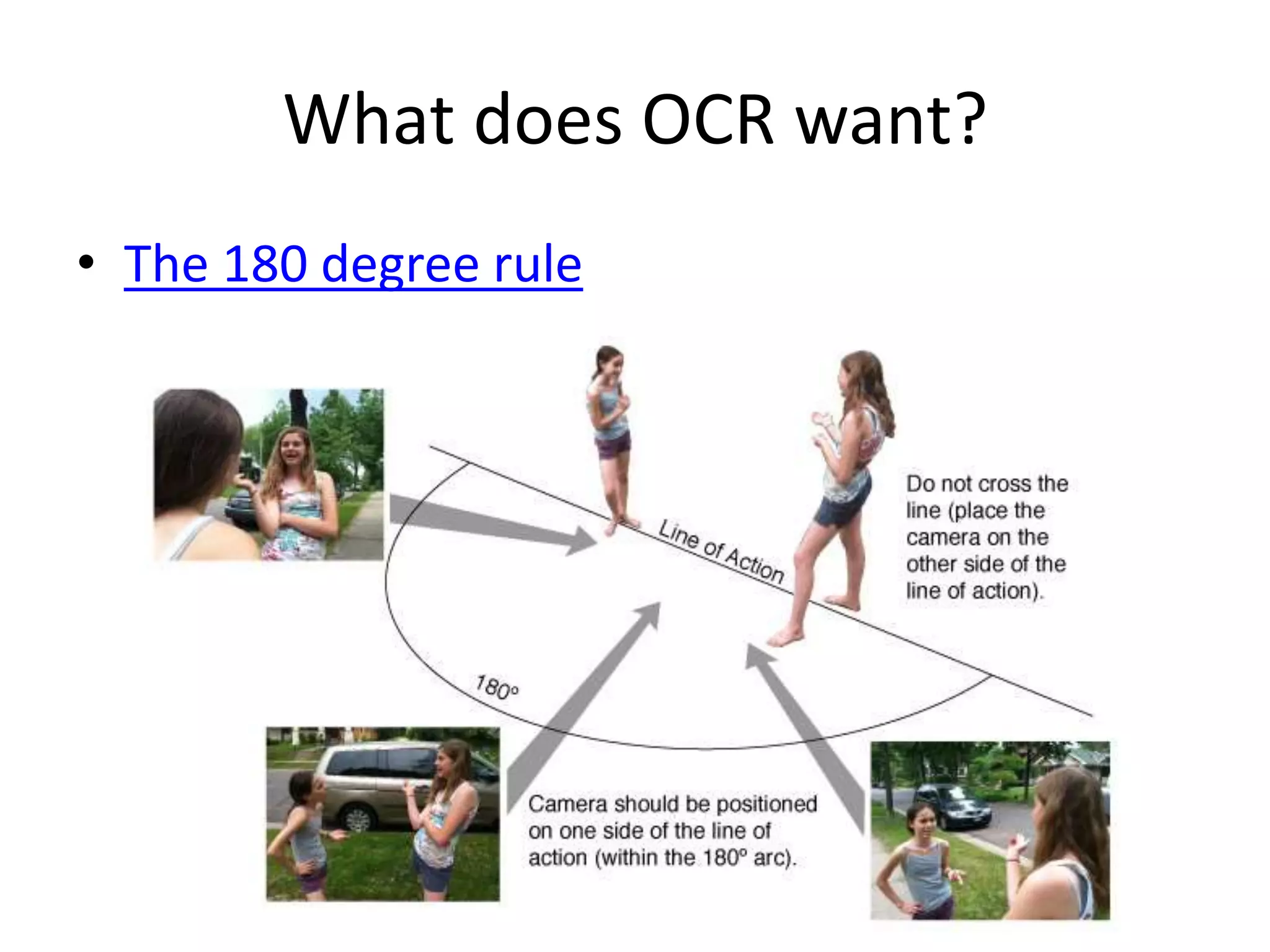
• The 180 degree rule
What does Miss Hill want?
• Shot Variety – size and angles
• Good Framing of shots
• Experiment with lighting?
• Make us laugh!
• Music
• Show that you have thought about mise en
scene
• Everyone must have an appearance on screen
• Random objects from the bag!
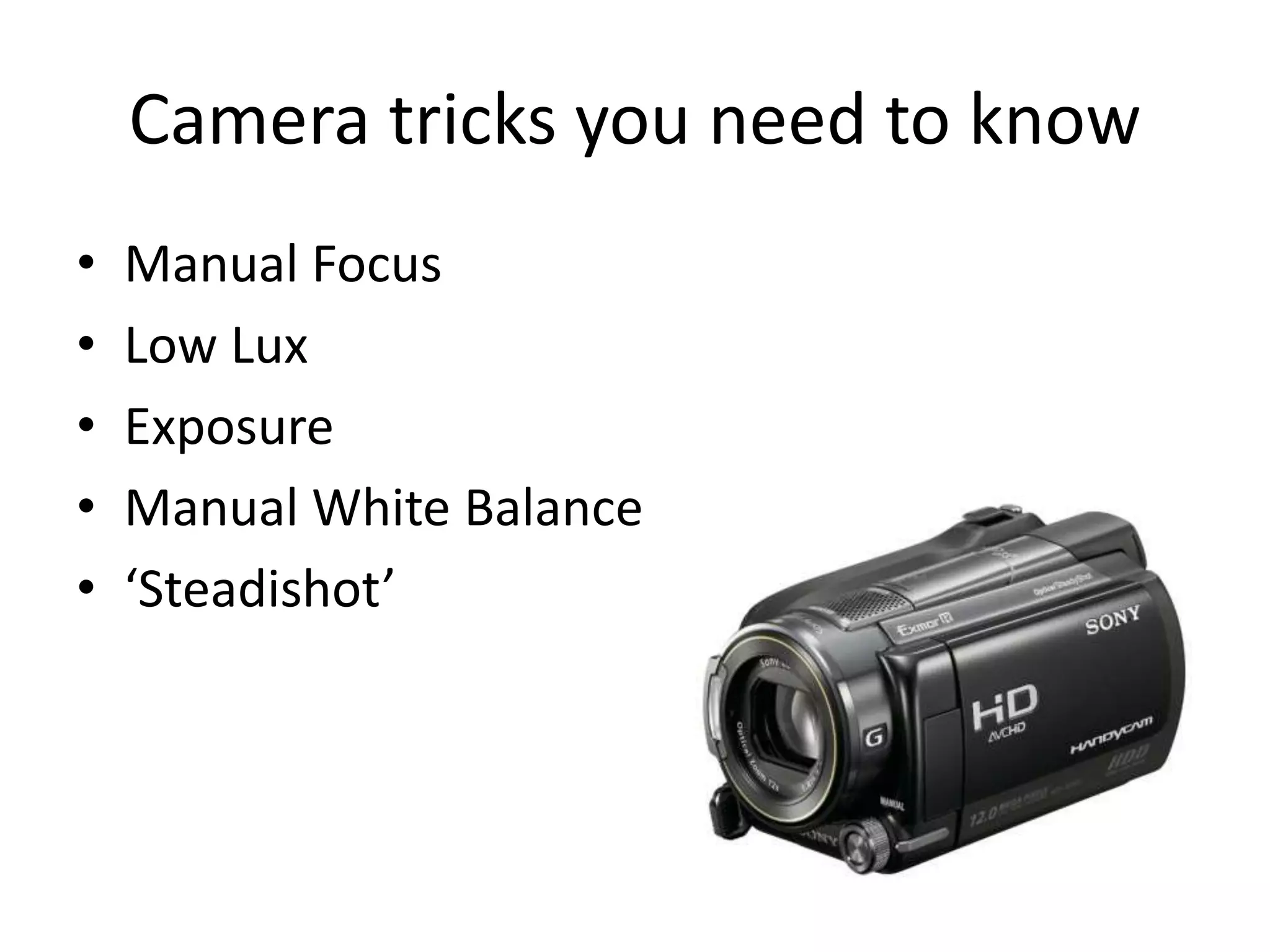
Camera tricks you need to know
• Manual Focus
• Low Lux
• Exposure
• Manual White Balance
• ‘Steadishot’
Plan for the Week
• Lesson One – create and storyboard your idea.
Find locations and maybe start filming
• Lesson Two – FILMING EVERYTHING
• Lesson Three – Editing using iMovie (yes you
have to use this, not Final Cut Pro X)

Preliminary Exercise

  • 1.
    Preliminary Exercise To demonstrateknowledge of editing techniques
  • 2.
    What does OCRwant? • Preliminary exercise: Continuity task involving filming and editing a character opening a door, crossing a room and sitting down in a chair opposite another character, with whom she/he then exchanges a couple of lines of dialogue. This task should demonstrate match on action, shot/reverse shot and the 180- degree rule.
  • 3.
    What does OCRwant? • Specific Evaluation Question • ‘Looking back at your preliminary task, what do you feel you have learnt in the progression from it to the full product? ‘ • NOT WORTH AN INDIVIDUAL MARK • Needs to be on your blog • Needs not to be perfect (you will have this week to do it!)
  • 4.
    What does OCRwant - terms • Continuity - a system of cutting used to suggest a progression of events in real time and space (no flashbacks, fade out dissolves etc JUST CUTS) • Match on Action (Action Match) – where a shot of a character starting an action and the completing the action in the next shot
  • 5.
    What does OCRwant? • Shot/Reverse shot – this is an editing pattern that cut to the view in the opposite direction (used most often for dialogue)
  • 6.
    What does OCRwant? • The 180 degree rule
  • 7.
    What does MissHill want? • Shot Variety – size and angles • Good Framing of shots • Experiment with lighting? • Make us laugh! • Music • Show that you have thought about mise en scene • Everyone must have an appearance on screen • Random objects from the bag!
  • 8.
    Camera tricks youneed to know • Manual Focus • Low Lux • Exposure • Manual White Balance • ‘Steadishot’
  • 9.
    Plan for theWeek • Lesson One – create and storyboard your idea. Find locations and maybe start filming • Lesson Two – FILMING EVERYTHING • Lesson Three – Editing using iMovie (yes you have to use this, not Final Cut Pro X)