Web standards & AccessibilityWeb Content Management
2
Session objectivesYou understand the difference between and the importance of web standards and accessibilityYou can explain the web standards and accessibility investments in SharePoint 2010You know the most common web standards and accessibility issues with SharePoint 20103
Web standards & accessibility 1014
Web standardsGrammatical correctness of markupStandards typesHTML 4.01XHTML 1.0/1.1Standards levelsTransitionalStrictFramesetQuirks mode5
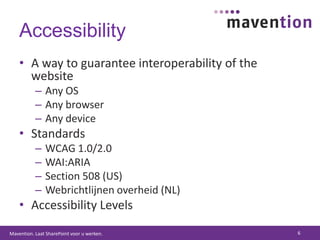
AccessibilityA way to guarantee interoperability of the websiteAny OSAny browserAny deviceStandardsWCAG 1.0/2.0WAI:ARIASection 508 (US)Webrichtlijnen overheid (NL)Accessibility Levels6
Accessibility in SharePoint 20107
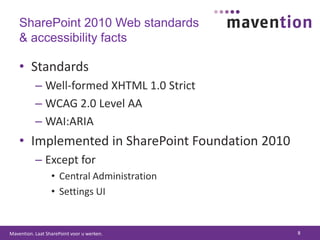
SharePoint 2010 Web standards & accessibility factsStandardsWell-formed XHTML 1.0 StrictWCAG 2.0 Level AAWAI:ARIAImplemented in SharePoint Foundation 2010Except forCentral AdministrationSettings UI8
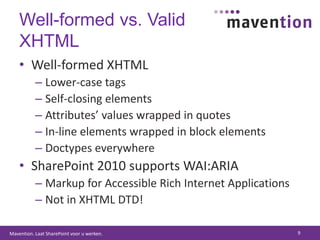
Well-formed vs. Valid XHTMLWell-formed XHTMLLower-case tagsSelf-closing elementsAttributes’ values wrapped in quotesIn-line elements wrapped in block elementsDoctypes everywhereSharePoint 2010 supports WAI:ARIAMarkup for Accessible Rich Internet ApplicationsNot in XHTML DTD!9
Accessibility in SharePoint 2010SharePoint aims at WCAG 2.0 AAWAI:ARIAAccessible Rich Internet ApplicationsSupported by the latest browsersImplemented across the whole platform10
Part IWeb standards validation problem areas in SharePoint 201011
Validation problem areasLegacy markupSilverlight Web PartWebPartZoneWebPartPageImageFieldRich Text Editor12
Legacy markupProblemname attribute on the form elementSolutionConfigure XHTML Conformance to StrictPer WebApp setting (web.config)<xhtmlConformancemode="Strict"/>13
Silverlight Plugin GeneratorProblemSLPG doesn’t escape JavaScript codeSLPG uses iframe to solve caching issue with Safari (?)SolutionAdd comments before loading the JavaScript<scripttype="text/javascript">//<![CDATA[//]]></script>...and get rid of the iframe14
WebPartZoneProblemRenders tables around Web PartsAdds non-existing attributes toWeb Part’s div(HasPers, allowDelete, etc.)SolutionCustom Control AdapterOverride the renderingDrawbacksBreaks WPSC!!!15
WebPartPageProblemRenders hidden Web Part Zone using hidden input fieldsInput fields directly in the page insteadof wrapped in a divSolutionCustom Page AdapterWrap the contents in a div16
ImageFieldProblemUses HTML 4.01 to store the image valueSolutionIn code: retrieve the value asImageFieldValue and write theimg tag yourselfIn XSLT: Good luck!17
Rich Text EditorProblemWAI:ARIA markup not in XHTML DTDSolutionCustom Control AdapterRegex replaceDrawbacksExpensive on large pages18
Part IIAccessibility problem areas in SharePoint 201019
Webrichtlijnen overheid aka. WCAG 2.0 AA+CSS stylesIn-line stylesJavaScript links20
CSS stylesProblemCSS validation returns errorsSolutionReplacing with your own CSSDrawbacksRequires some serious tweaking21
In-line stylesProblemUsing style attribute is not allowedSolutionCustom Page AdapterRegex replaceDrawbacksVery expensiveMight loose branding/functionality22
JavaScript linksProblemLinks with href="javascript:..."SolutionCustom Page AdapterRegex rewrite of linksDrawbacksVery expensiveMight loose functionality23
24Battle for checkmarks
Webrichtlijnen overheidValid XHTML and CSS as prerequisites of being accessibleIs it really necessary?Web standards vs. Accessibility:http://www.456bereastreet.com/archive/200506/web_standards_vs_accessibility/25
Key takeawaysImplementing web standards and accessibility in SharePoint 2010 is easier than in MOSS 2007Plan for accessibility from day #1Accessible branding is the key to successBe careful what you promiseAccessibility on the Internet does matter26
27
Resources:GeneralWeb standards & Accessibilityhttp://www.w3.orgWeb Accessibility Initiativehttp://www.w3.org/WAI/Webrichtlijnen overheidhttp://www.webrichtlijnen.nl/28
Resources: AccessibilityEvaluating website accessibilityPart 1, Background and Preparationhttp://www.456bereastreet.com/archive/200603/evaluating_website_accessibility_part_1_background_and_preparation/Part 2, Basic Checkpointshttp://www.456bereastreet.com/archive/200603/evaluating_website_accessibility_part_2_basic_checkpoints/Part 3, Digging Deeperhttp://www.456bereastreet.com/archive/200603/evaluating_website_accessibility_part_3_digging_deeper/29
Resources:Accessibility in SharePointAccessibility @ bloghttp://blog.mastykarz.nl/tag/accessibility/Best Practices for developing accessible web sites in Microsoft Office SharePoint Server 2007http://blog.mastykarz.nl/go/best-practices-accessible-moss/The impact of developing an accessible web site in SharePoint 2007http://blog.mastykarz.nl/the-impact-of-developing-an-accessible-web-site-in-sharepoint-2007/30

SharePoint 2010 Web Standards & Accessibility

  • 1.
    Web standards &AccessibilityWeb Content Management
  • 2.
  • 3.
    Session objectivesYou understandthe difference between and the importance of web standards and accessibilityYou can explain the web standards and accessibility investments in SharePoint 2010You know the most common web standards and accessibility issues with SharePoint 20103
  • 4.
    Web standards &accessibility 1014
  • 5.
    Web standardsGrammatical correctnessof markupStandards typesHTML 4.01XHTML 1.0/1.1Standards levelsTransitionalStrictFramesetQuirks mode5
  • 6.
    AccessibilityA way toguarantee interoperability of the websiteAny OSAny browserAny deviceStandardsWCAG 1.0/2.0WAI:ARIASection 508 (US)Webrichtlijnen overheid (NL)Accessibility Levels6
  • 7.
  • 8.
    SharePoint 2010 Webstandards & accessibility factsStandardsWell-formed XHTML 1.0 StrictWCAG 2.0 Level AAWAI:ARIAImplemented in SharePoint Foundation 2010Except forCentral AdministrationSettings UI8
  • 9.
    Well-formed vs. ValidXHTMLWell-formed XHTMLLower-case tagsSelf-closing elementsAttributes’ values wrapped in quotesIn-line elements wrapped in block elementsDoctypes everywhereSharePoint 2010 supports WAI:ARIAMarkup for Accessible Rich Internet ApplicationsNot in XHTML DTD!9
  • 10.
    Accessibility in SharePoint2010SharePoint aims at WCAG 2.0 AAWAI:ARIAAccessible Rich Internet ApplicationsSupported by the latest browsersImplemented across the whole platform10
  • 11.
    Part IWeb standardsvalidation problem areas in SharePoint 201011
  • 12.
    Validation problem areasLegacymarkupSilverlight Web PartWebPartZoneWebPartPageImageFieldRich Text Editor12
  • 13.
    Legacy markupProblemname attributeon the form elementSolutionConfigure XHTML Conformance to StrictPer WebApp setting (web.config)<xhtmlConformancemode="Strict"/>13
  • 14.
    Silverlight Plugin GeneratorProblemSLPGdoesn’t escape JavaScript codeSLPG uses iframe to solve caching issue with Safari (?)SolutionAdd comments before loading the JavaScript<scripttype="text/javascript">//<![CDATA[//]]></script>...and get rid of the iframe14
  • 15.
    WebPartZoneProblemRenders tables aroundWeb PartsAdds non-existing attributes toWeb Part’s div(HasPers, allowDelete, etc.)SolutionCustom Control AdapterOverride the renderingDrawbacksBreaks WPSC!!!15
  • 16.
    WebPartPageProblemRenders hidden WebPart Zone using hidden input fieldsInput fields directly in the page insteadof wrapped in a divSolutionCustom Page AdapterWrap the contents in a div16
  • 17.
    ImageFieldProblemUses HTML 4.01to store the image valueSolutionIn code: retrieve the value asImageFieldValue and write theimg tag yourselfIn XSLT: Good luck!17
  • 18.
    Rich Text EditorProblemWAI:ARIAmarkup not in XHTML DTDSolutionCustom Control AdapterRegex replaceDrawbacksExpensive on large pages18
  • 19.
    Part IIAccessibility problemareas in SharePoint 201019
  • 20.
    Webrichtlijnen overheid aka.WCAG 2.0 AA+CSS stylesIn-line stylesJavaScript links20
  • 21.
    CSS stylesProblemCSS validationreturns errorsSolutionReplacing with your own CSSDrawbacksRequires some serious tweaking21
  • 22.
    In-line stylesProblemUsing styleattribute is not allowedSolutionCustom Page AdapterRegex replaceDrawbacksVery expensiveMight loose branding/functionality22
  • 23.
    JavaScript linksProblemLinks withhref="javascript:..."SolutionCustom Page AdapterRegex rewrite of linksDrawbacksVery expensiveMight loose functionality23
  • 24.
  • 25.
    Webrichtlijnen overheidValid XHTMLand CSS as prerequisites of being accessibleIs it really necessary?Web standards vs. Accessibility:http://www.456bereastreet.com/archive/200506/web_standards_vs_accessibility/25
  • 26.
    Key takeawaysImplementing webstandards and accessibility in SharePoint 2010 is easier than in MOSS 2007Plan for accessibility from day #1Accessible branding is the key to successBe careful what you promiseAccessibility on the Internet does matter26
  • 27.
  • 28.
    Resources:GeneralWeb standards &Accessibilityhttp://www.w3.orgWeb Accessibility Initiativehttp://www.w3.org/WAI/Webrichtlijnen overheidhttp://www.webrichtlijnen.nl/28
  • 29.
    Resources: AccessibilityEvaluating websiteaccessibilityPart 1, Background and Preparationhttp://www.456bereastreet.com/archive/200603/evaluating_website_accessibility_part_1_background_and_preparation/Part 2, Basic Checkpointshttp://www.456bereastreet.com/archive/200603/evaluating_website_accessibility_part_2_basic_checkpoints/Part 3, Digging Deeperhttp://www.456bereastreet.com/archive/200603/evaluating_website_accessibility_part_3_digging_deeper/29
  • 30.
    Resources:Accessibility in SharePointAccessibility@ bloghttp://blog.mastykarz.nl/tag/accessibility/Best Practices for developing accessible web sites in Microsoft Office SharePoint Server 2007http://blog.mastykarz.nl/go/best-practices-accessible-moss/The impact of developing an accessible web site in SharePoint 2007http://blog.mastykarz.nl/the-impact-of-developing-an-accessible-web-site-in-sharepoint-2007/30

Editor's Notes

  • #3 Wat doe ik? Oplossingen bedenken en ontwikkelen Adviseren Kennis delenExpertise SharePoint 2010 WCM SharePoint 2007 WCM Toegankelijkheid en webstandaarden Development + Application Lifecycle Management SharePointErvaring (1998) 12 jaar webdesign 7 jaar webdevelopment 6 jaar toegankelijkheid 4 jaar SharePoint 2007 1 jaar SharePoint 2010
  • #7 Any OS/browser/device doesn’t mean pixel perfect
  • #11 ARIA: ribbon, dialogs, controls